


Instagram allows users to set unique profile pictures, but it doesn’t provide an option to view or download them in full resolution. Whether you need to save a high-quality profile picture or retrieve an old IG profile photo, using an Instagram profile downloader can help. In this guide, we’ll explore the best free tools for downloading Instagram profile pictures, how to use them on phones, and the importance of choosing the right IG profile image.Instagram allows users to set unique profile pictures, but it doesn’t provide an option to view or download them in full resolution. Whether you need to save a high-quality profile picture or retrieve an old IG profile photo, using an Instagram profile downloader can help. In this guide, we’ll explore the best free tools for downloading Instagram profile pictures, how to use them on phones, and the importance of choosing the right IG profile image.
In this article
- Part 1: Coluld I Download Instagram Profile
- Part 2: Ultimate List: 10 Free Instagram Profile Photo Downloaders
- Part 3: How to Download Instagram profile picture on Phone?
- Part 4: How to Upload a New Profile Picture on Instagram
- Part 5: The Power of a Well-Chosen Instagram Profile Picture
- Conclusion
- FAQs
Part 1: Coluld I Download Instagram Profile
Downloading an Instagram profile picture is possible with the help of third-party tools, as Instagram does not offer a built-in option to download profile images. While these tools provide an easy way to access full-sized profile pictures, it is important to consider privacy, security, and ethical concerns. Below, we explain key factors to keep in mind before using an Instagram profile picture downloader.
1. Instagram’s Policy: Instagram has strict policies against downloading and redistributing copyrighted content without permission. While it is generally acceptable to save public profile pictures for personal reference, using them for commercial or unauthorized distribution can violate Instagram’s terms. It is important to respect content ownership and ensure ethical usage. If you need to use an image for public purposes, seek consent from the original user.
2. HD Quality Matters: Instagram automatically compresses profile pictures, reducing their resolution to fit within the platform's design. When using an IG profile pic downloader HD, the tool should be capable of retrieving the highest available resolution of the image without distortion. A good downloader will maintain sharpness and clarity, making the profile picture suitable for professional or personal use without pixelation.
3. No Need for Login: Reliable Instagram profile downloaders do not require users to log in with their Instagram credentials. If a tool asks for your username and password, it could be a security risk and may lead to account hacking or data theft. Trusted platforms like UniConverter, InstaDP, and IGDownloader allow you to download profile pictures securely witho
Instagram allows users to set unique profile pictures, but it doesn’t provide an option to view or download them in full resolution. Whether you need to save a high-quality profile picture or retrieve an old IG profile photo, using an Instagram profile downloader can help. In this guide, we’ll explore the best free tools for downloading Instagram profile pictures, how to use them on phones, and the importance of choosing the right IG profile image.
Part 2: Ultimate List: 10 Free Instagram Profile Photo Downloaders
Downloading Instagram profile pictures in full resolution is made easy with various online and offline tools. These tools allow users to view and save profile images in HD, making them ideal for personal reference or social media needs. Whether you're looking for a quick online downloader or a desktop tool with batch processing, there are plenty of options available. Below, we list the 10 best free Instagram profile photo downloaders, highlighting their features, pros, cons, and step-by-step usage.
1. UniConverter – Best for HD Profile Picture Downloads
UniConverter is an all-in-one media tool that includes an advanced Instagram profile downloader for saving profile pictures in HD quality. Unlike standard downloaders, it allows users to batch-download images while maintaining full resolution. Additionally, UniConverter offers image enhancement, format conversion, and watermark removal, making it an ideal choice for professionals and content creators. With its intuitive interface, users can download and optimize Instagram profile photos effortlessly.

Best Image Downloader
Key Features
- HD Profile Picture Downloads – Allows users to download Instagram profile pictures in high resolution without compression.
- Batch Downloading Support – Users can save multiple Instagram profile images simultaneously, making it ideal for bulk downloads.
- AI-Powered Image Enhancement – Enhances and restores image clarity for better quality profile pictures.
- Built-in Image Converter – Converts downloaded Instagram images into multiple formats such as JPG, PNG, or WebP.
- Watermark Removal – Users can remove unwanted watermarks from profile images for clean, professional-looking downloads.
Step-by-Step Guide for Downloading Instagram Profile Pictures Using UniConverter
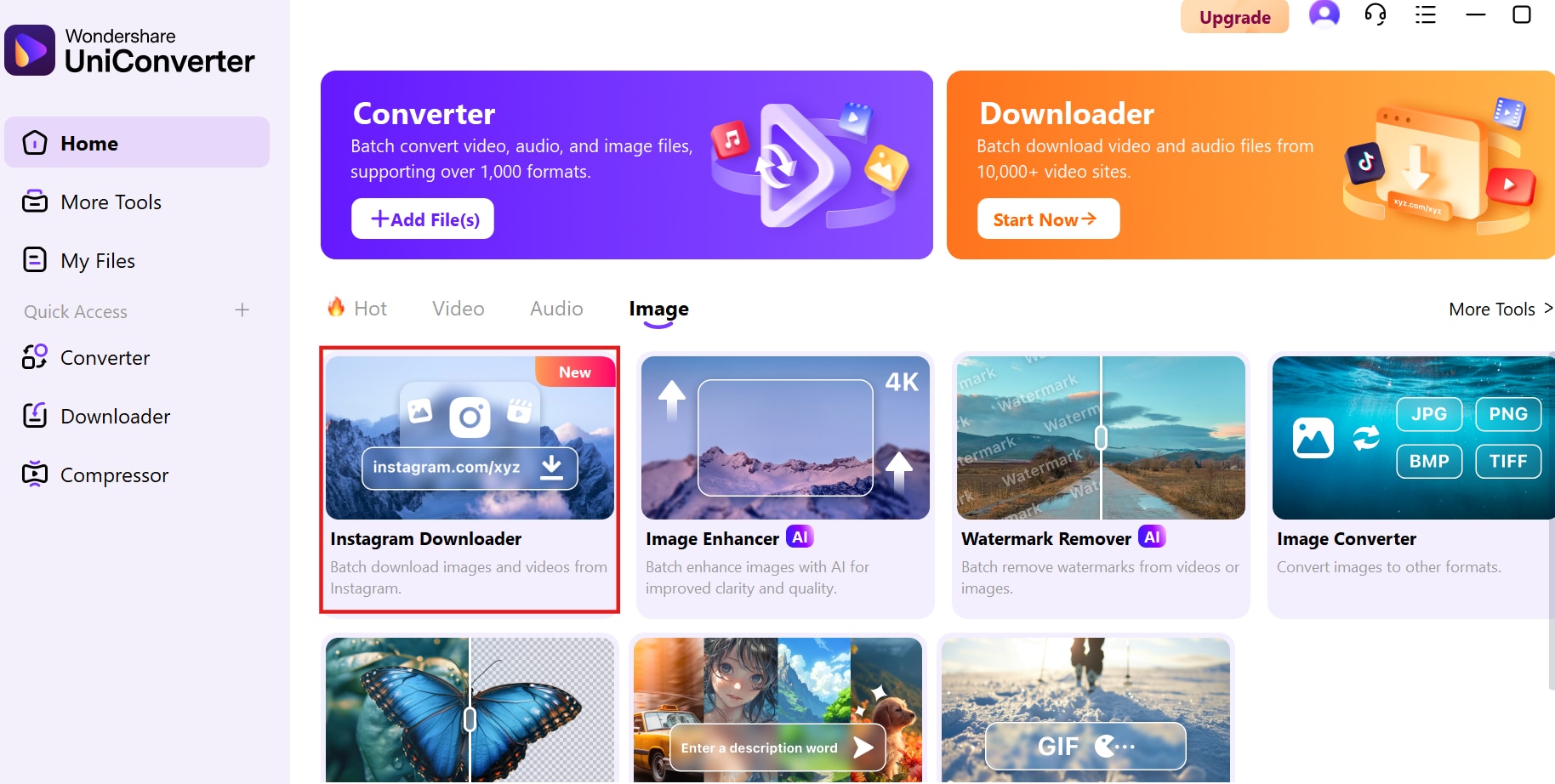
Step 1: Open UniConverter and Navigate to the Downloader
Launch UniConverter and go to the Image section. Click on Instagram Downloader to access the profile picture downloading feature.
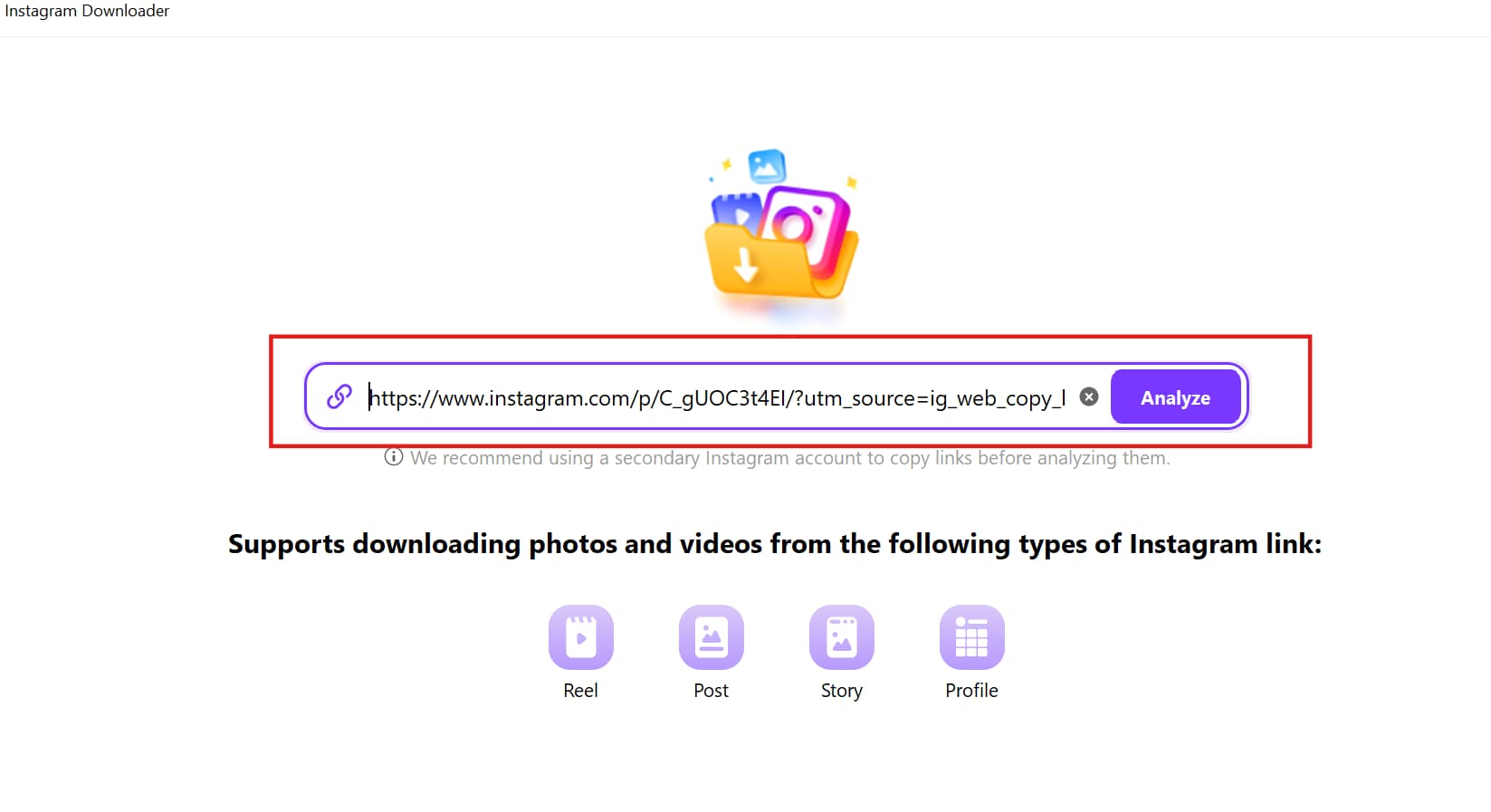
Step 2: Paste the Instagram Profile Link
Copy the Instagram profile URL and paste it into the input field. Click Analyze, and UniConverter will fetch the profile image.


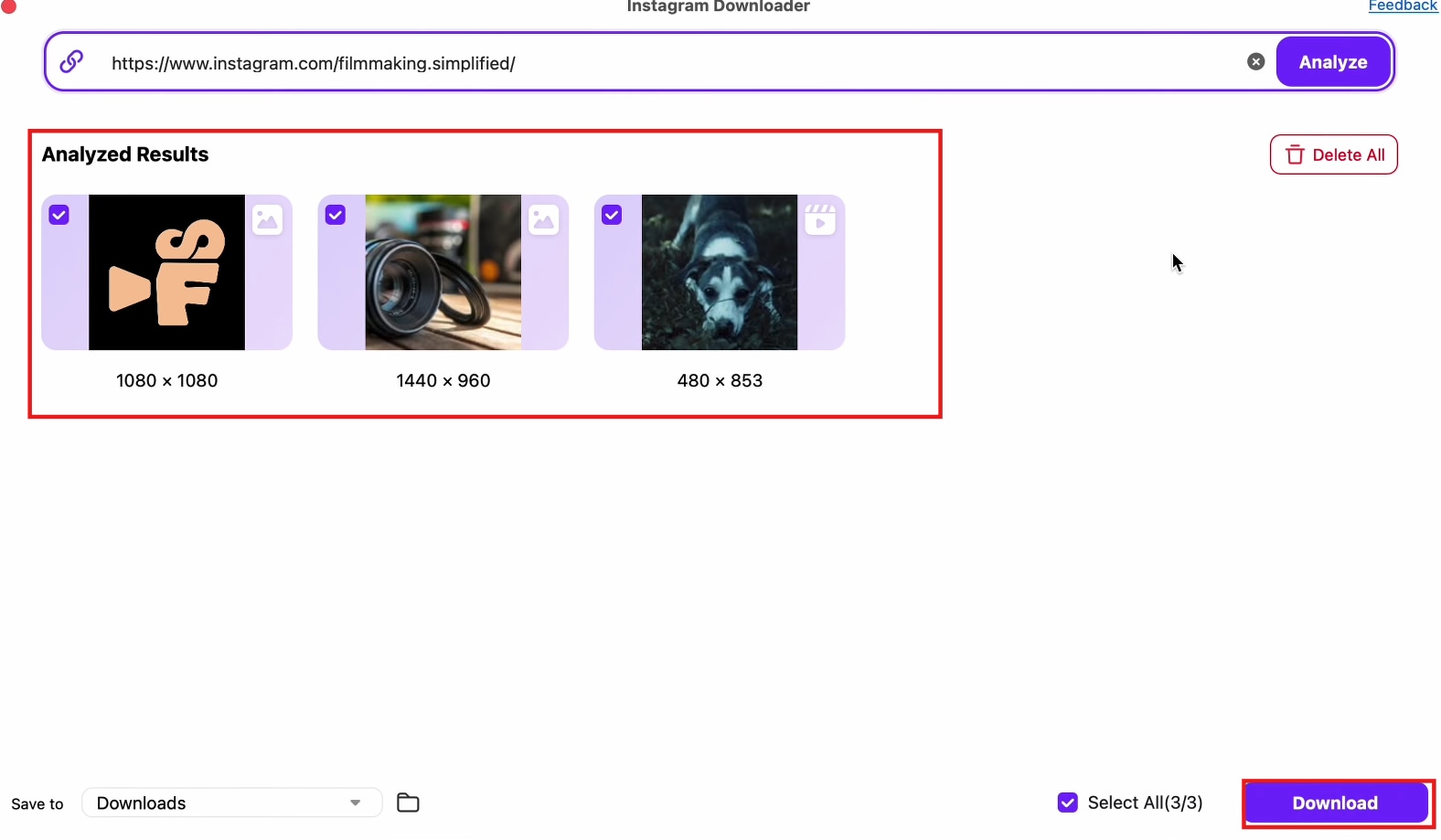
Step 3: Download the Profile Picture
Select the desired image resolution, then click Download to save the Instagram profile picture to your device in HD quality.
2.InstaDP Viwer – Best for Downloading Full-Sized Profile Pictures
InstaDP is a widely used online Instagram profile downloader that allows users to view and save full-sized profile images instantly. The tool does not require login credentials and works directly from a web browser, making it a secure and convenient option. Whether you want to check a profile picture in detail or download it for future reference, InstaDP provides quick and reliable results.
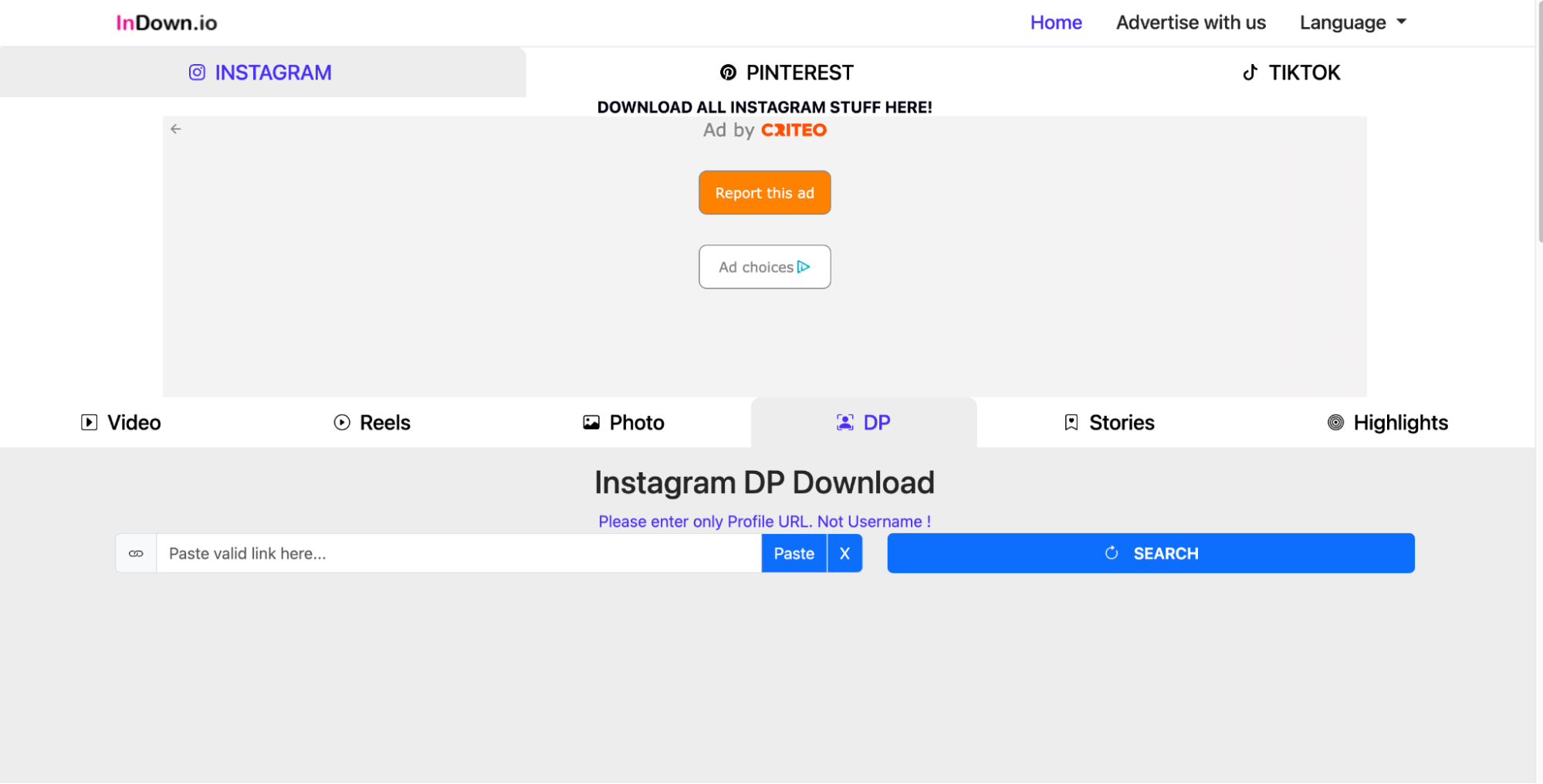
Key Features
- Full-Size Profile Picture Retrieval – Lets users enlarge and download profile pictures at their highest resolution.
- Instant Preview Feature – Allows users to see the enlarged profile picture before downloading.
- No Account Login Required – Works without requiring Instagram credentials, ensuring a private experience.
- Web-Based Tool – Runs directly on browsers without needing installations or extensions.
- Fast & Simple Downloading – Users can download IG profile pictures in a single click.
Step-by-Step Guide for Downloading Instagram Profile Pictures Using InstaDP
Step 1: Open InstaDP on Your Browser
Go to the InstaDP website using any web browser. The tool works online, so no installation is needed.
Step 2: Enter the Instagram Username
Type the Instagram username of the profile whose picture you want to download and click Search.
Step 3: View and Download the Profile Picture
The full-size profile image will be displayed. Click Download to save it in high resolution to your device.
3. SnapInsta – Best for Mobile-Friendly Profile Image Downloads
SnapInsta is an easy-to-use mobile-compatible tool designed for fast Instagram profile photo downloads. The tool works directly on Android and iOS devices, making it perfect for users who need quick access to profile images on their smartphones. SnapInsta retains the original resolution and quality of the Instagram profile photo without compression.
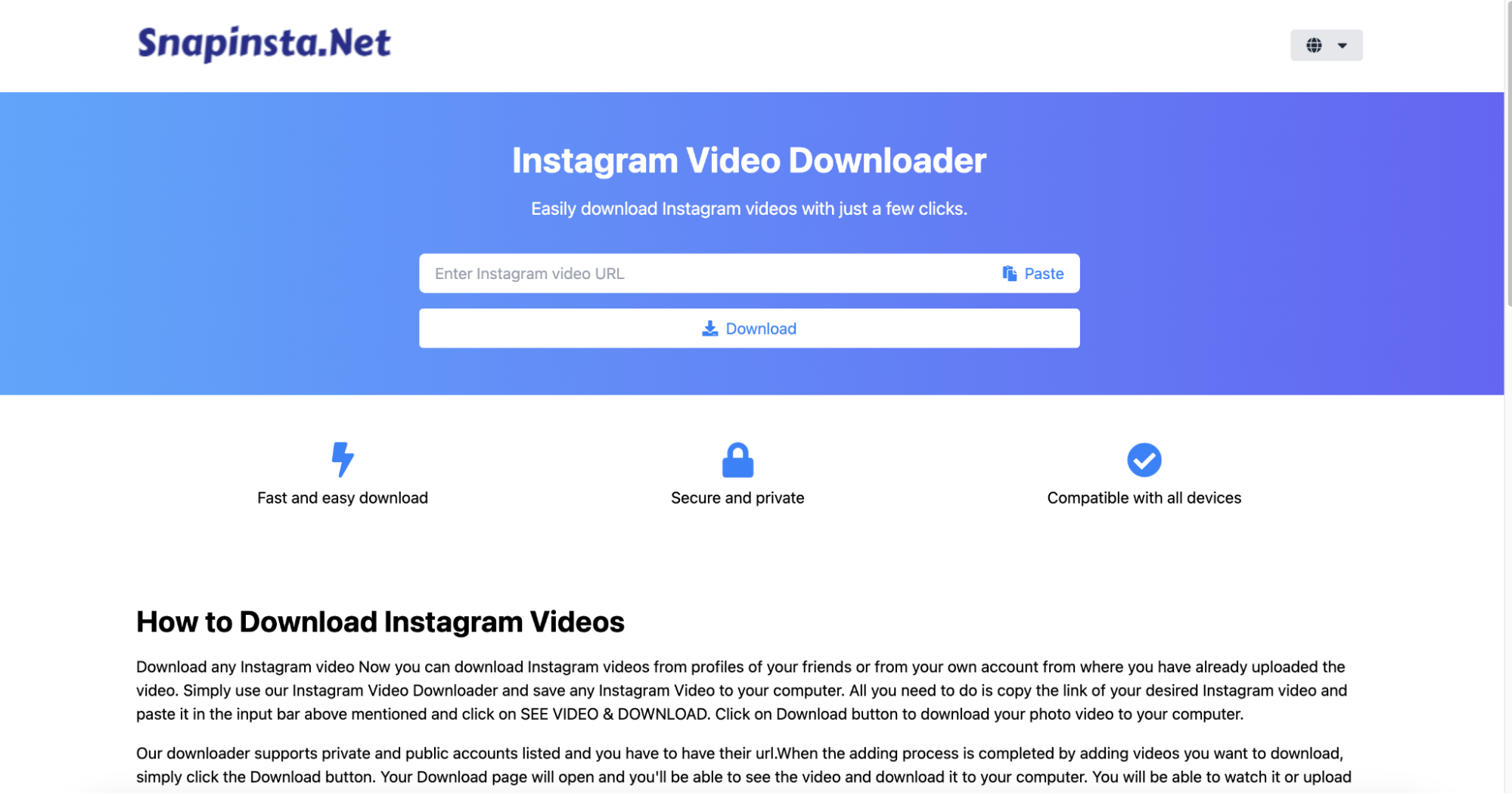
Key Features
- Mobile-Optimized Interface – Works seamlessly on Android and iOS devices for quick mobile downloads.
- Retains Original Quality – Ensures Instagram profile photos are downloaded without any loss in clarity.
- Supports Multiple Instagram Content Types – Can also download videos, reels, and stories in addition to profile images.
- No Software Installation Required – A fully web-based solution that requires no additional apps.
- Multi-Language Support – Available in multiple languages for a global audience.
Step-by-Step Guide for Downloading Instagram Profile Pictures Using SnapInsta
Step 1: Open SnapInsta on Your Mobile Device
Visit SnapInsta.app on your phone’s browser. The tool is optimized for Android and iOS devices.
Step 2: Copy and Paste the Instagram Profile URL
Copy the Instagram profile link and paste it into the search bar. Click Search to fetch the profile picture.
Step 3: Download the Profile Picture
Once the image appears, tap Download to save it directly to your phone’s gallery.
4. ClipDown – Best for Multi-Platform Instagram Profile Image Downloads
ClipDown is a powerful Instagram downloading tool that supports profile pictures, videos, reels, and posts. It is compatible with Windows and Mac, making it an ideal solution for users who prefer a desktop-based downloader. ClipDown offers lossless image quality, ensuring that Instagram profile pictures are saved in their original resolution without any degradation.
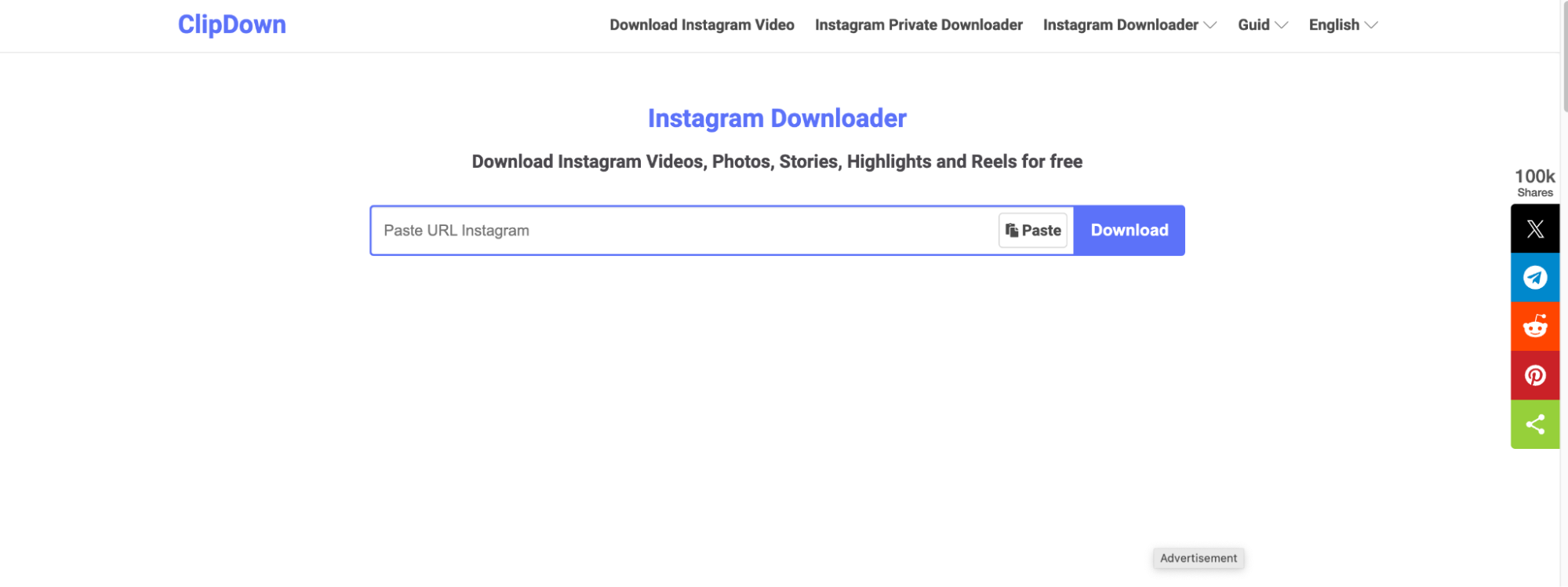
Key Features
- Compatible with Windows & Mac – A downloadable software tool available for desktop users.
- Lossless Image Quality – Downloads Instagram profile pictures in their original, uncompressed resolution.
- Multi-Content Downloading – Supports downloading profile pictures, reels, videos, and full posts.
- Ad-Free Experience – Offers a clean and distraction-free interface without intrusive ads.
- High-Speed Downloading – Ensures fast and reliable Instagram content downloads.
Step-by-Step Guide for Downloading Instagram Profile Pictures Using ClipDown
Step 1: Download and Install ClipDown
Install ClipDown on your Windows or Mac device and launch the application.
Step 2: Paste the Instagram Profile Link
Copy the Instagram profile URL and paste it into the downloader tool. Click Analyze to retrieve the profile picture.
Step 3: Save the Profile Image
Select the preferred quality and format, then click Download to save the Instagram profile picture in HD.
5. Toolzu – Best for Bulk Instagram Profile Downloads
Toolzu is a professional-grade Instagram downloader that offers bulk downloading of profile pictures. Unlike other tools, Toolzu allows users to extract and save multiple profile images from different Instagram accounts at once. It also provides options to download images in JPG, PNG, or WebP, offering more flexibility for content creators.
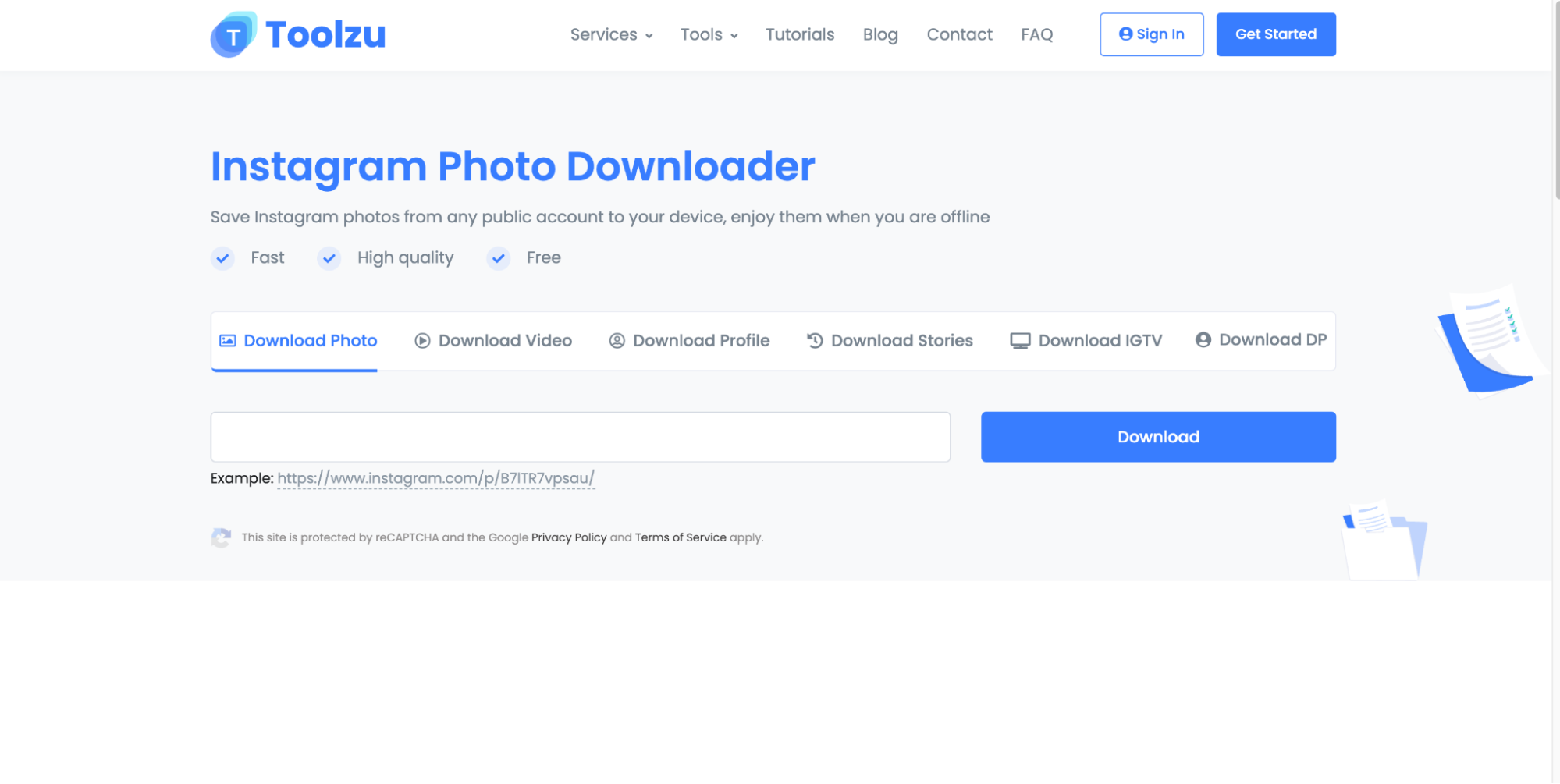
Key Features
- Bulk Download Feature – Saves multiple Instagram profile images from different accounts at once.
- Custom Download Options – Provides JPG, PNG, and WebP formats for more flexibility.
- No Account Login Required – Ensures privacy by not requiring Instagram credentials.
- Fast Processing Speed – Downloads Instagram profile pictures quickly with no delays.
- Works on Mobile & Desktop – Accessible across all devices without the need for an app.
Step-by-Step Guide for Downloading Instagram Profile Pictures Using Toolzu
Step 1: Open Toolzu on Your Browser
Visit the Toolzu website on your PC or mobile browser. No login is required.
Step 2: Enter the Instagram Username
Type the username of the Instagram profile whose picture you want to download and click Search.
Step 3: Download the Profile Picture
The tool will display the image in full size. Click Download to save it in HD resolution.
6. Inflact – Best for High-Resolution Instagram Profile Images
Inflact is a feature-rich Instagram downloader that allows users to view and save high-resolution profile pictures from both public and private accounts (when access is granted). The tool is widely used by marketers, businesses, and researchers who need to monitor Instagram profiles and analyze content.
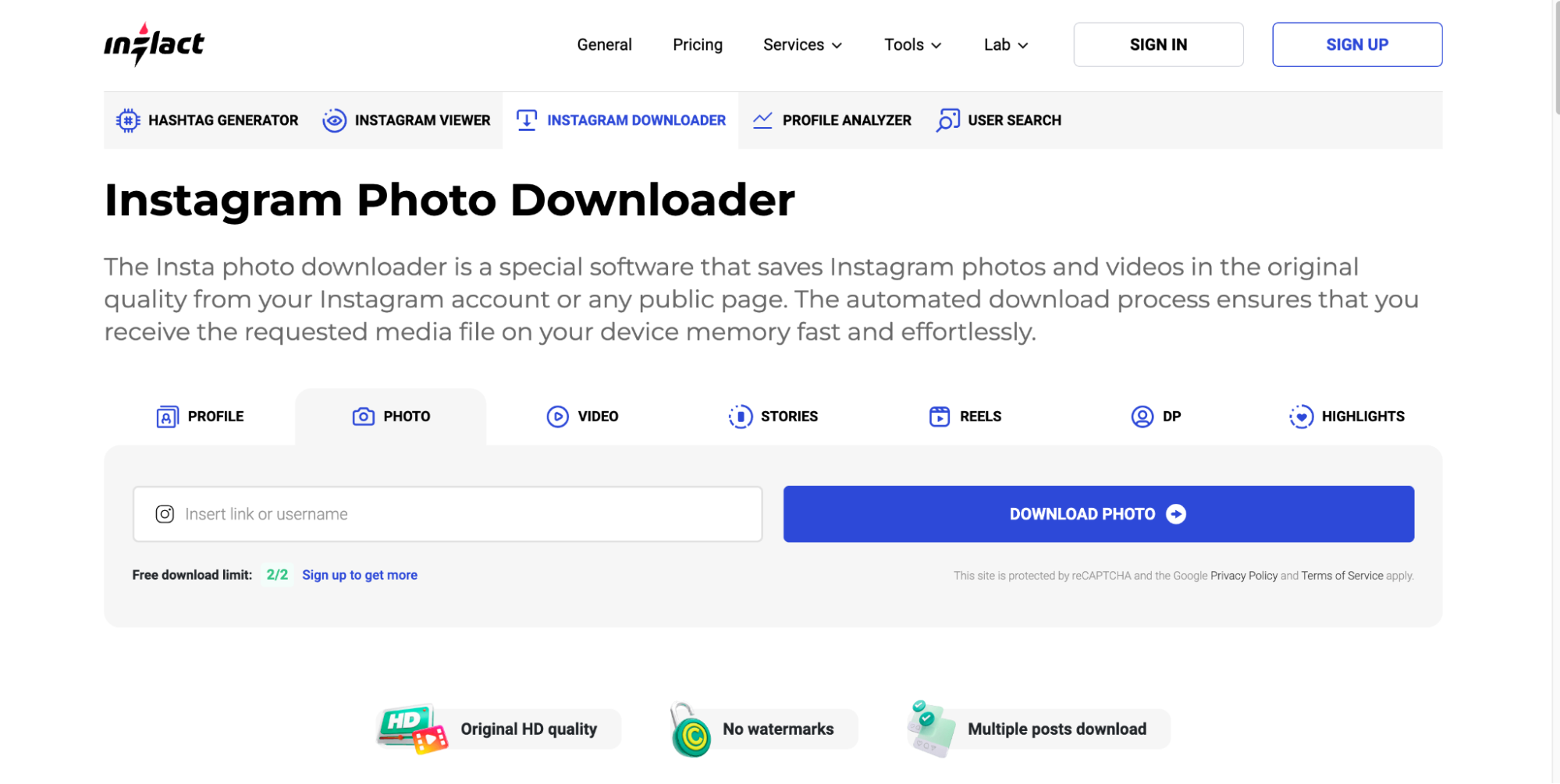
Key Features
- High-Resolution Downloads – Downloads Instagram profile pictures in full HD clarity.
- Works with Public and Private Accounts – Accesses private profile pictures when allowed.
- Browser-Based Solution – Runs online without needing any software installation.
- Multi-Content Support – Can also download Instagram stories, reels, and posts.
- Supports Custom File Naming – Users can rename and organize downloaded images efficiently.
Step-by-Step Guide for Downloading Instagram Profile Pictures Using Inflact
Step 1: Access Inflact Profile Downloader
Open Inflact’s website and navigate to the Profile Downloader tool.
Step 2: Copy and Paste the Instagram Profile Link
Copy the profile URL and paste it into the search bar, then click Search to analyze the image.
Step 3: Save the Profile Picture
Click Download, and the full-resolution Instagram profile picture will be saved to your device.
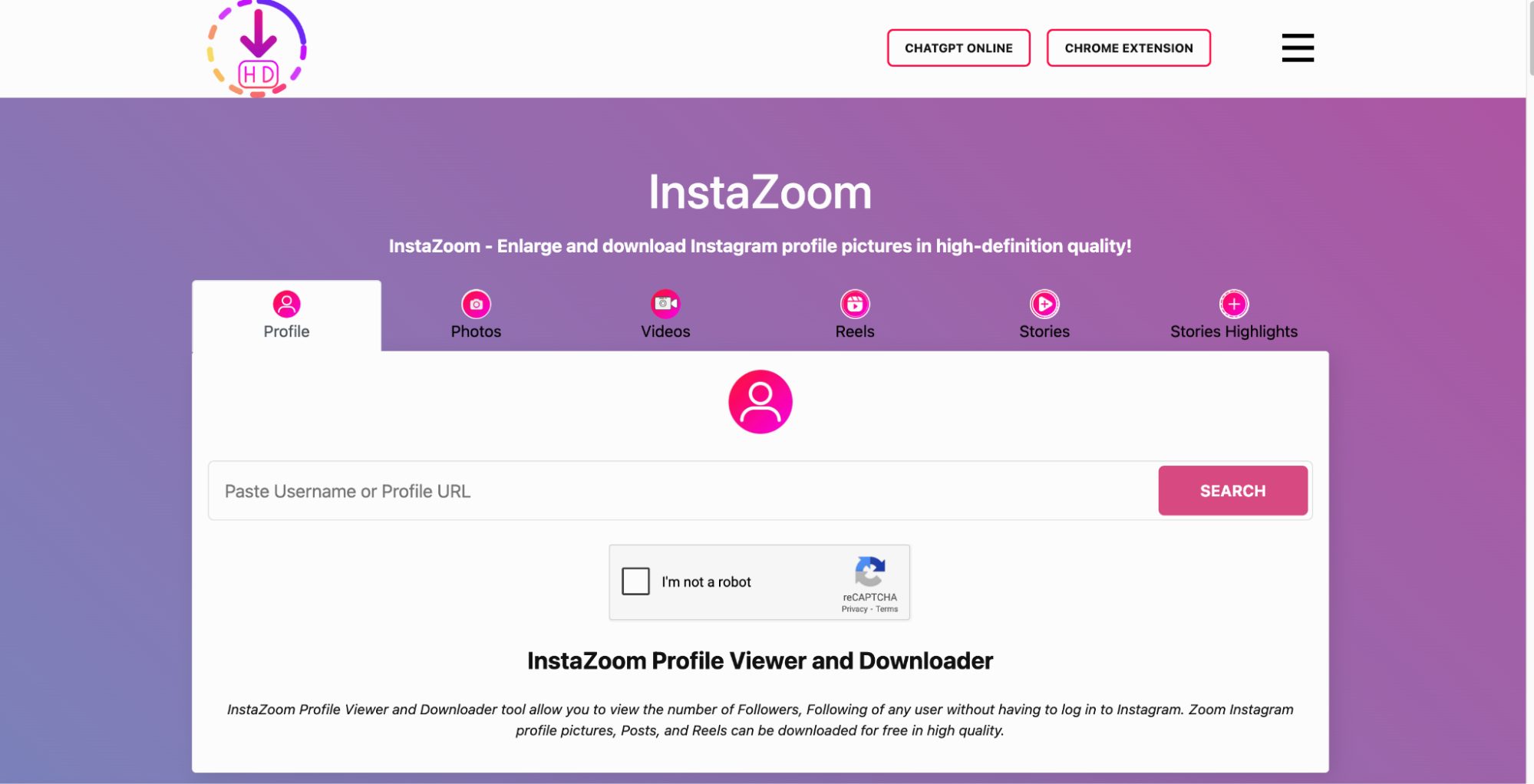
7. Instazoom – Best for Zooming & Saving HD Profile Images
Instazoom is a popular tool for enlarging and downloading Instagram profile pictures in high quality. Unlike Instagram’s default view, which limits the profile image size, Instazoom lets users see and save the full-resolution version. It works without requiring an Instagram account, offering complete privacy. The tool is accessible on mobile and desktop browsers, making it versatile. Users only need to enter a profile username to instantly view and download profile photos.
Key Features
- Zoom & View Profile Pictures – Allows users to enlarge and examine IG profile pictures in detail.
- One-Click Image Downloading – Saves full-resolution Instagram profile pictures instantly.
- No Registration Required – Provides a completely anonymous downloading experience.
- Compatible with Mobile & Desktop – Works on all devices via a web browser.
- Fast Processing Time – Retrieves and displays profile pictures within seconds.
Step-by-Step Guide for Downloading Instagram Profile Pictures Using Instazoom
Step 1: Open Instazoom on Your Browser
Visit Instazoom.net on your desktop or mobile browser. No software installation is required.
Step 2: Search for an Instagram Profile
Enter the Instagram username and click Search to load the profile picture.
Step 3: Zoom and Download the Image
The profile picture will be displayed in full resolution. Click Download to save it to your device.
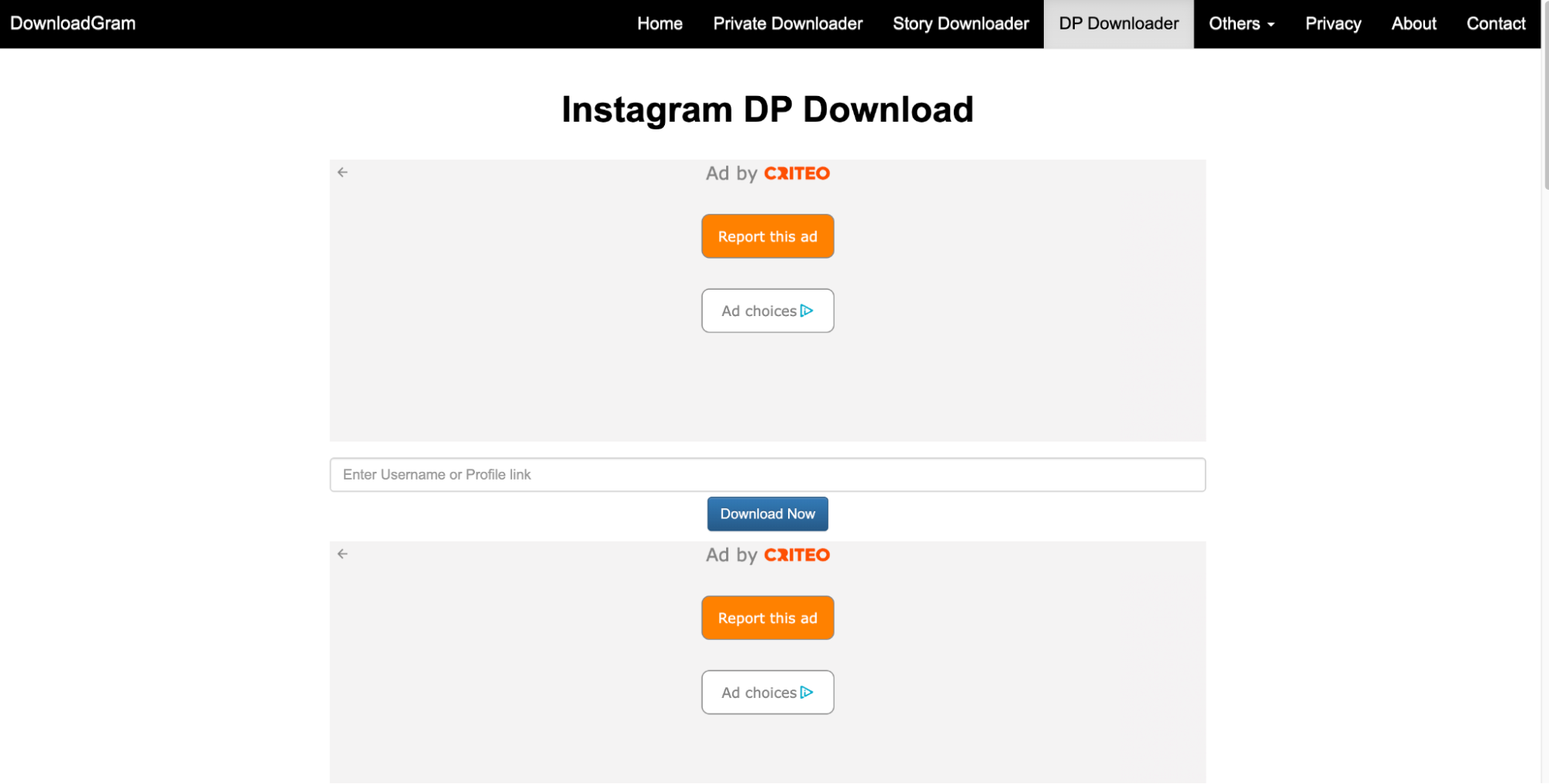
8. DownloadGram Profile – Best for Simple & Fast Profile Image Saving
DownloadGram Profile is a minimalist Instagram downloader that focuses on saving profile pictures in HD quality with one click. It is a fully online tool, meaning no downloads or installations are needed. The website features a clean, ad-free interface, making the user experience fast and distraction-free. Users simply enter an Instagram username to retrieve and download the highest available resolution profile picture. DownloadGram Profile is ideal for quick and simple downloads.
Key Features
- One-Click Downloading – Saves IG profile images quickly with a single tap.
- Minimalist & User-Friendly Interface – Has a clean and simple design for easy navigation.
- No Ads or Pop-Ups – Offers a distraction-free downloading experience.
- Fully Online Tool – Requires no installation or browser extensions to function.
- Retains Original Quality – Ensures that downloaded images remain in their full resolution.
Step-by-Step Guide for Downloading Instagram Profile Pictures Using DownloadGram
Step 1: Visit the DownloadGram Website
Open DownloadGram on your web browser. The tool is completely online and free to use.
Step 2: Paste the Instagram Profile URL
Copy the profile link and paste it into the download field, then click Generate.
Step 3: Download the Image
Once the profile image appears, click Download to save it in HD quality.
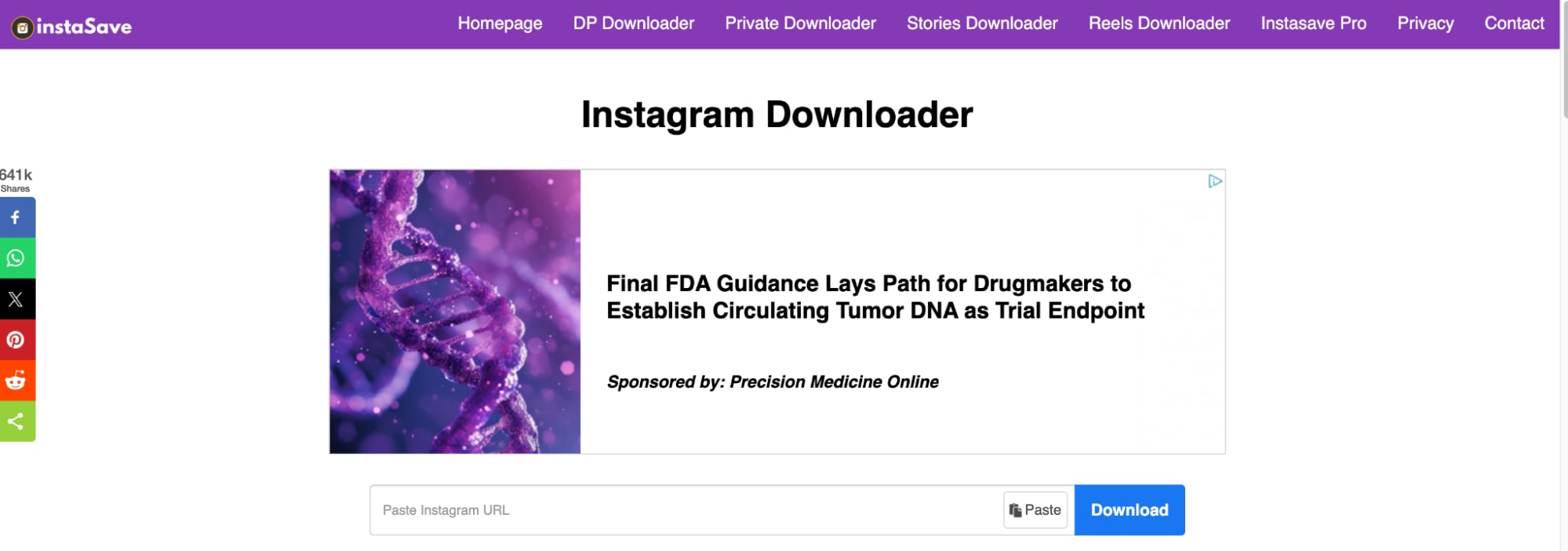
9. InstaSave – Best for High-Quality Profile Image Extraction
InstaSave is an efficient Instagram downloader designed to extract and save profile pictures in their highest resolution. The tool is web-based, eliminating the need for software installation. Users only need to enter a username, and the tool retrieves the original profile image instantly. InstaSave is widely used because of its fast processing speed and simple interface. It is compatible with mobile and desktop browsers, making it a convenient option for all users.
Key Features
- Extracts High-Quality IG Profile Photos – Saves images in their highest available resolution.
- Works on Both Mobile & Desktop – Compatible with all devices and web browsers.
- Web-Based Convenience – Does not require software installation or additional steps.
- Simple Username-Based Search – Users can enter a profile name to retrieve profile photos.
- Fast & Reliable Downloading – Processes and downloads Instagram profile images within seconds.
Step-by-Step Guide for Downloading Instagram Profile Pictures Using InstaSave
Step 1: Open InstaSave on Your Browser
Go to InstaSave.net using your computer or smartphone browser.
Step 2: Enter the Instagram Username
Type the Instagram username into the search bar and click Search to fetch the profile image.
Step 3: Save the Profile Picture
Click Download to save the image in high resolution to your device.
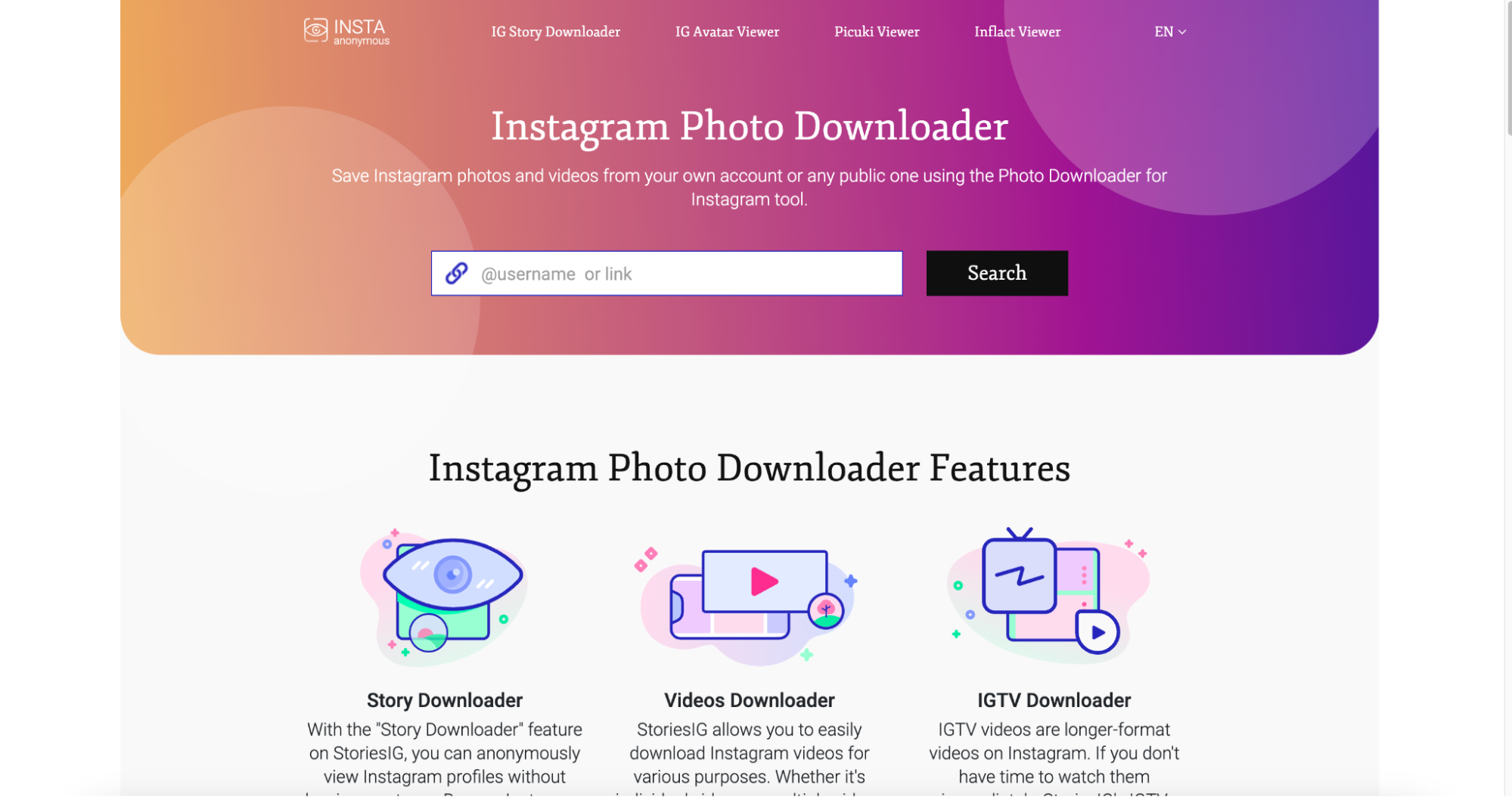
10. StoriesIG – Best for Online Profile Picture Viewing & Downloads
StoriesIG is an easy-to-use online Instagram downloader designed for viewing and saving profile pictures, stories, and highlights. It does not require any software installation, making it accessible on mobile and desktop browsers. The tool is completely anonymous, meaning users can download Instagram profile images without logging in. StoriesIG is ideal for those who want a quick and secure way to save Instagram profile pictures. It also supports video and reel downloads.
Key Features
- Anonymous Profile Picture Viewing – Allows users to view and save Instagram profile pictures without logging in.
- Multi-Content Support – Also downloads Instagram stories, reels, and highlights.
- No Software Required – Fully web-based, eliminating the need for any installation.
- Mobile & Desktop Compatibility – Works across all platforms, including PCs and mobile devices.
- Fast Processing Speed – Retrieves and downloads Instagram profile pictures instantly.
Step-by-Step Guide for Downloading Instagram Profile Pictures Using StoriesIG
Step 1: Visit StoriesIG on Your Browser
Open StoriesIG.net on any web browser. The tool is fully web-based and does not require installation.
Step 2: Enter the Instagram Username
Type the username of the Instagram profile you want to download and click Search.
Step 3: Download the Profile Picture
Once the image is displayed, click Download to save it to your phone or computer.
Part 3: How to Download Instagram profile picture on Phone?
Instagram allows you to save original photos and posts directly to your phone’s gallery. By enabling this setting, every image you upload on Instagram will be stored automatically. Follow these steps to activate the feature:
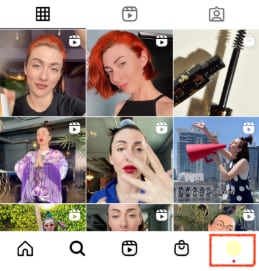
Step 1: Open Your Instagram Profile
First, open the Instagram app and go to your profile by tapping on your profile picture in the bottom-right corner. This will take you to your main profile page, where you can access your account settings.
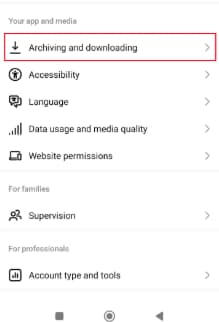
Step 2: Access Archiving and Downloading Settings
Next, tap the Menu (☰) icon in the top-right corner and select Archiving and Downloading under the Your App and Media section. This will bring up options related to saving and managing your Instagram media.
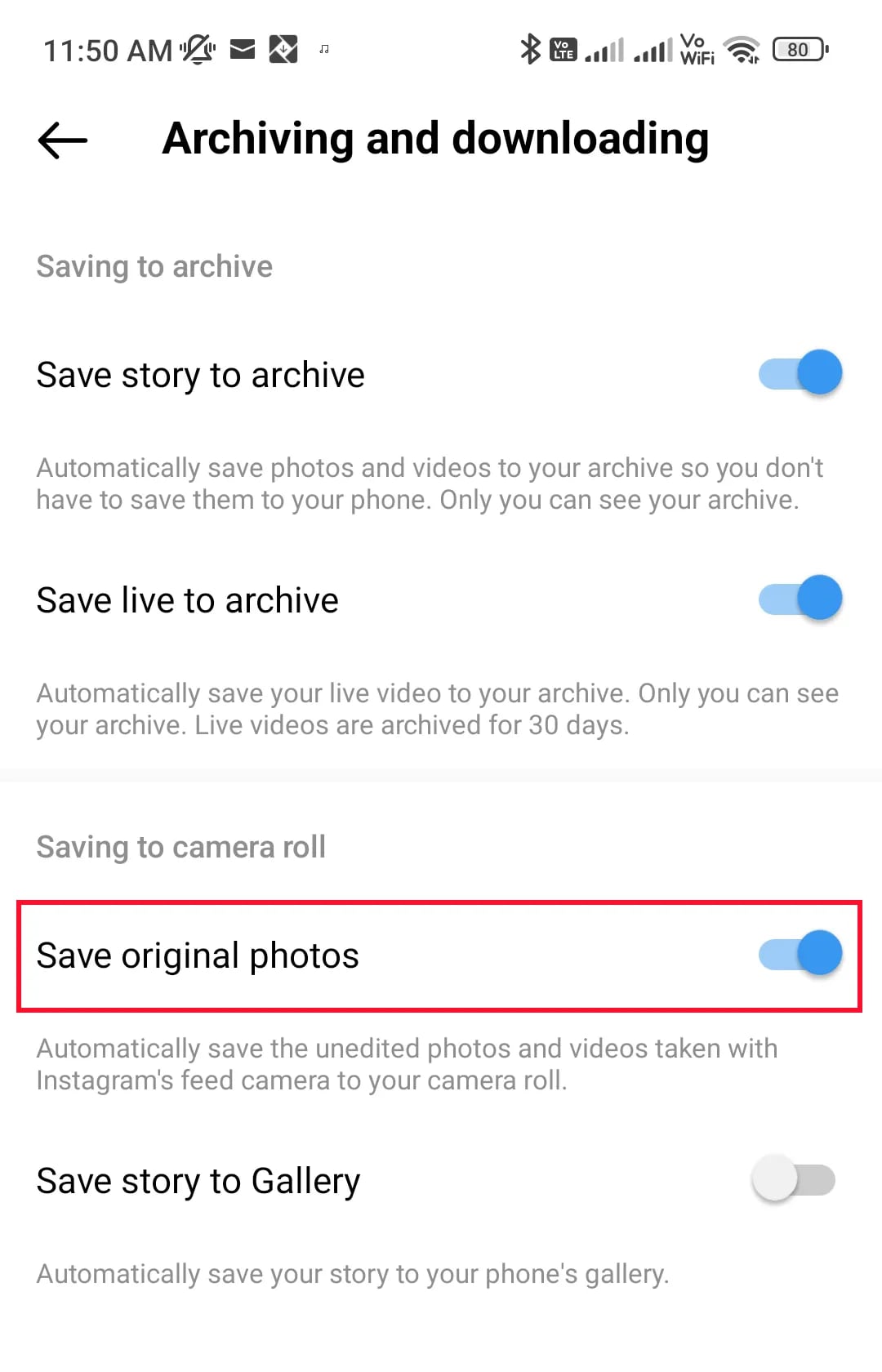
Step 3: Enable "Save Original Photos"
Then, find the Save Original Photos option and tap the toggle switch to turn it ON. This ensures that every image you upload to Instagram is automatically stored in your phone’s gallery without compression or quality loss.
Part 4: How to Upload a New Profile Picture on Instagram
Your Instagram profile picture is the first thing people see when they visit your account, so keeping it updated is important. Whether you want to refresh your look or upload a new logo for a business profile, Instagram makes the process quick and simple. Follow these steps to change your profile picture easily.
Step 1: Open Instagram and Go to Your Profile
Launch the Instagram app on your mobile device and log in to your account if you haven’t already. Tap on your profile icon at the bottom-right corner of the screen to navigate to your profile page. Here, you can view and edit your account details, including your profile photo.

Step 2: Tap on Your Profile Picture to Edit
On your profile page, tap on your current profile picture, and a pop-up menu will appear. If you don’t see the option immediately, tap on Edit Profile.
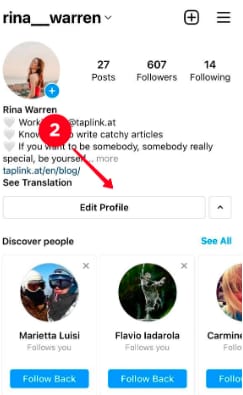
Then select Change Profile Photo from the menu. This will allow you to update or replace your existing profile image.
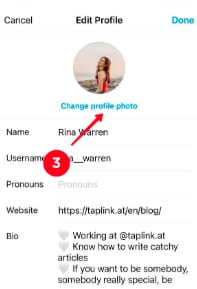
Step 3: Choose a New Photo
You can select a new photo from your gallery, take a fresh picture using your phone’s camera, or choose an avatar if available. Instagram allows you to zoom, reposition, and crop the image before setting it as your new profile picture. Ensure the image is clear and centered for the best appearance.
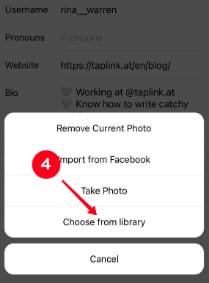
Step 4: Save and Update Your Profile Picture
Once you’re satisfied with your selection, tap Done (on iPhone) or ✔ Save (on Android) to confirm the update. Instagram will replace your old profile picture with the new one, and it will be visible to your followers and profile visitors instantly.
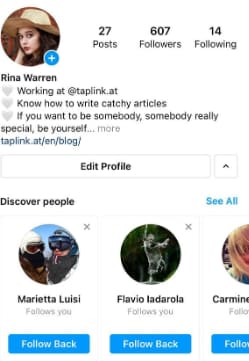
With these simple steps, you can keep your Instagram profile fresh and updated with a new look whenever you like!
Part 5: The Power of a Well-Chosen Instagram Profile Picture
Your Instagram profile picture is the first thing people notice when they visit your profile, making it a key part of your online identity. A well-chosen image helps establish credibility, attract followers, and create a memorable brand presence. Here are some essential reasons why selecting the right profile picture matters.
1. Creates a Strong First Impression: Your profile picture is the first visual representation of you or your brand on Instagram. A clear, high-quality image instantly grabs attention and makes your profile look more professional and appealing.
2. Enhances Brand Identity: For businesses and influencers, using a logo or consistent branding colors in the profile picture reinforces brand recognition. A visually cohesive image helps followers associate your profile with your brand’s identity.
3. Builds Trust and Credibility: A well-chosen profile picture instills confidence in your audience. Whether you’re an individual or a business, a professional and authentic-looking image makes your profile appear more trustworthy and engaging.
4. Improves Profile Discoverability: A distinct and recognizable profile picture makes it easier for people to find and identify your account. If you’re active in comments, stories, or reels, a standout profile image ensures you get noticed quickly.
5. Sets the Right Tone for Your Content: Your profile picture should reflect your personality or brand style. Whether it’s a friendly selfie, a minimalist logo, or a themed image, choosing the right tone ensures your profile aligns with your content and audience.
6. Makes Your Account Look More Professional: A blurry, cropped, or low-quality image can make a profile look unpolished. A high-resolution, well-framed picture signals attention to detail and professionalism, making people more likely to follow and engage with your content.
By choosing the right Instagram profile picture, you can strengthen your brand identity, build credibility, and make a lasting impact on your audience!
Conclusion
Downloading Instagram profile pictures in HD quality is now easier than ever with the right tools. Whether you need a quick online solution or a desktop tool with advanced features, the top 10 Instagram profile downloaders listed in this guide provide reliable options for saving profile pictures effortlessly. Among them, UniConverter stands out with its AI image enhancer, batch downloading, and format conversion, ensuring high-quality downloads without compromising resolution. Additionally, it offers background removal and watermark-free profile pictures, making it ideal for content creators and businesses. While downloading IG profile photos is convenient, it's essential to respect privacy policies and use them responsibly. Whether for personal reference, branding, or social media management, having a high-resolution Instagram profile picture enhances credibility and engagement. Choose a tool that fits your needs and ensure your profile always looks its best!
FAQs
1. Is it legal to download Instagram profile pictures?
Downloading Instagram profile pictures for personal use is generally allowed, but redistributing or using them commercially without permission violates Instagram’s policies. Always respect content ownership and seek consent when necessary.
2. Can I download an Instagram profile picture in full resolution?
Yes, tools like UniConverter, InstaDP, and Inflact allow you to view and save Instagram profile pictures in HD. However, Instagram automatically compresses images, so the highest available resolution depends on the original upload quality.
3. Do I need to log in to download an Instagram profile picture?
No, most reliable Instagram profile downloaders do not require login credentials. If a tool asks for your Instagram username and password, it could be a security risk, and it’s best to avoid such services.
4. Can I download Instagram profile pictures from private accounts?
Most profile picture downloaders only work for public accounts, as private account data is restricted by Instagram’s privacy settings. If you need a private profile picture, the user must approve your follow request first.
5. What is the best tool to download Instagram profile pictures in HD?
UniConverter is one of the best tools, offering high-resolution downloads, AI image enhancement, batch processing, and watermark removal. It ensures profile pictures are saved in original quality without compression.

