
- Step 1: Copy and paste links to Uniconverter MP4 Downloader
- Step 2: Choose MP4 or MP3 as the output format
- Step 3: Click 'Download' to save MP4 songs from websites
*Note: We resolutely oppose all forms of copyright-infringing downloads and recording. This tutorial is only for saving your personal or authorized videos.

TV Recording Tips
- TRY FREE TRY FREE
- 1. DVR for TV Recording+
-
- 1.1 How to Choose the Best Digital Video Recorders for TV in 2026
- 1.2 4 Ways You Shoud Know for TV Recording in 2026
- 1.3 Top 6 DVR Recorders for TV in 2026
- 1.4 5 Methods to Record TV Shows without DVR in 2026
- 1.5 Top 5 PVR Recorder for Live TV Shows in 2026
- 1.6 All Ways to Record TV Shows on Fire TV Stick in 2026
- 1.7 All Things to Know About TV Shows Recording on Philo TV in 2026
- 1.8 Easy Ways to Record Programs on Roku in 2026
- 1.9 Best TV Recording Box: the 9 Best Ways to Enjoy TV Shows
- 1.10 What are the Best TV Recording Devices in 2026
- 1.11 The Most Efficient Steps to Record TV Videos in 2026
- 1.12 How to Record TV Programs On An External Hard Drive in 2026
- 1.13 How to Record TV Shows on DVD Recorder Easily in 2026
- 1.14 How to Record Shows from Samsung Smart TV via USB by Simple Steps in 2026
- 1.15 Deserved to Have Top 12 Freeview TV Recorders in 2026
- 1.16 How to Use Tablo TV Kill Time During Self-Quarantine Period in 2026
- 1.17 How to Edit TV Shows Recorded from Xfinity in 2026
- 2. Record Cable TV+
- 3. Record Live TV+
- 4. Record Screen+
- 5. Other Tips for TV Recording+
All Topic
- AI Tools Tips
-
- AI Photo Enhancer Tips
- Voice Changer Tips
- AI Thumbnail Maker Tips
- AI Script Generator Tips
- Smart Summarizer
- AI Subtitle Generator Tips
- Watermark Remover
- Vocal Remover Tips
- Speech to Text Tips
- AI Video Tips
- AI Image Tips
- AI Subtitle Translator Tips
- Video Extractor Tips
- Text to Speech Tips
- AI Video Enhancer Tips
- DVD Users
- Social Media Users
- Camera Users
- Photography
- Creative Design
- Movie Users
- Travelling Fans
- Educational Users
- More Solutions
- Holidays and Commemoration
- Game Lovers
- Other Tips
MP4 Song Download: Save Music Videos as MP4 Safely
by Christine Smith • 2026-09-30 07:27:49 • Proven solutions
Looking for an MP4 song download method? In this guide, “MP4 songs” mainly means music videos saved in MP4 format, not audio-only MP3 files. The safest options are to download videos from platforms where you have permission, use official offline features, or save your own or authorized music videos with a reliable MP4 downloader or recorder.
Quick Answer: How to Download MP4 Songs Safely
- For one video link: use a browser-based MP4 downloader or online converter for quick access.
- For batch downloads, HD/4K quality, or repeat use: use a desktop tool such as Wondershare UniConverter for a more stable workflow.
- For car USB playback: save the music video as MP4 with H.264 video and AAC audio for better compatibility.
- For copyrighted songs: download only when you own the content, have permission, or the platform provides an official download option.
- Part 1. Best Way to Download MP4 Songs(Fast&Safe)
- Part 2. Which MP4 Song Download Method Should You Choose?
- Part 3. Best MP4 Song Downloaders and Tools Tested
- Part 4. Legal Sources for Free MP4 Music and Music Videos
- Part 5. Online Tools vs Desktop Downloader vs Recorder
- Part 6. How to Download MP4 Songs for Car USB Playback
- Part 7. FAQ About MP4 Song Download
 *A Legal Warning Note:
We resolutely oppose all forms of copyright-infringing downloads and recording. This tutorial is only for saving your personal or authorized videos.
Part 1: Best Way to Download MP4 Songs (Fast & Safe)
Downloading music videos from unreliable websites can be frustrating. Many free tools:
-
Limit video quality to 720p or lower
-
Fail to process links properly
-
Contain intrusive ads or unsafe redirects
For a faster, safer, and more stable experience, using a desktop downloader like Wondershare UniConverter is a better choice.
Key Features:
- Download MP4 songs from 10,000+ websites
- Convert videos to MP4, MP3, and 1000+ formats
- Support for 4K/8K video quality
- Batch downloading and high-speed processing
It allows you to download music videos in full HD or even 4K quality without ads or interruptions.


Method 1: Copy and paste MP4 links to extract
It's the best way to convert any streaming videos and music into MP4/MP3 format for offline listening. You just need 3 simple steps to fulfill your music library.
Step 1 Download and install UniConverter MP4 Downloader from the above download button on your computer. Launch it and choose 'Downloader' to open.

Step 2 Go to browser or any streaming music player, copy the link that you want to save for offline listening. Then go back to UniConverter and paste the link to the interface. UniConverter will automatically save video and audio into MP4 or MP3 format.
*Note: We resolutely oppose all forms of copyright-infringing downloads and recording. This tutorial is only for saving your personal or authorized videos/music.
Download MP4 Music Video: Choose 'Video' before download, then paste the link.

Download MP4 Songs to MP3: Choose 'Audio' before download, then paste the link.

Step 3Then click 'Download' to start the process and wait for ripping the songs in MP4 or MP3 files.
Once it done, the saving files will appear in 'Finished' tab. And now, you can enjoy the MP4/MP3 songs wherever you want.

Method 2: Use Best MP4 Music Recorder to record and rip music to MP4
With UniConverter MP4 Music Recorder, music buffs can capture videos by selecting the entire screen or customizing a capture area. After choosing a recording area, you can choose devices for recording voiceovers, a video overlay or picture-in-picture effect, and system sounds. In addition, users can highlight subjects using drawings, lines, arrows, shapes, and texts. Plus, this app exports Full HD 1080P videos to MP4, FLV, or AVI files.
Here are the detailed steps to record MP4 music on Mac/Win using UniConverter Music Recorder:
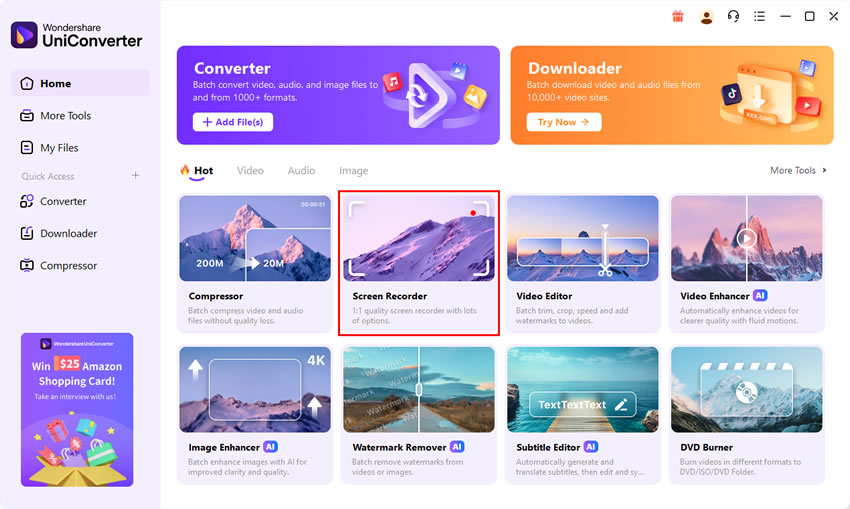
Step 1Run the Screen Recorder function.
Run UniConverter on your computer then press the Screen Recorder tab.
Step 2Select a screen area to record.
In this case, you can choose to record the screen by saving MP4 songs, or you can just record the songs and rip into MP3 format.

Record MP4 Songs: Choose 'Screen Recorder' and select the area of the MV. Select 'MP4' as the format and start recording.

Record MP4 into MP3: Choose 'Audio Recorder' and select 'MP3' as the format and start recording. Don't forget to record the system sound.

Part 2. Which MP4 Song Download Method Should You Choose?
Different MP4 song download needs require different methods. If you only want to save one authorized music video, an online downloader may be enough. If you need higher quality, batch downloads, MP4-to-MP3 conversion, or car USB playback, a desktop tool like Wondershare UniConverter is more stable. For public projects, royalty-free or Creative Commons sources are safer than downloading unknown copyrighted files.
| Your Need | Best Method | Why It Fits | Recommended Action |
|---|---|---|---|
| Download one MP4 music video quickly | Online MP4 song downloader | Works directly in the browser and does not require software installation. | Paste the authorized video link, choose MP4, and download if the site supports the source. |
| Download MP4 songs in HD, 4K, or batch mode | Wondershare UniConverter desktop downloader | More suitable for repeat use, higher-quality output, batch downloading, and fewer browser ads or redirects. | Use UniConverter Downloader to save authorized music videos as MP4, then convert them if needed. |
| Convert MP4 songs to MP3 for listening | Desktop downloader + MP3 converter | MP4 keeps both video and audio, while MP3 is better for audio-only playback on phones, music players, or car stereos. | Download the authorized music video as MP4 first, then export the audio track as MP3. |
| Save MP4 songs for car USB playback | UniConverter + car-compatible MP4 settings | Car media systems may reject files if the codec, resolution, file name, or USB format is not supported. | Convert the file to MP4 with H.264 video and AAC audio, then copy it to a USB drive. |
| Record authorized music video playback | Screen recorder | Useful when direct downloading is unavailable but you have permission to save the playback. | Use UniConverter Screen Recorder to capture the video area and system sound as MP4. |
| Find music for YouTube, ads, or client projects | Royalty-free or Creative Commons music sources | These sources provide clearer usage rights and lower copyright risk than random MP4 song download sites. | Check whether the license allows commercial use, monetization, editing, redistribution, and attribution. |
Part 3. Best MP4 Song Downloaders and Tools Tested
We reviewed these MP4 song download tools based on download stability, MP4 output quality, ads and redirect behavior, supported platforms, and whether they are suitable for one-time or repeat use.
How We Reviewed MP4 Song Download Tools
What We Reviewed
How the Comparison Helps
Evaluation Criteria
1. Y2Mate
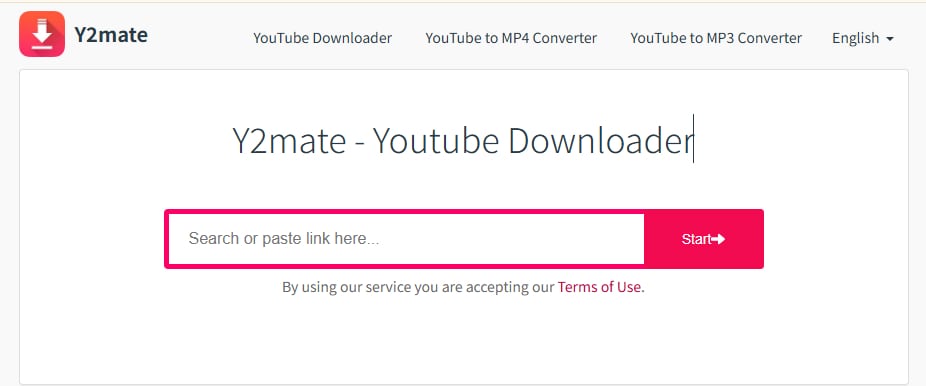
Y2Mate is one of the most searched tools for downloading MP4 songs offline from YouTube. It allows users to convert videos into MP4 or MP3 format directly from a browser.
Key Features:
- Convert YouTube videos to MP4 or MP3
- Supports multiple quality options (SD, HD)
- Unlimited free downloads
- No account required
👉Users simply paste a video link and choose format/quality to download instantly
Pros:
- Free and easy to use
- No registration required
- Fast conversion speed
Cons:
- Limited to lower resolutions
- Pop-up ads
👉 Best for: Users who want a quick and simple YouTube-to-MP4 downloader without installation.
2. SaveFrom.net
SaveFrom.net is known for its simplicity and browser integration, allowing users to download MP4 songs directly from video pages.
Key Features:
- Download videos from YouTube, Facebook, Vimeo, etc.
- Browser extension for one-click downloads
- Supports HD and even 4K quality
👉It can download videos directly from URLs across major platforms
Pros:
- Supports multiple platforms
- Simple interface
Cons:
- Redirects to other pages
- Inconsistent performance
👉 Best for: Basic downloads
3. KeepVid
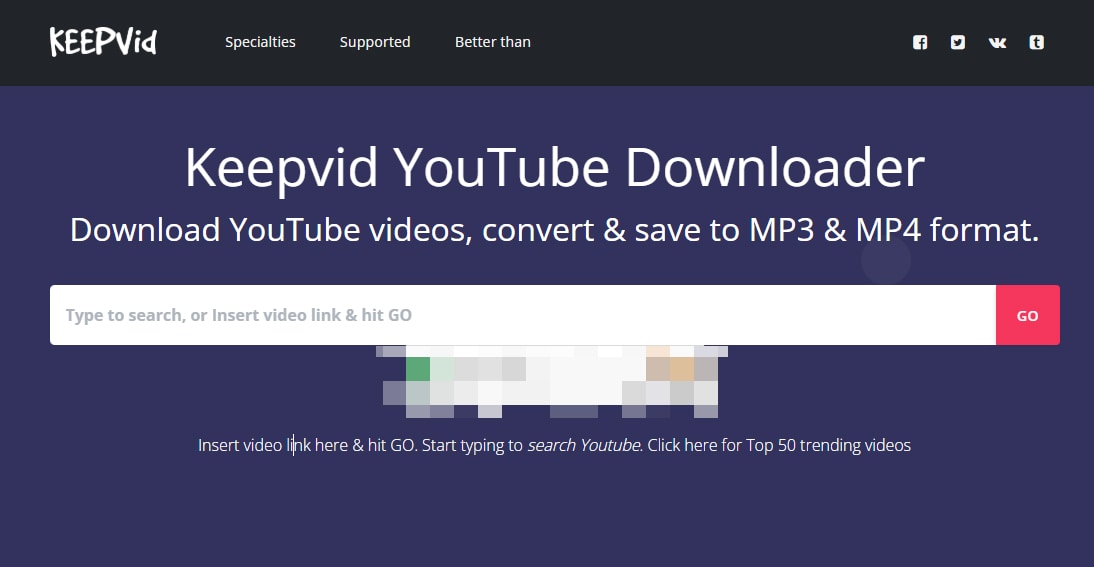
KeepVid is a classic online downloader that supports multiple websites, making it a versatile option for downloading MP4 songs from different sources.
Key Features:
- Download videos from YouTube, Dailymotion, and more
- Supports MP4, MP3, WebM, and 3GP formats
- Web-based (no installation needed)
👉 It provides a simple interface for saving online videos for offline viewing
Pros:
- Supports multiple formats
- Works with many sites
Cons:
- Ads and slow processing
- May fail for HD downloads
👉 Best for:Users who need a flexible downloader for multiple video websites.
4. ClipConverter
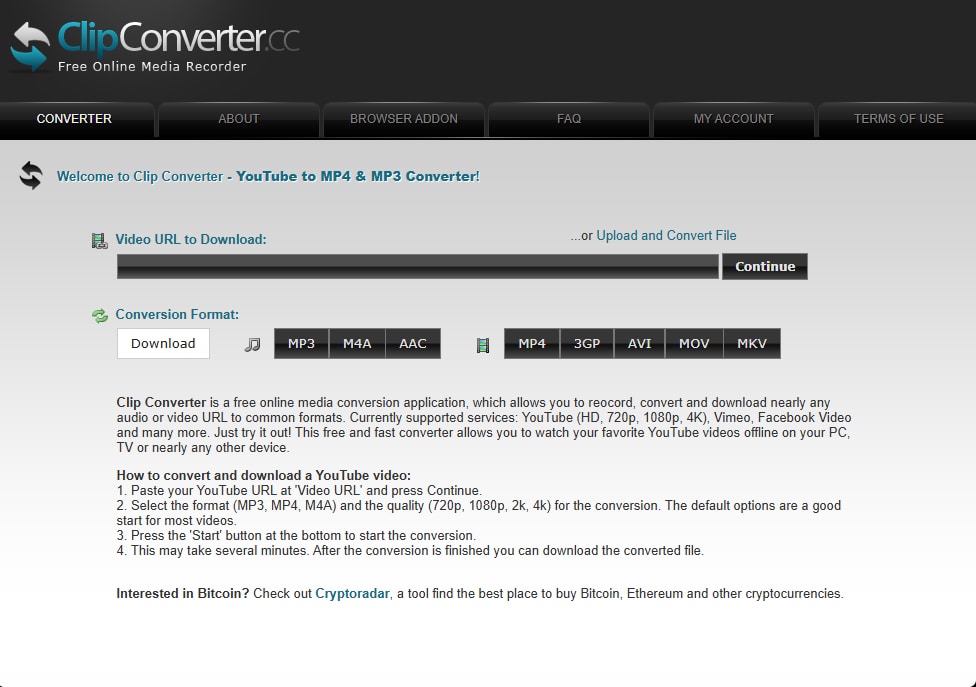
ClipConverter is more than just a downloader — it offers advanced conversion options for users who want control over output formats and quality.
Key Features:
- Supports MP4, AVI, MOV, and more
- Allows users to choose resolution and format
- Works with YouTube, Vimeo, Facebook, etc.
👉 Best for: It can convert and download nearly any video URL into multiple formats
Pros:
- Allows format selection
- Supports MP4 and audio
Cons:
- Slower than alternatives
- Limited HD support
Users who need custom format and quality control when downloading MP4 songs.
5. OnlineVideoConverter
OnlineVideoConverter is a widely used tool that supports both video conversion and downloading across devices.
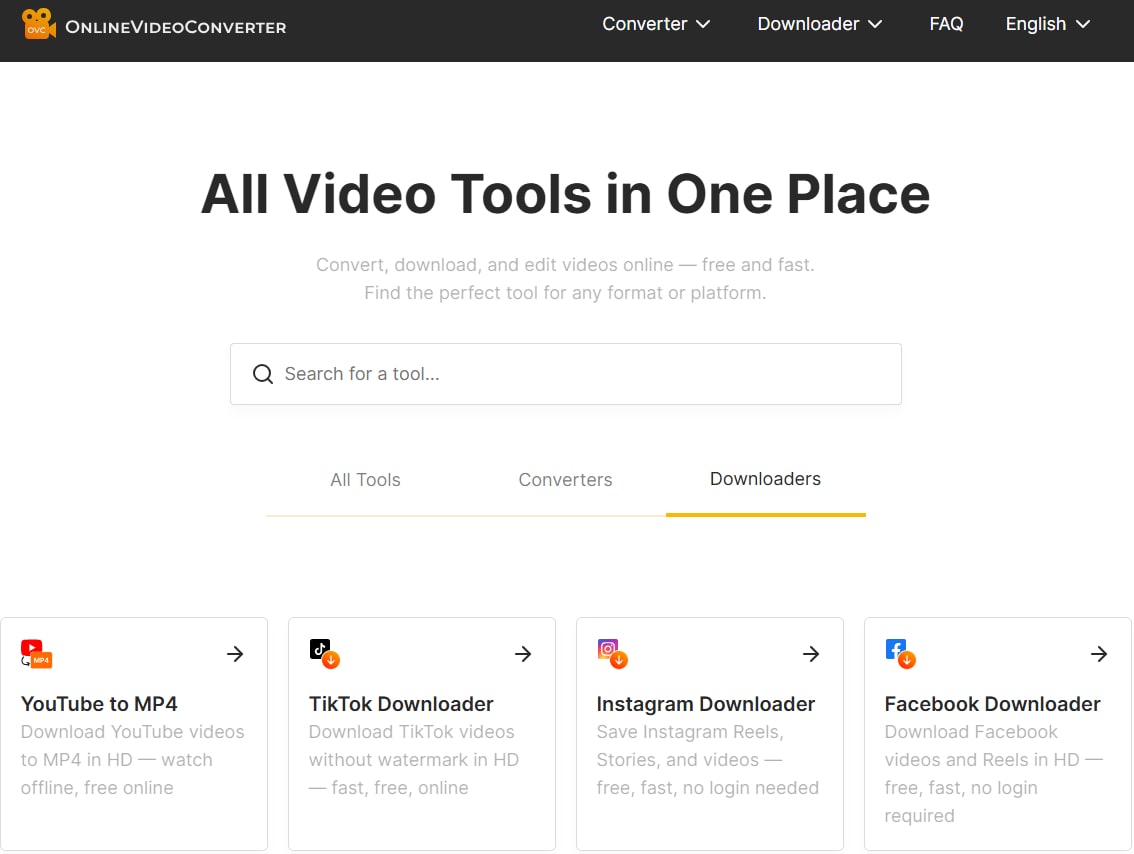
Key Features:
- Convert videos to MP4, MP3, and other formats
- Works on desktop, tablet, and mobile
- Supports multiple video sources
👉 Online converters allow fast downloads with minimal setup and broad compatibility
Pros:
- Easy to use
- No installation required
Cons:
- Low success rate
- Quality limitations
👉 Best for:Users who want a simple, no-install MP4 downloader for occasional use.
Most online tools are suitable for occasional use, but they lack stability, speed, and high-quality output for regular downloads.
Part 4. Where Can You Download MP4 Songs Legally?
Not every MP4 song download should come from a random third-party downloader. If you want to save music videos, background music, or song clips for offline playback or editing, the safest choice is to use sources where downloading is clearly allowed. This helps you avoid copyright issues, unsafe redirects, and low-quality files with unknown origins.
Quick Answer: When Is MP4 Song Download Legal?
You can usually download MP4 songs or music videos legally when one of the following conditions applies:
- The platform provides an official download or offline viewing option.
- You created the video yourself or own the rights to the content.
- The creator clearly gives permission to download, save, or reuse the video.
- The music video, clip, or background track is released under a license that allows downloading.
- The content is from a royalty-free, Creative Commons, or public domain source, and your use follows the license terms.
Legal MP4 Music Download Sources to Consider
The best legal source depends on how you plan to use the MP4 music file. Some platforms only allow in-app offline viewing, while others provide downloadable music, stock video, Creative Commons media, or royalty-free tracks for editing projects. Always check the license, download permission, and usage scope before saving or reusing any file.
| Platform / Source | Best For | What You Can Usually Get | What to Check Before Downloading |
|---|---|---|---|
| YouTube Premium / YouTube Music | Personal offline viewing or listening inside the YouTube app | Official offline playback for eligible videos or music, usually within the app rather than a separate MP4 file | Check whether downloads are available in your region, device, subscription plan, and the specific video. This is not the same as exporting a reusable MP4 file. |
| Vimeo videos with Download enabled | Creator-approved music videos, performances, trailers, demos, or portfolio videos | Downloadable video files when the video owner has enabled the download option | If there is no official Download button, the owner has not made the video available for download. Also check whether reuse, editing, or redistribution is allowed. |
| Pixabay Music and Pixabay Videos | Background music, stock video clips, social posts, presentations, and simple video projects | Royalty-free audio tracks, sound effects, stock footage, and other creative assets | Check the Pixabay Content License and avoid using files in ways that are restricted, such as misleading endorsement, resale as standalone files, or improper redistribution. |
| Jamendo Licensing | YouTube videos, ads, films, in-store music, brand videos, and commercial projects | Licensed royalty-free music tracks with clearer usage rights for business and creator projects | Check the selected license plan, covered platforms, commercial-use rights, claim protection, project type, and whether the license covers your exact use case. |
| Pexels Videos | Free stock video footage for YouTube, websites, social media, ads, and editing projects | Free downloadable stock video clips, usually without popular commercial songs | Check the Pexels License before using footage in commercial projects. If you add music, make sure the music has its own valid license. |
| Free Music Archive | Independent music, Creative Commons tracks, non-commercial projects, and music discovery | Downloadable music tracks from independent creators and archived music collections | Check the license on each track. Some tracks may allow personal use only, while others may allow reuse with attribution or have non-commercial restrictions. |
| Wikimedia Commons | Public domain or Creative Commons media for education, research, documentary, and reference projects | Freely reusable media files, including some audio and video files, depending on the file page | Check the exact license on the file page. Many Creative Commons files require attribution, and some may include additional reuse conditions. |
| Internet Archive Audio | Historical recordings, public domain audio, live music archives, and older music collections | Free music and audio downloads from different archive collections | Do not assume every file is public domain. Check the rights statement, collection notes, and allowed usage for each item before downloading or reusing it. |
| Open Music Archive | Out-of-copyright recordings, historical music projects, and public-domain-style music research | Digitized out-of-copyright sound recordings, mainly for listening, research, and creative reuse | Public domain rules vary by country and recording type. Confirm that both the recording and composition are safe for your intended use. |
| Your own music videos or creator-approved files | Archiving, editing, converting, car USB playback, and personal media library management | MP4 videos, recorded performances, demos, covers, tutorials, or edited clips that you own or have permission to save | Make sure you own or have permission for both the video and audio. Covers, remixes, and background tracks may require separate music rights. |
How to Check Whether an MP4 Song Is Safe to Download
Before downloading a music video as MP4, check the source page carefully. A trustworthy source usually explains who owns the content, what license applies, whether downloading is allowed, and how the file can be used. If you plan to use the MP4 song in a public video, business project, or monetized channel, do not rely on the word “free” alone.
- Check the license: Look for terms such as personal use, commercial use, attribution required, no derivatives, or royalty-free.
- Check the usage scope: Some files are free for personal listening but not allowed in YouTube videos, ads, podcasts, or paid projects.
- Check the file source: Avoid mirror sites that re-upload popular songs without showing the original creator or license.
- Check the download button: Official download buttons are safer than pop-ups, fake “Download HD” buttons, or redirect-heavy pages.
- Keep proof of permission: Save the license page, receipt, creator permission, or platform terms if you use the file in a public project.
What MP4 Song Download Sources Should You Avoid?
Be careful with websites that promise unlimited copyrighted songs, full music videos, or “free HD MP4 songs” without explaining where the files come from. These sites may expose you to copyright risk, fake download buttons, unsafe redirects, or low-quality files that fail to play on your device.
Part 5. MP4 Song Download Tools Compared: Online, Desktop, Recorder, and Legal Sources
The best MP4 song download method depends on what you want to do with the file. Some users only need a quick online MP4 download, while others need HD/4K quality, batch downloading, MP4 to MP3 conversion, car USB playback, or legally licensed music for public projects. The table below compares the main tools and sources mentioned in this guide so you can choose the most suitable option.
| Tool / Source | Type | Best For | MP4 Output | Main Strength | Main Limit |
|---|---|---|---|---|---|
| Wondershare UniConverter | Desktop downloader and converter | HD/4K MP4 music videos, batch downloads, MP4 to MP3 conversion, and car USB playback | Yes | More stable workflow, higher quality control, batch processing, format conversion, and recording tools in one program | Requires installation on Windows or Mac |
| Y2Mate | Online MP4/MP3 downloader | Quick one-link downloads from supported video pages | Yes | Simple paste-link workflow, no software installation, and fast access for occasional use | May include pop-up ads, redirects, unstable availability, and quality limits |
| SaveFrom.net | Online video downloader | Basic video downloads from supported platforms where the service is available | Yes | Easy interface and browser-based download workflow for simple tasks | Service availability varies by region, and redirects or unsupported links may affect the download experience |
| KeepVid | Online multi-site downloader | Users who want to try downloading MP4 songs from different video websites | Yes | Supports common formats and can be useful when a simple browser-based option is enough | Ads, slow processing, failed links, and unstable HD support may occur |
| ClipConverter | Online converter and downloader | Users who want more format or quality options before saving a music video | Yes | Offers more output control than basic download-only tools | Processing may be slower, and some links or HD downloads may fail |
| OnlineVideoConverter | Online video converter | Occasional browser-based MP4 conversion or simple music video downloads | Yes | No installation required and easy to use for basic conversion tasks | Lower success rate, quality limits, and unstable performance on some sources |
| UniConverter Screen Recorder | Desktop recorder | Authorized music video playback that cannot be downloaded directly | Yes | Captures video playback and system sound as MP4 when link-based downloaders do not work | Must record in real time, and output quality depends on playback and recording settings |
| Legal music and video sources | Licensed or official sources | YouTube videos, ads, social posts, presentations, client projects, and commercial editing | Depends on the source | Clearer usage rights and lower copyright risk for public or monetized projects | May not include popular commercial songs, and each license still needs to be checked carefully |
Which MP4 Song Download Tool Should You Choose?
Best for quick online MP4 song downloads
Choose Y2Mate, SaveFrom.net, KeepVid, ClipConverter, or OnlineVideoConverter when you only need to save one authorized music video quickly. These tools work in a browser, but they may include ads, redirects, quality limits, or failed downloads.
Best for HD, 4K, and batch downloads
Choose Wondershare UniConverter if you download MP4 music videos regularly, need higher output quality, want batch processing, or need to convert MP4 songs to MP3, MOV, AVI, or car-compatible MP4 formats.
Best for unavailable download links
Use UniConverter Screen Recorder when the platform does not provide a direct MP4 download link but you have permission to save the playback. It can record the video area and system sound as an MP4 file.
Best for public or commercial projects
Choose official downloads, royalty-free libraries, Creative Commons sources, or creator-approved files when the MP4 song or music video will be used in YouTube videos, ads, social posts, or client projects.
Online MP4 Song Downloaders vs UniConverter: Key Difference
Online MP4 song downloaders are convenient for quick, one-time tasks because they work directly in the browser. However, their performance often depends on changing website rules, server availability, ads, redirects, and link parsing. This means they may fail, limit resolution, or produce files that are not suitable for repeated use, car playback, or high-quality editing.
Wondershare UniConverter is better when you need a more controlled MP4 music workflow. It combines downloading, recording, conversion, and file preparation in one desktop program. For example, you can download or record an authorized music video, convert it to MP4 or MP3, compress it, and prepare a car-friendly MP4 file with more stable output settings.
Part 6. How to Download MP4 Songs for Car USB Playback
If you want to download MP4 songs for car playback, the key is not only downloading the music video, but also saving it in a format your car media system can read. Most car screens support MP4 files, but playback may fail if the video codec, audio codec, resolution, or USB format is not compatible.
Recommended MP4 Settings for Car USB Playback
- Video format: MP4
- Video codec: H.264 for wider car compatibility
- Audio codec: AAC for better sound compatibility
- Resolution: 720p or 1080p for most in-car screens
- File name: Use simple English letters and numbers to avoid recognition errors
- USB format: FAT32 is widely supported; exFAT may work on newer car systems
Step 1. Download or Record the Authorized MP4 Music Video
First, copy the music video link from a source you are allowed to save. In Wondershare UniConverter, you can use the Downloader to save supported video links as MP4. If direct downloading is not available but you have permission to save the content, use the Screen Recorder to record the music video with system sound.
Step 2. Convert the File to a Car-Friendly MP4 Format
After downloading or recording the MP4 song, check whether the file can play smoothly on your car screen. If the car cannot recognize the file, convert it again in UniConverter and choose MP4 as the output format. For better compatibility, use H.264 video and AAC audio instead of less common codecs.
Step 3. Keep the Resolution Practical for Your Car Screen
A 4K music video may look great on a computer, but many car media systems work better with 720p or 1080p MP4 files. If the video is too large or playback feels slow, reduce the resolution to 1080p or 720p before copying it to your USB drive. This can also save storage space and make the file easier for the car system to load.
Step 4. Copy the MP4 Songs to a USB Drive
Insert your USB drive into the computer and create a simple folder such as MP4-Songs or Music-Videos. Copy the converted MP4 files into that folder. Avoid using very long file names, special symbols, or unsupported characters, because some older car systems may fail to display those files correctly.
Step 5. Test the MP4 Songs Before Driving
Plug the USB drive into your car and test a few files before a trip. If the MP4 song has video but no sound, convert it again with AAC audio. If the file does not appear at all, check the USB format, file name, and folder structure. If playback freezes, lower the resolution or compress the video to a smaller MP4 file.
| Problem | Possible Reason | Fix |
|---|---|---|
| The car cannot find the MP4 file | USB format, file name, or folder structure is not supported | Use a simple folder name, shorten the file name, and try FAT32 formatting |
| The video plays but has no sound | The audio codec is not supported by the car system | Convert the file to MP4 with AAC audio |
| The MP4 song freezes or lags | The resolution or bitrate is too high for the car player | Reduce the video to 1080p or 720p and compress the file if needed |
| The car says unsupported format | The file may be MP4 container but use an unsupported codec | Re-convert it to MP4 with H.264 video and AAC audio |
Conclusion: Download MP4 Songs Safely and Choose the Right Method
The best MP4 song download method depends on your goal. Online tools are convenient for quick one-time downloads, but they may come with ads, redirects, quality limits, or failed links. For HD/4K music videos, batch downloads, MP4 to MP3 conversion, screen recording, or car USB playback, Wondershare UniConverter offers a more stable desktop workflow.
If you need music or music videos for YouTube, ads, social posts, presentations, or client projects, choose official downloads, royalty-free libraries, Creative Commons sources, or creator-approved files. Always make sure you have permission before downloading, recording, converting, or reusing any music video.
Final Tip: Use online MP4 song downloaders for simple tasks, UniConverter for higher-quality and repeat workflows, and legal music sources for public or commercial projects.
FAQ About MP4 Song Download
1. What is an MP4 song?
An MP4 song usually means a music video saved in MP4 format. It contains both video and audio, so you can watch the music video while listening to the song. If you only need the audio track for listening, MP3 or M4A is usually a better choice.
2. How can I download MP4 songs safely?
The safest way to download MP4 songs is to use official platform downloads, creator-approved sources, or files you own the rights to. If you use a downloader or screen recorder, make sure the music video is your own content, authorized content, or available through a legal download option.
3. Is it legal to download music videos as MP4?
It depends on the source and the copyright permissions. Downloading your own videos, officially downloadable videos, royalty-free content, or creator-authorized music videos is usually safer. Downloading copyrighted songs or music videos without permission may violate copyright laws or platform terms.
4. What is the best MP4 song downloader?
The best MP4 song downloader depends on your use case. Online tools are convenient for one-time downloads, but they may have ads, redirects, quality limits, or failed links. Wondershare UniConverter is a better choice for users who need a more stable desktop workflow, HD or 4K output, batch downloading, MP4 conversion, and recording options.
5. Can I download MP4 songs free online?
Yes, some online tools can download MP4 songs or music videos from supported links. However, free online MP4 song downloaders may include pop-up ads, redirects, unstable servers, or limited video quality. Always check whether you have permission to save the content before downloading.
6. Can I download MP4 songs for car USB playback?
Yes. To play MP4 songs in a car, save the music video as MP4 and use common compatibility settings such as H.264 video and AAC audio. For most car screens, 720p or 1080p is more practical than very large 4K files. If the file cannot play, convert it again to MP4 with H.264 and AAC.
7. Should I choose MP4 or MP3 for songs?
Choose MP4 if you want to watch the music video and keep both video and audio. Choose MP3 if you only need the audio track for listening on a phone, music player, or car stereo. UniConverter can help download or convert authorized music videos to MP4 or MP3 based on your needs.
8. Can I download music videos in 1080p or 4K MP4?
Yes, but the final quality depends on the original source and the tool you use. Many online downloaders limit output quality or fail to process HD links. A desktop tool such as UniConverter is more suitable when you need full HD, 4K, batch downloads, or more reliable MP4 output.
9. Why do online MP4 song downloaders fail?
Online MP4 song downloaders may fail because the video platform changes its link structure, blocks third-party downloads, separates video and audio streams, or limits access by region. Free tools may also rely on unstable servers, which can lead to slow processing, failed downloads, or broken output files.
10. Why does my downloaded MP4 song have no sound?
Some video platforms store video and audio as separate streams. If the downloader only saves the video stream, the MP4 file may play without sound. To fix this, download the file again with a more stable tool or convert and merge the file into MP4 with AAC audio.
11. Where can I find legal free MP4 music or music videos?
You can look for official platform downloads, creator-approved downloads, royalty-free music libraries, Creative Commons sources, or public domain collections. Before using the file in YouTube videos, ads, client projects, or social posts, check whether the license allows commercial use, editing, redistribution, and monetization.
12. Can I use UniConverter to record MP4 songs?
Yes. UniConverter includes a screen recorder that can record video playback and system sound as MP4. This is useful when direct downloading is unavailable, but it should only be used for music videos you own, have permission to save, or are allowed to record under the platform’s terms.

Your complete video toolbox

Other popular Articles From Wondershare


Christine Smith
chief Editor