

We always want to capture a perfect photo, but sometimes, when we zoom in, we see that it is full of blurry patches, fuzziness, or grainy specks. They all ruin the sharp details of the photo. This problem is commonly called noise in photos. It often appears when you take pictures with a DSLR with high ISO settings or a smartphone in low-light conditions. You may also see noise in old digital images.
Whether you want to edit scanned vintage prints, indoor portraits, or other grainy photos, noise reduction can be awful. Thanks to AI-powered software for noise reduction. They are dedicated utilities designed to reduce or remove noise from your photos and make them look fresh and clean. Apart from lowering noise, these tools also preserve color accuracy, details, and texture.
Do you need a reliable noise reduction program to fix noisy images effectively? This article lists the 11 best noise removal software tools to help you get rid of grainy pictures. Both free and paid options are included. Let’s get into further details.
In this article
Part 1. What to Look for in the Best Noise Reduction Software?
Different tools offer different features and may fix photos differently. Some may completely remove the noise, while others may leave some grainy spots on the pictures. In this section, you will learn what to consider when choosing the best denoising software.
1. AI Denoising vs. Traditional Filters
Advanced tools use modern machine learning algorithms to spot the difference between unwanted noise and real image details. It produces natural-looking outcomes compared to traditional smoothing filters.
2. Batch Processing Capability
To process multiple photos simultaneously, a tool with batch processing capability will be considered the best noise reduction software. It saves you a lot of time when denoising your photos.
3. Raw File Support
If you are a photographer, it is a must to consider a tool that supports RAW photo formats, as they carry more image data than typical JPEG photos. It gives more room for enhanced noise reduction.
4. Plugin Compatibility (Lightroom, Photoshop)
Do you already use Adobe Photoshop or Lightroom for your work? Choose the software that works as a plugin. The integration offers a smooth editing experience.
5. Output Quality and Ease of Use
Whether you are a seasoned professional or a beginner, select the tool that balances the user-friendly controls and premium-quality output. Both play a great role in maximizing your productivity.
6. Price: Free vs. Premium
Though some free utilities produce decent outcomes, paid tools offer advanced AI-powered features, good for faster processing and better raw photo handling. Consider your requirements and choose the tool accordingly.
Part 2. Top 11 Best Noise Reduction Software for Photos (2025 Updated)
Before we get into the specifics of the denoising tools, let’s take a quick look at the comparison table to understand the capabilities of each tool.
| Tool | Compatibility | Batch Processing | Plugin Support | Best For | Ease of Use | Pricing | Rating |
| UniConverter | Windows, Mac | ✅ | ❌ | Quick noise reduction in photos and videos | ⭐⭐⭐⭐ | Free + Paid | 4.3 |
| Topaz | Windows, Mac | ✅ | ❌ | Professional AI noise removal | ⭐⭐⭐⭐ | Paid (trial available) | 4.5 |
| GIMP | Windows, Mac, Linux | ❌ | ✅ | New users | ⭐⭐⭐ | Free | 4.3 |
| DxO PureRaw | Windows, Mac | ✅ | ✅ | Professionals and RAW shooters | ⭐⭐⭐⭐ | Paid (trial available) | 4.2 |
| ON1 NoNoise | Windows, Mac | ✅ | ✅ | Photographers | ⭐⭐⭐⭐ | Paid | NA |
| Lightroom Classic | Windows, Mac | ✅ | Native Editing | Users with full editing needs | ⭐⭐⭐⭐ | Paid (subscription) | 4.6 |
| Capture One | Windows, Mac | ✅ | Native Editing | Commercial & studio photographers | ⭐⭐⭐⭐ | Paid (trial available) | 4.7 |
| Luminar Neo | Windows, Mac | ✅ | ❌ | Create users | ⭐⭐⭐⭐ | Paid | 4.4 |
| Photoshop | Windows, Mac | ✅ | ✅ | Pro editors | ⭐⭐⭐ | Paid (subscription) | 4.6 |
| Neat Image | Windows, Mac | ✅ | ✅ | Astrophotography | ⭐⭐⭐ | Free + Paid | Mostly positive |
| PhotoScape X | Web Browser | ❌ | ❌ | Quick fixes | ⭐⭐⭐⭐ | Free + Paid | 4.6 |
1. UniConverter
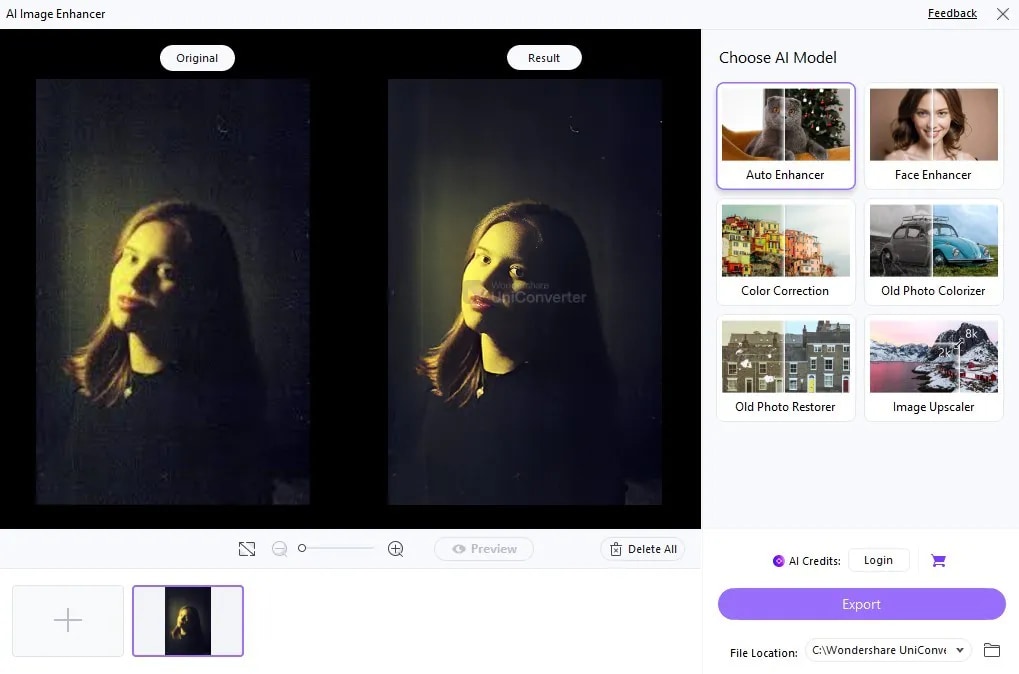
This tool is primarily designed for video conversion and editing, but it also comes with efficient photo editing capabilities, including noise reduction in videos and photos. UniConverter - Image Denoiser identifies and removes noise from your photos, making them pure and clear.
Ratings
4.3 on G2
4.9 on Trustpilot
Key Features
- It has a simple drag-and-drop UI design
- Reduces noise automatically to detect and improve image quality
- Removes noise from low-resolution and grainy images
- Supports various formats, like PNG, BMP, and JPEG.

Best Image Noise Reduction Software
2. Topaz DeNoise AI
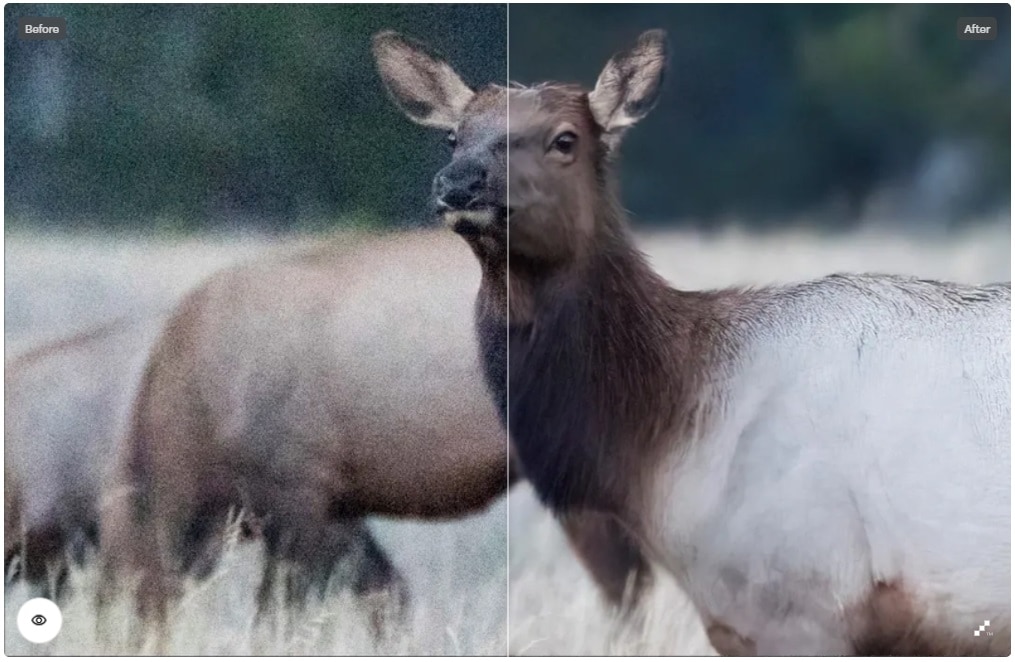
It is considered among the most reliable photo noise reduction software. Topaz uses modern AI algorithms to remove image noise, thereby preserving other details. When it comes to protecting the original quality of images, this tool outperforms traditional utilities. Photographers commonly use this software for sports, wildlife, and night photography.
Rating
4.5 on G2
4.0 on PCMag
Key Features
- Separates noise from fine image details effectively
- Reduces noise from multiple photos simultaneously
- Allows you to preview photos before and after processing
- Supports both JPEG and RAW formats
3. GIMP + Denoise Plugins (Free)
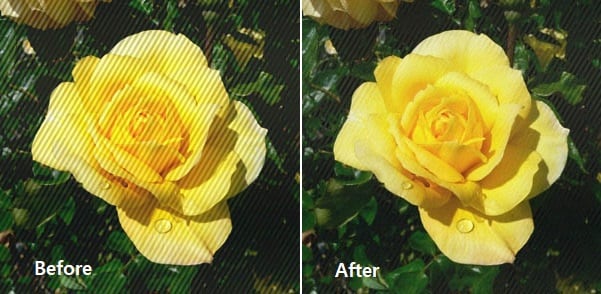
It is an open tool that offers noise reduction for photos for free. Though this GIMP noise reduction utility comes with built-in filters to reduce image noise, it enhances its capabilities when combined with free plugins, such as G’MIC, Resynthesize, and Wavelet Denoise.
Ratings
4.3 on G2
4.4 on Capterra
Key Features
- Offers image noise reduction services for free
- Supports various photo formats, including PNG, JPEG, TIFF, and RAW
- Gives you manual noise control
- Allows you to build custom workflows
4. DxO PureRAW
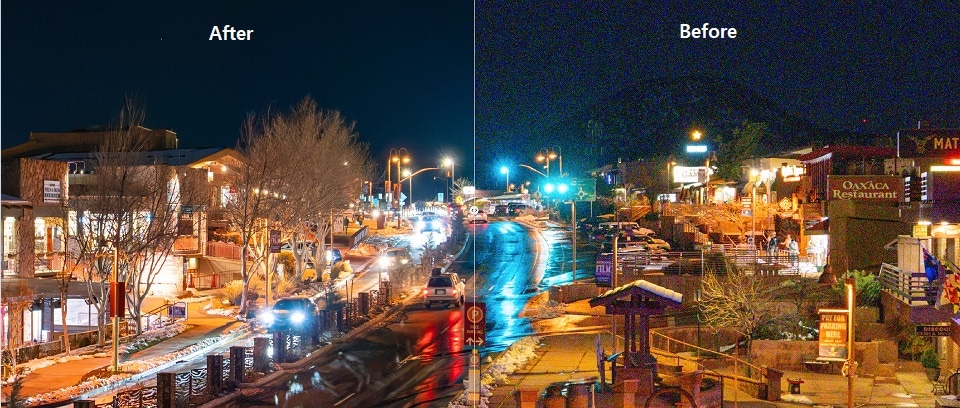
As the name suggests, this noise reduction program helps you reduce noise, optimize picture quality, and correct lens distortions before you import your photos into Photoshop or Lightroom. Moreover, DxO PureRaw uses AI-powered DeepPRIME and DeepPRIME XD engines for noise reduction. These denoising engines are the industry-standard tools.
Rating
4.0 on PCMag
Key Features
- Reduces noise for photos exceptionally well with AI-assisted, powerful denoising engines.
- Applies lens correction automatically
- Processes complete RAW photo folders at one time
- Features plugin integration
- Enables you to turn denoised RAW photos into premium-quality DNG images for a smooth workflow
5. ON1 NoNoise AI
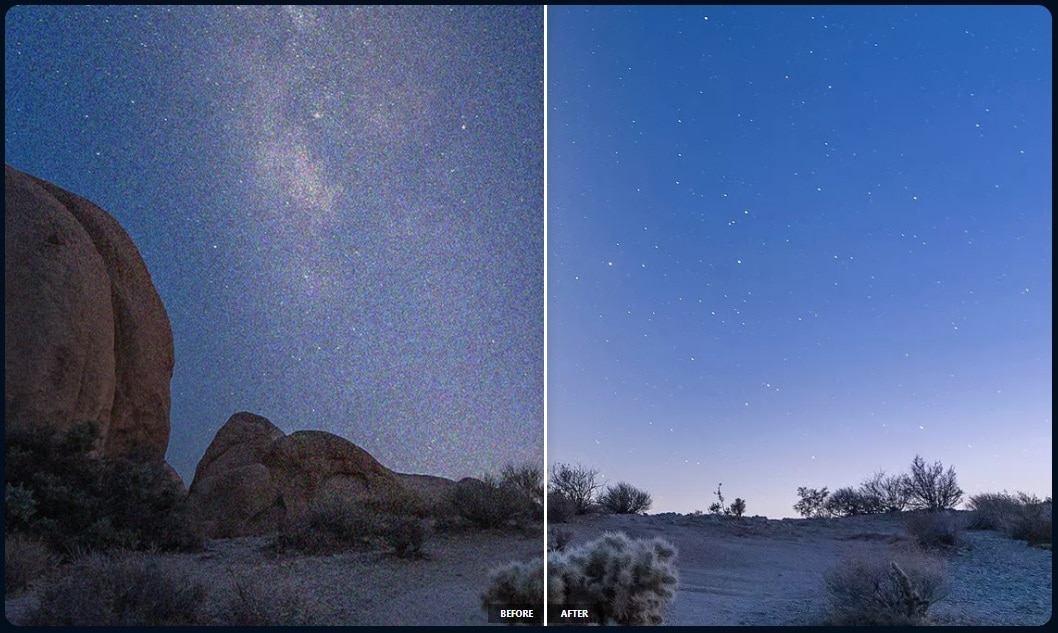
It is one of the best noise removal software. ON1 NoNoise AI is specifically developed to sharpen photos and remove noise from them effectively. It restores details while processing photos. You can use it as a standalone utility for image noise removal purposes or as a plugin for Adobe Photoshop or Lightroom.
Key Features
- Removes color noise and luminance
- Integrates with Adobe Photoshop and Lightroom Classic seamlessly
- Applies noise reduction feature to multiple photos simultaneously
- Allows you to see photos before and after applying the denoising effect.
6. Adobe Lightroom Classic
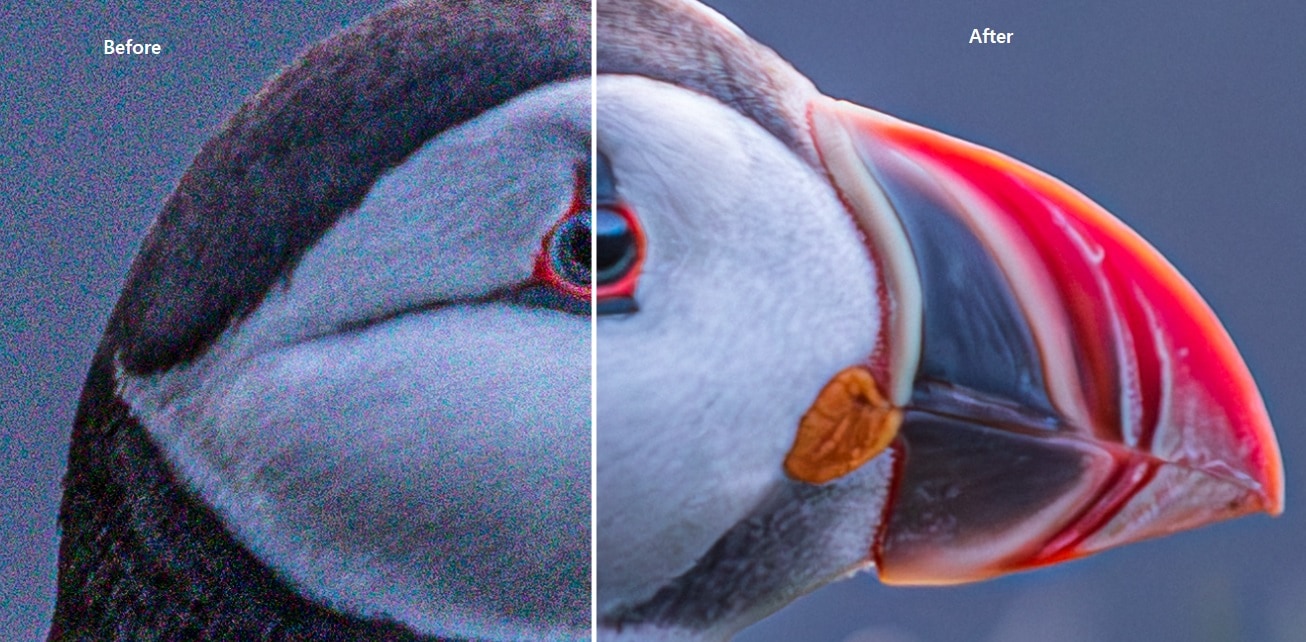
It is a powerful cataloging and photo editing tool that offers an image denoising feature for photographers and other editors. Whether you are a professional or a beginner, Adobe Lightroom Classic is suitable for users of all skill levels.
Ratings
4.6 on G2
5.0 on Trustpilot
Key Features
- Deals with both color and luminance noise
- Features non-destructive editing
- Integrates with various plugins, such as DxO PureRaw and Topaz DeNoise AI
- Offers full metadata control and photo organization
7. Capture One
Phase One has developed this incredible denoise software. Capture One is mostly used in studio and commercial photography. It is known for unmatched RAW photo processing power, tethered shooting, and color grading. This tool also has a premium-quality noise reduction engine.
Ratings
4.5 on G2
4.7 on Trustpilot
Key Features
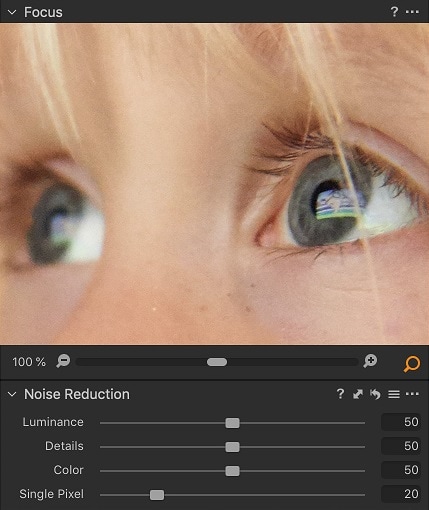
- Offers adjustable sliders for color noise, detail preservation, single-pixel noise, and luminance noise.
- Features non-destructive editing
- Applies noise reduction to multiple images at once
- Excellent support for RAW formats
- No need for 3rd party plugins
8. Luminar Neo + Noiseless AI Extension
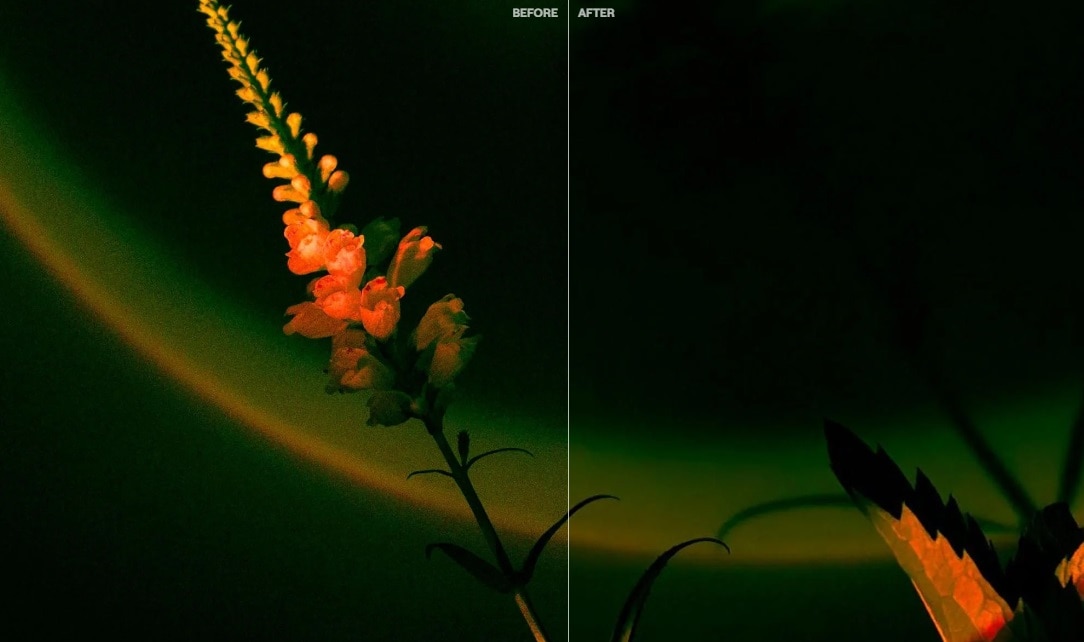
This noise removal software is developed by Skylum. Luminar Neo is a powerful photo-editing utility known for easy navigation and AI-powered denoising abilities when combined with the Noiseless AI extension. If you are looking forward to fixing grainy or high-ISO images in a few clicks, try Luminar Neo.
Ratings
4.4 on G2
4.6 on Trustpilot
Key Features
- Detects the type and amount of noise automatically in photos
- Offers three noise levels to choose from: low, medium, and high
- Works with almost all popular camera brands
- Allows you to preview images before and after noise removal
- You can use it as a standalone or a plugin
9. Photoshop
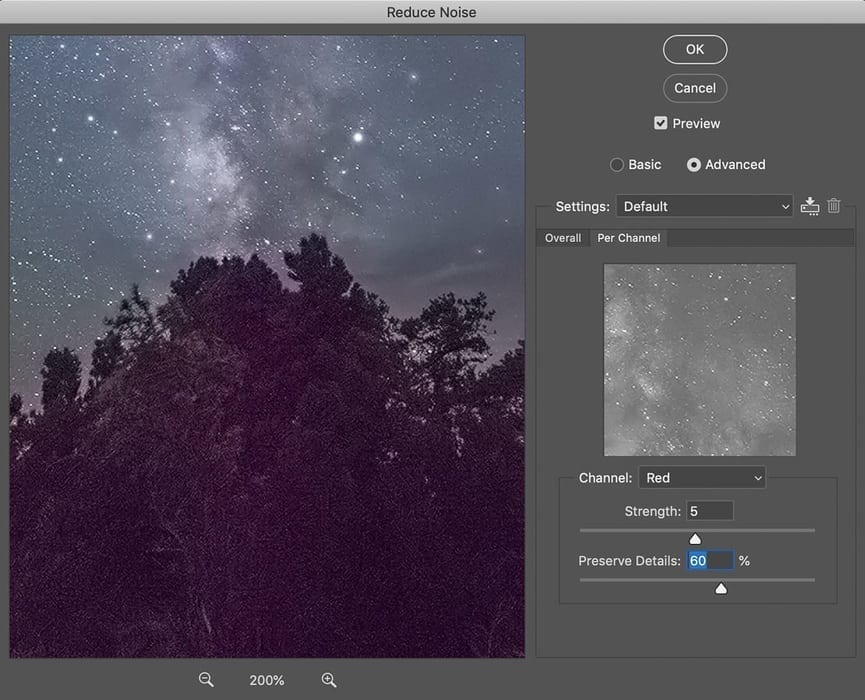
It is one of the most popular photo editing programs used by millions of people worldwide. Photoshop is commonly used by digital artists, designers, and photographers. This utility features both manual and AI-assisted noise reduction. If you need layer-based, selective, or accurate denoising, Photoshop is the ideal option.
Ratings
4.6 on G2
4.8 on Trustpilot
Key Features
- Applies a denoising function precisely
- Color and luminance noise are good for layered editing and RAW photos
- Highly compatible with third-party plugins, such as Neat Image, ON1 NoNoise, and Topaz DeNoise.
- Offers non-destructive photo editing
- Combines noise removal/reduction with other editing features, such as retouching, sharpening, and color grading.
10. Neat Image
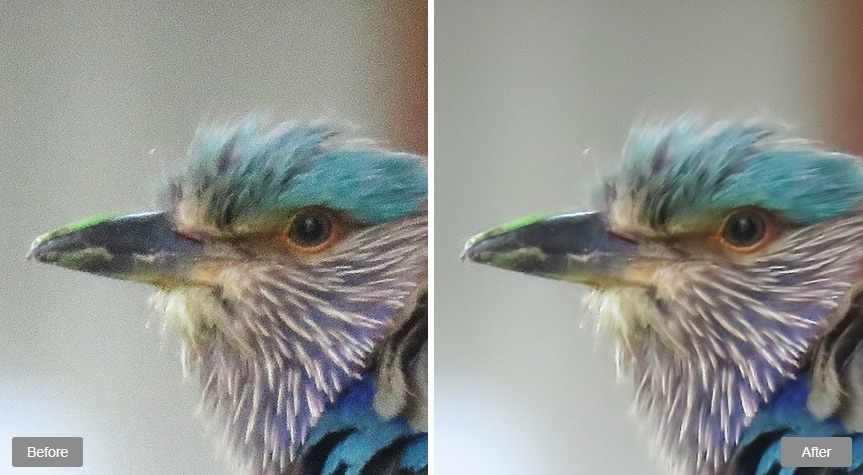
This is a dedicated software for noise reduction that is specifically designed for high-ISO or scientific photography. Neat Image is best known for accurate control over denoising. It offers both plugin and standalone versions. It is frequently used by professionals in production or technical environments. You may not see many user reviews on platforms like G2 or Trustpilot, but mostly users have rated this utility positively.
Key Features
- Builds manual or automatic noise profiles for different photos based on their behavior and properties
- Does not compromise fine details while reducing noise from photos
- Integrates as a plugin with Lightroom and Photoshop
- Works perfectly with RAW and popular photo formats (such as JPEG and TIFF)
11. PhotoScape X (Free + Paid)
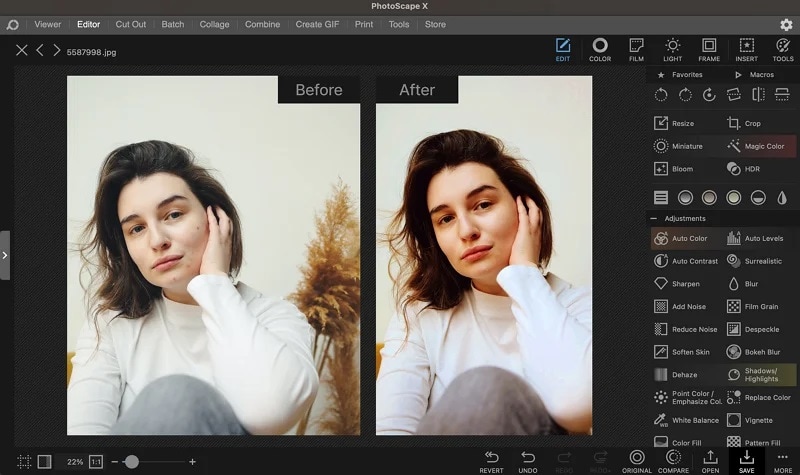
It is a free software to remove noise from photos. PhotoScape X also has a paid version that gives you full access to all premium features. It is compatible with both Mac and Windows devices. Apart from denoising, it also has other editing options, such as filters, retouching, and cropping.
Ratings
4.6 on G2
4.6 on Capterra
Key Features
- Cleans the image with a simple, smooth slider
- It can apply denoising to specific parts of photos.
- Offers clarity and sharpening tools to keep images clean
- Denoise multiple pictures at one time
Part 3. Denoising for Beginners: Tips to Avoid Over-Processing
Applying filters and fixes gently is the key to cleaning noisy or grainy photos. Over-processing may result in turning your photos into cartoon-like images in no time. It often happens with beginners.
- Don’t over-soften the image: Create a good balance between realism and smoothness while cleaning your noisy pictures. Over-softening may produce cartoon-like photos.
- Use side-by-side before/after views: Don’t forget to check before and after previews to ensure the final results are the enhanced version of the affected photo.
- Start with RAW files if possible: As mentioned earlier, RAW photos contain more data than JPEG photos. Therefore, you get more flexibility to adjust the noise of your photo.
- Use luminance vs. Chroma noise settings properly: Chroma noise shows blotches or weird color dots, whereas luminance noise displays grey speckles on photos. Modern tools control these features separately. They reduce Chroma noise first and then adjust luminance.
Final Verdict
Whether you want to clean high-ISO DSLR photos or noisy images captured from a smartphone, image noise reduction software plays a crucial role. The discussion above has presented both free and premium tools to denoise your grainy photos.
Make your noisy photos crystal clear with any of the eleven noise reduction programs listed above. Try one and see the denoising magic.

