


In the fast-evolving digital landscape of 2026, finding a reliable Firefox video downloader extension users can trust is more challenging than ever. While Firefox remains a bastion of privacy and customization, many classic tools have succumbed to stricter copyright policies or "broken" updates. Whether you are trying to archive a tutorial, save a music playlist, or keep a webinar for offline viewing, the right Firefox addon download video tool is essential.
This guide dives deep into the top solutions available today, ranging from the legendary downloadhelper Firefox to robust professional software that bypasses browser limitations entirely. We have tested these tools for speed, safety, and resolution support to bring you the definitive list of the YouTube video downloader addon for Firefox options that actually work this year.
In this article
- What should you look for in a Firefox video downloader extension?
- Which Firefox video downloader extensions are actually worth trying?
- How do the top Firefox video downloader tools compare?
- How do you download videos on Firefox step by step?
- Why is your Firefox video downloader not working?
- Conclusion
- FAQ
Part 1: What should you look for in a Firefox video downloader extension?

High-Resolution & Multi-Format Support: A basicvideo download helper Firefox might limit you to 720p. The best tools support 4K, 8K, and 60fps downloads, ensuring your offline viewing is as crisp as the original stream. They should also handle MP4, MKV, AVI, and WEBM formats effortlessly.
Advanced Audio Extraction: Many users simply want the soundtrack. A quality YouTube downloader plugin Firefox should offer direct video-to-MP3 conversion with high bitrates (320kbps) without requiring a separate converter.
Eliminating Ads and Distractions: Nothing ruins a download like baked-in ads. The ideal Firefox extension YouTube download tool parses the video file directly, stripping away pre-roll commercials and sponsor segments automatically.
Bandwidth Efficiency & Data Saving: Modern extensions should optimize download streams to prevent browser lag. They should offer "pause and resume" capabilities, which are vital for users with unstable internet connections.
Seamless UI Integration & "One-Click" Experience: The bestvideo downloader extension Firefox integrates naturally into the browser interface, adding a subtle download button directly below the video player for a true "one-click" experience.
Part 2: Which Firefox video downloader extensions are actually worth trying?
Here is a curated list of the most popular Firefox extension YouTube download tools available, ranked by performance, reliability, and feature set.
Quick Guide: Best Firefox Video Downloader by Use Case
1. Video Download Helper
While technically a powerful desktop software, Wondershare UniConverter is the ultimate companion for Firefox users who are tired of crashing extensions. Unlike a standard video downloader extension Firefox that relies on browser cache and often fails at high resolutions, UniConverter works independently to grab 4K, 8K, and playlist downloads that no simple Firefox addon download video can handle. It bridges the gap between your browser and professional archiving, offering a stability that browser-based plugins simply cannot match in 2026. This reliability makes it indispensable for users who need consistent quality without the frustration of broken download links or sudden policy changes.
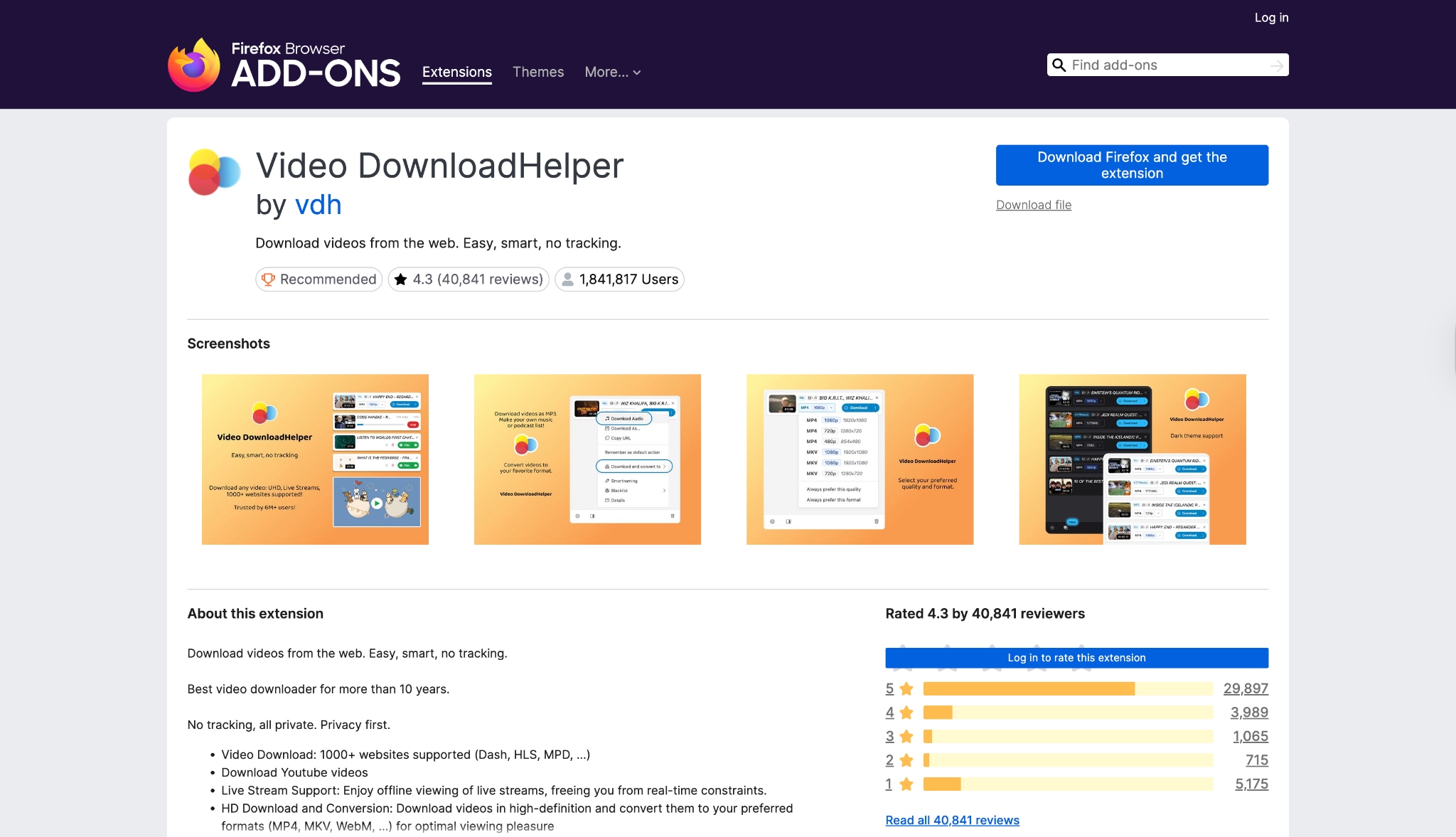
Key Features
Detects embedded videos and audios automatically.
Supports HLS streamed videos and DASH videos.
Smart naming features to automatically rename downloaded files.
2. Easy YouTube Video Downloader Express
Arguably the most famous Video DownloadHelper extension on the market, this tool is a staple for Firefox users. Video DownloadHelper Firefox excels at capturing web streams that other downloaders miss, including HLS and DASH streams. It detects media playing in your tab and offers a list of available resolutions. While it is a powerful download helper Firefox, recent years have seen it require a "Companion App" installation to handle complex file merges, slightly reducing its convenience. Despite this extra step, it remains one of the most comprehensive tools for sniffing out media files on almost any website you visit.
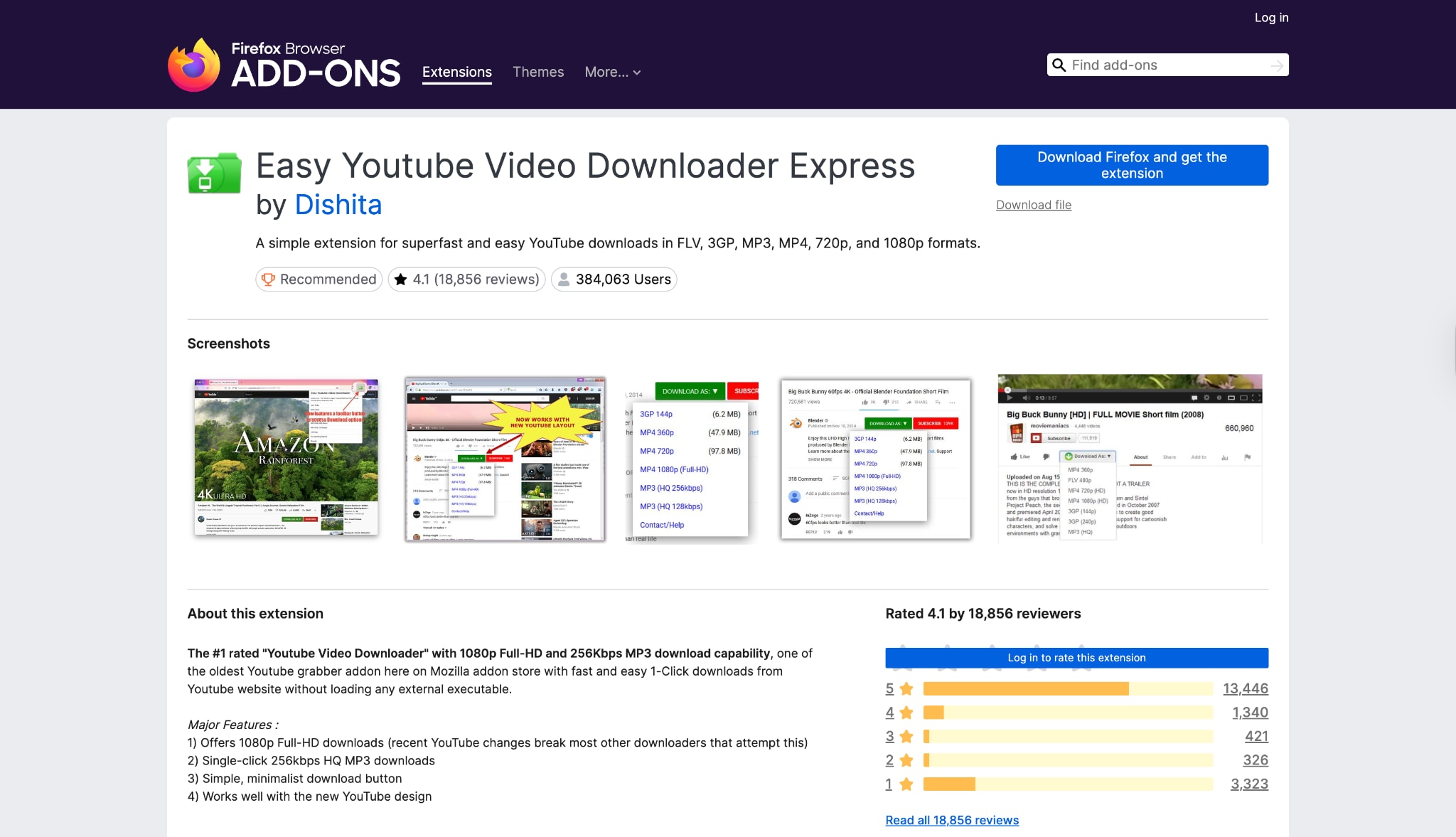
Key Features
Direct "Download As" button added to the YouTube player.
Supports 1080p Full-HD downloads and fast MP3 extraction (256kbps).
No external software or companion apps required.
3. Video Downloader Professional
For those seeking a minimalist YouTube video downloader addon for Firefox, this extension is a solid choice. It integrates a simple green download button directly into the YouTube interface. Unlike complex tools, "Easy YouTube Video Downloader Express" focuses on doing one thing well: providing a quick link to grab the video you are watching. This Firefox video downloader extension is lightweight and doesn't bog down your browser with unnecessary scripts. This simplicity makes it perfect for casual users who don't need advanced editing features or batch downloads, offering an immediate "click-and-save" solution for standard 1080p MP4 files or quick MP3 audio extraction.
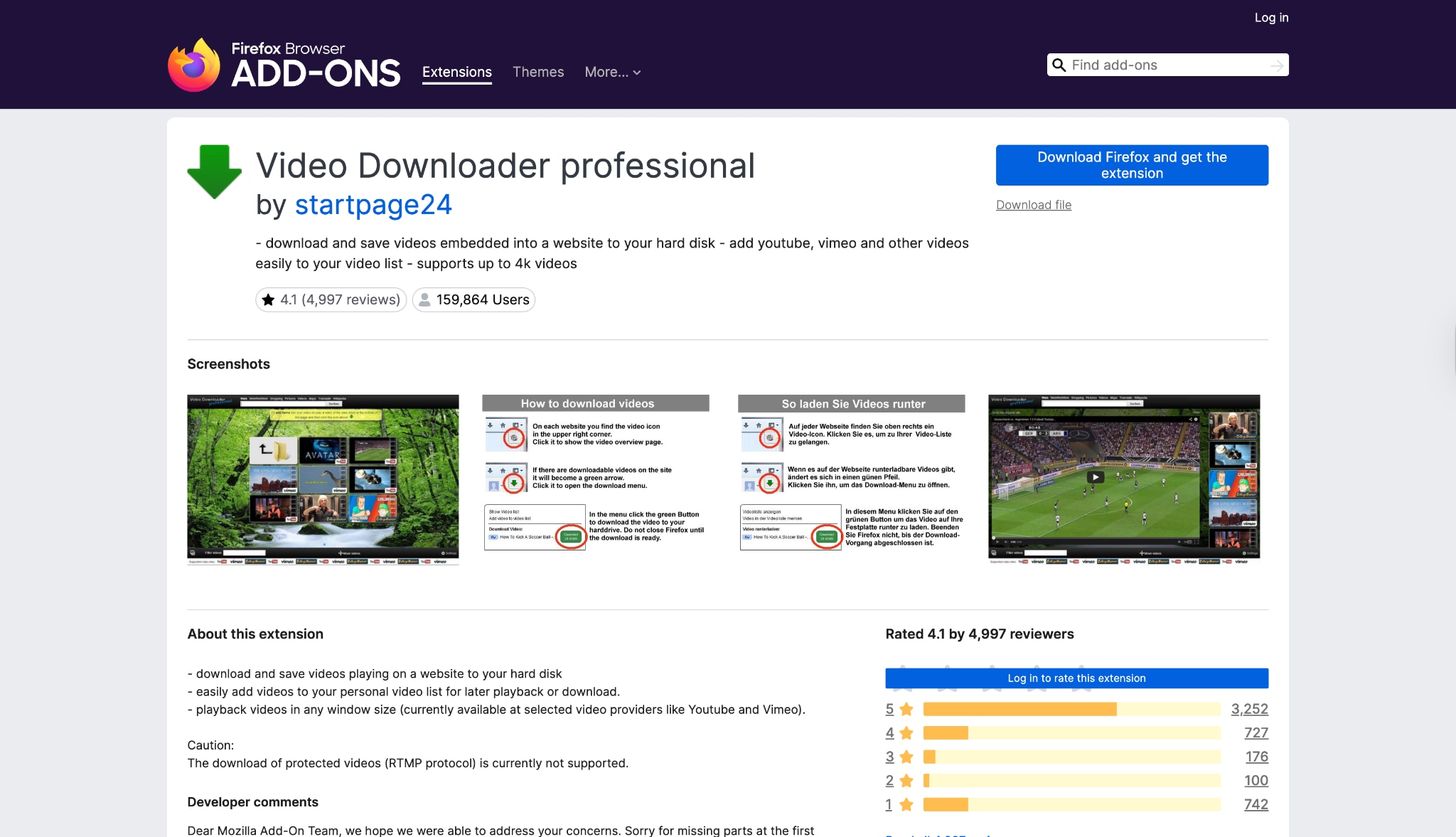
Key Features
Allows adding videos to a personal "watch later" list.
Supports casting MP4 videos via Google Chromecast.
Detects multiple resolutions available on the webpage.
4. HLS Downloader
Video Downloader Professional Firefox is a versatile tool designed for general web media. It allows you to save videos from many platforms and collect them in a video list without downloading them immediately. While it is a strong video downloader extension Firefox for general web usage, its support for YouTube specifically can be hit-or-miss due to strict store policies that sometimes force developers to disable YouTube functionality to remain listed. However, for grabbing embedded videos from news sites, blogs, or educational platforms, it offers a distinct advantage with its built-in Chromecast support, allowing you to push videos directly to your TV.
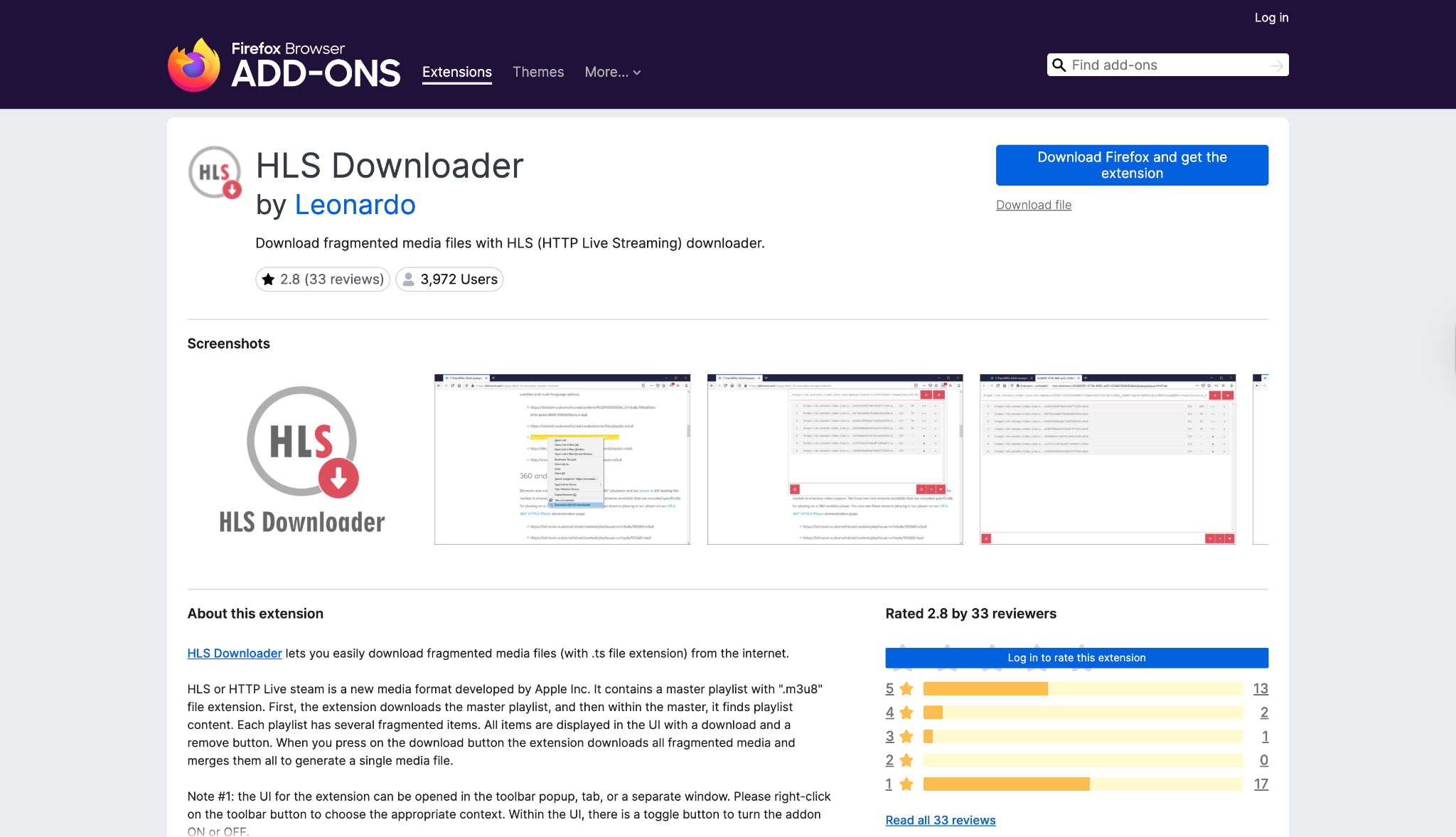
Key Features
Sniffs m3u8 playlists and master playlists.
Merges fragmented video segments into a single file.
Permission-based system (only runs when you click it).
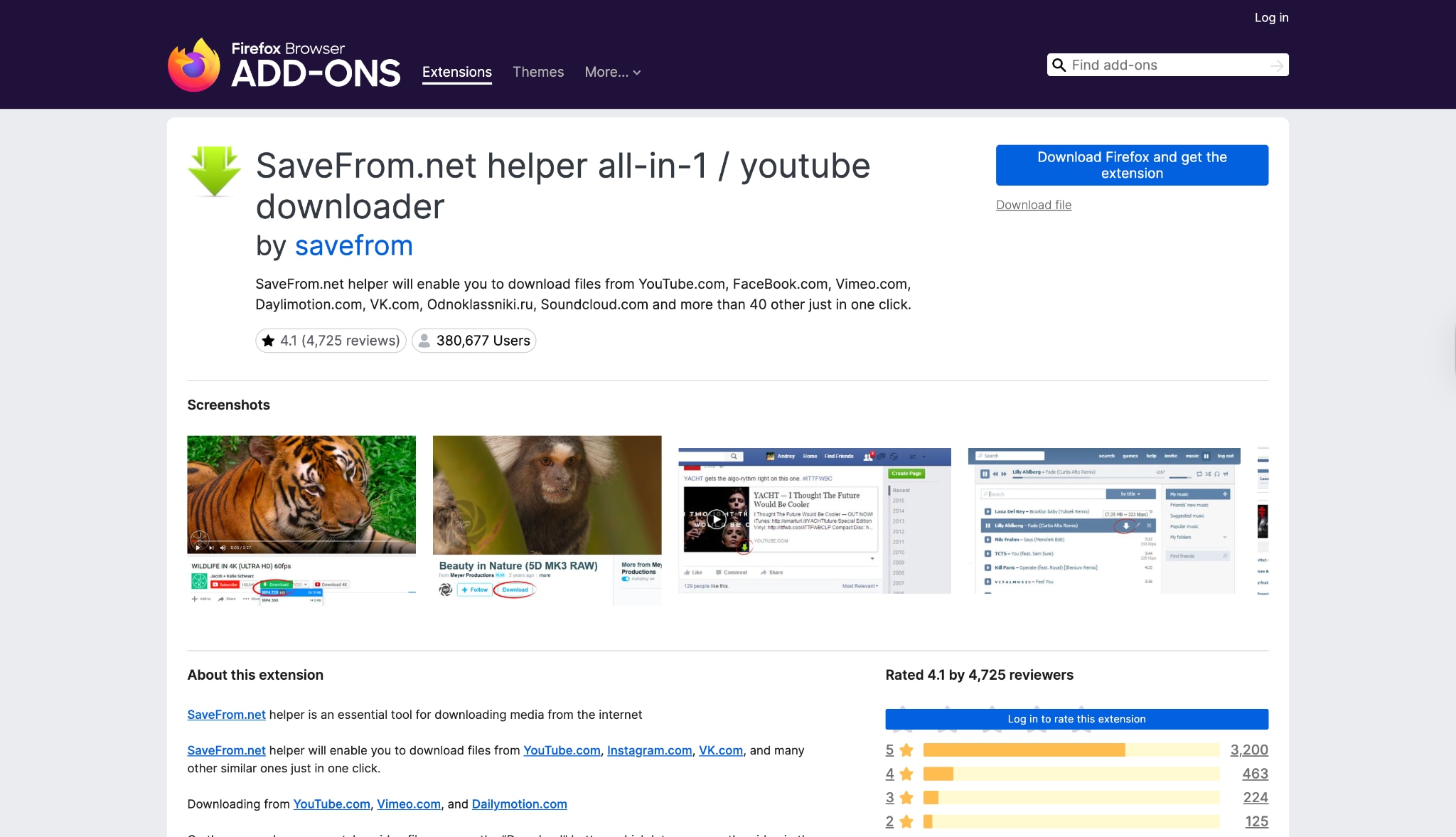
5. Savefrom.net Helper Downloader (FirefoxEdition)
Modern web video often uses HLS (HTTP Live Streaming) technology (m3u8 files), which standard downloaders fail to catch. HLS Downloader is a specialized Firefox extension YouTube download utility that detects these fragmented streams and merges them into a single .ts or .mp4 file. It is a technical tool for users who need to save content that resists traditional download methods. Unlike general grabbers, this Firefox video downloader extension doesn't interfere with your browsing. It is particularly useful for saving live stream replays or webinar recordings that are delivered in hundreds of tiny chunks rather than one solid file.
Key Features
Supports downloading from Facebook, VK, YouTube, and 40+ sites.
One-click access to multiple quality options.
Batch download photos from social media feeds.
6. YouTube Video Downloader
The SaveFrom.net helper is a legendary YouTube downloader plugin Firefox that connects your browser to the massive SaveFrom.net service. It adds a download arrow next to video titles on YouTube, Facebook, and Vimeo. Note that installing this Firefox video downloader extension on Firefox sometimes requires sideloading or using a script manager like Tampermonkey, as it often faces removal from the official addon store due to its aggressive downloading capabilities. Once installed, it provides one of the most seamless experiences available, instantly revealing direct download links for various resolutions and formats directly on the video page itself, eliminating the need to copy and paste URLs.

Key Features
Downloads 4K and 8K videos (with script support).
Built-in video to MP3 converter and cut/trim tool.
Floating video player support.
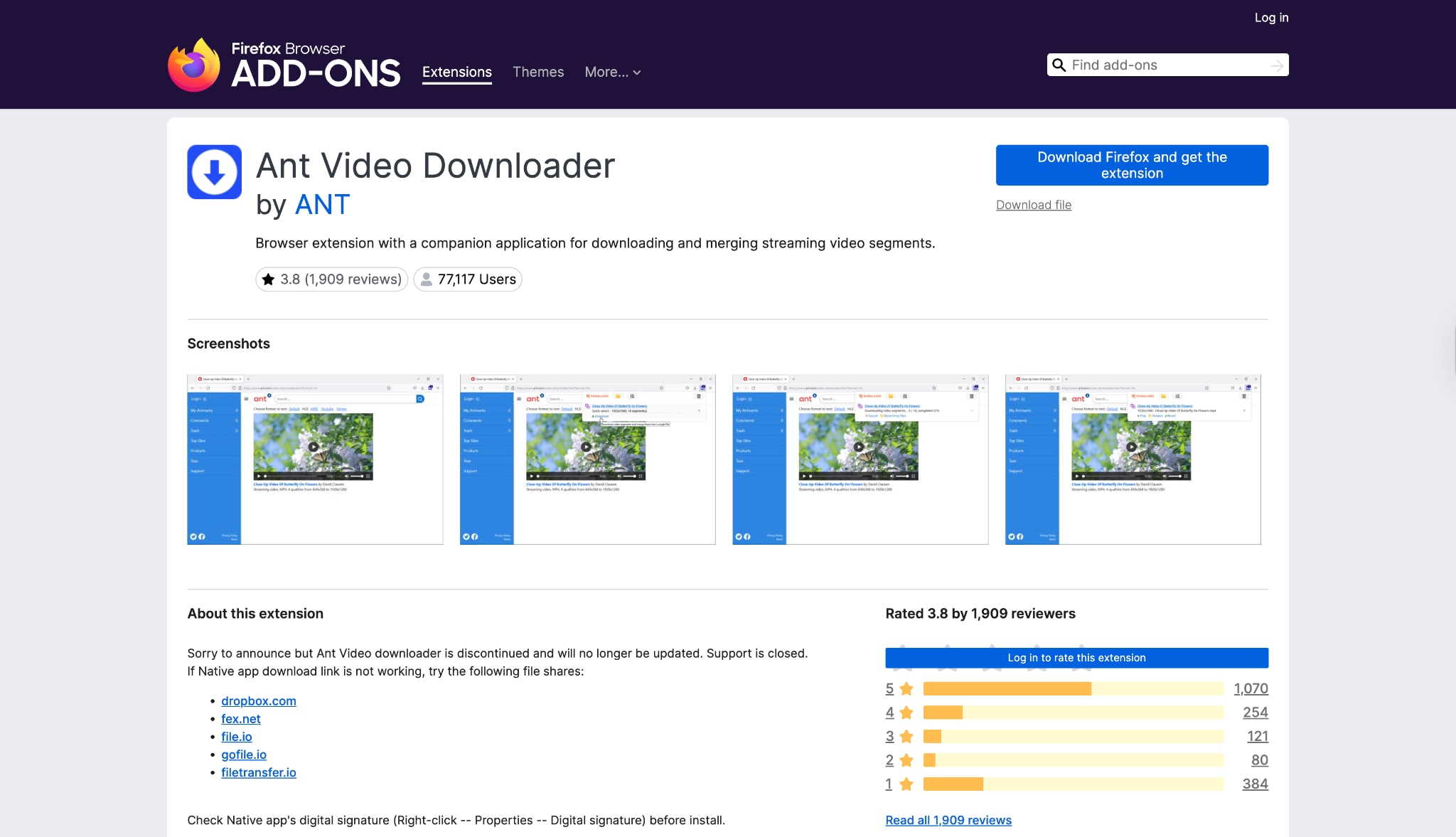
7. Ant Video Downloader
Addoncrop is a feature-rich Firefox YouTube video download solution often called "Foxified." It goes beyond simple downloading by allowing you to take screenshots, hide comments, and even use a "cinema mode." Like SaveFrom, it often operates via a userscript manager (Tampermonkey) to bypass Mozilla's restrictions on YouTube downloaders, ensuring it retains features that official store extensions are forced to remove. This "Swiss Army Knife" approach makes it ideal for power users who want to customize their entire YouTube viewing experience while having the ability to save 4K videos, download thumbnails, or even cut specific segments of a video before saving.
Key Features
Detects and downloads videos from any website.
Traffic acceleration features to speed up downloads.
Built-in video player within the manager.
Part 3. How do the top Firefox video downloader tools compare?
How We Tested Firefox Video Downloader Extensions
To build this guide, we reviewed Firefox video downloader extensions based on resolution support, browser integration, audio extraction, download reliability, safety, and overall practicality for saving online videos.
This section helps readers understand our testing standards before they review the Firefox downloader extension comparison below.
| Tool | Best For | Starting Price | Unique Edge | Download Quality |
| Video DownloadHelper | Stream Detection | Free / $28 Lifetime | Detects HLS/DASH streams | 4K (Requires CoApp) |
| Easy YouTube Downloader | Quick MP3/1080p | Free / Pro | Native "Download" button on UI | Up to 1080p |
| Video Downloader Pro | General Web Video | Free | Chromecast Support | 720p/1080p |
| HLS Downloader | Live Stream Replays | Free | m3u8 Fragment Merging | Source Quality |
| SaveFrom.net Helper | Social Media | Free | Multi-site support (VK/FB) | Up to 4K |
| Addoncrop | Power Users | Free | Advanced tools (Cinema mode/Cut) | Up to 8K |
| Ant Video Downloader | Slow Internet | Free / Pro | Traffic Acceleration | Up to 4K |
Part 4: How do you download videos on Firefox step by step?
If you are tired of extensions that disappear from the store or fail to download audio, Wondershare UniConverter is the stable solution you need. It bypasses the fragility of browser plugins to give you a permanent, high-speed downloading station on your desktop. UniConverter offers stable video downloading service on desktop with an integrated access to YouTube video downloader extension.You can easily download YouTube playlist, or videos from other streaming websiutes or social media platforms with links from Firefox.


Step-by-Step Guide for Downloading YouTube Video (Desktop)
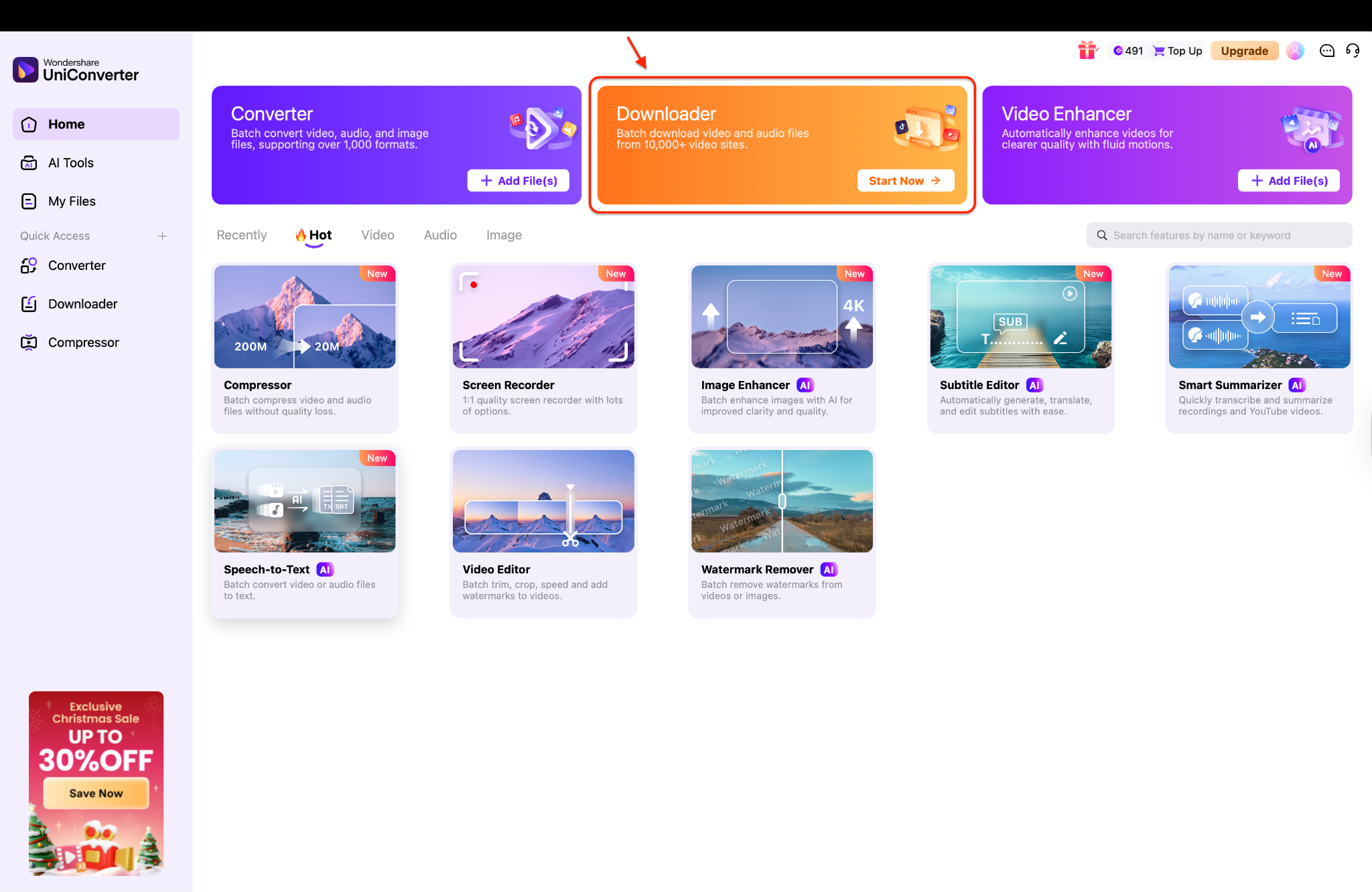
Step 1: Launch UniConverter and Access the Downloader
Download and launch Wondershare UniConverter on your Mac. From the main interface, open the Downloader tab.
Step 2: Customize Your Download Preferences
In Firefox’s address bar, copy the full URL of the video page. Switch back to UniConverter and click “Paste URL”. The program will automatically analyze the link and fetch available download options. Choose your preferred video format (such as MP4) and quality. You can also download audio-only if needed.
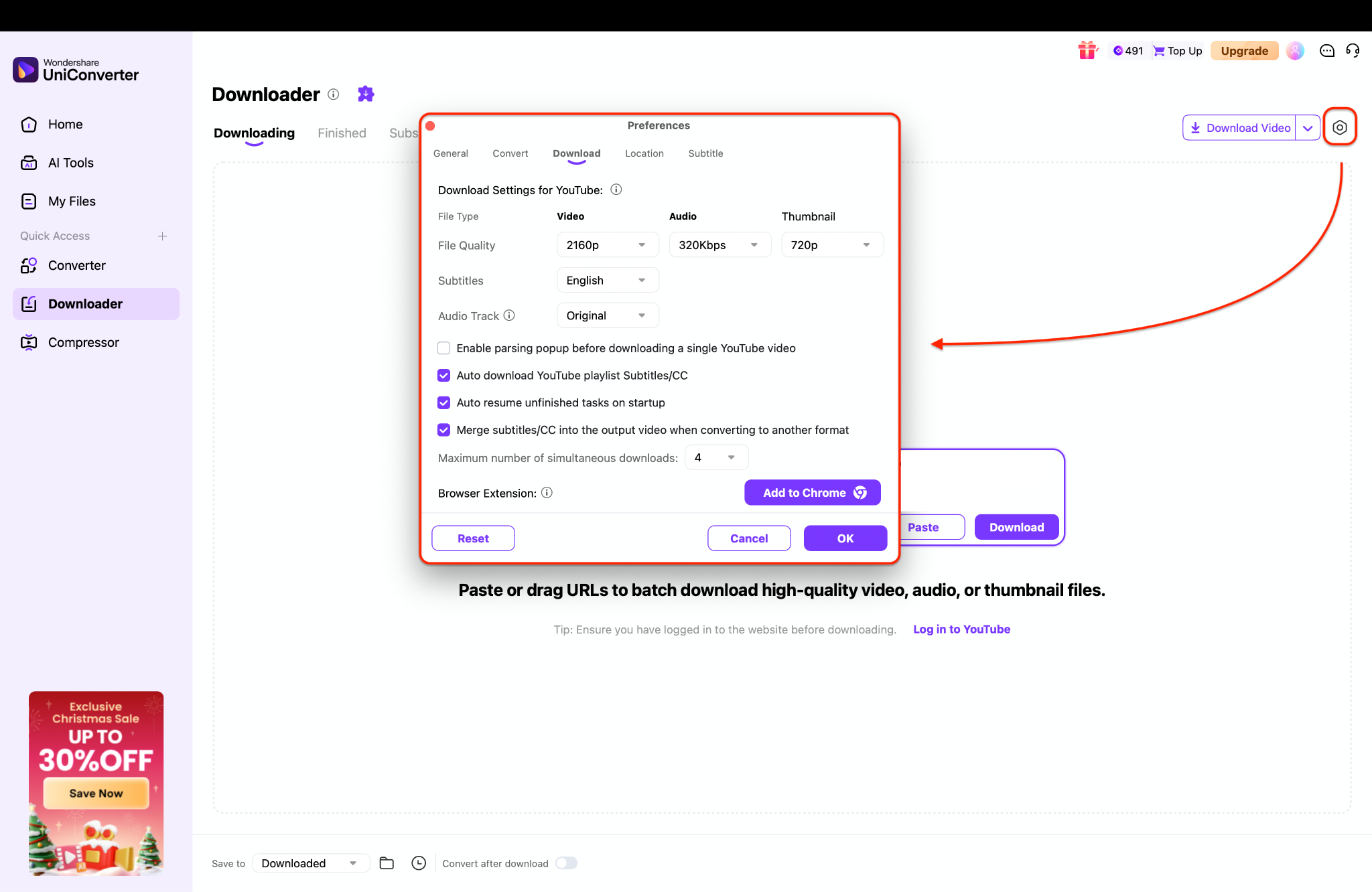
Pro Tip: Enable the "Merge subtitles/CC" option in this menu to automatically burn captions into your video file, saving you from having to sync separate .srt files later.
Step 3: Add Links and Manage Finished Downloads
Click Download to start the process. Once complete, find your saved video in the Finished tab and enjoy offline playback anytime.
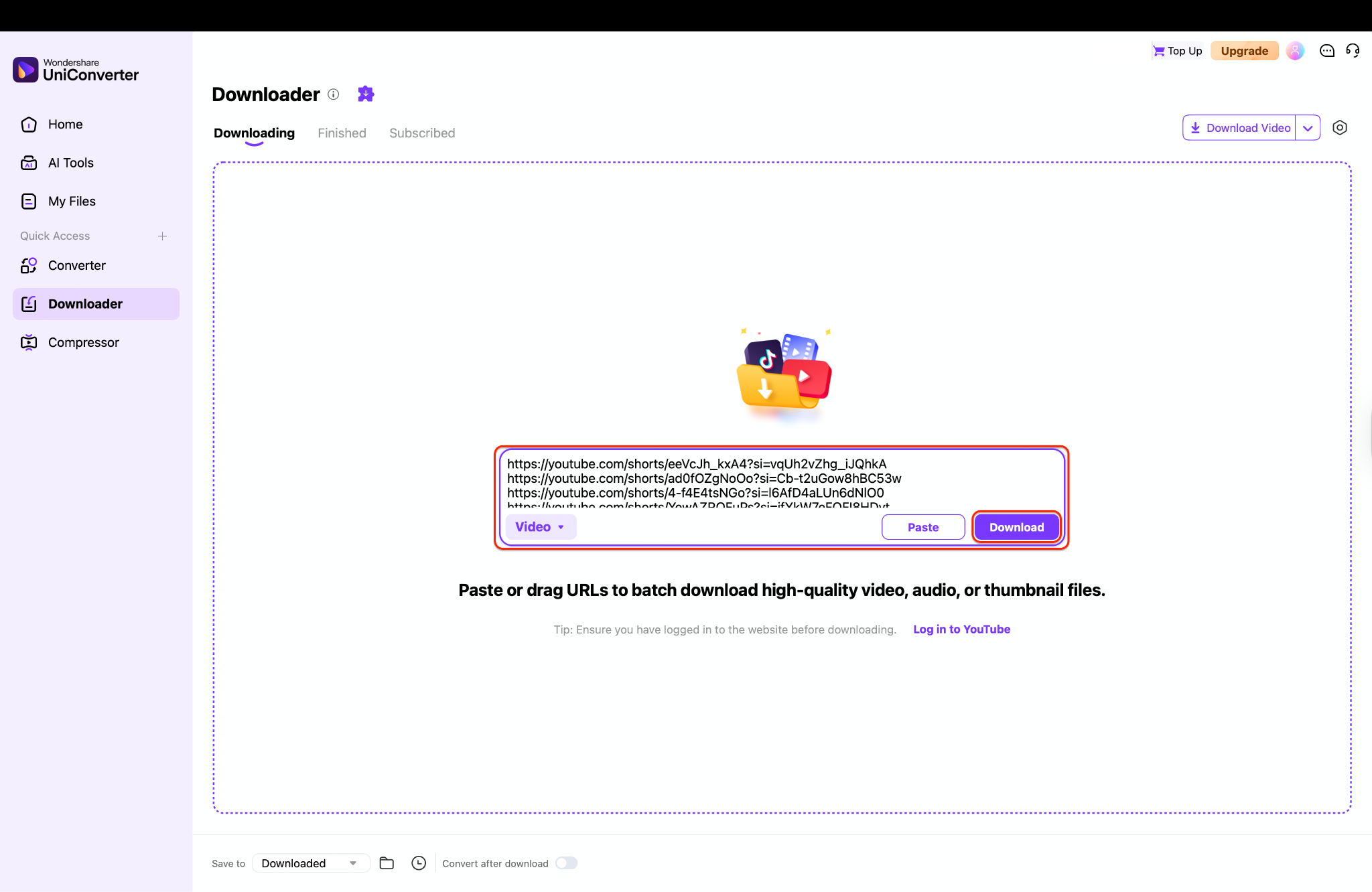

Stable Firefox Video Downloader You Can Trust
Part 5. Why is your Firefox video downloader not working?

"App Not Installed" Error: This usually happens with Video DownloadHelper extension or Ant Downloader. These extensions require a "Companion App" installed on your OS to process large files. Download the recommended .exe or .dmg file from the extension's settings page to resolve this.
YouTube 0-Byte Files: If your Firefox video downloader extension download video saves a file with 0 bytes, it likely failed to decrypt the video stream (common with VEVO or protected content). Browser extensions struggle with this encryption. The fix is to switch to a dedicated tool like UniConverter, which handles decryption natively.
Extension Disappeared: Did your downloadhelper Firefox or similar tool vanish? Mozilla occasionally removes addons that violate YouTube's Terms of Service. Check your extension settings to see if it was disabled, or reinstall it from the developer's official website rather than the Mozilla Add-on Store.
Conclusion
In this article we have explored 7 qualified Firefox video downloader extensions. Simple addons like Easy YouTube Video Downloader are great for quick, on-the-fly 1080p clips, while Video DownloadHelper Firefox remains a Swiss Army knife for detecting obscure web streams. However, browser extensions inherently suffer from limitations—they can be delisted, blocked by YouTube updates, or throttled in speed.
If you want a truly frustration-free experience, Wondershare UniConverter stands out as the superior choice. Why settle for broken links and low resolutions? Upgrade your downloading toolkit today with UniConverter and enjoy your media offline, exactly as it was meant to be seen.
FAQs
-
1. Why is my Firefox DownloadHelper not working on YouTube?
YouTube frequently updates its code to disrupt download tools. In addition, if the required Companion App is not installed, the extension cannot process complex adaptive (DASH) video streams used by YouTube for higher resolutions. -
2. Is it safe to use a YouTube downloader plugin for Firefox from third-party sites?
It carries risk. Extensions installed outside the official Mozilla Add-on Store bypass security reviews and may contain malware. For safety, use verified add-ons from the official store or trusted software like UniConverter downloaded directly from the developer’s website. -
3. Can I download 4K videos using a standard Download Helper Firefox addon?
Rarely. Most standard browser extensions are limited to 720p or 1080p because YouTube delivers 4K videos with separate audio and video streams. Extensions struggle to merge these streams without a desktop Companion App. -
4. What is the difference between a browser extension and a professional video downloader?
A browser extension runs inside Firefox and is constrained by browser resources and store policies. A professional downloader like UniConverter is standalone software that uses full system resources, delivering faster speeds, higher resolutions, and greater stability. -
5. Can I download an entire YouTube playlist with a Firefox extension?
Generally, no. Most Firefox video downloader add-ons require manual downloads for each video. To download full playlists or entire channels in one click, professional tools like UniConverter with batch processing support are required.

