


In today's digital world, a video downloader Chrome extension has become an essential tool, enabling users to save educational content, entertainment, tutorials, and social media clips for offline viewing. Streaming alone can be frustrating due to weak internet, data caps, or simply wanting content on the go. That's where these tools shine—allowing you to download video from Chrome with just a few clicks.
But with so many options, how do you choose the best one while staying safe? This guide helps you explore the best Chrome extension for video download in 2025, covering features, safety, legality, and smart tips to make the right choice. Let's dive in!
Table of Contents
The best Chrome video downloader extension allows you to download videos quickly while maintaining quality and avoiding security risks.
- 🔹 Easy one-click download
- 🔹 Supports multiple video platforms
- 🔹 No malware or intrusive ads
Best choice: Choose a safe and reliable downloader instead of unknown browser extensions.
Part 1: What Should You Check Before Installing a Video Downloader Chrome Extension?
Before rushing to install the first video downloader extension you find, it's crucial to understand the key factors that can impact your experience, security, and even the legality of your actions. Here's what you need to know:
Copyright & Legality: Stay on the Right Side of the Law
When using a free video downloader Chrome extension, it's essential to remember that not all content is free to download. Distributing copyrighted material without permission is illegal in most jurisdictions. For example, Google's Chrome Web Store policies explicitly prohibit extensions that facilitate the download of video from Chrome on platforms like YouTube without authorization. This is why many solutions that claim to be a YouTube link download Chrome tool often operate through external websites or companion apps rather than as standalone extensions. Always ensure you are only downloading content for personal, non-commercial use or with the explicit permission of the copyright holder to avoid legal repercussions.
Security Risks: Avoid Malicious Extensions
The convenience of a video downloader Chrome extension free tool, can sometimes come with hidden costs. Malicious extensions might steal your data, inject ads, or even contain malware. To stay safe, you must only install from the official Chrome Web Store and avoid third-party websites offering a shady Google Chrome plugin download video tool. Be extremely cautious of any add on Chrome video downloader that promises to download any video Chrome from all sites, as these are often fronts for data harvesting or browser hijacking. Always verify the developer's reputation and read recent reviews before installing the app.
Permission Overload: Why Extensions Need Broad Access
You might wonder why a legitimate web video downloader Chrome tool requires permission to "read and change all your data on all websites." This broad access is technically necessary for the extension to scan the code of every page you visit to detect embedded video players. However, this powerful permission is also why you must be vigilant. Be wary of any video download extension or extension to download videos from any site that requests more permissions than needed for its core function. A reputable video downloader extension will be transparent about why it needs these permissions.
Quality and Format: What to Expect
The output of your Chrome download videos plugin will vary significantly depending on the extension and the source website. Some extensions support a wide range of formats (MP4, WEBM, MP3) and resolutions (360p to 4K), while others might only offer limited options. For instance, some tools are specifically designed to download VK video Chrome, while others like CocoCut can handle complex streaming protocols. It's important to manage expectations; a free video downloader Chrome extension may not always provide the highest quality or the exact format you desire.

UniConverter Video Downloading Extension
Part 2: Best 10 Video Downloader Chrome Extensions 2025
Here's a curated list of the top video downloader Chrome extension tools in 2025, based on usability, features, safety, and user reviews. These extensions cater to diverse needs, ranging from basic downloads to advanced options such as batch processing and high-resolution support.
Quick Guide: Best Chrome Video Downloader Extension by Safety and Site Support
1. FetchV: Video Downloader
FetchV is a versatile browser video downloader extension compatible with Chrome, Edge, and Firefox that allows users to download online videos in multiple formats including mp4, webm, flv, and m3u8 with high speed. Its multi-threaded technology accelerates downloads, even for large and live-streaming videos. FetchV provides options to capture multiple resolutions and supports video recording when downloads fail, making it highly reliable.
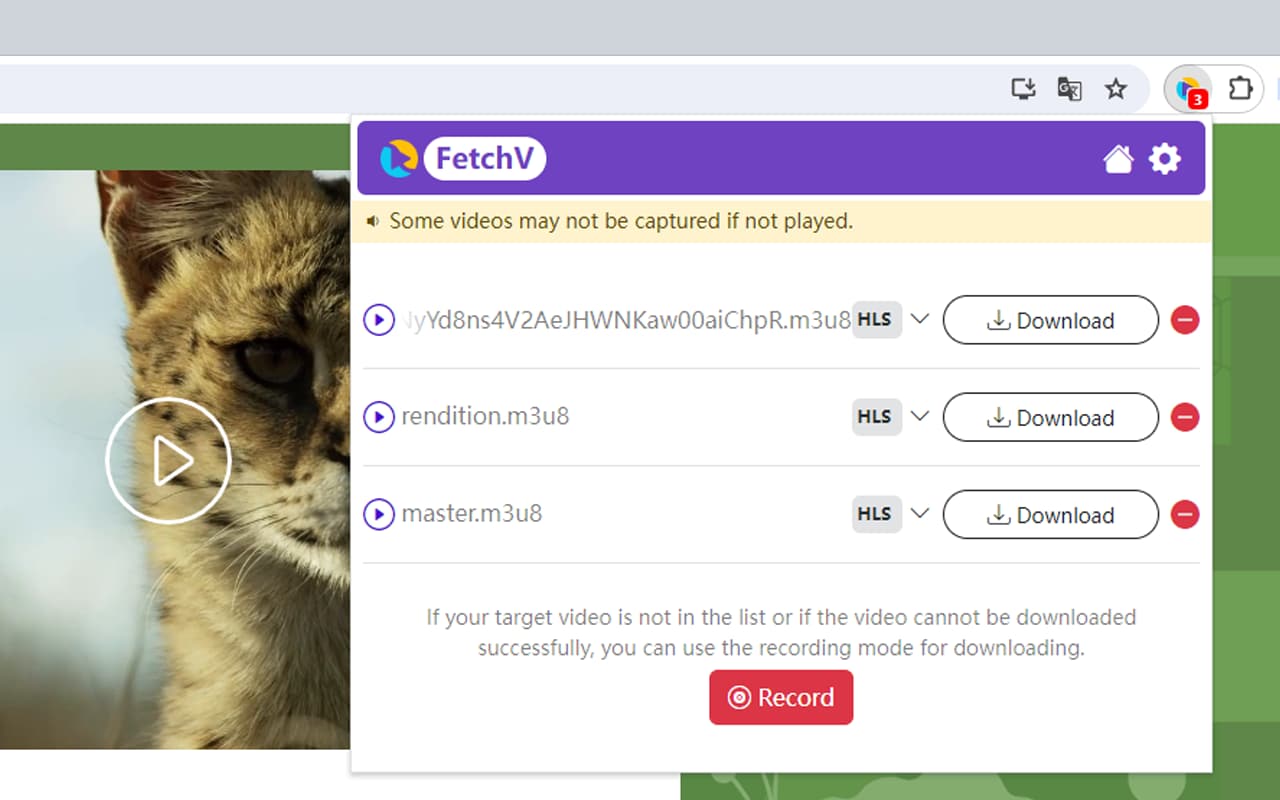
Supported Platforms: Facebook, X (Twitter), TikTok, Instagram, Vimeo, and Dailymotion.
Browsers: Chrome, Edge, and other Chromium-based browsers.
Safety: Highly rated (4.9/5) with a strong user base. It includes recording features but may sometimes result in videos without audio.
2. MPMux Video Downloader Online
MPMux is a browser video downloader extension designed for downloading streaming and static videos, supporting formats like MP4, WebM, FLV, and HLS live streams. It segments downloads for faster speeds and merges fragments into single files without needing extra tools. MPMux also offers a recording mode for videos that can’t be downloaded directly, making it suitable for challenging downloads.
Supported Platforms: Similar to FetchV, including X, Vimeo, and Dailymotion.
Browsers: Chrome and Chromium-based browsers.
Safety: Boasts a 4.9/5 rating but may occasionally experience lag or audio issues during downloads.
3. UniConverter Video Downloader
UniConverter provides a seamless experience for downloading videos, although its extension currently focuses primarily on YouTube. It integrates with UniConverter's desktop software for advanced features like format conversion and editing.
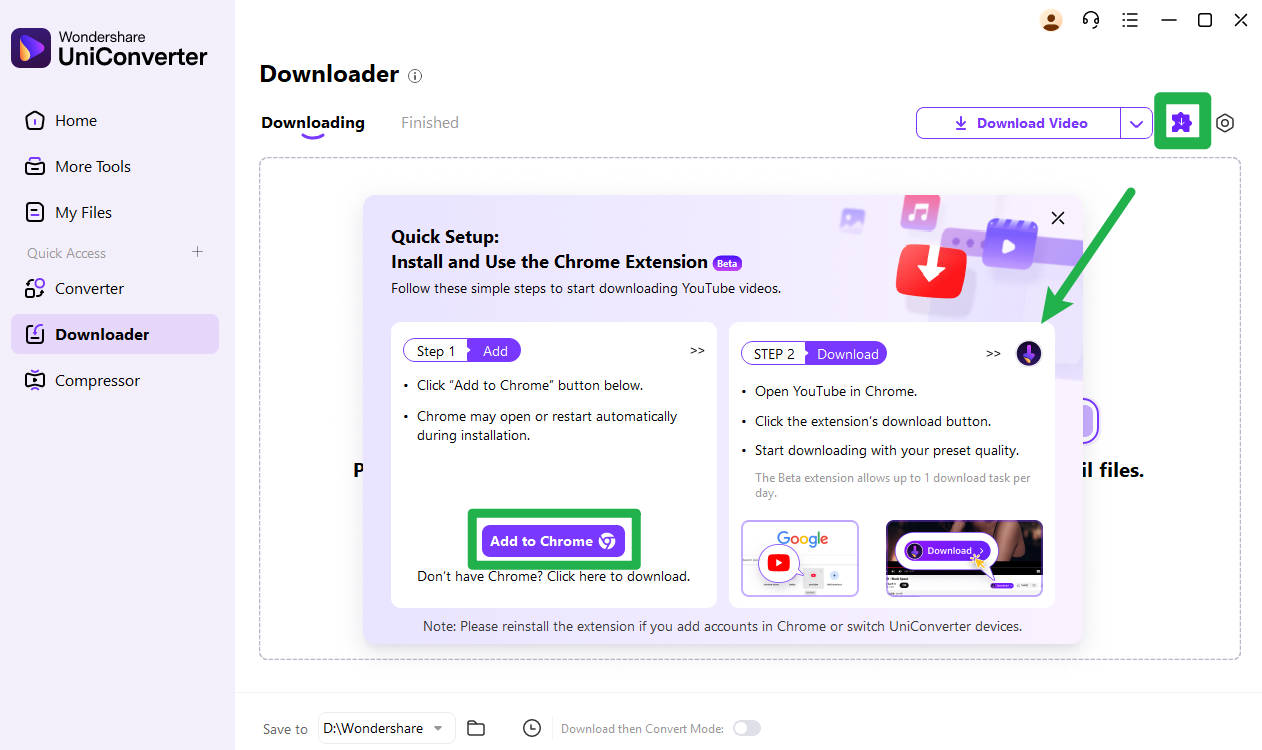
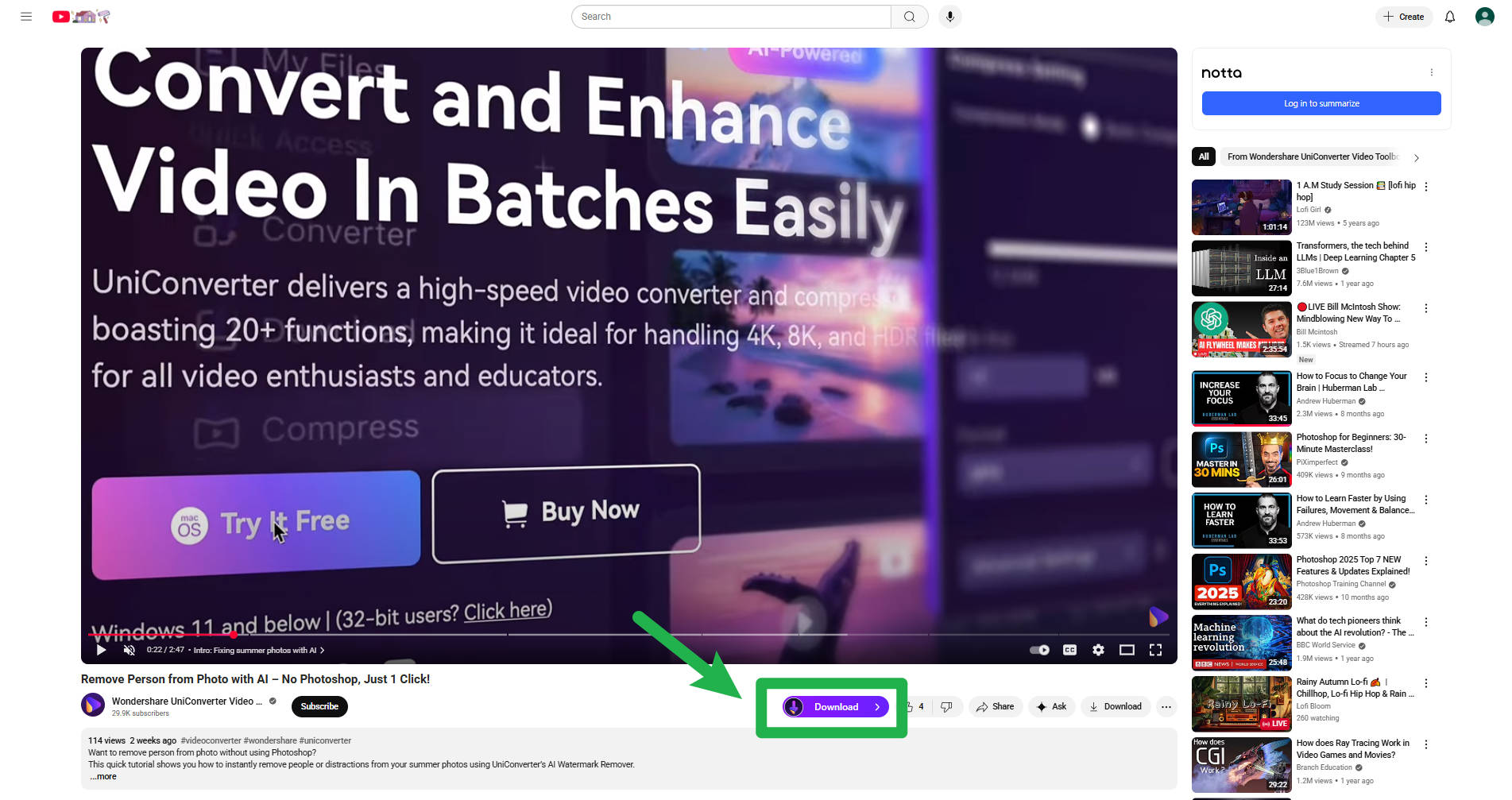
Supported Platforms: Primarily YouTube.
Browsers: Chrome and Chromium-based browsers.
Safety: With a 4.4-star Capterra rating, Wondershare continues to prove its commitment to safe, secure, and privacy-focused solutions.
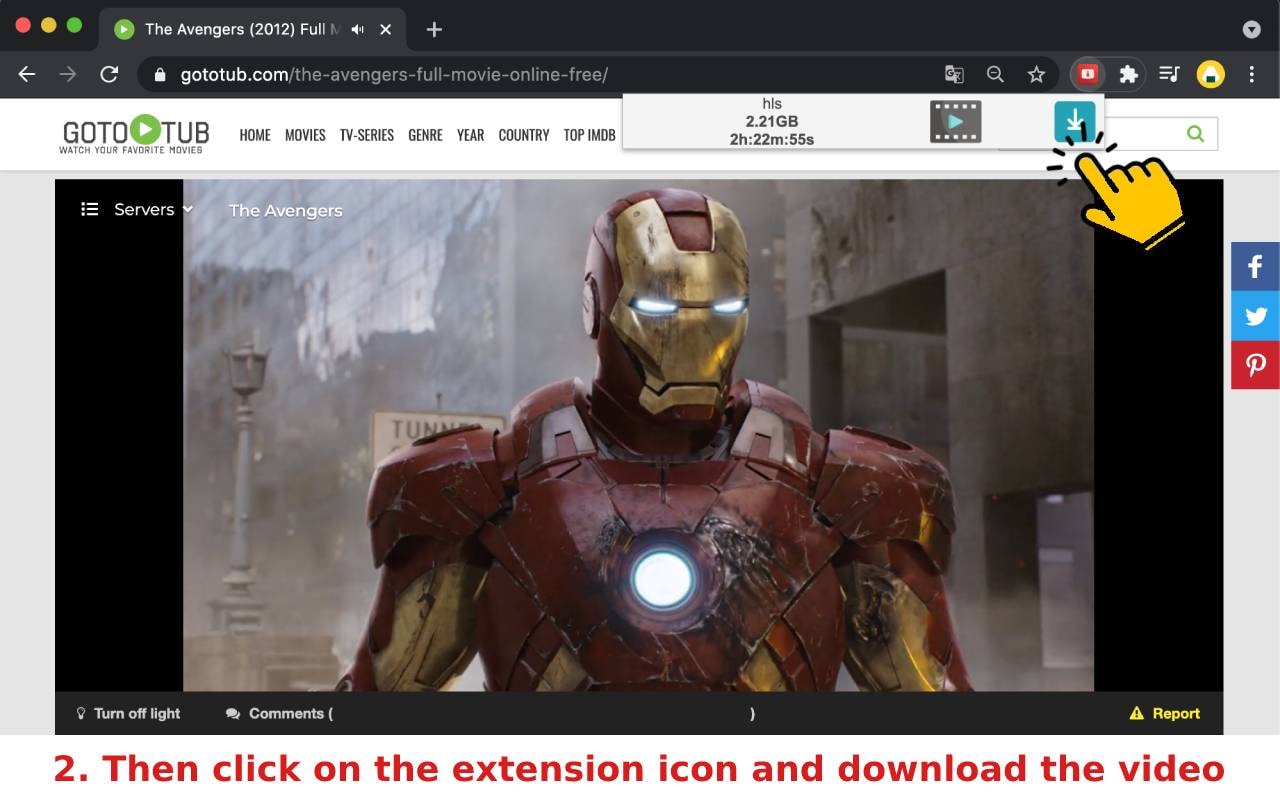
4. Free Video Downloader
Free Video Downloader is a simple browser video downloader extension enabling downloads of common video formats like mp4, webm, and MPEG. It supports streaming technology such as HTTP Live Streaming and combines audio-video files into single downloads. The extension is easy to use and ideal for quickly saving videos from various websites but excludes YouTube downloads due to policies.
Supported Platforms: Facebook, X, TikTok, Instagram, and more.
Browsers: Chrome, Firefox, and Edge.
Safety: Rated 3.9/5, with some users reporting incomplete downloads.
5. CocoCut Video Downloader
CocoCut is a browser video downlaoder extension for Chrome and Edge that detects and downloads almost any online video or music, including streaming formats like HLS/M3U8. It provides an ad-free and free experience with an intuitive interface, making it suitable for beginners. CocoCut also offers a recording option for videos that cannot be directly downloaded, enhancing usability.
Supported Platforms: Thousands of websites, including HLS streaming support.
Browsers: Chrome and Chromium-based browsers.
Safety: Rated 4.7/5, with no data collection policies.
6. Video Downloader Plus
Video Downloader Plus is a fast, ad-free Chrome video downloading extension that lets users download videos in HD, 2K, or 4K from numerous popular sites like Facebook and Instagram. It supports multiple video formats and resolutions with options to save videos for offline viewing or cast them to Chromecast. Notably, it excludes YouTube video downloads due to policy restrictions.
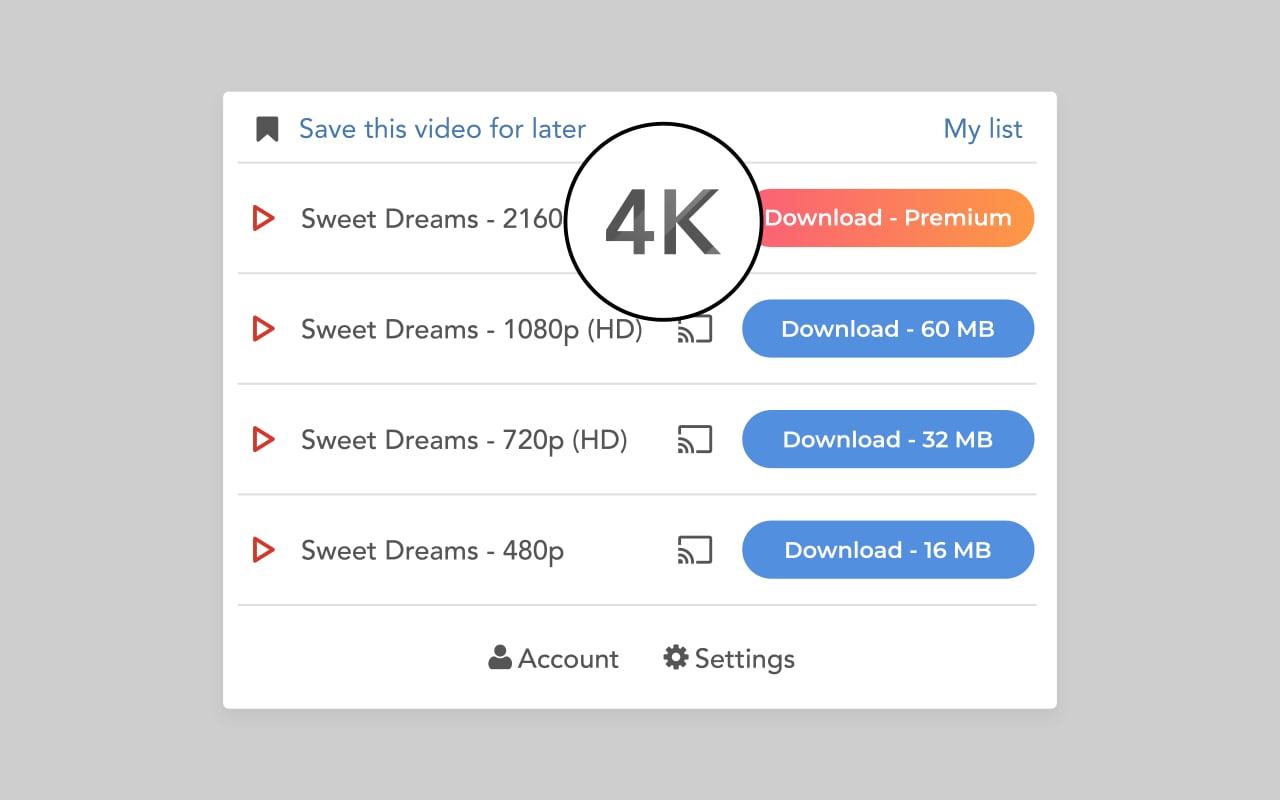
Supported Platforms: X, Vimeo, Dailymotion, and TikTok (higher resolutions require premium).
Browsers: Chrome and Chromium-based browsers.
Safety: Offered by a reputable developer with a 4.5/5 rating.
UniConverter Video Downloading Extension
7. Video Downloader Professional
This Chrome video downloader extension simplifies downloading videos from websites with support for different resolutions and video saving to local devices. It integrates with Google Chromecast, allowing streaming on TVs. Videos can be managed from a personal list for easy access. However, it can't download from YouTube or some social networks due to restrictions and works only on Chrome.
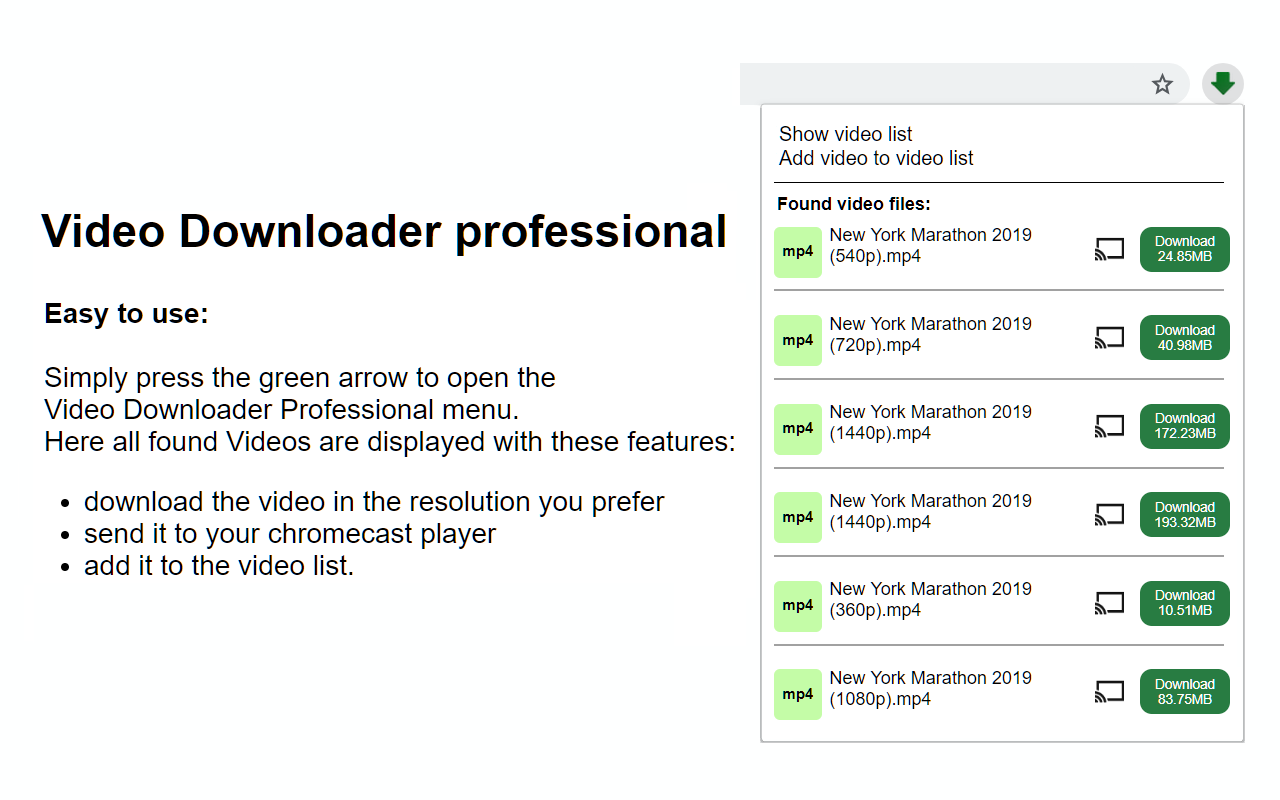
Supported Platforms: Facebook, CNN, and others (may lack audio for some videos).
Browsers: Chrome and Chromium-based browsers.
Safety: Highly popular with a 4.5/5 rating, but be cautious of prompts to install commercial software.
8. HD Video Downloader
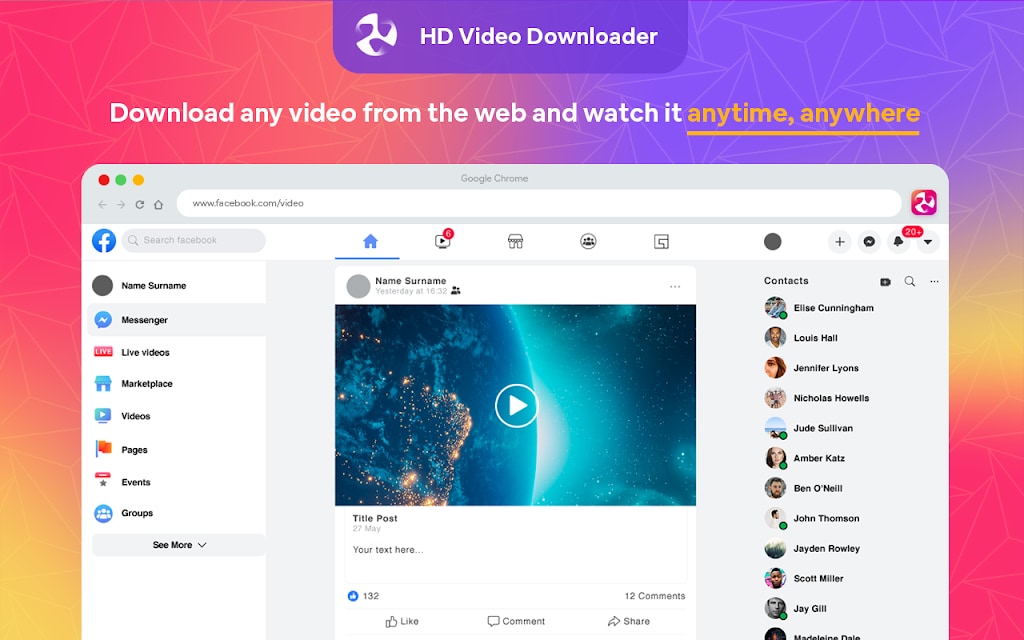
HD Video Downloader is a mobile app that supports downloading videos from various websites and social media platforms in HD and SD. It also offers a chrome video downlaoding extension for users. It offers fast, reliable downloads with a built-in file manager and options to convert videos to MP3 audio files. The app requires no login and features a straightforward interface, optimizing offline video access.
Supported Platforms: Limited to specific sites; not compatible with Brightcove or Reddit.
Browsers: Chrome and Chromium-based browsers.
Safety: Rated 4.5/5, with customizable settings like pop-up or sidebar modes.
9. Video DownloadHelper
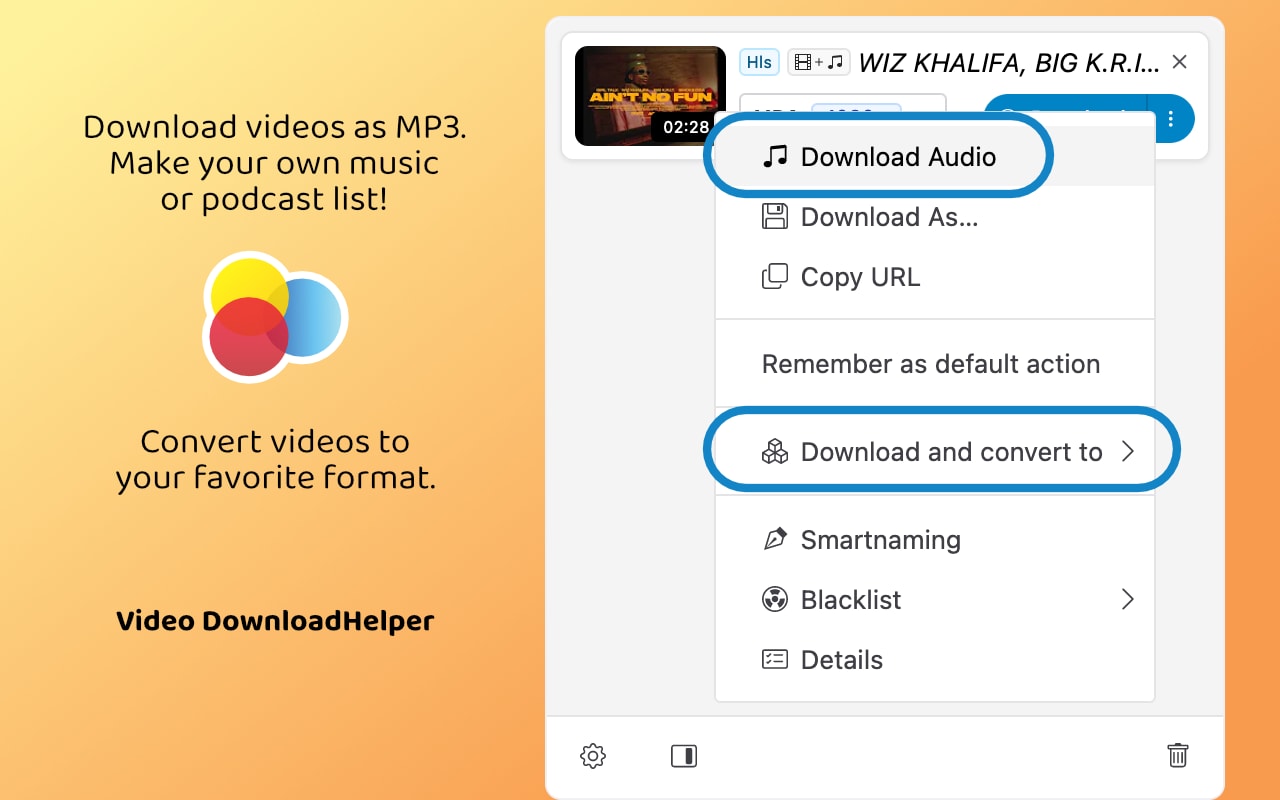
Video Downloader Helper is a classic video downloader extension Chrome tool that requires a companion app for high-quality downloads from sites like Facebook and Vimeo. It stands out for its advanced browser integration, allowing users to directly grab video links from their browsing history even after closing a tab.
Supported Platforms: Wide range, including HLS and Dash streams.
Browsers: Chrome, Firefox, and Edge.
Safety: Well-known with a 4.4/5 rating, but the free version has limited site support.
10. Vimego
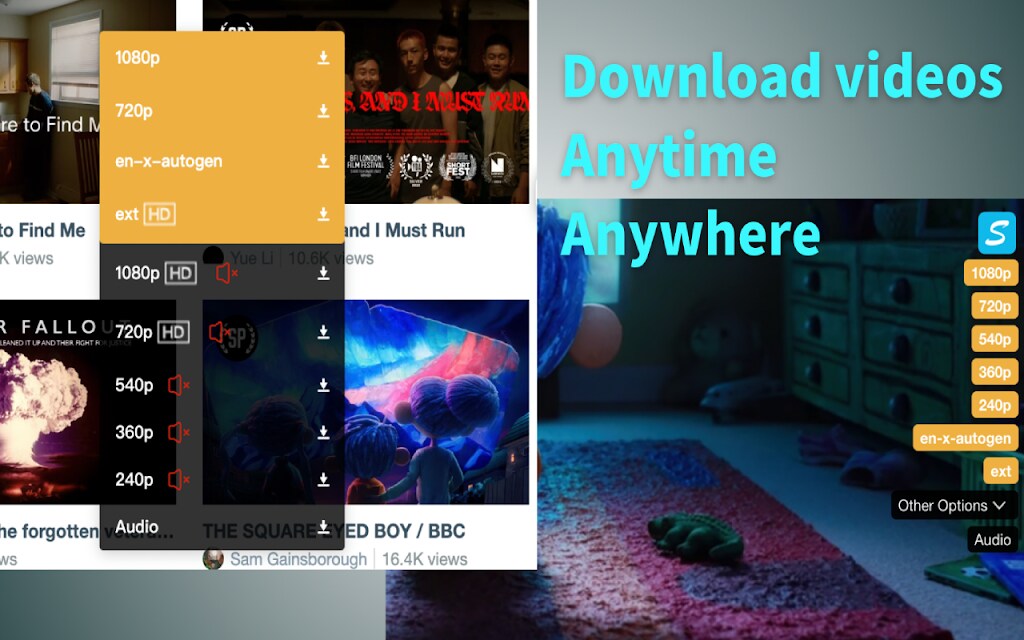
Vimego is a simple video downloader extension designed to help users easily download videos from websites using Chrome. The extension provides straightforward functionality for quick access to downloading videos directly through the browser interface. However, detailed advanced features or additional capabilities beyond basic video downloading are not highlighted, indicating it is primarily a lightweight, user-friendly utility for video downloading tasks.
Supported Platforms: Primarily Vimeo (audio and video may be separate).
Browsers: Chrome and Chromium-based browsers.
Safety: Rated 3.5/5, with paid upgrades for audio and higher resolutions.
Part 3: Quick Comparison Table of Best 10 Video Downloader Chrome Extensions 2025
To help you quickly compare the top extensions, here's a table summarizing their key features:
| Extension Name | Supported Platforms | Batch Download Support | Download Formats Supported | Special Features |
| FetchV | Facebook, X, TikTok, Instagram, Vimeo, Dailymotion | No | MP4, TS, WebM | Recording mode, built-in player |
| MPMux | X, Vimeo, Dailymotion | No | MP4, WebM | Filter size settings, private HLS support |
| UniConverter | YouTube | Yes | MP4, MP3, AVI, FLV | Integration with desktop software, editing tools |
| Free Video Downloader | Facebook, X, TikTok, Instagram | No | MP4, WebM, MP3 | Thumbnail and length display |
| CocoCut | Thousands of websites, HLS streams | Yes | MP4, WebM, MP3, and more | Live broadcast downloads, preview feature |
| Video Downloader Plus | X, Vimeo, Dailymotion, TikTok | No | MP4, WebM, MP3 (premium for HD) | Intuitive interface, premium upgrades for 2K/4K |
| Video Downloader Professional | Facebook, CNN, and others | No | MP4, WebM, MP3 | Multiple resolutions, preview option |
| HD Video Downloader | Limited sites (excludes Brightcove, Reddit) | Yes | MP4, WebM | Customizable UI (popup or sidebar) |
| Video Download Helper | Wide range, including HLS and Dash | Yes | MP4, WebM, MP3 | Companion app for high-quality downloads |
| Vimego | Vimeo | No | MP4, WebM (audio separate) | Fast downloads, premium for audio and HD |
UniConverter Video Downloading Extension
Part 4: Critical Safety First: Avoiding Malware and Privacy Risks
While video downloader Chrome extension tools offer incredible convenience, they also pose potential risks if not chosen carefully. Here's how to protect yourself:
The Dark Side of Free Extensions
Many free extensions come with hidden dangers, such as data harvesting, ad injection, browser hijacking, and malware. For instance, some extensions might track your browsing habits or inject unwanted ads into web pages. Others could even redirect you to malicious sites. It's crucial to be aware of these risks and take steps to mitigate them.
How to Vet Any Extension (Checklist)
To ensure you're installing a safe video downloader extension, follow this checklist:
Source: Only install from the official Chrome Web Store. Avoid third-party websites, as they may host modified or malicious versions of the software.
Reviews & Ratings: Read recent reviews to spot red flags. Look for complaints about malware, broken functionality, or privacy issues. For example, Video DownloadHelper has a 4.4/5 rating but requires a companion app for full functionality.
Developer Details: Choose extensions from reputable developers with a clear privacy policy. For instance, CocoCut provides developer contact information and explicitly states it does not collect user data.
Permissions: Be wary of excessive permissions. An extension that asks for access to "read all data on all websites" should only do so if necessary for scanning videos. If in doubt, avoid it.
Update History: Check the "Last Updated" date. Abandoned extensions may become security risks over time. For example, Easy Video Downloader was updated in February 2025, indicating that it is actively maintained.
Conclusion
Choosing the right video downloader Chrome extension can significantly improve your browsing experience, whether you want to save videos for offline learning, entertainment, or professional use. It's important to balance features with safety, legality, and overall usability. Always check permissions, read reviews, and make sure you're downloading from trusted developers to avoid malware and privacy risks.
If your goal is maximum reliability, easy format conversion, and professional-level features, then UniConverter stands out as a complete solution. Not only does it let you download videos with ease, but it also offers advanced capabilities such as batch downloading, MP4/MP3 conversion, and even editing support—all in one secure platform.
If you're looking for the safest and most versatile way to handle your downloads, give UniConverter a try today and experience hassle-free video saving with peace of mind.
FAQs
-
1. Why can't I download YouTube videos with most extensions?
Due to Google's policies, the Chrome Web Store prohibits extensions that download YouTube videos. Some workarounds exist, such as using desktop apps or safe video online download Chrome tools, but they often come with limitations like lower resolutions or external software requirements. -
2. How can I ensure my safety when installing a video downloader extension?
Stick to the Chrome Web Store, read reviews, check permissions, and verify the developer's reputation. Look for extensions that explicitly state they do not collect personal data. If you ever run into problems, tools like download video help Chrome guides or support forums can walk you through troubleshooting. -
3. What should I do if an extension doesn't work on a specific website?
Try refreshing the page, ensuring the video is playing, or checking the extension's settings. Some tools may require manual intervention. If one tool fails, you can try an alternative, since not every any video download extension supports all sites equally. -
4. Are there any completely free video downloader extensions?
Yes, many extensions, such as CocoCut and FetchV, offer free versions with robust features. Some users also rely on free download video Chrome plugins that provide basic functionality at no cost. However, free tools sometimes come with ads or limitations. -
5. Can I download videos in MP3 format using these extensions?
Yes, several extensions, such as Video DownloadHelper and UniConverter, support audio-only downloads in MP3 format. Always check the format options in the extension's menu. -
6. What is the best extension for downloading videos from any website?
CocoCut is highly recommended for its broad compatibility, supporting thousands of websites and HLS streams. It also allows previews and doesn't require registration. Longtime users also appreciate classics like Download Helper for Opera, which offers reliable alternatives to Chrome.

