


In 2026, finding a reliable video download extension Safari users can trust is surprisingly difficult. Whether you are archiving tutorials, saving webinars for offline viewing, or grabbing clips for a presentation, the "download" button is often missing. Apple's strict ecosystem and Google's evolving policies have made the simple act of saving a video feel like a technical hurdle.
This guide cuts through the noise. We have tested dozens of tools to bring you the 6 best Safari video download extension solutions and Chrome YouTube downloader mac utilities available today. From browser-native plugins to powerful professional software like UniConverter, we explore what actually works for the modern Mac user.
In this article
- Why Safari and Chrome video download extensions often fail on Mac
- Top 6 Video Downloader Extensions for Mac (Ranked)
- Compare Mac video downloaders by browser support, quality, and price
- Download Video from Safari with UniConverter (Easy & Quick)
- Fix Safari or Chrome video downloader extension not working
- Conclusion
- FAQ
Why Safari and Chrome video download extensions often fail on Mac
The "Walled Garden": Apple's Safari browser is built for privacy and security, which is excellent for browsing but terrible for Safari extension to download videos functionality. Apple restricts how extensions interact with web pages, preventing many scripts from "scraping" video files directly from the stream.
The Chrome Store Blockade: Google owns YouTube, and they generally prohibit Chrome YouTube downloader mac extensions on the Chrome Web Store. Developers often have to create "lite" versions for the store that disable YouTube downloading, forcing users to install third-party scripts to get full functionality.
The "Update Break" Cycle: Streaming sites like YouTube, Vimeo, and TikTok change their coding almost weekly. A free video downloader professional for mac plugin might work today but fail tomorrow when the site updates its player. This leads to a frustrating cycle of constantly installing and uninstalling broken extensions.
The Quality Ceiling: Most free browser plugins are limited to 720p or 1080p. If you are looking to download 4K or 8K content, a standard Safari plugin download video tool usually cannot handle the file size or the segmented streaming formats (DASH) used by high-quality video players.
Security Risks of Free Plugins: "Free" often comes at a cost. Many unverified Safari video downloader extension free tools track your browsing history or inject ads into websites to monetize their user base. It is crucial to use tools from reputable developers.
Top 6 Video Downloader Extensions for Mac (Ranked)
We have ranked these tools based on reliability, speed, format support, and safety.
Quick Guide: Best Video Download Extension by Use Case
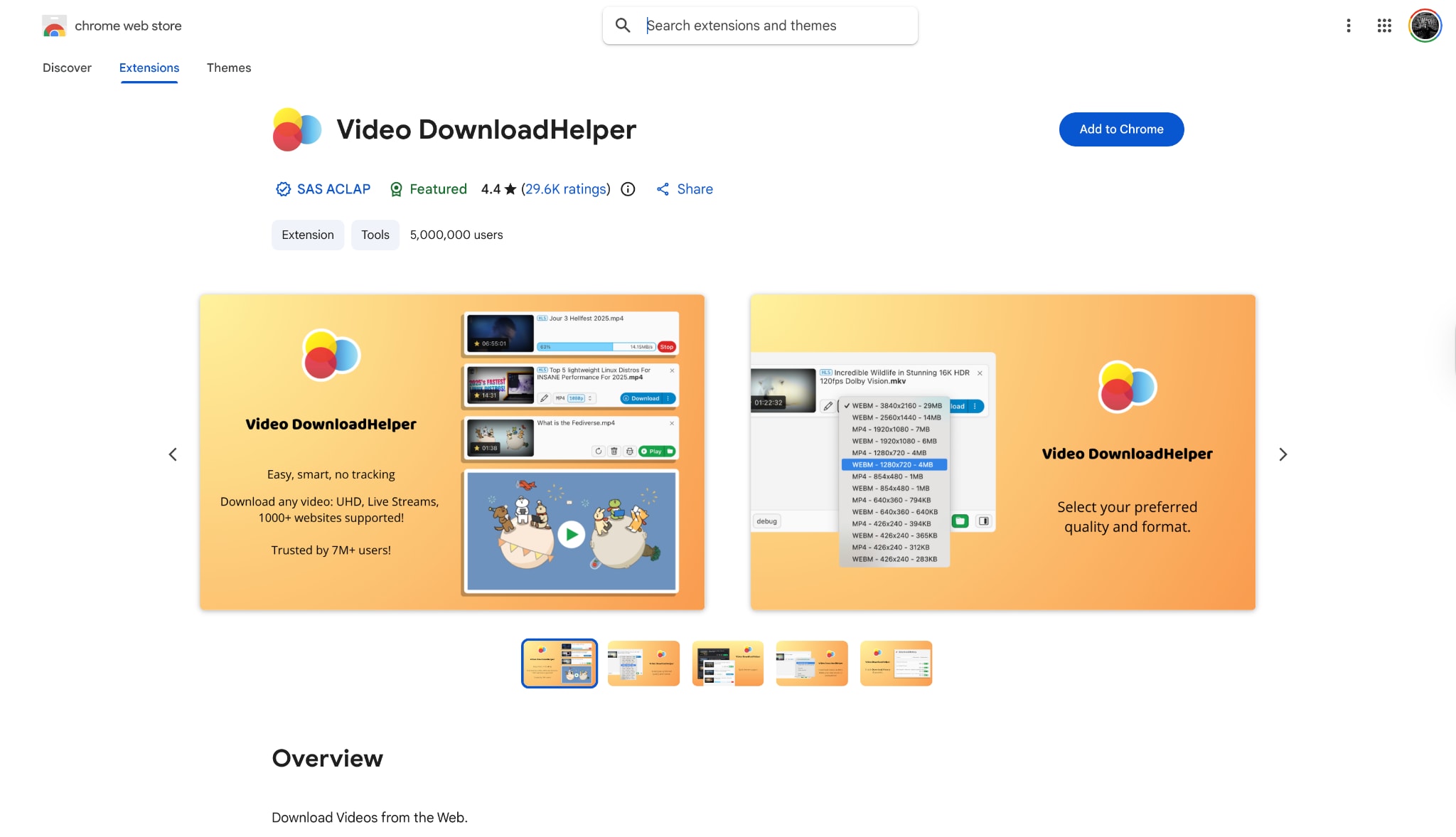
1. Video DownloadHelper: best for detecting streaming videos
Key Features
HLS Streaming Support: Excellent at catching fragmented streaming videos.
Smart Naming: Attempts to auto-name files based on the webpage title.
Format Conversion: Can convert files if you install the companion app.
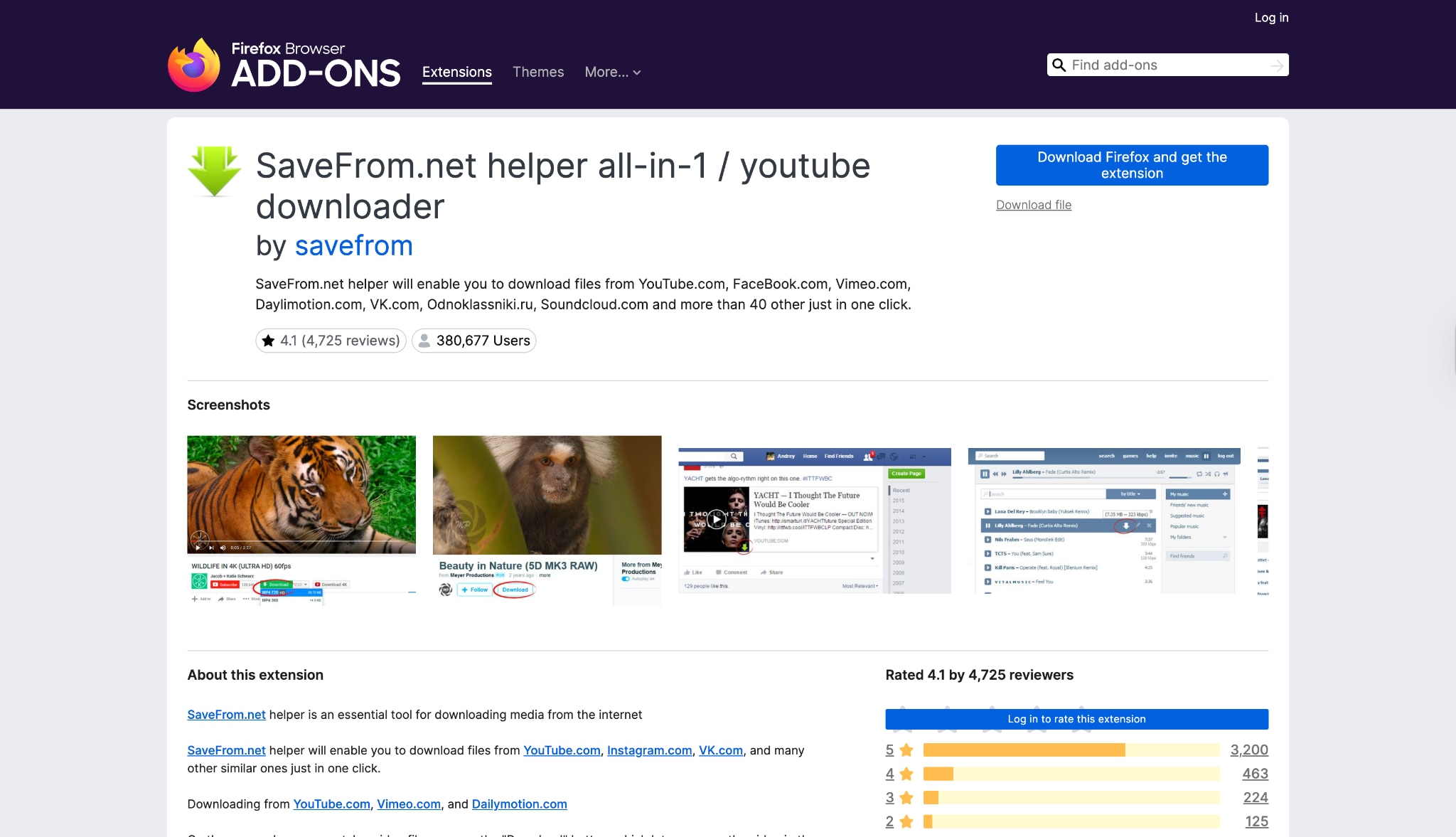
2. SaveFrom.net Helper: best for quick browser-based downloads
Key Features
Direct Buttons: Adds a green download button directly below YouTube videos.
One-Click Download: Simplifies the process significantly.
Audio Extraction: Offers options to save as MP3.
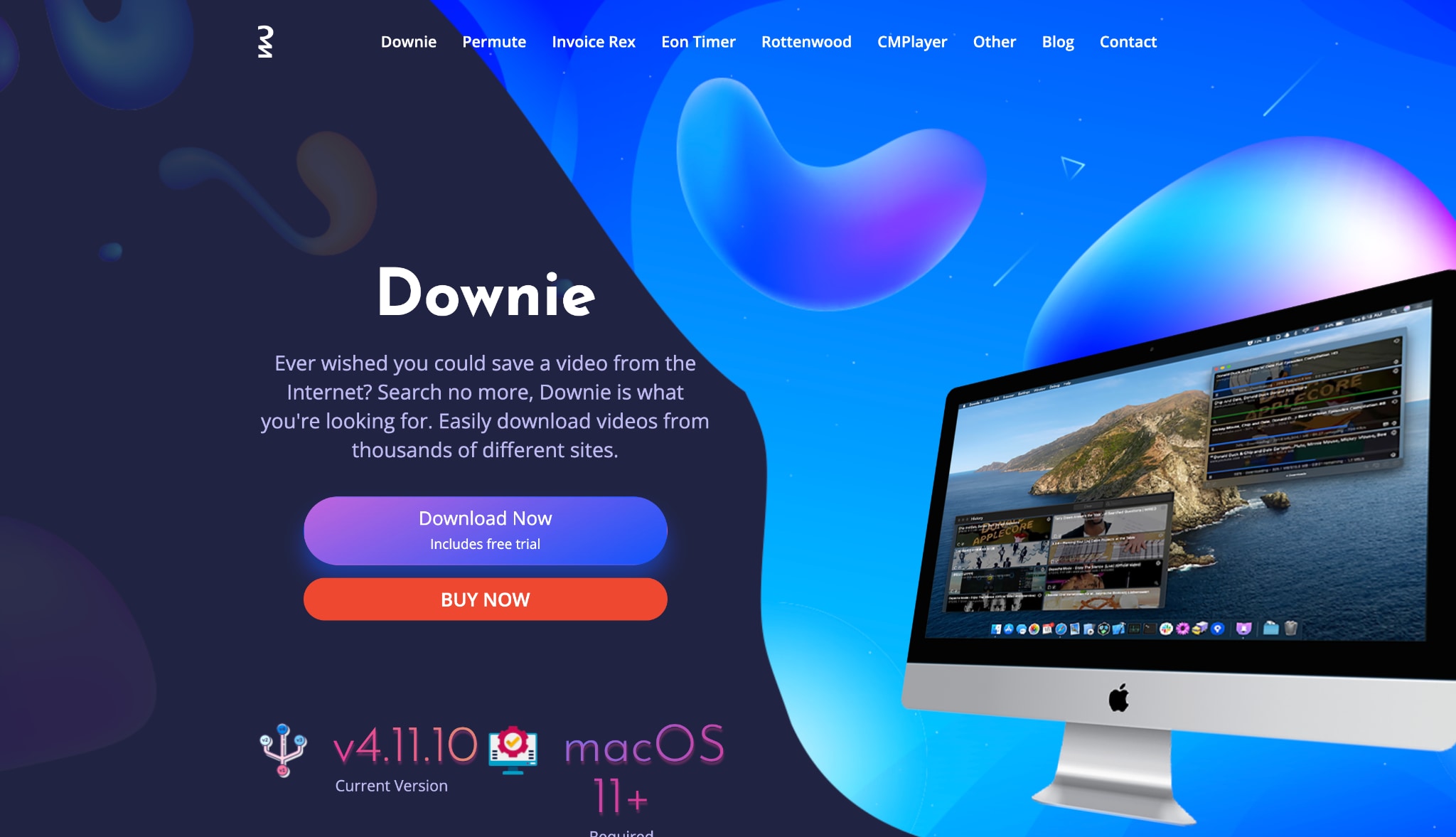
3. Downie: best desktop video downloader for Mac
Key Features
Drag and Drop: Simply drag a URL from Safari onto the Downie dock icon.
User-Guided Extraction: Can scan complex pages to find video files.
Post-Processing: Can convert videos to MP4 or extract audio automatically.
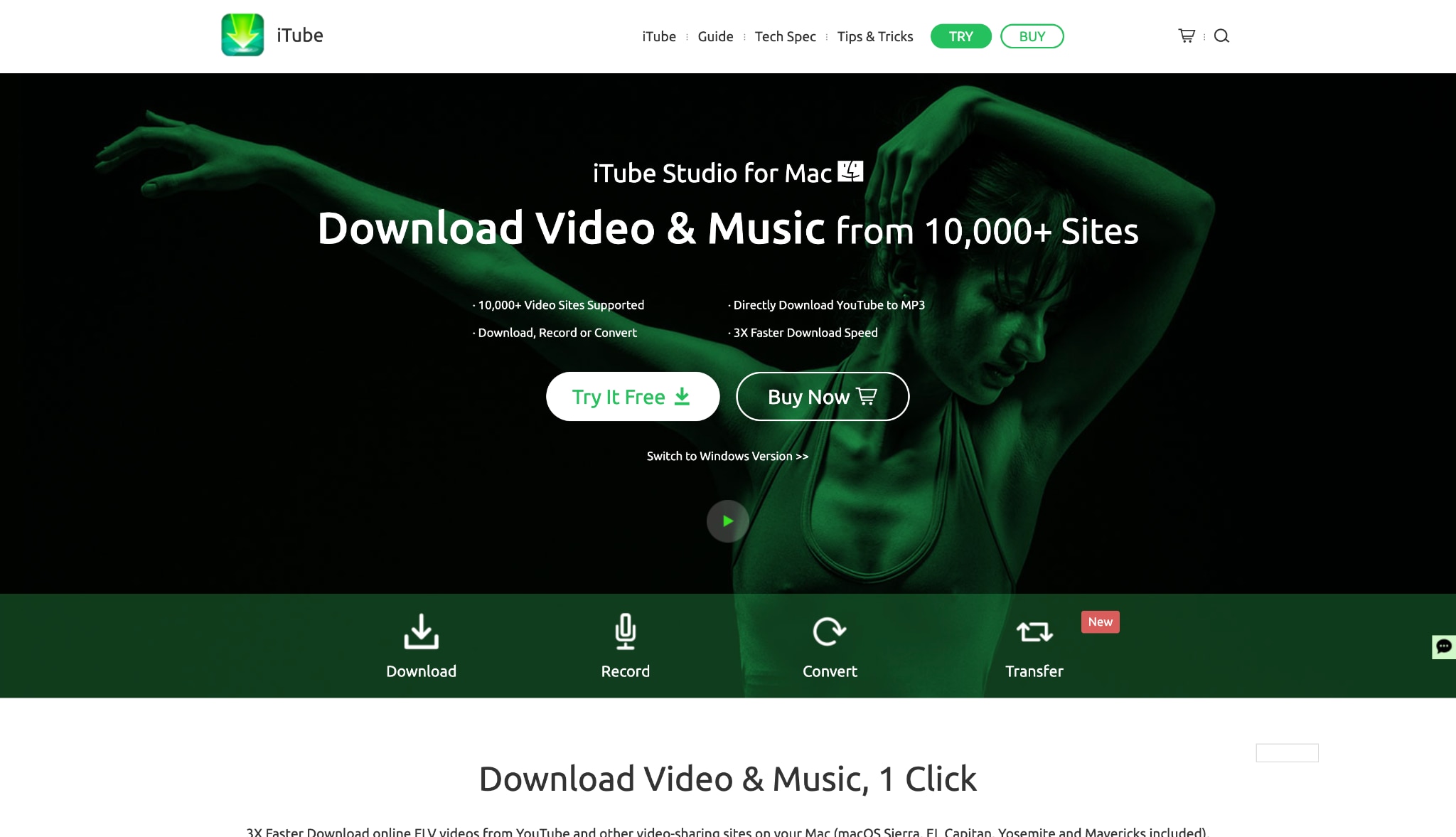
4. iTube: best for downloading videos through a built-in browser
Key Features
Built-in Browser: Navigate to video sites directly within the app.
Download Queue: Manage multiple downloads easily.
iTunes Integration: Can send files directly to your Music/TV library.
5. Airy: best lightweight YouTube downloader for Mac

Key Features
Minimal Interface: Just a small window to paste links.
Playlist Downloading: Can grab entire YouTube playlists.
Subtitles: Downloads SRT files automatically.
6. Video Downloader for Mac: best for advanced video detection

Key Features
Deep Scan: Finds elements other downloaders miss.
Quick Access Buttons: Built-in links to popular video sites.
Two Modes: Simple mode for casual users, Advanced for pros.
Compare Mac video downloaders by browser support, quality, and price
| Extension | Best For | Starting Price | Browser Supported | Download Quality |
| UniConverter | Overall Best & Professional Quality | Free Trial / Paid | Chrome, Safari (Helper) | Up to 8K / HDR |
| Video DownloadHelper | Obscure Streaming Sites | Free (Freemium) | Chrome, Firefox | varies (often 1080p) |
| SaveFrom.net | Quick, Low-Res Clips | Free | All (via Script) | 720p (Free) |
| Downie | Mac Purists | $19.99 | Safari, Chrome | 4K |
| iTube Downloader | All-in-one Browser experience | $24.95 | Built-in Browser | 4K |
| Airy | Minimalists | $19.95 | Safari (Bookmarklet) | 4K |
| VideoDuke | Tech-Savvy Users | $29.95 | Safari, Chrome | 8K |
Download Video from Safari with UniConverter on Mac (Easy & Quick)
Still struggling to save online videos on Safari, but find some extensions unstable? With UniConverter, you can grab videos from your favorite websites, easily batch convert URL to MP4 from Safari in just a few clicks with consistent stable functioning — no complicated settings, no tech skills required. Whether it’s tutorials, entertainment, or work-related content, UniConverter makes offline viewing fast and effortless. With UniConverter you can easily save videos from YouTube or other popular social media websites. You can also batch grab videos from YouTube playlist easily at one click.
Step-by-Step Guide for using UniConverter on Mac
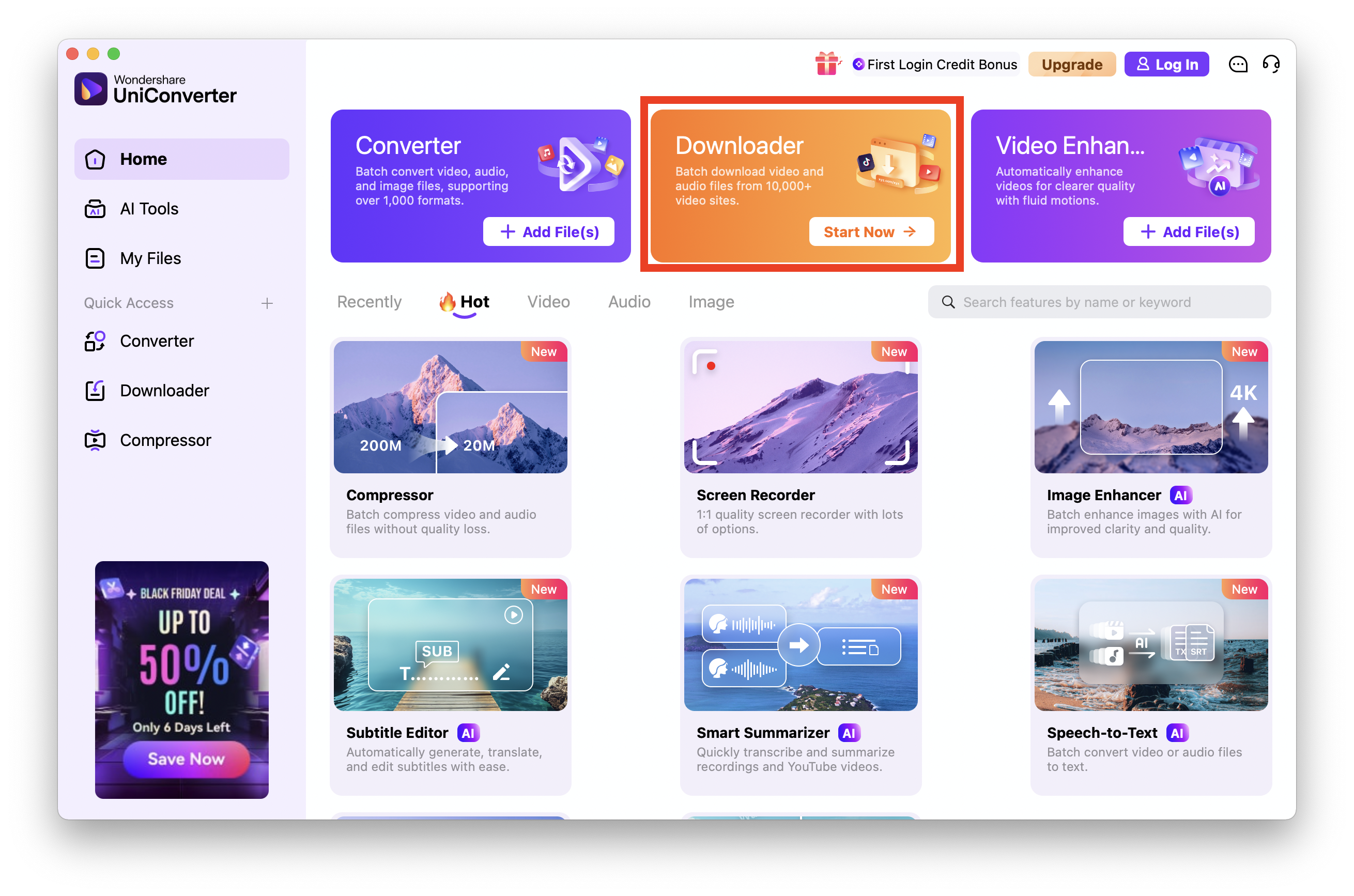
Step 1: Access the Downloader Module
Download and open Wondershare UniConverter on your Mac. From the home interface, switch to the Downloader tab.
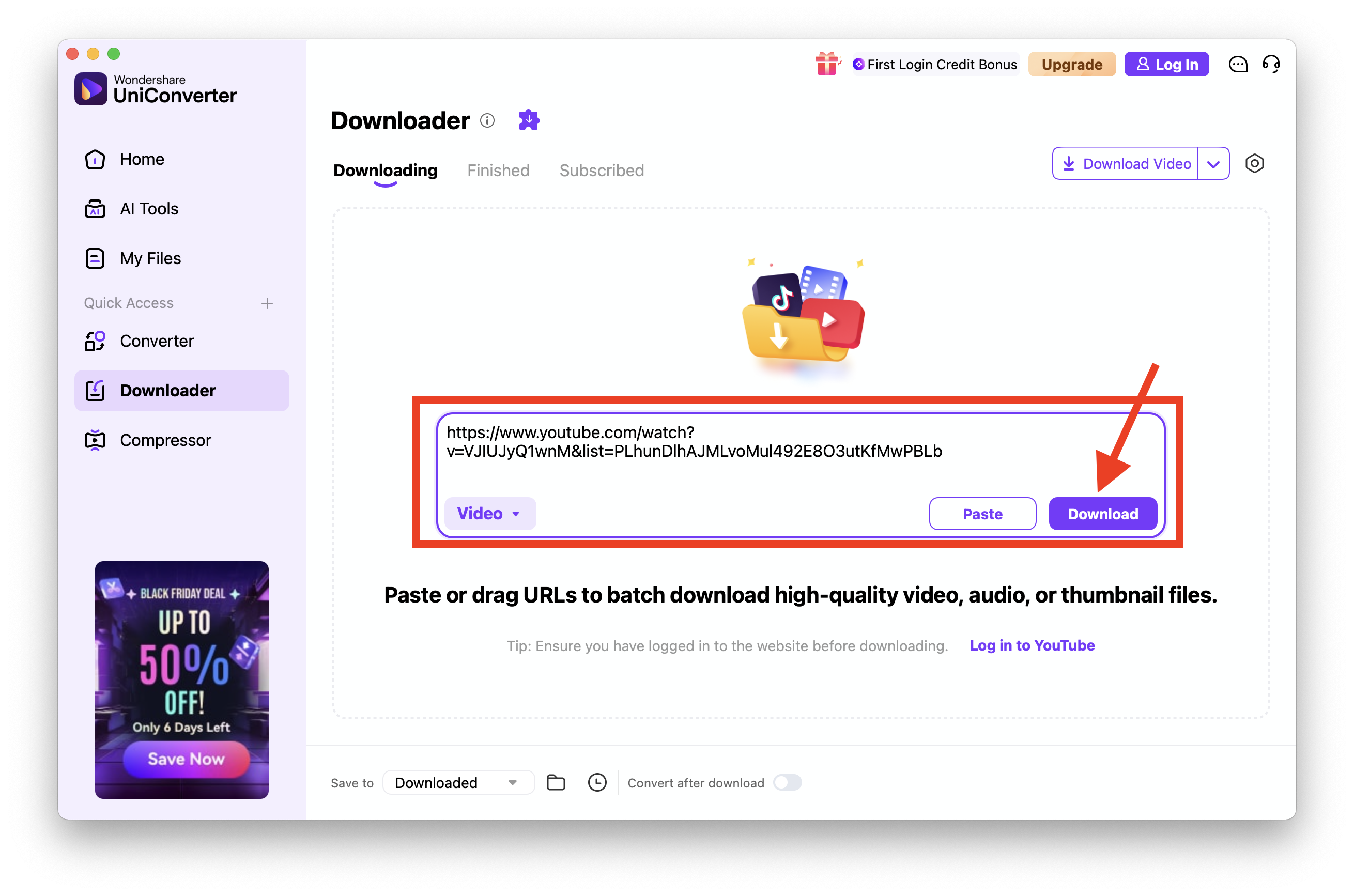
Step 2: Open Safari and Find and Copy the Video URL
Launch Safari and go to the website that hosts the video you want to download. In Safari’s address bar, copy the full video page URL. Go back to UniConverter and click “Paste URL”. UniConverter will automatically analyze the link and detect available download options.
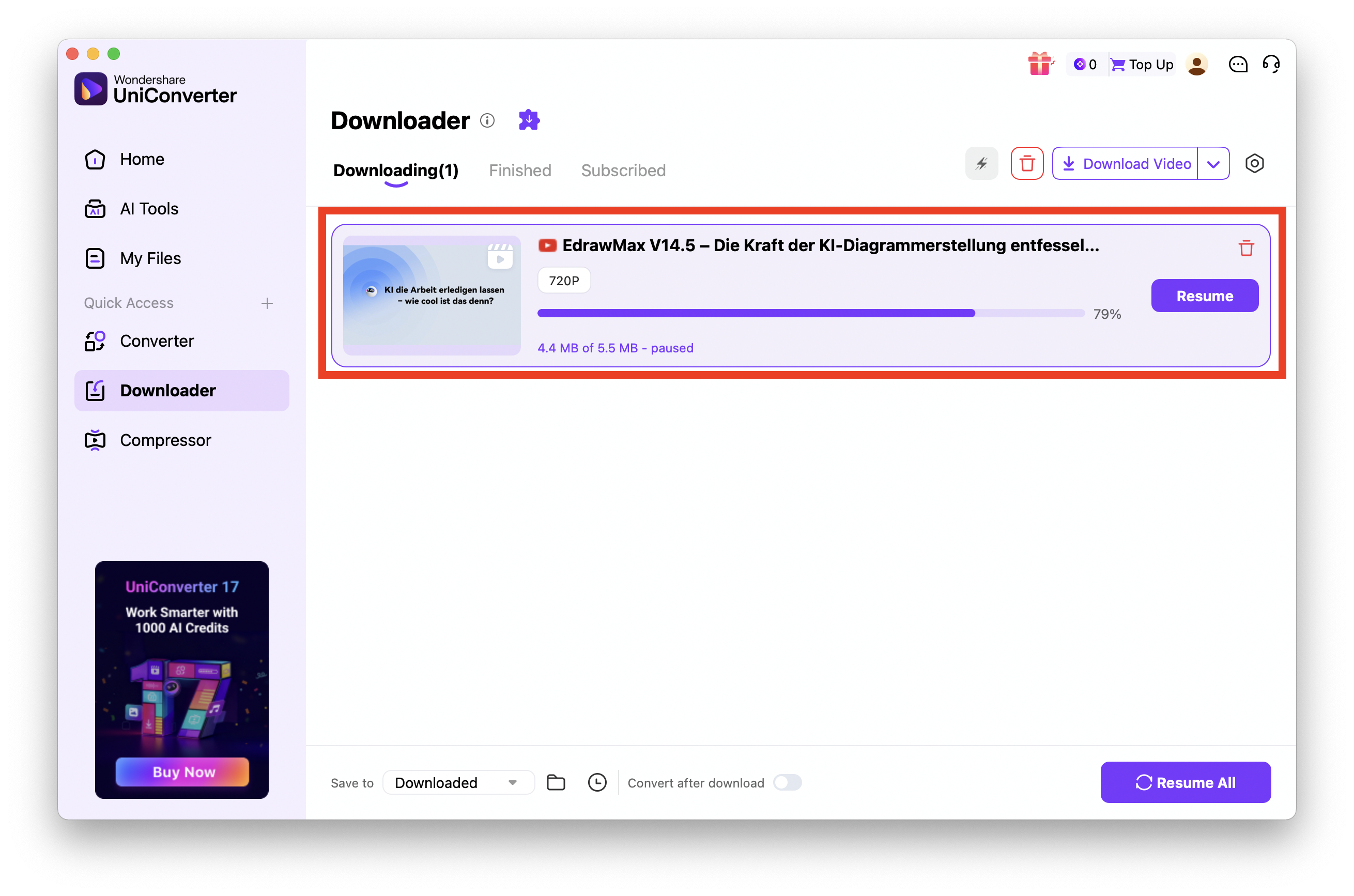
Step 3: Start Downloading
Click Download, and UniConverter will start saving the video to your Mac. Once finished, access it instantly in the Finished tab for offline viewing.
Pro Tip: If the download icon does not appear on the video player immediately, refresh the webpage once to allow the extension to reload and properly detect the media stream.

Stable Safari Video Downloader You Can Rely On
Fix Safari or Chrome video downloader extension not working
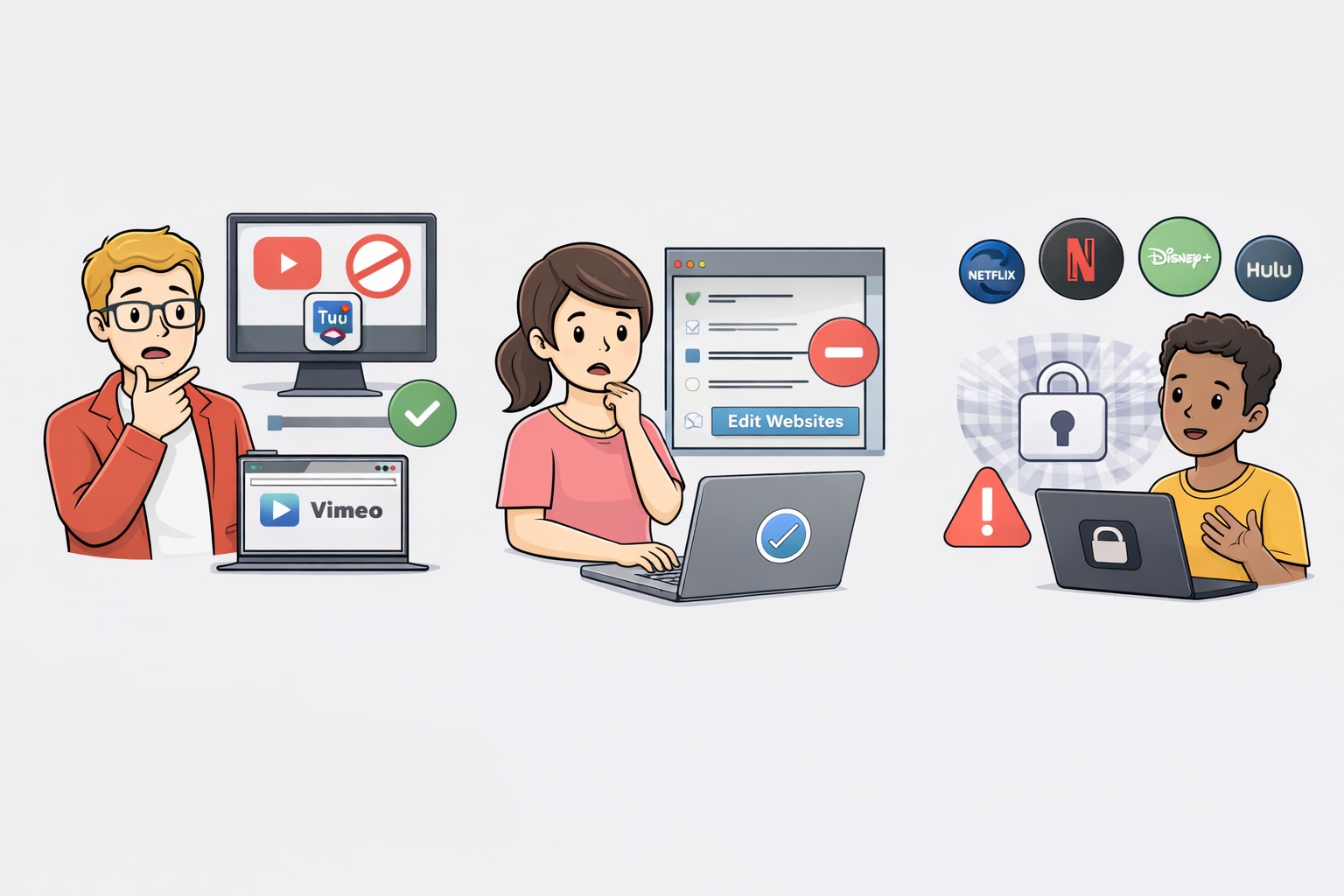
Why Chrome Extensions Fail on YouTube
Google owns YouTube and restricts extensions hosted on the Chrome Web Store from downloading YouTube videos. This is why many plugins work on Vimeo but "break" on YouTube. The solution is using a desktop-integrated tool like UniConverter, which operates outside these store restrictions.
Checking Extension Permissions
If a Safari plugin video download isn't working, go to Safari > Settings > Extensions. Ensure the box next to the extension is checked. Also, check "Edit Websites" to ensure the extension has permission to read data on the video site you are visiting.
Handling Encrypted Streams (DRM)
Services like Netflix, Hulu, and Disney+ use DRM (Digital Rights Management). Standard downloaders cannot break this encryption. You need a specialized screen recorder (which UniConverter also provides) rather than a downloader for these sites.
Legal & Ethical Use
Always respect copyright laws. Safari video downloader extension free tools should only be used to download content you own, content under Creative Commons, or for "Fair Use" purposes. Downloading copyrighted music videos or movies for distribution is illegal.
Conclusion
The landscape for Safari video download extension tools in 2026 is a mix of simple plugins and robust software. While free extensions like SaveFrom.net offer a quick fix for low-resolution clips, they often lack the stability and quality required for modern archiving.
If you want an effective, frustration-free, and user-friendly solution, Wondershare UniConverter stands out as an excellent choice. It provides the professional fix, bypassing standard Safari plugin video download restrictions to ensure reliable 4K/8K downloads. Eliminate the "Update Break" frustration and enjoy ad-free offline viewing. Upgrade your toolkit today to access seamless downloading and advanced AI features like video enhancement.
FAQs
-
1. What is the best video download extension Safari users can get in 2026?
Safari extensions are limited by Apple, so the best option is usually a helper tool rather than a pure extension. Tools like Downie or Wondershare UniConverter integrate with Safari to detect videos, while the actual downloading happens outside the browser. This approach ensures higher quality, better stability, and more reliable downloads than standalone plugins. -
2. Why can't I find a working Safari plugin to download videos on the App Store?
Apple’s App Store policies are extremely strict regarding apps that scrape or download content from third-party platforms such as YouTube. As a result, most fully functional video downloaders are not allowed. This is why tools like UniConverter are typically downloaded directly from the developer’s official website instead of the App Store. -
3. Is there a safe and free video download extension for Safari?
Yes, but with limitations. Video DownloadHelper is generally considered safe, though its functionality on Safari is restricted. Be cautious with tools that claim to be totally free and unlimited, as they often include malware or adware. For better security, using a free trial of a trusted premium tool like UniConverter or a reputable open-source solution is safer. -
4. Can I download 4K or 8K videos using a Safari extension?
In most cases, no. Standard Safari extensions usually cap downloads at 1080p because they cannot process the segmented data used for Ultra HD streaming. To download true 4K or 8K videos without quality loss, you need a robust solution like UniConverter, which detects videos via the browser but handles the heavy processing through its desktop engine. -
5. Why do my downloaded videos sometimes play with no sound?
This happens because many modern streaming platforms separate video and audio into different tracks. Simple Safari video download plugins often fail to capture both streams, resulting in silent videos. Advanced tools like UniConverter automatically detect, download, and merge audio and video streams, ensuring proper playback with synchronized sound.

