


Ever wished you could download an entire YouTube playlist as MP4 files without spending hours copying links or risking shady downloads? You’re not alone. Many users struggle with unreliable converters, broken links, or poor-quality videos when trying to save playlists for offline viewing. Whether you’re a content creator, student, or music lover, having a smooth, secure, and high-quality conversion process is essential.
That’s why this guide was created — to help you find safe, efficient, and trustworthy ways to convert YouTube playlists to MP4 format effortlessly. In this article, we’ll walk you through the best tools, smart automation features, and safety practices so you can enjoy your favorite playlists anytime, anywhere — without frustration or risk.
Key Takeaways
[Why Convert Playlists] Converting a YouTube playlist to MP4 makes offline viewing easier, helps save mobile data, and lets users build permanent personal video libraries.
[What to Look For] A reliable YouTube playlist to MP4 converter should support batch downloading, quality selection, fast conversion speed, and an easy-to-use interface.
[Online Tool Option] Web-based tools like AudioCleaner offer a quick way to convert YouTube playlists to MP4 without installing software, but users should still pay attention to safety and privacy.
[Best Overall Solution] Wondershare UniConverter stands out with automatic playlist detection, batch conversion, high-quality MP4 output, and advanced features for fast and secure playlist downloads.
In this article
- Top Reasons to Convert a YouTube Playlist to MP4
- Key Features to Look For in a YouTube Playlist to MP4 Converter
- Best Choice: How to Automatically Detect and Convert YouTube Playlist to MP4
- How to Convert YouTube Playlist to MP4 with Online Web Tool
- Important Legal & Safety Considerations (Building Trust)
- Conclusion
- FAQs
Part 1: Top Reasons to Convert a YouTube Playlist to MP4
Converting a YouTube playlist to MP4 isn’t just about convenience—it’s about control and accessibility. Here are the top reasons why millions of users choose to download their playlists for smarter, smoother, and more reliable viewing:
Offline Viewing Anywhere
Converting your YouTube playlist to MP4 lets you watch videos anytime, even without an internet connection. It’s perfect for flights, road trips, or daily commutes where Wi-Fi is unreliable. You’ll never have to pause learning or entertainment because of poor connectivity again.
Create a Permanent Archive
Videos on YouTube can disappear without notice due to takedowns or copyright changes. By saving playlists as MP4s, you preserve your favorite content permanently. This ensures that your favorite tutorials, documentaries, or songs remain accessible forever.
Save on Data & Buffering
Streaming consumes heavy data and often leads to buffering delays. With downloaded MP4s, you can watch smoothly without waiting for videos to load. It’s an efficient way to enjoy high-quality playback while saving on mobile or limited internet plans.
Compile Educational & Instructional Content
Students, researchers, and DIY enthusiasts can convert playlists into MP4 to build personalized learning libraries. This makes it easy to revisit lectures, tutorials, or guides anytime. You can organize and replay valuable information without relying on YouTube’s availability.
Curate Personal Media Libraries
Building your own video collection helps you stay organized and entertained. Whether it’s music videos, vlogs, or documentaries, MP4 format ensures compatibility across all devices. It’s your personalized digital shelf, ready to play without ads or distractions.
Part 2: Key Features to Look For in a YouTube Playlist to MP4 Converter
Choosing the right YouTube playlist to MP4 converter can make all the difference between a smooth experience and endless frustration. Here are the key features you should look for to ensure fast, high-quality, and hassle-free conversions every time:
Batch Downloading
A good converter should let you download the entire playlist at once, not one video at a time. This saves hours of manual effort and ensures all videos stay in order. It’s perfect for large playlists like tutorials, lectures, or music collections.
Quality Selection
Look for tools that allow resolution control, such as 1080p, 720p, or 480p. This flexibility helps you balance between video clarity and file size. You can choose HD quality for presentations or lower quality for quick offline playback.
Conversion Speed
Nobody likes waiting endlessly for downloads to finish. The best converters offer fast processing speeds, turning entire playlists into MP4s within minutes. This ensures a smoother, more efficient experience without performance lags.
Ease of Use
An intuitive and clutter-free interface makes a huge difference. Choose a converter that’s simple to navigate, even if you’re not tech-savvy. A clean layout with clear instructions ensures effortless conversions every time.

Easy to Use YouTube Playlist to MP4 Converter
Part 3: Best Choice: How to Automatically Detect and Convert YouTube Playlist to MP4
Automatically detecting and converting an entire YouTube playlist to MP4 can save you hours of manual work, and Wondershare UniConverter makes this process seamless. Known for its speed, reliability, and user-friendly interface, UniConverter supports batch downloading, high-quality conversions, and multiple formats. Whether you want to save tutorials, music videos, or documentaries, it handles large playlists efficiently while maintaining the original video quality. Its advanced features, such as automatic playlist detection, make it ideal for both beginners and power users. With UniConverter, you can enjoy a hassle-free, secure, and fast way to convert YouTube content.
Key Functions of Wondershare UniConverter:
- Automatic Playlist Detection & Download: Automatic download settings to check update of subscription account and download. Recognizes and lists all videos in a YouTube playlist for one-click download.
- Batch Conversion: Converts multiple videos simultaneously to save time.
- Quality Control: Offers options for HD, Full HD, and 4K video downloads.
- Multiple Output Formats: Supports MP4, AVI, MOV, and other popular formats.
- Fast Conversion Speed: Uses GPU acceleration for quick downloads without compromising quality.
- Built-in Video Editor: Trim, crop, or merge videos before or after conversion.
- Video Enhancement: Integrated NVIDIA accelerated batch AI video enhancement model to speed up video enhancement.
- Auto Subtitle Generator & Translator: Easily generate subtitles or translate to bilingual subtitles for downloaded videos to acquire wider accessibility.
Step by step guide to automatically detect and convert YouTube playlist to MP4
Step 1: Access Uniconverter Copy & Paste Playlist URL
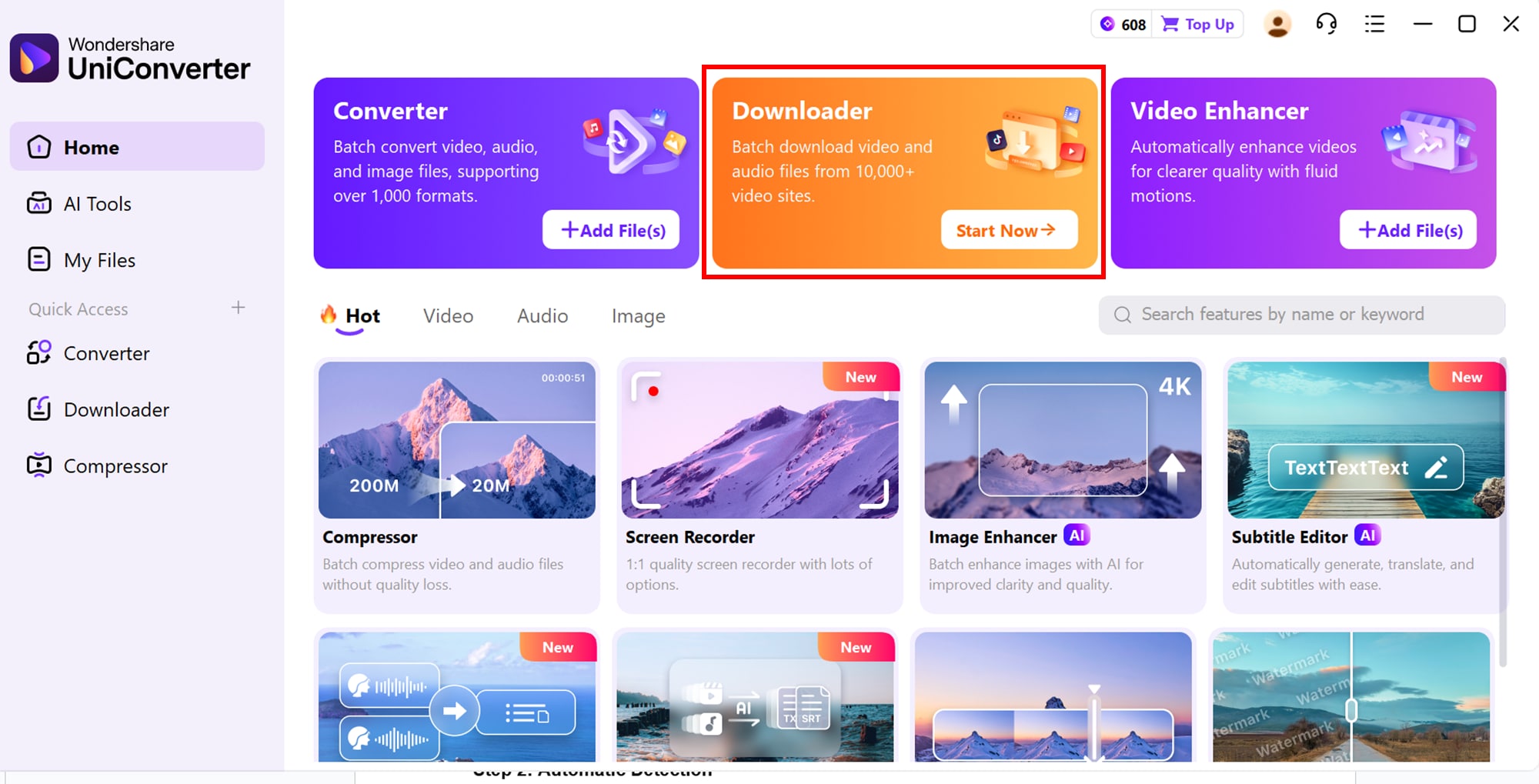
Start by opening the YouTube playlist you want to download in your browser. Copy the full playlist URL from the address bar. Then, launch Wondershare UniConverter, navigate to the Downloader tab, and click “+ Paste URL.” The software will recognize that it’s a playlist link, preparing it for batch processing.
Step 2: Automatic Detection
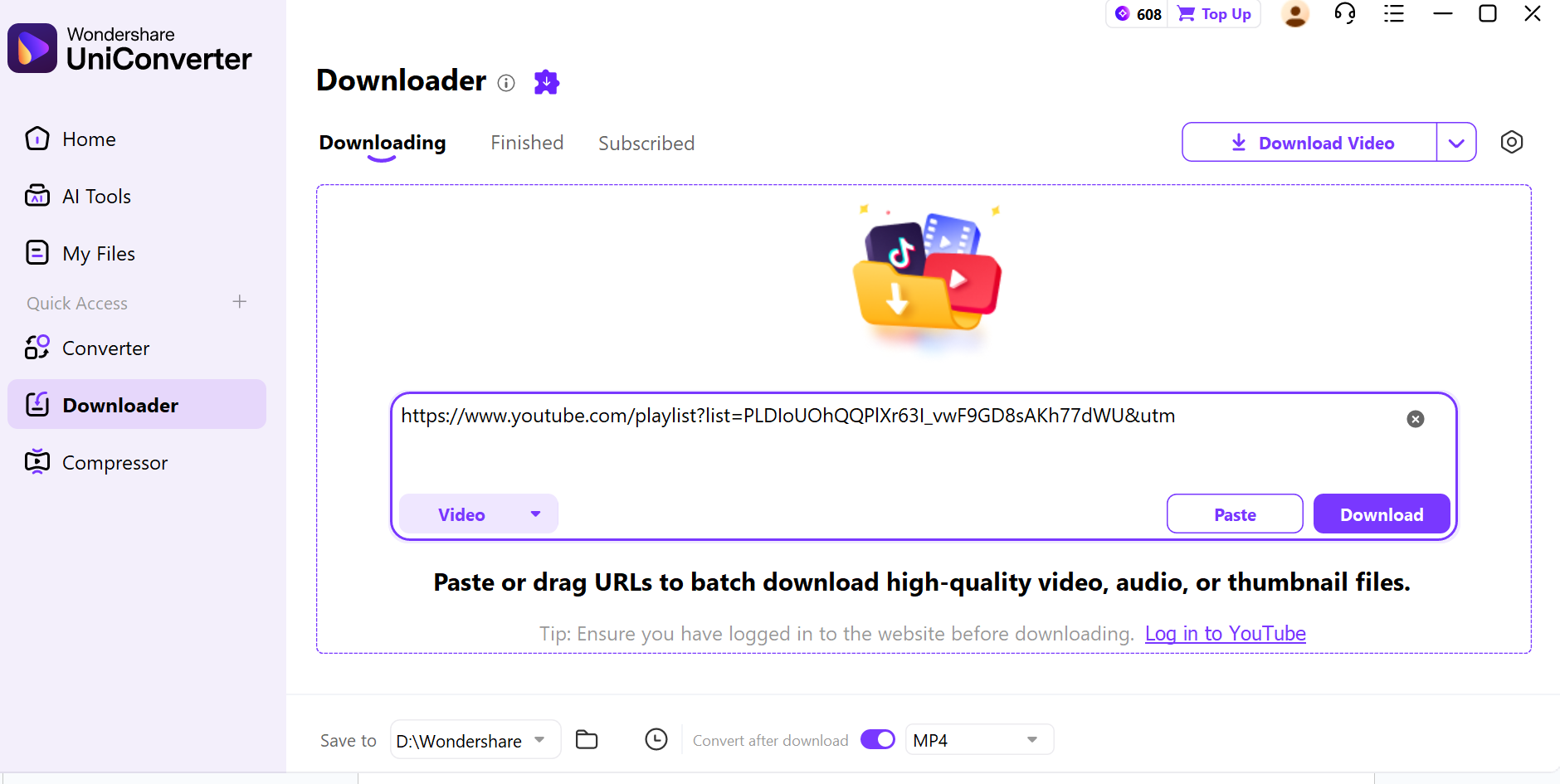
Once the URL is pasted, UniConverter automatically scans and lists all videos within the playlist. This feature allows you to manage large playlists efficiently and ensures no video is missed during conversion.
Step 3: Select Format & Quality
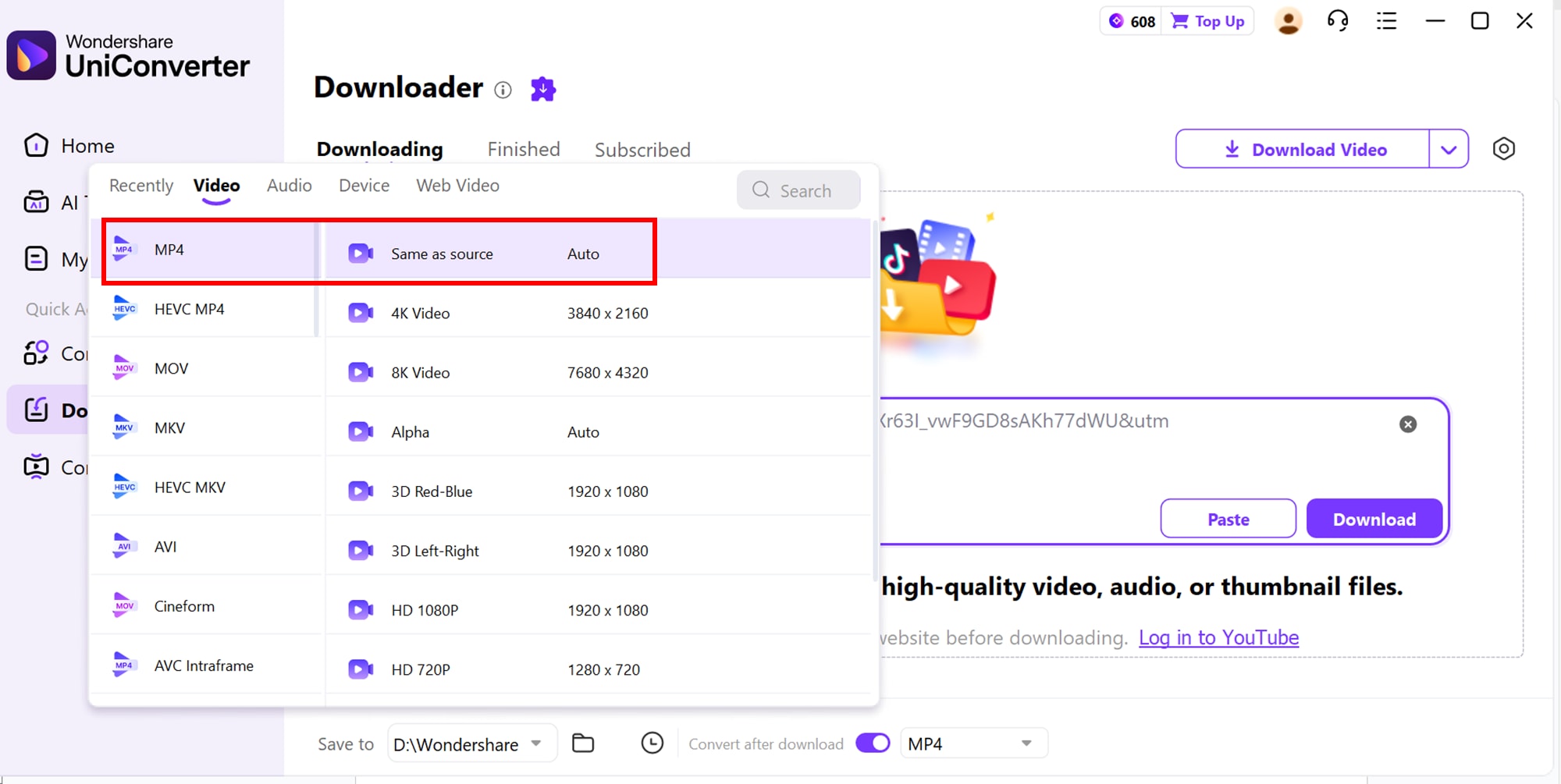
Next, choose MP4 as your output format for maximum compatibility. UniConverter allows you to select video quality options like 1080p, 720p, or 480p. You can also set advanced options such as saving the videos to a custom folder or enabling GPU acceleration for faster downloads.
Step 4: Download & Access
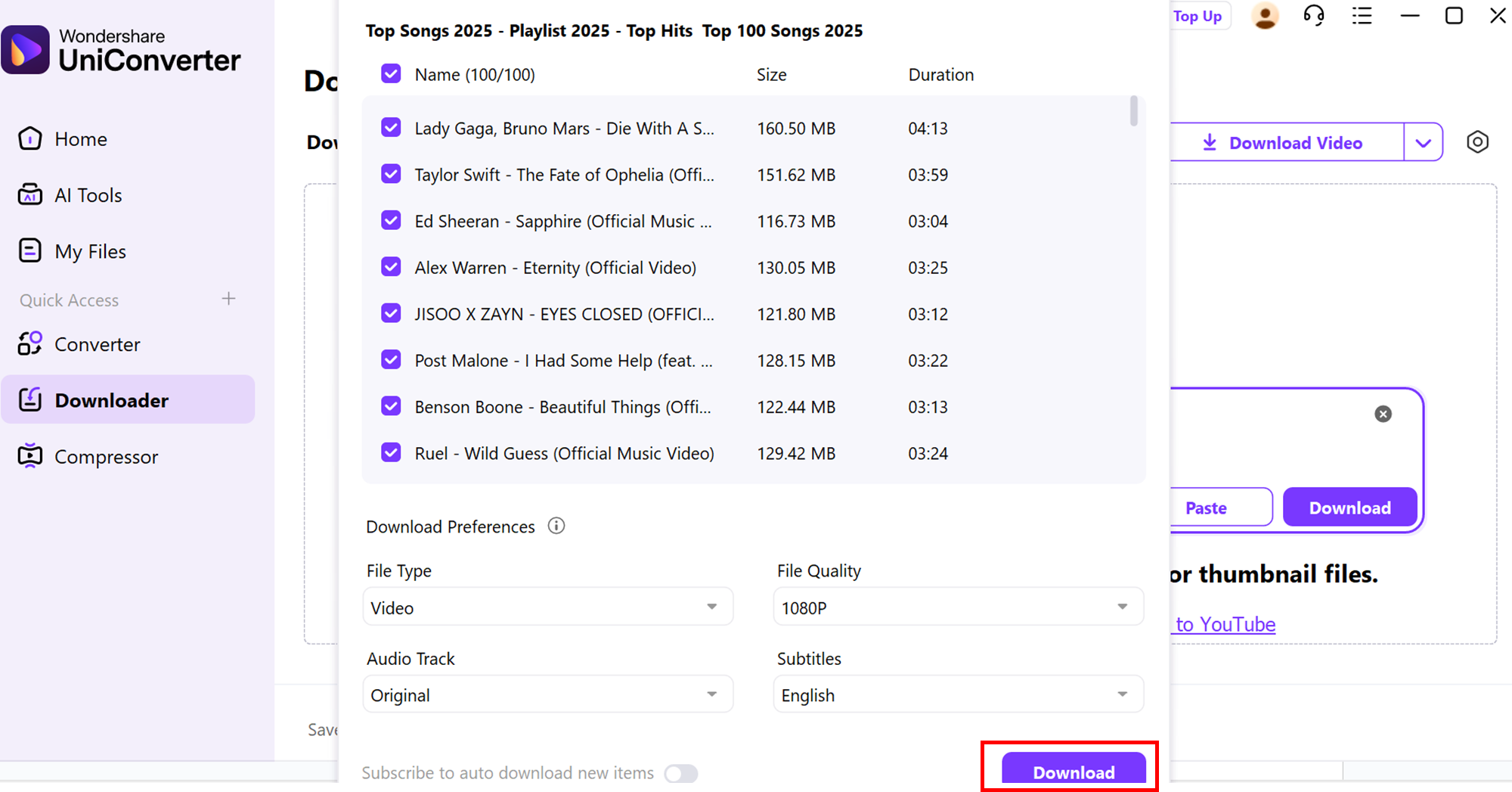
The system automatically recognizes the URL as a channel or playlist link, and a download options window pops up. You can choose to download the entire playlist or select specific videos, set the file type, video/audio quality, and subtitle or audio track language. The software automatically picks the highest available quality when options are unavailable. You can also filter and manually select videos to download. Once ready, click “Download All”, and UniConverter will process the videos, saving them to your device for easy offline access.
Part 4: How to Convert YouTube Playlist to MP4 with Online Web Tool
Converting a YouTube playlist to MP4 using an online web tool is a quick and convenient way to enjoy your favorite videos offline. You don’t need to install any software, and it works across devices like PCs, tablets, and smartphones. AudioCleaneris one such reliable online downloader that simplifies the process, allowing users to grab multiple videos at once. With this tool, you can choose the desired format and video quality, ensuring compatibility with your devices. It also respects privacy by not storing your links or personal data. Whether it’s music, tutorials, or vlogs, this web tool makes playlist downloading fast, safe, and hassle-free, giving you full control over your video library.
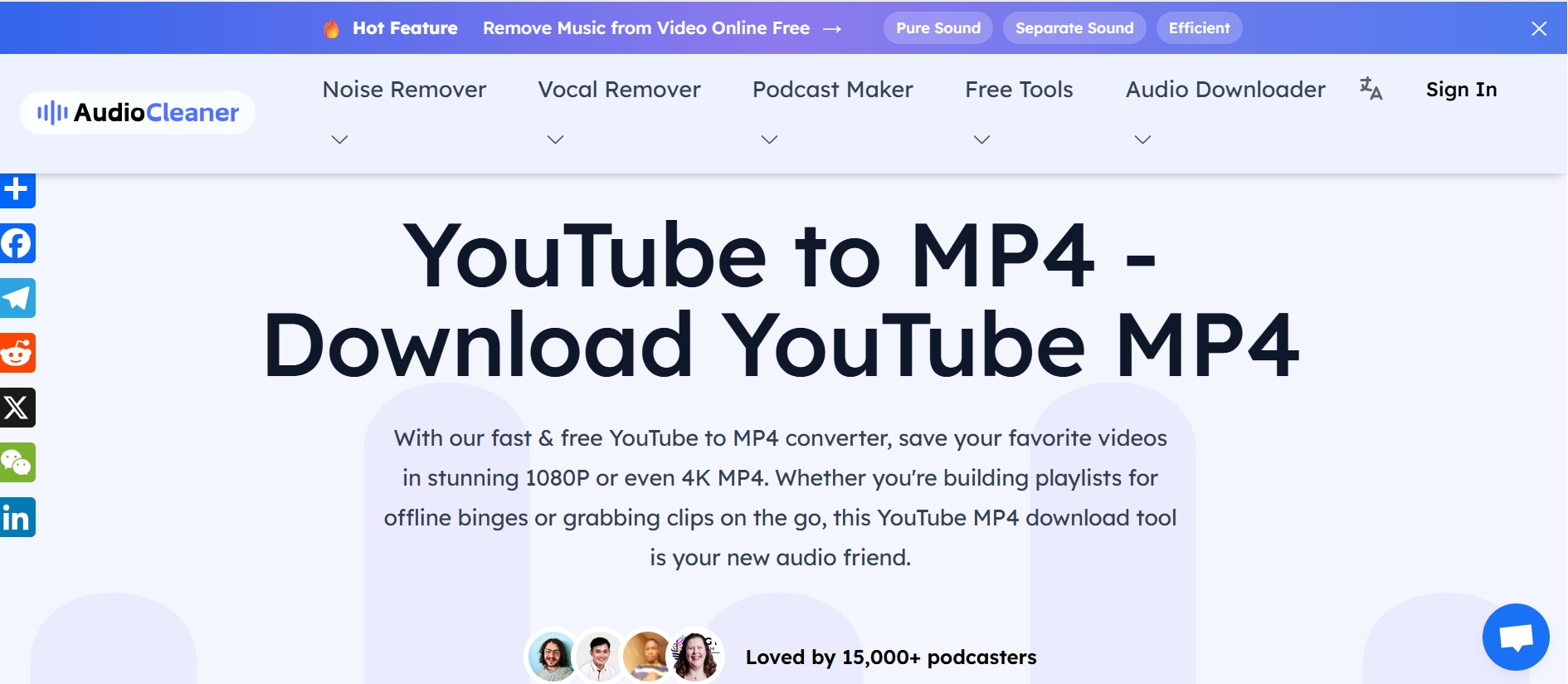
Key Features of AudioCleaner:
- Batch Downloading: Download multiple videos simultaneously, saving time.
- Format Selection: Choose between MP3 and MP4 formats.
- Custom Quality Settings: Adjust resolution or bitrate to fit your needs.
- Cross-Platform Compatibility: Works on any device with a web browser.
- Secure and Private: No storage of your links or files, ensuring privacy.
Step by step guide to automatically detect and convert YouTube playlist to MP4
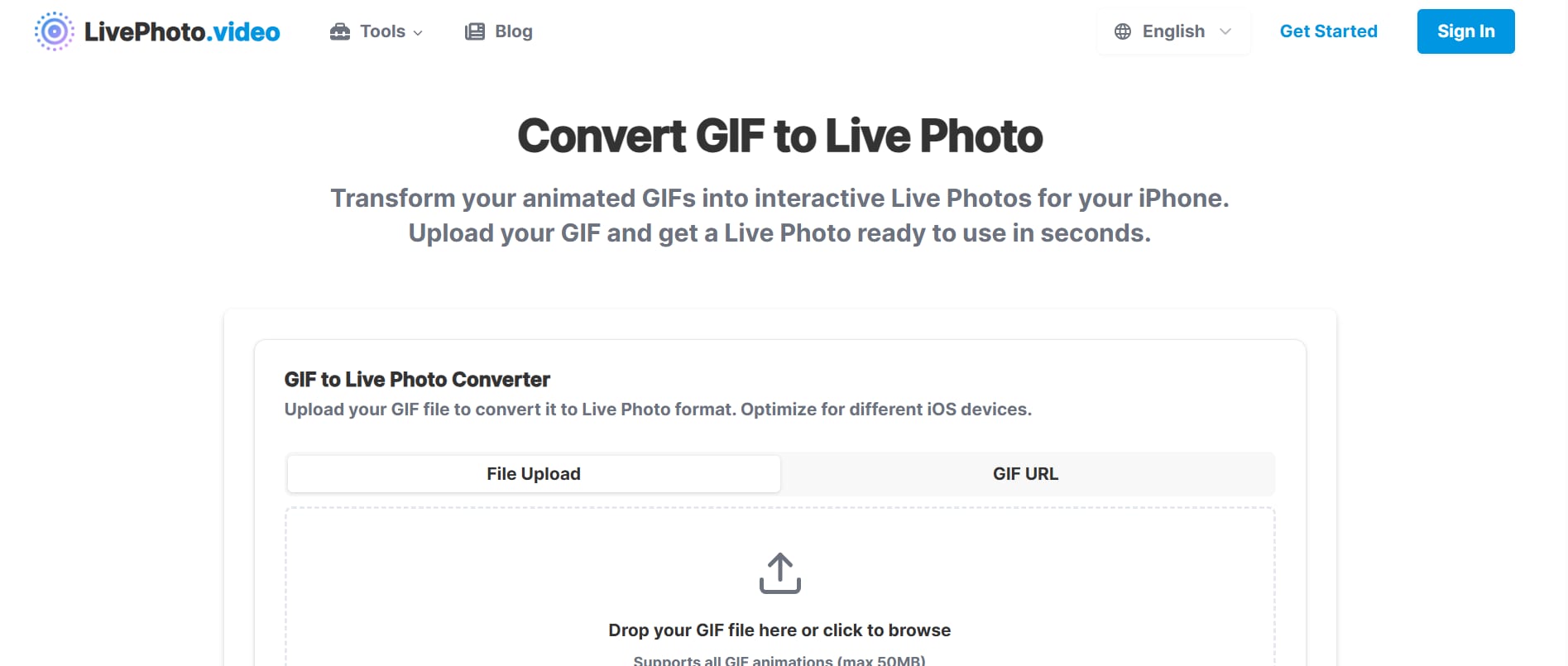
Step 1: Copy & Paste Playlist URL
Open your YouTube playlist and copy the URL. Then, go to the AudioCleaner Playlist Downloader and paste the link into the provided field. This ensures that the tool targets the correct playlist and prepares all videos for processing.
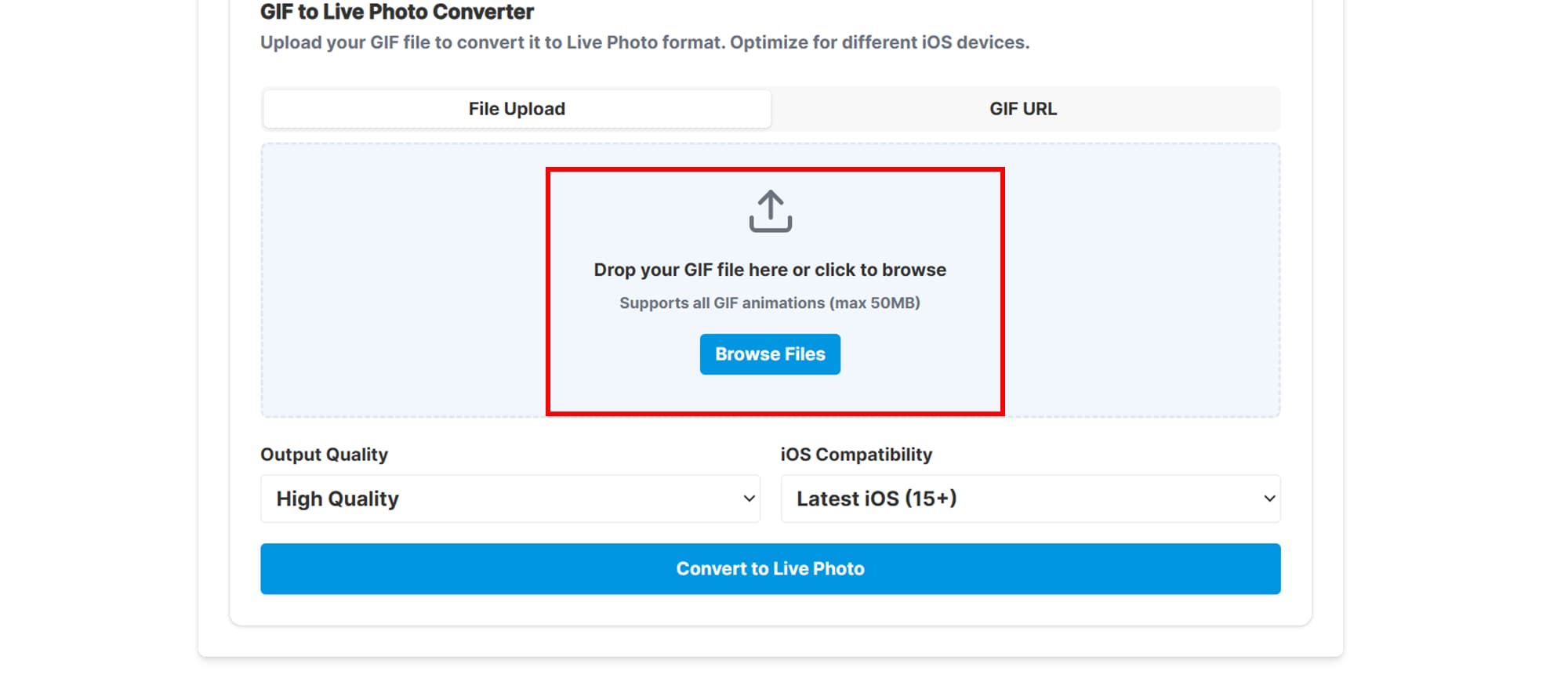
Step 2: Select Format & Quality
Choose MP4 as the output format and adjust the resolution or bitrate according to your preferences. You can select lower resolutions for faster downloads or higher resolutions for better video quality.
Step 3: Download Videos
Click “Download” to start the process. Once ready, download the MP4 files to your device for offline viewing. After downloading, you can organize the files into folders for easy access and playback anytime.
Part 5: Important Legal & Safety Considerations (Building Trust)
Is Converting YouTube Playlists Legal?
Converting YouTube playlists involves understanding copyright laws and the concept of fair use. Generally, downloading videos for personal, offline viewing—such as watching on a plane, during commutes, or for private learning—is considered legal in many regions. However, it’s important to understand the boundaries: distributing, selling, sharing, or re-uploading the downloaded content is strictly illegal and can result in fines or legal action. Always respect the rights of content creators and use downloaded videos responsibly. Following these rules not only keeps you safe legally but also supports ethical digital behavior.
Safety Tips for Using Online Converters
While online converters are convenient, they can expose users to malware, misleading ads, or phishing attempts if not used carefully. Here are essential safety measures to follow:
- Avoid misleading "Download" buttons: Many websites display fake buttons that lead to ads or unsafe downloads. Always click the clearly labeled download option.
- Use an ad-blocker: This minimizes the risk of accidentally clicking malicious pop-ups or misleading advertisements.
- Look for HTTPS websites: A secure website connection ensures that your data and activity are encrypted and protected.
- Avoid extra software or browser extensions: Trusted online converters do not require additional installations. Installing unknown software can compromise your device.
- Check user reviews and ratings: Using reputable and well-reviewed tools reduces the risk of malware and ensures a smoother, safer experience.
By following these legal and safety guidelines, you can confidently convert YouTube playlists to MP4 without risking your privacy, device security, or legal standing.
Conclusion
Converting YouTube playlists to MP4 provides a convenient way to watch videos offline, save data, and build personal media libraries. By choosing trusted tools, you can batch download entire playlists, select preferred video quality, and access content anytime. It’s important to follow copyright rules and safety guidelines to avoid legal issues or malware risks. For a smooth and efficient experience, Wondershare UniConverter is an excellent choice, offering automatic playlist detection, fast conversion, and high-quality downloads, making it ideal for both beginners and advanced users.
Easy to Use YouTube Playlist to MP4 Converter
FAQs
-
1. Can I convert private YouTube playlists to MP4?
Private playlists require that you are logged into the account that owns them. Only some tools, like Wondershare UniConverter, support converting private playlists if proper authentication is provided. This ensures that your personal content stays secure and accessible only to you. -
2. Will converting a playlist affect video quality?
Most modern converters allow you to choose the resolution for each video. If the original video is HD, you can download it in the same quality without losing clarity, ensuring MP4 files are crisp and clear. Always double-check the chosen resolution to maintain the best viewing experience. -
3. How long does it take to convert a large playlist?
Conversion time depends on the number of videos, file size, and your internet speed. Web tools like audioCleaner with batch processing and GPU acceleration can significantly reduce the time required. Larger playlists may take longer, so patience is recommended for very extensive collections. -
4. Can I convert YouTube playlists to other formats besides MP4?
Yes, many converters support multiple formats like AVI, MOV, or MP3 for audio-only extraction. This gives flexibility depending on whether you want video or just audio files. Selecting the right format ensures compatibility with your device or media player. -
5. Are there limits on the number of videos I can convert at once?
Some online tools impose limits per session, but desktop software like Wondershare UniConverter allows batch conversion of large playlists or entire channels, making it ideal for users who frequently download content. This feature is especially useful for creating offline archives or educational libraries quickly.

