


YouTube video savers have become essential in today's always-online world, giving users the power to save their favorite YouTube videos for offline viewing. Whether you're storing tutorials for a flight, building a personal archive of must-watch clips, or searching for a reliable YouTube Shorts saver, selecting the right tool is crucial.
However, with countless choices to make, it can be challenging to identify the best YouTube video saver extension. That's why this guide presents a detailed comparison of the top 5 solutions for 2025, helping you pick a safe, efficient, and powerful YouTube MP4 saver that suits your needs.
Table of Contents
Part 1. Why Use a Chrome Extension to Save YouTube Videos?
While there are many ways to download a YouTube video, using a Chrome extension offers a unique blend of convenience and efficiency that other methods can't match. It streamlines the entire process, integrating directly into your browsing experience. Here are the primary reasons why millions prefer a YouTube video saver extension.
Ultimate Convenience & Integration
The most significant advantage is seamless integration. A good extension adds a download button directly onto the YouTube page, usually right below the video player. This means you no longer need to copy the video URL, open a new tab, paste the link into a third-party website, and deal with pop-ups. With a single click, you can initiate the download.
Cross-Platform Compatibility
Although the extension itself works within the Chrome browser on your computer, the files it downloads are universally compatible. This makes an extension an excellent first step for getting content onto your other gadgets. The downloaded file becomes a perfect YouTube video saver for iPhone, an Android tablet, or even a smart TV, giving you the freedom to watch your content anywhere, anytime, without needing an internet connection.
Ease of Use
Chrome extensions are designed to be incredibly user-friendly. The installation is a one-click process from the Chrome Web Store, and using the tool requires virtually no technical knowledge. Navigate to the video you want, click the download icon provided by the extension, and select your desired quality. This simplicity makes it the ideal method for users who wish to download YouTube video saver files without the complexity of desktop software or the security risks associated with ad-filled online tools.
Part 2. Comparison Table of 3 Types of YouTube Video Saver
Choosing a YouTube video saver iPhone tool isn't just about selecting an extension; it's also about choosing the right one. The method you use—desktop software, an online tool, or a browser extension—has important implications for safety, speed, and overall functionality. This table outlines the pros and cons of each option to help you decide which works best for your needs.
| Metric | Desktop Software | Online Tool | Chrome Extension |
| Safety | Highest. Reputable software is free of malware and intrusive ads. | Lowest. The website is often filled with aggressive pop-up ads, misleading links, and potential malware risks. | Medium. While downloads from the official Chrome store are generally safer than those from online tools, some may still contain adware or have security vulnerabilities. |
| Ads | Minimal to none. Professional tools, especially paid versions, offer an ad-free experience for uninterrupted workflow. | High. This is their primary revenue model. Expect multiple pop-ups, banners, and redirect ads during the download process. | Variable. Many free extensions include ads or have premium ad-free versions. The intrusiveness varies from tool to tool. |
| Speed | Fastest. Utilizes your computer's full processing power and often includes GPU acceleration for faster downloading and converting, especially for 4K/8K content. | Speed depends on server traffic and can be throttled. | Medium. Generally faster than online tools but limited by the browser's capabilities. |
| Compatibility | Highest. It supports downloading and converting to hundreds of formats (MP4, MOV, AVI, MP3, etc.) . | Limited. It typically offers only a few popular formats. Quality options are often restricted to 720p or 1080p. | Limited.The selection of formats and resolutions is often basic and may not include higher-quality options. |
| Best for | Designed for power users, content creators, and anyone else who needs high-quality batch downloads, playlist saving, and advanced editing or conversion features. | The platform caters to occasional users who need to download a single video quickly and are willing to navigate through ads. Not recommended for frequent use. | These are for frequent downloaders who prioritize convenience and one-click access directly within YouTube's interface for single videos or shorts. |
Part 3. Top 5 YouTube Video Saver Chrome Extensions 2025
After comparing the various types of tools, let's explore the best options available today. While many extensions claim to be the top you tube status saver or video saver YouTube download solution, their performance, safety, and features vary widely. Here is our detailed breakdown of the top 5 choices for 2025.
1. UniConverter (Top Choice for Power and Reliability)
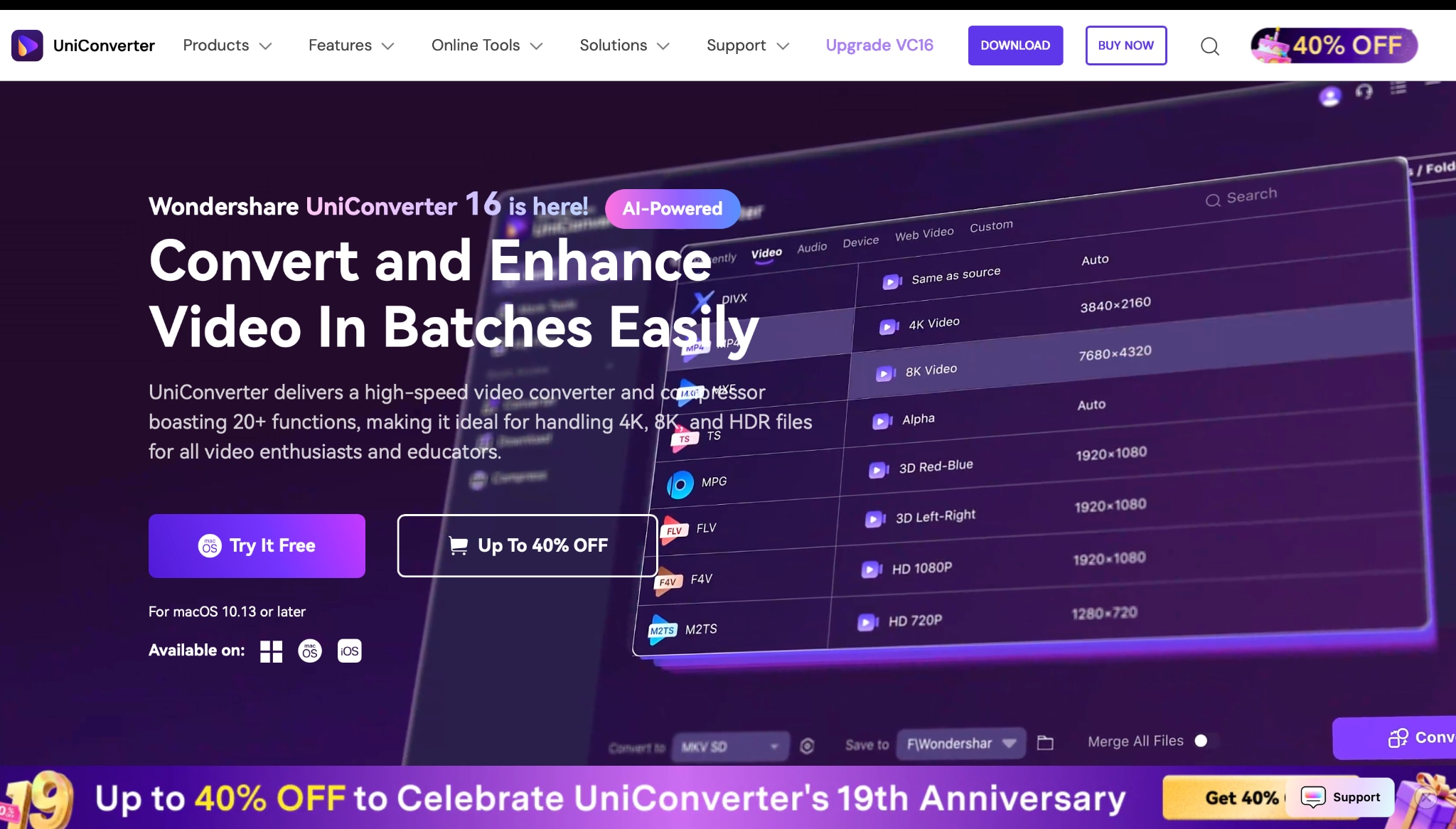
While not a traditional extension, Wondershare UniConverter functions as the ultimate YouTube video saver app by integrating seamlessly with your browser. You copy a URL, and the desktop application takes over, offering power and features that no simple extension can match. It's the go-to choice for users who demand quality, speed, and versatility. You can easily save YouTube videos as MP4, save YouTube Playlist, convert YouTube to MP3 or other media formats.
Simple Steps to Batch Download Videos with UniConverter:
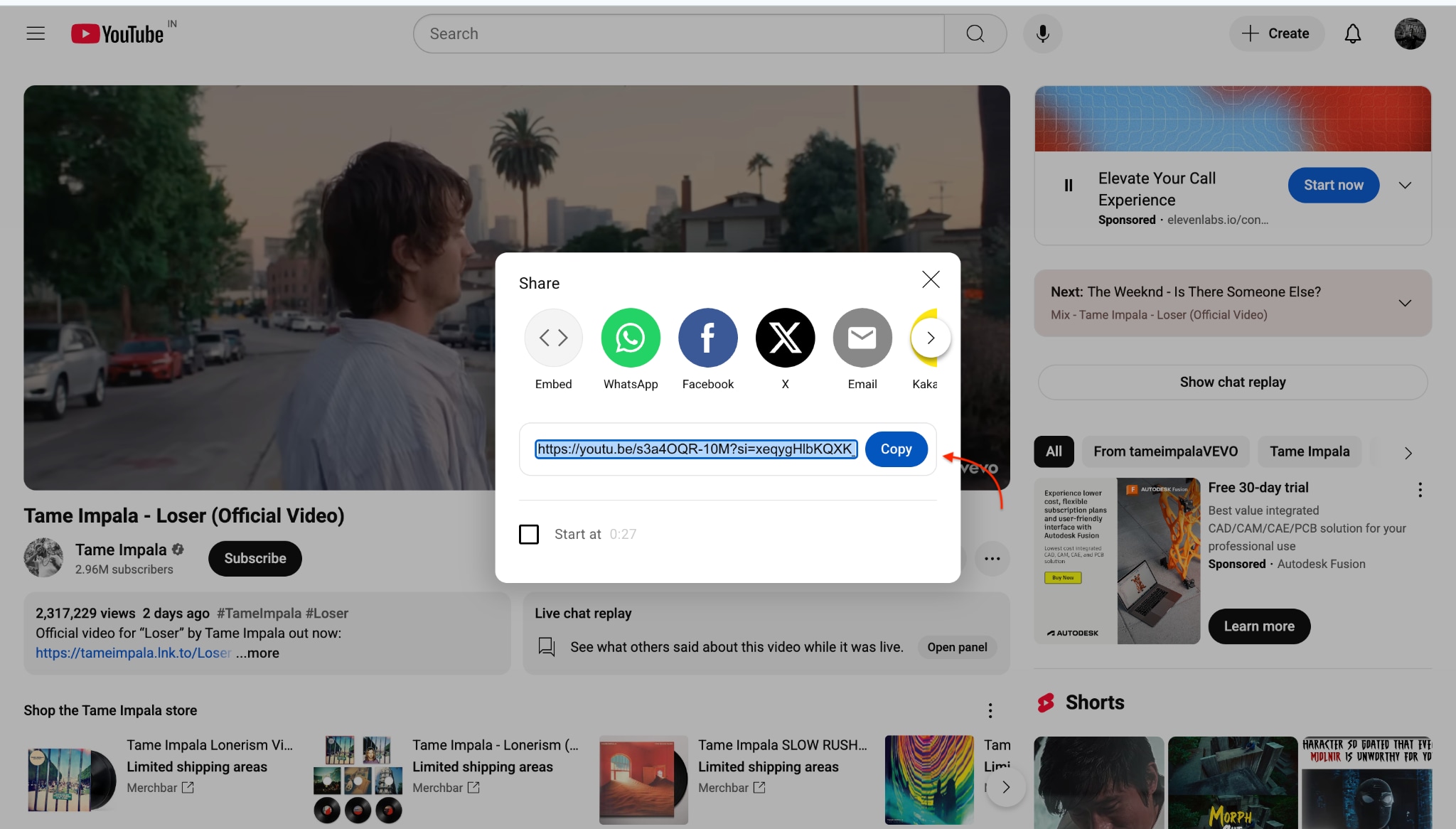
Step 1: Copy the YouTube Link
Step 2: Open UniConverter and Use the "Downloader"
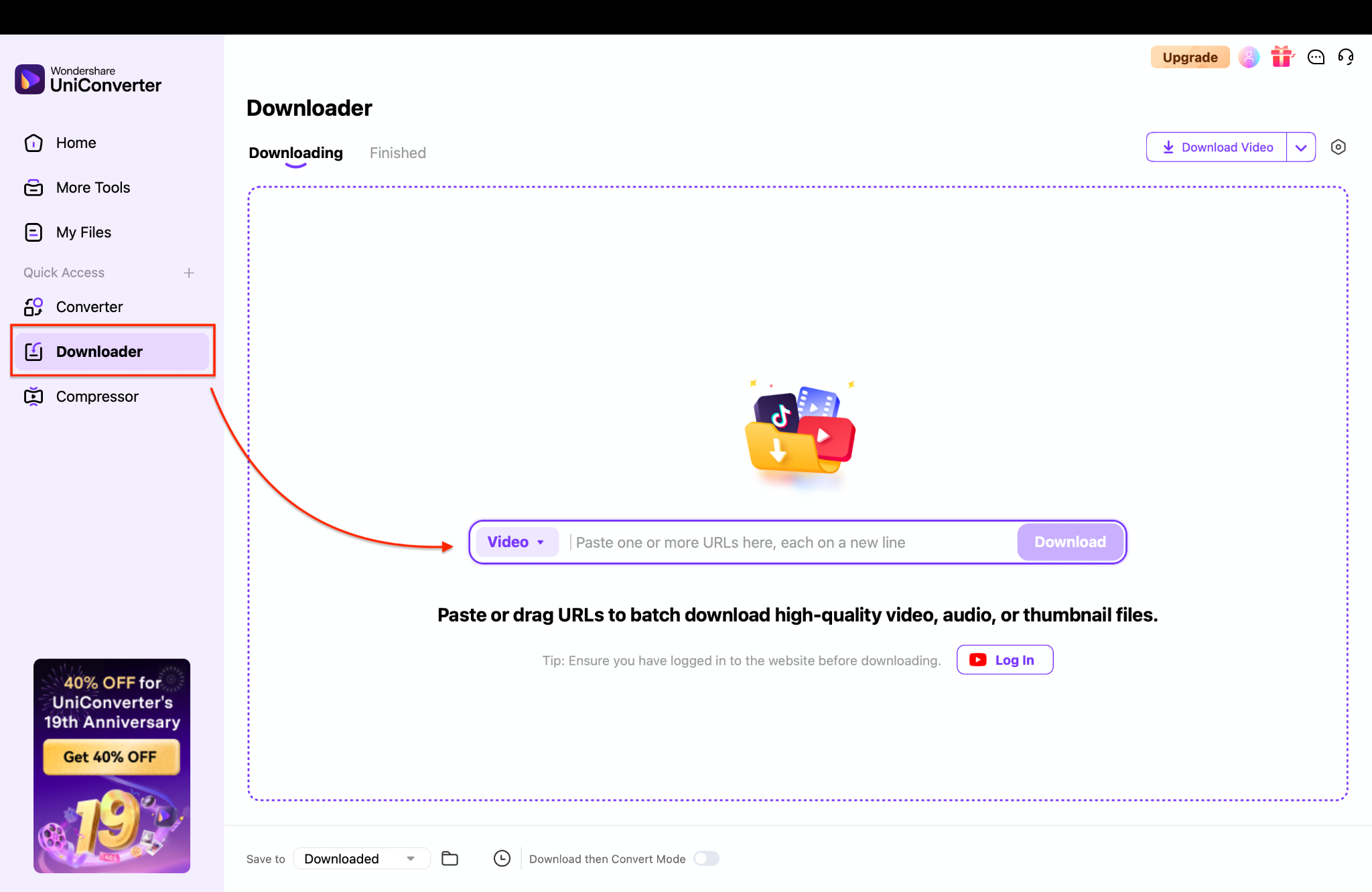
Note: UniConverter provides three modes: Video, Audio, or Thumbnail. For batch downloading multiple videos at once, each URL should be on a new line. This can save a significant amount of time and effort.
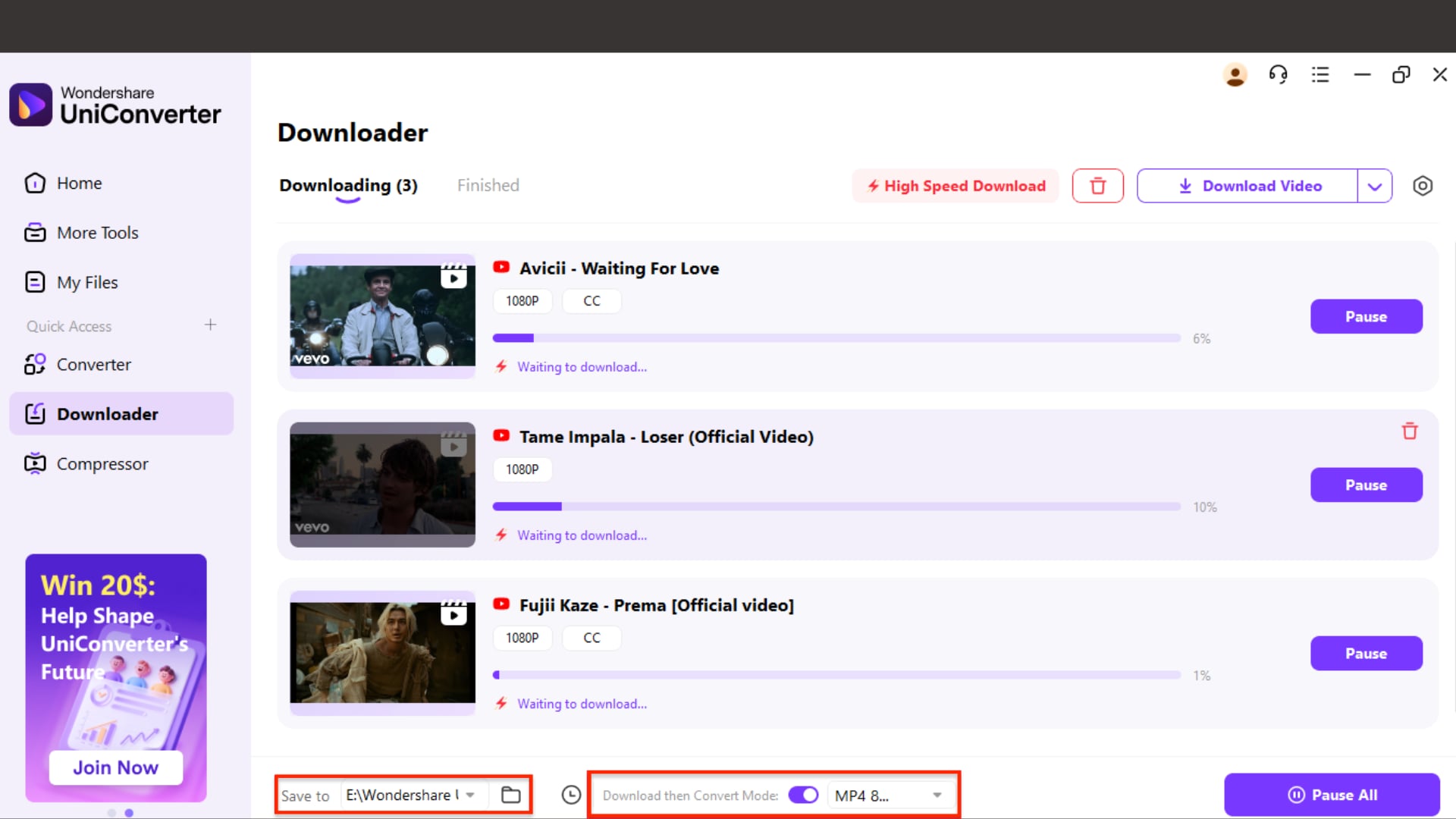
Step 3: Select Format, Quality, and Batch Options
Enable "Download then Convert Mode" if you want to convert video quality up to 8K. Then, choose your resolution (up to 8K), file type (MP4), and select the destination folder where you want to save the video. Click "Download", and UniConverter will save the files at high speed with GPU acceleration.
Feature List:
- Download from 10,000+ Sites: Not just a YouTube saver, it works with thousands of other video hosting sites.
- Batch and Playlist Downloads: Save entire playlists or channels with a single click.
- High-Speed Conversion: Uses GPU acceleration to download and convert videos at incredible speeds.
- Over 1,000+ Formats: Convert your downloaded videos to any format imaginable, with presets for iPhone, Android, and other devices.
- Built-in Editor and Compressor: Trim, crop, add subtitles, or compress large video files without needing another tool.
- Ad-Free and Secure: As a desktop application, it provides a 100% clean and secure environment.

YouTube Video Saver Chrome Extension
2. Addoncrop YouTube Downloader
Addoncrop is a well-known name in the world of browser extensions and has been a reliable YouTube downloader for many years. Due to Google policies, it is not directly available on the Chrome Web Store; however, it is easily installable from their official website. It adds a functional download button right under the YouTube video player.
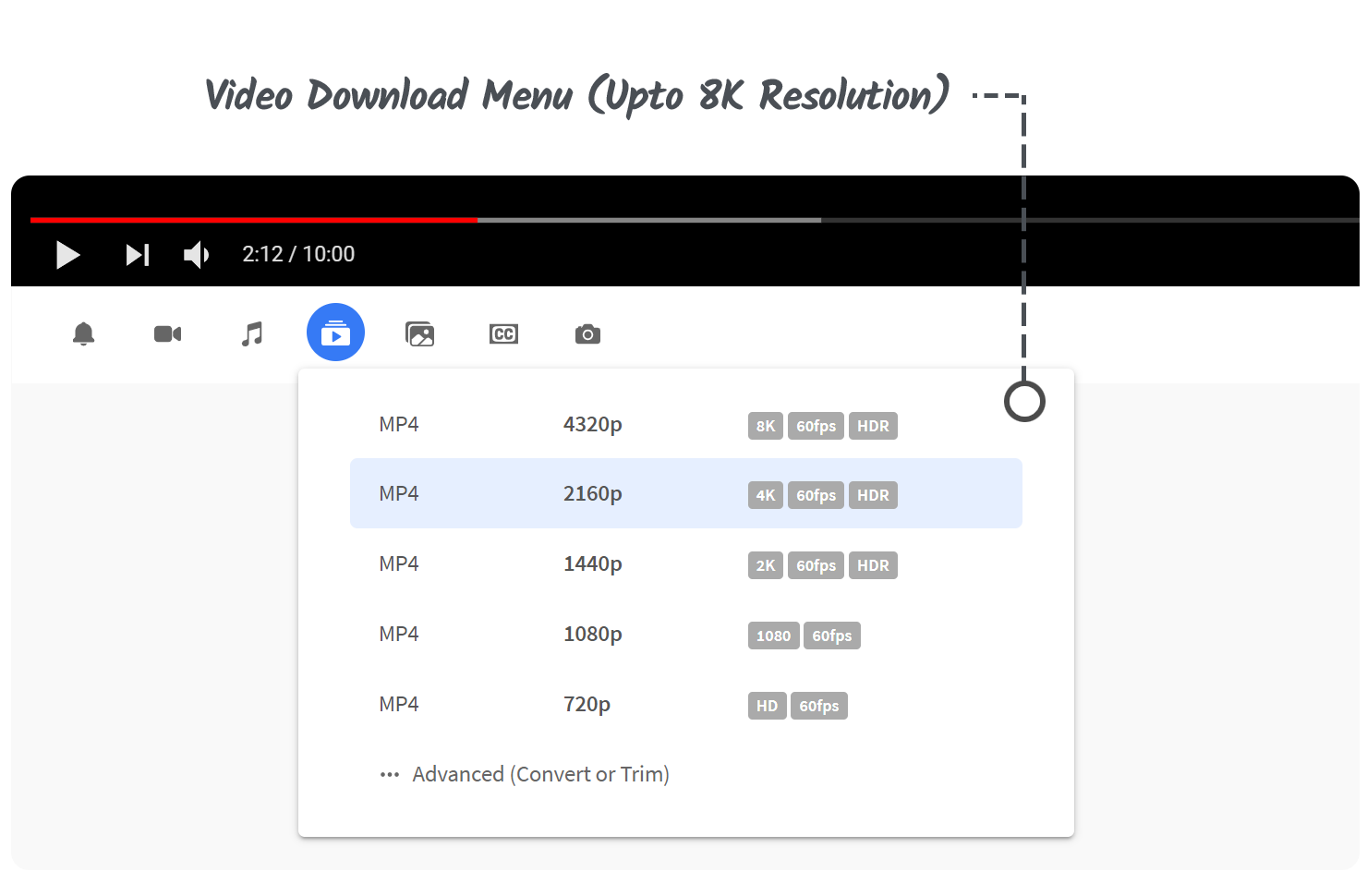
Supported Browsers: Chrome, Firefox, Edge, and Opera.
Free/Paid: Offers a free version with limitations and a premium version for higher quality.
3. Video Downloader PLUS
Video Downloader PLUS is a popular extension available on the Chrome Web Store, aiming to be a universal video downloader. While its ability to download from YouTube can be inconsistent due to Chrome's restrictions, it works well on many other video sites, such as Dailymotion and Facebook. It's a valuable tool for saving general videos.
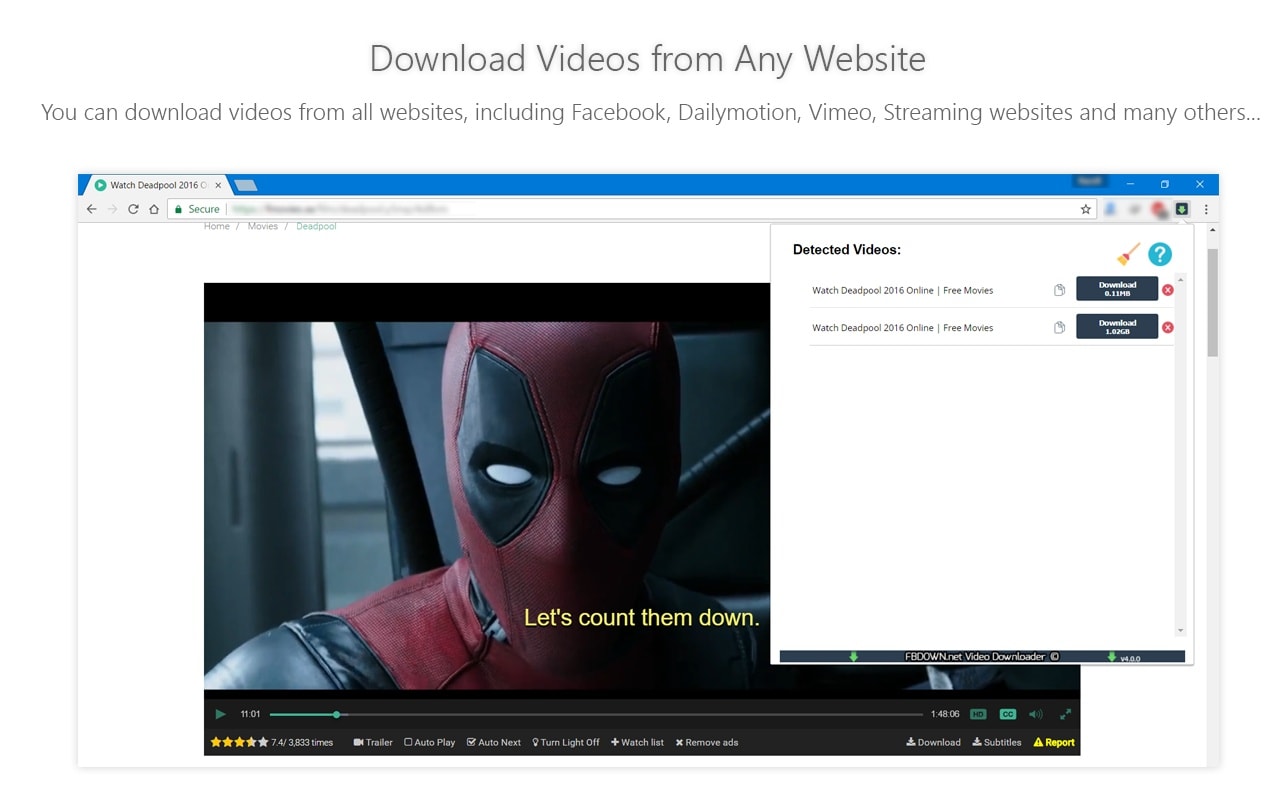
Supported Browsers: Chrome.
Free/Paid: Free.
4. Easy Video Downloader
As its name suggests, Easy Video Downloader is a straightforward tool designed to detect and download video files from the web pages you visit. It adds an icon to your browser's toolbar, which lights up when it finds a downloadable video. It's a versatile free YouTube video saver, though, like others, it faces challenges with YouTube.
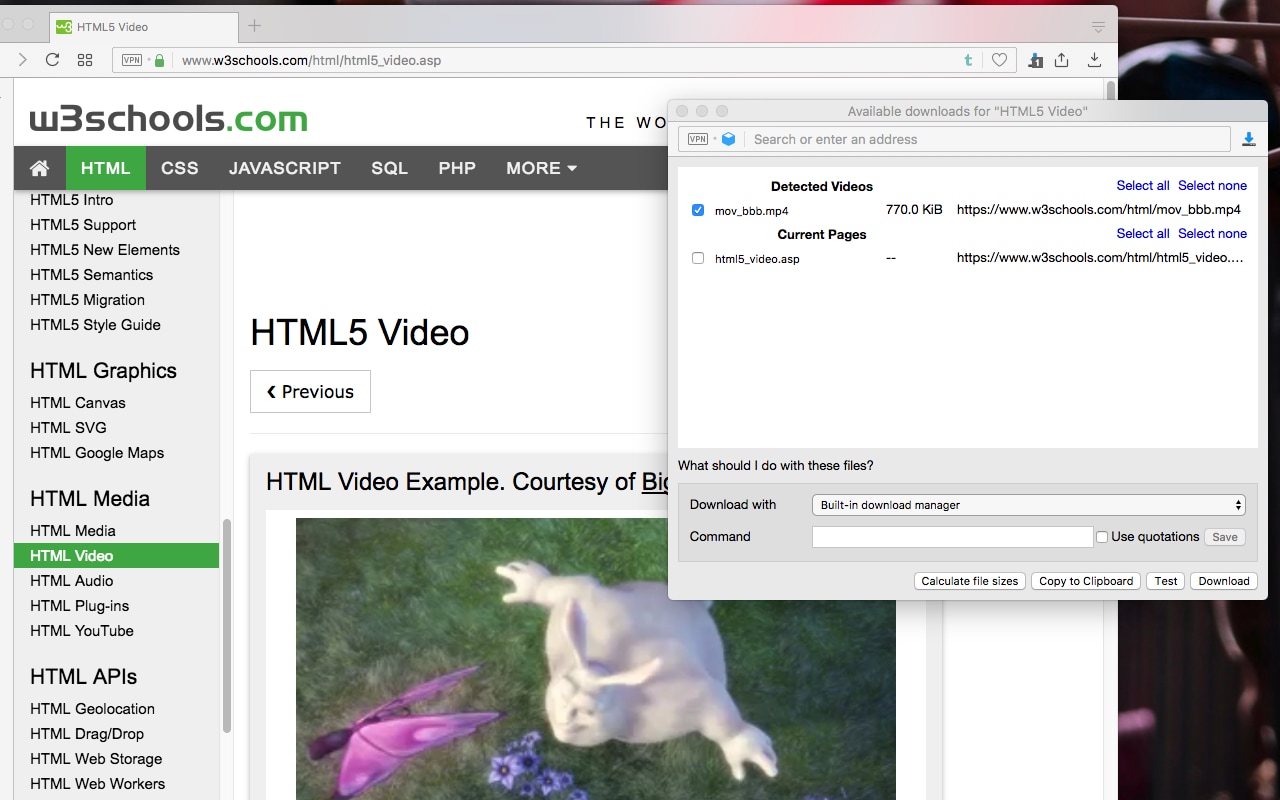
Supported Browsers: Chrome.
Free/Paid: Free.
5. SaveFrom.net Helper
SaveFrom.net Helper is a convenient browser extension that simplifies downloading online videos and audio. It enables one-click saving of content directly from popular platforms like YouTube and Facebook directly to your device. This handy tool is the perfect solution for quickly building a personal offline media library.
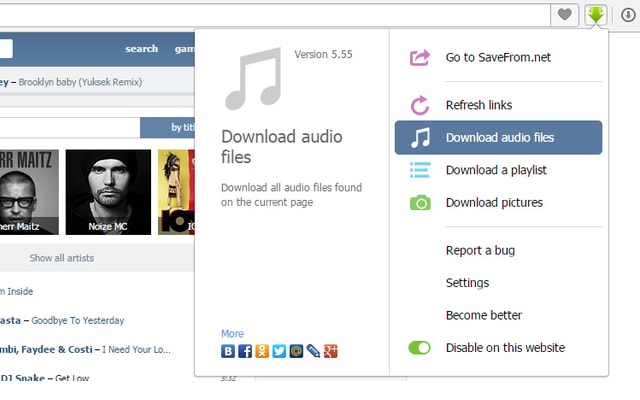
Supported Browsers: Chrome, Firefox, Safari.
Free/Paid: Free (ad-supported).
Part 4. Comparison Table of 5 YouTube Video Saver Chrome Extensions
To help you make a final decision, this table provides a direct comparison of the key features of the five tools we've discussed. This at-a-glance view makes it easy to see which YouTube video saver net tool best aligns with your needs, whether you prioritize quality, format support, or cost.
| Feature | UniConverter (Wondershare) | Addoncrop | Video Downloader PLUS | Easy Video Downloader | SaveFrom.net Helper |
| Max Video Quality | 8K (full support) | Up to 8K (Paid Helper) / 720p (Free) | Up to 720p–1080p (site-dependent) | 720p (usually) | 1080p direct / 4K+ with desktop app |
| Video Formats | 1,000+ (MP4, MOV, AVI, MKV, etc.) | MP4, WEBM | MP4, FLV, MOV, AVI (varies by site) | MP4 only | MP4, WEBM, 3GP |
| Batch Downloads | Yes (Playlists & Channels) | Yes (Playlists) | No | No | No |
| Free Tier Availability | Yes (with strict limitations) | Yes (quality capped) | Yes | Yes | Yes |
| Browser Integration | Desktop App with URL paste & auto-detect | Direct download button on YouTube page | Toolbar icon | Toolbar icon | Direct button on video page |
| Best For | Maximum quality, format range, and speed | Easy, direct YouTube downloads | Non-YouTube site saving | Simple one-off downloads | Quick downloads with ads |
Conclusion
Choosing the right YouTube video saver extension in 2025 is about weighing convenience against power. Free extensions like Addoncrop make it simple to download YouTube saver files. Still, they limit quality, features, and safety. Users needing more than a basic video saver app for YouTube or a YouTube saver iPhone tool will benefit most from a desktop solution.
UniConverter delivers unmatched download speeds, supports 8K video and complete playlists, and features advanced editing capabilities that surpass any browser extension. For seamless, secure, high-quality video content downloads, try UniConverter today and experience the difference.
FAQs
-
1. Is it safe to use a free YouTube video saver extension?
It depends. Extensions from the official Chrome Web Store are generally safer; however, those that work on YouTube often need to be installed from third-party sites, which carry additional risks. Always use a reputable antivirus and be cautious of extensions that ask for excessive permissions. -
2. Can UniConverter act as a YouTube Shorts saver?
Absolutely. UniConverter treats YouTube Shorts just like any other video. Copy the URL of the Short, paste it into UniConverter's Downloader, and you can save it to your computer in high quality, making it a perfect YouTube Saver Shorts tool. -
3. How does UniConverter handle playlist downloads compared to a free extension?
UniConverter excels at this. You can paste a single playlist URL, and the software will provide you with the option to download all the videos in that playlist simultaneously, with your chosen format and quality settings. Most free extensions lack this robust batch-downloading capability or make it a premium feature. -
4. What is the best format to download YouTube videos for an iPhone?
The best and most compatible format is MP4. When using a tool like UniConverter, you can choose the MP4 format or select the "iPhone" device profile, which automatically optimizes the video's settings for perfect playback on your iPhone. -
5. Does UniConverter work as a YouTube story saver?
Yes, it does. Just like with Shorts, you can copy the link to a YouTube Story (while it's active) and use UniConverter's Downloader to save it. This makes it an excellent story saver YouTube solution for archiving temporary content you don't want to lose.

