

As Valentine's Day 2026 approaches, the standard for digital affection has shifted. We have moved beyond generic e-cards to a world of hyper-personalized content where every pixel counts. Whether you are a brand looking to "romanticize" your product line or a partner designing a heartfelt video message, the key to professional-looking content lies in the details—specifically, the background. A clean, high-quality Happy Valentines Day transparent background allows you to seamlessly layer your message over any medium, ensuring your creativity isn't boxed in by white squares or clumsy borders. In this guide, we explore the best sources for Valentine's background images, the limitations of stock photos, and how you can effortlessly create your own custom assets using tools .
Part 1. Trending Visual Styles for Valentine's Day 2026

The Two Dominant Aesthetics: "Pastel Nostalgia" vs. "Rouge Reimagined"
This year, designers are generally gravitating toward one of two extremes:
Pastel Nostalgia: Inspired by a mix of Y2K soft-focus and vintage romance, this trend ditches the harsh reds for a palette of peaches, creams, soft lilacs, and dusty pinks. It feels intimate, analog, and slightly grainy—evoking the feeling of an old love letter or a faded photograph.
Rouge Reimagined: On the flip side, we are seeing a resurgence of deep, dramatic reds. Think burgundy, maroon, and crimson used in monochromatic, editorial-style layouts. This isn't the bright red of a cartoon heart; it’s the rich, luxurious red of high-end fashion, often paired with sharp, serif typography.
Texture is King: 3D Gloss & Hand-Drawn Elements
The era of flat, 2D minimalist icons is fading. In 2026, engagement comes from texture.
3D & Gloss: "Inflated" 3D hearts, chrome lettering, and glossy, liquid-like shapes are everywhere. These elements pop off the screen and demand attention on social media feeds.
Hand-Drawn Authenticity: To counter the AI-generated look, there is a massive demand for "imperfect" assets—scribbled hearts, handwritten notes, and paper-tear edges that add a human touch to digital designs.
Why These Trends Rely on Transparency
These trending styles have one thing in common: Layering. You cannot create a convincing "Pastel Nostalgia" collage or place a glossy 3D heart over a video reel if your assets are trapped inside white boxes.
Whether you are designing a digital card or a social media overlay, finding a high-quality Happy Valentines Day transparent background is essential for professional compositing. It allows you to stack elements naturally over diverse textures and photos without the tedious work of manual erasing, unlocking the depth and creativity that 2026 design trends demand.
Part 2. Top Sources for Valentine's Day Transparent Backgrounds
If you are short on time, downloading ready-to-use assets is a viable option. However, it is crucial to know where to look and to understand the trade-offs involved. Here are the top sources for Valentines background images and transparent assets, along with their pros and cons.
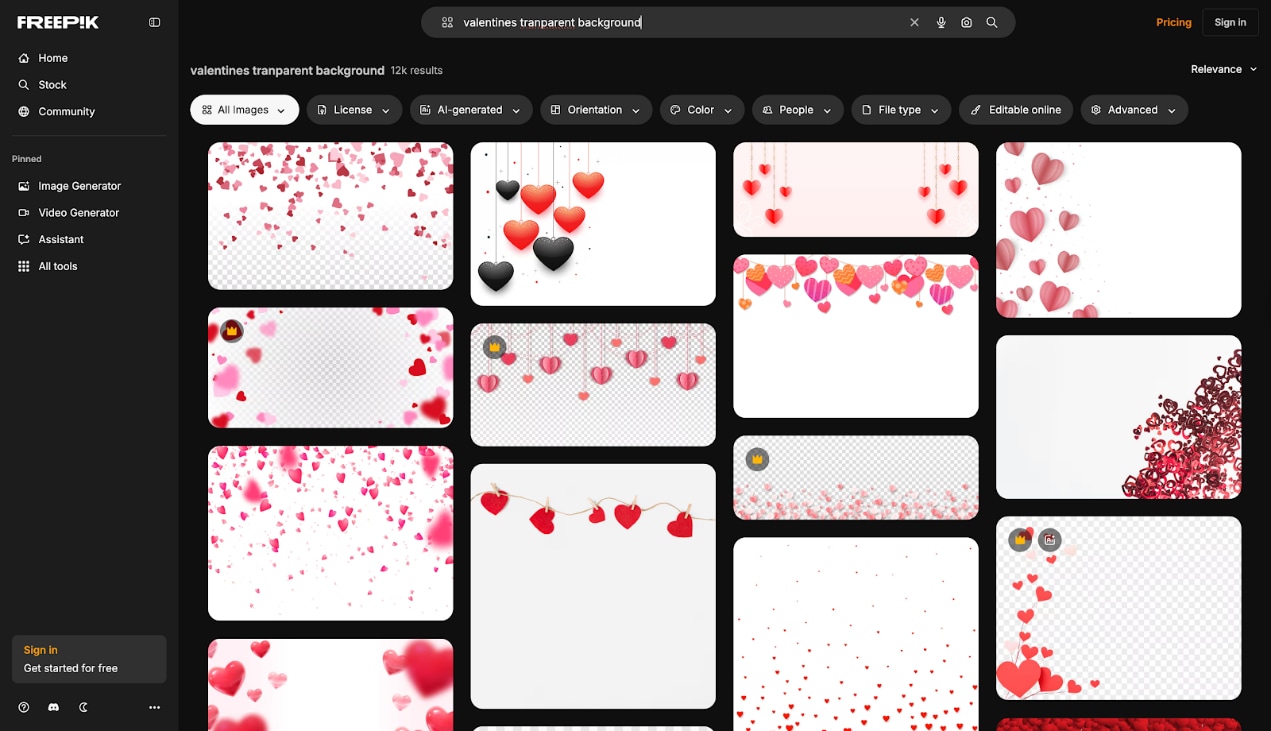
1.Freepik
Freepik stands as one of the world's largest platforms for high-quality graphic resources, boasting a library of millions of vectors, stock photos, and PSD files. It is an essential hub for designers seeking versatile Valentines background images, offering a "freemium" model that balances accessible free content with premium, exclusive designs for professional projects. Its extensive collection ensures you can find everything from realistic 3D hearts to flat illustrations in one place.
- Huge Variety: Offers millions of assets, from realistic 3D hearts to flat illustrations.
- High Quality: Most files are professionally designed and high-resolution.
- Format Options: Often provides EPS/AI files alongside JPGs, allowing for detailed editing.
- Free Tier: Many assets are available for free (with attribution).
- Attribution Required: The free version requires you to credit the author, which isn't ideal for merchandise.
- Not Always Transparent: Many "transparent" looking images are actually JPEGs with white backgrounds.
- Overused Styles: Popular images are downloaded thousands of times, reducing uniqueness.
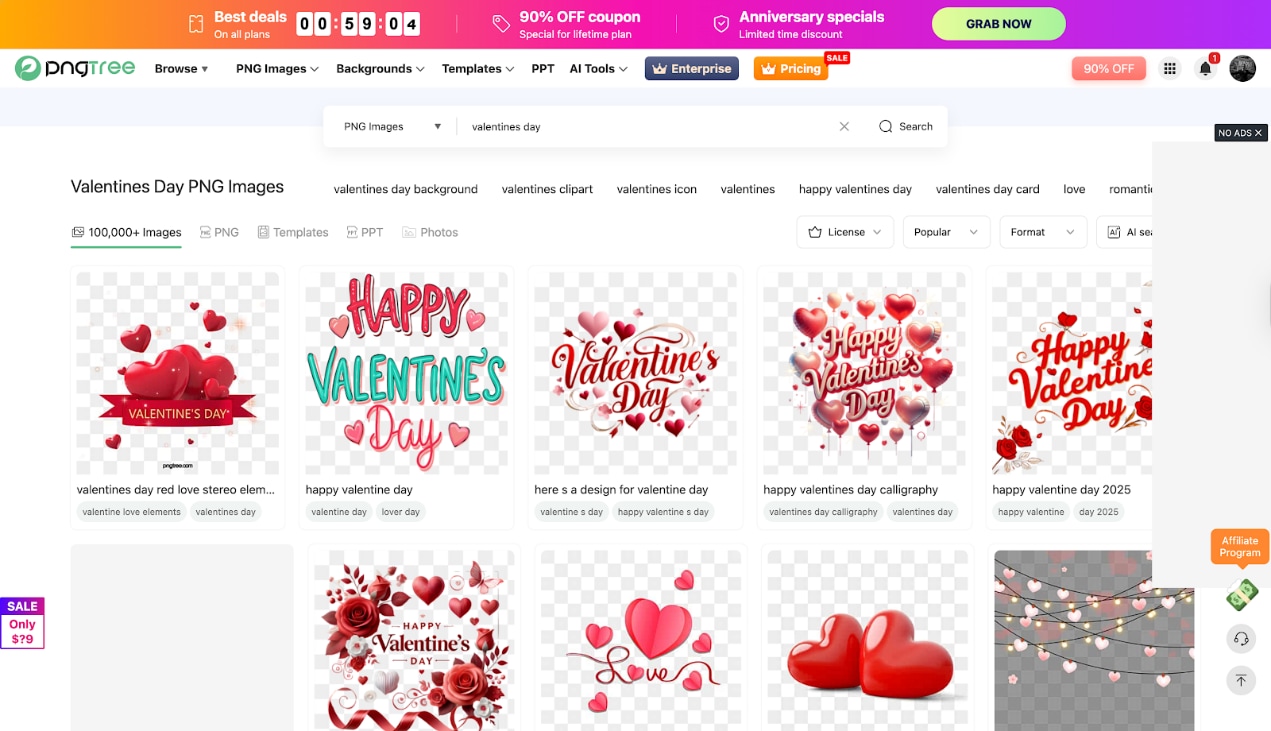
2.Pngtree
As a specialized resource for designers, Pngtree distinguishes itself by focusing primarily on ready-to-use PNG images with transparent backgrounds. It hosts millions of cut-out assets, significantly reducing design time by eliminating the need for manual background removal. This makes it an invaluable tool for quickly overlaying festive elements like hearts and typography onto your creative projects, specifically catering to those who need a happy Valentine 's Day transparent background instantly.
- Transparency Focused: Almost every asset is already a cut-out PNG, saving you editing time.
- Niche Content: Extensive collection of specific text effects like "Happy Valentine's Day 2026".
- Direct Download: Easy interface to grab the file and go.
- Download Limits: Free accounts are severely restricted (often 1-2 downloads per day).
- Quality Variance: Some user-uploaded content may have jagged edges or low resolution.
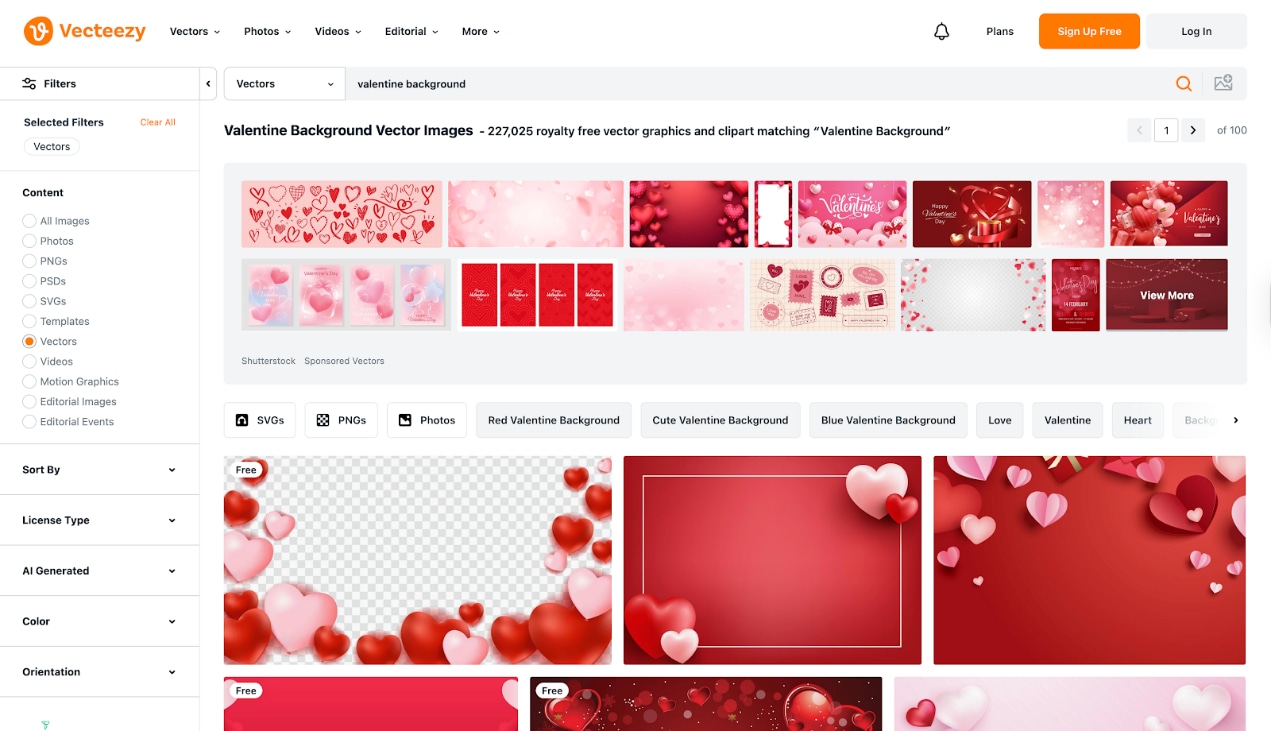
3.Vecteezy
Vecteezy is a creative powerhouse trusted by major brands, offering a massive library of free and pro vector graphics, stock photos, and videos. Their dedicated PNG section features high-fidelity, transparent assets perfect for professional designers who need crisp, scalable elements for their Valentine's Day projects. Unlike many crowdsourced sites, Vecteezy maintains a high standard of quality control, ensuring that your Valentines background images are clean, professional, and ready for commercial application.
- Professional Quality: Known for "clean" vectors and artifacts-free PNGs.
- Licensing Clarity: Very clear distinction between Free, Pro, and Editorial use, making it safe for business.
- Advanced Filtering: Easy to filter by color, orientation, and style to match your brand palette.
- Attribution Strictness: Free users must provide clear attribution for every asset used.
- Pro Walls: Many of the most desirable, premium-looking assets are locked behind a subscription.
The Limitation
While these stock sites are useful, they have a significant limitation: they are not yours. Stock images are often overused; your customers or partner may have seen that exact same heart design on a competitor's ad or another greeting card. Furthermore, stock Valentines background images rarely match your brand's specific color palette. If your brand uses a deep "Bordeaux Red" but the stock image is a bright "Fire Engine Red," the clash can be visually jarring.
The Advantage of DIY
This is why creating your own custom transparent assets is superior. DIY ensures unique, high-conversion content. You can take a photo of your specific product (or a personal hand-written note), remove the background, and have a 100% original asset that perfectly matches your aesthetic.
Part 3. How to Create Your Own Valentine PNGs with UniConverter (Step-by-Step)
When it comes to creating high-quality transparent assets without the steep learning curve of complex design software, Wondershare UniConverter is the industry leader. Far more than a simple file converter, it functions as a comprehensive, AI-powered media toolkit. From instant background removal to seamless video editing and compression, it empowers creators to produce professional-grade Valentine's content with speed, precision, and zero technical hassle.
UniConverter offers a collection of beautiful Valentine’s Day background images, making it easy to create romantic, personalized visuals.
You can quickly replace the background of your photos or customize your own background to design Valentine’s Day–themed images that feel unique and heartfelt.

All-in-One Multimedia Processing Tool

Why Choose UniConverter?
- AI-Powered Precision: UniConverter utilizes advanced AI algorithms to detect subjects (people, objects, text) and separate them from the background with pixel-perfect accuracy, handling even complex details like hair or lace.
- Batch Processing: If you have 50 product photos for a Valentine’s sale, you can remove backgrounds from all of them simultaneously, saving hours of manual work.
- Versatile Format Support: It supports virtually every image format (JPG, PNG, BMP, WEBP, TIFF) and ensures the output PNG maintains high transparency alpha channels.
- Integrated Toolkit: Beyond background removal, it offers image conversion, compression, and watermarking, making it a one-stop shop for preparing your Valentine’s assets.
Step-by-Step Guide: Removing Backgrounds with UniConverter
Follow these steps to create your own happy Valentines Day transparent background:
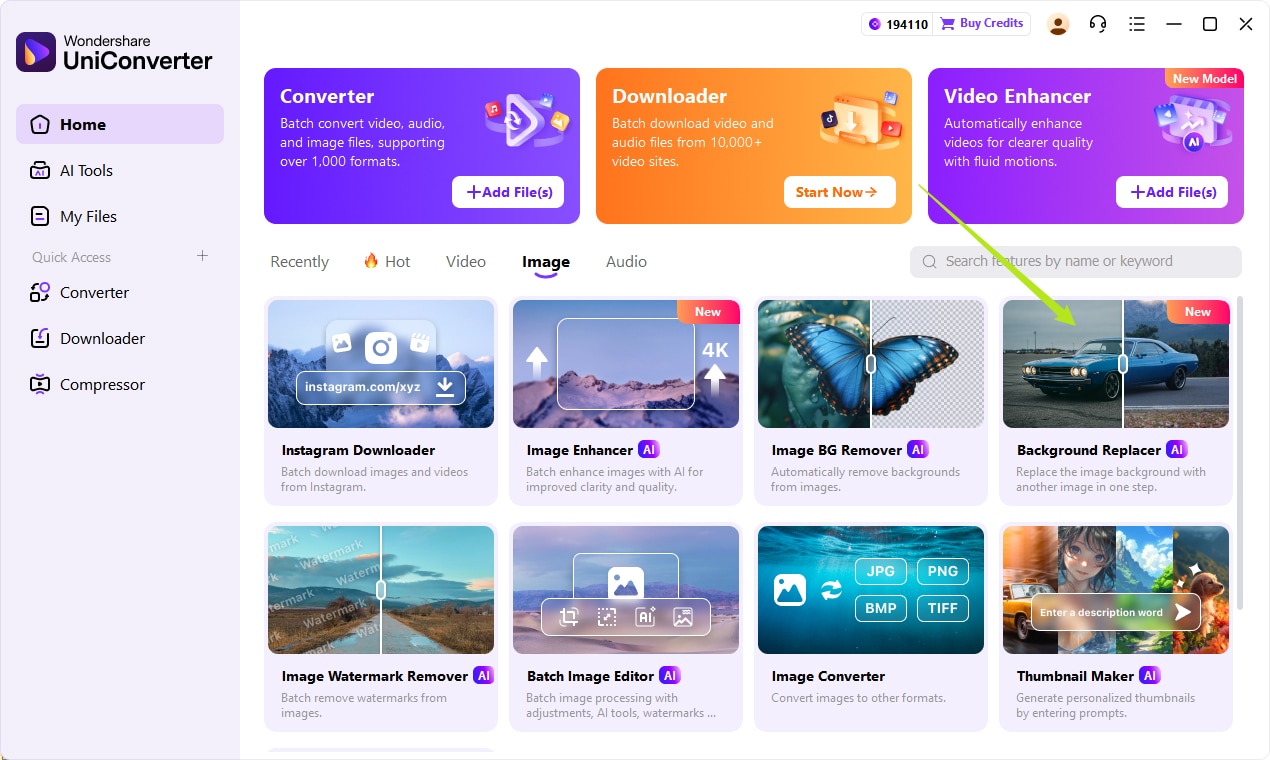
Step 1: Launch the AI Background Remover
Start by opening Wondershare UniConverter on your computer and navigating to the "Image" tab located on the main home screen. Locate the "Background Replacer" tool, which is distinctively marked with an AI icon, and click it to launch the feature. This will open the dedicated Batch Image Editor window where all the magic happens.
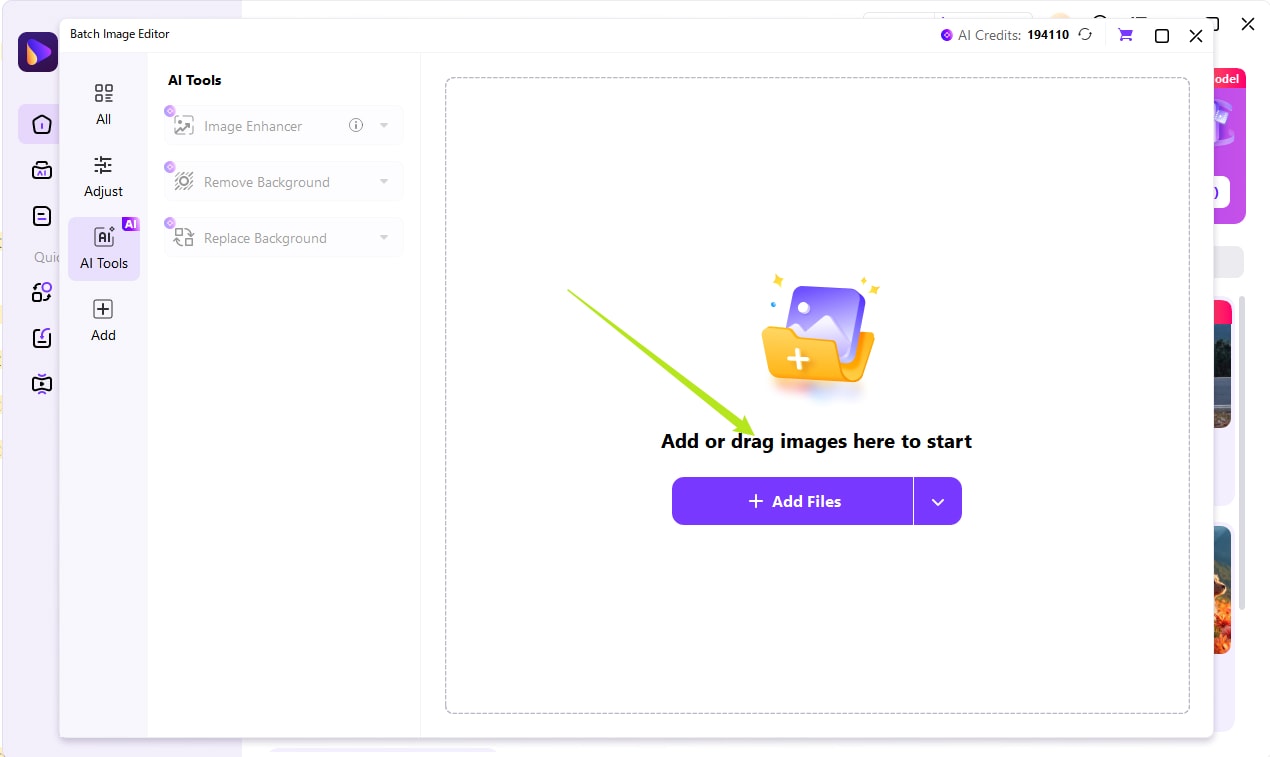
Step 2: Upload Your Images
Once the editor is open, click the large purple "+ Add Files" button in the center of the screen or simply drag and drop your photos into the workspace. You can upload a single photo or select multiple images at once to process a whole batch of Valentine's designs simultaneously. The software is designed to handle high-resolution files quickly, so don't worry about file size.
Step 3: Choose a Valentine's Day themed background
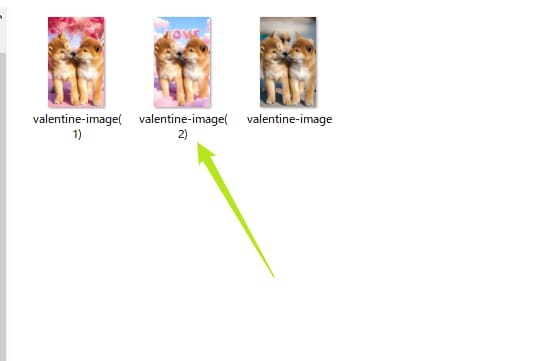
Select a holiday-themed category from the background library on the left to see Valentine's Day themed background images; you can choose any of them. You can also upload your own image to use as a background.
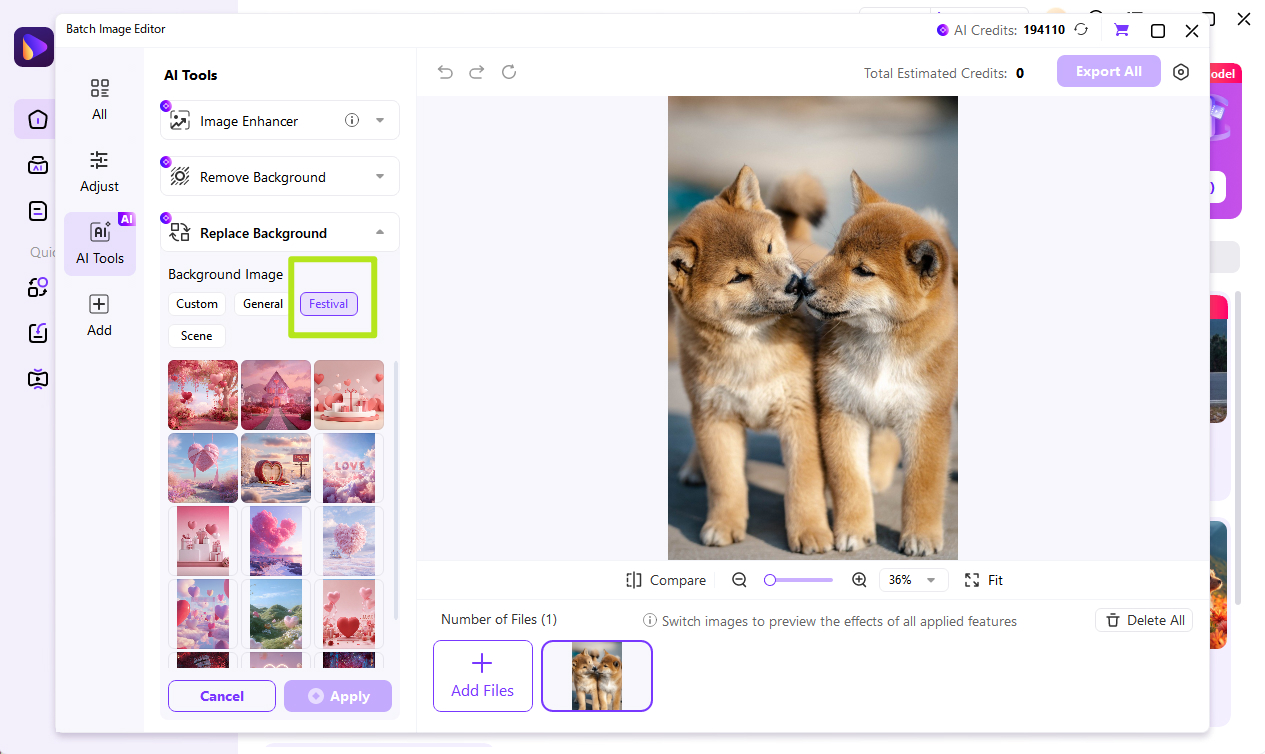
Pro Tip: If you want to replace the background instead of leaving it transparent, you can use the "Background Image" section on the left to instantly add a custom scene or color, like the heart pattern shown in the example.
Step 4: Export
To finalize your asset, click the "Export All" button at the top right corner.
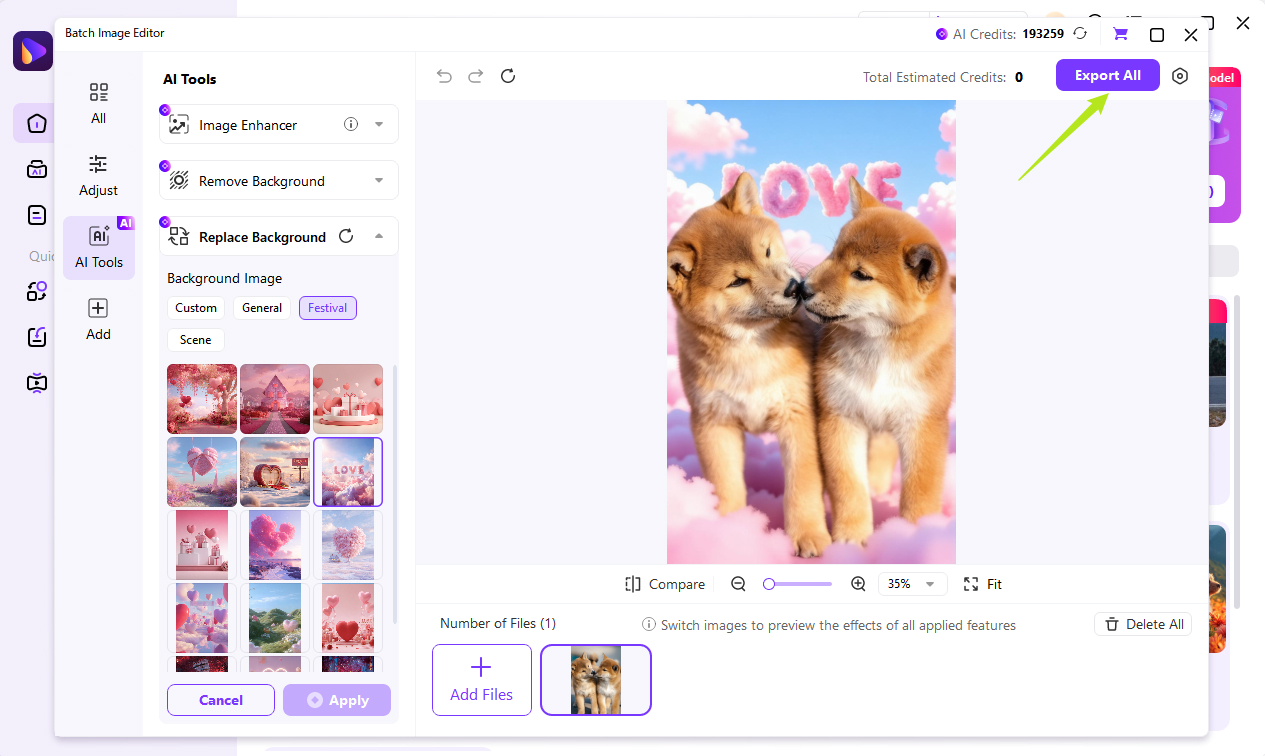
You will soon be able to export the image with the Valentine's Day background replaced to your local device.
Part 4. Creative Use-Cases for Transparent Valentine Assets
Now that you have your transparent PNGs, how should you use them? Here are four high-impact scenarios.
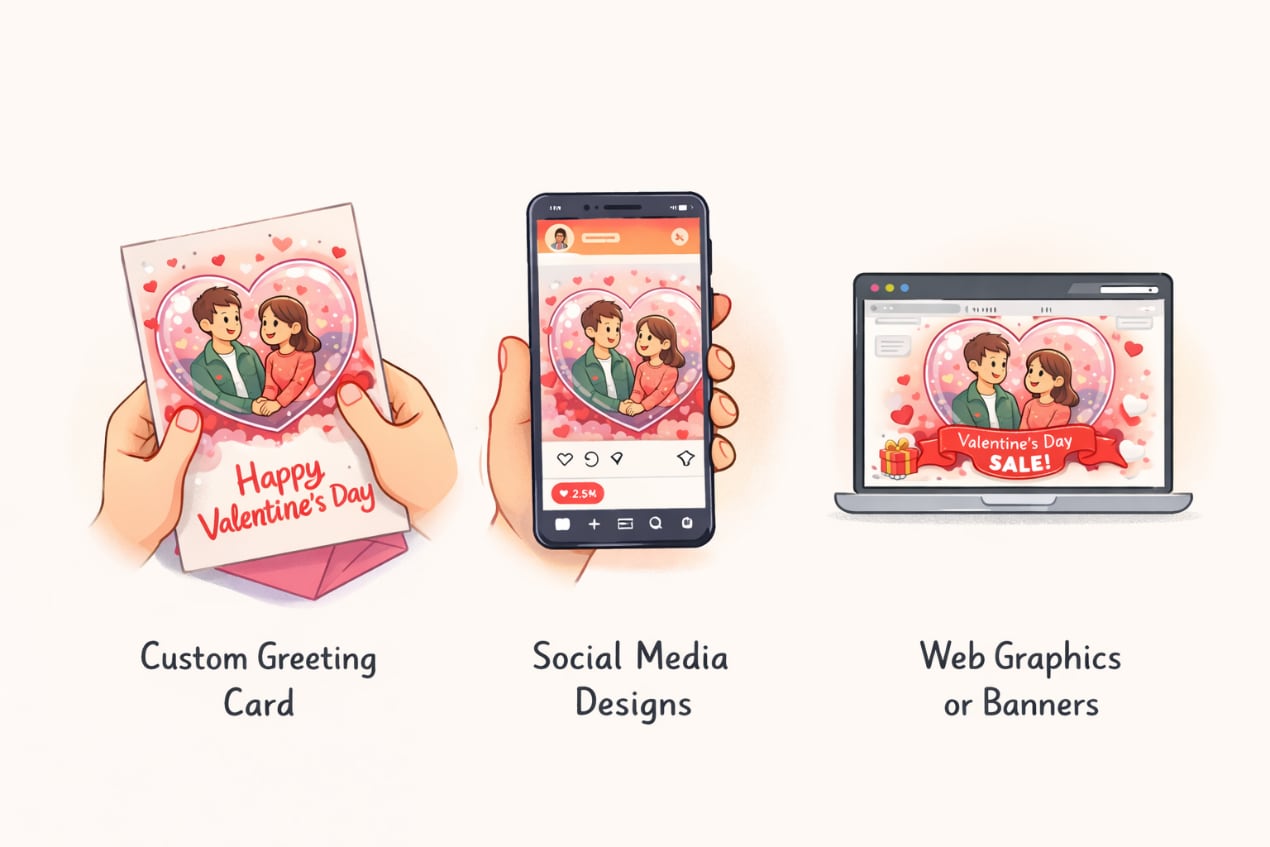
For E-commerce
Valentine's Day is a massive retail event. To boost sales, take your standard product photos and overlay a "Happy Valentines Day transparent background" text or a floating heart border. This simple tweak signals to shoppers that your item is gift-ready. Because the overlay is transparent, it doesn't obscure the product itself but adds a layer of seasonal urgency.
For Social Media
Social platforms thrive on stickers. You can create custom "floating heart" stickers for Instagram Reels or TikTok. By uploading your transparent PNGs to Giphy or using them as overlays in video apps (like CapCut or UniConverter's editor), you can make your content stand out. Imagine a video of you blowing a kiss, with transparent animated hearts flying out—this is high-engagement content.
For Personal Gifts
Move beyond store-bought cards. Design custom transparent overlays for digital cards and "Save the Date" invitations. You could take a photo of you and your partner, remove the background using UniConverter, and place your cut-out figures onto a romantic background, like a sunset beach or a starry night, to create a dreamy, movie-poster quality image.
Video Integration
Do not limit yourself to static images. Mentioning UniConverter's AI Portrait feature, you can remove backgrounds from videos. This allows users to record a video message in their messy living room, remove the background, and place themselves in a romantic Parisian backdrop or in front of the Eiffel Tower. This level of production value was once reserved for green screens, but now it is accessible to everyone.
Part 5. Expert Tips for High-Quality Valentine Designs
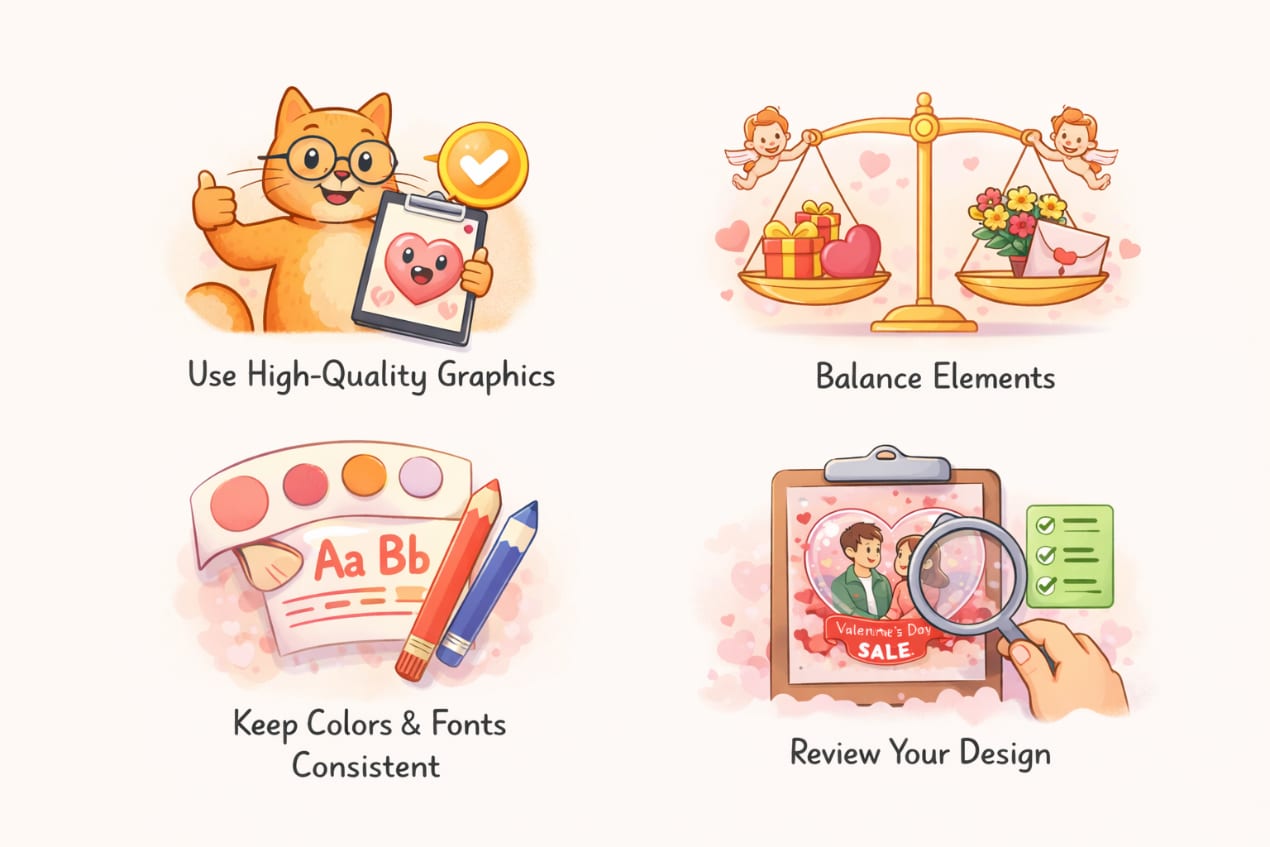
Creating the transparency is just the first step. Polishing it is what makes it professional.
Edge Smoothing
A common issue with amateur background removal is the "white halo"—a thin, jagged white line around your subject. This happens when the removal tool doesn't quite catch the anti-aliased pixels. To prevent this, ensure you are using a high-quality tool like UniConverter which offers superior edge detection. If you still see a halo, you can use an image editor to apply a slight "Inner Glow" matching the subject's color, or slightly contract the selection by 1-2 pixels.
File Formats
Understanding formats is vital. PNG is king for transparency; it supports alpha channels and lossless compression, meaning your crisp red hearts won't look pixelated. However, for websites, large PNGs can slow down loading times. In 2026, consider converting your transparent PNGs to WebP format. WebP supports transparency but at a fraction of the file size, which is better for website speed and SEO.
Color Matching
A transparent asset needs to pop against its new background. If you are placing dark red text over a dark video, it will disappear. Use Image Editor to adjust the contrast and brightness of your asset before you overlay it. A good tip is to add a subtle drop shadow to your transparent text; this ensures it remains legible regardless of whether the background is dark or light.
Part 6. Conclusion: Fall in Love with Effortless Editing
In this article, you've discovered the secrets to creating stunning "Happy Valentines Day transparent background" assets that truly stand out. From sourcing high-quality Valentines background images on stock sites to crafting your own custom designs, there are options for every skill level. Each method has its place, but the difference between a generic card and a masterpiece often comes down to the tools you use.
If you want a precise, powerful, and user-friendly solution, Wondershare UniConverter stands out as the superior choice. Its AI-driven technology removes the guesswork from editing, allowing you to isolate subjects and create professional transparencies in seconds. You can enjoy your creative process without technical frustrations. Start creating your own romantic visuals today and make this Valentine's Day unforgettable! You can also try our advanced features like voice changer, video enhancer, and so on.

