


Many users love the audio from Pinterest videos but get stuck when they try to save just the sound. They often face issues like poor audio quality, confusing links, tools that suddenly stop working, or strict limits. Users also face issues like files that won't play smoothly on their devices or don't match the format they actually need.
This guide includes several efficient tools for downloading Pinterest as MP3 files. Whether you prefer a lightweight online tool or an offline option, this article has you covered.
In this article
- Pinterest MP3: Everything You Need to Know
- Pinterest to MP3: Which Methods Work Best?
- Online Pinterest MP3 Downloader: Fast and Easy Video Conversion
- Use Download Video to MP3 - [Safest & Fastest Way]
- 5 Tips to Download MP3 Pinterest Safely Without Losing Quality
- Conclusion
- Frequently Asked Questions
Key Takeaways
[Audio Extraction Needs] Converting Pinterest videos to MP3 allows easy listening, smaller file sizes, and flexible playback without visuals.
[Common Pain Points] Many tools cause poor audio quality, broken links, format issues, or unstable downloads.
[Tool Options] Tools like Faceb.com, YT1SAVE, TTok, Apopkit, and Instag offer quick conversions but limited control and reliability.
[Efficient Solution] Wondershare UniConverter enables high-quality batch downloads, format control, and reliable MP3 conversion in one workflow.
Part 1. Pinterest MP3: Everything You Need to Know
Pinterest MP3 generally refers to the audio file extracted from a Pinterest video pin. In simpler words, you save only the audio rather than saving the whole video. This is typically done by downloading the video, then extracting the audio files. Furthermore, some advanced tools also let you convert video files directly into audio files.
Differences Between Pinterest MP3 and Video Formats
To help you decide which format suits your needs, let's compare Pinterest MP3 and video formats side by side:
| Aspects | Pinterest MP3 (Audio Only) | Pinterest Video (MP4) |
| Content | Only the audio track from a Pinterest video | Both visuals and audio together |
| File Type | Audio format (commonly MP3) | Video container format (commonly .mp4, .mov, etc.) |
| File Size | Smaller, because it stores sound only | Larger, because it includes moving images plus sound |
| Best For | Background listening, music, voiceovers, and podcast-style use | Tutorials, demos, visual inspiration, recipes, design showcases |
| Playback Apps | Music players and audio apps | Video players and social platforms |
| Data/Battery Usage | Lower (no continuous screen or video decoding) | Higher due to video rendering |
| Editing Focus | Trimming, looping, mixing audio | Cutting clips, adding effects, and working with both audio and visuals |
Use Cases for Pinterest MP3 Downloads
Once you understand the format differences, it's helpful to explore the practical use cases for Pinterest MP3 download:
Motivational Listening: Users convert motivational clips or mini-lessons into audio for easy listening during workouts. This helps you stay inspired or keep learning without staring at a screen.
Background Music and Ambiance: Students turn the aesthetic or low-fi videos into MP3s for calm study, sleep, or focus playlists. This lets you reuse your favorite soundscapes without having to open the visual pin.
Audio-Only Tutorials: Home cooks, crafters, and DIY lovers can keep just the spoken instructions from tutorials as MP3s. This makes it easier to follow steps hands-free while cooking.
Personal Inspiration Playlists: Anyone collecting ideas can build a small library of inspiring audio from favorite creators. Over time, this becomes a personalized playlist for quick mindset resets.
Language Learning: Language learners can turn pronunciation demos or phrase examples into repeatable practice tracks. Replaying these MP3s can boost your vocabulary, rhythm, and accent during commutes.
Part 2. Pinterest to MP3: Which Methods Work Best?
To ensure quality and safety, let's explore which Pinterest to MP3 methods perform best in practice:
| Factors | Online Methods (Web-Based) | Offline Methods (Desktop/Mobile Apps) |
| Internet Requirement | Need a stable connection for every conversion | Work without constant internet once the app and file are on the device |
| Speed and Convenience | Quick for occasional use, paste the link and convert it in a browser | Faster for bulk or frequent conversions after initial setup |
| Features and Control | Usually basic: pick format and quality, limited editing | More control: trim audio, tweak quality, batch convert |
| Security and Privacy | Involves uploading links/files to a third-party service | Keeps files local, better for sensitive or private content |
| Device Storage Impact | No installation needed; minimal local storage used | Requires app installation and more disk space |
| Reliability and Limits | Can have ads, daily limits, or downtime | More consistent performance; limited mainly by your device's resources |
| Best For | Casual users converting a few pins now and then | Regular creators, students, or professionals doing frequent conversions |
Part 3. Online Pinterest MP3 Downloader: Fast and Easy Video Conversion
To streamline the conversion procedure, many users opt for an online Pinterest MP3 converter. So, we have listed 5 most efficient tools that you can consider using for the conversion procedure:
1. Faceb.com
The Faceb.com tool lets you download unlimited Pinterest audio files by simply pasting links. It automatically recognizes the MP3 format and extracts it within seconds. Users don't need to log in or register, making it easier for them to download Pinterest videos immediately. Additionally, you can access this online tool from anywhere, including mobiles, tablets, and computers.
Extensive Guide to Use Faceb.com Online Converter
To download Pinterest MP3 audio, have a look at the following detailed guide to use the Pinterest video download MP3 converter:
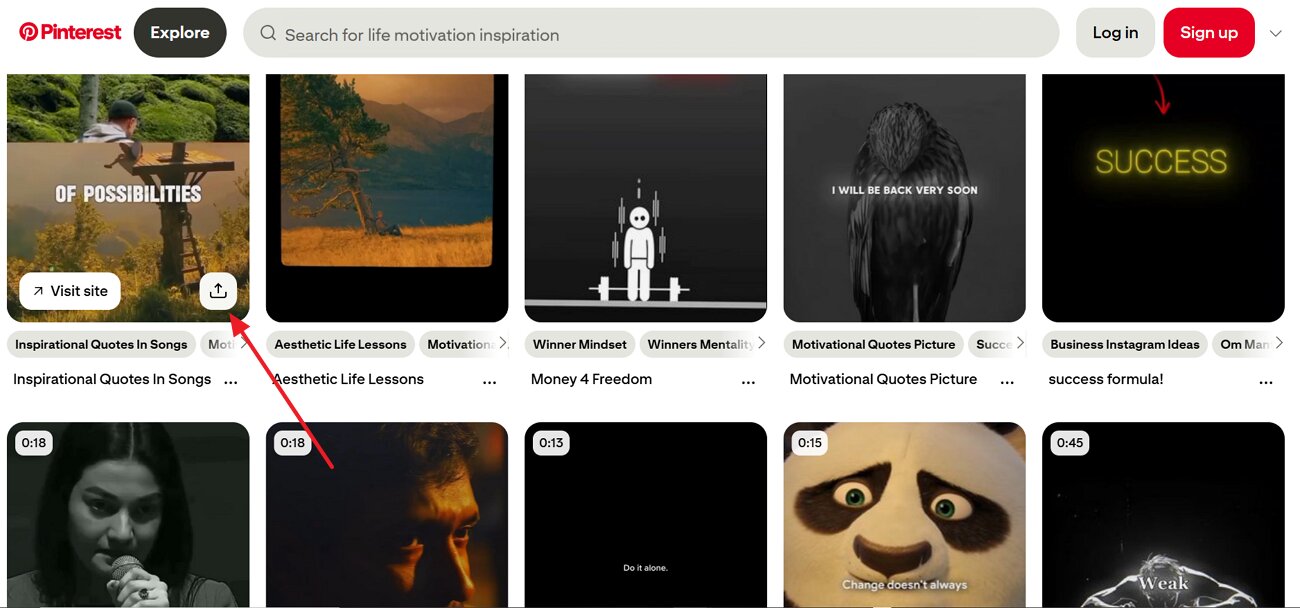
Step 1. At first, go to the Pinterest website and navigate to the desired video. Afterwards, click on the video and select the "Share" option to copy the desired video link.
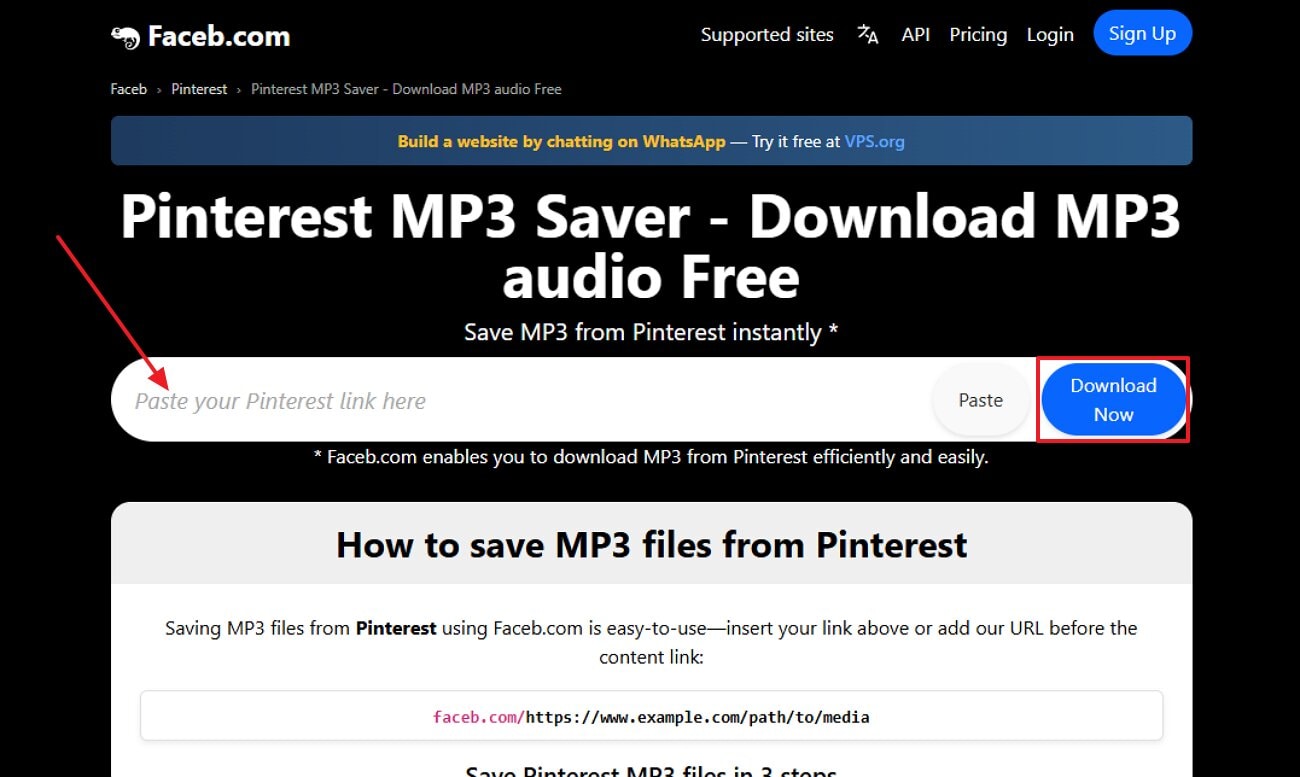
Step 2. Upon accessing the online tool, insert the copied Pinterest link and hit the "Download Now" button to initiate the procedure.
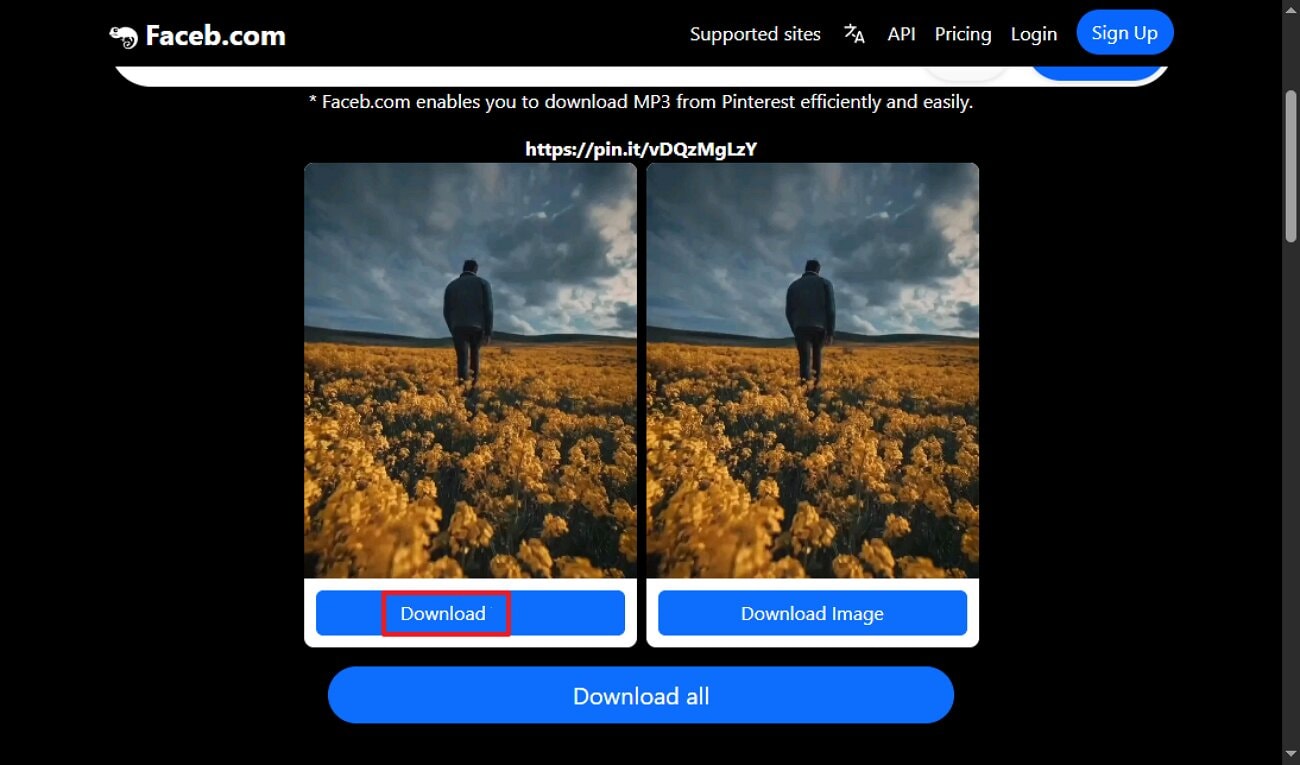
Step 3. Lastly, select the "Download" button to save the audio file and the "Download All" button to download both audio and image files.
2. YT1SAVE
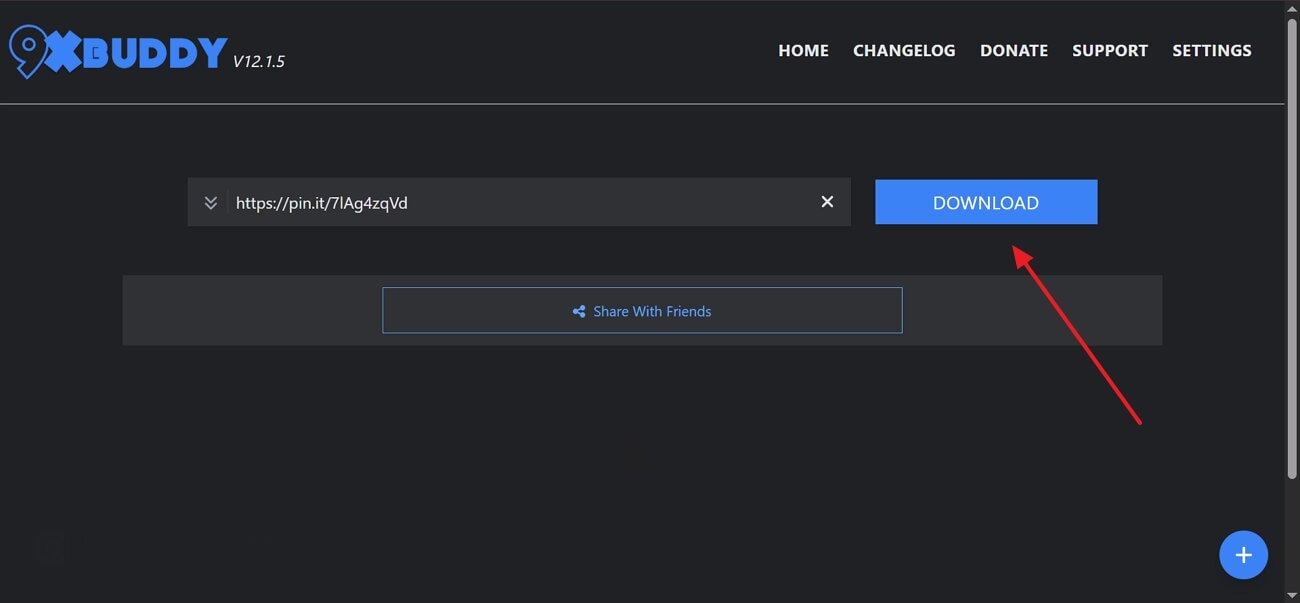
This tool lets you paste the Pinterest link, after which it processes and downloads the audio in MP3. The YT1SAVE tool supports various formats, including MP4, MP3, 3GP, WEBM, and M4A, so Pinterest content can be saved as either video or audio. Furthermore, it provides audio qualities from 128 kbps up to 320 kbps. It redirects to 9xbuddy.com, which supports downloading from Pinterest, plus many other video and music sites.
Extensive Guide To Know How to Use the YT1SAVE Tool
Upon hearing the extensive features of the YT1SAVE Pinterest to MP3 downloader, go through its detailed step-by-step guide below:
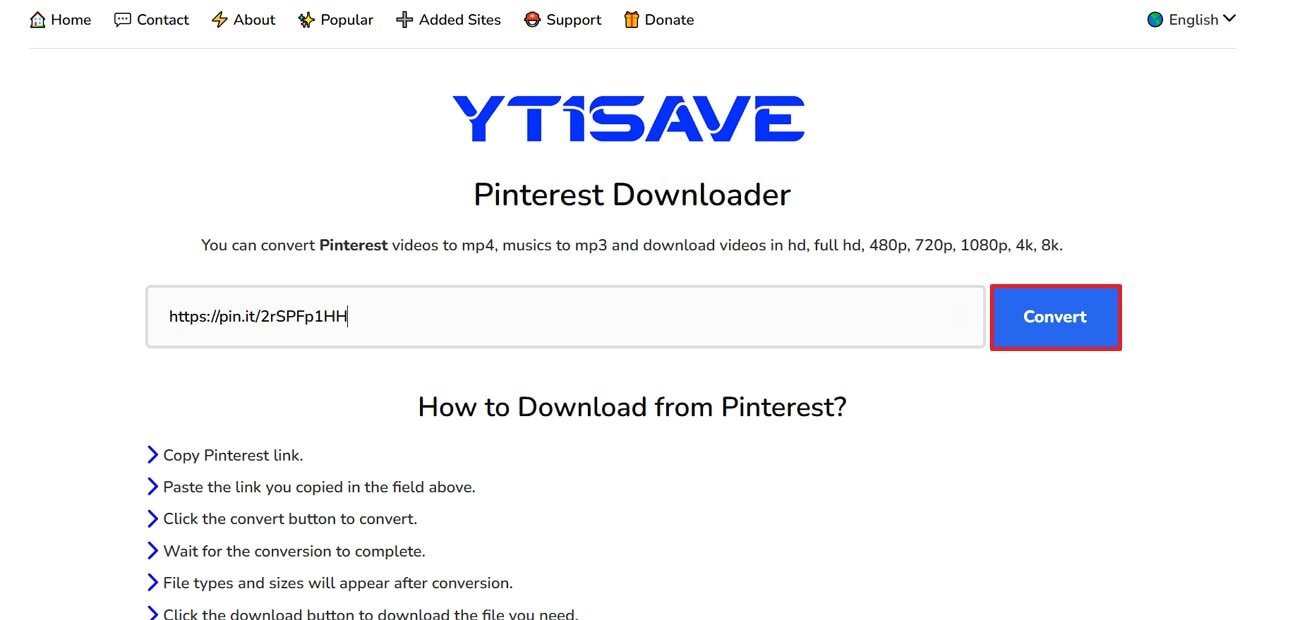
Step 1. Upon accessing the tool, paste the Pinterest video link and click the "Convert" button to start the process.
Step 2. After a while, click on the "Download" button to save the MP3 file to the device folder.
3. TTok.com
This Pinterest MP3 converter converts Pinterest links into downloadable MP3 files with a simple paste-and-save workflow. The foremost point is that you don't have to wait in queues to convert audio files. Furthermore, it gives you the option to download images and audio, making it ideal. This tool also states that downloads are not stored or tracked and that files are processed and delivered directly to the user.
Full Walkthrough: How to Use TTok Online Converter
After getting aware of the TTok tool, let's dive into its detailed guide below:
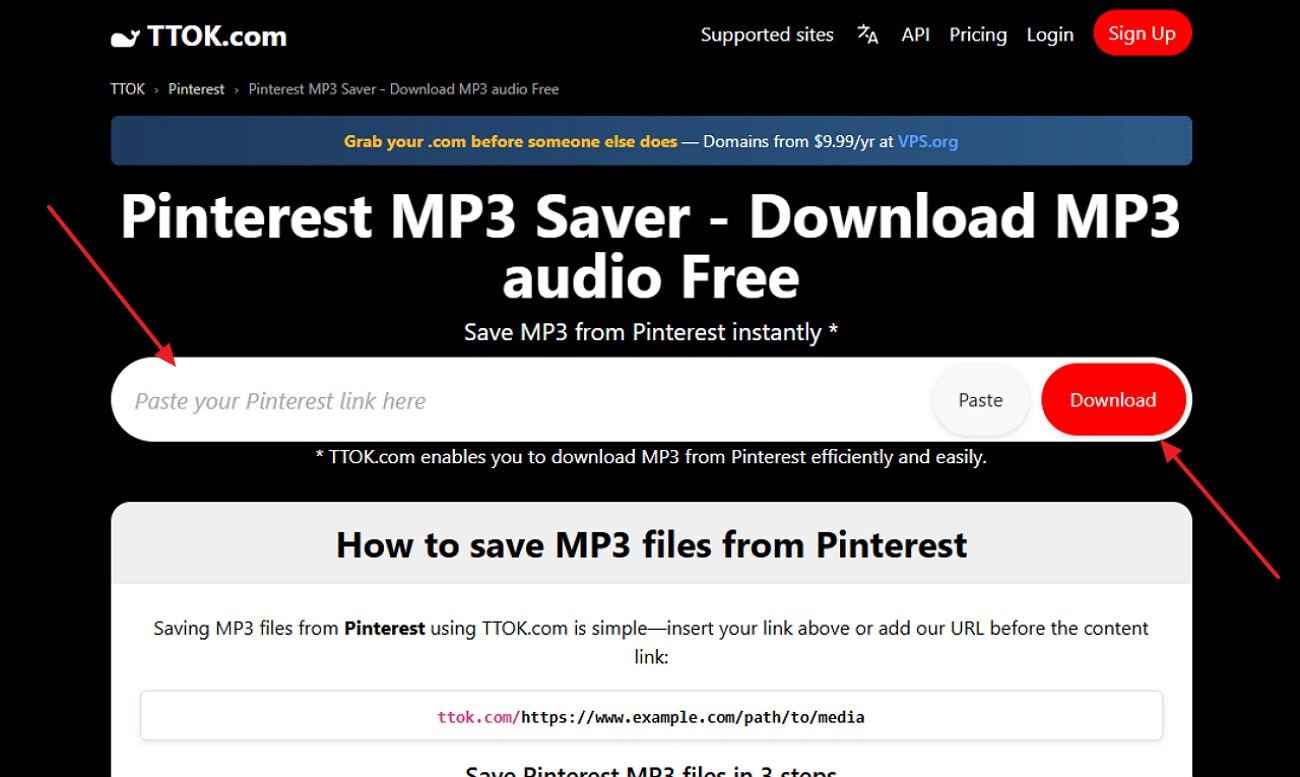
Step 1. When you open TTok, enter the desired Pinterest video link, then click the "Download" button.
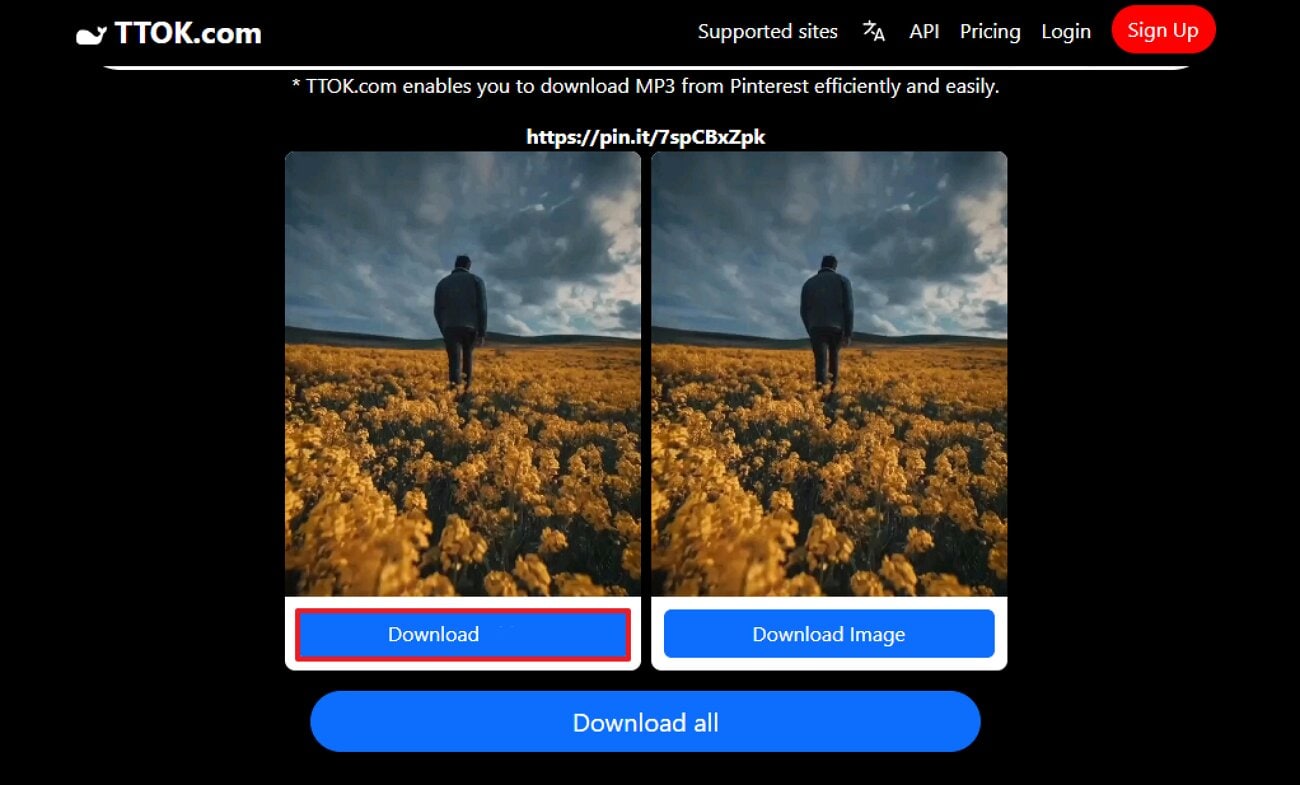
Step 2. Here, choose the "Download" button to download the MP3 file. At this point, you can also click the "Download all" button to save both audio and image files.
4. Apopkit
To save a Pinterest video download in MP3 format, users can access the Apopkit tool. This tool is specifically designed to work in any major browser, including Chrome, Firefox, Safari, and IE, without any installation. It supports saving Pinterest content as either an audio-only MP3 or a full MP4 video, so it works for both listening and viewing needs.
Apopkit Online Converter Guide: Step-by-Step Process Explained
With the basics covered, let's dive into how this online converter works to download Pinterest MP3 audios:
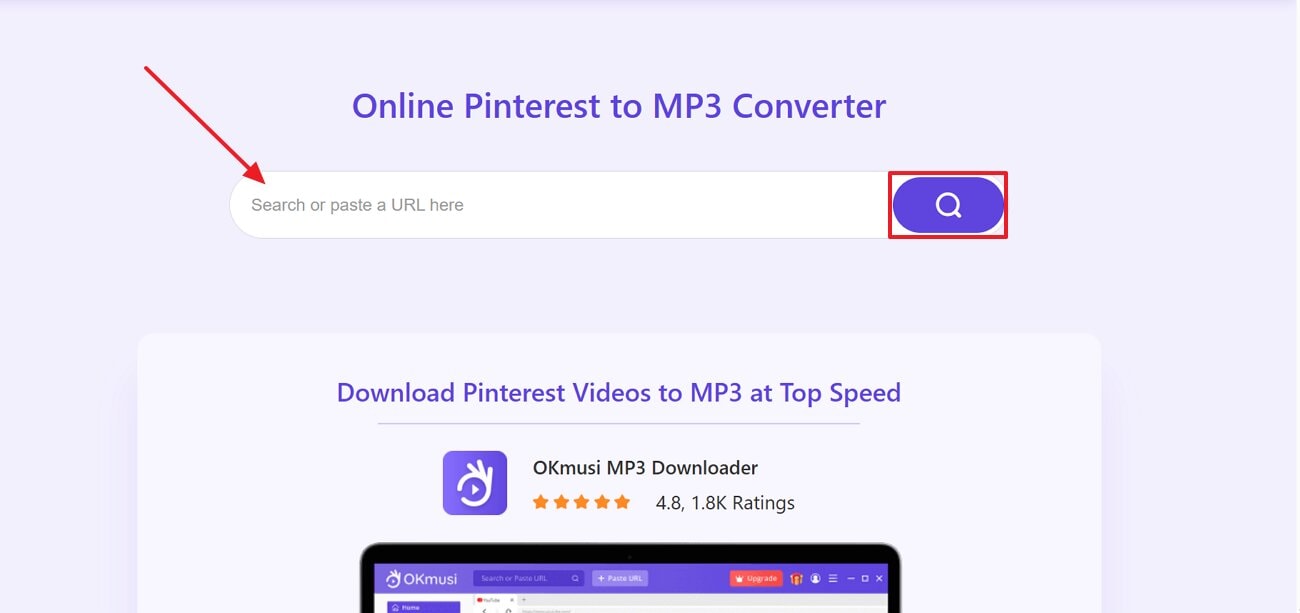
Step 1. As you enter the Apopkit online tool, paste the copied link into the URL tab and click the "Search" icon.
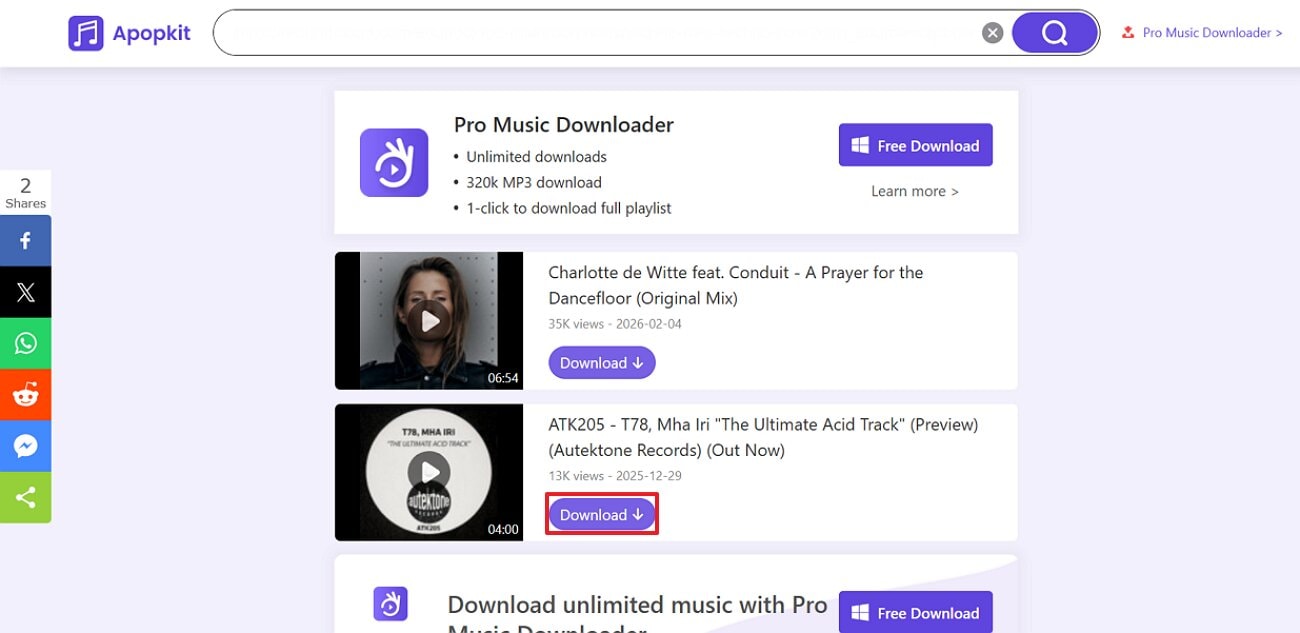
Step 2. Here, you will find both video and audio download links. Now, select the "Download" button adjacent to the audio file to save it to the device folder.
5. Instag.com
This Pinterest-to-MP3 converter can save Pinterest videos, images, GIFs, and MP3s in a single platform. Users simply insert the Pinterest post link, and it quickly extracts the audio in the best possible quality. Moreover, it downloads the outcome without adding a watermark or logos to it. Being an online tool, it requires no payment, making it easily accessible for everyone.
Instag.com Converter Guide: Step-by-Step Process Explained
To ensure a smooth and error-free experience, follow the detailed instructions to use this method:
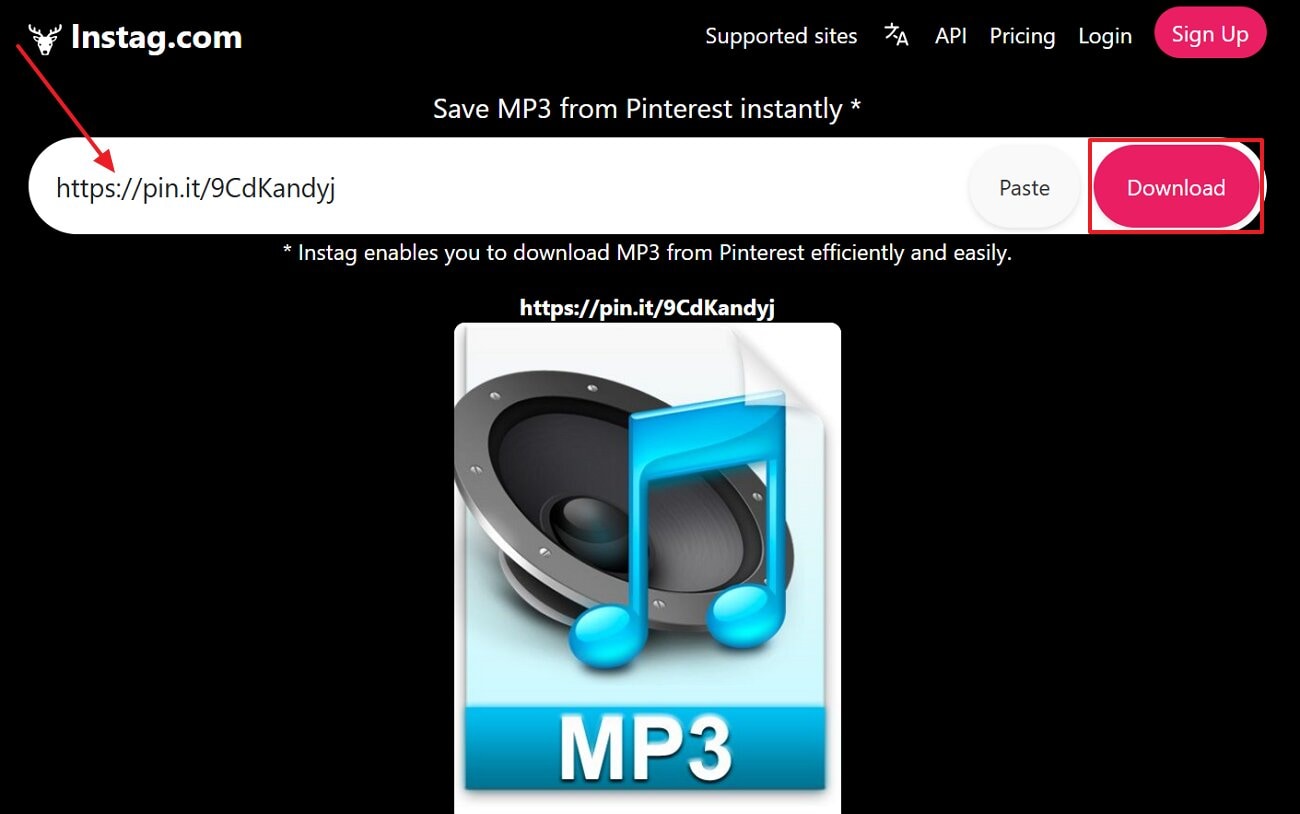
Instructions. Initiate by opening the Instag web, inserting the Pinterest link, and choosing the "Download" button. After a while, it will automatically download the audio file to your device folder.
Part 4. Batch Download Video to MP3 [Safest & Fastest Way]
Wondershare UniConverter
When quick web downloaders struggle and don't offer bulk downloading, users can opt for advanced desktop tools. In this situation, we recommend using UniConverter, which provides an efficient downloader. This Pinterest video downloader lets you add multiple Pinterest video links to MP4 and download them at the same time. Furthermore, it ensures to download the audio in the maximum high-quality available by the streaming service.
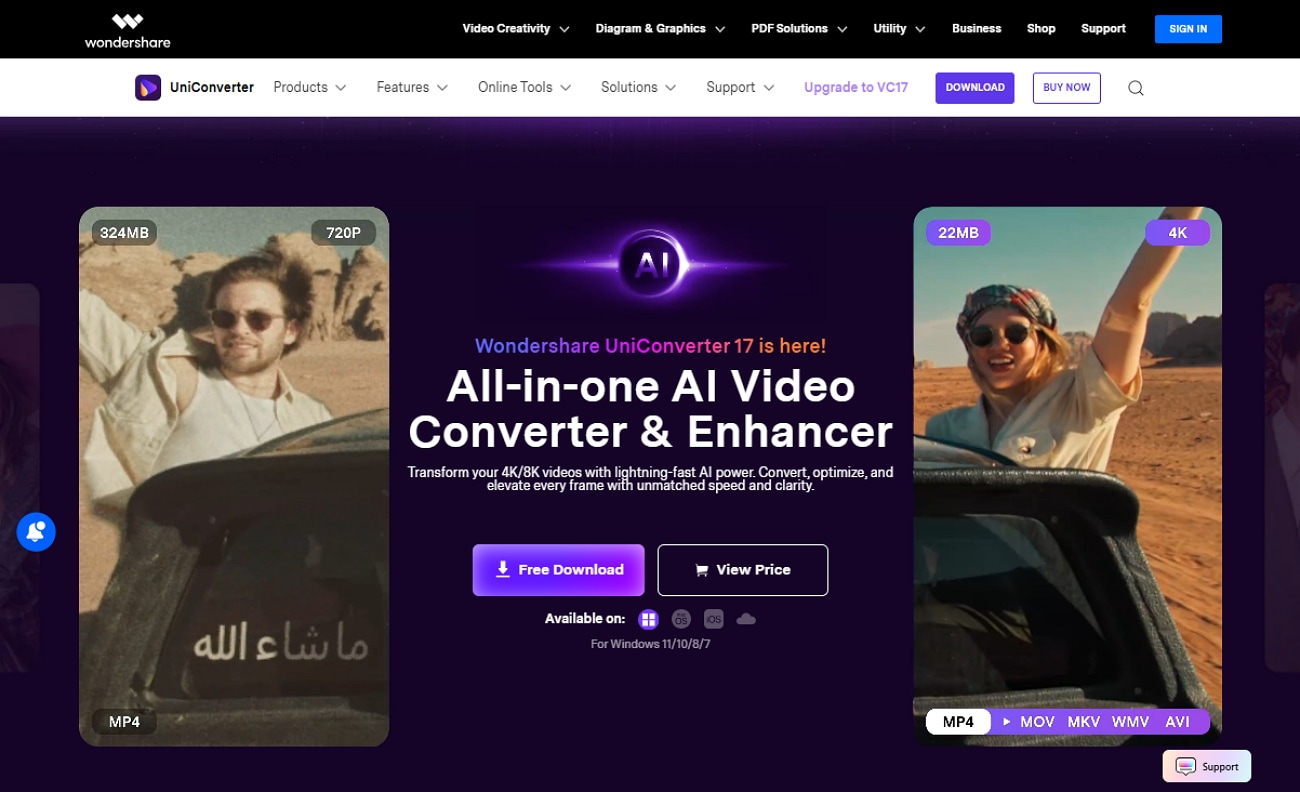
UniConverter supports downloading from various sites, including YouTube, Pinterest, and SoundCloud. While downloading, you can even select the desired saving location of your outcome on your device. Additionally, this tool also offers a Chrome extension to directly download the audio-video files.
Key Features
Format Support: It provides vast file format support, including MP3, MP4, WAV, and even offers web video format.
Batch Processing: Users can add multiple video links simultaneously to download and convert a complete playlist.
Compressor: Besides the downloader, UniConverter also offers advanced features like a compressor to compress desired audio files for easier file management.
Detailed Step-by-Step Guide to Download Pinterest MP3 Using UniConverter
Upon knowing what UniConverter can offer, let's dive into a detailed step-by-step guide to download MP3 Pinterest:
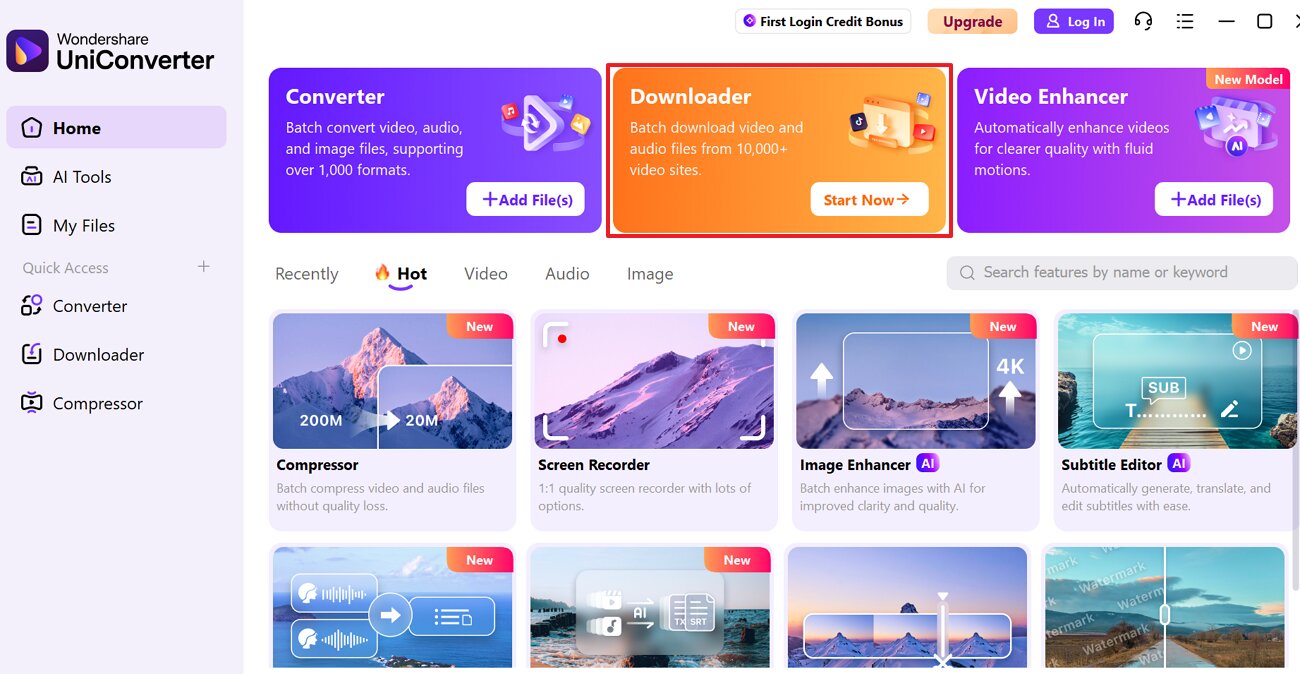
Step 1. Access the Start Now Button in the Downloader Tab
Upon entering the tool, click on the "Start Now" button in the "Downloader" tab to enter the next interface.
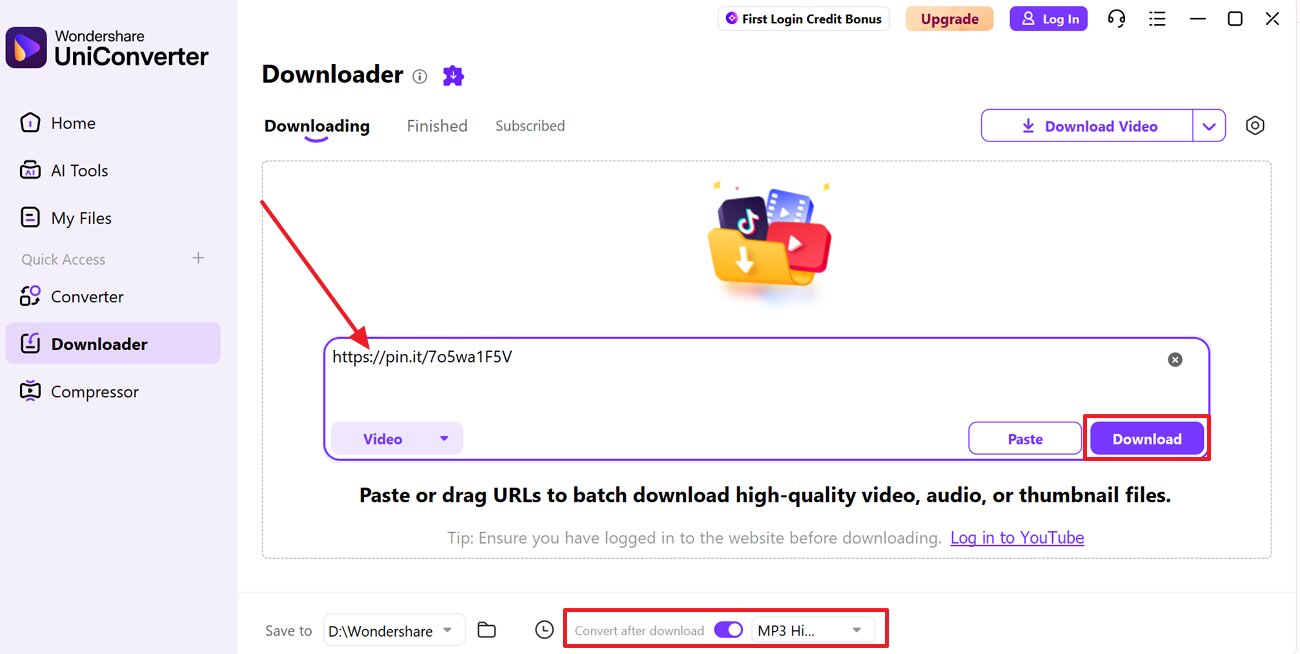
Step 2. Insert the Pinterest Video Link in the URL Tab
Following this, add the desired Pinterest video link in the URL tab and hit the "Download" button. At this point, choose the "MP3" format within the "Convert After Download" menu.
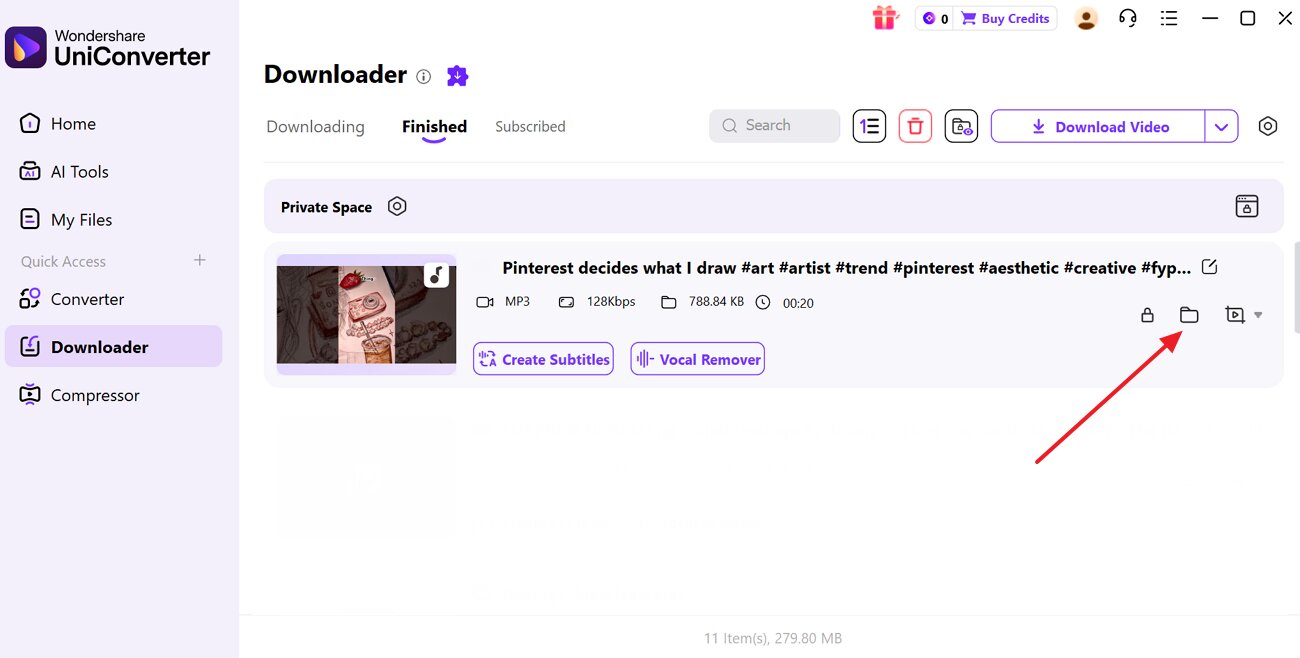
Step 3. Locate the Downloaded File to The Device Folder
After the conversion is complete, the MP3 file will be automatically downloaded to the device. However, if you want to locate the MP3 file, then click on the "File" icon adjacent to the video name.

Download Pinterest Videos as MP3 Audio
How Is It Better Than Online Tools?
If you're seeking higher quality and fewer limitations, here's why UniConverter stands above online Pinterest MP3 alternatives:
| Tools | Types | Main Strengths | Advanced Controls | Batch / Heavy Use Suitability | Works Without Browser |
| UniConverter | Desktop software | All‑in‑one suite: downloads video, converts directly to MP3, and lets you edit and compress. | Yes, choose formats, bitrates, resolutions, trim/merge, add effects, and manage metadata. | Very strongly designed for bulk downloads/conversions | Yes, full Windows/macOS app, no browser needed once installed |
| Faceb.com Pinterest MP3 Saver | Online web tool | Super‑simple "paste link → save MP3" flow | No | Weak, best for occasional single downloads | No |
| YT1SAVE Pinterest Downloader | Online web tool | Download Pinterest as MP4 or MP3 with multiple quality options | Limited | Moderate, no formal batch mode, but unlimited conversions | No |
| TTok.com Pinterest MP3 Saver | Online web tool | Direct Pinterest‑to‑MP3/MP4/image conversion in a few clicks | No | Weak-moderate, fine for frequent small downloads | No |
| Apopkit Pinterest to MP3 | Online web tool | download Pinterest as MP3 with selectable quality | Partial | Moderate–strong, especially when upgraded | Partly |
| SavePin (Pinterest MP3 Downloader) | Online web tool | All‑in‑one Pinterest saver for videos, images, GIFs, and MP3s | No | Moderate – supports repeated use. | No |
Backup Plan: Try Pinterest Video Download MP3 Converter When Downloaders Fail
Sometimes, even reliable tools show errors and don't download the audio in MP3 quality. In this scenario, you can opt for Wondershare UniConverter, which provides an efficient Converter feature. This tool lets you simply insert the video to convert into multiple file formats, including MP3 and FLAC.
Key Features
Screen Recorder: UniConverter offers a built-in screen recorder to record multiple streaming sites that don't offer direct downloading.
Subtitle Editor: Users can easily insert and edit subtitles into their desired videos using the efficient Subtitle Editor.
Watermark Remover: It lets you remove watermarks and logos to make the images and videos look more professional.
Detailed Guide on How to Convert Pinterest Videos to MP3 Using UniConverter
Now, if you want to convert your already downloaded videos to MP3 format, follow the given guide below:
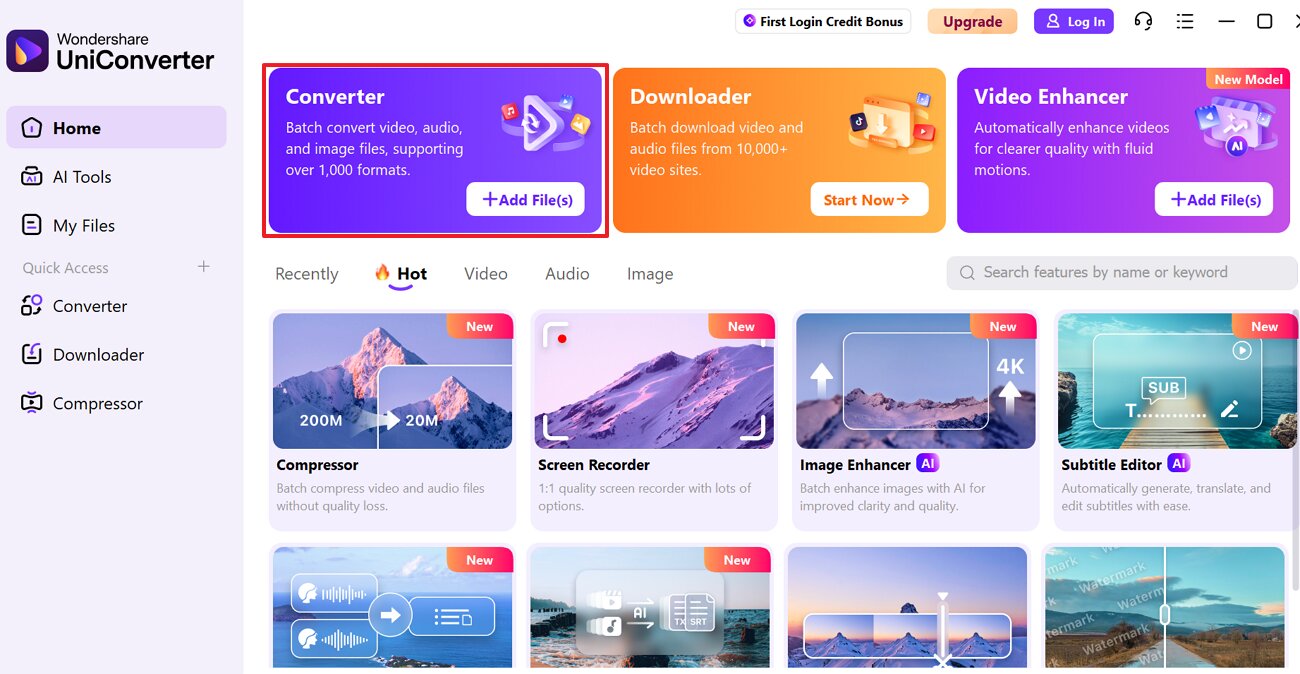
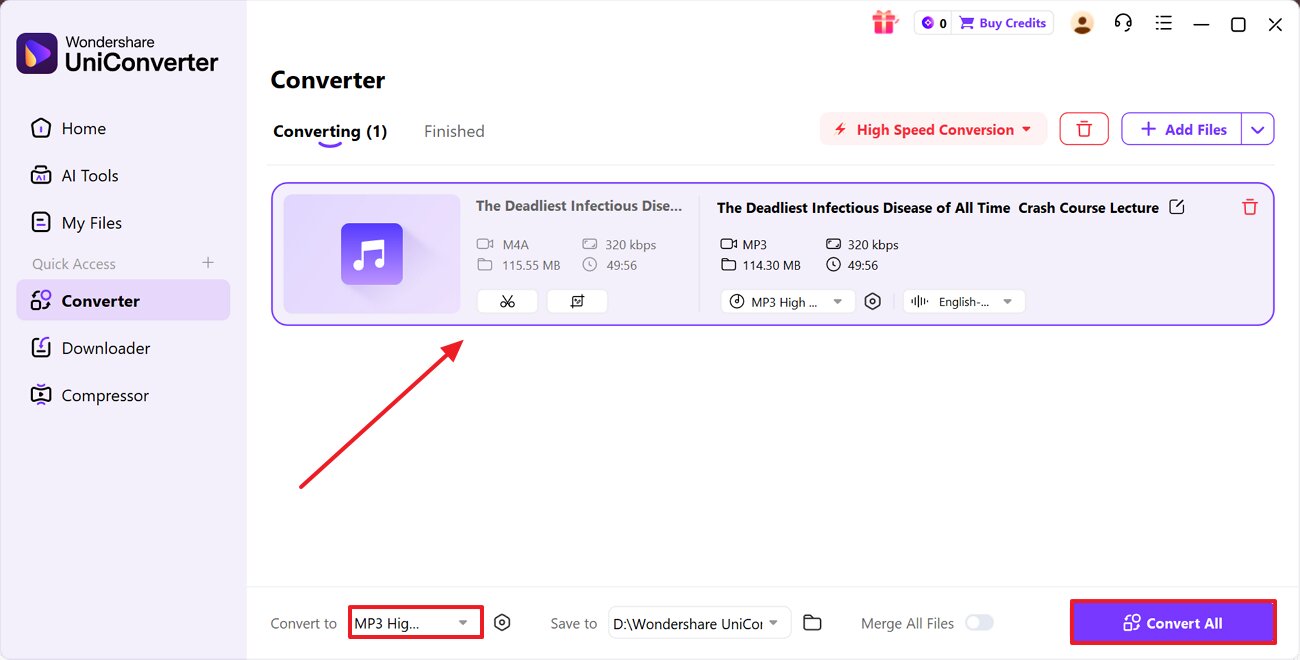
Step 1. Access the Converter Tab in the UniConverter
With the tool running, click on the "+Add Files" button within the "Converter" tab to jump into the conversion interface.
Step 2. Select Desired File Format to Start Conversion Procedure
Upon inserting the downloaded video, choose the MP3 format within the "Convert To" menu and select the "Convert All" button.
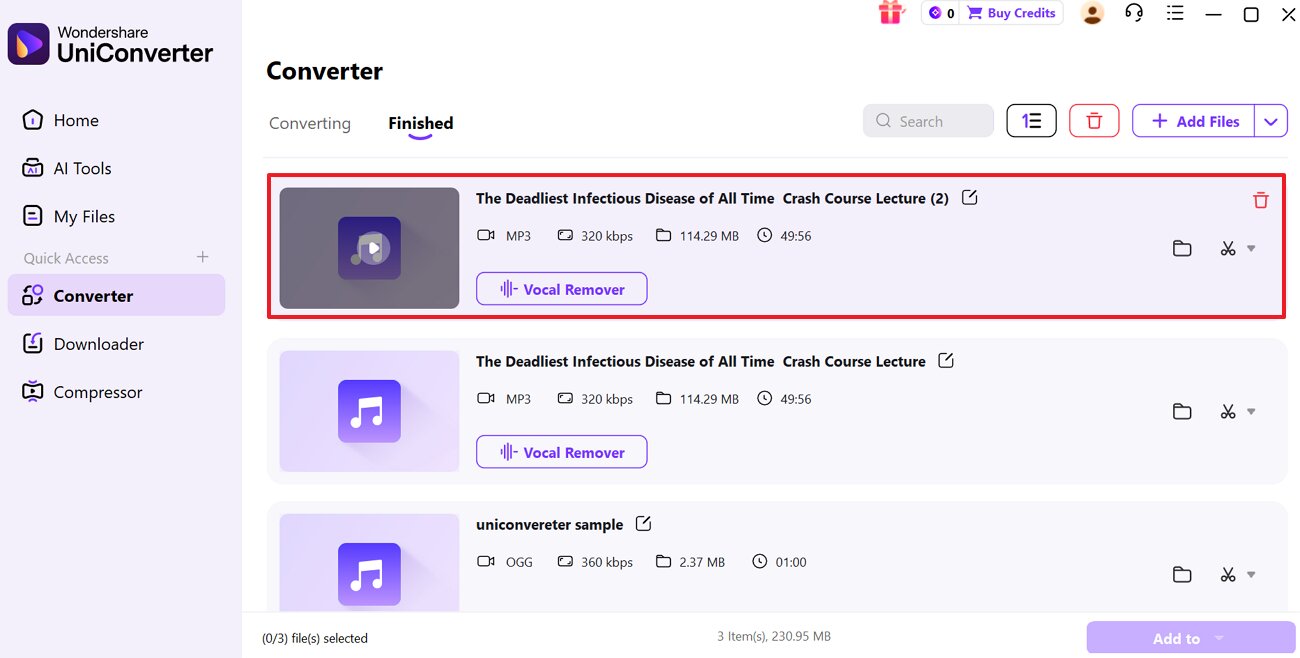
Step 3. Save the Converted File to the Device Folder
Finally, the video is converted to MP3, so choose the "File" icon to locate the converted file in the device folder.
Part 5. 5 Tips to Download MP3s from Pinterest Safely Without Losing Quality
Before starting your Pinterest MP3 download, consider these essential tips to ensure safety and maintain audio quality:
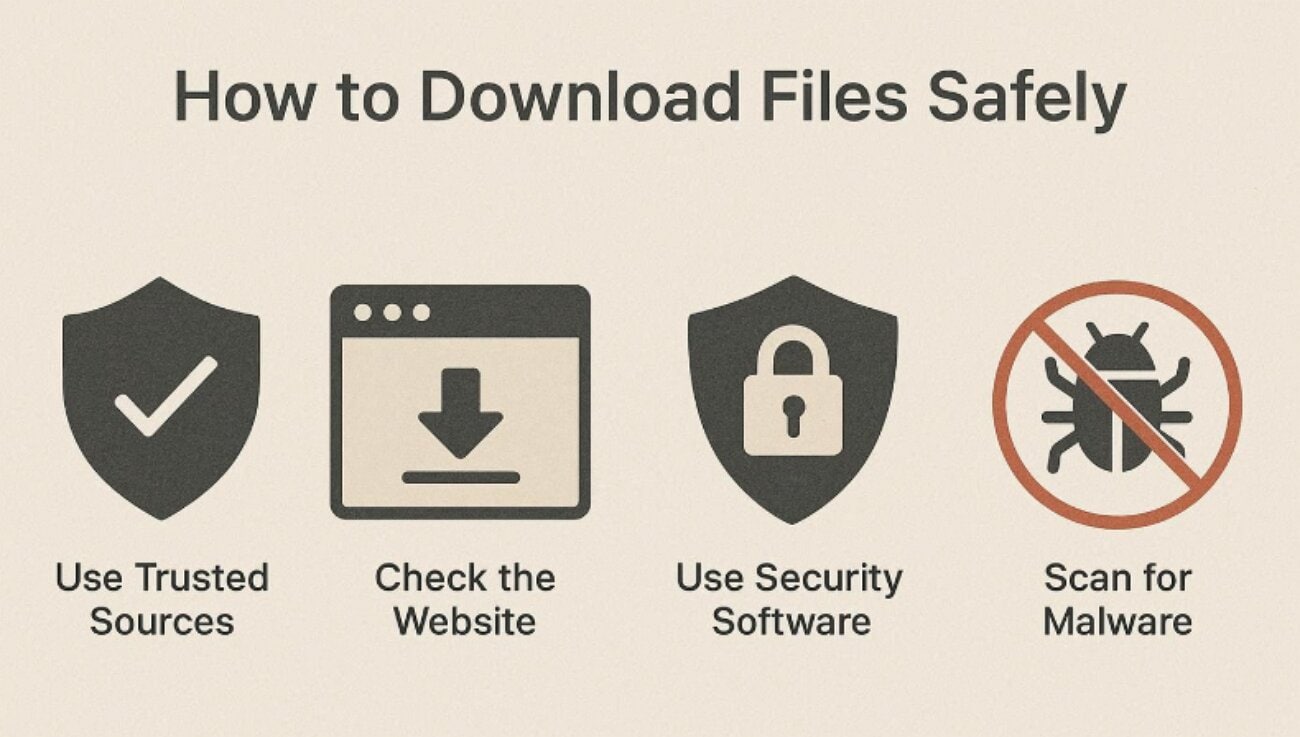
Choose Reputable MP3 Tools: Ensure you choose well-known MP3 downloaders that clearly state the "no watermark" option. Avoid any site that asks for your Pinterest login or your personal data.
Pick the Highest Available Quality: When the tool lets you choose the bitrate or quality, so pick the highest available option. Low‑bitrate files often sound flat or muddy, especially on headphones or speakers.
Avoid Repeated Conversion: Download once from Pinterest, then convert directly to MP3 instead of converting through multiple formats. Every extra conversion step can introduce compression artifacts and reduce clarity over time.
Respect Copyright Laws: Make sure you download the MP3 file for personal usage and avoid re‑uploading or monetizing others' audio without permission. After downloading, quickly test the MP3 with good headphones to check if the noise is clear or distorted.
Keep Your Device Protected: Ensure you use an updated browser and enable a trusted ad‑blocker or antivirus software. Close any tab that throws aggressive pop‑ups, redirects, or download prompts.
Conclusion
In conclusion, users are now downloading Pinterest as MP3 for easier access while commuting or doing chores. For this purpose, this article has listed the most efficient tools, including both online and offline options. Furthermore, we recommend using UniConverter, which offers a built-in downloader that lets you download the file in various formats.
Frequently Asked Questions
-
Q1. Is it legal to download Pinterest videos as MP3s?
Yes, it is legal to download videos for personal use, but Pinterest's terms and copyright laws still apply. You should not repost, monetize, or redistribute other people's audio without clear permission or licensing. -
Q2. What's the difference between Pinterest MP3 and video downloads?
An MP3 download keeps only the sound from a pin, which is lighter and easier to play in apps. Whereas a video file includes both visuals and audio, uses more data and storage, and needs a video player. -
Q3. Which is better, an online MP3 downloader or desktop software?
Online tools are quick, free, and ideal for occasional conversions with no advanced options. On the other hand, advanced solutions like UniConverter offer batch processing and editing options. -
Q4. Where do my downloaded MP3 files usually get saved?
Pinterest MP3 files usually save in the system's default "Downloads" folder on Windows, macOS, and Linux. However, with UniConverter, you can even select the targeted saved location of the file, making it an ideal choice. -
Q5. Why won’t some Pinterest videos convert?
Private, restricted, or protected pins may not be downloadable through third-party tools.

