
Easily Convert MP4 to MP3 Online
How to Convert MP4 to MP3
- Drag and drop your MP4 file.
- Select your preferred suppoted audio format like MP3.
- Click "Convert" and download your new file instantly.

by Christine Smith • 2026-10-22 07:16:02 • Proven solutions
In the early days of the web's ascendance to the primary media distribution platform, MP3 was the way to go. It was fairly universal and could be played on a Windows, Mac, or Linux PC. There was a wide variety of portal MP3 players that were cost-effective and offered great storage, and many vehicles were designed with in-dash MP3 players.
The multimedia nature of the MP4 file has changed things somewhat. With the growing capabilities of handheld and mobile devices, and the focus of Apple’s iTunes platform on the MP4 format, there is now a trend toward MP4. The ability to encode video, audio, and add-on features like the text in the same file saves on overhead, reduces the time to produce a great media product, and requires less bandwidth and computer processing to play the file.
In order to play an MP4 file on one of those portable MP3 players, or on some automobiles, you will need to convert MP4 files to MP3. If you need a smaller audio size, you can convert MP3 to WMV format. These are the best online MP4 to MP3 converters available to make that transition and its best alternative to MP4 to MP3 online converters.
There are many free MP4 to MP3 converters available, but most of them are online solutions that are limited by the Internet speed and the file size. In order to have quick MP4 to MP3 conversion and convert MP4 files in batch, we recommend the best alternative to online MP4 to MP3 converter - Wondershare UniConverter (originally Wondershare Video Converter Ultimate).
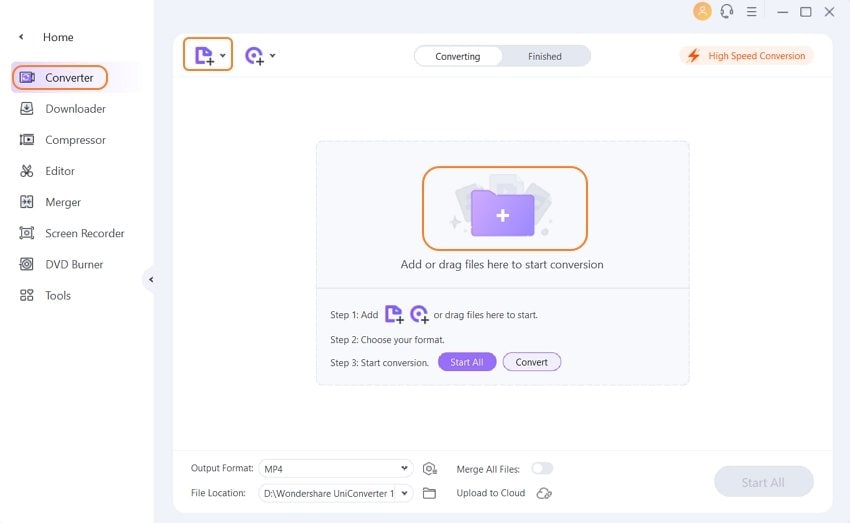
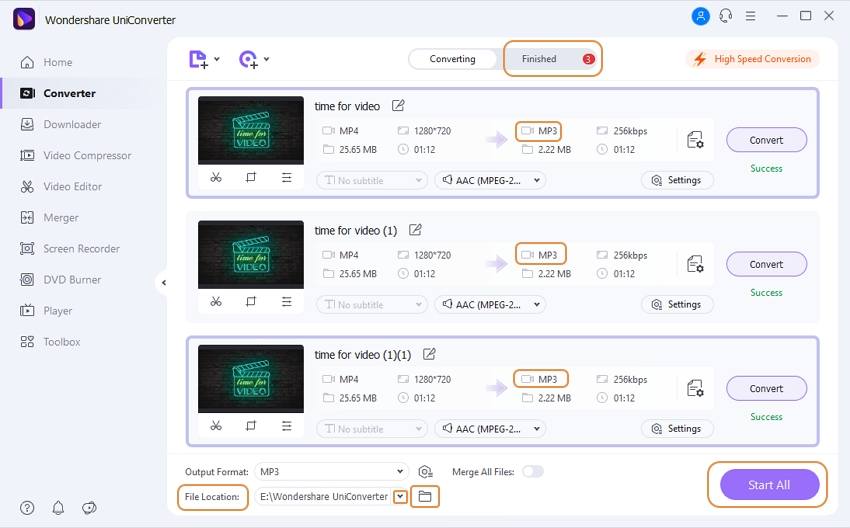
Download, install, and start Wondershare UniConverter (originally Wondershare Video Converter Ultimate). Then go back to the Converter, click the  button to import the MP4 files. Alternatively, you can import the MP4 files by simple drag and drop.
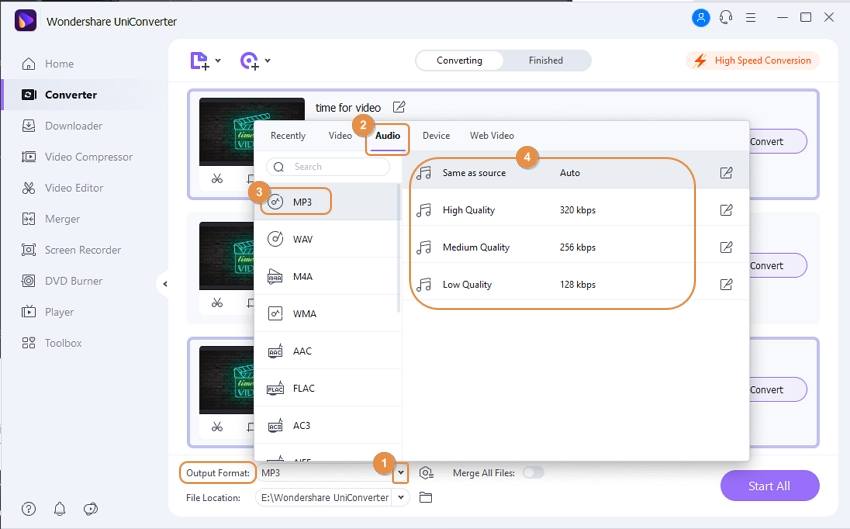
Click the drop-down icon beside Output Format to enter the format panel, select Audio > MP3, and the quality. You can also build a customized output format by clicking Pencil icon to set special encoder, channel, bitrate, etc. Besides, you can trim the unwanted part by clicking the first icon under the video thumbnail.
Once you've finished all the settings, you can click the Start All button at the bottom right corner. This starts the conversion of your MP4 videos to MP3. The conversion process lasts for only a few seconds, which is much faster than the online MP4 to MP3 converters.
How can I convert an MP4 to an MP3 online? --- A question from Quora
Quora-answer
Move to How can I convert an MP4 to an MP3 online>> to learn more.
If you only need to convert MP4 to MP3 occasionally and the MP4 file is small, you can convert MP4 video to MP3 iTunes. Also, we recommend you to use the free online MP4 to MP3 converters as below. Here are the top 10 online MP4 to MP3 converters for your reference.
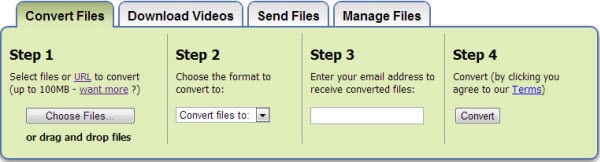
Zamzar is ad-supported, therefore free to the end-user, and yet doesn’t put the ads so in your face that you can’t use the software. Above the fold, a quick and painless three-button process takes your MP4 file, which you can specify by URL or via upload, and lets you specify the output values. This is the real edge for Zamzar – they offer so many different output formats, and label them in such a helpful, easy to use way, that anyone should be able to make an MP4 to MP3 file conversion with limited learning and no stress whatsoever.
Zamzar does request the user’s email address, to which they will email the converted file. Some people may be uncomfortable with this. Also, the service is limited to 100 MB files for each conversion, and for a large MP4 file, that may require trimming, then converting each segment in turn. While this is not the end of the world, it can certainly add time to the process.
Developer: Zamzar, LTD, UK
Website: http://www.zamzar.com/convert/mp4-to-mp3/
Price: Free
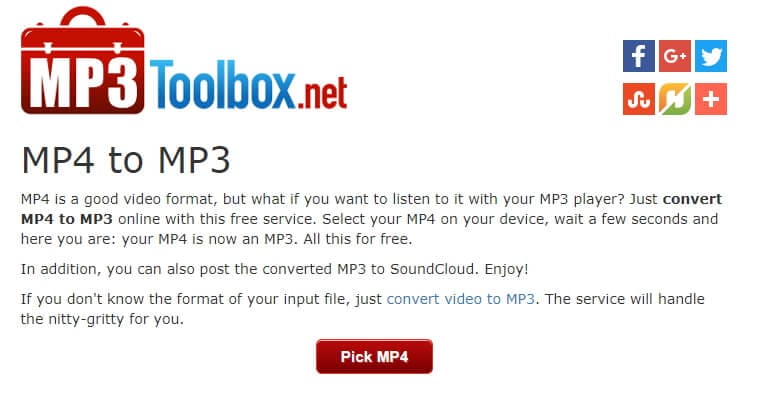
For people who are not com wholly comfortable with the idea of taking a file and making it into another file, MP3 Toolbox is a great solution. It is clean and easy to use interface is populated with instructions that make each transaction easy and pain-free. The large red button in the middle of the screen represents step one in the conversion process, and there are no distracting or confusing elements on the page to make the start complex.
The MP3 Toolbox does only allow uploaded MP4 files, rather than allowing the user to specify a URL. This could be a downside for some users. However, it is a quick and easy service to use and imposes no obvious file size limitations. The product is ready quickly and can be automatically uploaded to Soundcloud or social media.
Developer: MP3Toolbox.Net
Website: http://mp3toolbox.net/mp4_to_mp3#.VexLXPlViko
Price: Free
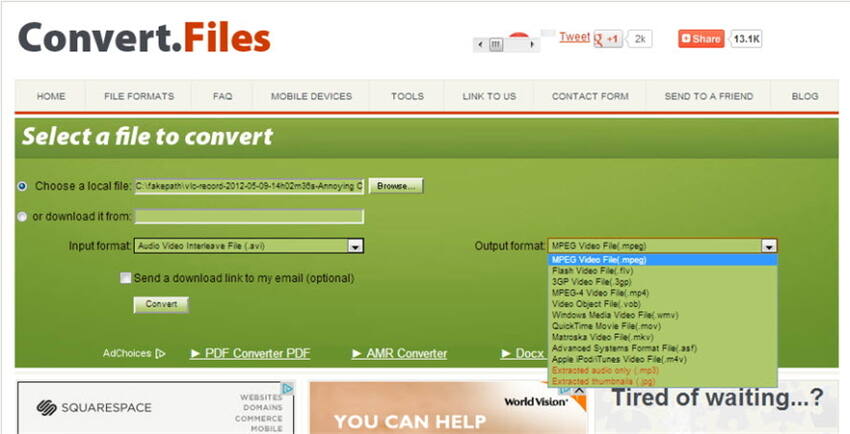
ConvertFiles is a unique service in that it’s designed to allow you to convert almost any kind of file to almost any other kind of file. It’s a web-based platform with a streamlined interface. Although it looks pretty simple, there is a lot under the hood. Users can specify where the file is that they want to convert – either by URL or by upload. By specifying the input formats and the output formats, the system is told what conversion process to run. The user can also request a download link for the converted file to be sent to their email address. This is a convenient option when there are very large conversions happening.
Overall, this is a great conversion tool for taking your MP4 file to MP3 and offers tons of other additional features as well.
Developer: Convert Files
Website: http://www.convertfiles.com/convert/audio/M4A-to-MP3.html
Price: Free
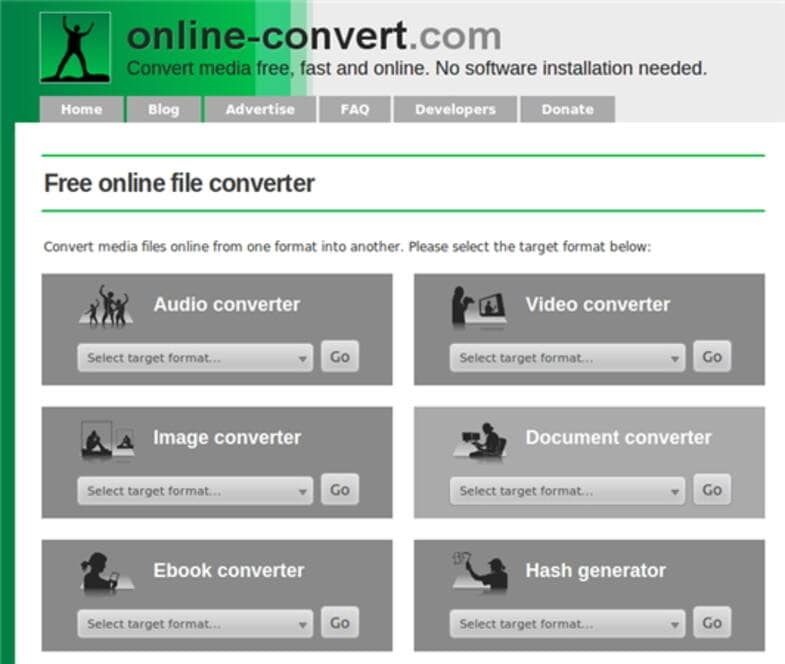
Brought to us by Online-Convert, the more advanced and complex Online-Convert.com can move your MP4 file to MP3 format, and it can do it quickly and easily! As a web browser-based platform, the program offers the ability to take almost any file and turn it into almost any file type. For people who want to convert MP4 to MP3, the capability is right there on the front page. The lossless quality in the conversion process and speed of conversion offered by the product are, frankly, off the charts. Reviews are great, and the price is also very good – it’s free to convert MP4 to MP3!
Developer: Online Convert
Website: http://www.online-convert.com/
Price: Free

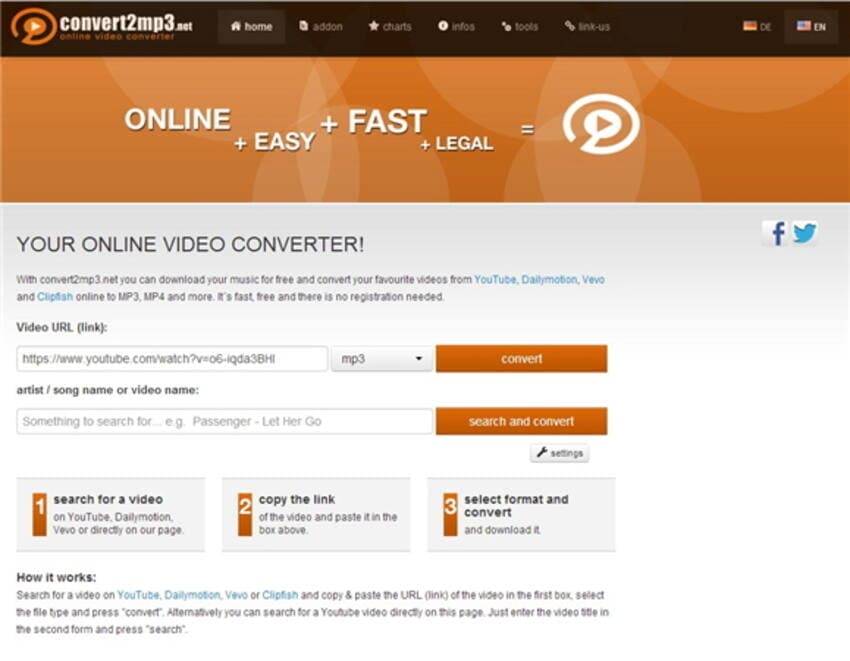
While it’s a little slower than some sites, the convert2mp3.net platform has some cool and unusual features. For one thing, it’s bi-lingual, beyond the normal site translation services. It’s actually coded in Dutch and English. For another, it’s geared toward the conversion of hosted videos at sites like YouTube and Clipfish. Entering the URL of the MP4 video, then selecting the format you want to output to, allows the conversion to begin. If you don’t have a specific video in mind, but know you’re looking for something by Depeche Mode, you can search for videos that feature that artist and convert them to MP3 in one step. Under the settings button, you can choose to include the cover art with the MP3 file after the conversion, set tagging options, and activate or deactivate notification when the conversion is complete.
This is a full-features program for an online-only platform. The only “premium” service option is faster conversion and download speeds, which the site does not demand you consider – they just put it out there as an option.
Developer: Convert To MP3
Website: http://convert2mp3.net/en/
Price: Free
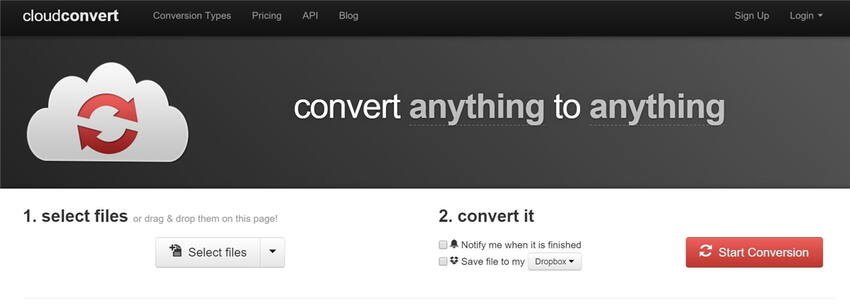
Cloud Convert is a relatively new and ambitious web-based conversion tool from Lunaweb. The site is very professional, well-designed and offers users enough information to feel comfortable and start the process of converting MP4 to MP3, without being too technical or intimidating. There is a great deal of depth in the platform, as it supports over 208 different file type conversions. For a web-based product, it’s unique in supporting the batch conversion of MP4 to MP3 files, and it also offers an extensible API to support leveraging the platform through customized applications. Without even registering for a username, Cloud Covert allows up to 10 conversions per day limited to 100 MB, and for those who are willing to fill out a short registration form, up to 25 conversions are limited to 1 gig. There are also prepaid and subscription packages that offer conversion processing time on Cloud Convert’s powerful servers.
Developer: Lunaweb, LTD (Germany)
Website: https://cloudconvert.com/
Price: Free to Subscription Time
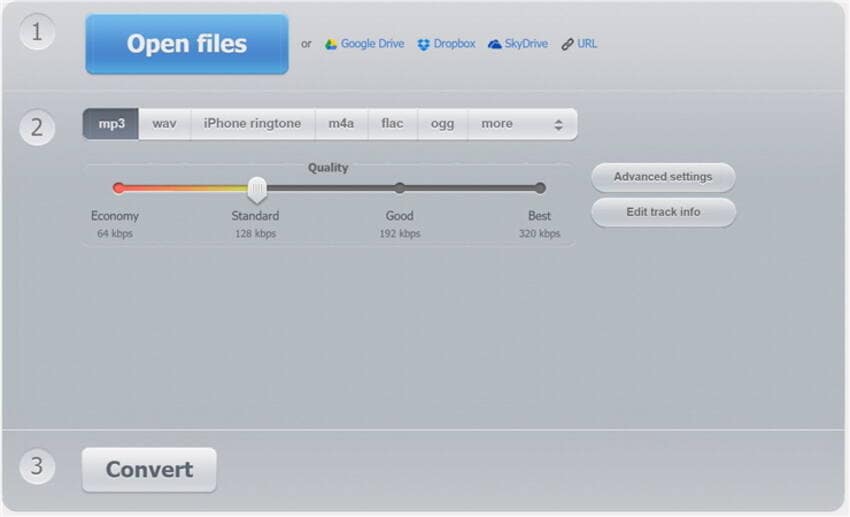
Online Audio Converter is one of the most widely used MP4 to MP3 converters online. Its ad-based approach is not in your face, and the interface is simple to use. The option to open source files from the computer, Google Drive, Dropbox, SkyDrive, or any URL is a timesaver, and while most users will be very happy with the default quality settings, there is the option to specify output parameters. Under Advanced Settings, technical users will be happy to see that there’s even the ability to try to remove voice during conversion. This is a unique advanced feature in a web-based service.
Developer: 123apps, LLC
Website: https://online-audio-converter.com/
Price: Free
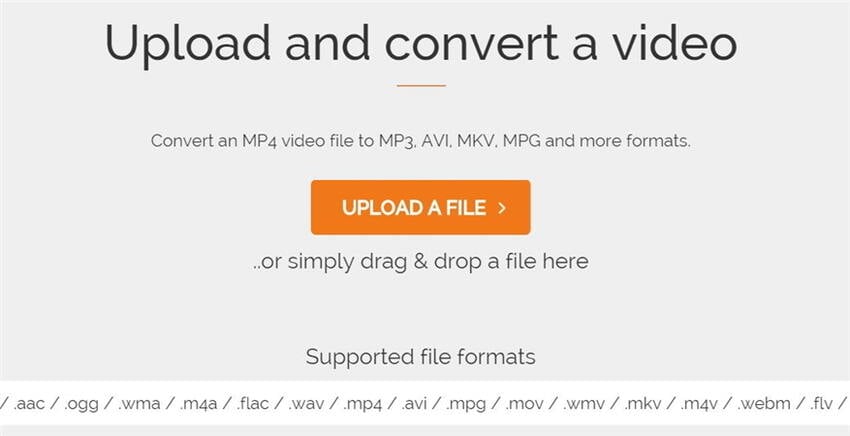
One of the tried and true web-based conversion programs, Online Video Converter, lets anyone (even a total novice) specify an MP4 file to convert to MP3. It supports drag and drop, and browse to file upload but does not support URL pointing. It is cross-browser capable, making it an option even for mobile users, and performs the conversions quickly and cleanly. There is no registration required, and while the feature set is pretty limited, it does what it says on the box.
Developer: OnlineVideoConverter.com
Website: http://www.onlinevideoconverter.com/convert-mp4-to-mp3
Price: Free
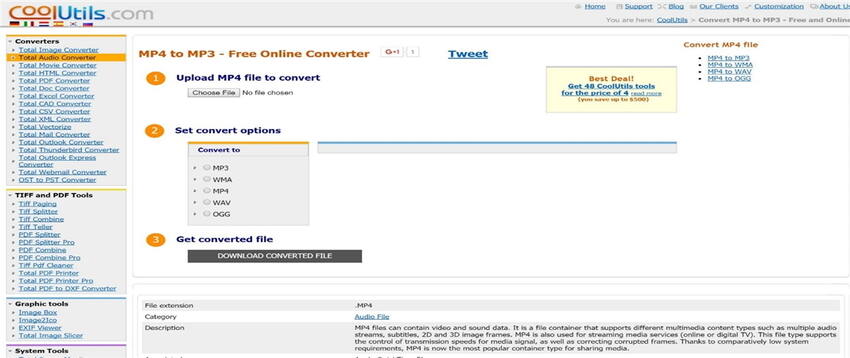
As an online conversion platform, the MP4 to MP3 – Free Online Converter by Cool Utils Development has a little bit of everything. Their process starts with file upload. Then the user is able to select the destination file type, and there are most of the key types available. It’s under Options that the software, which is completely web-based, does its best work. The sample rate, channelization, and bitrate are all controllable by the end-user, and this level of detail can make the difference between an OK converted file and an excellent quality converted file. The conversion process is fairly fast, and the download option is also fairly fast. At the bottom of the page, there is a handy guide to the different file types, which could be helpful to someone who’s not highly technical but wants to make sure they pick the right platform.
Developer: Cool Utils Development
Website: http://www.coolutils.com/online/MP4-to-MP3
Price: Free
Here are advanced tips for converting MP4 to MP3 efficiently and with high quality. To ensure a satisfying MP4 to MP4 conversion, you need to check not also sound quality but also other information:
Converting MP4 to MP3 online is quick and accessible with multiple free tools, though each has unique limits around file size and features. While online converters suit occasional users with small files, desktop software like Wondershare UniConverter excels for batch work and advanced settings. Carefully chosen output parameters help ensure good audio fidelity. For smoother conversion, select a reputable tool based on file size, speed, and desired quality featuress.

Your complete video toolbox



Christine Smith
chief Editor