


As a professional photographer, you know that Sony stores all the image files in ARW format, which gives you a high-quality editing option. Even though ARW is ideal in production and provides quality images, it is not compatible with most devices. Therefore, the need to convert ARW to PNG is a smart choice if you want to edit and share your images.
In addition, it is a decent idea to convert to the PNG format, which supports high quality and allows lossless compression. So, read through this article and learn about the best ARW to PNG converters for online and desktop versions. You can also find common problems that can occur during the conversion process and the reasons for how to avoid them.
In this article
Part 1. Why Convert ARW to PNG
Converting ARW to PNG is the process of transforming a proprietary Sony RAW image file into a Portable Network Graphics (PNG) file. This conversion is essential for photographers who need a widely compatible, lossless image format for web use, digital projects, or situations where the large, unprocessed ARW file is impractical. While ARW files contain the most data from your camera's sensor, PNG files offer excellent compression without any loss in quality, support transparency, and can be viewed on any device.
Here you can have a glance of differences between two formats:
| Feature | ARW (Sony Alpha RAW) | PNG (Portable Network Graphics) |
|---|---|---|
| Type | RAW image format used by Sony cameras | Raster image format used for web and digital graphics |
| Compression | Uncompressed (no data loss) | Lossless compression (quality retained, smaller file size) |
| Purpose | For detailed editing and professional photography | For ready-to-use, shareable, and web-friendly images |
| Editable | Highly editable — retains full sensor data for post-processing | Limited editing flexibility — suitable for final versions |
| Transparency Support | Not supported | Supports alpha transparency (ideal for logos and overlays) |
| Compatibility | Limited — requires specialized software (e.g., Photoshop, Lightroom) | Universally supported across all devices and browsers |
| File Size | Very large due to uncompressed sensor data | Smaller and more storage-efficient |
| Use Cases | Professional photography, color correction, exposure adjustment | Web publishing, graphic design, image sharing |
Why Convert ARW to PNG:
Wider Compatibility
ARW files are specific to Sony cameras and unsupported by most devices or apps. Converting to PNG ensures the image can be opened and viewed anywhere.
Lossless Quality Preservation
PNG uses lossless compression, meaning you can retain the image’s clarity while dramatically reducing file size compared to ARW.
Simpler Sharing and Uploading
PNGs can be easily uploaded, embedded, or shared online, unlike ARW files that require conversion for compatibility.
Transparency for Design Work
PNG supports transparent backgrounds, perfect for adding photos into layered compositions, web graphics, or presentation materials.
Final Output Readiness
After post-processing in software like Lightroom or Photoshop, converting from ARW to PNG provides a polished, shareable version of the edit.
In short, ARW is best for editing flexibility and maximum detail, while PNG is best for sharing, displaying, and preserving visual quality in a compacta compact format.
Part 2. Common Concerns of ARW to PNG Conversion
You may go through the following common problems or issues that can occur during the ARW to PNG conversion, which are also some of the most concered elements when we selecting the best ARW to PNG converters:
Quality Loss: Since ARW files are stored as original files, the conversion might make the photo less sharp or vibrant, thus losing all the details.
File Sizes: Since both types of image formats differ in file size, the conversion of ARW to PNG may occupy more space.
Batch Conversion Efficiency: In some cases, the conversion of the batch may slow the speed of the computer and lower the quality of the files.
Corrupted ARW File: If the original ARW file is corrupt or incomplete, it might not be converted to a PNG.
Overexposed Colors: During conversion, the colors of the ARW photos might get distorted, and it can result in unrealistic tones of the PNG images.
Below, we explore the top methods to convert ARW files to PNG quickly and effectively. Taken above fators into considerations, we listed following converters for better ARW to PNG conversion experience.
Part 3. 5 Easy-to-Use ARW to PNG Converters Online & Desktop
This part has the list of the best ARW to PNG converters that can help you provide seamless and high-quality results without any hassle:
1. UniConverter
It is one of the most confident converter software since it can convert any size of ARW file to PNG. Moreover, this program supports 1000+ image formats, including JPG, BMP, TIFF, and others; thus, it is more accessible. Its AI converts the image and gives you a high-quality conversion of your images without any compression.
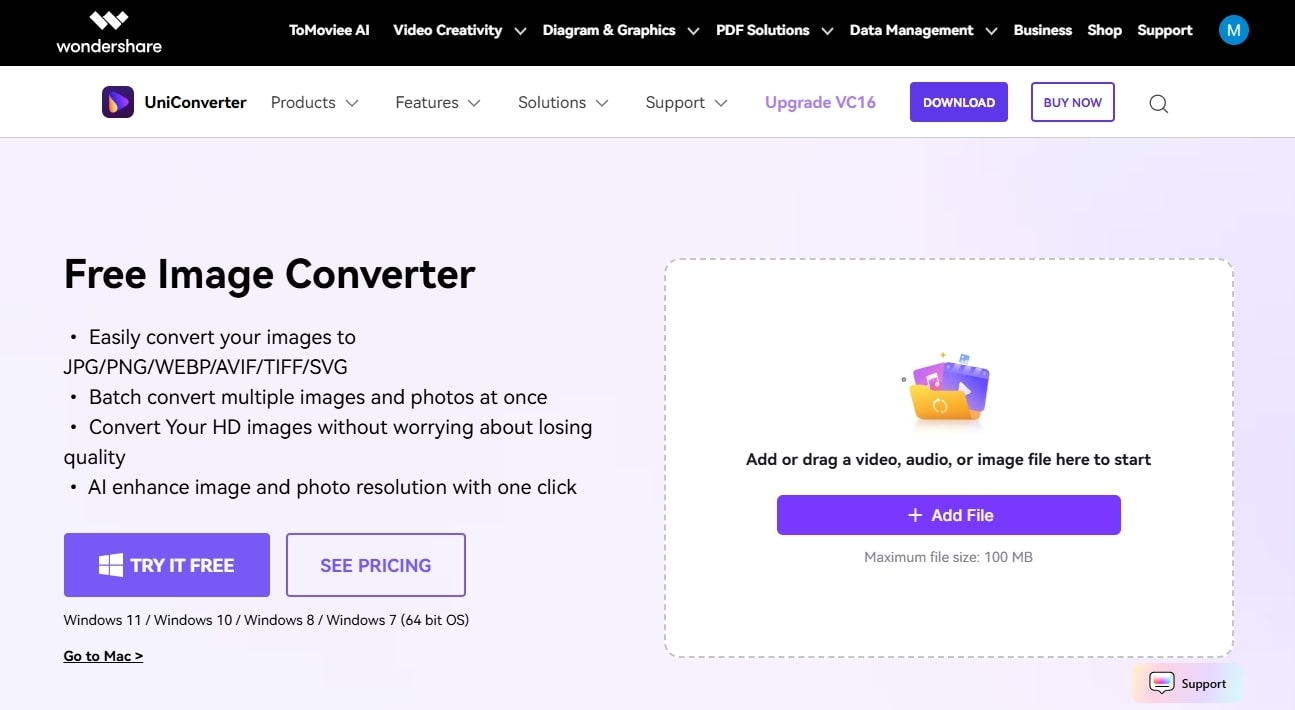
UniConverter preserves all the details, layers, and quality of the image when converting ARW to PNG. With its output customization options, users can control the quality of the image to get the desired results. Along with these vast options, this tool allows you to remove the watermark from your images, so that you can upload them on different social media platforms.
Key Features
- Batch Conversion: This software supports batch photo conversion, thus allowing you to import multiple file sizes of ARW files all at once.
- Quality Settings: You can control the quality settings and apply custom sizes to the ARW images you are converting into PNG.
- Image Enhancer: The extra enhancer feature can enlarge your pictures in case you feel that they turned out to be slightly blurred or pixelated.
- Image Resizer: Users are encapable of cropping or rotatingphotos into various rotations, sizes of crop, and the effects option, which is adjustable with brightness, contrast, and so on.
- High Speed Conversion: For larger projects, you can enable the ultra-fast conversion speed, GPU acceleration, and Intel graphics to quickly get outstanding results.
Comprehensive Step-by-Step Guide on How to Convert ARW Photos into PNG
In the following, you’ll find the easy steps on how to convert ARW to PNG using this image converter software:
Step 1. Open Software and Import the ARW Image Files
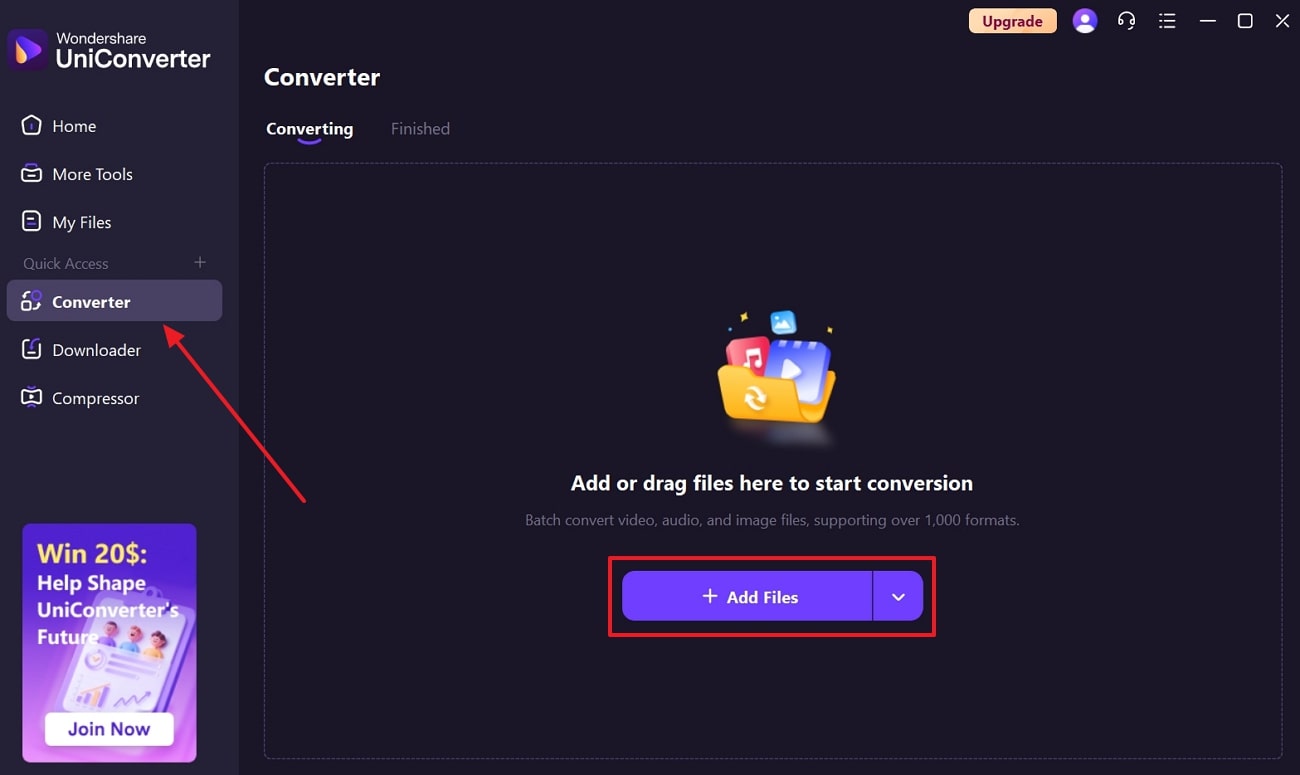
Launch the tool on your device, head to the “Converter” tab under the “Quick Access” section on the left panel. Next, click the “+ Add Files” button to insert the ARW files from your device.
Step 2. Choose the Suitable PNG Quality and Start the Conversion
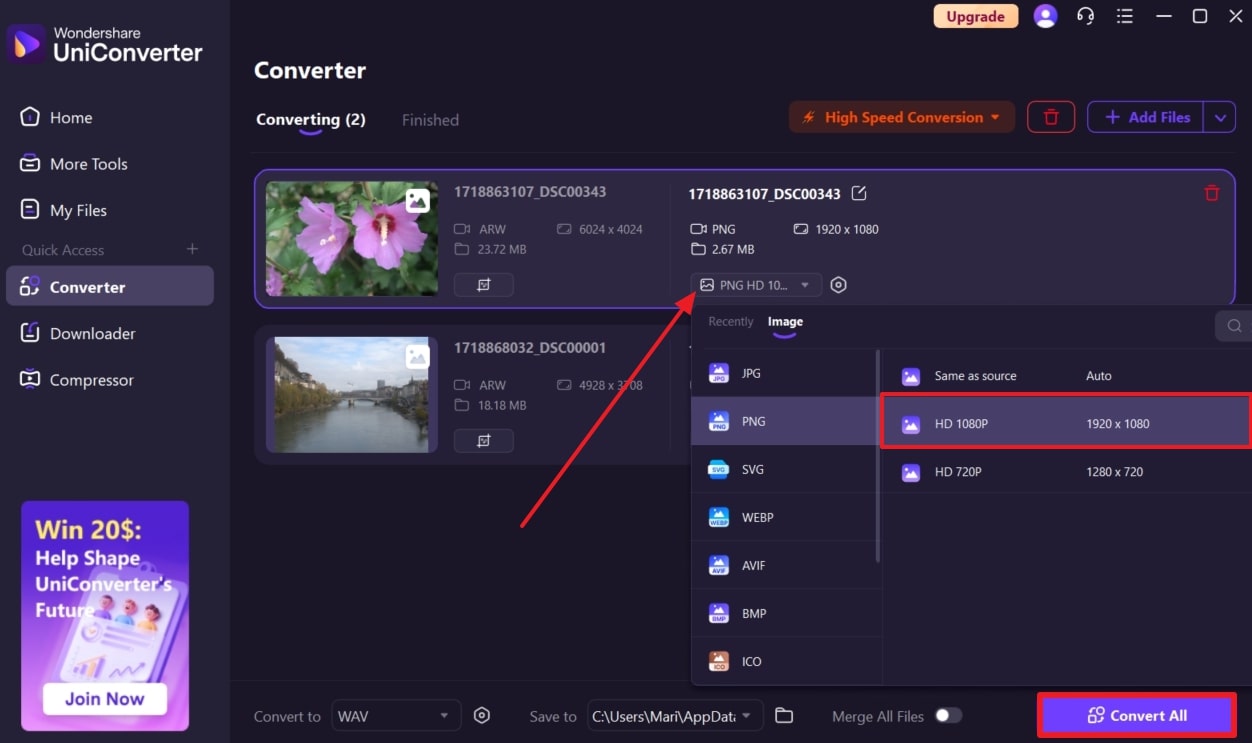
After that, press the “Format” option in the image description, open the “PNG” tab, and choose an option, like “HD 1080p.” After that, choose the same or different quality for other files, and hit the “Convert All” button to initiate the process.
Step 3. Access the Converted Files in the Finished Folder
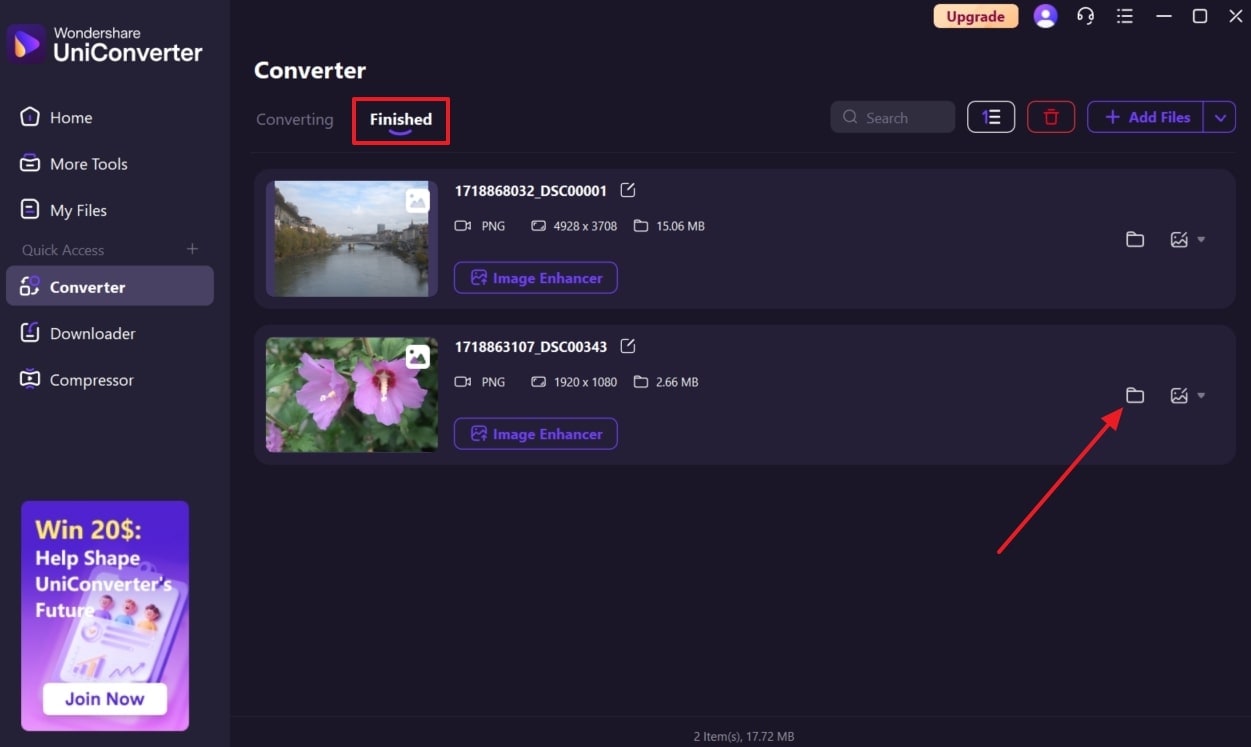
Once the images are converted, the software will automatically download them, which you can find by going to the “Finished” tab and pressing the “Folder” icon.

Easy to Use ARW to PNG Converter
2. CloudConvert
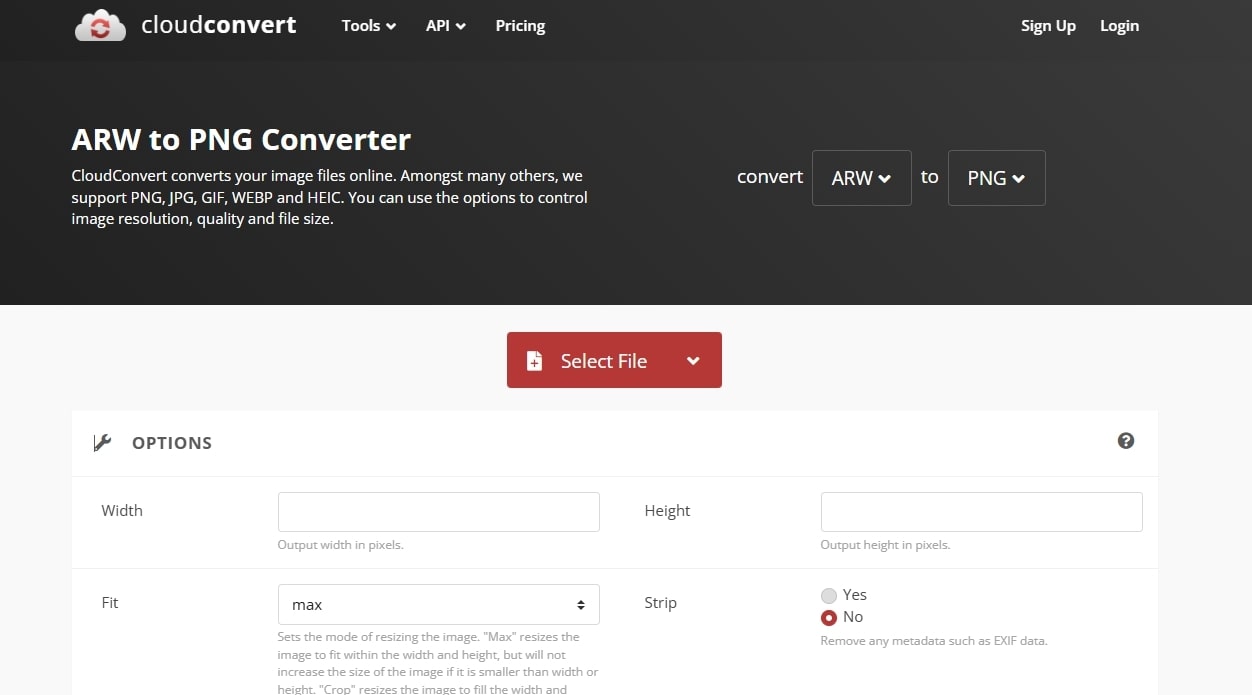
If users want a seamless ARW to PNG converter free, CloudConvert is your best choice, as it offers resolution control and more. You can upload your files via other cloud services, such as Google Drive, OneDrive, and more. Also, it enables you to manipulate the values of width and height to obtain the desired output results. This online tool also offers various resizing modes of images, such as max, scale, and crop.
Key Features
- It supports over 200+ formats, from images and audio to eBooks and spreadsheets, in different file sizes.
- This tool allows you to preview the converted image result before you download it to your device.
- Users can add their desired quality percentage to attain either a Zlib compression level or filter-type quality.
- With SO 27001 certifications, you can ensure that your files will stay safe and secure from threats and theft.
3. Picflow
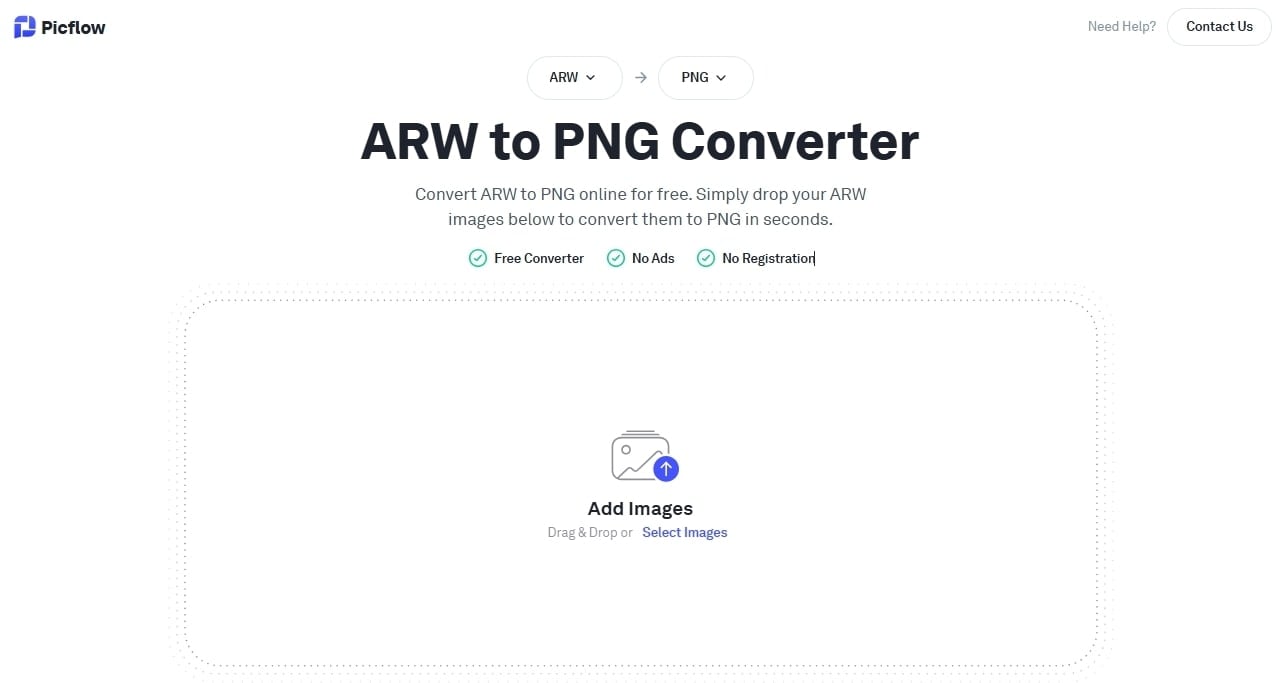
It is a browser-based online tool that is designed to convert Sony ARW to PNG format without losing the original image quality. This tool processes the conversion right, which means your images are not uploaded to a server, ensuring privacy. Moreover, you can upload multiple image files for conversion, saving both effort and time. Users can adjust the PNG output quality from 0 to 100 to get high-quality results.
Key Features
- You can enable the RAW acceleration option to use the embedded preview to achieve a faster conversion process rate.
- Pickflow compresses the image file size without ruining the image quality and preserves every pixel.
- It offers a dedicated 2GB cloud storage limit to users in the free version, letting you store important conversion files.
- This tool is easy to use for both beginners and experts, and they get an entirely ad-free conversion experience.
4. Movavi
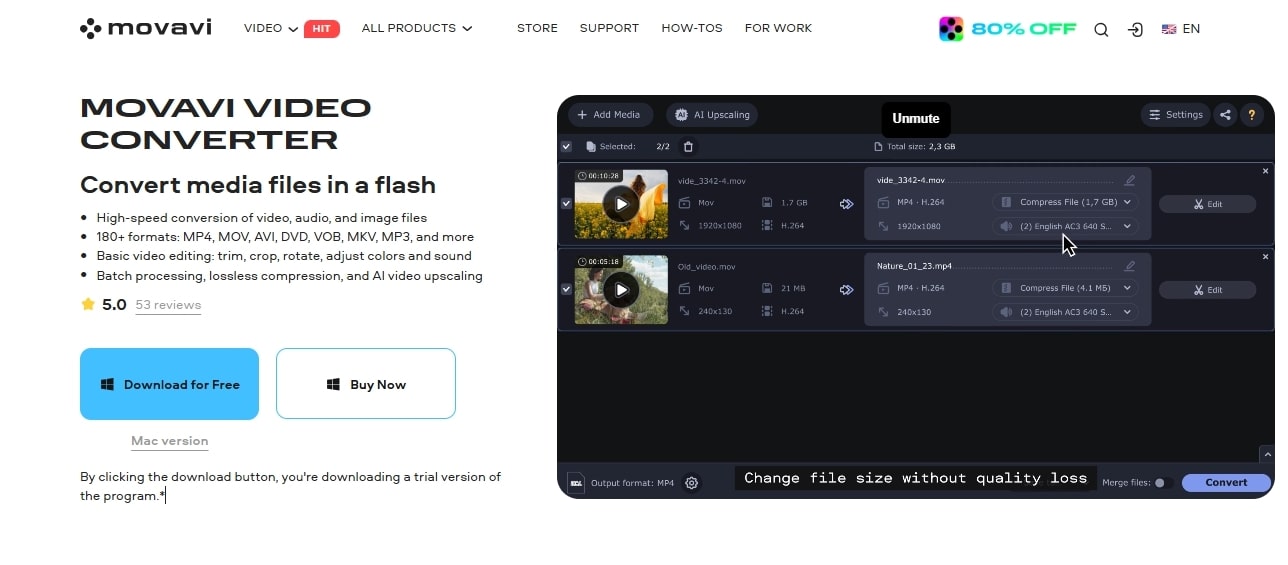
For users who need to quickly transform many image files, they should turn to Movavi ARW to PNG converter. This tool supports over 180+ formats with different customization options for controlling quality, resolution, and more. You can change PNG settings, such as frame rate, width, resolution, and more. Moreover, it offers additional editing options, where you can crop, add effects, make suitable adjustments, and more.
Key Features
- It allows you to compress files in different MBs, type bitrate to different constant Kbs, and even add a convert sample.
- You can merge two or more images into one file to make it easier to manage and store on your device.
- With the AI upscaling option, turn low-quality images into 8K resolution images without losing any of their details.
- Users can even choose various image formats for their ARW images, which offer the same conversion process rate and quality.
5. HiCompress
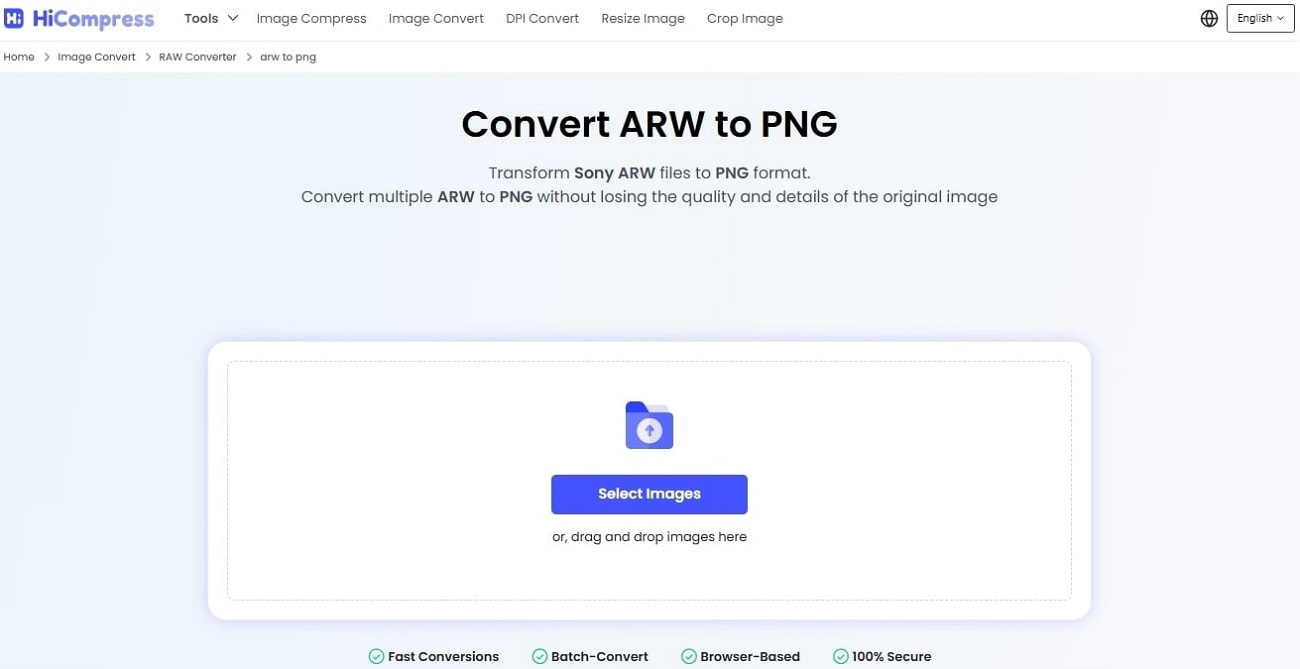
Another easy ARW to PNG converter free tool is HiCompress, which can transform ARW images into different formats in seconds. Whether you need to convert a single image or multiple images, this online tool guarantees zero quality loss. Moreover, you can choose from over 10+ formats, like PNG, and convert while preserving original sharpness, color, and details. Users can ensure their images are 100% safe and secure from threats.
Key Features
- You can convert ARW images to PNG at light speed with this browser-based image converter.
- It provides high-quality conversions effortlessly without losing finer details, which you can download all at once.
- This tool is completely free to use and can be accessed by beginners and experts alike with easy navigation.
- HiCompress offers multiple image format support, allowing you to convert your images with maximum and lossless quality.
- Now, if you are feeling a little confused, read through this comparison table and learn which ARW to PNG converter best suits your needs:
| Tools | Batch Conversion | Easy-to-use | Conversion Options | Additional Editing | Pricing Plans |
|---|---|---|---|---|---|
| Wondershare UniConverter | ✓ | Easiest | Aspect ratio, image quality options, and more | Crop, effects, watermark, enhance, and more | Monthly: $9.99 Yearly: $29.99 Perpetual: $39.99 |
| CloudConvert | ✓ | Easy | Width, height, fit, and quality | No editing | Package: $17 ($0.0170/credit) Subscription: $9/month ($0.0190/credit) |
| Picflow | ✓ | Easy | RAW acceleration and image output quality | No editing | Plus: $15/month Pro: $24/month Biz: $179/month |
| Movavi Video Converter | ✓ | Medium | Compress, image quality, frame rate, and more | Crop, effect, watermark, upscale, and more | 1-Month: $19.95 1-Year: $71.95 Lifetime: $100.95 Suite: $144.85/year |
| HiCompress | ✓ | Easy | Choose format | No editing options | Free |
Easy to Use ARW to PNG Converter
Part 4. Common Conversion Problems to Avoid
It can be a seamless process of RAW to PNG conversion, but there are the following things that you need to avoid in order to achieve the best image quality:
Color Quality Loss
The majority of Sony ARW files are normally saved as RAW pictures with high quality, about 12 to 14 bits per color channel. Whereas PNG files support 8-bit or 16-bit per channel color. Thus, when you save ARW as 8-bit PNG, the low bit depth may result in banding, or stripes in smooth toning.
Avoid Automatic Adjustments
Many RAW processing apps automatically apply changes to your image, like auto white balance, sharpening, noise reduction, and more. While these can enhance your PNG images, they can alter the original raw sensor data visuals. That is why, to preserve the original look of the Sony ARW file, use ARW to PNG converters that allow you to disable these automatic corrections.
Color Profile and Gamma Handling
A lot of RAW processing applications add changes to your picture, such as auto white balance, sharpening, noise reduction, etc. Although they improve your PNG images, they can change the raw sensor data visuals. That is why, to preserve the original look of the Sony ARW file, use ARW to PNG converters that allow you to disable these automatic corrections.
Software Compatibility
Newer Sony cameras may produce ARW files with updated metadata or encoding formats. Therefore, using outdated converters might lead to errors, unsupported files, and a failed conversion process. To avoid such a catastrophe, choose software that specifically supports your camera model and the ARW format conversion. This will ensure better compatibility, fewer glitches, and a more reliable conversion success rate.
Incomplete Conversion
When you convert ARW to PNG, any corrupted file can lead to failed conversion, and this corruption might occur due to transfer errors or storage issues. In this case, it’s important to verify that your ARW files open correctly and are intact. Moreover, if you encounter corrupted ARW files, use specialized repair tools, which can help you recover these image files.
Conclusion
In conclusion, this article demonstrated how you can convert ARW to PNG by using some of the top converters, both online and offline versions. Before that, users learned about the various common concerns and issues that can occur during the conversion process. Therefore, after considering the comparison table, UniConverter proved its worth in providing the best results, high-quality outcomes, and advanced editing.
FAQs
-
1. Is PNG better than JPEG for ARW conversion?
Yes, for maximum quality, you should convert your ARW files into PNG, as it preserves the original quality even if compressed. Whereas, the JPEG format uses lossy compression, which reduces file size by removing some image data, losing the original visuals of the image. -
2. What is the benefit of converting Sony ARW files to PNG?
For professional photographers and marketers, the ARW file format is ideal for editing and getting professional results. However, if you convert ARW to PNG, it not only preserves the image quality but also supports transparency, making sharing and usage easier. -
3. Why do colors sometimes look different after conversion?
The shift in color occurs when the converter fails to read the embedded color profile of the ARW correctly. Thus, you should select quality software or tool that is capable of color management and converting the PNG with the same visuals. -
4. Can conversion tools handle the latest Sony camera ARW formats?
In terms of newer Sony ARW formats, you need to verify their compatibility with updated software that specifically supports the latest formats. In case of outdated tools, their image processing will not be able to read the recent metadata correctly, causing conversion to fail.

