

If you're searching for "Lucida to music download" in FLAC format, you're probably looking for a simple way to grab high-quality audio files. Many users turn to Lucida in search of lossless downloads without complicated steps or subscriptions. But questions about safety, reliability, and sudden shutdowns often follow.
This guide provides clear, balanced answers to all your questions about the platform. You'll learn what Lucida.to actually does, whether it's safe to use, why it frequently stops working, and what practical alternatives are available. Lucida has gained attention for offering FLAC downloads, yet it's also known for downtime, changing mirror domains, and inconsistent access. That instability is one reason so many people search for updated links or replacements.
Note: We resolutely oppose all forms of copyright-infringing downloads. This tutorial is only for downloading materials that are allowed to save for offline use.

Batch Audio Downloader
In this article
- Part 1. What Is Lucida.to?
- Part 2. Is Lucida.to Safe or Illegal? What Reddit Users Worry About
- Part 3. Lucida Music Download: Does "FLAC" Always Mean True Lossless?
- Part 4. Lucida.to Not Working? Common Reasons and Quick Fixes
- Part 5. Best Lucida.to Alternatives (Choose Based on Your Goal)
- FAQs about Lucida to
Part 1. What Is Lucida.to?
Lucida to is an online platform commonly discussed in forums for its ability to download music in high-quality formats, such as FLAC. It typically works by pulling audio from streaming sources and converting it into downloadable files. Due to its unofficial nature, the site frequently changes domains and experiences downtime, leading users to search for mirrors and alternatives.
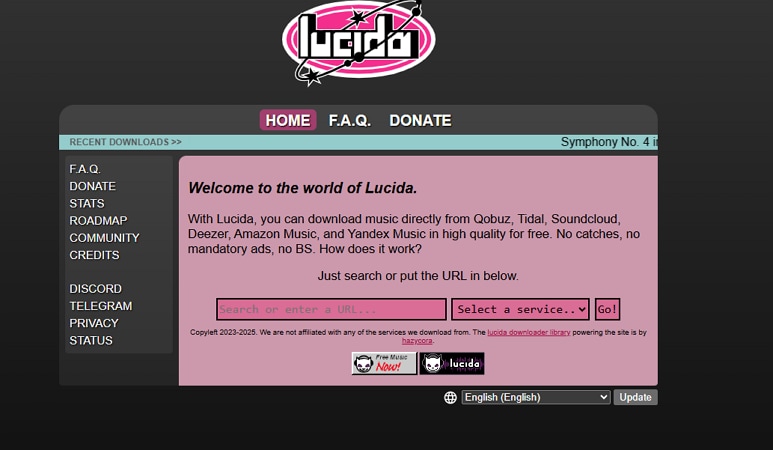
Supported Music Services and Typical Use Cases
The website is generally described as a browser-based music downloader that lets users search a track/album/artist or a song link from the service it supported, and generate a downloadable file. People often use it to access higher-quality audio formats, including “lossless” files. This means audio that keeps all original sound data without compression-related quality loss.
Common Use Cases
- Single-Track Download: Many users paste a song link to download a single track in MP3 or FLAC format. This is common when someone wants quick offline access without saving an entire playlist.
- Full Album Grab: Some users attempt to download an entire album in one session instead of collecting songs individually. This approach is often used to keep a complete project in consistent audio quality.
- Library Archiving: People sometimes use Lucida to create personal backups of favorite songs or playlists. In this context, “archiving” means storing a copy for offline use or long-term access.
- High-Quality Audio Collection: Audiophiles may look for lossless versions of tracks to preserve original sound detail. These files are typically larger but offer better clarity on high-end audio equipment.
Key Features Offered by Lucida.to
- Output Formats (MP3, FLAC): Lucida music downloader is often associated with offering downloads in MP3 and FLAC formats. MP3 is a compressed format that reduces file size, while FLAC is a lossless format that preserves full audio quality but results in larger files.
- Audio Quality Options: Users typically expect different bitrate options for MP3 files, such as standard or higher-quality settings. Higher bitrates generally mean better sound clarity but also larger file sizes.
- Metadata and Tags: Many users hope downloaded files will include metadata, such as song title, artist name, album art, and track number. However, the accuracy and completeness of this information can vary.
- Album and Playlist Handling: One feature people look for is the ability to process an entire album or playlist in one go, often called batch downloading. Performance in this area may be inconsistent, especially during periods of site downtime or heavy traffic.
Part 2. Is Lucida.to Safe or Illegal? What Reddit Users Worry About
While features like FLAC downloads and batch processing attract attention, safety is usually the bigger concern. Many users who discover Lucida through Reddit threads don’t just ask how it works; they question whether it’s secure, legal, or risky to use.
Safety Signals You Can Check Before You Download Anything
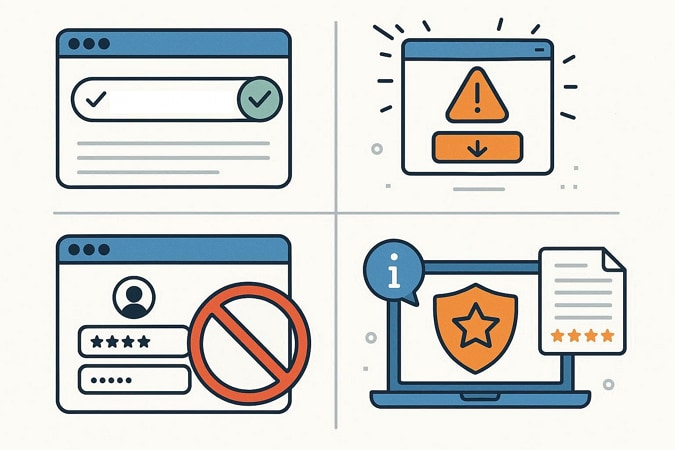
Before downloading from any unofficial music site, it helps to think in terms of a simple checklist. Here are some of the safety signals you can check before using the site:
- Verify the Exact Domain: Double-check the spelling of the website URL before interacting with it. If the domain is new, recently changed, or slightly altered, proceed carefully and avoid assuming it’s the same site you used before.
- Watch for Pop-Ups and Forced Downloads: If the page triggers multiple pop-ups, redirects you unexpectedly, or starts a download you didn’t request, treat that as a warning sign. Legitimate file generation should only begin after you clearly choose to download something.
- Never Enter Sensitive Information: Avoid entering passwords, email logins, payment details, or personal identification information. A browser-based downloader should not require access to your streaming account credentials.
- Cross-Check Reputation Sources: Third-party reputation checkers and review sites may not always agree, especially for newer or frequently changing domains. Use them as reference points, but rely on your own caution.
Is Lucida.to Legal?
In simple terms, downloading copyrighted music from streaming services through unofficial tools may violate the platform’s terms of service. Streaming platforms usually license music for listening within their apps, not for permanent file downloads outside their systems. However, it’s generally safer to use official offline listening features offered by streaming apps or to purchase music from authorized stores when you want permanent downloads.
Part 3. Lucida Music Download: Does "FLAC" Always Mean True Lossless?
Questions about legality often lead to another common concern: audio quality. Many users specifically search for "Lucida FLAC" expecting studio-level sound, but not all FLAC files are created equal.
Why “FLAC” Doesn’t Automatically Mean “Hi-Res”
When users search for “Lucida FLAC”, it’s important to understand that the label alone doesn’t guarantee high-quality audio.
- FLAC Format Basics: FLAC (Free Lossless Audio Codec) is a container that preserves audio without extra compression. It ensures no further quality is lost, but it cannot enhance the original recording.
- Source Quality Matters: If a FLAC file comes from a lower-quality source, such as a compressed stream, it will retain that original limitation. The file may be lossless in format, but not truly high-resolution in sound.
- Conversion Doesn’t Improve Fidelity: Converting a low-bitrate or MP3 track to FLAC does not restore missing details. The audio is only preserved at the quality of its original recording.
- Downloader Limitations: Tools like Lucida.to cannot verify or guarantee the source quality. Users should expect that FLAC files may vary in fidelity depending on where the music was sourced.
What To Do If You Need Consistent Audio Quality for Your Devices
Another issue that users face when downloading an audio file is device compatibility. A file that works perfectly on your laptop may not play smoothly on your phone, car stereo, DJ software, or older MP3 player. Different devices support different formats, bitrates, and tagging standards. This is why a reliable workflow matters for audio quality.
Instead of chasing inconsistent downloads, focus on a simple process: download legally, then convert cleanly, and finally organize properly. By starting with legitimate audio sources and then converting files into the exact format your device supports, you gain more consistent sound quality, fewer playback errors, and a well-structured music library.
Part 4. Lucida.to Not Working? Common Reasons and Quick Fixes
Many users don’t search for Lucida downloader until something stops loading, downloads fail, or the domain suddenly changes. The section below covers the reasons the platform is not working and how to resolve them:
Common Problems Users Face & Fixes
- Server Downtime: Lucida frequently goes offline or changes domains, leading to temporary unavailability. In most cases, you’ll need to wait until the site is accessible again or locate the currently active domain.
- Timeouts and Slow Responses: Large downloads, like entire albums or long playlists, can fail if the server or your connection can’t handle the request in time. Trying smaller batches or downloading during less busy hours may improve results.
- Failed Album or Playlist Downloads: Platform updates or changes to the source site can break batch downloads, causing partial or incomplete files. Downloading tracks individually often works more reliably.
- Broken or Missing Tracks: Sometimes individual songs in an album may fail to download or appear corrupted. Retrying the specific track or checking whether it’s still available on the source platform can help.
- Inconsistent File Naming and Metadata: Downloaded tracks may lack proper song titles, artist names, or album art. Editing tags manually with a music organizer can restore order to your library.
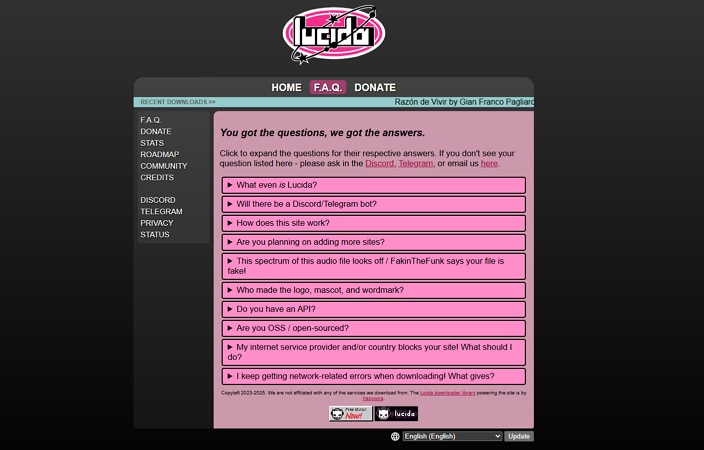
Mirror Domains Explained: lucida.to vs lucida.su
If you’ve searched for Lucida recently, you may have noticed different domain extensions such as lucida.to and lucida.su. This happens because some web-based tools operate across multiple domains to stay accessible when one address goes down or faces restrictions. In some cases, multiple domains may point to the same service. However, unofficial clones can also appear, copying the design but adding aggressive ads or hidden downloads.
Due to this, it’s important not to assume every similar-looking site is legitimate. Before using a mirror, look for consistent branding, matching interface design, and any public announcements from the original operators. When domains change frequently, treat new links cautiously and avoid entering sensitive information until you’re confident you’re on the correct site.
Part 5. Best Lucida.to Alternatives (Choose Based on Your Goal)
If Lucida’s downtime, mirror domains, or quality uncertainty feels frustrating, it may be time to look at Lucida alternatives. The right option depends on your goal, whether you want legal offline listening or reliable format support. Instead of focusing on one tool, it’s more practical to choose an alternative based on what you actually need.
If You Want a Simple Web Alternative
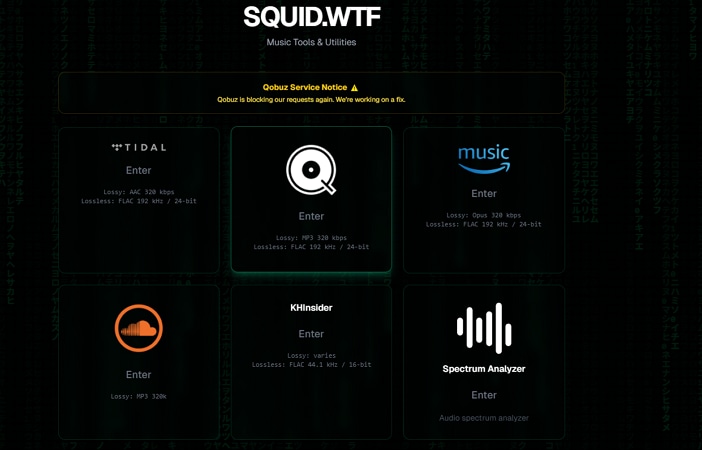
For light, occasional downloads, web-based tools can be practical since they don’t require installation. However, their reliability can vary depending on hosting stability and external service changes. Some users consider options like Squid.wtf for its relatively stable uptime, manageable ad experience. Moreover, it offers batch download support and a clearer indication of output formats. As with any browser tool, it’s still wise to review transparency around file quality and stay cautious with new or changing domains.
If You Need to Batch Download and Convert Audio Files Reliably: UniConverter
If your goal is reliable playback across devices rather than unstable download links through Lucida to. UniConverter is best positioned as a safe, stable solution. Instead of focusing on grabbing music from online platforms, it helps you manage and optimize audio files you’ve already obtained legally. That means fewer surprises with unsupported formats, inconsistent quality, or playback errors on different devices.
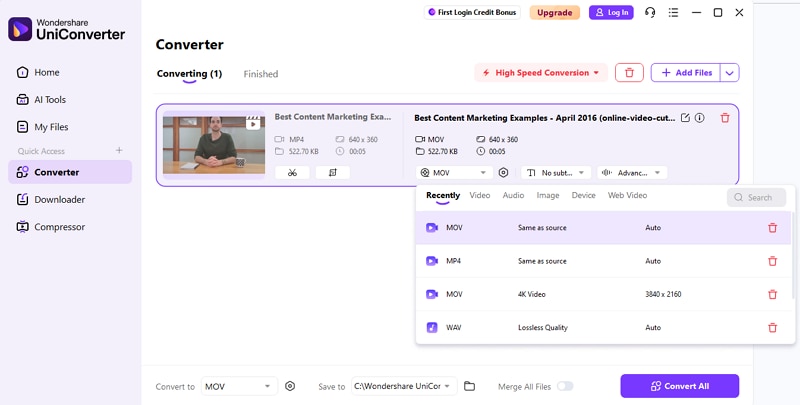
Besides conversion, you can effortlessly download any media file by simply pasting the link, such as Soundcloud to MP3, and more. With UniConverter, users get the ability to save the downloaded file in their desired folder on their device. Moreover, you can download video as well as studio files separately according to your preferences, that too in high quality.
Batch Audio Downloader & Converter
Key Features of UniConverter
- Wide Format Conversion: Convert audio files between popular formats to match your device requirements. This helps avoid playback errors caused by unsupported file types in Lucida music downloader.
- Batch Processing: Save multiple songs or full albums at once instead of handling tracks individually. This saves time and keeps your music library consistent.
- Bitrate & Sample Rate Adjustment: Fine-tune bitrate (audio data per second) and sample rate (audio detail level) for the right balance of quality and file size. This ensures compatibility with phones, car systems, and DJ software.
- Trim & Merge Tools: Cut unwanted sections or combine tracks into seamless playlists. This is useful for creating custom mixes without format conflicts.
Comparison Table: Lucida.to vs. UniConverter vs. Web Alternatives
The table below conservatively compares each option on criteria that matter most to users:
| Metrics | Lucida.to | Squid.wtf (Web Alternative) | Wondershare UniConverter |
| Safety | Browser tools with mixed trust may vary by domain. | Similar web-based safety concerns vary by hosting. | Secure desktop software with official distribution and regular updates. |
| Stability | Frequent downtime and changing mirrors are reported. | May vary; web tool reliability depends on hosting. | More stable for local file conversion and management. |
| Batch Processing | Limited and inconsistent. | Some batch capability, depending on site design. | Full batch downloads support for audio/video. |
| Format Control | Basic format options (FLAC/MP3) depending on source. | Format choices are shown in the UI but are limited. | Extensive control over many formats including MP3, AAC, WAV, FLAC |
| Device Compatibility | Depends on the output from the site. | Depends on the output from the site. | Converts for numerous devices and has wide compatibility |
Conclusion
To wrap it up, this article provided all the information you needed to know about Lucida.to. While it may work for light, occasional use, its frequent downtime, mirror domains, and shifting reliability make it an inconsistent option. There are also ongoing safety and compliance uncertainties that users should carefully consider before relying on it.
If your priority is stable, long-term access to music, a legal and structured approach is usually more practical. Using official downloads or offline listening features reduces the risk of broken links, corrupted files, or unexpected access issues. For consistent playback across phones, car stereos, DJ software, and other devices, pairing legal downloads with a trusted converter like UniConverter can help. It gives you control over formats, quality settings, and batch processing.

