


Want to download songs from Smule as MP3 for offline listening or personal backup? The usual workflow is simple: copy your Smule performance link, paste it into a Smule downloader online, download the available audio file, and convert M4A to MP3 if the tool does not provide MP3 directly. This guide compares practical ways to download Smule songs on iPhone, Android, PC, and Mac, with safety notes for personal recordings only.
Quick Answer: How to Download Smule Songs as MP3
The fastest way to download a Smule song as MP3 is to copy the Smule performance URL, use a trusted Smule downloader such as Sownloader or Sing.Salon, and choose MP3 if available. If the downloader only provides M4A or MP4, download the original file first and then convert it to MP3 with a desktop audio converter such as VLC Media Player or Wondershare UniConverter.
- Best quick online method: Use Sownloader or Sing.Salon for browser-based Smule audio downloads.
- Best Android method: Use a dedicated Smule downloader app such as Song Downloader for Smule or Downloader for Smule to download audio/video and convert to MP3.
- Best iPhone method: Use Safari or Chrome with an online Smule downloader such as Sownloader, then save the file through the browser.
- Best conversion workflow: If you get M4A instead of MP3, convert the downloaded file afterward with VLC Media Player for a free manual workflow or Wondershare UniConverter for desktop file conversion and batch management.
Table of Contents
Why Download Smule Songs as MP3 Instead of Keeping the Video?
Downloading Smule songs as MP3 is useful when you want a smaller file, easier offline playback, or a simple way to keep your own performances. A Smule MP3 file is more convenient than video if you want to build a personal audio library, listen in a music player, save storage space, or reuse the audio in other personal projects. For many users, converting Smule audio to MP3 is the most practical format choice.
Is It Legal to Download Songs from Smule?
Before using any Smule downloader, make sure you understand the limits. These methods are safest when used only for your own Smule recordings or for content you have permission to save. Downloading other users’ performances without permission can violate copyright rules and Smule’s Terms of Service. If you use a third-party Smule downloader online, check its safety carefully and avoid redistributing any downloaded content.
How to Convert Smule to MP3: What Users Should Know
Most Smule download workflows start with the performance link. Some Smule downloader tools can export MP3 directly, while others provide the original M4A audio or MP4 video first. If you only receive an M4A file, that is normal because many Smule audio downloads are saved in M4A format before conversion. You can then convert the downloaded M4A to MP3 for wider playback support.
| User need | Recommended tool | Best for | Output format |
|---|---|---|---|
| Download Smule audio quickly online | Sownloader | Quick browser-based Smule to MP3 downloads on iPhone, Android, PC, and Mac. | MP3, M4A, MP4 |
| Download Smule audio or video with more options | Sing.Salon | Users who want Smule audio downloads, HD video downloads, and optional MP3 conversion. | M4A, MP4, MP3 for registered users |
| Download Smule songs without registration | Soundloader | One-time Smule song downloads with a simple copy-and-paste workflow. | M4A, MP4, MP3 beta |
| Download Smule songs on Android | Song Downloader for Smule | Android users who want in-app search, audio/video download, and M4A to MP3 conversion. | MP3, M4A, MP4 |
| Use a popular Android Smule downloader | Downloader for Smule | Android users who prefer copied-link auto-detection and a simple mobile workflow. | MP3, M4A, MP4 |
| Run Android Smule downloaders on desktop | BlueStacks Android Emulator | PC or Mac users who want to use Android Smule downloader apps on a larger screen. | Depends on the Android app |
| Convert downloaded Smule M4A or MP4 to MP3 | VLC Media Player | Users who want a free manual conversion method after downloading a Smule file. | MP3 |
| Batch convert and manage downloaded audio files | Wondershare UniConverter | Users who need to convert downloaded M4A or MP4 files to MP3 and manage multiple audio files on desktop. | MP3, M4A, WAV, AAC, WMA, and more |
9 Best Smule Downloaders to Save Smule Songs as MP3 on iPhone, Android, PC, and Mac
Finding a reliable Smule converter can be tough. We've tested and ranked the best options for 2026, sorting them by device for your convenience.
Category 1: Online Tools (Best for All Devices, including iPhone & PC)
These browser-based tools are the most flexible, as they work on any device with an internet connection. This is the recommended method for iPhone and Mac users.
1. Sownloader
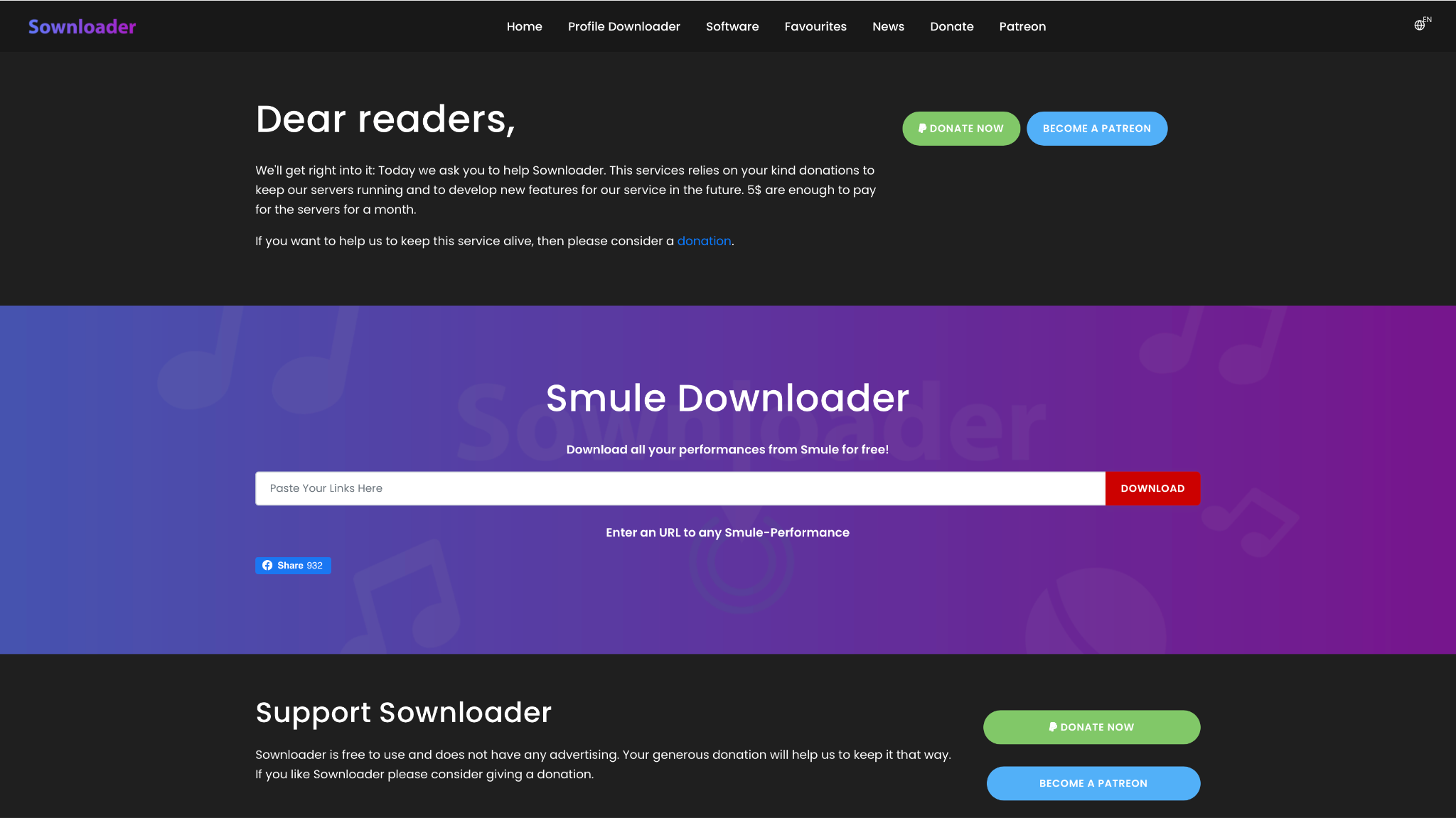
Sownloader is a fan favorite for its clean, ad-free interface and direct Smule to MP3 conversion. It's entirely web-based and supported by donations, making it a safe and pleasant experience. You copy your Smule performance link, paste it into Sownloader, and it gives you options to download the M4A (original audio) or a high-bitrate 320kbps MP3 file. It works perfectly on desktop browsers and mobile browsers like Safari (iOS 13+) and Chrome.
Safety Review: 5/5
Starting Price: Free (Donation-supported)
Supported Device: Online (Windows, Mac, Android, iOS)
2. Sing.Salon
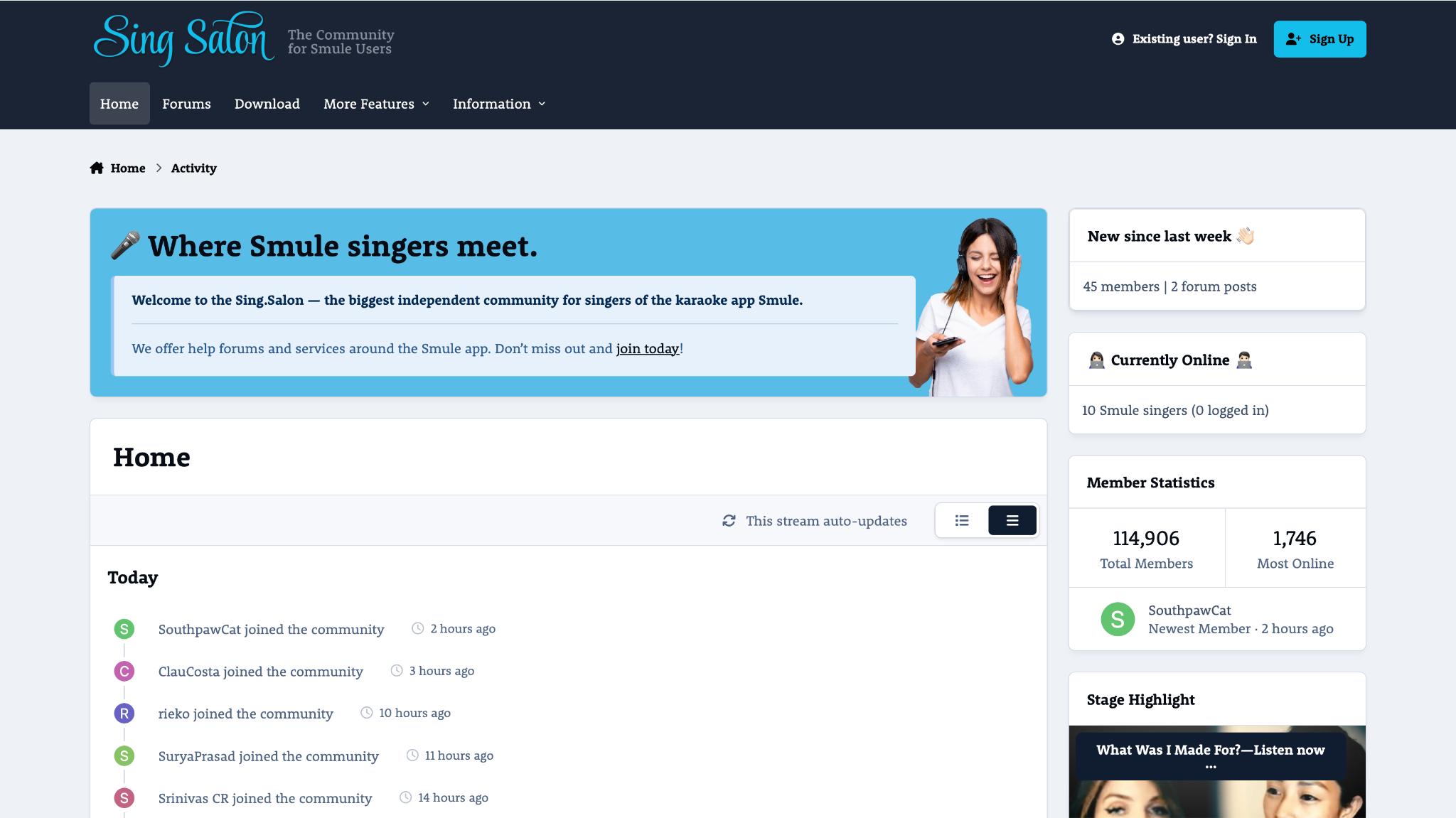
Sing.Salon is more than just a downloader; it's a community hub for Smule users. Its Smule Downloader tool is powerful and reliable, offering both video and audio downloads. While it provides the original M4A audio, it also has an on-the-fly MP3 conversion feature for registered users. The need to create an account might be a small hurdle, but it unlocks a stable and well-maintained tool that also supports HD video downloads.
Safety Review: 4/5
Starting Price: Free (Requires registration)
Supported Device: Online (Windows, Mac, Android, iOS)
3. Soundloader
Soundloader is a straightforward, no-frills online tool designed for one purpose: to download music from Smule. Like Sownloader, it works by pasting the performance URL. It quickly fetches the file and provides download links for the MP4 video, M4A audio, and an MP3 (beta) version. While its "beta" tag for MP3s has been around for a while, it generally works well. Its simplicity is its greatest strength, though it is supported by on-page ads.

Safety Review: 3/5
Starting Price: Free (Ad-supported)
Supported Device: Online (Windows, Mac, Android, iOS)
Category 2: Dedicated Android Apps
For Android users who frequently download performances, a dedicated app can be more convenient.
4. Song Downloader for Smule (by SmartApps38)
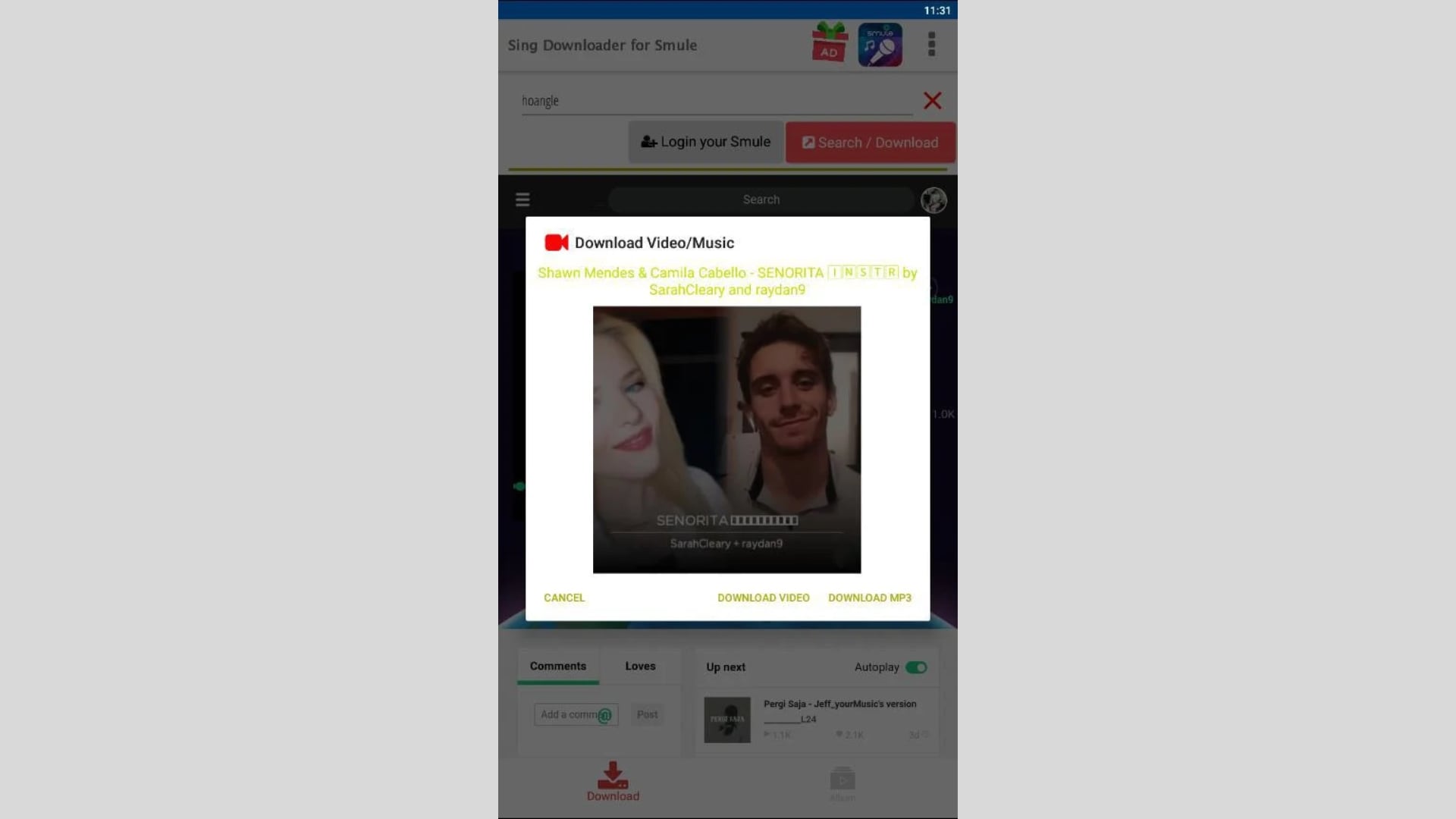
With a stellar 4.7-star rating, this is a top-tier download sing downloader for Smule app. Its standout feature is the ability to search for users or songs directly within the app, meaning you don't have to copy and paste links from Smule constantly. It can download recording Smule performances as video (MP4) or audio (M4A) and includes a built-in converter to change the M4A files to MP3, though the app notes this conversion can be slow.
Safety Review: 4/5
Starting Price: Free (Contains ads)
Supported Device: Android
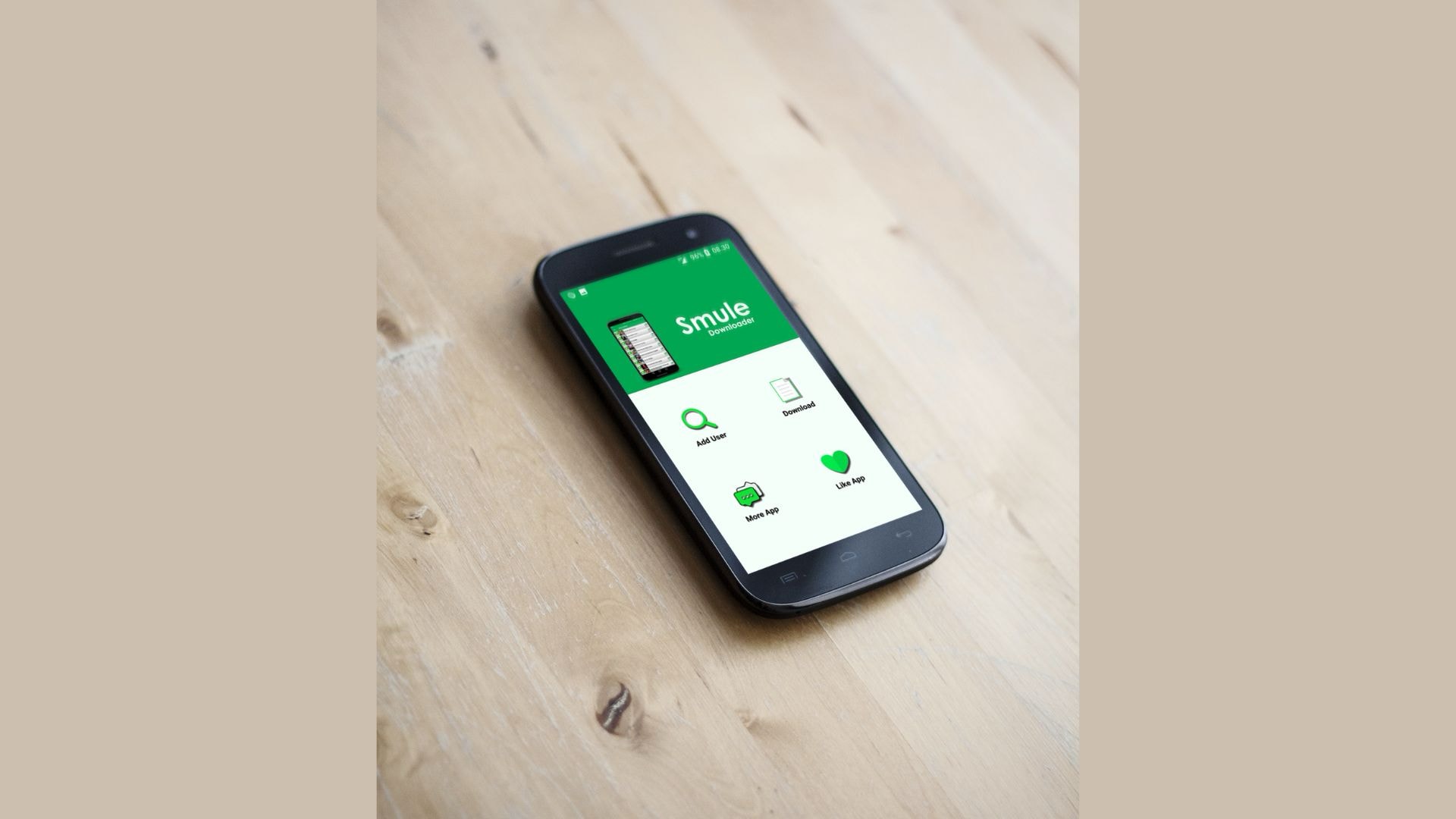
5. Downloader for Smule (by kmdc)
Downloader For Smule by kmdc is one of the more visible Android options for users who want to download Smule songs, videos, and audio on mobile. According to its Google Play listing, it has 1M+ downloads, 15K+ reviews, and supports audio/video download plus MP3 conversion. It is useful for Android users who prefer an app workflow, but it contains ads and is a third-party tool, so users should only save recordings they own or have permission to download.
Safety Review: 4/5
Starting Price: Free (Contains ads)
Supported Device: Android
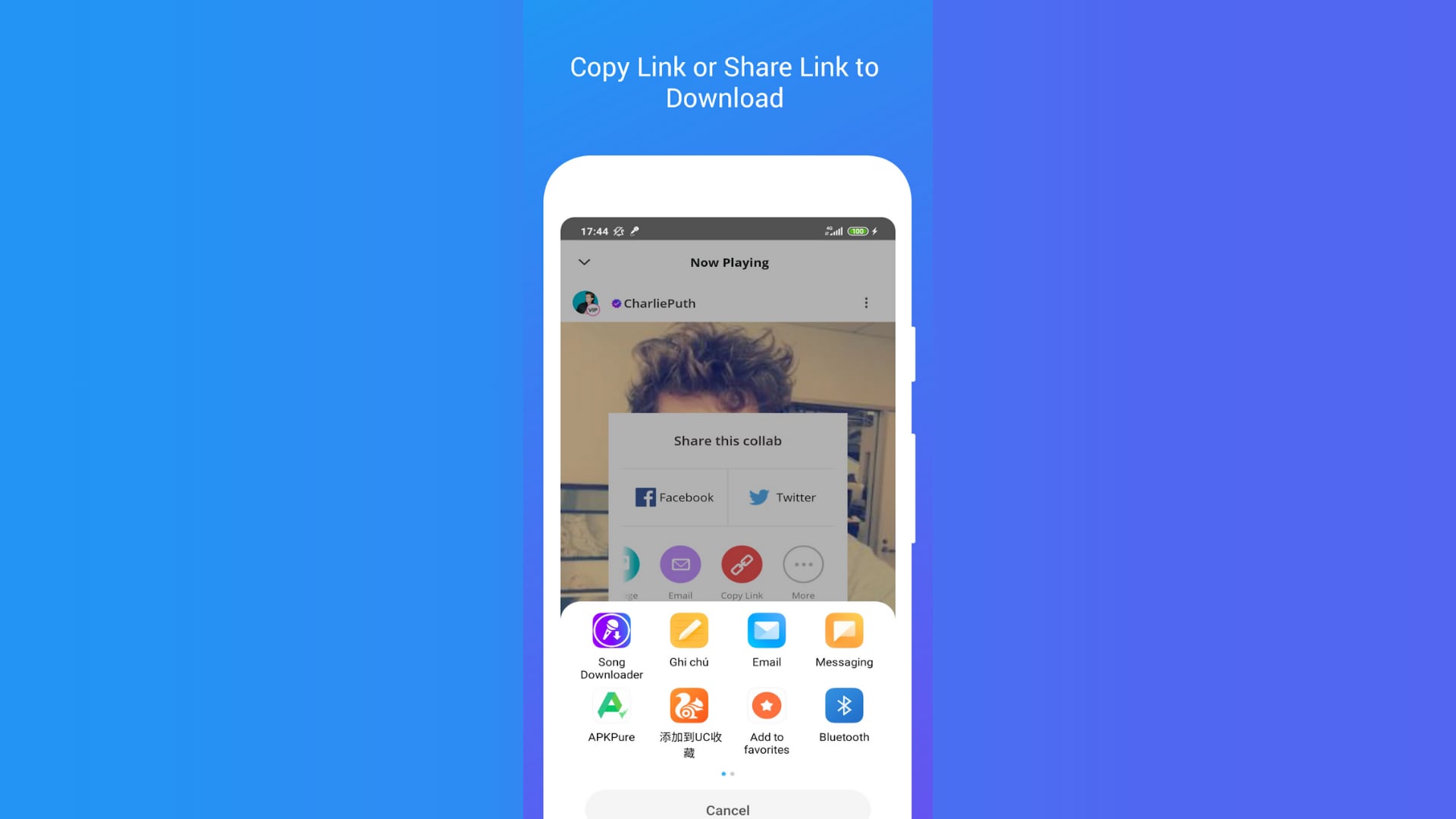
6. Song Downloader for Smule (by Mobile Apps Smart Ultility Online)
This app boasts a substantial user base (over 500K downloads) and offers several unique features, including the ability to create a playlist of downloaded songs directly within the app. It supports both audio and video downloads and works by either pasting the link or searching by user. However, its 4.7-star rating reflects user complaints about the frequency and intrusiveness of ads, as well as occasional bugs. It's a functional, but less polished, option.
Safety Review: 4/5
Starting Price: Free (Ad-supported)
Supported Device: Android
Category 3: Desktop Methods (PC & Mac)
For those who prefer to manage their files on a computer, these methods offer the most control.
7. Method: Android Emulator (e.g., BlueStacks)
This is the best "all-in-one" method for desktop users. By installing a free Android emulator like BlueStacks on your Windows PC or Mac, you gain access to the entire Google Play Store. This means you can install and run any of the dedicated Android apps listed above (like the one by SmartApps38 or any other) directly on your computer. This provides the convenience of an app-based workflow with the power and storage capabilities of your desktop.
Safety Review: 5/5 (BlueStacks is safe; app safety varies)
Starting Price: Free
Supported Device: Windows, Mac
8. Method: VLC Media Player (Manual Conversion)
This is a 100% free and safe manual method for users who want ultimate control. First, use an online tool (like Sownloader or Sing.Salon) to download video Smule online as an MP4 or M4A file. Then, open the file in VLC Media Player (a trusted, free app for all operating systems). Go to Media > Convert / Save, add your file, and choose "Audio - MP3" as the output profile. This gives you a perfect Smule MP3 file extracted from the original, with no ads or sketchy software.

Safety Review: 5/5
Starting Price: Free
Supported Device: Windows, Mac, Linux
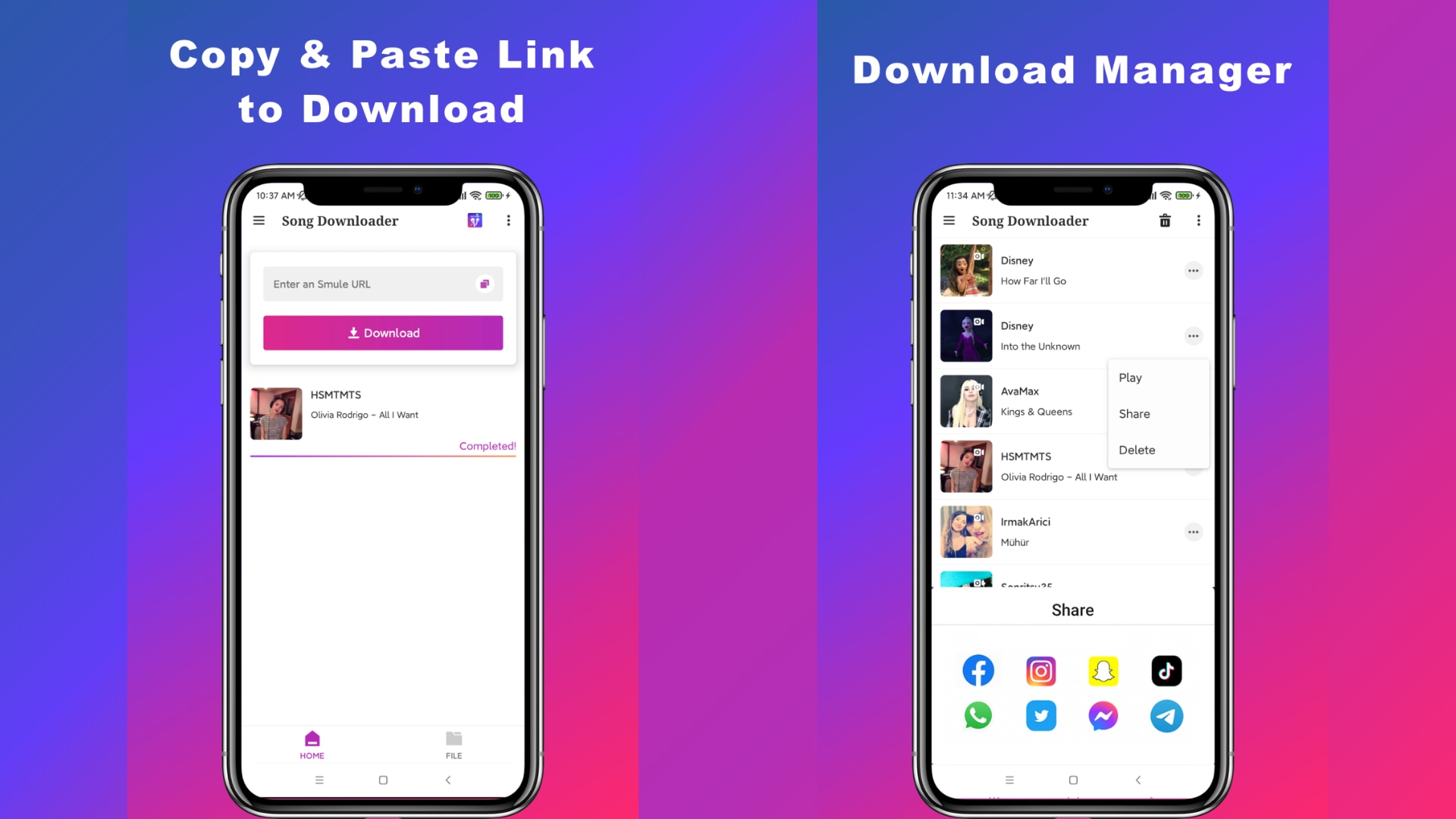
9. Song Downloader for Smule (by Carolyn Padron)
This Android app (with over 100,000 downloads and 4.6 stars) is another excellent, lightweight option that is particularly well-suited for the Android Emulator method. It's simple, fast, and does one thing well: download audio from Smule. It provides both MP4 and MP3 conversion. Its no-fuss interface translates perfectly to a desktop environment when run through an emulator like BlueStacks, making it a great choice for a stable, desktop-based workflow.
Safety Review: 4/5
Starting Price: Free (Contains ads)
Supported Device: Android (and PC/Mac via Emulator)
At-a-Glance Comparison Table for Top 9 Smule Song Downloaders
How We Tested Smule Song Downloaders
For this guide, we evaluated Smule song downloaders based on audio output quality, device compatibility, ease of use, and how practical each option is for saving performances for offline listening and personal backup.
Audio output quality
We checked whether each downloader produces usable audio files and preserves enough sound quality for personal listening.
Device coverage
We reviewed whether the methods work well across desktop, Android, iPhone, and browser-based workflows instead of only one platform.
Ease of workflow
We compared link handling, setup effort, and whether the process feels simple enough for everyday users rather than only technical ones.
Practical value
We also considered repeat-use convenience, stability, and whether the option is useful for building a personal offline collection.
This page gives extra weight to compatibility and simple workflow, since users downloading songs from Smule usually want a method that works reliably across their devices without too much setup.
| App Name | Supported Format | Unique Edge | Best For |
|---|---|---|---|
| Sownloader | MP3, M4A, MP4 | Ad-free, 320kbps MP3 conversion | iPhone/iOS users & quick, high-quality downloads. |
| Sing.Salon | MP3, M4A, MP4 (HD) | HD video downloads, community features | Users who want the highest quality video. |
| Soundloader | MP3 (beta), M4A, MP4 | No registration, very simple | Quick, one-off downloads without any sign-up. |
| Song Downloader (SmartApps38) | MP3, M4A, MP4 | In-app search for users and songs | Power Android users who download frequently. |
| Downloader for Smule (kmdc) | MP3, M4A, MP4 | 1M+ downloads, auto-detects links | Android users who want the most popular, trusted app. |
| Song Downloader (Mobile Apps) | M4A, MP4 | In-app playlist creation | Android users who want to organize downloads in-app. |
| Method: Android Emulator | All (via apps) | Runs full Android apps on desktop | PC/Mac users who want a dedicated app workflow. |
| Method: VLC Media Player | MP3 (Conversion) | 100% safe, free, and high-control | Tech-savvy users who prioritize safety and quality. |
| Song Downloader (C. Padron) | MP3, M4A, MP4 | Lightweight and stable | A great, simple app to use with an emulator. |
Bonus: Convert Downloaded Smule Audio to MP3 and Manage More Audio Files
After you download a Smule recording with a Smule-specific downloader, you may receive an M4A audio file or an MP4 video file instead of a ready-to-use MP3. In that case, Wondershare UniConverter can help you convert downloaded M4A or MP4 files to MP3, organize audio files, and manage more audio conversion workflows on desktop.
Please note that UniConverter is not a direct Smule downloader. Use Smule-specific tools only for recordings you own or have permission to save, then use UniConverter when you need MP3 conversion, batch processing, format adjustment, or audio file management.
How to Convert Downloaded Smule M4A or MP4 to MP3 with UniConverter
Step 1: Download your Smule audio or video file first
Use a Smule-specific downloader such as Sownloader, Sing.Salon, or a dedicated Android Smule downloader app to save your own recording as M4A, MP4, or MP3. If the file is already MP3, you can keep it as-is. If it is M4A or MP4, continue with the steps below.
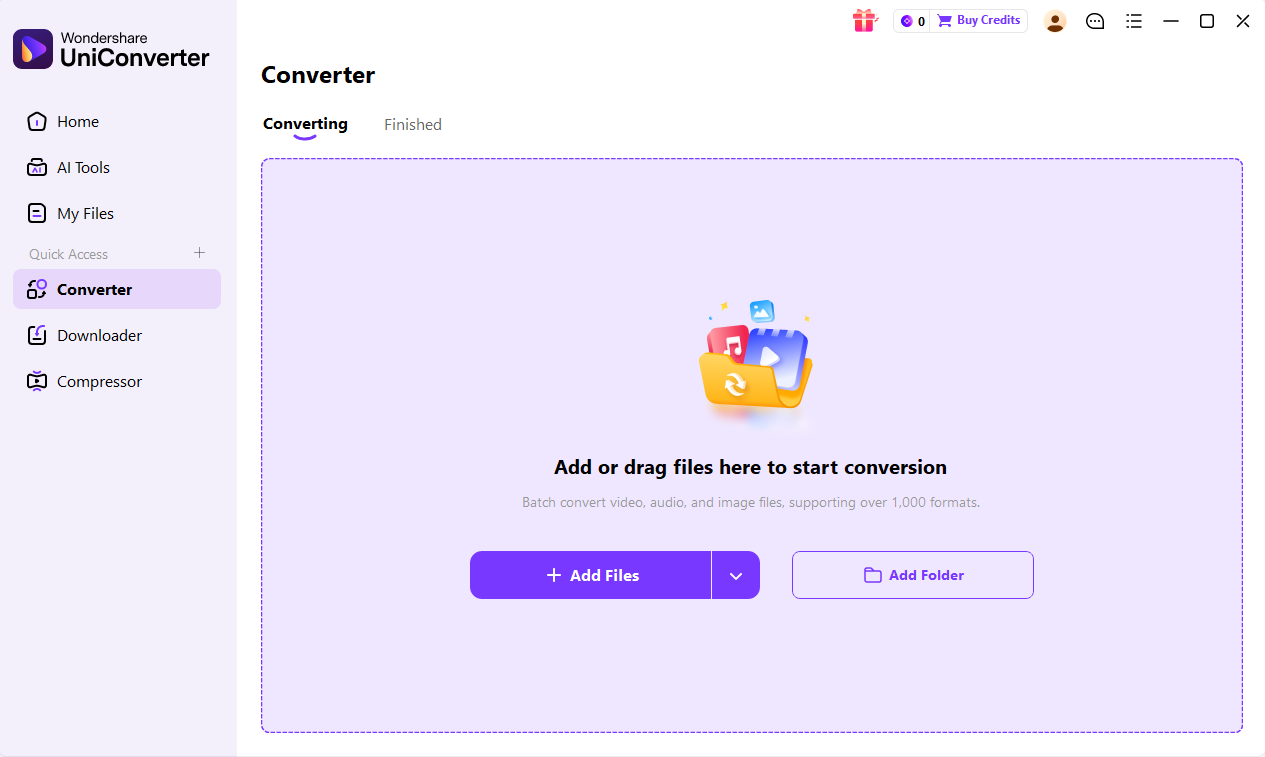
Step 2: Open Wondershare UniConverter and import the downloaded file
Launch Wondershare UniConverter on your Windows PC or Mac. Open the Converter section, then add the downloaded Smule M4A or MP4 file from your local folder. You can also add multiple files if you want to convert several recordings at once.
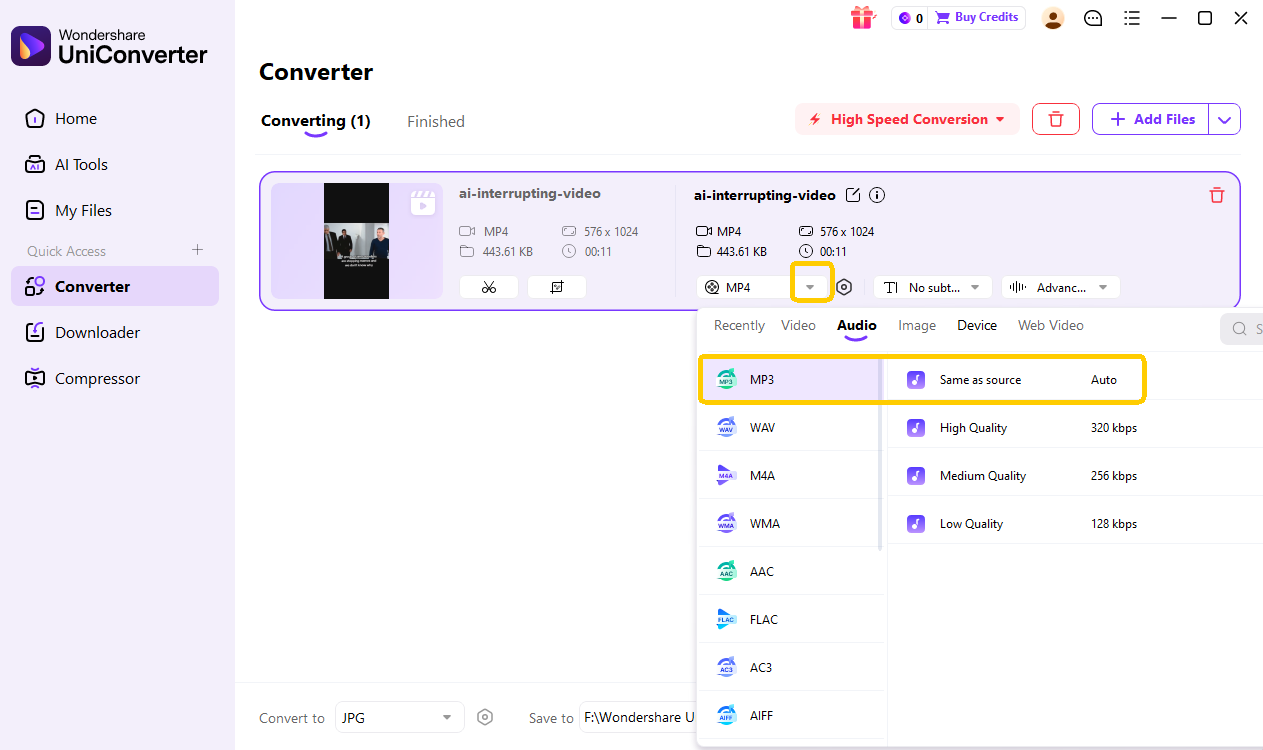
Step 3: Choose MP3 as the output format
Open the output format menu and choose MP3 under the Audio format options. If needed, adjust audio quality or bitrate settings before conversion. MP3 is usually the most convenient format for music players, editors, and cross-device playback.
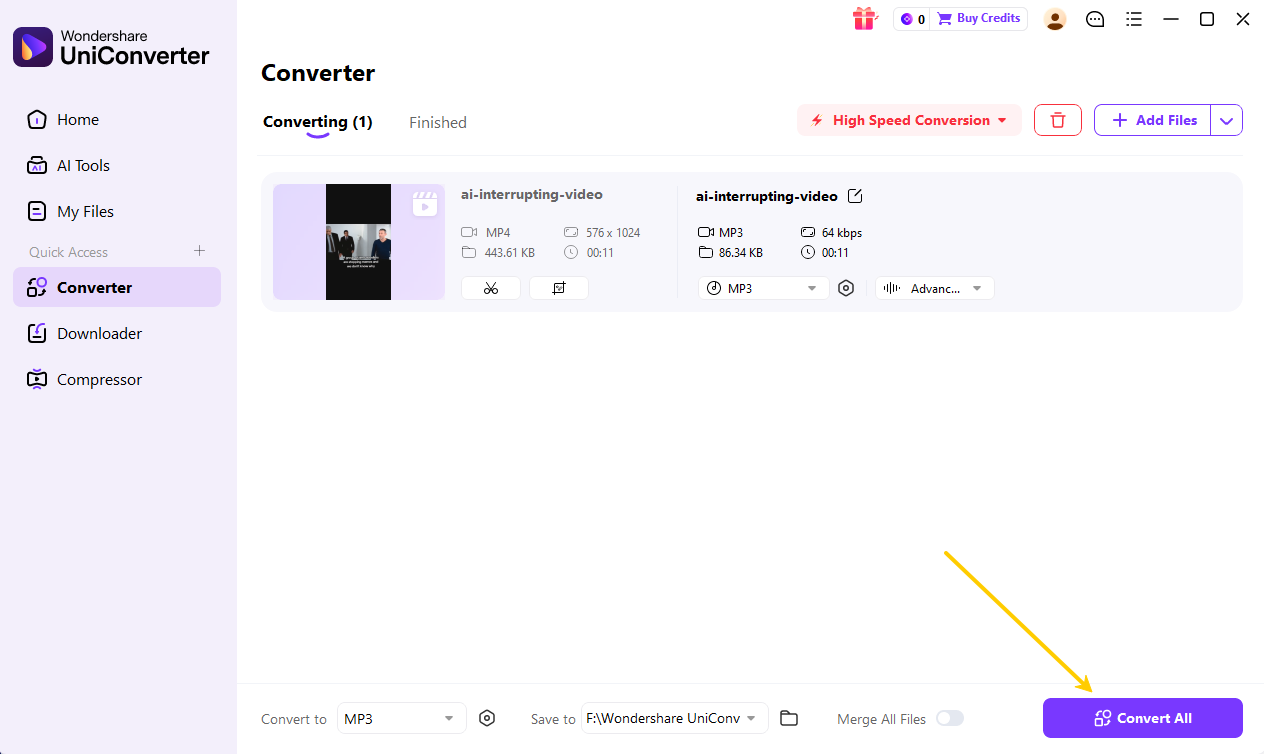
Step 4: Convert and find your MP3 file
Click the Convert button to start converting the downloaded Smule file to MP3. After the process finishes, open the Finished tab or the output folder to find your converted MP3 file.

Convert Downloaded Smule Files to MP3
Conclusion
If you only need to download a Smule song as MP3, start with a Smule-specific downloader such as Sownloader, Sing.Salon, or a dedicated Android app. These tools are better suited for copying a Smule link and saving the available audio or video file.
If the downloaded file is M4A or MP4 instead of MP3, use a converter such as VLC Media Player for a free manual workflow or Wondershare UniConverter when you need desktop conversion, batch processing, and broader audio format support. Always save only your own Smule recordings or content you have permission to download.
FAQs about Smule MP3 Downloader
-
1. Is it legal to download songs from Smule?
Smule downloads should only be used for your own recordings or content you have permission to save. Downloading other users’ performances, copyrighted backing tracks, or shared karaoke recordings without permission may violate copyright rules and Smule’s Terms of Service. Avoid redistributing or using downloaded Smule content commercially unless you have the proper rights. -
2. Can I download songs from Smule on my iPhone?
There are no dedicated apps on the Apple App Store for this due to policy restrictions. However, iPhone users can use the online tools listed above (like Sownloader or Sing.Salon) directly in their Safari browser to convert Smule to MP3. -
3. Why do Smule downloaders only give me an M4A file, not MP3?
M4A is the original, high-quality audio format used by Smule. Many downloaders provide this file because it's a direct copy. The best tools, like Sownloader or the "Song Downloader for Smule" app, include a secondary feature to convert this M4A file to the more universal MP3 format. -
4. Can I improve the audio quality of my Smule karaoke download?
The quality of the downloaded file will match what is on Smule's servers. You cannot increase the quality beyond the original. However, using a tool that provides a high-bitrate MP3 conversion (like Sownloader) or using the original M4A file will ensure you have the best possible version. -
5. How do I find the URL of my Smule performance?
Open the Smule app and navigate to the performance you want to download. Tap the "Share" icon (it looks like an arrow pointing out of a box). In the options that appear, tap "Copy Link." This copies the unique URL to your clipboard, which you can then paste into any Smule converter. -
6. What is the easiest way to download Smule songs as MP3?
The easiest way is to copy your Smule performance link, paste it into an online Smule downloader, and choose MP3 if the tool provides that option. If the downloader gives you an M4A file instead, download the M4A first and convert it to MP3 afterward. -
7. Is M4A better than MP3 for Smule downloads?
M4A is often closer to the original Smule audio file, while MP3 is more widely supported by music players, editors, and older devices. If you want maximum compatibility, MP3 is usually easier to use. -
8. Can I use a Smule downloader online without installing an app?
Yes. Browser-based Smule downloader tools let you paste a Smule link and download audio or video without installing software. This is often the simplest method for iPhone, Mac, Windows, and occasional one-time downloads. -
9. Why is my Smule downloader not working?
A Smule downloader may stop working if the Smule link is private, removed, region-restricted, or if Smule changes its page or API behavior. Try a public recording link, refresh the tool, or use another trusted downloader. Avoid entering private account credentials into unknown tools.

