

Ever found yourself in the situation where you desperately want to save that perfect song you found online, but you're stuck without a reliable way to download song by link? You're definitely not alone. Whether it is a rare track on SoundCloud, a YouTube music video, or a song shared via direct URL, many music lovers face the same problem.
The good news is that now there are various online, offline, and mobile URL music downloaders available. This guide will walk you through the best desktop, mobile, and online tools, but let's first understand the use cases and why you need a music downloader by link.
In this article
Part 1: Use Cases: When You Need a Music Downloader by Link
Sometimes you need to download a song from a link for reasons that go beyond simple convenience. Here are the most common scenarios where having a reliable link-based music downloader becomes essential:
Offline Listening: If you are heading into the mountains, flying cross-country, or simply dealing with patchy service in your area, streaming may not always be reliable. Unlike streaming, which relies on a stable internet connection, offline music plays seamlessly, requiring no signal, just your favorite songs ready to go.
Data Conservation and Cost Management: For those with limited data plans or in regions with high mobile data costs, downloading songs over WiFi helps avoid excessive usage. It is a practical way to enjoy music freely without worrying about overages or added expenses.
Content Projects and Professional Use: Content creators often need royalty-free tracks or background music. Many music sites offer direct download links, enabling quick access and seamless integration into videos, podcasts, or professional presentations: no buffering, just clean audio on demand.
Workout and Activity Preparation: Outdoor activities often take you beyond reliable internet zones. Downloaded music keeps your workout playlist going without interruption. Plus, offline playback uses less battery, making it ideal for long runs, hikes, or extended gym sessions.
Emergency and Backup Situations: In power outages or during internet disruptions, having offline music provides a reliable entertainment backup. It's also useful in emergencies when staying connected isn't possible, but some calm, familiar music can still be played.
Part 2: Best Desktop Music Downloaders by Link
Desktop applications offer the most comprehensive features and reliability when you need a professional link song downloader solution. These powerful tools provide advanced downloading capabilities, better format support, and faster processing speeds compared to online alternatives.
How We Tested Music Downloaders by Link
For this guide, we evaluated music downloaders by link based on source compatibility, audio output quality, download stability, and how practical each tool is for offline listening, content projects, and repeated music-saving workflows.
Source Compatibility
We checked how broadly each tool supports direct music links and popular streaming or media-sharing platforms.
Audio Output Quality
We compared whether the downloaded file is clean, usable, and suitable for both casual listening and lighter creative workflows.
Download Reliability
We reviewed how consistently each downloader handles pasted links and whether it remains stable across repeated tasks.
Workflow Practicality
We also considered batch support, format flexibility, and whether the tool feels realistic for ongoing offline music use instead of one-time downloads.
This page gives extra weight to link handling and repeat-use convenience, since users searching this topic usually want a downloader that feels dependable enough to become part of a regular music workflow.
1. Wondershare UniConverter
Wondershare UniConverter serves as an all-in-one video and audio solution, featuring robust downloading capabilities from over 10,000 websites. This comprehensive software combines video conversion, audio extraction, and direct URL downloading into a single desktop application, making it suitable for users who need multiple media processing tools in one package.

Batch MP3 Downloader
Key Features
- Audio cutter lets you easily trim the unwanted parts of audio files.
- With the AI audio enhancer, you can remove background noise from your audio or video with one click.
- AI speech-to-text transcribes the audio and speech to text in more than 20 languages.
- Along with audio features, you also get multiple video and image editing features.
How to Download Songs from a Link on Wondershare UniConverter
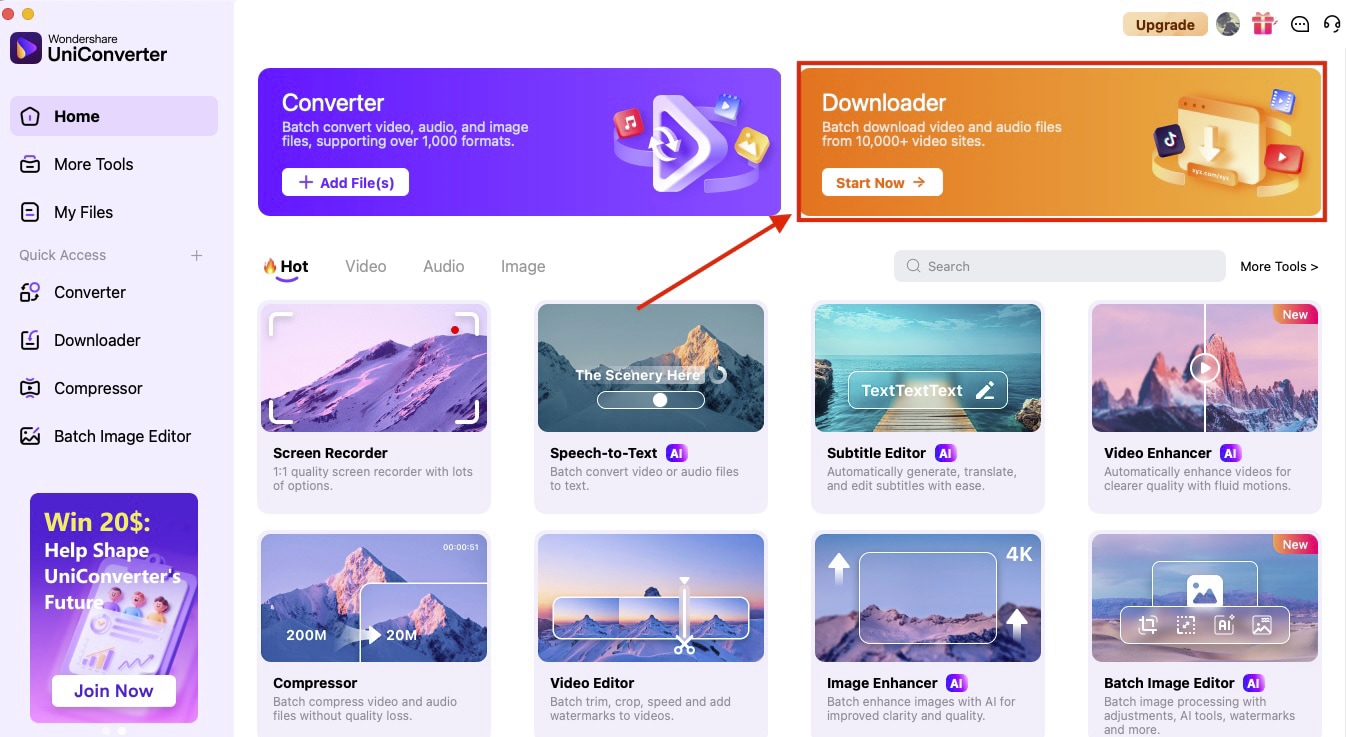
Step 1: On the homepage, click the "Downloader" option in the upper-right corner.
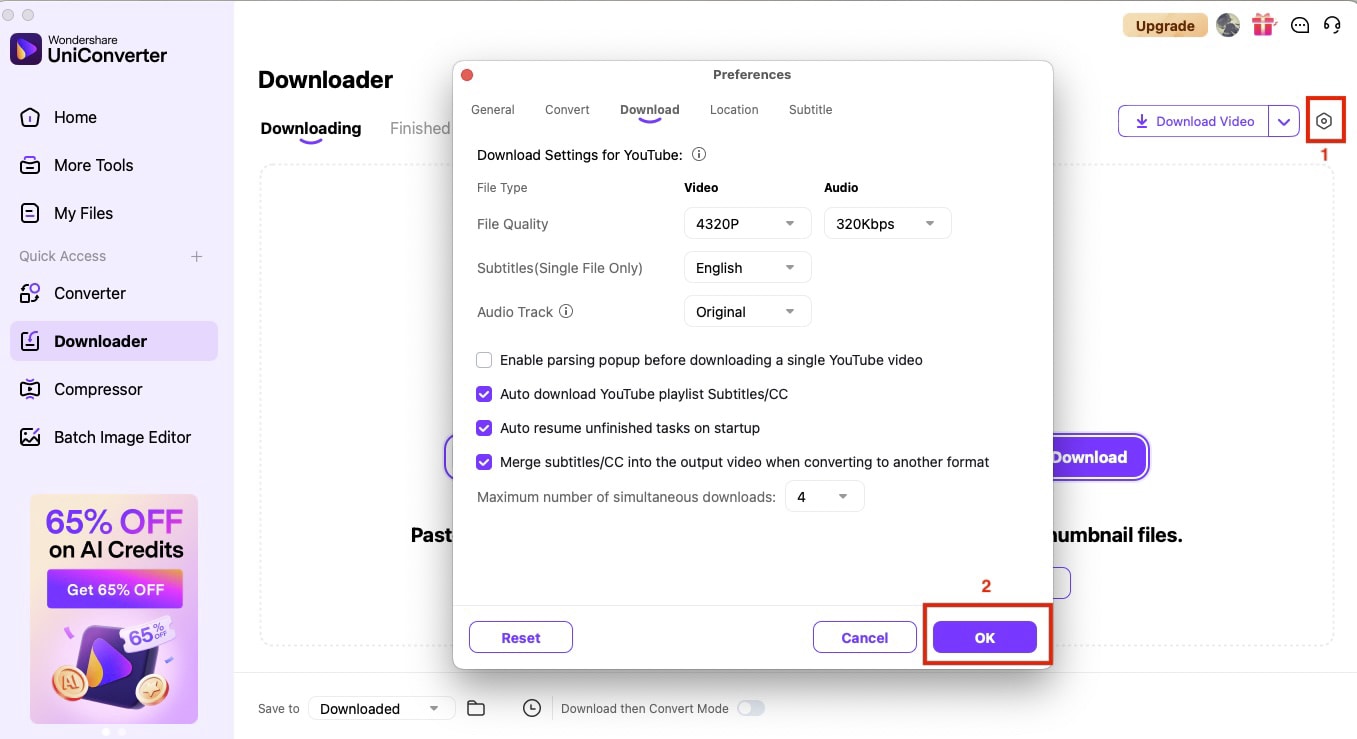
Step 2: Paste the link and click the "Settings" icon to choose file quality and subtitle language (if applicable), and click “OK.”
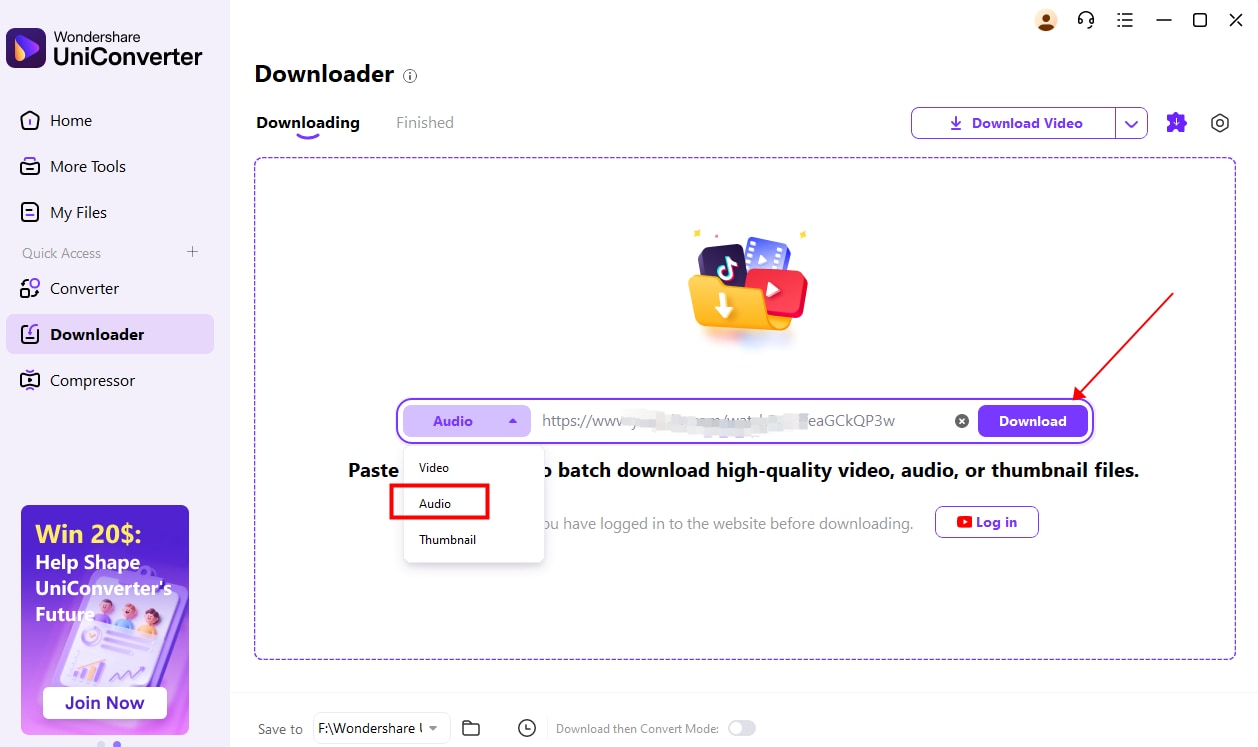
Step 3: Choose to download audio, and then click the "Download" button, and you're all done!


2. Any Video Converter
Any Video Converter provides a comprehensive free solution for downloading and converting music from various online platforms. Developed by Anvsoft, this software has earned a strong reputation with over 630 million customers and consistently high ratings across review platforms for its reliability and extensive format support.
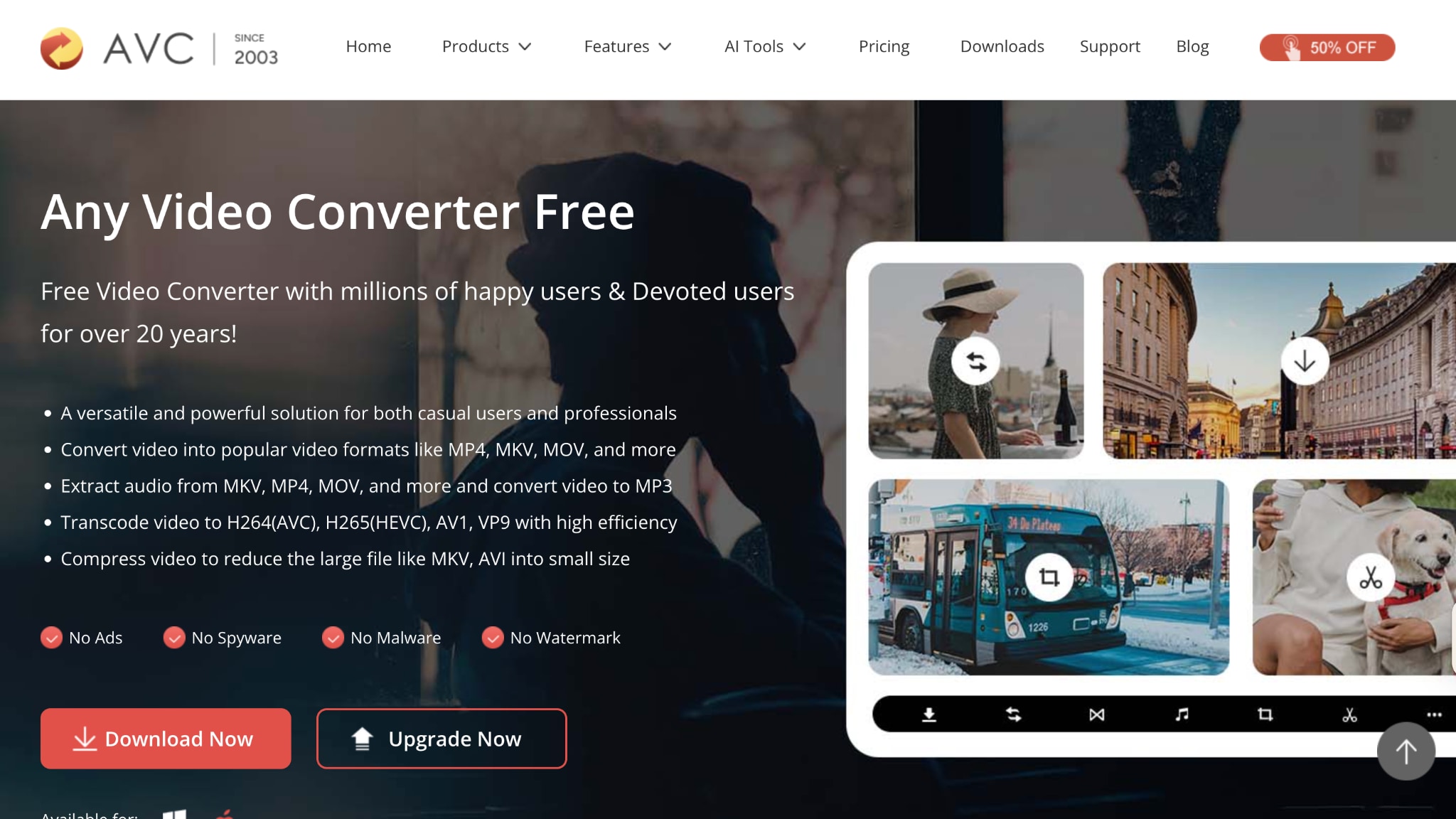
Key Features
- Downloads music from 1,000+ websites, including YouTube, Facebook, Vimeo, and TikTok
- Converts audio to MP3, AAC, WMA, OGG, Apple Lossless, and other popular formats
- Built-in CD ripper functionality for extracting audio tracks directly from CDs
- Hardware acceleration support using GPU processing for faster conversions
How to Download a Song from a Link on Any Video Converter
Step 1: Install the app, and on the homepage, click "Video Download."
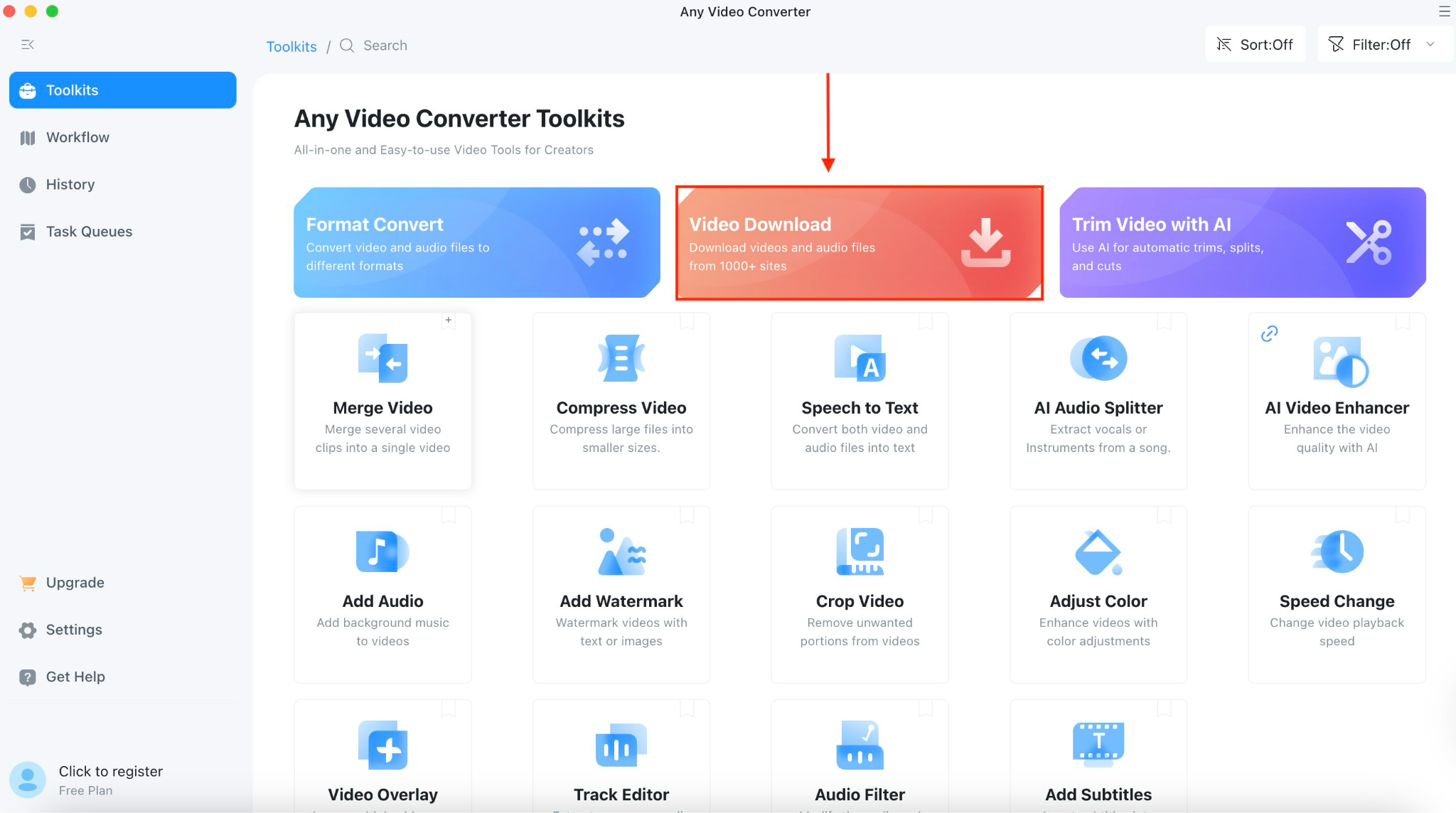
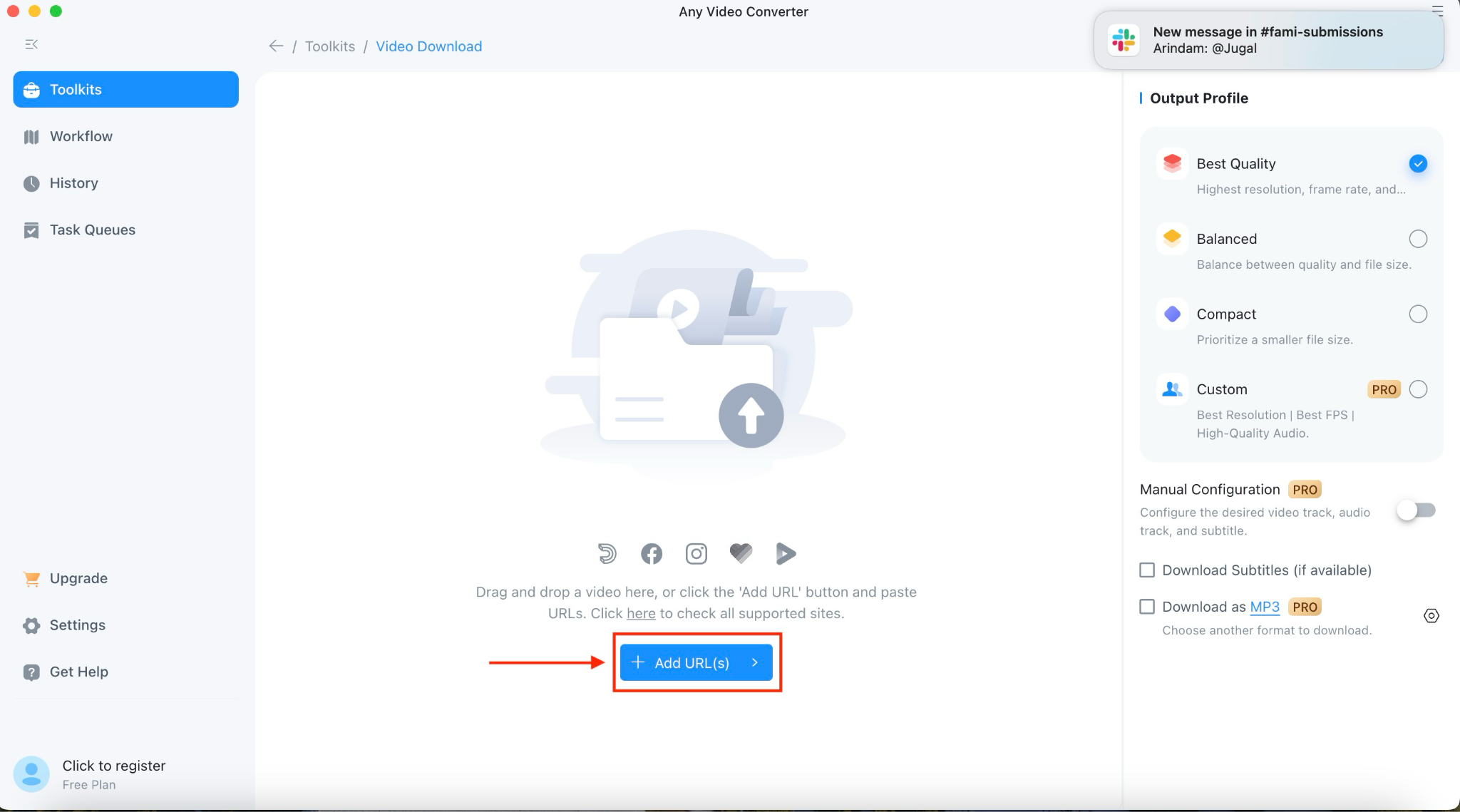
Step 2: Click "Add Link," copy the music URL, and then paste it into the field.
Step 3: After pasting the link, click "Parse Now."
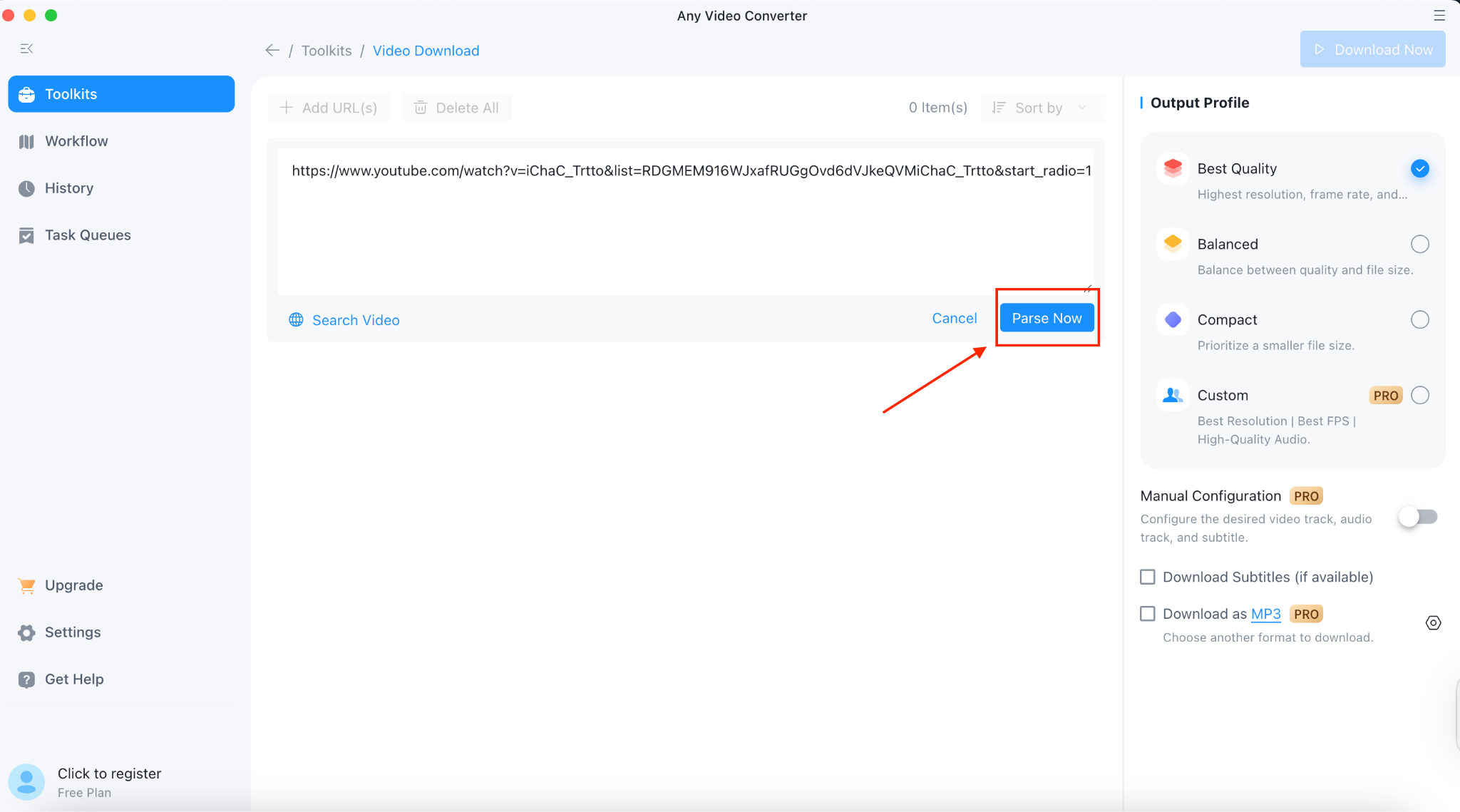
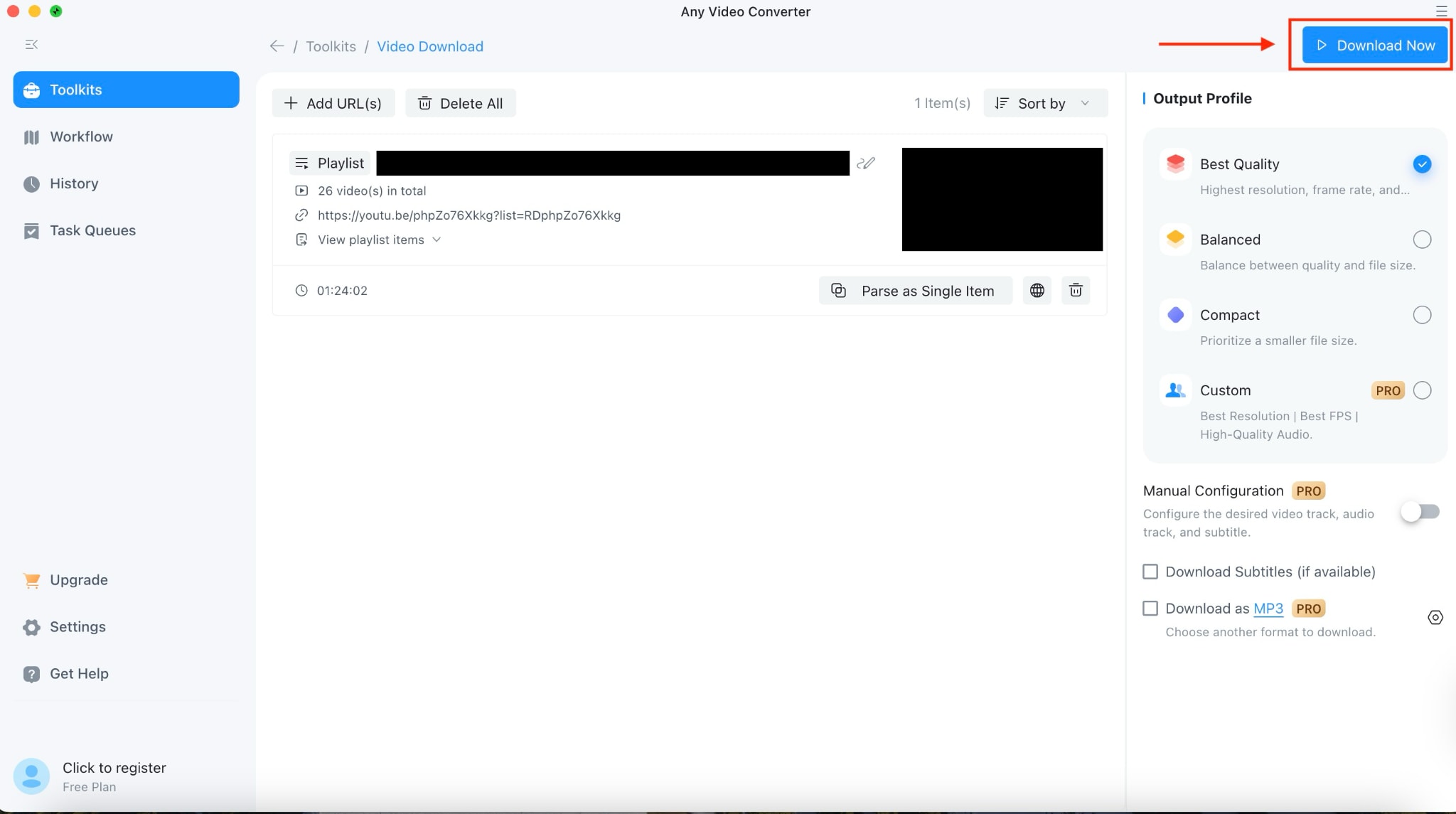
Step 4: After a few minutes, you will receive the song. Click the "Download Button" located in the upper right corner.
3. Tune Cable
TuneCable specializes in music downloading and conversion from popular streaming platforms, including Spotify, Apple Music, and Amazon Music. This focused application offers high-quality audio downloads while preserving metadata and organizing files efficiently, making it ideal for users who prioritize music quality and library management.
Key Features
- Downloads from Spotify, Apple Music, Amazon Music, and other streaming platforms using direct links
- Maintains lossless audio quality up to 320kbps in MP3, AAC, WAV, FLAC, AIFF, and ALAC formats
- Preserves complete metadata, including ID3 tags, album art, track numbers, and artist information
- Faster download speed with batch processing for entire playlists and albums
How to download music with a link on Tune Cable
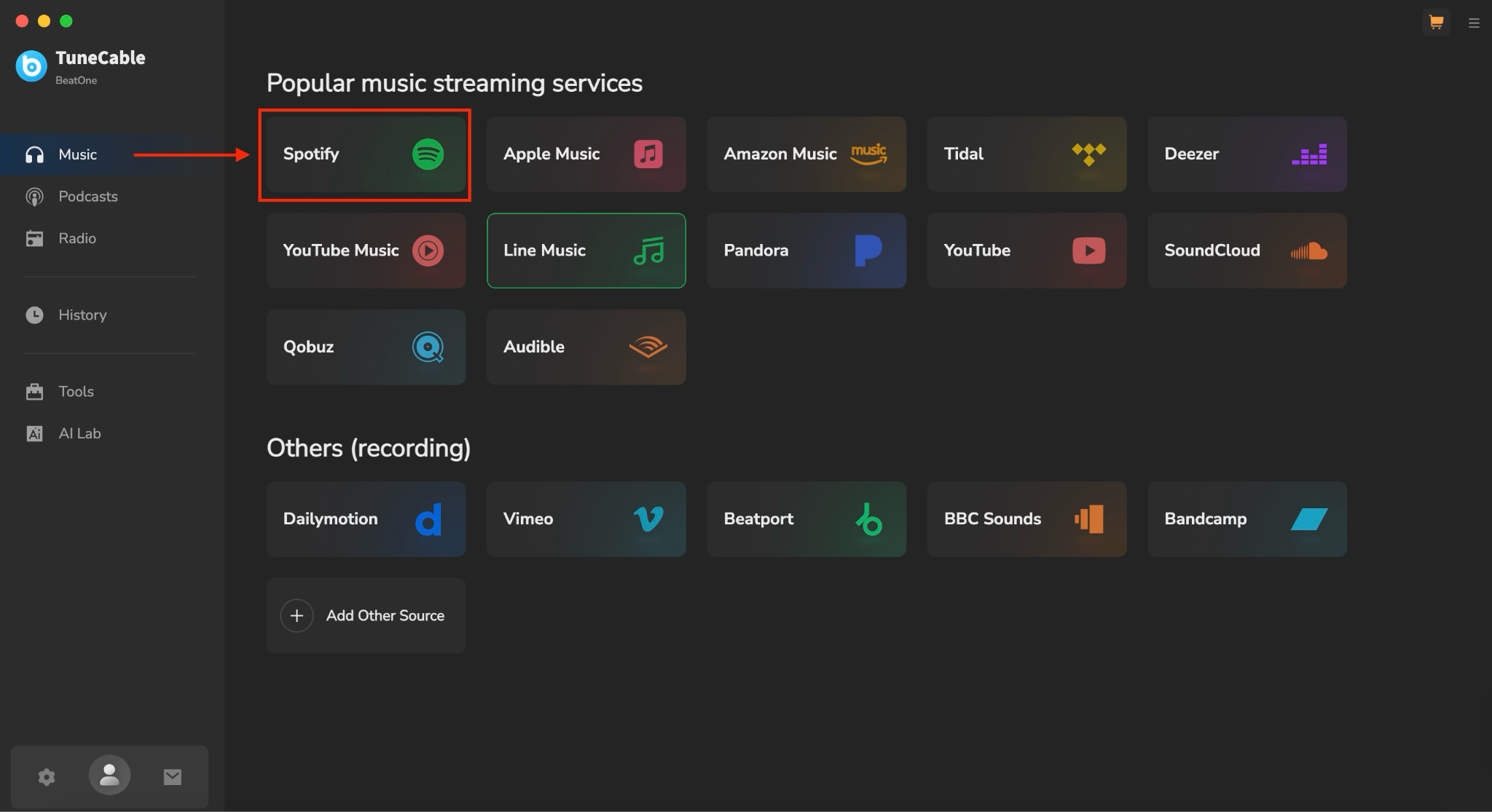
Step 1: Download and install the TuneCable. On the homepage, choose your favorite platform from Spotify, YouTube, Audible, and more.
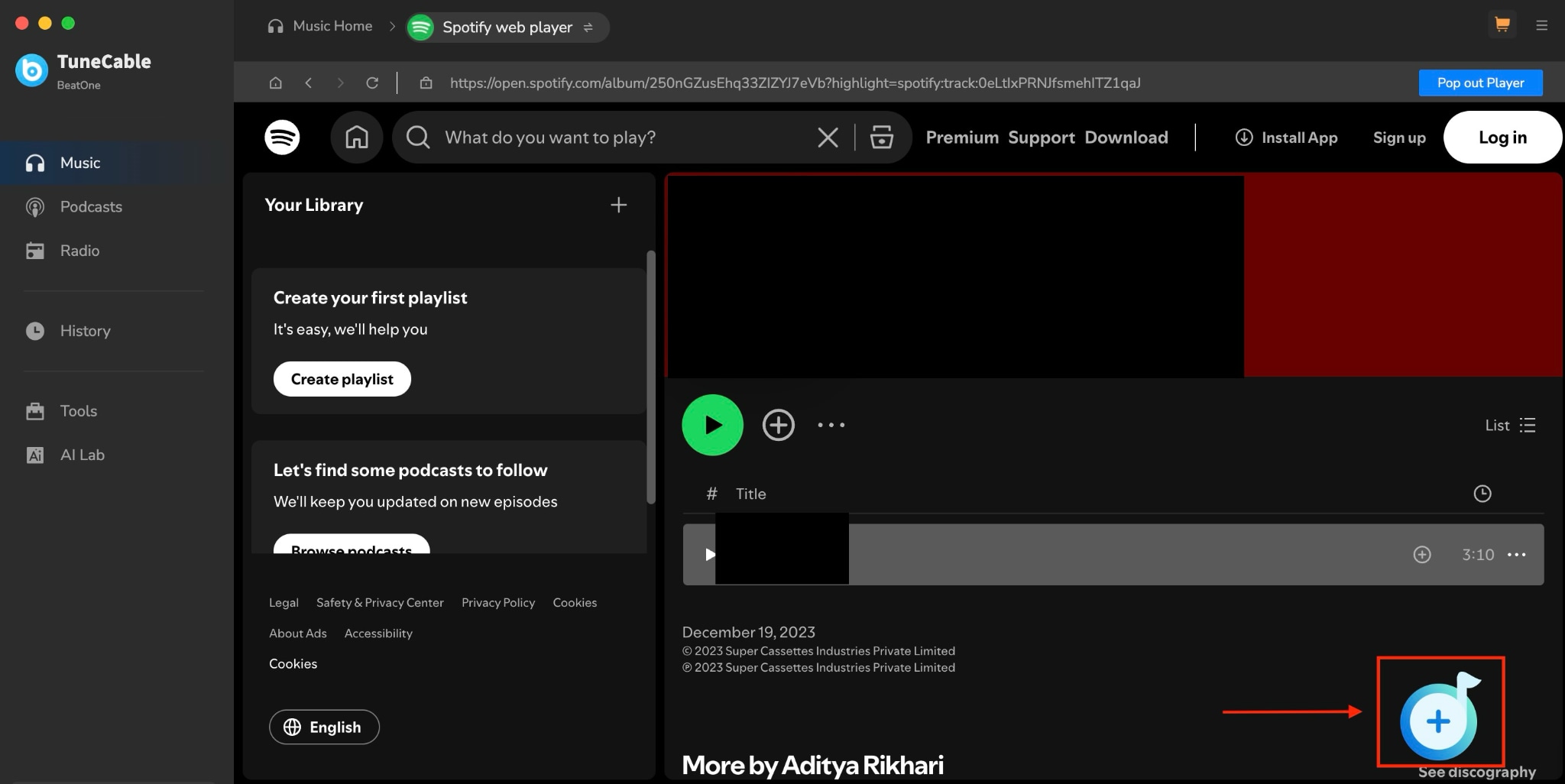
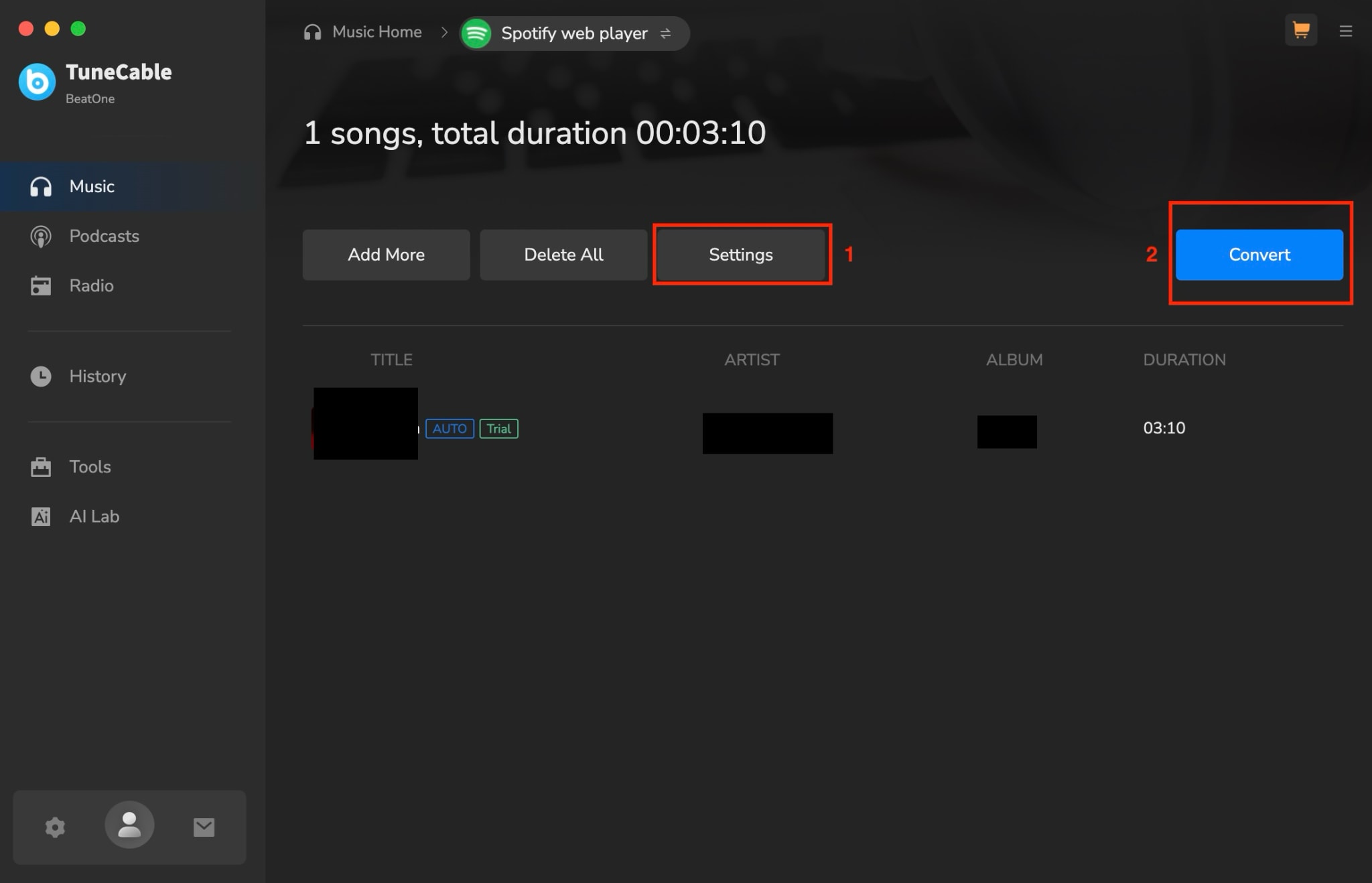
Step 2: When you click Spotify, choose a song or a playlist and click the “Click to add" blue button in the right corner.
Step 3: You can manage settings and choose the output format by clicking the "Settings" option. After that, click on "Convert," and it will automatically save to your desktop.
Part 3: Top Online Tools to Download Song by Link
Online link to song downloaders offer instant access to music downloading without requiring software installation. These web-based tools work directly in your browser and support various platforms, making them convenient for quick downloads from different music sources.
1. AnyUkit
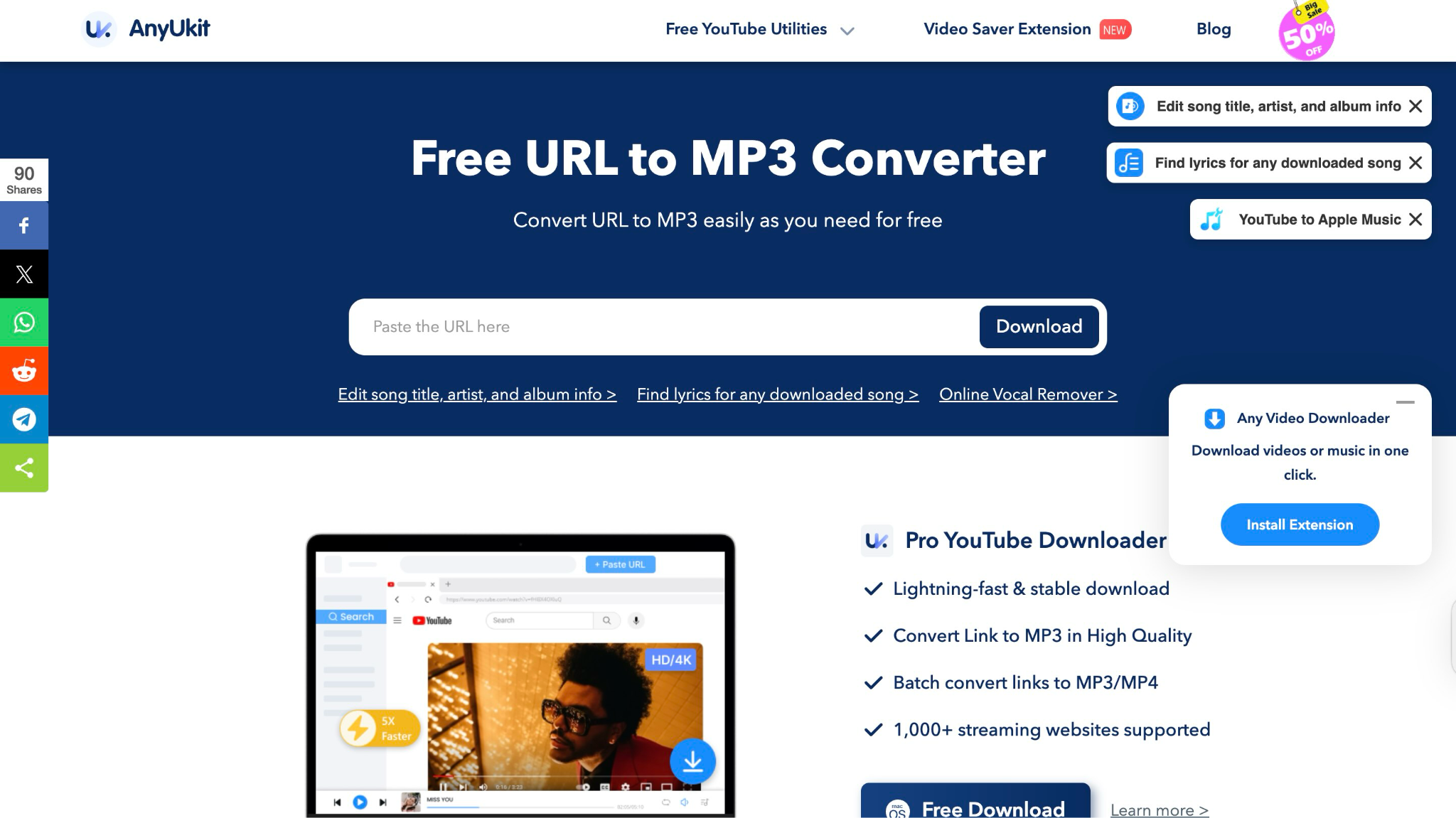
AnyUkit provides a comprehensive online downloading solution that supports YouTube and over 1,000 streaming platforms. The service focuses on high-speed downloads and offers both free and premium versions to accommodate different user needs.
Key Features
- Downloads from YouTube and 1,000+ streaming websites, including music platforms
- 5X faster download speed with advanced acceleration technology
- Multiple format support including MP3, MP4, M4A with quality up to 320kbps
- Built-in browser integration for seamless content discovery and downloading
How to Download Music by a Link on AnyUkit
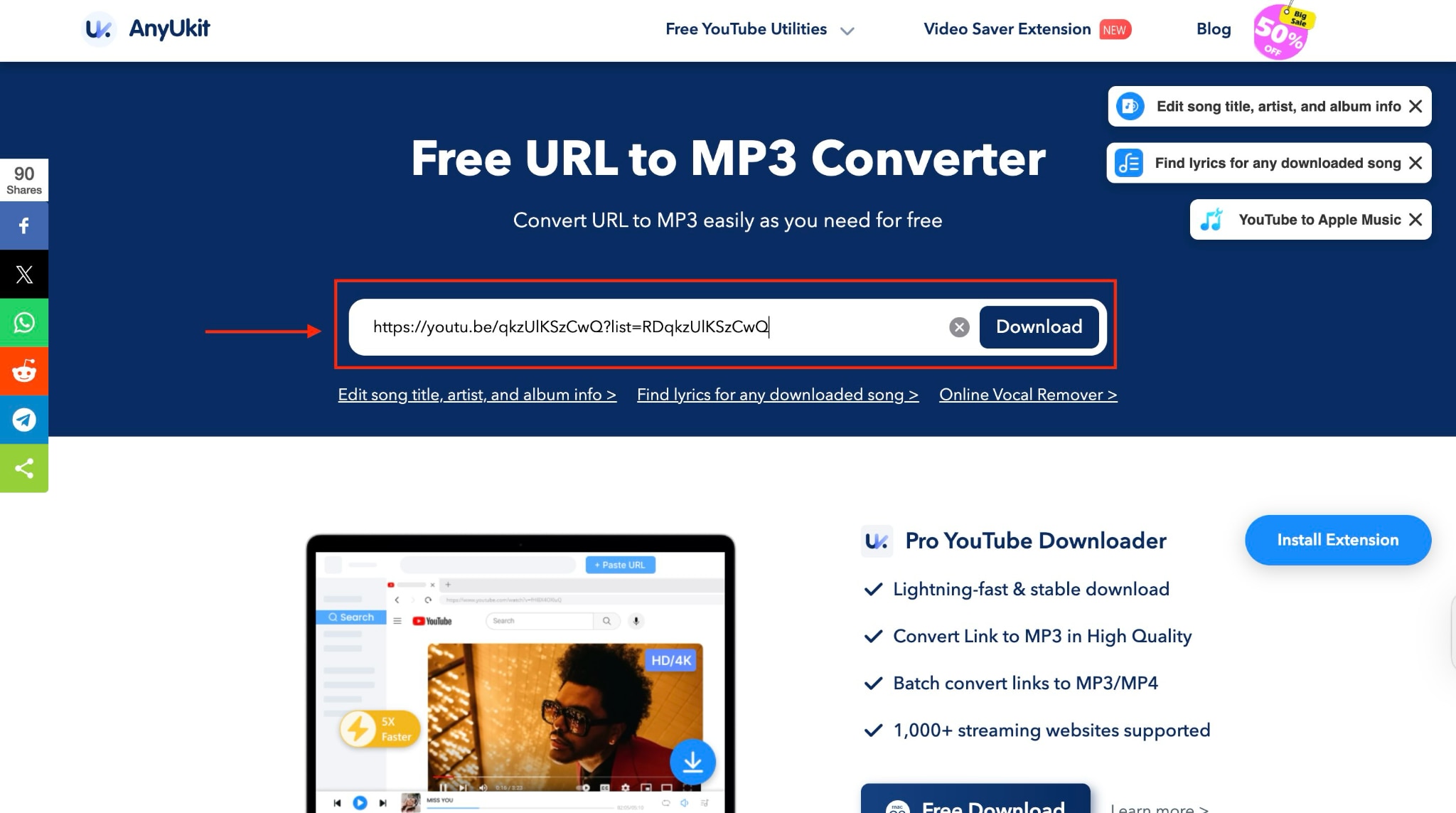
Step 1: Visit the AnyUkit website and copy the YouTube or streaming platform URL you want to download. Paste the URL into the search field on AnyUkit's homepage and click "Download."
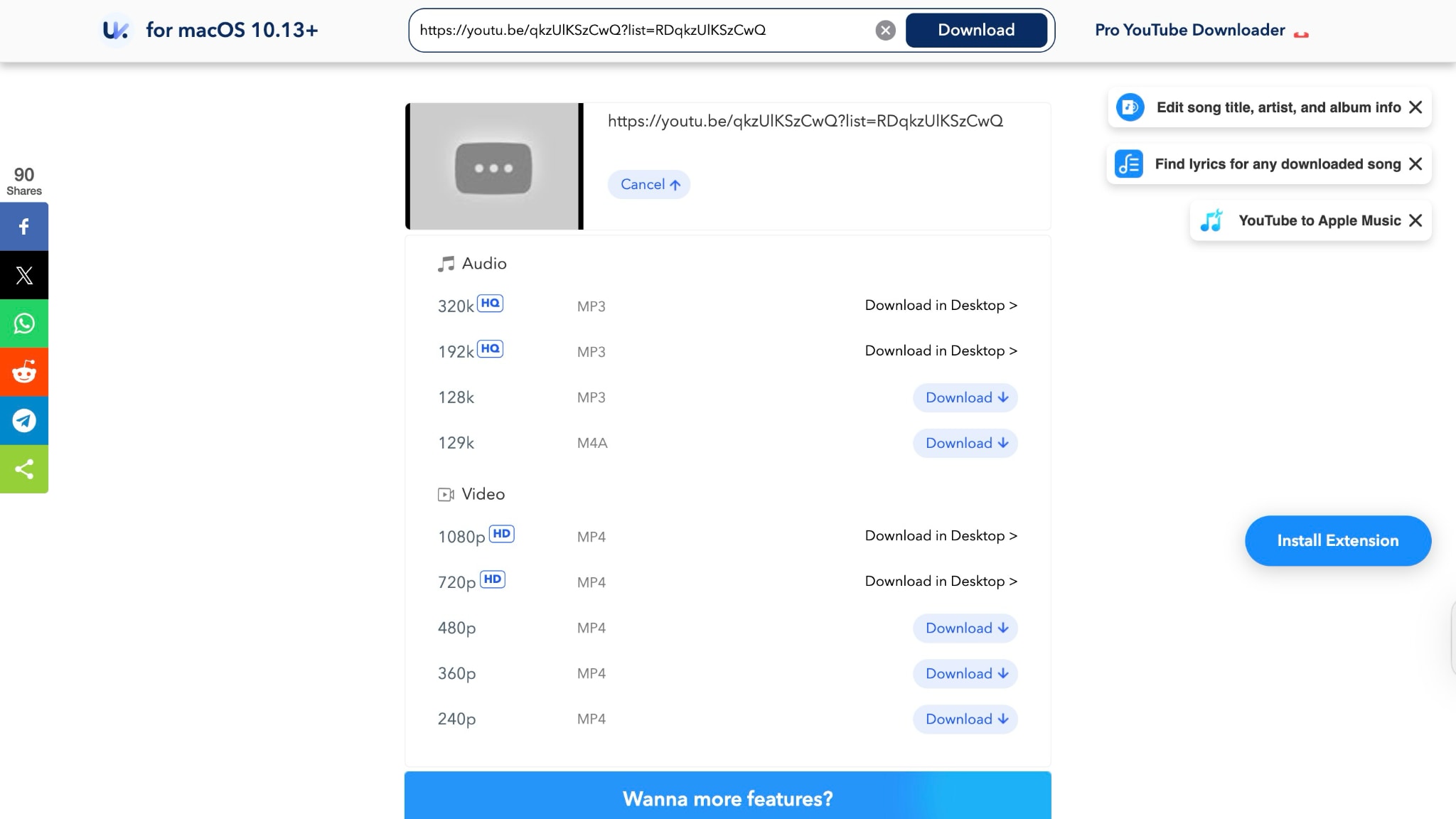
Step 2: Select your preferred format (MP3 for audio) and quality settings, then click download to save the file.
2. OKmusi
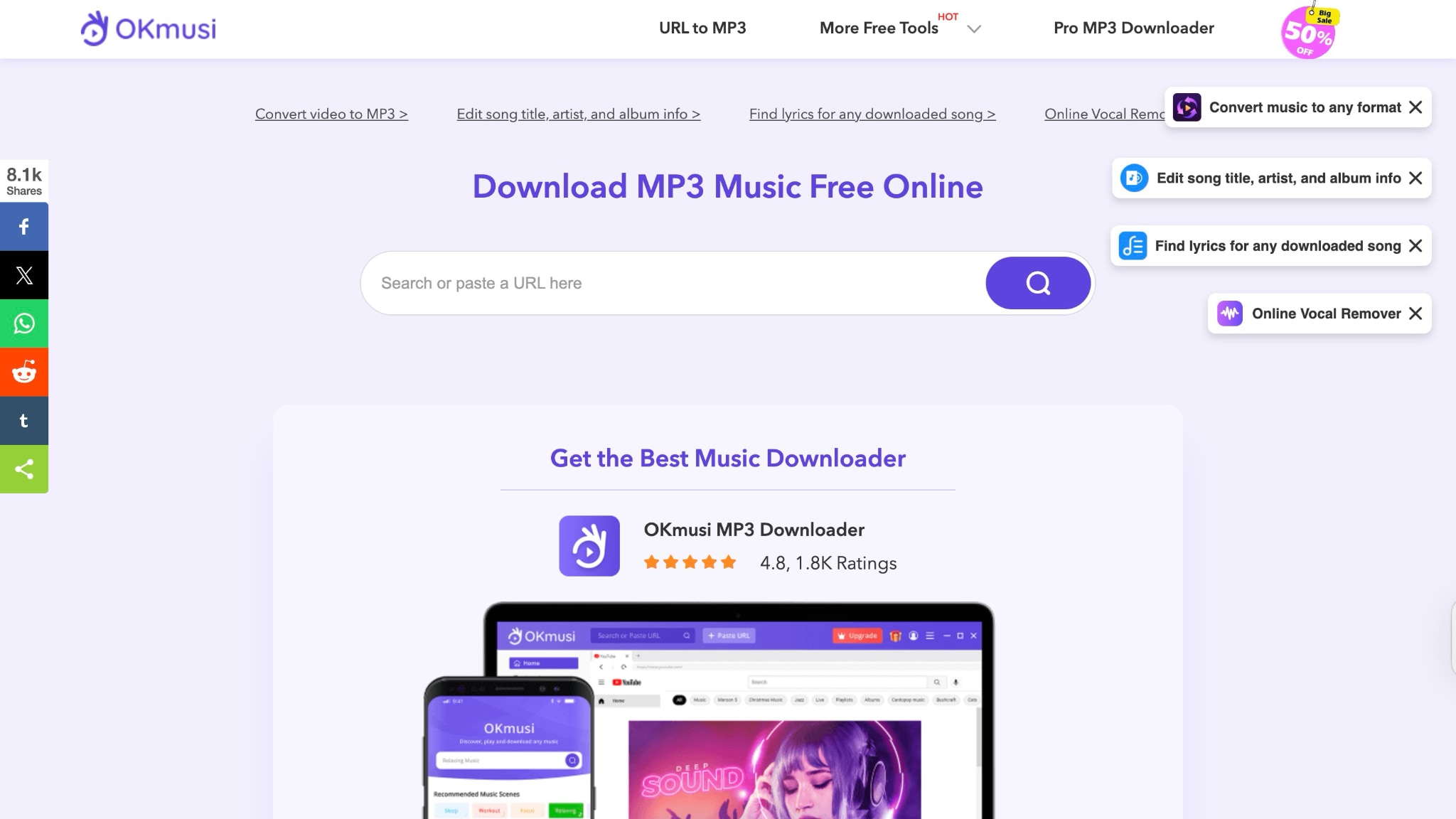
OKmusi operates as both an online music search engine and downloader, providing access to tracks from over 900 platforms. The service offers a clean, ad-free interface and supports multiple audio formats, providing flexible downloading options.
Key Features
- Downloads music from 900+ platforms, including SoundCloud, Mixcloud, and Bandcamp
- Multiple quality options available (96kbps, 128kbps, 320kbps) in MP3, MP4, and M4A formats
- Built-in search functionality to find music by artist, track, or album name
- Batch downloading support for up to 300 tracks simultaneously
How to Download Music from url on Okmusi
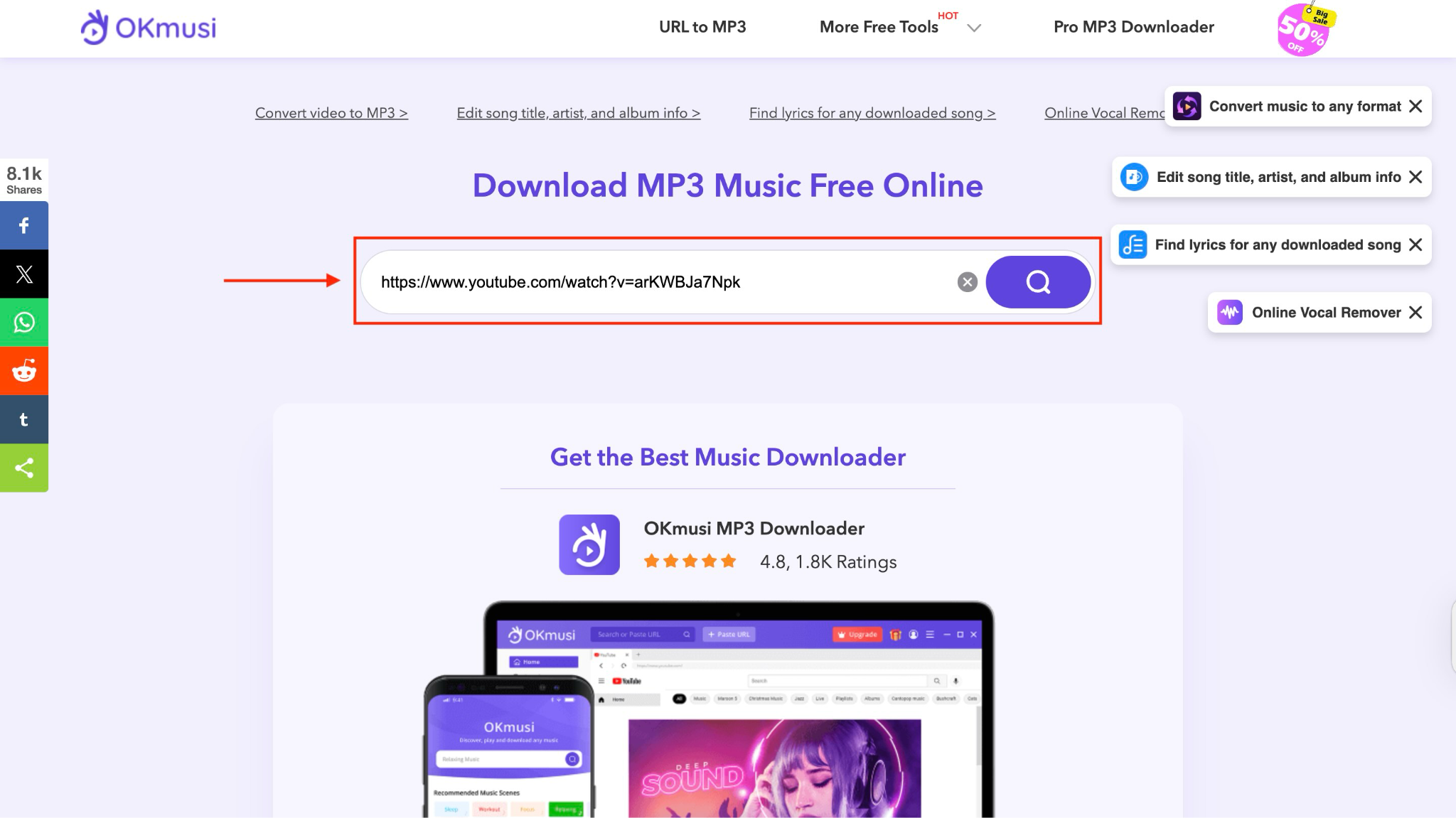
Step 1: Visit OKmusi.com and either search for your desired music using keywords or paste a direct URL.
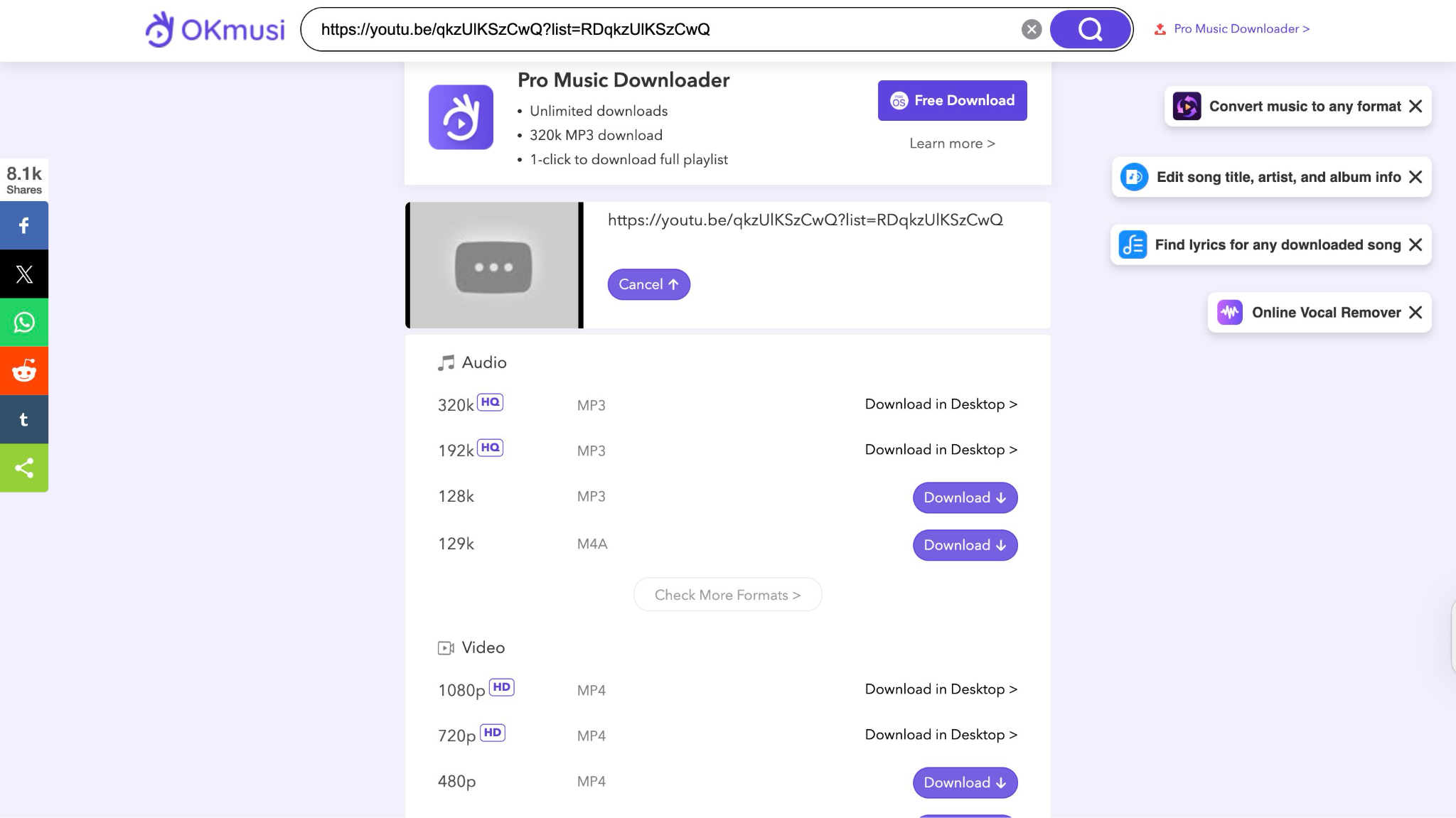
Step 2: Select your preferred format and quality, then click download to save the music file to your device.
Part 4. Mobile Apps for Music Download from Link
When you need to download a song from a link on your mobile device, having dedicated apps makes the process incredibly convenient. These mobile applications offer direct URL-based downloading capabilities, allowing you to download files right from your smartphone, eliminating the need for desktop computers or complex workarounds.
1. TubeMate
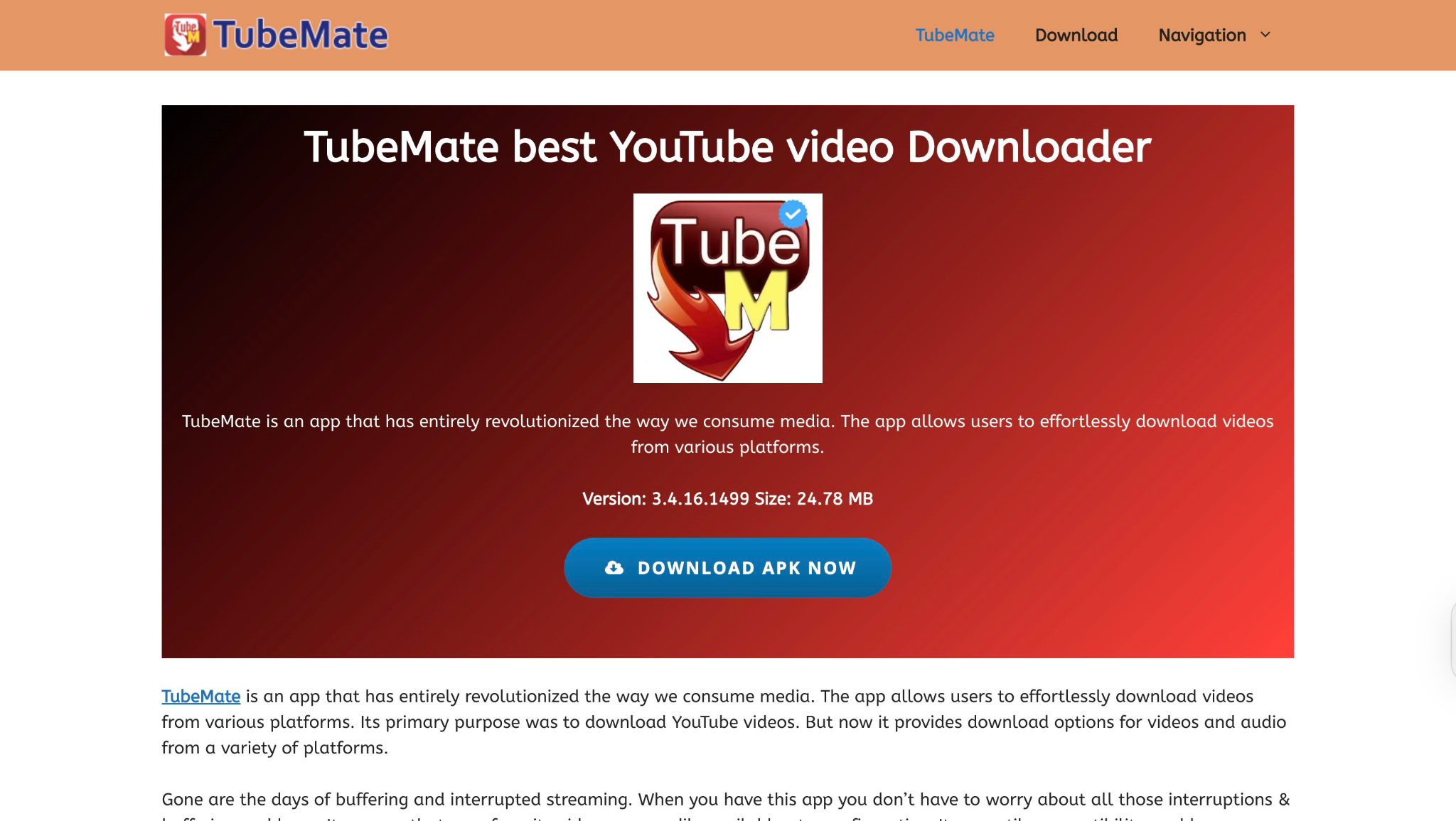
TubeMate is becoming one of the most trusted solutions for Android users who want to download songs from a link. With over 320 million downloads worldwide and a 4.6 rating from thousands of users, this free application has proven its reliability. What makes it the best is that it offers an intuitive interface and lets you download video, audio, and background music only.
Key Features
- Direct link song downloader functionality from YouTube, Vimeo, and Dailymotion
- Converts videos to MP3 format using the built-in converter
- Multiple quality options for audio downloads (M4A/AAC, OGG, MP3)
- Fast download mode with multiple connections
How to Get a Song from a Link with TubeMate
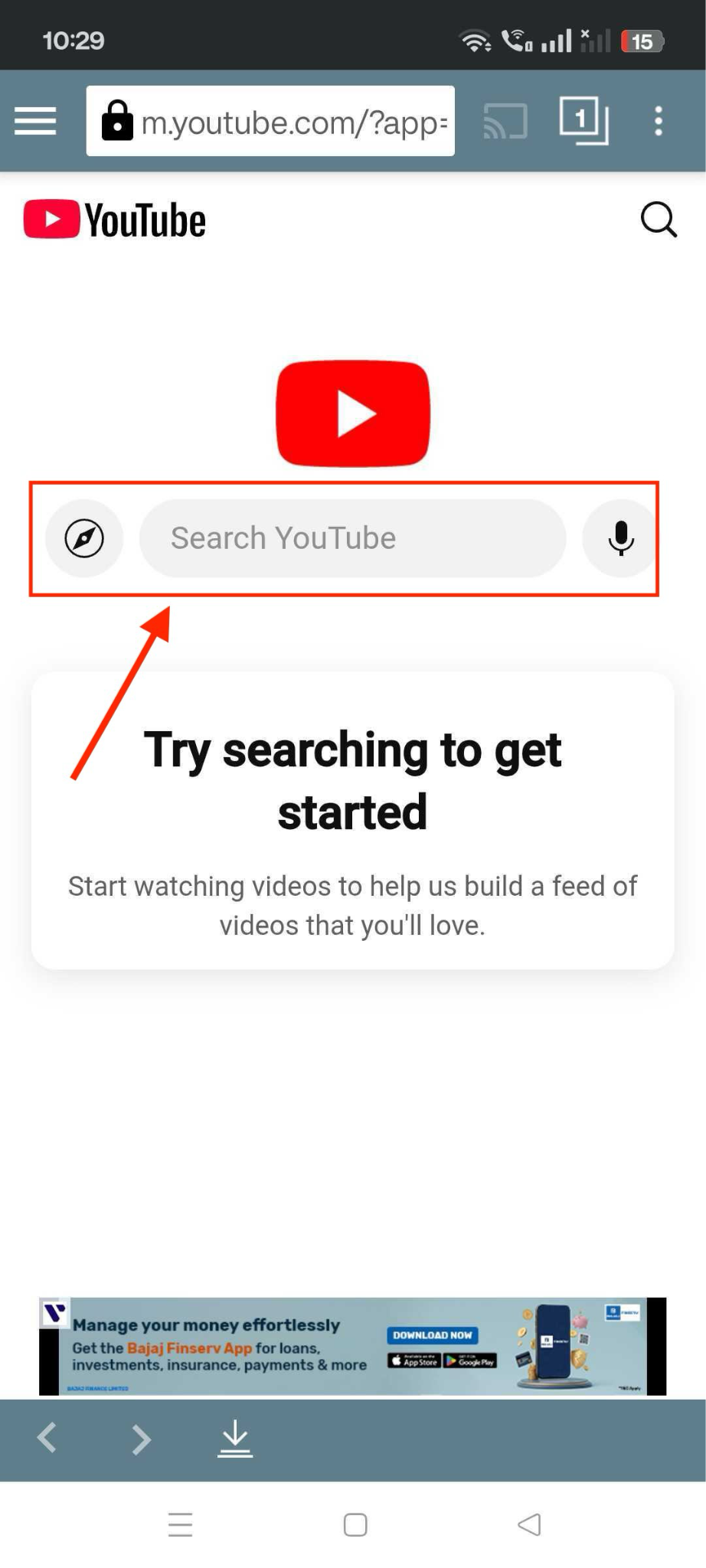
Step 1: Download the TubeMate APK from official sources that are not available on the Google Play Store. Install the app from Chrome and launch it. On the homepage, you will see the YouTube icon and search bar. You can directly search for the song or paste the link.
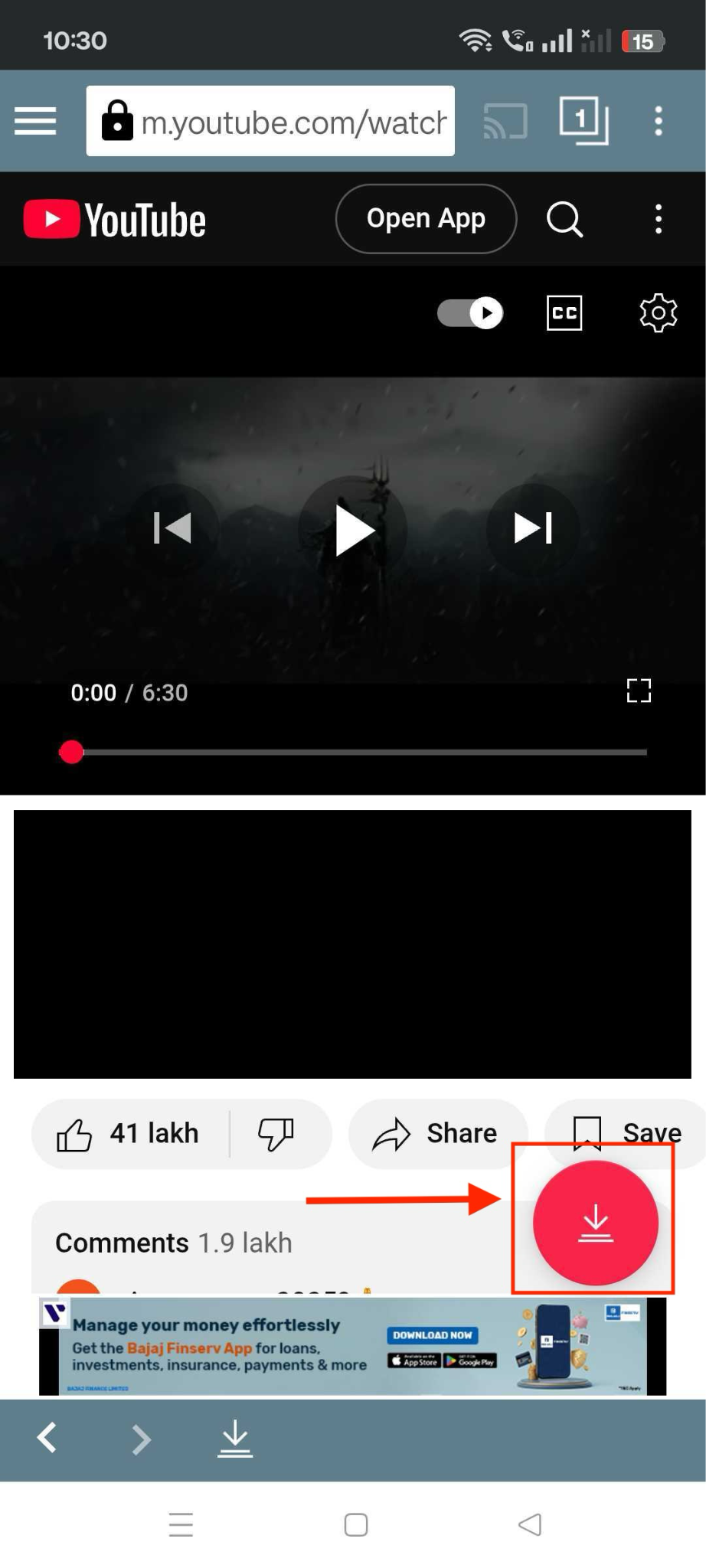
Step 2: Paste the link to the song. If you paste a YouTube video link, it will take you to YouTube. Click the song you have searched for and click the download sign to download the song.
2. SnapTube
SnapTube stands out as a comprehensive multimedia downloading solution that has gained massive popularity with over 100 million downloads globally and 90 million daily video downloads. This feature-rich application transforms how users download songs from a link by offering an integrated browsing and downloading experience across 100+ supported platforms.
Key Features
- Supports direct URL song downloads from YouTube, Facebook, Instagram, Dailymotion, and more
- Converts videos to MP3 or M4A formats within the app
- Downloads in high audio quality up to 320kbps, with multiple formats
- Batch download support to grab several songs or whole playlists at once
How to Save a Song from a Link with SnapTube
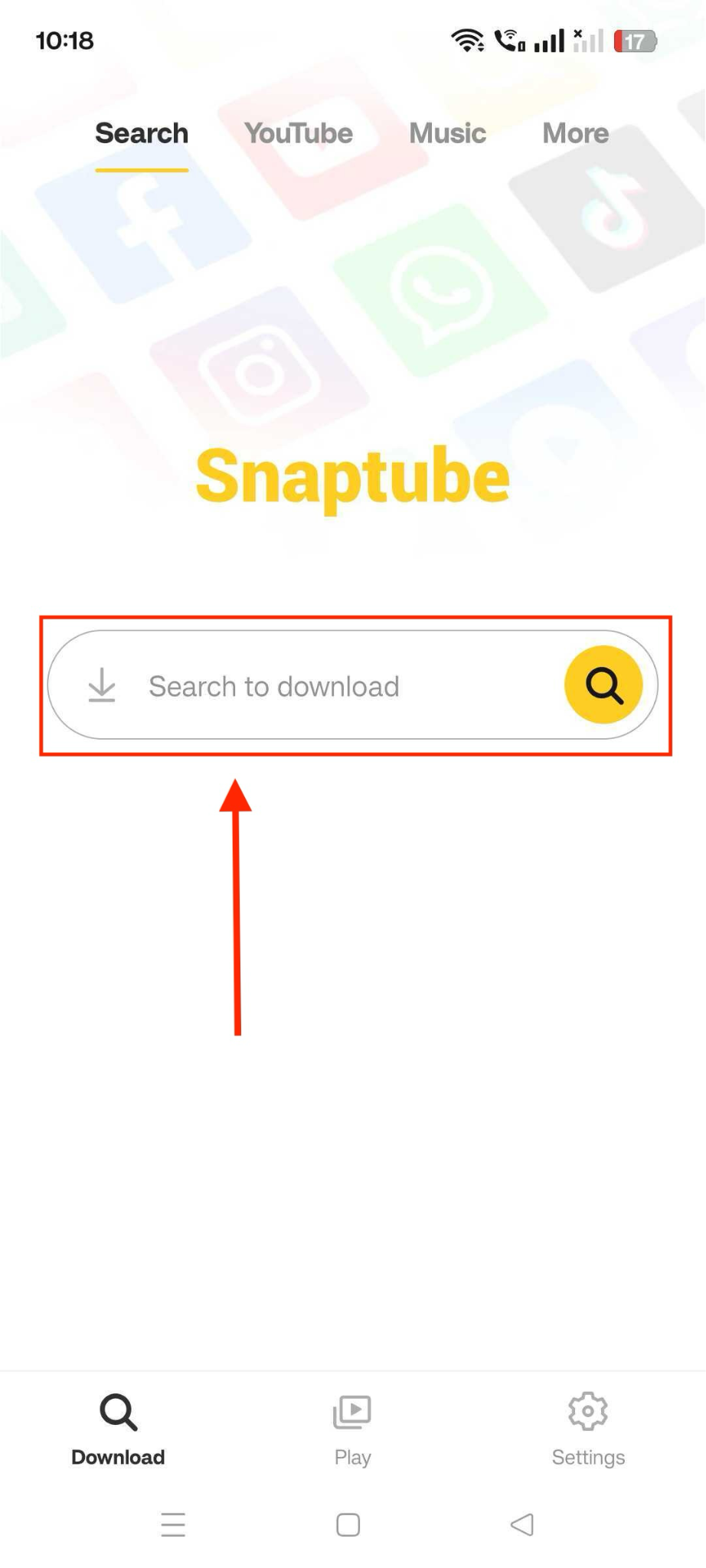
Step 1: Download the SnapTube APK from the official website and install it after enabling "Unknown Sources" in your Android settings. Use the app's homepage to search for a song or paste a direct link from supported platforms.
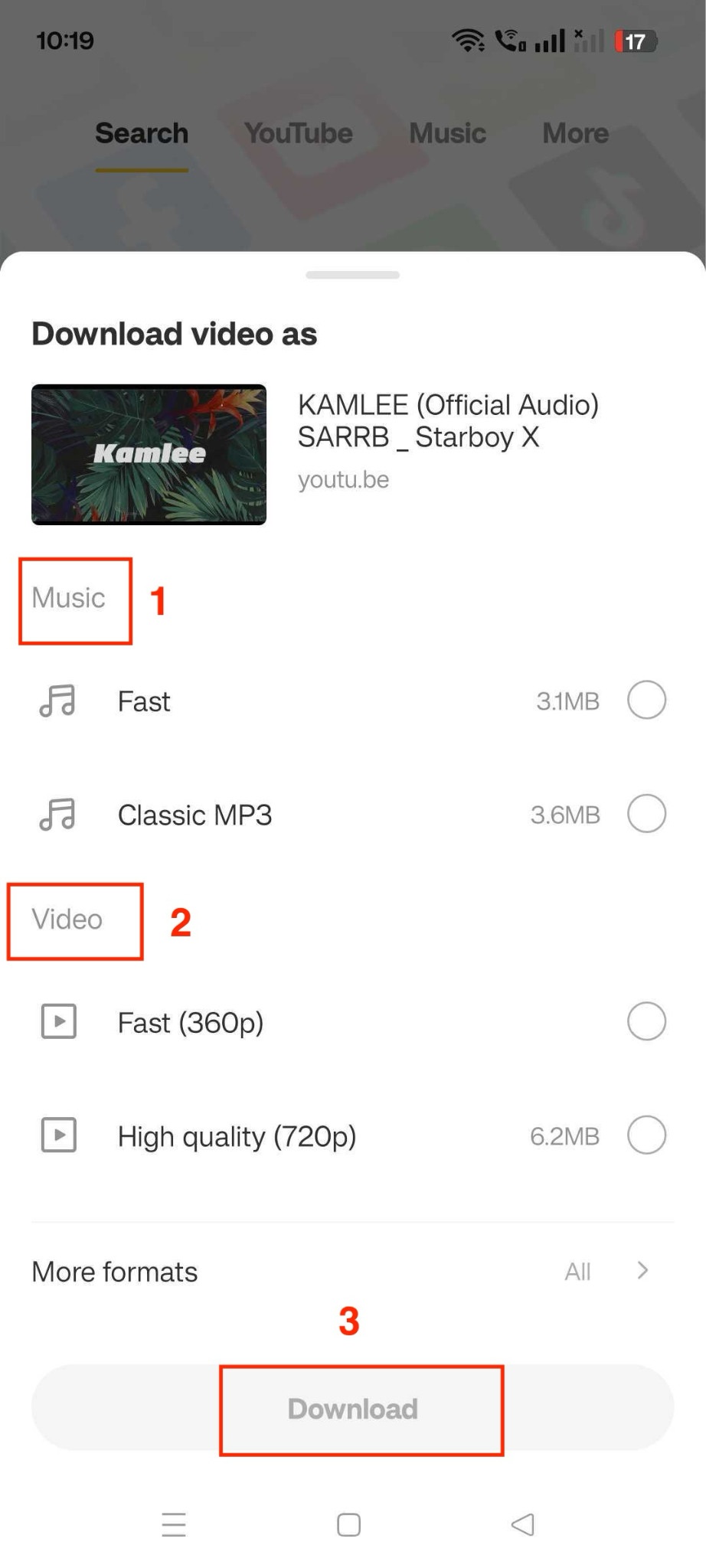
Step 2: Tap on the item, select the desired format (MP3 recommended), choose quality, and click the "Download" button.
Here is a comparison table of all the tools and apps detailed above that includes common parameters such as ads, audio quality, playlist support, speed, batch processing, and more.
| Features | Wondershare UniConverter | Any Video Converter | TuneCable | AnyUkit | OKmusi | Tube Mate | SnapTube |
| Ads | No | No | No | Yes | No | No | Less intrusive ads |
| Audio Quality | High quality | High quality | High quality | Low quality | High quality | High quality | High quality |
| Playlist Support | Batch URL download | Batch conversion | Playlist and album downloads | Album and multi-track downloads | Single track | Batch download | Batch download with queue management |
| Speed | Fast | Fast | Moderate | Moderate | Moderate | Fast | Fast |
| Security | Official installers, HTTPS | Official installers, no malware | Official installer | Web-based, HTTPS | Web-based, HTTPS | APK from the official site, verify the signature | APK from the official site, verify the signature |
| Platform | Windows, Mac | Windows, Mac | Windows, Mac | Web | Web | Android only | Android (also runs on PC via emulator) |
| Free Version | Free trial | Fully free with basic features | Free trial converts in the first minute | Free version with daily limits | Free | Fully free | Fully free with ads |
Quick Picks: Best Ways to Download Music from a Link
The best option depends on whether you want a cleaner desktop workflow, fast browser access, or support for repeated downloads from different sources.
Part 5. How to Choose the Right Music Downloader with Link
When selecting a link song downloader, prioritize ease of use and reliability. Take a look in detail:
Key Features to Look For: Select tools that support direct URL access, include built-in converters, offer batch processing, and provide adjustable quality settings. These features streamline downloads and reduce the need for additional software, ensuring a smooth experience.
Safety Considerations: Only download apps or visit sites from trusted sources, check user reviews on G2 or Trustpilot, and avoid unfamiliar third-party stores to protect against malware and data leaks.
Quality and Format Options: Opt for downloaders that offer multiple output formats (MP3, AAC, WAV, FLAC) and adjustable bitrates of up to 320kbps, allowing you to balance audio fidelity with file size.
Disclaimer: Downloading copyrighted music without permission may violate laws. Always respect artists' rights and use link song downloaders responsibly for content you own or that is in the public domain.
Conclusion
Finding the best way to download a song from a link depends on your device and needs. Desktop apps like Wondershare UniConverter and Any Video Converter offer powerful format and speed options, while mobile choices like TubeMate make on-the-go downloads simple and straightforward. Online tools, such as OKmusi and AnyUkit, provide quick, browser-based solutions that require no installation. Consider key features, safety, and quality when choosing your link song downloader and start building your offline music library today.

