

Tired of compressed audio ruining your favorite tracks? If you want to build a premium offline music library, converting SoundCloud to FLAC is the smartest move. FLAC (Free Lossless Audio Codec) preserves every detail of the original studio recording without the heavy compression of standard formats. However, because SoundCloud prioritizes fast streaming over high-resolution downloads, getting these lossless files directly is rarely an option. In this guide, we will show you the exact methods and reliable tools you need to easily achieve a clean FLAC download from SoundCloud.

Best SoundCloud to FLAC Downloader
In this article
- Can You Download FLAC from SoundCloud Directly?
- How to Convert SoundCloud to FLAC (Step-by-Step Guide)
- Best SoundCloud to FLAC Downloader Tools (Compared)
- How to Download SoundCloud Playlist to FLAC
- FLAC vs MP3: Which Is Better for SoundCloud Music?
- Is It Legal to Download FLAC from SoundCloud?
- FAQs about SoundCloud FLAC Download
Can You Download FLAC from SoundCloud Directly?
SoundCloud offers an official download feature for some tracks. However, this feature comes with very strict limits. The availability of a download button depends entirely on the uploader. The artist must manually enable downloads for their account. Even if a download is available, quality constraints usually apply to the final audio file.
Does SoundCloud Support FLAC Format?
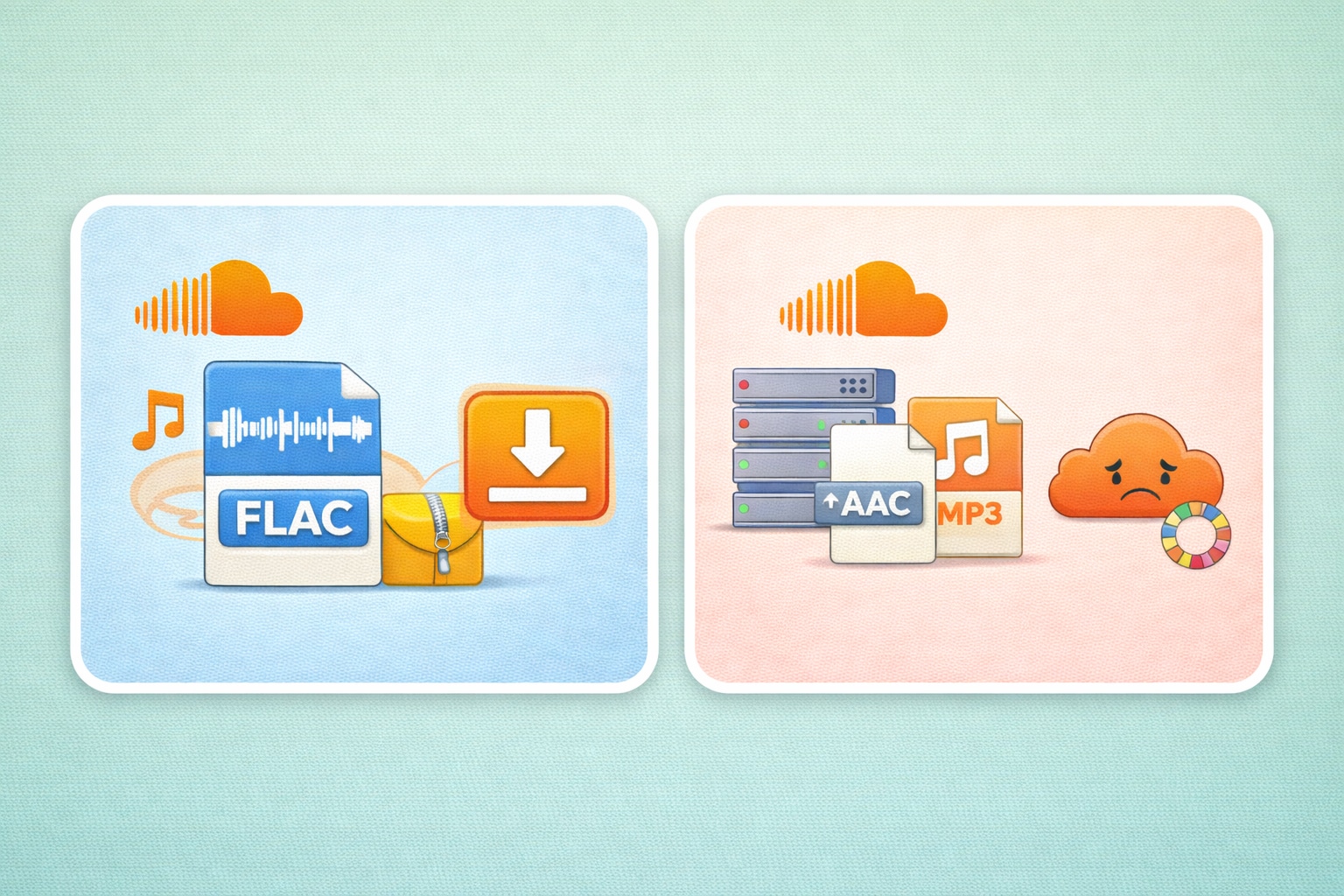
SoundCloud absolutely supports the FLAC format for creator uploads. Artists can upload their high-resolution audio files in lossless formats. Lossless audio means the file compresses without losing any sound details from the original recording. It keeps the audio perfectly intact.
However, there is a catch. What you stream or download is usually compressed by the platform. SoundCloud turns the file into a 128kbps MP3 or a 256kbps AAC file. Direct SoundCloud FLAC downloads are extremely rare. You can only get them if the artist adds a special external download link in the track description.
Why Most Tracks Are Not Available in FLAC
You might wonder why a direct SoundCloud download FLAC option is missing from the website. The main reasons are server storage space and streaming speed. Uncompressed, lossless files take up too much digital storage space.
Streaming platforms use heavy compression policies. They do this to ensure music loads quickly on your mobile phone. High-quality files would cause constant buffering on slower internet connections. Therefore, SoundCloud forces audio compression to keep the platform running smoothly for millions of daily users.
How to Convert SoundCloud to FLAC (Step-by-Step Guide)
You have two main ways to convert SoundCloud to FLAC. You can use free online web tools, or you can use dedicated desktop software. Both methods can work, but they offer different experiences.
Before we start, remember one important rule. The final audio quality depends heavily on the original source file. If the uploaded file is low quality, converting it to a lossless format will not fix the sound. You cannot magically add audio data that is not there.
Method 1: Use Desktop Software for Stable FLAC Conversion
Wondershare UniConverter
Desktop tools offer much better reliability and audio control. If you want to download SoundCloud FLAC files safely, Wondershare UniConverter is a great choice. It handles media tasks without browser ads or size limits. It is a professional solution for music lovers.
Why Desktop Tools Offer Better Audio Control
Desktop software gives you complete power over your files. You can manage audio codec settings manually. You can adjust the exact bitrate you want. You can also convert multiple tracks at once. This completely avoids the bad connections found on free online sites.
Best SoundCloud to FLAC Downloader
Steps-by-Step Guide to Batch Save SoundCloud to FLAC Files:
Step 1: Copy Link and Open Downloader
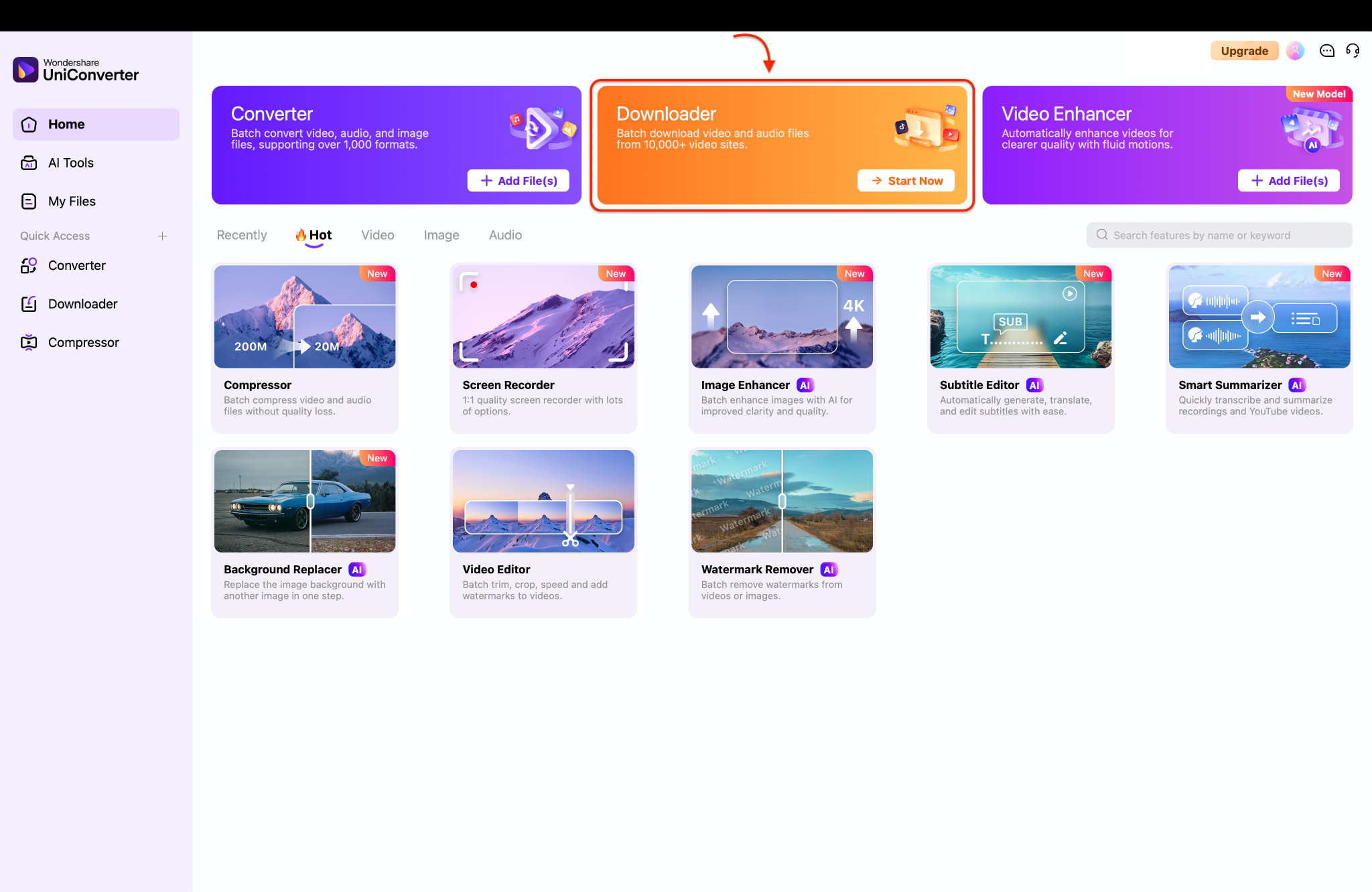
First, go to SoundCloud and copy the specific URL of the track you want to save. Next, open Wondershare UniConverter on your computer to view the main dashboard. Finally, click the orange "Start Now" button under the Downloader module to open the workspace.
Step 2: Customize Download Preferences
Click the gear icon at the top right to open the download preferences window. Go to the Download tab to select your desired audio quality and output settings.
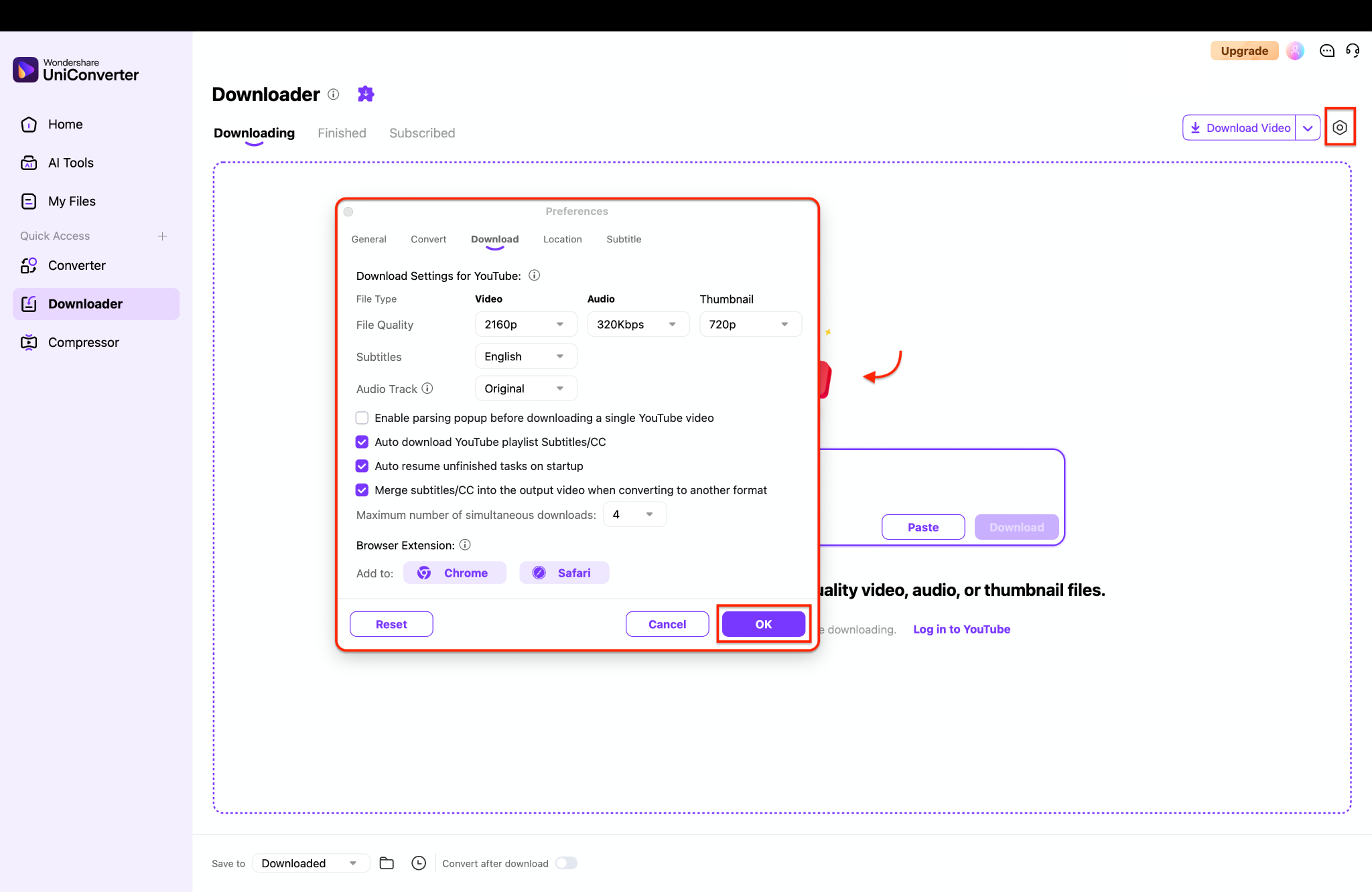
Pro Tip: Check the "Auto resume unfinished tasks on startup" box to prevent losing progress if your computer suddenly restarts.
Step 3: Input URLs and Execute the Download
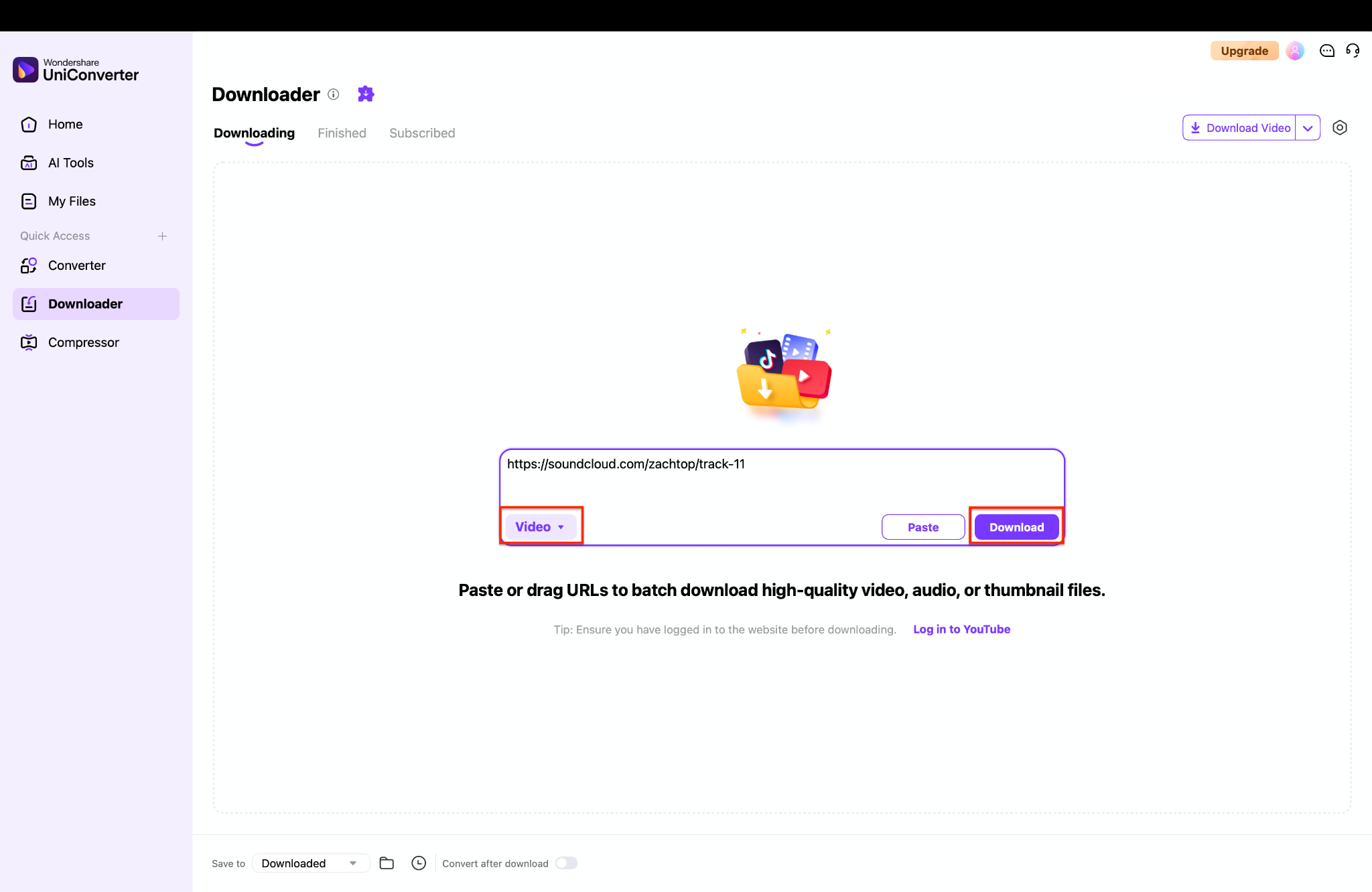
Paste your copied SoundCloud link directly into the center box on your screen. Ensure the correct media type is selected from the drop-down menu on the left. Click the purple "Download" button to quickly save the initial file to your computer.
Step 4: Convert the File to FLAC
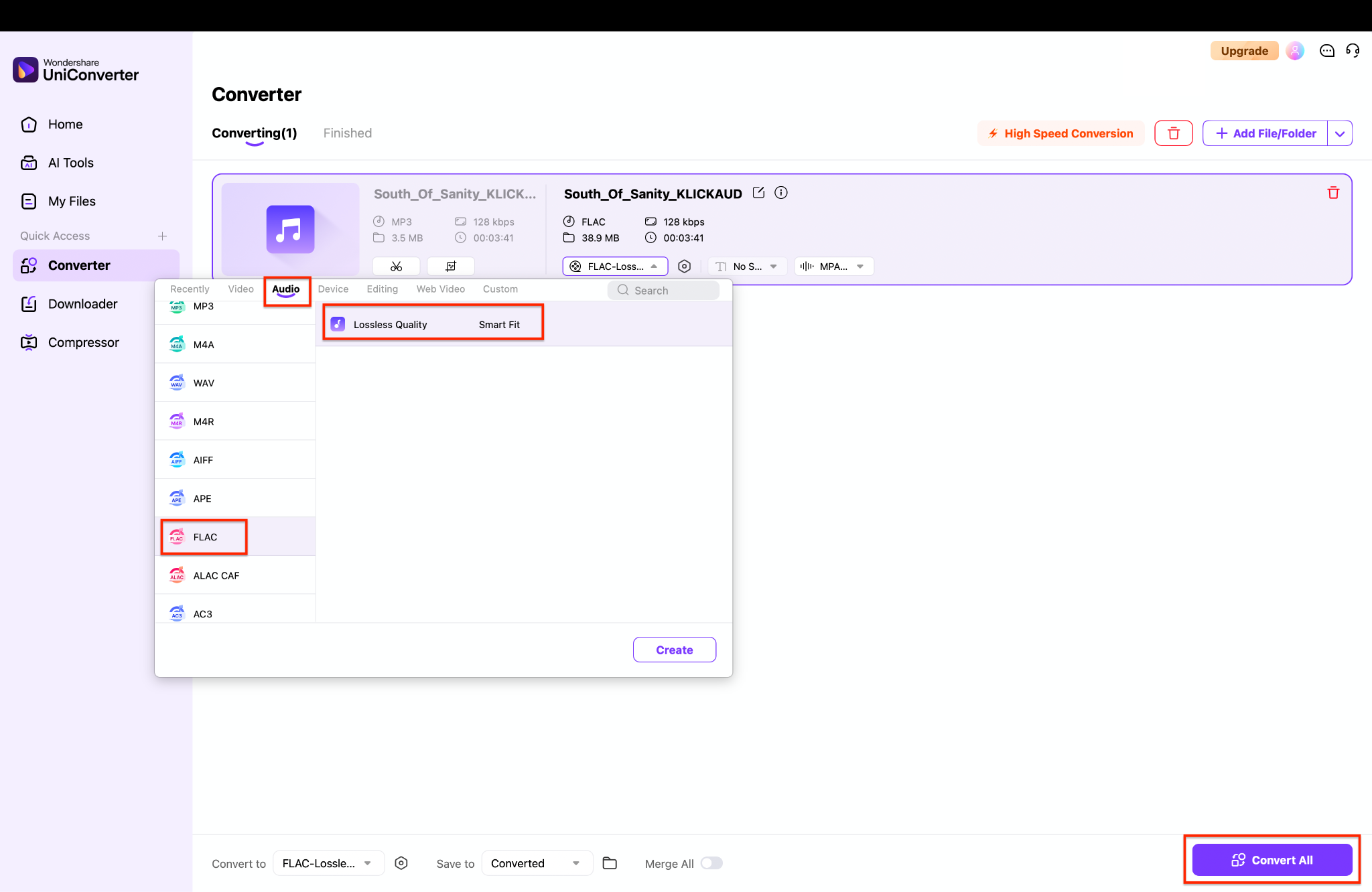
Once downloaded, locate your file in the "Finished" tab and add it to the Converter tool. As the image shows, click the output format menu in the Converter to select "Audio" and choose "FLAC" with Lossless Quality. Finally, click the "Convert All" button at the bottom right to finish creating your high-quality file.
Method 2: Use an Online SoundCloud to FLAC Downloader
If you need a very quick fix, an online SoundCloud to FLAC downloader can help. These tools run directly in your web browser. These web platforms need no setup or installation. You just use a free site to process the track's web address. Here are two popular online options you can try.
1. SoundCloudToFLAC
This is a simple web tool made to extract audio from streaming links. It offers a clean interface for quick tasks. It is decent for single files.
Steps-by-Step Guide to Convert SoundCloud to FLAC Online:
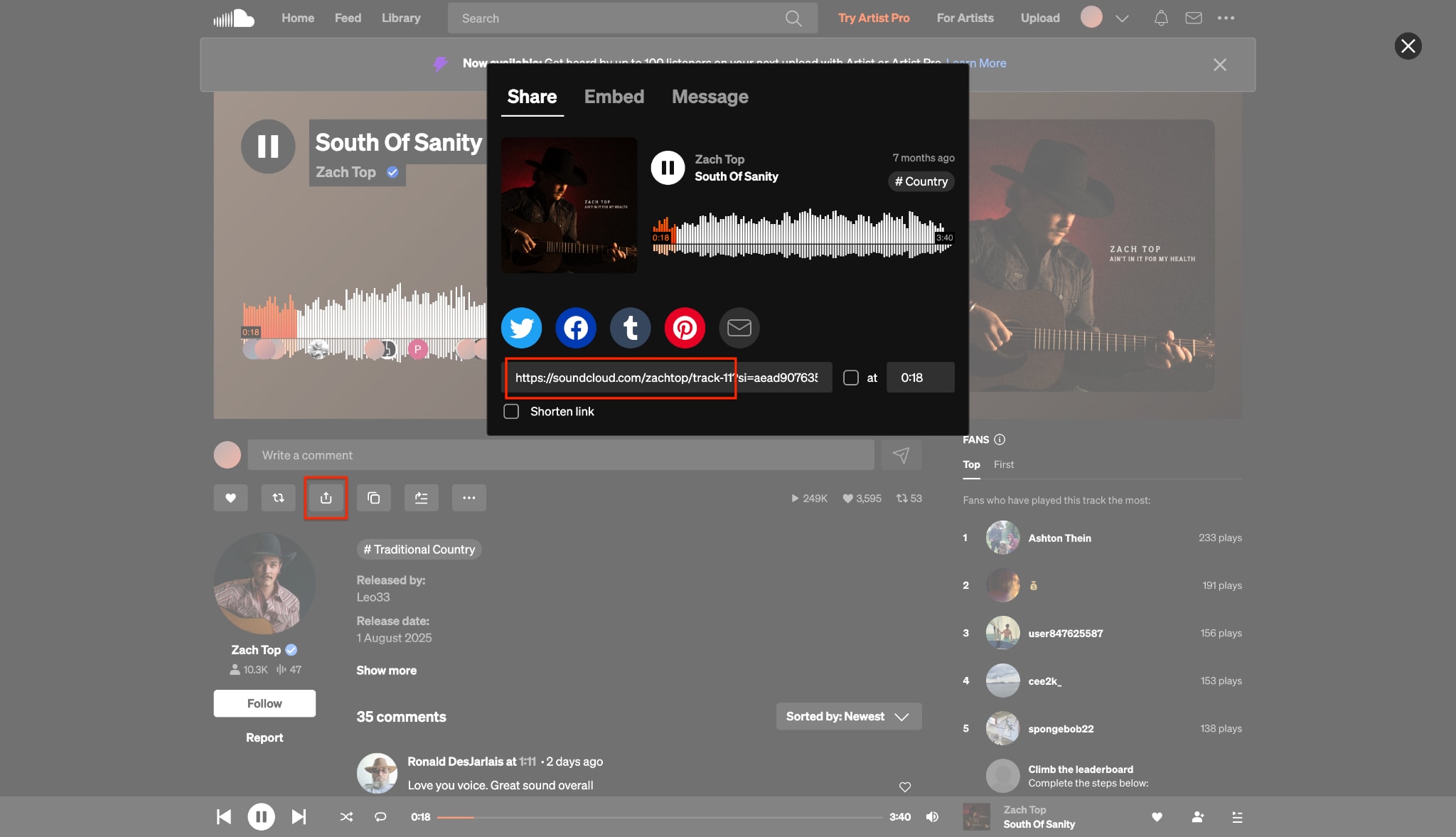
Step 1: Copy the SoundCloud Track Link
First, open the SoundCloud website and find the specific track you want to save. Click the "Share" icon located directly below the audio waveform of your chosen song. A small window will pop up where you can easily copy the direct track link.
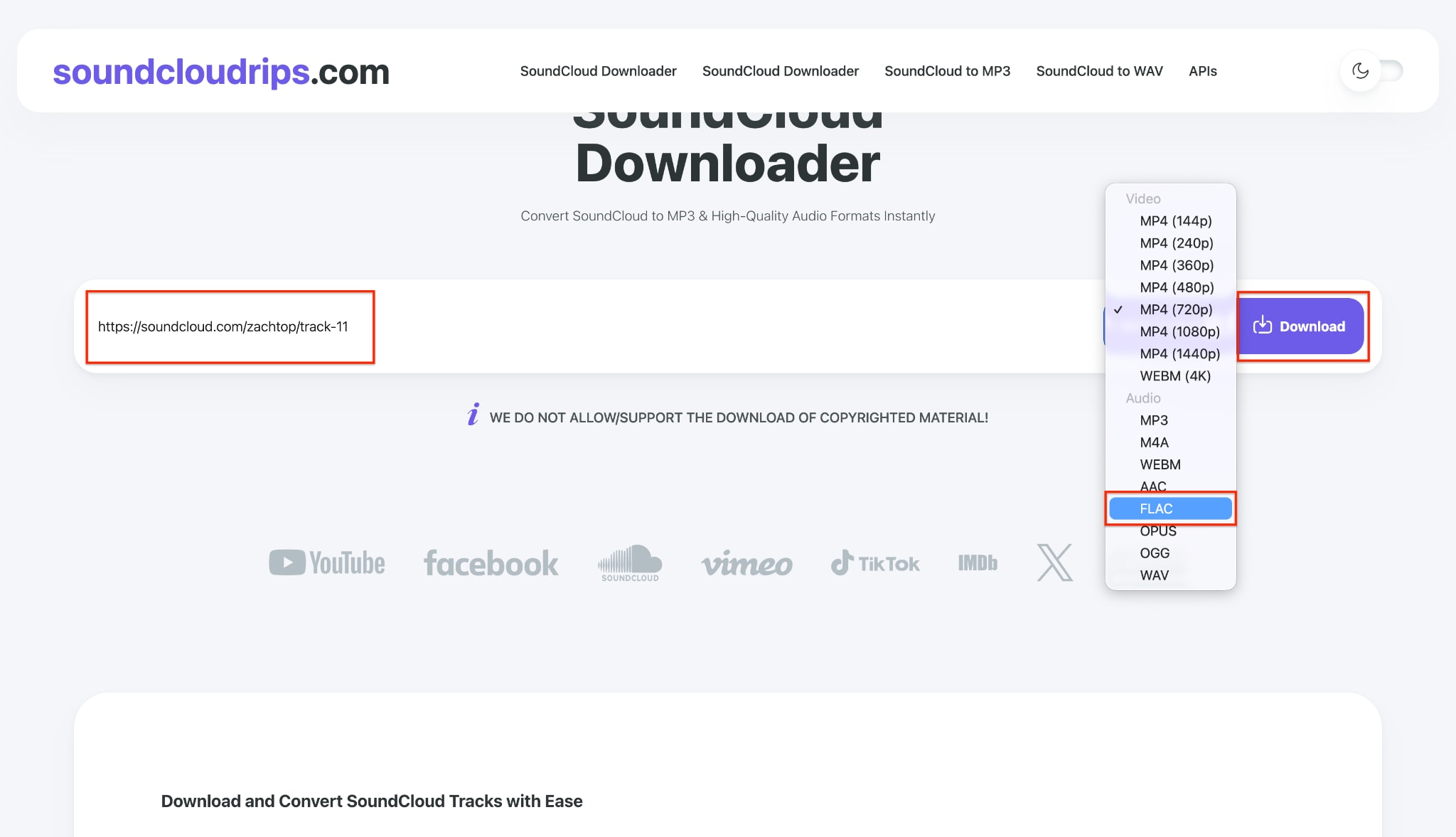
Step 2: Paste and Select FLAC Format
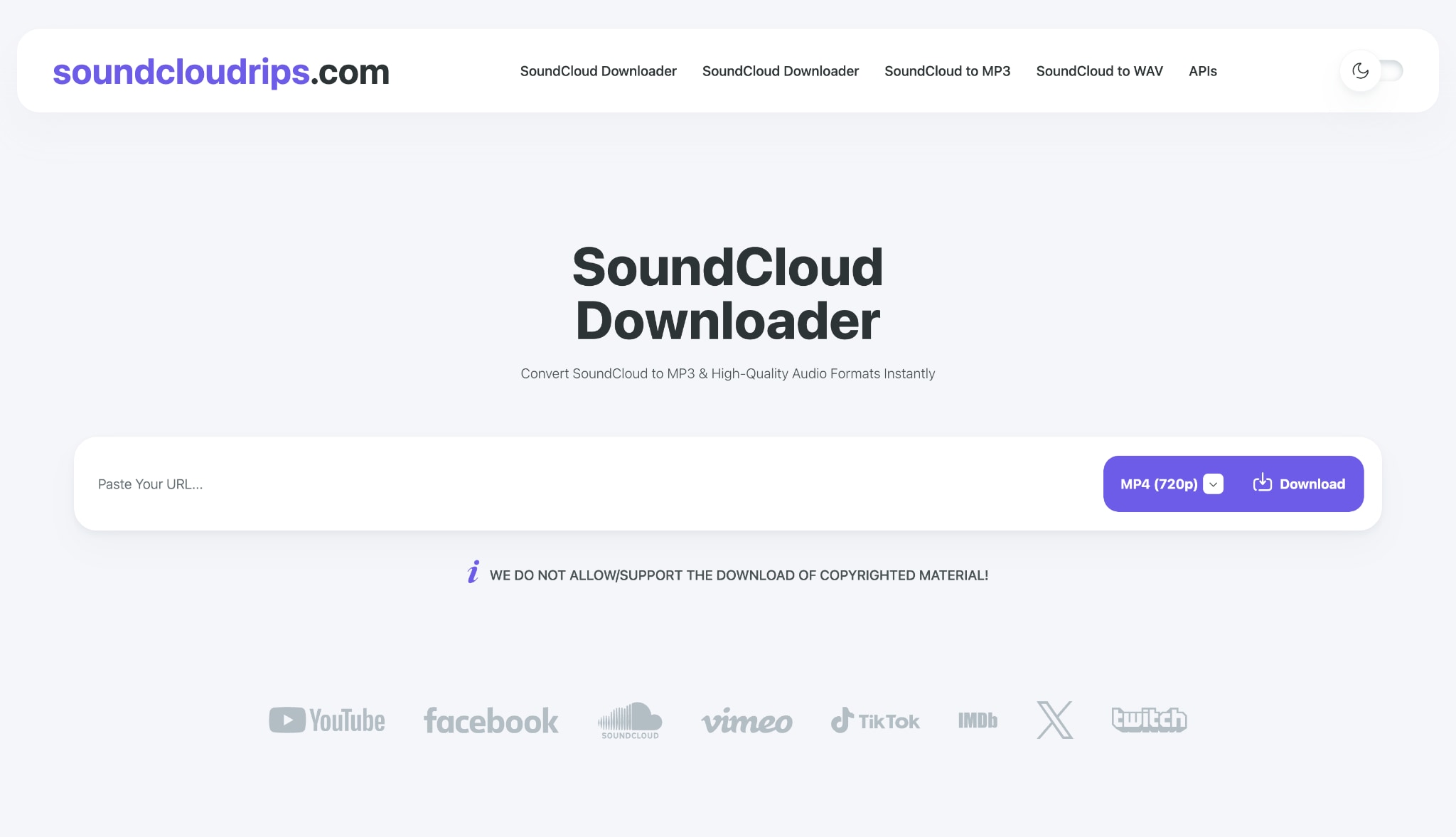
Next, open SoundCloudToFLAC and paste your copied link into the main downloading box. Click on the format menu on the screen and select "FLAC" from the audio options. Once you choose the correct lossless format, click the initial download button to begin.
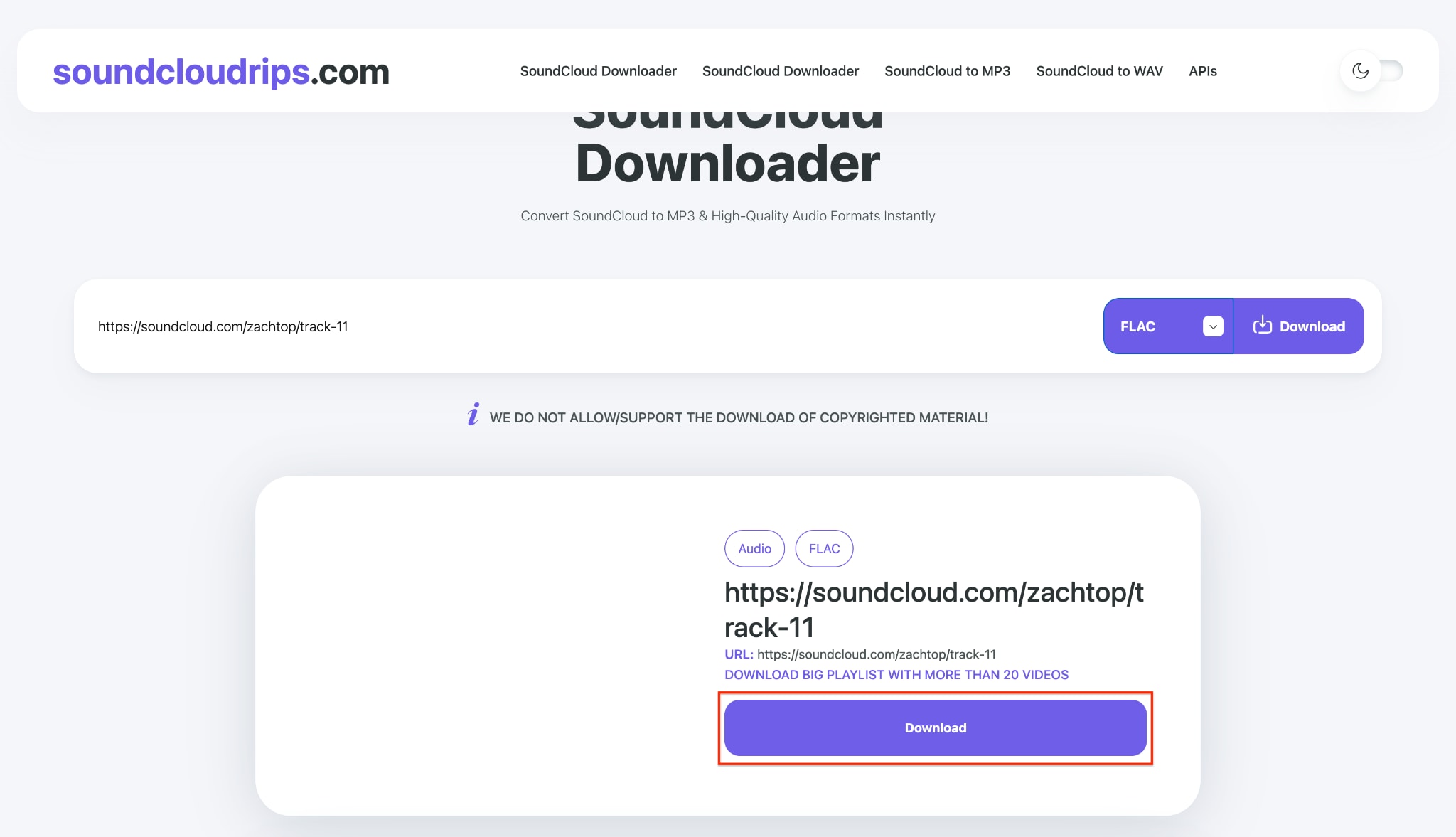
Step 3: Process and Save the Audio
Wait for a brief moment while the software securely processes your high-quality music file. Finally, click the large download button that appears to save the audio to your device.
Pro Tip: Always set a specific output folder in your settings beforehand so you never lose your downloaded music.
2. SCDownloader
SCDownloader is another popular choice for single-track extraction. It mostly handles MP3s but can extract lossless files if the source allows it. It is widely used by many music fans.
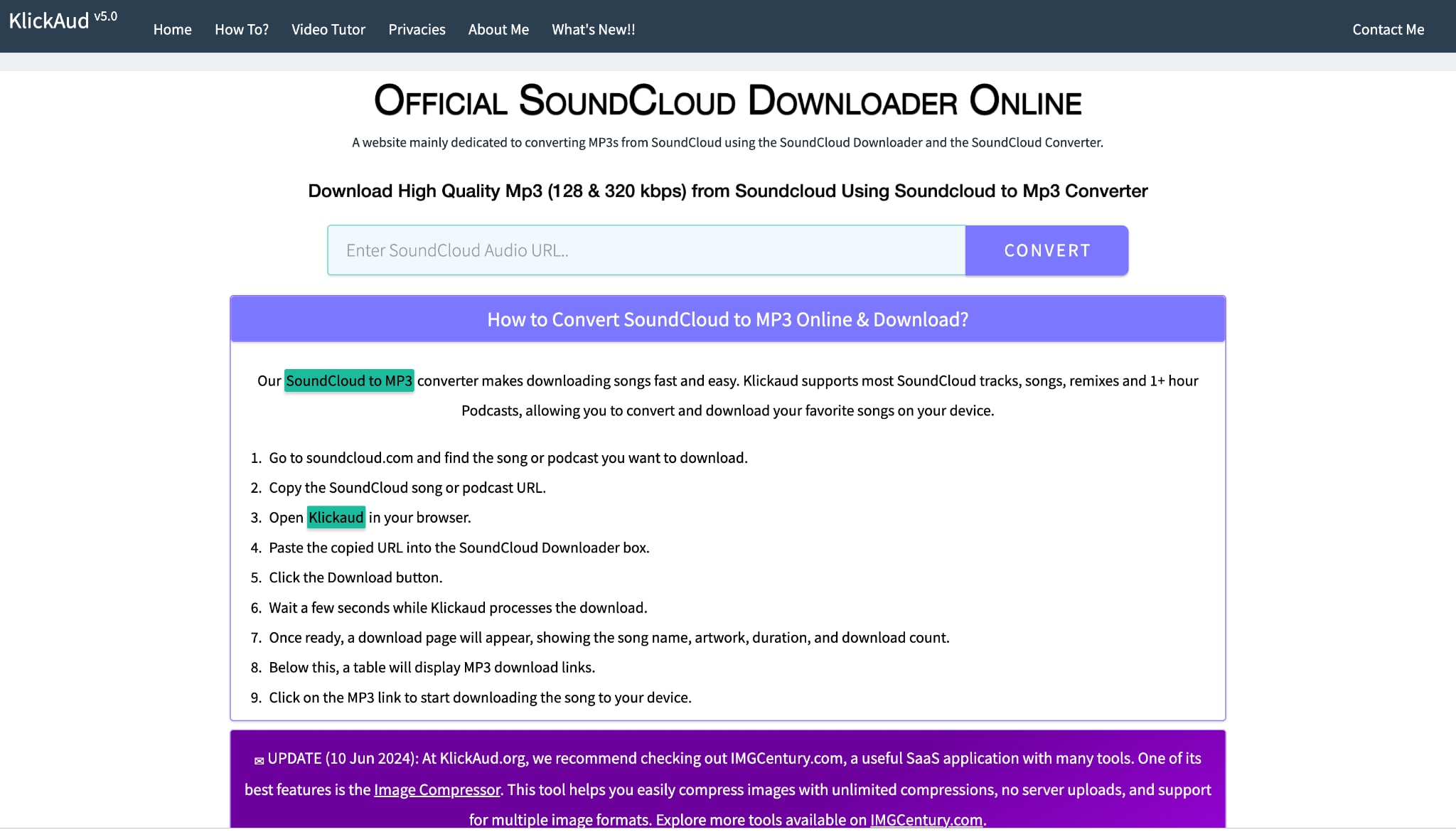
Steps-by-Step Guide to Download FLAC from Soundcloud Online:
Step 1: Copy the SoundCloud Track Link
First, head over to the SoundCloud website and find the specific track you want to save. Click on the "Share" icon located under the song's audio waveform to open a small menu. Simply copy the direct URL link provided inside the share box.
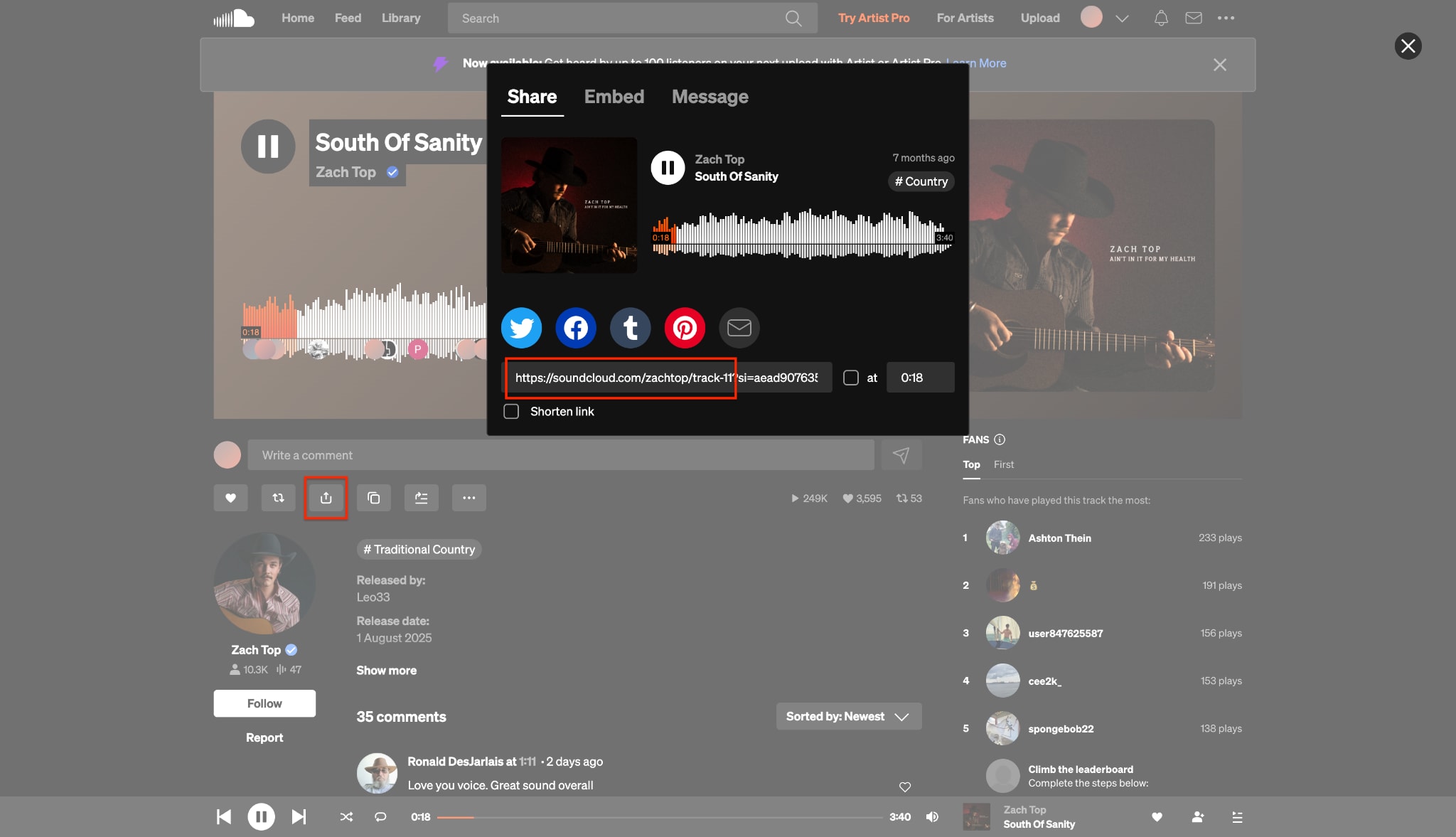
Step 2: Paste and Convert Your File
Next, open the SCDownloader website in your browser and paste your copied link into the main search box. Choose your desired format, and then click the "Convert" button located right beside the box.
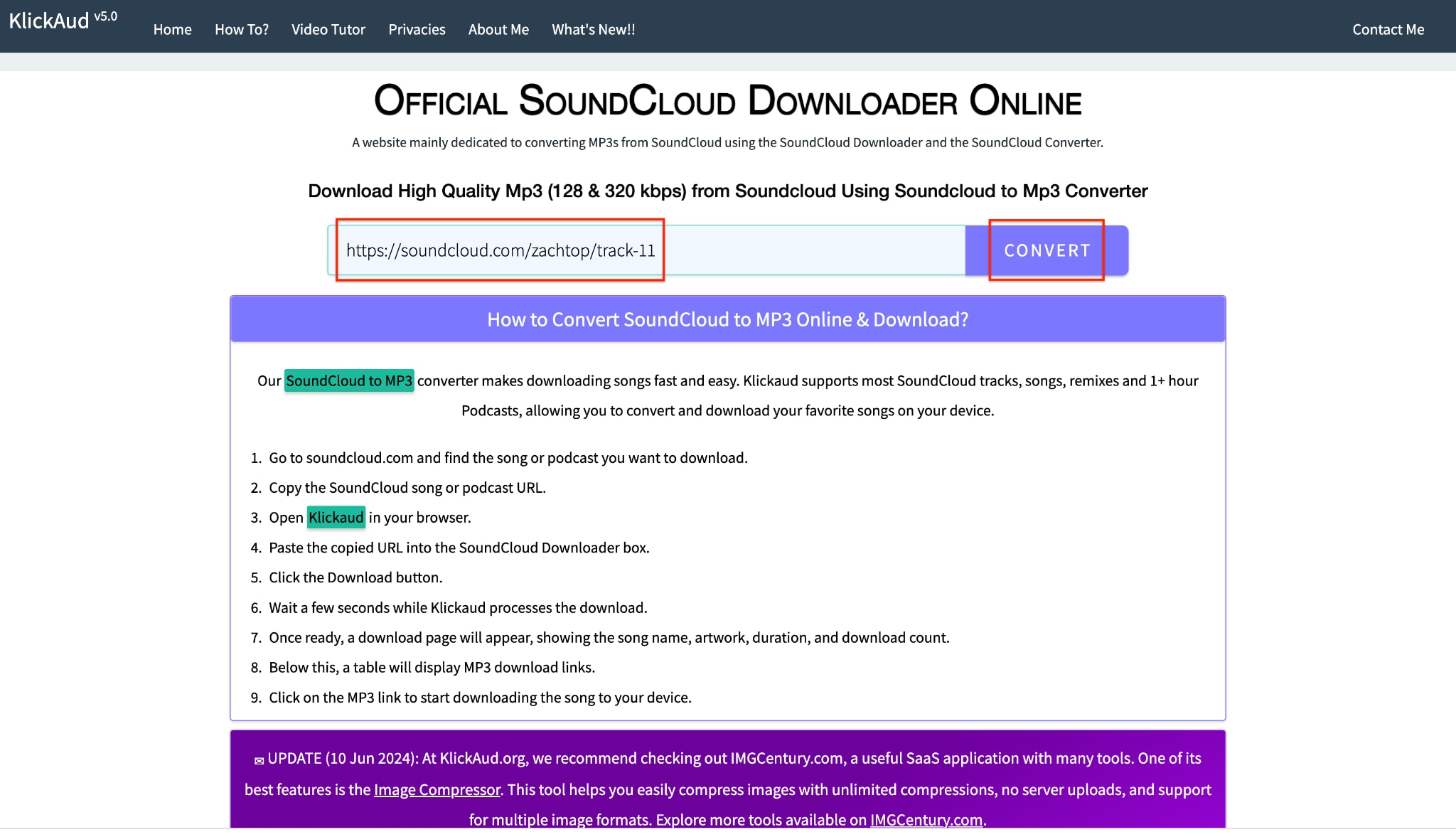
Pro Tip: Always ensure you copied the complete track URL so the online tool can process your song without errors.
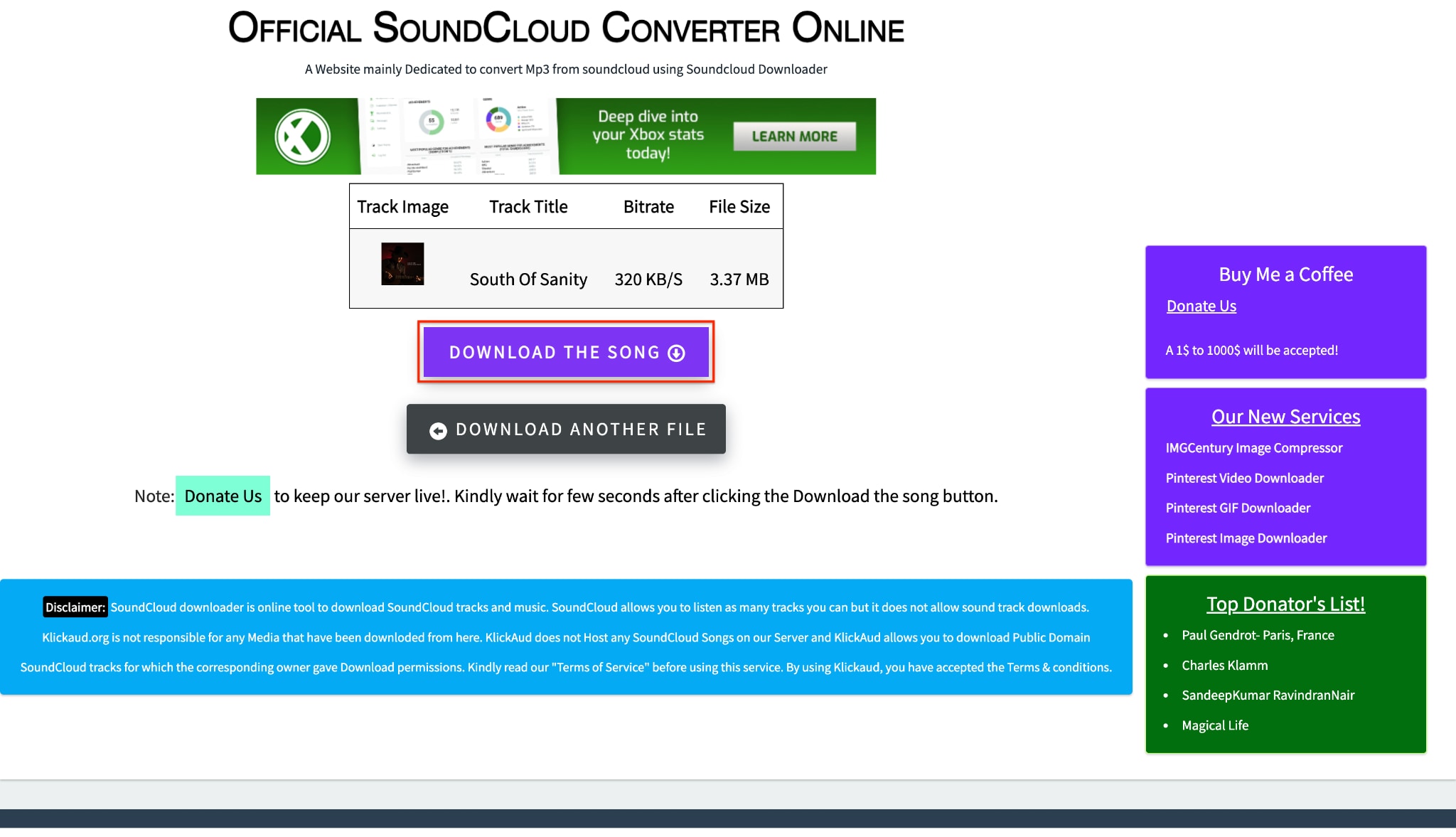
Step 3: Download the Final Song
Wait a few short moments for the online tool to finish processing your selected audio file. A new screen will appear showing your track details along with a "Download The Song" button. Click this button to officially save the converted music file directly to your computer.
Best SoundCloud to FLAC Downloader Tools (Compared)
To help you choose the right tool to download FLAC from SoundCloud, we made a chart. Here is a quick, factual comparison of the methods discussed above. You can easily see which tool fits your daily needs.
| Tool Name | Tool Type | FLAC Support | Batch Download | Safety | Best For |
| Wondershare UniConverter | Desktop | Yes (True Lossless) | Yes | High (No Ads) | High-quality batch conversions |
| SoundCloudToFLAC | Online | Mixed (Often Upscaled) | No | Low (Pop-ups) | Quick single track downloads |
| SCDownloader | Online | Mixed | No | Low (Pop-ups) | Fast extraction of short clips |
How to Download SoundCloud Playlist to FLAC
Many free web tools fail when you try to convert a full playlist. They simply crash or give error messages. To fix this, you need a tool that handles batch processing. Many users waste hours pasting links one by one into a browser. This is very inefficient.
With desktop software, you solve this problem instantly. You can paste a single playlist URL into the tool. The system will then find all the tracks instantly. You can select FLAC as the output for the whole list. Using the "Batch Saving" feature in Wondershare UniConverter is very easy. You can safely download SoundCloud FLAC files by the dozens. You save time while keeping high-resolution quality.

Tips
If you want to download full playlists in high quality, check out the detailed guide on how to download SoundCloud playlists for step-by-step instructions.
FLAC vs MP3: Which Is Better for SoundCloud Music?
When choosing how to save your music, you must know the differences between formats. Both formats have clear benefits depending on how you listen to music. Understanding these differences helps you build a better music library.
What Is FLAC (Free Lossless Audio Codec)?
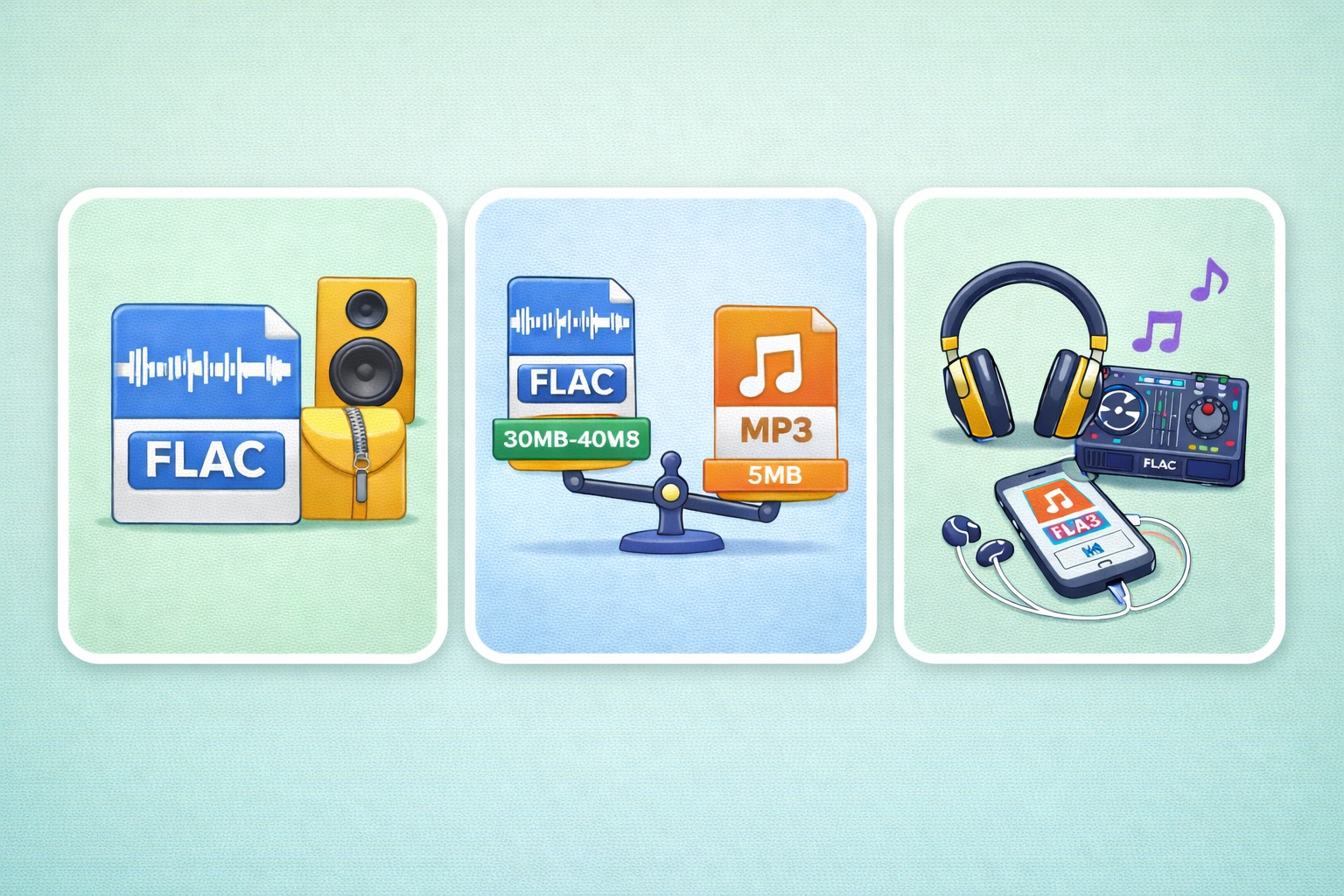
FLAC is an open-source format for lossless audio compression. It acts like a digital ZIP file for audio. However, it plays your music in real-time. When you play a FLAC file, no audio data is missing. It sounds exactly like the original studio track. Audiophiles love FLAC for this exact reason.
FLAC vs MP3 File Size Comparison
MP3 is a "lossy" format. It purposely deletes audio data that human ears cannot easily hear. This process shrinks the file size heavily. A standard 3-minute MP3 file takes up about 5MB. Keeping that same 3-minute track in FLAC might take 30MB to 40MB. The size difference is massive.
When You Should Choose FLAC
You should choose FLAC if you use high-end speakers or premium studio headphones. It is also the best choice for storing music long-term. DJs also need FLAC for club sound systems. If you just want background music for the gym on standard earbuds, MP3 is fine. MP3 saves a lot of hard drive space on your phone.
Is It Legal to Download FLAC from SoundCloud?
Knowing the legal rules of downloading online media is very important. It helps protect you from trouble. It also helps you respect the original music creators.
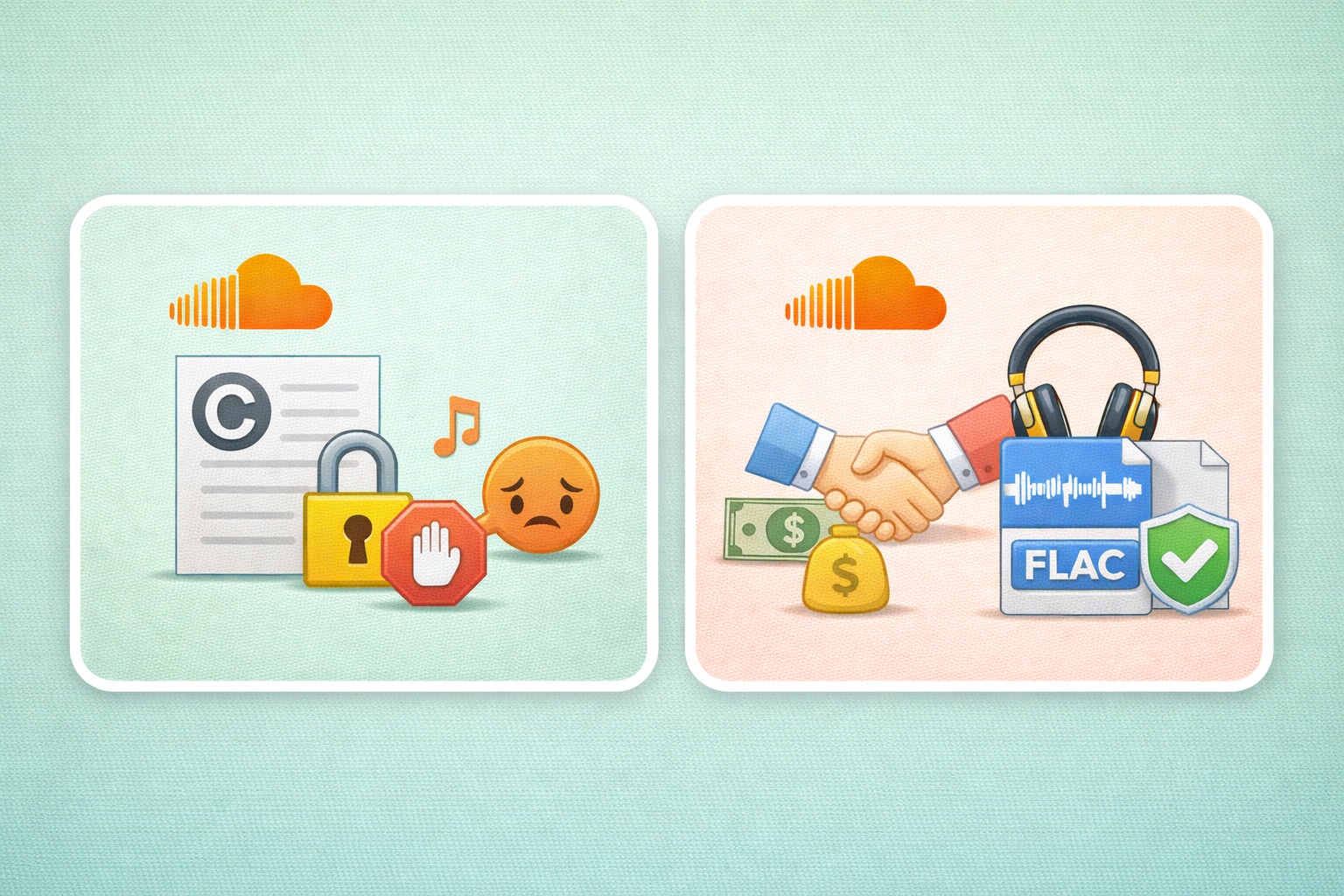
Copyright and Artist Permissions
Downloading copyrighted music without permission breaks platform rules. It also violates copyright laws. However, many independent artists on SoundCloud offer free tracks. They do this to build a bigger fan audience. Always look for an official download link first. Read the track's description for clear artist permissions.
Safe and Ethical Download Practices
Support independent artists whenever possible. If a creator sells high-quality FLAC files on their website, please buy them there. Use a SoundCloud to FLAC downloader only for royalty-free music. You can also use it for tracks you have permission to save. Always practice safe and ethical downloading habits online.
Conclusion
Building a great music library requires the right approach. You might want a single SoundCloud FLAC download. Or, you might need to process a full playlist. Skipping low-quality web tools will save you time. A reliable SoundCloud to FLAC downloader gives you the best sound without ad risks. For music lovers who want to download SoundCloud FLAC safely, we highly recommend Wondershare UniConverter. It lets you convert SoundCloud to FLAC and batch process files securely. You keep total control over your audio quality. Try UniConverter today to upgrade your music library!

