



The growing need for creators and users to archive inspiration from Instagram Reels, Stories, and IGTV offline has reached new heights in 2026. Quick web tools have gained widespread popularity across the internet. Specifically, platforms that let you execute a SaveFrom Net download Instagram video extraction directly via URL are incredibly common. While these browser-based options offer initial convenience, frequent users often encounter frustrating limitations. Intrusive ads, aggressive browser blocking, and unexpected network errors routinely disrupt daily workflows. To maintain a seamless experience, finding stable desktop alternatives like Wondershare UniConverter becomes a necessity. Upgrading to a dedicated platform ensures high-quality media extraction without the typical risks.
Quick Answer: How to Safely Download Instagram Videos in 2026
While web portals like SaveFrom.net offer quick access, they frequently present aggressive ads, recurring network errors, and privacy risks. For a secure, high-quality, and ad-free experience, skipping temporary browser tools in favor of a dedicated desktop solution ensures a much more reliable workflow.
Here is a quick breakdown of the top 5 alternatives based on your specific archiving needs:
Top Overall Choice: Wondershare UniConverter — Best for creators needing lossless 4K media extraction, powerful batch processing, and built-in AI enhancement tools within a secure environment.
Best for Bulk Archiving: 4K Stogram — Best for social media managers and researchers who need to automatically download entire profile feeds and stories simultaneously.
Best for Legacy Systems: VideoProc Converter — Best for users running older hardware, utilizing hardware acceleration to process large video clips efficiently.
Best for Beginners: HitPaw Video Converter — Best for those seeking a highly intuitive, modern interface for straightforward, daily downloading tasks.
Best Free Web Fallback: SnapInsta — Best for quick, single-link extractions on mobile devices where installing software isn't an option.
Table of Contents
Part 1. The Reality of the SaveFromNet Instagram Downloader
Understanding the hidden risks of free online platforms helps you protect your hardware and data from unwanted digital threats.

All-in-One Multimedia Processing Tool

Ease of Use vs. Safety Risks
Many users initially flock to savefromnet Instagram portals for quick, one-off downloads because they require no installation. Typing a URL into a browser box feels effortless. However, this convenience often comes paired with aggressive monetization tactics. Free online platforms rely heavily on intrusive pop-up ads and hidden redirect links. Because of these third-party advertising networks, security systems and browsers like Google Chrome frequently flag these web extensions as potentially unsafe. Navigating through multiple misleading "Download Here" buttons creates an unreliable environment for anyone trying to manage media efficiently.
The "Network Error" Dilemma
A recurring frustration with web-based extractors is handling different media types. Often, static images download perfectly, but attempting to grab a high-definition Reel triggers a "Failed - Network error" message. This disruption occurs because web servers struggle to maintain stable connections during larger data transfers, or Instagram's updated API actively blocks the browser script. When a workflow stalls due to continuous network failures, the initial convenience of an online tool quickly vanishes.
Privacy Concerns
Free online downloaders rarely operate without strings attached. Data-tracking mechanisms run silently in the background of most web-based extraction sites. These scripts monitor browsing habits, log IP addresses, and track the specific URLs processed. Professionals handling sensitive client content or creators maintaining strict privacy standards prefer to avoid these environments. Moving away from browser-based networks ensures personal data remains entirely local.
Part 2. Key Features to Look for in a Modern 2026 Instagram Downloader
A reliable desktop tool must offer specific capabilities to ensure your media archiving process remains fast, efficient, and secure.
Batch Processing Power
Processing single links manually takes too much time in today's fast-paced digital environment. The ability to download entire accounts, playlists, or multiple links simultaneously serves as the 2026 industry standard for efficiency. Batch processing allows users to queue dozens of Reels overnight or gather comprehensive research materials for a project without sitting at the computer to monitor each individual file.
Lossless Quality Extraction
Media quality degrades quickly if not handled correctly. A modern downloader must parse and extract the original 1080p or 4K resolution without forcing secondary compression. Preserving the original codec (a tool that compresses and decompresses media files) guarantees that the downloaded video looks identical to the live version. This lossless extraction remains vital for video editors who need crisp footage for larger compilation projects.
Ad-Free, Secure Environments
Protecting hardware and data starts by moving away from web-based popup networks. Native desktop architecture runs entirely on the local operating system, eliminating the need to communicate with questionable ad servers. A dedicated software environment ensures a clean interface, free from distractions, malware threats, and unexpected redirects, allowing creators to focus entirely on their media tasks.
Part 3. Quick Comparison: 2026 Instagram Downloaders at a Glance
When evaluating how to manage an Instagram savefrom alternative, the divide between web tools and desktop software becomes clear. Web tools offer immediate access but fail regarding data safety and processing velocity. Desktop solutions require a brief initial installation but reward the user with batch capabilities, hardware acceleration, and completely private, ad-free environments.
Here is a breakdown evaluating the software options based on key performance indicators.
| Tool | Extraction Speed | Batch Processing | Secure Environment | Best For |
| UniConverter | Very High | Yes (Advanced) | Yes | All-in-one media processing |
| 4K Stogram | High | Yes (Account level) | Yes | Archiving full profiles |
| VideoProc | High | Yes (Basic) | Yes | Older computer systems |
| HitPaw | Medium | Yes (Basic) | Yes | Simple daily tasks |
| SnapInsta | Low | No | No (Web-based) | Quick mobile fallback |
How We Evaluate These Tools
To ensure our 2026 recommendations remain accurate and secure, we test each platform against strict performance and safety standards:
Security & Privacy: We analyze tools for intrusive ad networks, hidden redirect scripts, and background data-tracking. Only platforms offering a clean, private environment score highly.
Extraction Success Rate: We push each downloader with heavy payloads, including 4K Reels, massive IGTV files, and dynamic account playlists, to see which web extractors trigger "Network Error" messages and which desktop tools succeed.
Media Quality Retention: We verify that the downloaded files retain their original codecs and resolutions without suffering from forced secondary compression.
Workflow Efficiency: We prioritize platforms offering robust batch processing, allowing creators to queue multiple URLs or automate entire profile downloads simultaneously.
Part 4. Top 5 Alternatives for Safely Extracting Instagram Media
1. Wondershare UniConverter (Top Recommendation)
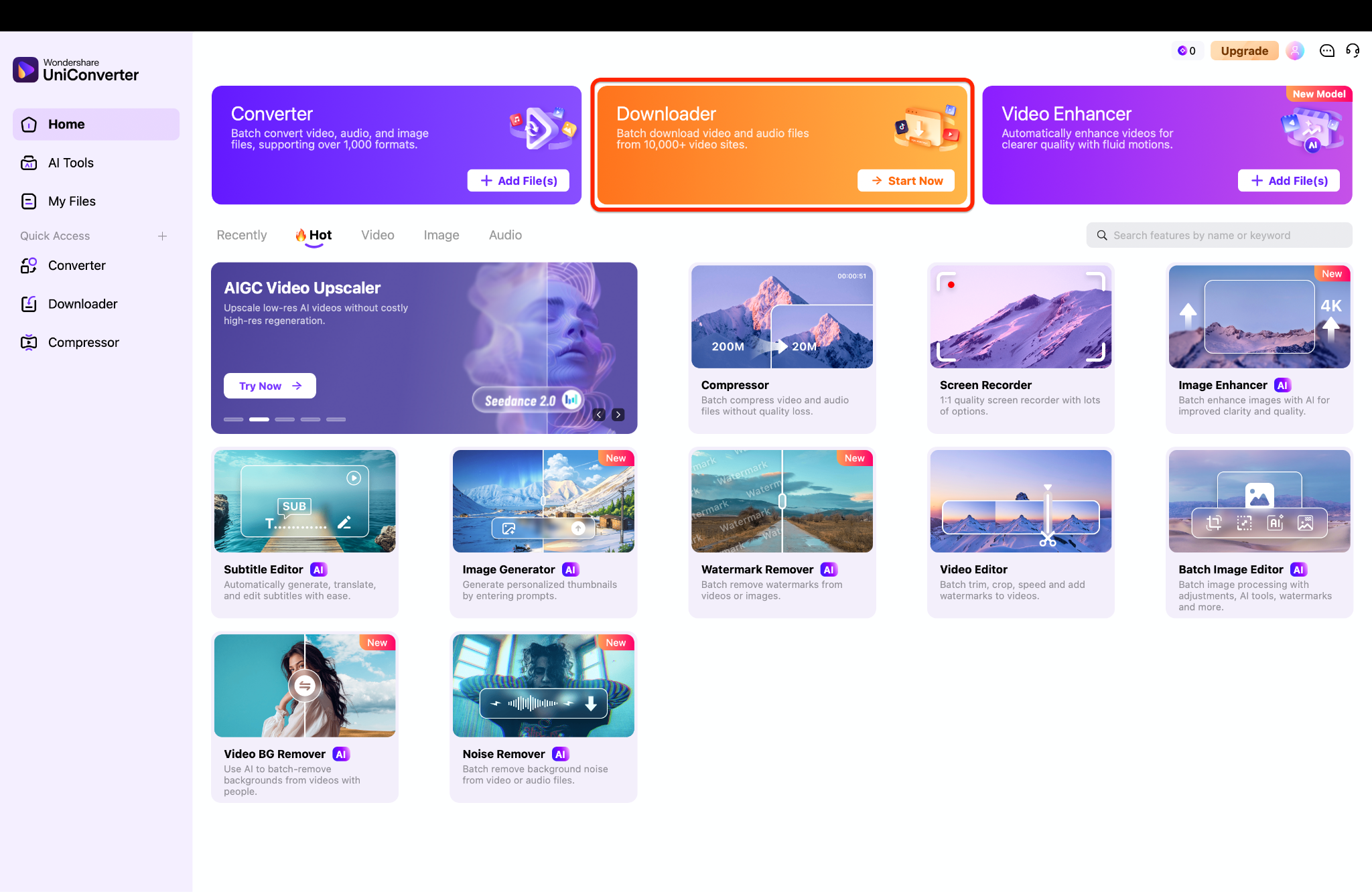
Wondershare UniConverter serves as a comprehensive IG video downloader for creators who need reliable offline archives. Instead of relying on a risky web portal, this software provides a clean, secure environment for managing your digital assets. You can process high-resolution media seamlessly without encountering frustrating network errors or intrusive advertisements. The application is designed to simplify your workflow, offering a complete suite of editing, conversion, and compression features directly on your desktop for optimal performance and safety.

Supported Device: Windows 10/11/12, macOS (Intel & Apple Silicon M-Series).
2. 4K Stogram (The Archiver)
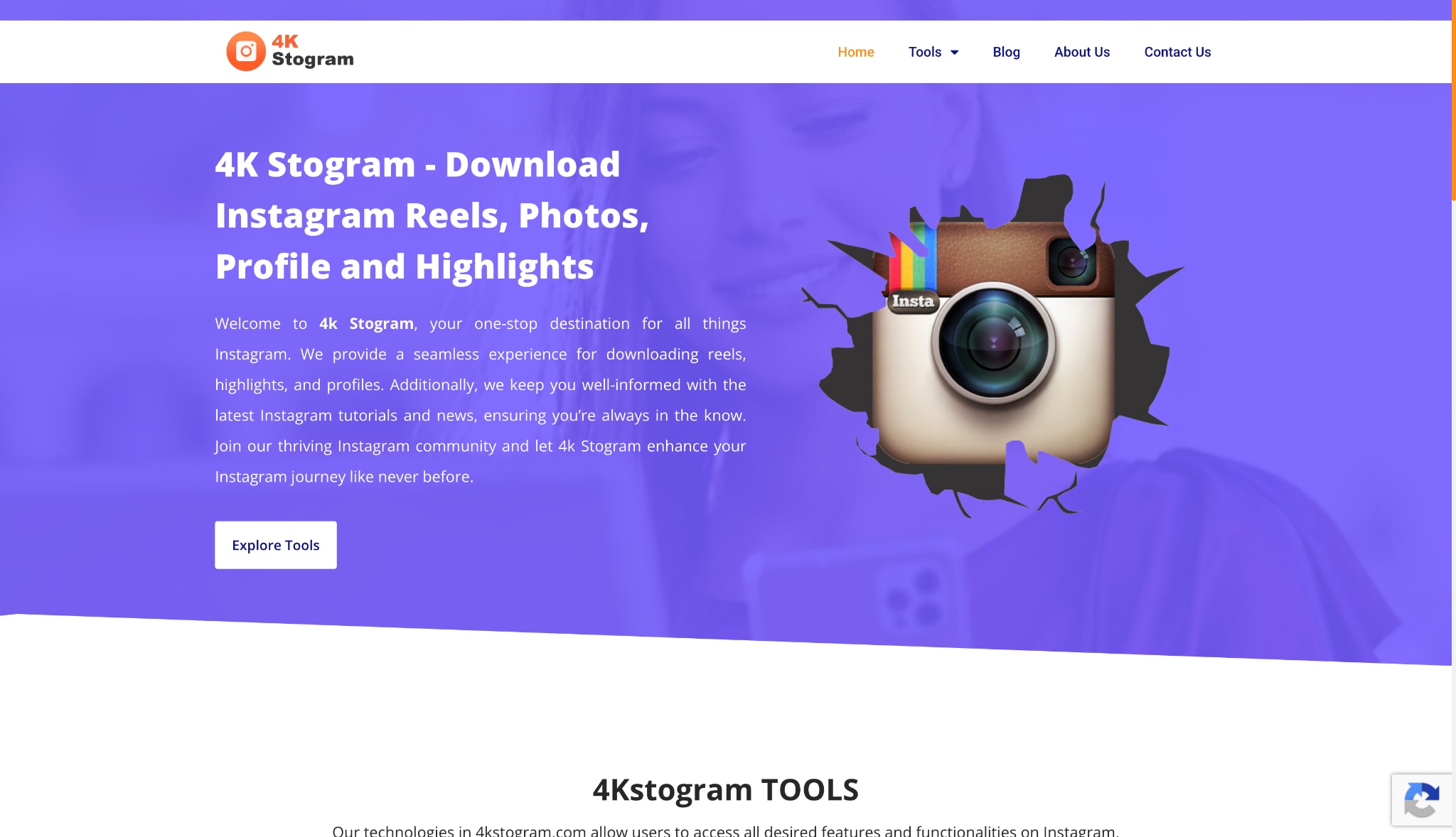
Designed specifically for bulk media archiving, 4K Stogram allows you to subscribe to your favorite creators directly from your desktop. Entering a profile name automatically fetches all current and future Reels, Stories, and static posts. This application appeals heavily to researchers and social media managers who need comprehensive backups of entire accounts rather than processing single web links individually.
Supported Device: Windows, macOS, Ubuntu.
3. VideoProc Converter (The All-Rounder)
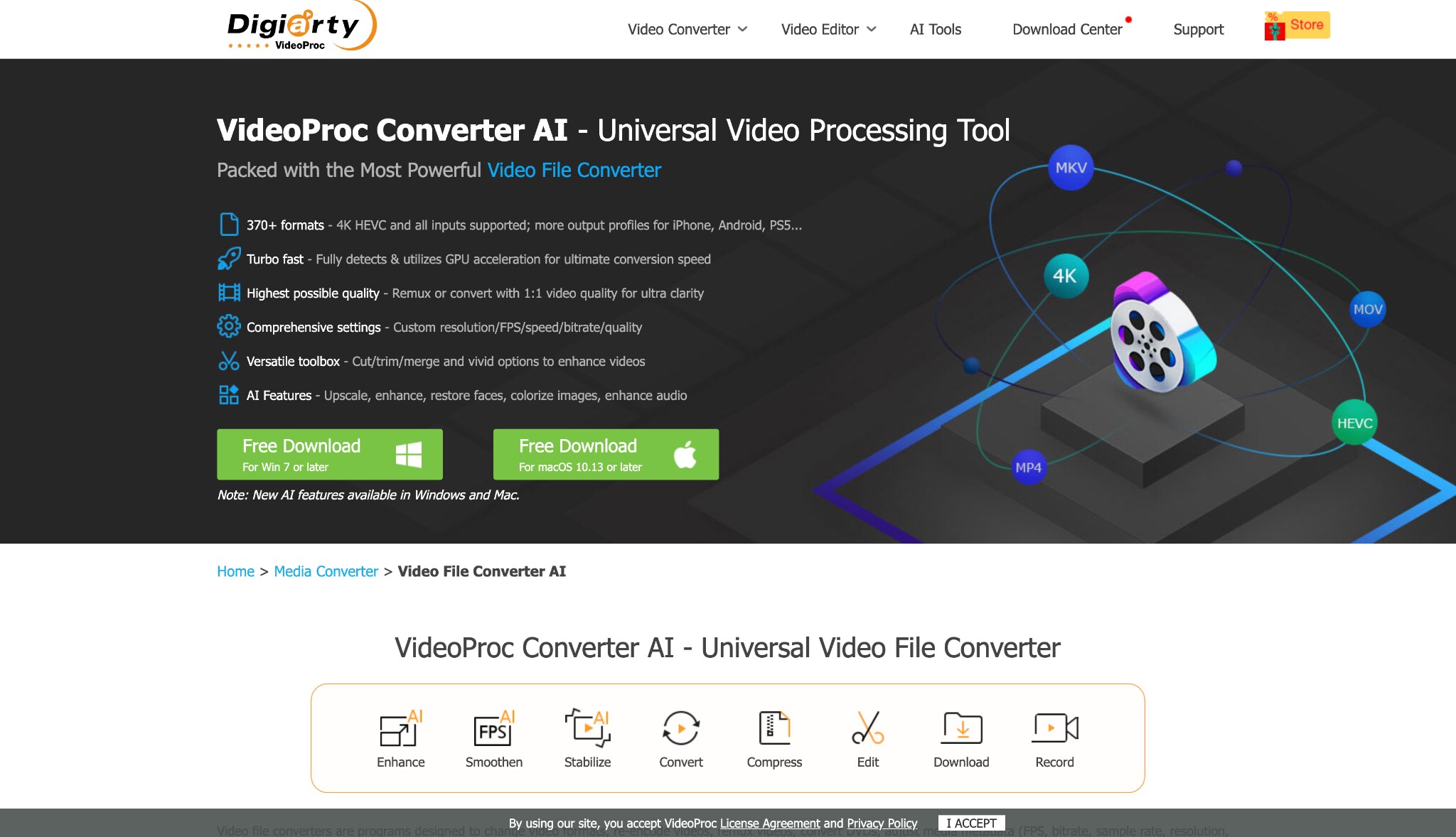
VideoProc Converter utilizes Level-3 Hardware Acceleration to process large files smoothly, making it highly effective even on older computer systems. It handles media extraction reliably while offering basic cutting, cropping, and merging capabilities. This software provides a stable bridge between downloading content and performing light editing tasks before you publish your videos to other platforms.
Supported Device: Windows, macOS.
4. HitPaw Video Converter (The Trendy Choice)
HitPaw focuses heavily on providing a vibrant, user-friendly interface that beginners find incredibly easy to navigate. It simplifies the extraction process into a few clear clicks. While it lacks some of the heavy-duty features of larger enterprise suites, it performs daily tasks reliably without overwhelming you with complex technical jargon or confusing backend settings.

Supported Device: Windows, macOS.
5. SnapInsta (The Best Free Web Fallback)
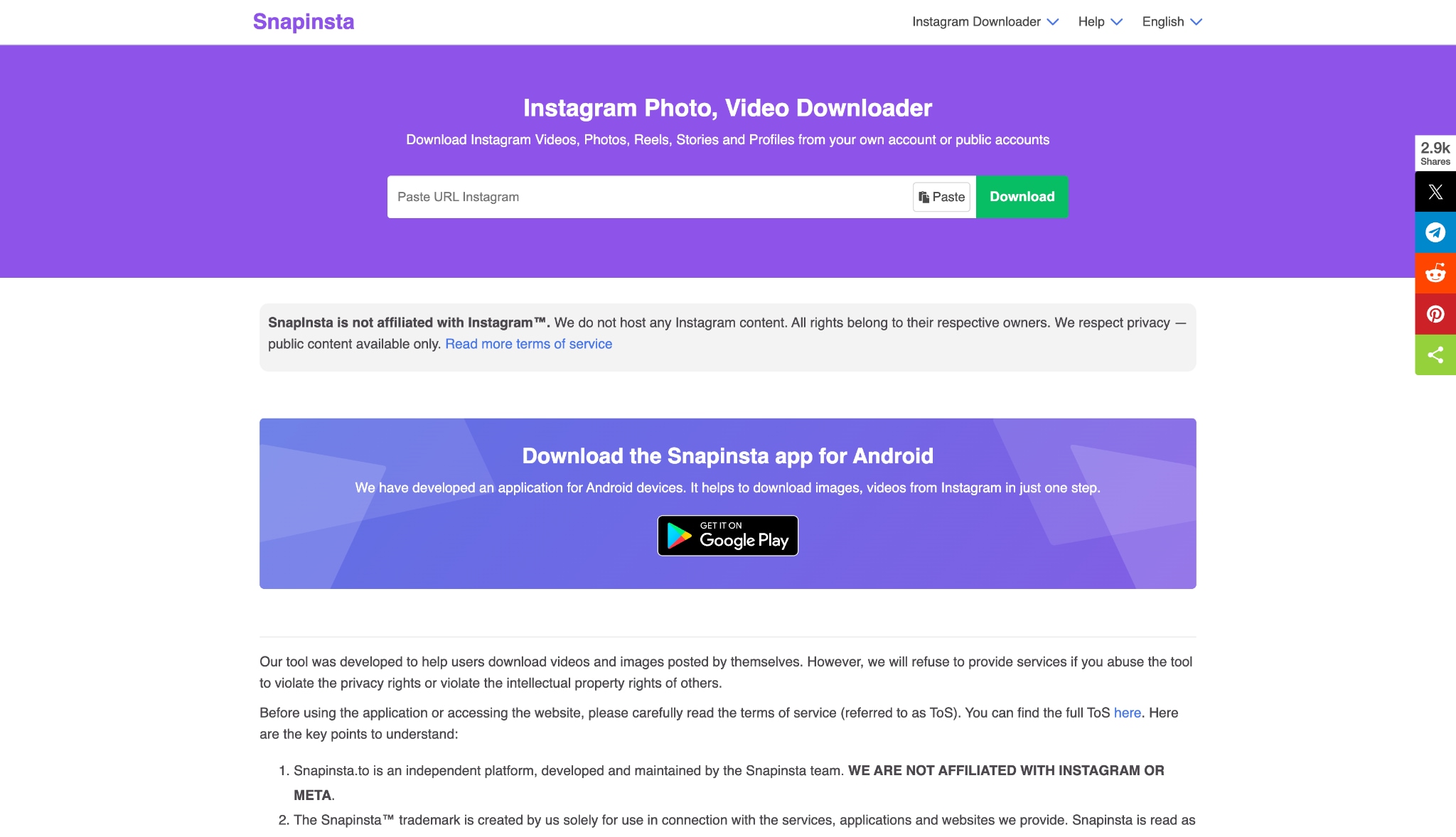
When installing desktop software is not an option, SnapInsta serves as a capable web browser alternative. It bypasses the need for an application, working directly through Safari, Chrome, or Edge. While it carries the standard risks of online portals, it remains one of the more reliable web-based options for quick, one-off media extractions on mobile devices.
Supported Device: Any web browser (Windows, Mac, iOS, Android).
Part 5. Step-by-Step Guide: How to Download Videos Safely
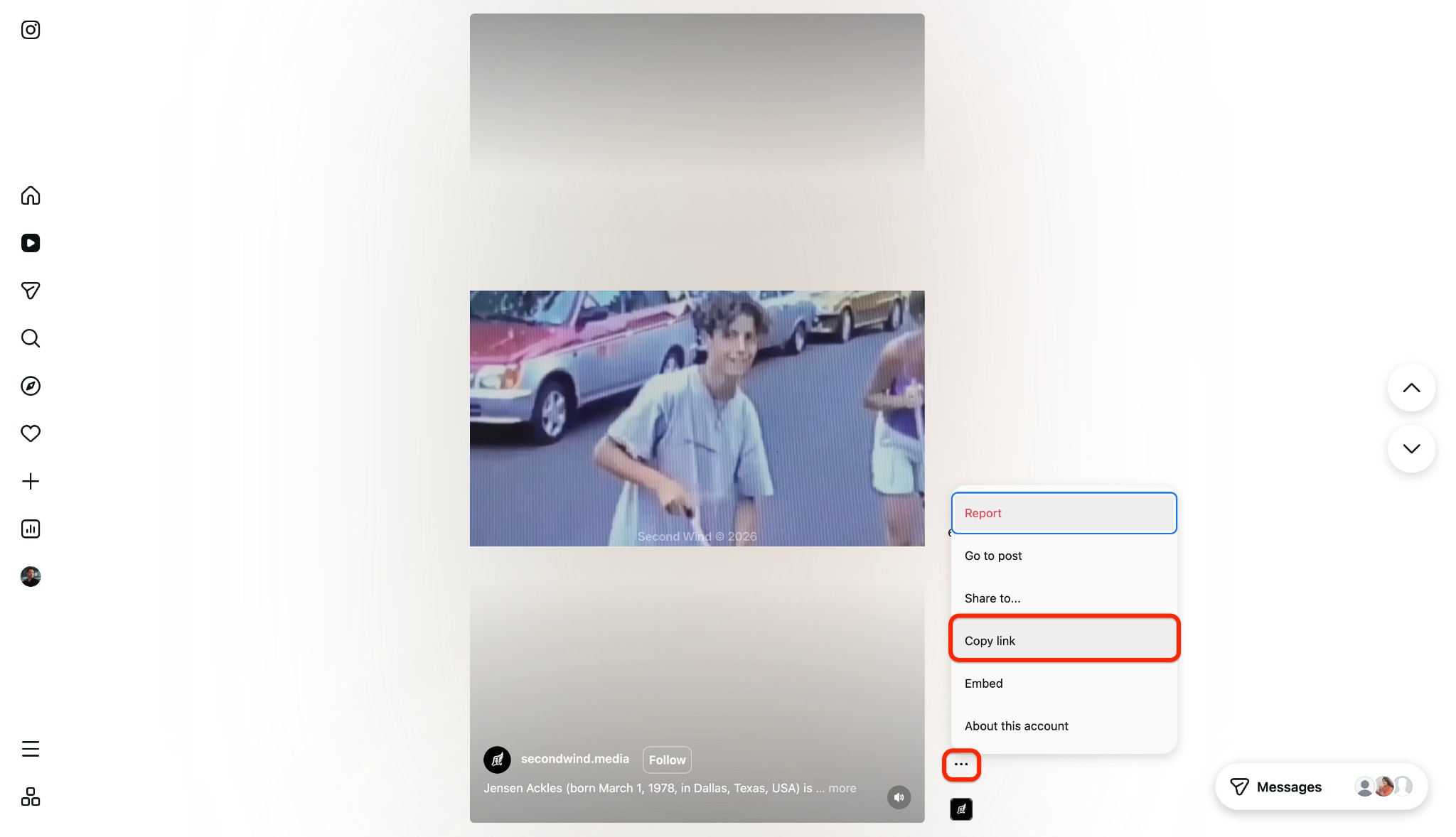
Step 1: Copy the Instagram Video Link
Open your web browser and find the specific Instagram Reel you want to keep. Click the three-dot menu next to the post to copy the URL directly. This action places the exact web address onto your clipboard for the software.
Step 2: Open the Downloader Module
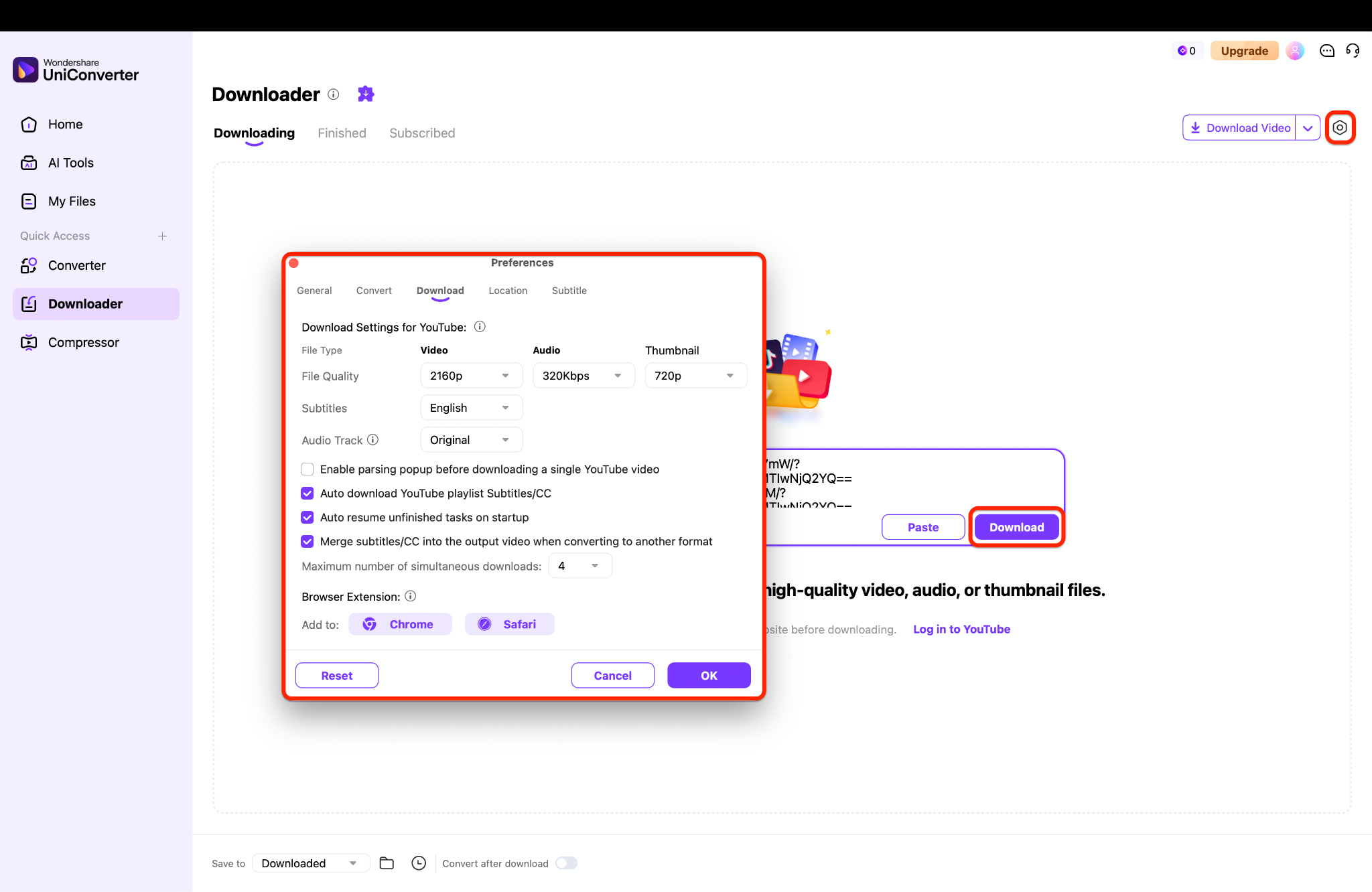
Launch Wondershare UniConverter on your desktop and select the Downloader tool from the menu. Click the "Paste" button in the corner to automatically insert your copied link. The software will quickly analyze the web address and prepare your video for extraction.
Pro Tip: You can save significant time by queuing multiple media links simultaneously. Instead of waiting for one file to finish, paste several URLs into the input box one after another. The system will process your entire batch automatically while you focus on other tasks.
Step 3: Configure and Download Your File
Choose your desired video resolution and preferred output format from the pop-up menu. Click the "Download" button to save the media file securely to your hard drive. You can access the finished video inside your output folder for immediate offline viewing.
Part 6. Conclusion
While searching to execute a quick download video Instagram savefrom task provides immediate browser results, the risks simply outweigh the benefits. Relying on web-based popups disrupts efficient workflows and compromises your data privacy. For a truly secure and high-quality process, upgrading to a dedicated desktop solution like Wondershare UniConverter guarantees your media remains protected. You can experience ad-free batch processing, lossless extraction, and complete peace of mind. Download Wondershare UniConverter today to take full control over your offline media archiving strategy without dealing with the typical frustrations of unreliable web tools.

