


High-quality scenic footage is widely used in YouTube videos, travel edits, relaxation content, presentations, and digital displays. Many users look for 4K nature video free download resources because sharp landscapes, oceans, forests, and sky scenes can instantly make a project feel more immersive and professional.
Still, resolution is only one part of the decision. File size, format compatibility, editing flexibility, and playback performance also matter when choosing the right clip. In this guide, you will learn how to evaluate scenic footage, compare 4K and Full HD options, and manage large files more efficiently after download with tools like UniConverter.
Table of Contents
Part 1. What Makes 4K Nature Footage Different?
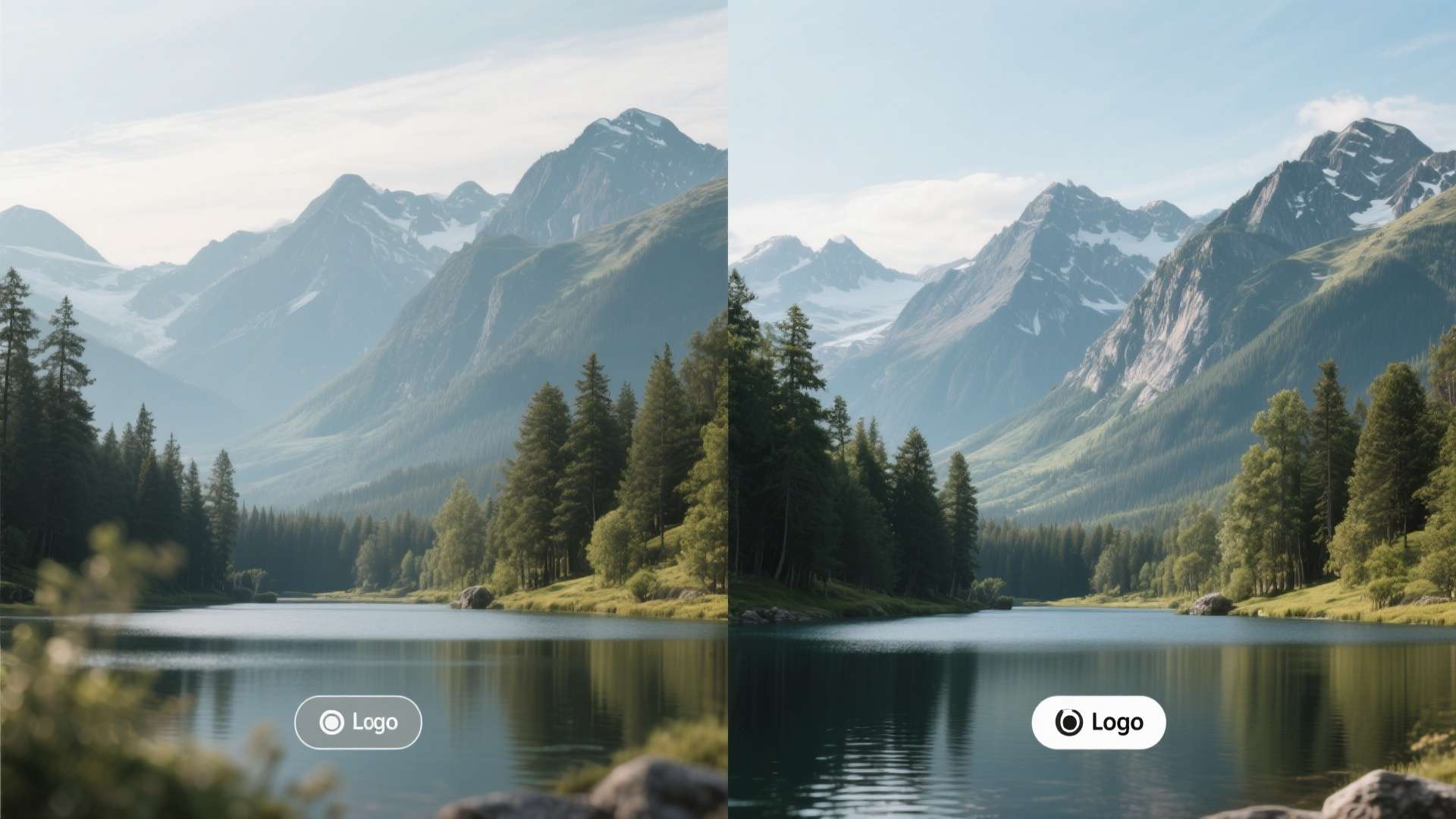
A 4K nature video is scenic footage recorded or exported at a resolution of 3840 × 2160 pixels, which is commonly called Ultra HD or 4K UHD. Compared with standard HD or Full HD, 4K contains much more visual detail. That additional detail matters a lot in outdoor footage because landscapes, rivers, trees, clouds, snow, beaches, and wildlife all have textures that become clearer and more impressive at higher resolutions.
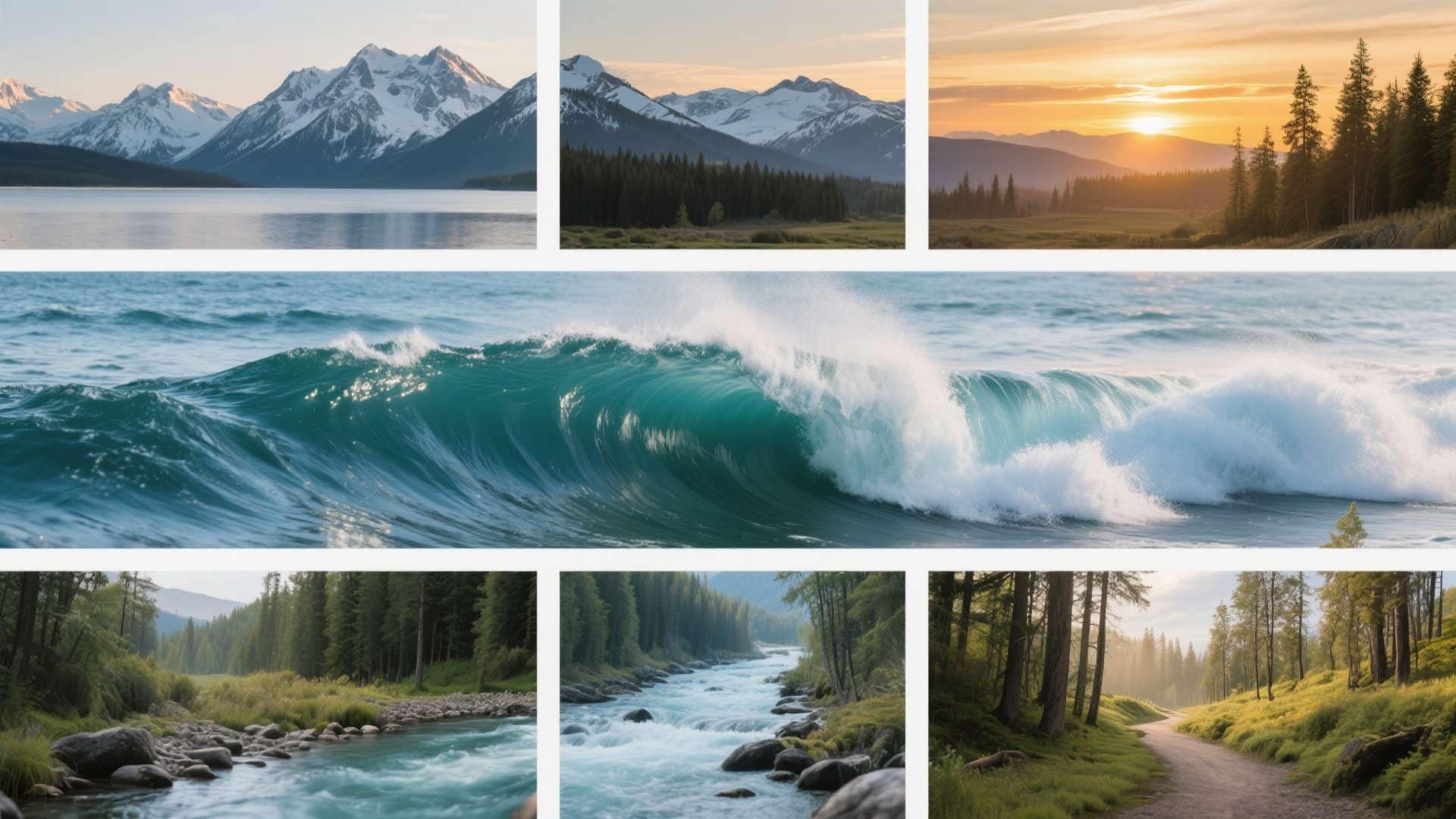
If you watch a mountain shot in 4K, you can usually see more depth in the cliffs, snow ridges, and shadows. In a forest clip, the leaves, bark, and sunlight filtering through branches look richer and more natural. In ocean footage, wave patterns and reflections appear sharper and more immersive. That is exactly why 4k nature videos are so popular for cinematic editing, presentation visuals, and background footage.
Another important point is flexibility. Editors often download 4K clips even if their final export is only 1080p. Why? Because a high-resolution source allows more freedom to crop, zoom, stabilize, or reframe the image while still preserving strong output quality. That makes 4K useful for more than just playback—it also improves editing options.
Why nature footage benefits from 4K:
Nature scenes depend heavily on atmosphere and visual richness. A talking-head video can still work in lower resolution because the viewer focuses on the speaker. But a waterfall, sunrise, forest trail, or drone landscape shot relies on detail, color, and texture. The more clearly those details appear, the more powerful the scene feels.
Quick Answer: A 4K nature video is high-resolution scenic footage recorded at 3840 × 2160 pixels. It provides sharper landscapes, better color depth, and more flexibility for editing than Full HD footage.
Part 2. 4K vs Full HD: Which One Should You Choose?
Many users search for both 4k ultra hd video and 4k full hd video, even though 4K and Full HD are not the same thing. In most cases, the search reflects a comparison: users want high-quality footage, but they also want to know whether 4K is necessary or whether Full HD is enough.
Full HD has a resolution of 1920 × 1080, while 4K Ultra HD has a resolution of 3840 × 2160. This means 4K contains about four times as many pixels as Full HD. More pixels usually mean a sharper image, especially on large displays or during editing.
| Format | Resolution | Visual Quality | File Size | Editing Flexibility | Best For |
| Full HD | 1920 × 1080 | Good | Smaller | Moderate | Social media, presentations, quick downloads |
| 2K / QHD | 2560 × 1440 | Better | Medium | Better | General content creation |
| 4K Ultra HD | 3840 × 2160 | Very High | Large | Excellent | YouTube, premium editing, large-screen playback |
When 4K Ultra HD makes more sense:
If you plan to display your video on a large screen, use it in a professional project, crop into the scene, or create content meant to look cinematic, 4K is usually the better choice. It gives you more room to work with and preserves more detail throughout the editing process.
When Full HD is enough:
If your main goal is quick playback, faster downloads, smaller storage use, and easier editing on average laptops or phones, Full HD is often the smarter option. For social media uploads, casual presentations, and simple background loops, Full HD can still look excellent.
Best For: Use 4k ultra hd video when visual quality matters most. Use Full HD when speed, storage, and broad compatibility matter more than maximum sharpness.
Part 3. Why Scenic Footage Is So Popular
The popularity of 4k nature video free download is easy to understand. High-quality scenic footage is useful in many content formats, but filming it yourself takes time, equipment, travel, and the right weather conditions. Not everyone has access to drones, high-end cameras, or beautiful landscapes on demand. Free 4K footage helps solve that problem.
Creators use 4K nature clips for:
YouTube backgrounds: Calm scenic clips make intros, transitions, or full-length ambience videos more engaging.
Meditation and relaxation content: Waterfalls, clouds, ocean waves, and forests create a peaceful mood.
Travel and lifestyle edits: Scenic stock footage adds visual depth and supports storytelling.
Presentations and classroom slides: A strong nature visual can improve attention and make a presentation feel more polished.
Website hero sections and digital signage: Short cinematic loops can immediately improve visual appeal.
Users looking for free downloads usually want more than just “a free video.” They typically want:
High resolution, no watermark, a clear license, a standard format like MP4 or MOV, and a file that still looks sharp after editing. That is why download quality and licensing clarity matter so much.
| Use Case | Recommended Resolution | Why It Works |
| YouTube scenic background videos | 4K or Full HD | 4K gives premium quality; Full HD is easier to edit |
| Meditation and relaxation videos | 4K | Scenic depth looks more immersive |
| Social media edits | Full HD | Smaller files and faster processing |
| Presentations | Full HD or 4K | Depends on screen size and playback device |
| Travel montages | 4K | Creates a more cinematic look |
| Website background loops | Full HD | Lighter and faster for web use |
Part 4. Best Types of Nature Clips for Different Projects
Not every type of nature footage works for every project. The best clip depends on the tone, audience, and final platform. Choosing the right category can make your content feel more consistent and intentional.
Forest and mountain videos: These clips work well in cinematic intros, travel edits, productivity videos, and inspirational content. Drone flyovers, misty valleys, and tree-lined paths often create a strong sense of scale and calm.
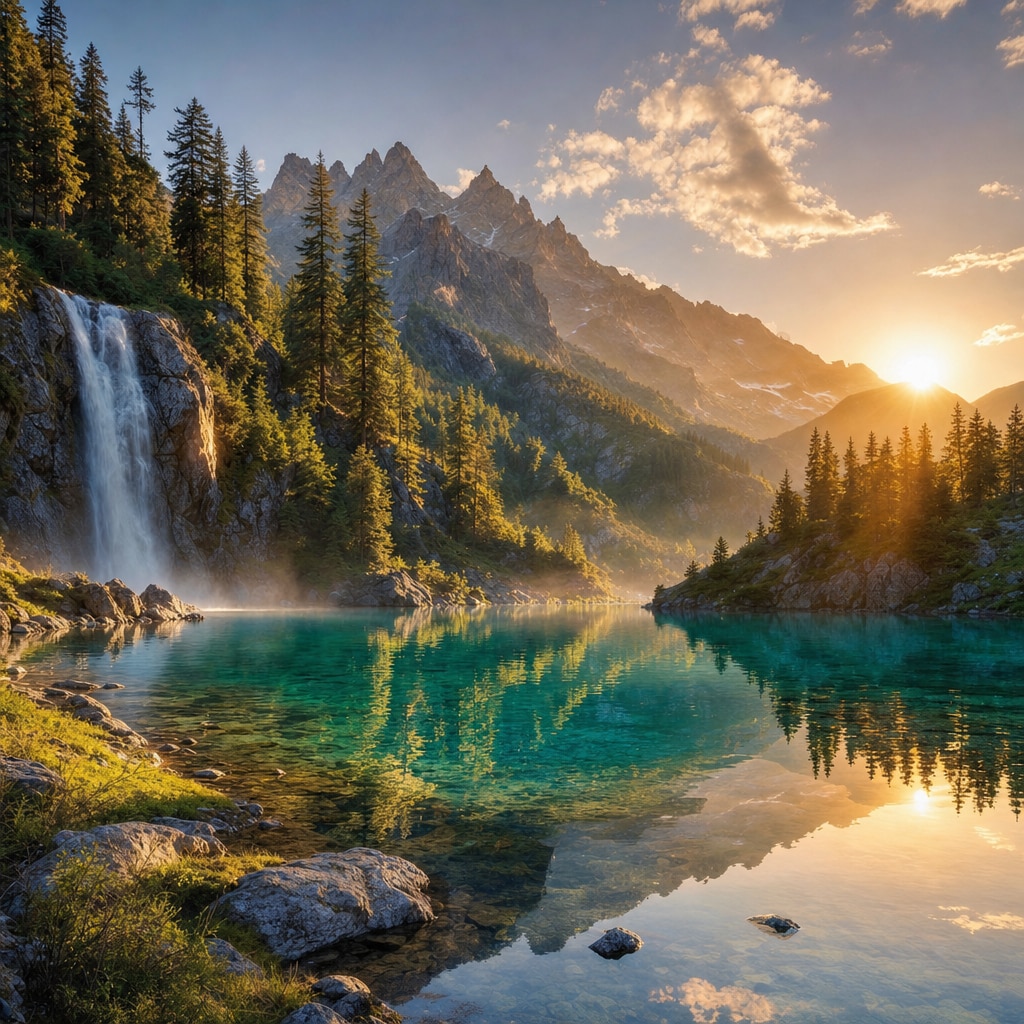
Ocean, river, and waterfall footage: Water-based scenes are ideal for meditation, wellness videos, spa content, and peaceful visual loops. Water also creates natural movement, which keeps the frame interesting without making it feel too busy.
Sunrise, sunset, and sky clips: Golden-hour visuals add emotional warmth and work especially well in motivational videos, travel montages, and reflective edits. Cloud movement and time-lapse skies are also effective transition visuals.
Wildlife and seasonal clips: Birds, deer, forests, snow, rain, autumn leaves, and spring blossoms are useful for educational content, documentary-style edits, and themed seasonal videos.
How to choose the right nature video:
Choose waterfalls and rivers for relaxation content. Choose mountains and drone landscapes for cinematic intros. Choose wildlife for storytelling and education. Choose sky clips for emotional transitions. Choose beaches and oceans for lifestyle and travel content.
The best scenic clip is not always the most dramatic one. It is the one that supports your message clearly without distracting from it.
Part 5. How to Choose a Good Download Source
There are many websites and libraries that offer free scenic footage, but not all of them are equally useful. Some provide clean, high-quality files with clear licensing, while others may offer poor compression, unclear rights, or limited format support. Instead of focusing only on whether a download is free, it is better to judge how practical it will be in your workflow.
What to look for in a download source:
Choose sources that provide high-resolution previews, standard video formats, clear personal or commercial usage rights, and files without watermarks. It is also helpful when a platform offers multiple resolution options so you can choose between Full HD and 4K depending on your project.
| Factor | Why It Matters | What to Check |
| Resolution | Determines clarity | 1080p, 2K, or 4K availability |
| File Format | Affects compatibility | MP4, MOV, WEBM |
| License | Controls legal use | Personal or commercial rights |
| Watermark | Affects usability | Avoid branded overlays |
| Frame Rate | Impacts smoothness | 24fps, 30fps, 60fps |
| File Size | Affects storage and editing | Large 4K files may need compression |
Things to check before downloading:
Make sure the resolution matches your final project. Confirm that the file can be opened by your editing software. Check if attribution is required. If the clip is for a monetized YouTube channel, client campaign, or business website, confirm that commercial use is allowed.
Tip: A free download only helps if the file is actually usable. A heavily compressed “4K” clip with unclear usage rights can create more problems than it solves.
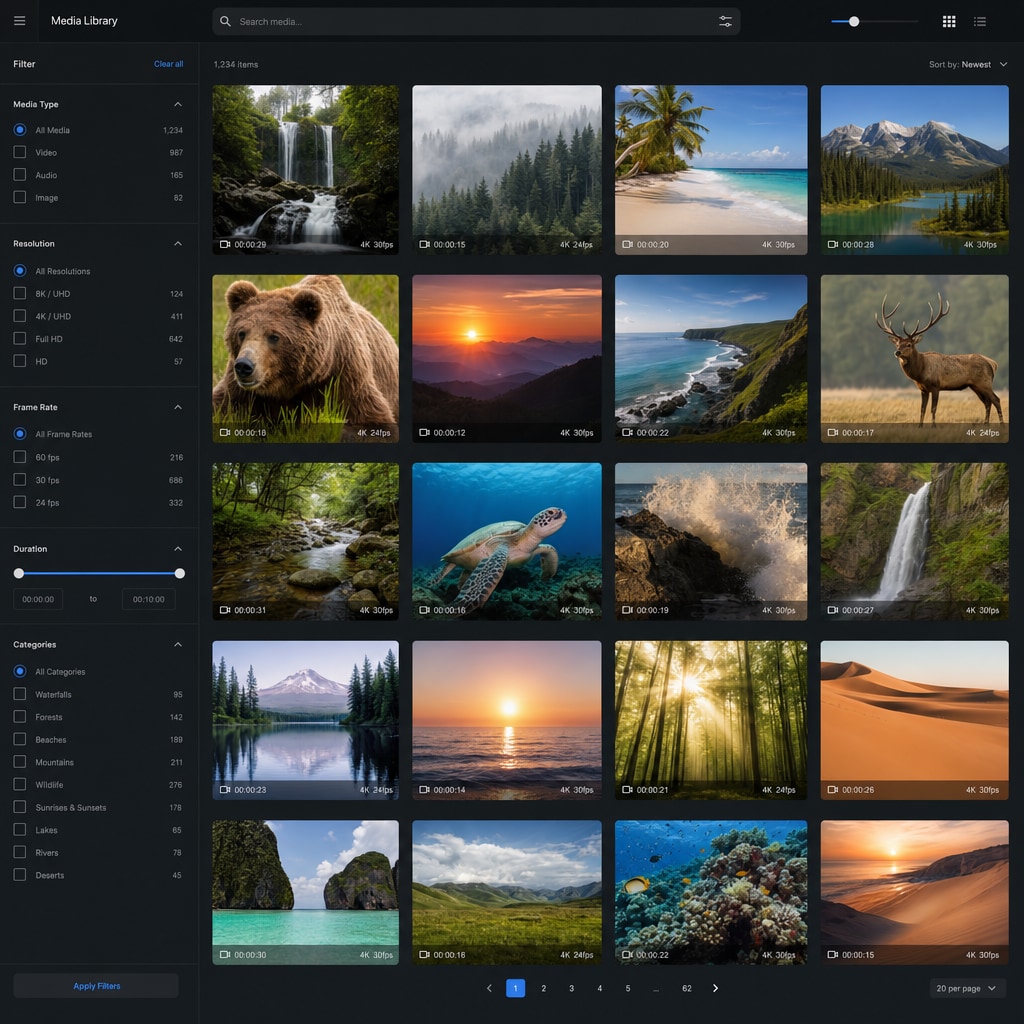
Part 6. Resolution, File Size, and Practical Use Cases
Resolution does not only affect sharpness. It also affects download speed, editing performance, upload time, playback smoothness, and storage use. That is why comparing formats with practical data helps users make better decisions.
| Resolution | Approx. Quality Level | Estimated File Size for 1 Minute* | Best Use |
| 720p HD | Basic | 50–100 MB | Quick previews, low-bandwidth use |
| 1080p Full HD | Good | 100–250 MB | Social media, standard editing |
| 2K / QHD | Better | 200–400 MB | Presentations, cleaner visuals |
| 4K Ultra HD | Very High | 350 MB–1 GB+ | Professional editing, large-screen playback |
*Estimated file sizes vary depending on codec, bitrate, frame rate, and compression settings.
| User Type | Recommended Resolution | Main Reason |
| Casual viewer | Full HD | Easier playback and smaller files |
| Student or presenter | Full HD or 2K | Balanced quality and storage use |
| YouTube creator | 4K | Better quality and more editing flexibility |
| Professional editor | 4K | Higher production value and cropping room |
| Website owner | Full HD | Faster loading performance |
Quick Summary: If quality matters most, choose 4K. If speed and storage matter most, choose Full HD. If you want maximum flexibility, download in 4K first and create optimized versions later.
Part 7. How UniConverter Simplifies the Workflow
Downloading beautiful footage is only one part of the workflow. Once users collect scenic clips, they often run into practical issues such as oversized files, unsupported formats, slow uploads, lag during playback, or difficulty organizing large media folders. This is where Wondershare UniConverter becomes directly relevant.
UniConverter helps users manage large 4K files after the download is complete. Instead of leaving footage in its raw form, you can prepare it for editing, sharing, archiving, or playback on different devices.


All-in-One Multimedia Processing Tool

Useful Features:
Convert 4K files into common formats like MP4, MOV, or AVI for broader compatibility.
Compress oversized scenic clips to reduce storage use while keeping good visual quality.
Trim, crop, or merge clips for YouTube videos, presentations, or social media posts.
Batch-process multiple videos at once to save time when working with several downloads.
When it becomes useful:
Reducing giant file sizes: A folder full of 4K nature footage can quickly consume storage space. Compression makes the files easier to keep, move, and share.
Converting unsupported formats: If a downloaded nature clip does not work properly in your editor or player, converting it to MP4 usually solves the problem.
Creating platform-specific versions: You can keep a 4K master copy for archiving and create smaller Full HD exports for websites, social posts, or client previews.
Improving workflow speed: Lighter optimized versions often edit more smoothly on average laptops than raw large-resolution files.
How to Convert 4K Nature Videos in UniConverter
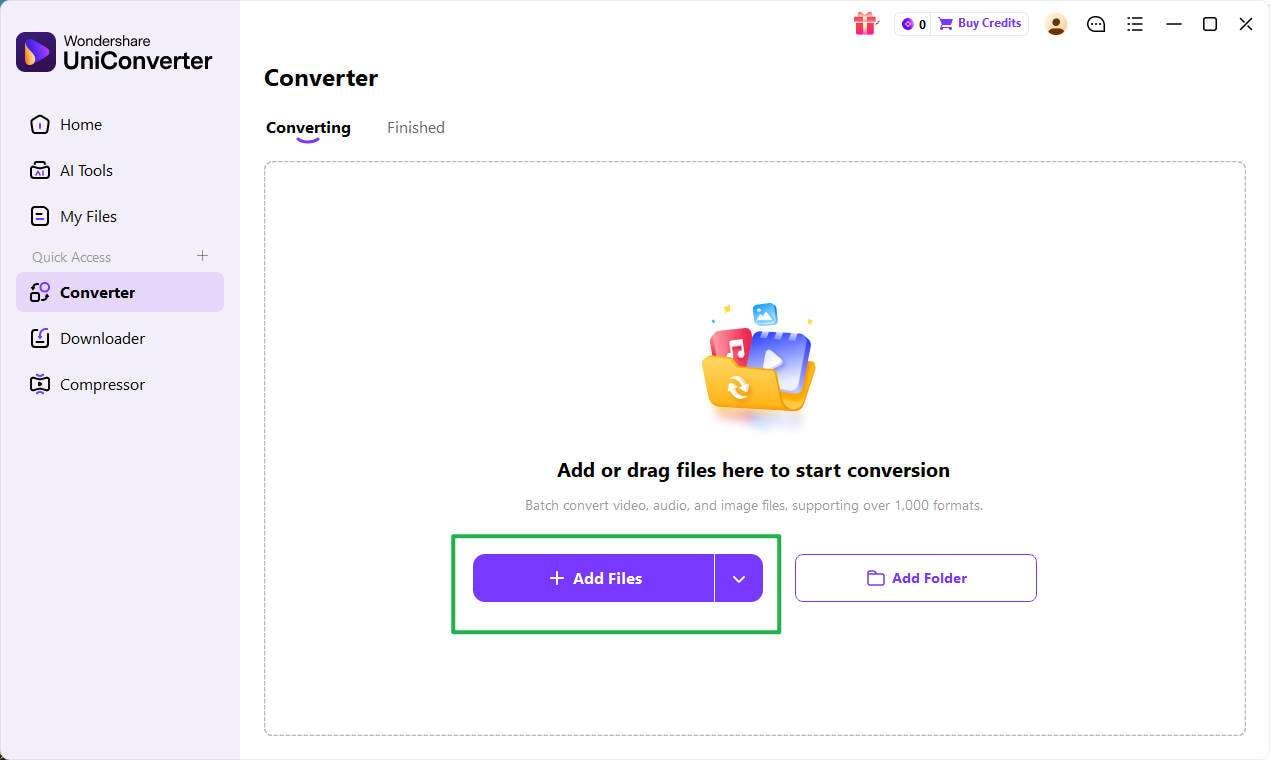
Step 1: Open the Converter and import your 4K nature videos
Launch Wondershare UniConverter and enter the Converter section from the main interface. Click + Add Files to import your downloaded 4K nature videos, or drag and drop them directly into the conversion panel. If you need to convert several clips at once, you can upload multiple files for batch processing.
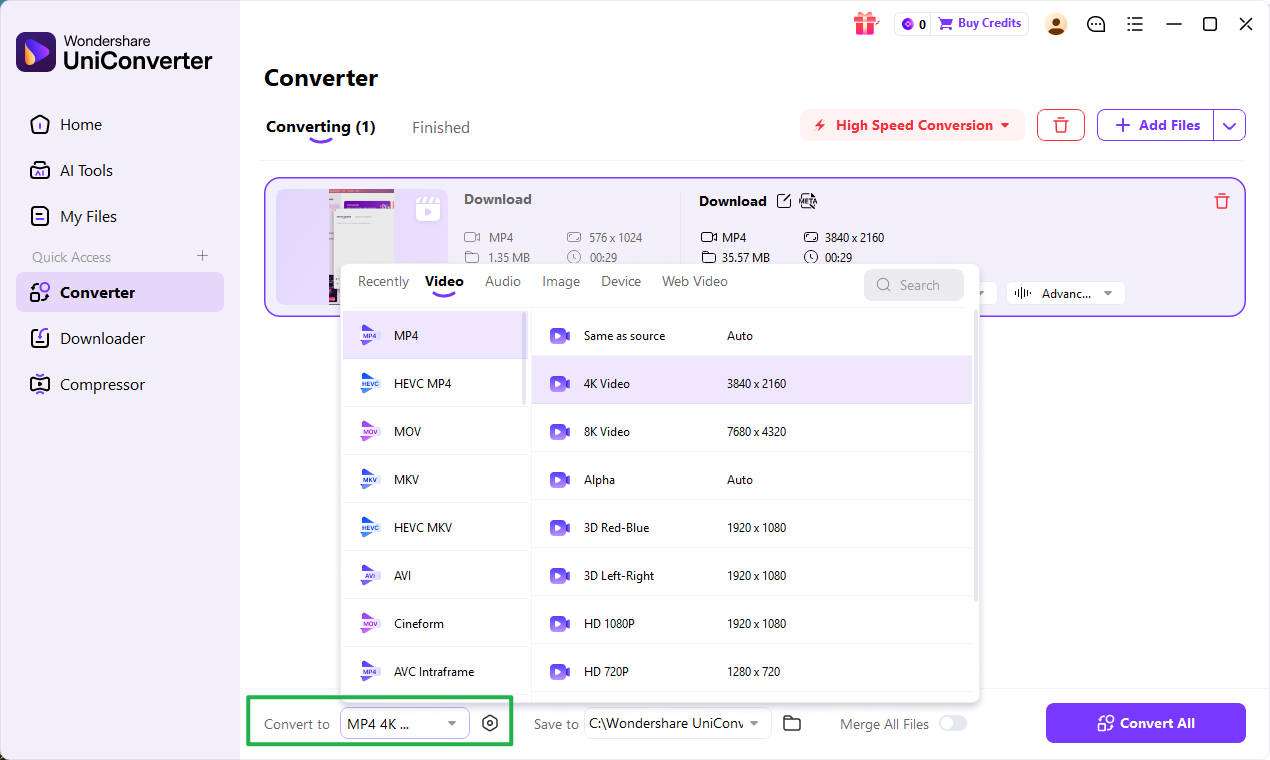
Step 2: Choose the output format and resolution
After the videos are added, click the Output Format setting at the bottom of the interface. Select the target format you need, such as MP4, MOV, or another common video format. Then choose the output resolution based on your use case, such as keeping the original 4K quality or converting the file to 1080p for easier playback and sharing.
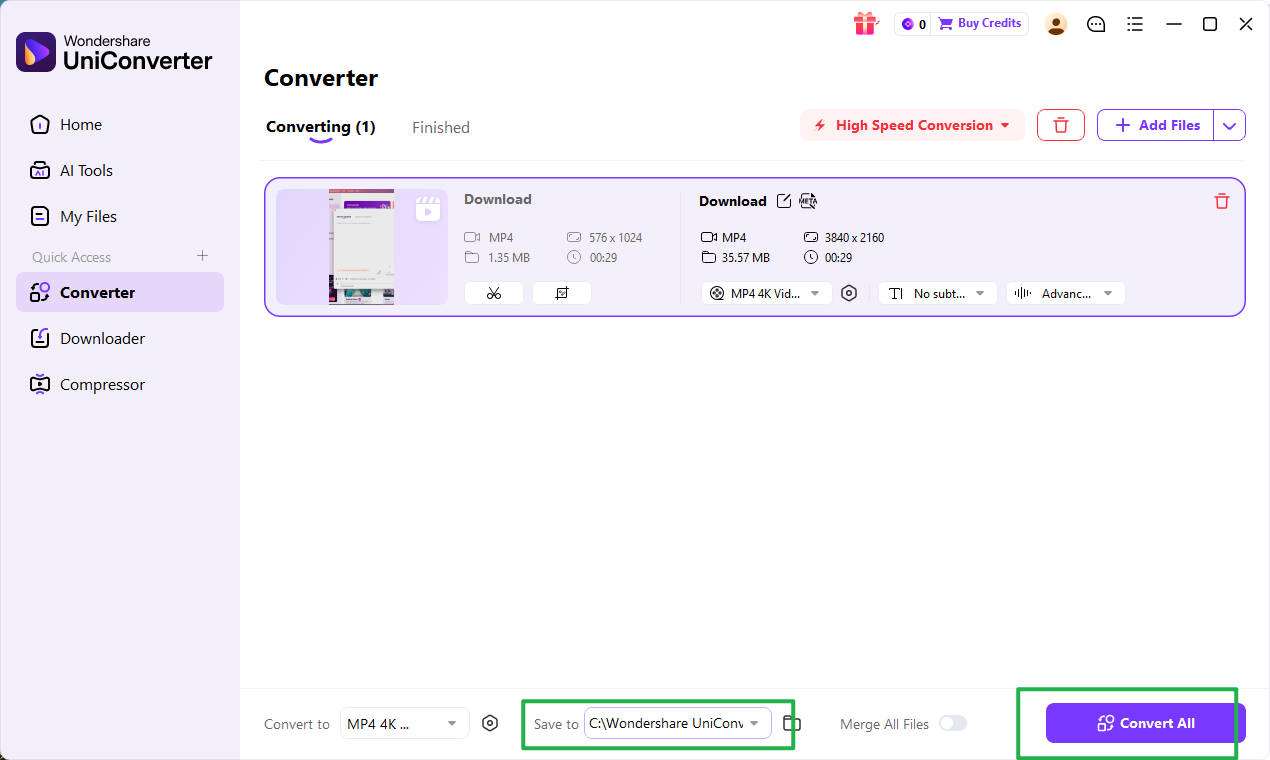
Step 3: Set the file location and start converting
Choose where you want to save the converted video using the File Location option at the bottom of the window. Then click Convert to process one file or Convert All to convert multiple 4K nature videos at the same time.
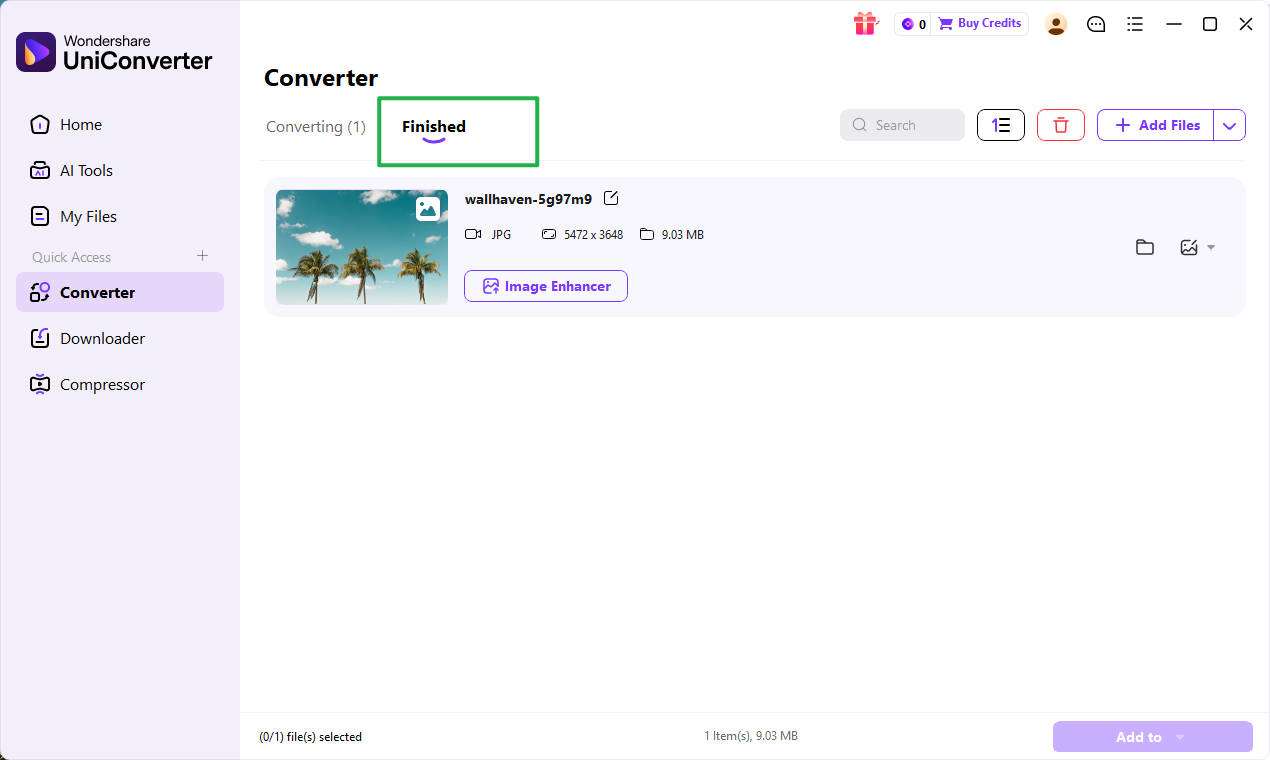
Step 4: Access and use the converted video
When the conversion is complete, open the output folder to view your new file. Your converted 4K nature video will now be in the selected format and resolution, making it easier to use for editing, playback, storage, or sharing across different platforms and devices.
| Task | How UniConverter Helps | Benefit |
| Format conversion | Converts into common output formats | Better compatibility |
| Compression | Reduces large 4K file sizes | Saves storage and upload time |
| Basic editing | Trims, crops, and merges clips | Faster content preparation |
| Batch processing | Handles multiple videos at once | Saves time for creators |
| Optimization | Creates lighter workflow copies | Smoother editing and sharing |
Part 8. Common Issues and Simple Fixes
Even beautiful footage can become frustrating if it does not fit your workflow. Most problems with 4k nature videos are practical rather than creative, and the good news is that most of them are easy to solve once you know the cause.
Large file sizes: This is the most common issue. 4K footage contains more visual data, which makes files much larger than Full HD. Compressing the video or creating a lighter working copy usually helps.
Playback lag: Some laptops, tablets, and older phones struggle to decode 4K smoothly. If playback is choppy, create a Full HD version for previewing and keep the 4K master as your original archive.
Unsupported formats: A downloaded file may not open properly in some players or editors. Converting it into a standard format like MP4 or MOV usually fixes the issue quickly.
Slow uploads: Uploading 4K files to cloud storage, social platforms, or client portals can take a long time. Compressing before upload can reduce waiting time significantly.
Unexpected quality loss: If the output looks too soft or noisy, the compression settings may have been too aggressive. Use a balanced quality setting instead of pushing file reduction too far.
| Problem | Likely Cause | Recommended Fix |
| Video file is too large | High bitrate 4K footage | Compress the file |
| Video does not open | Unsupported format | Convert to MP4 or MOV |
| Playback is laggy | Device is underpowered | Use a lower-resolution working copy |
| Upload takes too long | Oversized file | Compress before sharing |
| Output quality looks poor | Over-compression | Use balanced compression settings |
Part 9. Conclusion
Finding a good 4k nature video free download is valuable for creators, educators, marketers, and casual users who want scenic visuals without filming them from scratch. The right footage can improve YouTube videos, travel edits, presentations, meditation content, and website backgrounds almost instantly. However, choosing the right resolution matters just as much as finding the clip itself.
4k ultra hd video is the stronger choice when visual quality, large-screen playback, and editing flexibility are the top priorities. Full HD is the better option when you want smaller files, easier storage, faster playback, and a smoother workflow on average devices. For many users, the smartest approach is to download high-quality footage first and then create optimized versions for different platforms.
Once the footage is on your device, a tool like Wondershare UniConverter makes the rest of the process easier by helping you convert formats, compress large files, and prepare scenic clips for editing, storage, and sharing.

