


Not long ago, CDs and DVDs were key to storing and sharing music, photos, videos, and other media. Currently, they’re nearly obsolete. So, CDA to MP3 ripper makes it simple to retrieve your timeless favorites. You can store the digitized files on your computers, laptops, and even mobile devices, and cherish them for a long time, without the fear of losing them from scratches and wear.
This comprehensive guide walks you through the best CDA audio file to MP3 converters, keeping the old vibes alive, even without a CD player.

Best CDA to MP3 Ripper
In this article
Key Takeaways
[Format Limitation] CDA files don’t store actual audio data and only work with CDs, requiring conversion to MP3 for playback on modern devices.
[Built-in Tool Option] Windows Media Player allows free CD ripping, but may have limited format support and quality issues.
[Online & Free Tools] Tools like Convertio, AnyConv, Online Convert, and VLC offer easy conversion, but may be slower or lack advanced control.
[Efficient Conversion] Wondershare UniConverter enables fast, high-quality batch conversion with customizable audio settings, ideal for preserving CD audio digitally.
Part 1. What is a CDA file, and why do people convert it to MP3?
Simply, a CDA file is a file with a .cda extension, and is used to locate an audio track on a CD. Unlike popular audio file formats like MP3, WAV, and AAC, CDA files don’t store any audio data; instead, they indicate the beginning and end of each audio track.
As you insert a CD into a Windows computer, it automatically displays a list of 44-byte CDA files that you can click to play. However, as you separate the CDA files from a CD, these become unplayable. If you want to copy these to your computer, consider converting them to a supported format, such as MP3.
Additionally, the MP3 format is highly compatible, portable, and uses less storage space, making it ideal for mobile devices.
Part 2. CDA vs MP3: which format works better on modern devices?
CDA and MP3 differ from each other in many ways. As evident, only the standard CD, DVD, and Blu-ray players support the CDA files. Meanwhile, the MP3 format is compatible with various digital devices, including smartphones, computers, and dedicated MP3 players. The MP3 format makes it readily accessible and shareable across multiple platforms.
Besides, both formats also differ in sound quality. CDA formats typically have a higher sound quality as they don’t undergo compression and maintain audio at a bit rate of 1,411 kbps.
On the other hand, the sound quality of MP3 files varies with the bitrate used during compression. For example, a higher bitrate (320 kbps) offers a better quality compared to a lower bitrate (128 kbps) audio.
Part 3. 7 CDA to MP3 Rippers Recommended
The good news is that CDA to MP3 conversion is possible, and many dedicated tools can handle this task. You can use the default, third-party, and online tools for that purpose.
CDA Audio Files to MP3 Converter (Default Tool)
If you're looking for a reliable CDA file to MP3 converter, it’d be a good idea to start with your default tools first. Tools like Windows Media Player do more than just digitize CDA files. You can play the MP3 files, organize them, and share them directly with your friends.
1. Windows Media Player
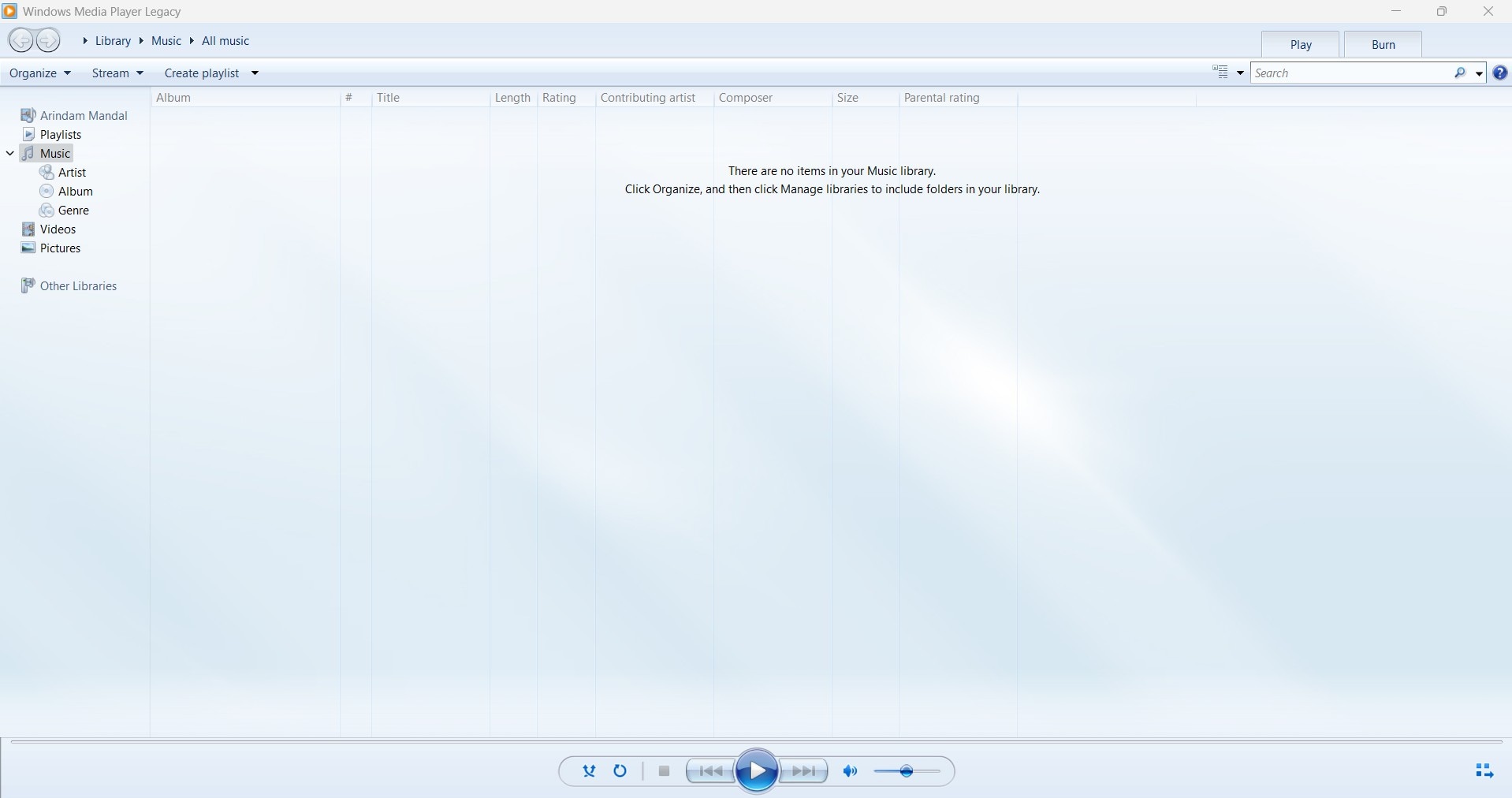
Windows Media Player, or WMP, is a fully functional built-in media player that’s included free with any Windows copy. Launched in 1991, it has undergone several iterations over the years, with Windows Media Player 12 being its latest version, introduced in Windows 10.
Besides its standard ability to play music, it also allows you to view photos and watch videos stored on a CD. You can also use it to organize your music collections and rip the audio CDs.
Key Features
- Windows Media Player can play content streamed from the Internet.
- You can create, manage, and play playlists of your favorite media. Additionally, it allows you to organize your songs by album, artist, and other categories.
- Convert your CDA files into popular formats like MP3, WMA, ALAC, and AC-3.
- Offers a minimalist playback mode that focuses on music controls and minimizes distractions.
How to Use Windows Media Player to Convert CDA to MP3
Step 1: Launch Windows Media Player on your computer. It’s available by default on your Windows computer; if not, you can install it from the Microsoft Store.
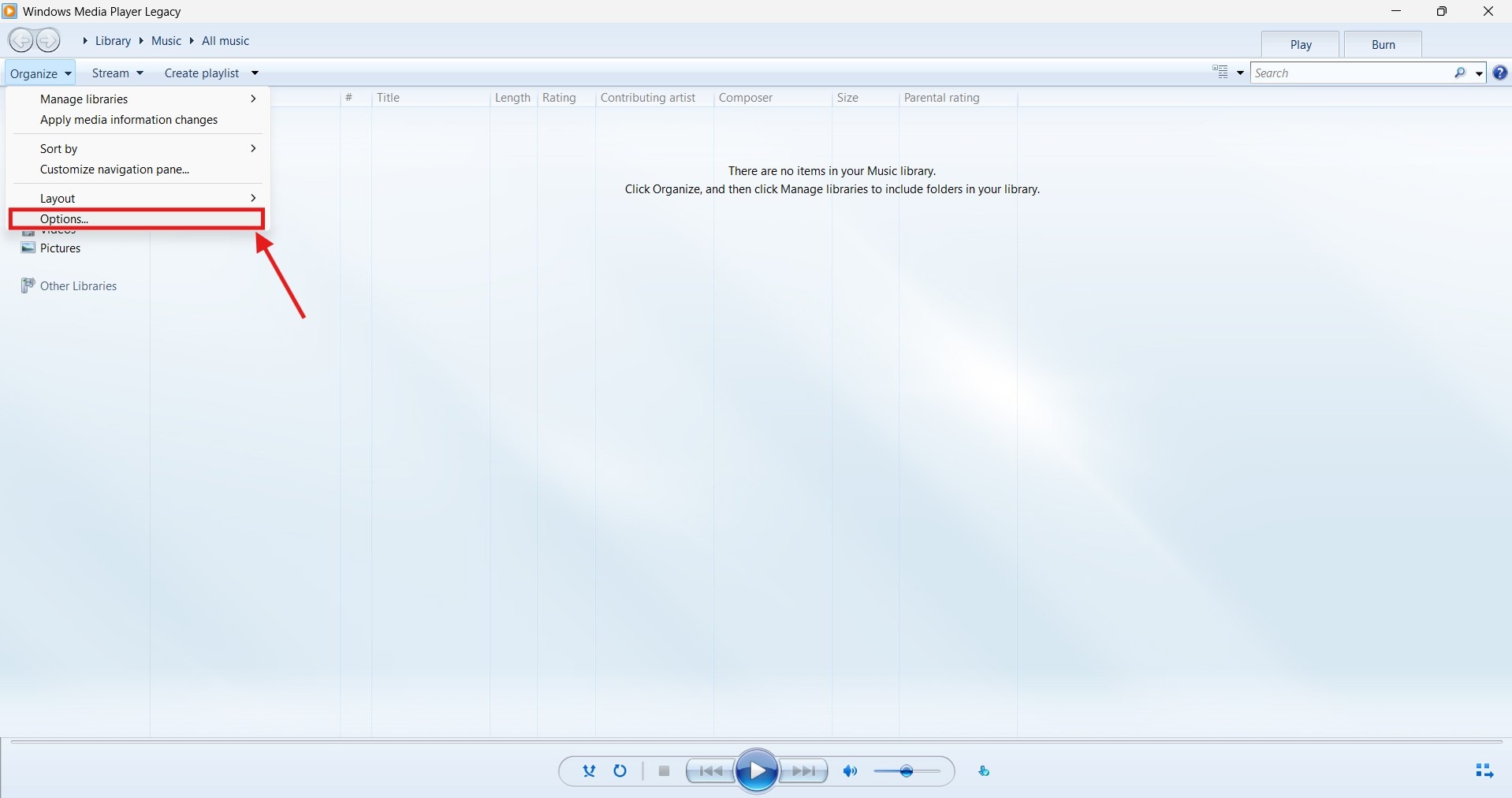
Step 2: On the top options panel, tap “Organize,” followed by “Options” from the drop-down menu.
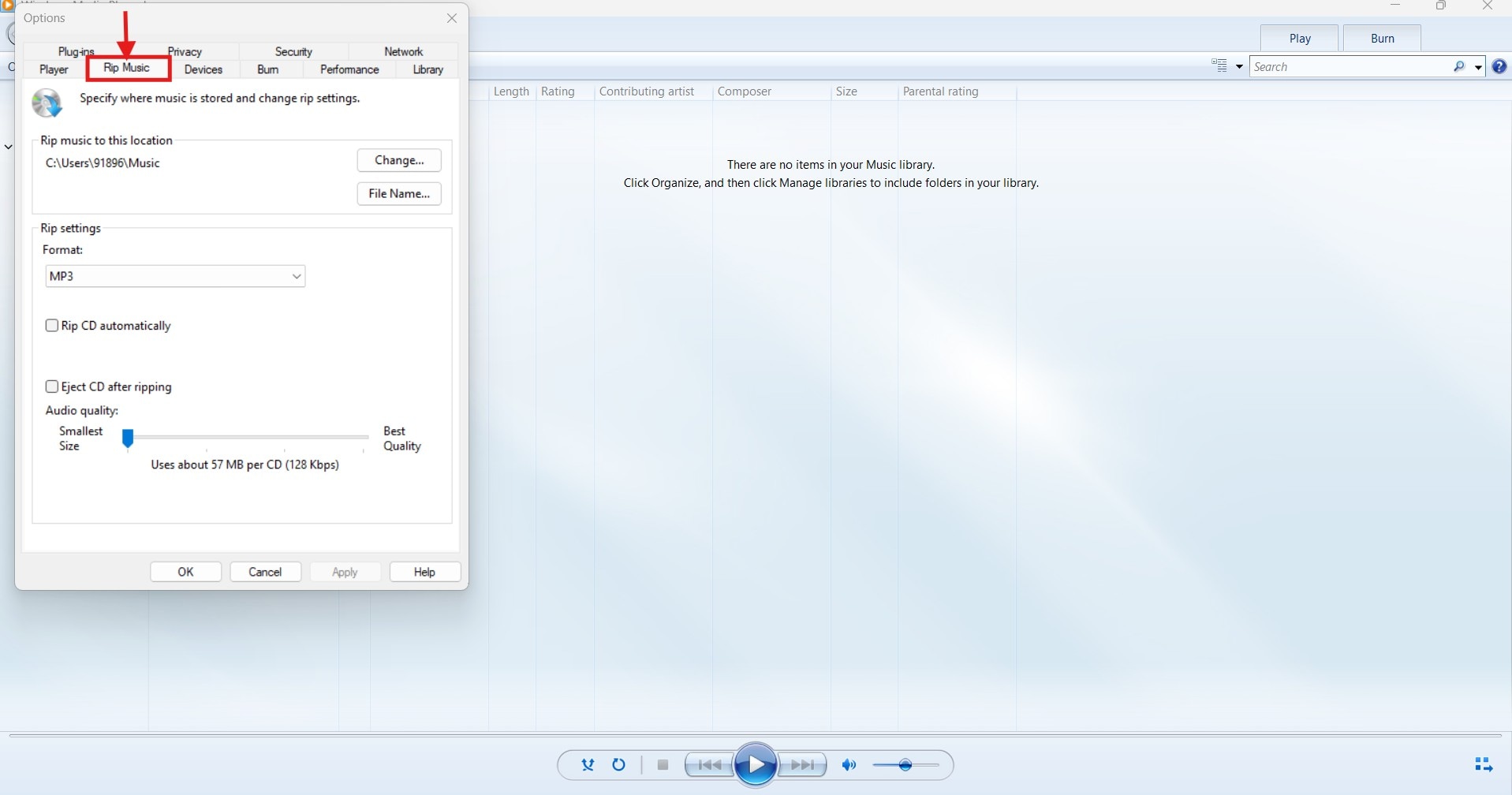
Step 3: Tap “Rip Music” on the new floating window to access the “Ripping settings.” Here, you can set your desired conversion format, storage location, and file name.
Step 4: Now, insert the CD containing the CDA file into your computer. Most modern computers don’t have a CD drive, so you can use a dongle or external hardware to load the CD.
Step 5: As Windows Media Player reads the CD, tap the “Rip CD” button in the header and wait for the program to start the conversion process. That’s it. Your audio files will be automatically saved in your set location.
Pricing: Free to Use
CDA to MP3 Converters (Offline Tools)
Windows Media Player, while a staple on Windows PCs, has limitations compared to modern media players and software solutions. In some instances, it might not recognize the CD, while in some, ripped MP3 files won't play. If you had a similar experience, try using these CDA audio files to MP3 converters.
1. Wondershare UniConverter
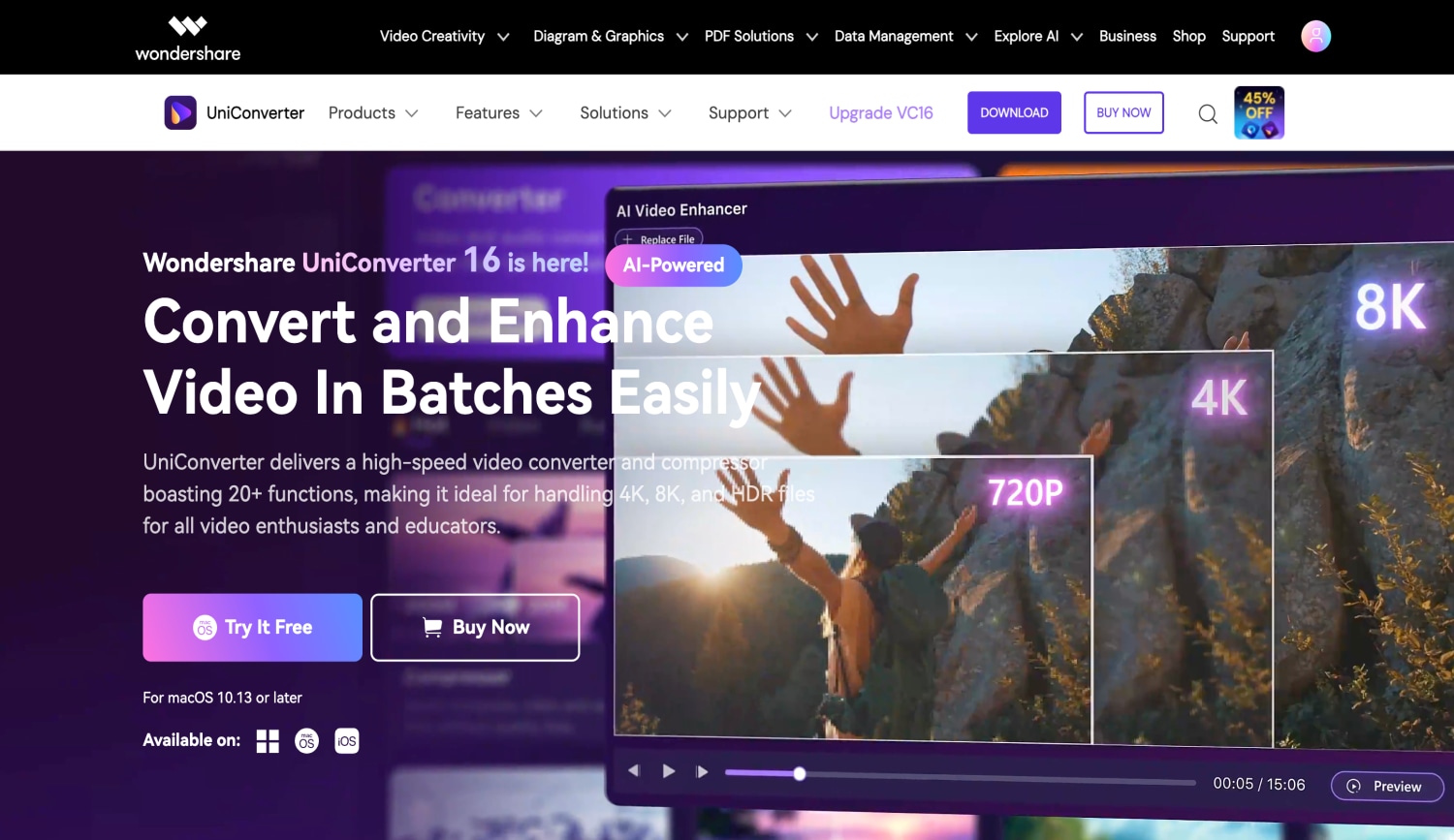
Professional audio converters are generally a better choice than built-in tools like Windows Media Player for converting CDA to MP3. And Wondershare UniConverter is one of the best tools in this category. The interface is simple, its features are readily accessible, and you can convert all your CDA files into MP3 without any loss of quality. The tool also lets you edit the sample rate, bit rate, and channel of the files as needed.
Key Features
- Supports over 1,000 audio and video formats, including popular ones such as MP3, WAV, AAC, and M4A.
- Customize the converted audio by adjusting its sample rate, bit rate, and channel.
- The tool’s new Compression mode lets you compress audio size to less than the traditional ratio without losing quality.
- Other features include fixing media metadata, a DVD burner, a video editor, and a video upscaler.
Best CDA to MP3 Ripper
How to Use UniConverter to Convert CDA Files to MP3
Step 1: Launch UniConverter and navigate to the “CD Converter” option from the list.
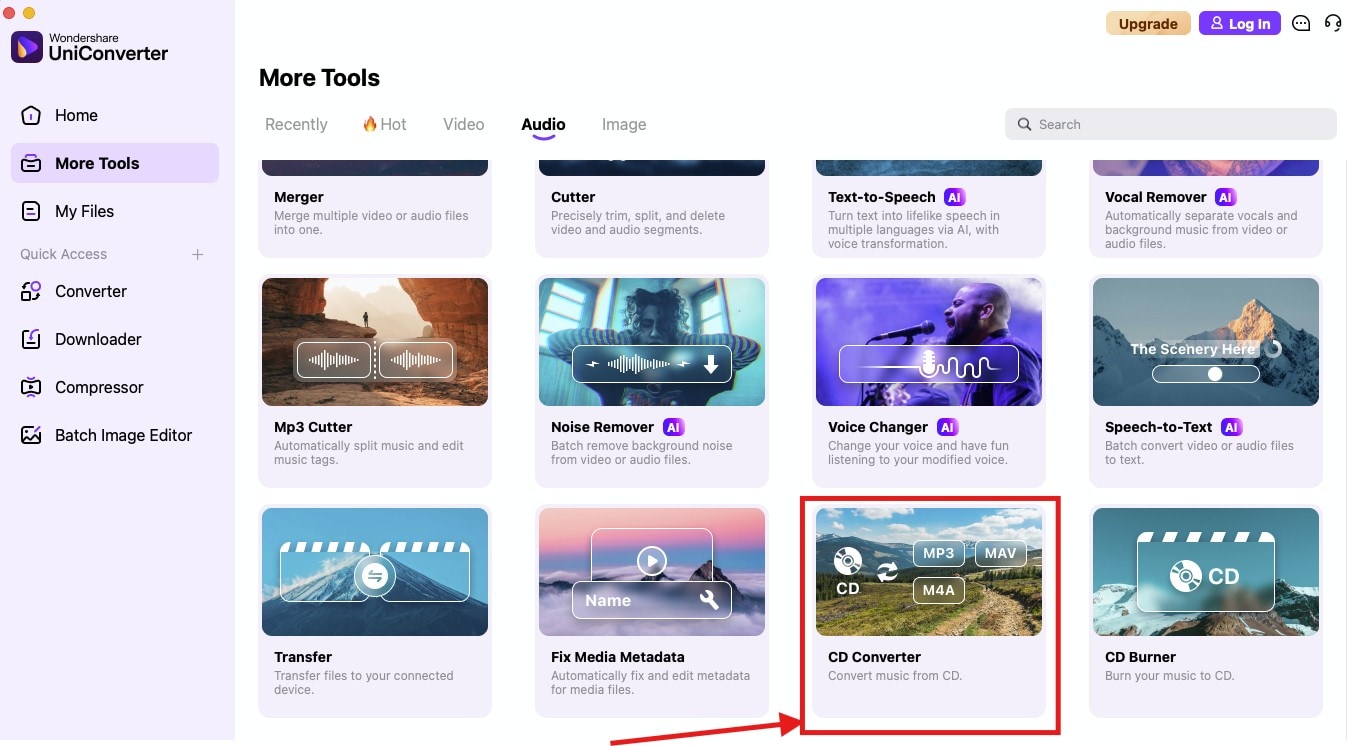
Step 2: Now, load the CD into your computer. Once the tool detects it, the .cda files will be displayed on its interface. Then, select the checkbox beside each audio track you want to convert or preview them by clicking the “Play” icon.
Step 3: Select “MP3” as the “output format” at the bottom. Then, click the “Settings (Gear icon)” to customize audio parameters, such as Sample Rate, Bitrate, and Channel.
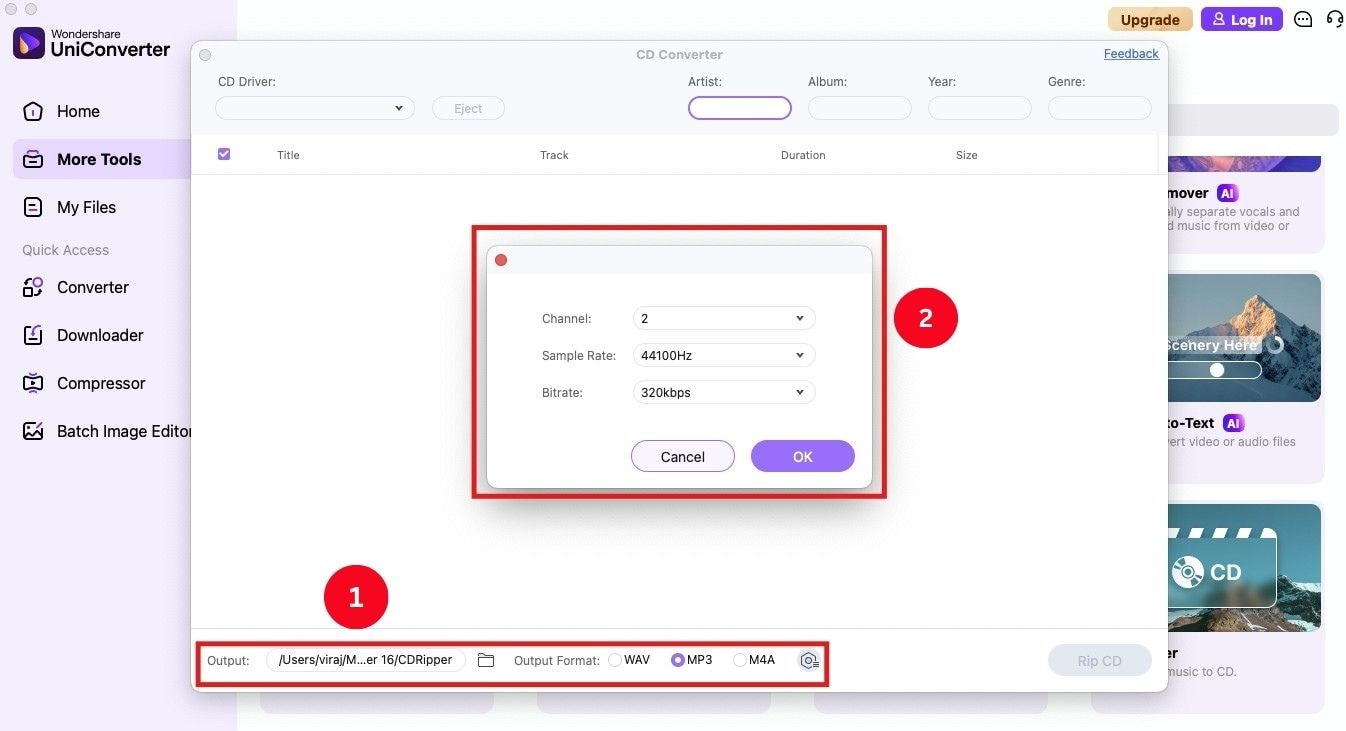
Step 4: At the bottom, tap the dropdown menu beside “File location” and select the location where you want to save your output. Then, click “Rip CD” to start the conversion process.
Pricing: Freemium
2. EaseUS MakeMyAudio
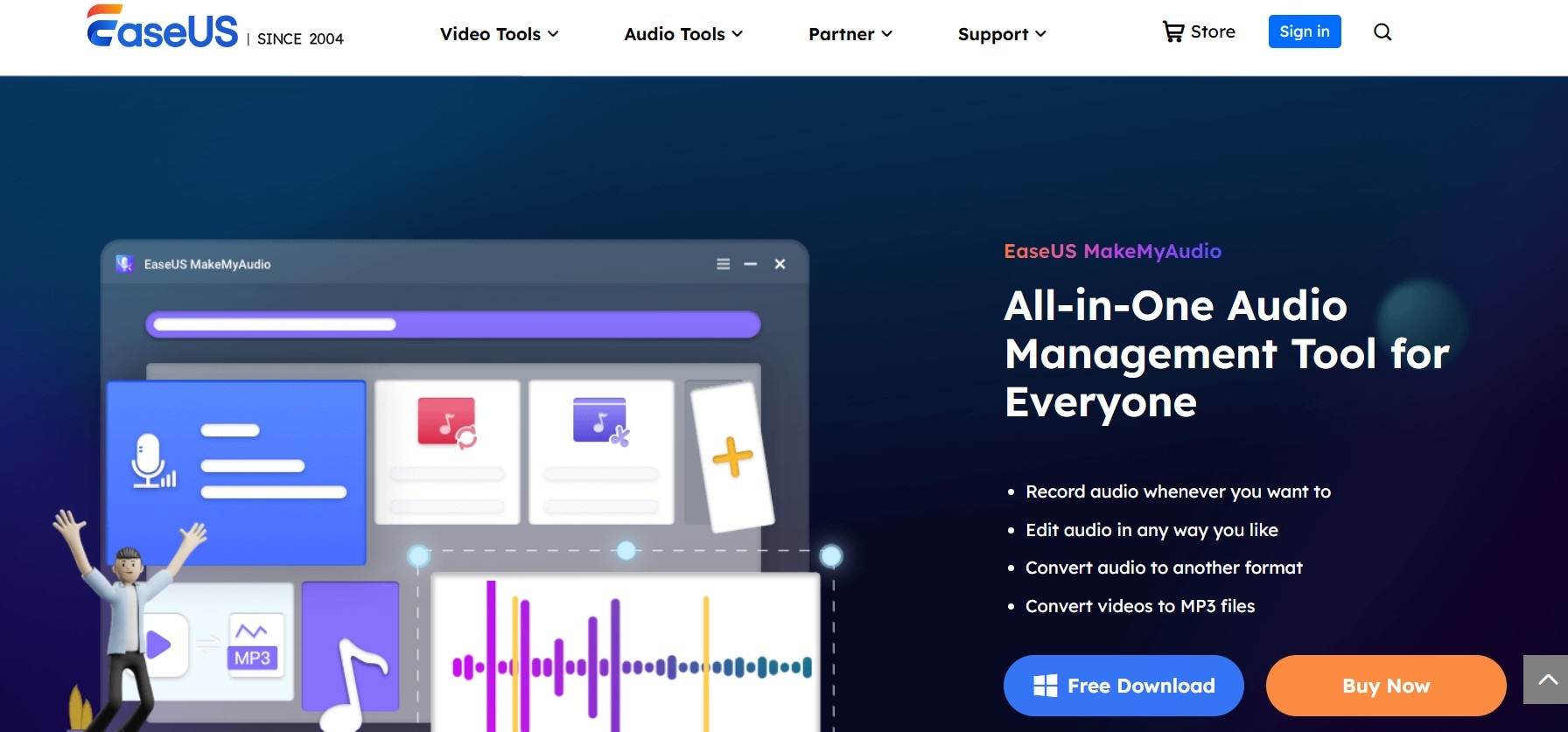
EaseUS MakeMyAudio has been a reliable tool for users to customize their audio files for a long time. You can use it to record, edit, and convert CDA to MP3 and other file formats. It’s also a comprehensive audio editor that allows you to trim, upscale, and adjust audio speed. This way, you decide how the audio sounds and convert it into a ringtone, if necessary.
Key Features
- It lets you merge multiple audio files into a single file.
- You can view and modify the metadata of audio files using the ID3 tag editor feature.
- Extract audio from a CD, convert it into ringtones, and transfer them directly to iTunes.
- Record computer and microphone sounds simultaneously, and then edit them.
How to Use EaseUs MakeMyAudio for CDA to MP3 conversion
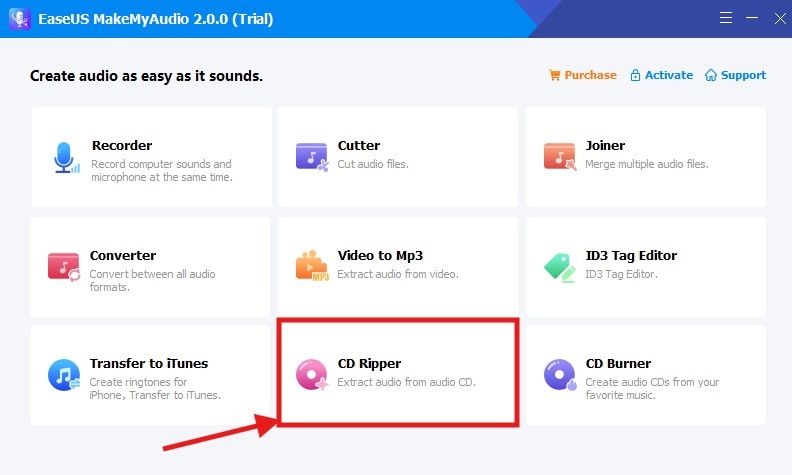
Step 1: Launch the EaseUS MakeMyAudio app and load the CD into your computer. Then, find and tap the “CD Ripper” option.
Step 2: Click “Add Files” at the top left corner, followed by “Audio CD.” Then, click “Ignore” on the pop-up that may appear, and continue ripping your CD.
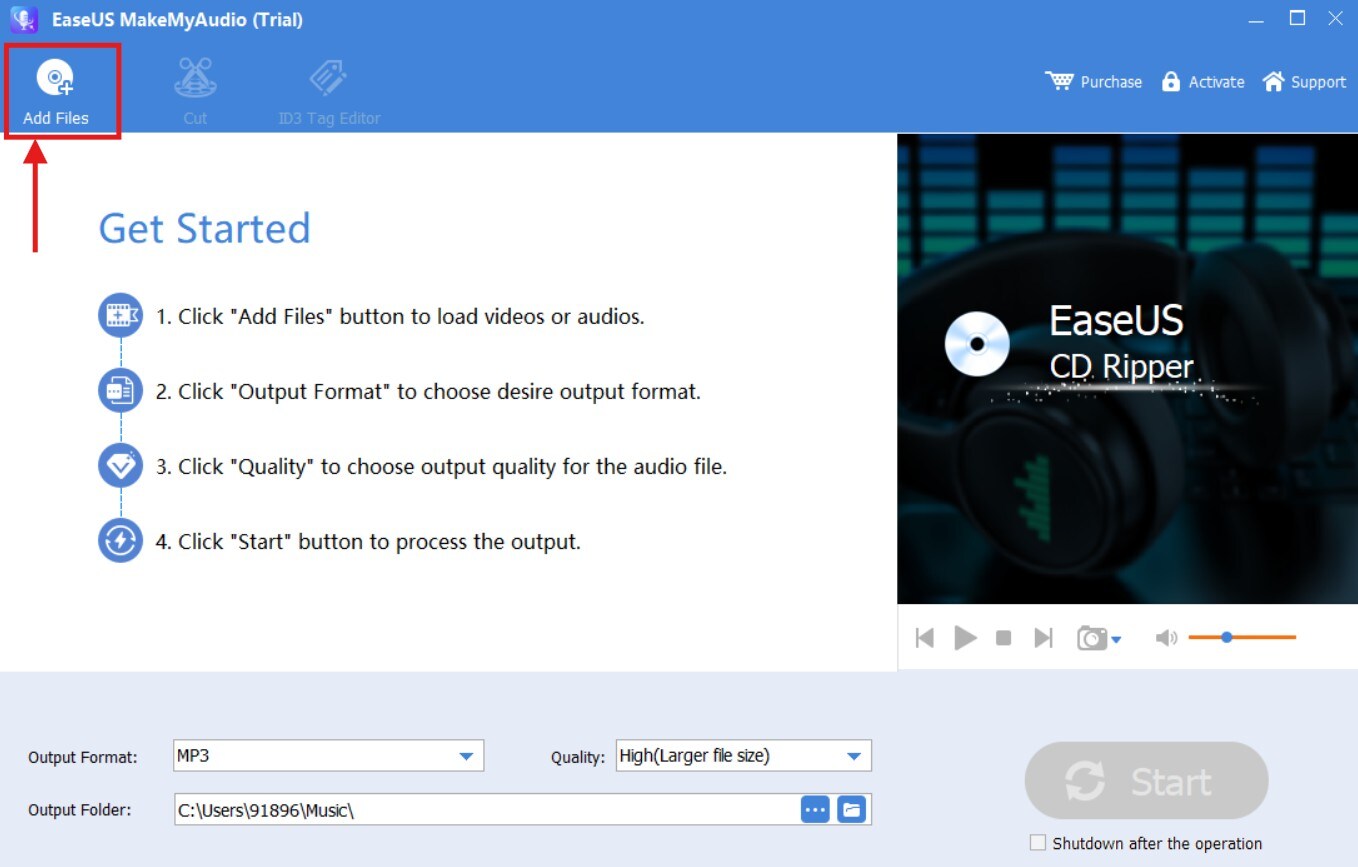
Step 3: The tool then starts reading the CD contents. As it does, select the CDA files you want to convert.
Step 4: Select the “Output format” as “MP3,” alongside your preferred “Quality” and “Output Folder location.” Once you’re ready, click “Start.” The EaseUS MakeMyAudio app converts your CDA files and saves them to your desired location.
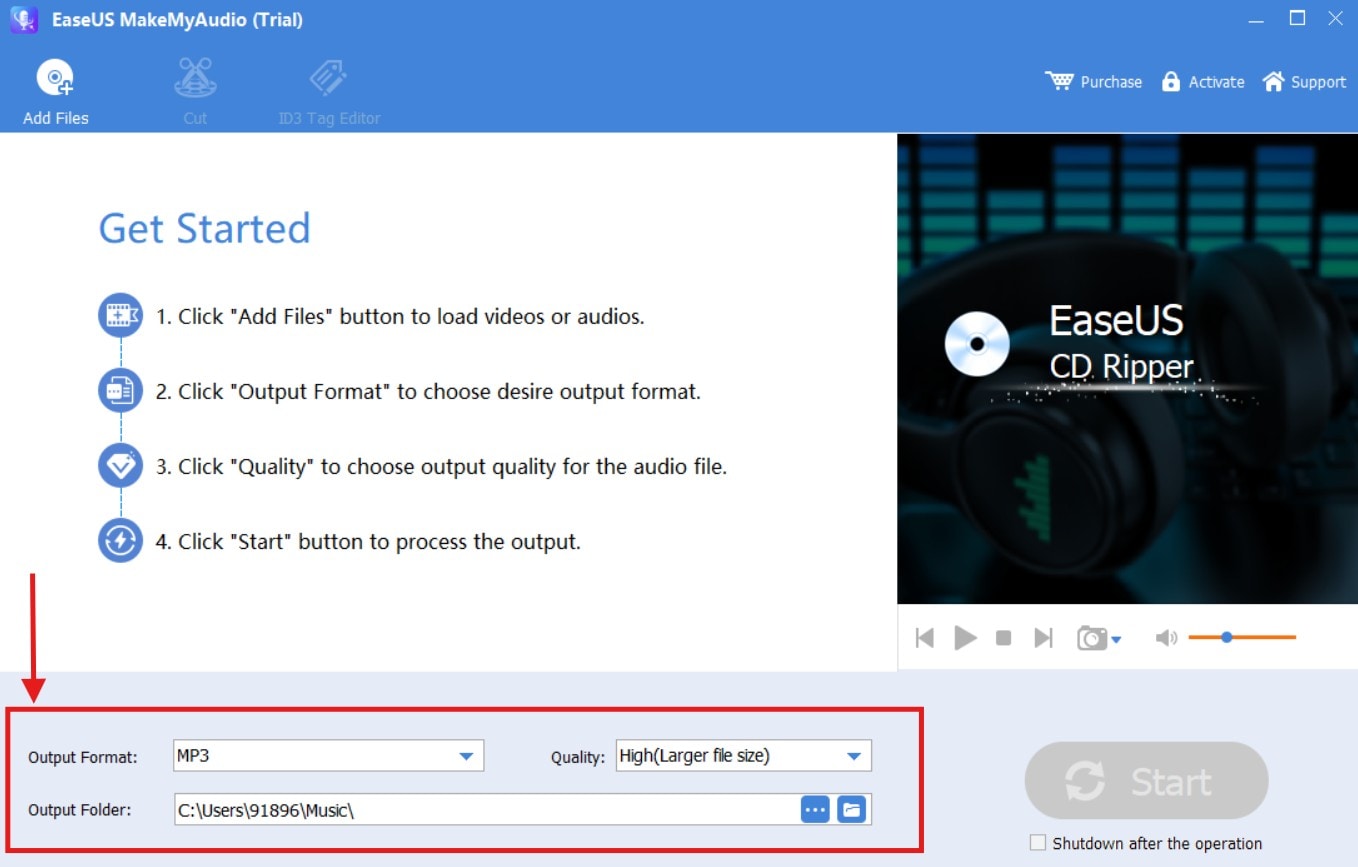
Pricing: Free Trial
Full Version:
Monthly: $39.95
Yearly: $49.95
Lifetime Upgrades: $59.95
3. VLC Media Player
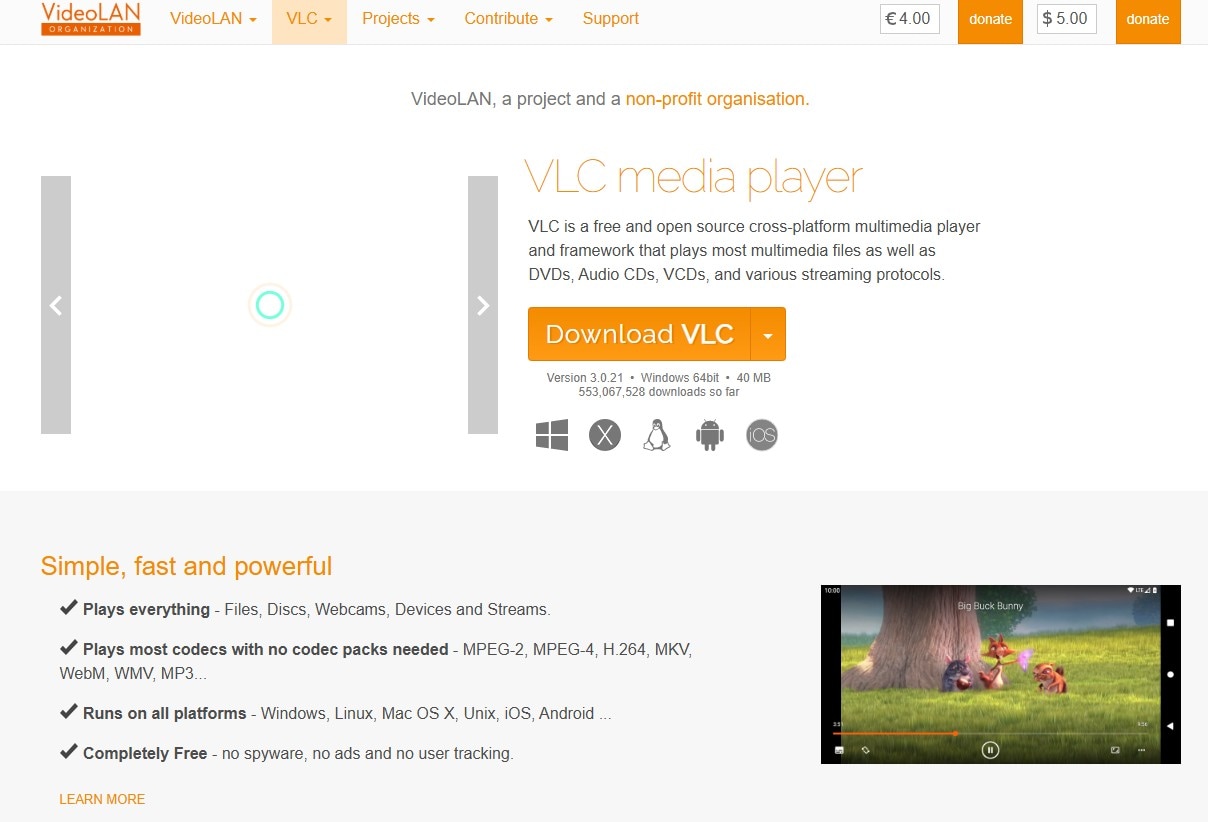
VLC Media Player is a free and open-source media player software that supports a wide range of multimedia files, including audio, video, DVDs, and VCDs. Its format support is vast, and can play ones that might be problematic for other media players. VLC is also a CDA to MP3 ripper, and it will recognize and convert the audio files quickly.
Key Features
- VLC can play and convert a wide range of audio and video formats, including popular ones such as MP3, MP4, AAC, WAV, FLAC, MKV, AVI, and more.
- It offers a range of filters to enhance the audio and video quality, including noise reduction and equalization.
- You can create and manage playlists for easy access to your favorite media.
- VLC uses hardware decoding on most platforms to ensure a smoother playback, especially for high-resolution content.
Convert the CDA format to MP3 using VLC media player:
Step 1: Insert the CD into your computer and launch VLC Media Player.
Step 2: Head over to the “Media” option on the top menu ribbon and tap “Convert/Save” from the dropdown menu.
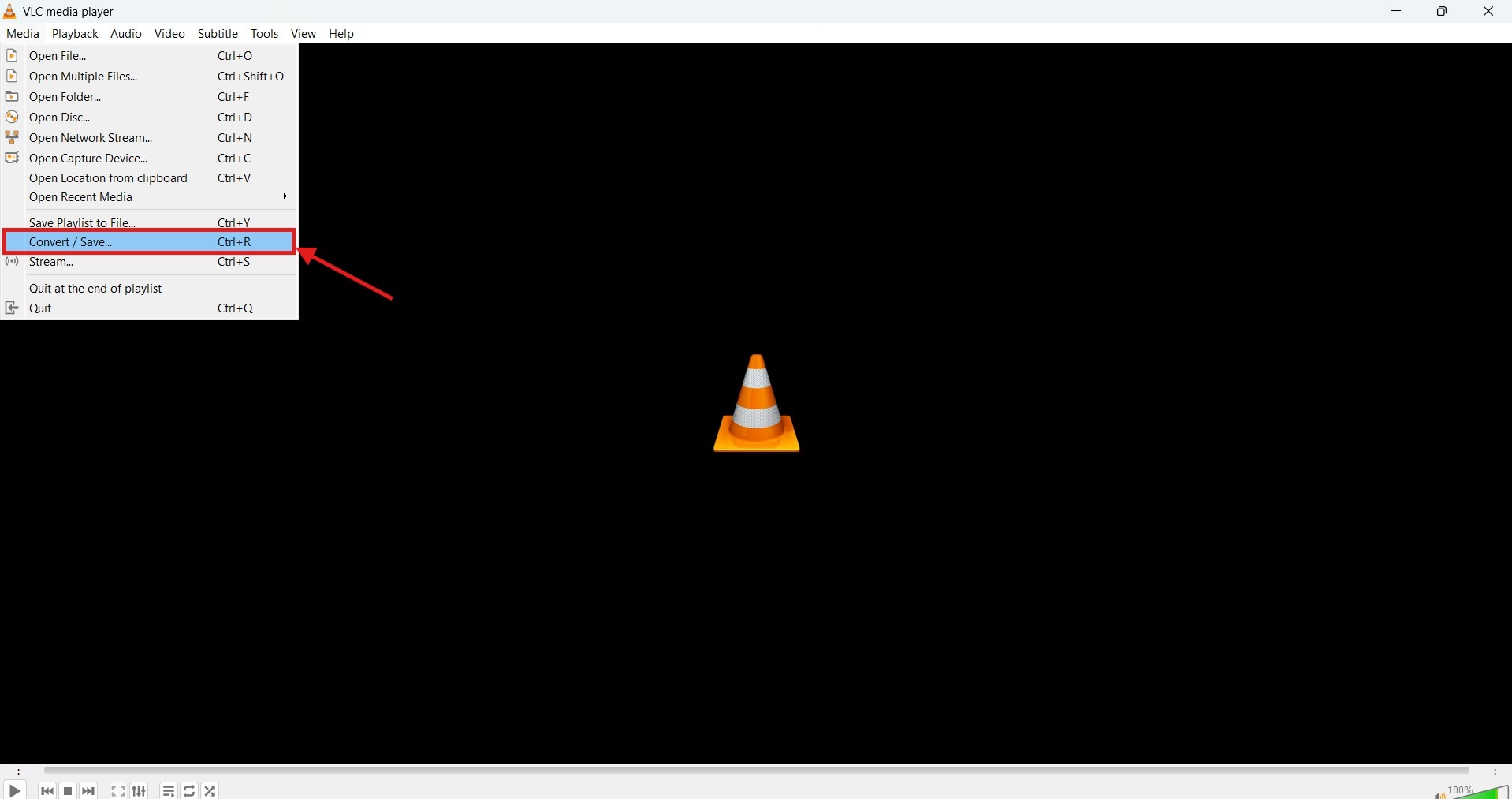
Step 3: Proceed to the “Disc tab” and click “Audio CD.” Select the audio tracks you want to convert and click “Convert/Save,” followed by “Convert” from the dropdown menu.
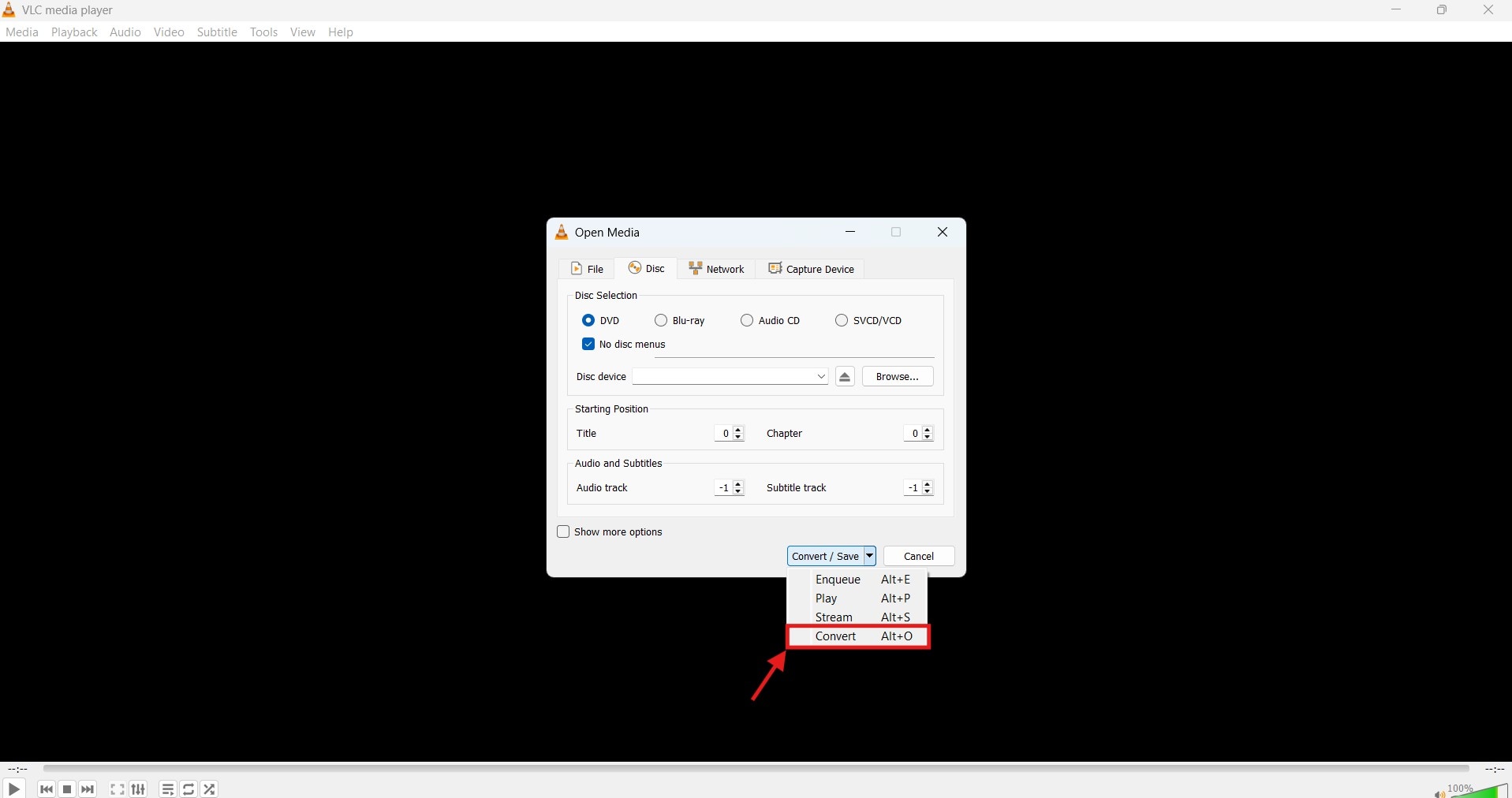
Step 4: Select “MP3” as the output format, and click “Start” to begin the conversion process.
Pricing: Free to Use
CDA File Formats to MP3 Converters Online
Extracting audio files from your CDs won’t have to be complicated. Many online CDA to MP3 converters provide a convenient and reliable way to undergo these conversions without the need to install any software. The following are a few tools to try out:
1. Convertio
Convertio is a comprehensive, free, and web-based tool that can handle conversions of documents, images, videos, and audio. The tool is readily accessible from your browser and can convert CDA to MP3 within seconds. It doesn’t require a login, no advertisements pop up, thereby providing a clean user interface, and an efficient choice for most users.
Key Features
- Convertio supports over 3,000 audio formats, including MP3, OGG, WMA, WAV, and many others.
- The tool is compatible with most devices, including Mac, Windows, Linux, Android, and iPhone.
- It supports batch audio file conversion.
- You can adjust audio settings, such as bitrate, channels, frequency, and volume.
How to Use Convertio to Convert CDA files to MP3
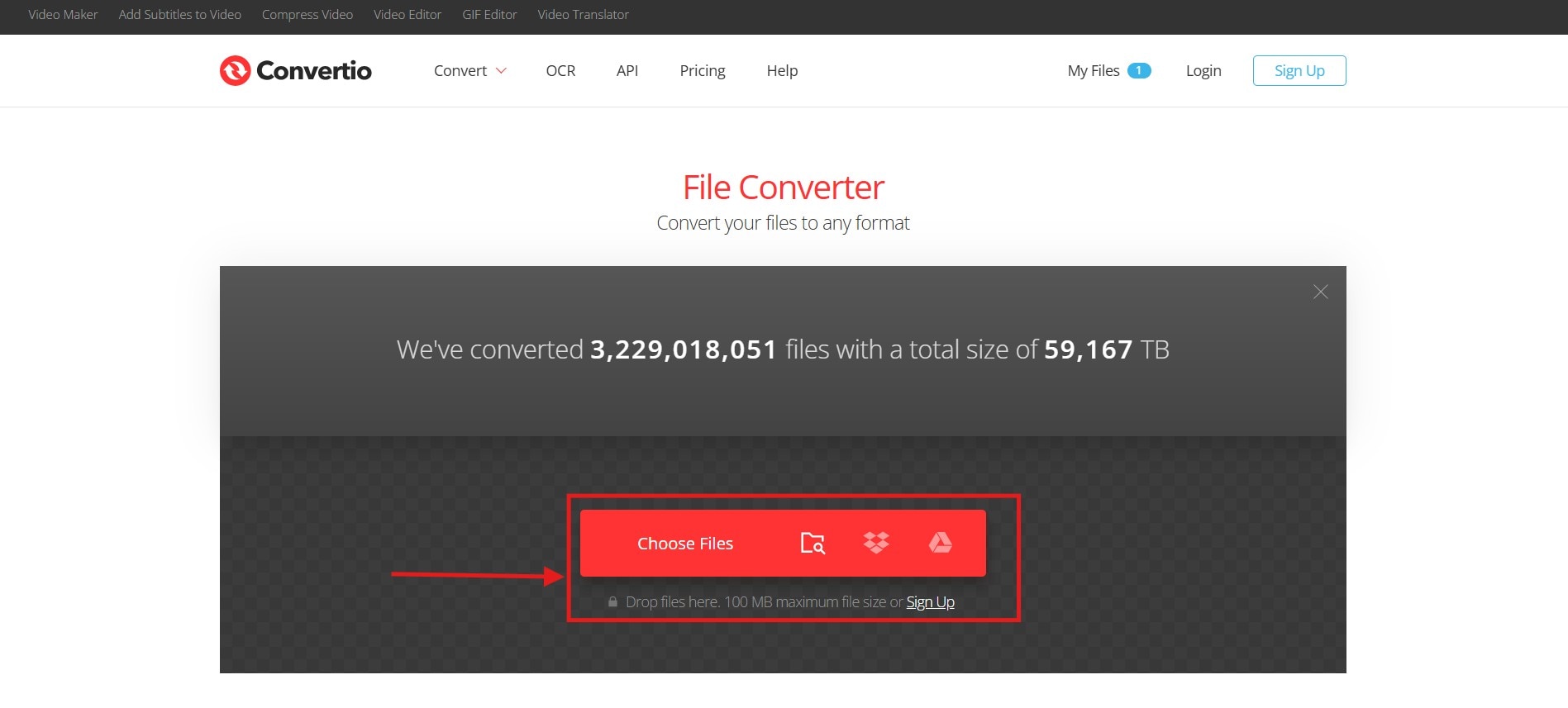
Step 1: Open the Convertio website in your web browser and click “Choose Files” to upload the CDDA or CDA files from your computer. You can also upload your CDDA files directly from Google Drive or Dropbox.
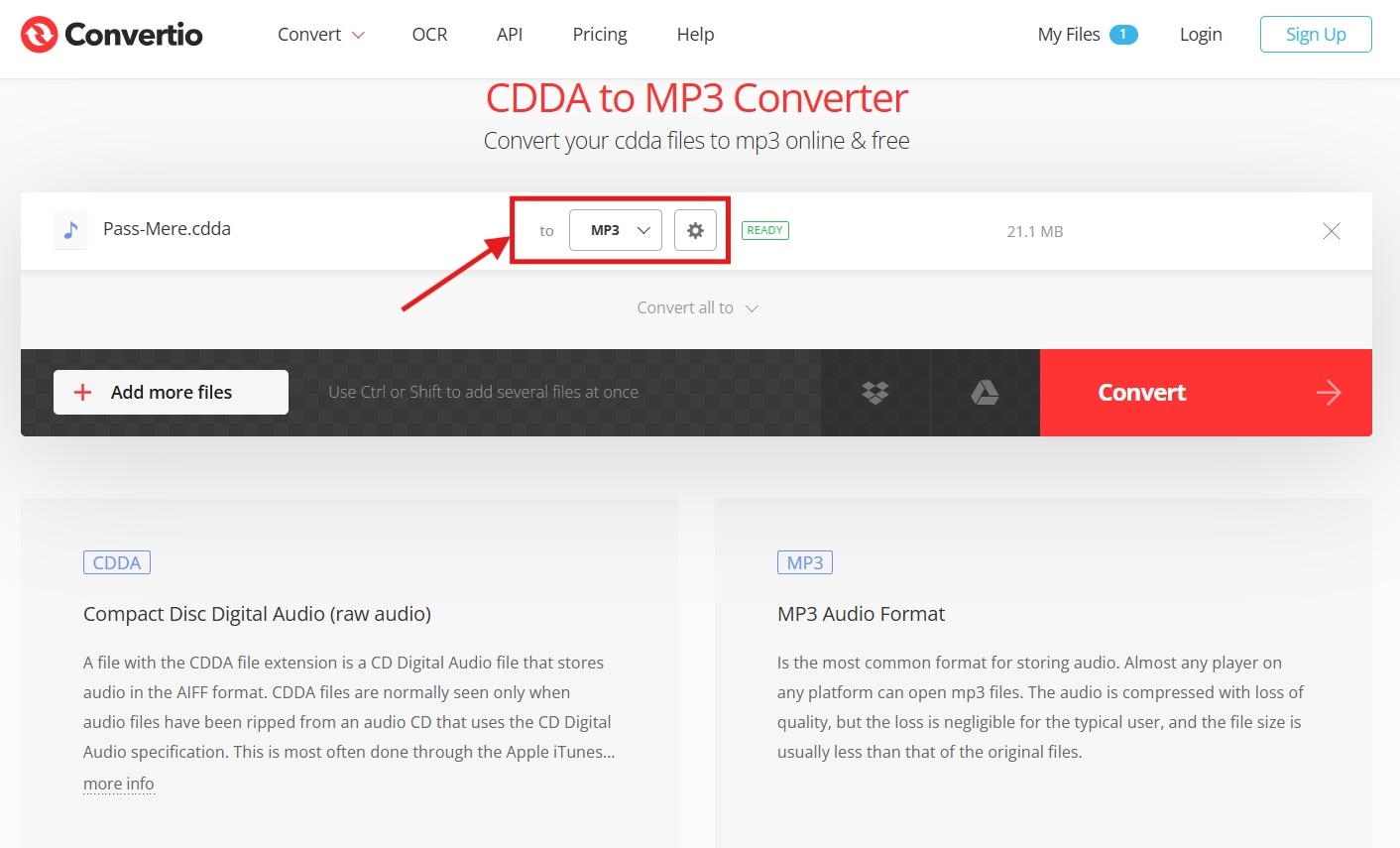
Step 2: Select “MP3” as the output format from the dropdown menu and tap the “Settings (gear icon)” button. Here, you can edit the bitrate, audio channels, frequency, and volume.
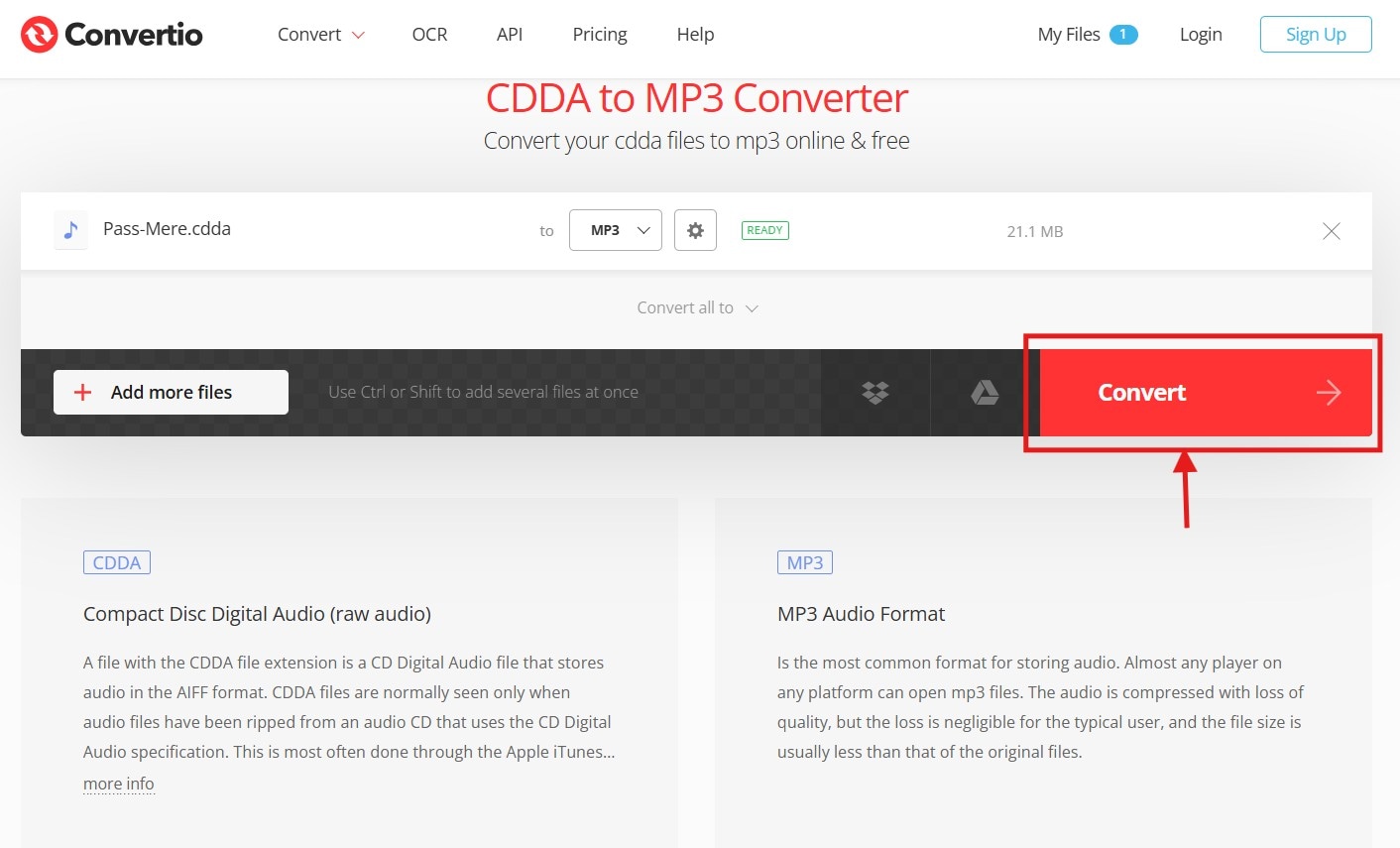
Step 3: Then, tap “Convert” to initiate the conversion process using the online tool.
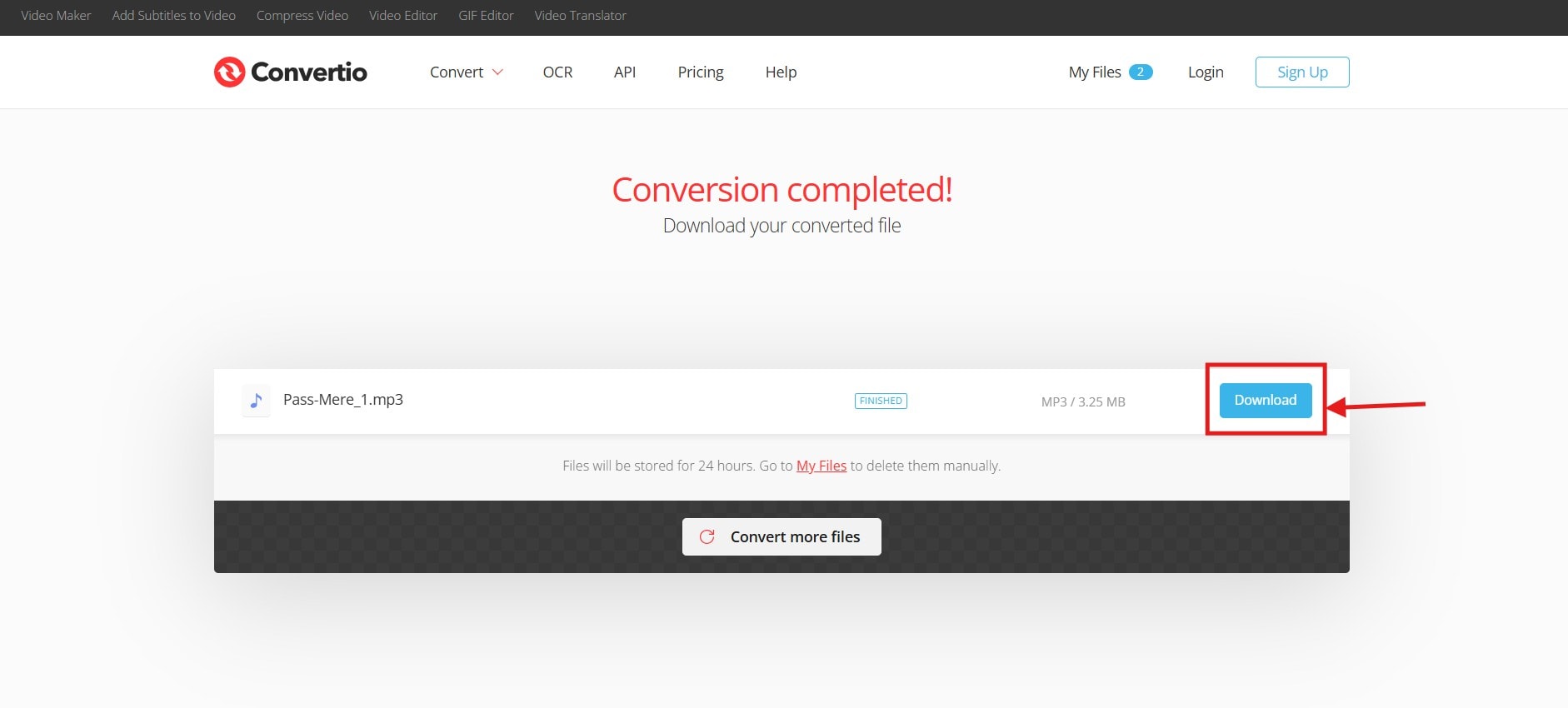
Step 4: Once complete, click “Download” to save the MP3 file to your local storage.
Pricing: Free
Light: $9/month
Basic: $14.99/month
Unlimited: $25.99/month
2. AnyConv
If you're looking for a straightforward CDA file to MP3 converter online, AnyConv can be a great choice. As it’s an online tool, no installation is required, and it works on any device. Additionally, it supports the direct conversion of images, documents, e-books, audio, video, and archives. Although the maximum upload size is 100GB, it’s ideal for beginners who want to share the songs stored on their CDs with friends.
Key Features
- AnyConv supports 400+ file formats, including DOC, PDF, JPG, MP4, MP3, CDDA, and more.
- All uploaded and converted files are deleted within an hour.
- It lets you upload files up to 100 MB.
- The tool is compatible with Windows, Mac, Linux, iPhone, and Android.
How to Use AnyConv CDA to MP3 Converter Online
Step 1: Open the AnyConv website in your browser and click “Choose File” to upload your CDDA file.

Step 2: Choose MP3 as the output file format.
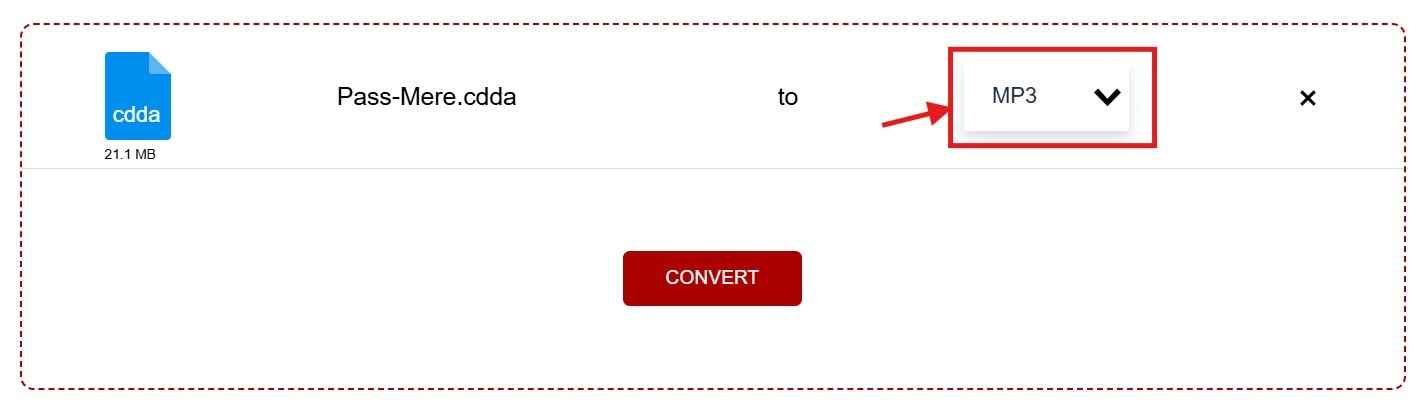
Step 3: Click “Convert” to start the conversion process, and then save the file to your desired location once it is complete.
Pricing: Free to use
3. Online Convert
Most online CDA to MP3 converters, such as AnyConv, are free to use but offer limited control over the output. But that’s not the case with Online Convert. It provides a range of customizations such as changing bitrate, audio frequency, audio channels, and trimming audio. Also, its simple interface makes the conversion easy and accessible. Overall, Online Convert is great for users who want a simple tool with advanced features.
Key Features
- Supports over 100 source formats, including MP3, WMA, WMV, FLAC, and more.
- You can extract audio from video.
- The tool converts documents, videos, software, ebooks, devices, images, and web services.
- It works on Windows, Mac, Linux, iPhone, and Android.
How to Do CDA Format to MP3 Conversion with Online Convert:
Step 1: Access Online Convert’s audio file converter and click “Convert to MP3.”
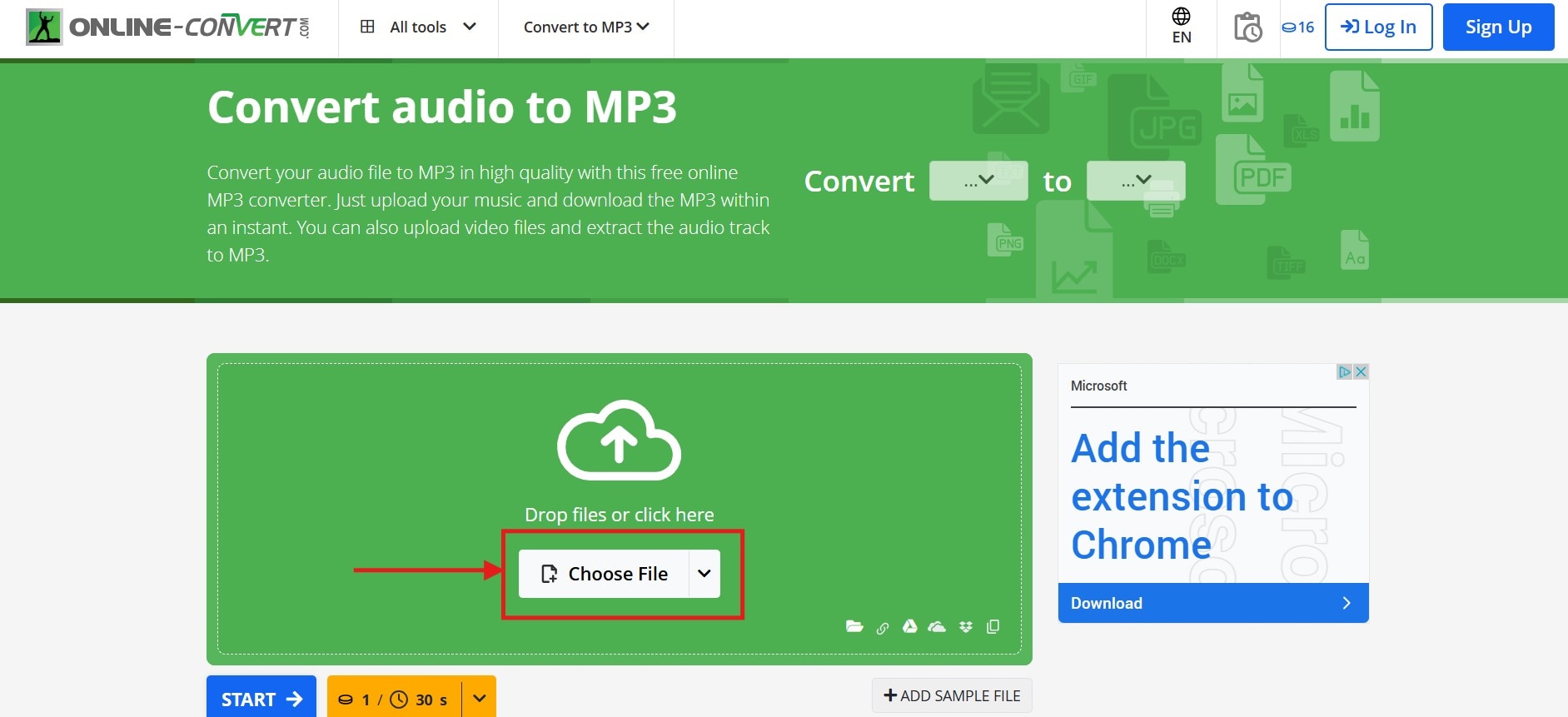
Step 2: Click “Choose File” and select your CDA file from your local storage. You can simply drag and drop the file.
Step 3: After the upload is complete, tap “Settings” to adjust the variable and constant bitrate, audio frequency, audio channels, or trim the audio.
Step 4: Click “Start” to initiate the conversion process. Once done, download the MP3 file to your computer.
Pricing: Free to use
Part 4. Quick Comparison Table of Top 7 CDA to MP3 Converters
How We Tested CDA to MP3 Converters
We tested various CDA to MP3 conversion tools using real audio CDs, evaluating ripping quality, speed, and ease of use.
| Tool | Platform | Free/Paid | Batch Support | Speed | Ease of Use |
| Windows Media Player | Windows | Free | Yes | Average | Yes |
| Wondershare UniConverter | Windows, Mac | Freemium | Yes | Fast | Yes |
| EaseUS MakeMyAudio | Windows, Mac | Paid (free trial available) | Yes | Average | No |
| VLC Media Player | Windows, Mac | Free | Yes | Slow | No |
| Convertio | Web-based | Free, Paid | Yes | Average | Yes |
| AnyConv | Web-based | Free | No | Fast | Yes |
| Online Convert | Web-based | Free | Yes | Slow | Yes |
Conclusion
Now that you've learned how to use the best CDA File to MP3 converters, you can preserve and enjoy your old CD collection on modern digital devices. The mentioned methods are simple and allow you to undergo the conversion process regardless of your location.
For those seeking a high-quality conversion with additional editing and upscaling features, consider using Wondershare UniConverter. Apart from audio, it can work with multiple file types and formats like video, image, and others. So, try it now and immerse yourself in nostalgia.

