

Theora was once a symbol of freedom in digital media — an open, royalty-free codec embraced by web developers, Wikimedia Commons, and open-source communities. It powered HTML5 video in its early days and gave creators a way to distribute video without licensing fees. But as technology advanced, Theora struggled to keep pace with modern codecs like H.264, VP9, and AV1.
Today, many users face compatibility issues when trying to play OGV files on mobile devices, edit Theora videos in software like Adobe Premiere, or upload them to platforms such as YouTube. That’s where Theora codec conversion becomes essential. By converting these legacy videos into modern, efficient formats, you preserve history while making content usable across today’s devices.
In this article
- What is Theora Codec and Why Convert It?
- Challenges in Theora Codec Conversion
- How to Choose the Best Theora Converter Tool
- Why Choose UniConverter for Theora Codec Conversion (Step-by-Step Guide)
- Pro Tips for the Best Theora Codec Conversion Results
- The Future of Theora Codec – Obsolete or Still Relevant?
- Conclusion
- FAQ – Theora Codec Conversion
Part 1. What is Theora Codec and Why Convert It?
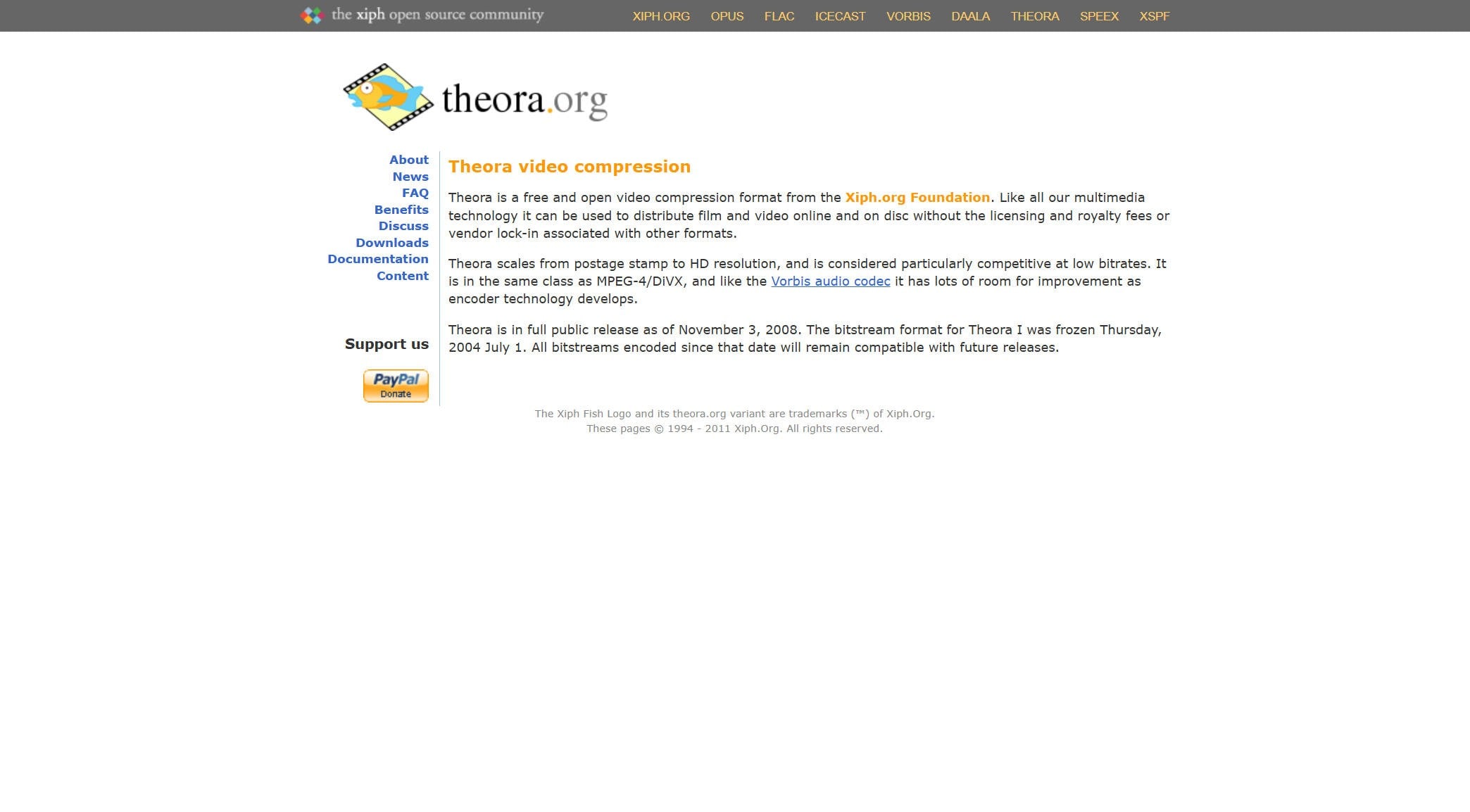
The Theora codec is an open and royalty-free video compression format developed by the Xiph.Org Foundation to promote accessible multimedia standards. It originated from the VP3 codec, which On2 Technologies released under a free software license in 2002. Designed as a competitor to proprietary formats like MPEG-4, Theora became widely used in early web video, particularly with the OGG container and Vorbis audio, before modern codecs eventually replaced it.
Key Features of Theora
Open and Royalty-Free – Anyone could use Theora without licensing costs, unlike MPEG-based codecs.
OGG Container Support – Theora is typically stored in .ogv files alongside Vorbis audio.
Web Integration – Supported by early versions of Firefox, Chrome, and Opera during the HTML5 video boom.
Moderate Compression – Comparable to MPEG-4 Part 2 (DivX, Xvid), though less efficient than H.264.
Why Convert Theora Files Today?
While Theora was a pioneer, it’s now considered outdated. Modern needs highlight its limitations:
- Limited Device Support – Smartphones, TVs, and many players no longer recognize OGV/Theora files.
- Editing Restrictions – Popular editors like Final Cut Pro and Adobe Premiere have dropped support.
- Streaming Issues – Platforms like YouTube and Instagram reject Theora uploads.
- Efficiency Gap – New codecs like H.265/HEVC and AV1 deliver far smaller file sizes at higher quality.
That’s why Theora codec conversion to formats like MP4 (H.264), MOV (ProRes), HEVC, or WebM (VP9) is the smart move for playback, editing, and sharing.
Part 2: Challenges in Theora Codec Conversion
Although Theora is open and royalty-free, converting .ogv files is not always as simple as dragging them into any media tool. Many mainstream converters and video editors struggle to recognize or process the format correctly, especially when Vorbis audio is included. This lack of broad support can create hurdles for users handling legacy video archives, making dedicated software essential for reliable playback, editing, or migration into modern codecs.
Common Problems Users Face
- Compatibility Gaps – Some converters do not properly recognize OGV containers, requiring manual re-wrapping before conversion.
- Playback Errors – Audio tracks, often encoded in Vorbis, may drop out or fail to sync after conversion.
- Slow Conversion – Theora decoding is CPU-intensive, especially for long videos in HD or higher resolutions.
- File Expansion – Converting to older codecs like H.264 may unexpectedly inflate file sizes if bitrate settings are not optimized.
Best Formats to Convert Theora Into
- MP4 (H.264) – For universal playback.
- MOV (ProRes/DNxHD) – Ideal for smooth editing workflows.
- HEVC (H.265) – Delivers smaller file sizes while retaining quality..
- WebM (VP9/AV1) – Maintains an open-source approach for future-proofing.

Easy to Use Batch Theora Codec Converter

Part 3: How to Choose the Best Theora Converter Tool
When selecting a Theora codec conversion tool, you’ll want to balance speed, quality, and compatibility.
Considerations
- Native Theora/OGV Support – Some converters require manual codec installation.
- Batch Conversion – Essential for large OGV archives.
- GPU Acceleration – Crucial for 1080p/4K workflows.
- Output Flexibility – Support for MP4, MOV, MKV, WebM, etc.
- Ease of Use – User-friendly design makes workflows smoother.
Popular Tools Compared
|
Tool |
Platform |
Theora Support |
Batch Convert |
GPU Acceleration |
Output Formats |
Pricing |
|
Win/Mac/Online |
Yes |
Yes |
Yes |
MP4, MOV, MKV, HEVC, ProRes |
Freemium |
|
|
Desktop |
Limited* |
Yes |
Yes |
MP4, MKV |
Free |
|
|
Online |
Yes |
Yes |
No |
MP4, MOV, WebM |
Paid |
|
|
Desktop (CLI) |
Yes |
Yes |
Yes |
Virtually any format |
Free |
*HandBrake requires OGV re-wrapping before conversion.
Part 4: Why Choose UniConverter for Theora Codec Conversion (Step-by-Step Guide)
When you need a balance of speed, quality, and compatibility, UniConverter is unmatched. Unlike free tools that may crash on OGV imports, UniConverter handles Theora smoothly with advanced GPU acceleration and batch features.
Why UniConverter is the Best Choice for Theora Codec Conversion
- Wide Format Support – Convert Theora to MP4, MOV, MKV, AVI, HEVC, ProRes, and more.
- Fast Performance – Up to 130x faster conversion with GPU acceleration.
- Flexible Settings – Customize bitrate, resolution, and codec.
- All-in-One Workflow – Convert, compress, edit, add subtitles, and burn to DVD.
- Free Online + Desktop Power – Desktop for professional batch workflows; online for quick tasks.
- Cross-Platform – Windows/macOS with cloud sync support.
Step-by-Step Guide to Convert Theora with UniConverter Desktop
Step 1: Install and Launch UniConverter
Download and install the desktop version. Launch it after installation.

Step 2: Import OGV/Theora Files
Click Add Files or drag your .ogv video(s) into the interface. UniConverter will auto-detect Theora streams.

Step 3: Choose Output Format
Select your target format. UniConverter suports overt 1000+ formats conversion.

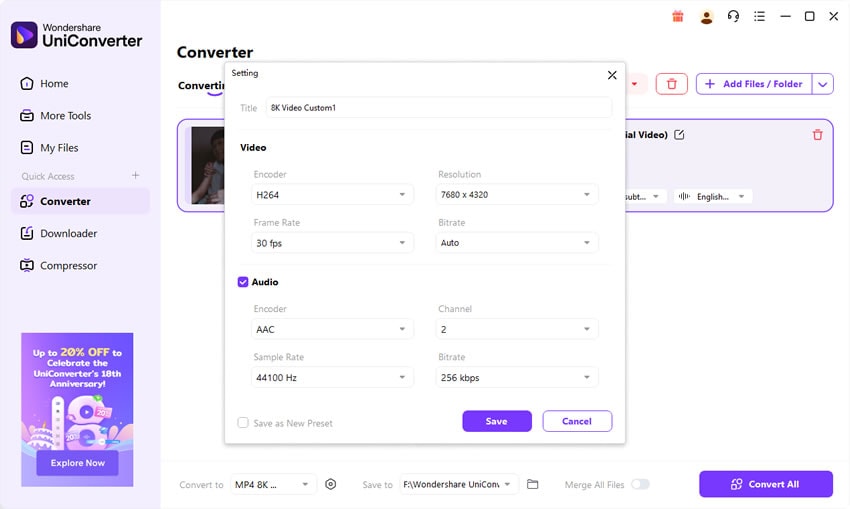
Step 4: Adjust Settings
Set bitrate, resolution, and enable GPU acceleration.

Step 5: Start Conversion
Click Convert and save your video.

Easy to Use Batch Theora Codec Converter
Part 5: Pro Tips for the Best Theora Codec Conversion Results
Getting the best results from Theora codec conversion requires more than simply selecting a new format. By paying attention to codec choice, bitrate, and workflow details, you can maximize both quality and efficiency.
Choose the Right Codec – MP4 (H.264) is ideal for universal playback on almost all devices. For editing in professional software like Final Cut or Adobe Premiere, MOV with ProRes is recommended. If storage efficiency is your goal, HEVC (H.265) offers smaller files without major quality loss.
Preserve Resolution – Avoid scaling your Theora videos unless necessary. Keeping the original frame size and frame rate ensures sharpness and smooth motion.
Optimize Bitrate – As a guideline, 8–12 Mbps works well for 1080p videos, while 20–35 Mbps is more suitable for 4K conversions.
Convert Audio Carefully – Since Theora videos often use Vorbis audio, convert to AAC for maximum compatibility, or use WAV/FLAC if you need lossless sound.
Batch Conversion and GPU Acceleration – Use UniConverter’s batch mode to process entire folders at once, and enable GPU acceleration for speed, especially with large archives.
Archive a Master Copy – Always keep a high-quality version for future use.
Check Platform Requirements – Different platforms demand specific formats. For example, YouTube prefers MP4 (H.264 + AAC), while TikTok only accepts MP4 with AAC audio.
By following these practices, you’ll achieve smooth, efficient Theora codec conversion without compromising quality.
Part 6: The Future of Theora Codec – Obsolete or Still Relevant?
Theora once represented the dream of free and open video for the web. As an open-source alternative to proprietary codecs, it played a historic role in making digital media accessible to everyone without licensing barriers. However, technology evolves quickly, and as streaming platforms and hardware manufacturers embraced more efficient standards such as H.264, VP9, and now AV1, Theora gradually slipped into obsolescence.
Why Theora Declined
- Performance Gap – Compared with H.264 or HEVC, Theora delivers larger files at lower quality.
- Limited Adoption – It never received strong hardware acceleration support, which limited playback on consumer devices.
- Replacement by VP9/AV1 – Google’s codecs became the dominant choice for open-source streaming.
Where Theora Still Matters
Despite its decline, Theora retains importance in a few areas:
- Archival Content – Wikimedia Commons and many open archives still host thousands of .ogv files.
- Legacy Systems – Some older Linux distributions and software continue to rely on Theora.
- Educational Use – It remains a valuable case study in codec history and open media standards.
The Practical Path Forward
For modern workflows, Theora codec conversion is the most practical solution. By converting old .ogv files to formats like MP4 (H.264) or HEVC (H.265), users can ensure long-term accessibility, smoother playback, and compatibility across today’s devices—while still preserving the legacy of open video.
Conclusion
Theora was a revolutionary step in open media history, but it has now faded into obsolescence. If you still have OGV/Theora files, the best way to keep them relevant is through Theora codec conversion. UniConverter provides the easiest, fastest, and most reliable solution — whether you’re preserving archives, preparing videos for editing, or sharing online.
FAQ
-
Q1: Why won’t my OGV/Theora video play on modern devices?
Because most smartphones, smart TVs, and modern players don’t support Theora anymore. Converting to MP4 (H.264) ensures playback everywhere. -
Q2: What’s the best format to convert Theora files into?
For general use: MP4 (H.264). For editing: MOV (ProRes). For efficient storage: HEVC (H.265). -
Q3: Can I still upload Theora files to YouTube or TikTok?
No, most social platforms reject Theora. Convert to MP4 (H.264 + AAC audio) before uploading. -
Q4: Will Theora codec conversion reduce quality?
If done properly with correct bitrate and resolution settings, quality loss can be minimized. Using ProRes or HEVC helps preserve details. -
Q5: Is Theora codec completely obsolete?
Yes, for modern streaming and devices. But it remains important for archival media and historical projects. Converting ensures future usability.

