


Someone lands on your Facebook profile, and the first thing they see is your cover photo. Facebook banner pictures load before your posts, bio, and anything else you have written. If the cover photo is missing, blurry, or boring, you have already lost attention.
A funny cover photo for Facebook fixes this ignorance at a glance. A good cover photo makes people smile, makes them stop scrolling, and gives your page a personality before you say a single word.
If you want to create the best profile cover for Facebook, this guide has a solution for you. You will get 5 AI tools to create funny banner images with ease.
First, let's understand what makes a Facebook cover funny, which can stop someone’s gaze for a while and make them laugh.
In this Article
- Part 1: What Makes a Facebook Cover Photo Funny
- Part 2: What Size Should a Funny Facebook Cover Photo Be
- Part 3: 6 Best Tools to Create a Funny Facebook Cover Photo
- Part 4: How to Use UniConverter to Create Facebook Banner Pictures
- Part 5: Tips for Creating a Funny Facebook Cover Photo
- Conclusion
- FAQs
Part 1: What Makes a Facebook Cover Photo Funny
Not every silly picture makes a good funny cover photo for Facebook. The ones that actually get comments and shares tend to share a few traits, such as:
The joke is obvious in seconds: Most people spend only a moment looking at a Facebook profile. If they have to stop and figure out the joke, you've already lost them. The best funny covers deliver the punchline at first glance.
It feels personal instead of copied: A random meme might get a smile, but a cover that reflects your personality is far more memorable. Whether it's sarcasm, dry humor, pet jokes, gaming references, or workplace comedy, your cover should feel like something you would say.
It plays with expectations: Some of the funniest designs use contrast. Think of a dramatic mountain landscape with the text, "Currently accepting snack donations," or a serious portrait paired with an intentionally ridiculous caption. The unexpected combination is what makes people laugh.
The important parts stay visible: Facebook crops cover photos differently on desktop and mobile. If your joke, emoji, or face gets cut off, the humor disappears. Keep the main text and visuals centered so everyone can see the entire joke.
The design is clean enough to read: Funny doesn't mean messy. Large fonts, high contrast, and simple layouts are much easier to understand than covers packed with tiny text, stickers, and effects. A clean design also matches today's popular Facebook cover photo aesthetic.
The funniest Facebook covers are rarely the busiest ones. They're simple, easy to understand, and just unexpected enough to make someone pause and smile.
Part 2: What Size Should a Funny Facebook Cover Photo Be
The recommended size for a funny Facebook cover photo is 851 × 315 pixels for desktop display, but Facebook cover images are displayed differently across devices. To ensure your joke, text, and important visuals don't get cropped, upload a higher-resolution image and keep the main design elements within the safe zone. A properly sized cover photo not only looks better but also makes your humor land exactly as intended.
| Spec | Value |
| Display size (desktop) | 820 x 312 pixels |
| Display size (mobile) | 640 x 360 pixels |
| Recommended upload size | 820 x 360 pixels, or 1640 x 720 pixels for sharper display on high resolution screens |
| Safe zone | 640 x 312 pixels, centered, keep faces and text inside this area |
| Best format | JPG for photos, PNG for text or logo-heavy designs, file size under 100 KB for fast loading |
A common mistake when creating a funny cover photo for Facebook is placing the punchline too close to the edges. What looks perfect on a computer screen may get cut off when someone views your profile on a phone. Always preview your design on both desktop and mobile before uploading.
For the best results, design your cover photo with a clear focal point: keep the funny caption, character, or main image near the center, use readable fonts, and avoid adding too many elements. A clean layout gives your joke more impact and also fits modern Facebook cover photo aesthetic trends.
Part 3: 6 Best Tools to Create a Funny Facebook Cover Photo
You do not need design software or a paid subscription to make a great cover photo. These six tools cover everything from ready-made templates to AI image generation, and each has a free plan. Whichever one you pick, the goal stays the same: a funny cover photo for Facebook that loads fast, reads clearly, and looks like the best profile cover for Facebook the moment someone visits your page.
Wondershare UniConverter

All-in-One Multimedia Processing Tool

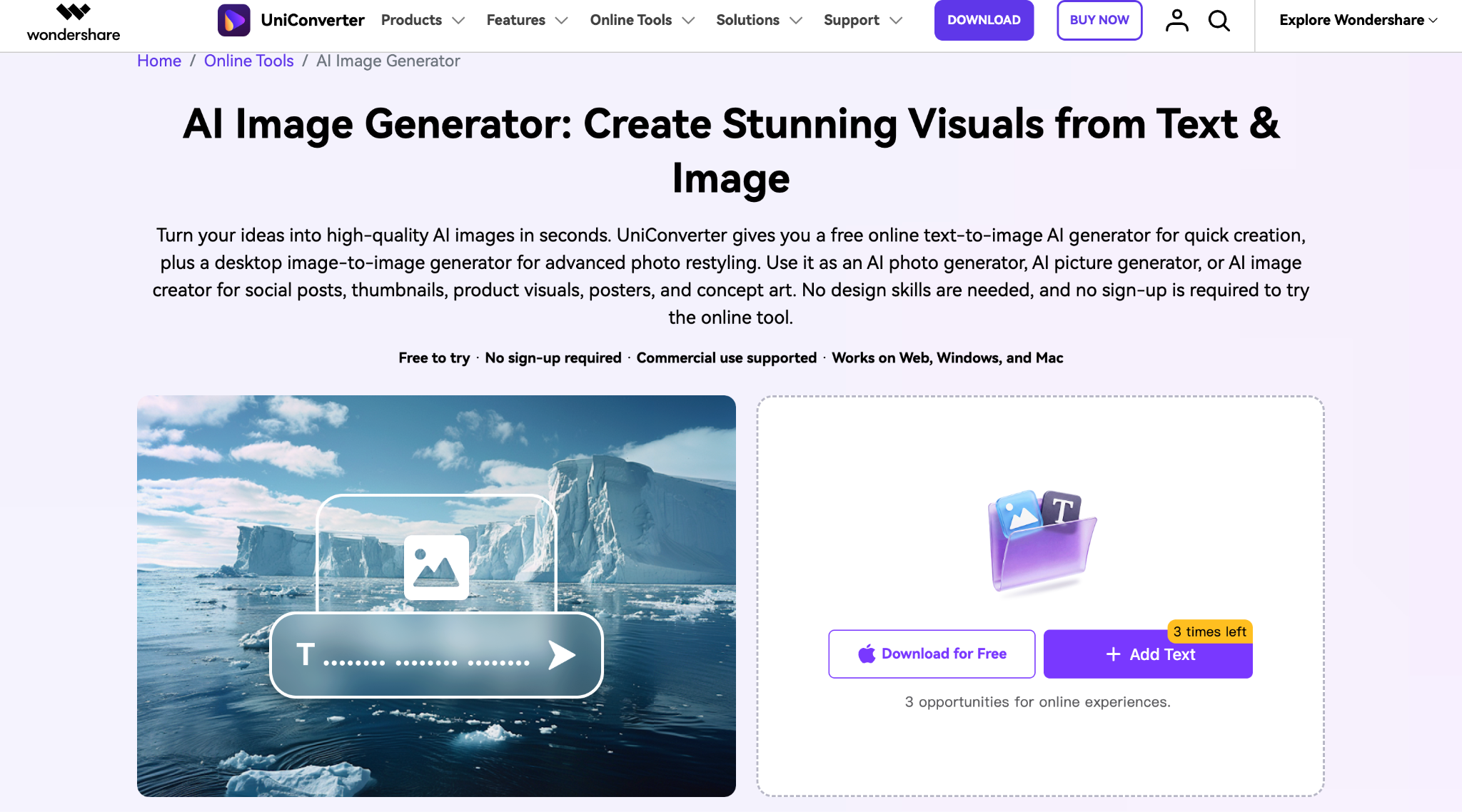
Wondershare UniConverter is a beginner-friendly creative tool that helps users create and edit visuals without needing advanced design skills. Its AI Image Generator can turn simple text ideas into images, while its editing tools help improve and customize designs before sharing them online. For someone creating a funny cover photo for Facebook, UniConverter is useful for making original backgrounds, adding creative elements, and preparing images in social-friendly formats. It works well when you want a quick design process without switching between multiple complicated apps.
Key Features of UniConverter
Create different visual styles from the same idea, such as cartoon, realistic, illustration, or artistic designs.
Improve image clarity, adjust quality, and refine visuals before using them as Facebook covers.
Remove unwanted backgrounds and create cleaner designs with custom scenes or colors.
Convert and adjust images for different platforms while maintaining quality.
Best for: Beginners who want to create a funny Facebook cover photo quickly with AI-generated visuals and simple editing tools.
Canva
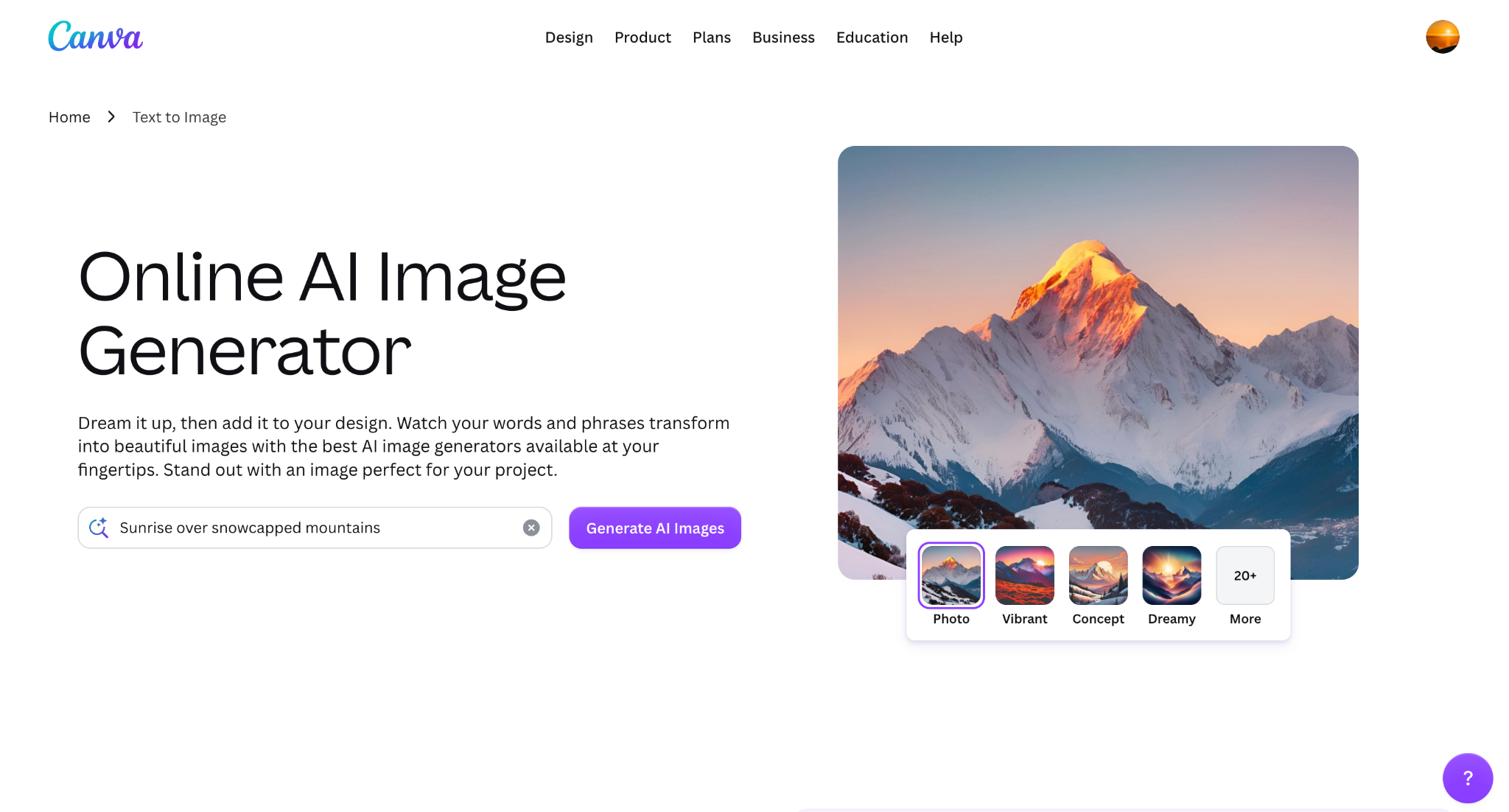
Canva is one of the most popular design platforms for creating social media graphics, including Facebook cover photos, banners, and profile designs. It offers thousands of ready-made templates that users can customize with their own jokes, images, colors, and text. For creating a good cover photo for Facebook, Canva makes it easy to combine funny captions with eye-catching layouts. Its drag-and-drop editor is helpful for beginners who want professional-looking designs without learning complex software.
Key Features of Canva
Access pre-sized designs specifically created for Facebook banners and social media graphics.
Easily move, resize, and customize images, text, icons, and design elements.
Generate images, edit visuals, and create unique design elements with AI.
Save colors, fonts, and design styles to maintain a consistent look across graphics.
Best for: Users who want ready-made templates and complete control over funny Facebook cover designs.
PosterMyWall
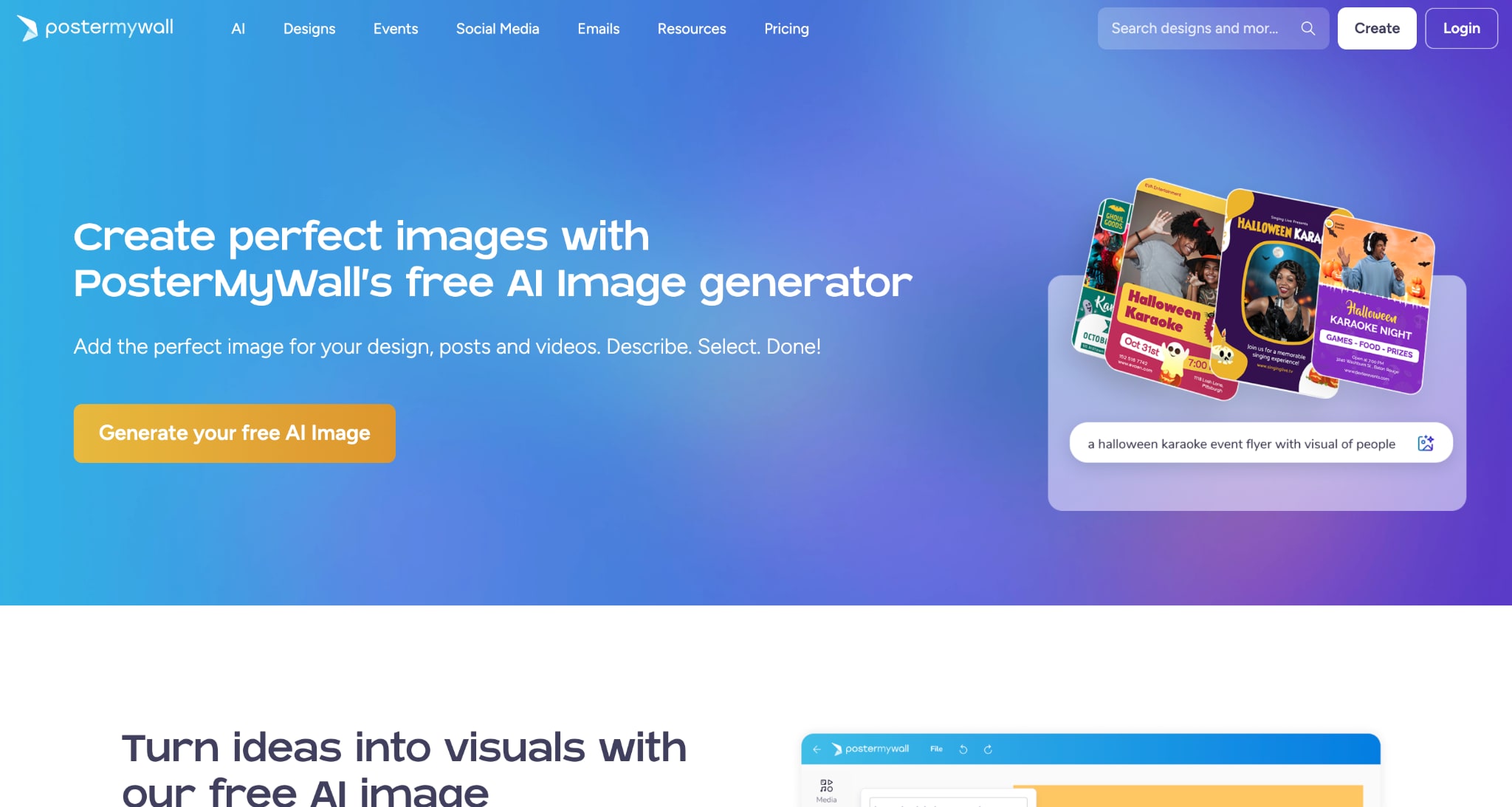
PosterMyWall helps users create posters, banners, social media graphics, and promotional designs using templates and AI-powered tools. Its AI Text-to-Image Generator can help turn creative ideas into visuals, while its large template library makes customization easier. If you are creating Facebook banner pictures with humorous quotes, event announcements, or eye-catching designs, PosterMyWall provides flexible editing options. It is especially useful for users who want a poster-style cover photo with strong visuals and text-based designs.
Key Features of PosterMyWall
Choose from pre-designed layouts for banners, posters, and Facebook graphics.
Create custom visuals by describing the type of image you want.
Add motion effects and animated elements for more engaging social content.
Adjust fonts, colors, layouts, and visual elements to match your idea.
Best for: Creating creative Facebook banner pictures, poster-style covers, and text-focused funny designs.
Adobe Firefly
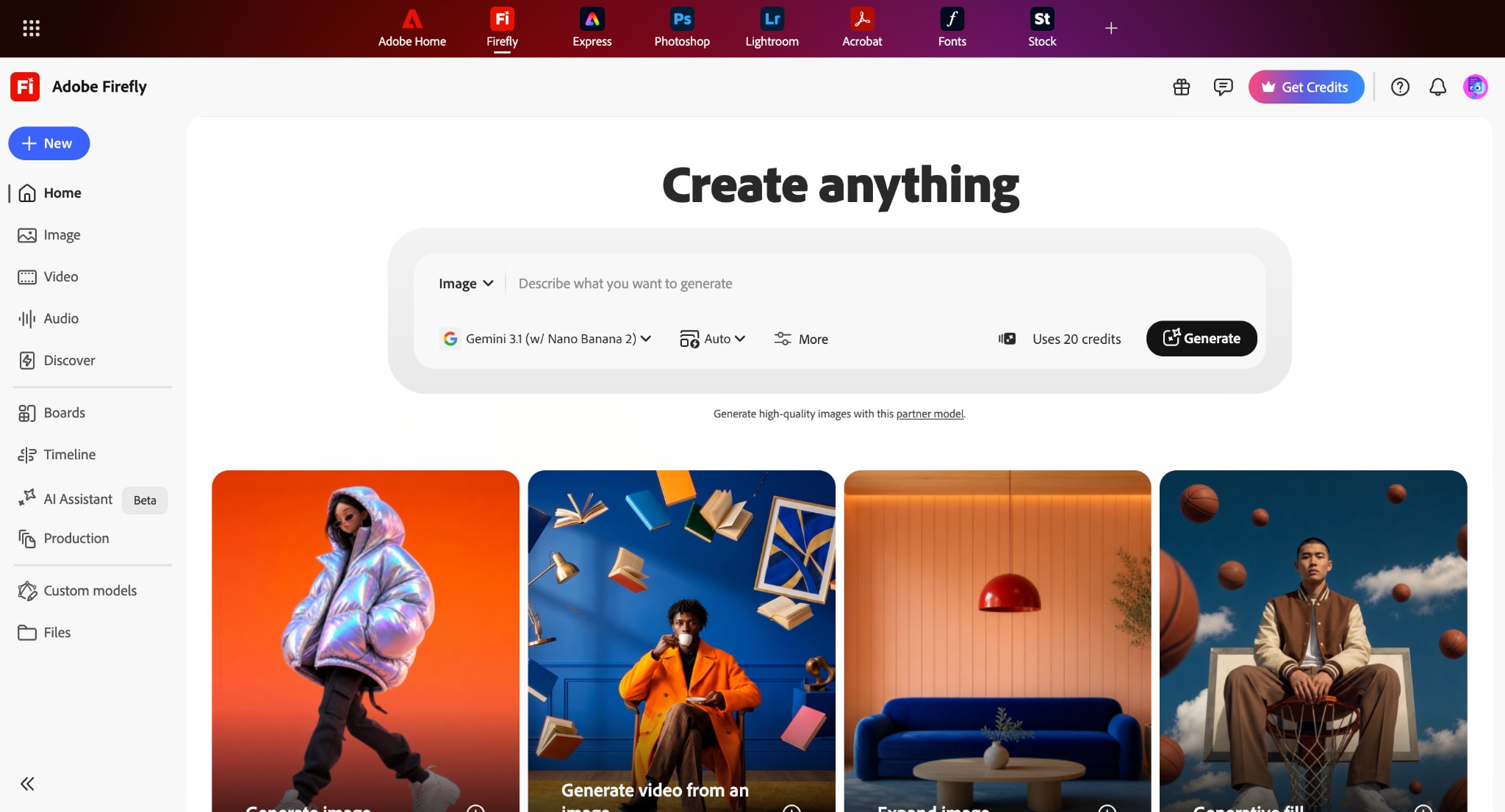
Adobe Firefly is Adobe’s AI creative platform designed for generating and editing images through simple text instructions. It gives creators more control over the style, composition, colors, and visual details of generated images. For a funny cover photo for Facebook, Firefly can help create unique characters, backgrounds, and imaginative scenes that are difficult to find in traditional templates. It works well for users who want original artwork rather than commonly used social media designs.
Key Features of Adobe Firefly
Add, remove, or replace parts of an image using text-based instructions.
Adjust artistic style, lighting, color, and visual appearance of generated images.
Create decorative text styles that can enhance creative social media graphics.
Move designs between Adobe tools for advanced editing workflows.
Best for: Creators who want highly customized and artistic Facebook cover photo designs.
Adobe Express
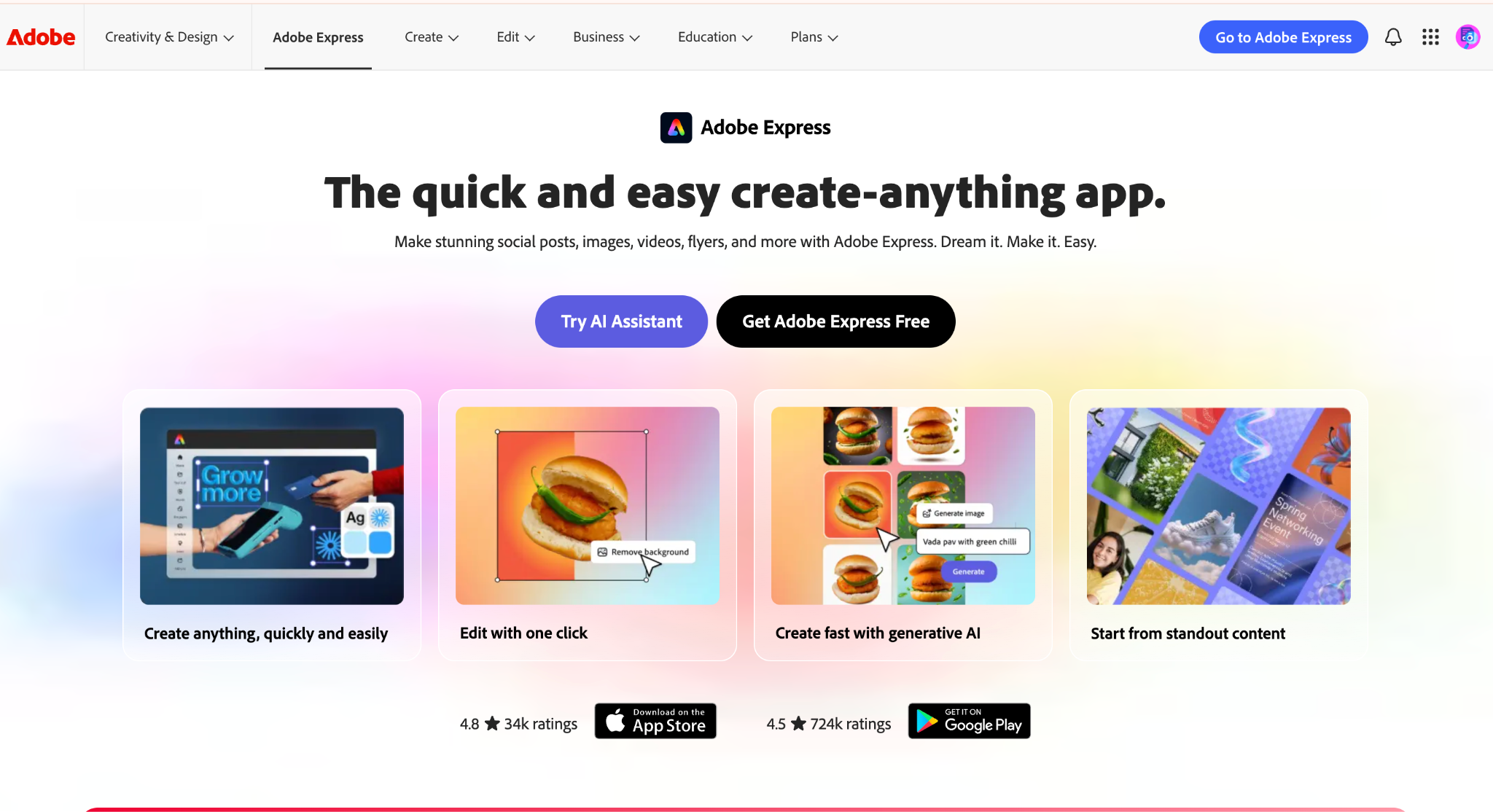
Adobe Express is a simplified design tool built for creating social media content quickly. Unlike full professional design software, Adobe Express focuses on easy editing with templates, AI features, and quick customization options. Users creating a funny cover photo for Facebook can start with a template, add humorous text, adjust images, and create polished designs in minutes. It is a good option for people who want Adobe-quality design tools without a steep learning curve.
Key Features of Adobe Express
Create Facebook covers and banners using professionally designed layouts.
Remove image backgrounds to create cleaner and more focused designs.
Create images, text effects, and design elements using AI tools.
Adjust one design for different social platforms and formats.
Best for: Beginners who want fast, polished Facebook cover designs with Adobe-powered tools.
PicsArt
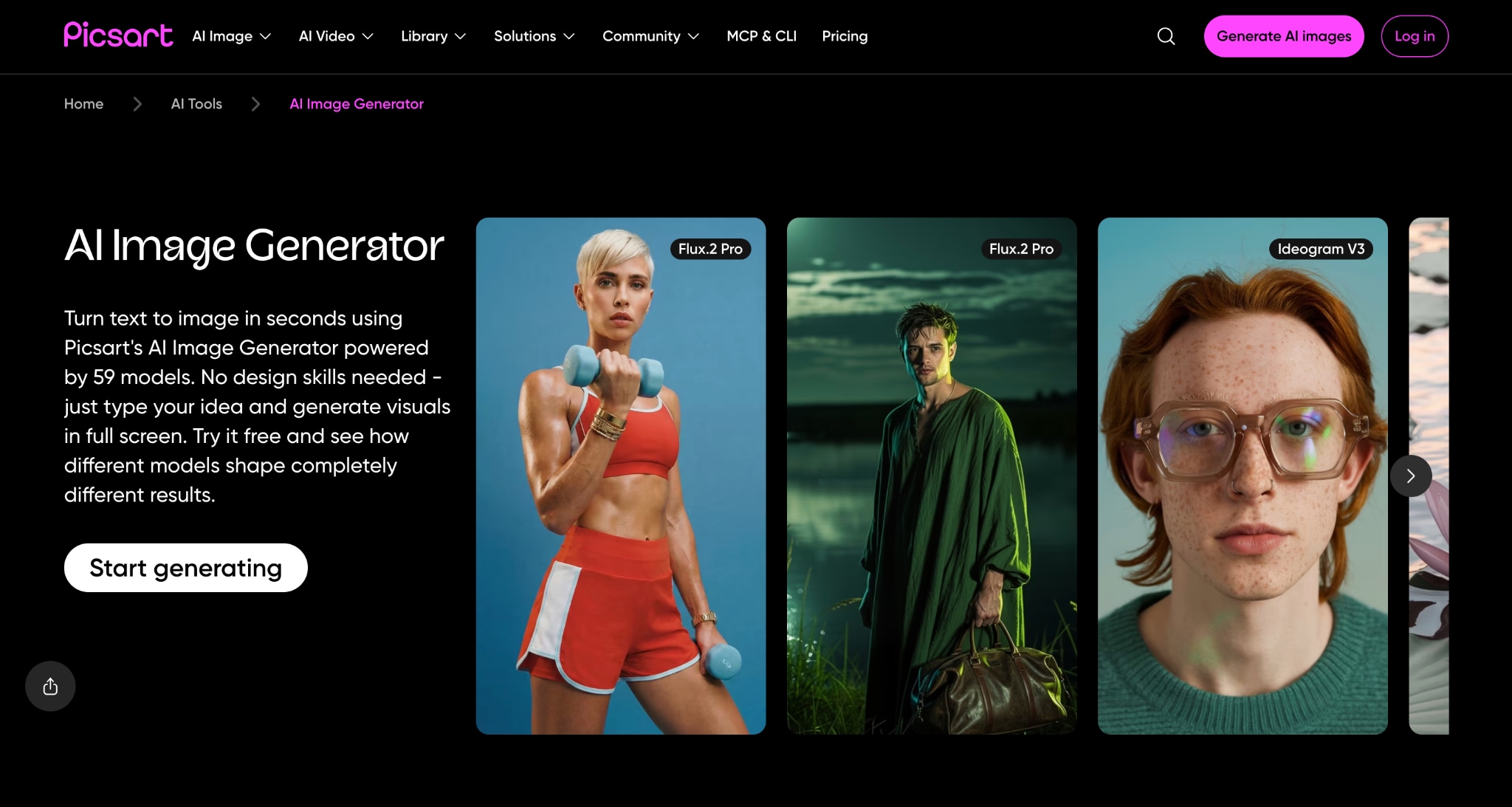
PicsArt is a creative editing platform popular for adding effects, stickers, filters, and artistic touches to images. For users creating a Facebook cover photo aesthetic with a funny or trendy style, PicsArt offers many tools to transform ordinary pictures into unique designs. It works especially well for meme-style covers, personal profile banners, and creative edits that call for more personality and visual effects. Its mobile-friendly interface also makes editing convenient for casual creators.
Key Features of PicsArt
Apply creative styles, effects, and adjustments to transform images.
Add emojis, illustrations, decorative elements, and fun overlays.
Enhance photos, generate creative elements, and quickly modify images.
Combine multiple images and design elements into one creative layout.
Best for: Users who want fun, trendy, and personalized Facebook profile cover designs.
Take a look at each tool so you can make a wise choice:
| Tool | Free Trial/Free Plan | Starting Price | Ease of Use | Image Quality | Use Case |
| Wondershare UniConverter | 7-day free trial | Starts at $9.99/month | Very Easy | High-quality AI-generated images (4K) | Best for creating, enhancing, converting, and editing images/videos with AI tools |
| Canva | Free plan available | Paid plan starts at $18/month | Very Easy | High-quality templates and graphics | Best for social media posts, presentations, posters, resumes, and quick graphic designs |
| PosterMyWall | Free plan available | Paid plans start at $13/month | Easy | Good template-based designs | Best for creating flyers, event posters, invitations, and marketing materials |
| Adobe Firefly | Free credits available | Starts at $9.99/month | Moderate | Very high-quality AI visuals | Best for AI image generation, creative concepts, and professional visual content |
| Adobe Express | Free plan available | Premium plans start at $10.99/month | Very Easy | Professional-quality designs | Best for beginners creating branded content, social posts, and promotional graphics |
| PicsArt | Free plan available | Paid plans start at $15/month | Easy | Good for edited and stylized images | Best for photo editing, filters, collages, and creative social media images |
Note: For a funny cover photo for Facebook, the best choice depends on your goal. Canva and Adobe Express are easiest for beginners; Wondershare UniConverter works well for simple AI-assisted creation; Adobe Firefly is better for unique artwork; PosterMyWall is useful for poster-style designs; and PicsArt is ideal for adding personality and fun effects.
Part 4: How to Use UniConverter to Create Facebook Banner Pictures
Follow these simple steps and create your Facebook cover photo aesthetic with Wondershare UniConverter:
Step 1: On the UniConverter dashboard, navigate to the Image section and choose Image Generator.
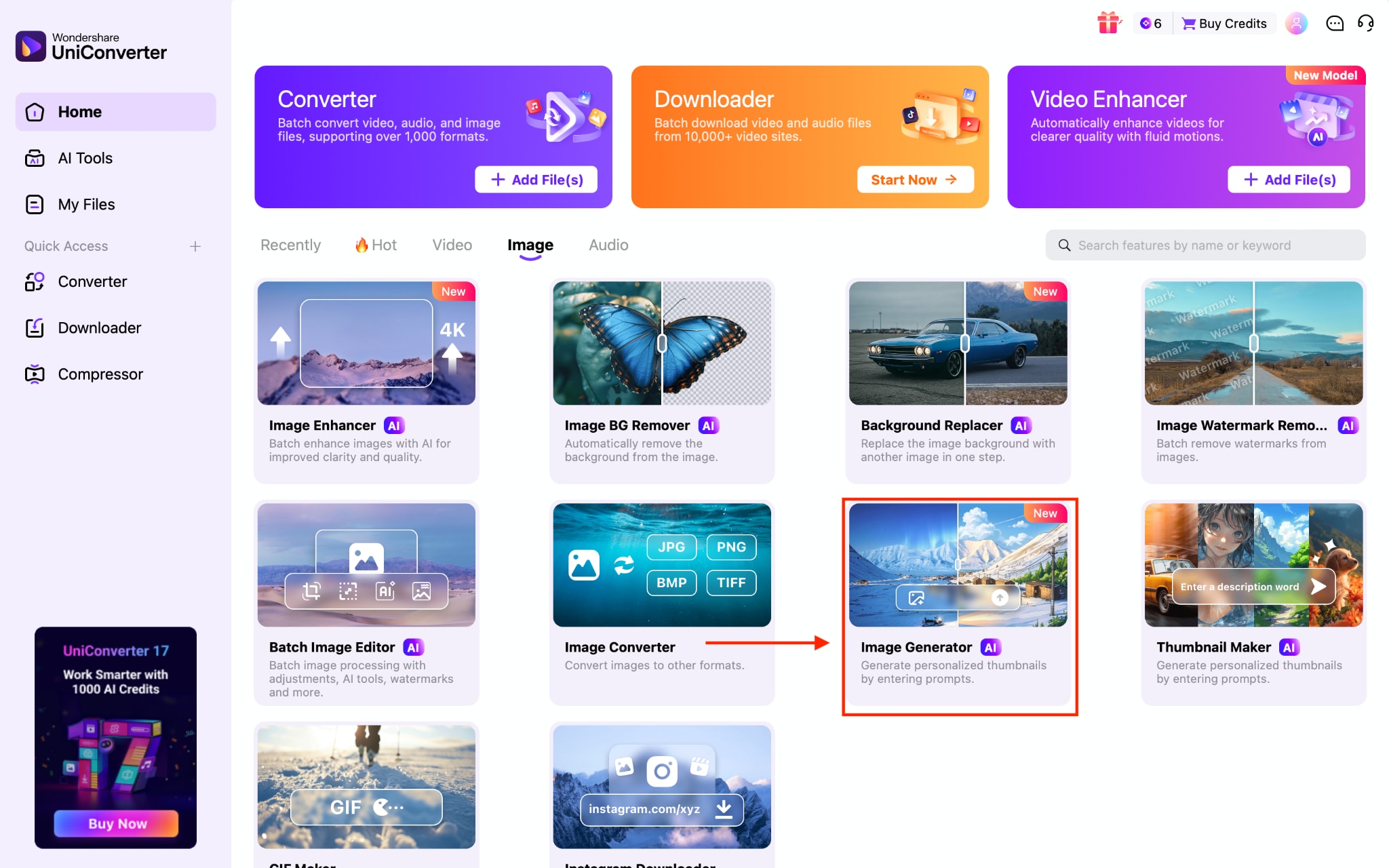
Step 2: Upload any image if you want to upload it as a reference.
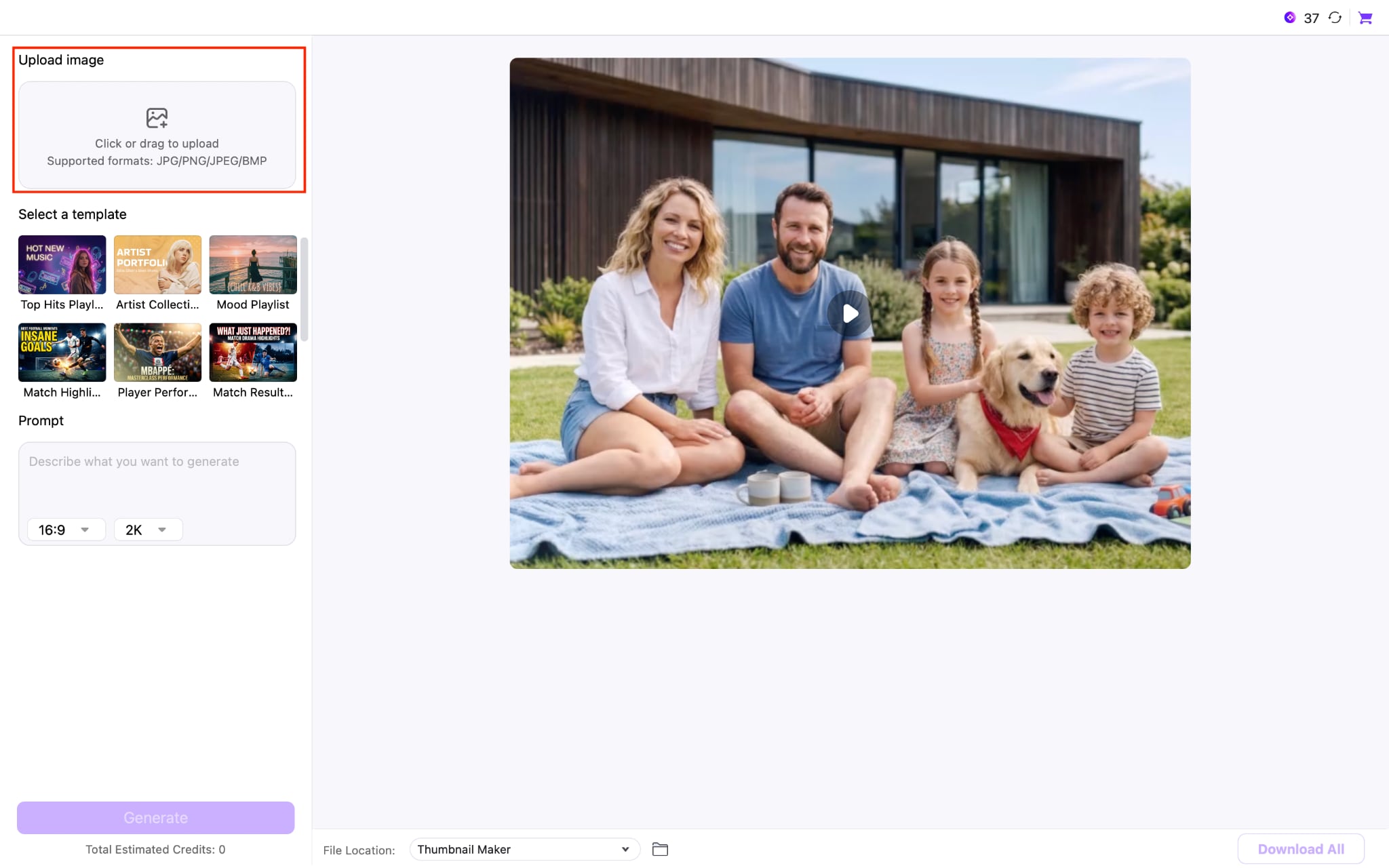
Step 3: Choose any template that fits your requirement. If not, then add an image description.
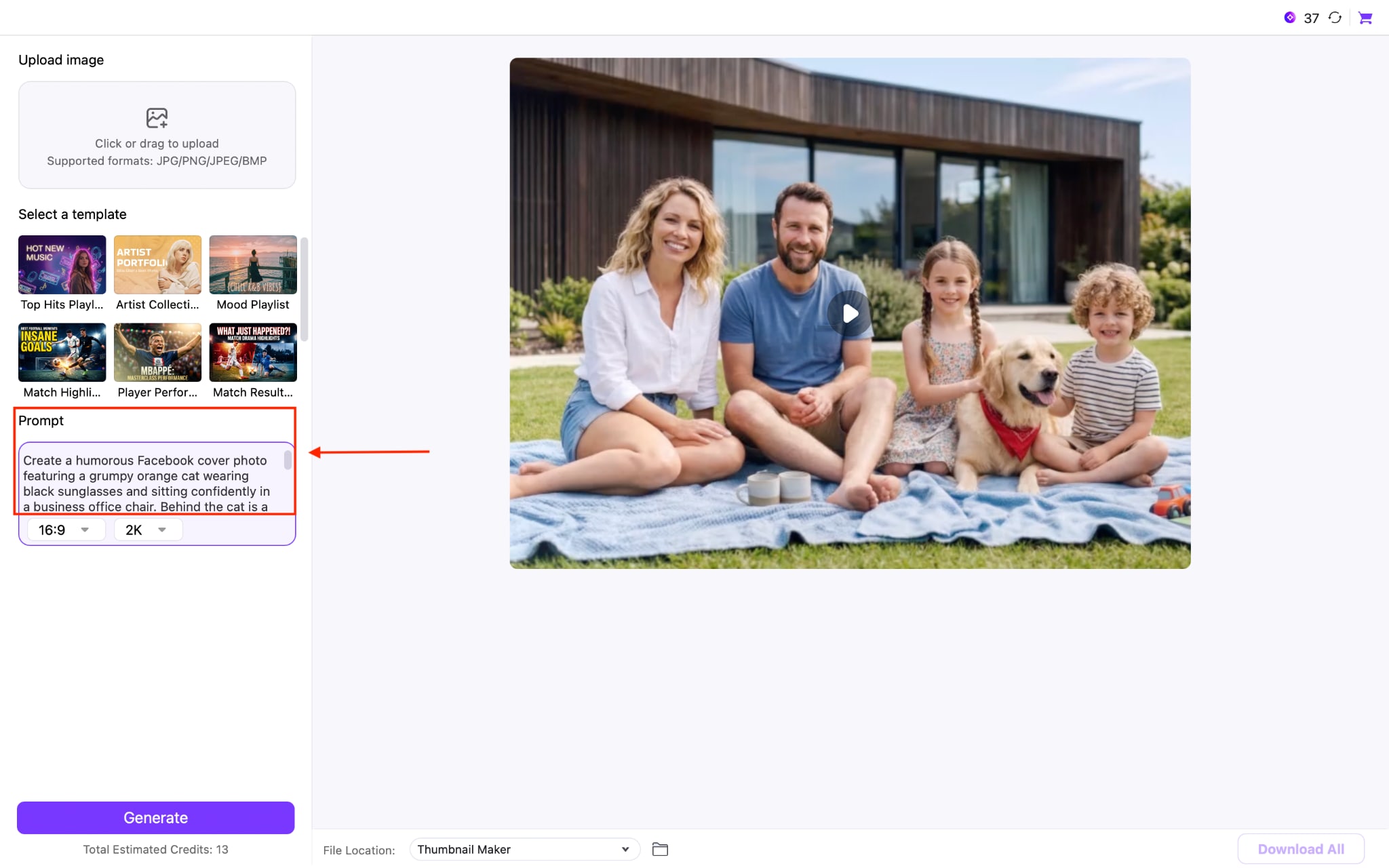
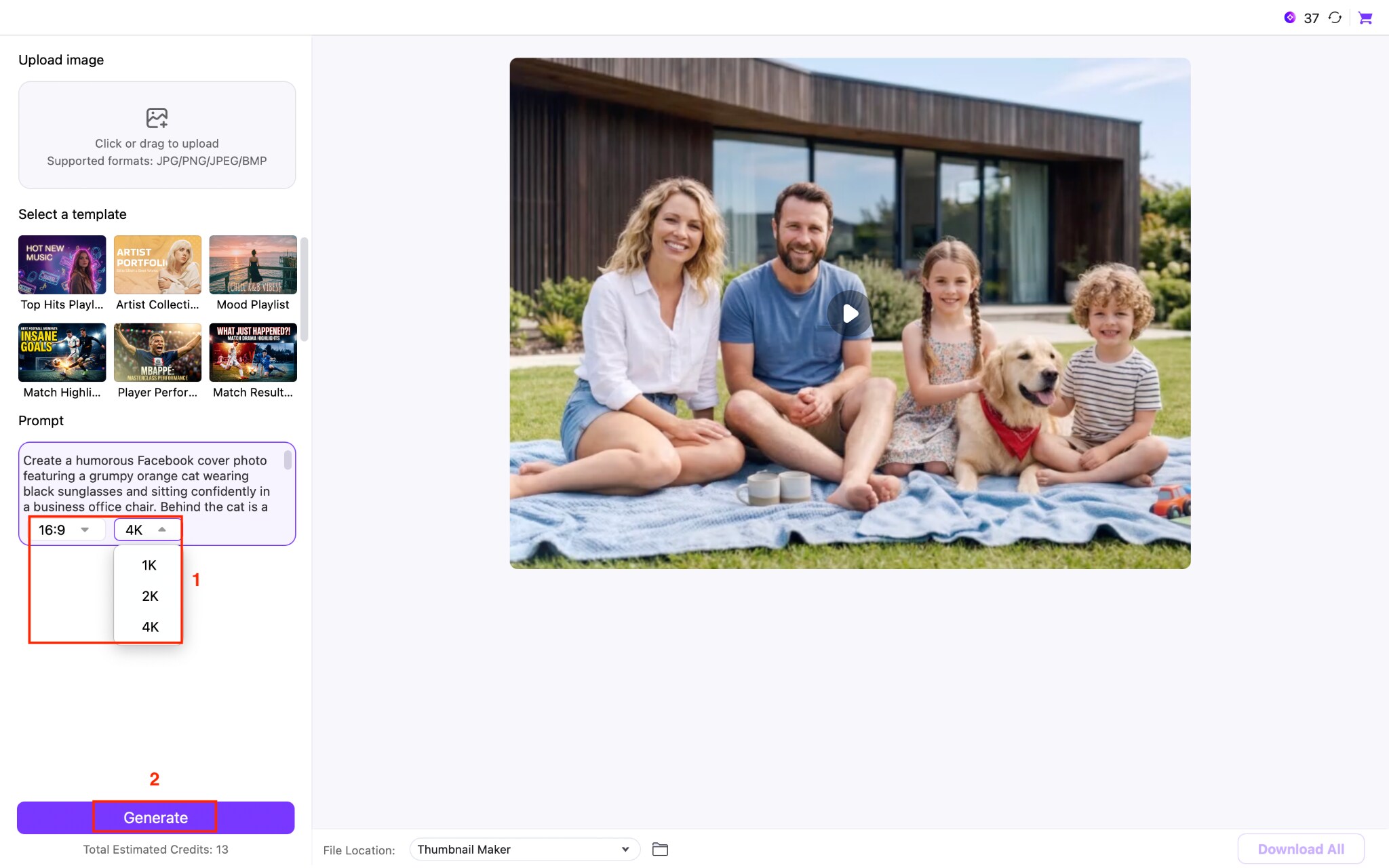
Step 4: Select the image size and quality. Once done, click the Generate button.
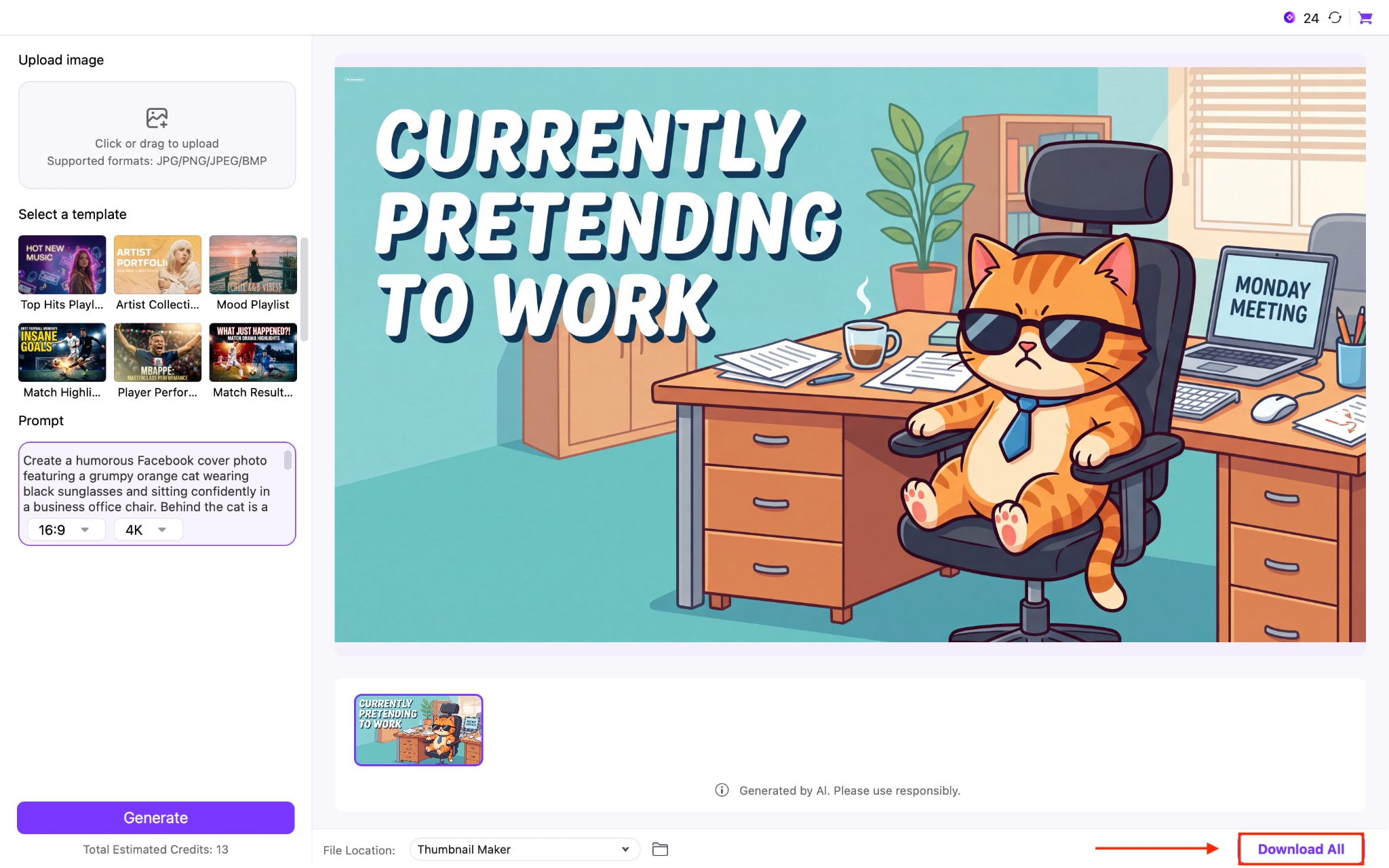
Step 5: Tap the Download All button to save your funny Facebook cover photo.
Part 5: Tips for Creating a Funny Facebook Cover Photo
Creating a Facebook banner image is not just about adding a random joke or meme. The best covers combine humor with good design so people understand the joke quickly and remember it. Whether you are making a cover for your personal profile, a creator page, or a brand account, these simple tips can help you create something that gets attention.
Start with a joke people understand instantly: the best funny cover photos don't require a long explanation. Use short captions, familiar situations, or relatable humor that people can understand within a few seconds. A simple joke about everyday life often works better than a complicated one.
Use high-quality images and readable text: A funny idea can lose its impact if the image looks blurry or the text is difficult to read. Choose clear visuals, bold fonts, and enough contrast between the background and the caption so your joke is visible on every screen.
Keep the design simple: Avoid filling your cover with too many stickers, colors, and effects. A clean layout helps people focus on the funny part instead of trying to understand a crowded design. One strong visual idea usually creates a better reaction than several small jokes.
Use current trends without copying them: Popular memes, internet humor, and Facebook cover photo aesthetic trends can inspire you, but add your own twist. A fresh version of a familiar idea is more likely to stand out than a copied template.
Test how it looks on mobile: Most people browse Facebook on their phones, so always check your cover photo before publishing. Make sure your funny caption, main character, or important details aren't hidden behind profile pictures or cropped out.
Conclusion
A funny cover photo for Facebook is one of the easiest ways to make your profile more memorable. You don't need professional design skills or expensive software to create one. With the right image size, a simple joke, and an AI-powered tool like Wondershare UniConverter, Canva, Adobe Firefly, Adobe Express, PosterMyWall, or PicsArt, you can design a cover that grabs attention in seconds. Follow the sizing tips, keep your layout clean, and make sure your humor reflects your personality. A well-designed Facebook cover photo aesthetic not only looks great across devices but also gives visitors a reason to stop, smile, and remember your profile.

