


Struggling to download Arabic subtitles that actually sync perfectly with your video? You’re not alone. Many viewers waste time jumping between unreliable sites, dealing with broken links, wrong file versions, or poorly translated arabic movie subtitles. Sometimes the subtitles don’t match the release format, and other times they’re filled with errors that ruin the entire experience. Whether you’re watching on PC, streaming online, or using a mobile app, finding accurate and high-quality subtitles can feel overwhelming.
The good news is that it doesn’t have to be this way. With the right platforms and tools, you can quickly find, download, and even customize subtitles without frustration. This guide will show you exactly how to do it—step by step.
In this article
- What Makes a Subtitle Site Worth Using?
- Top 4 Sites to Download Arabic Subtitles on PC
- Top 4 Sites to Download Arabic Subtitles on Web
- Top 4 Apps to Download Arabic Subtitles on Mobile
- Bonus Tool: How to Generate Personalize Subtitles with UniConverter
- Comparison Table of 10 Arabic Subtitle Downloaders
- Bonus: 3 Best Arabic Subtitle Websites (Alternative for Video Link Issues)
- Conclusion
- FAQ
- If you need subtitle files for movies or TV shows, go to PC subtitle sites.
- If you already have a video URL, go to web subtitle downloaders.
- If you want to watch on your phone, go to mobile subtitle apps.
- If no subtitle file exists, go to generate Arabic subtitles.
Part 1: What Makes a Subtitle Site Worth Using?
Choosing the right subtitle website can save you hours of frustration. Here are the key factors that make a subtitle site truly worth using:
1. Accurate and Reliable Translations
A good subtitle site must provide clear, well-translated, and contextually accurate subtitles. Poor translations can completely change the meaning of dialogues and reduce the viewing experience. Reliable platforms often include user ratings to help identify the most accurate files.
2. Proper Sync with Multiple Video Versions
Different movies and shows come in various formats like BluRay, WEB-DL, or HDRip. A trustworthy subtitle site offers multiple versions to match specific releases and prevent timing issues. This ensures subtitles stay perfectly synced throughout the video.
3. Safe and Secure Downloads
Security is essential when downloading subtitle files. The best websites avoid excessive pop-ups, fake download buttons, or harmful redirects. A secure platform protects your device from malware and unwanted software.
4. Easy Navigation and Smart Search Filters
A well-designed interface makes it simple to find subtitles quickly. Features like search filters by language, year, genre, or release type save time and effort. Organized listings help users locate the correct file without confusion.
5. Format Compatibility and Device Support
Top subtitle sites provide files in popular formats such as SRT, SUB, and VTT. These formats work smoothly with most media players, streaming platforms, and mobile apps. Broad compatibility ensures users can watch content seamlessly across devices.
Part 2: Top 4 Sites to Download Arabic Subtitles on PC
1. OpenSubtitles
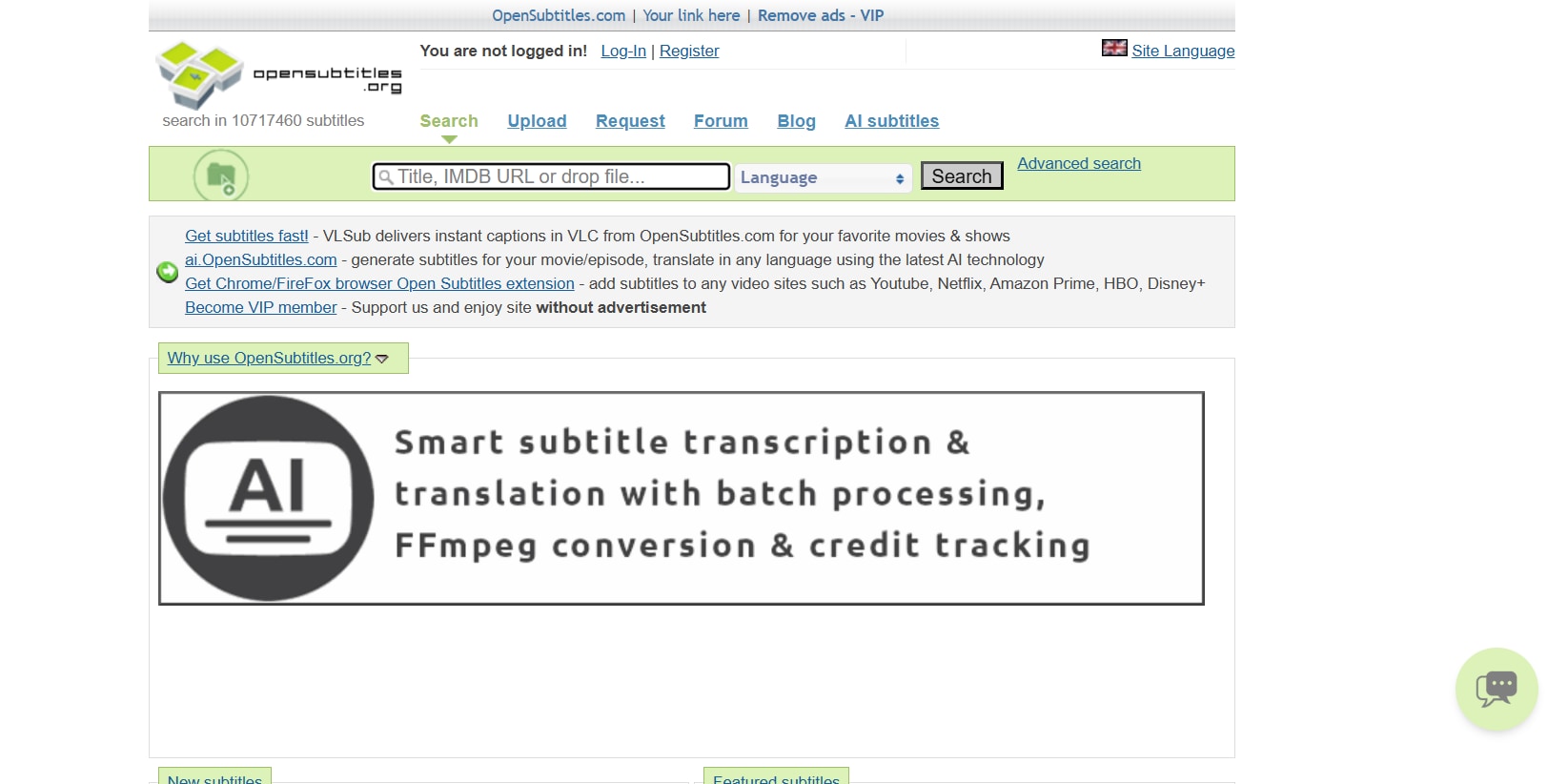
OpenSubtitles is one of the largest and most recognized subtitle platforms globally, offering an extensive collection of Arabic subtitles for movies and TV shows. PC users can easily search by title, IMDb ID, year, or release format to find perfectly synced files. The platform supports multiple subtitle formats compatible with VLC, KMPlayer, and other desktop media players. It is especially helpful for older films and international content that may not be available elsewhere. The website also includes user ratings and upload dates to help users choose the best version. Although ads appear in the free version, its database size makes it highly reliable. Overall, it’s a powerful resource for consistent subtitle downloads. The platform supports dozens of languages alongside Arabic, making it useful for multilingual users. Advanced filtering tools allow users to narrow results quickly. Its long-standing reputation in the subtitle community adds to its credibility.
Key Features
- Massive multilingual subtitle library
- Advanced search filters
- Multiple subtitle versions per release
- Supports SRT, SUB, and other formats
- Community rating system
Registration Required?
Optional (Required for uploading and some advanced features)
2. Subscene
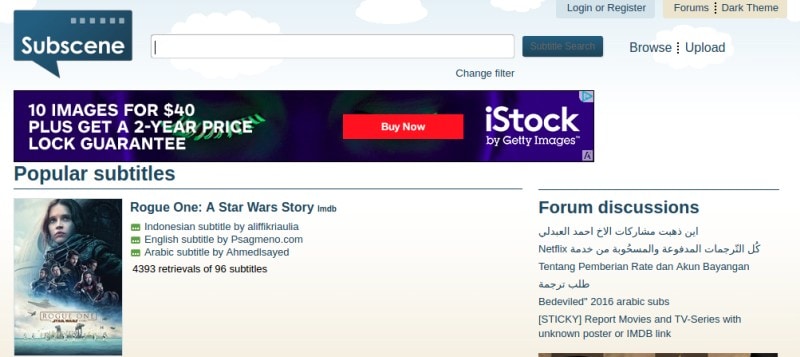
Subscene is a widely used subtitle-sharing platform known for its strong Arabic subtitle collection. It features a clean and simple interface that makes searching quick and straightforward for PC users. The site clearly labels subtitle versions based on release types, helping prevent sync issues. Arabic movie subtitles are regularly uploaded by active contributors, ensuring better availability for recent releases. Downloads are typically available in SRT format, making them compatible with most desktop players. The platform is easy to navigate even for beginners. It remains a dependable option for fast and hassle-free subtitle downloads. The homepage highlights recently added and popular subtitles for quick access. Community moderation helps maintain subtitle quality. It also supports subtitles for both mainstream and lesser-known titles.
Key Features
- Strong Arabic subtitle community
- Clearly labeled release versions
- Direct SRT downloads
- Fast title-based search
- Simple interface
Registration Required?
No (Optional for uploading subtitles)
3. YIFY Subtitles
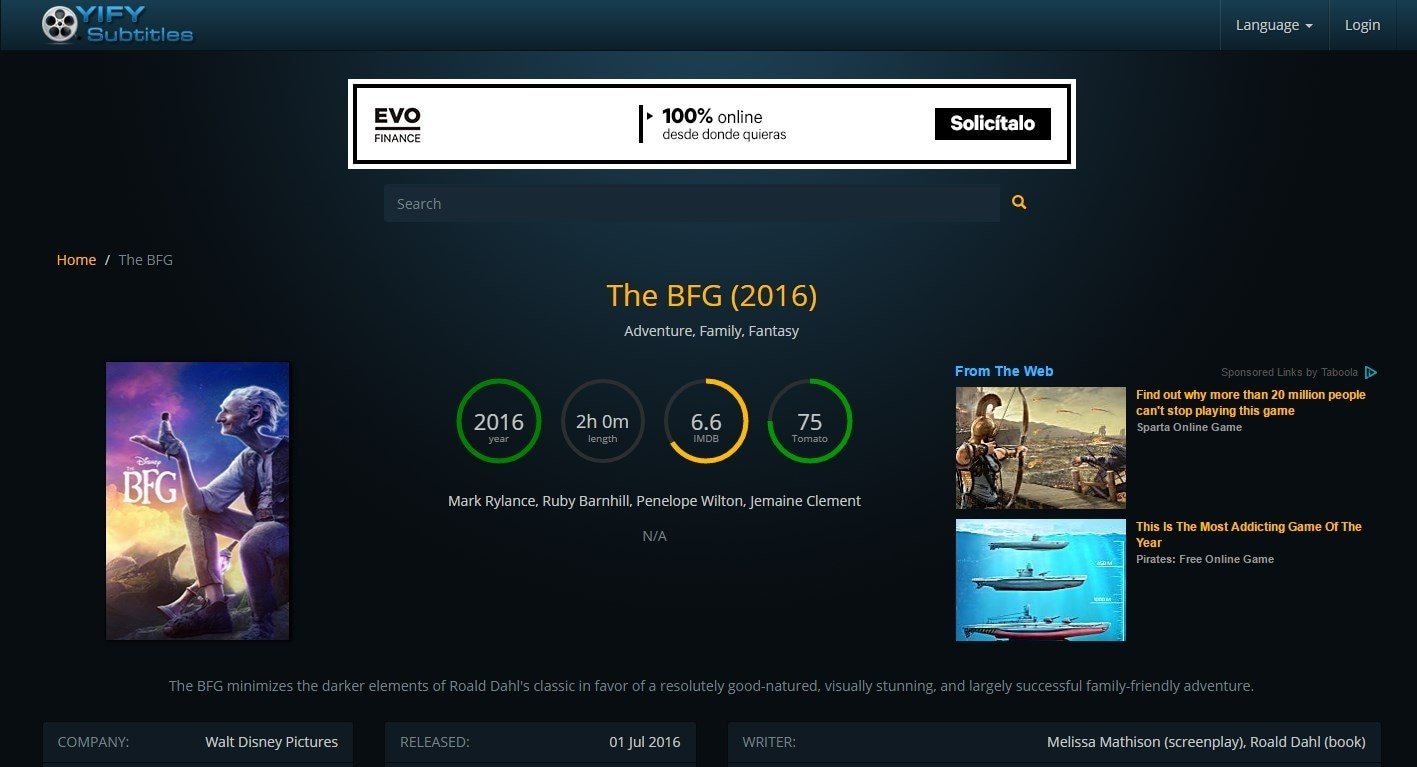
YIFY Subtitles is a movie-focused subtitle website known for its clean layout and easy browsing experience. It provides Arabic subtitles for many popular international films, especially those associated with YTS releases. PC users can browse movies by genre, year, or popularity. Each movie page clearly lists available subtitle languages, simplifying the selection process. The site design is modern and minimal, reducing confusion during downloads. Subtitles are typically well-synced with specific movie releases. For users looking primarily for movie subtitles, it is a convenient and efficient choice. The platform also displays IMDb ratings for better content selection. Its organized categorization makes browsing smooth and structured. The download process requires only a few clicks.
Key Features
- Movie-centered subtitle collection
- Modern and clean interface
- Subtitles synced with YTS releases
- Multiple language options per film
- Organized movie pages
Registration Required?
No
4. Addic7ed
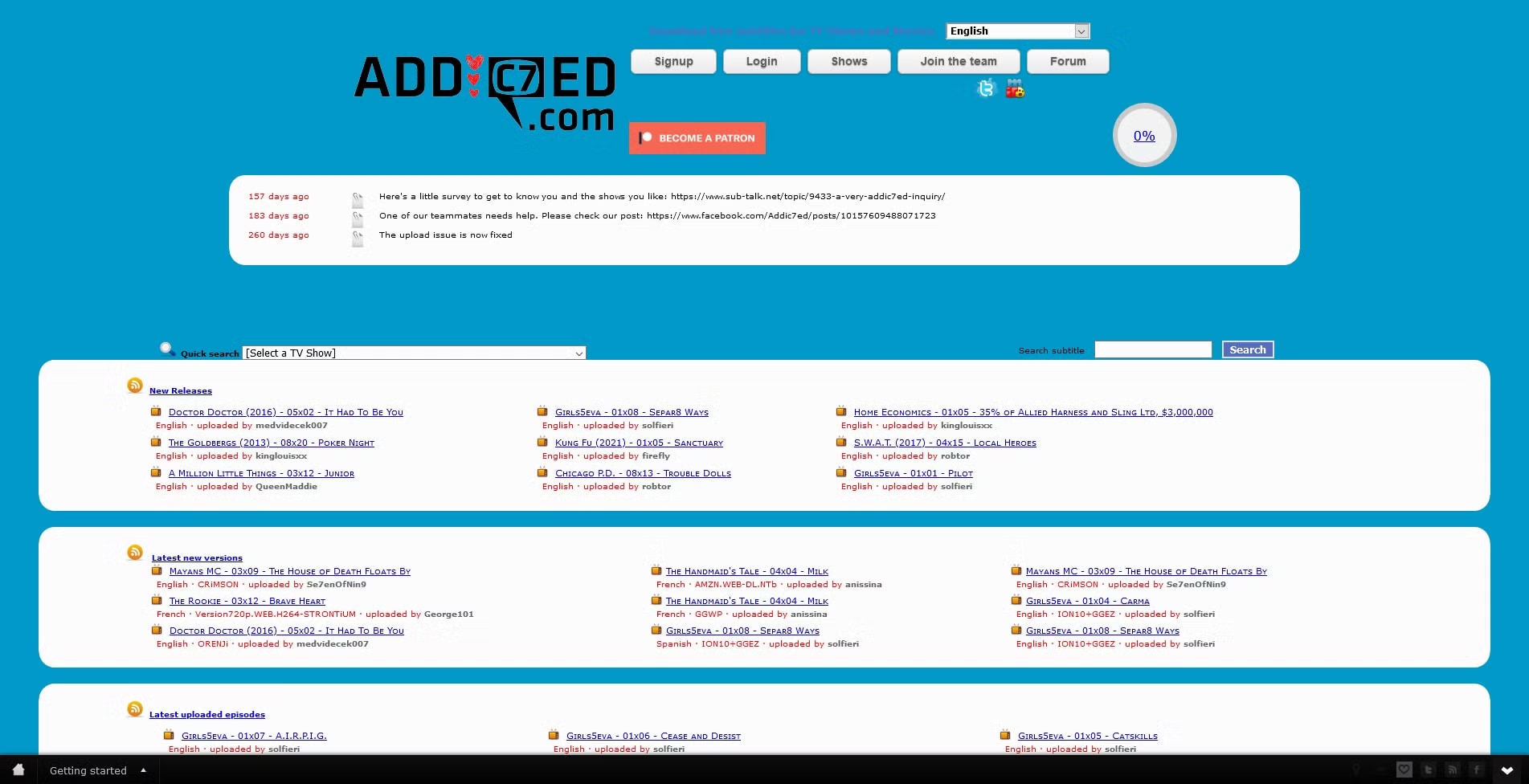
Addic7ed is primarily focused on TV show subtitles and is well-known for its timely uploads of ongoing series. It provides Arabic subtitles for many popular international TV shows. PC users can browse subtitles by season and episode, making it easier to find accurate matches. The platform is community-driven, ensuring consistent updates and corrections. Although its interface is more text-based, it offers detailed episode-specific listings. Subtitles are generally available in SRT format for smooth playback compatibility. It is especially useful for viewers who regularly follow TV series. The website frequently updates subtitles shortly after episode releases. Dedicated contributors help maintain synchronization accuracy. It is trusted by many long-term subtitle users.
- TV show-focused subtitle platform
- Organized by season and episode
- Community-driven updates
- Timely subtitle releases
- Common format support
Pros & Cons
Registration Required?
Yes (Required for downloading subtitles)
Part 3: Top 4 Sites to Download Arabic Subtitles on Web
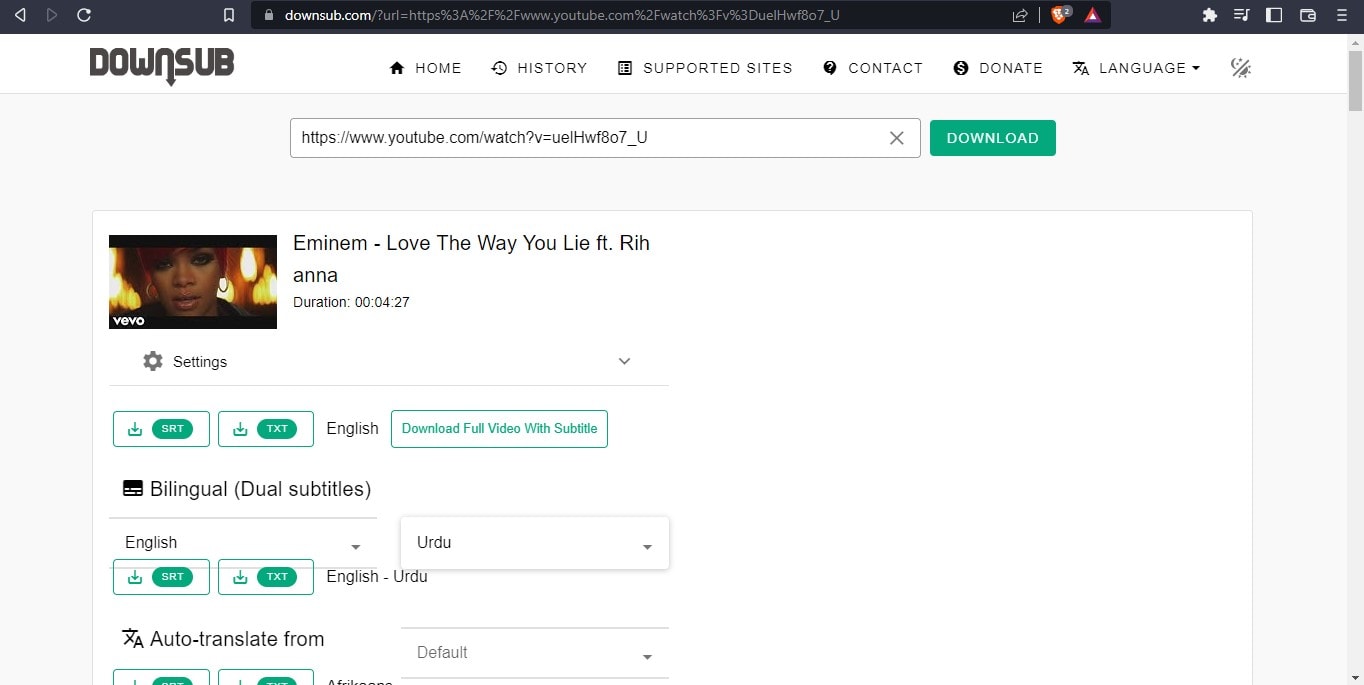
1. DownSub
DownSub is a web-based subtitle downloader that allows users to extract subtitles directly from online video links. Instead of searching a database, users simply paste a video URL into the search box. It supports several streaming platforms and provides subtitles in multiple languages, including Arabic when available. Since it works entirely in the browser, no installation is required. The interface is clean and beginner-friendly. It processes links quickly and provides downloadable SRT files. However, subtitles are only available if the original video includes subtitle tracks. It is especially helpful for educational videos and online lectures. The tool works smoothly on both desktop and mobile browsers. Its straightforward design makes it accessible even for non-technical users.
Key Features
- Paste-and-download subtitle extraction
- No software installation required
- Multi-language subtitle support
- Fast web processing
- Direct SRT downloads
Registration Required?
No
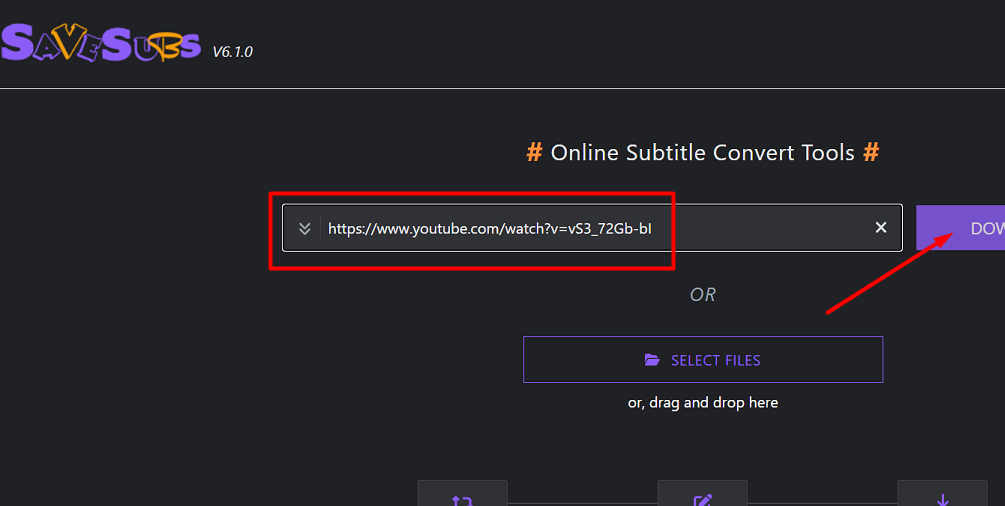
2. SaveSubs
SaveSubs is an online subtitle extraction tool that works by pasting a video URL into its search field. It supports multiple streaming platforms and offers subtitle downloads in various formats. Arabic subtitles can be downloaded if they are available within the video source. The platform is entirely browser-based, making it accessible on PC, tablet, or mobile devices. Its clean layout ensures smooth navigation for new users. The processing speed is generally fast. It provides a convenient way to download subtitles without browsing large subtitle libraries. The tool supports multiple subtitle quality options when available. It does not require technical setup or configuration. Users can quickly download subtitles in just a few clicks.
Key Features
- URL-based subtitle extraction
- Works directly in browser
- Multiple subtitle format options
- Multi-language support
- Quick processing
Registration Required?
No
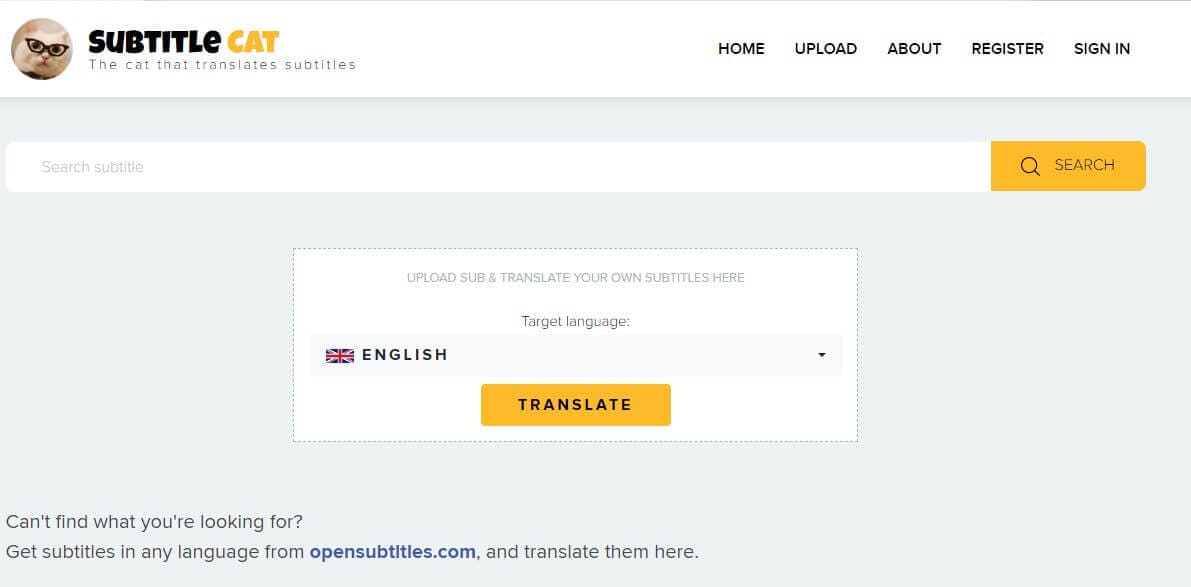
3. Subtitle Cat
Subtitle Cat is a web-based subtitle search engine that gathers subtitles from various sources. Users can search for movies or TV shows and filter results by language, including Arabic. The platform increases the chances of finding rare or older subtitles by aggregating multiple databases. Its interface is simple and structured for easy browsing. Most subtitle files are available in standard formats such as SRT. It works smoothly on any modern web browser. While quality may vary, it offers broad subtitle coverage. The search results are displayed clearly with language indicators. It helps users discover alternative subtitle versions quickly. The platform is useful when other subtitle sites fail to provide results.
Key Features
- Aggregated subtitle search
- Multi-language support
- Simple search function
- Standard subtitle formats
- Wide subtitle coverage
Registration Required?
No
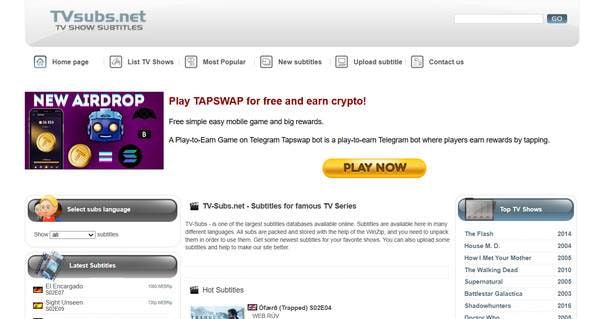
4. TVsubs
TVsubs is a web-based subtitle platform mainly focused on TV series. It offers subtitles in multiple languages, including Arabic for selected shows. Users can browse subtitles by TV show name and season for accurate matching. The website layout is simple and organized. Subtitle files are usually downloaded in ZIP format containing SRT files. It works entirely online without requiring installation. While it focuses more on TV content than movies, it remains a useful option for series enthusiasts. The platform covers both classic and ongoing series. Its structured categorization makes subtitle selection easier. It provides quick access to recently updated episodes.
Key Features
- TV show-focused database
- Organized by show and season
- Multi-language subtitle support
- ZIP file downloads
- Browser-based access
Registration Required?
No
Part 4: Top 4 Apps to Download Arabic Subtitles on Mobile
1. SubLoader — Subtitle Downloader
SubLoader is a mobile app designed to help users find and download subtitles, including Arabic, directly to their phones. It searches multiple subtitle databases to locate the best match for your video file. The app automatically detects the movie or TV show title from your device and suggests subtitle options. SubLoader supports popular video players and allows you to apply subtitles instantly. Its clean mobile interface makes browsing quick and headache-free. The app also keeps a history of downloaded subtitles for easy reuse later. It works efficiently with both movies and TV series. Users can manually adjust search results if automatic detection is inaccurate. The app is optimized for smooth performance even on mid-range smartphones.
Key Features
- Auto-detects video files
- Supports Arabic and multiple languages
- Direct subtitle download to device
- Integration with mobile media players
- Subtitle history feature
Registration Required?
No (optional for additional features)
2. MX Player (Subtitle Search Feature)
MX Player is primarily known as a powerful mobile media player, but it also offers built-in subtitle search and download functionality. Users can play videos on their devices and fetch Arabic subtitles without leaving the app. The subtitle search pulls results from online databases and displays available options instantly. MX Player supports multiple subtitle formats and allows you to adjust timing, size, and font style. Since many users already use MX Player for playback, downloading subtitles becomes seamless and convenient. It works smoothly with high-definition video files. The subtitle syncing feature allows manual delay adjustments. Its stable performance makes it one of the most popular media players worldwide.

Key Features
- In-app subtitle search & download
- Adjustable subtitle settings
- Supports multiple formats
- Integrated with playback
- Works offline once downloaded
Registration Required?
No
3. Auto Subtitles — Subtitle Finder
Auto Subtitles is a dedicated mobile app that focuses on quickly locating subtitles for videos stored on your device. Users can scan their media library and download Arabic subtitles within seconds. The app allows both automatic detection and manual search for better accuracy. It supports multiple subtitle formats compatible with popular Android video players. Auto Subtitles updates its database connections regularly to improve search results. The interface is simple and lightweight for easy navigation. It performs well even with large video libraries. Users can preview subtitle options before downloading. The app also allows quick sharing of subtitle files between apps.
Key Features
- Local video detection
- Manual or auto search
- Multi-format subtitle support
- Works with external players
- Regular updates
Registration Required?
No
4. VLC Media Player (Mobile Subtitle Search)
VLC Media Player on mobile includes built-in subtitle search functionality for quick downloads. Users can open a video file and search for Arabic subtitles directly within the app. The subtitle search connects to online databases and lists available versions. VLC supports multiple subtitle formats such as SRT and SUB. It also allows users to customize subtitle size, color, encoding, and synchronization. The app is known for its strong format compatibility. It works smoothly with both small and large video files. VLC is free and open-source, making it a trusted choice among users. Its powerful playback engine ensures subtitles display accurately without glitches.

Key Features
- Integrated subtitle search
- Works inside VLC player
- Customizable subtitle settings
- Supports SRT and other formats
- Fast in-app downloads
Registration Required?
No
Part 5: Bonus Tool: How to Generate Arabic Subtitles with UniConverter
Want to download videos with Arabic subtitles — or generate them if they don’t exist?
With UniConverter, you can download videos together with available subtitles in your preferred language. If Arabic subtitles aren’t provided, the built-in AI Speech-to-Text tool can automatically transcribe and translate the audio into accurate Arabic subtitles within minutes. You can easily adjust timing, customize subtitle styles, and export them as SRT files — or permanently embed them into your video for seamless playback. The subtitle tool supports 80+ different subtitle languages and subtitle file format from SSA to SRT. On top of that, it also support bilingual subtitle generation and edition. No complex tools or manual syncing required. Just download, generate, and export — all in a few simple clicks.
Steps Guide on Downloading Arabic Subtitles with Video
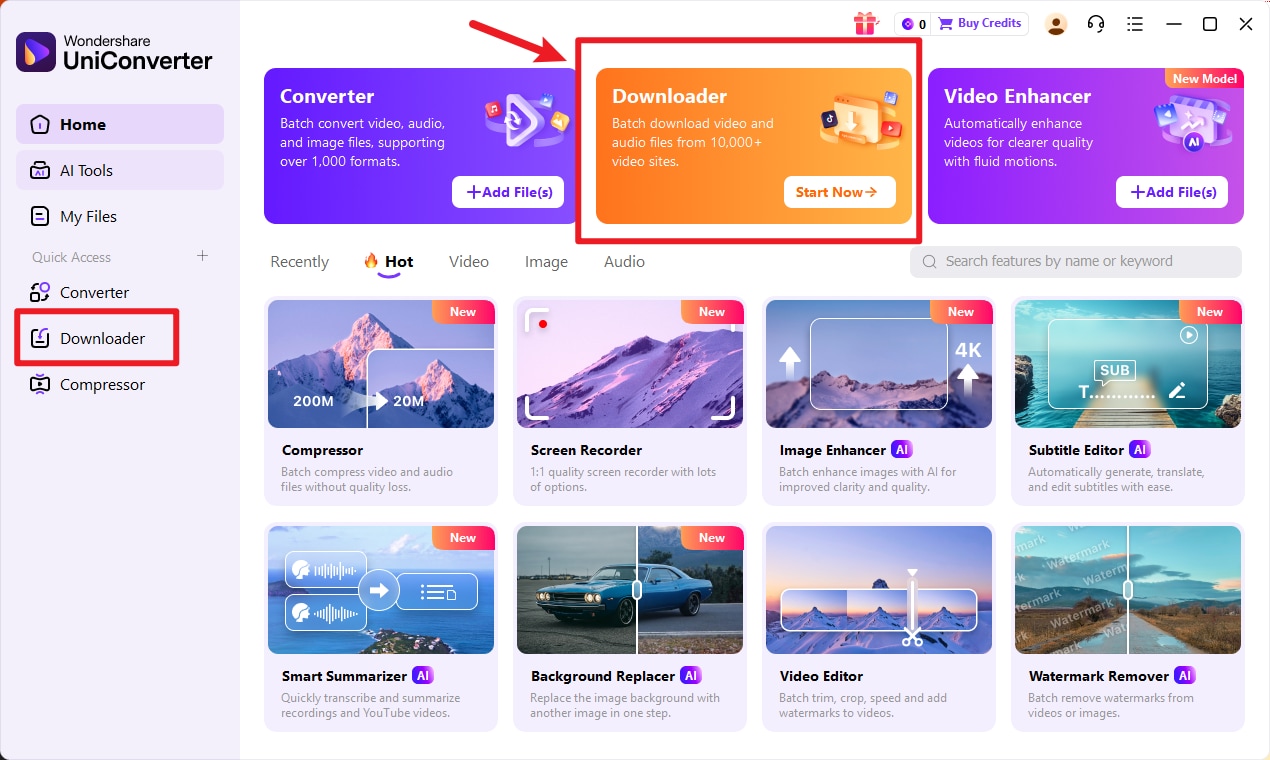
Step 1: Open Video Downloader
Launch Wondershare UniConverter on your PC. From the main dashboard, go to the Downloader section.
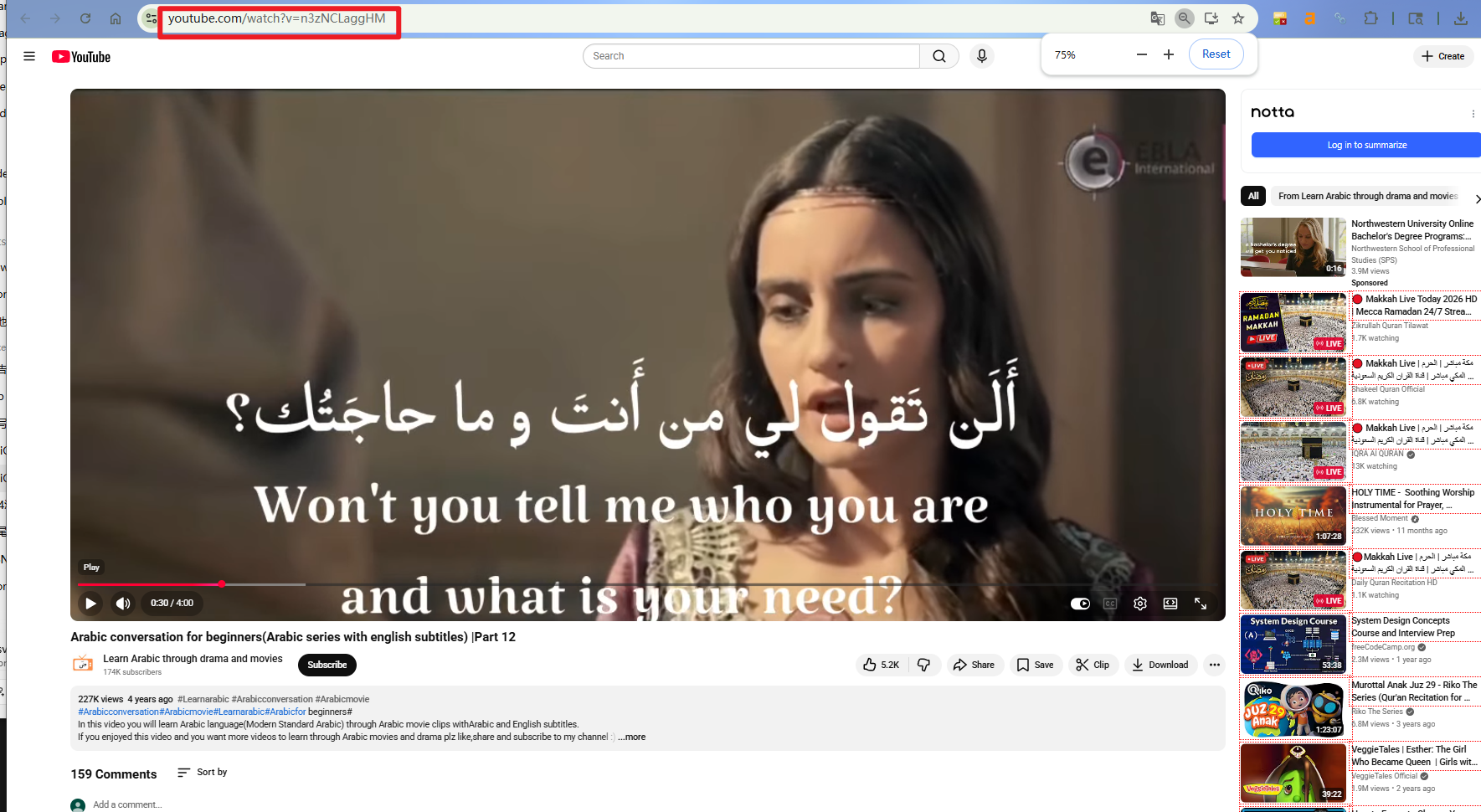
Step 2: Copy Video Address
Go to the website where the Arabic video is hosted (such as YouTube). Copy the full video link from the address bar.
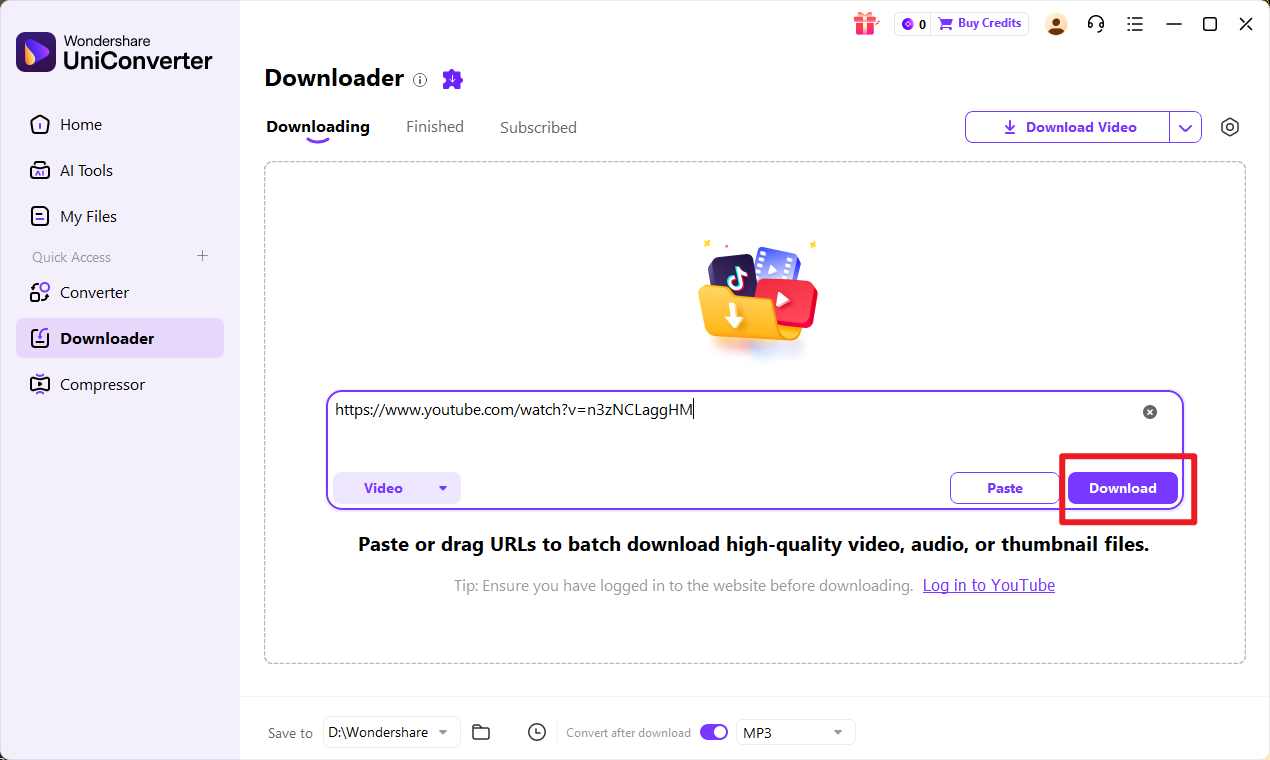
Step 3: Paste the Link and Select Subtitles
Return to UniConverter and click Download Video. Paste the copied URL into the input box.
When the download options window appears, choose your preferred video quality, and make sure to select Arabic subtitles (if available). Then click Download to start.
Step 4: Access the Downloaded Video
Once the download is complete, go to the Finished tab. Your Arabic video will be saved with subtitles included, ready for playback or further editing.
Steps Guide on Generating Arabic Subtitles
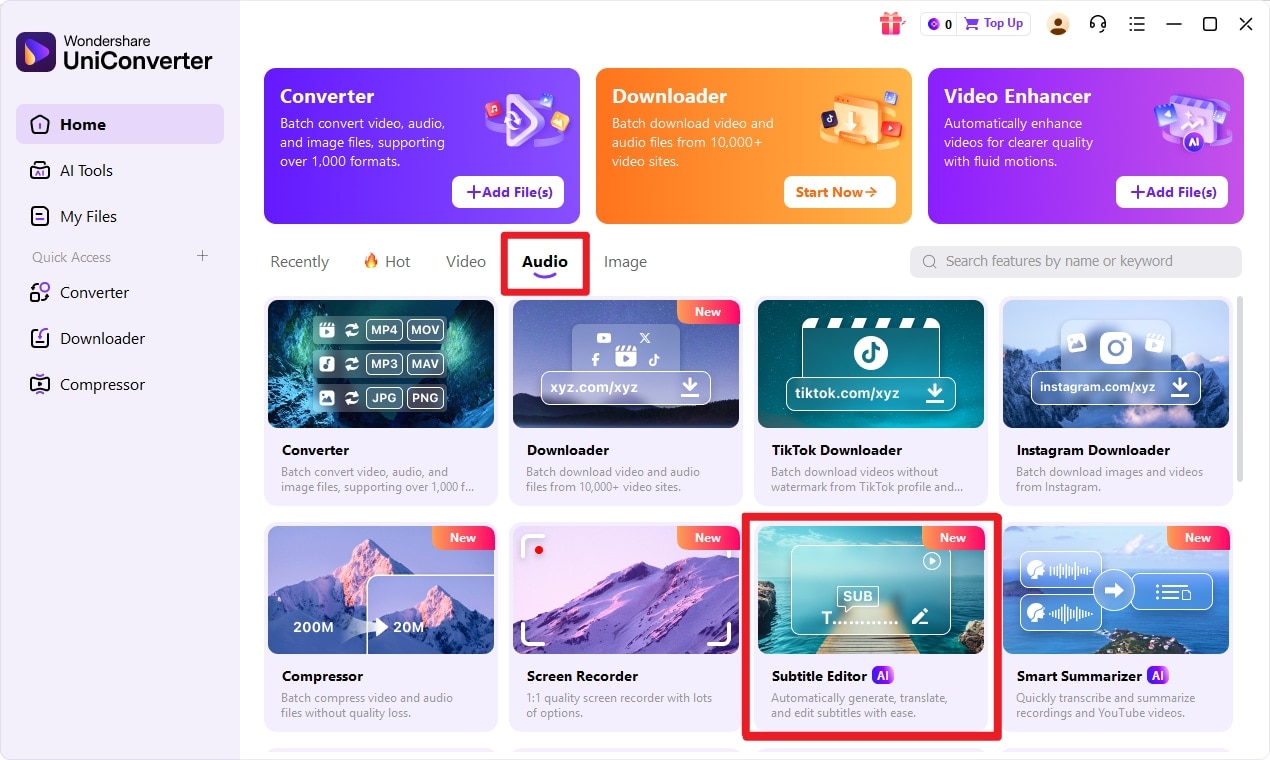
Step 1: Open Subtitle Editor
Launch Wondershare UniConverter on your PC. From the main dashboard, go to the Video section and select the Subtitle Editor. Click the Add Files button to import the video you want to subtitle.
Step 2: Choose How You Want to Add Subtitles
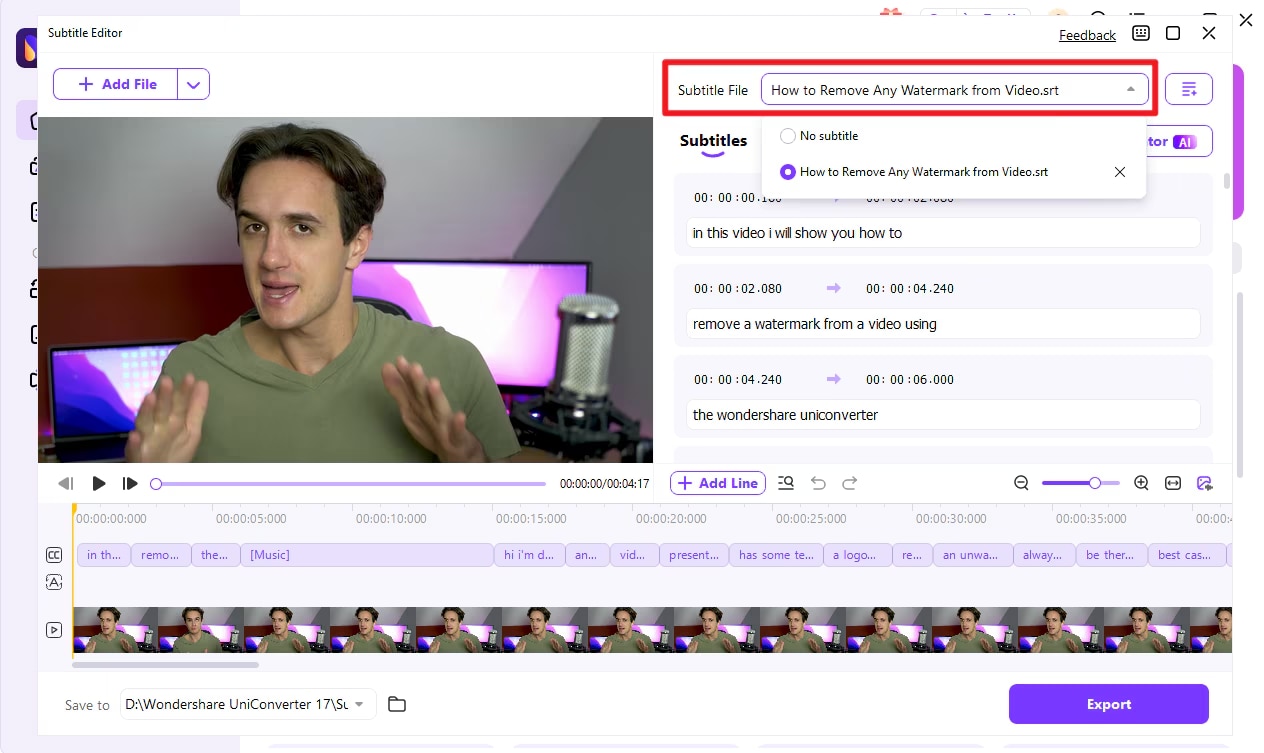
After your video loads, select your preferred subtitle method. You can Import an existing subtitle file (SRT, ASS, SSA), manually add subtitles by typing text and adjusting timestamps, or use the Auto-Subtitle Generator to automatically create subtitles from the video audio.
Step 3: Edit Subtitle Text and Timing
If needed, edit the subtitle text directly inside the editor. Adjust the start and end time to fix syncing issues. You can split, merge, or delete subtitle lines to ensure accurate timing with the video dialogue.
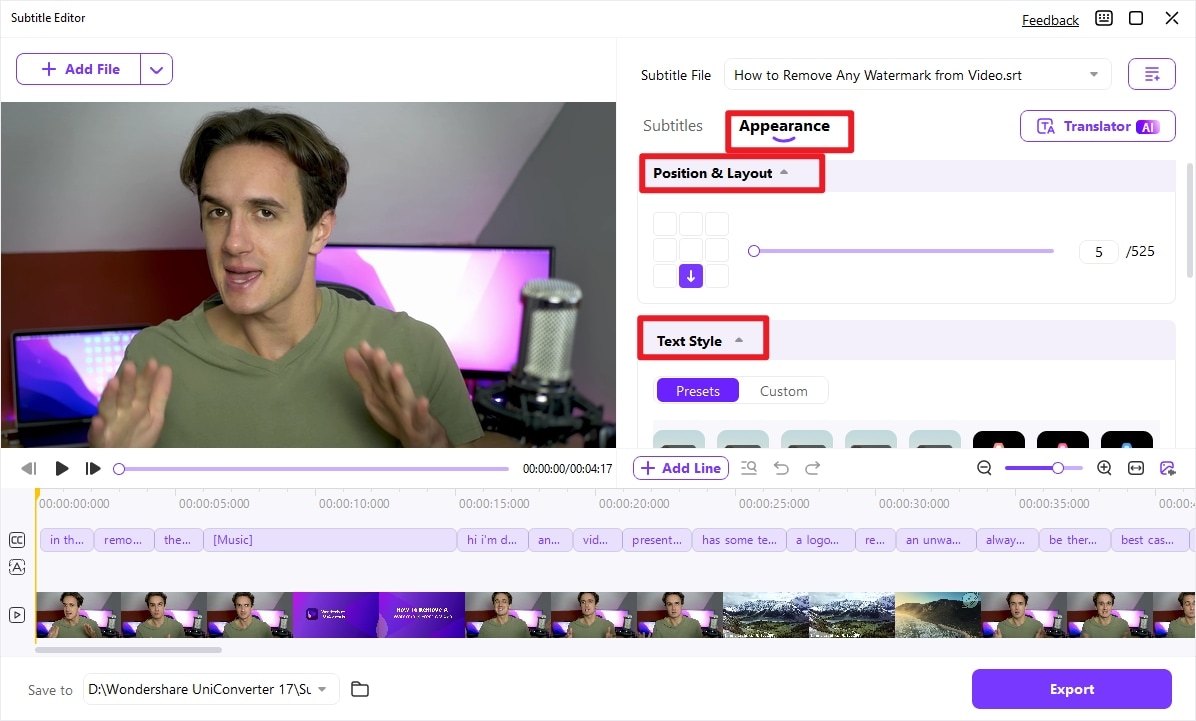
Step 4: Personalize Subtitle Style
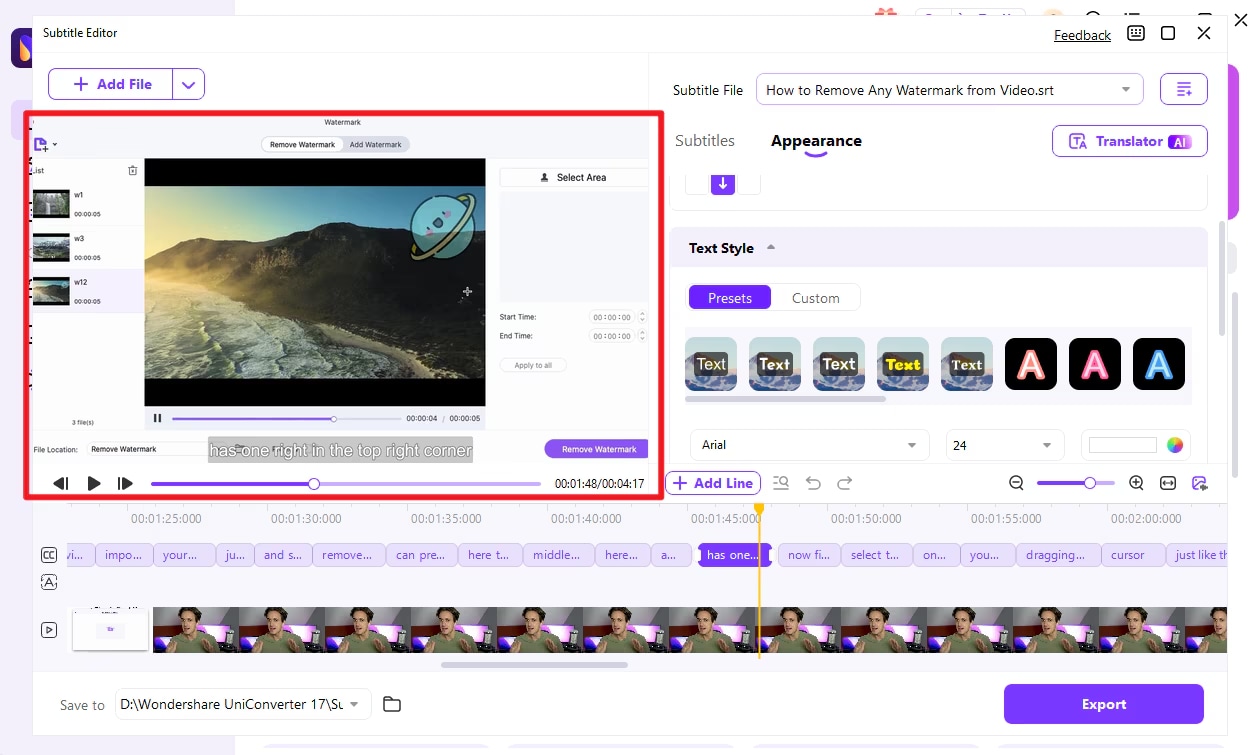
Customize the subtitle appearance by changing the font style, size, color, outline, and transparency. You can also adjust the subtitle position (top, middle, or bottom of the screen). This is especially useful for making Arabic subtitles clear and easy to read.
Step 5: Preview and Export the Video
Click the Preview button to check subtitle timing and styling before finalizing. Once satisfied, choose your desired output format (such as MP4 or MOV) and click Export to save the video with embedded subtitles.
This process allows you to generate, edit, and fully personalize subtitles in just a few simple steps.

Arabic Video Subtitle Downloader & Generator
Part 6: Comparison Table of 10 Arabic Subtitle Downloaders
For most users, subtitle libraries are the best starting point because they offer more release-specific subtitle files. However, browser-based subtitle downloaders are faster when you already have a video URL, and subtitle generators are more practical when no Arabic subtitle file exists.
| Tool | Platform | Best for | Arabic Subtitle Support | Registration Required | Key Advantage | Main Limitation |
| OpenSubtitles | PC (Web-based) | Large subtitle database | Yes | Optional | Massive multilingual library | Ads in free version |
| Subscene | PC (Web-based) | Quick Arabic subtitle downloads | Yes | No | Strong Arabic community | Limited advanced filters |
| YIFY Subtitles | PC (Web-based) | Movie subtitles | Yes | No | Clean movie-focused layout | Limited TV shows |
| Addic7ed | PC (Web-based) | TV series subtitles | Yes (if available in source) | Yes | Episode-wise organized subtitles | Requires registration |
| DownSub | Web Tool | Extract subtitles from video URLs | Yes (if available) | No | Paste link & download | Depends on source video |
| SaveSubs | Web Tool | URL-based subtitle extraction | Yes | No | Works without installation | Ads & limited database |
| Subtitle Cat | Web Tool | Aggregated subtitle search | Limited | No | Searches multiple databases | Quality varies |
| TVsubs | Web Tool | TV show subtitles | Yes | No | Organized by season | Smaller Arabic collection |
| SubLoader | Mobile App (Android) | Auto-detect subtitles | Yes | No | Detects local video files | Ads in free version |
| MX Player | Mobile App (Android) | Player + subtitle search | Yes | No | Built-in subtitle download | Ads in free version |
| Auto Subtitles | Mobile App (Android) | Quick subtitle search | Yes | No | Lightweight & fast | No iOS version |
| VLC Media Player | Mobile App (Android) | Playback + subtitle search | Yes | No | Strong format support | Limited database search |
| Wondershare Uniconverter | PC Software |
Video Downloading with Subtitle Generate & customize subtitles |
Yes (manual/auto generation) | Yes (software installation) | Full subtitle editing & styling control | Paid software (trial available) |
Part 7: Bonus: 3 Best Arabic Subtitle Websites (Alternative for Video Link Issues)
If URL-based tools fail or subtitles don’t load properly, these alternative websites can help you manually search and download Arabic subtitles with better accuracy.
1. Podnapisi
Why It’s a Good Alternative:Podnapisi is a well-organized subtitle platform offering subtitles for movies and TV shows in multiple languages, including Arabic. It provides detailed filtering options such as year, episode number, and FPS (frames per second) to ensure proper syncing. The site also verifies subtitle quality, reducing the chances of downloading incorrect files.
Best For:
- Accurate and verified subtitles
- Filtering by FPS for better sync
- Finding subtitles for TV series and films
2. iSubtitles
Why It’s a Good Alternative:iSubtitles offers a clean interface with a large collection of movie subtitles, including Arabic options. It organizes subtitles by movie title and release year, making navigation simple. The platform is lightweight and loads quickly, which is helpful when other sites are slow or unresponsive.
Best For:
- Quick movie subtitle searches
- Browsing subtitles by release year
- Simple and fast downloads
3. Moviesubtitles.org
Why It’s a Good Alternative:Moviesubtitles.org provides subtitles in multiple languages for a wide range of films. It allows users to browse alphabetically or search directly by movie name. Arabic subtitles are available for many popular titles, and files are typically provided in SRT format for easy compatibility.
Best For:
- Alphabetical movie browsing
- Downloading subtitles in standard formats
- Accessing subtitles for popular films
Quick Tip
When using alternative subtitle websites, always match the subtitle file with your video’s exact resolution and release version (e.g., 720p BluRay, 1080p WEB-DL) to avoid syncing issues.
Part 8: Conclusion
Finding the right platform to download arabic subtitles can save you time and eliminate frustrating sync issues. Whether you choose PC-based subtitle websites, online URL extractors, or mobile apps, each option offers convenient ways to access Arabic movie and TV show subtitles. Manual subtitle databases are especially helpful when video link tools fail to detect files. For users who want more control, editing, or auto-generating subtitles, Wondershare UniConverter provides a complete solution with customization and export features. The key is selecting a reliable source that matches your video version and format. With the right tool, you can enjoy seamless viewing with accurate and perfectly synced Arabic subtitles.
Part 9: FAQs
-
1. How can I download Arabic subtitles for movies on my PC?
You can download Arabic subtitles from trusted subtitle websites by searching for the exact movie title along with its release version (for example, 1080p BluRay). Download the file in SRT format to ensure compatibility with most media players. -
2. Why are my Arabic subtitles not syncing with the video?
Subtitle sync issues usually occur when the subtitle file does not match the exact video release version. Differences in frame rate (FPS), resolution, or extended cuts can cause timing delays. Always check the release name before downloading. -
3. Can I download Arabic subtitles directly on my mobile phone?
Yes. Many mobile apps and media players allow you to search for and download Arabic subtitles directly within the app. Some apps can also automatically detect your video file and suggest matching subtitle options. -
4. Is it safe to download Arabic subtitles from subtitle websites?
It is generally safe when using reputable and well-known subtitle platforms. Avoid suspicious pop-ups or fake download buttons, and scan downloaded files if needed to ensure security. -
5. Can I generate or customize Arabic subtitles if I can’t find them online?
Yes. If a suitable subtitle file is unavailable, tools like Wondershare UniConverter can automatically generate subtitles or let you create them manually. You can also edit timing, font style, size, and position before exporting the final video.

