


Before we dive into the tools, it’s important to understand why learning to download SRT subtitles matters so much in 2025. Subtitles are no longer just about watching movies with clearer dialogue—they’re about accessibility, education, and global reach. From breaking language barriers to boosting video SEO, mastering SRT subs download skills can transform the way you consume and create video content.
In this section, we’ll explore the core reasons why knowing how to download subtitle SRT file or download subtitles from videos is essential for today’s learners, creators, and everyday viewers.
In this article
Part 1: Why Download SRT Subtitles?
In our increasingly digital and globalized world, the ability to download SRT subtitles has become more than just a convenience—it's a powerful tool that breaks down barriers and creates connections across languages, abilities, and cultures. Whether you're watching a foreign film, studying complex material, or creating content for a global audience, subtitles play a vital role in modern media consumption. Let's explore the key reasons why mastering the art of SRT subs download is essential in 2025.
1 Accessibility: Bridging the Hearing Gap
For millions of people worldwide who are deaf or hard of hearing, subtitles aren't a luxury—they're an absolute necessity. The simple act to download subtitle SRT file transforms otherwise inaccessible content into engaging viewing experiences. Consider these compelling points:
- Legal requirements: Many countries now mandate subtitle provision for public content, making SRT file download crucial for compliance.
- Inclusive design: Websites and platforms that offer subtitles demonstrate social responsibility and welcome broader audiences.
- Flexible viewing: Even those without hearing impairments often use subtitles when watching content in noisy environments or quiet settings where audio must be muted.
When you download subtitles from videos, you're not just enhancing your own experience—you're advocating for and participating in a more inclusive digital world where content is accessible to all, regardless of hearing ability.
2 Language Learning: Accelerating Fluency Through Media
For language learners, the ability to download movie subtitles SRT represents one of the most powerful tools available. Research consistently shows that combining visual context with written text significantly accelerates language acquisition. Here's why:
- Vocabulary expansion: Seeing words in context while hearing pronunciation helps cement new vocabulary more effectively than rote memorization.
- Grammar patterns: Observing sentence structure in authentic conversations helps internalize grammatical rules naturally.
- Cultural context: Subtitles often include cultural references and colloquialisms that textbooks may overlook, providing a deeper understanding of the cultural context.
Whether you're trying to download SRT YouTube content for studying English or accessing foreign films to practice Spanish, having accurate subtitles can mean the difference between frustration and fluency. The option to download subtitles video content and study at your own pace revolutionizes language learning, making it more engaging and effective than ever before.
3 Clarity: Ensuring Comprehension in Complex Content
Even when watching content in your native language, various factors can make comprehension challenging. The ability to download a subtitle file provides crucial clarity in situations where:
- Technical content: Complex lectures, scientific explanations, or technical tutorials often contain specialized terminology that benefits from visual reinforcement.
- Audio quality issues: Poor recording equipment, background noise, or low volume can obscure critical dialogue.
- Strong accents: Regional or international accents sometimes make spoken words difficult to understand without textual support.
- Rapid dialogue: Fast-paced conversations, especially in movies or group discussions, can be hard to follow without subtitles.
By learning how to download SRT subtitles, you ensure that you never miss crucial information, whether you're watching a vital training video, following a complex documentary, or simply enjoying entertainment content with challenging audio elements.
4 Content Creation: Boosting SEO and Global Reach
For content creators, YouTubers, and video marketers, the strategic use of subtitles has evolved from an optional extra to an essential component of content strategy. Here's why brilliant creators regularly download SRT from YouTube and other platforms:
- Improved SEO: Search engines can't watch videos, but they can index text. Adding subtitles makes your content discoverable through keyword searches.
- Increased engagement: Viewers are more likely to watch videos longer when subtitles are available, especially on mobile devices where audio isn't always practical.
- Global accessibility: By using tools to download subtitles file content and translate it, creators can reach international audiences without re-recording content.
- Content repurposing: Subtitles can be easily converted into blog posts, social media snippets, or study materials, maximizing the value of your video content.
The process of adding SRT file to video has become increasingly streamlined with modern tools, making it accessible even to creators with limited technical skills or resources. In today's competitive digital landscape, neglecting this powerful tool means missing out on significant growth opportunities.

Easy to Use Video & Subtitle Downloader
Part 2: Top 4 SRT Subtitle Downloaders 2025
Finding the right tool to download SRT subtitles can dramatically streamline your workflow, whether you're a casual viewer or professional creator. After extensive testing and research, we've identified the five best solutions available in 2025—each with unique strengths catering to different needs and use cases.
1. UniConverter – Best Professional SRT Downloader
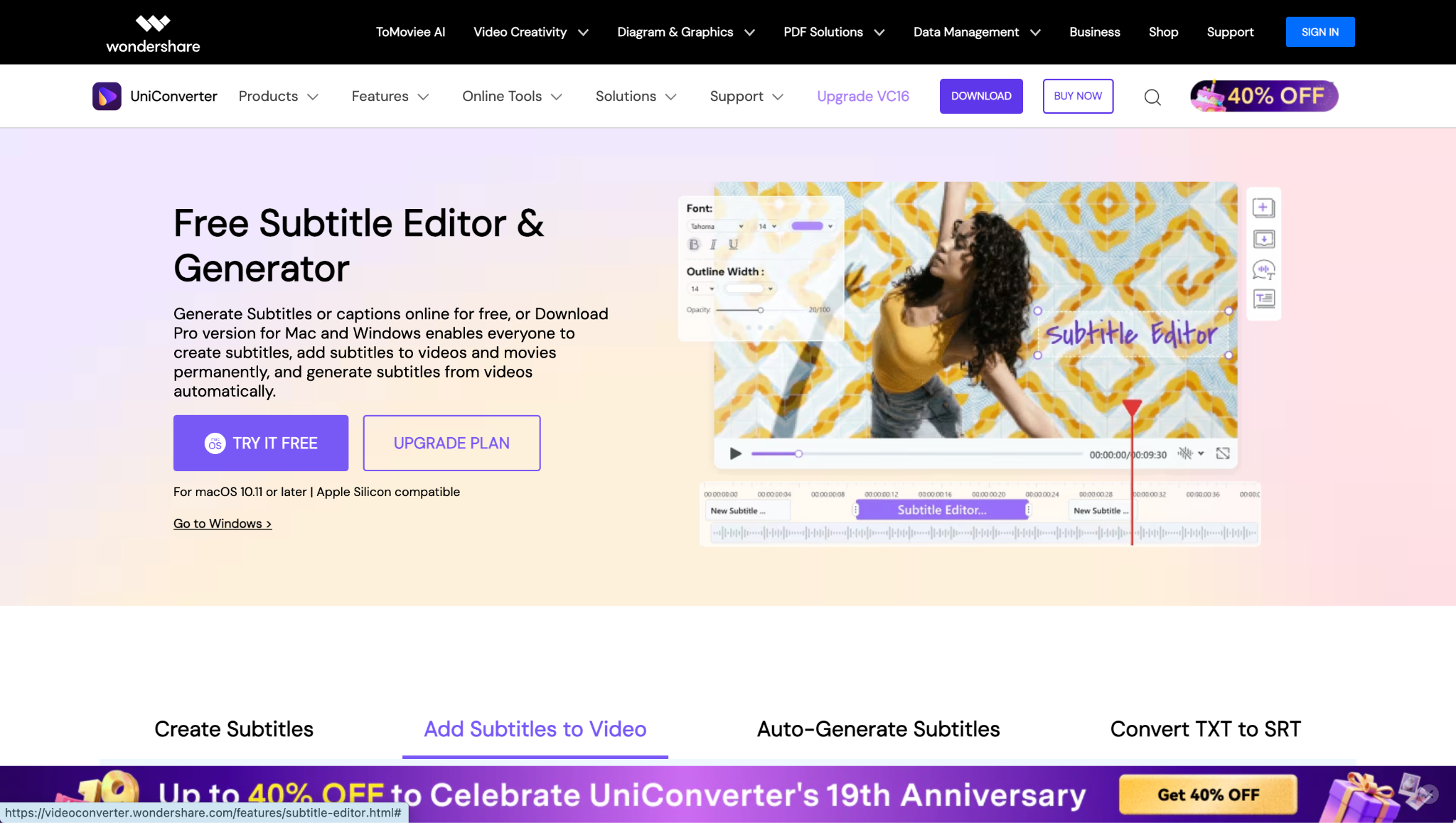
Table: UniConverter Key Specifications
| Feature | Details |
| Supported Devices | Windows, Mac and iOS |
| Output Formats | SRT, TXT (with more in development) |
| Batch Processing | Yes, multiple videos simultaneously |
| Editing Capabilities | Full subtitle synchronization and text editing |
| Price | Free trial; Paid plans start at $29.99/year |
Key Features:
- One-click subtitle extraction: Paste a video URL and UniConverter handles the rest, automatically detecting and extracting available subtitles for download SRT YouTube content and other platforms.
- Advanced subtitle editor: After your SRT file download, precisely adjust timing, correct errors, and customize appearance without switching applications.
- Batch processing: Download subtitles from videos in bulk—perfect for entire playlists, course materials, or content libraries.
- Format flexibility: Export your download subtitle SRT file in multiple encoding options to ensure compatibility with any video player or editing software.
Step-by-Step Guide to Download SRT Subtitles with UniConverter:
Step 1: Open UniConverter and Import Your Video
Start by downloading, installing, and launching UniConverter on your computer. From the left sidebar, navigate to the "Downloader" section and paste on the video link of subtitle you want to download.
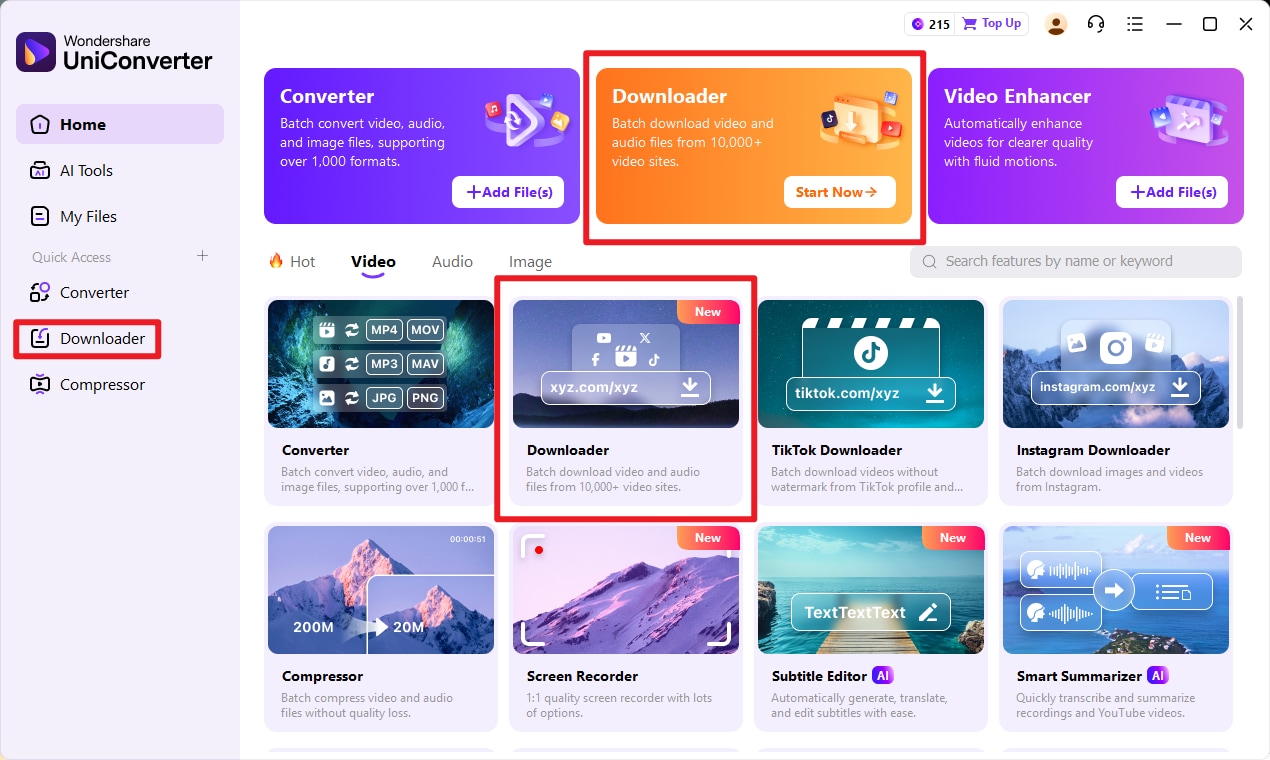
Step 2: Wait for Downloader to Analysis
Once the video is loaded, set the original language of the audio to ensure accurate recognition. Next, choose the AI Auto-Subtitles Generator option and click "Generate" to let UniConverter automatically create subtitles with precise timecodes. After processing, you can preview the subtitles in the built-in editor and make any necessary corrections to text or timing.
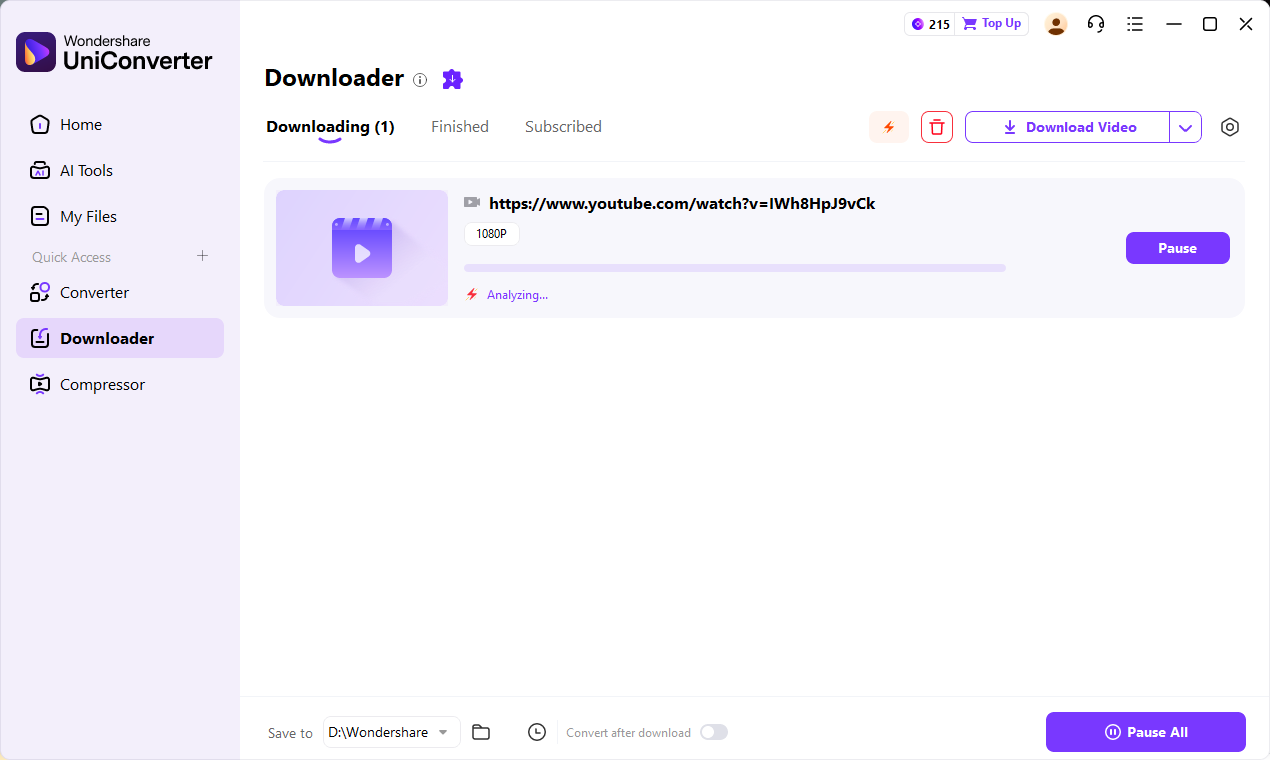
Step 3:
Once the video is loaded, set the original language of the audio to ensure accurate recognition. Next, choose the AI Auto-Subtitles Generator option and click "Generate" to let UniConverter automatically create subtitles with precise timecodes. After processing, you can preview the subtitles in the built-in editor and make any necessary corrections to text or timing
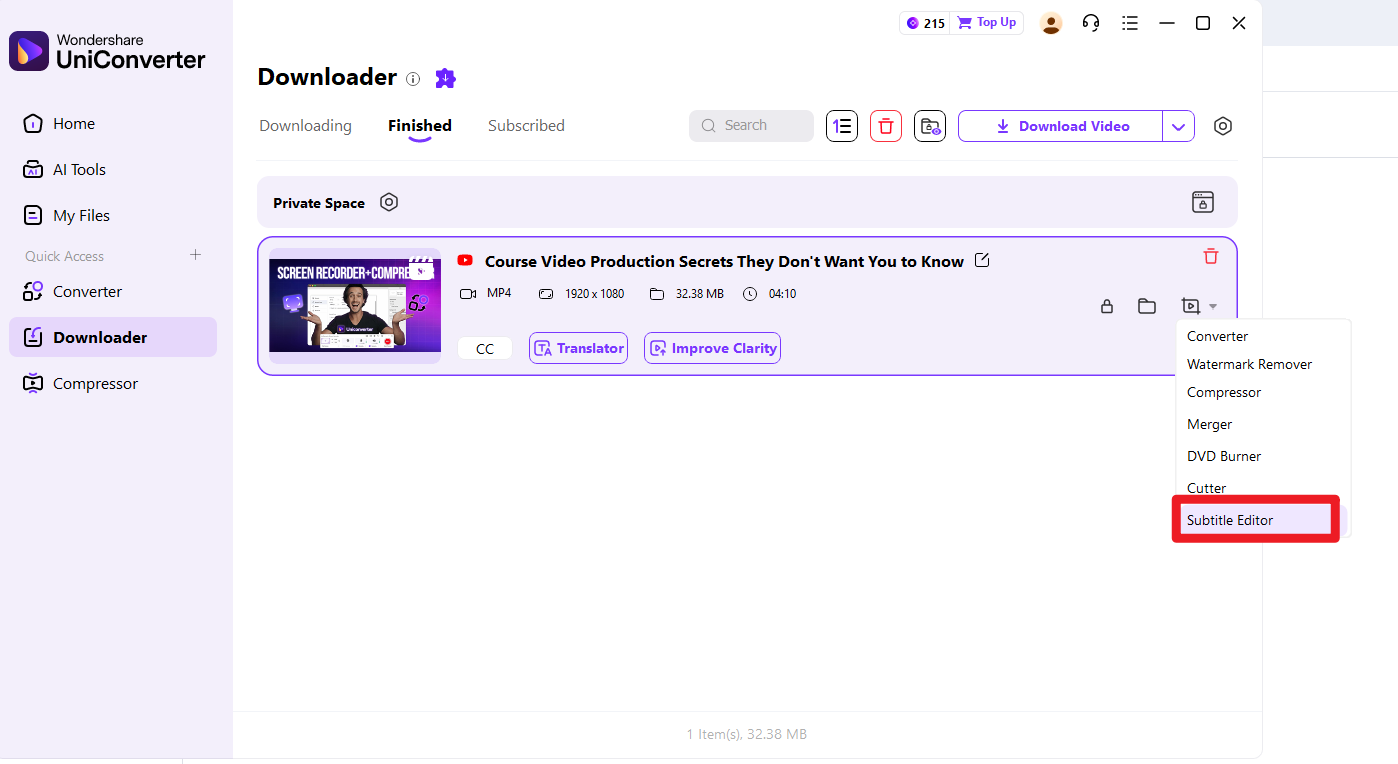
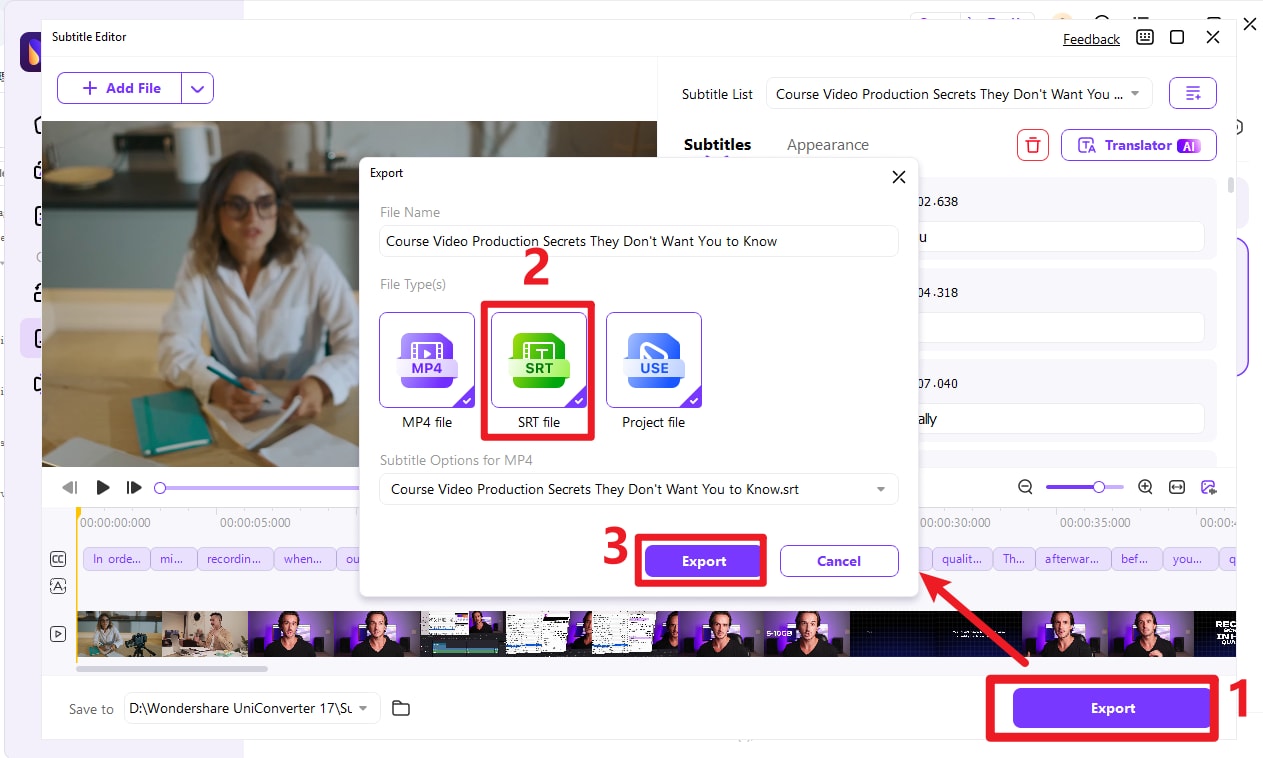
Step 4: Export and Save Your SRT File
When your subtitles are finalized, select the "Export" option from the toolbar. From the available formats, choose SRT File and confirm by clicking "Export." Your SRT file will now be saved on your computer, ready to be used across media players, editing software, or online platforms.
For professionals, educators, and serious content creators, UniConverter represents the most efficient way to download movie subtitles SRT with precision and reliability. Its combination of downloading power and editing capabilities makes it worth the investment for those who work with subtitles regularly.
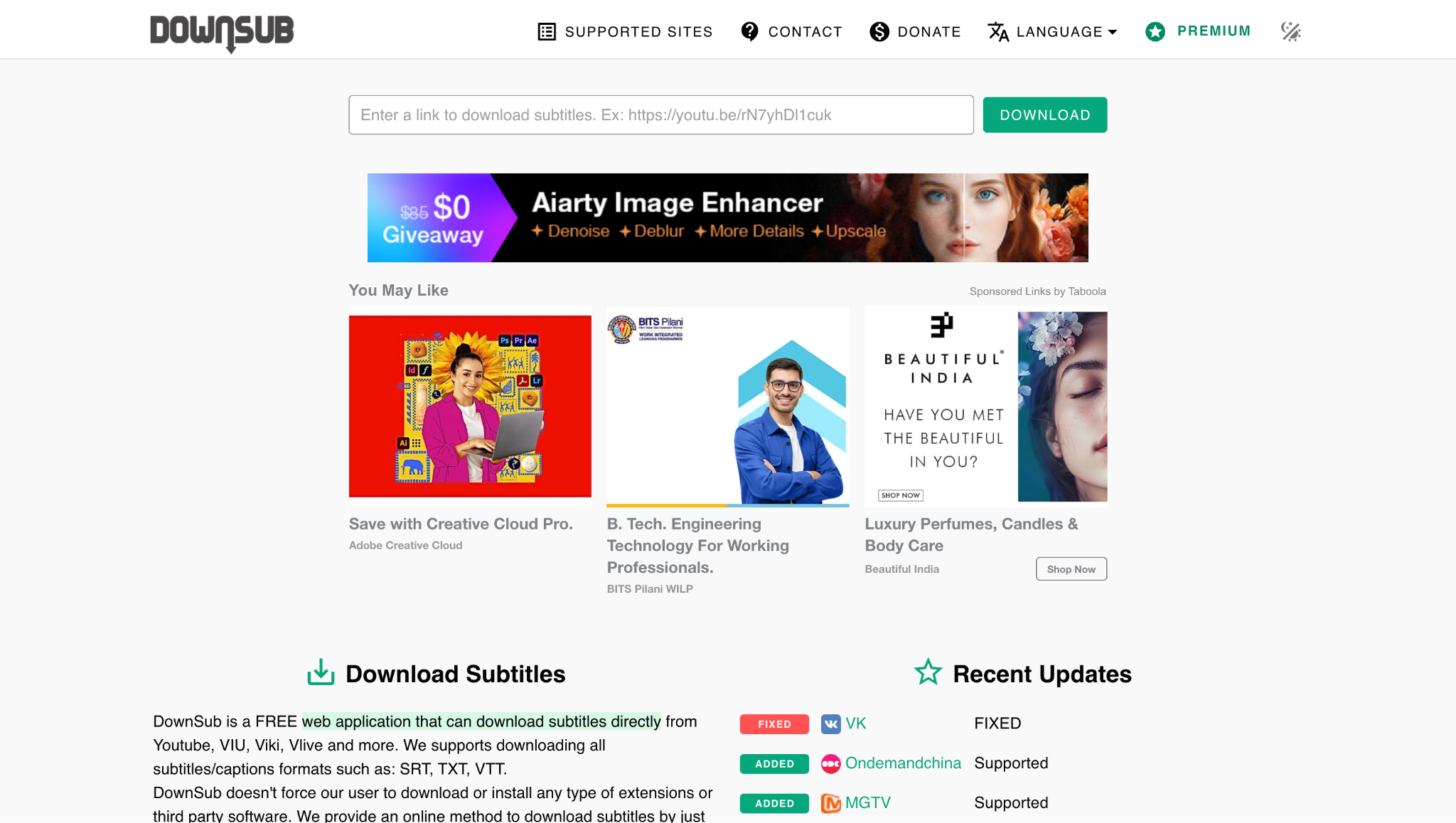
2. DownSub – Quick Online Subtitle Downloader
Key Features:
- Multi-platform support: Despite its simplicity, DownSub works with numerous platforms beyond YouTube, including Vimeo, TED, and other educational video sites.
- Language options: When you download subtitles video content with multiple language options, DownSub displays all available choices for selection.
- Format choices: Offers both SRT and plain text options for your download subtitle SRT file needs.
- No registration: completely anonymous usage, with no sign-ups or account creation required.
For quick, one-off subtitle needs, DownSub remains an excellent choice to download SRT file from YouTube and other supported platforms without complications.
Easy to Use Video & Subtitle Downloader
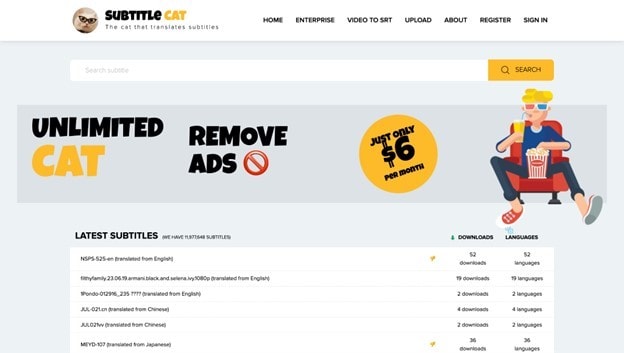
3. Subtitle Cat – Subtitles with Translation
Key Features:
- Integrated translation: After you download SRT subtitles, the platform offers automatic translation into your preferred language.
- Multi-format support: Handles various subtitle formats beyond SRT, increasing flexibility.
- Educational focus: Special features for language learners, including dual-language display options.
- Community contributions: Users can upload and share subtitles, expanding the available library.
For students and casual viewers looking to download subtitles from videos in foreign languages, Subtitle Cat provides a specialized solution that combines access with immediate translation.
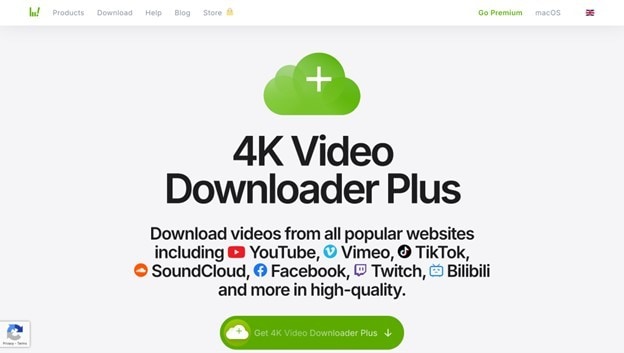
4. 4K Video Downloader – Desktop Powerhouse
Key Features:
- Comprehensive video support: Downloads content from dozens of platforms beyond just YouTube.
- Quality options: Preserves video quality up to 4K while handling subtitle extraction.
- Smart mode: Remember your preferences for repeated SRT subs download operations.
- Playlist support: Handles entire channels and playlists for bulk operations.
For users who regularly need both video content and associated subtitles, 4K Video Downloader provides an efficient way to download movie subtitles SRT while acquiring the video itself.
5. SaveSubs – Lightweight Multi-Site Downloader
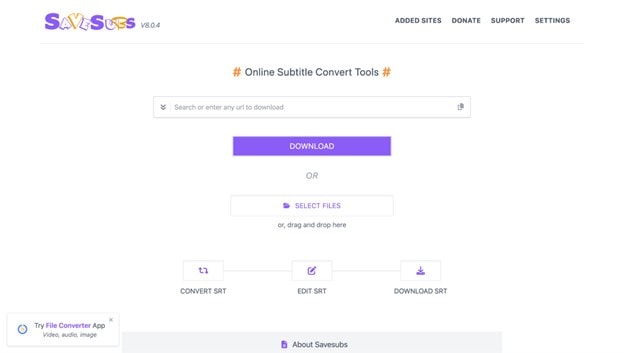
Key Features:
- Extended platform support: Works with less common video platforms that similar tools might not support.
- Browser extension: Optional browser add-on for even quicker access when browsing video sites.
- Format conversion: Can convert between subtitle formats during the download SRT subtitles process.
- User-friendly interface: Clean, intuitive design that makes the process accessible to non-technical users.
For users who need to download subtitles file content from various platforms beyond just the major video sites, SaveSubs offers expanded support without complexity.
Part 3: Comparison Table of 4 Subtitle Download Tools
With multiple options available, choosing the right tool for your SRT subs download needs can be challenging. The following comparison table provides a clear overview of how these solutions stack up against each other across key criteria:
| Tool | Subtitle Formats | Free Tier | Batch Downloads | Editing Support | Best For |
|---|---|---|---|---|---|
| UniConverter | SRT, TXT | Yes | Yes | Yes | Batch video download |
| DownSub | SRT, TXT | Yes | No | No | Quick, single downloads |
| Subtitle Cat | SRT, VTT | Yes | No | No | Language learners |
| 4K Video Downloader | SRT, ASS, Embedded | Limited free | Yes | No | Video + subtitle collectors |
| SaveSubs | SRT, TXT, VTT | Yes | No | No | Multi-platform users |
This comparison table reveals that each tool effectively serves different needs. For casual users who occasionally need to download SRT from YouTube, free web tools like DownSub or SaveSubs may be sufficient.
However, for professionals, educators, and serious content creators who regularly download subtitles from videos, UniConverter's combination of download power and editing capabilities makes it a standout choice, despite its premium price point.
Easy to Use Video & Subtitle Downloader
Part 4: Common SRT Issues to Avoid
1 Subtitles Out of Sync
Nothing disrupts viewing immersion more than subtitles that don't match the audio, showing text either too early or too late. This synchronization issue commonly occurs when:
- The video and subtitle files come from different sources with slightly different timing
- The video has been edited or trimmed after the subtitles were created
- There are variations in frame rates between different versions of content
Solution: Fortunately, most media players allow easy adjustment of subtitle timing. In VLC Media Player (one of the most popular players worldwide):
- Play the video with the subtitle file enabled
- Navigate to Tools > Track Synchronization
- Locate the "Subtitle track" section
- Adjust the "Synchronization" value—positive numbers delay subtitles, negative numbers advance them
- Test different values until synchronization is perfect
- For permanent fixes, use subtitle editing software like UniConverter's built-in editor to adjust the timing throughout the entire file and resave it.
2 File Won't Load
Sometimes, after you download subtitle SRT file, your media player fails to recognize or load it. This typically manifests as subtitles not appearing in the player's subtitle menu or error messages when attempting to load them manually.
Common causes and solutions:
- Incorrect file extension: Ensure the file ends with ".srt" rather than ".txt" or other extensions. Some browsers may rename files during the download process.
- Compressed file: If you download SRT file from YouTube and it arrives in ZIP format, you must extract the SRT file before use.
- Naming conventions: The subtitle file must have the same name as the video file (except for the extension) for many players to automatically detect it.
- File corruption: Occasionally, files may download incompletely—try downloading again if other solutions don't work.
3 Encoding Issues (Weird Characters)
Perhaps the most common technical issue occurs when subtitles display strange characters, such as "ä" or "اÙ", instead of proper text. This encoding problem typically happens when:
- Subtitles were created using different character encoding standards
- The text includes special characters or non-Latin scripts
- The media player doesn't automatically detect the correct encoding
Solution: Convert the subtitle file to UTF-8 encoding, which has become the modern standard for compatibility:
- Open the SRT file in a text editor like Notepad++ (Windows) or TextMate (Mac)
- Navigate to the Encoding menu
- Select "Convert to UTF-8" (may be listed as "UTF-8 without BOM")
- Save the file and reload it in your media player
For bulk operations or frequent needs, online tools like Subtitletools.com offer batch conversion capabilities to handle multiple files simultaneously.
Conclusion
In today's media-rich world, the ability to download SRT subtitles has become essential for accessibility, learning, clarity, and content creation. With more tools than ever—from free web options like DownSub to professional platforms—anyone can download SRT YouTube content or perform a quick SRT download YouTube with ease. For casual users, free tools are sufficient.
FAQs
-
Q1: Can I download subtitles video directly from YouTube?
Yes, all the tools discussed in this guide support downloading YouTube subtitles. Platforms like UniConverter and 4K Video Downloader provide the most reliable methods to download SRT from YouTube, handling both automatically generated and creator-uploaded subtitles. -
Q2: What format should I use for subtitles?
The SRT (SubRip Text) format remains the most widely compatible option across media players, editing software, and streaming platforms. After you download subtitle SRT file, you can easily convert it to other formats if needed for specific applications. -
Q3: How do I add downloaded subs to my video?
Most media players allow you to load subtitles during playback manually. In VLC, navigate to Subtitles > Add Subtitle File while your video is playing. For permanent addition, use video editing software to burn subtitles directly into the video stream. -
Q4: Can I batch download SRT YouTube subtitles?
Yes, professional tools like UniConverter and 4K Video Downloader support batch processing, allowing you to download SRT YouTube subtitles for entire playlists or channels simultaneously, saving significant time compared to individual downloads. They also make it easy to handle a quick SRT download YouTube when you only need a single video. -
Q5: What's the safest way to download movie subtitles SRT?
Stick to reputable tools, such as those discussed in this guide, rather than seeking subtitles from potentially risky torrent sites or unofficial sources. UniConverter, in particular, provides a secure environment for download movie subtitles SRT without exposing your system to malware. -
Q6: Can I convert YouTube subtitles to text for reading or study notes?
Absolutely! Most subtitle download tools, including UniConverter, allow you to export subtitles as plain text files. This enables you to create study guides, transcripts, or reference documents from video content—perfect for educational use.

