

Creating content for TikTok, Instagram Reels, YouTube Shorts, Facebook, and other platforms is no longer just about trimming a clip and adding music. Social video creation now demands faster workflows, flexible resizing, subtitle support, clean exports, and reliable file handling across devices. That is why many creators, marketers, and small businesses are searching for the best video editor app for social media instead of relying on a basic editing tool. A strong social media video editor should help users move from raw footage to platform-ready content with fewer delays, fewer technical issues, and less repetitive work.
If you are looking for the right video editing app for social media, the decision should not be based on visual effects alone. What matters more is whether the tool fits the way social content is actually produced. Short-form creators need speed. Marketing teams need repeatable workflows. Small businesses need a balance of simplicity and quality. The right editor should support fast cutting, ratio changes, captions, compression, and export settings that make publishing easier across multiple channels. In this guide, you will learn what makes a good editor for social media, the biggest challenges users face, the key features to compare, and how UniConverter connects to social media video workflows.
Table of Contents
Part 1. What Makes a Good Video Editing App for Social Media?
The best tool for social platforms is not always the one with the most advanced cinematic controls. In real-world publishing, most users care more about speed, flexibility, output quality, and platform compatibility than complicated editing features they rarely use. A good video editing app for social media should make common tasks simple, especially when creators need to publish frequently or repurpose one video across several platforms.
Fast editing for short-form content: Social videos need quick pacing. A practical editor should make it easy to trim clips, split scenes, merge footage, and remove pauses without slowing the user down. For TikTok, Reels, and Shorts, efficient editing often matters more than advanced production controls because timing and speed strongly affect performance.
Flexible aspect ratio support: Different platforms favor different formats. Vertical 9:16 works well for short-form mobile viewing, while 1:1, 4:5, and 16:9 still matter for feeds, ads, and longer video placements. A reliable social media video editor should offer preset ratios so users can adapt the same content quickly instead of rebuilding projects from scratch.
Subtitle and caption tools: Many people watch content with sound off. Clear subtitles help videos stay understandable in silent autoplay environments and can improve engagement for tutorials, interviews, explainers, and promotional clips. Caption tools are especially important when creators want to make their content more accessible or easier to follow on mobile.
Compression and export control: Editing is only part of the process. Publishing problems often happen after the timeline is finished, especially when files are too large or exported in a format that creates upload issues. The best video editor app for social media should help users reduce file size, maintain reasonable quality, and export in practical formats for different publishing needs.
Workflow efficiency: Social content usually moves fast. Users may need to turn one idea into multiple versions, publish on more than one platform, or revise a video at the last minute. A strong tool should reduce repetitive work and help the entire workflow move faster from draft to final upload.
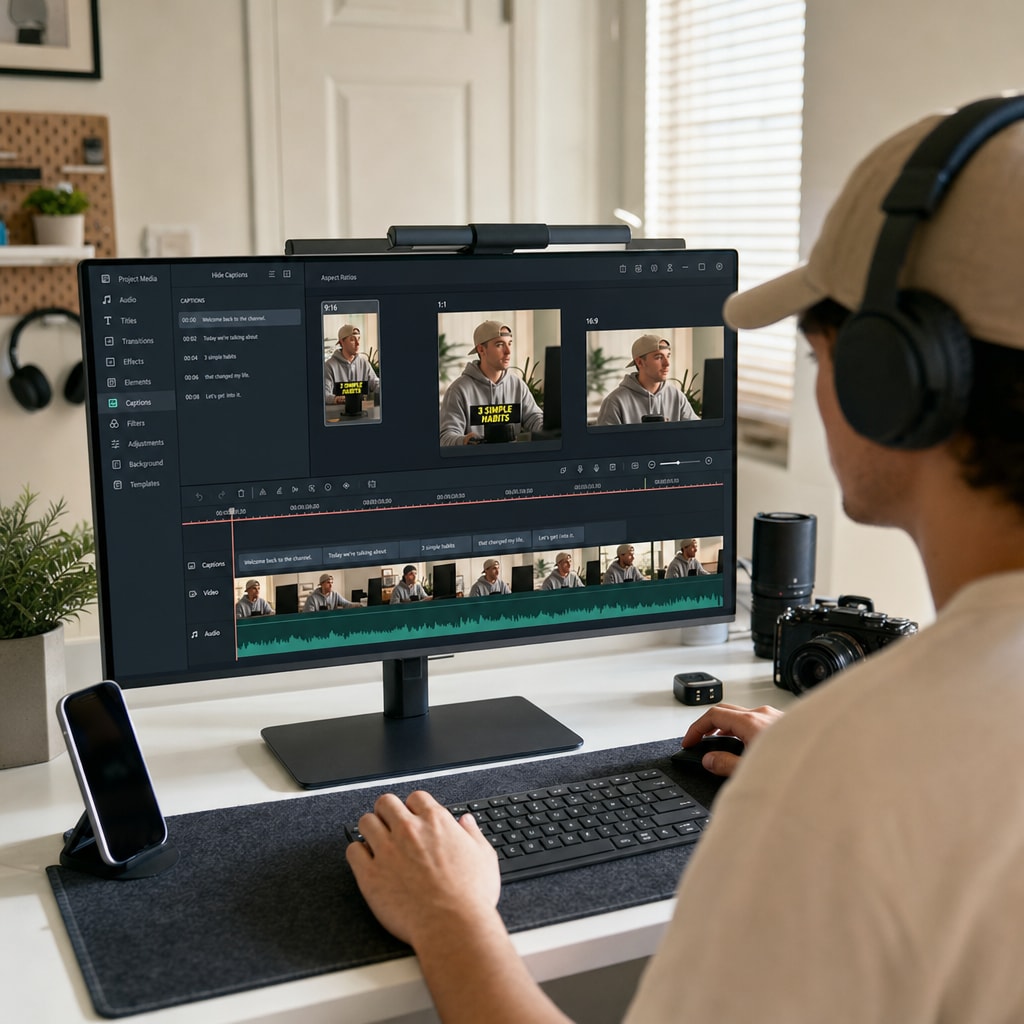
Part 2. Key Challenges in Social Media Video Editing
Social media video creation may look simple from the outside, but the editing workflow often includes several bottlenecks. In many cases, the challenge is not making a video look polished. The real challenge is preparing it efficiently for different platforms, viewing habits, and publishing requirements.
Adapting one video for multiple platforms: Many creators and teams do not make separate source videos for every channel. Instead, they repurpose one clip into several versions. A vertical cut may work for TikTok, while another crop may fit Instagram Reels better. A slightly shorter version may perform best on YouTube Shorts. Without easy resize and crop controls, this process becomes repetitive and time-consuming.
Keeping videos short and engaging: Attention is limited on social platforms. A slow introduction, a long pause, or a weak opening can hurt performance quickly. Editors need tools that make it easy to tighten pacing, bring the most important scene earlier, and remove anything that slows down the message.
Managing subtitles for silent viewing: Silent viewing is common on social media. Even when videos include useful spoken content, many users encounter them in muted autoplay mode. That makes subtitles and on-screen text more important than in many other types of video content. If adding subtitles takes too long, the editing workflow becomes less efficient.
Reducing file size without hurting quality: Large files can slow uploads, delay approvals, and make collaboration harder. At the same time, weak compression can leave videos looking soft or pixelated. A good video editing app for social media should help users balance quality and file size so publishing stays practical.
Handling mixed file formats: Social media teams and creators often work with media from phones, cameras, screen recordings, stock clips, and reused archives. If a tool struggles with mixed formats, productivity drops before editing even starts. Smooth handling of common media types is an important part of a reliable workflow.
Producing content at scale: A creator posting daily or a marketing team preparing campaign assets faces a different challenge than someone editing occasionally. Repetitive manual work adds up fast. The right social media video editor should help users create faster, especially when several videos need to be processed in a short time.
Common Social Media Editing Challenges at a Glance
| Challenge | Why It Happens | What the Editor Should Help With |
| One video needs multiple versions | Different platforms favor different sizes and lengths | Quick crop, resize, and duplicate-output workflow |
| Viewers drop off early | Openings are too slow or clips are too long | Fast trimming, splitting, and pacing adjustments |
| Muted autoplay reduces clarity | Many viewers watch without sound | Subtitle tools and readable on-screen text support |
| Uploads take too long | Files are too large for easy publishing | Compression and export control |
| Mixed media causes delays | Footage comes from different devices and formats | Broad format compatibility and conversion support |
| Publishing at scale feels repetitive | Frequent content production creates repeated tasks | Batch processing and more efficient output workflow |
Top Tools Comparison for Social Media Video Editing
Choosing the best video editor for social media depends on how you create and publish content. Some tools are better for fast mobile editing, while others are stronger for resizing, compression, subtitle workflows, or batch processing. The comparison below highlights what each tool does best so you can match the editor to your real workflow.
| Tool | Best For | Platform | Main Strength | Possible Limitation |
| CapCut | Short-form creators | Mobile, Desktop, Web | Easy editing for TikTok, Reels, and Shorts with templates, captions, and social-friendly tools | Some advanced workflow and export needs may require extra tools |
| InShot | Quick mobile editing | iOS, Android | Simple trimming, music, text, and ratio changes for fast posting | Less suitable for larger desktop-based or batch workflows |
| Adobe Premiere Rush | Cross-device editing | Desktop, Mobile | Good for users who want Adobe-style editing with flexible multi-device access | May feel limited compared with full desktop editors |
| Canva Video | Marketing and branded content | Web | Easy layout-based editing for promo videos, social posts, and brand assets | Not ideal for deeper timeline editing or more complex video workflows |
| VN Video Editor | Creators who want more manual control | Mobile, Desktop | Flexible timeline editing with a relatively accessible learning curve | Workflow can feel less streamlined for fast repetitive publishing |
| Wondershare UniConverter | File preparation and multi-platform output | Windows, macOS | Useful for compression, format conversion, subtitle-related workflows, and batch processing | Less focused on template-driven social editing than some mobile-first apps |
Part 3. Key Features to Look for in the Best Video Editor App for Social Media
When comparing tools, it helps to focus on practical features rather than broad marketing claims. The best choice should solve the problems you encounter most often and support the way your content moves from raw footage to final upload.
Trim and cut tools: Good social editing starts with clarity. Strong trim and cut controls help users remove dead space, tighten speaking segments, shorten hooks, and create a faster rhythm. These tools are essential for tutorials, product explainers, commentary videos, interviews, and short-form content of almost any kind.
Crop and resize tools: Reframing is a major part of social publishing. A video composed for landscape playback may need an entirely different crop in vertical format. The best video editor app for social media should support fast adaptation so one source video can be turned into several platform-ready versions.
Subtitle support: Subtitles improve accessibility, retention, and readability. They are useful for talking-head content, educational clips, interviews, ads, and product walkthroughs. For many creators, caption support is no longer optional because it directly affects how well the message is understood.
Compression features: Compression matters because it affects upload speed, storage efficiency, and collaboration. A good editor should help users shrink files without creating obvious quality loss, especially when videos need to be shared internally before publication.
Format compatibility and conversion: Content sources vary widely in social workflows. If the tool can handle common media formats smoothly, users save time and reduce the need for extra software. This becomes even more important for teams working across multiple devices.
Batch processing: Batch support is highly valuable for users who publish frequently. When you are working with multiple clips, repeated conversions, or several versions of the same asset, batch tools can reduce routine work and make content operations far more efficient.
Export speed and reliability: Social trends move fast, and deadlines matter. Editors that export smoothly and consistently help users keep up with content schedules. A delayed export can be just as frustrating as a slow edit.
Features to Compare in a Social Media Video Editor
| Feature | Why It Matters | What to Look For |
| Trim & Cut | Keeps videos short, clear, and engaging | Fast and precise clip editing |
| Crop & Resize | Matches platform-specific requirements | Preset ratios such as 9:16, 1:1, 4:5, and 16:9 |
| Subtitle Tools | Supports silent viewing and accessibility | Auto captions and editable text options |
| Video Compression | Makes uploads and storage easier | Smaller files with stable quality |
| Format Conversion | Improves compatibility across devices | Support for common input and output formats |
| Batch Processing | Saves time in repeated workflows | Multi-file handling and efficient output |
| Export Speed | Helps users publish faster | Smooth rendering and reliable final output |
Part 4. How to Choose the Right Video Editing App for Social Media
There is no single perfect tool for every creator or team. The right editor depends on your content volume, publishing process, file sources, and output requirements. Choosing well means matching the tool to your workflow instead of chasing the longest feature list.
Choose based on workflow, not just effects: Some users post quick daily clips, while others prepare branded assets for several channels at once. A solo creator may prioritize speed, captions, and simple exports. A marketing team may care more about resizing, compression, conversion, and repeated output. Think about how your team actually works before choosing a tool.
Look beyond visual polish: Filters and transitions can be helpful, but they are not always the biggest productivity factor. Many users lose more time to resizing, file compatibility, subtitle work, and upload preparation than to missing visual effects. A practical video editing app for social media should solve those operational problems first.
Consider the publishing stage early: Do not judge an editor only by what happens on the timeline. Think about what happens after editing. Can the tool produce multiple versions quickly? Does it make large files easier to handle? Can you export in a format that works across the platforms you use? These details often shape the real user experience.
Match the tool to your content volume: If you publish occasionally, simplicity may matter most. If you produce content every day, batch processing and smooth file handling become much more valuable. High-frequency posting demands a workflow that stays efficient over time.
Think about future needs: A tool that works for one platform today may need to support several tomorrow. It is often worth choosing an editor that can handle resizing, conversion, compression, and multi-platform preparation as your workflow grows.
Priorities by User Type
| User Type | Top Priority | Best Tool Focus |
| Short-Form Creator | Speed | Fast trimming, captions, vertical export |
| Brand Marketer | Platform flexibility | Resize, compression, format conversion |
| Social Team | Operational efficiency | Batch workflow and repeatable output |
| Beginner | Simplicity | Easy controls and clear export settings |
Part 5. How UniConverter Supports Social Media Video Editing
Social media video production often involves more than editing clips on a timeline. In many workflows, users also need to convert files, reduce file size, prepare multiple platform versions, and keep different source formats manageable. That is where Wondershare UniConverter becomes relevant. It fits social media workflows by helping users handle practical post-editing and media preparation tasks more efficiently.


All-in-One Multimedia Processing Tool
Why UniConverter is relevant to social media workflows:
It helps prepare videos for multiple platforms with resizing and file-ready output support.
It supports compression, which is useful when upload speed and storage efficiency matter.
It can handle mixed source files more smoothly through conversion features.
It supports subtitle-related workflows that help social content remain clear in sound-off environments.
It improves efficiency when multiple files need to be processed in the same workflow.
How UniConverter Connects to Social Media Video Editing
| Social Media Need | How UniConverter Helps |
| Multi-platform publishing | Helps resize and prepare videos for different platform formats |
| Upload-ready files | Supports compression and practical format conversion |
| Subtitle workflow | Helps with subtitle-related processing for clearer viewing |
| Faster content operations | Batch tools improve efficiency when handling several files |
| Mixed source media | Converts files into formats that are easier to manage and reuse |
Part 6. Final Thoughts
Choosing the right tool for social content is not just about adding effects or making quick cuts. What matters more is whether the editor can support the full workflow, from trimming and resizing to subtitle handling, export, and file preparation across different platforms.
A reliable social media video editor should help you work faster, reduce repetitive tasks, and make publishing smoother over time. If you are comparing options, focus on the features that match your real content needs. The best choice is the one that helps you create platform-ready videos more efficiently and scale your workflow with less effort.

