


Have you ever felt frustrated when Imgur doesn’t quite meet your needs for sharing GIFs, images, or videos? Whether it’s slow uploads, limited features, or a desire for more flexible sharing options, many users find themselves searching for better alternatives. With digital content evolving so rapidly, sticking to just one platform may hold you back from exploring better opportunities.
This guide is designed to help you explore platforms that not only match Imgur’s strengths but also offer unique advantages.We’ll also walk you through a quick comparison and even show you how to create your own GIFs for upload-ready content. By the end, you’ll know exactly which Imgur Alternatives platform suits your needs and how to make the most of it.
In this article
Key Takeaways
[Platform Limitations] Imgur may lack advanced features, storage flexibility, or fast uploads, pushing users to explore better alternatives.
[Top Alternatives] Platforms like Flickr, ImgBB, Postimages, 500px, Pinterest, and Gyazo offer improved hosting, sharing, or community features.
[Different Use Cases] Some tools focus on professional portfolios, while others prioritize anonymous sharing, fast uploads, or content discovery.
[Content Creation Needs] Wondershare UniConverter enables easy GIF creation and editing, ideal for producing high-quality, upload-ready content.
Part 1: Functions to Look for in Imgur and Its Alternatives
Imgur became popular because it combines simplicity with powerful features that make image and GIF sharing quick and seamless. When considering alternatives, it’s important to look for platforms that not only match Imgur’s strengths but also bring in additional flexibility and convenience. Below are some of the key functions and positions Imgur holds, along with the elements its alternatives should include:
Image Hosting for Forums & Comments
Imgur is widely used for embedding images into forums, Reddit threads, and comment sections. Alternatives should ensure easy link generation and smooth embedding options. They should also allow different link formats (direct, BBCode, HTML) to fit diverse community requirements. This ensures that your visuals display correctly across platforms without extra effort.
Consuming Viral & Entertainment Content
Beyond hosting, Imgur is also a hub for viral content, funny memes, and trending entertainment. Competitors should provide strong community-driven content discovery. Ideally, they should also feature voting, trending lists, or recommendation algorithms to keep users engaged. This way, people not only host their content but also stay for entertainment and interaction.
Anonymous, No-Account Sharing
One of Imgur’s biggest advantages is that you don’t need an account to upload and share. Any worthy alternative should allow instant, hassle-free uploads with optional sign-in. This caters to casual users who want to share quickly without long registration steps. At the same time, platforms should also offer account features for those who prefer organization and storage history.
Creating Memes
Imgur’s built-in meme generator makes it easy for users to create and share memes on the go. Alternatives should support simple editing tools or integrations for quick meme creation. Adding text overlays, stickers, or filters directly within the platform can make meme creation effortless. This not only saves time but also encourages creativity and more community participation.
Fast Upload & Sharing Across Devices
Imgur is known for fast uploads and cross-device accessibility. Competitors need to provide mobile-friendly apps, drag-and-drop functionality, and quick shareable links. They should also ensure minimal compression so that the original quality of photos or GIFs is preserved. A seamless sync across desktop and mobile ensures users can create and share anytime, anywhere.
Part 2: Best 10 Imgur Alternatives
Imgur has been a favorite for quick uploads and meme sharing, but it’s not always the perfect fit for everyone. Some users face issues like limited storage, fewer editing tools, or the need for more community-driven features. That’s why exploring new options can open doors to faster, easier, and more creative sharing experiences. So, let’s dive into the 10 best Imgur alternatives in 2025 and see which platform suits your needs best:
1. Flickr
Flickr is one of the most established platforms for photo hosting and sharing, making it a natural alternative to Imgur for those who want quality and organization. Unlike Imgur’s meme-heavy culture, Flickr appeals more to photographers and creators who care about image resolution and curation. It allows you to create albums, join groups, and showcase your photos in a professional-looking gallery. The community is also highly engaged, offering constructive feedback and interaction around visuals. With its focus on high-resolution images,
Flickr works well for storing photos without losing quality. It also provides apps and integrations that make uploading and editing easier. Whether you’re a hobbyist or a professional, Flickr helps you maintain a long-term photography presence.

Content Focus: Professional and casual photo sharing with strong community interaction.
2. Postimages
Postimages is designed for users who want fast, hassle-free image hosting without the distractions of extra features. Unlike platforms that require lengthy sign-ups, Postimages lets you upload and share instantly. It’s especially popular with forum users because it provides direct, BBCode, and HTML links for embedding images in posts and comments. The Imgur alternative is lightweight, simple, and reliable, making it an easy go-to for quick uploads.
It also supports hotlinking, which is crucial for communities where images are shared across multiple threads. Since uploads don’t expire, users can count on stable hosting for long-term sharing. If you just need a straightforward alternative to Imgur for linking images, Postimages is an excellent choice.
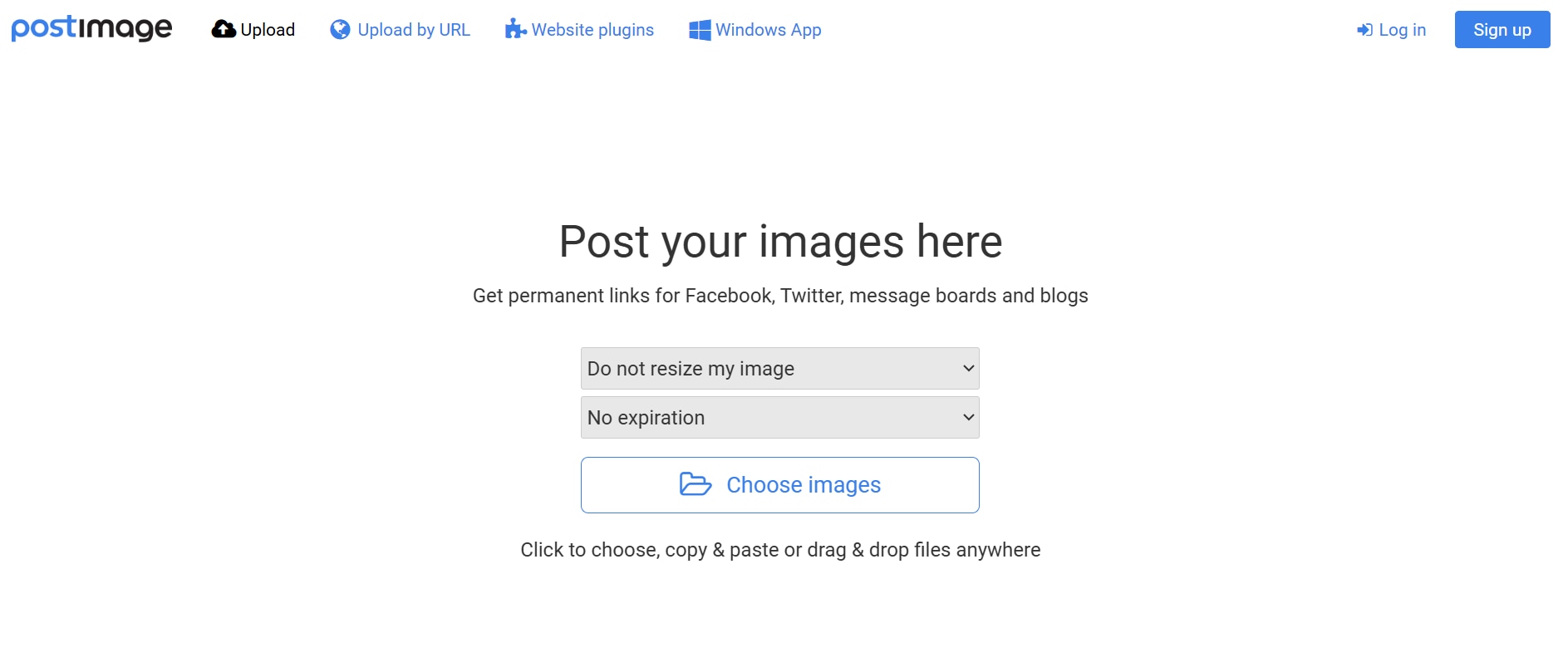
Content Focus: Quick, no-account image hosting for forums and direct linking.
3. ImgBB
ImgBB has gained popularity as a clean, simple, and reliable image hosting platform. Its main strength lies in offering instant uploads with no sign-up required, which appeals to users looking for speed over complexity. The platform generates multiple link formats so you can share across forums, blogs, or social media without extra steps. Unlike Imgur, which emphasizes community-driven content, ImgBB keeps the focus on hosting and sharing efficiency.
The service is also optimized for mobile, ensuring you can upload and link images from any device. Many users appreciate its ad-free, minimalist interface, which eliminates distractions during uploads. Overall, ImgBB is a perfect alternative for users who prioritize functionality and speed.
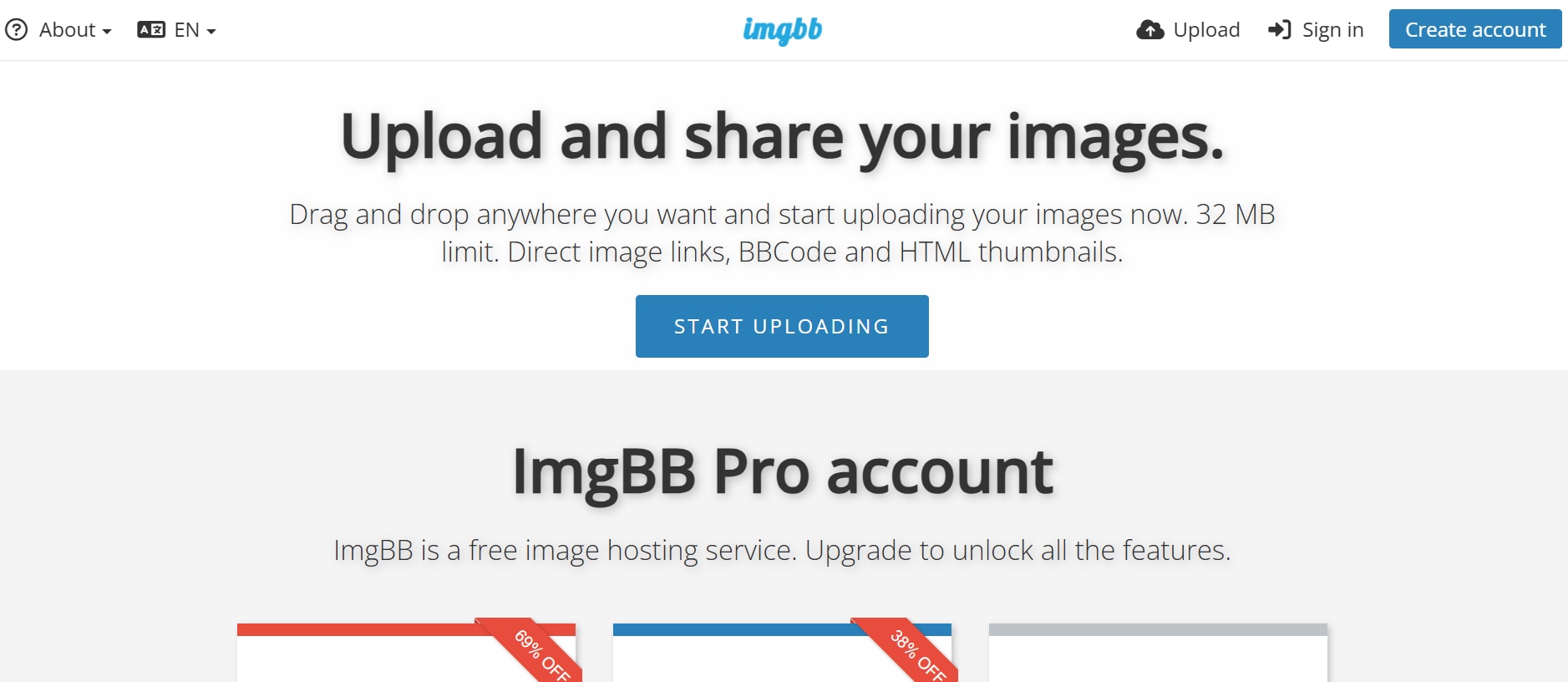
Content Focus: Lightweight, easy image hosting with fast sharing links.
4. 500px
500px stands out as a more premium alternative to Imgur, tailored specifically for photographers and visual artists. While Imgur thrives on memes and casual sharing, 500px is a platform for showcasing professional-quality work. It allows users to build portfolios, license images, and even sell their photography to a global audience. The community here values artistry and provides feedback that helps photographers grow. Its galleries are curated, helping users find inspiration and visibility in a highly competitive space.
The platform also ensures minimal compression, preserving the quality of every upload. If your focus is on artistry rather than quick meme sharing, 500px is a solid upgrade from Imgur.
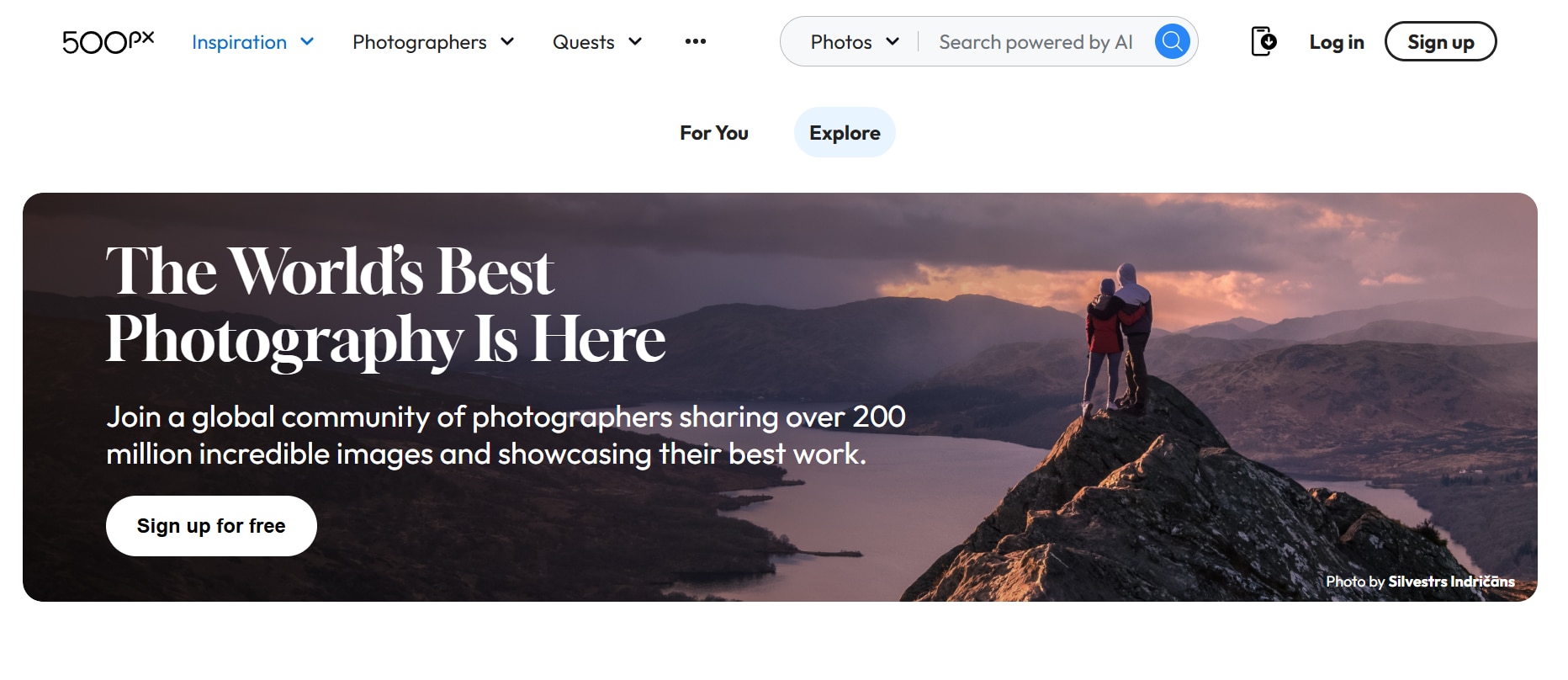
Content Focus: Premium photography sharing and portfolio building.
5. TinyPic (via Photobucket)
TinyPic, now integrated with Photobucket, remains a practical choice for those who want lightweight, no-fuss image hosting. Unlike Imgur, which leans into community features, TinyPic is focused entirely on quick uploads and direct linking. This makes it a great option for embedding visuals in forums, blogs, and websites.
It’s particularly useful for anonymous users who don’t want to sign up but still need reliable hosting. While it doesn’t offer advanced editing tools, its speed and simplicity make it appealing for short-term or casual use. Supported by Photobucket, it retains stability and long-term hosting reliability. For users who prioritize efficiency over extra features, TinyPic is a worthy Imgur substitute.

Content Focus: Lightweight hosting for quick linking and sharing.
6. DeviantArt Sta.sh
Sta.sh, the storage and upload system tied to DeviantArt, is another strong contender for creative users seeking an Imgur alternative. Unlike Imgur’s meme-focused environment, Sta.sh is aimed at artists, illustrators, and digital creators. It lets you drag and drop files, host them privately or publicly, and then integrate directly with your DeviantArt profile. This makes it an excellent choice for creators who want both storage and community visibility.
The platform supports multiple file formats, including GIFs, which adds flexibility for artists experimenting with different media. Since it’s part of DeviantArt, users also gain access to an established creative community. For artists seeking a place to showcase work while enjoying stable hosting, Sta.sh is a powerful tool.
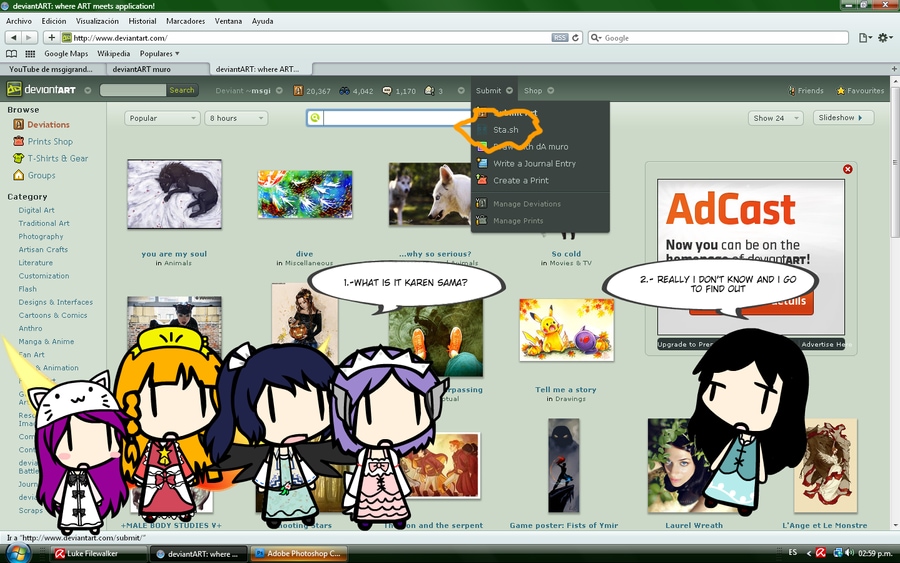
Content Focus: Creative artwork, memes, and GIF storage with editing support.
7. ImageShack
ImageShack is a premium image hosting solution that positions itself as a more polished, secure alternative to Imgur. Instead of focusing on viral content or memes, it emphasizes quality hosting with features like batch uploads, private albums, and analytics. It’s particularly suited to businesses, photographers, and creators who want professional control over their content. Unlike free platforms, ImageShack provides an ad-free environment, making the user experience smoother. The ability to track views and organize content also makes it stand out from casual image hosts. Users looking for extra storage, cloud backup, and cross-device syncing will find its features appealing. While it’s more of a paid solution, its reliability justifies the cost.
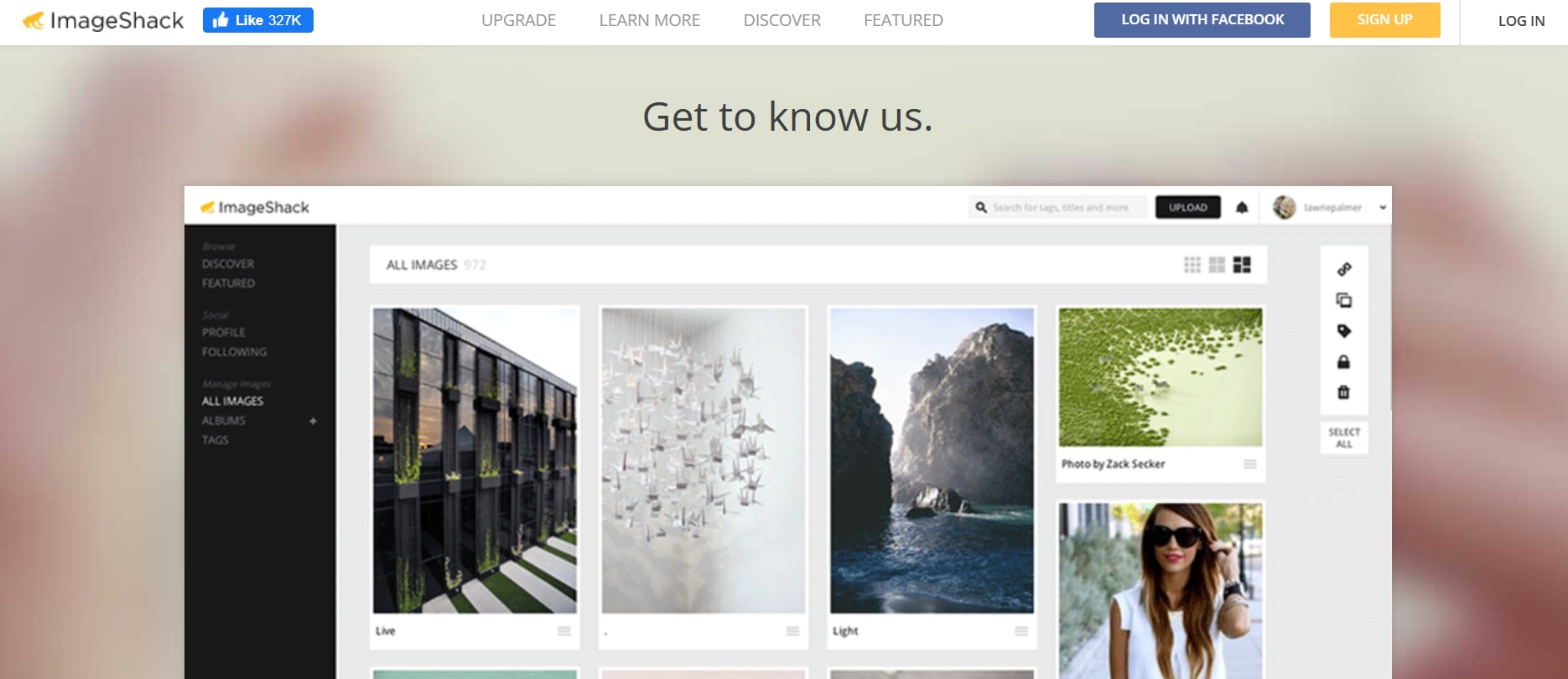
Content Focus: Secure image hosting with advanced features.
8. Kek.gg
Kek.gg is one of the simplest and fastest anonymous image hosting platforms available. Unlike Imgur, which builds a social experience around content, Kek.gg keeps things stripped down to just hosting and linking. It’s designed for users who want quick uploads without registration, perfect for casual sharing in forums or chat groups. The site is extremely lightweight, loading instantly on both desktop and mobile devices. It also supports large file sizes, making it handy for high-quality images. Since there’s no account required, users can stay completely anonymous while sharing content. While it doesn’t have editing or community features, it excels at simplicity. For users who value speed and privacy, Kek.gg is an ideal fit.

Content Focus: Simple, anonymous image hosting for direct linking.
9. Pinterest
Pinterest is more than just an image host — it’s a discovery engine that helps people find, save, and share content visually. Unlike Imgur, which focuses on viral entertainment, Pinterest thrives on lifestyle, inspiration, and niche communities. Users can create boards to organize content, making it both a hosting and content curation platform. It’s also highly shareable, with easy integration into blogs, websites, and social media. With strong algorithms, Pinterest suggests content tailored to your interests, keeping users engaged for longer. It supports GIFs, short videos, and high-resolution photos, adding versatility to its usage. For creators, it’s also a branding tool, offering exposure to a massive audience. If you’re looking for discovery along with hosting, Pinterest delivers both.
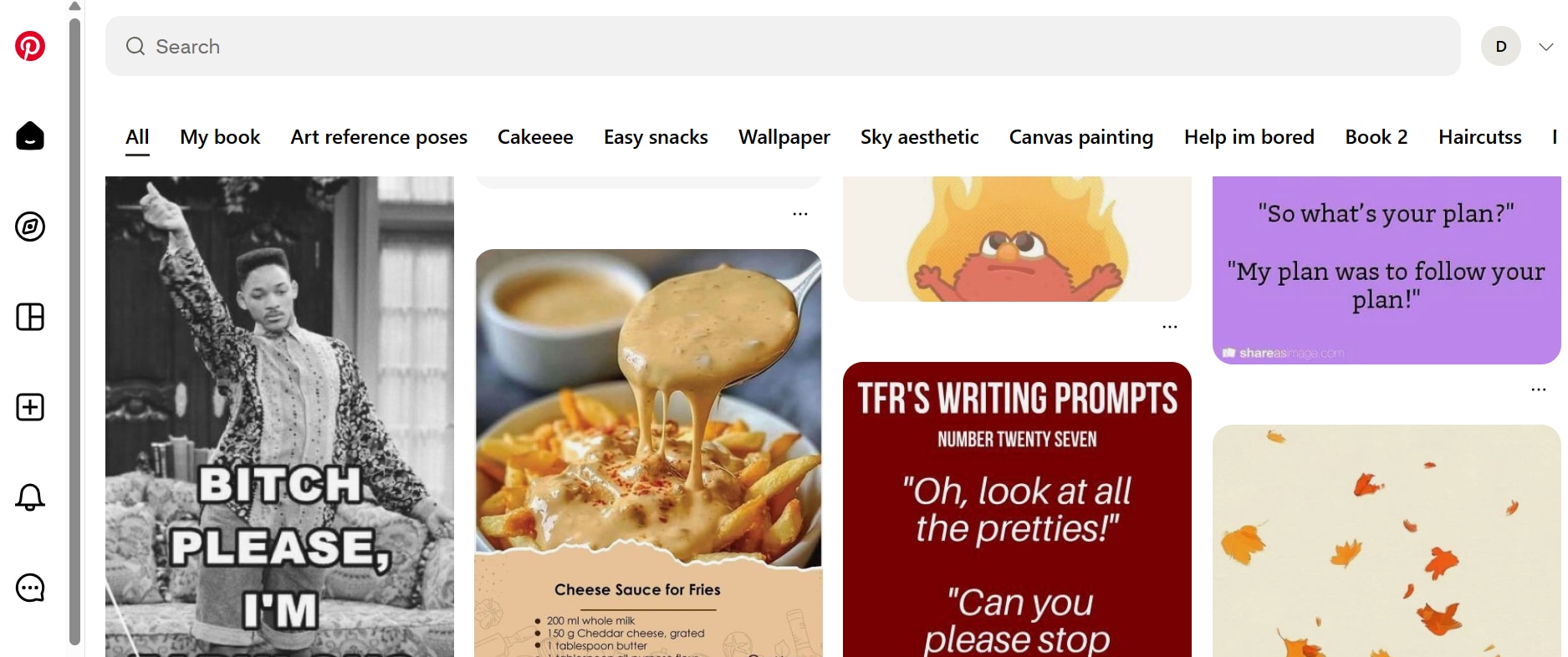
Content Focus: Discovery-based image hosting with social interaction.
10. Gyazo
Gyazo is a unique platform because it’s not just about image hosting—it’s about capturing and sharing instantly. Unlike Imgur, where you upload pre-existing files, Gyazo lets you take screenshots, record GIFs, and share them within seconds. This makes it perfect for tutorials, guides, or quick snippet sharing. Its desktop and mobile apps streamline the process so you don’t waste time editing or organizing before sharing. Users also get access to storage history, which makes retrieving old captures easy. For teams or professionals, Gyazo supports collaboration features, making it more than just a casual host. The platform prioritizes speed and clarity, ensuring your uploads remain in top quality. If instant capture and share is your priority, Gyazo is a must-try alternative.
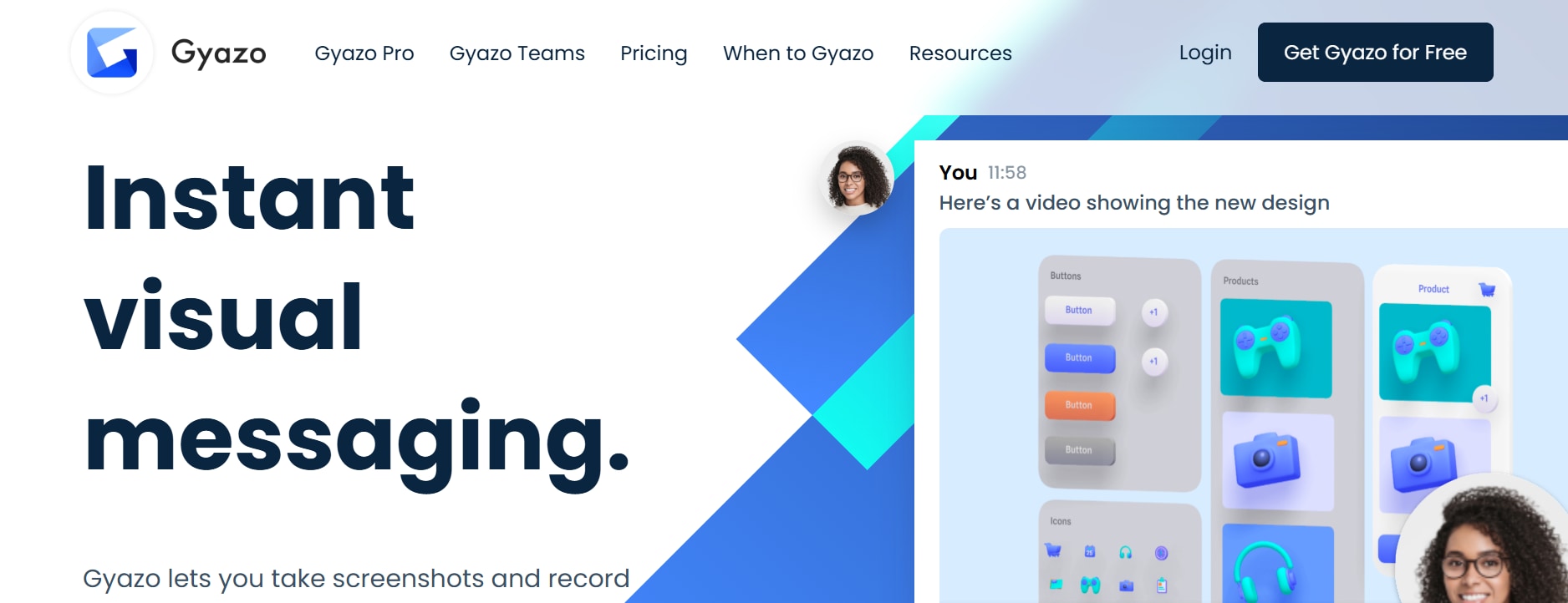
Content Focus: Quick screenshots, GIF creation, and instant sharing.
Part 3: Quick Comparison Table of Best 10 Imgur Alternatives
Before choosing the right Imgur alternative, it’s helpful to see how these platforms compare side by side. Each tool offers different perks, from free storage and upload limits to unique community features and ease of use. To save you time, we’ve put together a quick comparison table of the top 10 Imgur alternatives, so you can instantly spot which one fits your needs best:
How We Tested Imgur Alternatives
To build this guide, we reviewed Imgur alternatives based on upload speed, sharing flexibility, media support, storage convenience, community or portfolio value, and overall usefulness.
This section helps readers understand our testing criteria before they review the Imgur alternative comparison below.
| Alternative | Free-Tier Available | Storage / Upload Limits | Account Required | Key Features |
|---|---|---|---|---|
| ImgBB | Yes | Max 32 MB per image; auto-delete option; unlimited uploads within size cap | Optional | Easy image hosting, embed codes (HTML, BBCode), auto-delete timer, albums, resizing |
| Flickr | Yes | Free accounts limited to 1,000 photos/videos; videos up to 3 min | Yes | Albums, photo sharing, community discovery, pro upgrade for unlimited |
| ImageShack | Yes (free plan) | Free plan limited in bandwidth & uploads; advanced options require upgrade | Yes | Albums, bulk uploads, embed links, privacy settings |
| 500px | Yes (restricted) | Free tier allows limited weekly uploads (e.g., 7 photos/week) | Yes | Photography portfolio, discovery feed, social interaction, galleries |
| Yes | No fixed storage limits; image/GIF/video pinning; subject to community rules | Yes | Boards, discovery engine, GIF & video pins, social sharing | |
| Gyazo | Yes | Free plan limits visible history & capture duration (e.g., short GIFs only) | Yes (for history/features) | Instant screenshot/GIF capture, shareable links, cross-platform apps |
| Postimages | Yes | File upload limit around 24 MB; unlimited hosting; free use | Optional | Anonymous uploads, forum BBCode links, quick embedding, simple UI |
| DeviantArt Sta.sh | Yes | File size/storage limits vary; advanced features for paid members | Yes (DeviantArt account) | Supports multiple formats, private/public options, community engagement |
| Kek.gg | Yes | Storage and file size policies unclear (minimal public info) | Likely optional | Simple image hosting, anonymous uploads, lightweight direct links |
| TinyPic via Photobucket | Yes (with restrictions) | Free plan limited to 250 images and 2.5 GB storage; ads shown; watermark applied on free tier | Yes | Reliable photo hosting, image editing tools, albums, privacy controls, direct linking (with paid plans), mobile + web apps |
Part 4: Bonus: How to Make Your GIFs from Photos or Videos to Upload for Imgur
GIFs are a fun and engaging way to share moments, jokes, or short clips on Imgur. Whether it’s a series of photos or a video snippet, creating GIFs has never been easier. One of the easiest ways to do this is by using Wondershare UniConverter, which not only converts videos but also allows you to turn photos and clips into high-quality GIFs quickly. With its intuitive interface, even beginners can make eye-catching GIFs in just a few minutes.
Simple Steps to Create GIFs from Photos:
Step 1: Upload Your Photos
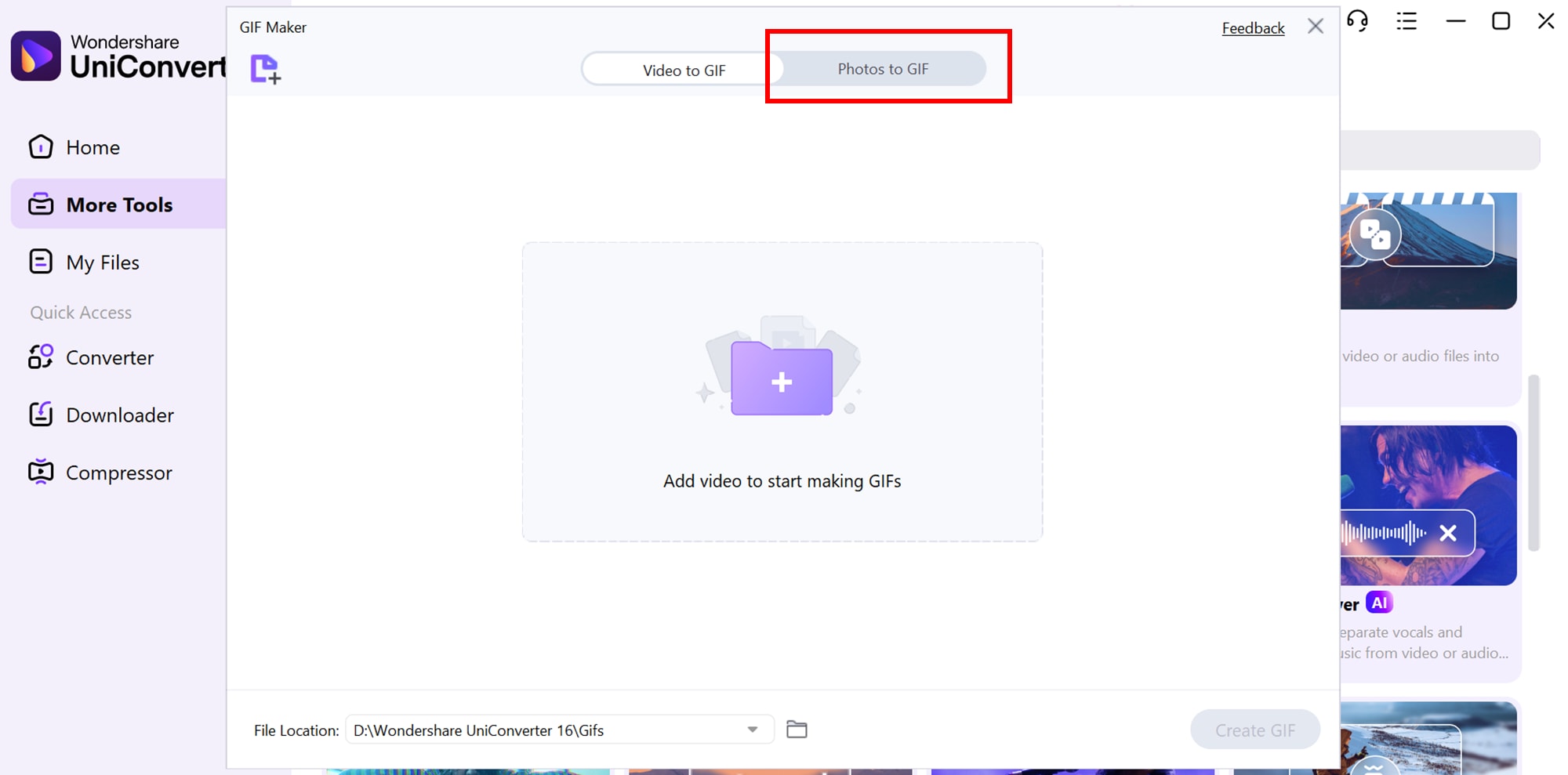
Open Wondershare UniConverter and select the GIF maker feature.
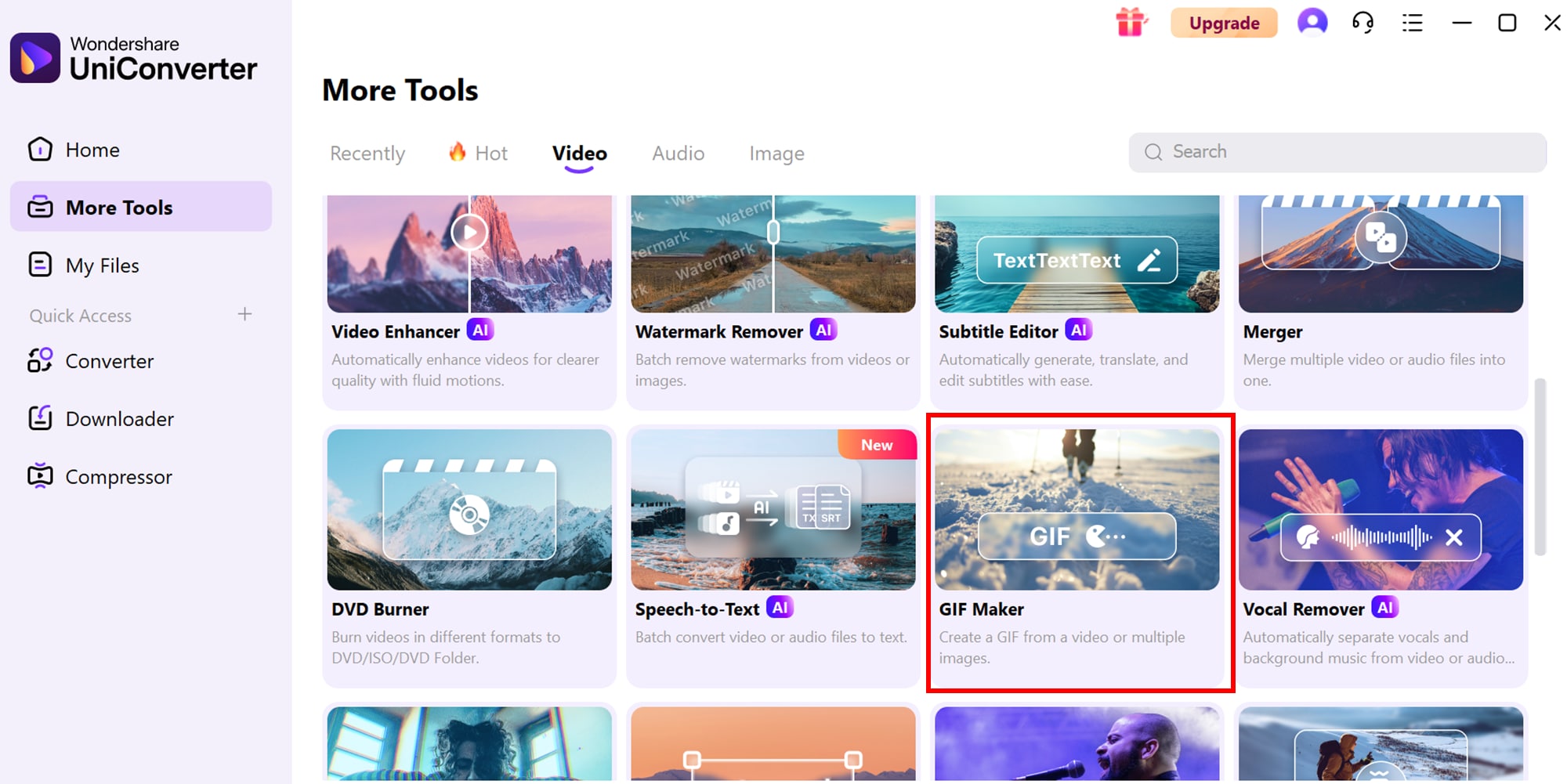
Upload the series of images you want to convert. The tool supports multiple formats, making it versatile for any media you have.
Step 2: Edit and Customize
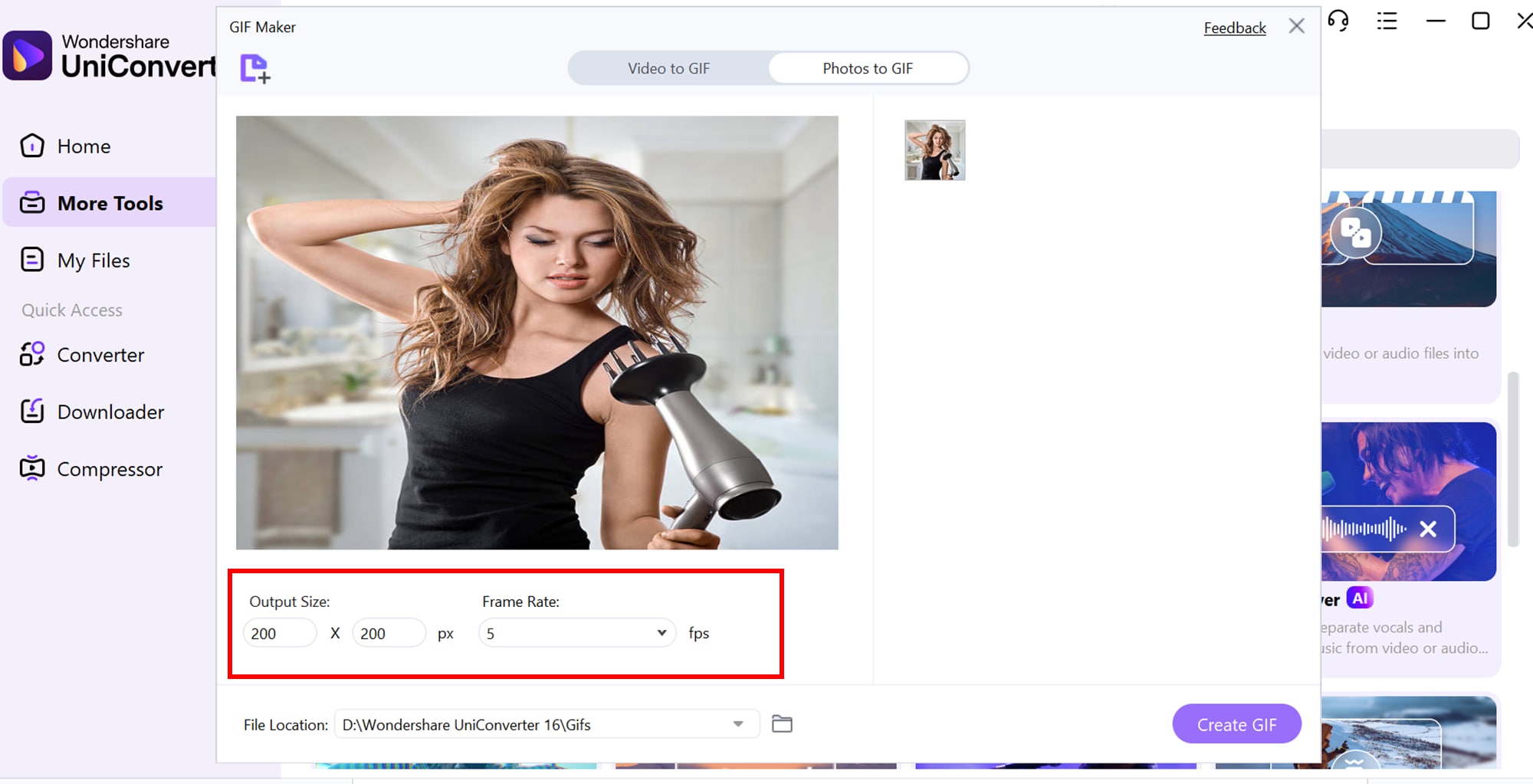
Set the output size, frame rate, and file location in the bottom-left area. UniConverter makes editing straightforward with a clean, drag-and-drop interface.
Step 3: Save and Upload to Imgur
Once everything is set, click on create GIF. Your GIF is now ready to entertain friends or your community.
Simple Steps to Create GIFs from video:
Step 1: Add Your Video
Launch Wondershare UniConverter and switch to the Video to GIF tab.
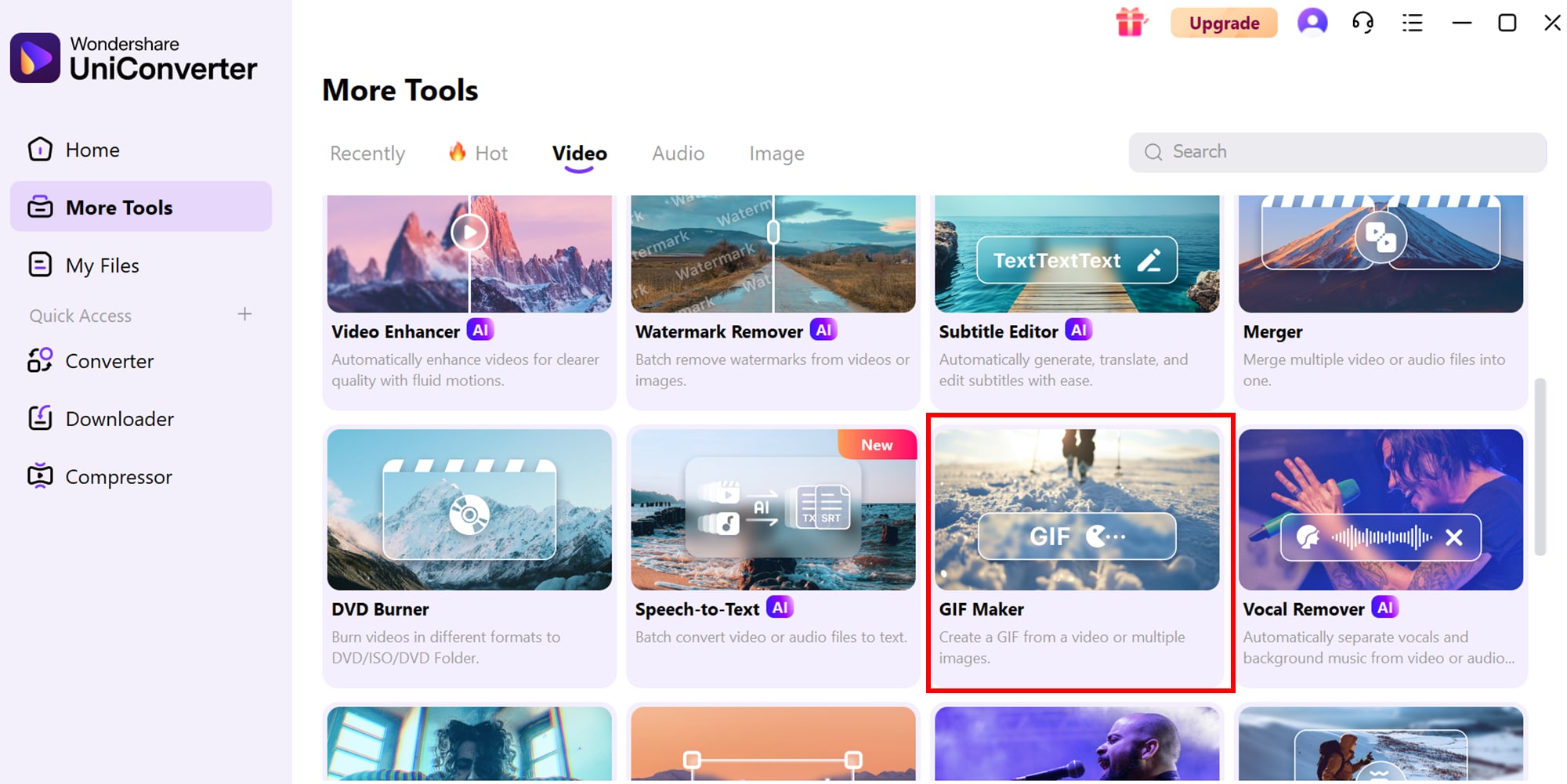
Click the + icon or Add Files button at the top-left corner to import the video you want to convert. You can select any video clip from your device, whether it’s a short recording or a longer clip you plan to trim. UniConverter supports almost all common video formats, so you don’t need to worry about compatibility.
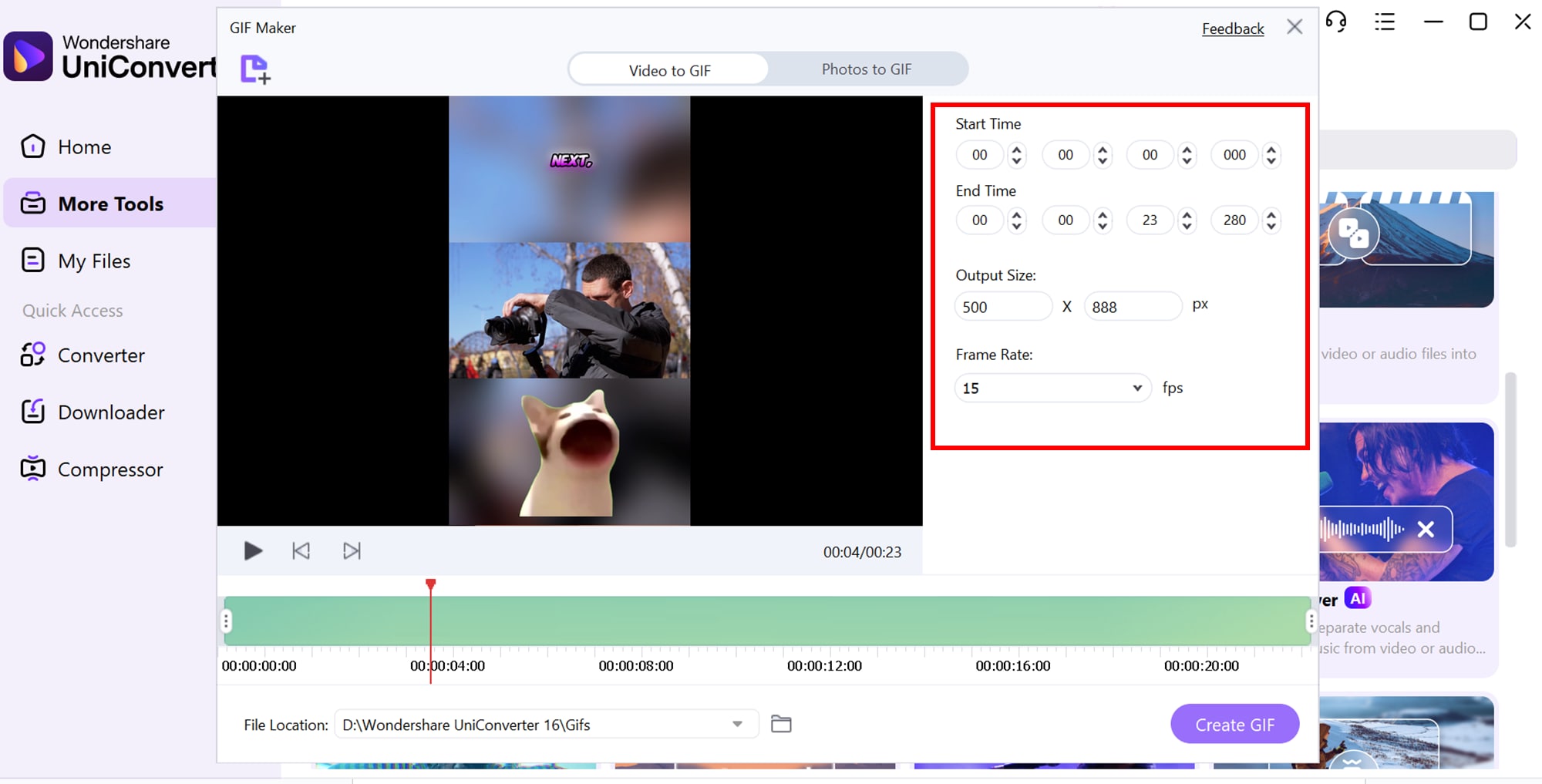
Step 2: Select Clip and Customize
Step 3: Create and Save GIF
Once everything is set, click Create GIF to generate your file. The GIF will be saved to your chosen location, ready for sharing. You can now upload it to Imgur or other platforms and enjoy a high-quality, shareable GIF.
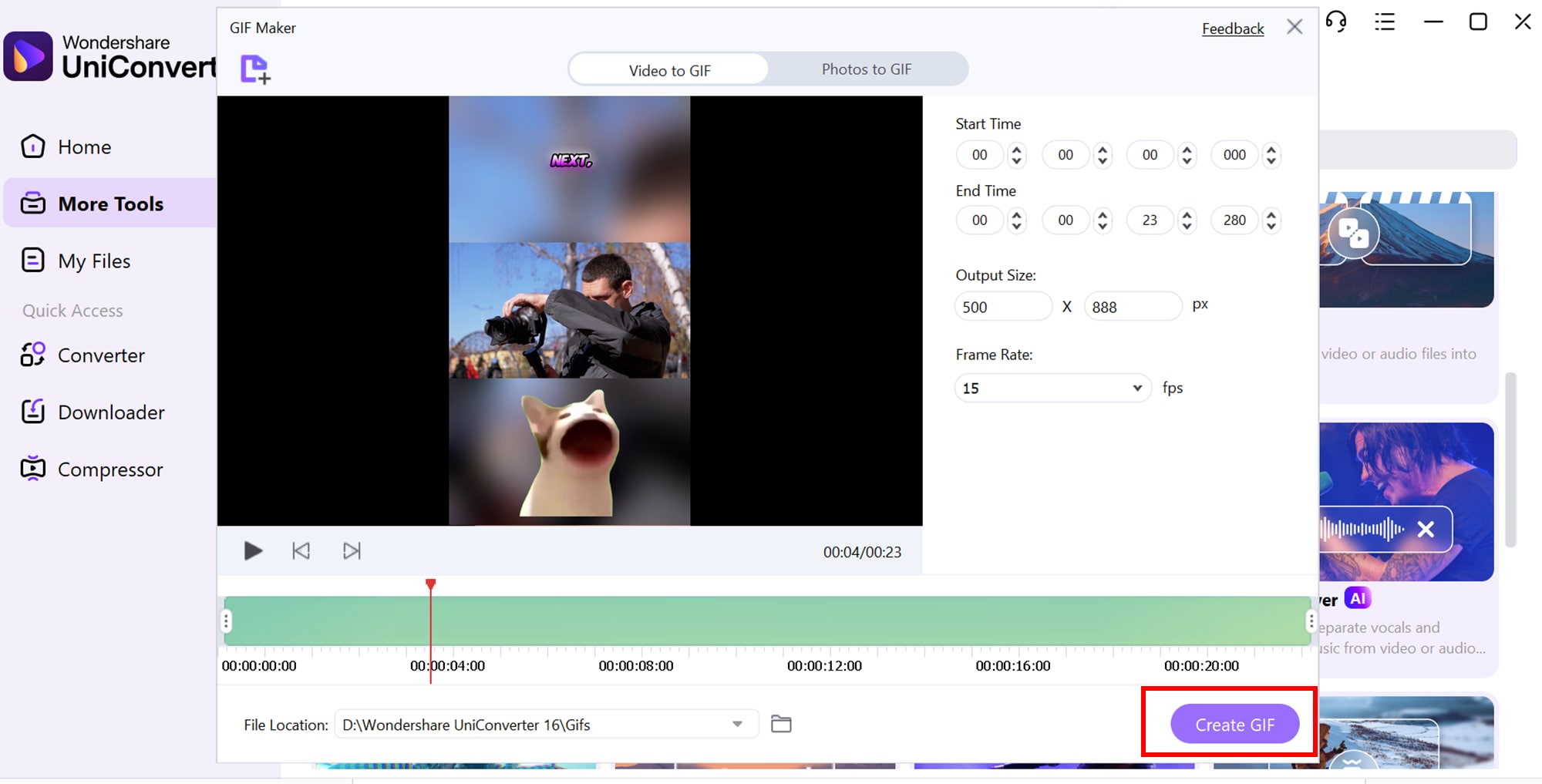
Pro Tip: Keep GIFs short (5–15 seconds) for faster uploads and smoother playback. Adjust the frame rate for a balance between file size and smooth motion.
How to Upload Your GIF to Imgur and Share Online
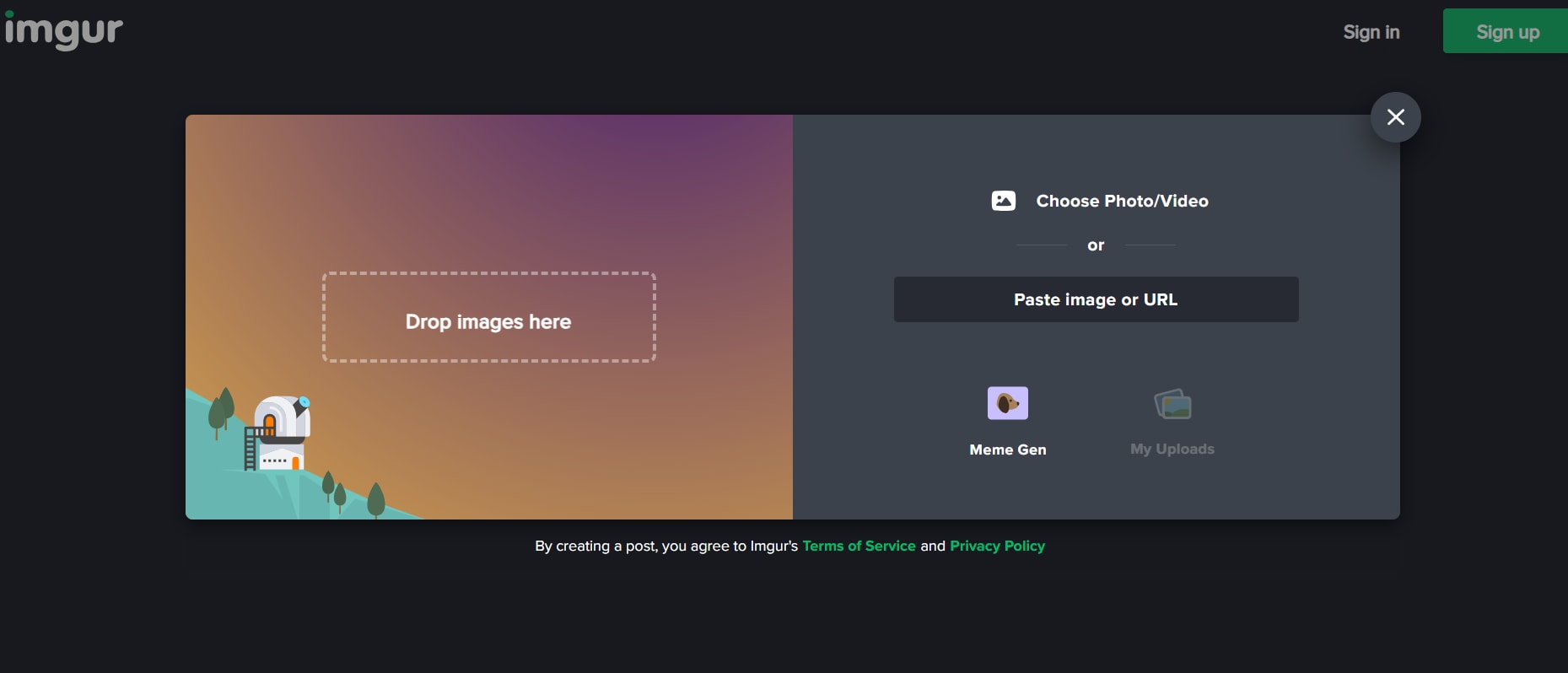
Step 1: Go to Imgur & Upload Your GIF
Open Imgur.com on your browser. Click the “New Post” button at the top of the page, then either drag your GIF file into the upload area or click to browse and select it from your device. You can log in for better post management, but it’s not mandatory.
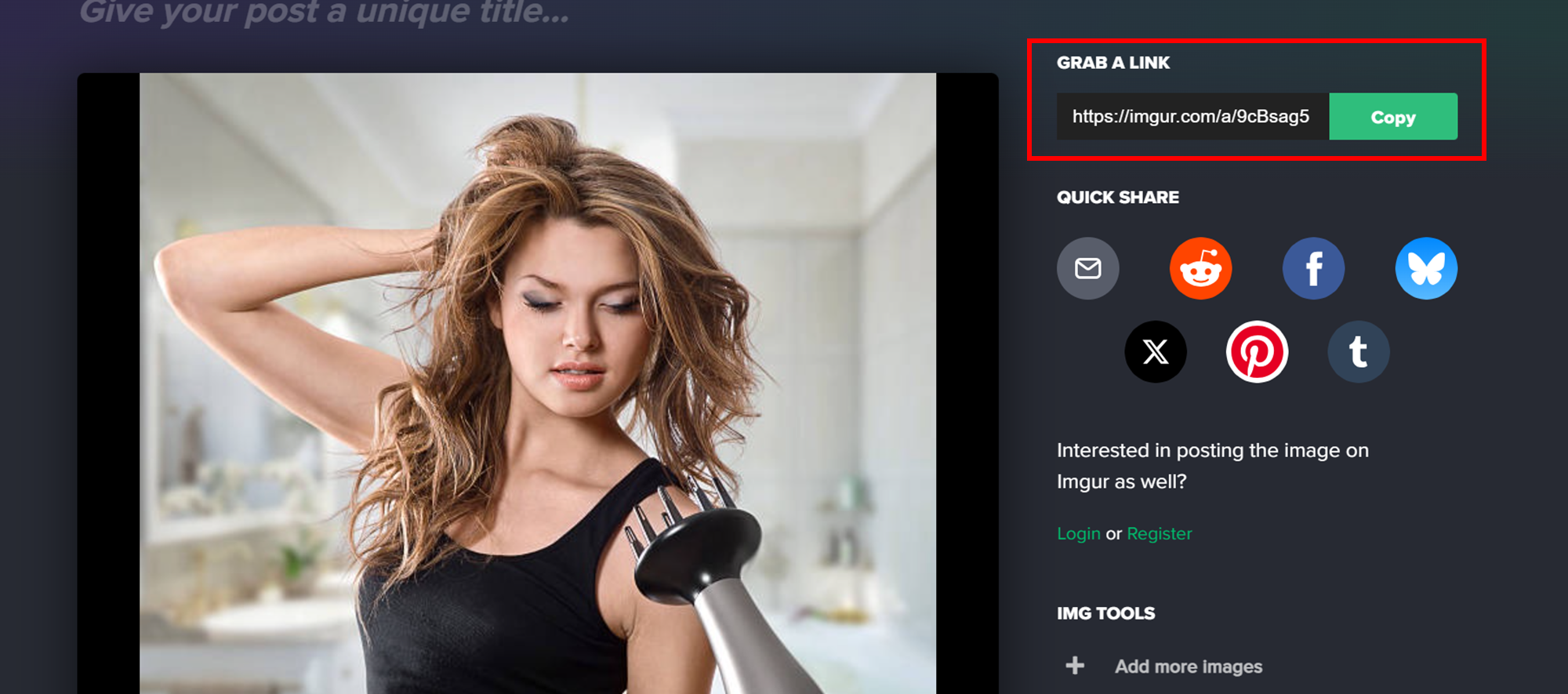
Step 2: Copy the Direct Link
After the upload is complete, Imgur will generate a link for your GIF. Click “Copy Link” or use the direct link option to ensure your GIF can be embedded on other platforms. This step makes it easy to share the GIF without having to re-upload it elsewhere.
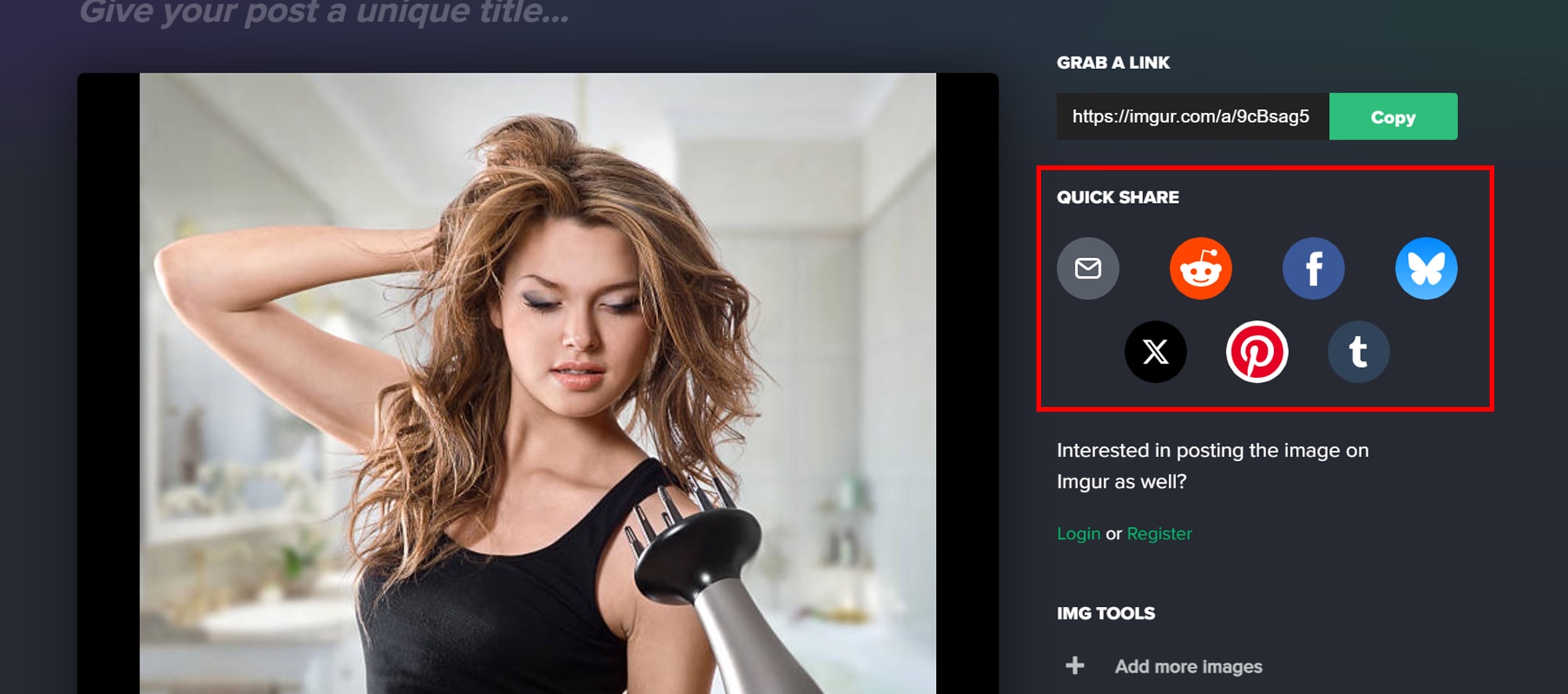
Step 3: Share on Reddit or Other Platforms
Paste the copied link wherever you want to share your GIF, such as Reddit, forums, or social media platforms. For Reddit, make sure to use the direct .gif link so your GIF displays properly in posts or comments.
Pro Tips:
Keep GIFs short (5–15 seconds) for smoother playback and faster loading.
If you want, you can add a title or description on Imgur to make your post more engaging.
Conclusion
Creating and sharing GIFs has never been easier, whether you’re turning a video clip or a series of photos into a fun, engaging animation. Imgur provides a simple platform to showcase your creations to friends, communities, or social media audiences. To make the process even smoother,Wondershare UniConverter offers a powerful yet easy-to-use solution for converting videos and photos into high-quality GIFs in just a few clicks. With its intuitive interface, you can trim, edit, and customize your GIFs before uploading, saving you time while ensuring your content stands out.
CTA: Ready to create your GIFs? Download Wondershare UniConverter and start turning your videos and photos into shareable GIFs now!
FAQs
-
1. Can I upload GIFs larger than 10 MB on Imgur?
Yes, Imgur allows GIF uploads up to 200 MB for paid accounts and smaller limits (usually around 20 MB) for free users. For larger videos, consider compressing or trimming them before uploading. -
2. Are Imgur alternatives safe for anonymous uploads?
Many platforms, like Postimages, Kek.gg, and ImgBB, allow anonymous uploads. However, always check their terms of service to ensure privacy, and avoid uploading sensitive content without an account that provides extra security. -
3. Can I convert a video to a GIF offline?
Yes! You can use software to convert videos to GIFs directly on your computer without needing an internet connection. It also allows basic editing, trimming, and customizing your GIFs before sharing. -
4. Do Imgur alternatives support embedding GIFs on blogs or forums?
Most alternatives, including ImgBB, Postimages, and ImageShack, provide direct links, HTML embed codes, and BBCode, making it easy to display GIFs on blogs, forums, or websites. -
5. How can I reduce GIF file size without losing quality?
You can reduce file size by shortening the GIF duration, lowering the frame rate, or resizing the resolution. Many GIF makers, including online tools and UniConverter, offer simple options to optimize GIFs for faster loading and sharing.

