


Instagram Stories have become the heartbeat of social media, offering fleeting glimpses into the lives of creators and friends. However, their 24-hour lifespan often leaves users scrambling to find a reliable path to download Instagram story download hd 1080p to save these moments forever. Whether you are a content archivist or simply want to keep a memory, finding a tool that preserves the original Instagram story download full HD 1080p quality is crucial.
In 2025, the market is flooded with options, but only a few truly deliver Instagram story download HD 1080p results without compression. This guide deep-dives into 5 proven methods to download instagram stories 1080p effortlessly.
- Online tools like SnapInsta are convenient for quick, single-story downloads but may face resolution limits or ads.
- Mobile apps and Chrome extensions works well for casual use, though batch support and quality control are often limited.
- Command-line tools like Instaloader offer flexibility for advanced users but require technical setup.
- For users who need batch processing and reliable 1080p HD output, Wondershare UniConverter stands out as a dedicated Instagram Stories downloader, providing stable local processing and consistent quality.
In this article
- Method 1: Online Instagram Story Downloader
- Method 2: Batch Process Instagram Story Downloader
- Method 3: Mobile Instagram Story Downloader App
- Method 4: Instagram Story Downloader Chrome Extension
- Method 5: Linear Tool as Instagram Story Downloader
- Important Precautions Before You Download
- Conclusion
- FAQs
Part 1: Method 1: Online Instagram Story Downloader
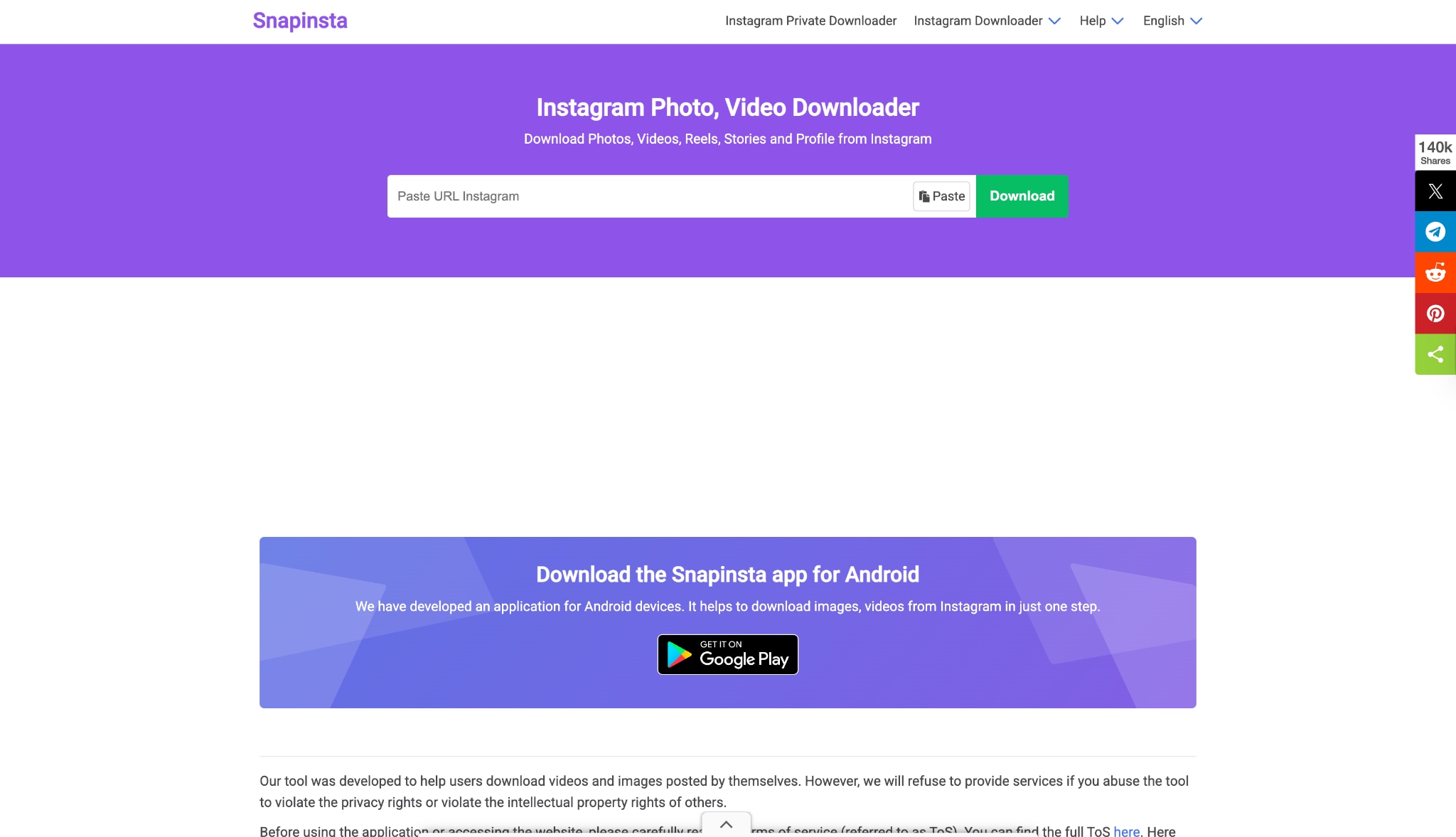
For users seeking a quick, no-installation solution, SnapInsta remains a top-tier choice in 2025 for Instagram story download 1080p online. It acts as a robust Instagram story downloader online 1080p, allowing you to grab content directly through your browser. This web-based tool effectively strips away the complexity of software, offering an immediate way to perform an Instagram story download high quality 1080p. It is particularly useful for one-off downloads where you need to download story IG HD 1080p on the fly without logging into personal accounts on third-party apps.
Steps to Download
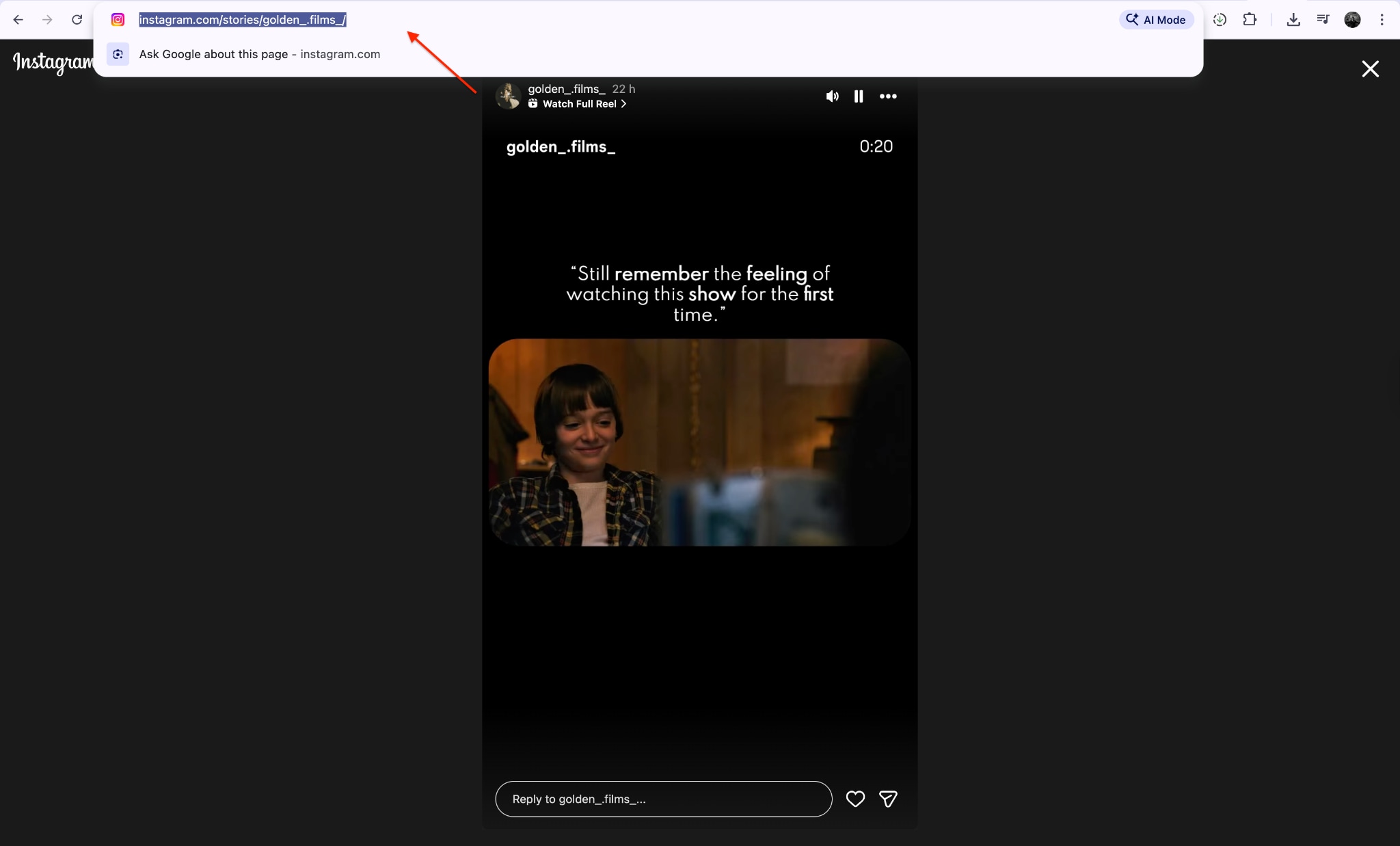
Step 1: Copy the Story Link
Find and copy the instagram story link you need to dowload.
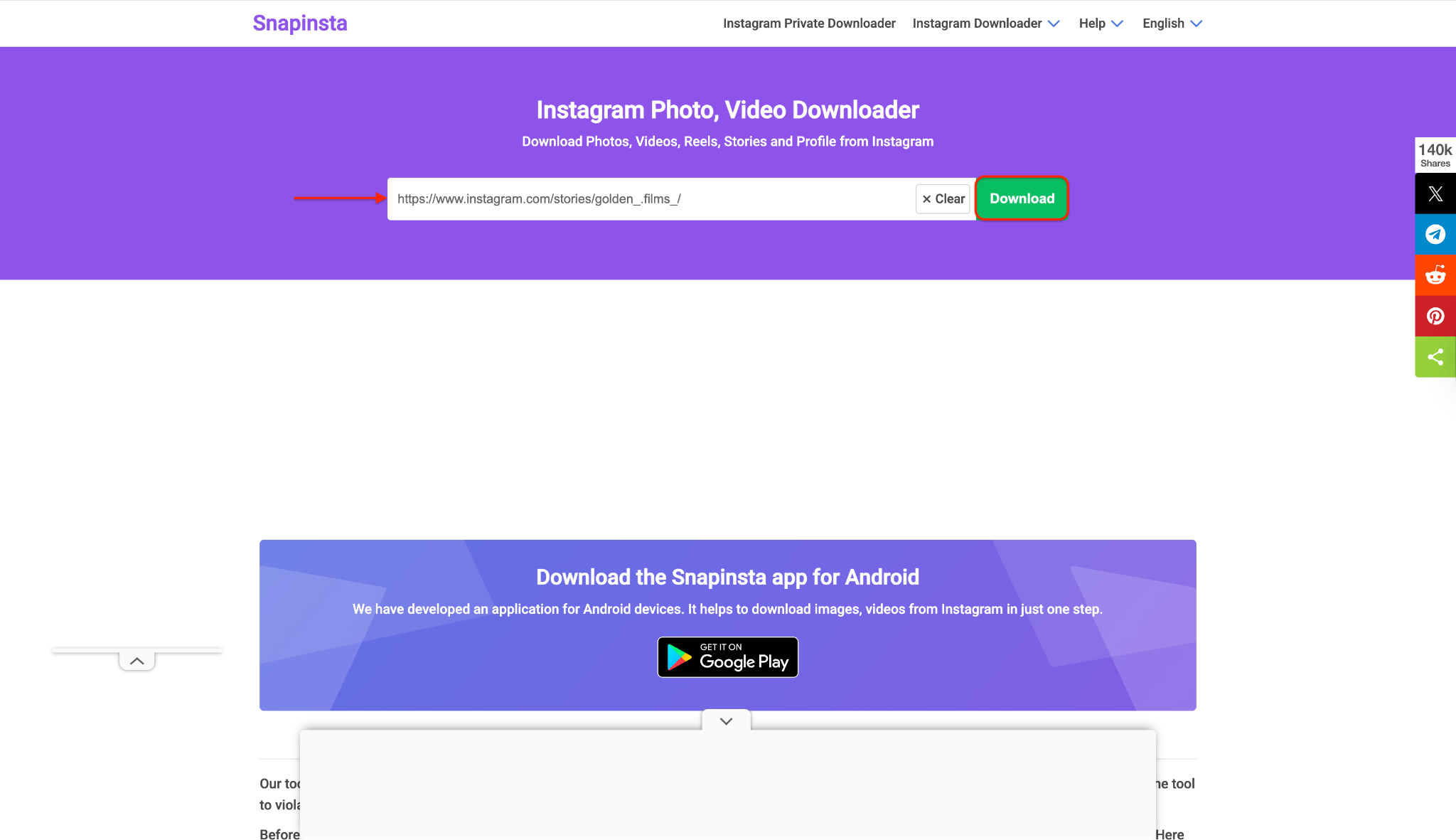
Step 2: Paste and Process
Access the Snapinsta website, and paste the video link you copied.
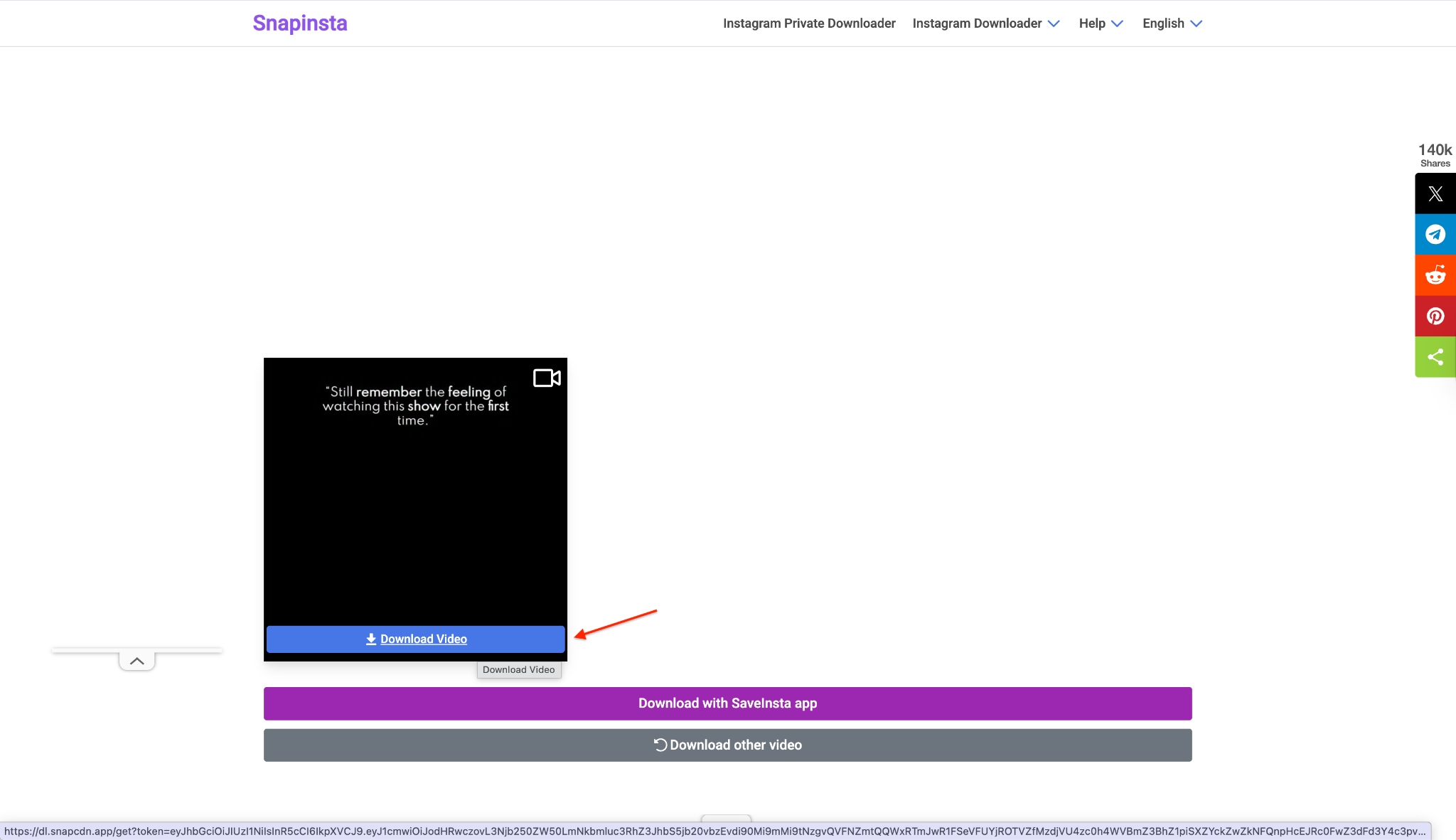
Step 3: Save to Device
Waiting for the downloader to analysis your Instagram Story video link and extract the video.
Part 2: Method 2: Batch Process Instagram Story Downloader
When you need a professional-grade solution to handle multiple files or ensure the absolute highest bitrate, Wondershare UniConverter is the ultimate powerhouse. Unlike basic tools, UniConverter offers a comprehensive suite capable of batch processing, ensuring that every Instagram story download HD quality 1080p file is preserved with zero compression loss. Ideal for content creators, it allows you to record or download stories and then immediately edit, compress, or convert them for other platforms, making it the most versatile Insta story saver 1080p on the market. Except from instagram stories,UniConverter also supports instagram photos download , instagram reels and other media types downloading in instagram. It also supports other social media content such as facebook videos, youtube videos and twitter (x) videos download.


Stable Instagram Stories 1080p HD Saver You Can Trust
Steps to Download
Step 1: Launch and Optional Integration
Download UniConverter and launch UniConverter, switch to the 'Downloader' tab on the left side.
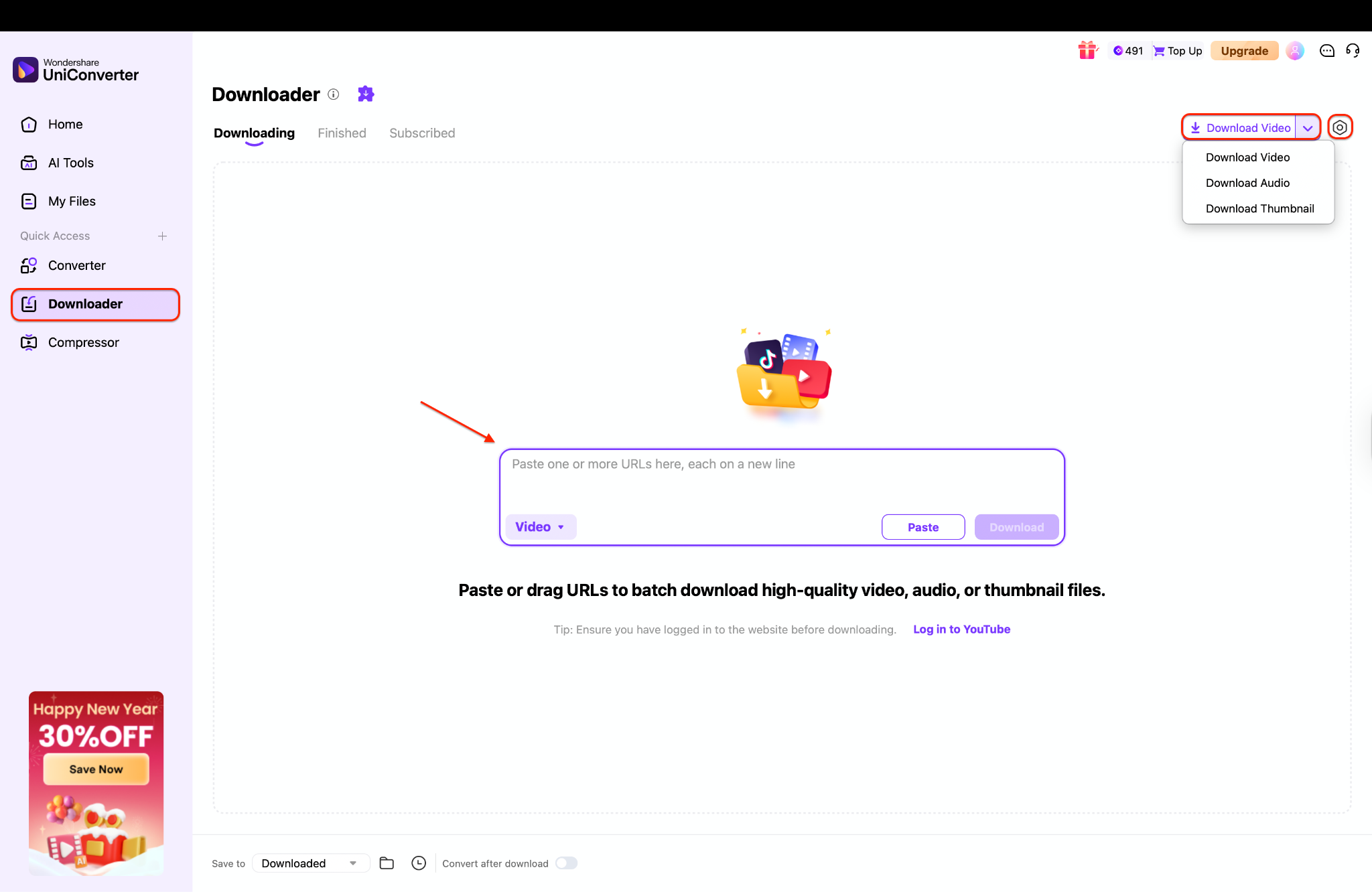
Step 2: Batch Input URLs
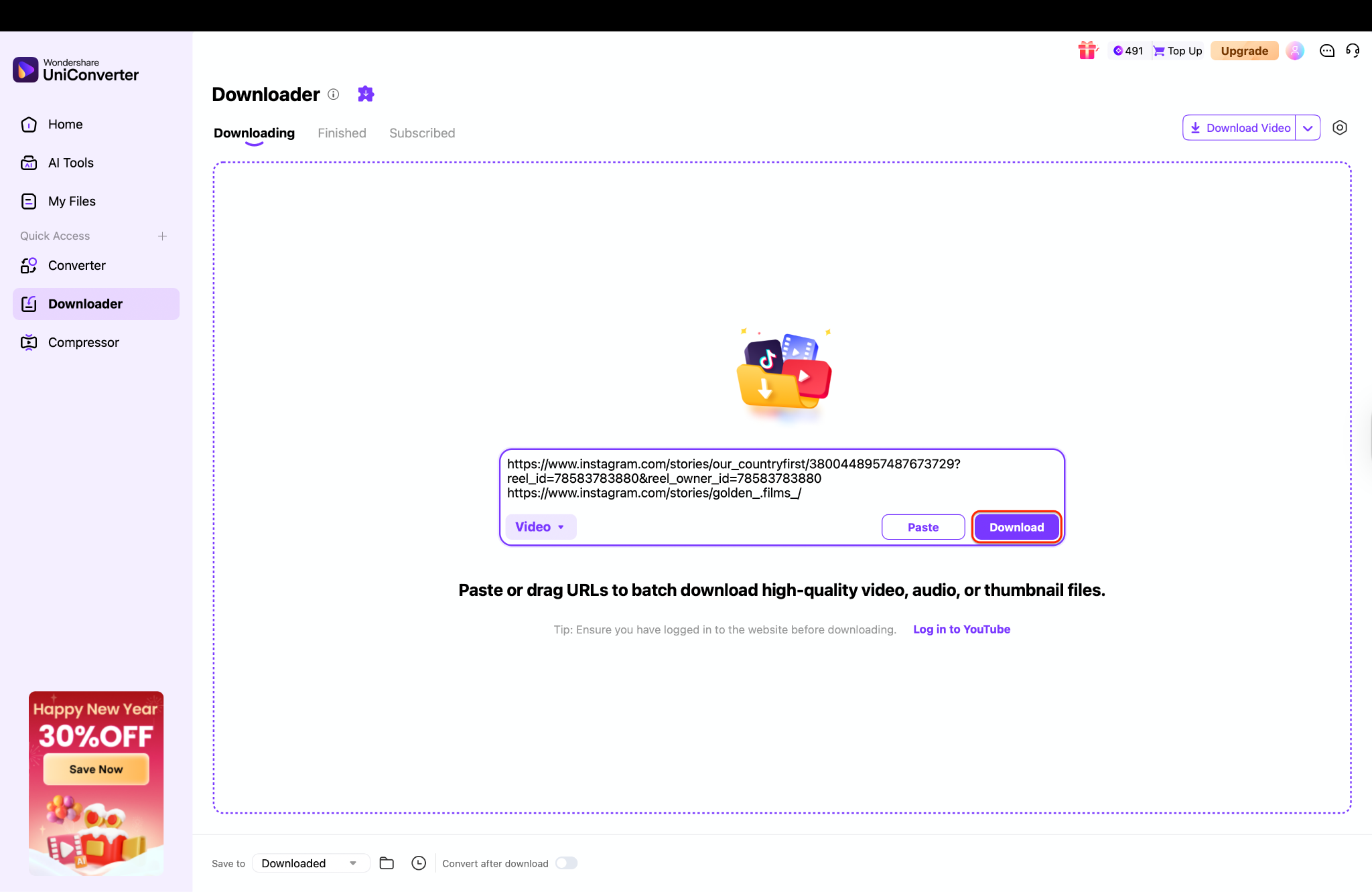
Copy the Instagram Story URL and paste it into the main input box. You can add multiple story links at once, each on a new line, for batch downloads. Click Download, and UniConverter will process the stories automatically and save them to your computer in high quality without any extra steps.
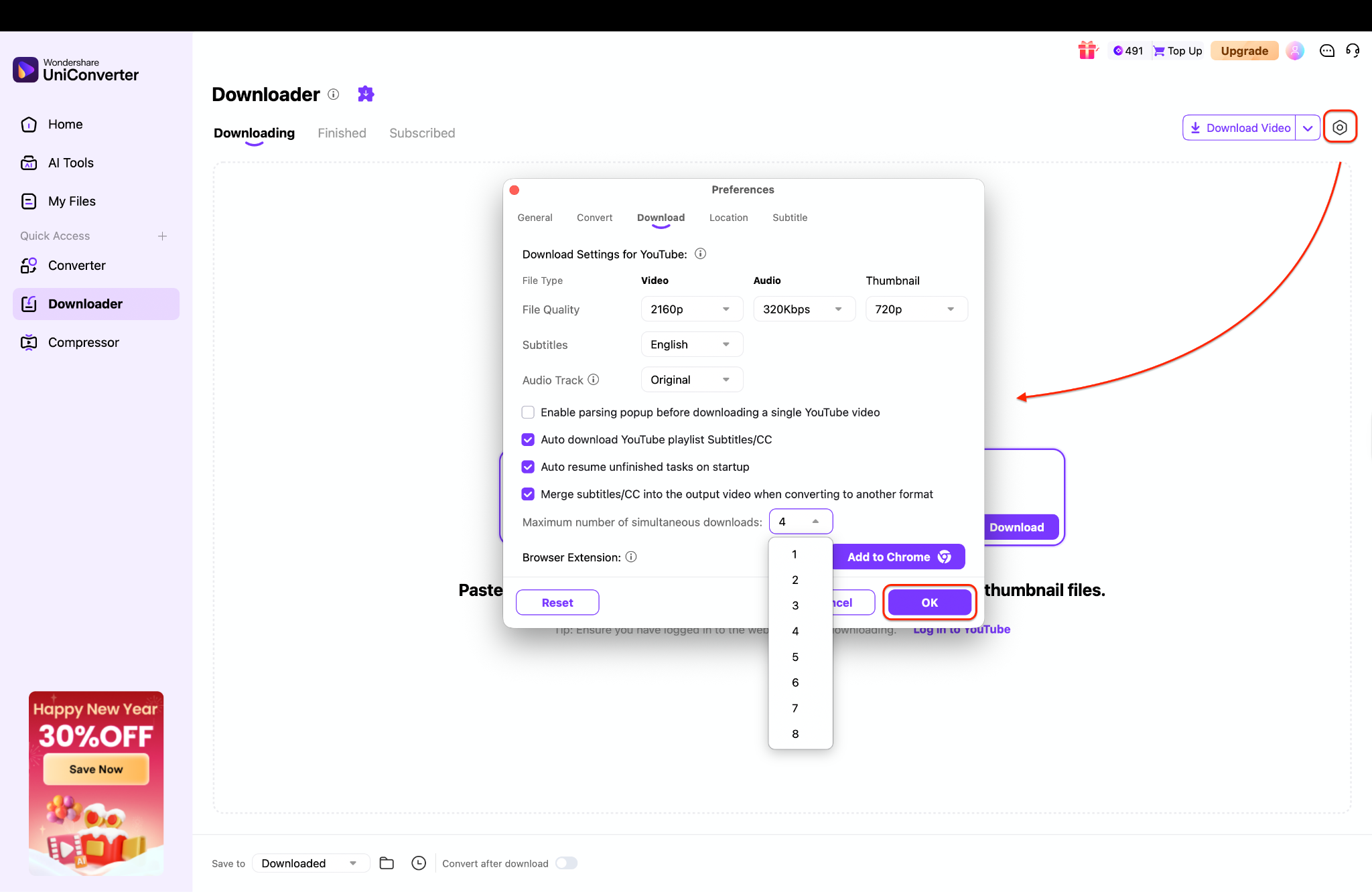
Step 3: Execute High-Speed Download
Once done, head to the Finished tab or open the file location to watch the saved story right away.
Part 3: Method 3: Mobile Instagram Story Downloader App
For Android users who prefer a dedicated app, Story Saver is a reliable mobile utility designed to download story Instagram HD 1080p directly to your gallery. It functions as a seamless story saver 1080p, integrating with your Instagram feed to let you browse and archive stories quickly. This app is perfect for heavy social media users who want an always-ready Instagram story saver 1080p solution in their pocket. It supports background downloads and keeps an organized history of your saved content.
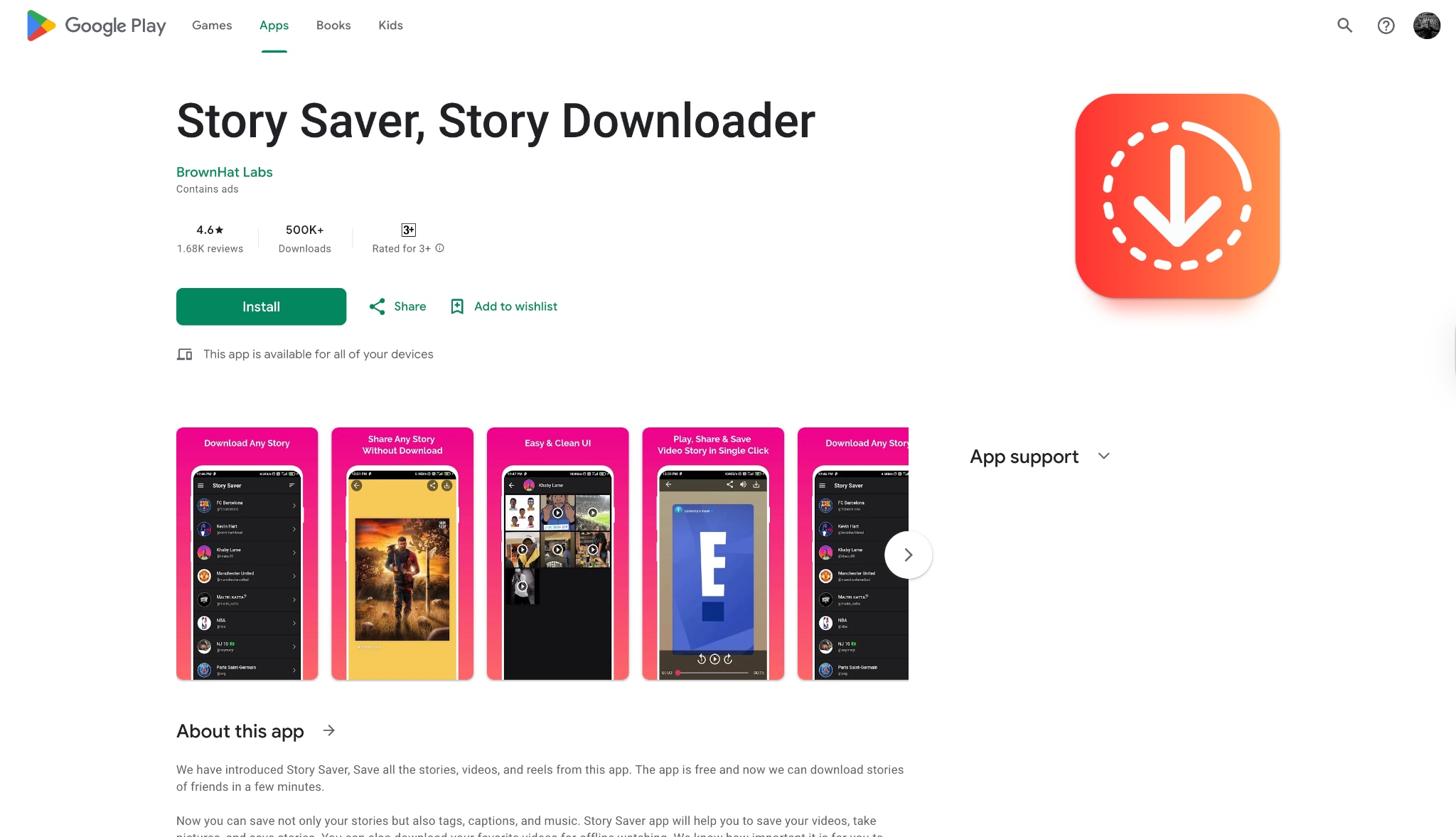
Steps to Download
Step 1: Install and Sync
Download and open the app, then log in using your credentials to sync your feed. This allows the application to access the active stories from the accounts you are currently following.
Step 2: Browse Active Stories
Scroll through the list of users or search for a specific profile to find the stories you want to view. Tap on the profile icon to see all their currently active stories displayed in a grid or list view.
Step 3: Select and Save
Select the specific photo or video you wish to keep to open it in full screen. Tap the save icon usually located at the bottom of the screen to store it instantly in your phone's gallery.
Part 4: Method 4: Instagram Story Downloader Chrome Extension
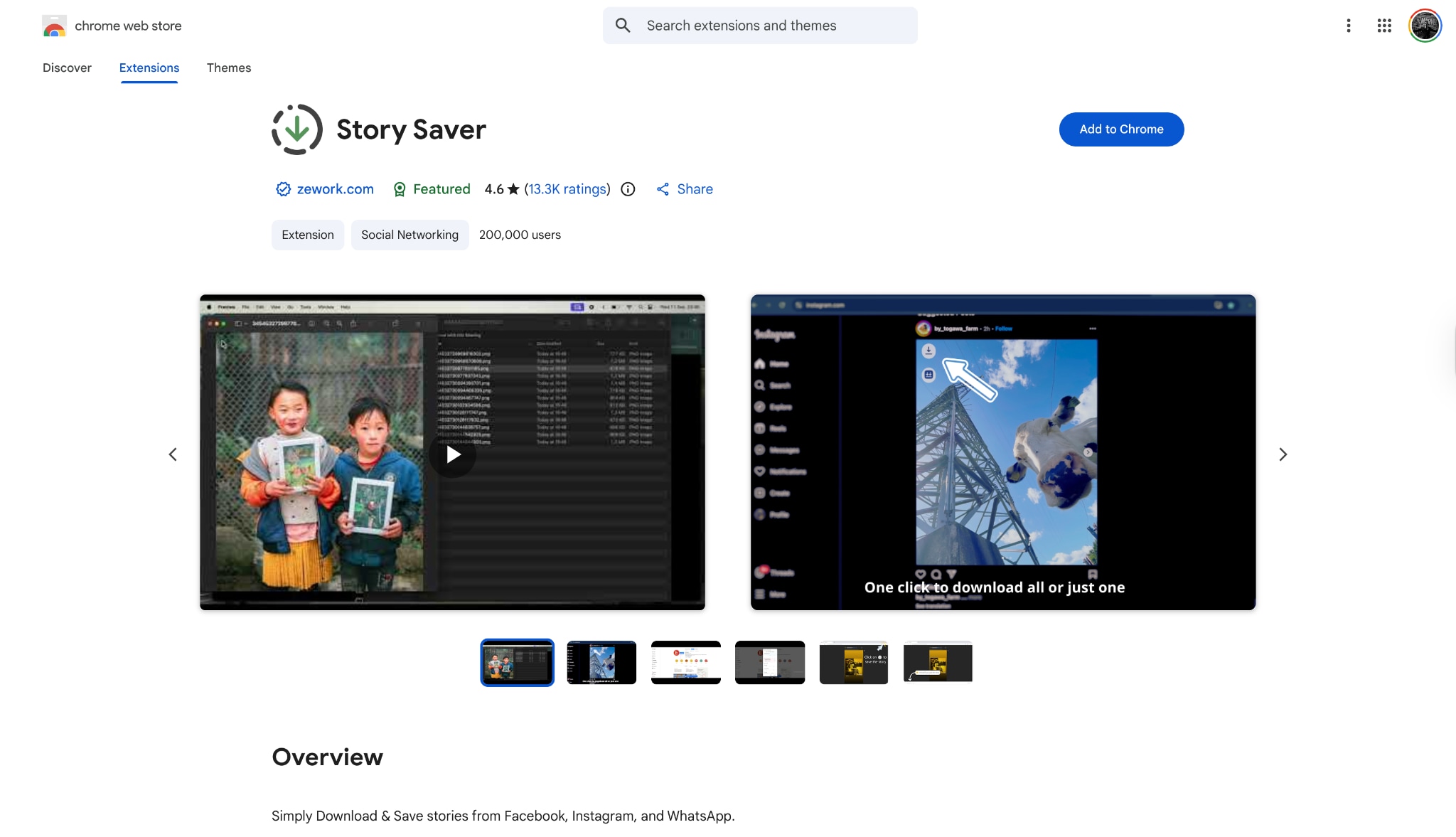
Desktop users can streamline their workflow with the Story Saver Chrome Extension. This browser add-on integrates a download button directly into the Instagram web interface, making Instagram story download 1080p as simple as a single click. It is an excellent Instagram story downloader HD 1080p for those who browse Instagram on a PC and want to instantly archive content without switching tabs. This method ensures you get the Instagram story download HD 1080p file exactly as it is rendered on the server.
Steps to Download
Step 1: Install the Extension
Find the Stroy Saver extension in the web.
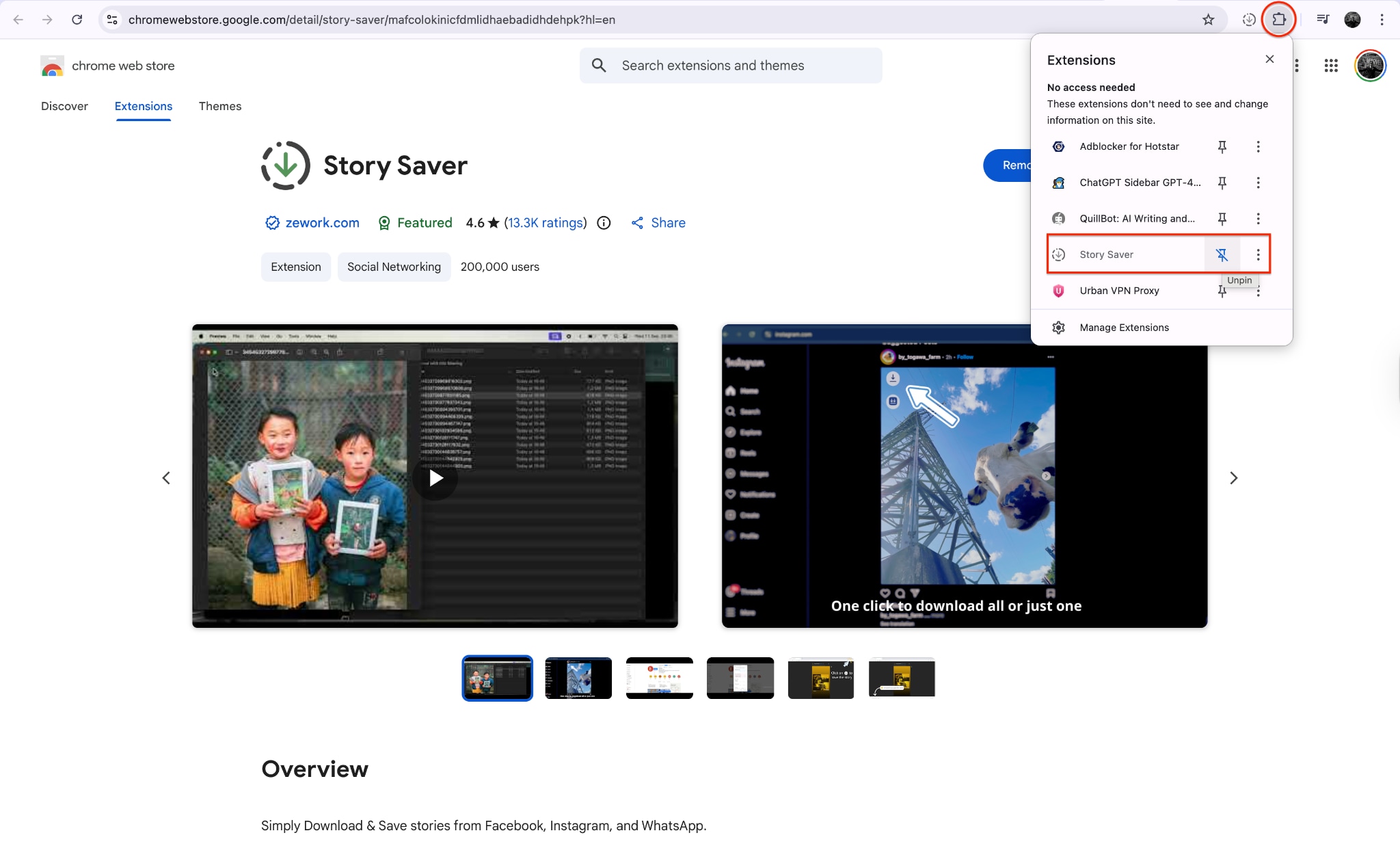
Step 2: Navigate to the Story
Go to the Instagram website and log in to your account to view your feed. Click on any story you want to watch just as you normally would on the mobile app.
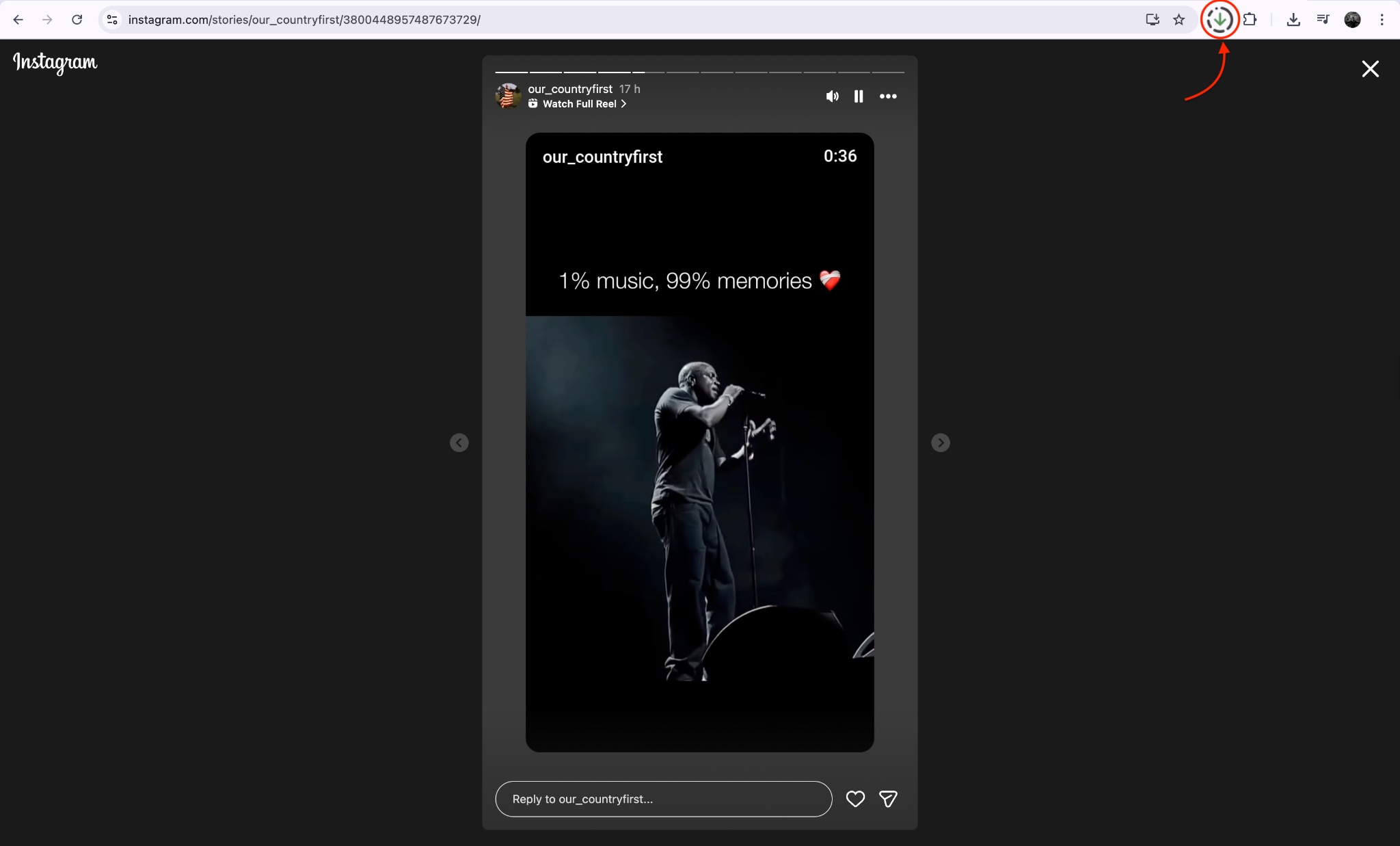
Step 3: Click to Download
Click the download button to download it as local file.
Part 5: Method 5: Linear Tool as Instagram Story Downloader
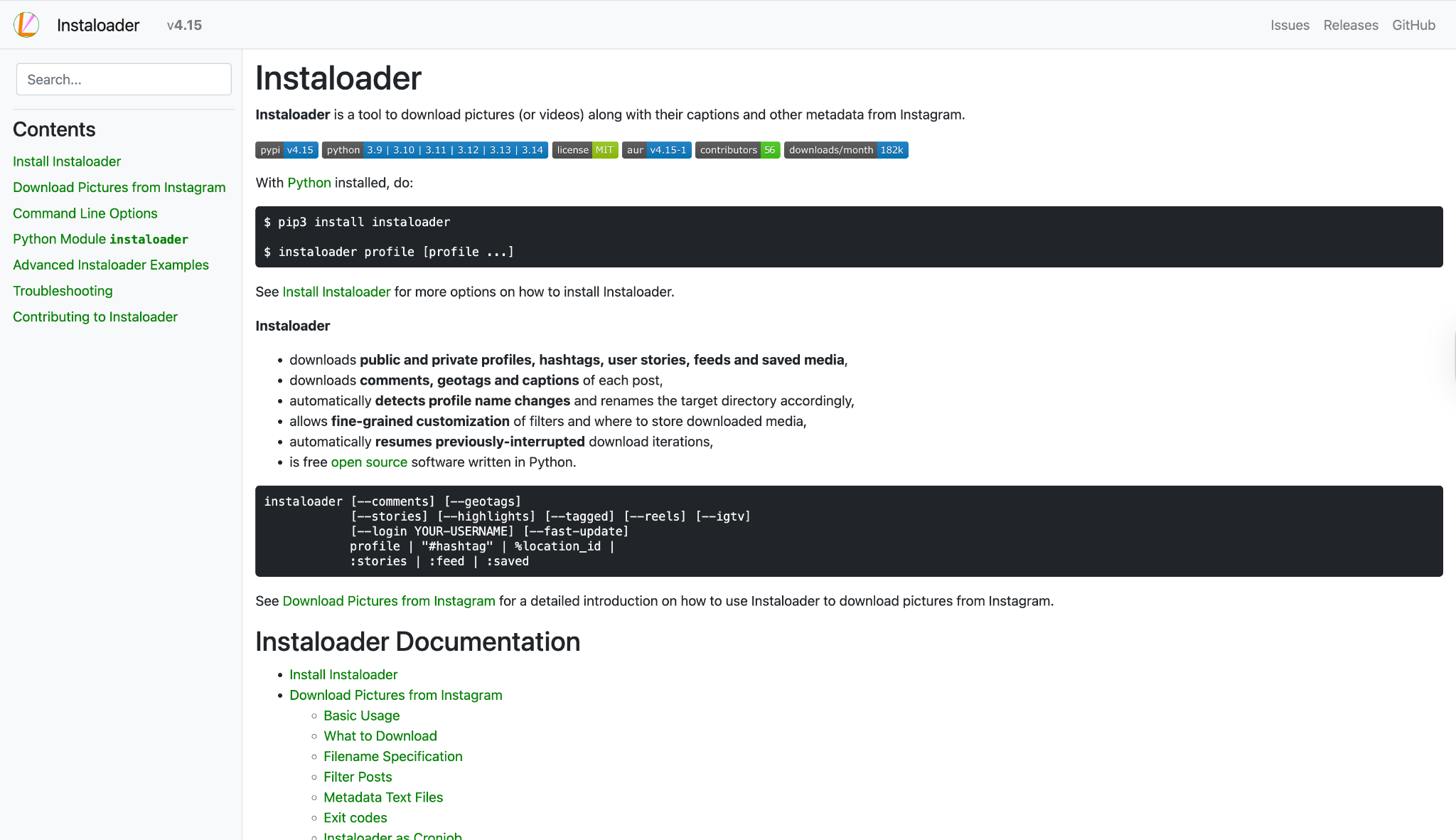
For advanced users who prefer a streamlined, technical approach, utilizing a Linear Tool (Command Line Interface like Instaloader) offers precise control over the Instagram story download 1080p process. This method treats downloading as a linear script execution, perfect for archiving entire profiles or automating the Instagram story 1080p download process. While it lacks a graphical interface, it is the most powerful way to download story IG HD 1080p in bulk, including metadata, without quality loss.
Steps to Download
Step 1: Install the Tool
Ensure you have Python installed on your computer, then open your terminal or command prompt. Type in the installation command to get the tool set up on your system in just a few seconds.
Step 2: Execute the Command
Execute the specific download command followed by the target username to start the process. The tool will automatically connect to the public profile and begin fetching the available content.
Step 3: Locate Saved Files
Wait for the script to finish running through the available stories. Once complete, navigate to the newly created folder on your computer to find all the stories saved as high-quality video or image files.
Part 6: Important Precautions Before You Download
Respect Privacy & Copyright: Always remember that content creators own their work. Use these tools for personal archiving only. Never repost or distribute a downloaded Instagram story download 1080p file as your own without explicit permission and proper credit. Ethical usage is paramount.
Safety First: Be wary of "shady" apps that request your Instagram password. Whenever possible, use tools like UniConverter or online downloaders that only require a public URL. Avoid logging into third-party apps unless they are verified and trusted to prevent account theft.
Device & Format: The quality of your Instagram story download HD 1080p depends heavily on the original upload. If the user uploaded a low-res video, no tool can magically upscale it to true HD. Ensure your device supports MP4 and JPG formats for smooth playback.
Conclusion
In this article, you've discovered various methods to perform an Instagram story download 1080p effortlessly. From comprehensive software like Wondershare UniConverter to quick online tools and linear CLI options, there's something for everyone. Each option has its strengths and weaknesses, but one consistent factor is the importance of choosing the right tool for your needs.
If you want an effective, safe, and user-friendly solution, Wondershare UniConverter stands out as an excellent choice. Its advanced capabilities ensure you can not only download instagram stories HD 1080p but also edit and enhance them without quality loss. You can enjoy your saved moments as they were meant to be seen—in stunning HD. Start using UniConverter today to secure your digital memories!
FAQs
-
1. Can I download Instagram stories from private accounts?
Most online tools cannot access private Instagram accounts. To download stories from a private profile you follow, you usually need a mobile app or browser extension where you are logged in to Instagram and have permission to view the content. -
2. Is it legal to save someone else’s Instagram Story?
Saving Instagram Stories for personal offline viewing is generally acceptable. However, reposting or redistributing someone else’s story without permission can violate copyright laws and Instagram’s Terms of Service. Always respect the original creator’s rights. -
3. Why is my downloaded Instagram Story blurry?
If the original story was uploaded in low quality, the downloaded version will also be low quality. Using a high-quality downloader like UniConverter helps ensure you get the best available Full HD (1080p) version provided by Instagram’s servers. -
4. Do these tools notify users when I download their story?
No. Third-party Instagram story downloaders work anonymously. The story owner is not notified when someone downloads or saves their public story. -
5. What is the safest method to download Instagram Stories?
The safest approach is using reputable desktop software like UniConverter or trusted web downloaders that do not require you to enter your Instagram login credentials, reducing privacy and security risks.

