


Have you ever seen a valuable story saved in someone’s Instagram Highlights and wished you could download it—but couldn’t? Whether it’s a tutorial, travel memory, brand promo, or creative inspiration, Instagram doesn’t offer a built-in way to save highlights directly. This leaves many users searching for a reliable Instagram highlight downloader that works across devices without compromise. The struggle becomes even more frustrating when tools are slow, unsafe, full of ads, or fail to export content in good quality.
That’s where this guide steps in. In the next sections, we’ll explore the best ways to download IG highlight content with the right tools and features, helping you choose an option that fits your needs smoothly and safely.
Key Takeaways
[Usage Purpose] Instagram Highlight downloaders help save videos and images for offline viewing, inspiration, and content archiving.
[Important Considerations] Always respect copyright, privacy, and avoid tools that require login credentials to ensure security.
[Tool Options] Online tools, mobile apps, and desktop software provide different levels of speed, quality, and features depending on user needs.
[Efficient Solution] Wondershare UniConverter offers secure downloading, batch processing, and high-quality conversion for Instagram Highlights.
In this article
- Use Cases of Instagram Highlight Downloaders
- Important Considerations & Disclaimer of Downloading Instagram Highlight
- Key Elements to Consider When Picking an Instagram Highlight Downloader
- Best 10 Instagram Highlight Downloaders Online & Offline for All Devices 2025
- At-a-Glance Comparison Table for Top 10 Instagram Highlight Downloaders
- Conclusion
- FAQs
Part 1: Use Cases of Instagram Highlight Downloaders
Instagram Highlight downloaders are more than just convenience tools—they help users save meaningful or useful content that otherwise wouldn’t be easy to access offline. Whether for personal memories or professional learning, these tools make content preservation simple and flexible. Let’s explore the most common ways people use these tools and why they’ve become so valuable:
Archive Personal Memories
Sometimes a highlight contains moments you were part of but didn’t capture yourself. Using a downloader allows you to save photos and videos shared by friends, family, or loved ones before they are removed, replaced, or forgotten. It’s an easy way to preserve celebrations, trips, events, or nostalgic memories permanently on your device.
Content Inspiration & Market Research
For influencers, brands, and digital creators, highlights can serve as valuable research material. You can download competitor content, campaign styles, engagement tactics, or trending storytelling ideas to study later. This helps with planning marketing strategies, improving content quality, and staying updated with evolving trends.
Save Tutorials for Offline Access
Many Instagram Highlights include helpful guides—like recipes, beauty hacks, workout routines, productivity advice, or DIY projects. A downloader makes it easy to store this content offline so you can revisit it anytime, even without an internet connection. It’s especially useful for long-term learning or repeat-use content.
Part 2: Important Considerations & Disclaimer of Downloading Instagram Highlight
Before using any IG highlight saver or highlight download IG tool, it’s important to understand the legal, ethical, and safety aspects involved. While downloading content can be convenient, how you use it matters. The goal is access—not misuse. Let’s break down the key points to keep in mind before using any IG highlight story download method.
Copyright & Ethics
Instagram content belongs to its original creator, so using an IG highlight saver or similar tool should only be for personal reference or fair use. Reuploading, resharing, or monetizing someone’s content without permission may violate copyright laws. If you want to reuse downloaded content publicly, always ask for permission—especially before posting it again.
Privacy
When using any highlight download IG tool, be mindful of privacy boundaries. Some highlights may include personal or sensitive moments meant only for a select audience. Downloading or storing such content with the intention of sharing or exposing it can be harmful and may lead to legal consequences. Treat others’ digital content with respect—just as you’d expect yours to be treated.
Security
Not all downloader tools are secure—especially those asking for login credentials. When using any IG highlight story download platform, avoid tools that require logging into your Instagram account, as they can risk hacking, data breaches, or credential theft. Instead, choose trusted, web-based tools where you simply paste the link—this keeps your account safer and minimizes risk.
Part 3: Key Elements to Consider When Picking an Instagram Highlight Downloader
Choosing the right tool to save content goes beyond simply clicking download. Whether you're looking for an IG download highlight tool for personal use or research, evaluating key features ensures a secure, smooth, and high-quality experience. Below are the essential factors to consider before selecting an insta highlights video download solution.
Security & Privacy
When selecting an IG download highlight tool, security should always come first. Avoid platforms that request Instagram login credentials, as they may expose your account to hacking or data theft. Instead, choose tools that work through pasted links and trusted secure sites. This ensures you can save content safely without compromising your privacy.
Output Quality & Format
A good insta highlights video download tool should preserve the original resolution and formatting of the highlight. Whether it's photos, videos, or animated elements, the result should be clear and usable—not pixelated or distorted. Look for tools that offer HD quality and support multiple formats like MP4, JPG, or ZIP for full flexibility.
Cost & Business Model
Not all tools labeled as "free" are truly free. Some insta highlights video downloader sites may limit downloads, show intrusive ads, or require monthly subscriptions for full access. Before choosing, review pricing transparency, hidden fees, and long-term usability—especially if you plan frequent downloads.
Feature Set
A solid insta highlights download online tool should offer more than just a single click. Useful features may include bulk downloading, HD export, story and reel saving, audio preservation, and support for public profile links. The more versatile the feature set, the more value the tool provides—especially for creators, marketers, or frequent users.
Part 4: Best 10 Instagram Highlight Downloaders Online & Offline for All Devices 2025
Here is a curated list of the top 10 Instagram Highlight downloaders, organized by the type of device they best serve, complete with detailed features and essential specifications for 2025:
Desktop & All-in-One Multimedia Suites (Offline Support)
These tools are ideal for users who manage large batches of content, require high-quality output, or need to perform additional video editing/conversion after downloading.
1. Wondershare UniConverter
Wondershare UniConverter is a powerful, all-in-one desktop multimedia solution that goes far beyond simple downloading. While it is primarily known for its comprehensive video conversion, editing, and compression features, it includes a highly efficient Video Downloader module capable of saving Instagram Highlights. This makes it an excellent choice for content creators and professionals who need to convert their downloaded Highlights to specific formats (like MP4, MOV, or web-optimized codecs), compress them, or perform quick edits like trimming before uploading elsewhere. The application is designed with a user-friendly interface, ensuring that even users new to video software can easily paste a highlight link and initiate the download process. Its strength lies in its speed, stability, and the high-quality resolution options it supports, often retaining the original quality of the content.

Batch Process Support: Yes
Starting Price: Free trial; Paid plans from $9.99/month to $39.99
Supported Device: Windows, macOS
Offline Support: Yes (for most features once software is installed)
Safety Review: 5/5 (Reputable company, established software)

Easy to Use Instagram Highlight Downloader
2. RealPlayer 25
RealPlayer 25 has evolved from its origins as a media player into a comprehensive tool that includes a powerful one-click video downloader. This software is well-regarded for its reliability in capturing video content from numerous websites, including Instagram Highlights. The desktop application is designed to simplify the process, allowing users to select their desired video resolution (up to 8K) and audio language before downloading. RealPlayer is particularly strong for users who value a complete media library management system, as it allows you to organize, play, and even cast your downloaded content to a TV via devices like Chromecast. It also features unique additions, such as AI filters for enhancing video frames and the ability to sync downloads between your PC and mobile devices, providing flexibility for content access. Its longevity in the market speaks to its stability and continuous updates, making it a reliable choice for long-term media storage and management.

Batch Process Support: Yes (Implied for queuing multiple downloads)
Starting Price: Free basic version; Plus version (one-time fee) or Premium $4.99/month
Supported Device: Windows, macOS, iOS, Android (Mobile App)
Offline Support: Yes (Once content is downloaded)
Safety Review: 4.5/5 (Long-established software with robust security)
Online Web Tools (No Installation Required)
3. StorySaver.net
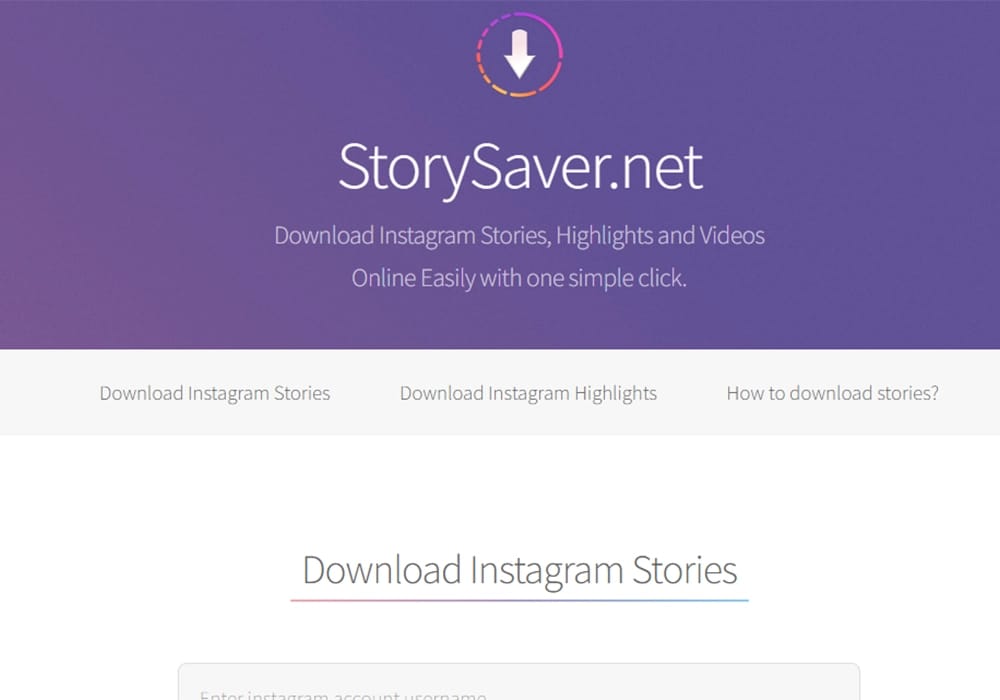
StorySaver is one of the most popular online tools designed specifically for downloading Instagram Stories and Highlights. Its primary appeal is its simplicity and universal compatibility. Because it is a web-based service, you don't need to download any software or app; you can access it from any browser on a PC, Mac, Android, or iOS device. The process is straightforward: just enter the public Instagram username of the profile whose highlights you want to download, and the tool will fetch the available highlights. It prides itself on speed and providing high-quality downloads, often in the original resolution. This tool is often favored for its "no-login" feature, which allows you to download content anonymously, enhancing user privacy. While it doesn't offer the editing suite of a desktop app, its dedicated focus on saving stories and highlights makes it extremely efficient for its core purpose.
Batch Process Support: Yes (Downloads all available stories/highlights for a single user)
Starting Price: Free
Supported Device: All devices (Web Browser)
Offline Support: No (Requires connection to initiate download)
Safety Review: 4/5 (Standard for a no-login, ad-supported online tool)
4. SaveInsta
SaveInsta offers a versatile online platform for downloading various types of Instagram content, with a strong focus on Highlights. Much like other top online downloaders, its strength is its accessibility and ease of use, requiring only a web browser. It serves as an all-in-one solution for downloading not just highlights, but also Reels, IGTV videos, photos, and standard video posts. The process involves simply pasting the Highlight link (or the user's profile link) into the tool's input field. It typically delivers content in HD quality. Its broad support for different content types makes it a convenient single stop for anyone looking to save various media from Instagram without cluttering their device with multiple apps. SaveInsta.App is a testament to the efficiency of web-based tools, providing quick results without the need for sign-ups or software installation.

Batch Process Support: Yes (Downloads multiple media from a single Highlight/Story)
Starting Price: Free
Supported Device: All devices (Web Browser)
Offline Support: No (Requires connection to initiate download)
Safety Review: 4/5 (Reliable online service, ensure you are on the official domain)
5. Toolzu
Toolzu is an online Instagram utility suite that offers a powerful Highlight Downloader as part of its broader set of tools, which includes profile analysis and other content downloaders. It is a no-fuss, high-efficiency option for users who need to download Highlights quickly across any device. The online nature of Toolzu means zero installation overhead. Users simply enter the target Instagram username into the search bar, and the tool fetches all public Highlights associated with the account. A key advantage of Toolzu is its focus on providing a seamless user experience, minimizing steps between finding a highlight and downloading its constituent videos and images. Its reputation for delivering content in its original, high-quality resolution makes it a strong choice for those who want the best possible output without downloading heavy software.

Batch Process Support: Yes (Downloads all components within a Highlight)
Starting Price: Free basic access; Paid plans from US\$4/month for profile access
Supported Device: All devices (Web Browser)
Offline Support: No (Requires connection to initiate download)
Safety Review: 4/5 (A trustworthy name in the online IG tool space)
Dedicated Mobile Apps (iOS & Android)
6. InSaver (Android)
InSaver is a highly rated application specifically designed for Android users who want to save Instagram content, including Highlights, Stories, Videos, and Photos. It stands out for its security and its ability to download content from private accounts, provided the user is logged into their own account and can view the content. The app is engineered for simplicity and speed, often automatically detecting the copied link from Instagram for an instant download. A major selling point of InSaver is its Batch Downloads feature, allowing users to queue up multiple videos and photos from a Highlight collection simultaneously. The high user rating on the Google Play Store is a testament to its reliability and user-friendly interface. InSaver offers a dedicated, seamless experience for saving media directly to an Android device's gallery, ready for offline viewing or quick sharing.

Batch Process Support: Yes (Batch downloads multiple videos and photos)
Starting Price: Free (with in-app purchases/ads)
Supported Device: Android
Offline Support: Yes (Once content is downloaded)
Safety Review: 4.5/5 (High Play Store rating, reliable performance)
7. Igram Video Saver (Android)
Igram Video Saver is another powerful, popular Android application that acts as a 3-in-1 saver for Instagram: Story Saver, Video Saver, and Reels Saver, with full support for Highlights. It emphasizes a fast and user-friendly experience, enabling users to download content simply by copying the link or using the "Share" function within the Instagram app. This app is favored for its simplicity and the swiftness with which it processes downloads, often saving videos directly to your device's storage in a matter of seconds. Igram's ability to handle videos and stories in batch is a key feature, making it highly efficient for backing up entire Highlight collections. It is a reliable mobile solution that keeps the downloaded content available for offline viewing, reposting, or sharing.

Batch Process Support: Yes (Downloads content in batch automatically)
Starting Price: Free (with in-app purchases/ads)
Supported Device: Android
Offline Support: Yes (Once content is downloaded)
Safety Review: 4/5 (Good user reviews on the Play Store)
Easy to Use Instagram Highlight Downloader
8. All Video Downloader - V (iOS/Mac)
All Video Downloader - V caters to the Apple ecosystem, specifically supporting iPhone, iPod touch, and Mac (with an M1 chip or later). This app focuses on being a universal video saver, which includes the capability to download Instagram Highlights. The design is sleek, adhering to the iOS aesthetic, and it offers a user-friendly way to manage all your downloaded videos. A key advantage for Apple users is its integration with the device's ecosystem, allowing for a smooth experience and easy management of media within the device's photo gallery. It is particularly valued for its reliability in maintaining HD quality in the downloaded videos. While it has a general focus, its functionality makes it a solid choice for saving Highlights, providing Apple users with a dedicated, optimized solution.

Batch Process Support: Yes (Allows saving of multiple videos)
Starting Price: Free (with in-app purchases); Subscriptions from US\$1.99/week
Supported Device: iOS, macOS (M1 chip or later)
Offline Support: Yes (Once content is downloaded)
Safety Review: 4/5 (Verified on the App Store, standard privacy practices)
Extension & Other Specialty Tools
9. IMDownloader (Chrome Extension)
IMDownloader is an excellent solution for users who primarily browse Instagram on a desktop via the Chrome browser. This is not a standalone app but a lightweight browser extension that seamlessly integrates a download button directly into the Instagram web interface. This method is exceptionally convenient, as it eliminates the need to copy and paste links into a separate application. With IMDownloader, a download button appears under images and videos, or in the top-right corner of Stories and Highlights, allowing for a one-click save of the original, high-resolution media. This hands-off approach makes it incredibly efficient for users who need to save Highlights while actively browsing the platform. It's an ideal choice for marketers or content managers who spend a lot of time on the Instagram desktop site.

Batch Process Support: Yes (via MassLoader for bulk download of visible items)
Starting Price: Free
Supported Device: Desktop/Laptop (Chrome browser)
Offline Support: No (Requires connection to initiate download)
Safety Review: 4.5/5 (Follows recommended Chrome extension practices)
10. Apify Instagram Highlights Scraper (Advanced Web Tool)
Apify's Instagram Highlights Scraper is a highly specialized, power-user tool designed for social media analysis, content monitoring, and influencer research, rather than casual use. This tool extracts detailed data and media URLs from public Instagram profiles' story highlights. It is best suited for businesses, developers, or researchers who need to scrape and analyze content in bulk. The output is typically in a structured format like JSON or CSV, which can be integrated into databases or other analytical tools. While it can retrieve the media URLs for downloading, its primary function is data extraction, offering unparalleled detail about the highlights, including timestamps and media type. It offers a free trial to get started but scales up to paid plans based on computing usage. This is a robust, industrial-strength solution for professional content intelligence.

Batch Process Support: Yes (Designed for bulk and continuous monitoring)
Starting Price: Free tier (limited usage); Paid plans from $24.99/month
Supported Device: All devices (Web-based platform)
Offline Support: No (The platform is online, but downloaded data is offline)
Safety Review: 5/5 (A trusted platform for developers and businesses)
Part 5: At-a-Glance Comparison Table for Top 10 Instagram Highlight Downloaders
| Tool Name | Supported Format (Output | Unique Edge | Best For |
| Wondershare UniConverter | 1,000+ Formats (MP4, MOV, GIF, MP3, etc.) | All-in-One media suite with conversion, editing, and compression tools. | Content Creators need to download, edit, and convert files professionally. |
| RealPlayer 25 | MP4, MOV, MP3, M4A, etc. (Standard formats) | Integrated media library management and one-click downloading up to 8K resolution. | Users who want to download, organize, and cast their media collection. |
| StorySaver.net | MP4, JPG (Original Quality | 100% Anonymous; requires only a username and no installation/login. | Quick, private, one-off downloads from any device's browser. |
| SaveInsta.App | MP4, JPG (Original Quality) | Multi-purpose online tool for downloading all IG content types (Reels, IGTV, Posts). | Users needing a single, web-based tool for all Instagram download tasks. |
| Toolzu | MP4, JPG (Original Quality) | Highly optimized for speed and provides extra profile analysis tools. | Fast, efficient retrieval of content from public profiles on any device. |
| InSaver (Android) | MP4, JPG (Original Quality) | Dedicated Android app with a high-rated auto-paste feature and private account support. | Android users who follow private accounts and need fast, direct-to-gallery saves. |
| Igram Video Saver (Android) | MP4, JPG (Original Quality) | Known for its swift processing time and reliable 3-in-1 saving functionality. | Android users prioritizing download speed and batch saving efficiency. |
| All Video Downloader - V | MP4, JPG (Original Quality) | Native iOS/macOS optimization with a built-in player and sleek, Apple-friendly design. | Apple users seeking a reliable, dedicated video saver optimized for their ecosystem. |
| IMDownloader | MP4, JPG (Original Quality) | One-click direct download button integrated into the Instagram desktop site. | Professionals who browse Instagram on a PC and need instant, non-intrusive downloads. |
| Apify Highlights Scraper | JSON, CSV (structured data with media URLs) | Professional scraping and structured data output for analysis and monitoring. | Developers, Marketers, or Researchers needing to extract data in bulk for analysis. |
Conclusion
Choosing the right way to save or manage Instagram Highlights depends on your needs, whether you want quick web access, mobile convenience, or advanced offline features. With so many tools available, the key is finding one that balances usability, quality, and security. Options like UniConverter are helpful for users who want an all-in-one experience with batch processing and high-resolution output. At the same time, lighter online tools or mobile apps may be enough for occasional use.
No matter which tool you pick, it’s important to download content responsibly and respect privacy and ownership. With the right approach, managing and organizing your Instagram Highlights becomes simple, flexible, and more efficient.
Easy to Use Instagram Highlight Downloader
FAQ
-
1. Can I download Instagram Highlights for free on any device?
Yes — there are several tools and websites that allow you to download Instagram Highlights free, depending on whether the account is public and whether the content includes images, videos, or reels. Most online platforms work on iOS, Android, and desktop browsers without installation. However, results and quality may vary, so always check privacy and legal considerations before saving content. -
2. Is it possible to download private Instagram Highlights?
Tools claiming to be an IG private highlights downloader may sound tempting, but they cannot bypass Instagram’s privacy settings. If an account is private, you must be a follower and obtain permission before saving any content. Ethical and legal use is important — always ask the creator before attempting Instagram private highlights download solutions. -
3. Can I download Instagram Stories with music included?
Yes — some apps and tools now support saving story audio and visuals together, allowing you to download Instagram story with music in MP4 format. However, compatibility depends on watermark settings, audio licensing, and file format support. Always verify whether the tool retains original quality and syncs the music correctly before saving. -
4. Can I watch Instagram Highlights anonymously without the creator knowing?
Some websites claim to let you watch Instagram highlights anonymously, especially for public profiles. However, these platforms may not always be reliable or secure. Instagram does not officially offer an anonymous viewing mode, so use third-party services cautiously and avoid providing login details. -
5. Which tool is best for downloading multiple highlights at once?
If you're looking for batch downloading, a desktop program is often more efficient than a browser-only tool. For example, supports multiple file handling and high-resolution export options, making it useful for users who frequently manage or download large sets of content. This is helpful whether you plan to organize files, reuse them for permitted projects, or store them offline after an Instagram private highlights download request is approved.

