

If you are searching for Wondershare UniConverter 16 or UniConverter 16, the sections below cover the version's key features, release history, Windows and Mac status, major differences from UniConverter 15, and how UniConverter 17 and the latest UniConverter 18 build on its foundation.
In this guide
What Is Wondershare UniConverter 16?
Wondershare UniConverter 16 is an all-in-one desktop media processing release for Windows and Mac. It combines video, audio, and image conversion with compression, downloading, batch editing, video enhancement, watermark removal, AI translation, image processing, and disc workflows in one application.
What changed with UniConverter 16?
UniConverter 15 had already expanded GPU-accelerated conversion and AI enhancement. The 16-series release pushed those capabilities into a more repeatable media workflow: a faster conversion architecture, broader professional format support, batch conversion and editing, AI-assisted compression, one-click video enhancement, 130-language translation, and later updates for batch image editing, SDR/HDR and ProRes conversion, voice cloning, Anime Enhancement, and Face Enhancement.
This made the release less about adding isolated tools and more about processing larger groups of files with fewer repeated steps.
Main Features of UniConverter 16
The release cycle ran from the November 2024 launch through version 16.5 in May 2025. The most useful way to understand it is by workflow rather than by a single launch-day feature list.
1. Faster conversion with broader professional format support
The converter introduced a fully upgraded architecture, including optimization for Intel graphics with processing speeds up to 20% faster in the documented test scope. It supports batch conversion across video, audio, and image files, with 4K, 8K, and HDR workflows and widely used codecs such as H.264 and HEVC.
The format set expanded for professional and camera workflows with a new ProRes encoder, iFrame and Cineform support, presets for current phones, and compatibility aimed at footage from GoPro, DJI, and similar devices. UniConverter 16.3.5 later added SDR-to-HDR conversion and dedicated ProRes conversion.
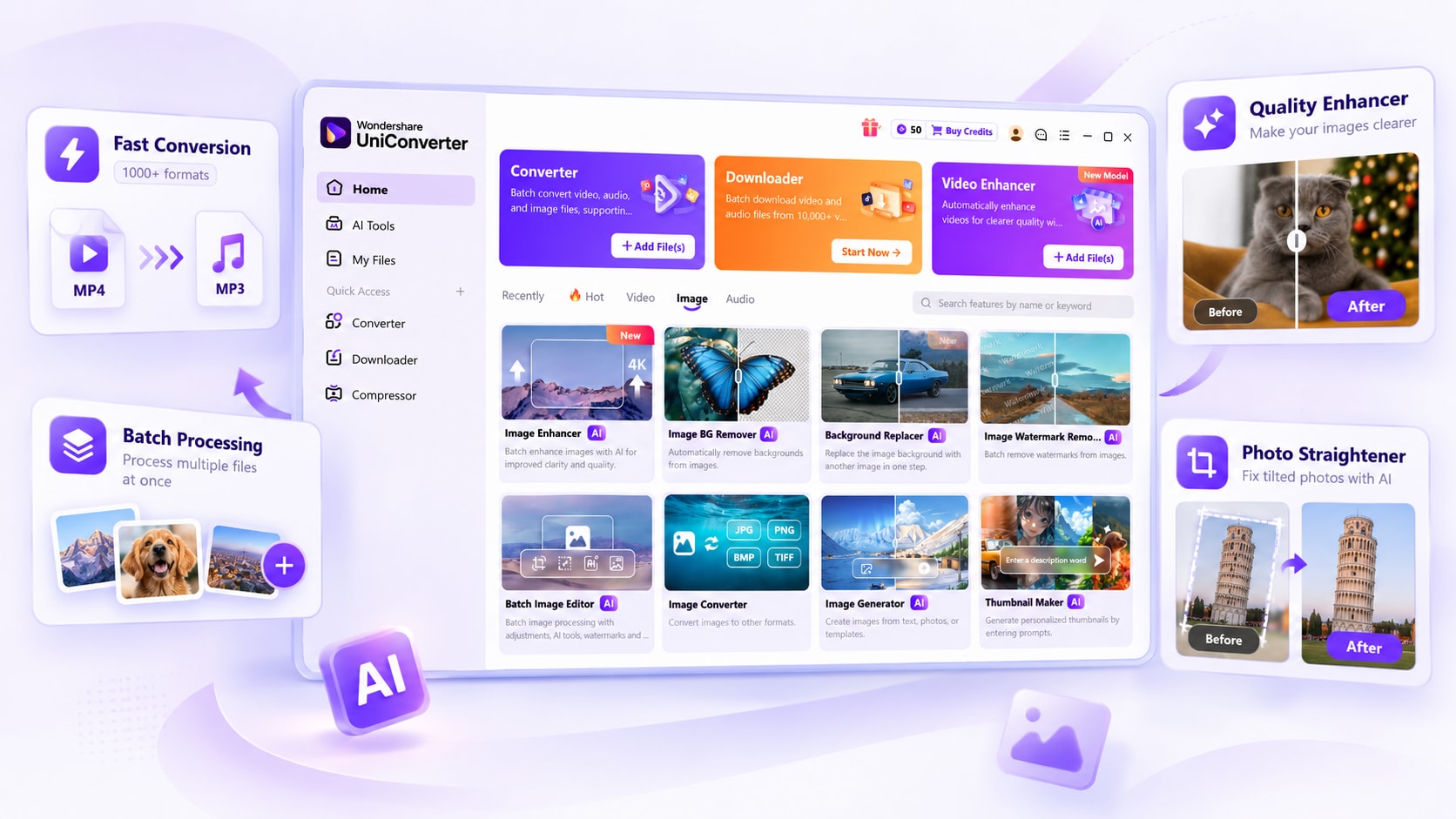
2. More repeatable batch workflows
Batch processing became a stronger part of everyday use. Batch trimming, resizing, and watermarking can use reusable parameter presets, while the converter handles groups of video, audio, and image files together. UniConverter 16.3.5 added batch GIF conversion and batch video-to-image-sequence conversion, and UniConverter 16.4.5 expanded the idea to a Batch Image Editor for cropping, resizing, brightness, contrast, saturation, auto enhancement, background work, and watermarks.
The downloader also supports 4K and 8K video downloads, helping high-resolution source media flow into the same desktop processing workflow.
3. AI-enhanced compression for smaller delivery files
The release introduced an AI-enhanced compression mode designed to reduce file size while preserving useful visual quality. This sits alongside the standard compressor workflow and supports creators who need smaller files for sharing, storage, upload limits, and repeated delivery.
4. Stronger video enhancement, including long-form and batch processing
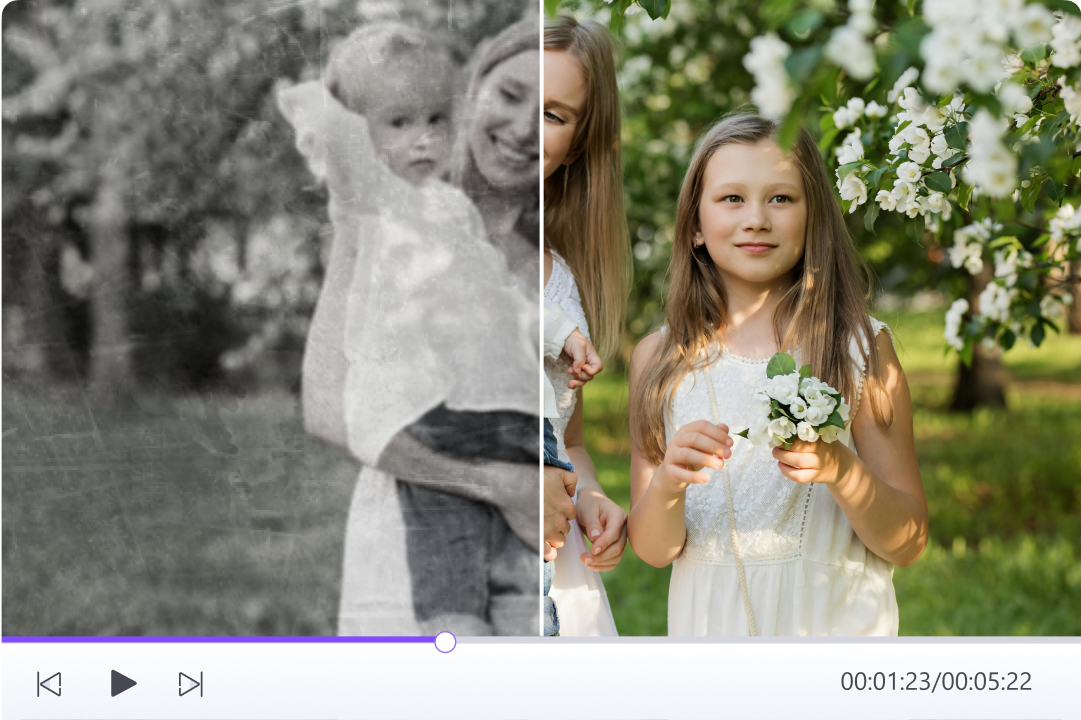
The AI video enhancement workflow supports one-click enhancement, frame interpolation, noise reduction, and 2×/4× super-resolution. UniConverter 16.5 added dedicated Anime Enhancement and Face Enhancement models, batch enhancement for up to 20 videos, and support for videos up to two hours long.
5. AI translation, voice, and audio cleanup
This release added AI translation across 130 languages and continued expanding voice and audio tools. By UniConverter 16.5, Text to Speech included more than 150 voices across nine languages, adjustable playback speed, free voice previews, and Voice Clone. AI Vocal Remover improved vocal separation, Noise Remover improved wind, rain, and ambient-noise cleanup, and Video Editor added loudness normalization for more consistent audio levels.
6. Image editing, background removal, and watermark cleanup
AI Watermark removal also improved for both video and image batches. The UniConverter 16.4.5 Batch Image Editor brought common image adjustments and repetitive cleanup tasks into one batch workflow, while the upgraded AI Background Remover improved automated subject isolation.
7. Blu-ray and broader media finishing
The release also added Blu-ray burning, keeping disc output available alongside conversion, downloading, compression, enhancement, editing, and AI-assisted preparation.

Explore the Latest UniConverter 18
UniConverter 16 Update History
The 16-series continued to add features after its initial release. The main documented milestones are summarized below. For the complete product timeline, see What's New in UniConverter.
| Version | Date | Main additions |
|---|---|---|
| UniConverter 16 | November 8, 2024 | Upgraded conversion architecture; Intel-graphics optimization; 4K/8K/HDR conversion; ProRes, iFrame and Cineform workflows; 4K/8K downloads; AI-enhanced compression; batch trim/resize/watermark presets; one-click enhancement, frame interpolation, denoise and 2×/4× super-resolution; 130-language AI translation; batch watermark removal; Blu-ray burning. |
| UniConverter 16.3.5 | March 31, 2025 | SDR/HDR conversion, ProRes conversion, batch GIF conversion, and batch video-to-image-sequence conversion. |
| UniConverter 16.4.5 | April 23, 2025 | Batch Image Editor with crop, resize, tone adjustments, auto enhancement, background tools and watermarks; upgraded AI Background Remover. |
| UniConverter 16.5 | May 15, 2025 | Anime Enhancement and Face Enhancement, batch video enhancement for up to 20 videos, support for videos up to two hours, Voice Clone, expanded TTS, improved Vocal Remover and Noise Remover, and loudness normalization. |
Windows, Mac, and Current Download Status
UniConverter 16 was released as a desktop application for Windows and macOS. UniConverter 16 is no longer the current major release. The Free Download buttons on this page point to the latest UniConverter 18 installer, not an archived UniConverter 16 installer. For details about the current release, visit the official UniConverter 18 page.
For current operating-system requirements, hardware acceleration details, supported formats, and GPU information, check the UniConverter technical specifications. If you purchased this version and specifically need an older installer, use your Wondershare account or purchase records and contact support when necessary, since historical installer availability can vary by platform and license.
UniConverter 16 vs UniConverter 18: Feature Comparison
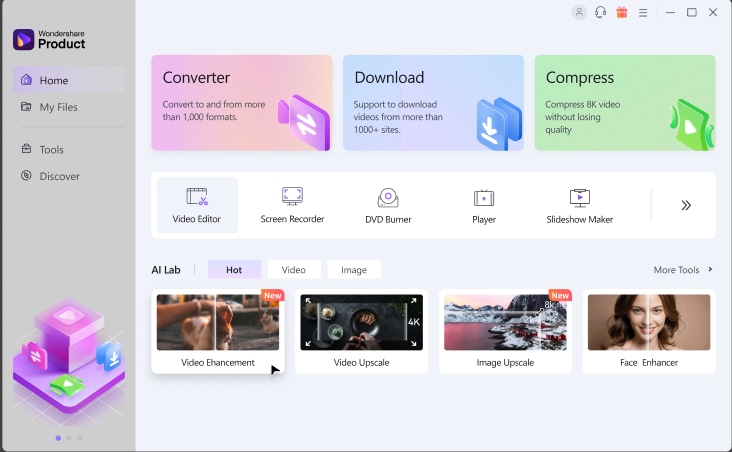 Historical reference: UniConverter 15.6 interface from the version documentation, included to show the product generation that preceded version 16.
Each major release advanced a different part of the desktop media workflow. UniConverter 15 expanded GPU-accelerated conversion and AI tools. UniConverter 16 emphasized professional formats, quality, and repeatable batch processing. UniConverter 17 connected more AI features across editing, enhancement, summaries, and organization. UniConverter 18 builds on those releases with higher-fidelity conversion, goal-based compression, batch automation, and an AI Media Agent (Beta). The comparison below distinguishes new V18 tools from features already available in V17.
| Area | UniConverter 16 | UniConverter 18 (Latest) |
|---|---|---|
| Release cycle | UniConverter 16 launched November 8, 2024, with major feature updates through UniConverter 16.5 in May 2025. | Released October 15, 2026. Latest major UniConverter release. |
| Core direction | Faster conversion, high-quality output, stronger batch workflows, professional formats, and practical AI processing. | Higher-fidelity, faster conversion; more predictable compression; upgraded AI repair and cleanup; Watch Folder and AI Media Agent (Beta). |
| Conversion | Upgraded architecture, Intel optimization up to 20% faster in the documented scope, ProRes encoder, iFrame/Cineform, newer device and camera support, SDR/HDR conversion. | GPU-accelerated 4K/8K HDR conversion up to 90% faster than V17 in supported workflows; original-audio passthrough when compatible; continued metadata and track retention. |
| Batch workflows | Batch conversion plus trim/resize/watermark presets, batch GIF and image-sequence conversion, Batch Image Editor, and UniConverter 16.5 enhancement for up to 20 videos. | Watch Folder automatically converts new local files using presets; improved CPU usage control for batch work; AI Media Agent (Beta) supports goal-based local conversion tasks. |
| Video enhancement | One-click enhancement, interpolation, denoise, 2×/4× super-resolution; later Anime and Face models, long-video support, and 20-video batches. | Improved generative enhancement speed, face detail recovery, and frame interpolation; builds on the V17 model lineup. |
| Image workflows | Batch Image Editor, upgraded background removal, watermark cleanup, and batch-oriented image preparation. | Continues V17.6 AI Auto Fix, Photo Straightener, and Smart Brush capabilities, with an expanded AI-enhancement workspace. |
| Voice, subtitles, and understanding | AI translation across 130 languages; UniConverter 16.5 adds Voice Clone, 150+ TTS voices across nine languages, improved vocal/noise cleanup, and loudness normalization. | Retains V17 transcription, bilingual subtitles, video summaries, and voice workflows; V18 also adds more advanced YouTube subtitle download options. |
| Cleanup and privacy | Optimized batch watermark removal and stronger background-removal workflows. | Precise burned-in subtitle removal, improved watermark and moving-object removal, and refined privacy blur; AI Video Blur and Smart Brush were already in V17.6. |
| Compression and output controls | AI-enhanced compression helps reduce file sizes while maintaining usable visual quality. | Compression by size ratio, target file size, or quality level, with improved size estimates and optional subtitle/multi-audio retention where supported. |
| Audio and metadata preservation | Professional format handling and compatible audio/subtitle track support. | Original audio passthrough avoids re-encoding compatible audio codecs, while supported outputs preserve key metadata, audio, and subtitle tracks. |
| Downloading and media acquisition | 4K/8K downloading alongside conversion and batch media preparation. | Adds authorized private YouTube/Watch Later/Liked downloads, chapter-based download splitting, supported M3U8 streams, and upgraded multilingual subtitle retrieval. |
| Automation and AI Agent | Reusable batch-editing presets; repeated file imports are generally manual. | New Watch Folder automates preset conversions; AI Media Agent (Beta) accepts natural-language goals for supported local conversion and batch tasks. |
From UniConverter 15 to UniConverter 16
The clearest shift was workflow efficiency. UniConverter 15 already supported advanced AV1 conversion and batch image enhancement by V15.6, while V15.7 introduced AI Credits and improved batch watermark removal. Version 16 built on that base with a faster conversion architecture, stronger professional-format support, repeatable batch editing, AI-assisted compression, broader enhancement, and later voice and image batch tools.
From UniConverter 16 to UniConverter 17
UniConverter 17 kept V16's high-speed and batch-processing foundation, while connecting AI more deeply to the workflow through smart format recommendations, quality-priority compression, bilingual subtitles, Smart Summarizer, broader transcription, generative image and object cleanup, and media organization. Its V17.6 updates also introduced AI Video Blur and AI Auto Fix. See the UniConverter 17 release guide for this generation's full history.
From UniConverter 17 to UniConverter 18
Released on October 15, 2026, UniConverter 18 focuses on faster and more controllable results rather than replacing the existing toolkit. The main upgrades include GPU-accelerated HDR conversion up to 90% faster than V17 in supported workloads, audio passthrough for compatible codecs, target-size compression, Watch Folder automation, and AI Media Agent (Beta). V18 also refines video enhancement, moving-object removal, privacy blur, and precise burned-in subtitle cleanup. Explore the latest UniConverter 18 features.
Should You Upgrade from UniConverter 16 to 18?
If UniConverter 16 still handles your routine conversion, batch editing, enhancement, and compression needs, you do not need to upgrade for version number alone. UniConverter 18 is more relevant if you work with 4K/8K HDR footage, need tighter control over output size or media tracks, or frequently process new files in batches.
Free Download, Licensing, and AI Credits
The Free Download buttons on this page install UniConverter 18, the current major release, rather than an archived UniConverter 16 installer. Review the latest release details before choosing a plan.
AI Credits entered the UniConverter product line during UniConverter 15.7 and continued into later versions for selected cloud-based AI features. Credit use depends on the specific tool, model, media length, and current plan. Local conversion and editing workflows are separate from credit-based cloud AI services.
A perpetual license covers the purchased major version and its eligible updates rather than automatically including every future major release. If you own UniConverter 16, check your account and the current upgrade terms before moving to UniConverter 18. For current subscription, perpetual-license, trial, and AI-credit terms, review the UniConverter plans before purchase.
Download the Current UniConverter
Frequently Asked Questions
-
1. What is Wondershare UniConverter 16?
Wondershare UniConverter 16 is a desktop media toolkit released on November 8, 2024. It offers conversion, compression, downloading, batch editing, AI enhancement, translation, image tools, watermark removal, and other media utilities. -
2. Is UniConverter 16 the latest version?
No. UniConverter 18, released on October 15, 2026, is the latest major version. UniConverter 16 was followed by UniConverter 17 in October 2025 and then UniConverter 18 in October 2026. -
3. When was UniConverter 16 released?
UniConverter 16 launched on November 8, 2024. The major V16 feature updates covered here continued through version 16.5 on May 15, 2025. -
4. What were the main features of UniConverter 16?
UniConverter 16 focused on faster 4K/8K/HDR conversion, professional formats including ProRes, batch processing, AI-assisted compression, AI video enhancement, translation, image editing, voice tools, and watermark removal. -
5. What changed from UniConverter 15 to 16?
V16 built on V15 GPU-accelerated conversion with a faster conversion architecture, more professional format support, reusable batch editing presets, AI-enhanced compression, 130-language translation, batch image editing, and later voice cloning. -
6. How is UniConverter 17 different from 16?
UniConverter 17 expanded smart format recommendations, quality-priority compression, generative enhancement, bilingual subtitles, Smart Summarizer, image generation, metadata and chapter tools, object removal, and AI Video Blur. -
7. What is new in UniConverter 18 compared with 16?
UniConverter 18 builds on V16 and V17 with GPU-accelerated HDR conversion up to 90% faster than V17 for supported workloads, compatible original-audio passthrough, target-size compression, Watch Folder automation, AI Media Agent (Beta), and more precise subtitle and object removal. -
8. Can I download UniConverter 16 from this page?
The Free Download buttons install the current UniConverter 18 release rather than an archived V16 installer. For a historical installer associated with your license, check your Wondershare account or contact support. -
9. Can I upgrade from a UniConverter 16 perpetual license to version 18?
A perpetual license does not automatically include later major versions. Check your Wondershare account and the available UniConverter 18 upgrade offer for any eligible upgrade terms. -
10. Do UniConverter AI features require credits?
Selected cloud-based AI tools use AI credits. Consumption and included credits depend on the tool, model, media length, export settings, and current plan; ordinary local conversion is separate from credit-based AI services.

