


- What It Means: Ripping a Blu-ray extracts video, audio, and subtitle data into a digital format for easier playback and storage.
- Requirements: A Blu-ray drive, reliable ripping software, and enough storage space are essential for smooth processing.
- Best Formats: MP4 offers wide compatibility, MKV preserves original quality, and ISO keeps full disc structure.
- Efficient Solution: Wondershare UniConverter enables fast, high-quality Blu-ray ripping with batch processing support.
Trying to rip your Blu-ray discs into digital files but not getting the hack? Discover how to go about it by reading the thorough guide given in this post.
Having your favorite video content stored on a Blu-ray disc isn't a bad idea but you must be ready to deal with some of the inconvenience that comes with it, such as restriction to watching from only Blu-ray supported devices, vulnerability of Blu-ray disc to scratch or damages, and many others. To avoid these, ripping Blu-ray disc is the best thing to do and in case it's what you are interested in but don't know how to go about, this post is for you. Here, we have a comprehensive guide that covers everything on how to rip Blu-ray discs to Windows/Mac, from the legal concerns to the basic requirements, and more. So, read on!
In this article
Part 1. What Does It Mean to Rip to Blu Ray?
To rip to Blu Ray simply means to extract audio, video and subtitle data from a Blu-ray Disc to a digital file, depending on the type of content stored on it. While this operation comes with lots of benefits such as long term preservation of data, easy accessibility, and more, is it legal?
Well, there's no absolute answer to this question as it depends on the country you are based and what you are ripping. Both of these situations are fully explained below, read through to confirm your stand point before proceeding to ripping to any Blu-ray disc.
Ripping your own content to a Blu-ray disc If you produced or have the full right to the content on the Blu-ray Disc, extracting the data on it to a digital file isn't a crime. So you are free to perform the operation without having any fear. Examples of this content you own the right to include: Royalty-free or licensed content. Ripping commercial Blu-ray Discs (you do not own the content) Ripping content from commercial Blu-ray Discs to a digital file is highly prohibited (illegal). The reason being that most commercial Blu-ray Discs are copyright protected, so extracting the data on it violates the law.
The country you are based If you stay in countries like the United States, where bypassing copyright protection is frowned upon, ripping Blu-ray Discs to digital files is illegal, regardless of whether you own copyrights or not. The same rule also applies to residents of the United Kingdom and most of the EU (European Union countries).
However, if you don't stay in any of those countries, you can rip Blu-ray Discs without facing any legal consequences so long as you own the content. If you do not own the content, it's best you seek permission from the owner before proceeding with ripping the Blu-ray Disc you have.
Part 2. Basic Requirements to Rip Blu Ray
Prior to ripping your Blu-ray discs, there are certain things you need to put in place so the operation can be completed without hassles. Find below some of these things and what they are needed for:
Select A Compatible Blu-ray Drive Since Mac doesn't support DVD drives and most Windows with DVD drives can't read Blu-ray Discs, having a Blu-ray burner is very important if you want to complete your Blu-ray ripping to digital files without hassles. Some of the drives/burners you can trust for this operation include; LG WH16NS40 Blu-ray Writer, ASUS BW‑16D1HT Blu‑ray Drive, and many others.
Blu-ray Ripping Software Blu-ray ripping software is any tool that aids the successful extraction of data from a Blu-ray Disc to a computer. There are several tools that claim to offer this service, however, only a few offer excellent results. In this section, we will introduce you to the best 5 software to rip Blu-ray on Mac or Windows.
Wondershare Uniconverter
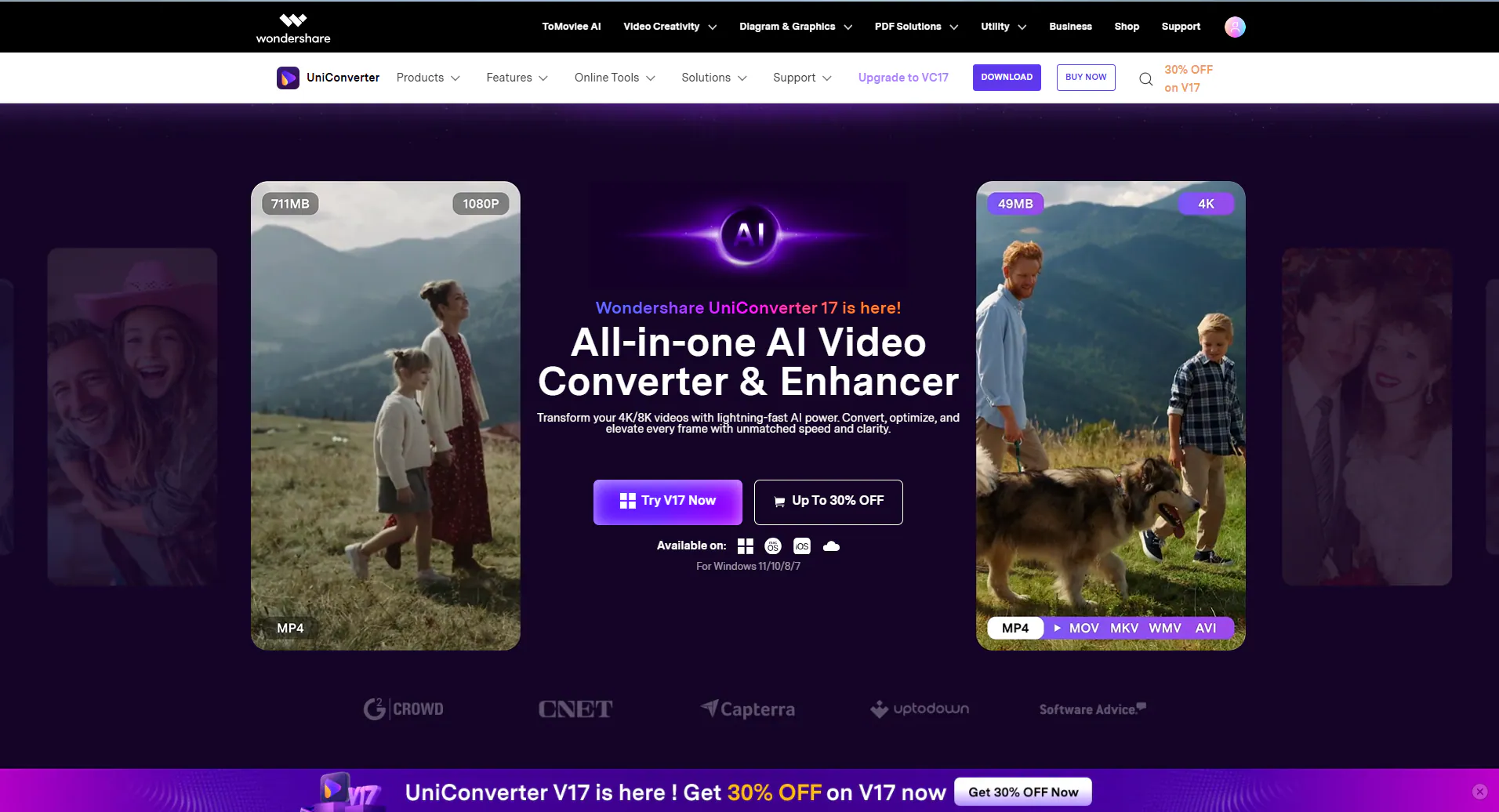
Wondershare Unconverter is a top-quality software you can trust for your media conversion, and editing operations. It's also capable of disc ripping allowing you to extract data from your Blu-ray disc to your computer in digitalized format without compromising the quality. Not only that, your ripped files are made available for sharing with families and friends. If you want to copy videos to DVD or Blu-ray, you can also turn to UniConverter DVD Burner for help.
When using Uniconverter, your tech literacy level doesn't matter. Wondershare Uniconverter comes with a simplified interface that makes navigation easier for both amateurs and professionals. You can use this software on both Windows and Mac as it integrates perfectly.
Key Features
Rips Blu-rays MKV,MP4, MOV, AVI, and many other formats.
Easily rip Blu-ray Discs and DVDs without compromising the quality.
Powers a customizable output preset.
Supports batch processing of multiple Blu-ray Discs.
Designed with an advanced video enhancer for improving video footage to 4k/8k in 1-click.
Step-By-Step Guide to Rip Blu-ray with Wondershare Uniconverter
Install the Wondershare Uniconverter software on your Windows or Mac, and then apply the stepwise guide below to discover how to copy a your Blu-ray movie to computer in digitalized format:
Step 1: Upload the Blu-ray Movie to Wondershare Uniconverter
After the successful installation of the software, run it and select Converter from the left sidebar when the home screen appears.

Click on the drop-down icon beside Add Files on the subsequent screen that appears.
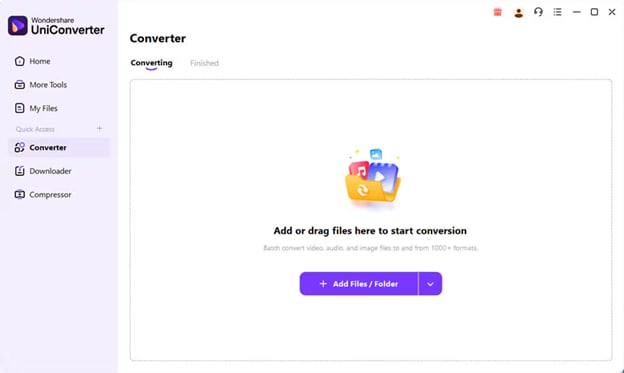
Next, tap on Add DVD > Load ISO Files.
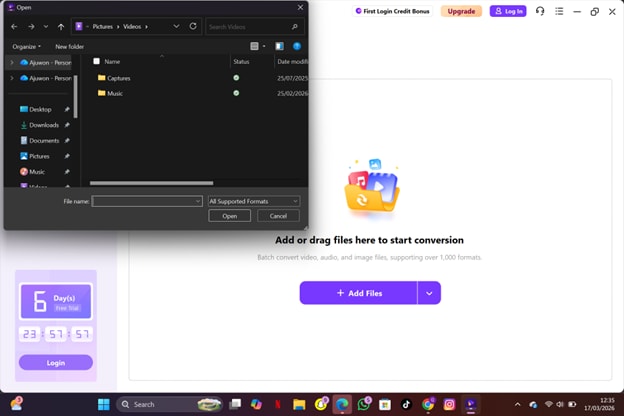
You will be directed to your local drive where your ISO files are saved. Choose the file you want to work on and hit the Open button to continue.
Step 2: Edit the ISO File
Once the file importation is done, an interface similar to what is shown below will pop up.
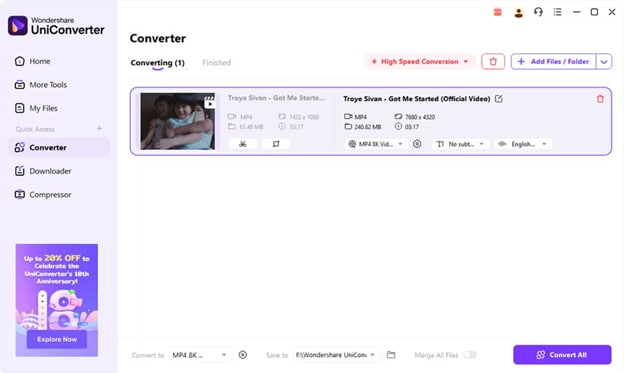
Proceed to the bottom of your screen and click on the Convert to button. A drop down menu under the Video tab will appear with the different formats you could convert your ISO file to. Choose one that suits your project requirements.
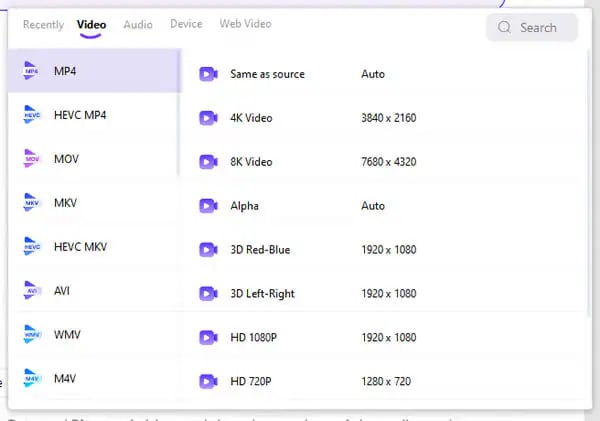
You may also choose to adjust the resolution of your file. To do this, select any of the resolution formats next to the video format panel.
Step 3: Convert and Save Ripped Blu-ray
Now, go to the Save to tab and choose the location you want to save the Blu-ray movie you are ripping to your computer. Afterwards, proceed to hit the Convert All button and start ripping your ISO file in no time.
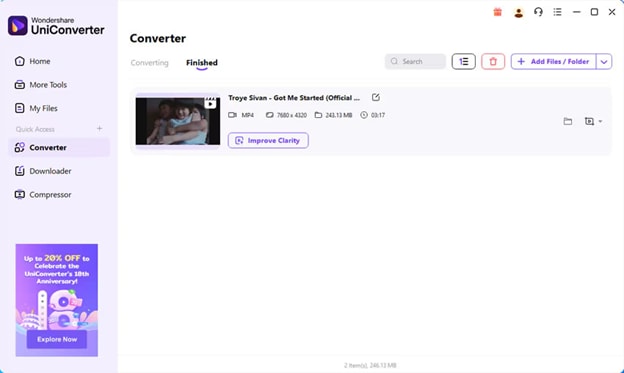

Blu-ray Ripper for Premium 4K & HD Quality
MakeMKV
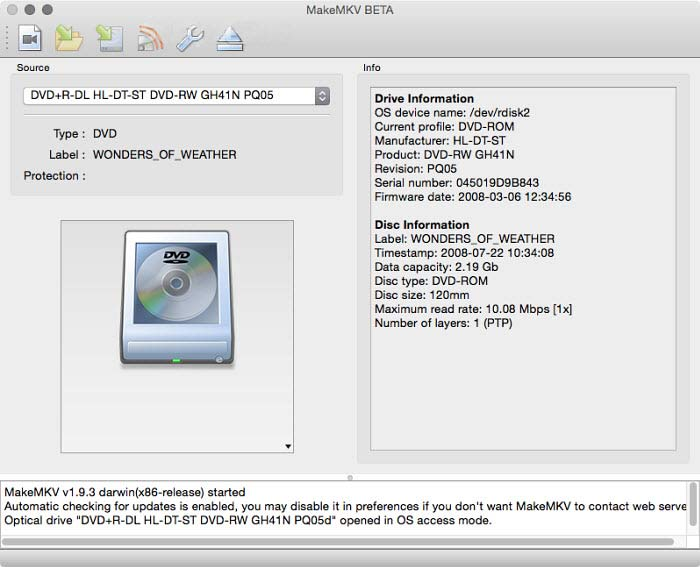
Another wonderful choice you can bank on for your Blu-ray ripping is MakeMKV especially if you are a Mac user. With this tool, you can easily rip Blu-ray Discs in 1:1 without compromising the codecs. It also allows you to extract Blu-ray files to MKV format.
MakeMKV is super easy to operate, thanks to the comprehensive interface. Users of this Mac Blu-ray ripper have the privilege to customize presets before ripping. For instance, you can add or skip any unwanted parts of their Blu-ray movies by simply unchecking them.
HandBrake
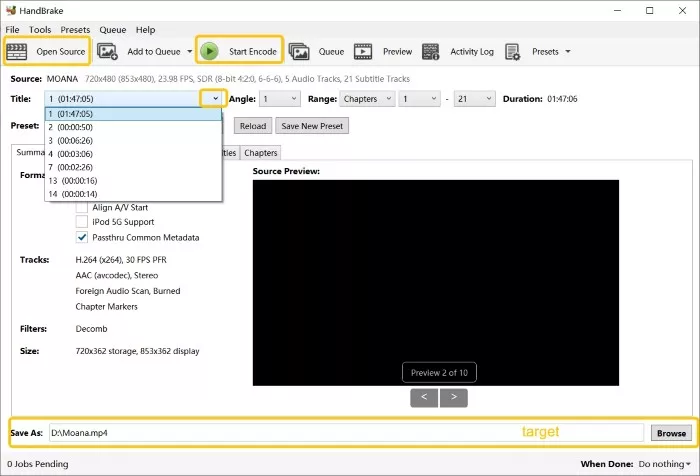
HandBrake is an open-source program with video transcoding capability allowing you to manipulate your video files to suit your needs. It can rip Blu-ray movie discs and ISO files to popular formats like MP4, WebM and MKV. Like MakeMKV, HandBrake comes with lots of presets that you can customize to improve your Blu-ray ripping. It works perfectly with Mac and supports batch conversion of your files.
Leawo Blu-ray Ripper
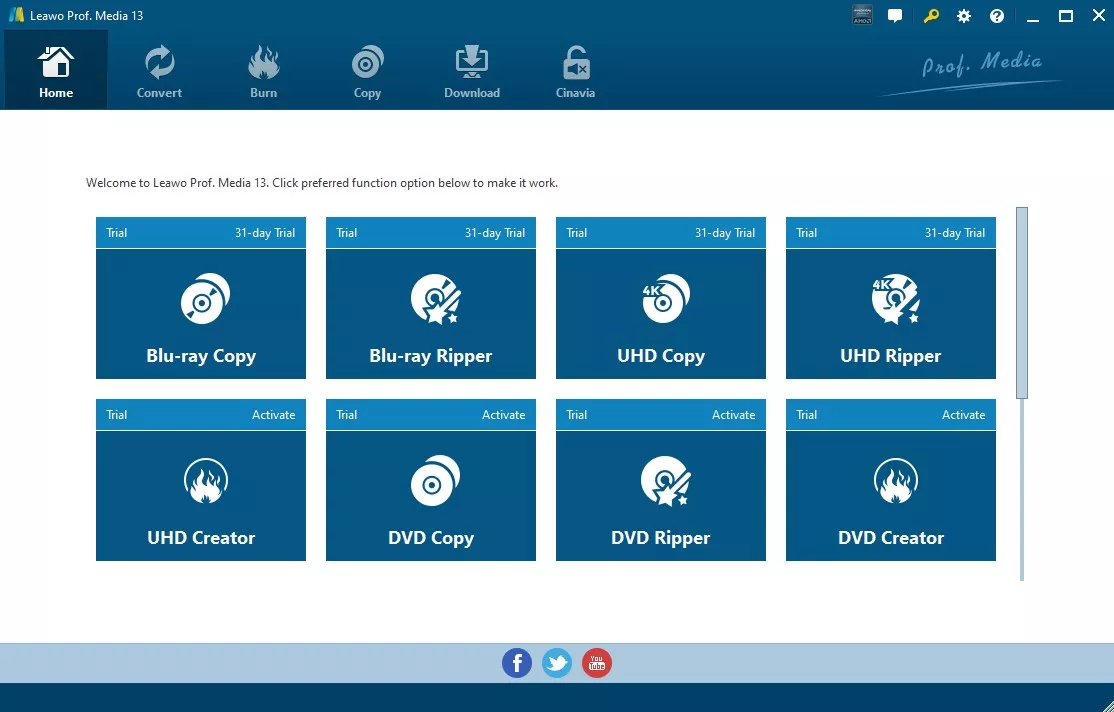
Leawo Blu-ray ripper is another amazing tool that offers the extraction of data from Blu-ray movies to computer or external storage. You can trust this software to rip your encrypted Blu-ray files without difficulty, thanks to the powerful decryption technology integrated into it.
This Blu-ray ripping tool supports numerous media formats that you can select from to convert your Blu-ray files, such as MKV, MP4 and many others. Got several files you want to work on? Leawo Blu-ray ripper supports batch conversion that lets you process multiple discs at the same time.
VLC Media Player
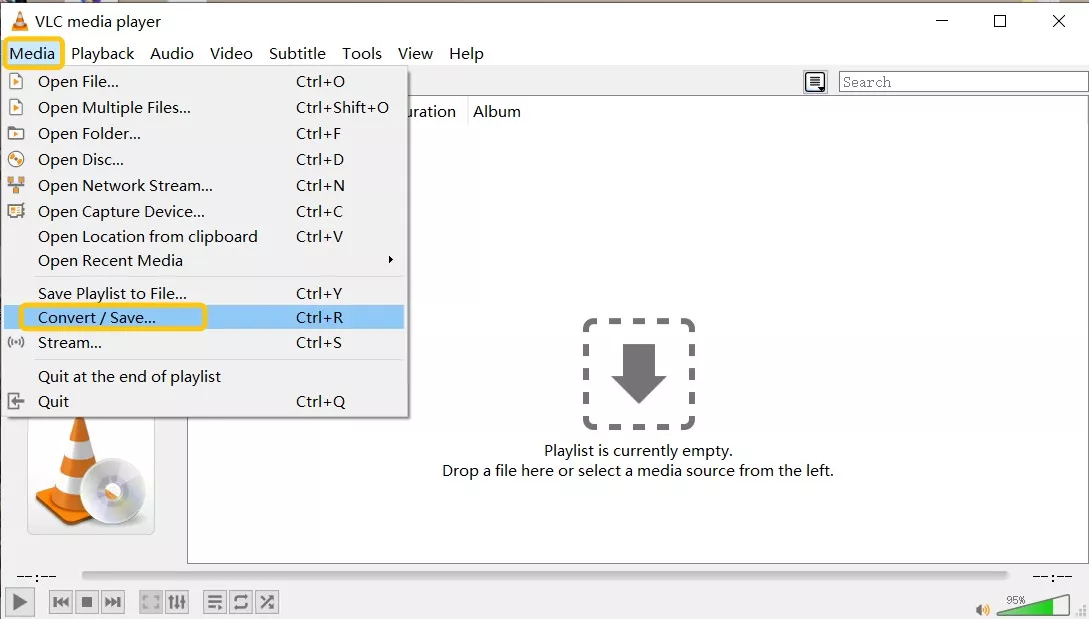
Though for playing video and audio files of any format such as MP4, MKV, FLAC, etc, VLC Media Player can also function as a Blu-ray ripper. It comes with a basic ripping function which makes it simple for a beginner to operate. This program can rip any type of content, including encrypted ones, as it's equipped with libdvdcss files which is capable of removing protection from selected Blu-ray Discs.
Storage Space Most Blu-ray content, whether audio, video or subtitle data, is large with the full Blu-ray disc consuming between 25 to 50 GB storage space. For a compressed Blu-ray Disc (MKV/MP4), the typical size is 5 to 20 GB. With this kind of storage range, you are expected to have about 50 to 100 GB free storage for your operation to be successful.
Part 3. Most Suitable Output Formats to Rip Blu Rays
When ripping your Blu-ray Discs, there are 3 formats you can select from, MKV, MP4, and AVI. Your choice of format depends on your needs. Below, we have the supported formats and the pros and cons.
MP4
This is the most popular and widely used format when ripping Blu-rays.
MKV
This format helps you to preserve the original quality of your Blu-ray content.
ISO
This format allows you to create Blu-ray copies such as extras and menus, within the snap of a finger.
Part 4. Tips to Get the Best Results from Blu-ray Rips
Here are some simple tips you can apply to maintain a high video quality when ripping your Blu-ray Discs:
- Archive your ripped discs in MKV format.
- Do not over-compress your Blu-ray Discs when ripping to avoid blurry video and reduced detail.
- Ensure you use hardware acceleration tools like NVIDIA GPUs and Intel Quick Sync to speed up encoding.
- Preserve subtitle and commentary tracks.
Conclusion
Ripping Blu-ray to a digitalized file on Windows or Mac shouldn't be a challenge anymore with this guide at your disposal. Here, we've covered everything on Blu-ray ripping, including the how-to guide and legal consequences. We also introduced some of the best tools to rip Blu-ray Discs on Windows and Mac. Wondershare Uniconverter is the most preferred choice for how to rip Blu-ray.
FAQs
-
1. What are the common Blu-ray problems?
Common Blu-ray issues include disc damage, compatibility problems, playback freezing or skipping, missing or incorrect audio, and software playback errors. -
2. Is it legal to rip Blu-rays?
The legality of ripping Blu-rays depends on your country and how the content is used. In some regions, personal backups may be allowed, while distributing or sharing ripped content is generally not legal. -
3. How long does it take to rip a Blu-ray movie?
The time required depends on your computer performance, disc size, and the software used. High-performance tools can significantly reduce processing time. -
4.Can all Blu-ray discs be ripped?
Most Blu-ray discs can be ripped with the right drive and software, but some titles are more difficult because of protection schemes or disc defects. UHD discs may require more specific hardware and setup. -
5. Why does ripping a Blu-ray sometimes fail?
Ripping can fail due to scratched discs, strong copy protection, incompatible drives, or software errors that interrupt the process.

