

Y2Mate YouTube Downloader is a browser-based tool many users search for when they want to save YouTube videos as MP4 or MP3 files. However, it is not always a risk-free choice. Pop-up ads, misleading download buttons, redirects, and clone domains can make the experience unreliable, especially if you are trying to find the original Y2Mate site or use it on a PC or mobile browser.
Quick Answer: Is Y2Mate YouTube Downloader Safe to Use?
Y2Mate can be convenient for occasional browser-based downloads, but it is not the safest option to rely on because many Y2Mate pages or mirror sites may show aggressive ads, fake download buttons, redirects, or unstable download results. For a cleaner workflow, a desktop Y2Mate alternative such as Wondershare UniConverter is more suitable when you need batch downloads, MP4/MP3 conversion, and file management in one place.
Always download only videos you own, have permission to use, or are legally allowed to save. For official offline viewing, YouTube Premium is the safest platform-supported option.
Part 1. What Is Y2Mate YouTube Downloader and How Does It Work?
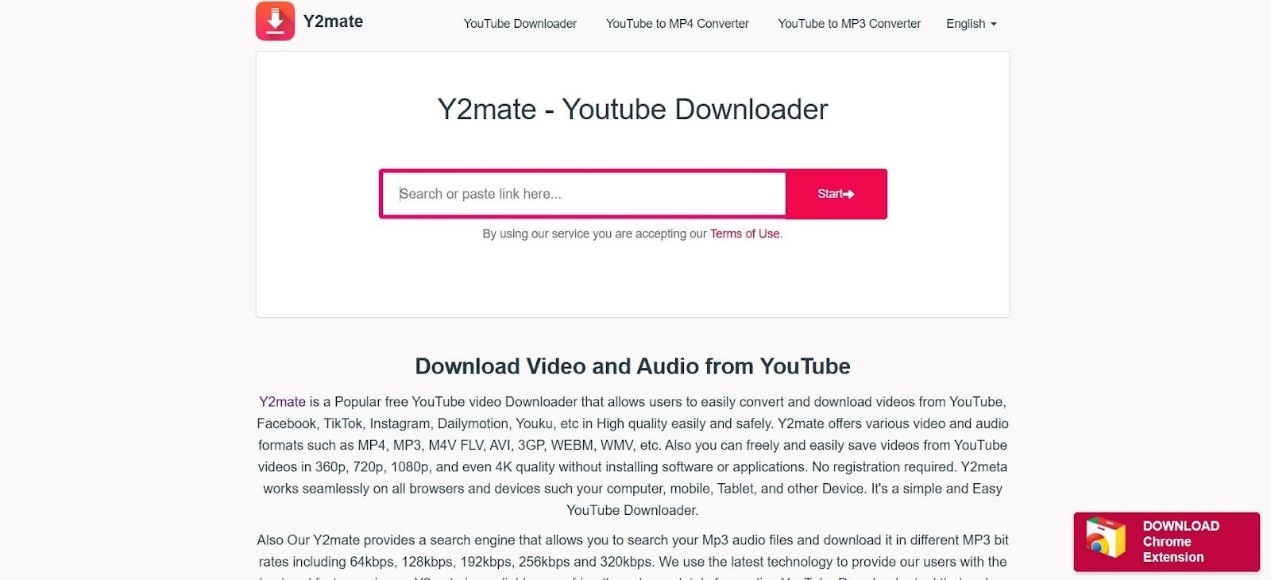
Y2Mate YouTube Downloader is a browser-based video downloader that lets users paste a YouTube link and choose available output options such as MP4 video or MP3 audio. It is popular because it does not require installation, but the actual download experience can vary by domain, browser, ad behavior, and whether the source video is available for third-party fetching.
Is Y2Mate YouTube Downloader Safe in 2026?
Y2Mate is not the safest choice for every user. The main concern is not only the download function itself, but the surrounding browsing experience: pop-up ads, fake download buttons, redirects, clone domains, and inconsistent protection from scripts or trackers. If you use any Y2Mate-style website, avoid clicking extra buttons, do not install unknown extensions, and do not download files from suspicious redirects.
Y2Mate Safety Checklist
- Ads and pop-ups: Some Y2Mate pages show banners or buttons that look like real download buttons.
- Redirect risk: A click may send you to unrelated pages, offers, or suspicious download prompts.
- Clone domains: Many Y2Mate-style domains exist, and not every page is equally reliable.
- File safety: Avoid executable files, browser extensions, or installers from a browser download page.
- Copyright and platform rules: Download only videos you own, have permission to use, or are legally allowed to save.
How to Use Y2Mate YouTube Downloader Carefully
If you still want to test a Y2Mate-style downloader for a permitted video, keep the process simple and avoid any extra pop-up prompts.
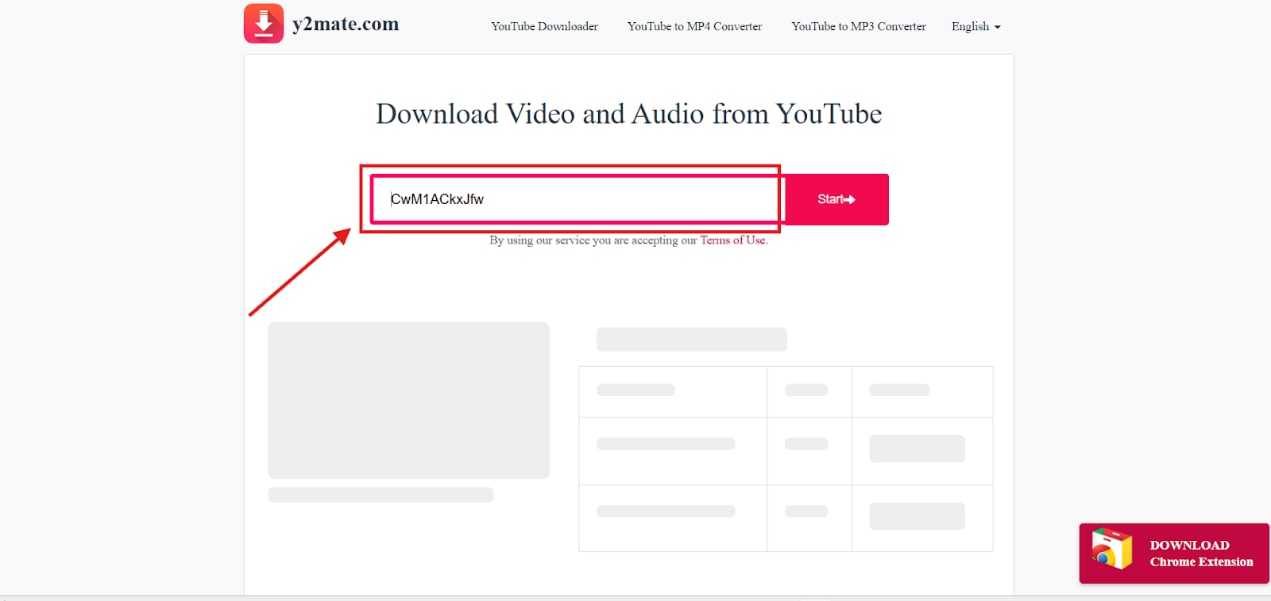
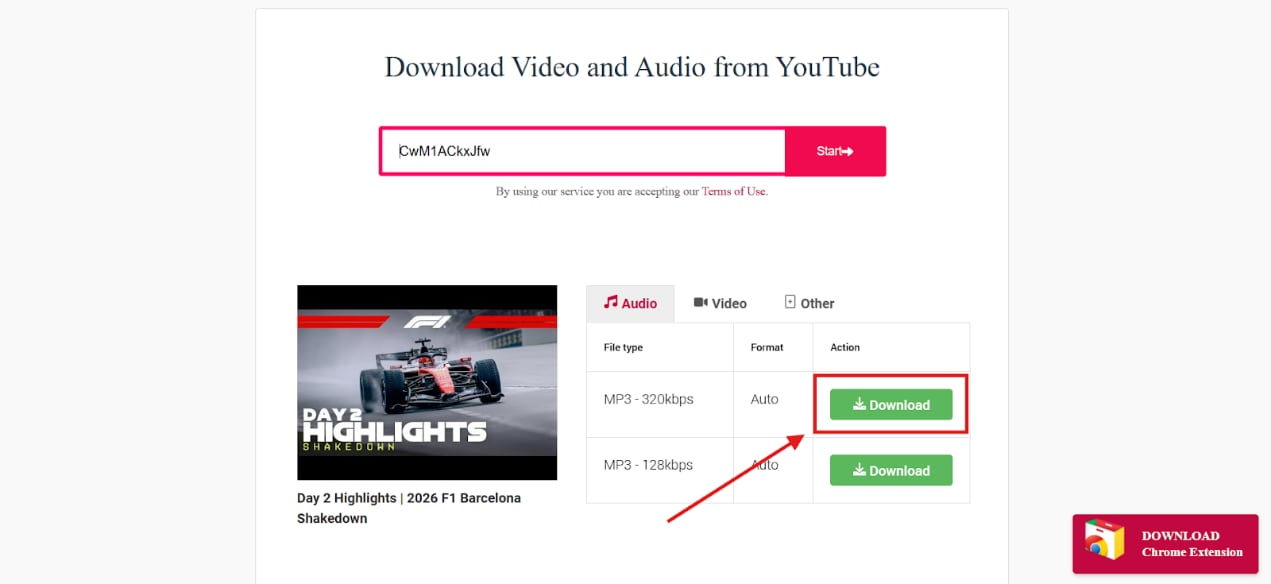
You can download YouTube videos using Y2mate by following these steps:
Step 1. Open Y2mate on your browser, and paste the YouTube link that you wish to download. Then click on the “Start” button.
Step 2. Choose the format you want to download the video in. You also get the option to download only the audio file in MP3 format.
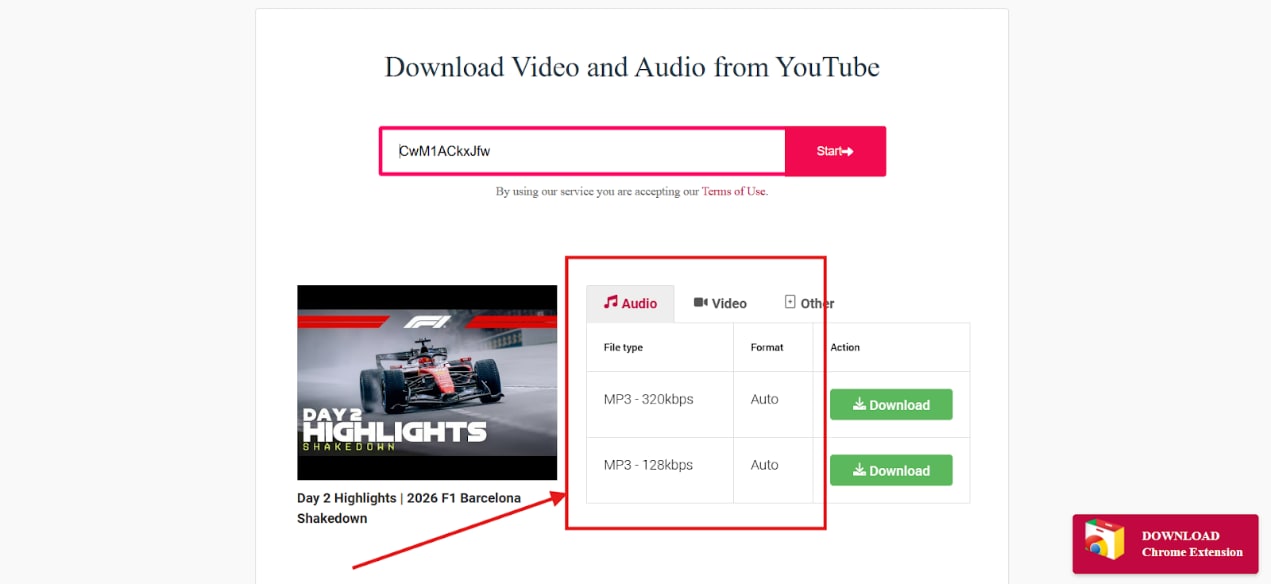
Step 3. Click on the “Download” button to save the video to your file.
Part 2. Why Is Y2Mate YouTube Downloader Not Working?
Y2Mate YouTube Downloader may stop working because of YouTube platform updates, unsupported videos, browser restrictions, ad-blocking conflicts, region limits, or unstable mirror domains. If Y2Mate cannot fetch a link, the issue may not be your device; it may be caused by changes in the source platform or by the specific Y2Mate-style site you are using.
| Problem | Possible reason | What to try |
| Y2Mate cannot fetch the video link | YouTube backend changes, private videos, age restrictions, or region limits | Try an authorized video, check whether the video is public, or use a more stable desktop downloader workflow. |
| Download button opens another page | Ads, fake buttons, or redirects on the download page | Close the redirected page and avoid installing extensions or unknown files. |
| 1080p or 4K option is missing | The original video may not provide that quality, or the browser tool cannot combine video/audio streams | Choose an available quality option or use a desktop tool that gives more format and quality control. |
| Y2Mate is blocked on school, office, or public Wi-Fi | Network security filters may block sites with aggressive ads or redirects | Do not bypass security rules; use official offline viewing options or approved software. |
| Y2Mate works on one domain but not another | Different mirror sites may have different scripts, ads, or update status | Avoid unknown mirror pages and use safer alternatives when reliability matters. |
Is There an Official Y2Mate Site or Y2Mate Video Editor?
Many users search for “Y2Mate official site,” “Y2Mate original,” or “Y2Mate YouTube downloader site” because there are many similar-looking domains online. This makes it difficult to confirm which page is trustworthy. If a Y2Mate-style website asks you to install an extension, download an executable file, or click through several redirect pages, it is safer to close the page and use another method.
Y2Mate Search Terms Explained
- Y2Mate official site: Users usually mean the original or most reliable Y2Mate domain, but similar domains and mirror pages may appear in search results.
- Y2Mate mirror site: A copy or alternative domain that may work differently from other Y2Mate-style pages.
- Y2Mate video editor: Y2Mate is mainly searched as a downloader or converter, not a full video editor. If you need to cut, compress, convert, or manage downloaded videos, use a desktop video tool instead.
- Y2Mate safe for PC: The main PC risk is usually browser redirects, fake buttons, unwanted extensions, or suspicious downloads, not the YouTube link itself.
Part 3: Best Alternatives to Y2mate YouTube Downloader
Now that you know the main safety concerns around Y2Mate YouTube Downloader, you may want a cleaner alternative for downloading permitted videos, converting files, managing downloads, or avoiding aggressive browser pop-ups. Below are desktop, online, and mobile options you can compare based on your device and workflow.
Best Y2mate Alternatives for PC (Windows and Mac)
Desktop tools are reliable options for downloading YouTube videos without distracting ads and pop-ups. Tools like Wondershare UniConverter, ClipGrab, and 4K Video Downloader provide you with secure platforms for downloading YouTube videos.

Safer Desktop Workflow for Downloading and Converting Videos
Wondershare UniConverter
UniConverter is a desktop Y2Mate alternative for users who want a cleaner way to download permitted videos and convert saved files into formats such as MP4, MOV, MKV, MP3, and WebP. Compared with browser-based download pages, it avoids distracting pop-ups and gives you a local workspace for downloading, converting, compressing, trimming, and managing videos.
Key Features
- Download permitted videos and save them for local file management.
- Convert downloaded videos to MP4, MOV, MKV, MP3, WebP, and other common formats.
- Use batch downloading when you need to save multiple permitted links more efficiently.
- Continue with compression, trimming, and other basic video workflow tasks in the same desktop dashboard.
ClipGrab
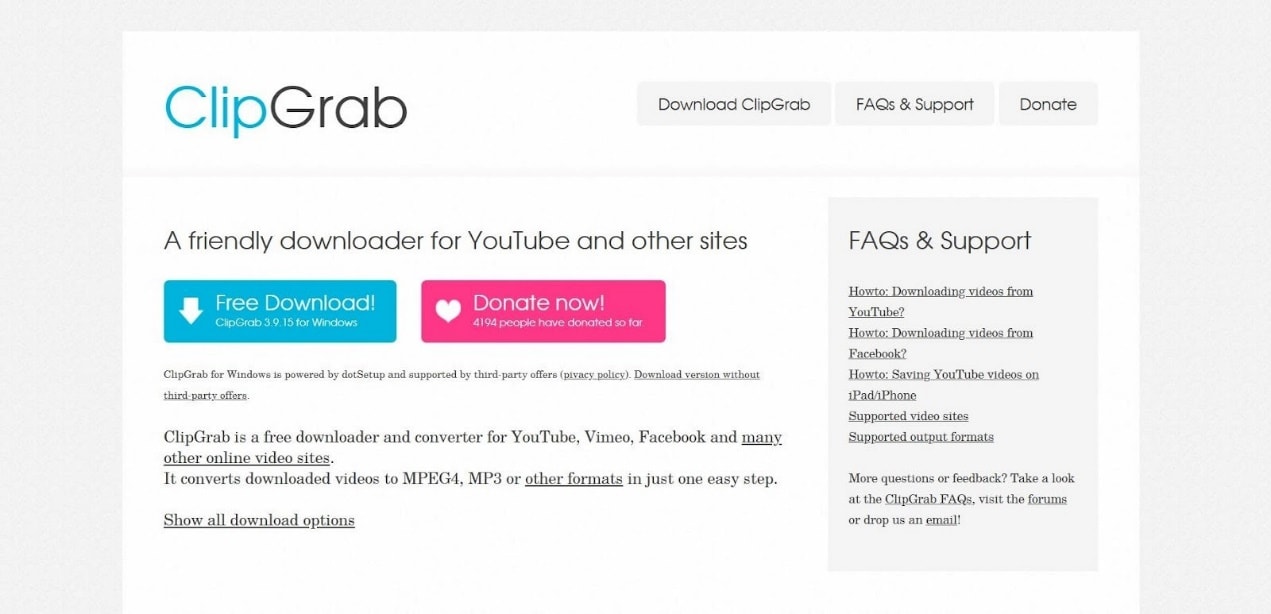
ClipGrab is a free desktop application that lets you download 4K YouTube videos conveniently on your PC. The standout feature of ClipGrab is that you will not encounter distracting ads, but still have the ability to download videos without a premium subscription. However, you will have to rely on other tools for converting or editing videos because there are no built-in conversion tools.
Key Features
You can download videos from multiple platforms and websites.
The user interface is very clear with minimal screen clutter.
You can choose the available video formats, like MP4, MOV, MKV, etc.
4K Video Downloader

4K Video Downloader is a desktop app that lets you download YouTube videos without compromising the quality of the video file. The user interface is clean, and you will not get any ads on the downloaded platform. However, 4K Video Downloader does not allow you to download videos from certain websites because of unsupported video source codes.
Key Features
You can download 4K videos without compromising the video quality.
You can extract subtitles and audio files from the video.
The app lets you choose a video format like MP4 or MKV before the download starts.
Best Online Alternatives to Y2mate YouTube Downloader
You can choose an online alternative if you want to download YouTube videos occasionally. There are multiple options that do not display distracting ads like Y2mate YouTube Downloader. The most reliable options are SaveFrom.net, KeepVid, and SaveTheVideo.
SaveFrom.net
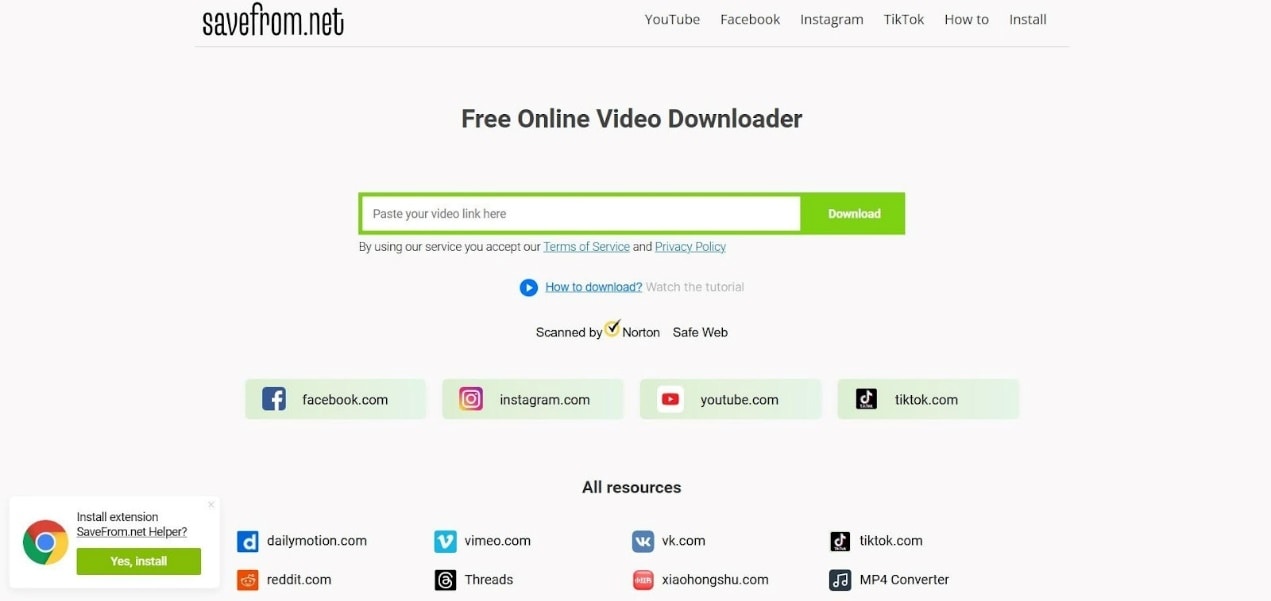
SaveFrom.net is a browser-based tool that lets you download YouTube videos without the need to face multiple ads and distracting pop-ups. It lets you download high-resolution videos without the need to install software. However, the lack of conversion options on SaveFrom.net is a drawback.
Key Features
You can download 4K videos without compromising on quality.
Free platform that does not need sign-ups or installation.
Works smoothly on multiple devices and operating systems.
Keepvid
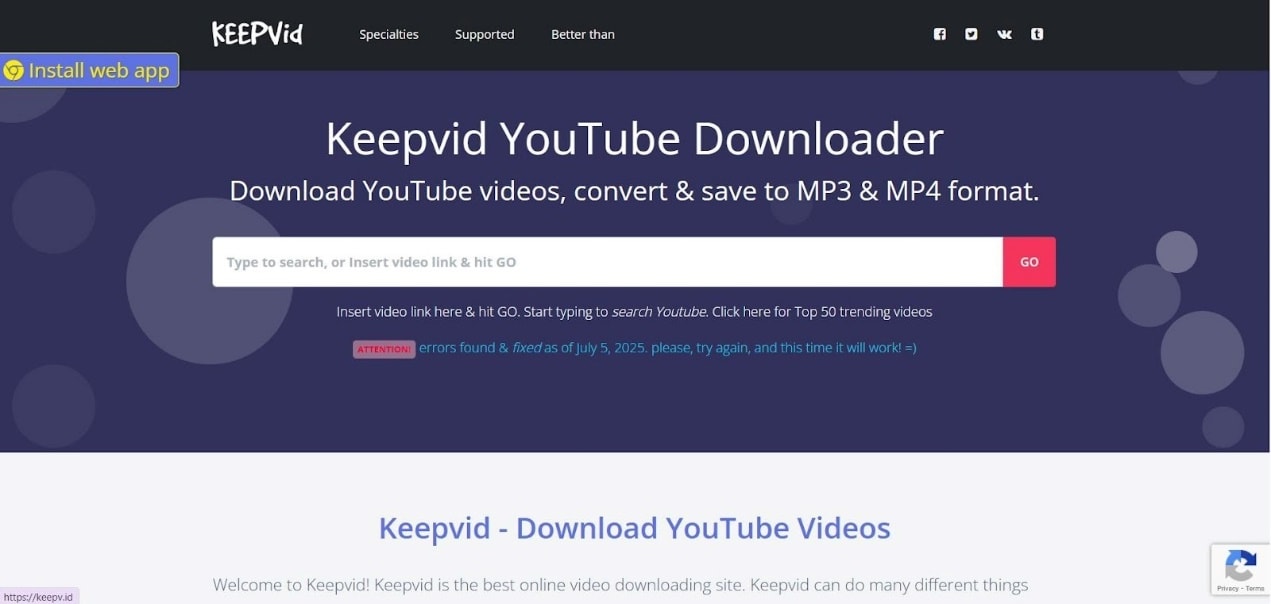
KeepVid is a browser-based video downloader tool that lets you download videos from multiple websites and platforms. You can choose the format in which you want to download the file like MP4 or MP3 as per your requirement. Also, KeepVid does not show multiple ads that distract your workflow.
Key Features
You have the option to download both the audio or video file as per your requirement.
The quality of the video is not compromised.
You can download multiple videos simultaneously.
SaveTheVideo
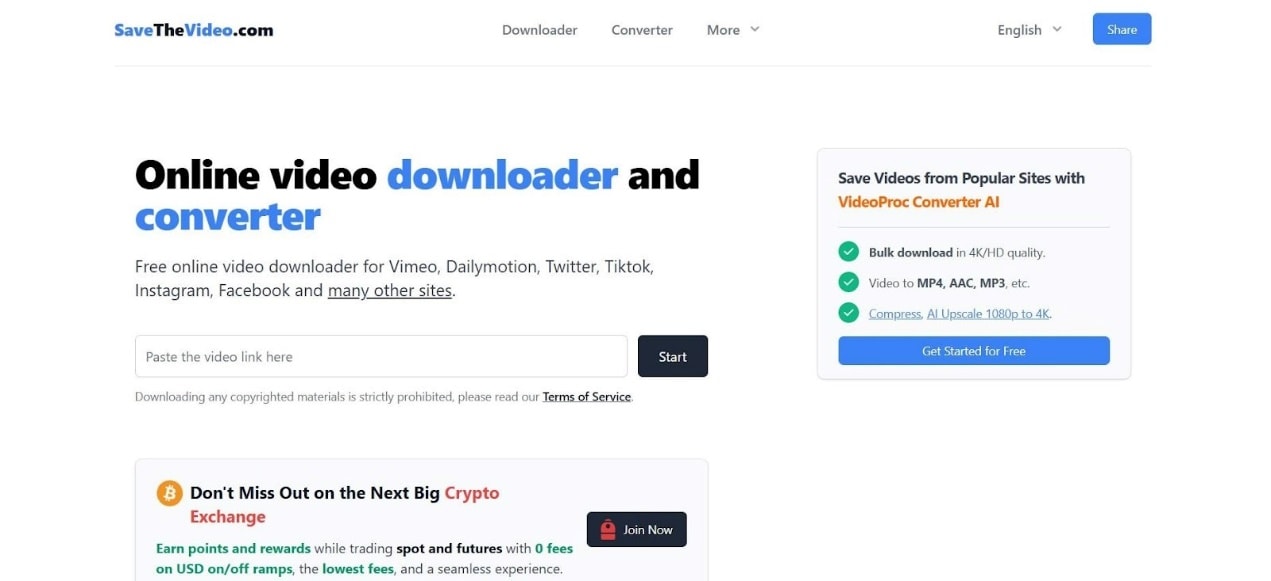
SaveTheVideo lets you download large 4K videos on your device without interruptions caused by minor network fluctuations. The user interface is very simple and suitable for beginners. However, there may be a compromise in the quality of the downloaded video.
Key Features
You can download videos without interruptions due to minor network fluctuations.
There is no need to install any software on your system.
The workflow is simple with minimal technical complexity
Best Y2mate Alternatives for Android and iOS
You may ask the question: Is Y2mate YouTube Downloader safe when trying to download videos on your mobile? This is because of the disturbing ads and pop-ups that you may face in the Y2mate. The safe and reliable options for your mobile device include VidMate, Documents by Readdle, and Snappea.
VidMate (Android)
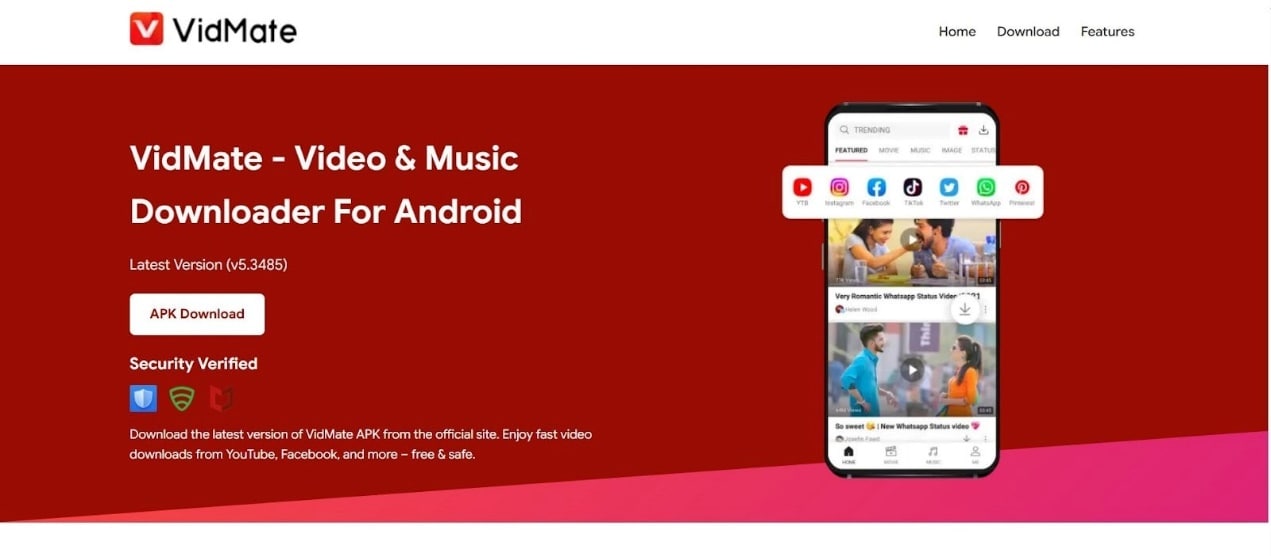
VidMate is a video downloader app for Android users who want a mobile-based download workflow. It supports multiple output formats such as MP4, MKV, and MP3, but users should download apps only from trusted sources and review app permissions before installation.
Key features
You can download multiple videos simultaneously.
VidMate can fetch videos from multiple platforms and websites.
You can choose the video format before starting the video download.
Documents by Readdle (iOS)
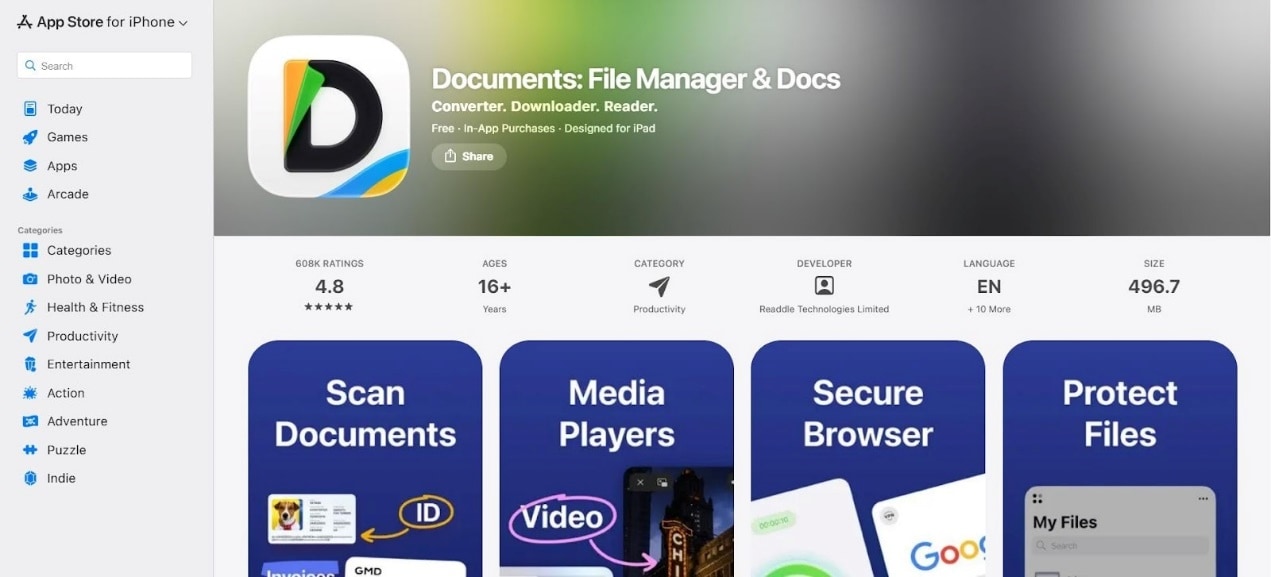
Documents by Readdle is a file management app for iPhone and iPad users. It can help organize, store, and manage saved media files in one place, but it should not be positioned as a dedicated YouTube downloader. Use it only for files you are legally allowed to save and manage.
Key Features
Centralized dashboard for downloading and managing videos.
You can download videos from multiple websites and platforms.
The platform lets you download videos in HEVC or MOV format as per your device specifications.
Snappea (Mobile Browser)
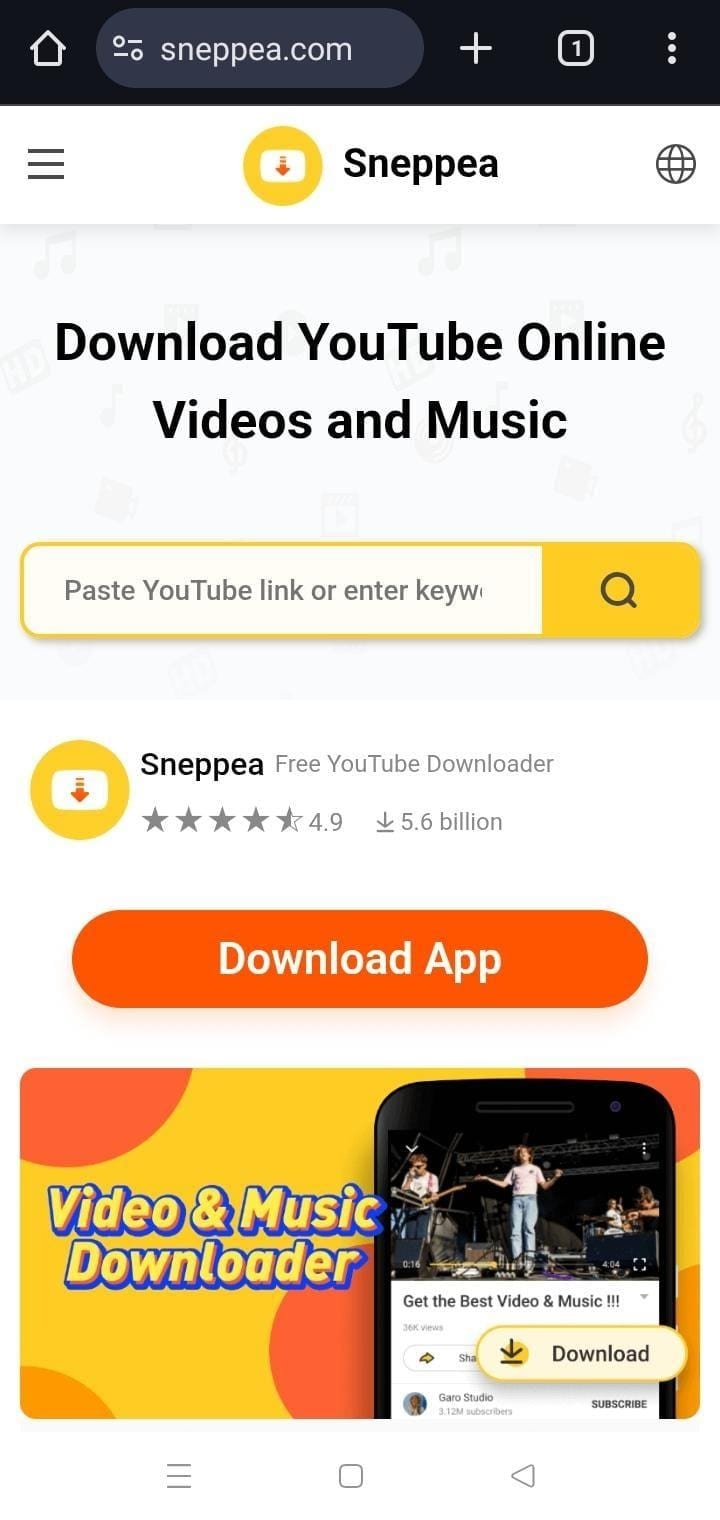
Snappea is a mobile-based browser platform that lets you download YouTube videos without having to see multiple ads and pop-ups. Also, you can choose the format of the video before starting the download process. However, you will not be able to see the video details on Snappea.
Key Features
Completely free browser-based platform without the need for installation.
Compatible with both Android and iOS devices.
You can download a high-resolution video without compromise in quality.
Part 4: How to Download Videos Without Y2mate YouTube Downloader safely?
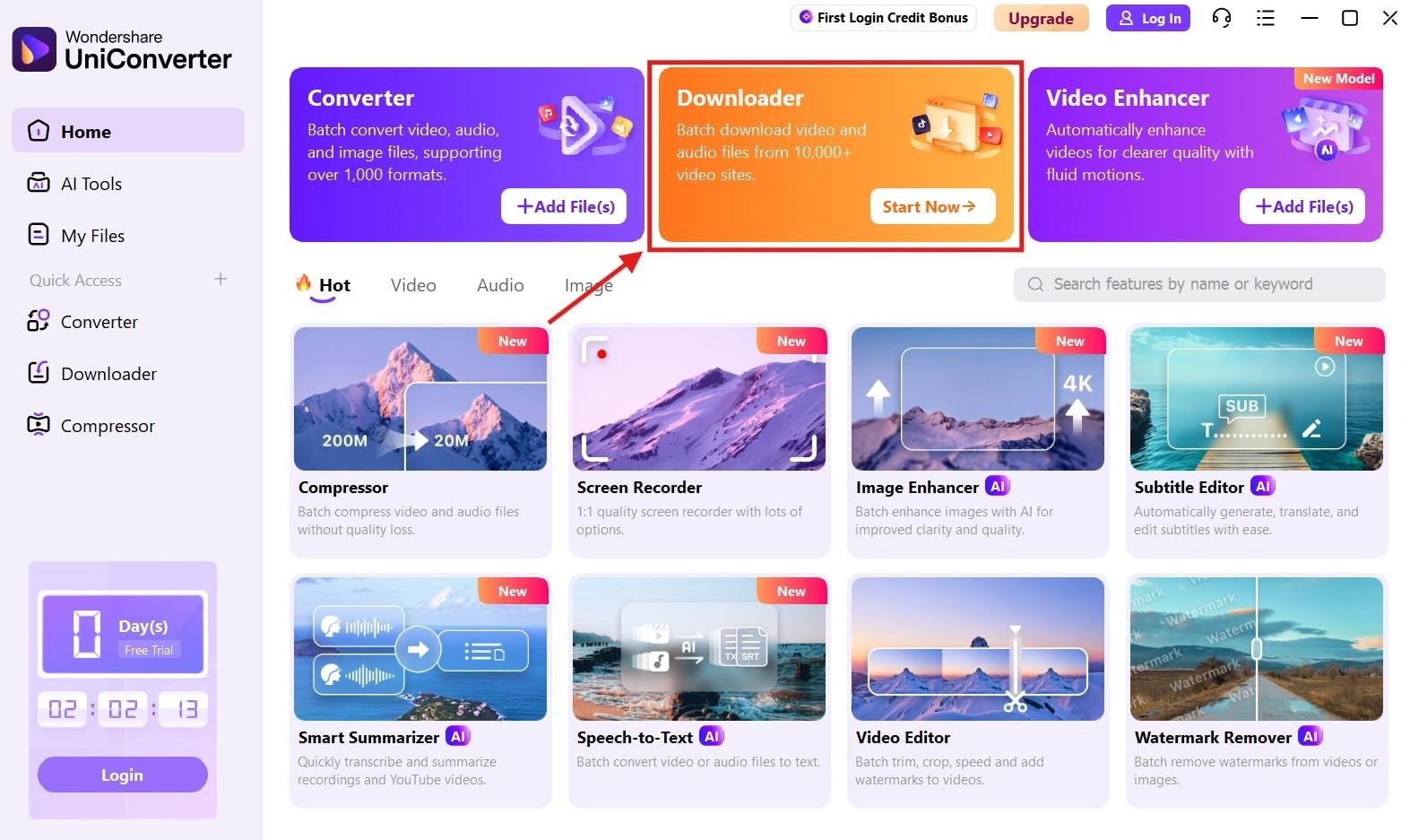
If you want a cleaner Y2Mate YouTube Downloader alternative for permitted videos, Wondershare UniConverter can help you save YouTube videos to your PC, convert downloaded files, and manage them in one desktop workflow. Follow the steps below.
Step 1. On the UniConverter, click on the “Downloader.” This option is also available on the left-hand menu.
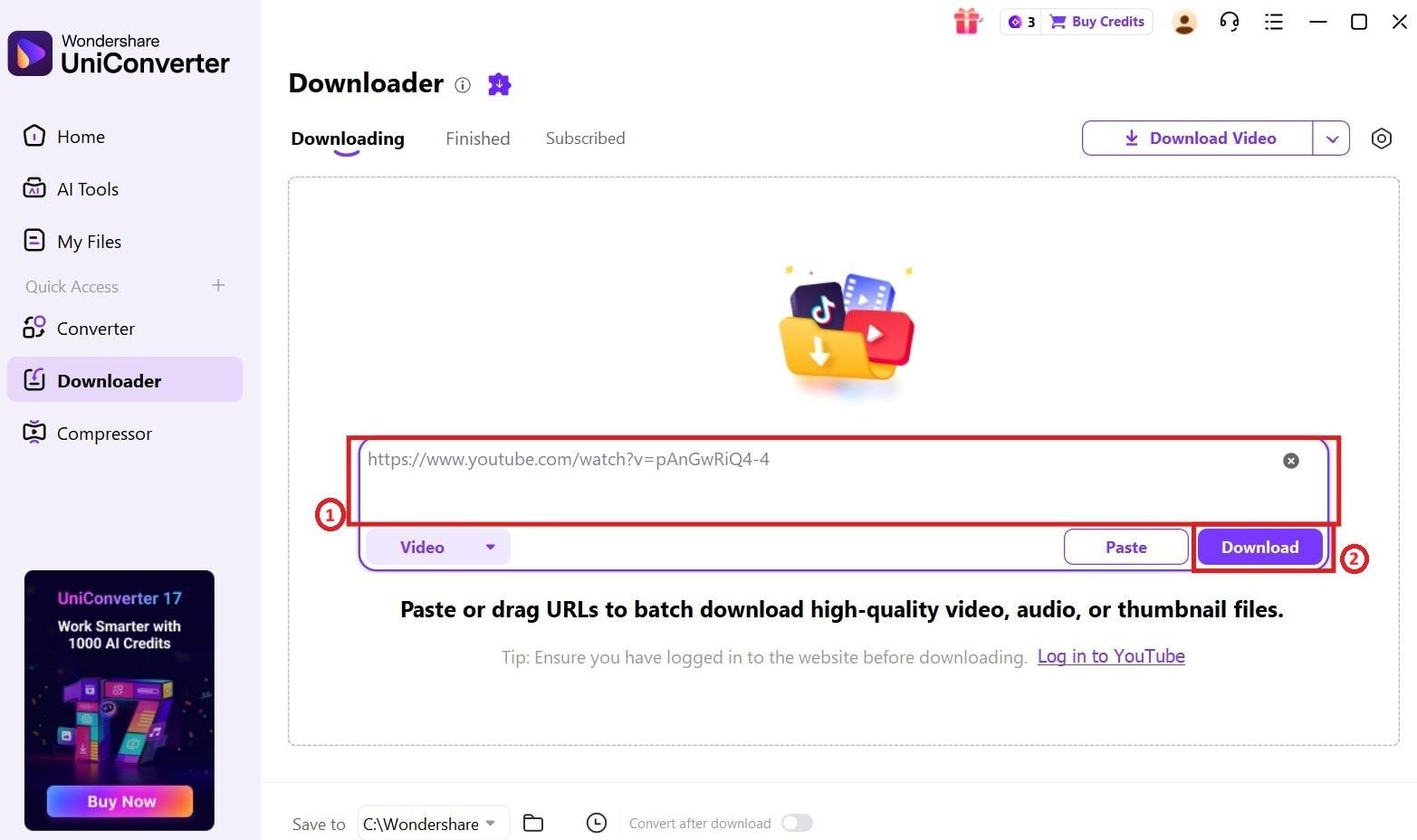
Step 2. Paste the link of the video you wish to download. You can also paste multiple links here for batch download. Click on the “Download” button.
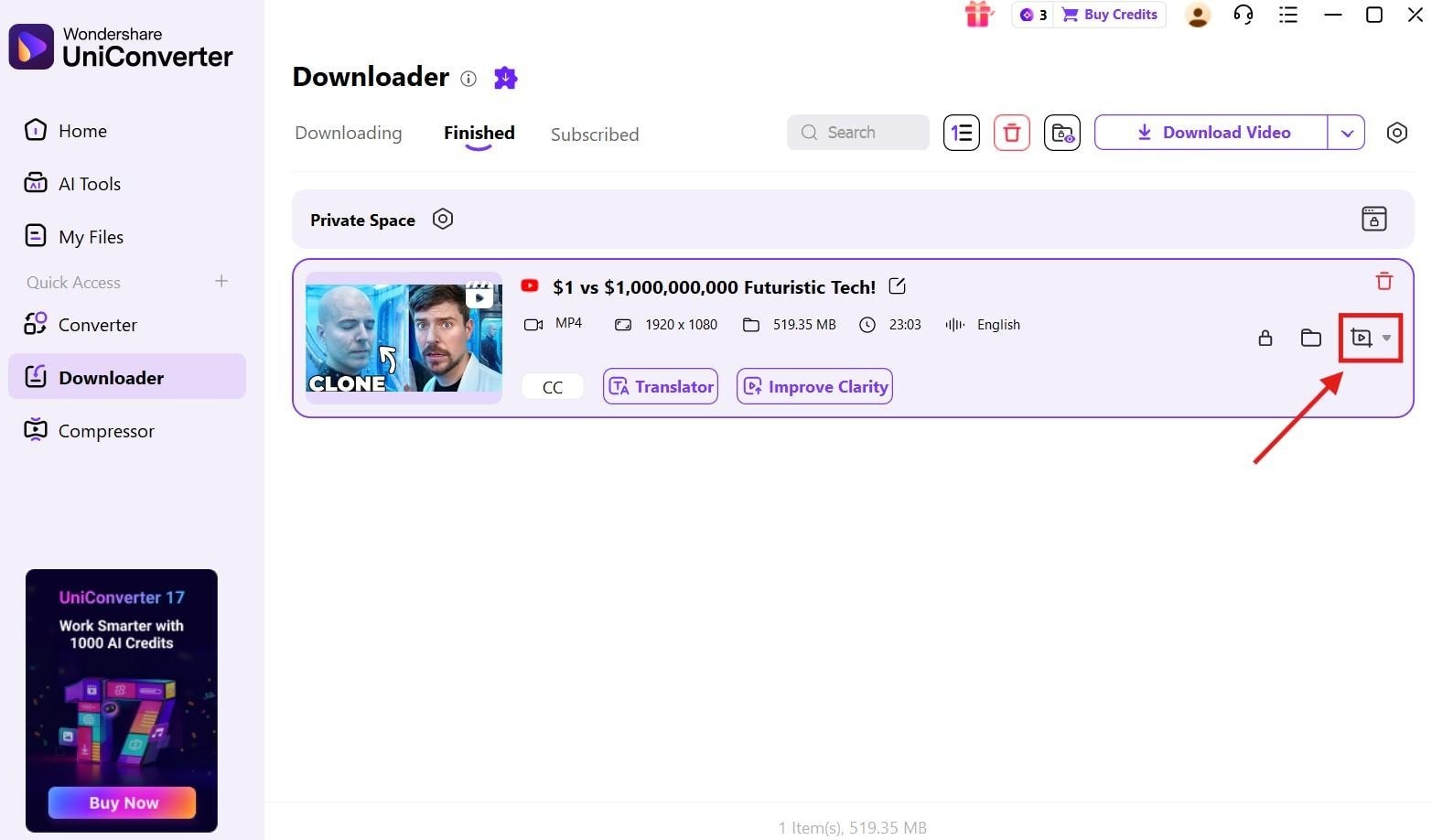
Step 3. Once the videos have been downloaded, you can click on the “More options” button if you want to perform any advanced edits on the video. This includes cuts, trims, compression, and removing any watermarks.


Part 5. Y2Mate vs Safer Alternatives: Quick Comparison
How We Evaluated Y2Mate and Its Alternatives
For this guide, we evaluated Y2Mate and similar download tools based on safety signals, ad behavior, download reliability, format support, and how practical each option is for users who want a cleaner and more dependable workflow.
Safety & Privacy Signals
We checked ads, redirects, clone-site risk, and other warning signs that affect user trust and browsing safety.
Download Reliability
We compared how consistently each tool handles links, starts downloads, and avoids failures caused by platform changes or access limits.
Format & Quality Support
We reviewed whether users can access common formats and higher-quality output without being forced into a cluttered workflow.
Alternative Value
We also considered whether safer desktop or online alternatives offer a more stable long-term experience than browser-only download pages.
This page gives extra weight to safety and workflow trust, since users searching for Y2Mate usually want to know not only whether it works, but whether it is worth relying on.
The table below compares Y2Mate with desktop, online, and mobile alternatives based on platform, ad experience, format support, workflow control, and safety notes. You can use it to choose the right tool for quick browser downloads, batch desktop tasks, mobile file management, or a cleaner video downloading workflow.
| Tool | Best for | Platform | Ads / Pop-ups | Format Options | Workflow Control | Safety Notes |
| Y2Mate YouTube Downloader | Occasional browser-based YouTube to MP4 or MP3 downloads | Web browser | Often aggressive, depending on the domain | Commonly MP4 and MP3 | Limited browser-based workflow | Watch for fake download buttons, pop-ups, redirects, clone domains, and suspicious extension prompts. |
| Wondershare UniConverter | Cleaner desktop downloading, conversion, batch tasks, and file management | Windows and macOS | No browser pop-up workflow | MP4, MP3, MOV, MKV, WebP, and more | Download, convert, compress, trim, and manage files in one desktop dashboard | Use the official installer and download only videos you own, have permission to use, or are legally allowed to save. |
| ClipGrab | Simple desktop video downloads | Windows and macOS | No browser pop-up workflow | MP4, WMV, OGG, and available formats | Basic downloading and format selection | Check compatibility with the latest OS and source platform updates before relying on it for repeated tasks. |
| 4K Video Downloader | High-resolution desktop downloads and playlist-style workflows | Windows, macOS, Linux, and Android | Cleaner than many browser-based download pages | MP4, MKV, MP3, and available formats | Good control over quality, subtitles, audio extraction, and supported sources | Some advanced features may depend on the plan, source video availability, and platform support. |
| SaveFrom.net | Quick online video downloads without installing desktop software | Web browser | May vary by domain, region, and page version | MP4, WebM, and available formats | Limited browser-based workflow | Avoid extra redirect pages, misleading buttons, and unknown download prompts. |
| KeepVid | Browser-based downloads from multiple video sites | Web browser | May vary by site version and traffic source | MP4, MP3, and available formats | Basic online download workflow | Use cautiously if the page shows redirects, extra download buttons, or extension installation prompts. |
| SaveTheVideo | Online downloads for users who want a simple paste-link workflow | Web browser | May include ads or pop-ups depending on the page | MP4, MOV, and available formats | Basic online workflow with limited file management | Check the final file format and quality before using the downloaded video in any project. |
| VidMate | Android users who want mobile video downloading | Android | May include in-app ads or promotional prompts | MP4, MP3, MKV, and available formats | Mobile-focused download workflow | Download apps only from trusted sources and review app permissions before installation. |
| Documents by Readdle | iPhone and iPad users who need file management after saving videos | iOS and iPadOS | App-based workflow, not a typical pop-up downloader page | Depends on the source and saved file | Good for file storage, organization, and local management | Use only permitted content and avoid relying on unknown third-party pages inside a browser. |
| Snappea | Mobile browser downloads on Android or iOS | Mobile browser | May vary by browser, device, and page version | MP4, MP3, and available formats | Simple mobile paste-link workflow | Be careful with redirects, unknown prompts, and pages that do not clearly show the final file details. |
Conclusion
Y2Mate YouTube Downloader is convenient for quick browser-based MP4 or MP3 downloads, but it is not the safest option to rely on because ads, redirects, clone domains, and unstable download results can interrupt the process. If you need a cleaner workflow for permitted videos, Wondershare UniConverter is a stronger desktop alternative for downloading, converting, compressing, trimming, and managing saved files in one place.
FAQs
-
Is Y2Mate safe to use in 2026?
Y2Mate is not the safest option for every user. The main risks come from pop-up ads, fake download buttons, redirects, clone domains, and suspicious extension prompts. If you need a cleaner workflow, use a trusted desktop alternative and download only videos you own or have permission to save.
-
Is Y2Mate safe for PC?
Y2Mate can work in a PC browser, but the browsing experience may include ads, redirects, or misleading buttons. Do not install unknown extensions or executable files from a download page. For repeated PC downloads, a desktop tool such as Wondershare UniConverter gives you more control over saved files and output formats.
-
Why is Y2Mate YouTube Downloader not working?
Y2Mate may stop working because of YouTube updates, unsupported private or age-restricted videos, ad-blocker conflicts, region restrictions, browser issues, or unstable mirror domains. If one Y2Mate-style site fails, avoid unknown redirects and consider a more stable alternative.
-
Is there an official Y2Mate website?
Many similar-looking Y2Mate domains and mirror sites may appear online, which makes it difficult to confirm which page is trustworthy. Be cautious with any site that asks you to install an extension, download an executable file, or click through multiple redirect pages.
-
Can Y2Mate download YouTube videos in 1080p or 4K?
Available quality depends on the source video, the specific Y2Mate-style domain, and whether the tool can process the video and audio streams correctly. Some browser tools may show only limited quality options. Desktop alternatives usually provide more control over format and quality settings.
-
Is Y2Mate a video editor?
No. Y2Mate is mainly searched as a YouTube downloader or converter, not as a full video editor. If you need to trim, compress, convert, or manage downloaded videos, use a desktop video tool after saving permitted content.
-
What is the safest alternative to Y2Mate?
The safest choice depends on your use case. For official offline viewing, YouTube Premium is the platform-supported option. For managing permitted video files on desktop, Wondershare UniConverter is useful because it combines downloading, conversion, compression, trimming, and file management in one workflow.

