


- What It Is: CD ripping software extracts audio from physical discs and converts it into digital formats like MP3, WAV, or FLAC.
- Why You Need It: It helps create backups, preserve music quality, and enables playback on modern devices without CD drives.
- Top Options: Tools like XLD, Windows Media Player, and dBpoweramp offer different features across platforms.
- Efficient Solution: Wondershare UniConverter delivers fast, stable, and high-quality CD ripping with simple operation and multiple format support.
I've previously searched for my favorite old school music tracks on streaming services like Spotify and Apple Music with no success. This left me with no option but to turn to my dusty CD collection. Still, I needed a CD ripping software to play the music remotely because most modern phones and laptops don't support CD playback.
So, what exactly is a CD ripper, and why do you need one in this digital era? That's what we'll discuss in this article. I'll walk you through the basic understanding of this technology and the best CD ripping programs to install. Keep reading to find something perfect for your Mac, Windows, or Linux computer.
In this article
Part 1: What is CD Ripping Software?
Let's start by understanding what exactly CD ripping is. In a nutshell, this is to copy audio content extracted from a CD (Compact Disk) to another storage, such as a USB drive, computer memory, or mobile phone. Therefore, an audio CD ripper is a program that can help you extract music from physical CDs to create a digital MP3 collection.
Below is why you need software to rip a CD:
- Create a permanent digital backup of your CD content.
- Avoid the stress of dealing with damaged or lost CDs.
- Play back the music using lossless formats like FLAC and WAV.
- Use the extracted content to create music remixes or video backgrounds.
- Play the music on remote devices like smartphones and MP3 players.
These tools can help you do away with physical CDs scattered around the house.
Part 2: Best CD Ripping Programs for Mac/Windows/Linux
Now that you know what CD ripping is, let me help you choose the best program for your needs. Note that the best software CD ripper must ensure a lossless extraction process. So, I tested multiple options before narrowing down my list to the top 6 options below:
Wondershare UniConverter [Best Software for Lossless CD Ripping]
UniConverter is the best CD music ripper for Mac and Windows if you're looking for top-quality audio and simplicity. This program ripped my 60-minute music CD in under 3 minutes, which is lightning fast. Besides being extremely easy to use, the CD-ripping process was stable, with no crashes or playback issues. Apart from ripping music from CDs, you can also burn music to CD easily with UniConverter. It can also serves as a DVD tool box, offering features like DVD burning, DVD ripping that can greatly make your disc processing workflow smooth and simple.
UniConverter pros and cons:
How to use UniConverter to rip CDs quickly and easily:
Below are the quick steps for ripping a CD with UniConverter. As you'll learn below, you don't need any prior experience to use this CD ripper for Mac and Windows.
Step 1:
Download and install UniConverter from the official website on your Mac or Windows computer. This program is compatible with MacOS 10.3 or later and Windows 7 or newer.
Step 2:
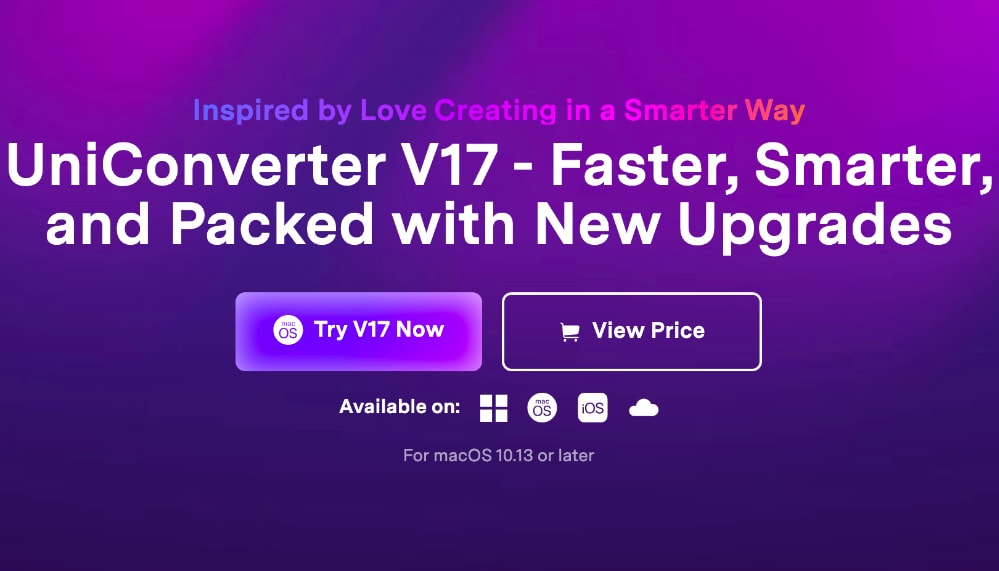
Now fire up this MP3 ripper to automatically land on the Hope page. Here, click the Audio button and then select the CD Converter option to open the CD ripping interface.
Step 3:
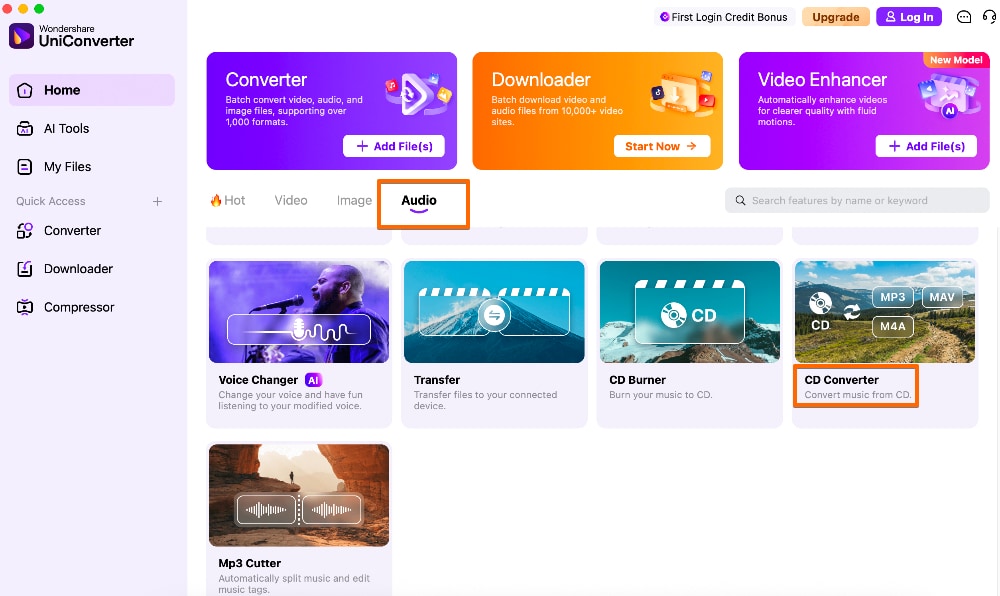
Assuming you've already inserted your CD, select it in the CD ripping software. Next, you can specify a few settings, such as the output format and storage folder. You can also click the "Settings" icon to choose the output channel, sampling rate, and bitrate.
Step 4:
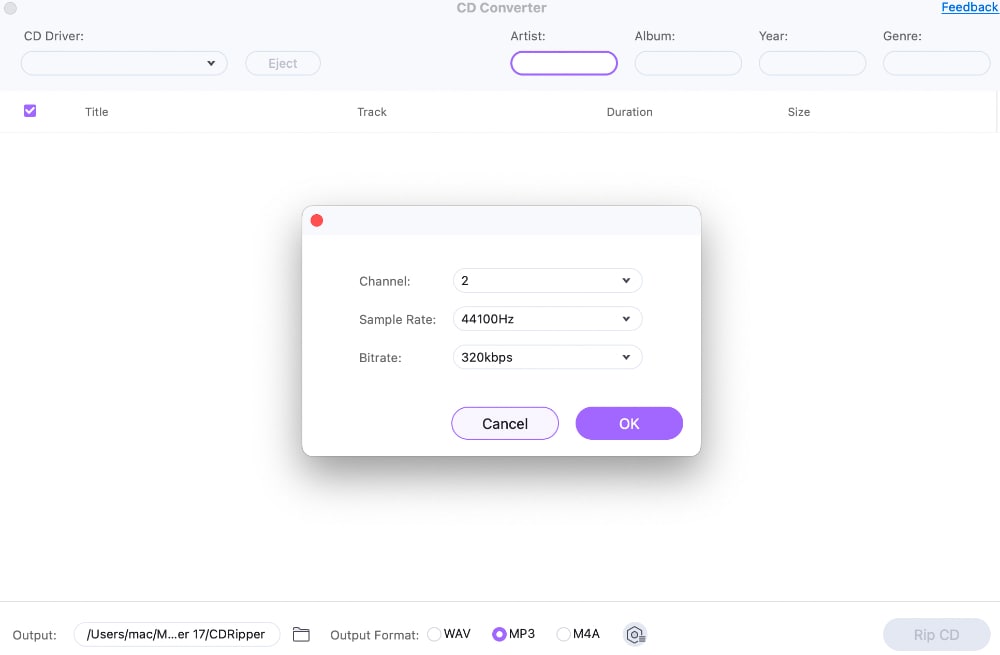
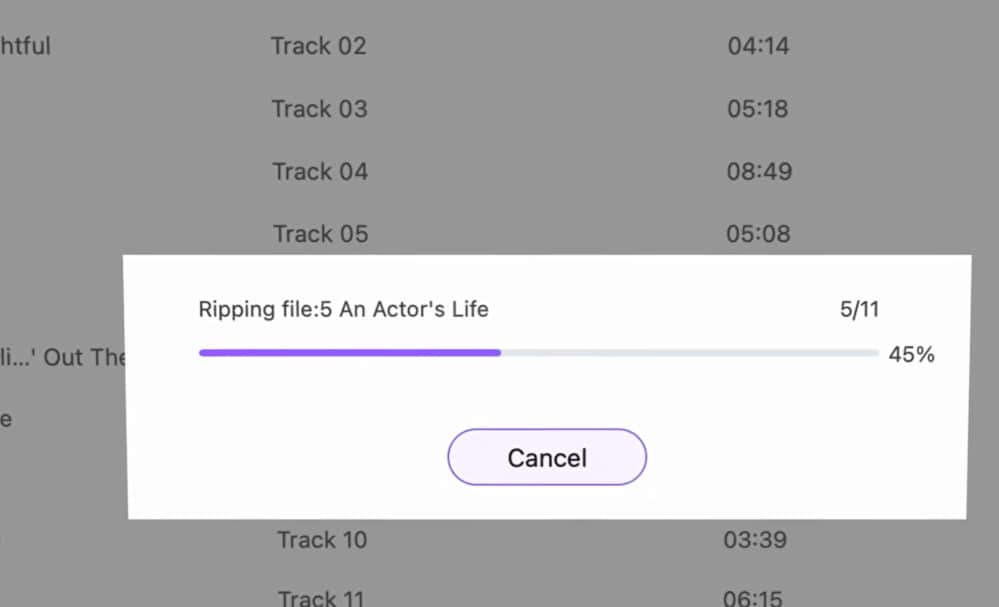
Lastly, click the Rip CD button to begin the extraction process. This should be fast, depending on the number of songs and the size of your CD.

CD Ripper for Fast Digital Audio Extraction
XLD
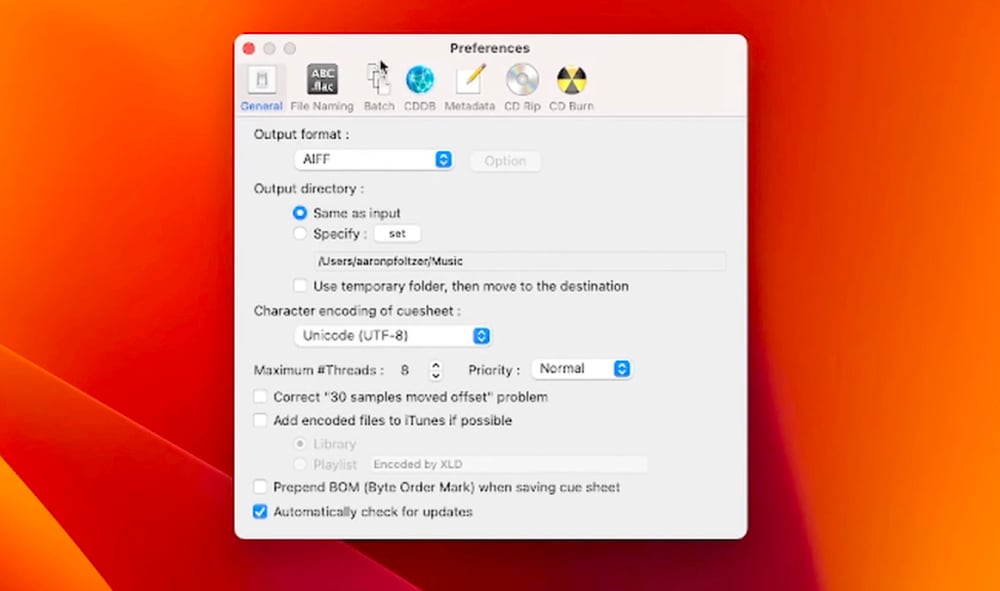
XLD is the best CD ripping software Mac for decoding, converting, and playing various lossless audio files. One thing that I love the most is its lossless CD conversion to tens of audio formats. I could convert my CD to formats like FLAC, ALAC, AIFF, and MP3. Simply choose a format, create a directory, and rip the CD. However, during my tests, I found out that the MP3 audio has lower quality than FLAC. That shouldn't be a deal-breaker, though.
Windows Media Player
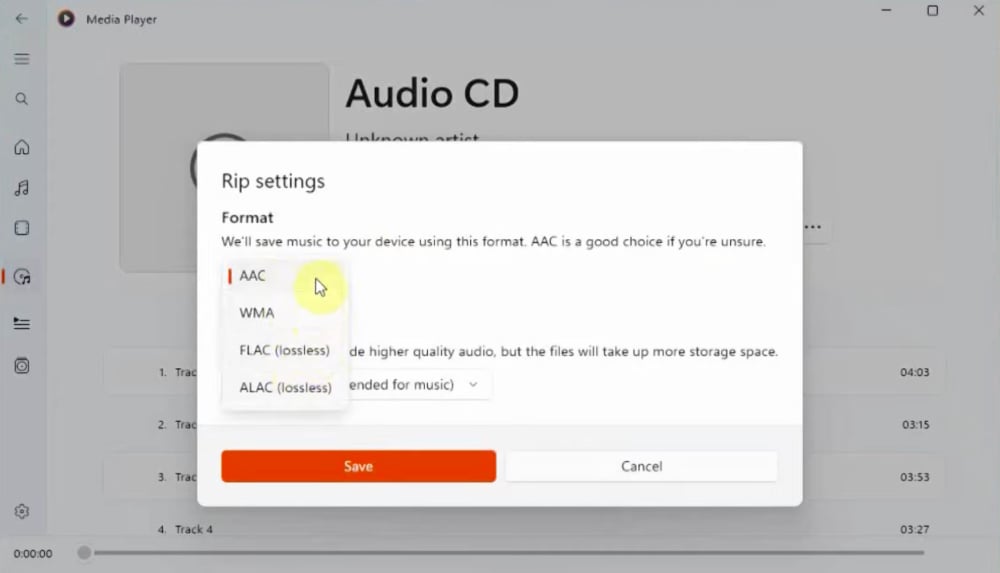
There's a reason why Windows is widely considered the most versatile computer operating system. It comes with tons of utility tools, including Windows Media Player. Besides playing your music and movies, this utility program can also rip CDs within minutes. Its CD ripper audio is easy to use and supports multiple music output formats. Insert your CD, open Audio CD in the settings, and tap Rip CD. That's it!
dBpoweramp CD Ripper
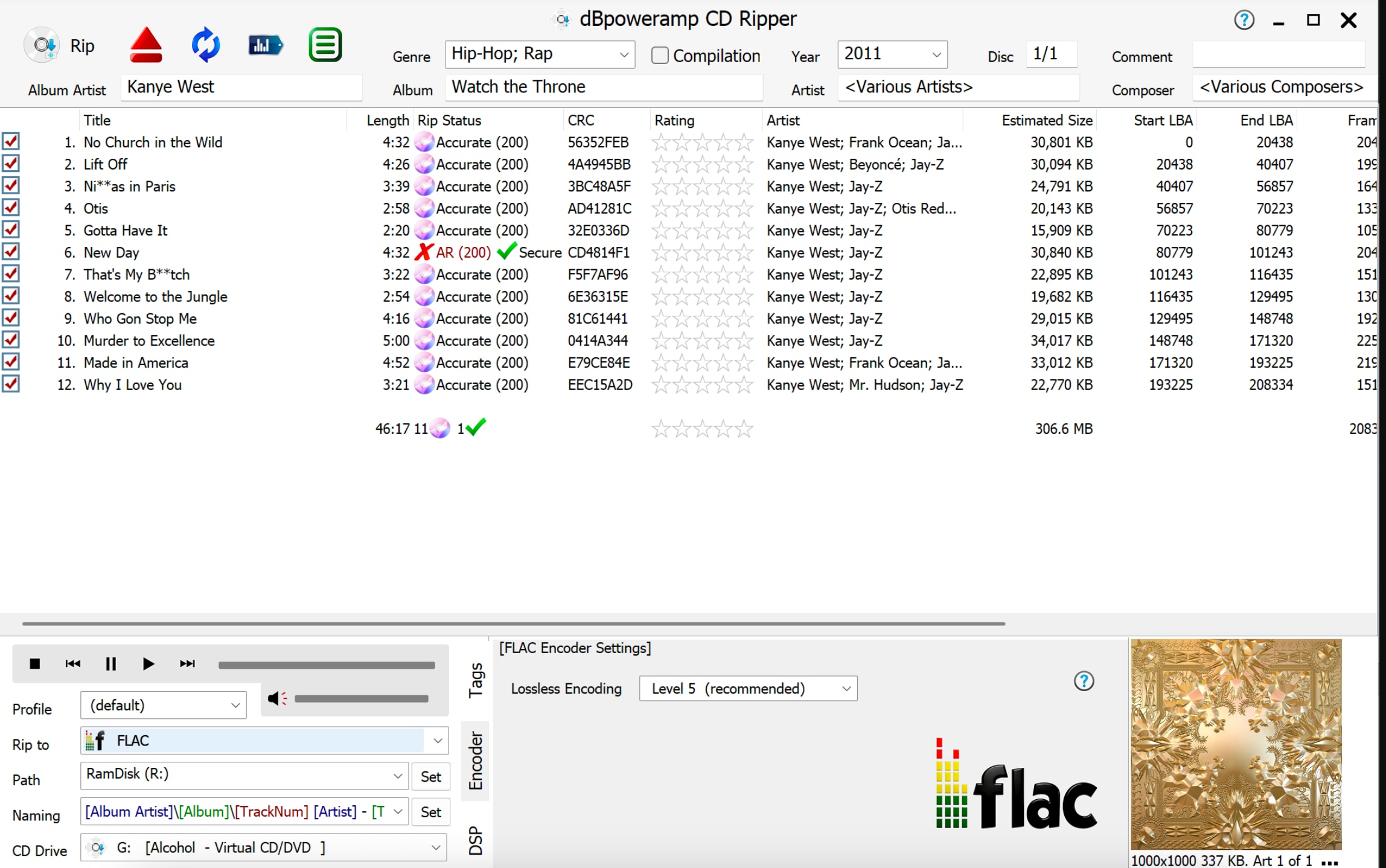
If you want a versatile CD ripper for Mac or Windows, consider using dBpoweramp CD Ripper. This program can encode your CD to all popular audio formats, including MP3, OPUS, and FLAC. My test results showed it took less than 5 minutes to rip a CD completely. Moreover, it can detect high-resolution album art and match it with what's available on the internet. It's a great choice for any Mac or Windows user.
Asunder CD Ripper
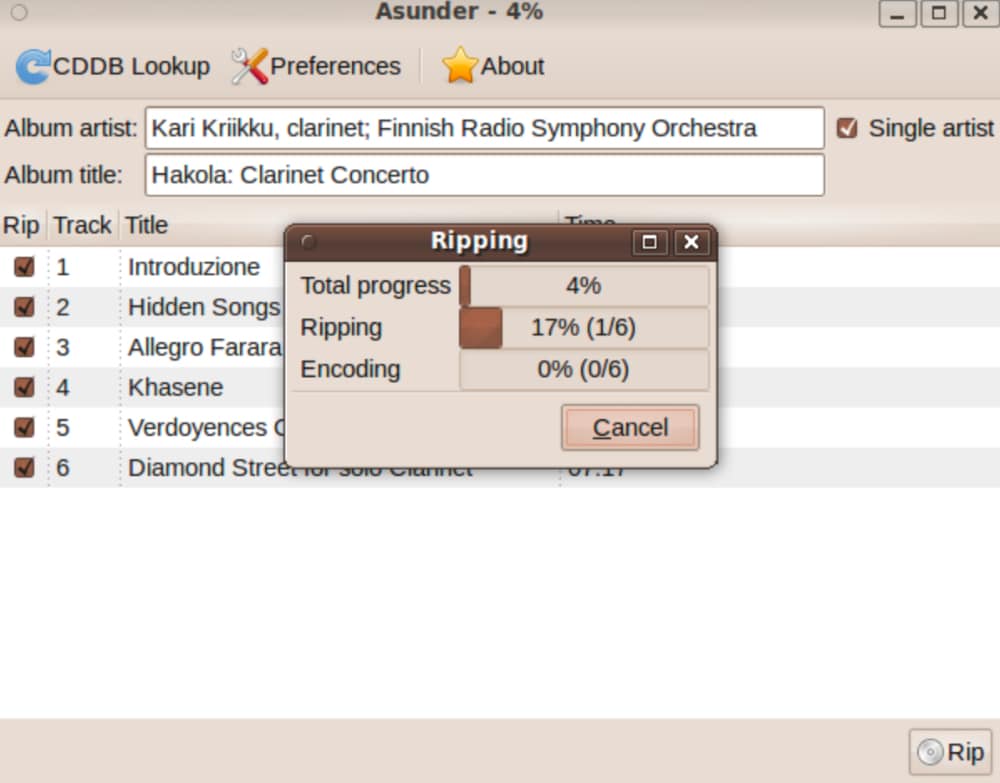
Still looking for a CD ripping tool for Linux? Consider using Asunder CD Ripper. Okay, the interface of this CD ripper for Linux may not be the most modern or ideal to look at. Still, it gets the job done with excellent efficiency and quality. You can use it to convert CDs to multiple audio formats, including Monkey's audio files. Even better, you can encode multiple music formats in a single session. Let's list its pros and cons below:
Part 3: Comparison Between Top CD Rippers
I understand that choosing an audio CD ripper in the crowded market may be complicated. That's why I've created this table to share a brief comparison of the best CD ripping programs above.
| CD Ripper | Platform | Price | Key Features | Best for |
| UniConverter | Windows/Mac | Free/Paid | Lossless WAV, up to 320kbps, edit and transfer ripped CDs | Audiophiles looking for fast and easy CD ripping |
| XLD | Mac | Free | Free, open-source, multiple lossless formats | Fast and professional ripping on Mac |
| Windows Media Player | Windows | Free | Built into PC, multiple bitrates up to 320kbps | Simple CD ripping on Windows |
| dBpoweramp CD Ripper | Windows/Mac | 21-day free trial | AccurateRip technology, disc imaging, batch processing | Ripping CDs with rich metadata processing |
| Asunder CD Ripper | Linux | Free | Multi-format support, metadata detection | Encoding multiple formats concurrently on Linux |
Conclusion
See, you don't have to deal with scratched CD files gathering dust in your collection. These CD ripping softwares should help you convert any CD into digital formats with amazing ease. UniConverter even throws in a few extras, such as built-in file transfers, audio editing, and file conversion. Use these tools to keep your music collection secure and organized.
FAQs
-
1. Is it legal to rip CDs?
Yes, it's generally legal to rip CDs into digital formats for personal use. However, you can only rip and use legally purchased CDs. It's also illegal to sell or distribute the ripped copies. -
2. What is the best format for CD ripping?
Most people prefer the MP3 format because it's compatible with countless playback programs and devices. However, you can use lossless formats like FLAC, ALAC, and WAV to maintain the original sound of the ripped files. -
3. What audio quality is best for ripped CDs?
Generally, it's a good idea to rip CDs at 16-bit/44.1 kHz to preserve the original quality and audio information. The good news is that some CD rippers can auto-detect and correct errors. -
4. Is it possible to rip all CDs?
Yes and no! You can generally convert most CDs into popular digital formats like MP3 and WAV. However, your chosen audio CD ripper may fail to recognize the CD if it has too many errors. -
5. Does metadata matter when ripping CDs?
Yes. Incorrect or missing album, artist, or track info is a common issue, so it helps to review metadata before starting the rip. UniConverter can easily help manage and convert metadata at the sametime.

