


Instagram's evolution has brought us incredible long-form content, yet the platform still lacks a native IGTV download feature for offline viewing. Whether you are a content creator needing to archive your work or a fan wanting to save a tutorial, finding a reliable way to download IGTV videos without quality loss is essential.
In this guide, we explore the most effective methods to download IGTV video content, ranging from quick IGTV download online tools to robust desktop software. We will help you navigate the cluttered market of IG TV download solutions to find safe, high-quality options that ensure you can download Instagram Reels IGTV video to MP3 audio or MP4 formats effortlessly.
- Online IGTV downloaders like FastDL offer quick, no-install solutions for single downloads, though quality and reliability may vary.
- Browser extensions such as Video DownloadHelper provide convenience, but often lack batch control and format options.
- Mobile apps like Exta Pro – Downloader for Instagram are suitable for on-the-go use, with limitations in resolution and bulk handling.
- For users managing multiple IGTV videos, Wondershare UniConverter stands out as a batch IGTV video downloader, offering stable desktop processing and consistent output quality.
In this article
- Key Features to Look for in a Quality IGTV Downloader
- Method 1: Download IGTV Videos with Online IGTV Downloaders
- Method 2: Batch Download IGTV Videos Desktop Software
- Method 3: Download IGTV Videos with Mobile App
- Method 4: Download IGTV Videos with Browser Extension
- Legal & Ethical Considerations
- Conclusion
- FAQs
Part 1. Key Features to Look for in a Quality IGTV Downloader
Before you start your IG TV Instagram download journey, it is crucial to understand what separates a mediocre tool from a professional one. Not all IGTV Insta download methods are created equal.
Multi-Format Support: A top-tier downloader should not just stick to MP4. It should offer the flexibility to download Instagram Reels IGTV video to MP3 audio if you only need the sound, or various video formats (MOV, AVI) for editing.
High-Quality Options: The ability to download IGTV video content in its original resolution—whether that's 720p, 1080p, or 4K—is non-negotiable. "Lossless" means the pixel data remains identical to the source.
Batch Downloading: For creators or social media managers, downloading one video at a time is tedious. The best tools allow you to download IG TV playlists or multiple links simultaneously.
Ease of Use: The interface should be intuitive. You shouldn't need a technical manual to figure out how to download IG TV video files. A simple "copy-paste" workflow is the gold standard.
Ad-Safe Environment: Many free IGTV download online sites are plagued with intrusive pop-ups. A quality tool provides a clean, safe interface without risking malware.
Uptime & Consistency: Instagram frequently updates its API. The best Insta IG TV video download tools are regularly updated to ensure they continue working despite platform changes.
Cross-Platform Support: Whether you are on Windows, Mac, or mobile, the solution should work seamlessly across your devices to download Instagram video photos, IGTV & Reels.
Subtitle/Closed Caption Download: Many IGTV videos rely on captions. Premium downloaders often allow you to extract these subtitles as separate .srt files.
Part 2. Method 1: Download IGTV Videos with Online IGTV Downloaders
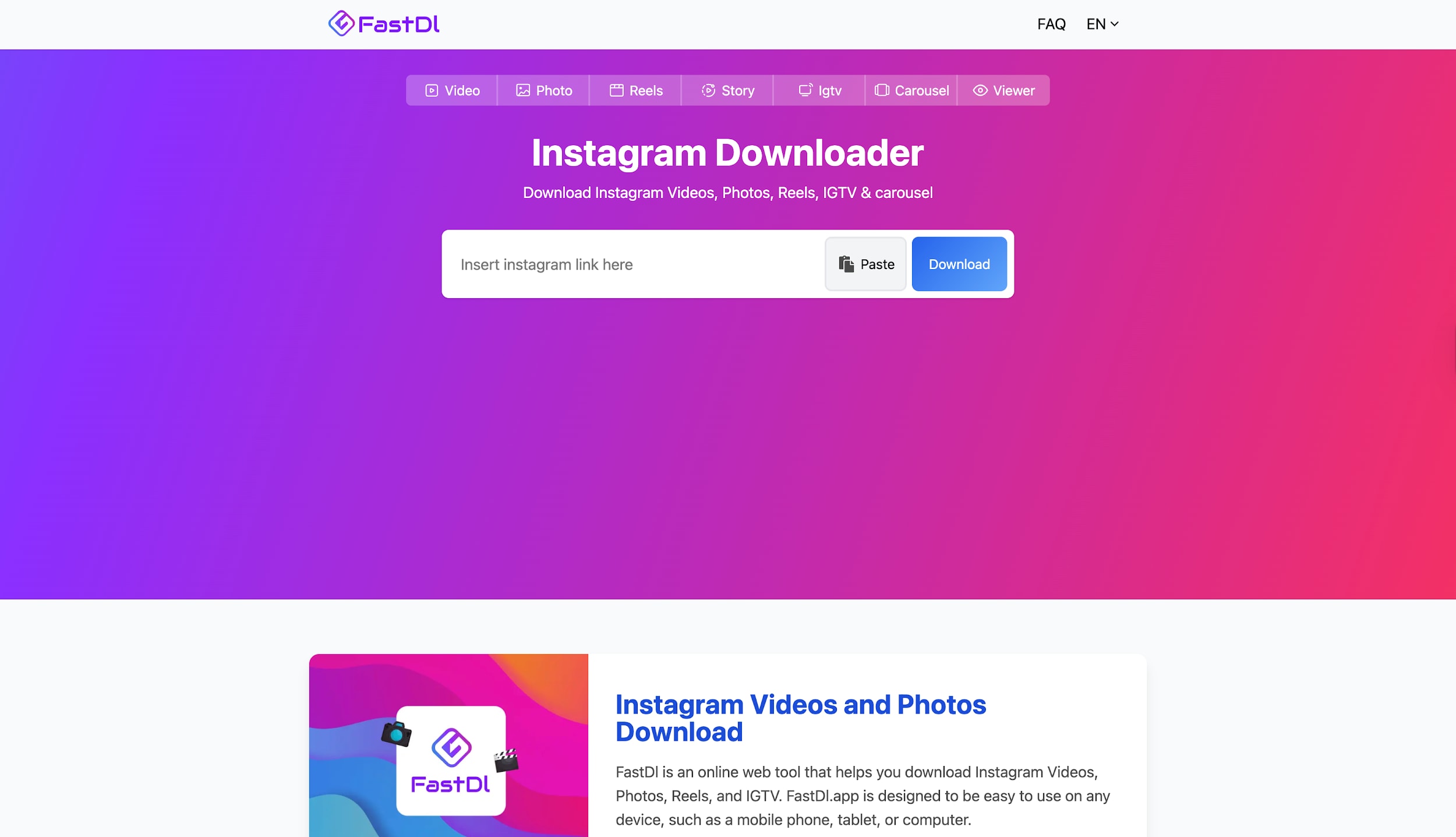
If you need a quick IG IGTV download without installing software, online web-based tools are a convenient choice. One such popular tool is FastDL (formerly known as iGram). It is explicitly designed for immediate, casual use. These platforms generally work by parsing the public link you provide and scraping the media file directly from Instagram's content delivery network. While they are excellent for one-off downloads, they often lack advanced features like batch processing or audio extraction. However, for a simple IGTV Instagram video download, they are accessible from any browser, including mobile devices.
Pros
- No software installation required; works in any browser.
- Completely free to use for occasional downloads.
- Simple interface: usually just a single text box and a download button.
- Works on mobile phones (iOS and Android) via a web browser.
Cons
- Often riddled with intrusive ads and pop-ups.
- Cannot download IGTV in batches; you must do it one by one.
- Download speed can be slow depending on server load.
Step-by-Step Guide using FastDL
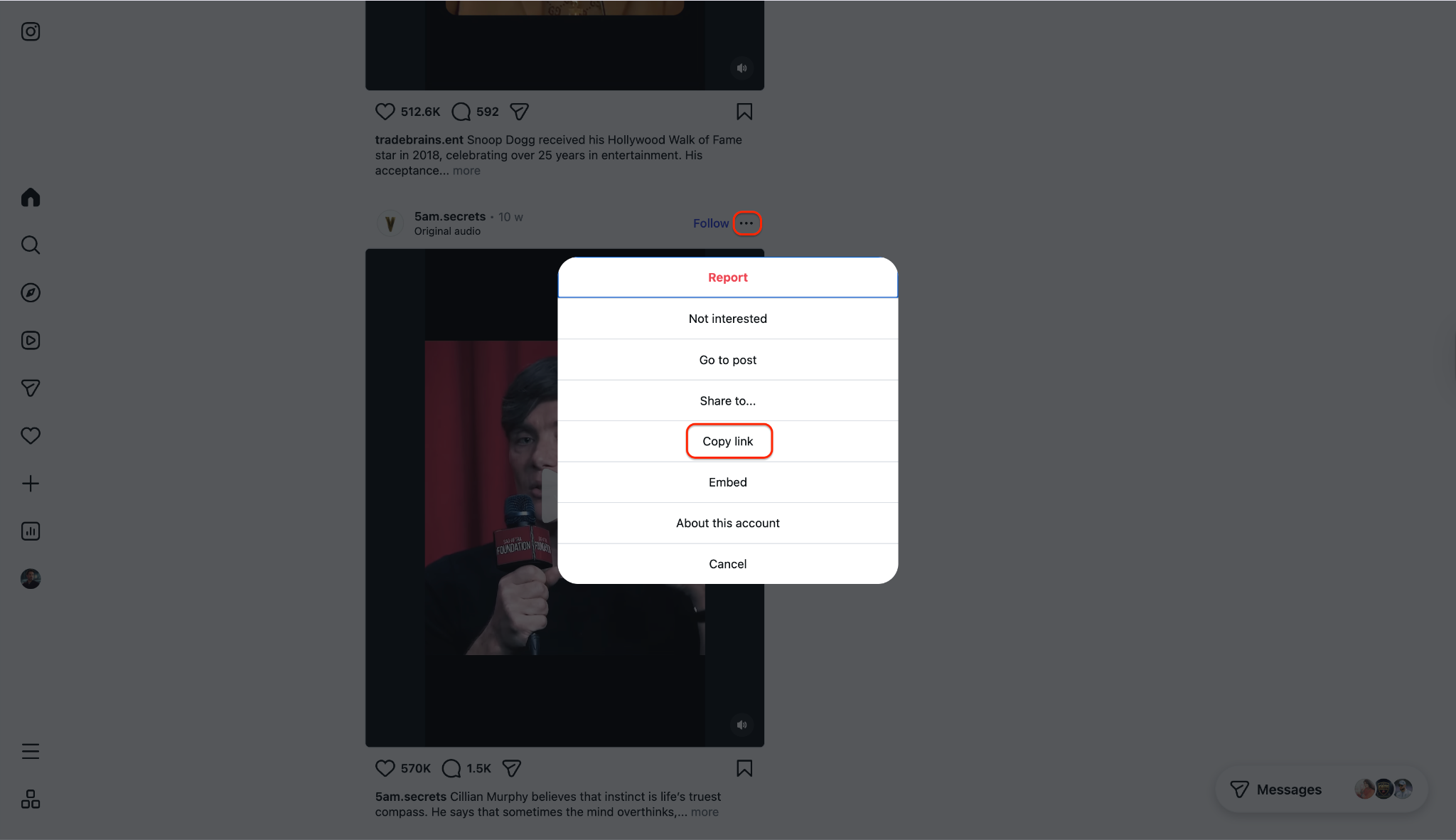
Step 1: Copy Video Link
Open the Instagram app or website and navigate to the IGTV video you want to save. Tap the options menu on the IGTV post (⋯ on iPhone or ⋮ on Android / “More” on web) and choose “Copy link.”
Step 2: Paste the URL
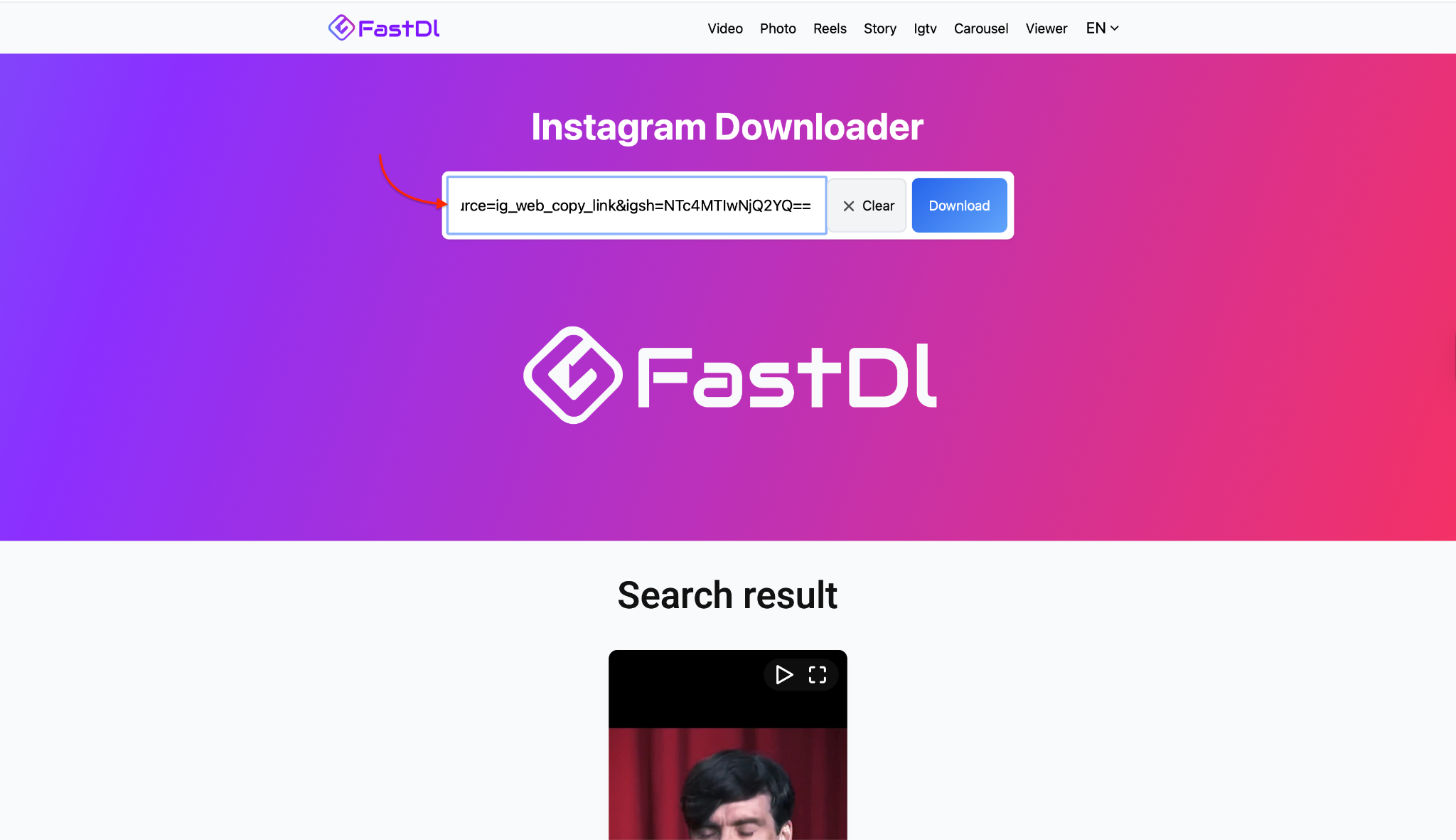
Open your browser and go to the FastDL Instagram IGTV downloader page. In the input field on the FastDL page, paste the copied IGTV link.
Step 3: Download
Click the Download button; FastDL will process the link and show available quality options for the IGTV video. Select your preferred quality and click Download again to start saving the file to your device. Once finished, find the IGTV video in your browser’s default Downloads folder or your phone’s downloads/gallery and play it offline.

Safe & Private Batch IGTV Video Downloader
Part 3. Method 2: Batch Download IGTV Videos Desktop Software
For users demanding professional reliability, Wondershare UniConverter is the ultimate solution. Unlike basic online tools, UniConverter is a comprehensive multimedia toolkit that lets you download IGTV videos in lossless quality every time. It stands out because it supports batch downloading, allowing you to queue up multiple IGTV links at once. Additionally, it offers a dedicated video downloader chrome extension that integrates seamlessly with your desktop workflow, enabling one-click downloads directly from your web browser. Beyond just downloading, it allows you to convert files instantly to over 1,000 formats, making it perfect if you need to download Instagram Reels, save Instagram photos and so on.

Pros
- Batch Downloading: Save entire playlists or multiple IGTV videos simultaneously.
- Lossless Quality: Supports downloading in up to 4K and 8K resolutions without compression.
- All-in-One Toolkit: Includes a video editor, compressor, and converter (e.g., download Instagram Reels IGTV video to MP3 audio directly).
- Ad-Free & Secure: No risk of malware or annoying pop-ups.
Cons
- Desktop Tool: Requires software installation on your PC or Mac.
- Limited Free Trial Functions: It is a paid software (though a free trial is available).
Step-by-Step Guide using UniConverter
Step 1: Launch and Optional Integration
Install and open UniConverter on your computer, then go to the “Downloader” section in the main interface.
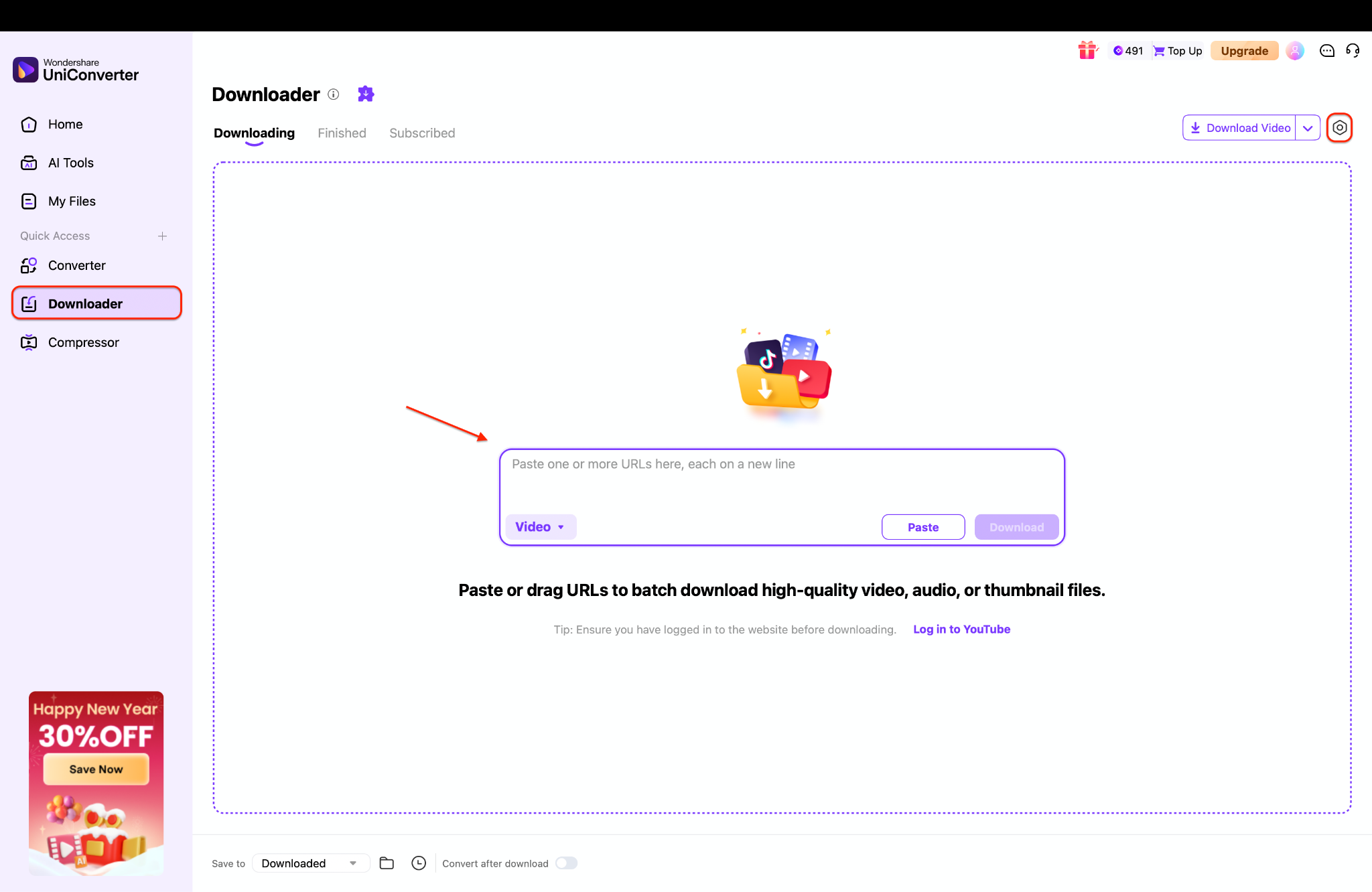
Pro tip: If you have the UniConverter helper installed, it can detect video streams in your browser to streamline the process further.
Step 2: Batch Input URLs
In your browser (or Instagram app plus browser), open the IGTV video you want, copy its video URL from the address bar or “Copy link” menu. Back in UniConverter’s Downloader, paste the IGTV link into the “Paste URL” or equivalent input box.
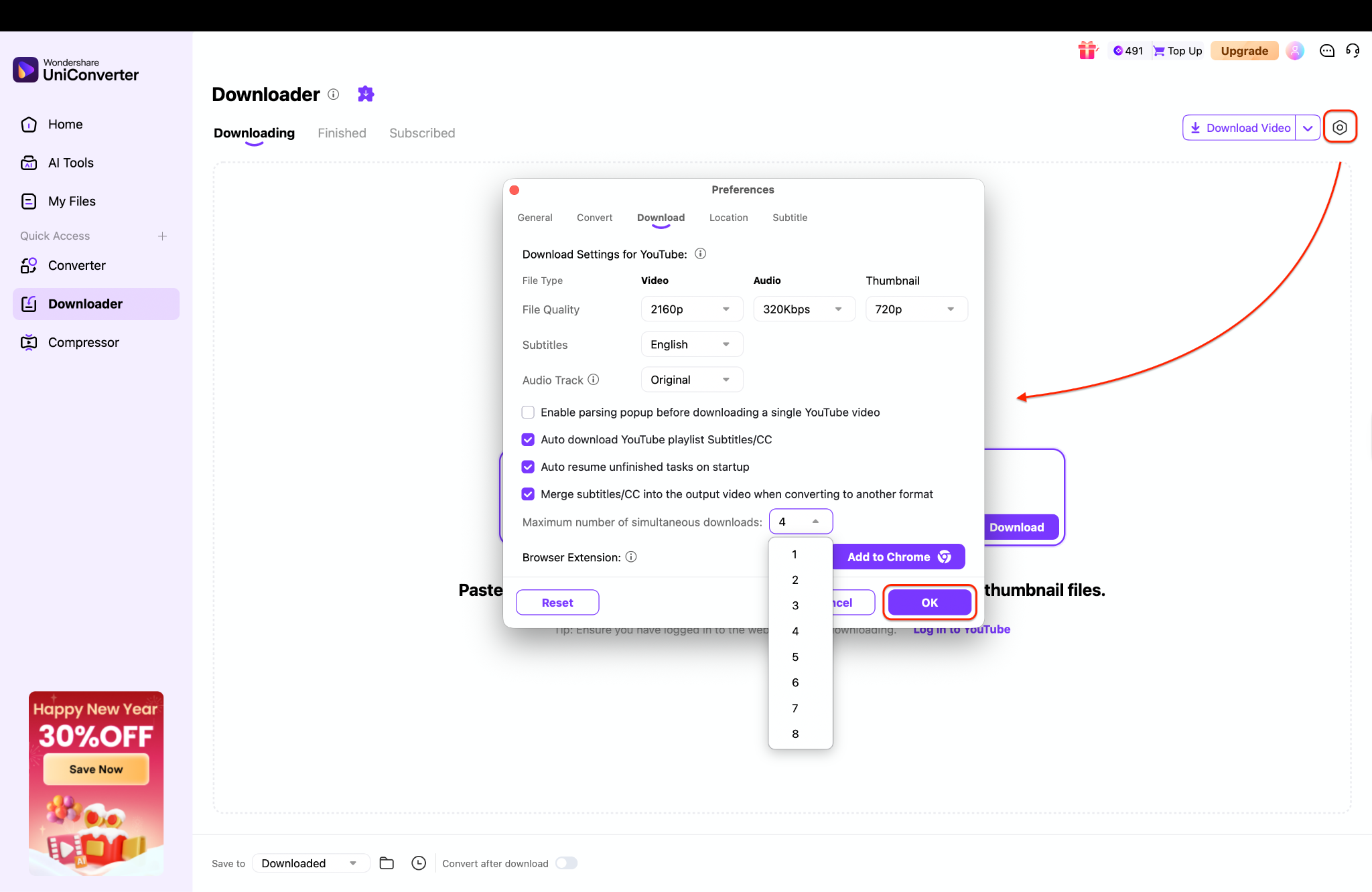
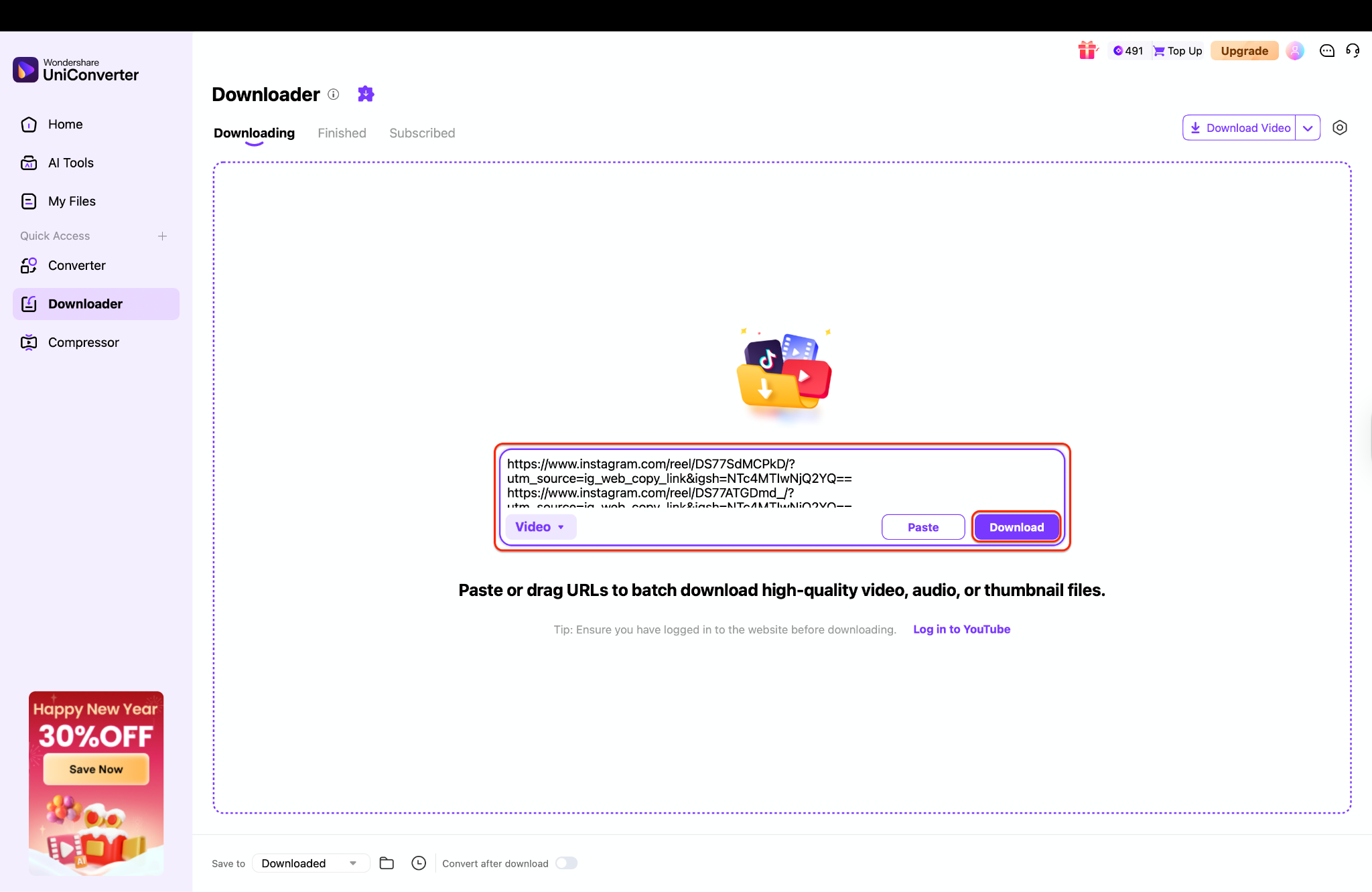
Step 3: Execute High-Speed Download
Click the Download button and let UniConverter fetch and save the IGTV video to the default or selected output folder. When finished, open the “Finished” or “Completed” tab inside UniConverter (or check the output folder) and play the file to ensure the download succeeded.
Easy Batch IGTV Video Downloader
Part 4. Method 3: Download IGTV Videos with Mobile App
SavePro - Video Downloader is an Android app that lets you download Instagram reels, stories, posts, highlights, IGTV, guides and profile pictures directly to your phone gallery without logging in to your Instagram account. It also allows saving and copying biographies, captions and hashtags from any public post or profile, making it useful for offline viewing, reposting or content curation. The app supports high-quality downloads, fast speeds, a built-in video player and the ability to merge multiple videos into a single file.
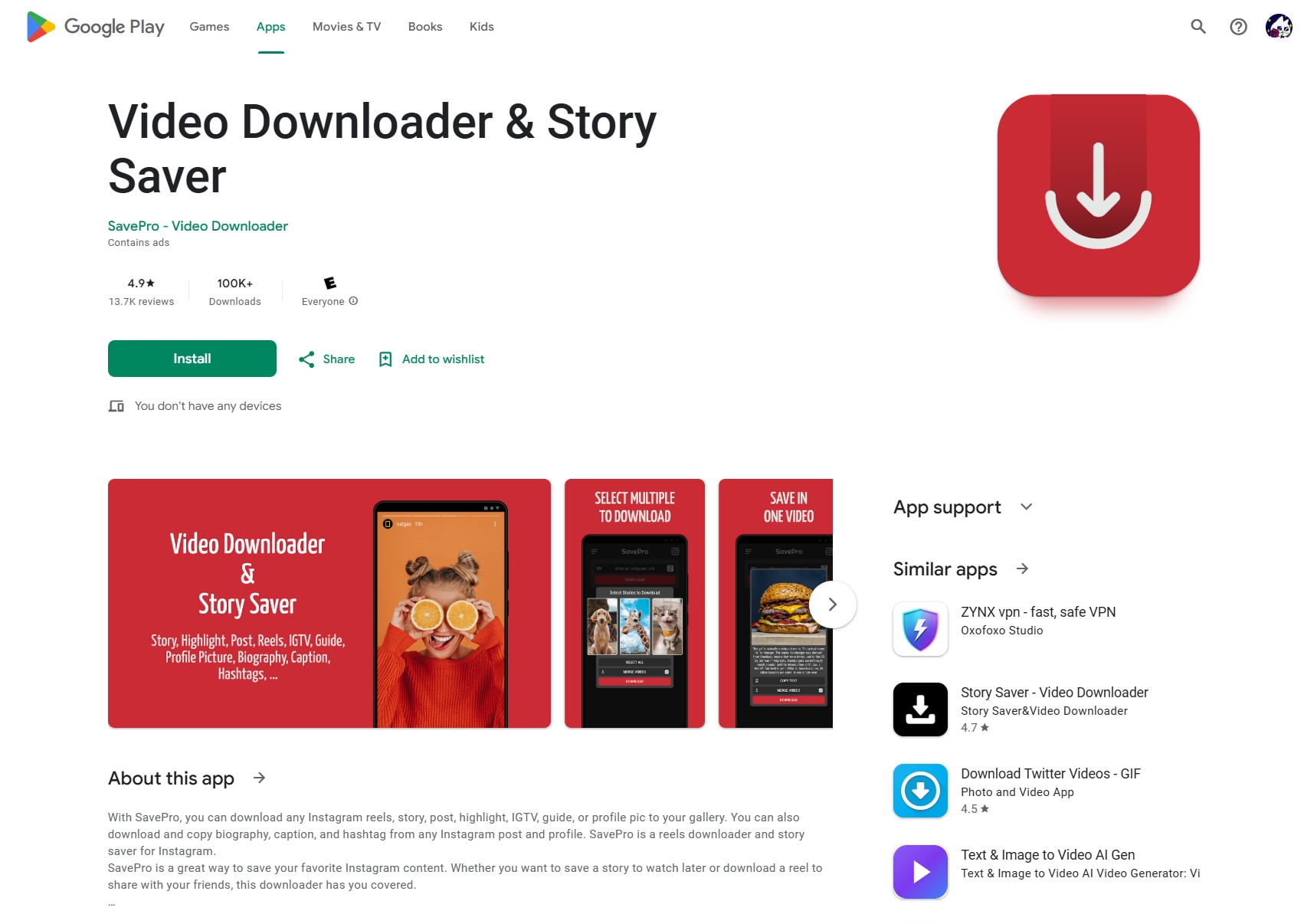
Pros:
- Fast Download: Supports high-quality, fast downloads with a built-in offline player and the option to merge multiple videos into a single file.
- Universal Compatibility: Download almost any Instagram content type (reels, stories, posts, highlights, IGTV, guides, profile photos, text, captions and hashtags) in one app.
- Ease of Use: Easy to use thanks to direct “Share to SavePro” and “Copy link then paste” methods from the Instagram app, plus small app size.
Cons:
- Learning Curve: The free version contains many ads, and users report that ads appear frequently and can disrupt the experience.
- Download Limits: Some users mention that ads are tied to download limits (for example, watching an ad to unlock only a couple of downloads), which feels restrictive.
Step-by-Step Guide using SavePro - Video Downloader
Step 1: Install the App
Install SavePro - Video Downloader from Google Play on your Android device and open the app once to finish setup.
Step 2: Browse Instagram
Open Instagram and find the reel, story, post, highlight or other content you want to download.Tap the “Send” or share icon on the Instagram post or story to open the sharing options. For the “Share to” method, choose “Share” and then select “SavePro - Video Downloader for Instagram” from the list to start the download automatically.
Step 3: Copy Video Link and Download
For the “Copy link” method, tap “Copy link” in Instagram, then open SavePro and paste the copied URL to trigger the download. Wait for the file to download; then open SavePro’s built-in player or your phone’s gallery to view the saved media offline. If desired, use the merge feature inside SavePro to combine multiple videos from a post, story or highlight into a single video file.
Part 5. Method 4: Download IGTV Videos with Chrome Extension
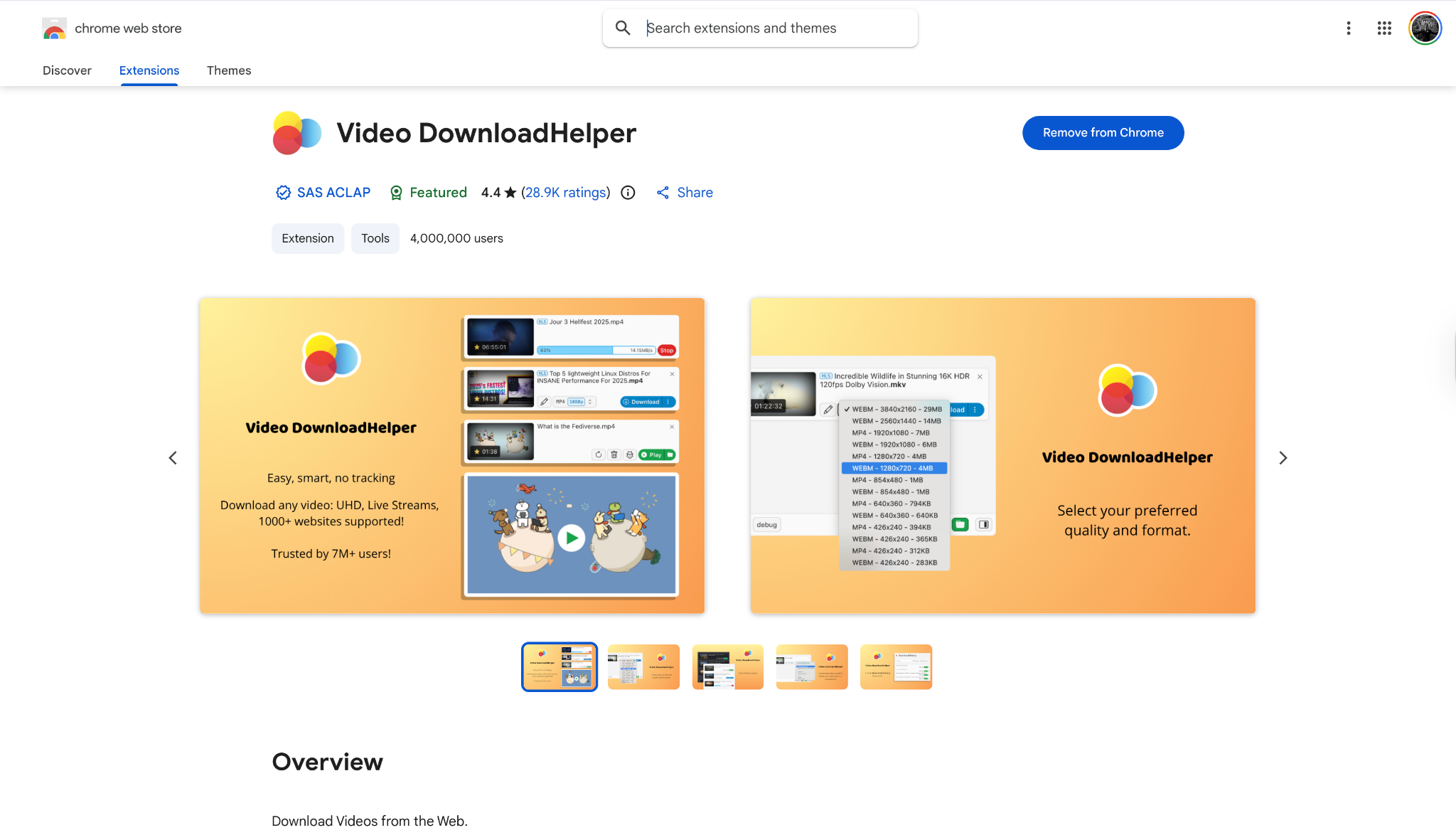
For users who want a robust, cross-platform solution that works beyond just Instagram, Video DownloadHelper is arguably the most popular media downloading extension in existence. Available for Chrome, Firefox, and Edge, this tool is a favorite among power users because it detects almost any embedded video stream on a webpage. While it is a general-purpose downloader, its ability to sniff out high-quality IG TV download links makes it invaluable. It is regularly updated and trusted by millions, ensuring you can download IGTV and other media without relying on fly-by-night extensions that disappear after a few months.
Pros:
- Cross-Browser Support: Works seamlessly on Firefox, Chrome, and Microsoft Edge.
- Universal Compatibility: Downloads videos not just from Instagram, but from thousands of other sites.
- Format Choice: Often detects multiple resolutions (720p, 1080p) and formats (MP4, WEBM) for the same video.
Cons:
- Learning Curve: The interface is more technical (a list of file streams) compared to a simple "Download" button.
- Conversion Limits: Some advanced formats require installing a companion app to convert audio/video streams.
Step-by-Step Guide using Video DownloadHelper
Step 1: Install the Extension
Install the Video DownloadHelper extension in a supported browser (typically Firefox or Chrome) and restart the browser if prompted.
Step 2: Play the Video
Navigate to the IGTV video you wish to save. Play the video for a few seconds so the extension can detect the media stream.
Step 3: Select the Stream
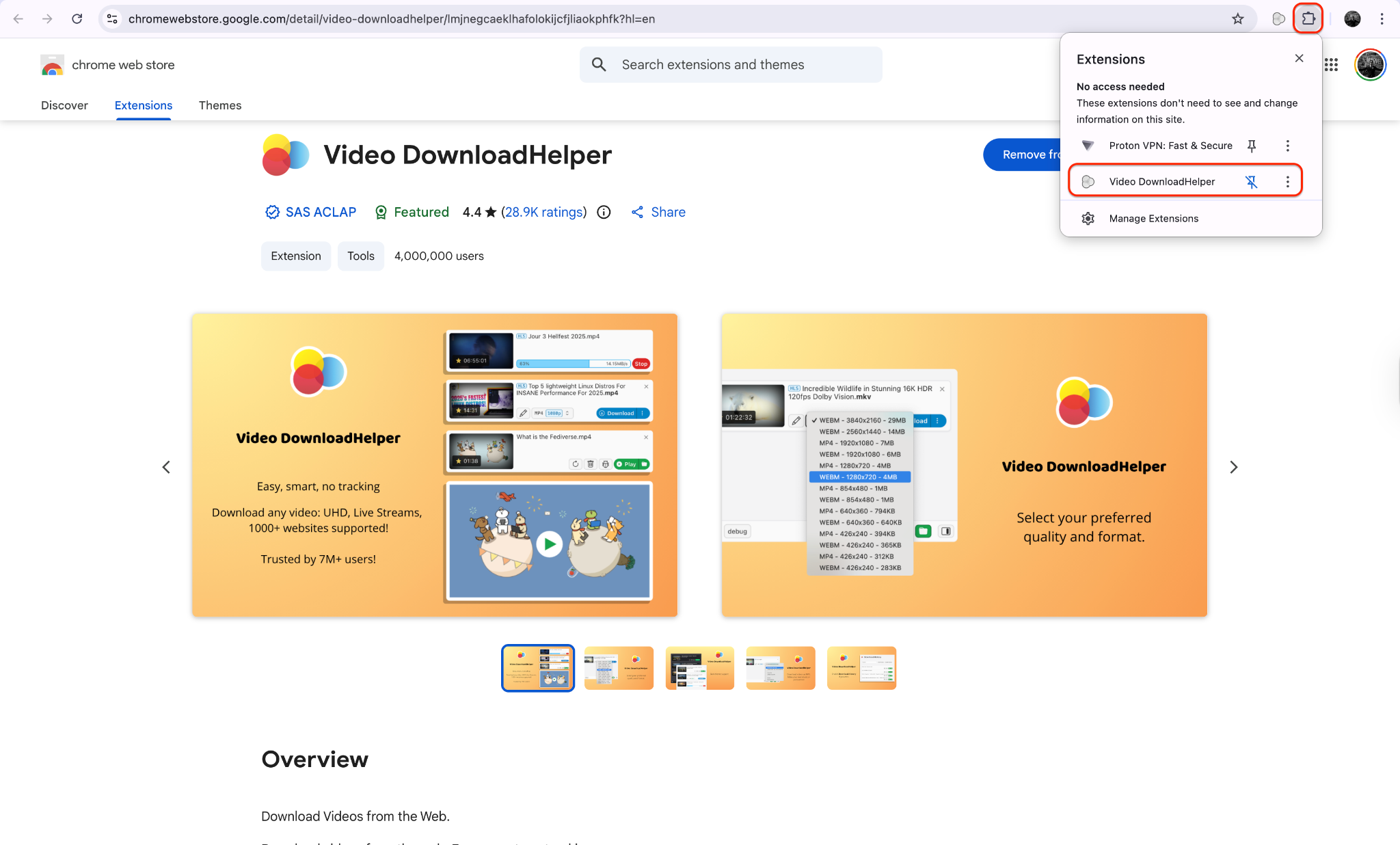
Click the Video DownloadHelper icon in your browser toolbar; wait for it to list available video streams for that page. Choose the entry that matches the IGTV video (usually the highest resolution) from the list. Click the download option (or “Download”/“Quick download”) and pick a folder on your computer if asked and wait for the download to complete.
Stable Batch IGTV Video Downloader You Can Trust
Part 6. Legal & Ethical Considerations
When you download IGTV content, it is vital to navigate the legal landscape responsibly. Instagram's Terms of Service generally prohibit downloading content you do not own without express permission.
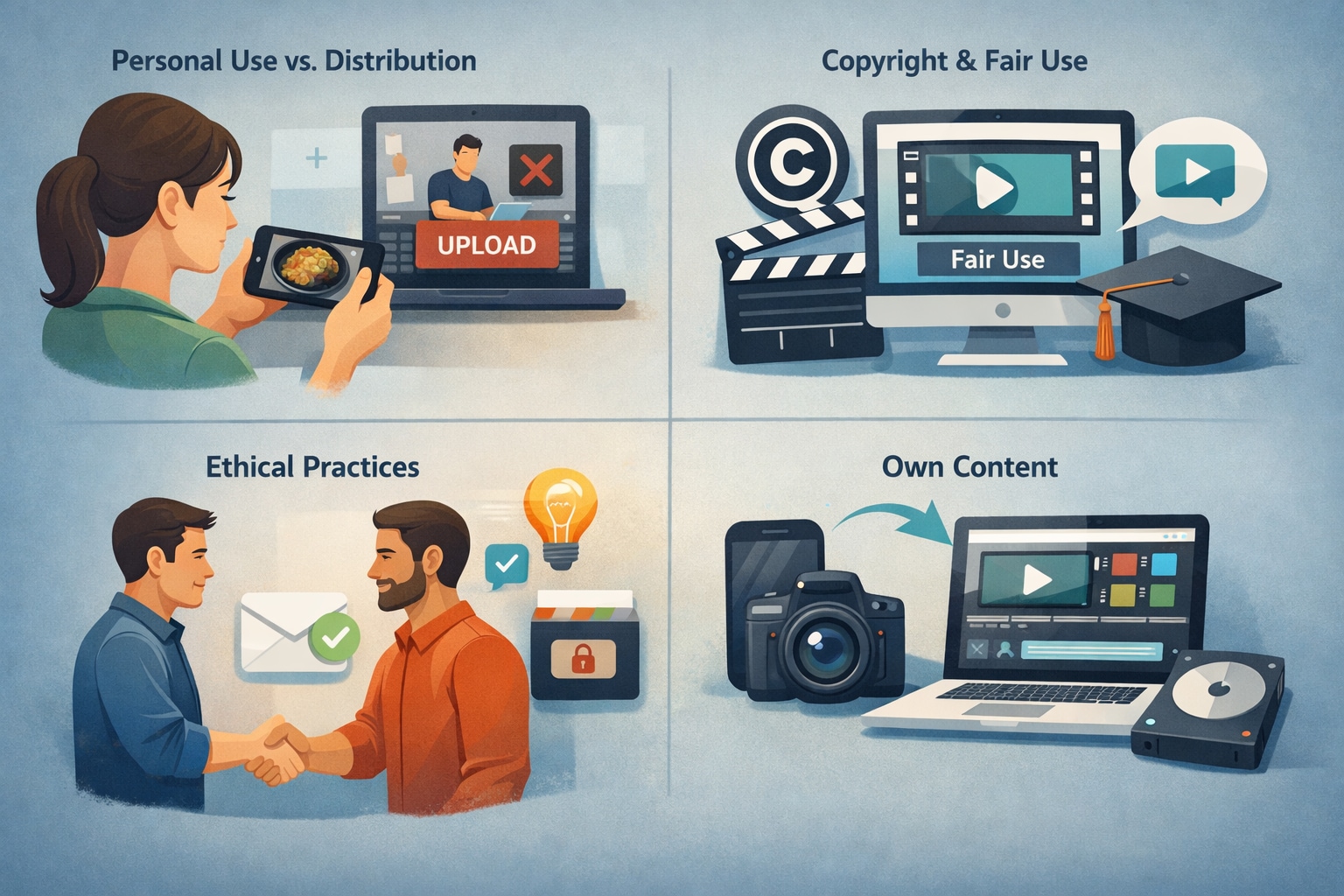
Personal Use vs. Distribution: Downloading a video for offline personal viewing (e.g., a recipe or workout) is often considered a gray area but generally tolerated. However, re-uploading that content as your own is a strict violation of copyright.
Copyright and Fair Use: If you plan to use a snippet of a downloaded video for commentary, criticism, or education, this might fall under "Fair Use," but you should always credit the original creator.
Ethical Practices: Always ask for permission before you download IGTV video content for anything other than private archiving. Respect the creator's intellectual property rights.
Own Content: You are always free to download IG TV videos that you have created and uploaded yourself, for archival or repurposing purposes.
Conclusion
In this article, you've discovered various methods to download IGTV videos effortlessly while maintaining lossless quality. From comprehensive software like Wondershare UniConverter to quick online tools and browser extensions, there's a solution for every user. Each option has its strengths, but for those seeking reliability, batch processing, and privacy, the desktop route is superior.
If you want an effective, secure, and user-friendly solution, Wondershare UniConverter stands out as an excellent choice. Its advanced features allow you to not only download IGTV videos but also convert and edit them without the hassle of watermarks. You can enjoy your saved content exactly as it was meant to be seen—without distractions. Start using a professional video tool today and elevate your content creation workflow!
FAQ
-
1. Can I legally download YouTube music to my Mac?
YouTube’s Terms of Service prohibit downloading videos or music without explicit permission, except through official features provided by YouTube itself, such as offline downloads available with YouTube Premium inside its apps. -
2. What is the safest way to get YouTube music on my Mac?
The safest methods are legal options, such as purchasing tracks from licensed stores like iTunes or using YouTube’s own licensed libraries and offline features. These approaches avoid the risks associated with unverified converters that may include malware or intrusive ads. -
3. How do third-party YouTube music downloaders for Mac work?
Most third-party tools require you to paste a YouTube URL, then convert the stream into formats like MP3, WAV, or M4A for local saving. Many also support playlist downloads and multiple quality or bitrate options. -
4. Are online YouTube-to-MP3 sites safe to use on macOS?
While many online converters work technically, they often display aggressive pop-ups, misleading download buttons, or potentially unsafe files. Users should be cautious, keep macOS security features enabled, and avoid websites that appear suspicious. -
5. Can browser extensions on Mac download music from YouTube?
Some Safari, Chrome, or Firefox extensions add download options to YouTube pages and extract audio as MP3. However, their reliability and legality can change frequently due to YouTube policy updates and the extension developer’s compliance practices.

