


Ever fallen in love with a hilarious ShareChat clip, a perfect recipe video, or a trending dance routine, only to find it's disappeared later? Or struggled with a patchy internet connection right when you wanted to show a friend that amazing video? The frustration of not being able to save and enjoy your favorite content offline is real.
That's why we created this ultimate guide. Stop losing precious moments and battling poor connectivity. We're introducing the definitive solution that puts you in control, allowing you to download any ShareChat video with ease and build your personal, offline entertainment library forever.
In this article
Part 1. Can I Download ShareChat Videos Directly?
Before we dive into the "how," it's crucial to understand the "why." You cannot download ShareChat videos directly from the app because it doesn’t provide an official download option. This is a deliberate choice by the platform, rooted in two key areas:
Why Isn't There a "Download" Button on ShareChat?
Before we dive into the "how," it's crucial to understand the "why." You cannot download ShareChat videos directly from the app because it doesn’t provide an official download option. This is a deliberate choice by the platform, rooted in two key areas:
Platform Policy & Engagement: ShareChat's primary goal is to keep users engaged within its ecosystem. Allowing direct downloads could reduce in-app traffic, time spent, and ultimately, ad revenue. The platform thrives on real-time, in-app interaction, not offline viewing.
Copyright and Ethical Considerations: This is the most critical aspect. The videos on ShareChat belong to their original creators. Downloading and, more importantly, re-uploading or redistributing this content without explicit permission is a violation of copyright law and the creator's rights.
A Crucial Reminder: Download Responsibly
When you use these methods, ethical responsibility falls on you. It is paramount to respect the original creators.
Personal Use Only: Limit your downloads to your personal viewing pleasure. Do not use downloaded videos for commercial purposes.
Always Give Credit: If you ever share a downloaded video on another social platform, always tag and credit the original creator. This respects their effort and protects you from copyright infringement claims.
Support Creators: The best way to support your favorite creators is by engaging with their content on ShareChat itself—like, comment, and share from within the app.
Part 2. How to Download ShareChat Videos from URL in Batch [Most Efficient Choice]
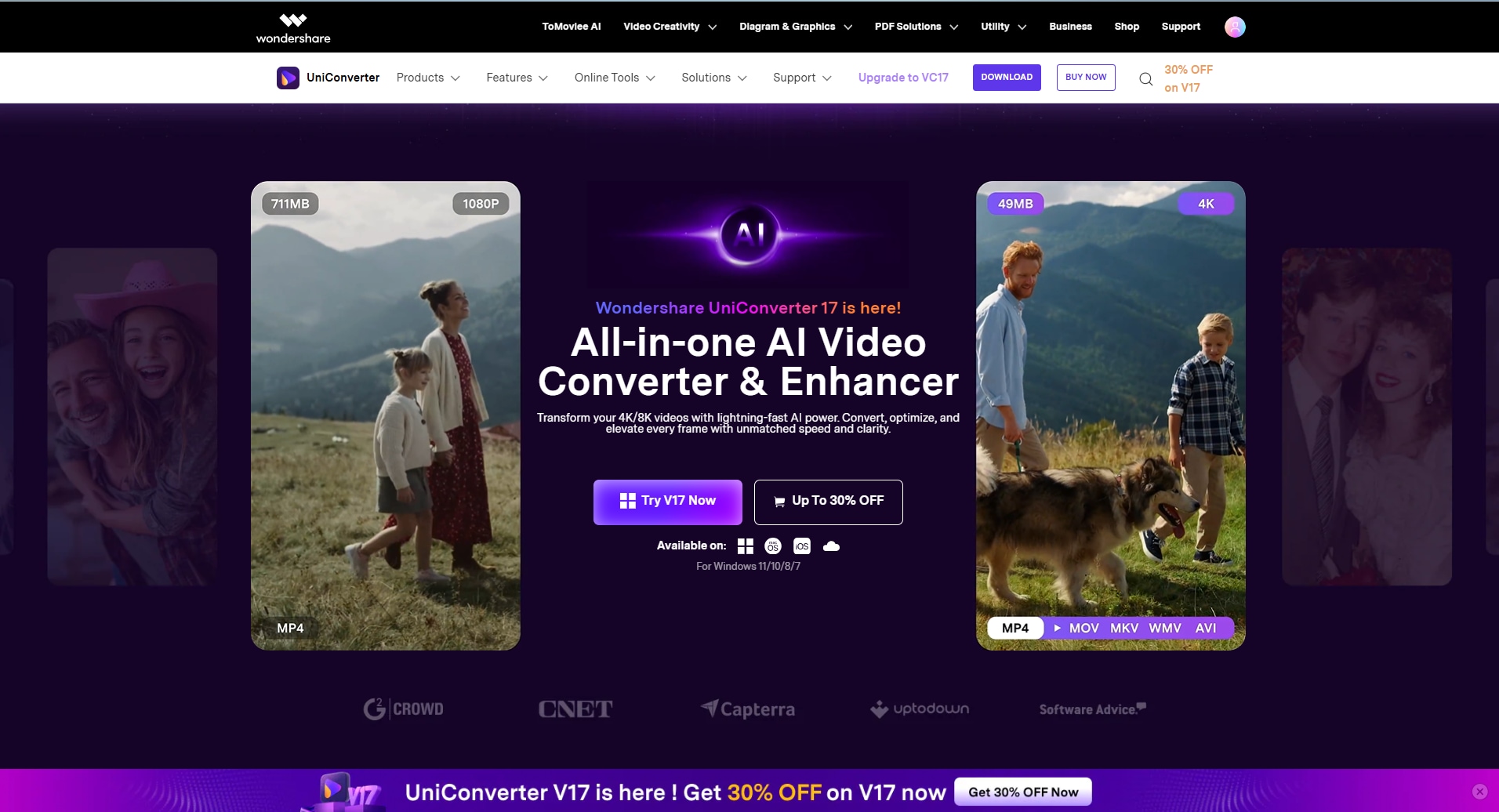
The simplest way to ShareChat download video is to use a third-party tool. With Wondershare UniConverter, your downloads have become a piece of cake. With its batch processing feature, it saves multiple videos at a time.
This tool has the ability to save videos from more than 10,000 video sites. With just a video URL, you can download a video on UniConverter. You can choose the video quality from 280p to 4K before saving the fetched video.
A Complete Walkthrough Guide to Using UniConverter for Downloading ShareChat Videos
Downloading a ShareChat video download on this platform is a simple and straightforward process. The following steps are a guide to using UniConverter for ShareChat video downloading:
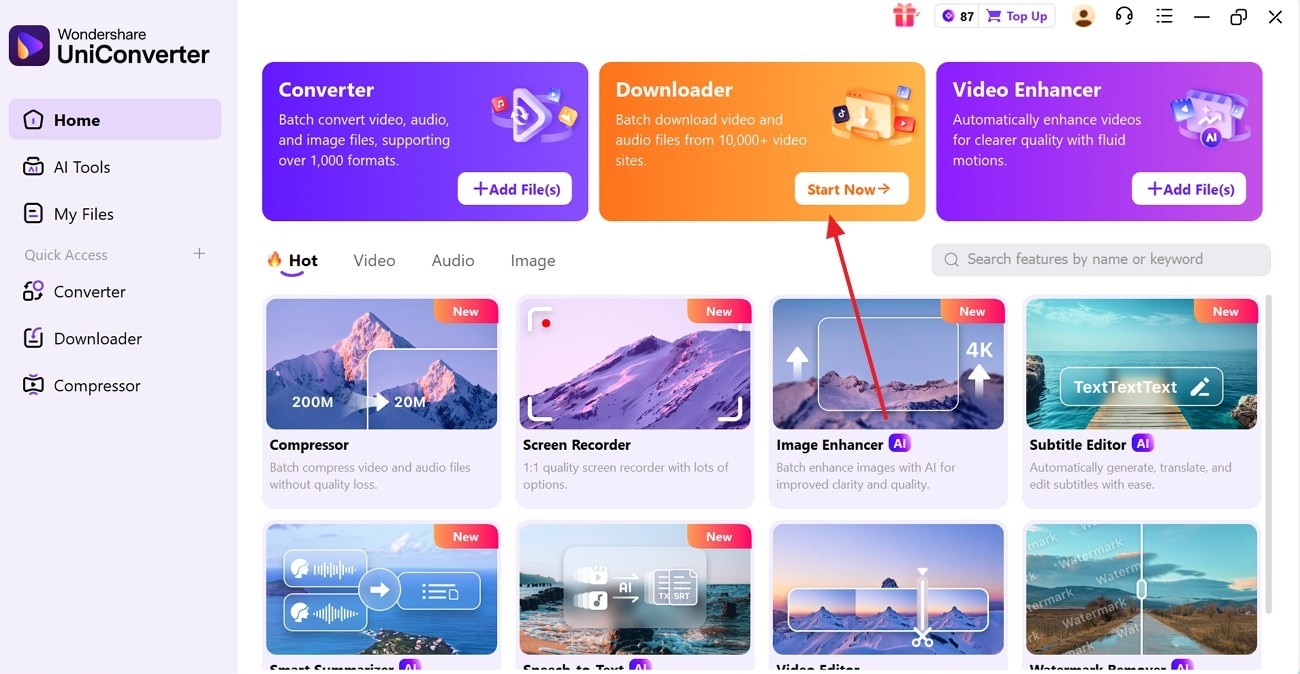
Step 1. Access the Downloader on UniConverter
To start the process, select the “Start Now” button in the “Downloader” tab.
Step 2. Paste the Playlist URL
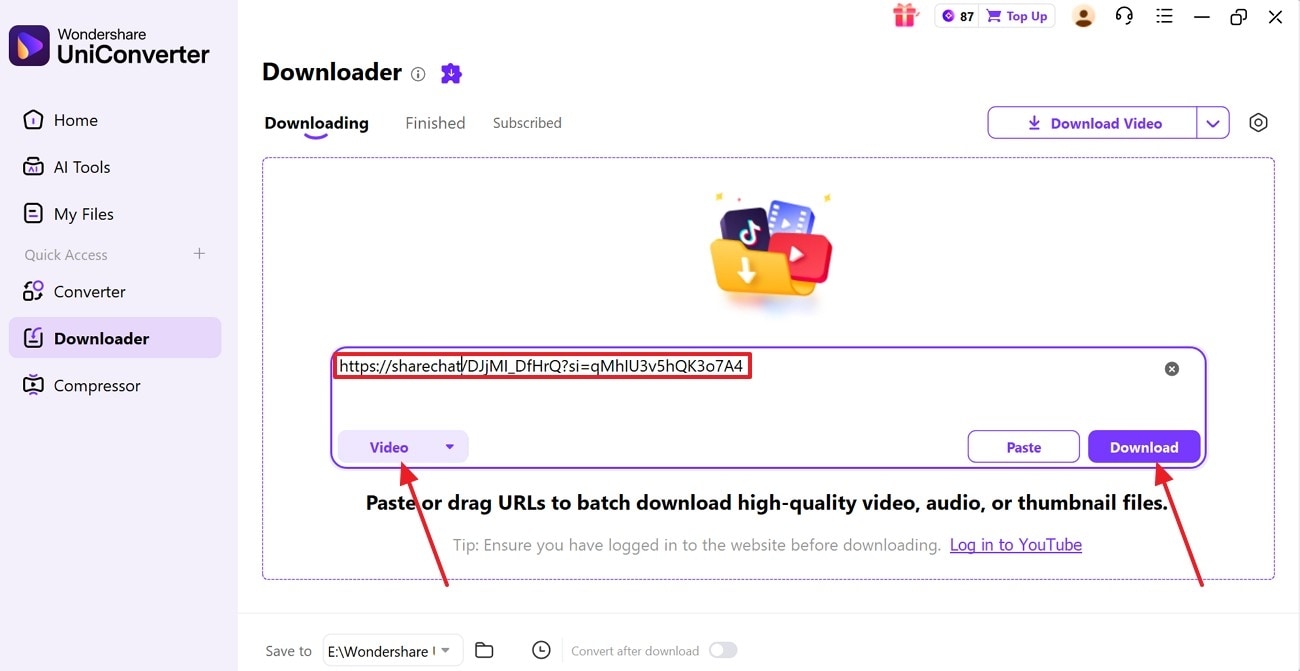
Copy the URL of the ShareChat videos and enter UniConverter’s interface. Here, paste the link in the designated field and enable the “Video” mode. Next, press the “Download” button to fetch the footage playlist.
Step 3. Select the Playlist Downloading Option
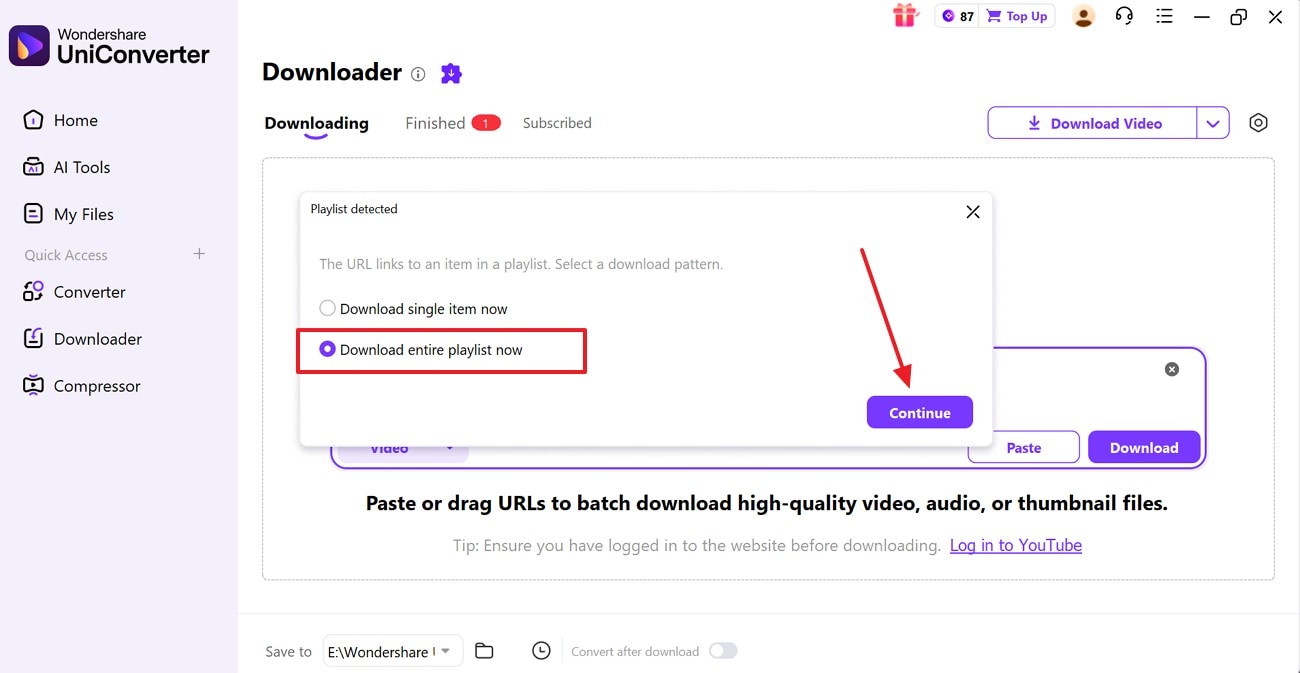
Using the next dialogue box, select the “Download Entire Playlist Now” radio button and click “Continue”.
Step 4. Access the Downloaded Batch Videos in the Finished Tab
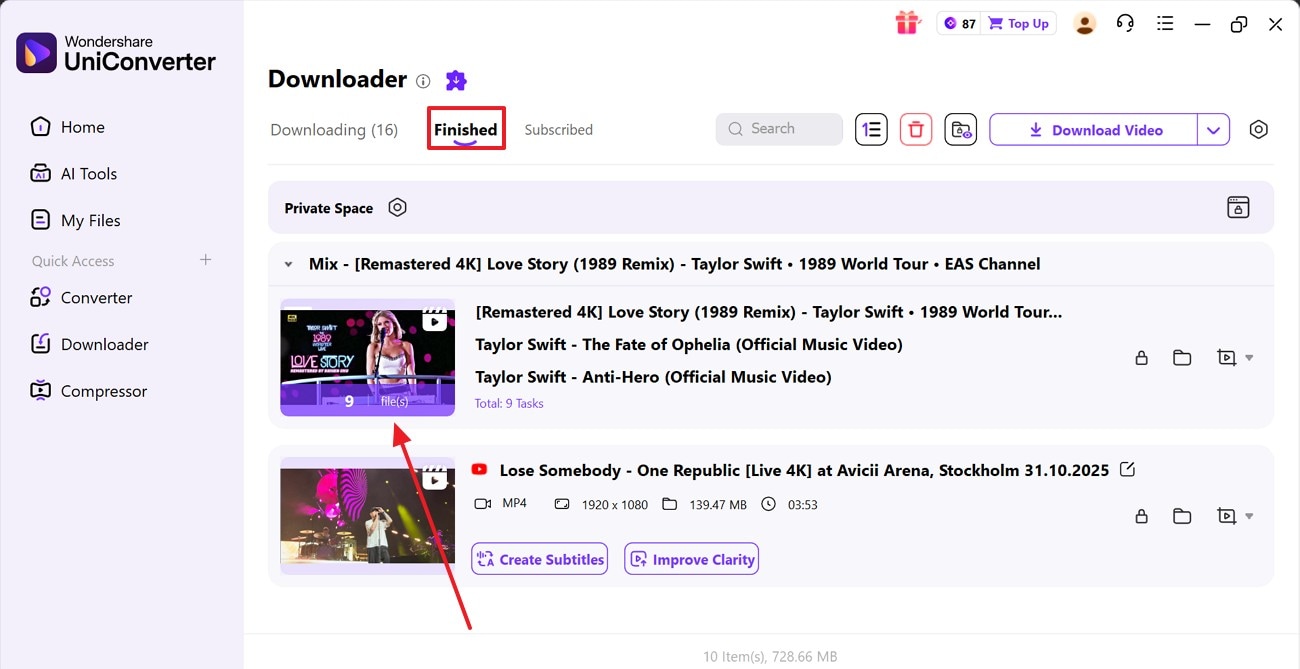
Once the videos are fetched, access the downloaded videos in the “Finished” tab.
Best For: Batch downloading of videos from various video-sharing websites.

Easy to Use ShareChat Video Downloader
Part 3. How to Download ShareChat Videos Online
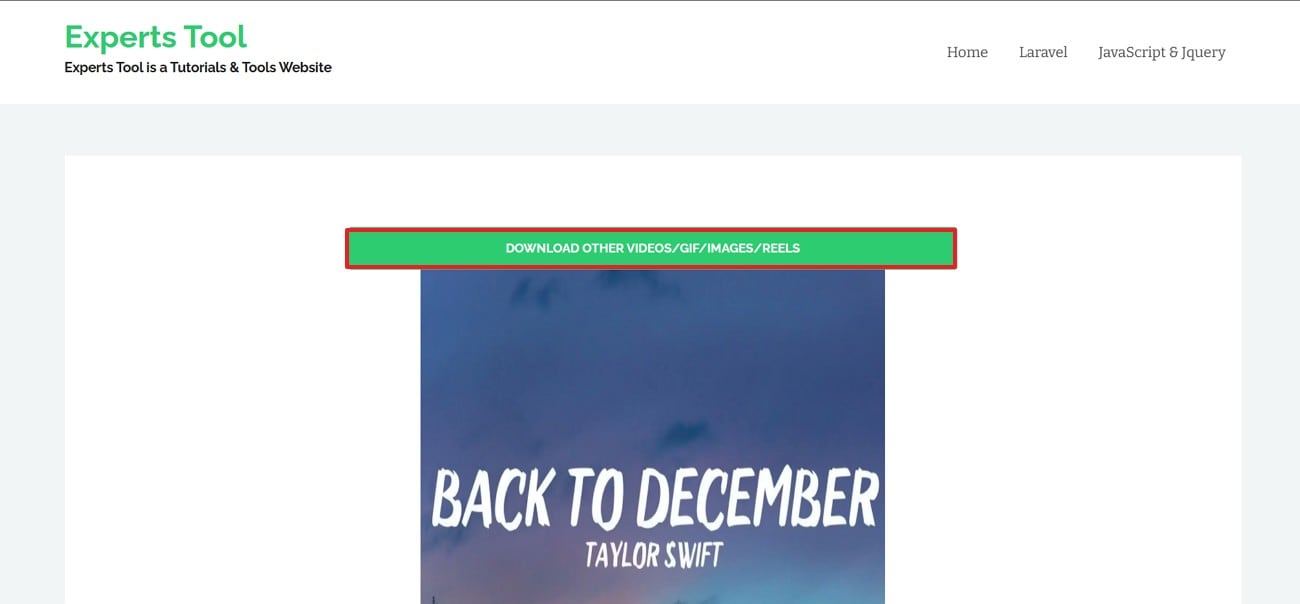
If you are not up for installing video downloading software, you can use an online downloading facility to ease the process. With Experts Tool, you can paste a video URL and fetch any ShareChat video. For a good streaming experience, this website saves your videos in HD quality. Furthermore, your media is downloaded in the MP4 format for enhanced accessibility and accessibility.
Besides downloading content from ShareChat, users can also save videos from other video-sharing sites. Follow the guide below to learn how to ShareChat video download without watermark using this tool:
Step 1. To start, copy the ShareChat video link and paste it in the relevant field on the Expert Tool’s website.
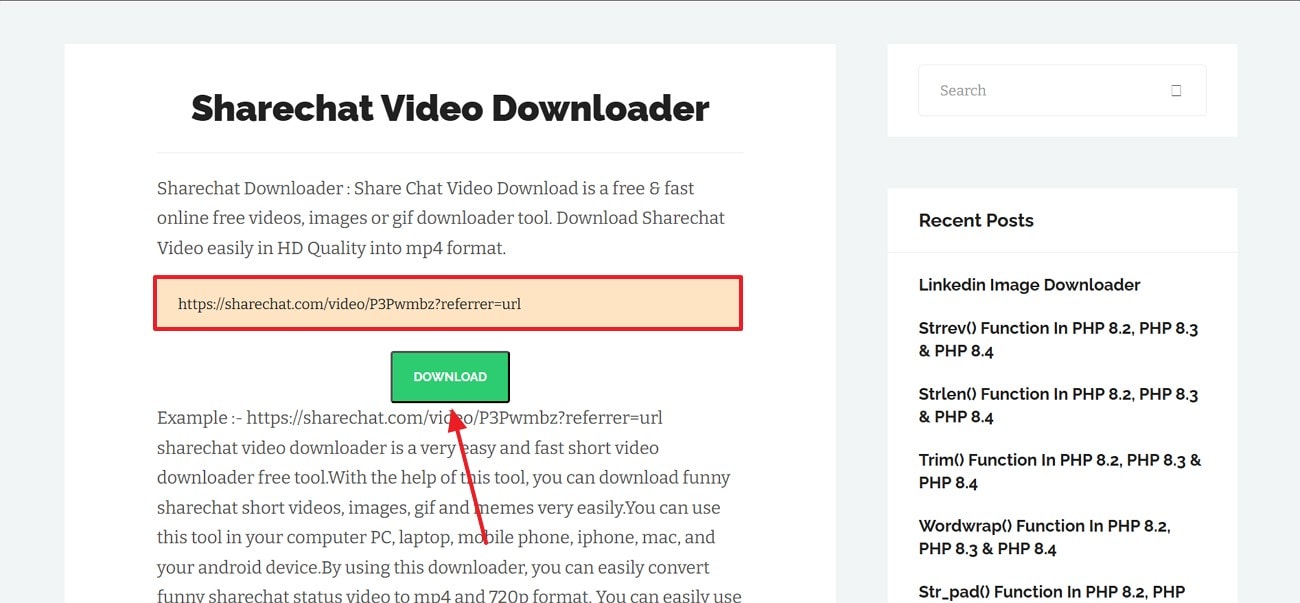
Step 2. When the video thumbnail is fetched, select the “Download” button to save the video on your device.
Best For: Quick downloads for users not wanting to install software.
Part 4. How to Download ShareChat Videos with Chrome Extension
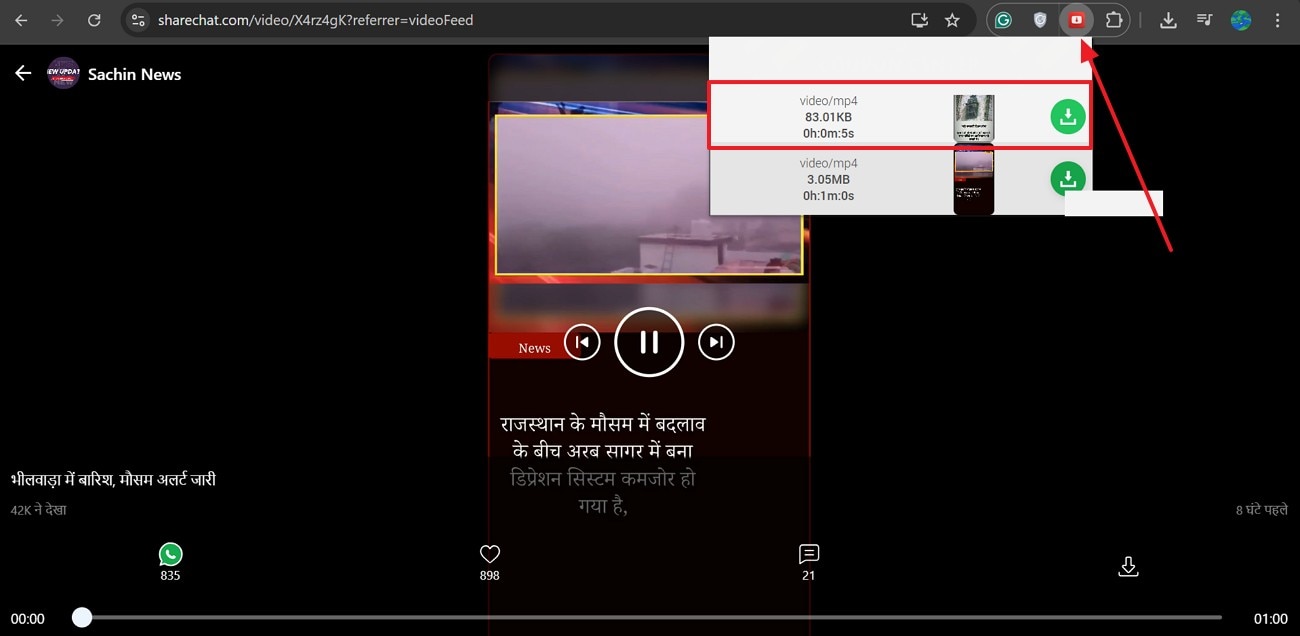
The Free Video Downloader Chrome extension allows users to download Tamil ShareChat videos directly from their browser. Once installed, users can easily capture videos in different resolutions with just one click. After playing the video, clicking the extension icon displays available formats such as MP4 or WebM for download.
Users can see the video duration and file size information to download media mindfully. If you want to learn how to download a ShareChat video using this extension, follow this guide:
Instructions. To start, open ShareChat and play the desired video. Now, select the icon of this extension from the top right and press the “Download” button next to the video quality you need.
Best For: One-click video downloading without switching tabs.
Part 5. Extended: How to Set a Downloaded Video as a WhatsApp Status
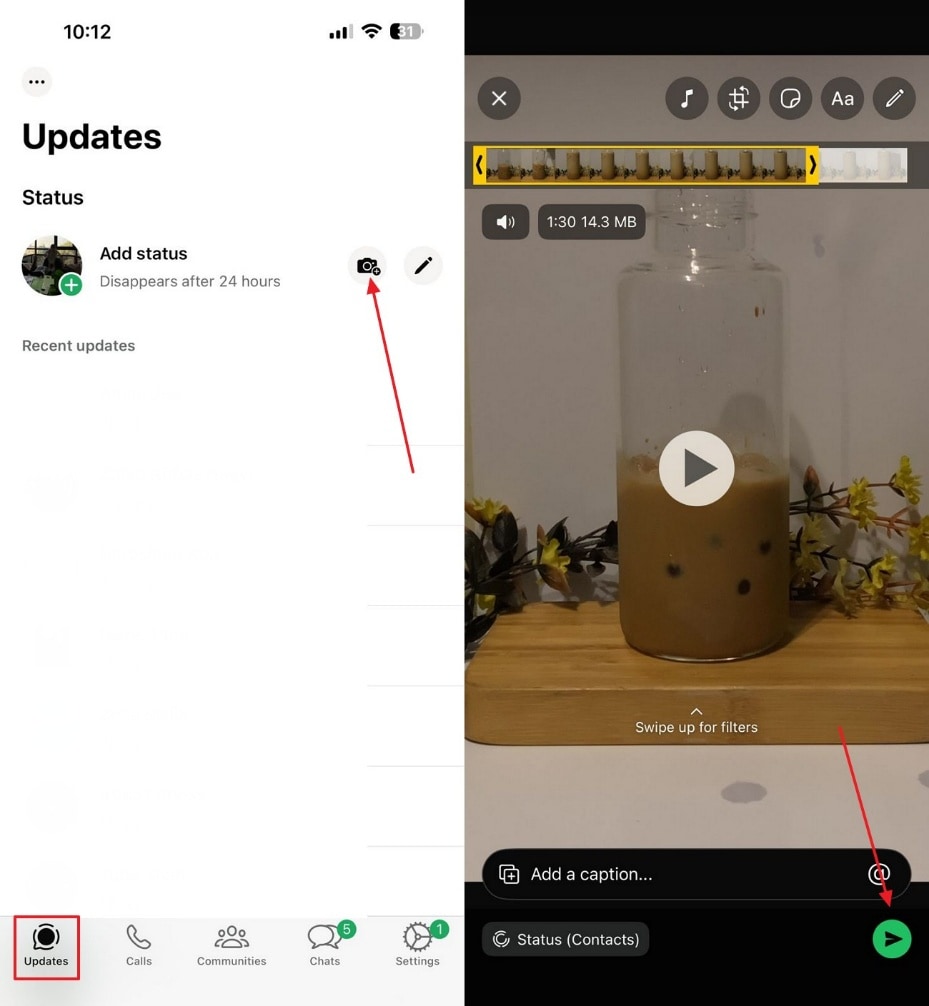
Reposting is one of the reasons why people download content from ShareChat. Sharing the downloaded videos on WhatsApp Status is a common practice. Follow this guide and learn how to post a ShareChat Tamil video across WhatsApp:
Instructions. Once you have downloaded the ShareChat video, open WhatsApp and enter the “Status” tab at the bottom. Now, select the “Camera” icon and go for the video you need to share. After selecting the audience you need to share the status with, tap the “Share” button.
Conclusion
In conclusion, this guide has provided effective solutions to overcome the frustration of losing favorite ShareChat videos to poor connectivity or platform limitations. By utilizing the recommended methods—from efficient batch downloading with tools like UniConverter to convenient online services and browser extensions—you can now effortlessly save any video for personal, offline viewing. Remember to always download responsibly, respecting creator rights and copyright. Take control of your entertainment and start building your permanent, offline library today.
Easy to Use ShareChat Video Downloader
FAQs
-
1. Are third-party ShareChat video downloaders safe?
Some may work, but they can risk privacy breaches or malware. Always use trusted tools and scan downloaded files. Wondershare UniConverter is a safe-to-use video downloader that keeps your downloads secure and brings no harm to your device. -
2. Is it legal to download ShareChat videos?
Downloading for personal use is fine, but reposting without permission can violate copyright laws. -
3. How to download ShareChat videos without a watermark?
Some third-party tools claim to remove watermarks, like Wondershare UniConverter. This platform offers a robust watermark remover that erases logos as if they were never there. -
4. How can I find Tamil ShareChat videos?
Use Tamil hashtags within the ShareChat app to discover region-specific videos and creators.

