


What is the best way to download Bilibili videos in HD?
If you only want offline viewing on your phone, you should use the official Bilibili app. If you want to save videos as local files with sound, subtitles, or batch downloads in 1080p or higher, you should use a desktop downloader instead.
Want to download Bilibili video content quickly and in high quality? Whether you're a fan of anime, documentaries, or creative user uploads, having a reliable Bilibili video downloader can save you time and effort.
In this guide, we'll walk you through the easiest ways to download videos from Bilibili, including methods for downloading Bilibili TV videos and tools for downloading videos with sound. You'll learn how to use both desktop and mobile tools, online solutions, and Chrome extensions. If you've been searching for a guide on how to download from Bilibili, this is the all-in-one resource you need.
Table of Contents:
Quick Guide: Best Bilibili Video Download Method by Use Case
Part 1. How to Save Bilibili Videos for Offline Viewing
If you're looking for a simple way to enjoy bilibili download content without an internet connection, the official Bilibili app offers a built-in feature for offline viewing. While this doesn't allow you to download Bilibili videos as local files on your device's storage, it still enables temporary downloads that can be watched without using data. This method is beneficial for Bilibili TV download on Android or iOS devices, making it ideal for travelers or users with limited bandwidth.
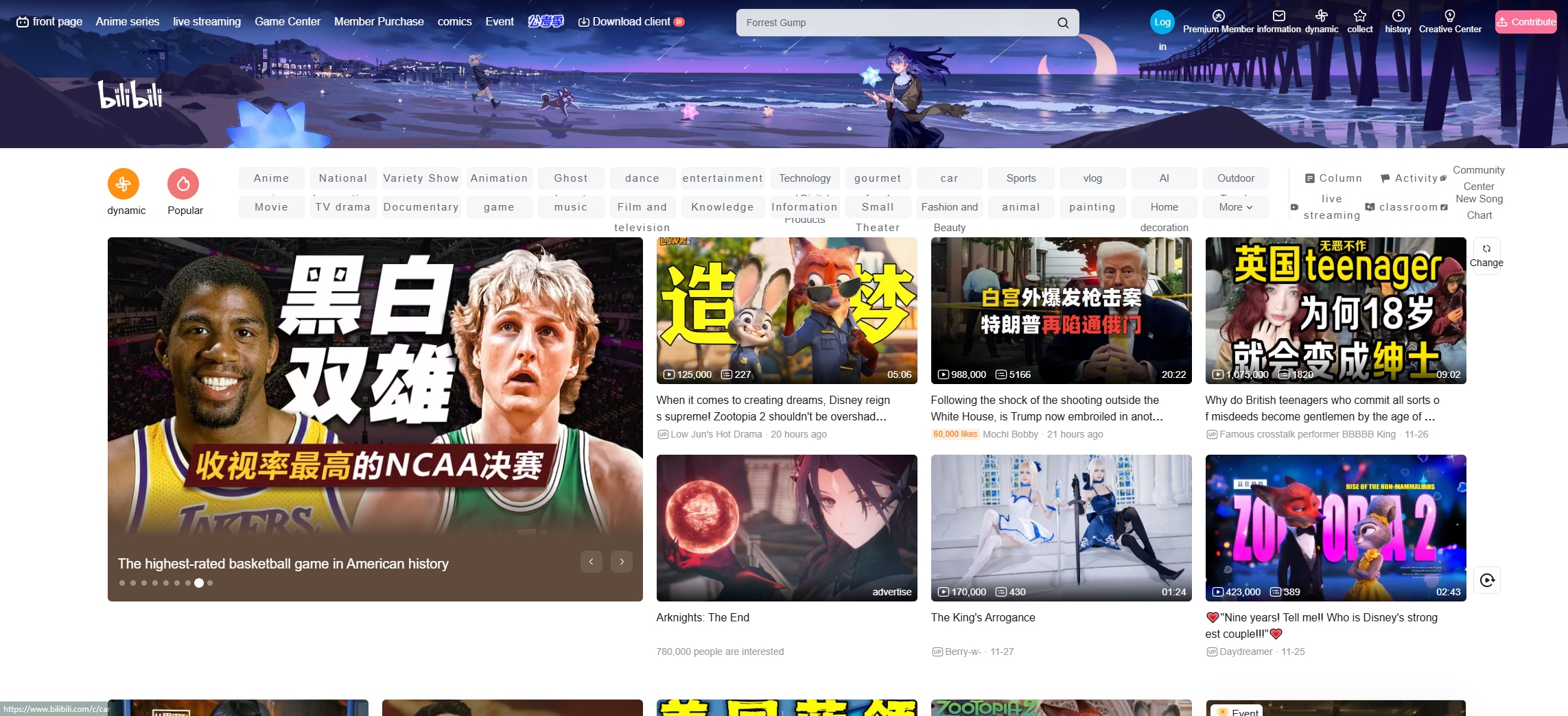
How It Works:
- Install the Bilibili app from the App Store or Google Play.
- Log in to your account and browse any video.
- Tap the Download icon below the video player.
- Choose the desired resolution (including HD options like 720p or 1080p if available).
- Once downloaded, go to Library > Downloads to access your saved videos.
These Bilibili TV video downloads remain accessible offline through the app, but you cannot transfer them or use them in external media players. This method is secure, fast, and officially supported.
This method is ideal for those who want to download video from bilibili without needing third-party apps. However, suppose you're looking to download Bilibili video with sound, save it as MP4, or batch download multiple episodes. In that case, you'll need to explore alternative solutions, such as desktop apps or online downloaders.
Part 2. How to Batch Download 1080p Bilibili Videos with UniConverter
UniConverter serves as a reliable bilibili videodownlownloader for those who prefer desktop-based tools. If you're serious about high-quality video backups, UniConverter by Wondershare is one of the best tools to download Bilibili videos with sound in 1080p or even 4K. It supports batch processing, subtitle retention, and full audio capture—making it an ideal bilibili video downloader for Windows and Mac.
This powerful software enables you to download videos from Bilibili, convert them to MP4 or other formats, and store them locally without quality loss. Unlike the official app, UniConverter gives you complete control over your files.
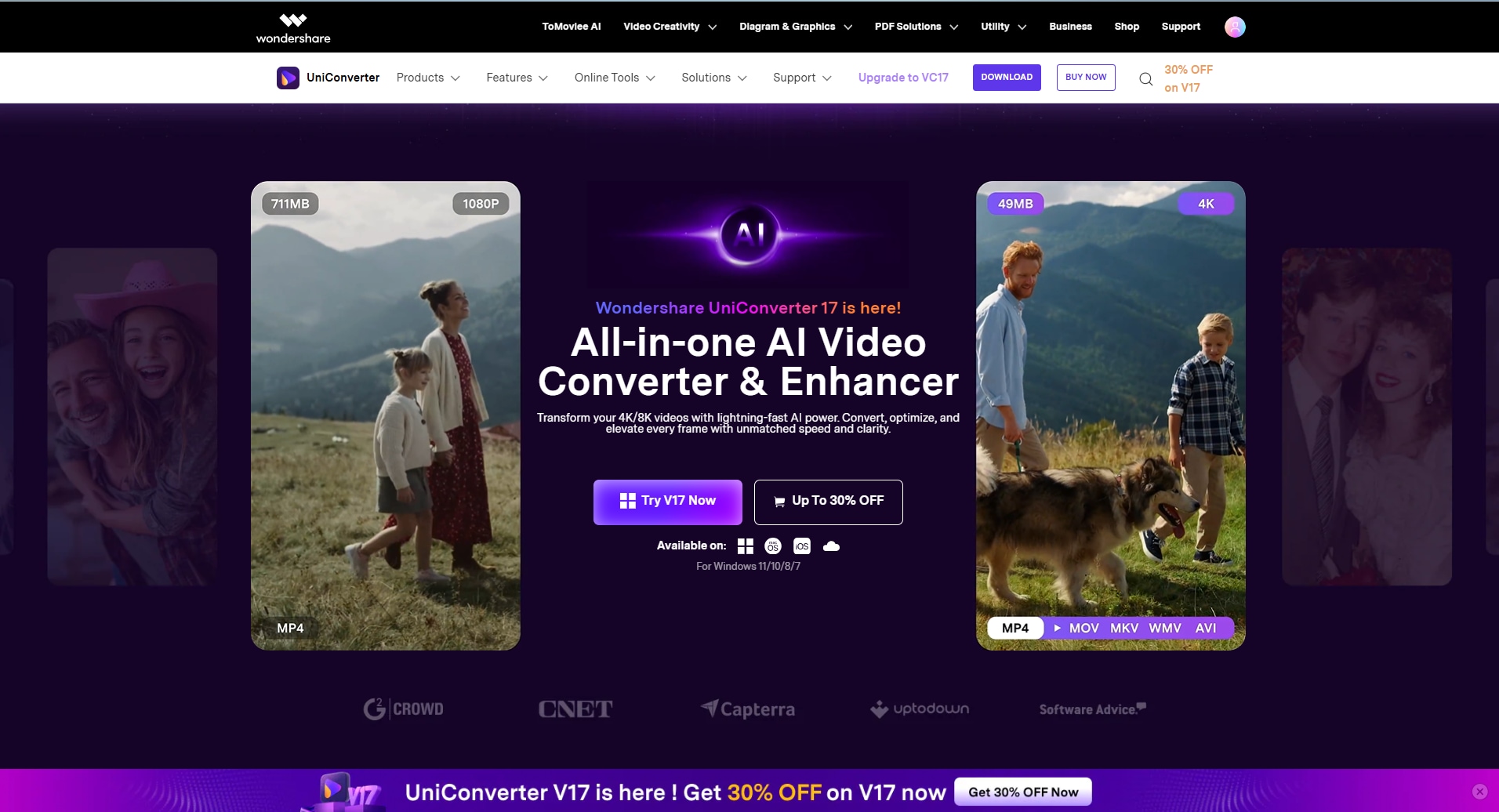
Key Features:
- Batch Download Bilibili video in 1080p/720p
- Download videos with sound and subtitles
- Built-in video converter and editor
- Supports over 10,000 websites
- Available for Windows and macOS
How to Download Bilibili Videos Using UniConverter:
Here's how to download video from bilibili using UniConverter
Step 1: Open UniConverter and Go to the Downloader
Launch Wondershare UniConverter and click on the Downloader tab from the left menu. Make sure you're connected to the internet. Now go to Bilibili, find the video or playlist you want to download, and copy its URL from the address bar.

Step 2: Paste the URL and Set Preferences
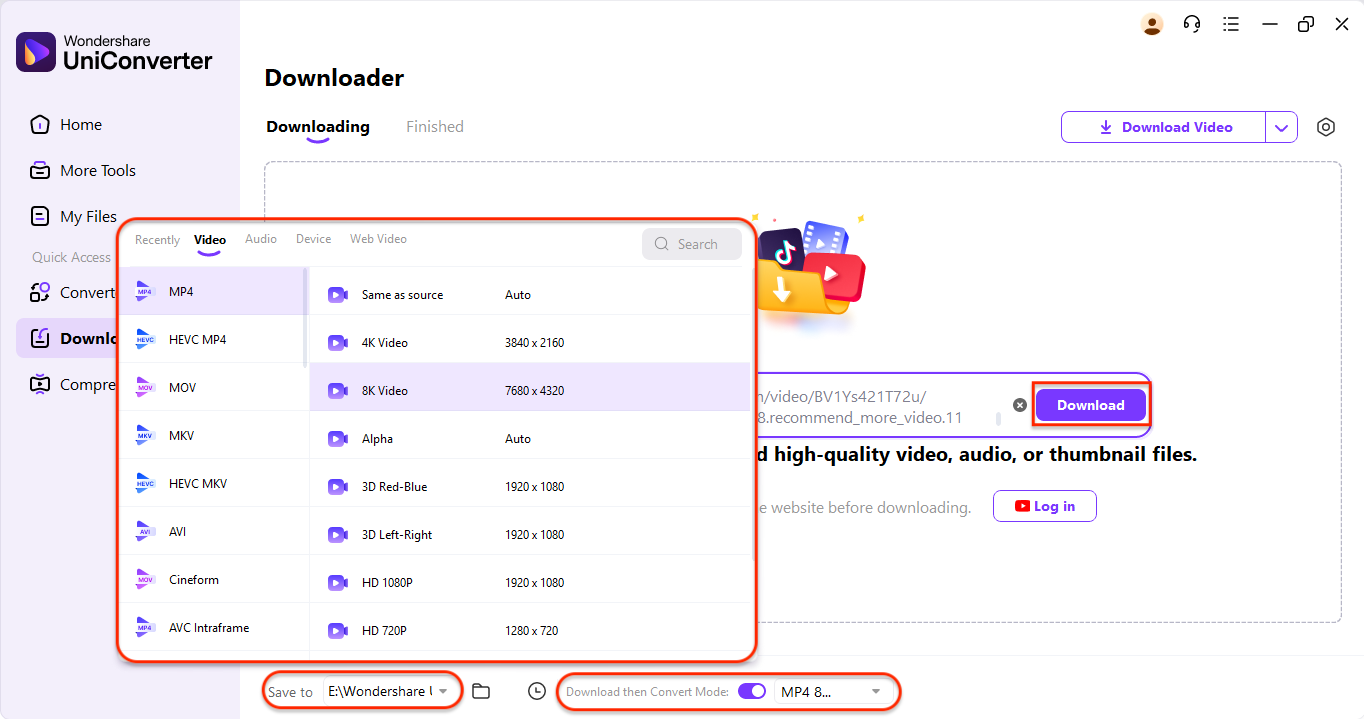
Pro Tip: You can also paste multiple Bilibili video links one by one (separated by Enter) to batch download them in one go. This method ensures smooth, high-quality downloads without needing browser extensions or extra tools.
Step 3: Start the Download
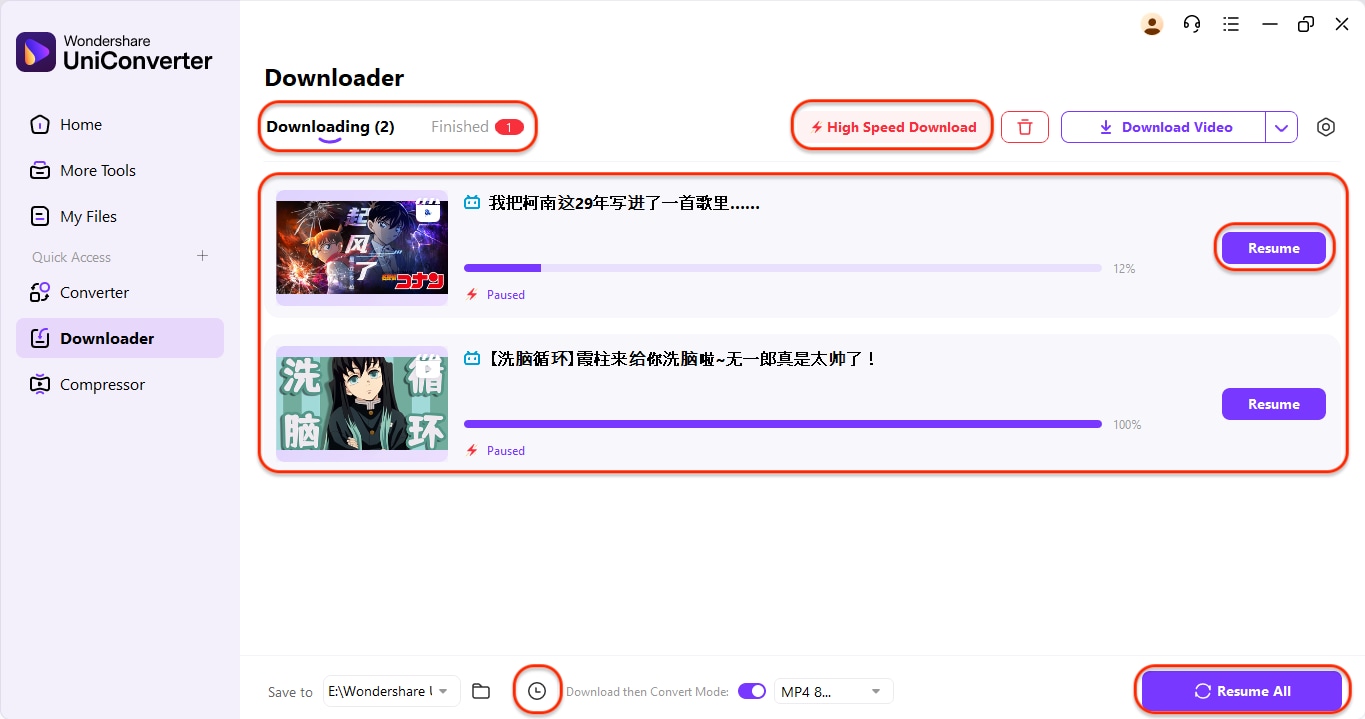
Click the Download button to begin your Bilibili MP3 download. Ensure High-Speed Download is enabled at the top for faster conversion. You can manage each task individually using the Pause or Resume button, or control all downloads with the Resume All and Pause All buttons at the bottom. A built-in scheduler also allows you to schedule your Bilibili downloads as needed, making UniConverter a versatile and innovative Bilibili TV video downloader.

Easy to Use Bilibili HD Video Downloader
Part 3. How to Download HD Bilibili Videos Online
If you need a quick way to download Bilibili videos without installing software, an online Bilibili video download online tool like 9xbuddy is an ideal solution. This web-based tool allows you to download videos from Bilibili in up to 1080p with full audio, making it suitable for on-the-fly needs or when you're using a public or locked-down computer. Best of all, it works on both desktop and mobile browsers, allowing you to download from Bilibili anywhere.
Key Features:
- Purely browser-based
- Download in 720p or 1080p with sound
- Save as MP4, WebM, or even extract MP3
- Converts and serves the file within seconds
- Works on Windows, macOS, Android, and iOS
How to Download HD Bilibili Videos in 3 Easy Steps:
Download Bilibili Videos in 3 Easy Steps – for bilibili video download HD quality using 9xbuddy:
Step 1: Copy the Bilibili Video URL
First, open the Bilibili website in your browser and navigate to the video you want to download. Click the Share button located below the video player and select Copy Link to copy the video URL. Make sure the video plays correctly and isn't geo-restricted. The downloader will use this link to fetch the video data, including resolution and audio track.

Step 2: Paste URL into 9xbuddy Online Downloader
Next, visit 9xbuddy in a new browser tab. In the main search bar, paste the Bilibili video URL you just copied. Hit the Download or Start button, and the tool will begin analyzing the video. This typically takes just a few seconds, depending on the video's length and the server's speed. Once complete, you'll see multiple download options appear, sorted by quality and format.
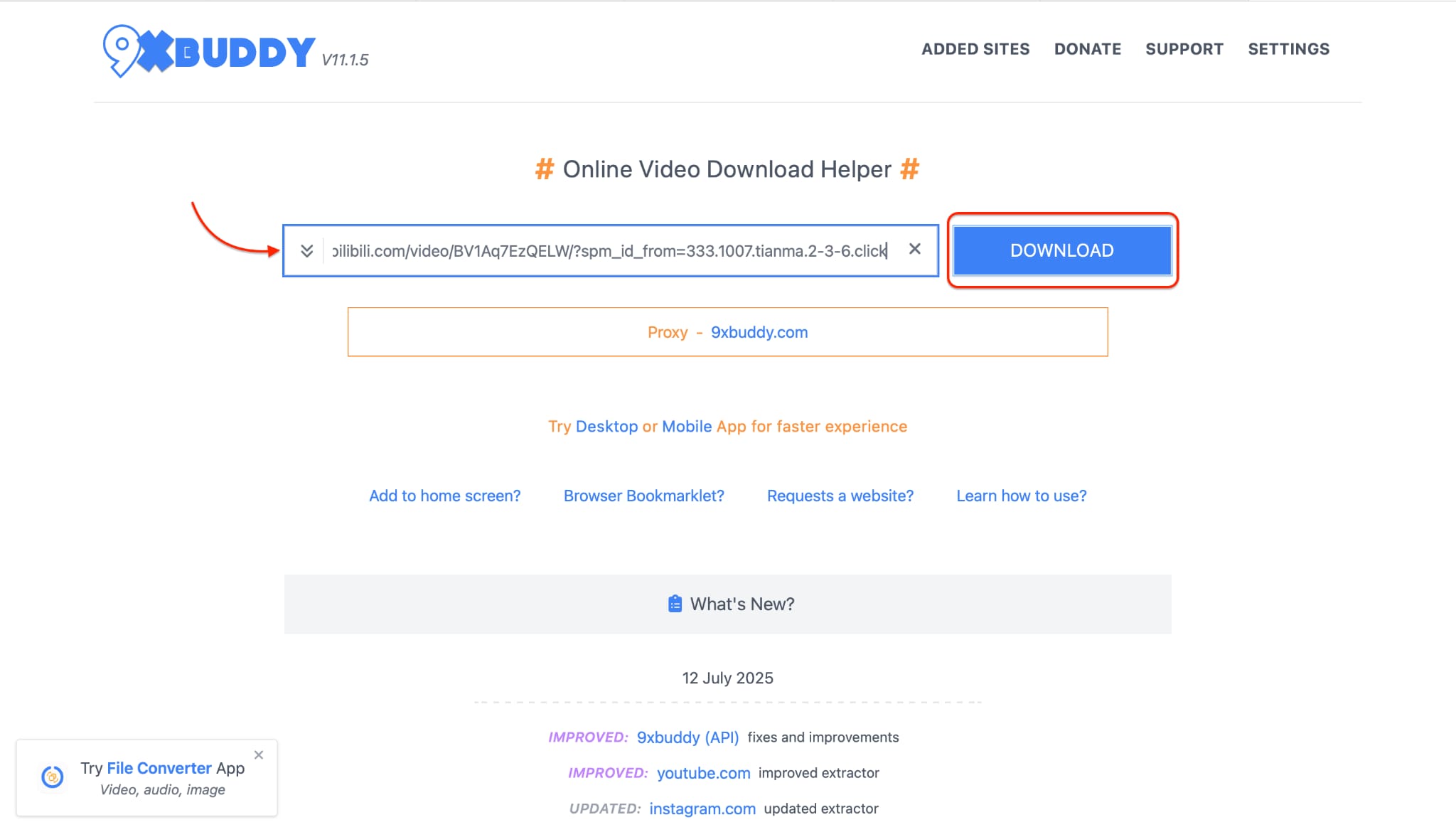
Step 3: Choose Format and Download in HD
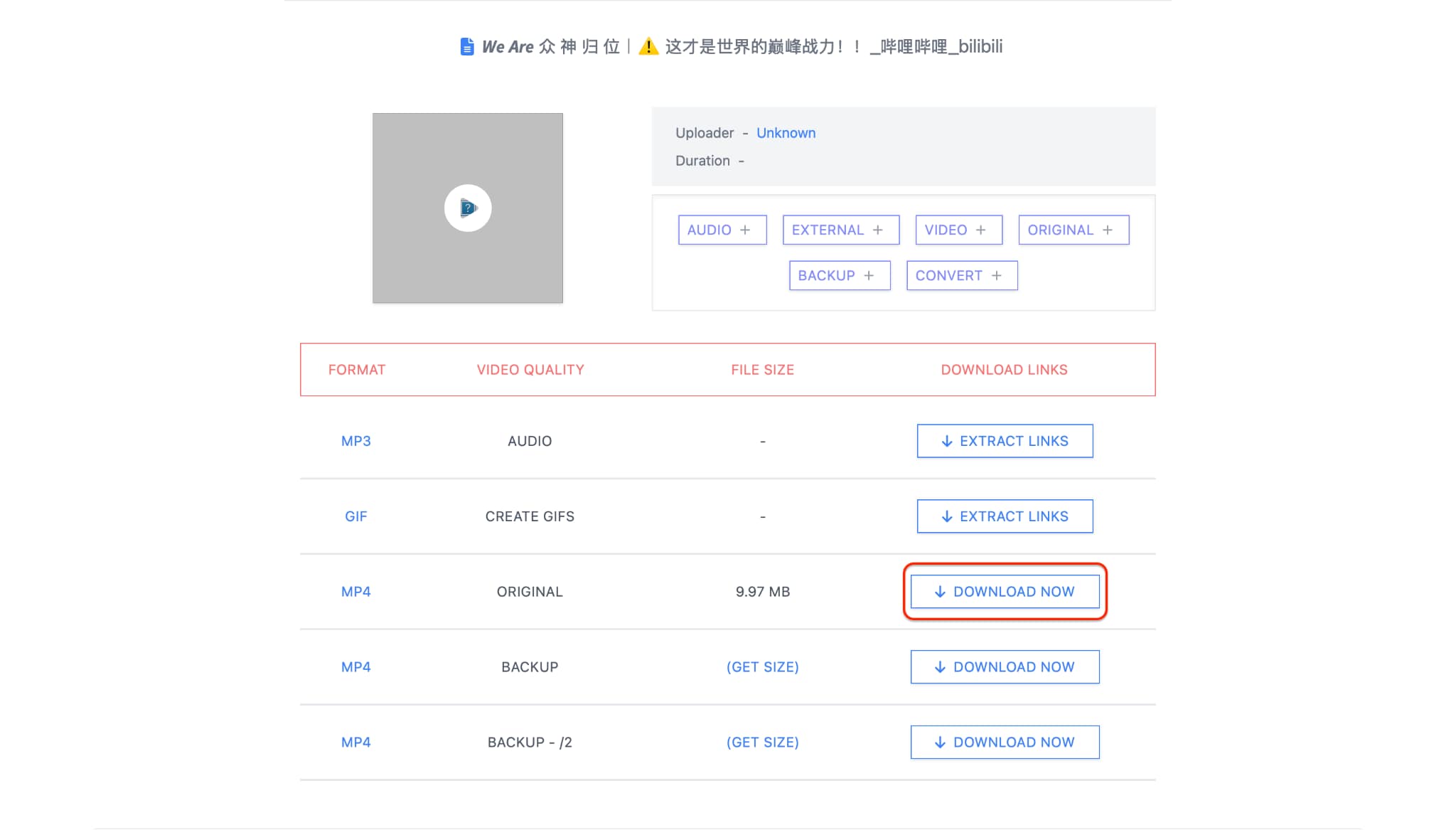
This online Bilibili downloader method is perfect for quick one‑off tasks—no software, no fuss, just fast download video Bilibili with sound.
Part 4. How to Download Bilibili Videos with Chrome Extension
If you frequently stream on your browser and want a fast, integrated way to download Bilibili videos, a Chrome extension like Video DownloadHelper is your best bet. This tool detects embedded videos on the page and allows you to save them directly—ideal for users who want to download from bilibili without switching apps or websites. It supports downloading Bilibili TV videos in MP4 format and can also extract audio.
Once installed, the extension adds a small icon to your browser toolbar and auto-detects media as you play it. You can then click to save the video in your preferred resolution, making it ideal for Bilibili TV video download in MP4 for everyday use.
Key Features:
- Detects and downloads streaming videos from most websites, including Bilibili
- Offers multiple resolutions, including bilibili video download HD
- Can download audio-only or full video with sound
- Lightweight, quick to install, and easy to use
How to Use Video DownloadHelper for Bilibili Download:
Step 1: Install the Extension
Open the Chrome Web Store and search for Video DownloadHelper. Click Add to Chrome and confirm the installation. After it's added, you'll see a small icon (three colored balls) next to your address bar. This icon activates when a downloadable video is detected on the page.
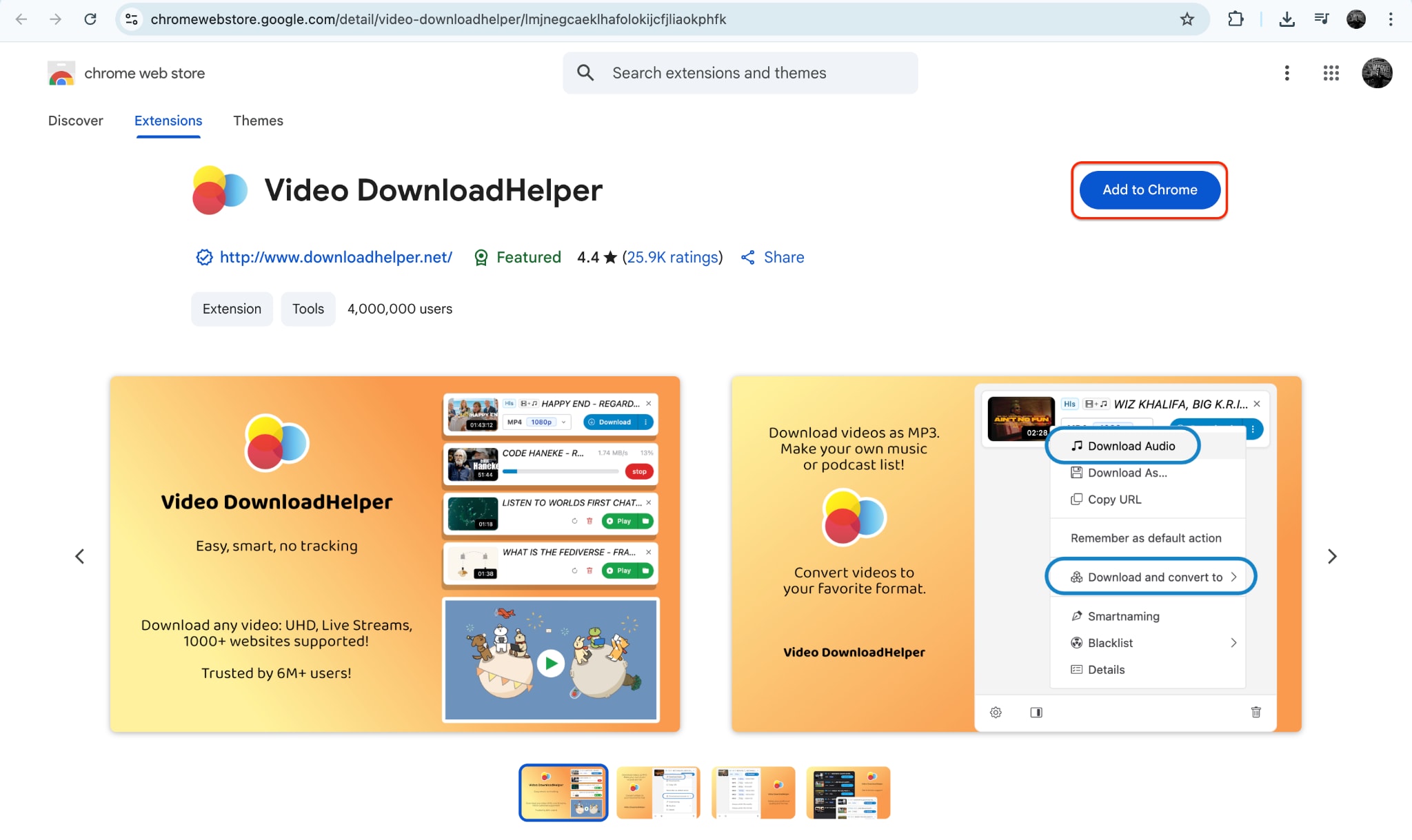
Step 2: Play the Bilibili Video
Go to the Bilibili site and open the video you want to download. Begin playback so the extension can detect the video stream. Wait a few seconds—once the icon lights up or animates, click on it to see a list of detected formats.

Step 3: Download the Video File
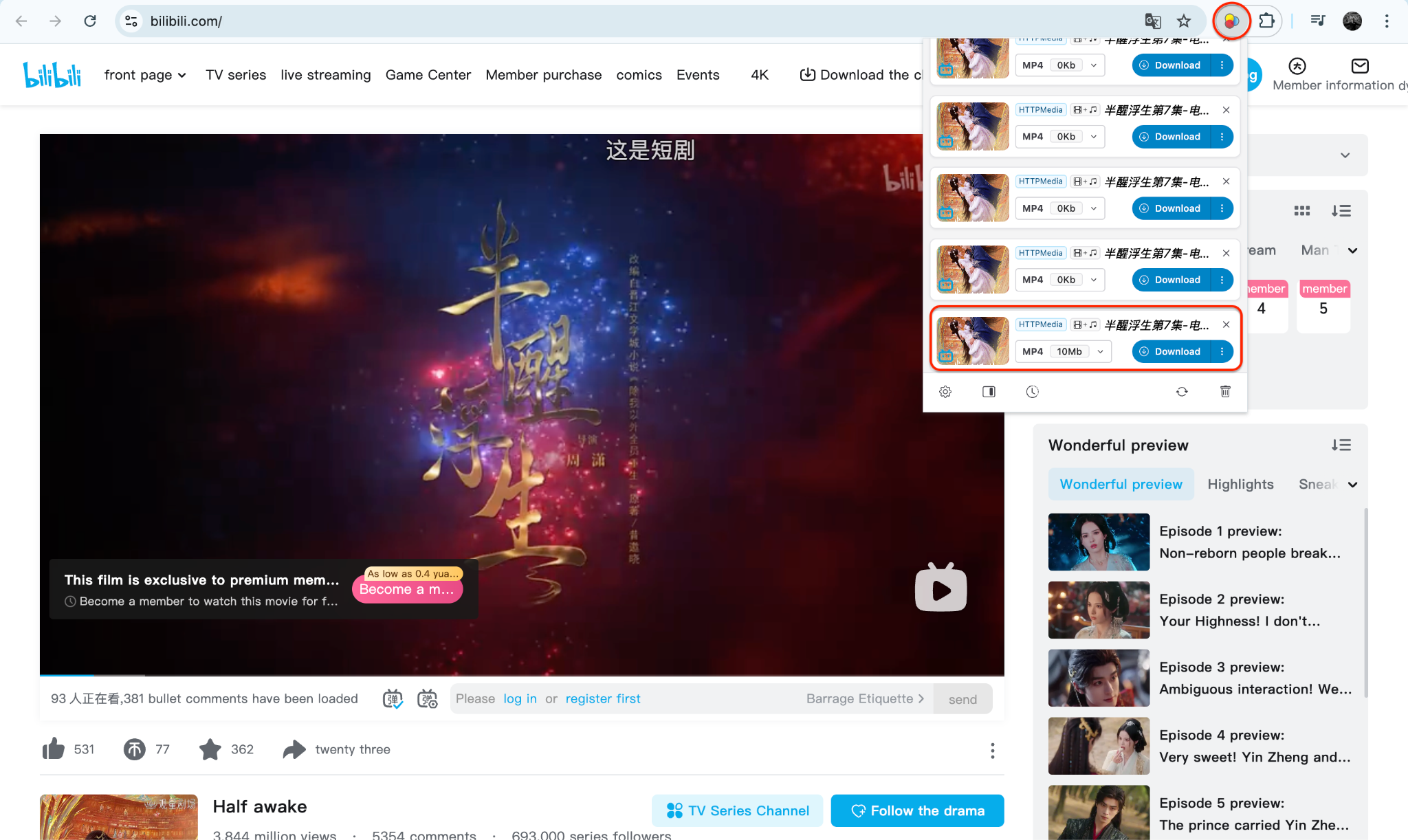
Part 5. How to Download Bilibili Videos with Mobile App
To download Bilibili videos directly to your phone, third-party mobile apps like VidMate (for Android) offer an easy way to Bilibili download videos in HD with sound. While the official Bilibili app allows in-app offline viewing, VidMate enables you to download content from Bilibili to your local storage, making it easy to transfer or share files. It works well for Bilibili TV video downloads, supporting batch downloads, various resolution options, and built-in video players. However, iOS users may need to rely on web-based solutions, as Apple's restrictions limit the use of third-party downloads.
Key Features:
- Download Bilibili videos with sound and subtitles
- Choose video resolution (360p to 1080p)
- Built-in browser and media player
- Supports multiple platforms, including YouTube, Bilibili, Facebook, and more.
- Pause/resume downloads with file manager access.
How to Download Bilibili Videos on Mobile with VidMate:
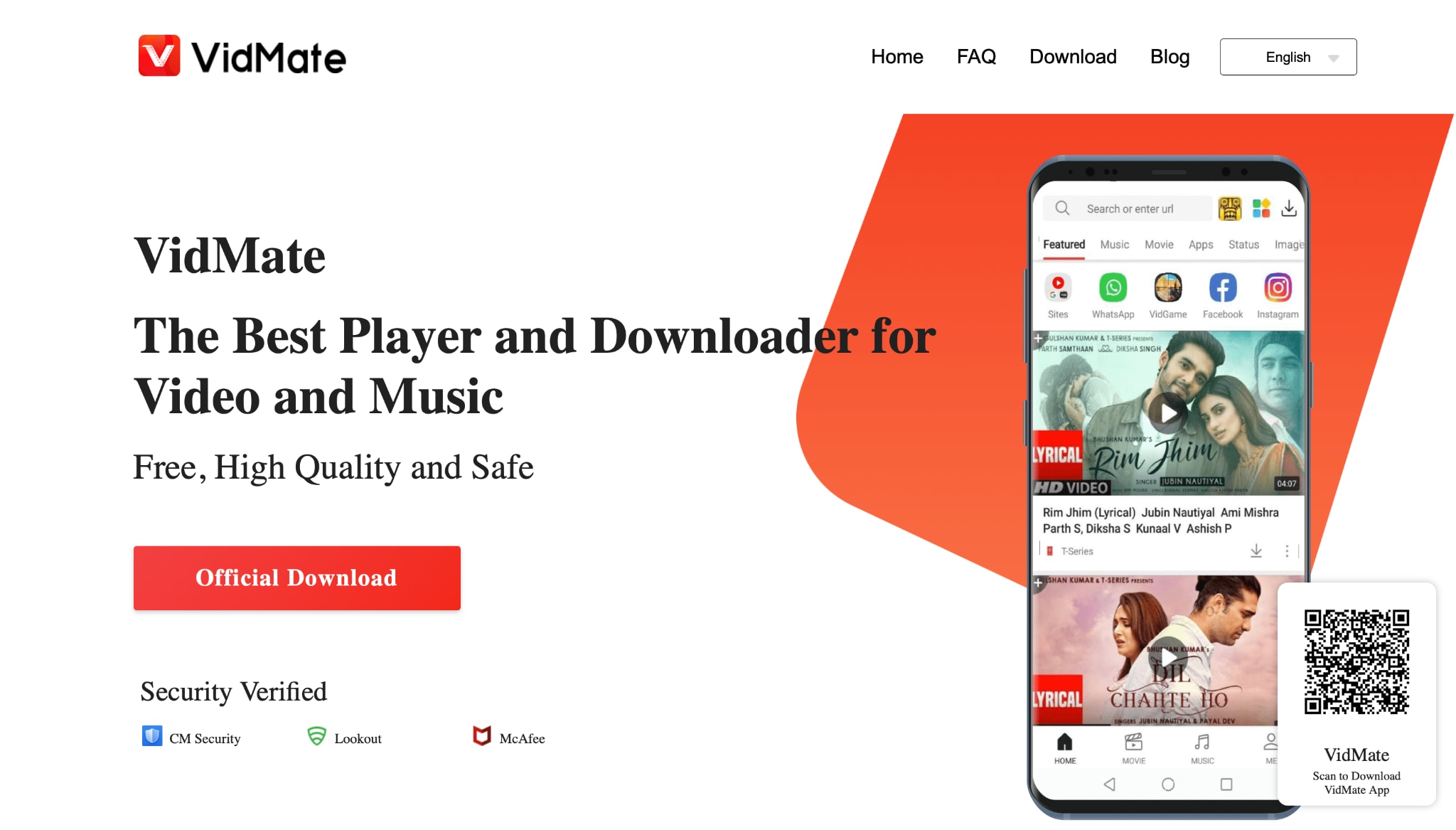
Step 1: Install VidMate via APK
Since VidMate isn't available on the Google Play Store, you'll need to visit the official VidMate website to download the APK file. After downloading, enable "Install from unknown sources" in your Android settings. Follow the prompts to install the app safely. Once installed, open VidMate and grant the required permissions for storage access.
Step 2: Search for the Bilibili Video
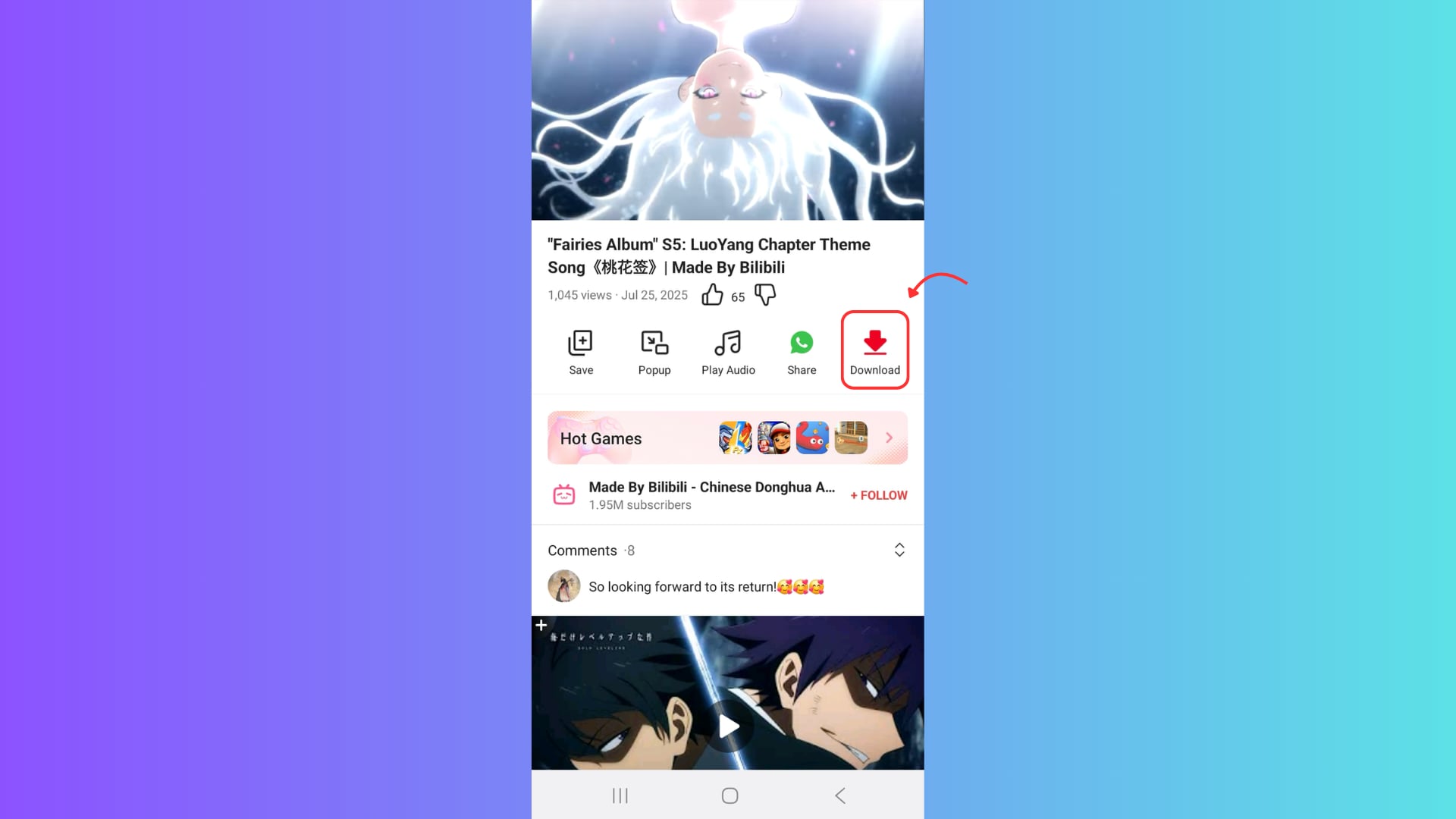
Open the VidMate app and use its built-in browser to visit Bilibili. You just need to search for Bilibili, and it will bring all the Bilibili videos to the front of you. Now, navigate to the video you want to download—this could be anything from anime to tutorials. Tap on the video, and once it begins playing, VidMate will automatically detect it. A red Download button will appear on-screen with available resolution options.
Step 3: Choose Format and Download
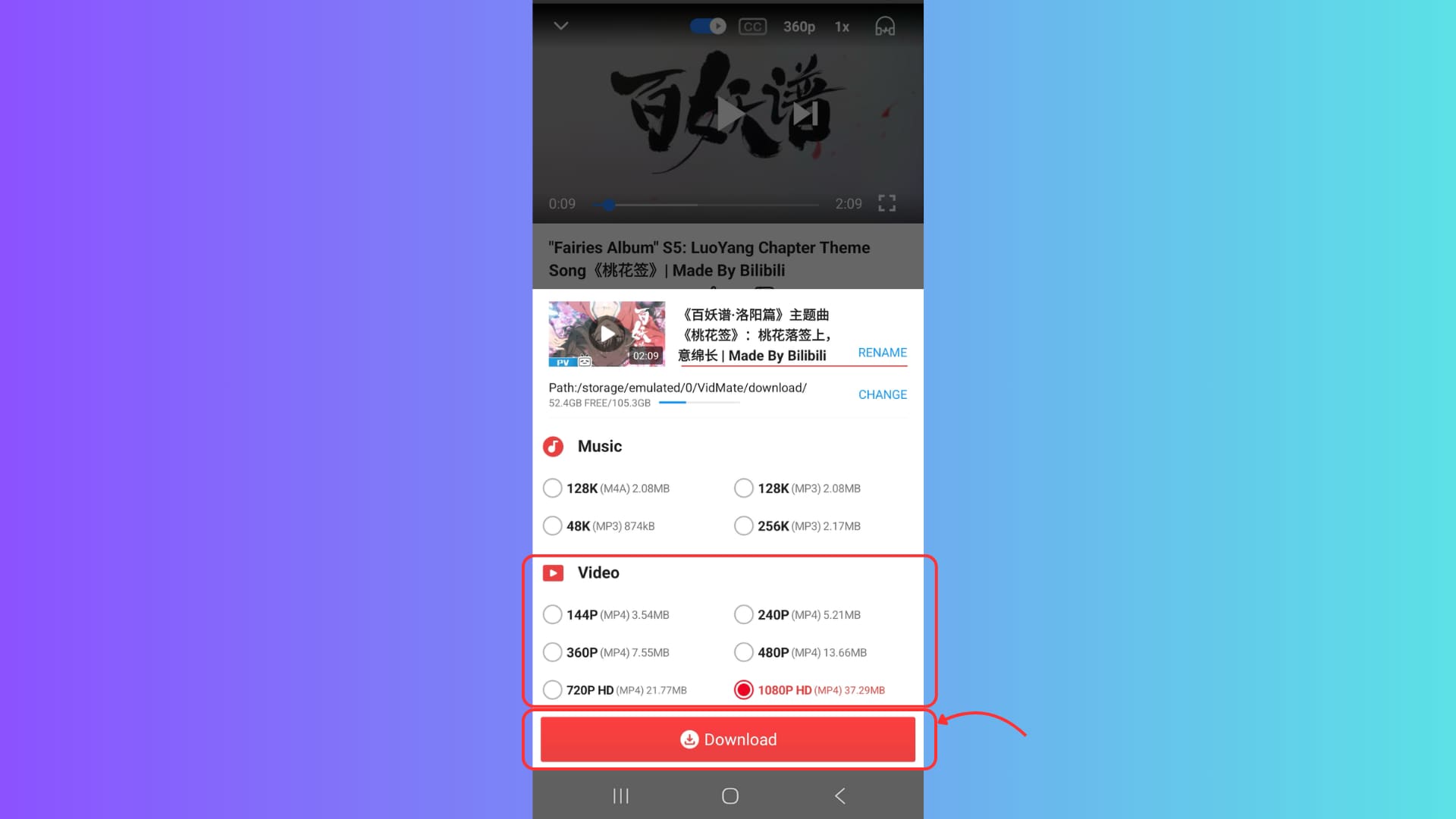
Tap the Download button and select your preferred resolution (e.g., 1080p or 720p) to ensure a Bilibili video download HD experience. Confirm the format is MP4 for complete compatibility and that the audio track is included. The video will begin downloading to your local file storage, accessible via the app or your phone's gallery. You've now completed the bilibili video downloader process directly from your mobile device.
Conclusion
In this guide, we have explored how to download Bilibili videos, tailored to your device and specific needs. Downloading from Bilibili doesn't have to be complicated. Whether you're looking for temporary offline access or want to store high-quality videos locally, there's a solution for everyone. But for safest downloading approach with highest batch downloading speed, we strongly recommend you to explore UniConverter with its powerful media processing capability.
Easy to Use Bilibili HD Video Downloader
FAQs
-
1. Can I download Bilibili videos directly to my PC or phone?
Yes. You can download video from Bilibili using tools like UniConverter (for PC) or VidMate (for Android). These allow full video + audio downloads in HD formats. -
2. What is the best Bilibili video downloader for HD quality?
UniConverter is the most powerful Bilibili video downloader for HD, as it supports batch downloads, subtitle capture, and output formats like MP4 in 1080p. If you're wondering how to download Bilibili videos easily and in high definition, UniConverter provides the perfect desktop solution. -
3. How do I download Bilibili videos online without software?
Use a tool like 9xbuddy to download Bilibili videos online directly from your browser. Simply paste the video URL and select your preferred resolution with sound. -
4. Can I use a Chrome extension to download from Bilibili?
Yes, extensions like Video DownloadHelper allow you to download from Bilibili while streaming in Chrome. Just play the video, click the extension icon, and save it. -
5. Is it legal to download videos from Bilibili?
It depends on the content. Personal use and non-copyrighted videos are generally safe, but it's always best to check the copyright terms before downloading from any platform.

