


Seeking a trustworthy Bilibili MP3 download solution? Whether you're saving anime soundtracks, podcasts, or educational content, getting the audio version of Bilibili videos is now easier than ever.
In this guide, we'll show you four simple methods for downloading and converting Bilibili videos to MP3, using desktop tools like Wondershare UniConverter, web-based services like SavePlays.com, Chrome extensions, and mobile apps like Snaptube.
No tech expertise is needed—follow the steps and enjoy your favorite content offline. Whether you're on Windows, Mac, Android, or iOS, this tutorial covers all devices and user preferences.
Table of Contents:
Batch download Bilibili videos as MP3 on desktop
If you're looking for a powerful desktop tool to batch download Bilibili MP3 files, Wondershare UniConverter is a top-tier choice. This all-in-one software enables you to convert multiple Bilibili videos into high-quality MP3 format with just a few clicks. As a full-featured Bilibili to MP3 converter, it supports fast processing, clean audio output, and zero ads.
UniConverter works perfectly for music collectors, podcast fans, or students who want offline access to lectures. It also functions as a professional-grade Bilibili MP3 converter, offering tools for trimming, tagging, and organizing files. With smart link detection and bulk processing, it outperforms many browser-based Bilibili to MP3 online converters.
If you regularly download Bilibili MP3 files and are looking for a reliable long-term solution, UniConverter is worth considering. In the next section, we'll walk you through its core features, pros and cons, and show you exactly how to use it.
UniConverter features for Bilibili MP3 extraction:
- Batch MP3 Extraction – Download multiple Bilibili videos to MP3 format simultaneously with a single click.
- High-Quality Output – Select MP3 bitrate options such as 128 kbps, 192 kbps, or 320 kbps.
- Multi-Format Support – Acts as a complete Bili bili converter supporting MP4, MP3, M4A, and more.
- Smart Video Detection – Auto-detects Bilibili links copied to the clipboard.
- Built-in Audio Editor – Trim, normalize, and tag your Bilibili MP3s directly after conversion.
Download Bilibili to MP3 in Batch with UniConverter
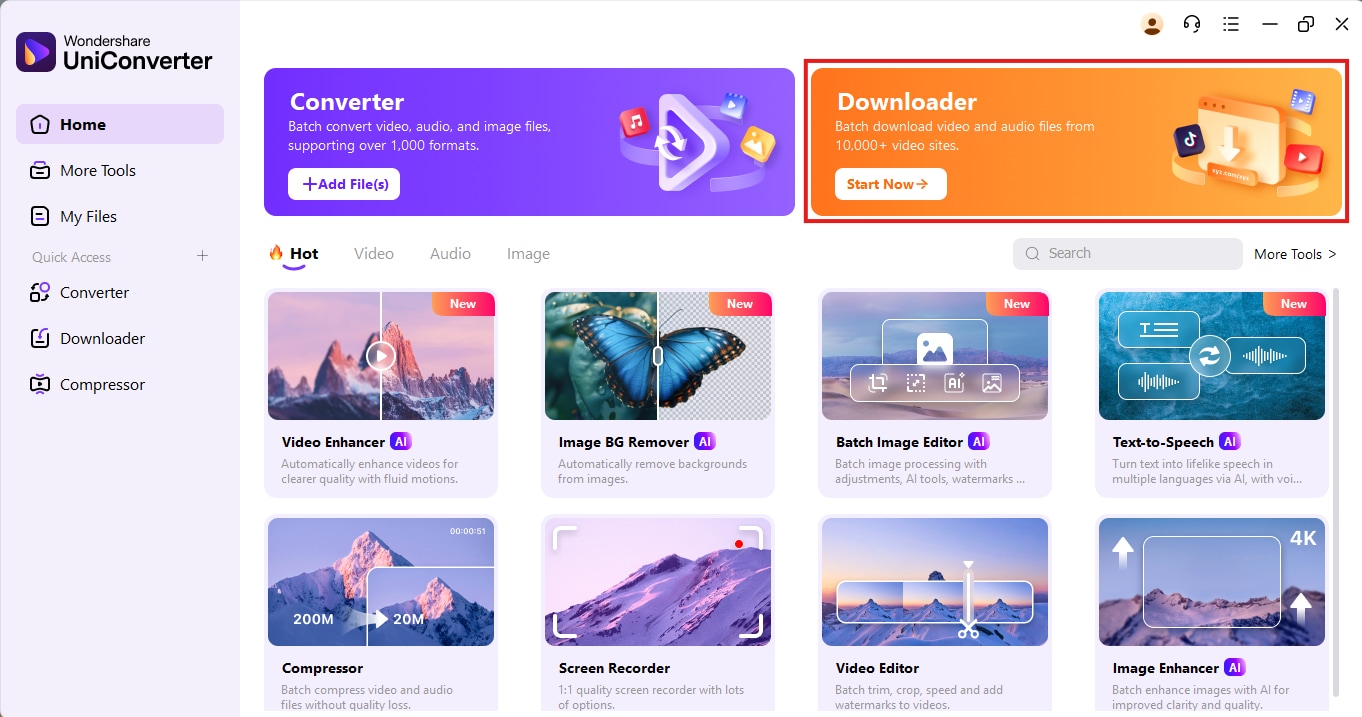
Step 1: Launch UniConverter and Open the Downloader Tab
First, download and install Wondershare UniConverter on your Windows or Mac system. Once installed, open the program and navigate to the Downloader tab on the top right panel. This is the section where all link-based video downloads are managed.
Step 2: Copy and Paste Multiple Bilibili URLs
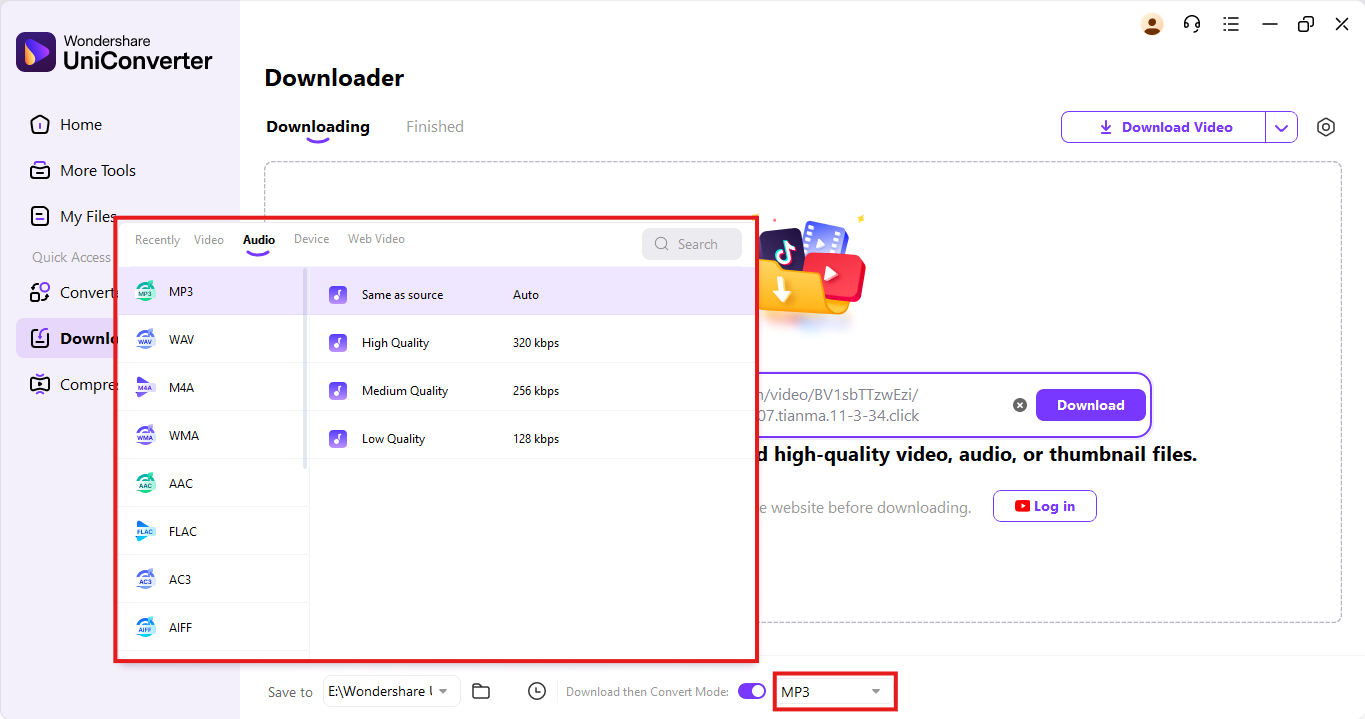
Pro Tip: Before proceeding, click the settings icon and ensure the output format is set to MP3 for automatic audio extraction.
Step 3: Start Downloading and Convert Bilibili to MP3
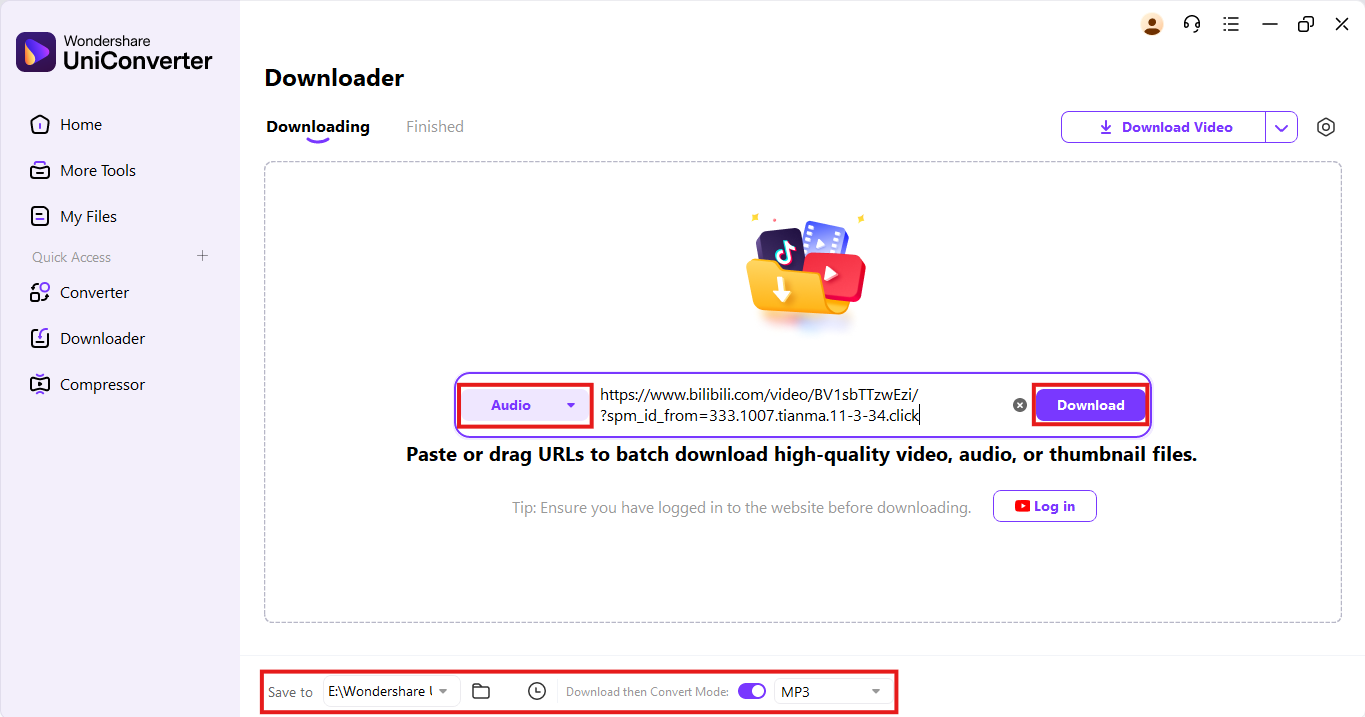
Pro Tip: Want to save time? You can also batch download and convert multiple Bilibili videos to MP3 at once using the same method—just paste multiple links into UniConverter and let it handle the rest automatically.

Easy to Use Batch URL to MP3 Converter
How to Download Bilibili MP3 Online
If you're looking for a quick, no-software way to extract audio from Bilibili videos, using an online converter like SavePlays.com is your best option. This web-based tool allows you to convert and download Bilibili to MP3 files instantly without installing any apps or browser extensions. It's ideal for users who want to convert anime soundtracks, educational videos, or music clips on the go. The interface is clean, the speed is impressive, and there's no registration required. Whether you're on mobile or desktop, SavePlays.com gives you a smooth and secure Bilibili MP3 download experience.
With full compatibility across Chrome, Safari, and Firefox, it also functions as a handy Bilibili to MP3 converter for casual and frequent users alike. You can paste the Bilibili link and choose your format—no hidden charges, no ad explosion, just a fast Bilibili MP3 converter ready to go. It's a convenient solution for those who prefer Bilibili download MP3 from Bilibili without dealing with extra steps.
Online Bilibili to MP3 converter features
- Supports direct conversion from Bilibili to MP3 online converter without software installation
- Works on mobile and desktop browsers with no compatibility issues
- Offers high-speed audio extraction from the Bilibili MP3 converter
- Allows multiple format choices, including MP3, MP4, and WEBM
- No watermark, no sign-up, and minimal ads on the interface
How to Use SavePlays.com for Bilibili MP3 Downloads
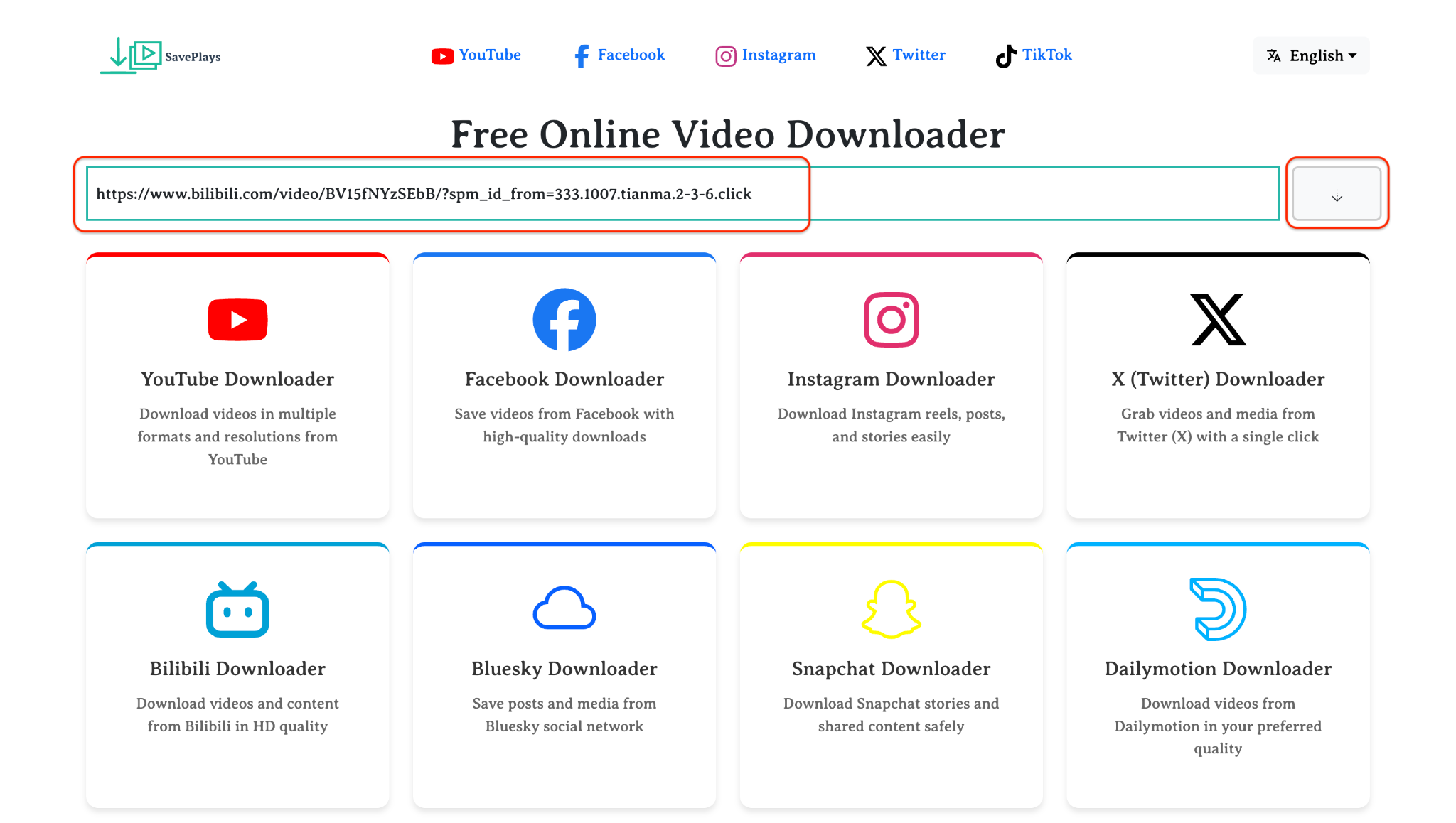
Step 1: Open SavePlays.com in Your Browser
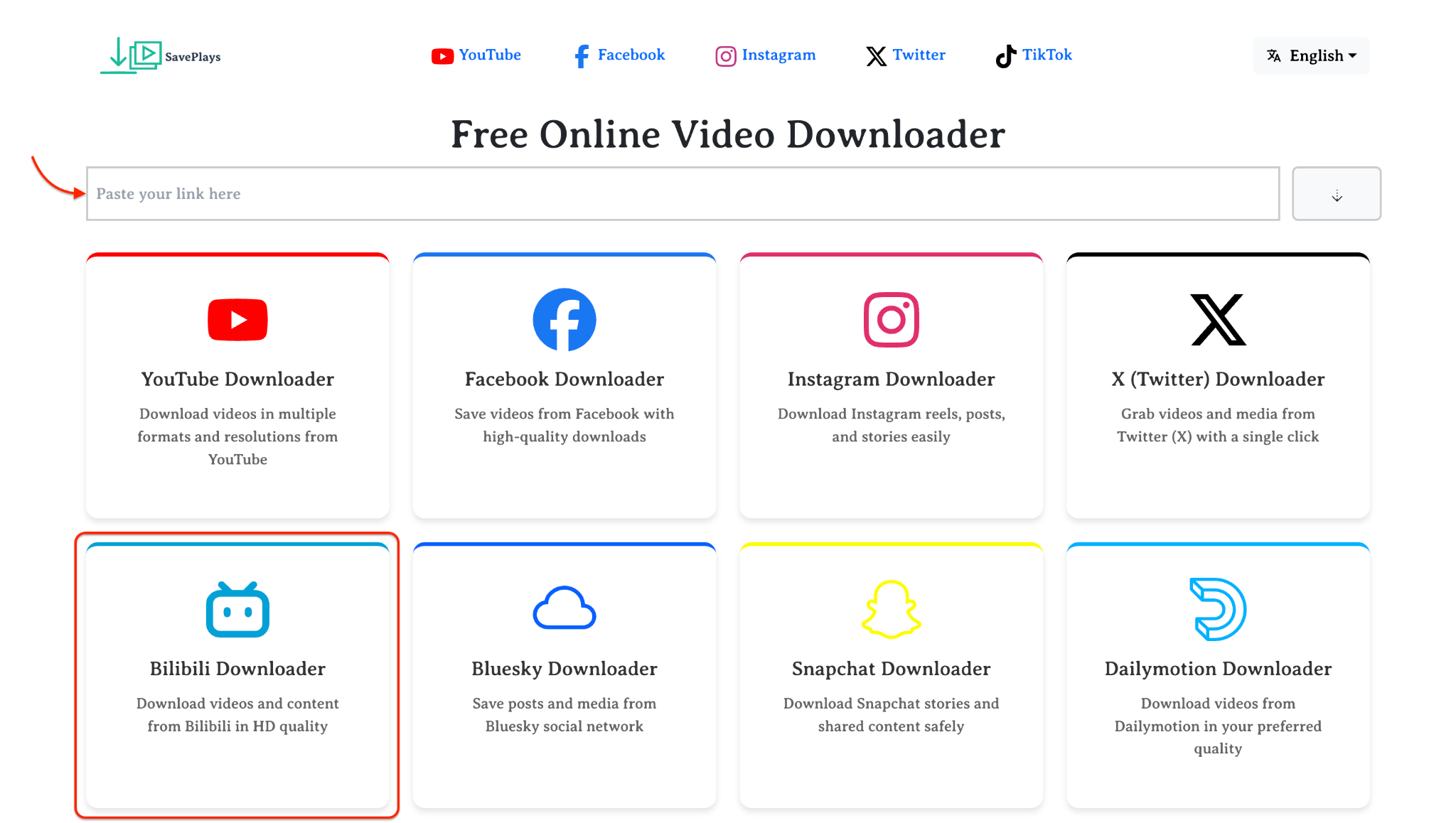
Step 2: Copy the Bilibili Video Link
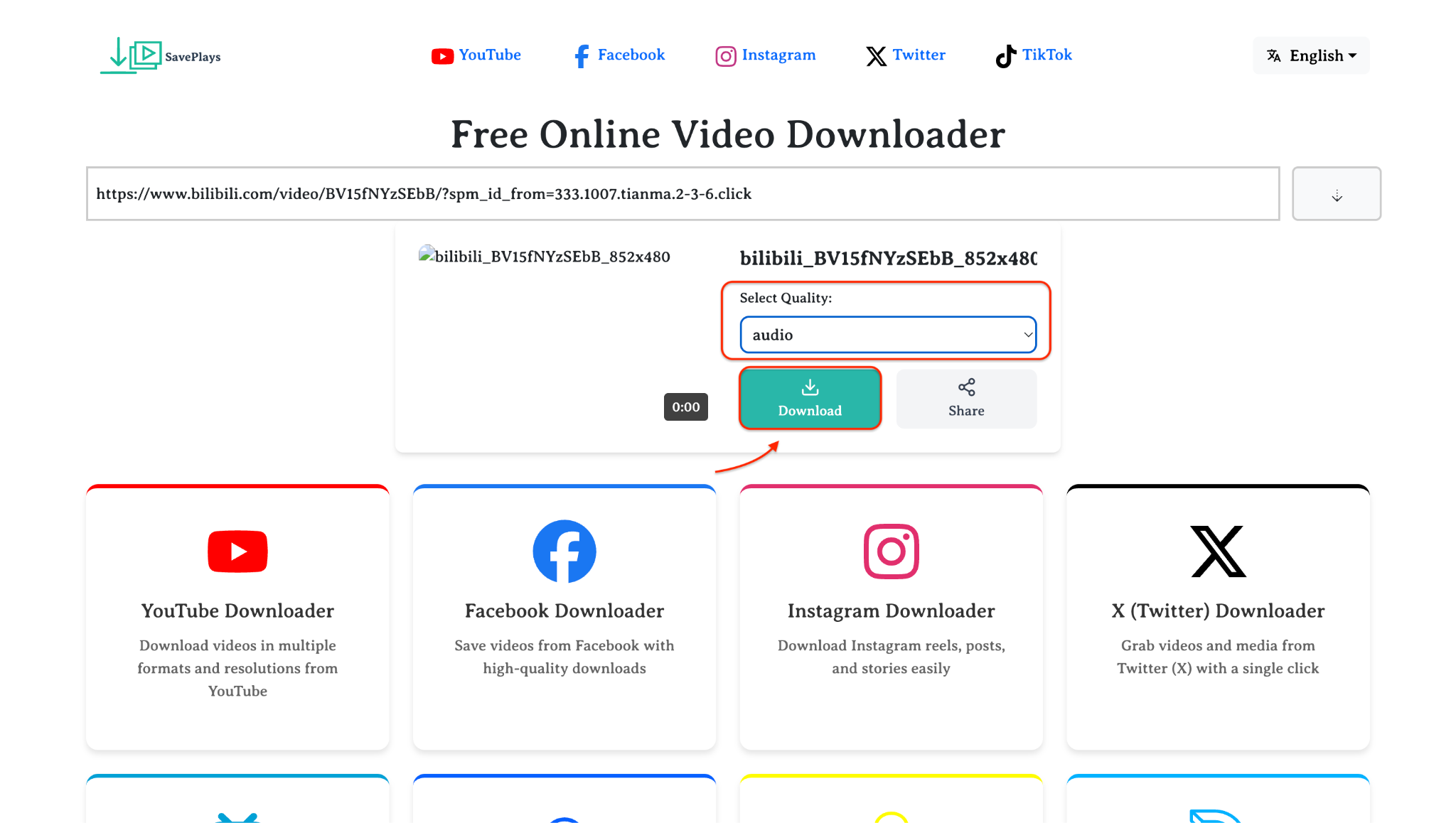
Step 3:Download the Converted MP3
How to Convert Bilibili to MP3 with a Chrome Extension
For users who want a lightweight, always-available tool, using a Chrome extension to convert Bilibili to MP3 is a smart option. One of the most reliable extensions for this purpose is Video Download Helper, available on the Chrome Web Store. This tool makes it easy to capture audio directly while browsing Bilibili, eliminating the need for copy-pasting or switching between tabs. It's perfect for users who often stream and want to download Bilibili MP3 clips on the go.
Although it's not a dedicated Bilibili MP3 converter, it recognizes embedded media files on Bilibili pages and provides quick access to MP3 conversions or downloads. You can then extract audio from videos using an external or integrated converter. With support for dozens of websites and formats, it also works well as a broader Bilibili converter for everyday users.
Key Features:
- Detects audio/video files on most websites, including Bilibili
- Easy-to-use Chrome UI with a download button on media content
- Allows MP3 conversion via a helper companion app
- Supports multiple resolutions and audio formats
- Works as a free Bilibili to MP3 converter when paired with open-source tools
How to Use Video DownloadHelper to Convert Bilibili to MP3
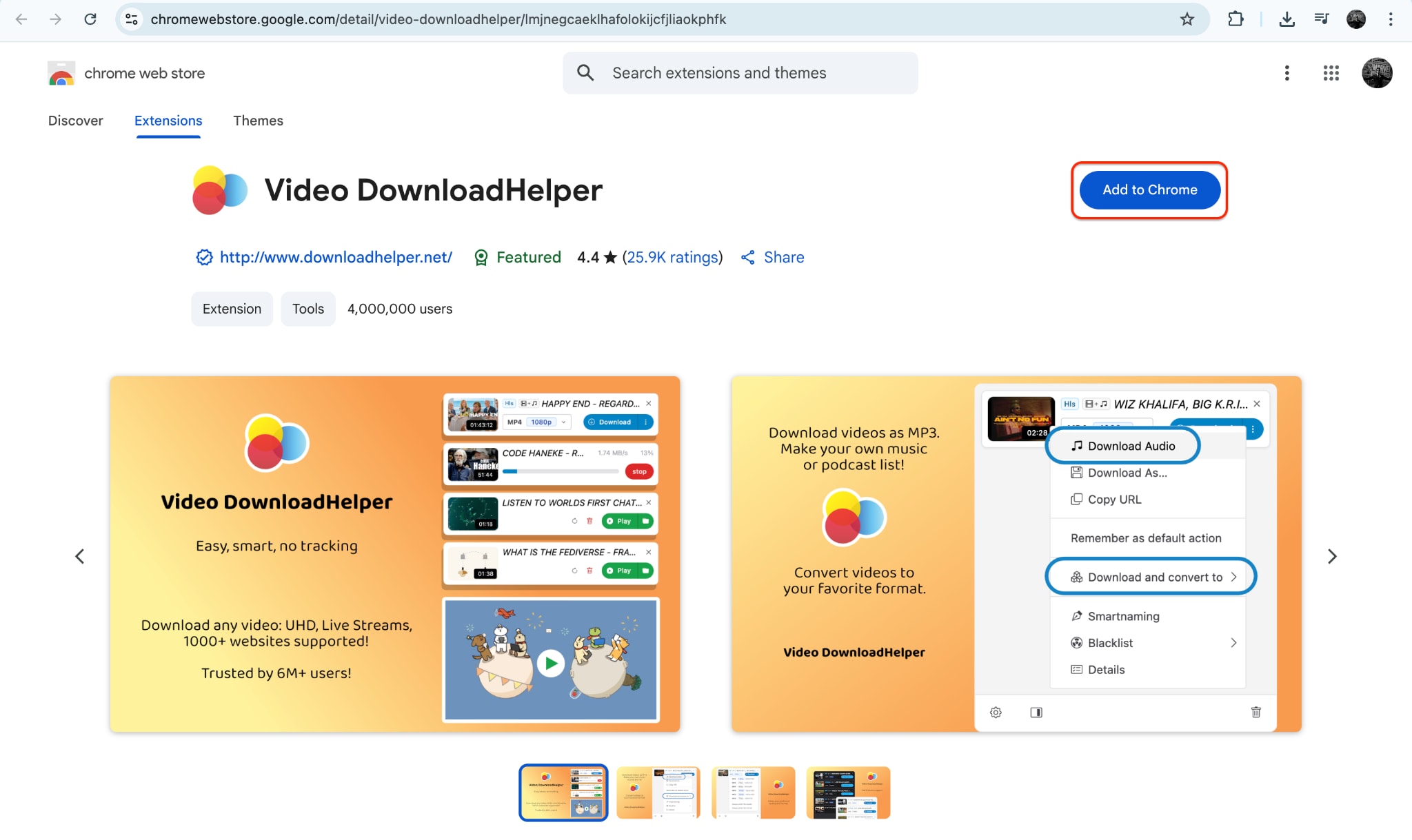
Step 1: Install the Extension from the Chrome Web Store
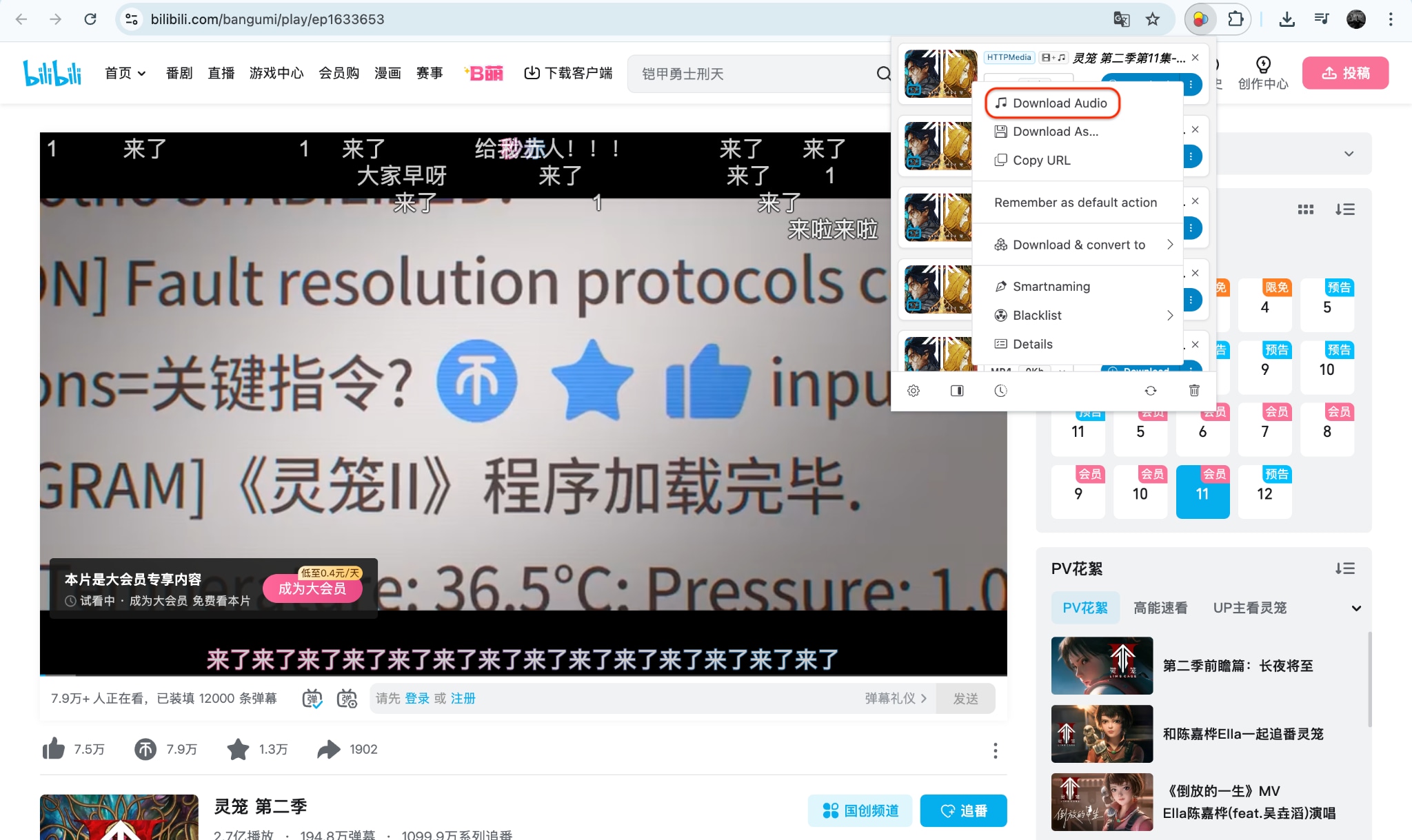
Step 2: Visit Bilibili and Play the Desired Video

Step 3: Download or Convert the MP3 File
How to Save Bilibili MP3 on iPhone or Android
Want to enjoy your favorite Bilibili audio content anytime, anywhere? Mobile users can easily download Bilibili MP3 using apps and browser-based tools tailored for Android and iOS. Whether it's anime soundtracks or creator commentary, tools like Snaptube(Android) and Documents by Readdle (iOS) let you convert and save Bilibili videos as MP3s. These methods are safe, portable, and don't require a computer.
The trick is combining a trusted Bilibili to MP3 converter with in-app browsers or download managers. Once the video is fetched, these apps allow you to choose MP3 as the output format. This means your favorite content is only a few taps away from becoming part of your offline playlist.
So, whether you're using an Android or iPhone, the right tools make downloading Bilibili MP3s on mobile seamless, secure, and efficient—even without technical expertise.
Key Features:
- In-app Video Detection – Automatically detects Bilibili video URLs within the app browser.
- MP3 Conversion – Download and convert Bilibili videos directly to MP3.
- Offline Support – Save and organize downloaded MP3s in your music library.
- Multiple Format Options – MP4, MP3, and other audio formats supported.
- Device Compatibility – Works on Android (Snaptube) and iOS (Documents by Readdle).
How to Download Bilibili MP3 on Mobile Using Snaptube (Android)
Step 1: Download and Install Snaptube
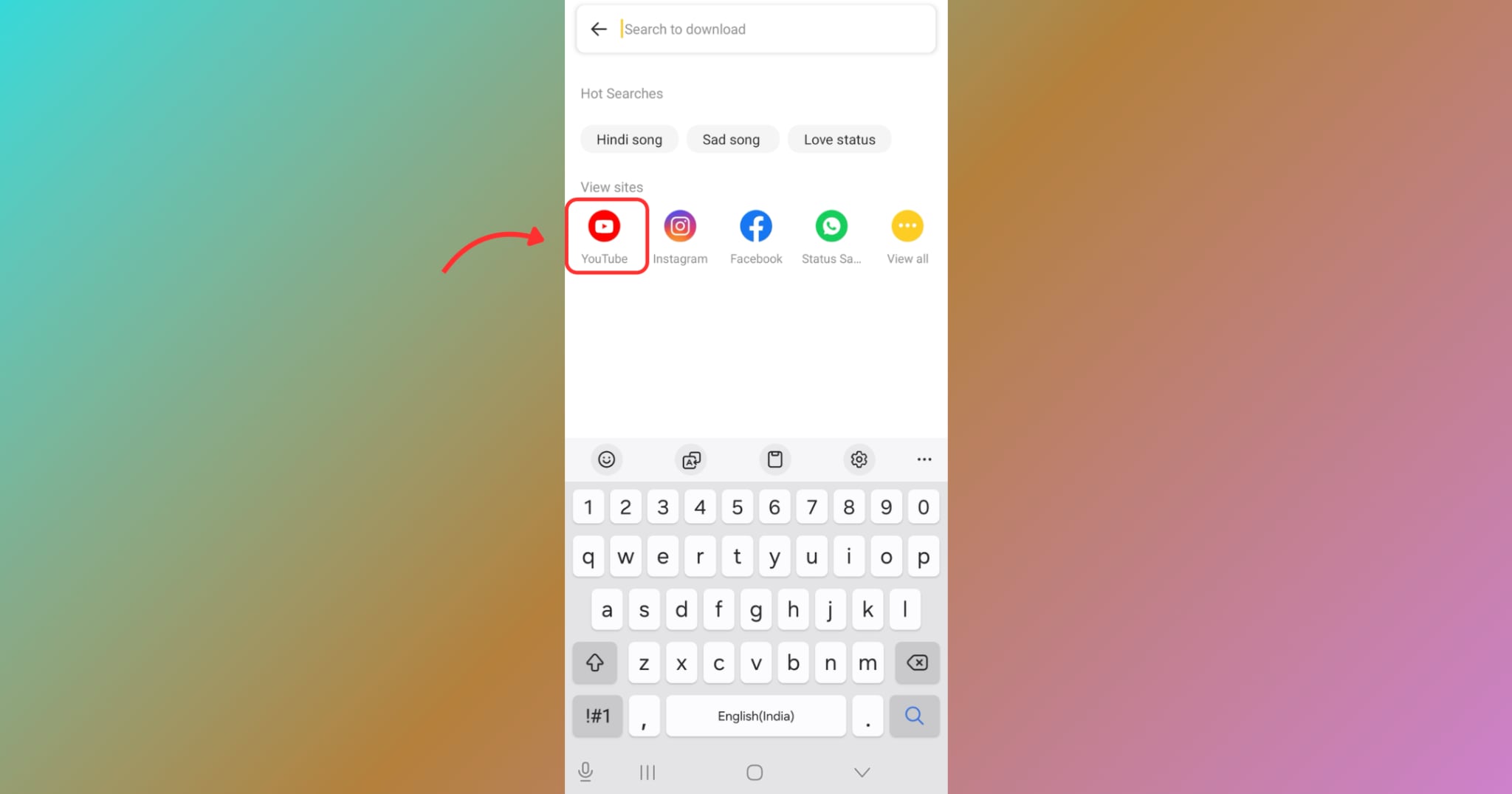
To begin, open your mobile browser and visit www.snaptubeapp.com to download the Snaptube APK, as it's not available on the Google Play Store. Tap "Download" and follow the instructions to install the app (you may need to enable "Install from Unknown Sources" in your phone's settings). Snaptube is a trusted app used by millions for downloading videos and audio from platforms like YouTube, Facebook, and Bilibili. Once installed, launch the app from your app drawer. You'll be greeted with a search bar and shortcuts to popular platforms. Click on the YouTube icon in the app.
Step 2: Copy the Bilibili Video Link
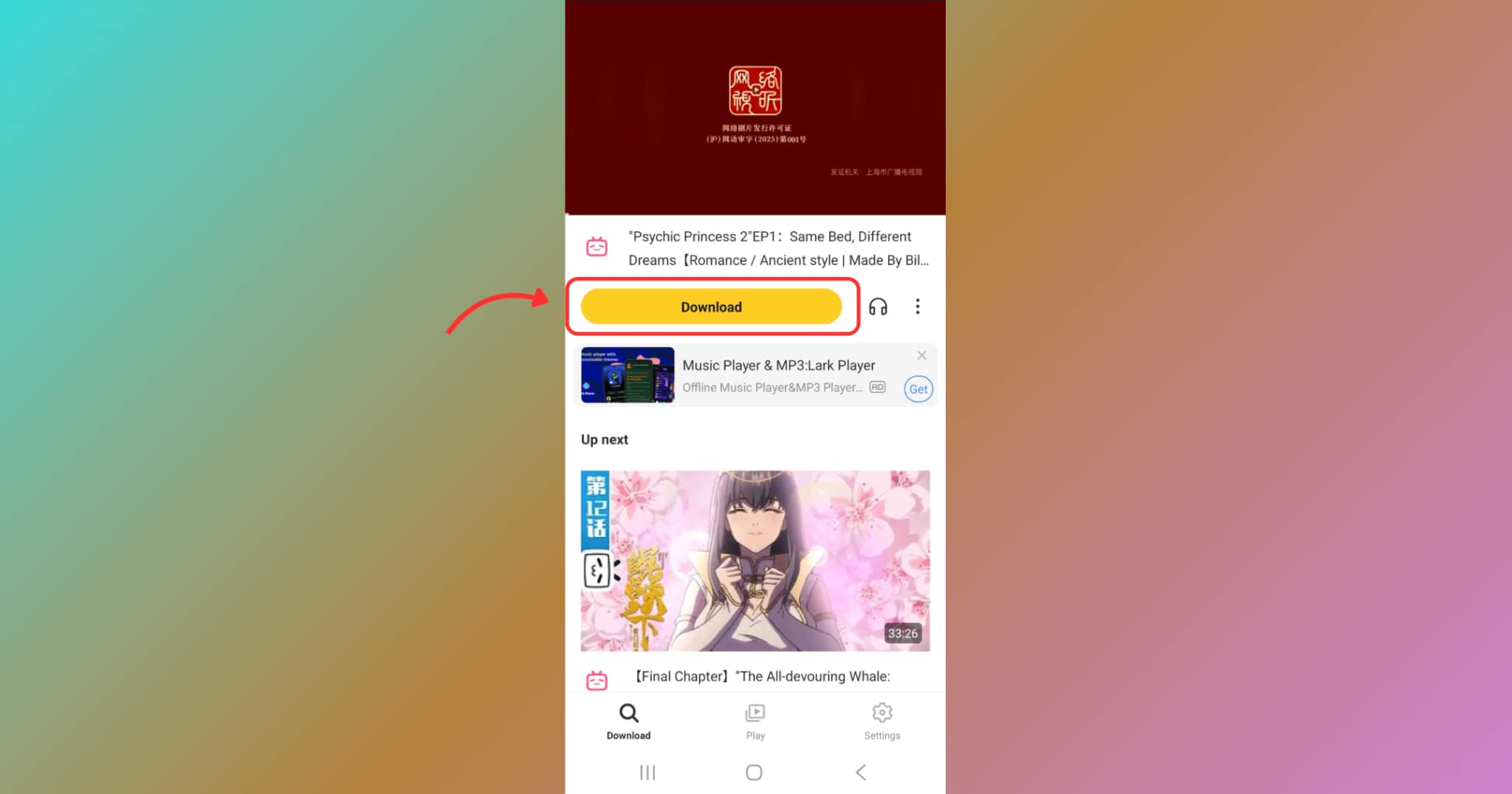
Now, find the video you want to convert to MP3 and play that. You’ll see a download button labeled under the video playing section; tap on that. Snaptube will automatically detect the video and begin processing it. Within a few seconds, it will show multiple download format options, including MP3.
Step 3: Convert Bilibili Video to MP3
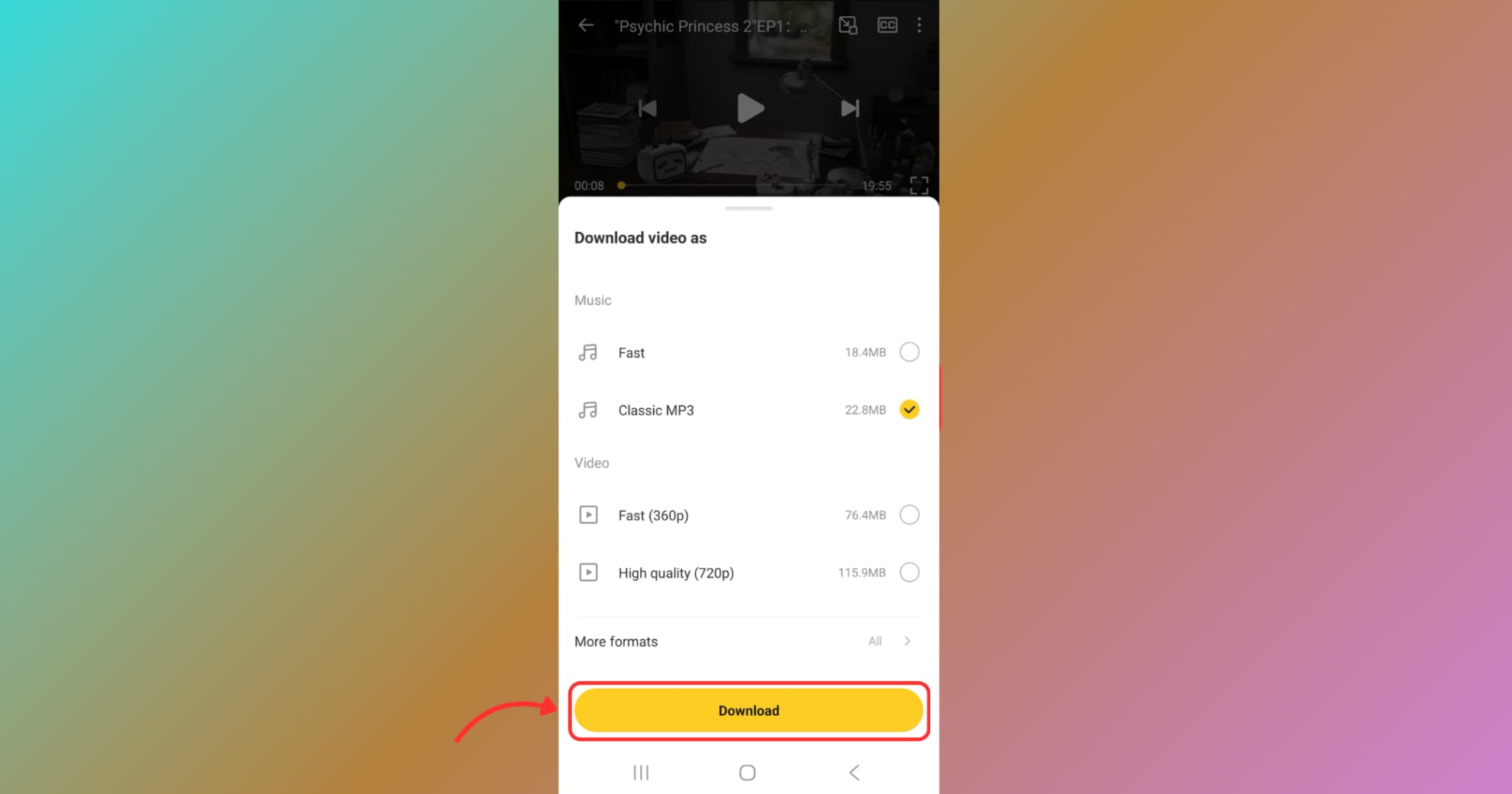
From the download options presented, choose the Classic MP3 format to convert the Bilibili video into audio. Tap the download icon next to the MP3 option to begin downloading the file to your device. Once downloaded, you can find the MP3 in Snaptube's internal downloads section or your phone's music folder. This allows you to play the file offline using any music app or transfer it to another device. The process is quick, smooth, and completely free, with no login or subscription required.
Final Thought
Converting Bilibili videos to MP3 has never been easier, thanks to the numerous tools available across various platforms. From batch downloading to fast online conversions, you now have multiple ways to enjoy Bilibili audio offline—be it anime soundtracks, lectures, or background scores.
For the most professional, secure, and high-quality Bilibili MP3 downloading experience, we highly recommend Wondershare UniConverter. With batch processing, customizable settings, and built-in conversion features, it's the all-in-one solution for media lovers and power users alike.
Try UniConverter today and transform how you manage online media forever.
Easy to Use Batch URL to MP3 Converter
FAQs
-
1. Can I batch download Bilibili videos to MP3 using UniConverter?
Yes, UniConverter allows you to paste multiple Bilibili URLs and convert them all to MP3 at once. It's ideal for downloading entire playlists or multiple files at once. -
2. Is there a way to download Bilibili MP3 files without needing to install any software?
Yes, you can use online tools like SavePlays.com to convert and download MP3s from Bilibili without needing to install any software. It works on any device through your browser. -
3. Does UniConverter support MP3 conversion from other platforms, too?
Absolutely. UniConverter supports MP3 conversion from over 1000 platforms, including YouTube, Vimeo, Facebook, and more, not just Bilibili. -
4. Is Snaptube safe for downloading Bilibili audio on Android?
Snaptube is widely used and considered safe if downloaded from its official site. Ensure that you allow installations from unknown sources before installing the APK. -
5. Why should I choose UniConverter over free online tools?
UniConverter offers more stability, no ads or pop-ups, and advanced features like trimming, subtitle editing, and faster batch processing—features that online tools often lack.

