


In today's digital world, video content is everywhere—but downloading it isn't always straightforward. Whether you're trying to back up a tutorial, save a meme, or keep an offline playlist, having the right tools makes all the difference.
This guide covers the most effective methods for a smooth Odysee video download, as well as saving content from Dailymotion. From lightweight browser tools to powerful desktop apps like UniConverter, we've broken down the best ways to download, manage, and convert your videos effortlessly—on any device. Let's explore how you can make your video library entirely yours, step by step.
Table of Contents
Quick Guide: Best Odysee Download Method by Device and Volume
Users searching for how to download Odysee videos often want a quick solution, but many free tools are unreliable.
Best choice: Use trusted download software for stability and security.
Part 1. How can you download an Odysee video directly?
Odysee is quickly gaining traction as a decentralized video-sharing platform, giving creators and viewers more freedom to explore independent content. Whether you're into educational videos, crypto discussions, or documentaries, you can save a favorite clip for offline viewing.
The good news? You don't need any extra software or complex tools. With a built-in option for direct Odysee video download through your browser, saving content is fast and straightforward. Just a few clicks, and your video is ready to watch anytime—perfect if you're using an Odysee downloader or looking for an easy way to download Odysee videos without hassle.
Step-by-Step Guide to Download Odysee Video Directly
Step 1: Open Odysee in Browser
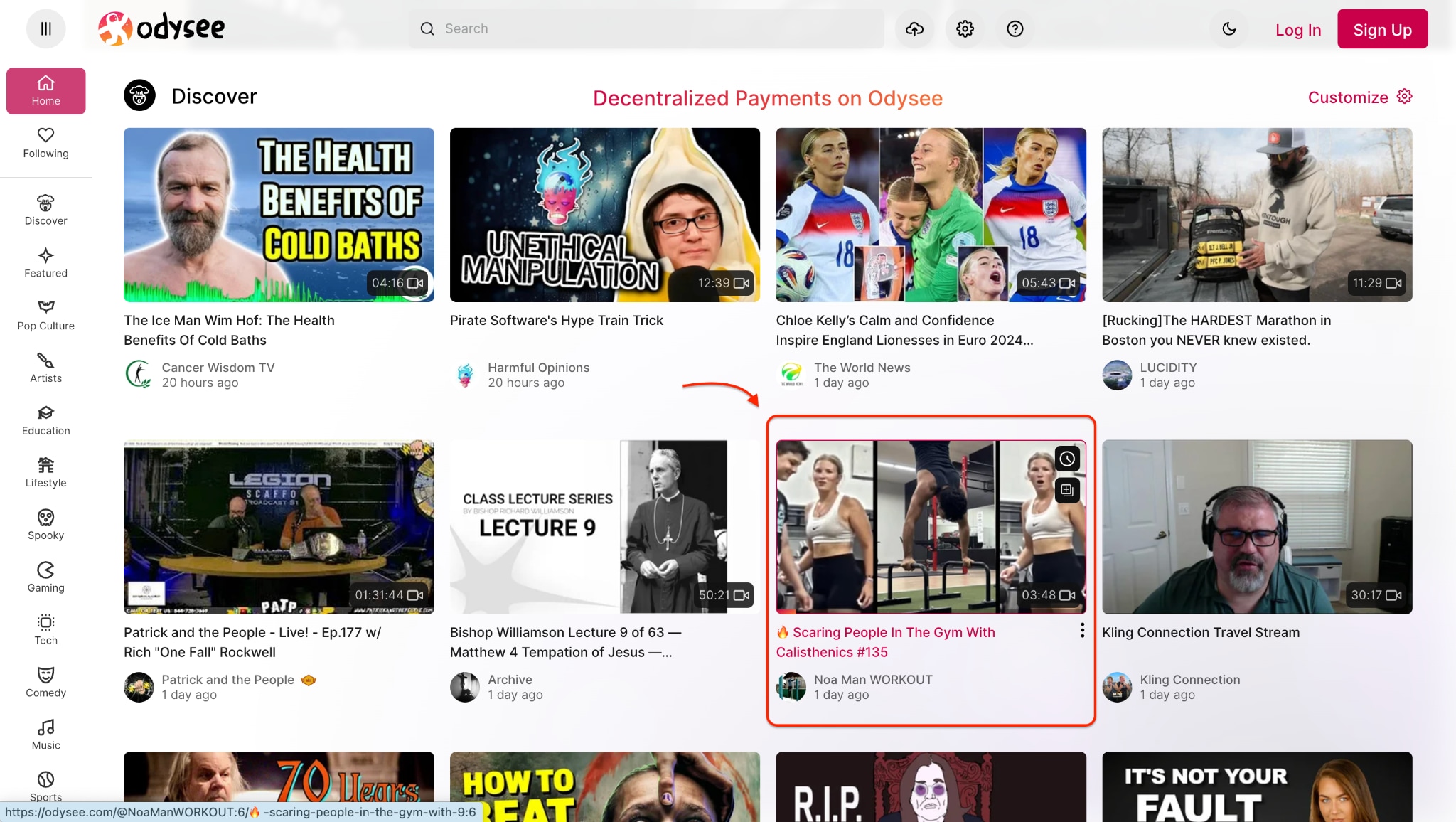
Step 2: Hit the Three Dots
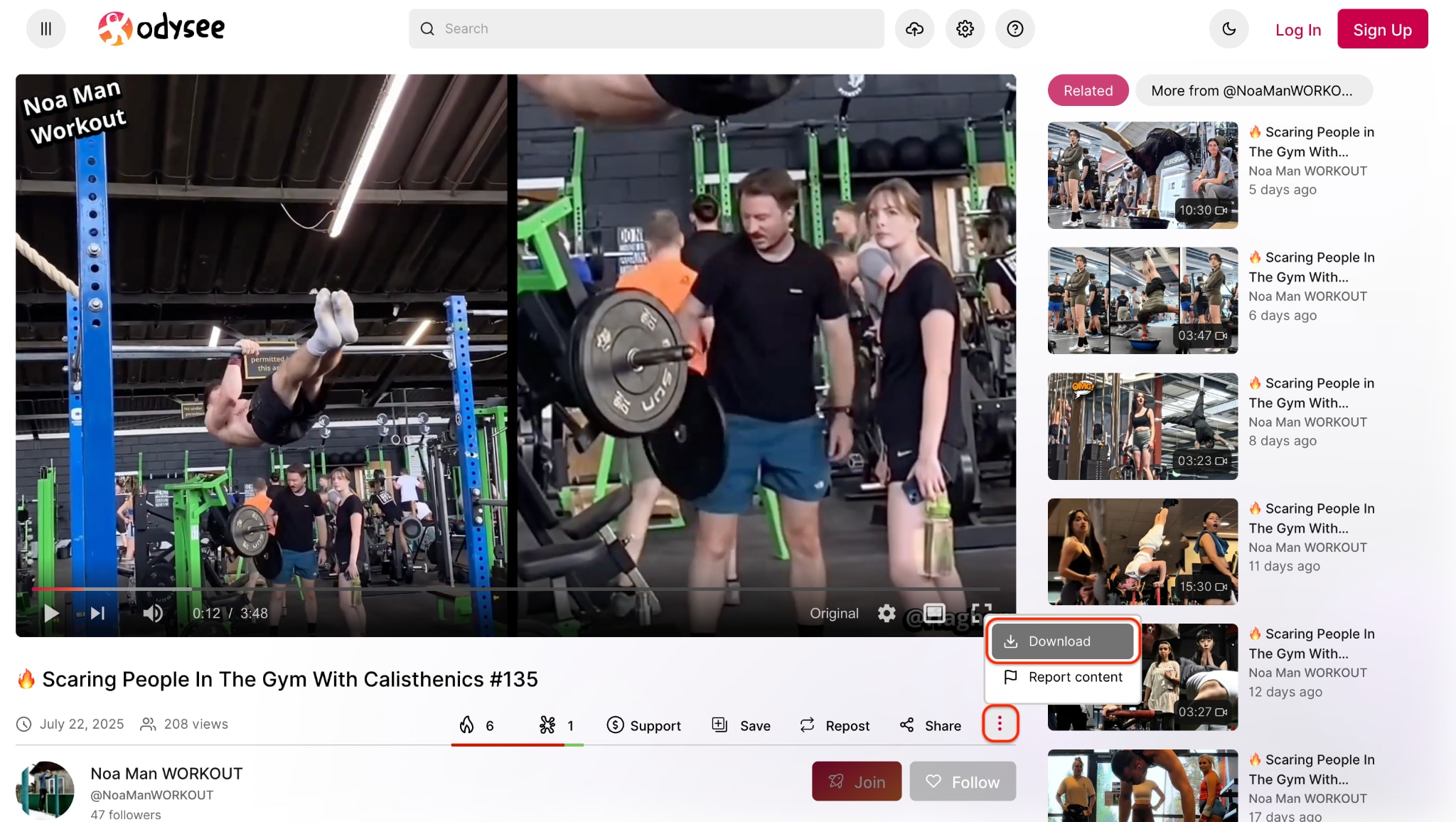
Step 3: Download and Save the Video
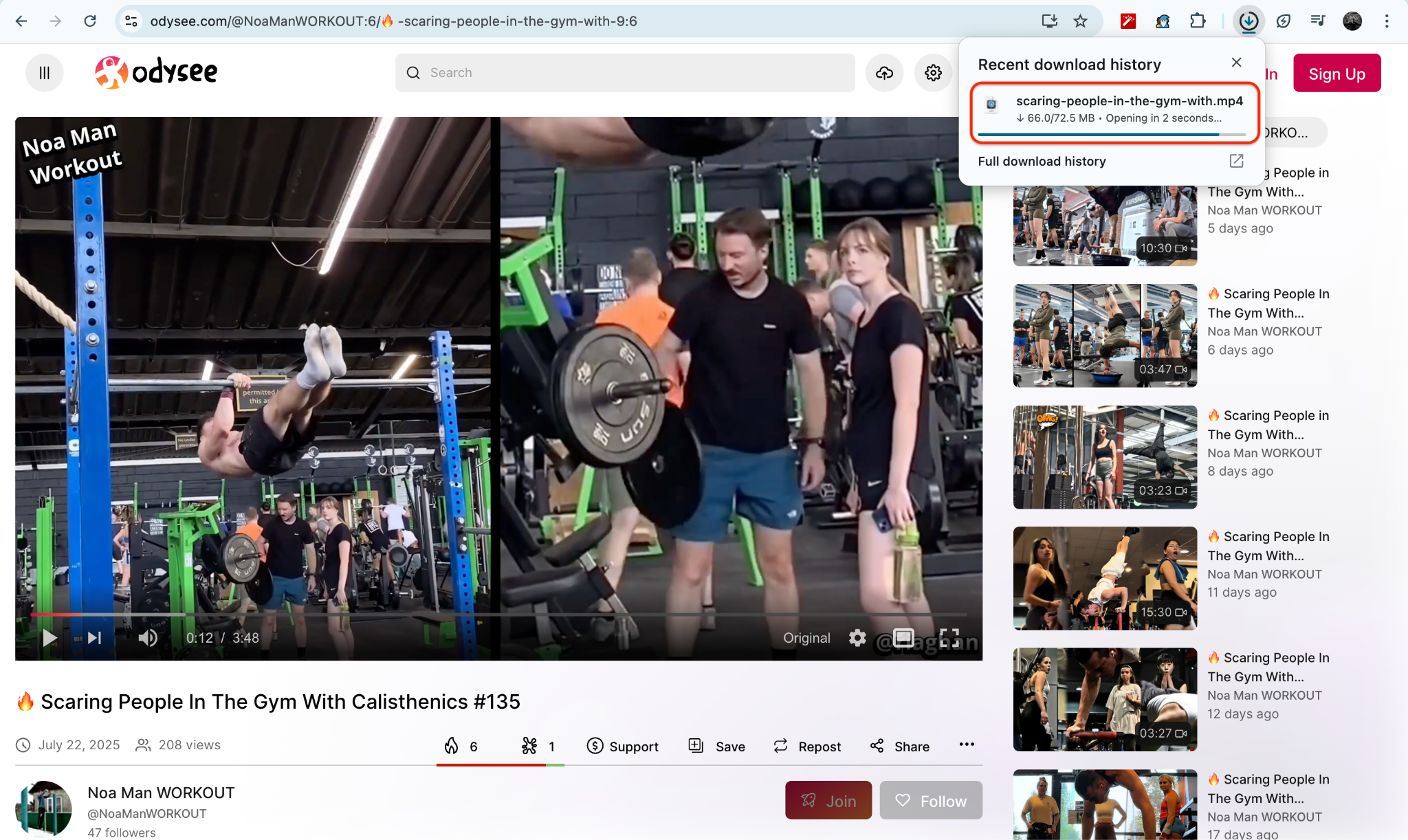
This method is fast, secure, and completely browser-based—ideal for students, researchers, or casual viewers who want to keep Odysee content accessible offline. Just remember always to respect copyright laws and the rights of content creators when saving or repurposing video material.
Part 2. How do you batch download Odysee videos on desktop?
For creators, educators, or researchers who need to save multiple Odysee videos simultaneously, using a reliable desktop solution like UniConverter by Wondershare can make a significant difference. This tool enables you to handle various links simultaneously, convert formats, compress files, and perform basic editing—all from a single interface.
If you're looking for a dependable method to manage your Odyssey download tasks in bulk, here's how UniConverter helps you streamline the process.
Key Features of UniConverter:
- Batch video downloads: You can add multiple Odysee video links simultaneously, saving time and eliminating the hassle of processing each video individually. A YouTube Chrome extension is also available.
- Supports over 1,000 formats: UniConverter offers broad compatibility with nearly every media format, making it ideal for users needing flexibility.
- Built-in converter and compressor: You can convert videos into your preferred format and compress large files without the need for additional apps or loss of quality.
- Fast download with GPU acceleration: With hardware acceleration, UniConverter speeds up downloads and conversions—especially useful for long or high-resolution videos.
- Video editor and subtitle tools: These tools include basic editing features such as trimming, cropping, adding effects, and inserting subtitles, making it easy to refine content.
How to Batch Download Odysee Videos Using UniConverter
Step 1: Open UniConverter and Go to the Downloader Tab
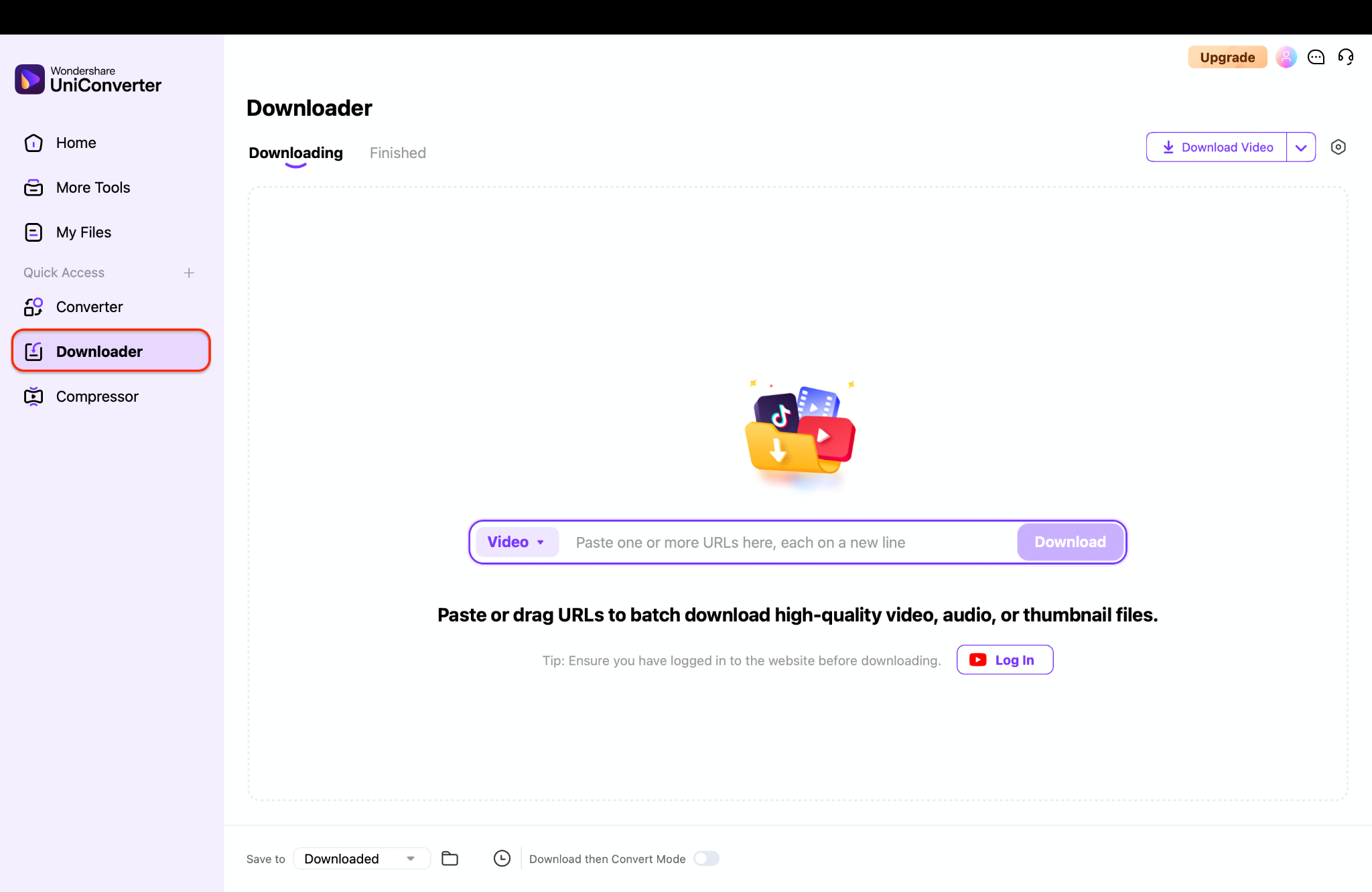
Step 2: Paste Odysee Video Links into the Downloader
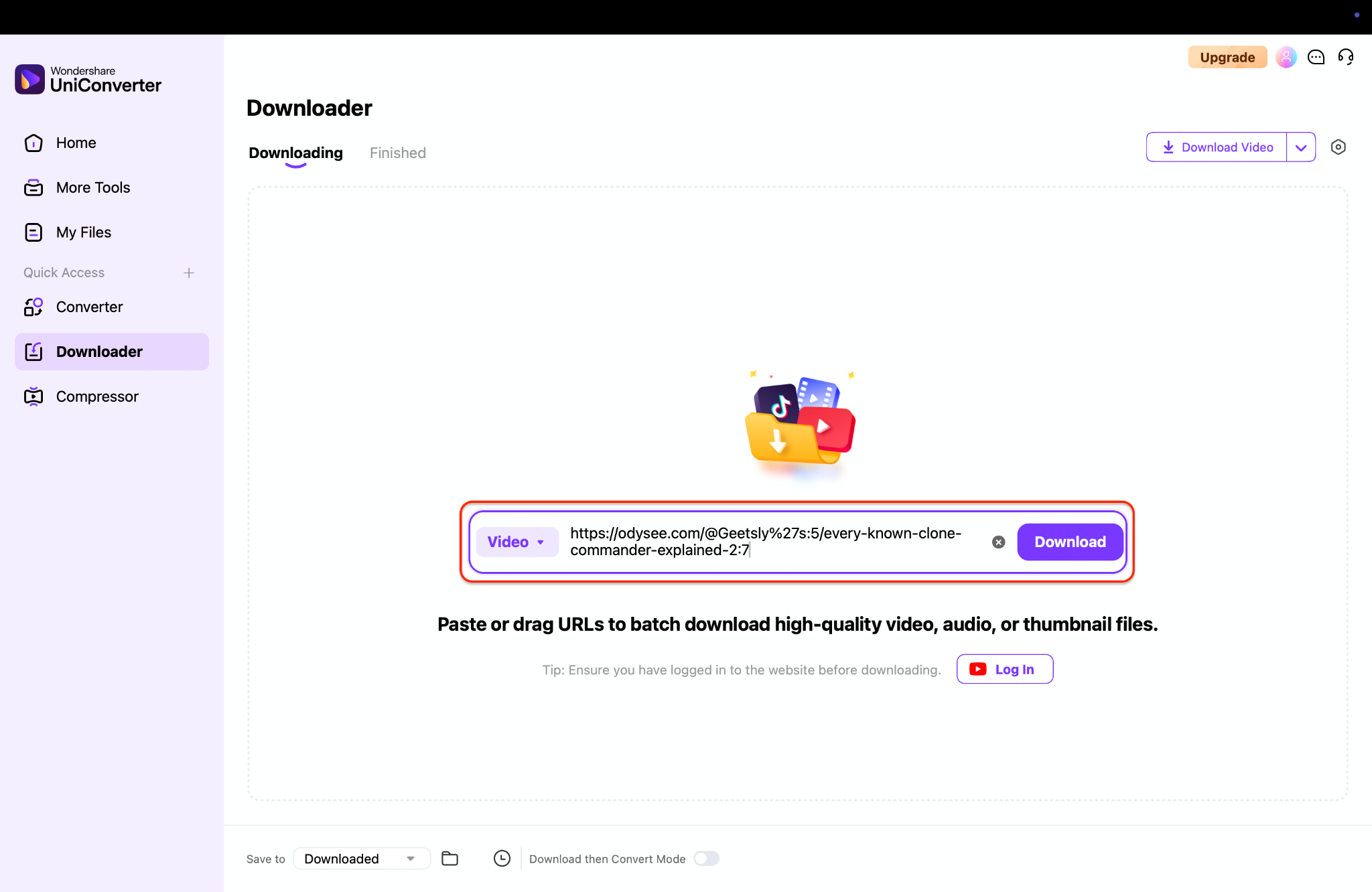
Step 3: Choose Output Format and Download All
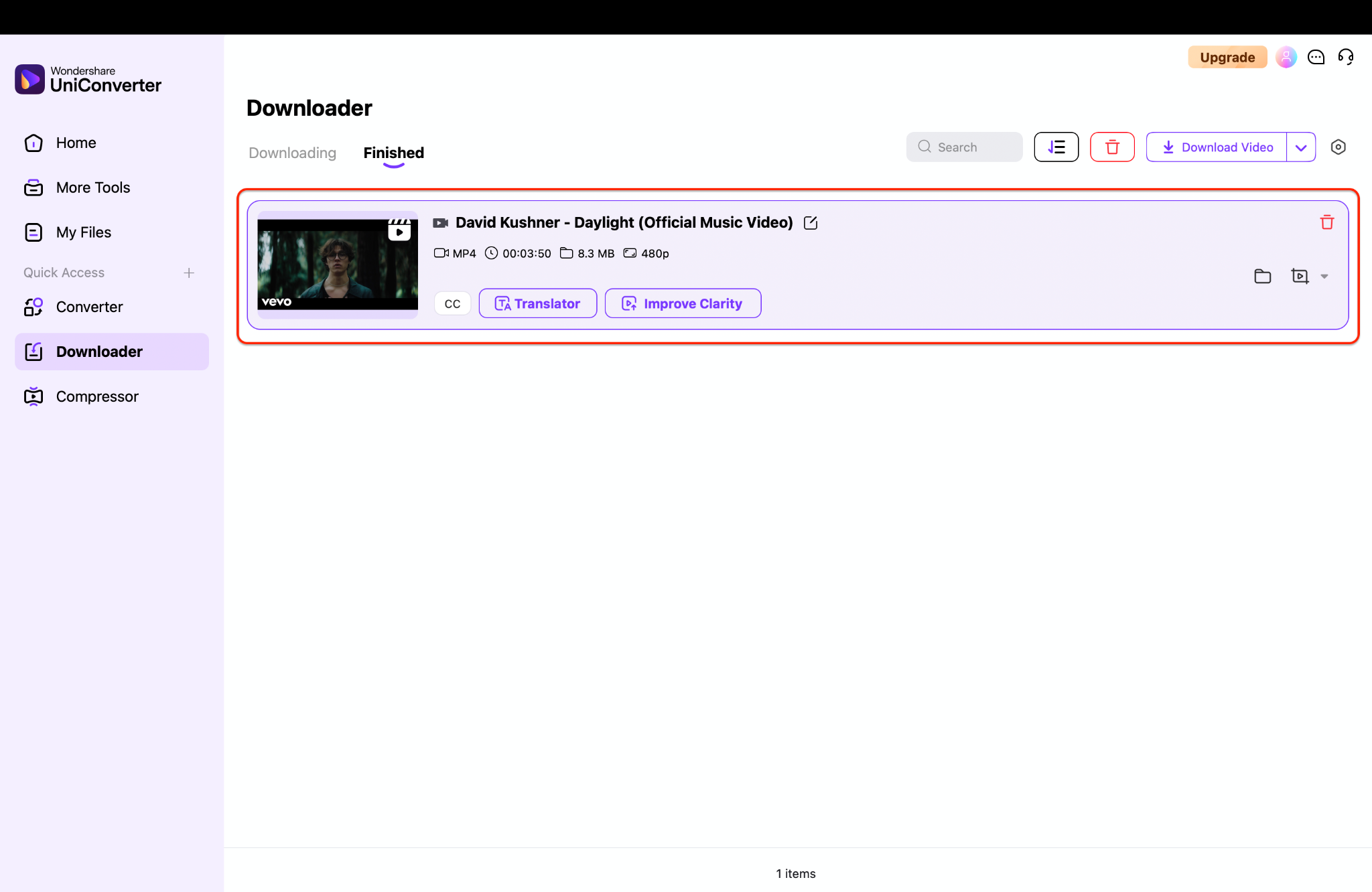
With just a few clicks, UniConverter makes large-scale video collection simple, efficient, and customizable.

Easy to Use Odysee Video Downloader
Part 3. Can you download Odysee videos online without installing software?
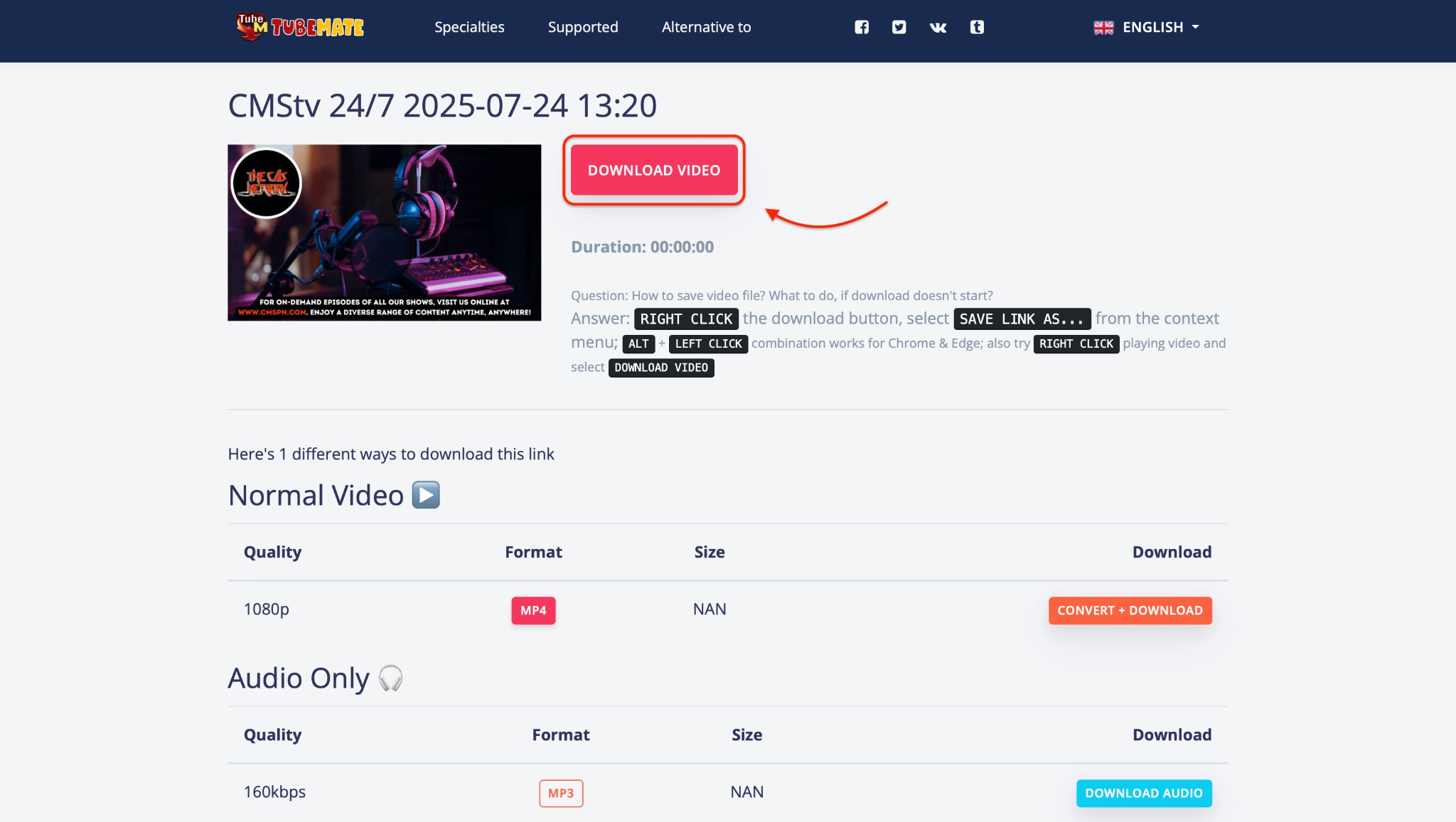
Not everyone wants to rely on extensions or complex software to save videos. If you're looking for a fast and straightforward solution, the site Tubemate offers an easy way to download Odysee videos directly through your browser. It's promoted under the name TubeMate but functions entirely as a browser-based Odysee video downloader—with no app installation required.
Whether you're saving crypto discussions, tutorials, or independent documentaries, this method works great for occasional downloads and everyday use.
Key Features of TubeMate:
- No installation needed: This is a web-based tool that allows you to download Odysee videos directly from your browser—no software is required.
- Straightforward interface: Paste the Odysee video link, select your preferred format, and click 'Download'.
- Multiple quality options: Supports various resolutions, depending on the source video, ranging from 360p to HD.
- Device compatibility: Works smoothly on desktops, laptops, and mobile devices across major operating systems.
- Free access: The service is entirely free, with no sign-up or account creation needed.
How to Use an TubeMate to Download Odysee Videos
Step 1: Copy the Video Link from Odysee
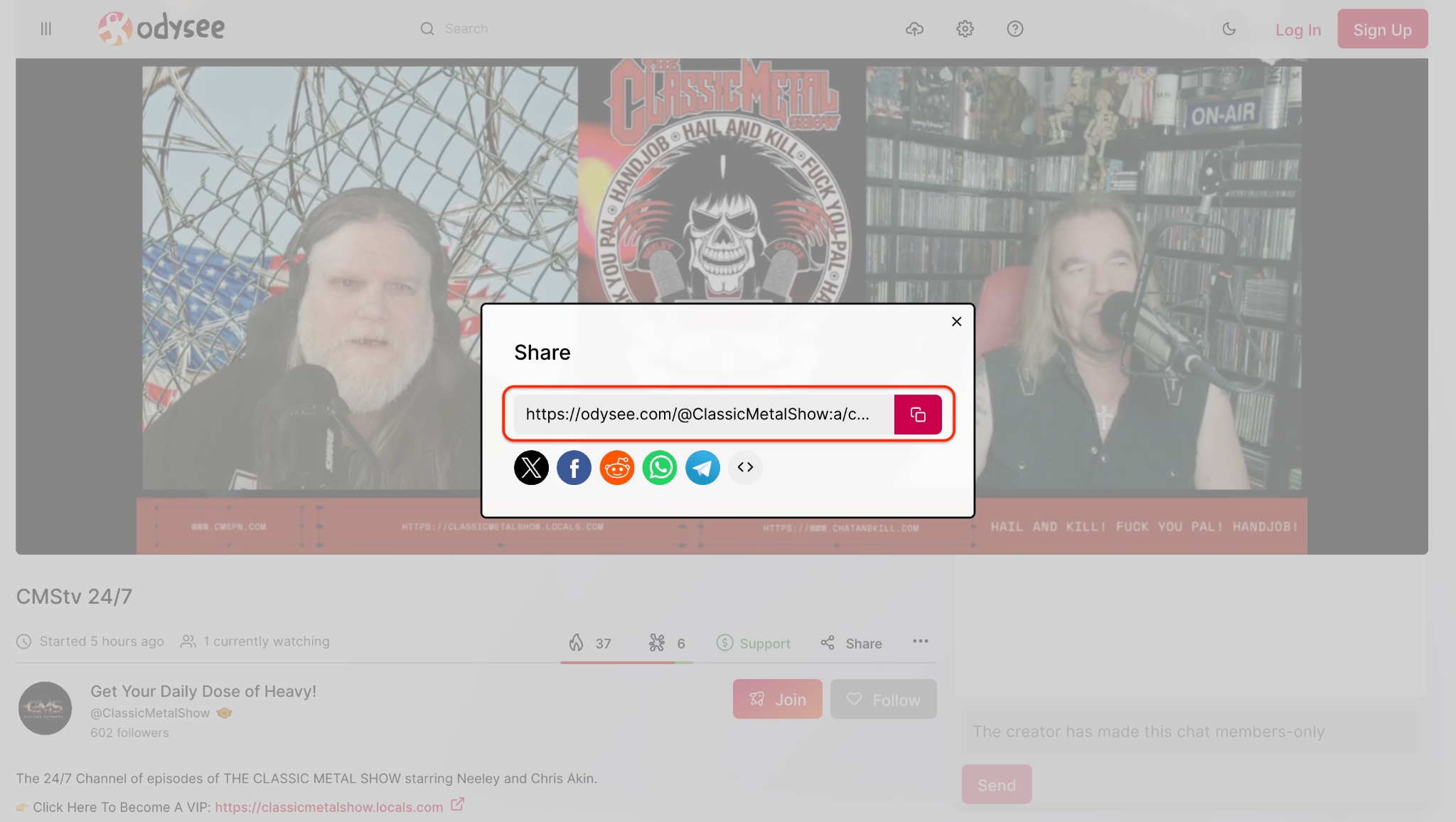
Step 2: Visit TubeMate Odysee Downloader in Your Browser
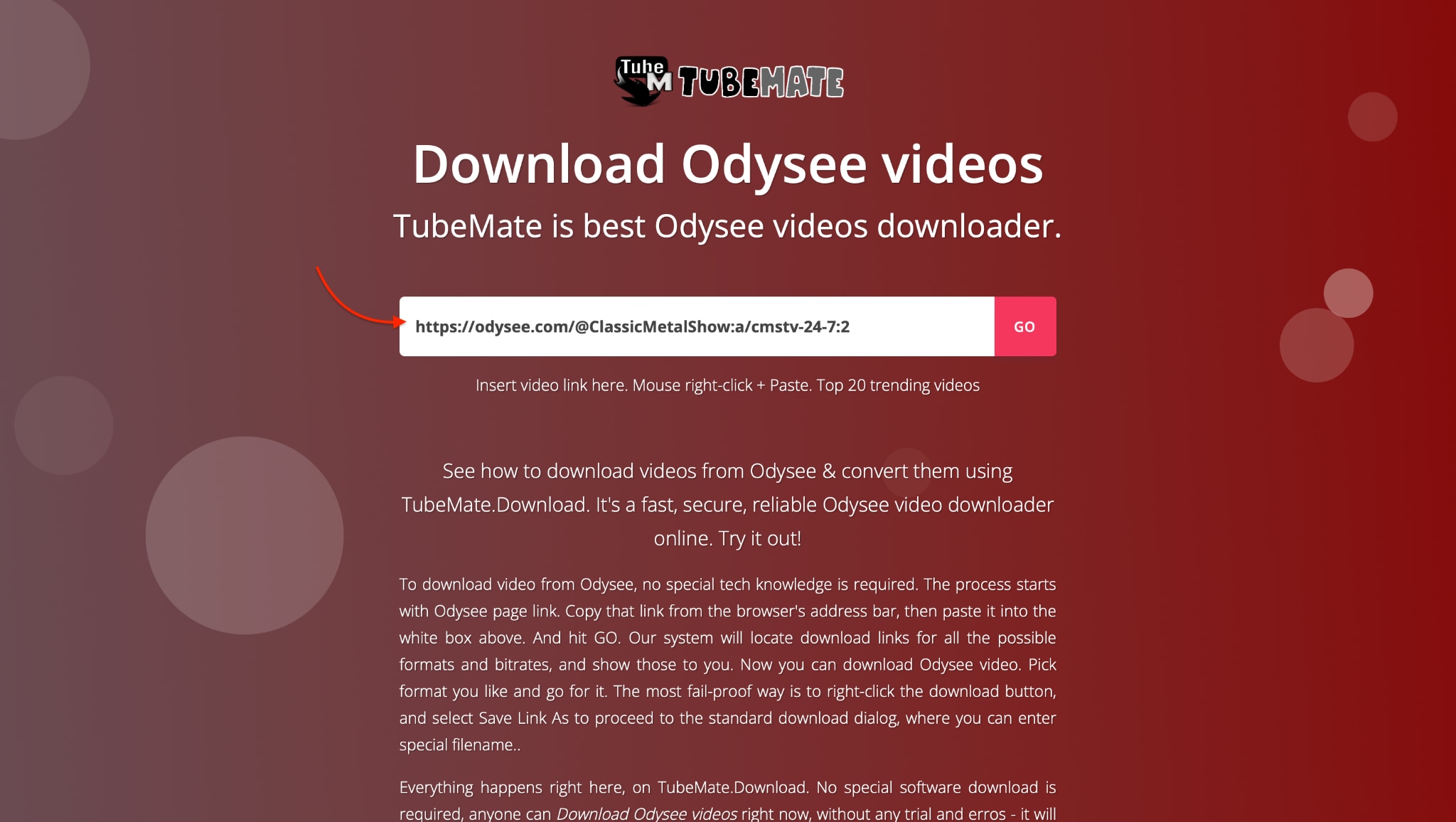
Step 3: Download the Odysee Video
Part 4. How to Download Dailymotion Videos with Chrome Extension
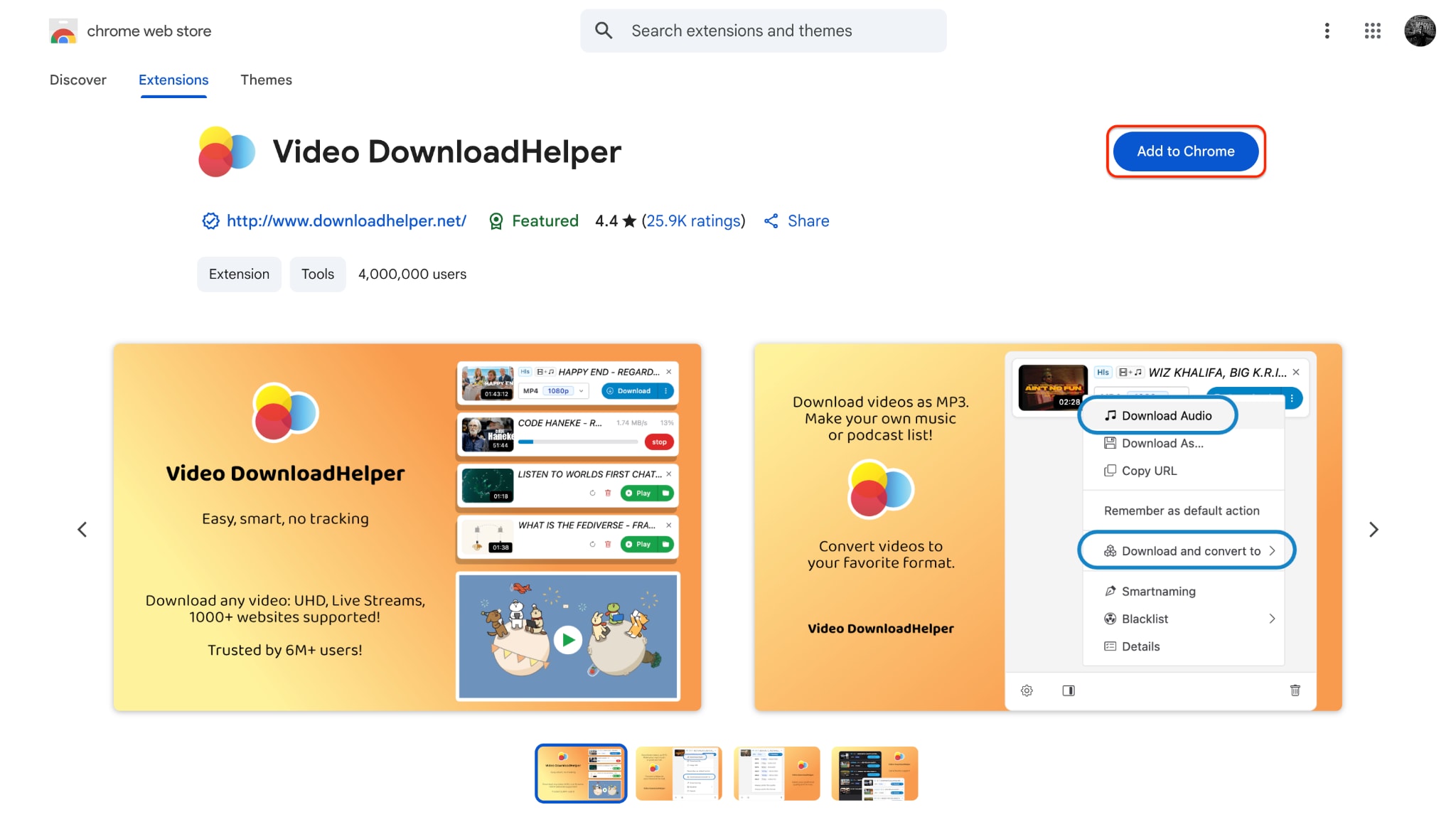
If you're someone who frequently watches and wants to save videos from platforms like Dailymotion, using a Chrome extension is one of the fastest and most user-friendly ways. One of the most reliable tools for this purpose is Video DownloadHelper, a popular Chrome extension that supports many other video platforms as well. It allows you to download content directly as you browse, without needing to switch tabs or copy URLs.
Even if your primary interest is to download Odysee video or content from other platforms, extensions like this provide flexible support across sites. Many users also rely on it as an odysee downloader because of its seamless ability to fetch and process videos from decentralized platforms like Odysee.
Key Features of Video DownloadHelper:
- Cross-platform support: Works on Dailymotion, YouTube, Vimeo, and can be used as an odysee video downloader.
- Multiple formats: Let's you download in MP4, WebM, and other formats—ideal for those needing odyssee download compatibility.
- Intelligent detection: Automatically detects videos playing in your browser, including those hosted on Odysee video download pages.
- Batch download option: Save multiple videos from a playlist or page—even on sites like Odysee where curated video series are familiar.
- Integrated controls: Access download options directly from the Chrome toolbar, simplifying how you download odysee video while browsing
How to Download Dailymotion Videos Using Chrome Extension
Step 1: Install Video DownloadHelper from Chrome Web Store
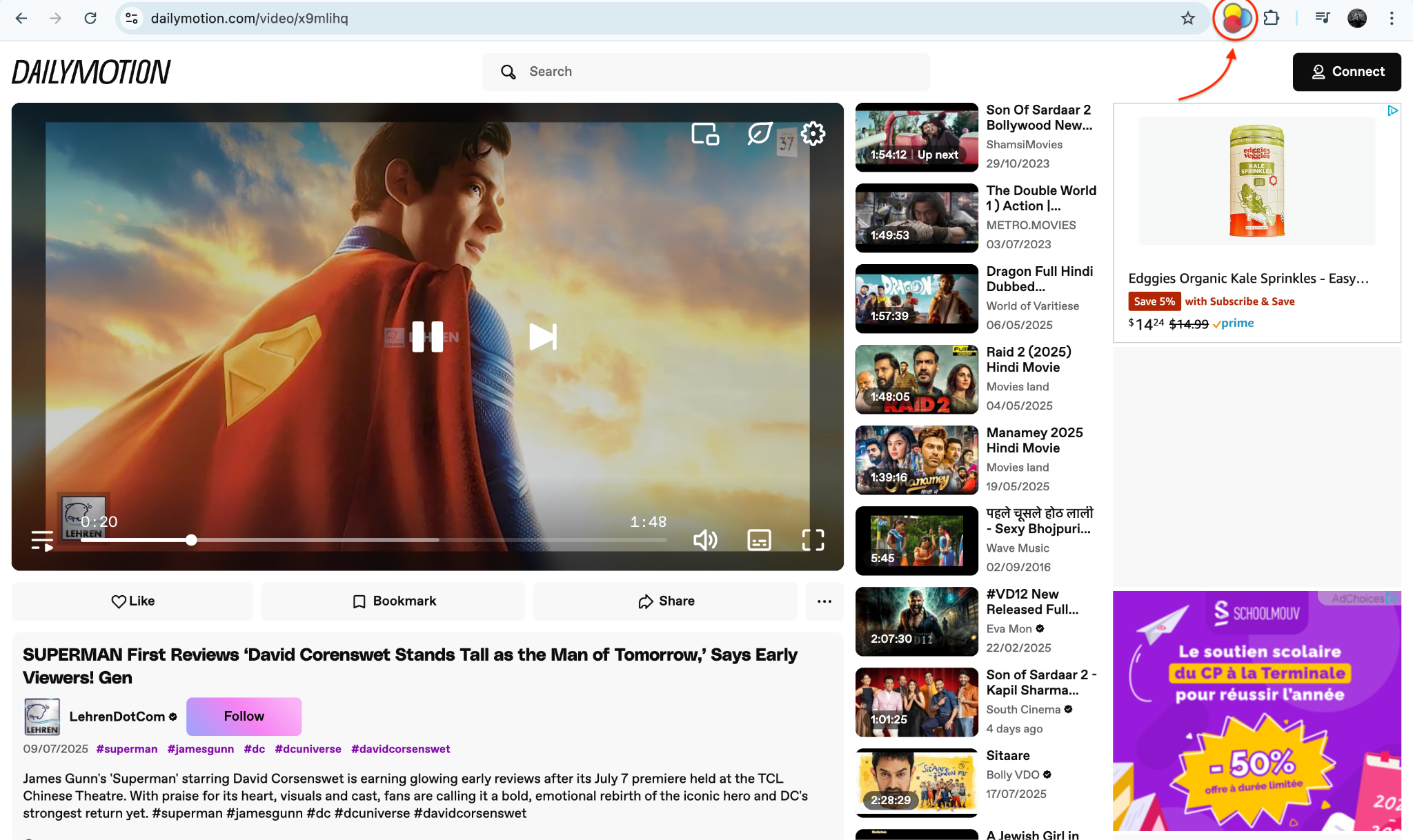
Step 2: Visit Dailymotion and Play the Video
Step 3: Choose Your Format and Download
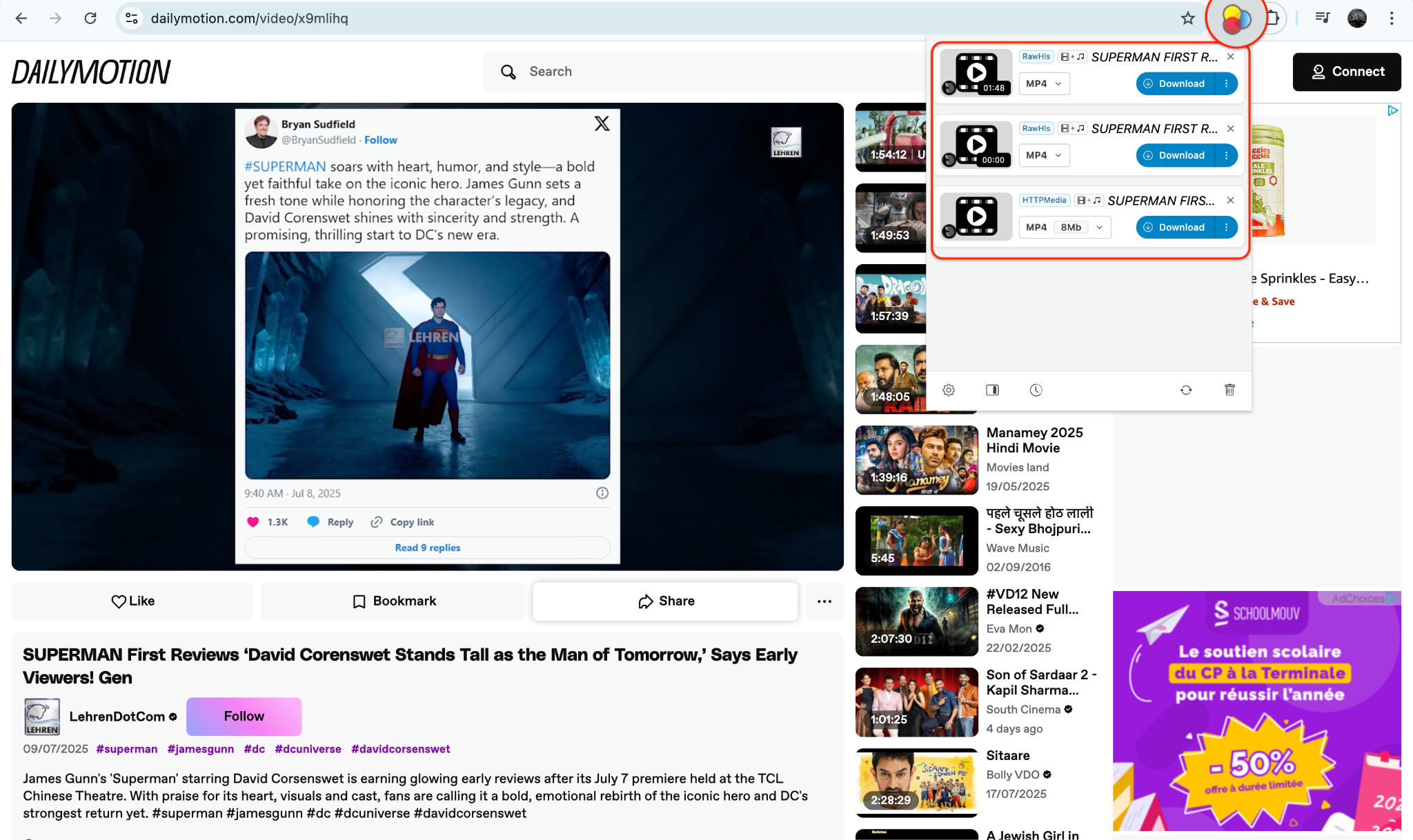
Using a Chrome extension makes downloading Dailymotion videos easy, quick, and accessible—no separate software required.
Easy to Use Odysee Video Downloader
Part 5. How to Download Dailymotion Videos with Mobile App
Dailymotion is home to a vast collection of videos across genres, ranging from documentaries and music videos to content from independent creators. If you want to enjoy your favorite videos offline, downloading them with a reliable app is essential. One of the most effective tools for this is the Video Downloader - HD and Easy mobile app. It's free, simple to use, and supports multiple video platforms, making it a handy solution for all your video download needs—including platforms like Odysee.
In this guide, you'll learn how to easily download Dailymotion videos using this app, along with step-by-step instructions, key features, pros and cons, and valuable tips for downloading videos from Odysee as well.
Key Features of Video Downloader - HD and Easy:
- Supports Multiple Platforms:Not limited to just Dailymotion—you can also use it as an Odysee downloader, enabling you to download Odysee video with ease alongside YouTube, Facebook, and others.
- Fast Download Speeds:The app optimizes video fetching and downloading, allowing the users to quickly download Dailymotion or Odysee content in HD or Full HD resolution.
- Built-in Video Player:Play downloaded content right within the app—no need for an external media player. Whether it's an odysee video download or a Dailymotion clip, you can preview, organize, and replay smoothly.
- Auto Detection & Paste-Link Option:The app auto-detects downloadable media when you browse Dailymotion or Odysee via its in-app browser, or you can paste the video URL directly.
- Background Downloads:Downloads continue even when the app is minimized—ideal for long Odyssee download sessions or larger videos from Dailymotion.
How to Download Dailymotion Videos with Video Downloader - HD and Easy
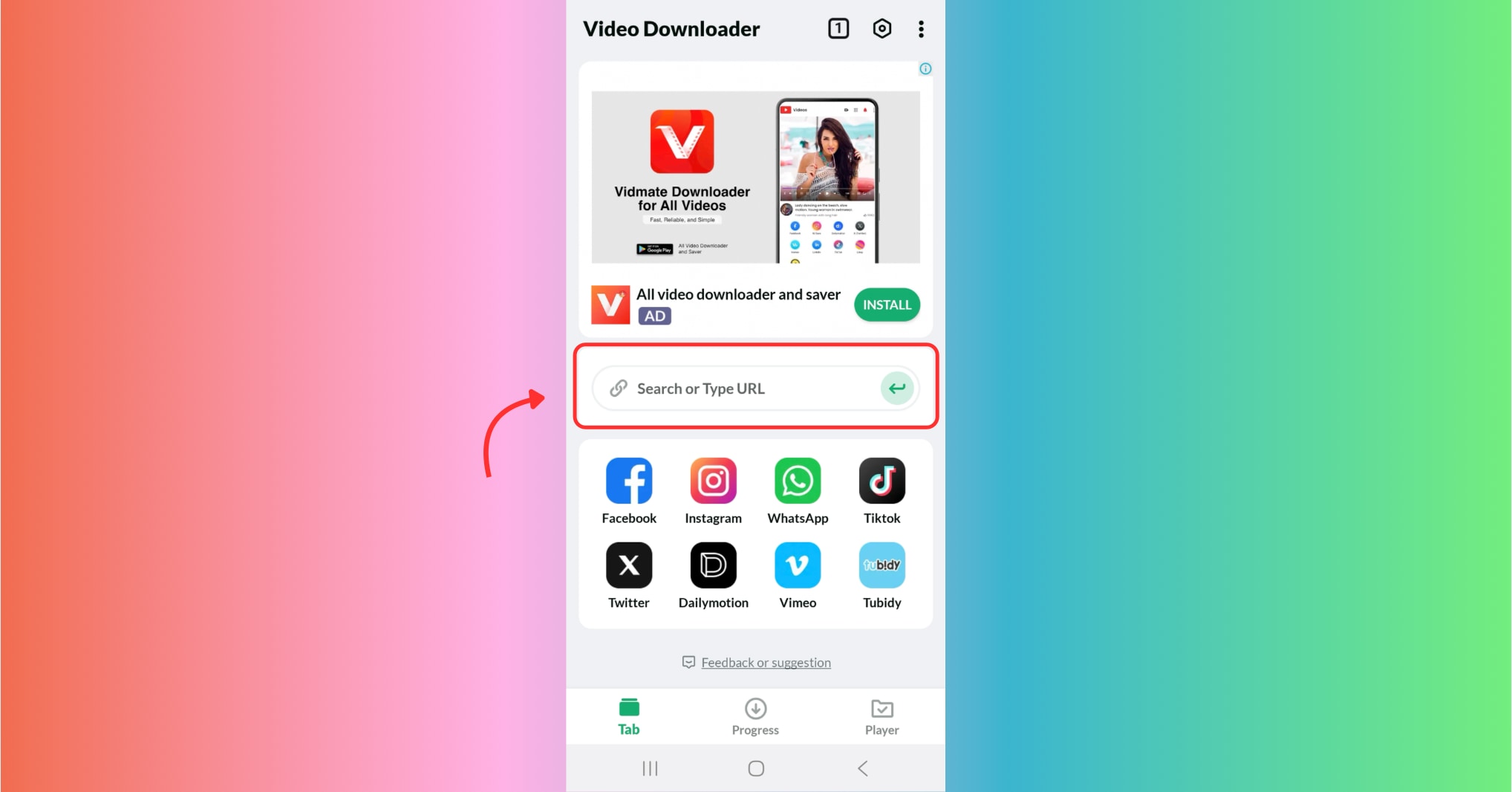
Step 1: Install and Launch the App
Go to the Google Play Store and search for Video Downloader - HD and Easy. Install the app and grant permissions for media access and background activity. Once open, use the in-app browser or paste the Dailymotion video link you want to download.
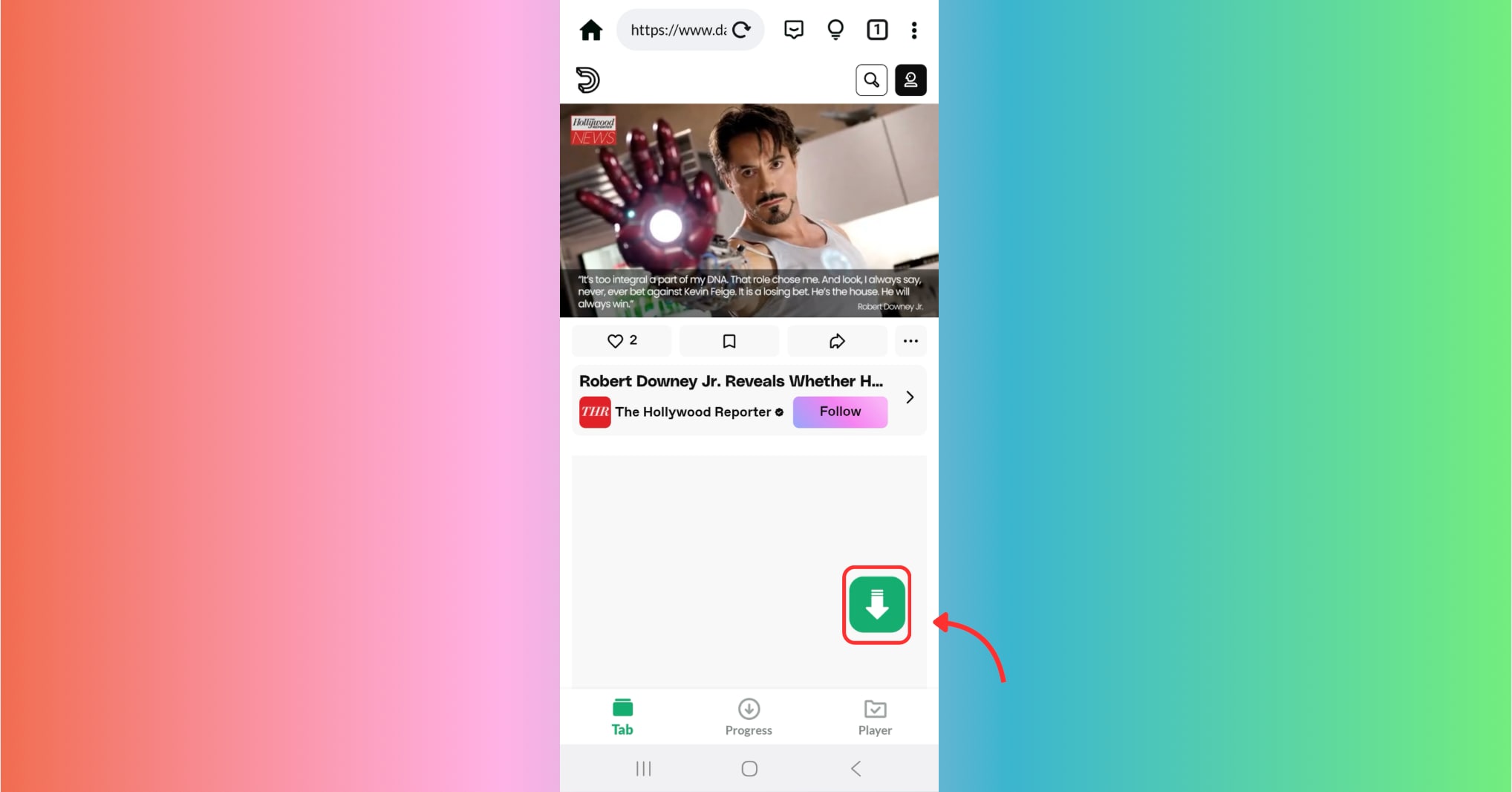
Step 2: Click on the Download Icon
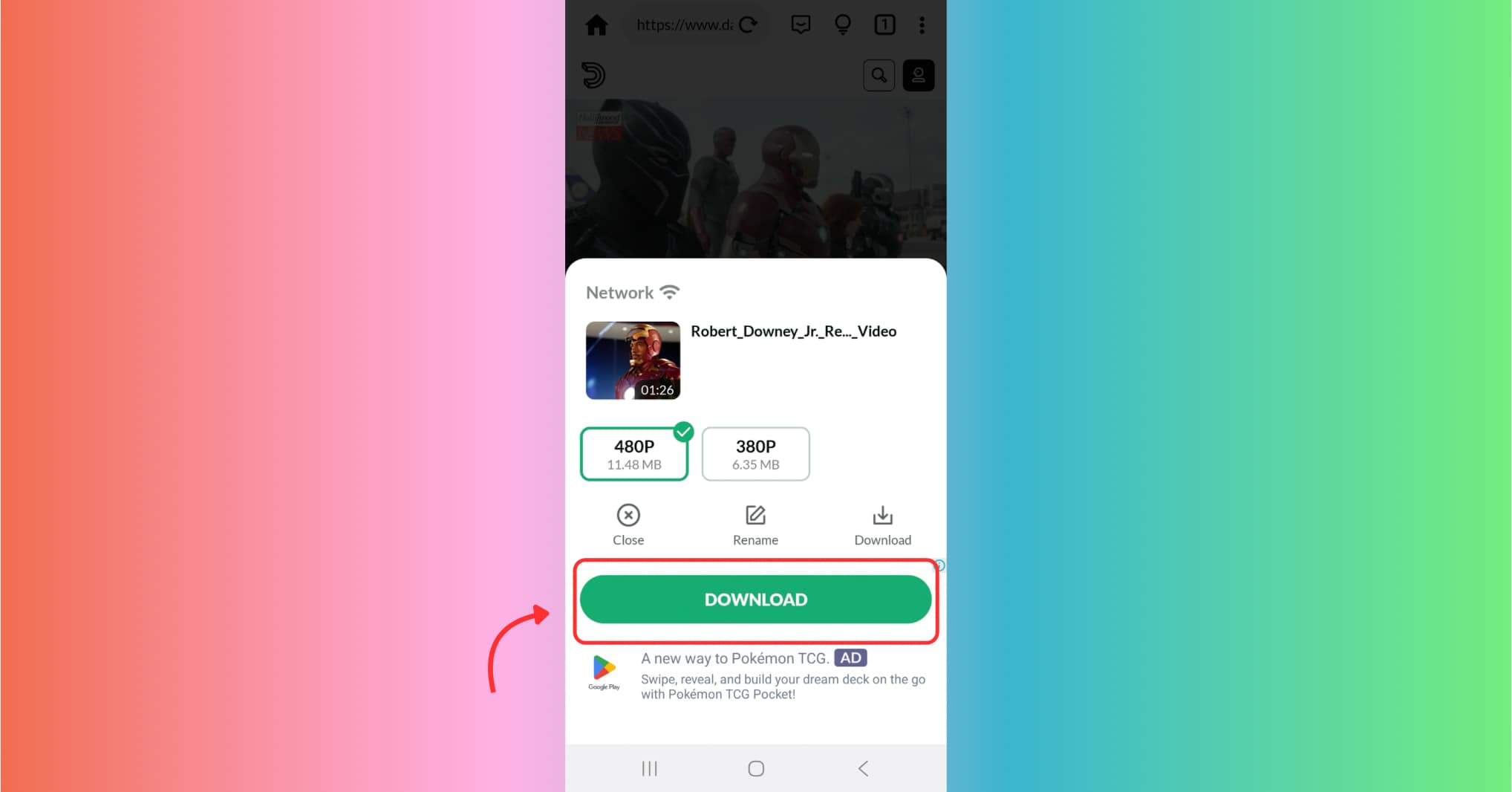
Step 3: Download and Manage
After you paste or browse to a Dailymotion or Odysee video, the app will automatically detect available formats—MP4, HD, or even 4K (if available). Select your preferred quality and click "Download." The app will start fetching the file immediately.
Once downloaded, go to the "Downloads" section of the app to access all your saved content. You can sort by date, title, or platform. This applies to both your Dailymotion and Odyssee download history.
If you're building a video collection offline, this feature is invaluable for organizing content from various platforms, especially download odysee video files.
Conclusion
Downloading videos from platforms like Odysee and Dailymotion has never been easier, whether you're using browser-based tools, mobile apps, Chrome extensions, or desktop software. From simple web tools like TubeMate to extensions such as Video DownloadHelper and mobile apps like Video Downloader - HD and easy, there's a solution for every device and user preference.
Each method offers unique advantages—web tools are quick and easy, mobile apps provide convenience on the go, and browser extensions make saving content directly while browsing effortless. However, for users who require advanced features such as batch downloads, format conversion, subtitle support, and editing, desktop tools offer unmatched versatility.
If you're looking for a powerful, all-in-one solution to manage, convert, and save videos in bulk, we highly recommend trying UniConverter. Its user-friendly interface, rich feature set, and reliable performance make it a top choice for serious content downloaders and editors.
Easy to Use Odysee Video Downloader
FAQs
-
1. Can I download Odysee videos directly to my phone?
Yes, using mobile apps like Video Downloader - HD and easy allows you to download Odysee videos directly to your Android device. Just copy the video link, paste it in the app, and select your preferred format. -
2. Is UniConverter safe and reliable for batch video downloads?
Absolutely. UniConverter is a well-established desktop tool known for safe downloads, fast processing, and support for a wide range of video formats. -
3. What's the best option for editing videos after downloading?
UniConverter features a built-in video editor, enabling users to trim, crop, add subtitles, and adjust audio before saving the final file. -
4. Can I use UniConverter on both Mac and Windows?
Yes, UniConverter is compatible with both Mac and Windows platforms, offering the same high-performance features across both operating systems. -
5. Do browser-based downloaders work for private videos?
No, most web-based downloaders only support public content. For private or restricted videos, desktop tools like UniConverter often provide more control and compatibility.

