


Have you ever struggled to download your favorite RuTube videos for offline viewing? Many users face the frustration of not being able to save content easily due to platform restrictions or complicated download methods.
This guide is designed to address these pain points by providing clear, step-by-step solutions for batch downloading RuTube videos across multiple devices and platforms. Whether you’re using a desktop, web browser, Chrome extension, or mobile device, this article offers practical methods to make video downloading effortless. Additionally, it covers how to generate or translate subtitles, ensuring a complete and user-friendly experience.
In this article
- Can I officially download videos from RuTube?
- Method 1: BatchDownload RuTube Videos Using Desktop Tool
- Method 2: BatchDownload RuTube Videos Using Web Tool
- Method 3: BatchDownload RuTube Videos Using Chrome Extension
- Method 4: BatchDownload RuTube Videos on iPhone or Android
- How can I generate or translate subtitles for RuTube videos?
- Conclusion
- FAQs
The best way to download Rutube videos is by using a secure video downloader that supports high-quality downloads and stable performance.
Rutube content may not always be directly downloadable, so users rely on third-party tools to save videos for offline viewing.
- 🔹 Download videos in HD or original quality
- 🔹 Convert videos to MP4 or other formats
- 🔹 Avoid unsafe or ad-heavy websites
Best choice: Use a trusted video downloader to ensure safety, speed, and video quality.
Part 1: Can I officially download videos from RuTube?
Choose the Rutube method by device and output
Rutube download searches emphasize a simple method sequence, browser or app availability, MP4 output, and permission to save content. Use an official save path when available. Otherwise compare browser, desktop, and mobile methods by source access, privacy, batch support, and whether they produce a playable MP4 rather than an incomplete or mislabeled file.
When it fails: If the download fails, distinguish a blocked or private source from a malformed URL, missing audio stream, unsupported container, or playback problem. Do not bypass access controls.
Choose the Rutube method by device and output: Use an official save path when available. Otherwise compare browser, desktop, and mobile methods by source access, privacy, batch support, and whether they produce a playable MP4 rather than an incomplete or mislabeled file.
Downloading videos directly from RuTube is entirely at the creator’s discretion. Some content creators may enable an official download option, while most choose to restrict access to their videos to protect copyrights or control viewership. As a result, official downloads are not universally available, and users often need alternative solutions to save videos for offline use.
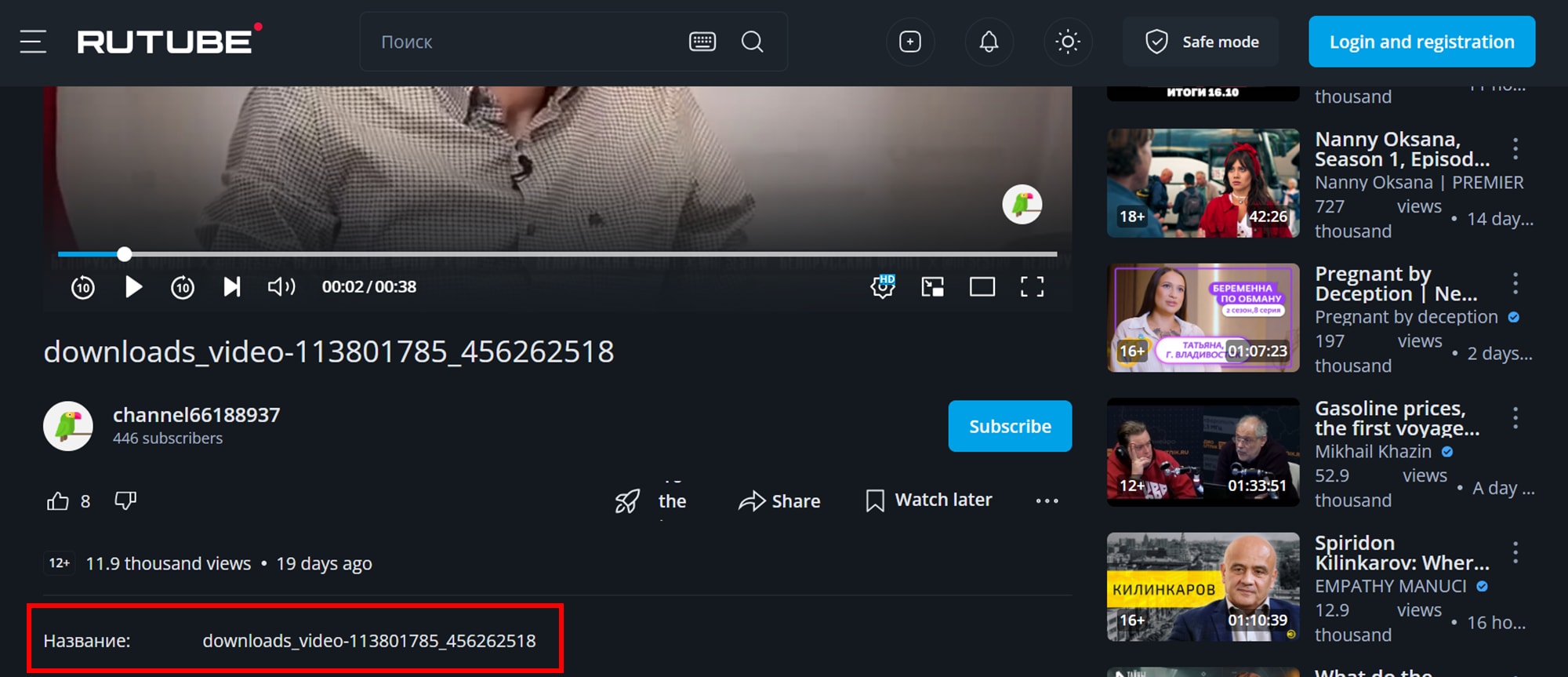
How to Check for an Official Download Button
To see if a video can be officially downloaded, look below the video player near the description and share button. Some creators may place a small “Download” icon or link in this area.
Why You Need a Third-Party Downloader
- Most creators do not enable the download feature.
- You may want a video saved in a specific format or quality.
- For offline access when an internet connection is unavailable.
- Using a reliable third-party downloader ensures you can save videos conveniently while maintaining the quality and format you prefer.
Part 2: Method 1: BatchDownload RuTube Videos Using Desktop Tool
1. UniConverter
UniConverter by Wondershare is a comprehensive multimedia toolkit designed to simplify video downloading, conversion, and editing tasks. With support for over 1,000 formats, it enables users to download videos from numerous websites, including RuTube, and convert them to various formats without compromising quality. The software also offers batch processing capabilities, allowing users to download and convert multiple videos simultaneously, saving time and effort. Whether you're a content creator, educator, or casual viewer, UniConverter provides a user-friendly interface and powerful features to enhance your video management experience.

Key Features:
- Batch download and convert videos from over 10,000 websites
- Support for 1,000+ video and audio formats
- High-speed downloads with hardware acceleration
- Built-in video editor for trimming, cropping, and adding subtitles
- AI-powered tools for video enhancement and background removal
Product Type: Desktop Software
Unique Edge: UniConverter stands out with its all-in-one approach, combining downloading, converting, editing, and enhancing features in a single platform.
Best For: Users seeking a comprehensive solution for managing and processing video content across various devices and platforms.
4-Step Guide to Batch Download RuTube Videos Using UniConverter:
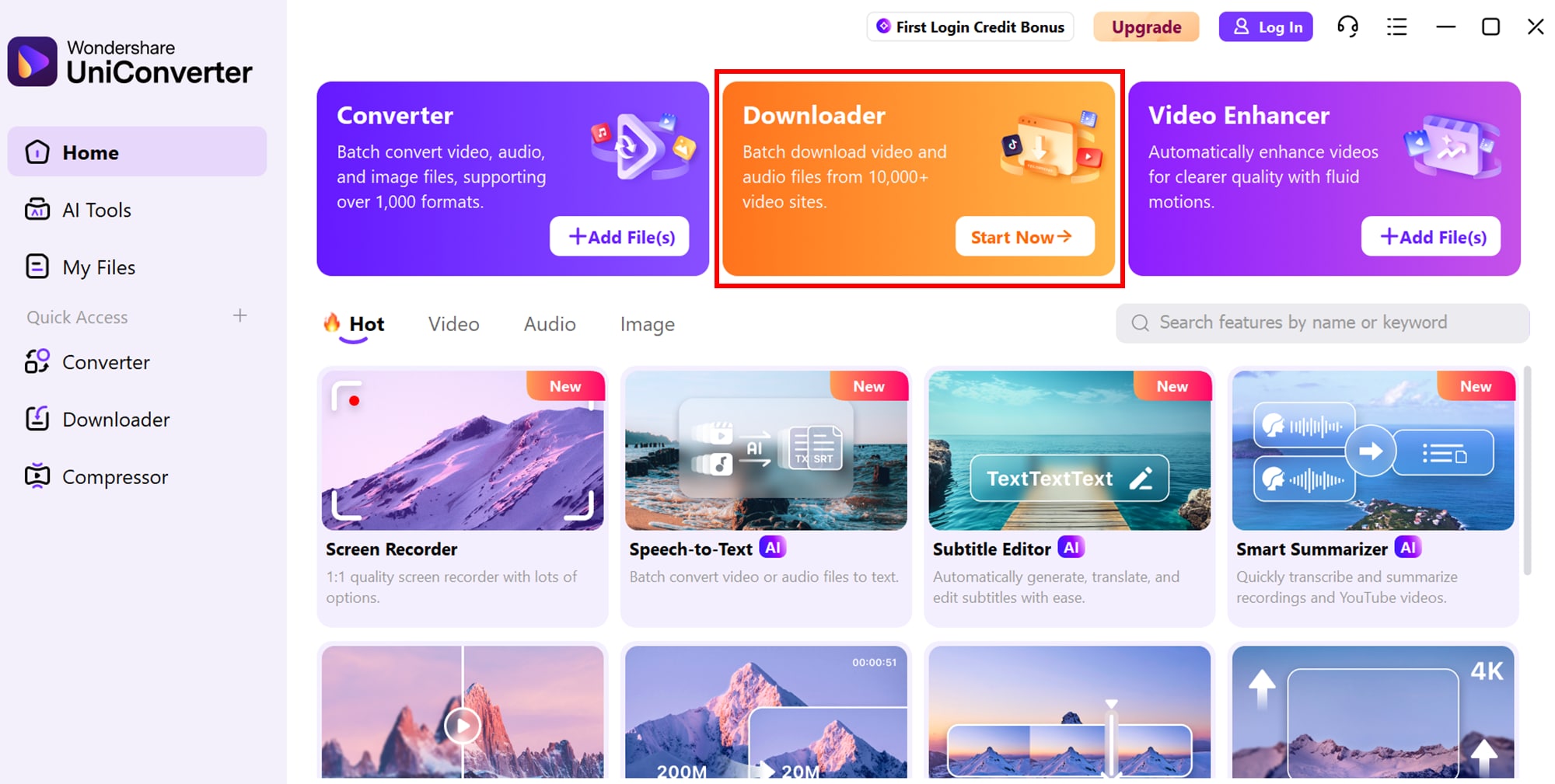
Step 1: Install UniConverter
Download and install UniConverter from the official Wondershare website.Open UniConverter and navigate to the "Downloader" tab.
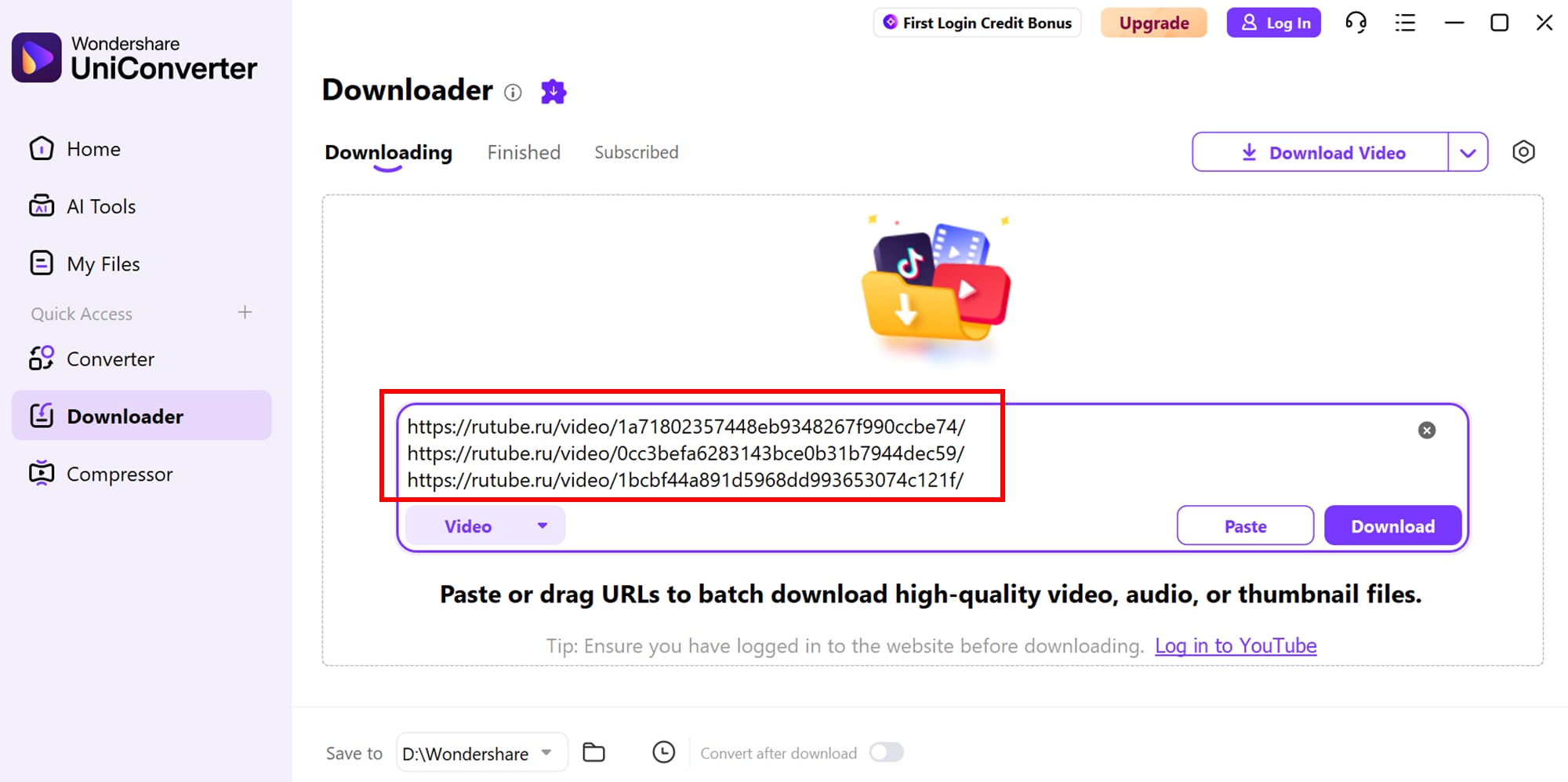
Step 2: Add Video URLs
Copy the URLs of the RuTube videos you wish to download and paste them into the downloader interface.
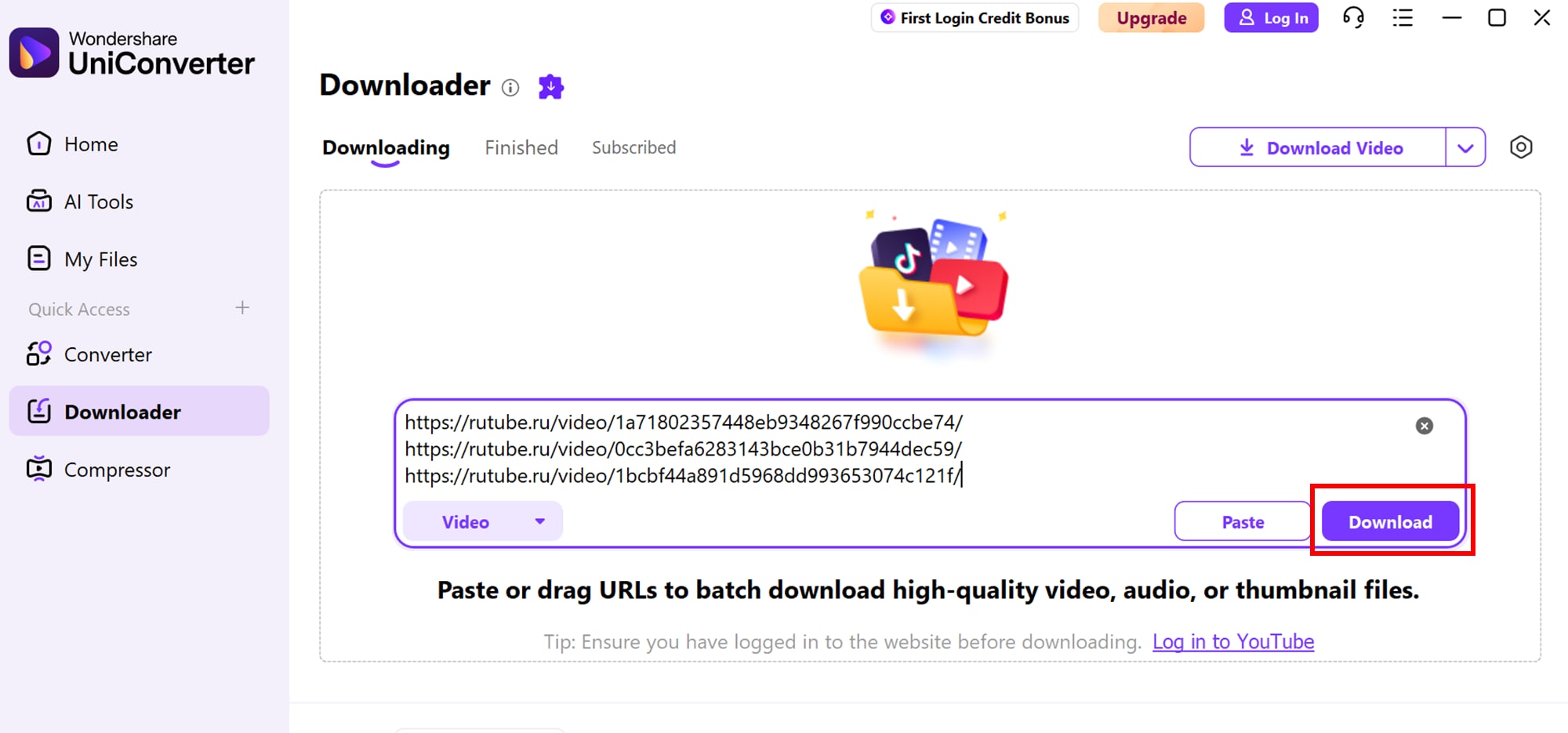
Step 3: Start Download
Step 4: Save Downloaded Videos
After the download is complete, select the destination folder on your device where you want to store the videos. UniConverter ensures the files are saved in your chosen format and quality, ready for offline viewing or further editing.
By following these steps, you can efficiently batch download RuTube videos using UniConverter, ensuring high-quality files ready for offline viewing or editing.

Easy to Use RuTube Video Downloader
Part 3: Method 2: BatchDownload RuTube Videos Using Web Tool
9xbuddy
For users seeking a straightforward and efficient way to download multiple RuTube videos simultaneously, 9xbuddy offers a convenient web-based solution. It eliminates the need for software installation and provides a clean, user-friendly interface for quick downloads. With support for various formats and resolutions, you can save videos in the quality that suits your needs. The tool also allows batch downloads, so you can save multiple videos at once without repeating the process. Moreover, 9xbuddy works seamlessly across devices, including desktops, laptops, and mobile browsers, making it highly versatile. It is particularly useful for educators, content creators, and casual viewers who want offline access to RuTube videos.

Key Features:
- Supports batch downloading of multiple videos
- No software installation required
- Compatible with various browsers
- Offers multiple download formats and resolutions
- Ensures fast download speeds
Product Type: Web-based Downloader
Unique Edge: 9xbuddy stands out by allowing seamless downloads from RuTube without installing any software, making it accessible on any device.
Best For: Users looking for a fast, hassle-free way to download multiple RuTube videos directly from their browser.
4-Step Guide to Batch Download RuTube Videos Using 9xbuddy:
Step 1: Visit 9xbuddy
Open 9xbuddy.org in your browser.
Step 2: Copy Video URLs
Go to RuTube, find the videos you want, and copy their URLs.
Step 3: Paste URLs
Paste the copied links into 9xbuddy’s input field.
Step 4: Download Videos
Click the “Download” button to save the videos in your preferred format and resolution.
This method allows you to quickly batch download RuTube videos without installing any software, ensuring convenience and flexibility.
Part 4: Method 3: BatchDownload RuTube Videos Using Chrome Extension
Video Downloader Plus
Video Downloader Plus is a powerful Chrome extension that allows users to easily download RuTube videos directly from their browser. It offers a seamless experience without the need for additional software installation. Users can batch download multiple videos, choose from various formats and resolutions, and save content for offline viewing. This extension is lightweight, fast, and compatible with most Chromium-based browsers, making it an ideal tool for content creators, educators, and casual viewers alike. Video Downloader Plus also provides a simple interface that makes it easy for beginners to navigate and start downloading videos quickly. Additionally, it automatically detects video links on the page, reducing the steps needed to find and save content efficiently.
Key Features:
- Batch download multiple RuTube videos simultaneously
- Supports various video formats and resolutions
- Direct download within the Chrome browser
- Compatible with most Chromium-based browsers
- Lightweight and fast for efficient downloads
Product Type: Chrome Browser Extension
Unique Edge: Video Downloader Plus stands out by integrating directly into the Chrome interface, enabling fast, batch downloads without leaving the browser or opening separate applications.
Best For: Users who prefer browser-based downloading without installing desktop software and want quick access to RuTube videos.
4-Step Guide to Batch Download RuTube Videos Using Video Downloader Plus:
Step 1: Install the Extension
Open the Chrome Web Store and add Video Downloader Plus to your browser.
Step 2: Open RuTube
Navigate to the RuTube videos you want to download.
Step 3: Activate the Extension
Click the Video Downloader Plus icon in the Chrome toolbar and select the videos for download.
Step 4: Download Videos
Choose the desired format and resolution, then click “Download” to save the videos to your device.
Easy to Use RuTube Video Downloader
Part 5: Method 4: BatchDownload RuTube Videos on iPhone or Android
SnapTube
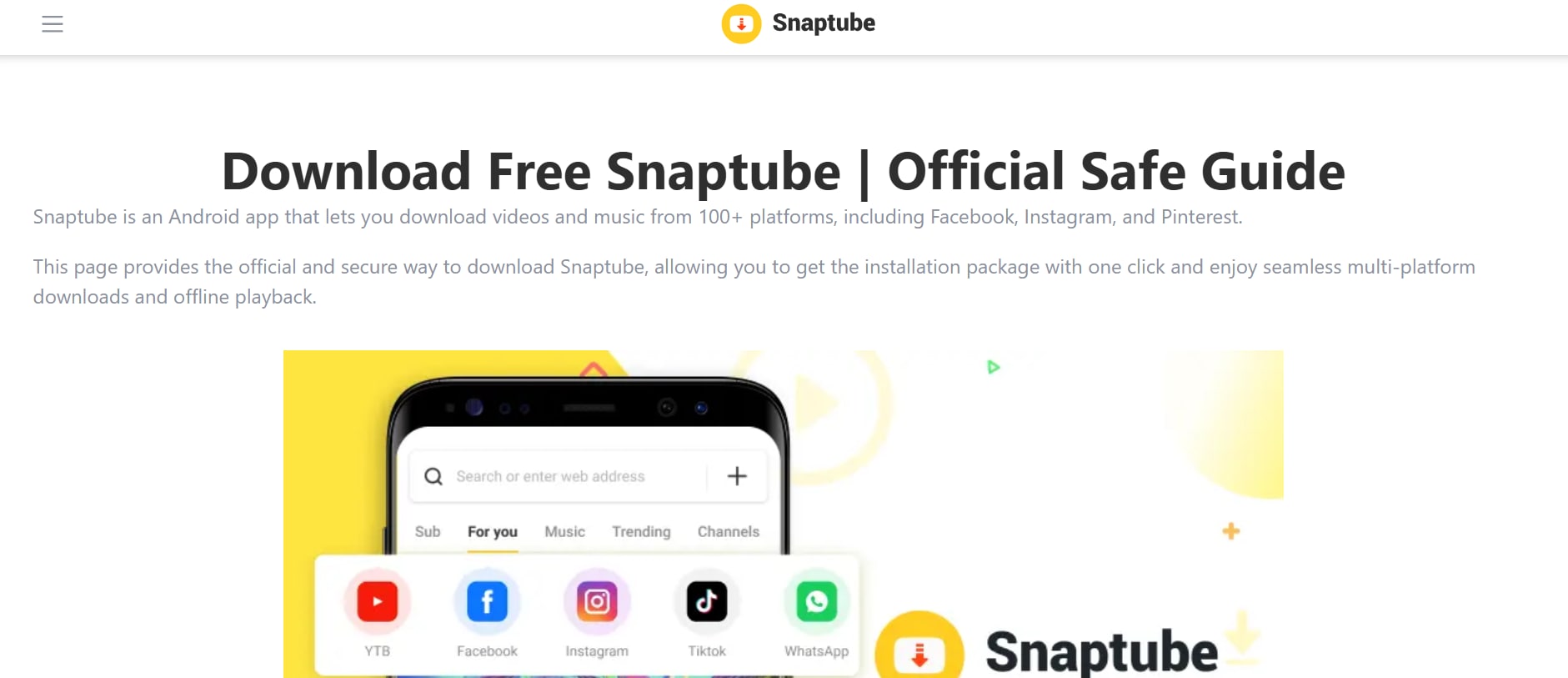
SnapTube is a versatile mobile app designed for downloading videos from multiple platforms, including RuTube, directly to your iPhone or Android device. It offers an intuitive interface, allowing users to batch download videos in various formats and resolutions without compromising quality. SnapTube also supports background downloads, making it easy to save multiple videos while using other apps. Lightweight and fast, SnapTube is ideal for casual viewers, content creators, and educators who need offline access to their favorite videos. Additionally, SnapTube provides a built-in search feature, making it simple to find your favorite RuTube videos without leaving the app. It also includes an integrated media library, allowing you to organize and manage all your downloaded videos in one place.
Key Features:
- Batch download multiple RuTube videos at once
- Supports various video and audio formats
- Background downloading capability
- High-speed downloads with optimized performance
- User-friendly interface for easy navigation
Product Type: Mobile App (iOS & Android)
Unique Edge: SnapTube allows seamless batch downloading on mobile devices with support for background downloads, making it convenient for users on the go.
Best For: Users who want to download multiple RuTube videos directly to their smartphones for offline viewing without using a desktop.
4-Step Guide to Batch Download RuTube Videos Using SnapTube:
Step 1: Install SnapTube
Download and install SnapTube from the official website or app store.
Step 2: Open the App
Launch SnapTube and navigate to the RuTube section or enter the video URLs.
Step 3: Select Videos
Choose the videos you wish to download and select your preferred format and resolution.
Step 4: Start Download
Tap the “Download” button to save the videos to your device, with background download support.
This app ensures an efficient and convenient way to batch download RuTube videos directly to iPhones or Android devices.
Part 6: How can I generate or translate subtitles for RuTube videos?
Adding subtitles to RuTube videos can greatly enhance accessibility and reach, especially for audiences who speak different languages. UniConverter by Wondershare offers a simple and efficient Subtitle Editor that allows you to generate, edit, and translate subtitles for your videos. This tool supports multiple formats and provides an intuitive interface, making it easy for both beginners and professionals to create accurate and synchronized subtitles.
Step 1: Access Subtitle Editor
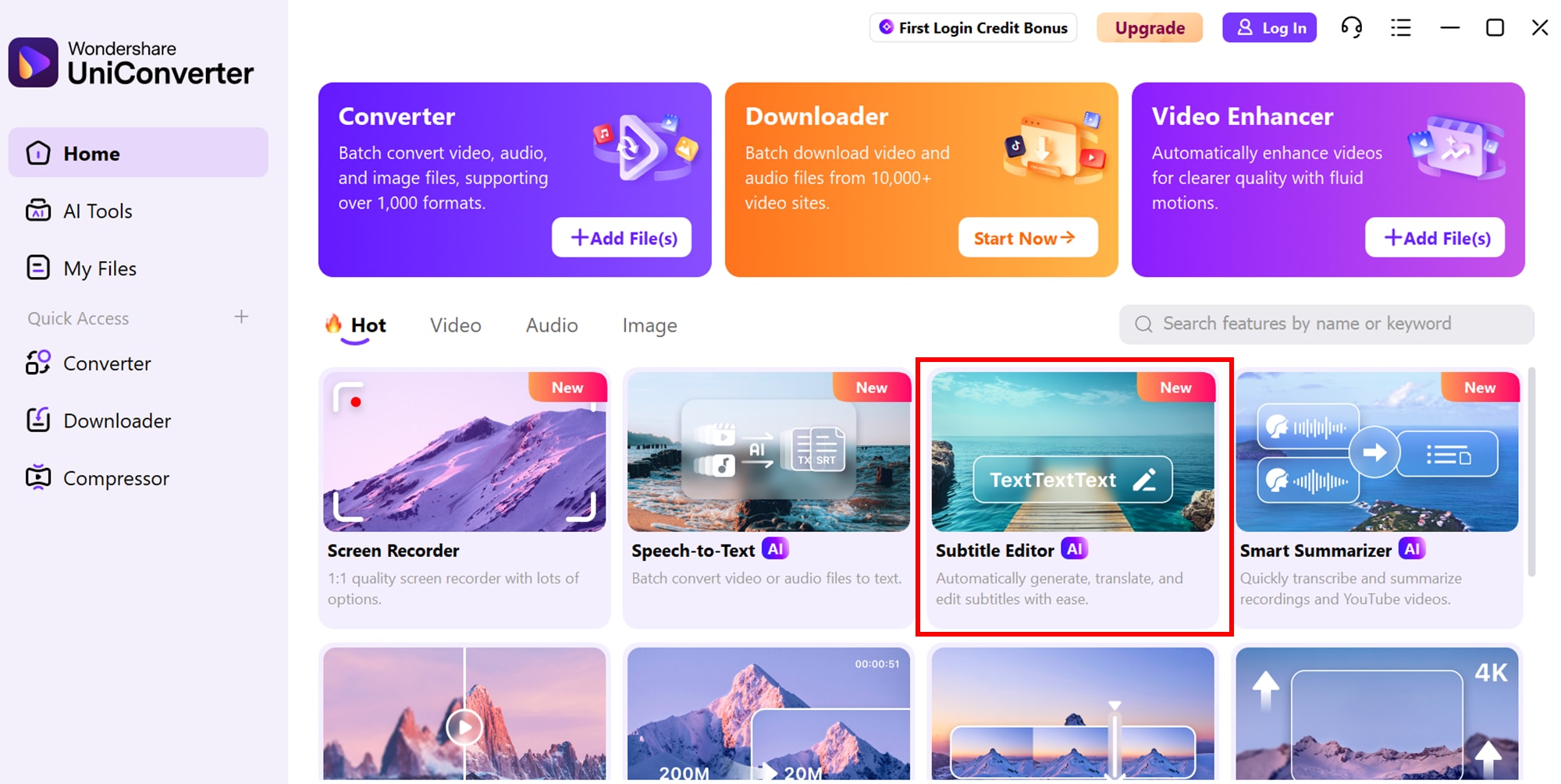
Launch UniConverter and navigate to the "Subtitle Editor" tab. Click “Add Video” to import the RuTube video you want to subtitle.
Step 2: Choose Subtitle Options
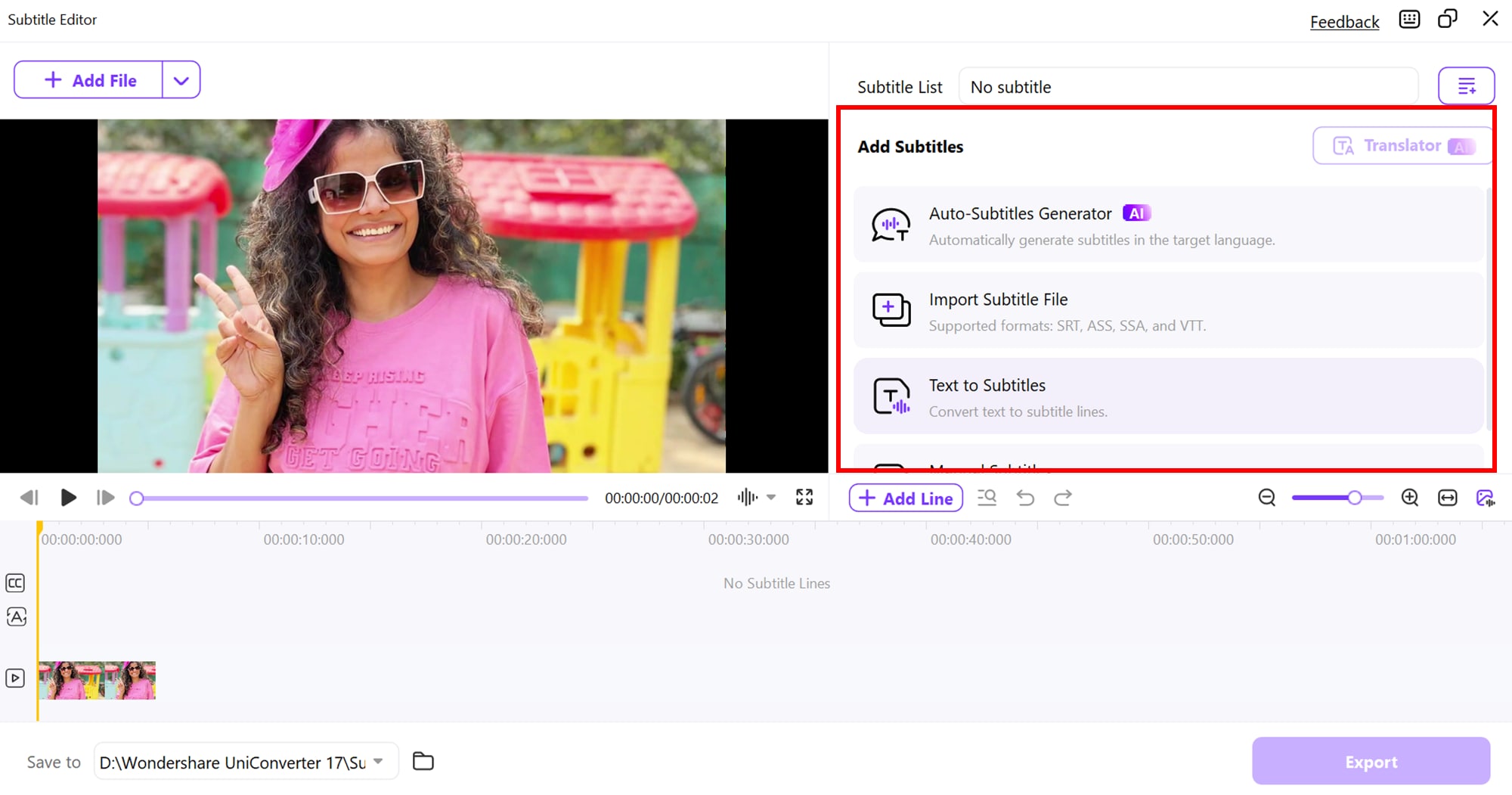
Within the Subtitle tab, you have multiple tools to handle subtitles efficiently:
- Auto-Subtitle Generator: Quickly generate subtitles in the language of your choice.
- Import Subtitle File: Upload subtitle files directly to your video.
- Text to Subtitle: Transform written text into synchronized subtitle lines.
- Manual Subtitle: Manually create or edit subtitles to customize timing and content.
Step 3: Edit Subtitles
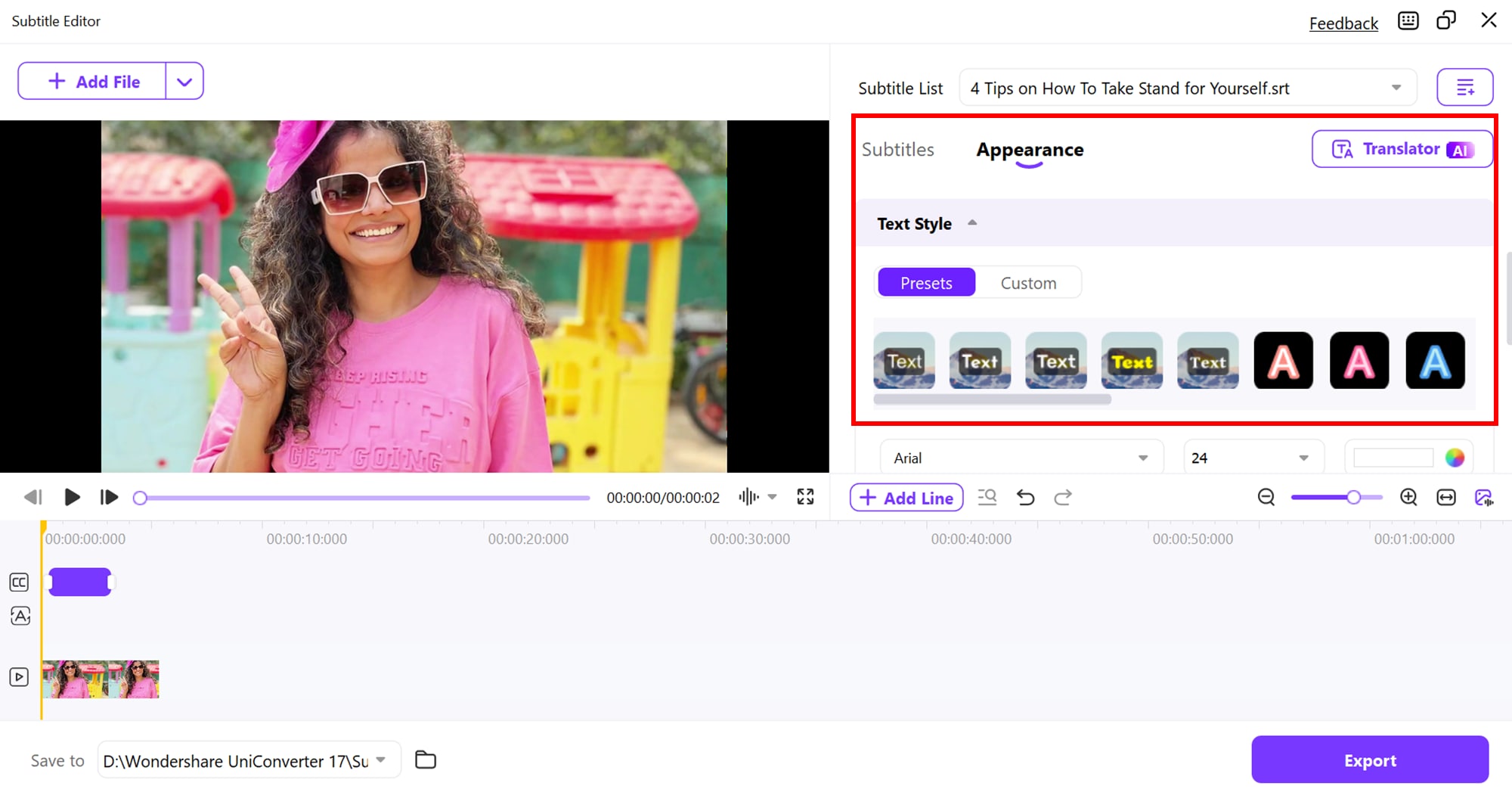
Select Text to Subtitle for your video. Choose from fonts like Arial, Arial Black, Calibri, Lato, and Pristina, and apply formatting options such as Bold, Italic, or Underline. You can further tweak subtitle text color, background color, outline thickness, transparency, and position to match your style. Finally, use the Save as Custom feature to save these settings for easy application to future videos.
Step 4: Export Videos
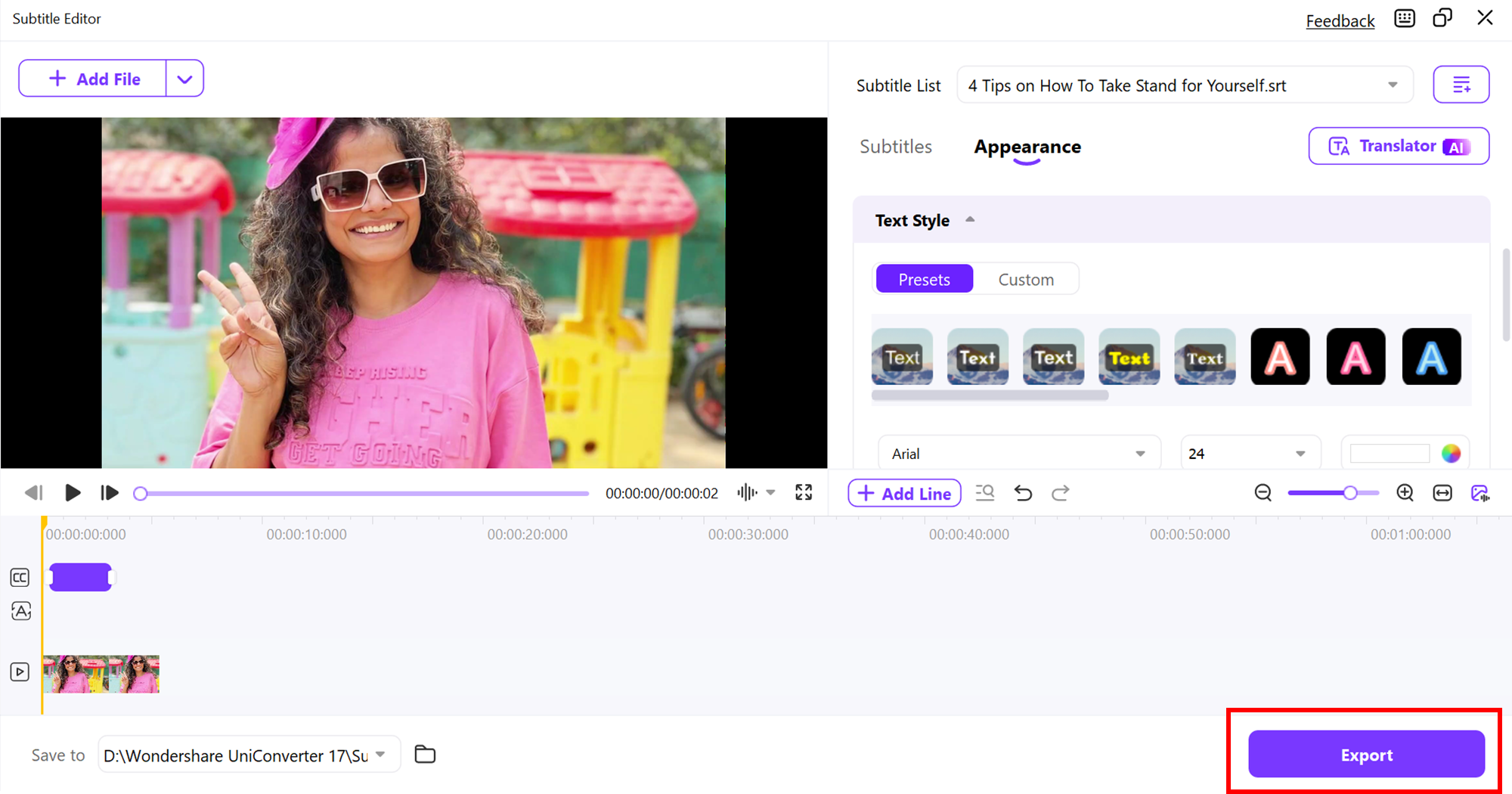
Export your video as MP4 or MOV files. Click the drop-down menu Export Settings to select the desired output format for your cropped or edited video, then click Export to start the process.
Conclusion
Downloading and managing RuTube videos has never been easier with the right tools and methods. Whether you are using a desktop tool, web downloader, Chrome extension, or mobile app, you can efficiently batch download videos, choose your preferred format and quality, and even add or translate subtitles for wider accessibility. UniConverter stands out as a complete solution, offering not only high-speed downloads but also powerful editing and subtitle tools, making it ideal for both casual viewers and content creators. With UniConverter, managing RuTube videos becomes seamless, convenient, and professional.
FAQs
-
1. Can I officially download videos from RuTube?
Official downloads depend on the content creator’s settings. Some videos may have a download option, but most require third-party tools to save for offline use. Using third-party tools ensures you can access videos anytime, even without an internet connection. -
2. Which tool is best for batch downloading RuTube videos on a computer?
Wondershare UniConverter is ideal for desktop users, as it allows batch downloads, format conversion, and editing, all within a single platform. It also supports high-speed downloads and multiple video formats, making it highly versatile for different needs. -
3. Can I download RuTube videos on my smartphone?
Yes, apps like SnapTube allow iPhone and Android users to download multiple RuTube videos at once, with options for different resolutions and formats. This makes it convenient to watch your favorite content offline while traveling or with limited internet access. -
4. How can I add or translate subtitles to RuTube videos?
Using Wondershare UniConverter, you can generate, edit, or translate subtitles, either automatically or manually, for better accessibility and global reach. The editor also allows you to customize fonts, colors, positions, and styles for a professional look. -
5. Are web downloaders safe to use for RuTube videos?
Yes, but you should choose trusted web downloaders like 9xbuddy to avoid malware or unwanted ads. Always verify the site’s reputation before downloading, and avoid clicking on suspicious pop-ups or links.
Frequently Asked Questions
Can Rutube videos be downloaded as MP4?
That depends on the permitted method and the available source streams; verify the exported container and codecs rather than trusting the filename.
Why is a Rutube download not playable?
Inspect the actual streams and file integrity, then compare them with the target player’s requirements.
Download, then convert with UniConverter
When the current UniConverter build supports the relevant download workflow, it can help save an authorized online video locally before conversion. Use the downloader only for content you own or have permission to use, then open the local file in the Video Converter module and select the format, resolution, or device profile required for the next step.
If the downloaded file has no audio, a missing extension, or an unsupported stream, inspect the local file first; re-downloading or renaming the file does not repair a damaged source.

