


ASMR (Autonomous Sensory Meridian Response) videos have become a popular form of content, known for their calming effects and tingly sensations. Whether you're drawn to whispering, tapping, or gentle natural sounds, creating your own ASMR video can be a profoundly creative and rewarding experience. But to truly captivate your audience, it's essential to use the right equipment, techniques, and editing methods.
This guide will walk you through how to make ASMR videos—from choosing microphones and props to editing in stereo for a rich audio experience. Whether you're a beginner or aiming to level up, you'll find everything you need here.
Table of Contents
Part 1. Necessary Equipment for ASMR Videos
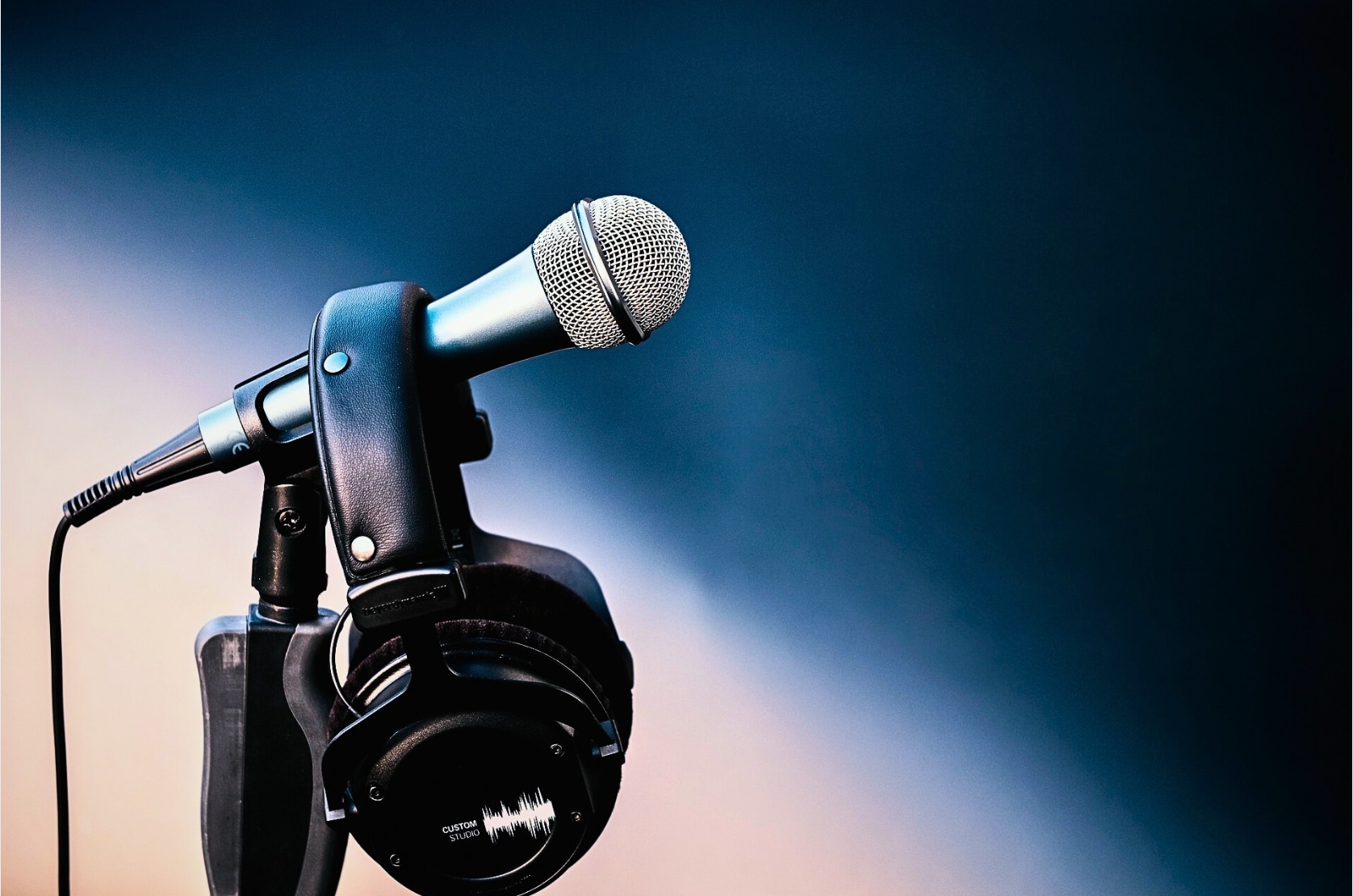
Microphone – The Heart of Every ASMR Maker's Setup
Sound is everything in ASMR. For beginners exploring how to do ASMR videos, a USB condenser mic like the Blue Yeti or a clip-on lav mic is a great place to start. These options work exceptionally well if you're learning how to make ASMR videos with phone. For a more immersive, professional touch, binaural microphones like the 3Dio Free Space or Rode NT1 provide the spatial, ear-to-ear effect that defines popular ASMR content.
Camera – Because Visuals Still Matter
You don't need to be a cinematographer to succeed. Many ASMR creators use their smartphones—and yes, if you're asking how to make ASMR videos with iPhone, you're already halfway there. The iPhone 13 and above shoot in 4K, making them perfect for relaxing, high-quality visuals. Pair it with a basic ring light or soft LED panel to keep your scene calm and well-lit.
Tripod or Mount – Keep Your Frame Still and Steady
Shaky footage ruins the calm. Whether it's a tabletop tripod for your microphone or a flexible mount for your phone, stabilization is essential when you're an ASMR creator working with close-up visuals, such as tapping, brushing, or slow gestures.
Props – The Secret to Trigger Variety
Brushes, soft fabrics, page-turning, tapping, or whisper scripts—how to create ASMR videos often depends on creative prop choices. Start simple: paper crinkles, makeup brushes, even a water bottle. Over time, experiment with what your audience responds to.
Headphones – Monitor What Your Audience Will Hear
Want to catch background buzz or mic brushing before you publish? Constantly monitor your audio live with closed-back headphones. This helps you avoid retakes and ensures your audience hears the cleanest, most relaxing sounds. Whether you're editing later with an ASMR editor or using a mobile ASMR maker app, real-time feedback is essential.
Bonus Tip: Use free tools like Audacity for desktop editing or Dolby On on mobile to remove noise, compress whispers, and fine-tune your sound before publishing.
Part 2. Popular Trigger Options to Make ASMR Videos
Ever wondered why some ASMR videos go viral, while others fade into obscurity? The secret often lies in the triggers. Whether you're figuring out how to make ASMR videos from scratch or refining your style, selecting the right audio-visual stimuli is key. ASMR is deeply personal—what relaxes one viewer might not work for another, so experimenting with a range of sounds is vital for success.

Whispering – The Classic Connection
This is often the very first technique people explore when learning how to make ASMR videos. Soft-spoken or whispered speech creates intimacy and calm, helping viewers feel as though you're speaking directly to them. Try roleplays, storytelling, or product descriptions for variety.
Use a cardioid mic or directional mic when recording ASMR whisper content to maintain clarity and warmth.
Tapping – Instant Satisfaction
Tapping on wood, plastic, or glass gives sharp, rhythmic feedback that many viewers find soothing. The trick is variation—experiment with fast vs. slow taps, fingertip vs. nail, and different surfaces. If you're learning how to do ASMR videos that require minimal speaking, tapping is your go-to.
This trigger also pairs well with visual tapping, adding a visual-sound sync that deepens sensory engagement.
Pet Eating Sounds – Natural, Organic ASMR
Believe it or not, viewers love watching cats, dogs, or rabbits munching on their meals. The crunchy or wet eating sounds from pets can be incredibly satisfying for many. This niche content is trending for creators who want to learn how to make ASMR videos with phone by simply recording mealtime moments at home.
Just make sure you're capturing in a quiet space with a directional mic close to the source.
Natural Sounds – Wind, Rain, Leaves
Capturing the ambient tones of nature—whether it's raindrops on windows, rustling leaves, or waves—can help you produce calming, high-performance videos. Creators who ask how to make a ASMR video without a studio often find success using nature itself as the star. Use portable recorders or high-end phone mics, and always test your location before recording.
Cloth Rubbing & Fabric Sounds – Subtle & Soothing
Textile-based triggers, such as glove rubbing, towel folding, or brushing fabric, create soft, continuous textures that relax the viewer. These work great if you're wondering how to make ASMR videos with iPhone in a compact space like your room or studio corner.
Pair these with gentle lighting and clean backgrounds to elevate the sensory effect.
Quick Tip: Always preview your sounds using headphones before finalizing your take. If needed, enhance textures with an ASMR editor app or tool, such as Adobe Audition or Audacity.
Part 3. Edit and Polish Your ASMR Video
Creating a raw ASMR recording is just half the job—the magic truly happens during the editing process. If you're serious about learning how to make ASMR videos that captivate your audience, polishing your footage is essential. From cutting distractions to adding subtle branding, this phase turns casual clips into immersive sensory experiences.
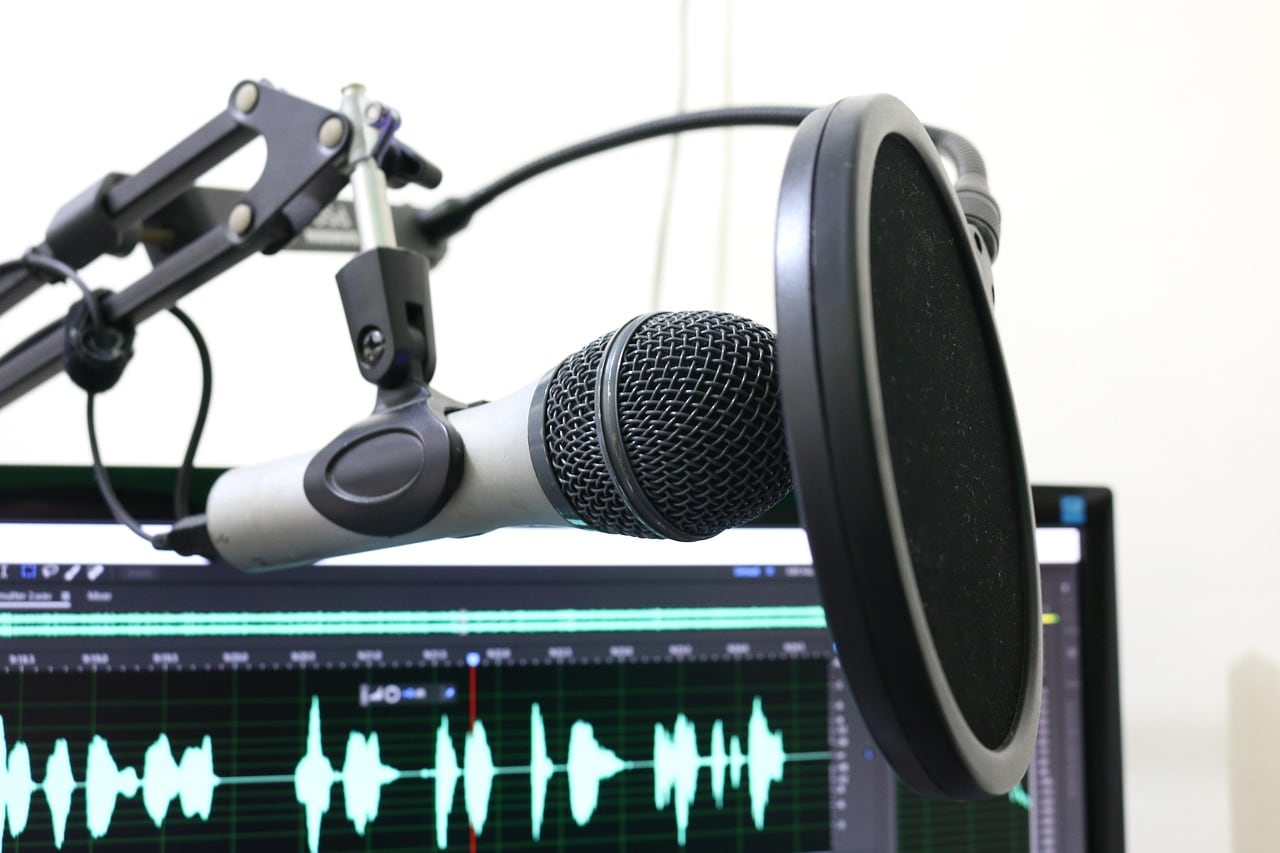
Trim Footage for Flow
Start by trimming unnecessary pauses, stumbles, or background interruptions. ASMR audiences value content that is seamless and soothing. Use timeline tools in your ASMR editor—such as CapCut, Adobe Premiere Pro, or DaVinci Resolve—to refine the visuals and smooth out the transitions. If you're editing on mobile, apps like InShot or VN work well when learning how to make ASMR videos with phone.
Add an Intro/Outro That Feels Soft
A short, subtle intro can set the tone—whether it's your whispering voice, a signature trigger, or a slow fade-in with relaxing music. Similarly, an outro can include soft goodbye whispers, thanks to viewers, or a call-to-action, such as "subscribe for more tingles." Keep it on-brand and minimal to preserve the relaxing mood.
If you're learning how to make ASMR videos with iPhone, iMovie is a simple but effective way to layer intros and outros.
Insert Brand Elements Naturally
Want to stand out as a creator? Add your logo, soft watermark, or consistent text overlays without disrupting the visual calm. Transparent logos and gentle lower-thirds placed at the edges of the frame are perfect. This step is crucial when you're trying to grow your channel or build viewer trust.
Balance the Audio with Precision
Noise reduction, equalization, and gentle compression help enhance clarity. A key part of how to do ASMR videos right is ensuring that the audio is smooth—no spikes, hisses, or harsh cuts. Tools like Audacity (free) or Adobe Audition (pro-level) are excellent for adjusting volume, isolating frequencies, and even improving trigger sensitivity.
Final Tip: Watch your edited video with headphones, just like your viewers would. This helps you catch any awkward cuts or volume inconsistencies that you have missed during the editing process.

Easy to Use Stereo Sound Fix for Videos
Part 4. Tips for Making Better Sound Effects in ASMR
Sound is the soul of every ASMR video. While visuals add context, it's the sound that triggers the tingles. If you're learning how to create ASMR videos or diving deeper into how to make ASMR videos with phone or professional gear, perfecting your audio technique is crucial.
Based on expert insights—including pro breakdowns like this tutorial by ASMR Jacob—here's how to elevate your ASMR sound quality without overprocessing it:
1. Minimize Compression
Too much audio compression flattens the natural dynamics of ASMR. That delicate tapping or whispering may lose its nuance. Keep compression light so soft and loud sounds still breathe naturally. This keeps the listener engaged and immersed in the experience.
2. Avoid Auto-Gain Features
When using built-in mics or mobile recording apps, turn off auto-gain if possible. Auto-gain constantly adjusts volume levels and can introduce hiss, inconsistent noise, or jarring shifts in quiet moments, breaking the calming flow your viewers expect.
3. Go Easy on EQ
A subtle EQ can help remove harsh highs or boxy mids, but too much can make the audio feel artificial. ASMR thrives on realism—don't overshape the sound. Instead, focus on capturing clean, full tones during the recording phase by employing good microphone technique and positioning.
4. Use Noise Reduction Sparingly
Over-reducing background noise can create strange digital artifacts or leave the audio sounding hollow. A little white noise or room tone is often better than over-processing. If you're learning how to create ASMR videos, especially with phone microphones, it's better to record in a quiet room than to try to fix the noise in post-production.
5. Monitor with Headphones
Always preview your ASMR audio using headphones, just like your viewers will. This helps catch any minor disturbances or artifacts that speakers might miss—monitoring while recording is even more effective in preventing issues before they occur.
Pro Tip: When editing with an ASMR maker tool or DAW, try layering soft background ambiance—like gentle wind or rustling leaves—for added texture, but never let it overpower the triggers.
Part 5. Bonus: Step-by-Step Guide to Make Stereo Sound ASMR Video (Using UniConverter Video Editor)
In ASMR, stereo sound adds a layer of intimacy that viewers love, letting you move sound from left to right, tap gently in one ear, and whisper into the other. As an video editor, UniConverter can be one of the top choies designed to help creators produce calming, high-quality content with ease. Its intuitive editing tools let you trim, merge, and fine-tune footage while preserving the soft visual aesthetics essential to ASMR. With AI-powered noise reduction, precise audio controls, and support for high-resolution exports, you can craft crisp whispers, gentle taps, and immersive soundscapes effortlessly.
Whether you're recording hand movements, product sounds, or voice-only triggers, UniConverter offers a simple, professional workflow tailored to ASMR creators who want clean audio, soothing visuals, and fast production. Using Wondershare UniConverter’s built-in Video Editor, you can maintain that stereo richness while editing and exporting your ASMR content. Following comes the steps guide.
Step 1: Import Your Stereo ASMR Footage
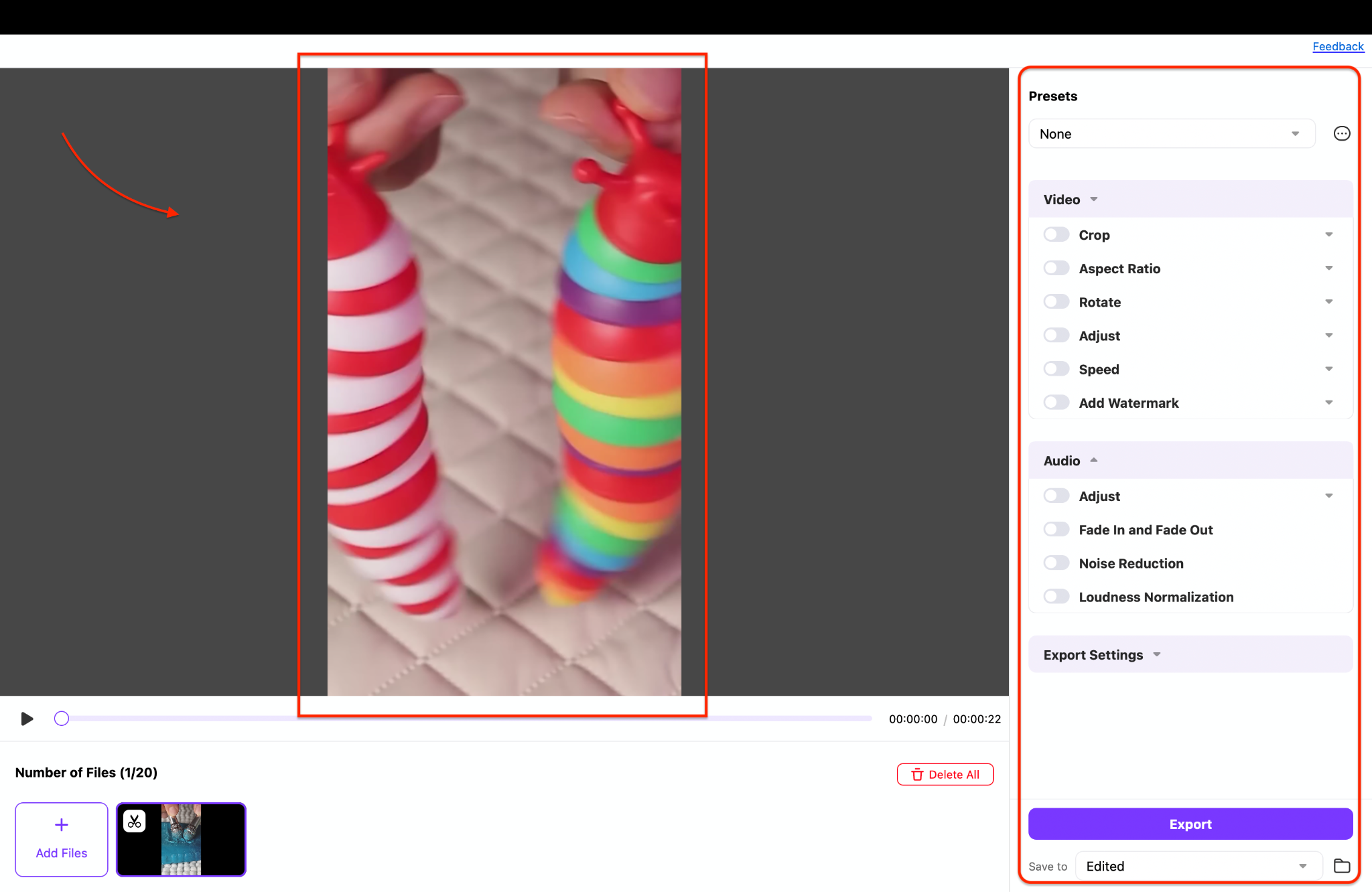
Step 2: Edit While Preserving Stereo Sound
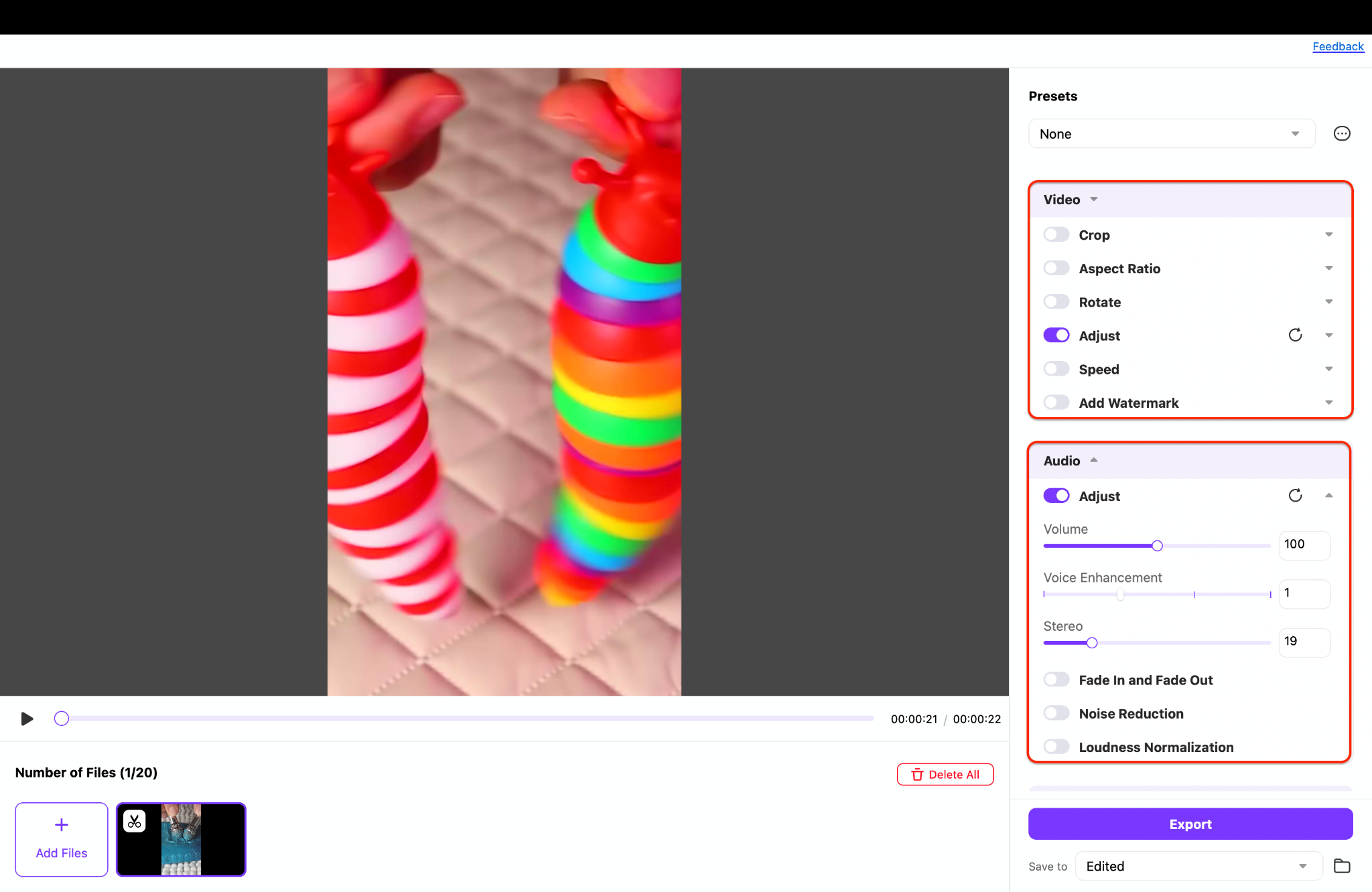
Tip: Use headphones while editing to ensure the stereo sound positioning remains crisp and balanced between the left and right channels.
Step 3: Export in Stereo with High Quality
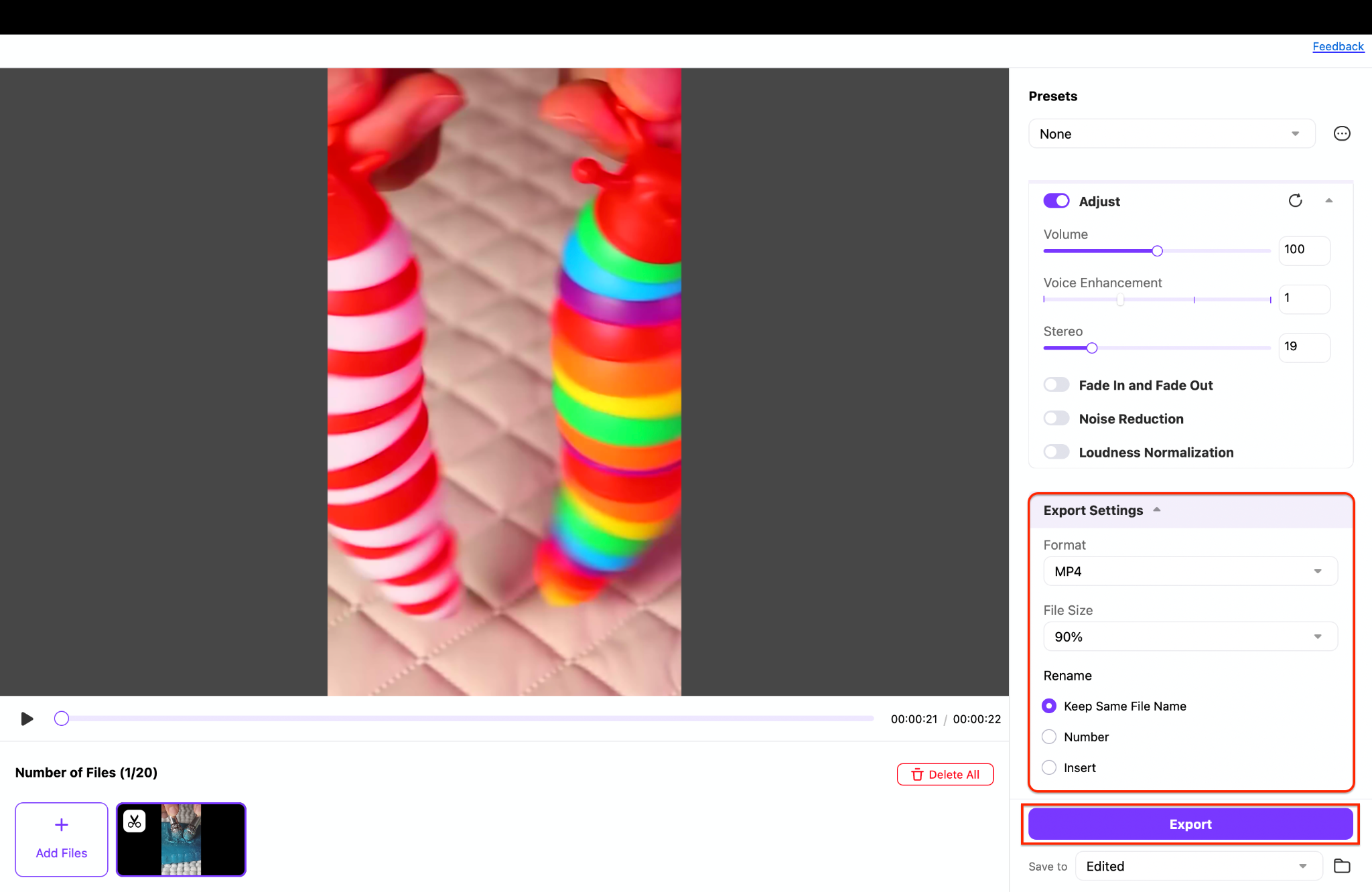
Pro Tip: Before publishing, play the video with headphones and listen for spatial triggers, such as whisper pans or directional tapping. If the left/right sounds feel immersive, UniConverter has done its job.
Easy to Use ASMR Video Editor
Conclusion
Creating immersive ASMR content isn't just about recording whispers or tapping sounds—it's about curating a sensory journey that relaxes, delights, and emotionally connects with your audience. From using the right microphone and choosing trending ASMR triggers to mastering audio clarity and editing with finesse, each step makes your video more engaging and satisfying.
Whether you're just learning how to make ASMR videos or are ready to refine your process with advanced tools, UniConverter's Video Editor is built to support creators like you. Its intuitive interface, powerful stereo support, and precise editing controls make it easier than ever to produce studio-quality ASMR videos—even with a phone.
Start editing your ASMR videos with UniConverter today!
FAQs
-
1. How do I get started recording ASMR videos on a budget?
You can start by using your phone’s built-in camera, along with an external microphone, for improved audio quality. Select a quiet environment and use a stable tripod to minimize noise from movement. After recording, use a mobile editor or desktop tool like UniConverter to trim, polish, and enhance your audio and video. -
2. What’s the best way to edit ASMR videos for clean audio?
Use minimal compression and noise reduction to preserve natural softness. Tools like UniConverter’s Video Editor offer precise timeline editing, allowing you to isolate sections and apply clean transitions. Constantly monitor playback with headphones before finalizing your file to ensure optimal quality. -
3. Can I create stereo sound ASMR videos using UniConverter?
Yes, UniConverter allows you to import stereo audio files and sync them perfectly with video. You can trim, align, and export your ASMR content with complete stereo channel preservation. It’s ideal for binaural-style videos that rely on left/right ear separation. -
4. What are the most popular ASMR triggers for beginners?
Whispering, tapping, and soft brushing sounds are great entry-level triggers. You can also experiment with natural elements, such as the rustling of leaves or the subtle sounds of cloth. The key is to use high-quality audio capture and edit carefully to avoid harshness.

