


- Core Difference: VP9 is a widely supported codec for streaming, while AV1 is a newer format offering better compression and smaller file sizes.
- Performance Trade-off: AV1 delivers higher efficiency and quality but requires more processing power, while VP9 offers faster encoding and broader compatibility.
- Best Use Cases: VP9 suits older devices and general streaming, whereas AV1 is ideal for 4K/8K content and future-proof storage.
- Efficient Solution: Wondershare UniConverter helps convert VP9 and AV1 files into compatible formats for smooth playback across devices.
Video technology moves fast, making it hard to choose the right format for your media projects. If you want to stream, upload, or store videos efficiently, you need to understand modern compression tools. You might be wondering about the main differences in the VP9 vs AV1 debate. Both formats help shrink large video files without ruining the picture. However, they perform very differently depending on your hardware and software. This guide breaks down everything you need to know about AV1 vs VP9. You will learn which format suits your specific workflow and how to manage them effectively.
Table of Contents
Part 1. Understanding the Basics: What are VP9 and AV1?
What is the VP9 Codec?
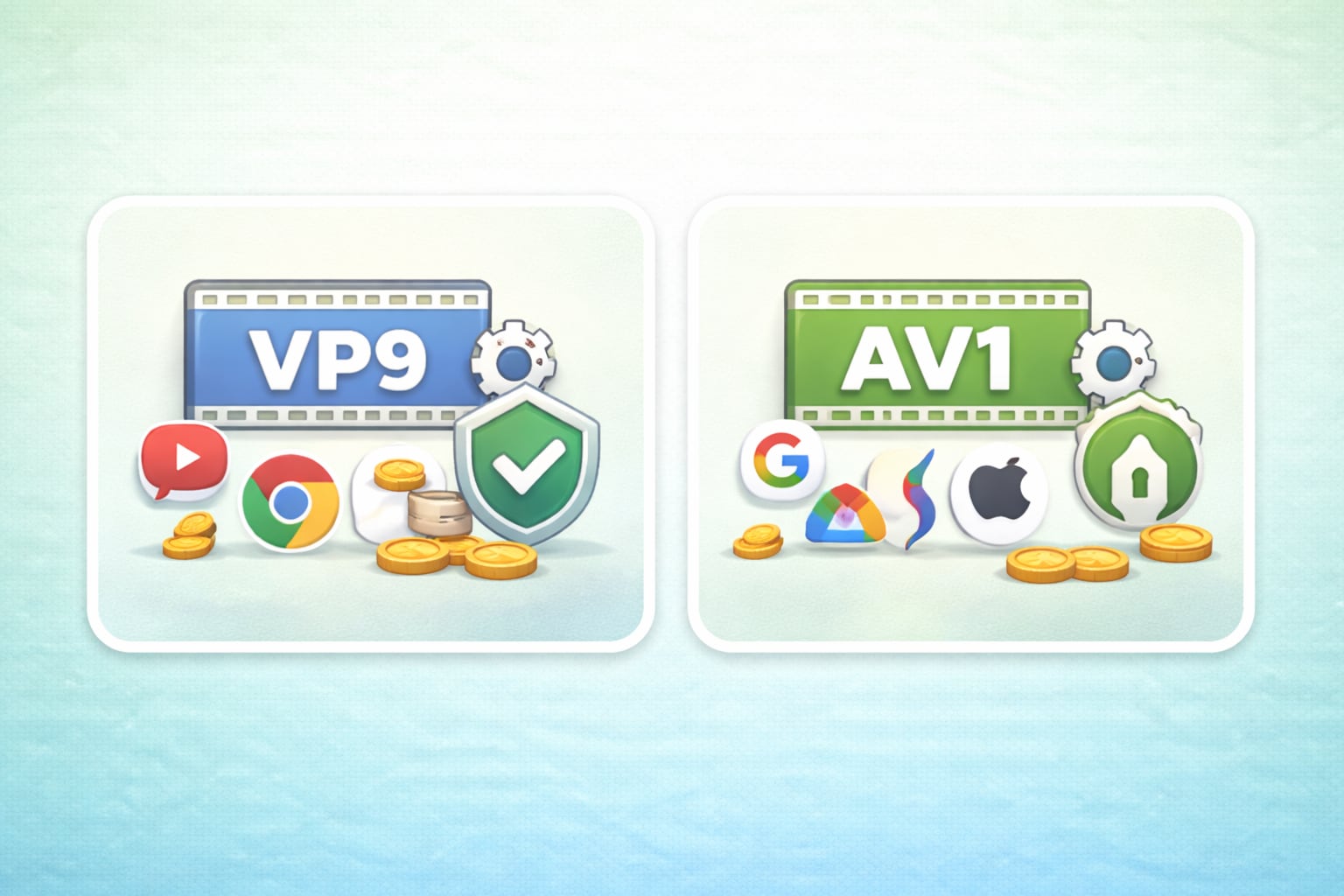
Google developed VP9 in 2013 as the direct successor to VP8. It was created to provide high-quality video compression while remaining free of licensing fees.
Historically, VP9 dominated web streaming. Google integrated it heavily into YouTube and the Chrome browser. This allowed users to watch HD and 4K videos with less buffering.
The key advantages of VP9 include its wide compatibility across most modern devices and its royalty-free nature. You can play VP9 files on almost any smartphone, smart TV, or web browser today without needing special software.
What is the AV1 Codec?
AV1 is a newer video coding format released in 2018. It was developed by the Alliance for Open Media. This consortium includes tech giants like Google, Apple, Netflix, and Microsoft.
AV1 is positioned as the successor to VP9. It aims to deliver even better compression for high-resolution video over the internet. As video quality pushes toward 4K and 8K, AV1 handles the massive data load more efficiently.
The key advantages of AV1 are its next-generation compression efficiency and open-source status. It provides much smaller file sizes than VP9 at the exact same quality level. Like VP9, it is completely royalty-free for developers and users.
Part 2. Detailed Comparison: AV1 vs VP9 Quality, Performance, and Compatibility

Compression Efficiency and File Size
AV1 wins clearly when it comes to saving space. It compresses data roughly 30% more efficiently than VP9. This means an AV1 file will take up significantly less storage space on your hard drive.
If you have strict bandwidth limits, AV1 helps you transfer high-definition files faster. VP9 is still highly efficient compared to older formats like H.264. However, AV1 is the superior choice for maximizing your storage capacity.
Visual Clarity and AV1 vs VP9 Quality
When comparing AV1 vs VP9 quality, AV1 holds on to more visual details at lower bitrates. You will notice less blocking and blurring in dark scenes or fast-moving action shots.
VP9 still offers excellent visual clarity for most 1080p and 4K content. Most viewers cannot tell the difference between the two formats at high bitrates. However, when you need to compress a file heavily, AV1 preserves the original picture much better.
Hardware Support and Encoding Speed
VP9 currently holds the advantage in hardware support. Because it has been around longer, almost all modern processors and graphics cards feature native VP9 decoding. This means your device can play VP9 videos smoothly without draining the battery.
AV1 requires more processing power to encode and decode. Older computers and smartphones may struggle to play AV1 files smoothly. Encoding a video into AV1 also takes much longer than VP9 unless you have a very recent graphics card that supports AV1 hardware acceleration.
YouTube AV1 vs VP9: Which is Best for Streaming?
When looking at YouTube AV1 vs VP9, YouTube uses both formats depending on your device and internet connection. If you have a fast connection and a newer device, YouTube will likely serve you the AV1 version.
AV1 allows YouTube to stream 4K and 8K videos using less data. This reduces buffering for viewers on limited data plans. However, VP9 remains the reliable backbone for YouTube across billions of older smart TVs and mobile phones.
Part 3. How to Convert Unsupported Codecs with Wondershare UniConverter
Playback issues are common when dealing with newer codecs like AV1 on older devices. You might also encounter problems when you need to edit VP9 files in video software that does not support them natively. When your media player shows an video format error, you need a reliable way to change the format.
Wondershare UniConverter can serves as a versatile video codec and format converter designed to handle modern formats like VP9 and AV1. These advanced codecs are commonly used in WebM files for efficient compression but often face compatibility issues across devices and media players.UniConverter makes it easy to convert VP9 and AV1 videos into widely supported formats such as MP4 (H.264 or H.265), ensuring smooth playback everywhere.
Key Features:
Batch Conversion: Process multiple video files at the same time to save effort.
Lossless Compression: Shrink large files without sacrificing visual clarity.
Format Flexibility: Switch seamlessly between MP4, WebM, MKV, AV1, and VP9.
Hardware Acceleration: Utilize your NVIDIA, AMD, or Intel GPU for fast encoding.
Step-by-Step Guide
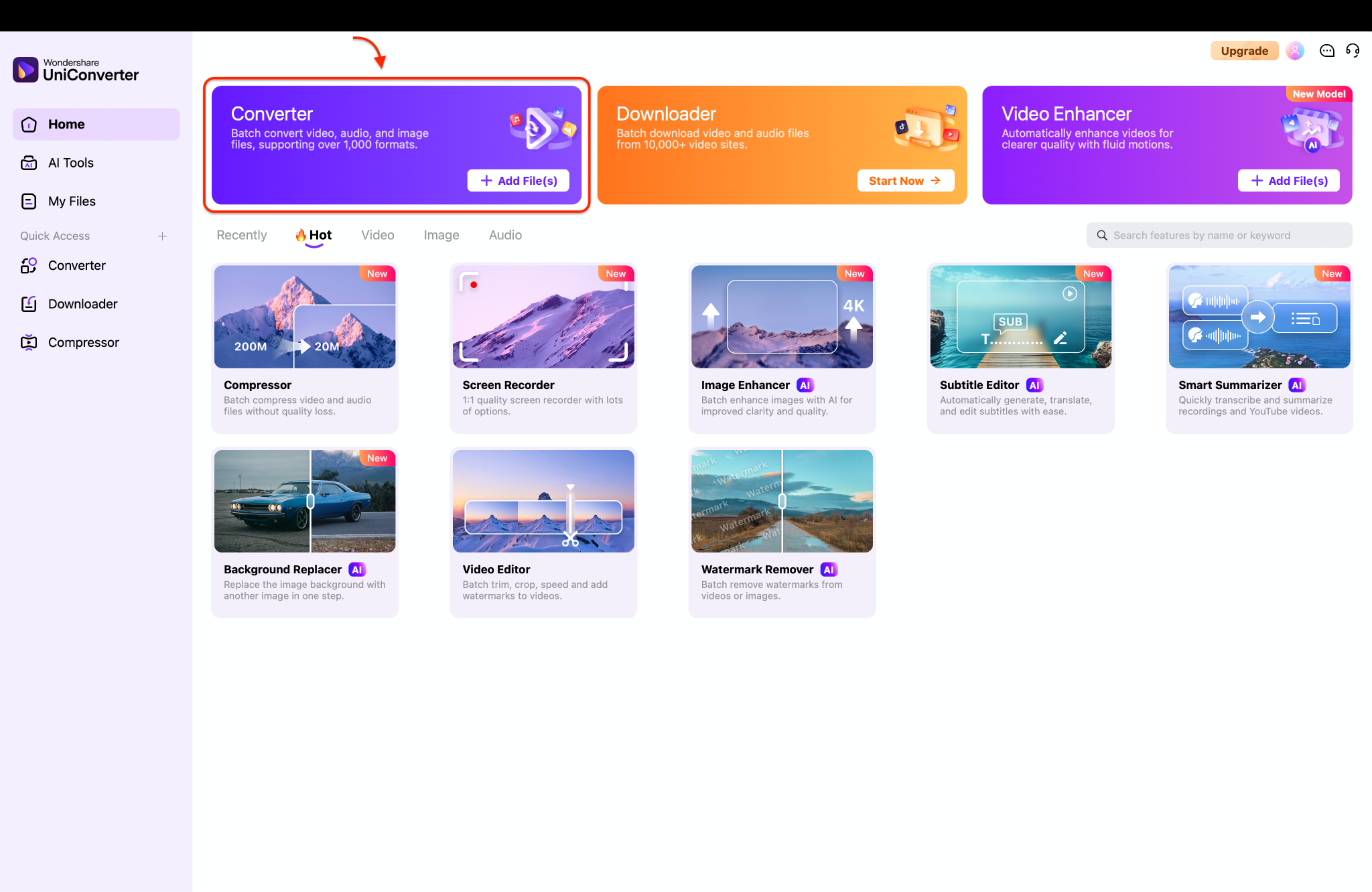
Step 1. Access converter
Launch UniConverter on your device and open the Converter module from the main interface menu.
Step 2. Import the AV1 or VP9 video file or files
Click “Add Files” to upload your WebM videos containing AV1 or VP9 codecs for conversion.
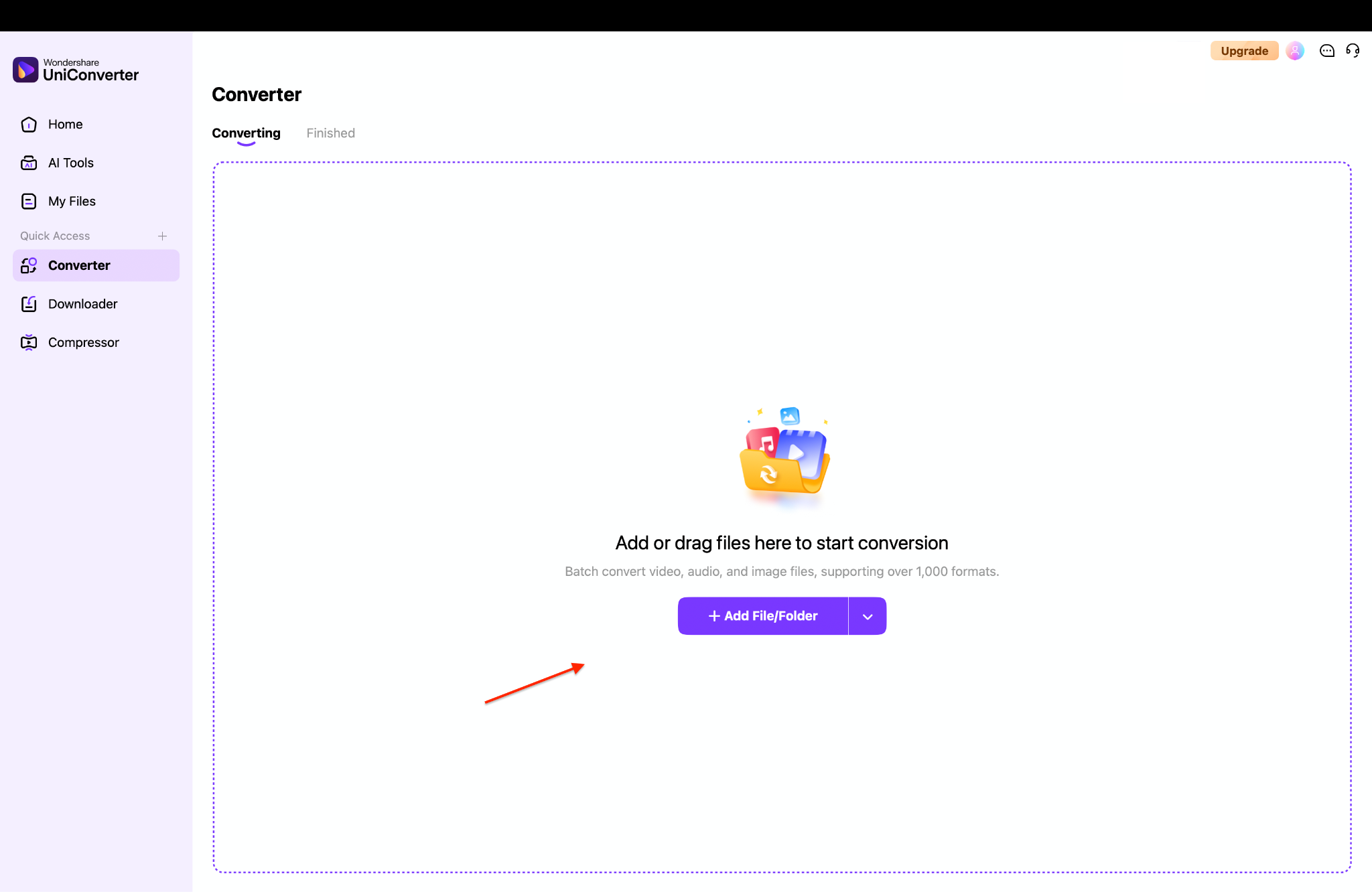
Note: You will usually find VP9 and AV1 video formats hidden inside WebM (.webm) container files instead of standard MP4s.
Step 3. Apply settings for conversion
Choose your desired output format, adjust resolution settings, and ensure codec compatibility for smooth playback.
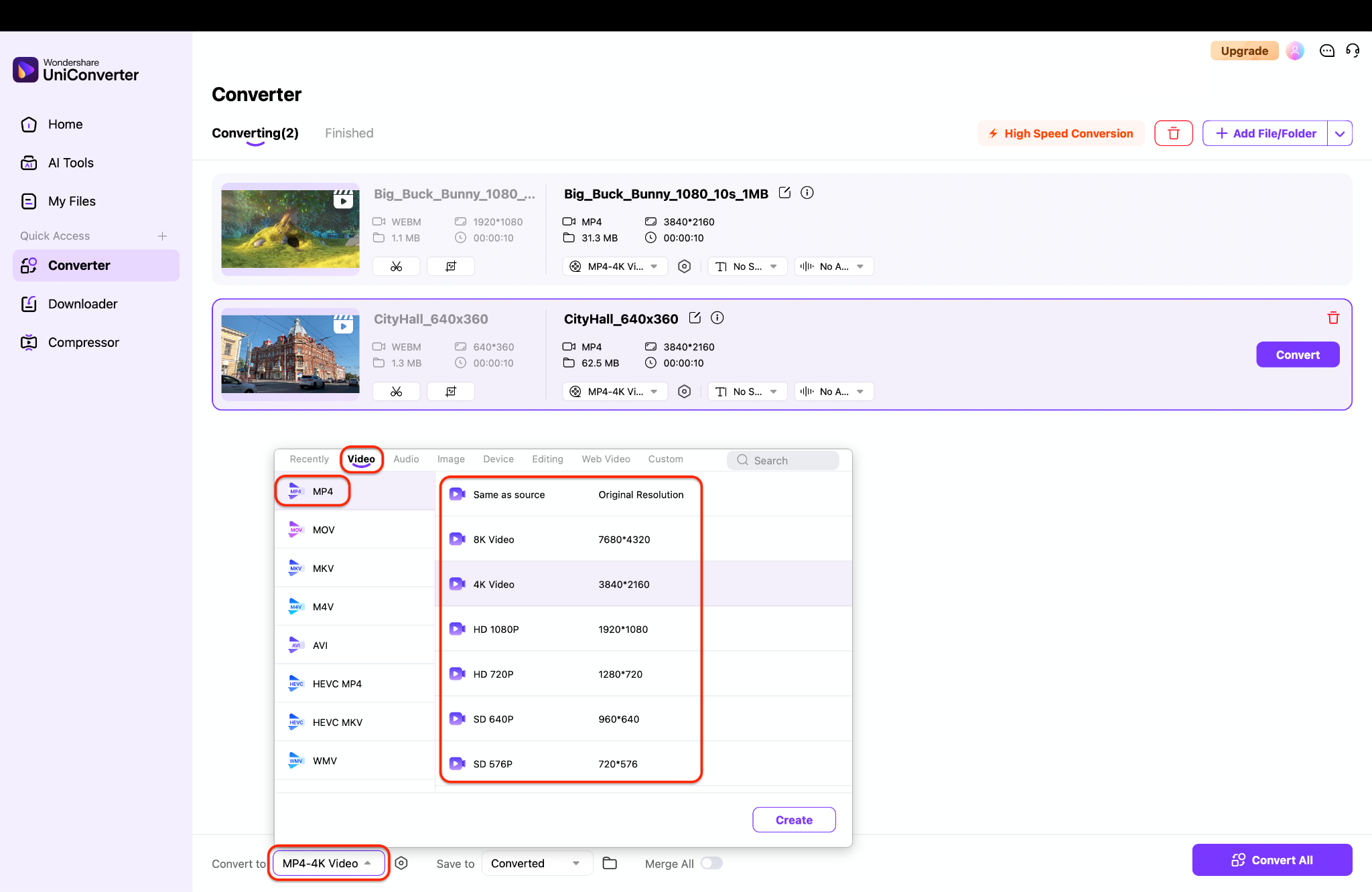
Pro Tip: Choosing "Same as source" for the resolution prevents accidental quality loss while fixing codec playback issues.
Step 4. Export and save
Click “Convert” to process the video and save the converted file to your selected destination folder.
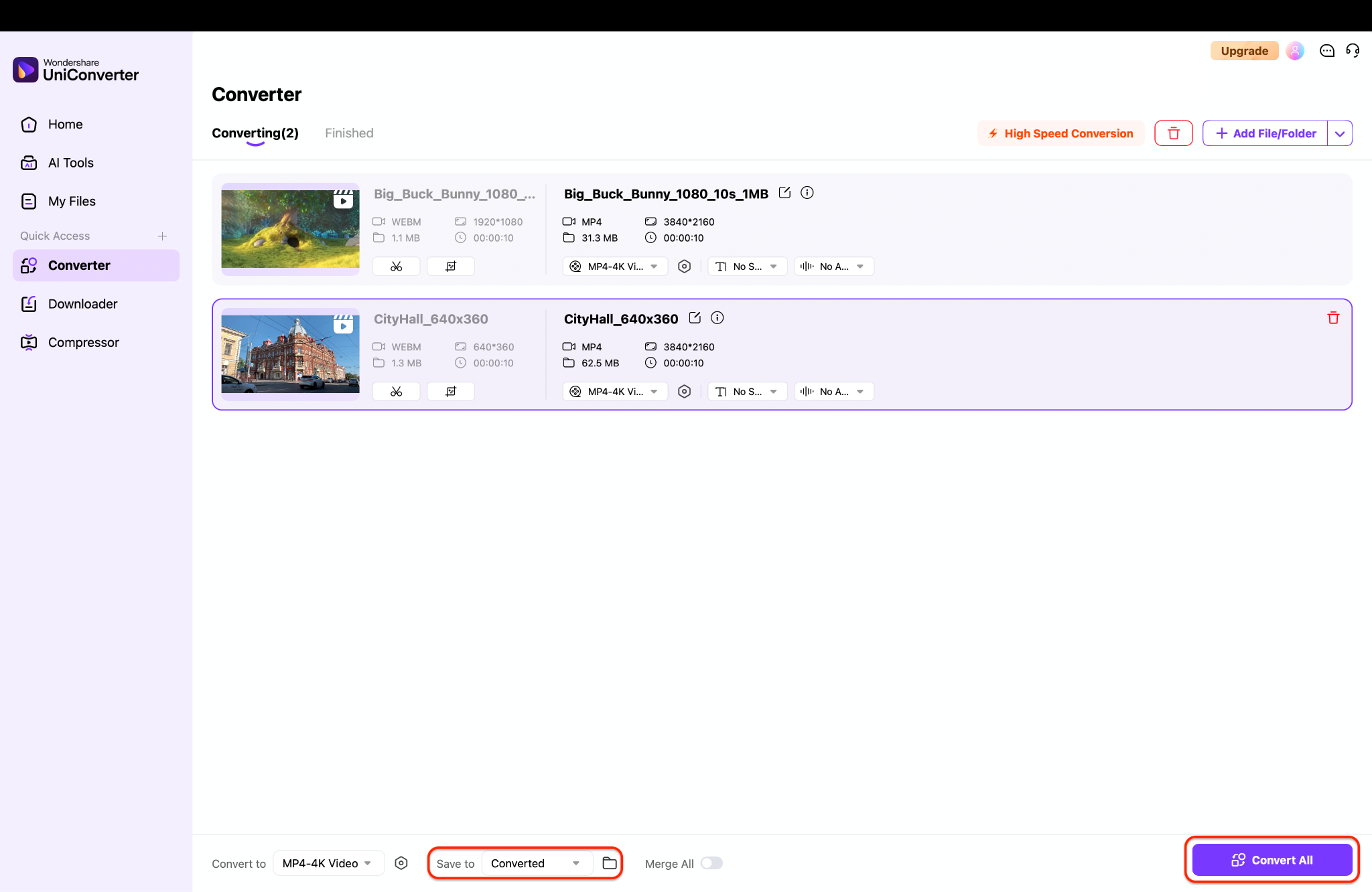

AV1 or VP9 Converter for Smaller Files & Better Quality
Part 4. Troubleshooting Common Encoding & Playback Errors
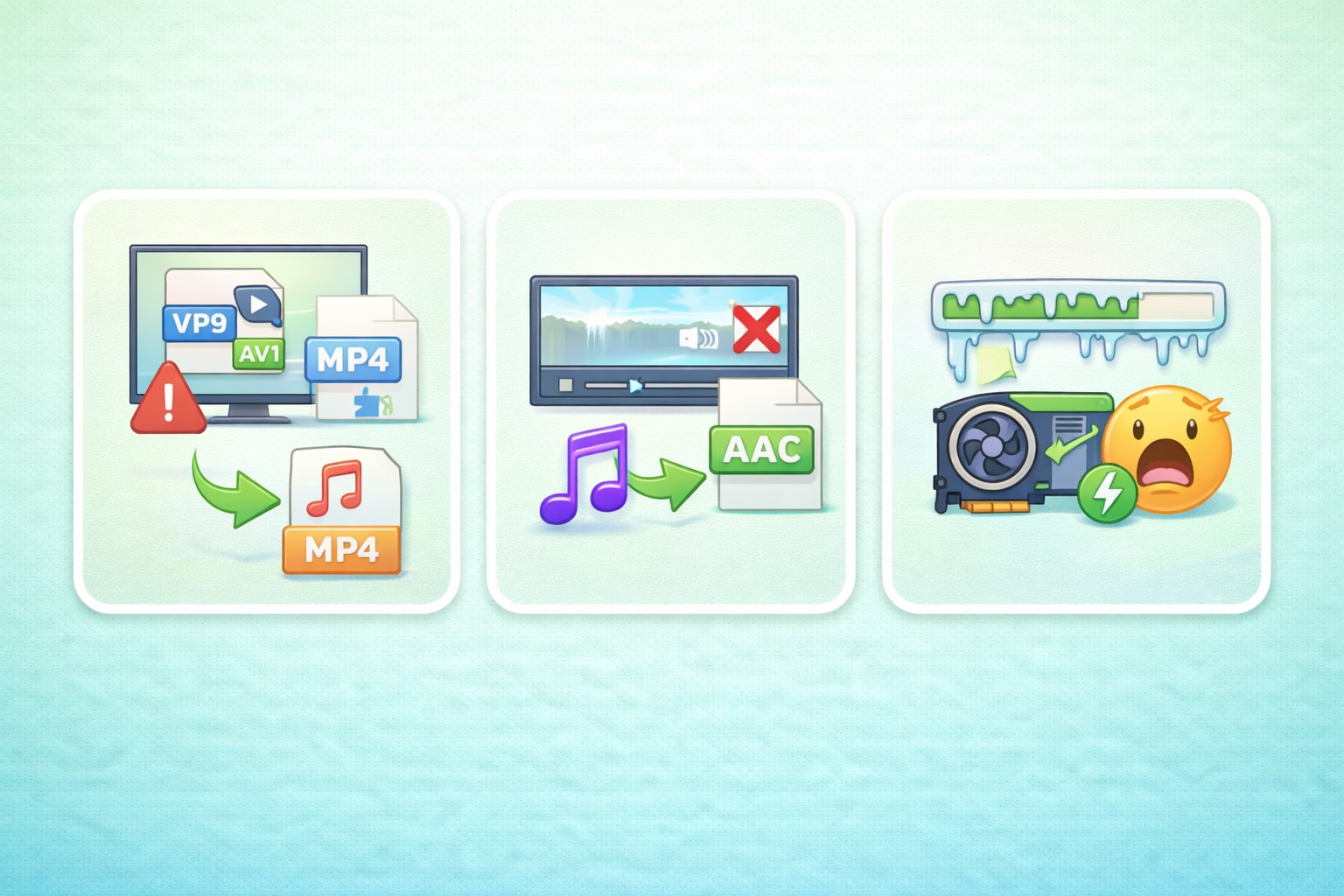
Fixing the "Unsupported Video Codec" Error
You often see an "Unsupported Video Codec" error when trying to play VP9 vs AV01 files on older smart TVs or Windows Media Player. These older systems lack the necessary software instructions to decode the newer files.
The easiest fix is to use UniConverter to re-encode the file. You can quickly convert the problematic file into a universally accepted format like MP4 (H.264). This ensures the video will play smoothly on nearly any screen or device.
Solving "Video But No Audio" Issues in VP9/AV1 Files
A common issue occurs where the video stream plays perfectly, but the audio is silent. This often happens due to an incompatible Opus or Vorbis audio track hidden within the WebM or MKV container. Many standard media players do not support these specific audio formats.
You can fix this easily with UniConverter. It allows you to change the audio codec, like converting Opus to standard AAC, without affecting the video quality. You simply select a new audio format in the settings before converting.
Why is my AV1 Encoding Failing or Taking Too Long?
AV1 carries a heavy "computational tax." It requires complex calculations to achieve its tiny file sizes. If your CPU or GPU does not support hardware acceleration for AV1, software encoding can lead to crashes or "frozen" progress bars.
To fix this, you should utilize UniConverter's GPU Acceleration feature. It automatically detects and uses NVIDIA, AMD, or Intel hardware to speed up the process. This can make your encoding process up to 130x faster and prevent system crashes.
Part 5. Use Cases: When to Choose VP9 vs AV1 in 2026
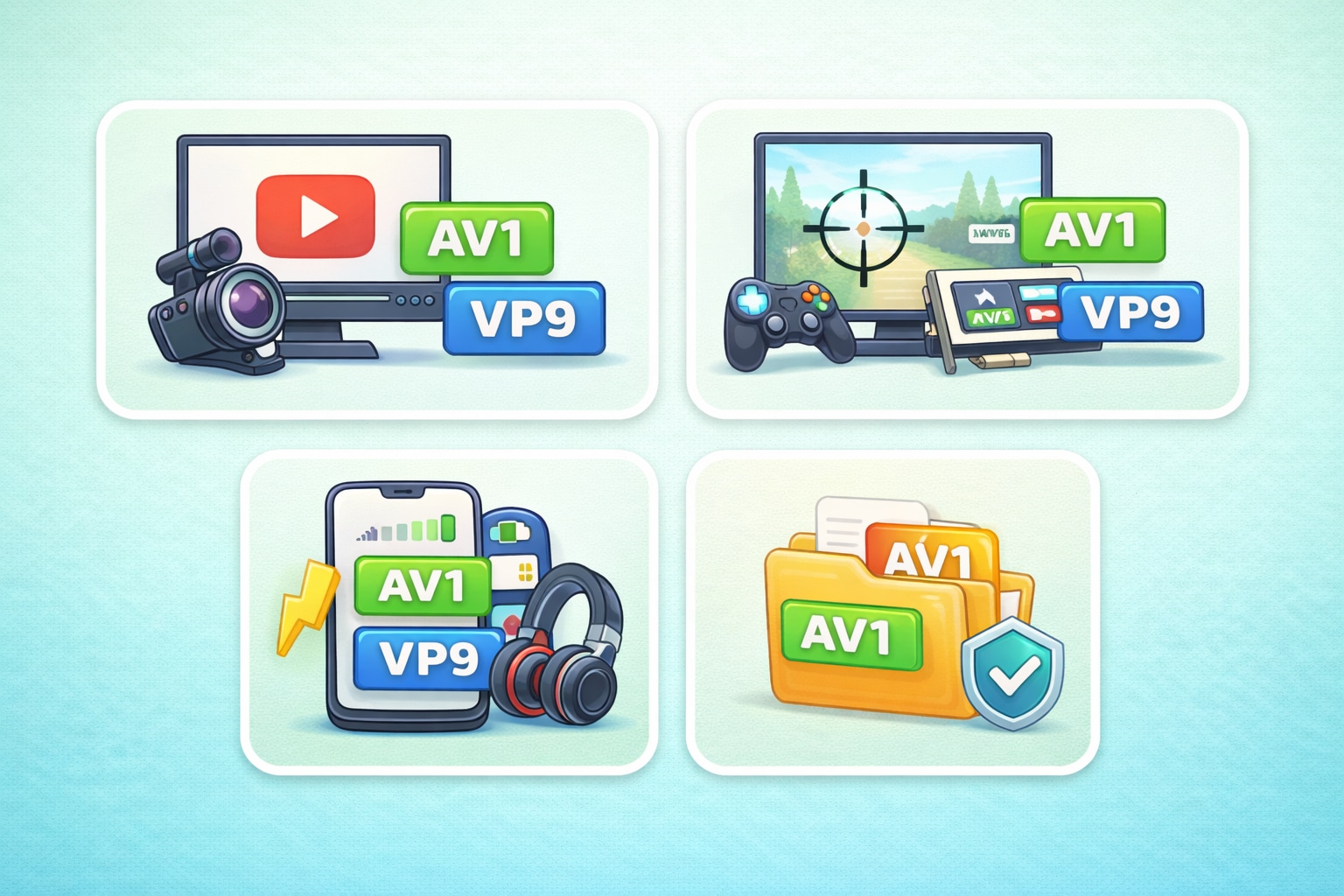
For Content Creators: Uploading to YouTube
If you are wondering about YouTube VP9 vs AV1 for content creation, AV1 is becoming the new standard. Uploading AV1 files to YouTube ensures your audience gets the highest quality picture, especially for 4K content. It also reduces your upload times if you have a slow internet connection.
For Gamers: Recording and Archiving
Gamers recording gameplay footage should consider hardware support first. If your modern graphics card supports AV1 encoding, use it to save hard drive space. However, if you are editing the footage in older software, VP9 or H.264 will provide a smoother editing experience.
For Mobile Users: Saving Data and Battery
When considering VP09 vs AV1 on mobile devices, VP9 is currently safer for battery life on older phones. Native hardware decoding prevents the battery from draining quickly. However, newer flagship phones now include AV1 decoders, making AV1 perfect for saving mobile data while streaming.
Future-Proofing Your Media Library
If you are ripping personal videos or archiving family memories, AV1 is the best choice for the future. It provides the best quality-to-size ratio available today. As more devices adopt AV1 support natively, your media library will remain accessible and highly efficient.
Part 6. Conclusion
Understanding the VP9 codec vs AV1 debate helps you make smarter choices for your media. VP9 remains a reliable, widely compatible format for everyday streaming and older devices. Meanwhile, AV1 represents the future of video, offering superior AV1 vs VP9 quality and smaller file sizes for modern workflows. If you ever face playback issues or need to switch formats quickly, Wondershare UniConverter is ready to help. Try UniConverter today to easily manage your video library, convert unsupported files, and keep your media projects running smoothly.
FAQs
-
1. Are AVI and VP9 the same thing?
No. AVI is a container, while VP9 is a codec. A container holds media files, and a codec compresses and decompresses the video data inside them. -
2. Which one gives better video quality?
VP9 usually gives better quality at smaller file sizes because it uses more efficient compression. AVI’s quality depends on the codec used inside it, not the AVI container itself. -
3. Which one is better for streaming?
VP9 is generally better for streaming because it is designed for efficient online video delivery. AVI is less common for modern streaming workflows. -
4. Why is AVI considered outdated?
AVI is older and usually less efficient for compression, streaming, and modern features. It can still work well for simple playback, but it is not ideal for current video distribution needs. -
5. When should I use AVI? When should I use VP9?
Use AVI mainly when you need legacy compatibility or are working with older software that expects AVI files. Use VP9 when you want smaller files, good quality, and better performance for web video or streaming.

