

A high-quality display with the best colors and brightness matters if you stare at a screen for hours, whether at work or for leisure. In this regard, HDR is one of the most common display certifications that you might have come across.
HDR determines how close an image is to real-life colors, enriching the visual experience, and comes as labels like HDR10 and HDR400. But what does HDR10 vs. HDR400 mean, and which is best for you?
This guide breaks down the differences between HDR10 and HDR400 to help you make an informed decision.
In this article
- Part 1: What Is HDR and Why It Matters in 2026
- Part 2: What Is HDR10 & HDR400?
- Part 3: HDR10 vs. HDR400 Comparison Table
- Part 4: HDR10 vs. HDR400 for Different Use Cases
- Part 5: HDR10 vs. HDR400: Limitations and Common Misconceptions
- Part 6: HDR10 vs. HDR400: Which One Should You Choose in 2026?
- Part 7: Bonus Tip: How to Convert SDR to HDR
- FAQs
Part 1: What Is HDR and Why It Matters in 2026
HDR or High Dynamic Range is the range between the darkest and the brightest areas of an image. The greater the dynamic range, the higher the brightness and contrast, and the more details you’ll see in dark scenes. This will essentially mimic how your eyes perceive the world around you.
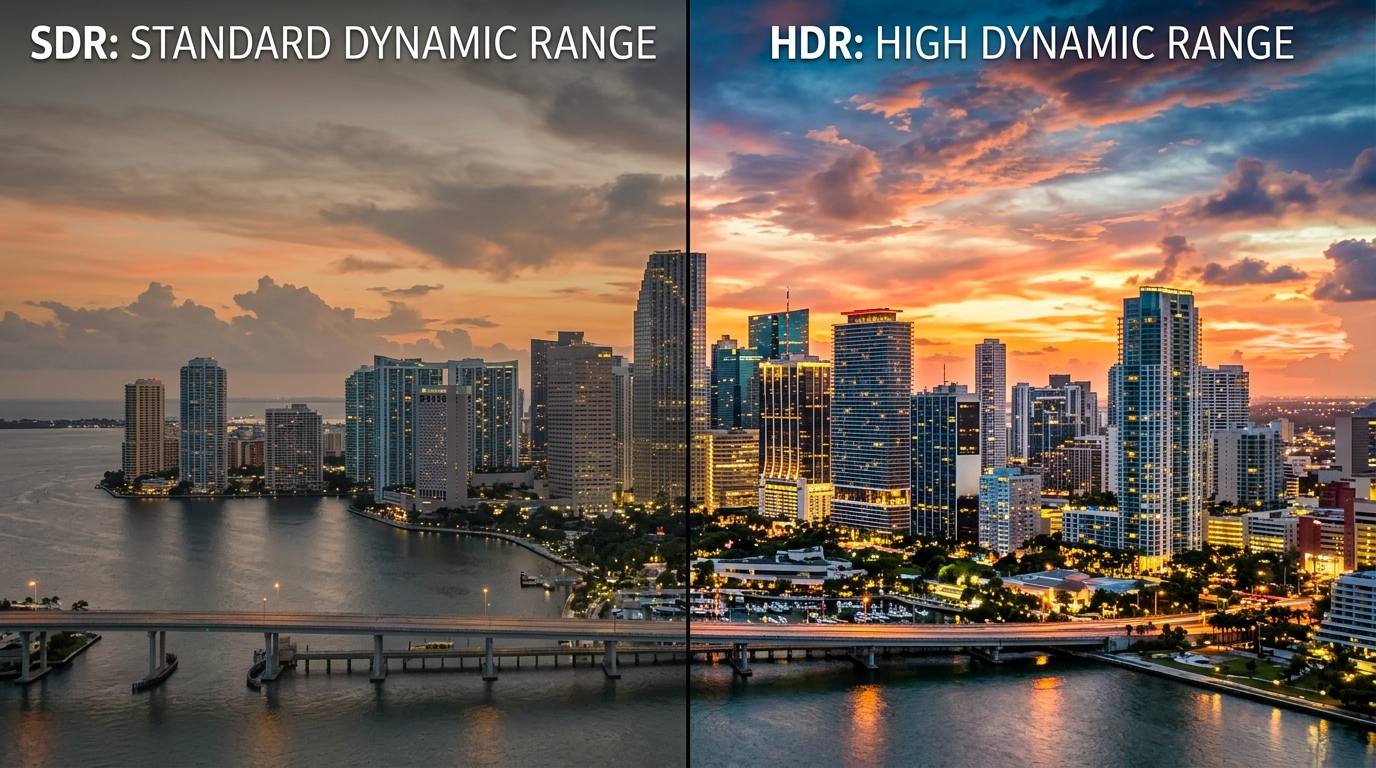
HDR isn't just for luxury; it can improve your viewing experience. Here are a few reasons as to why HDR is important in 2026:
- Immersive Experience: HDR makes you feel like you’re part of the scene. The improved colors, brightness, and contrast improve realism and provide a cinema-like experience.
- Wide Color Range: HDR expands the color gamut, offering richer, more lifelike hues. The colors on an HDR monitor appear as they do in nature and allow editors to make more dramatic and subtle adjustments in post-production.
- Preserved Detail: Video editors can maintain detail in both bright and dark areas simultaneously and prevent “oversaturated” whites or “crushed” blacks, as is common in SDR.
- Maintaining Standard: HDR content is becoming a staple in most streaming platforms, so creators can deliver content in this format to stand out among audiences.
Part 2: What Is HDR10 & HDR400?
What is HDR10?
HDR10, an open-source, free-to-use format, is the most widely adopted format for High Dynamic Range Video. It instructs a display on how well the content was mastered, so the display can map the brightness and contrast correctly.
Technical specifications of HDR10:
- EOTF (electro-optical transfer function) using SMPTE ST2084
- Bit depth: 10-bit
- Color sub-sampling: 4:2:2/4:2:0 (for compressed video sources)
- Primary Color: ITU-R BT.2020
- Metadata: SMPTE ST2086, MaxFALL, MaxCLL
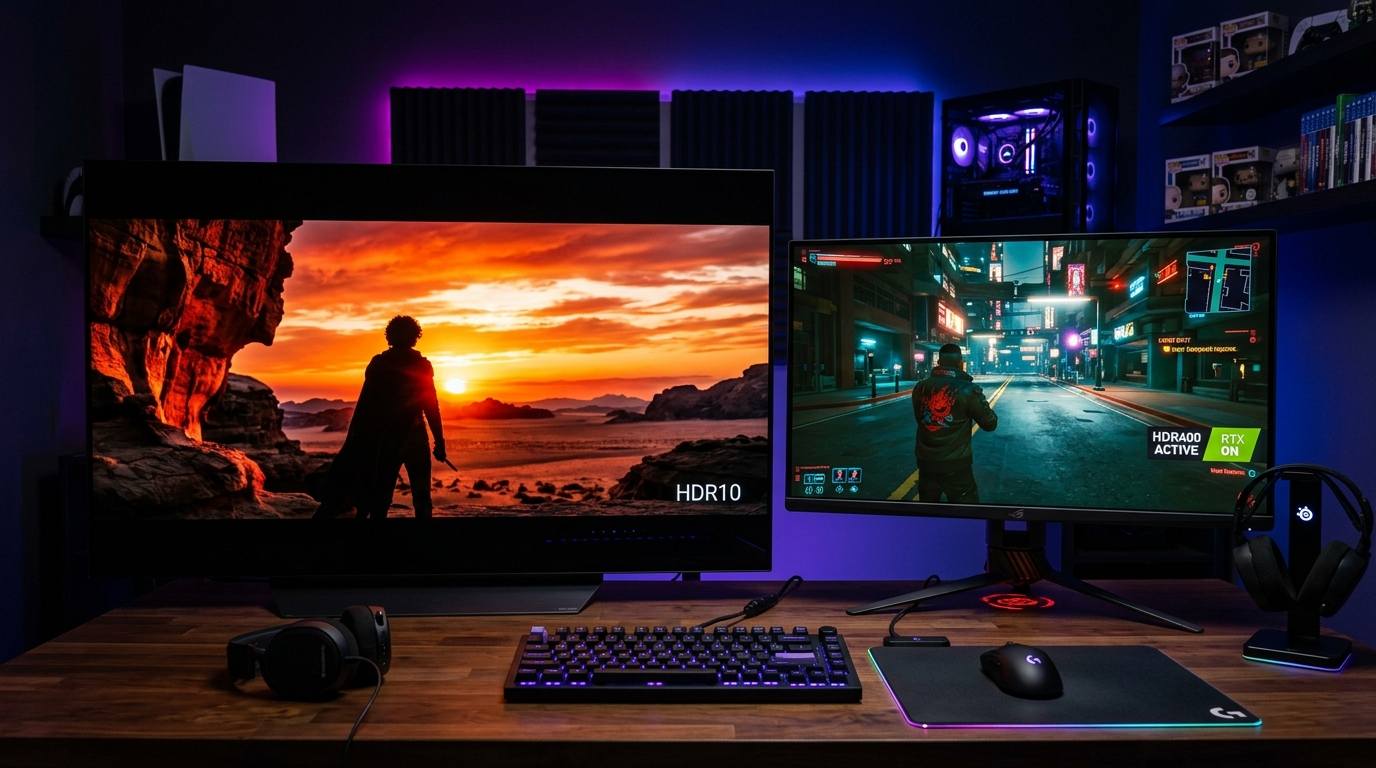
HDR10 is the baseline for most content, including 4K videos, streaming, and gaming, and is supported by devices such as streaming platforms, televisions, and AV equipment. This makes HDR10 a suitable choice for home theaters and surveillance applications.
What is DisplayHDR 400?
DisplayHDR400 is a VESA (Video Electronics Standards Association) certification, and unlike HDR10’s compatibility with TVs and consoles, it is limited to PC monitors. The PC monitors must have a peak brightness of at least 400 nits to obtain this certification.
HDR10 vs. HDR400: Core Differences
When comparing HDR10 vs. HDR400, key factors such as brightness, color depth, metadata support, and real-world viewing experience matter.
- Brightness: HDR10 supports up to 1000 nits of brightness to ensure vibrant highlights in the darkest scenes. Meanwhile, HDR 400 requires a minimum brightness of 400 nits, primarily suitable for casual viewing.
- Color Depth: HDR10 uses 10-bit color depth and over one billion colors. HDR400 typically supports 8-bit color and can render up to 16.7 million colors.
- Metadata Support: HDR400 has no metadata concept and focuses solely on display brightness and color gamut. HDR10, however, uses static metadata and does not support color optimization.
- Real-World Viewing Experience: HDR10 is primarily suitable for gaming, video production, and cinematic experiences. HDR400, on the other hand, is best for web browsing, light gaming, and casual media viewing.
Part 3: HDR10 vs. HDR400 Comparison Table
| Feature | HDR10 | HDR400 (DisplayHDR400) |
| Type | Open-standard, static metadata HDR format | Entry-level, VESA-certified HDR format |
| Peak Brightness | ≥1000 nits | ≥400 nits |
| Color Depth | 10-bit (~1 billion colors) | 8-bit (~16.7 million colors) |
| Color Gamut | ~99% sRGB | 95% sRGB |
| Contrast | High Dynamic Contrast | Limited by panel tech |
| Metadata | Static | None |
| Local Dimming | Often supports advanced local dimming for superior contrast | May use global dimming |
| Black Level | Superior: can achieve deep, inky blacks | Average: often gray or washed out |
| Best For | Gaming, high-quality viewing and streaming, and video editing | Casual gaming, office work, and basic entertainment |
| Devices | Smartphones, TVs, media players, monitors, and gaming consoles | Monitors and laptops |
Please note that HDR10 and HDR400 may sound similar, but they represent different levels of HDR performance. HDR10 is an HDR format/standard that specifies how content (games, videos, and movies) is mastered, enabling displays to support HDR content as intended.
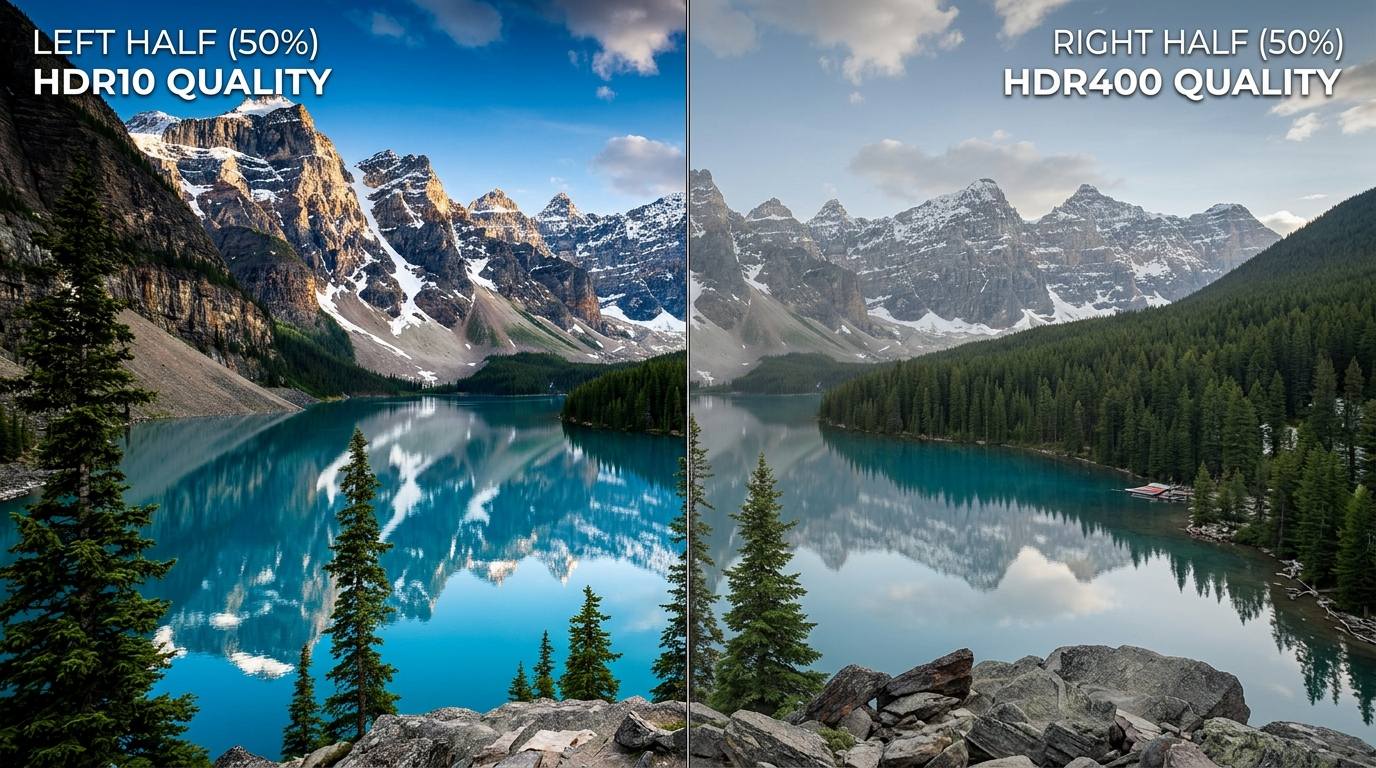
HDR400, on the other hand, is a VESA certification that only guarantees a peak brightness of 400 nits with no requirement for high blacks, local dimming, or high contrast.
Part 4: HDR10 vs. HDR400 for Different Use Cases
There are contrasting differences between HDR10 and HDR400, with one being a format and the other being a base-tier certification. Here’s how the two HDR labels compare in terms of use cases:
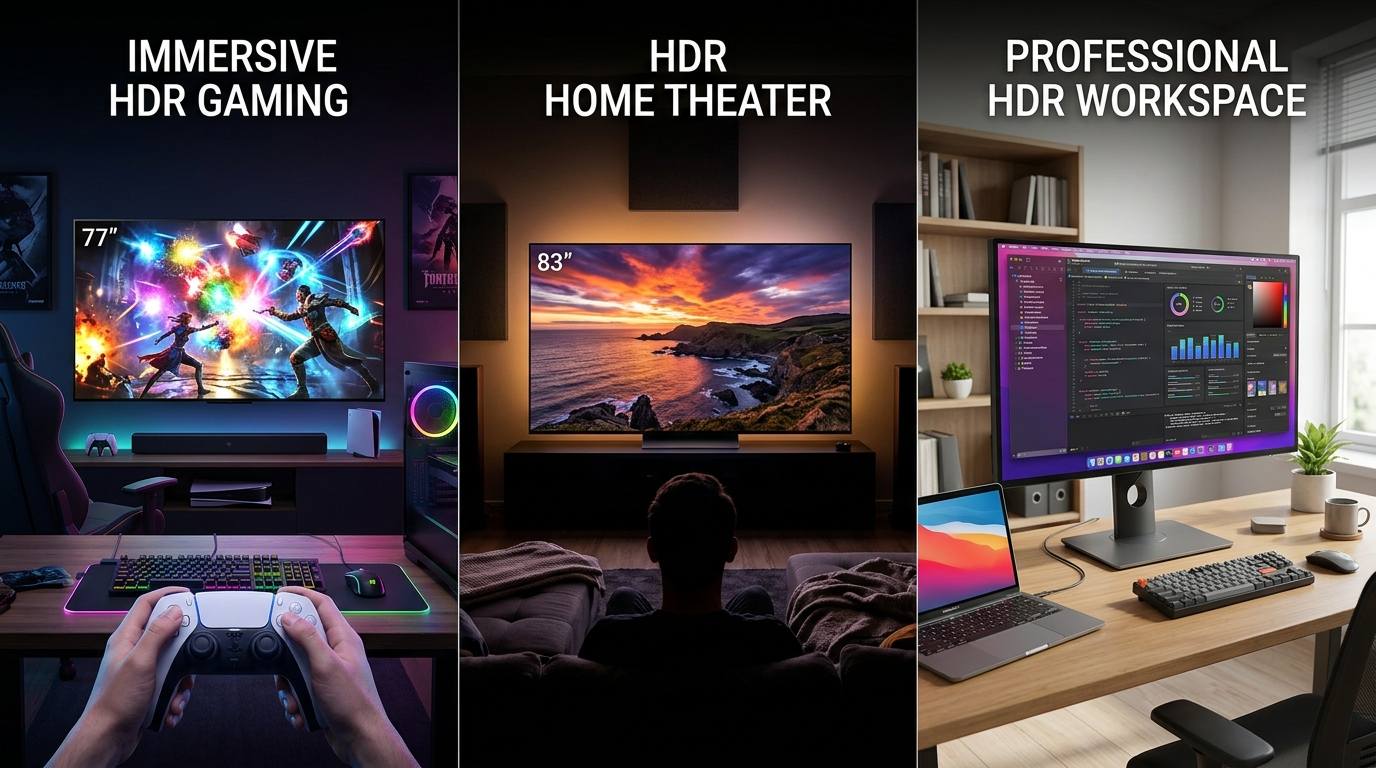
Gaming: HDR10 offers 10-bit color depth (1 billion colors) and higher contrast than HDR400 (8-bit color depth). You get richer colors, better shadow detail, and higher peak brightness.
Furthermore, HDR10 uses static metadata and delivers the best performance for high-refresh-rate gaming (up to 4K 120Hz). You can expect high overall immersion and fast-paced gaming with HDR10, provided your hardware supports it.
Streaming and Movies: An HDR10-supported display typically delivers a better streaming and movie-watching experience than an HDR400. Beyond high brightness, contrast, and a wider color gamut that enhances realism, HDR10 delivers a superior black level, ensuring greater detail even in the darkest scenes.
On the other hand, HDR400 lacks local dimming, so the darkest scenes in the movies may appear grayish and washed out.
Professional Content Creation: HDR10 is typically the preferred standard for professional content creation, as HDR400 lacks the required brightness, contrast, and color depth. With HDR400, the panel often fails to display the full content range, and scenes may appear flatter than intended.
Everyday Office and Productivity Use: In such scenarios, the high brightness, color depth, and color gamut of HDR10 are likely overkill. An HDR400 with 95%+ sRGB color gamut coverage and 400 nits+ brightness is often suitable for accurate color reproduction in documents and presentations.
Part 5: HDR10 vs. HDR400: Limitations and Common Misconceptions
When the first HDR workflows and TVs were launched, they were marketed with tag lines such as “HDR means a brighter and more colorful image.” This led everyone to believe that everything delivered in HDR should be brighter and more colorful, while SDR lacks brightness and color. This, and other misconceptions, are detailed as follows:
Oversimplification of HDR performance: HDR display doesn’t always mean brighter, more vibrant, and lifelike visuals. The actual performance is often determined by the display’s ability to handle high luminance, contrast, and color depth.
This is evident in the differences between HDR10 and HDR400 display quality. The higher nits of brightness, color depth, and color gamut in HDR10 ensure much better visuals than HDR400.
HDR400 is considered “Entry-Level HDR”: DisplayHDR400 is the minimum threshold for a display to be considered as HDR-capable under VESA standards. To obtain a VESA DisplayHDR400 certification, the display must have a minimum peak brightness of 400 nits, a black level of 0.40 cd/m2, and a color gamut of 95%+ sRGB.
SDR and HDR Have Different Black Levels: Another common misconception regarding HDR is that the display has “blacker” blacks. However, for a properly calibrated setup, the black level of SDR and HDR should be equivalent.
HDR Looks Better on All Screens: Keep in mind that HDR requires high-contrast displays, especially those with local dimming zones, such as mini-LED and OLED. HDR can appear worse and washed out on lower-end screens because they cannot handle the wide brightness range.
Part 6: HDR10 vs. HDR400: Which One Should You Choose in 2026?
HDR10 is superior to HDR400 due to its higher brightness, contrast, blacker blacks, and wider color gamut. Although HDR10 enhances your video-watching experience, it may be overkill for basic office and productivity tasks. So, when pondering between HDR10 and HDR400, keep the following factors into consideration:
Budget Considerations: The HDR400 is suitable for casual gaming and office work if you want a display with simple HDR compatibility without a premium price tag. Meanwhile, if you have a higher budget and want a noticeable “pop” in your games and movies, opt for an HDR10-capable display.
Device Compatibility: HDR10 is an industry baseline, and is available in most modern TVs, gaming consoles (PS5, Xbox Series), and gaming laptops and monitors. You’ll find HDR400 in most budget office monitors and in casual and entry-level gaming monitors.
Future-Proofing Your Display: HDR10 offers a wider color gamut and 10-bit depth, making it an essential standard for HDR content. The HDR10-capable display can provide an immersive viewing experience, but without local dimming and high peak brightness, it cannot display true HDR.
If you’re planning to future-proof your display, invest in a capable screen with HDR10 to display the range properly. A low-quality monitor may display images worse than an SDR.
Part 7: How to Convert SDR to HDR

Wondershare UniConverter is a powerful video conversion and editing tool with advanced AI video enhancement capabilities. The all-in-one conversion tool offers an efficient way to convert videos from SDR to HDR format and upscale them to 4K quality.
UniConverter supports a range of video resolutions and formats, including less common ones such as AVI, Cineform, MOV, M4V, and MPEG. Moreover, the interface is simple, making it hassle-free to convert and enhance your HDR videos.

Easy to Use SDR to HDR Converter
Key Features
- UniConverter's HDR video converter converts SDR to HDR without quality loss.
- AI-powered video upscaling enhances quality by scaling to higher resolutions, such as 4K and 8K, making videos sharper and more detailed.
- Processes multiple videos simultaneously, saving time and effort when enhancing large volumes of video content.
- UniConverter has plenty of video editing tools such as trimming, cropping, adding watermarks and subtitles, and adjusting audio.
How to Convert SDR to HDR Using Wondershare UniConverter
Here’s how to convert SDR to HDR and enhance the video quality using Wondershare UniConverter:
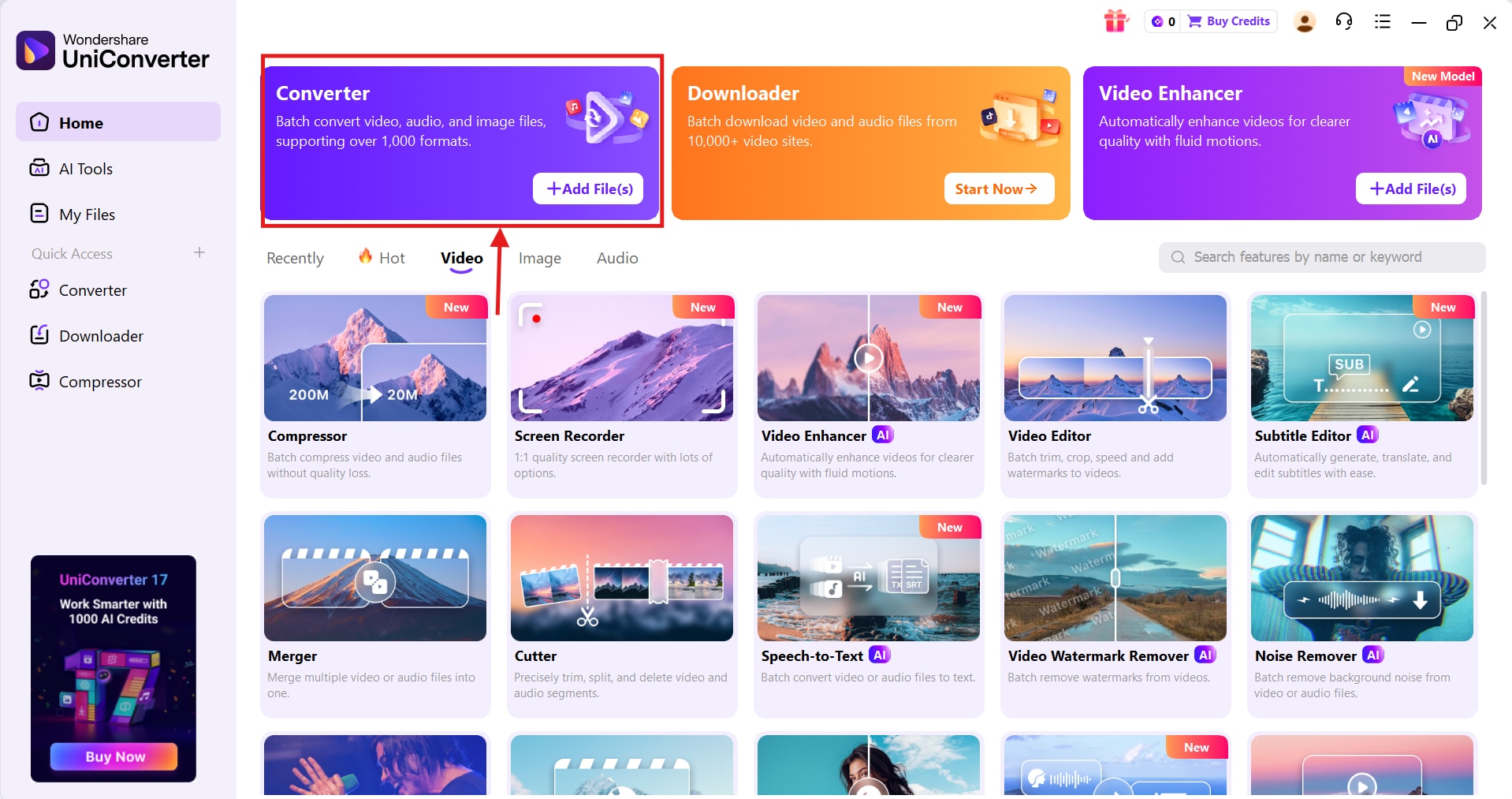
Step 1: Launch Wondershare UniConverter on your device, and click “Converter” from the quick access menu at the top.
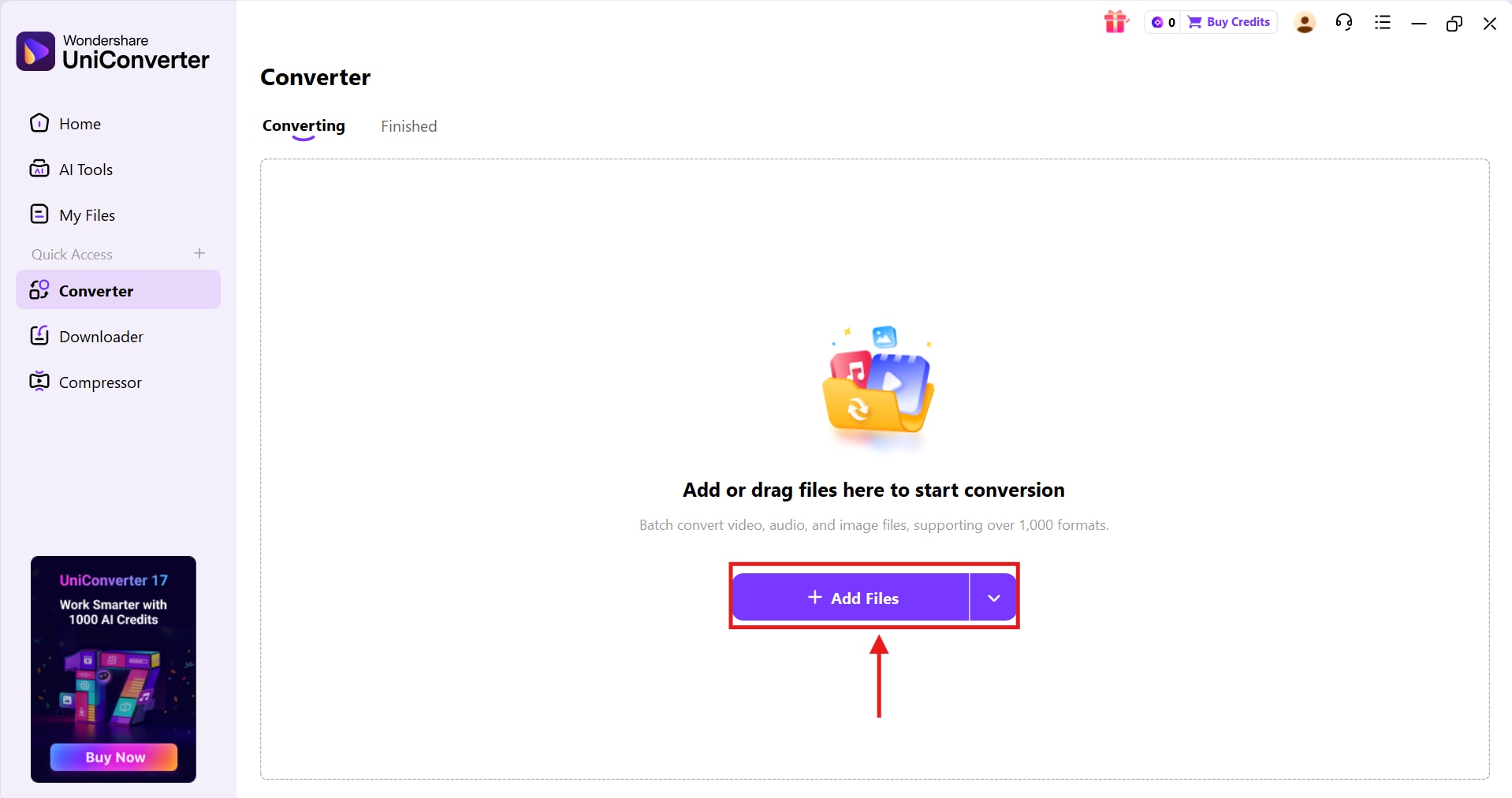
Step 2: On the pop-up window, click “+Add Files” to add the SDR videos you want to convert.
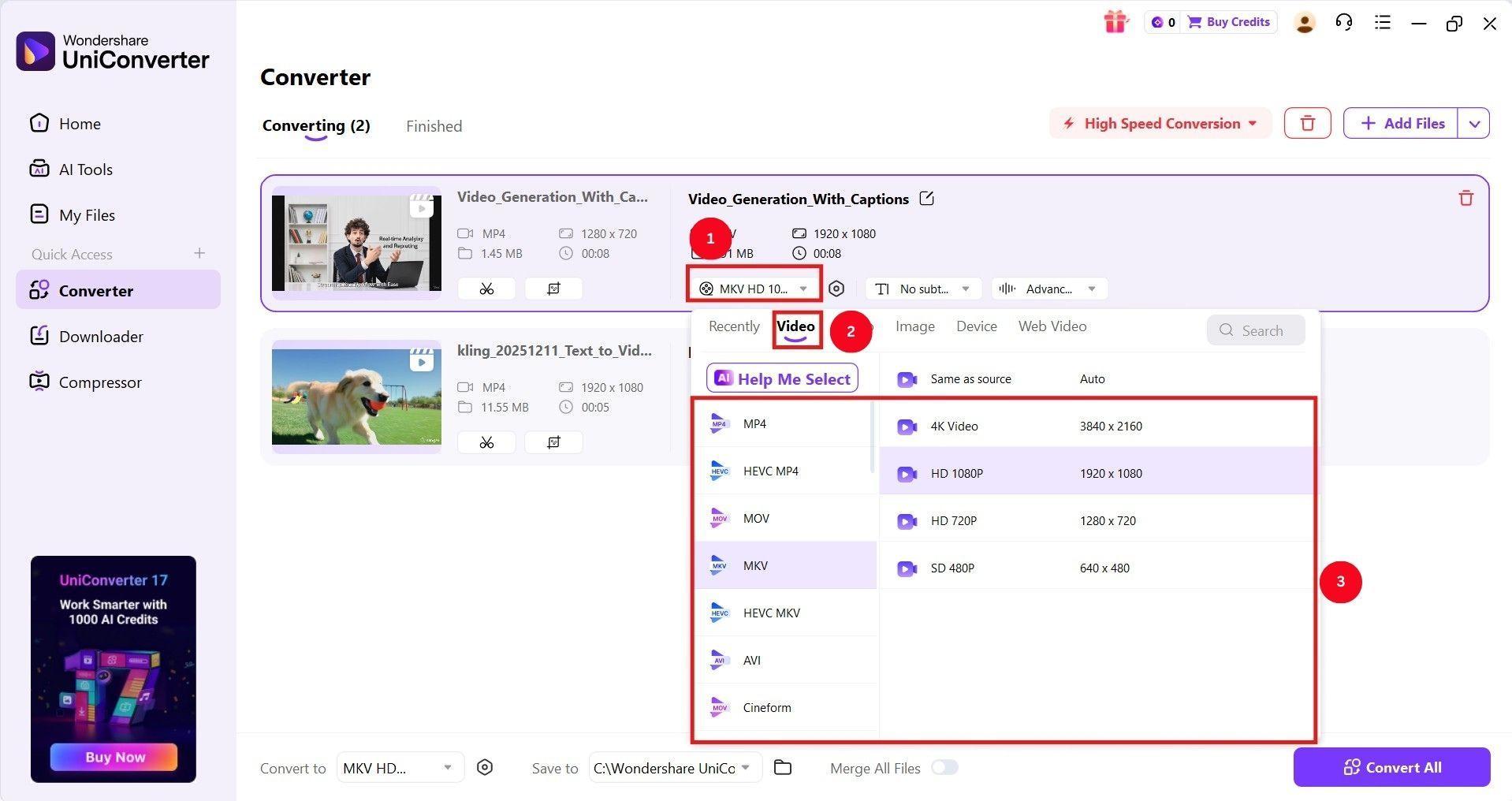
Step 3: As UniConverter processes the video, click the dropdown menu next to the “gear” icon and select your desired video format and quality.
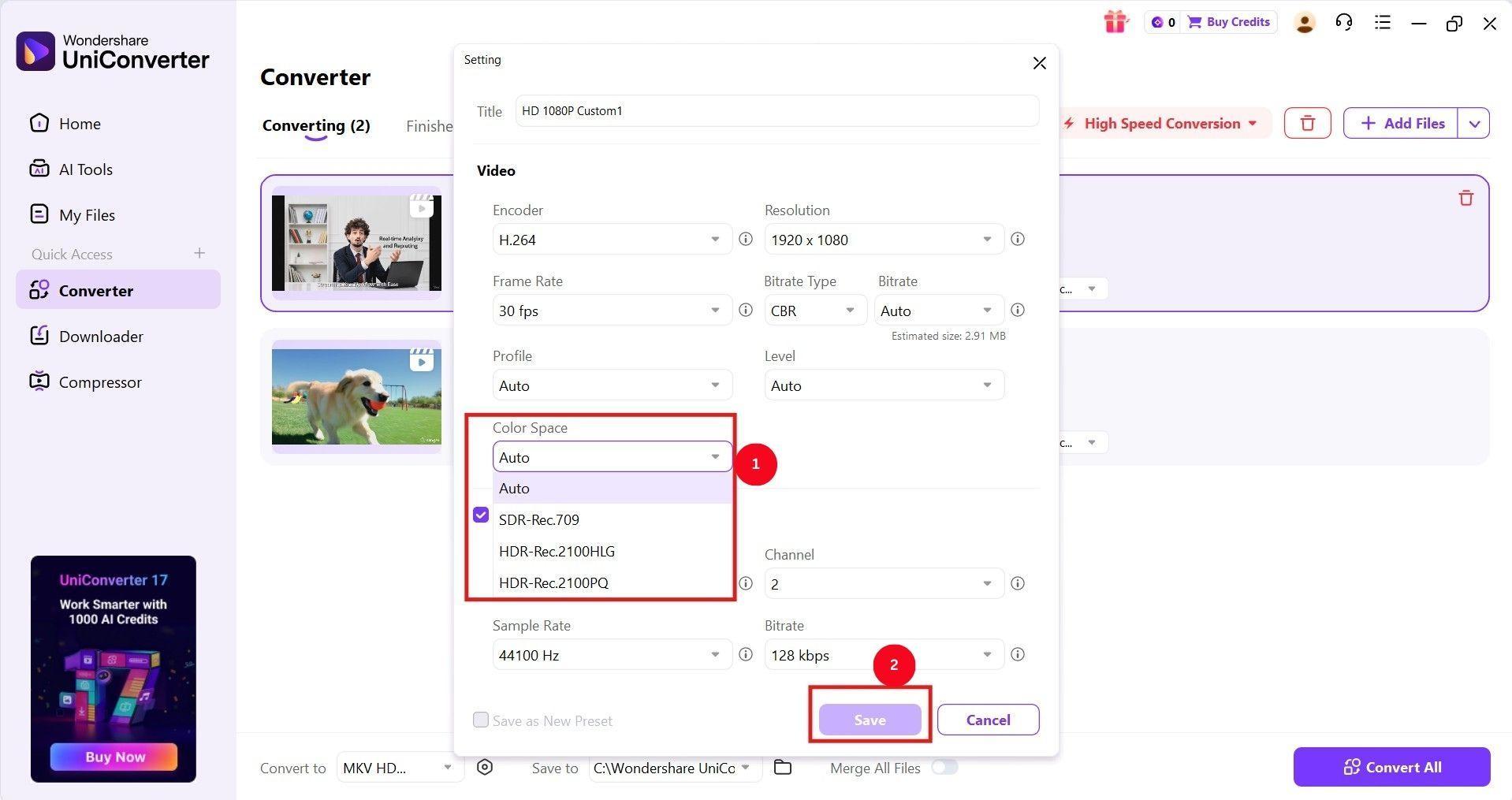
Step 4: Click the gear icon, followed by the dropdown menu of “Color space,” and select the “HDR” format. Then, click “Save.”
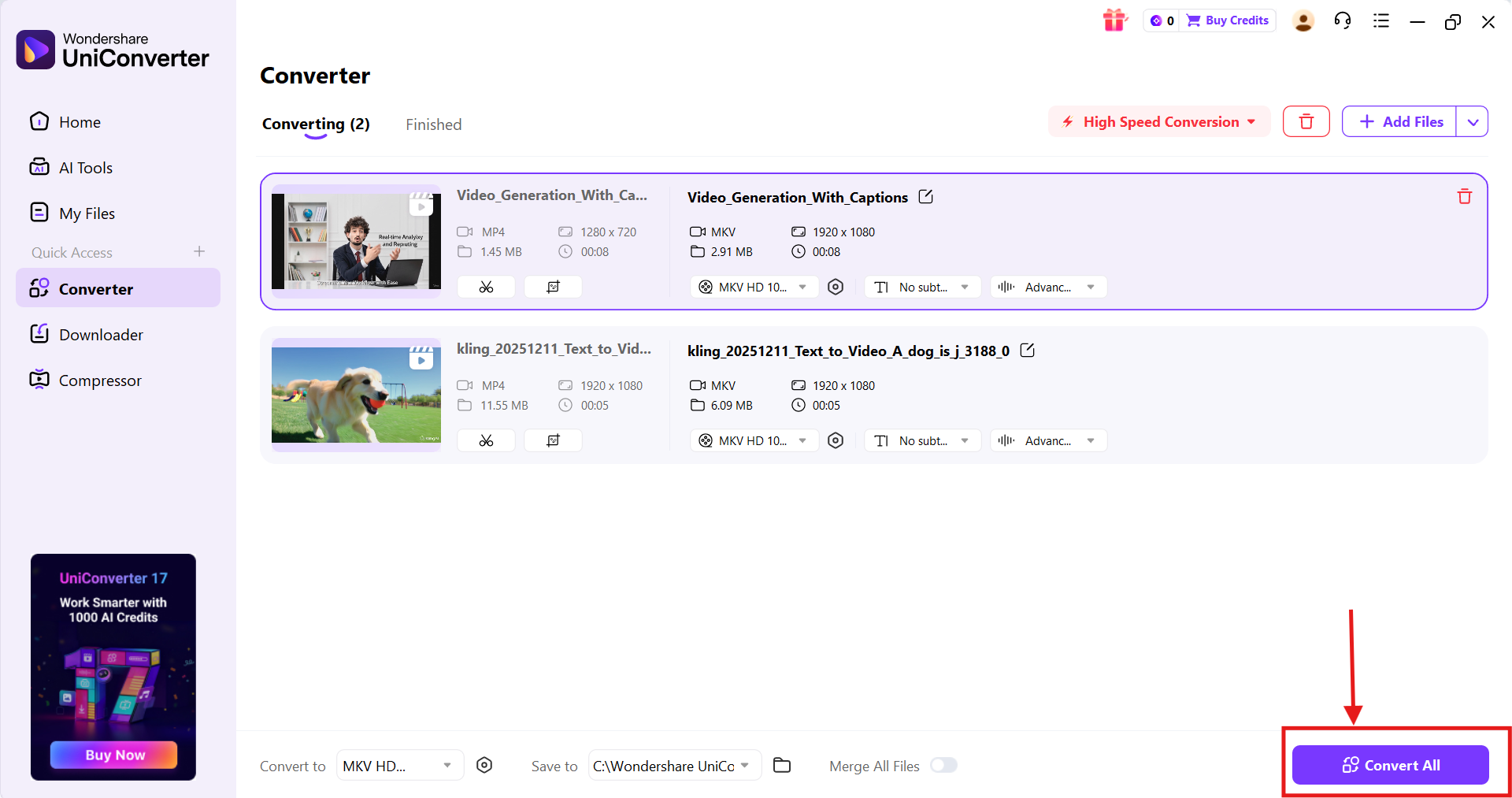
Step 5: Now, as you’re satisfied with the video settings, click “Convert All” to save the HDR video to your device.
FAQs
Is HDR10 Better Than HDR400?
An HDR10-capable display offers a richer color depth and is the baseline for many content formats. If you want the best color and contrast for watching movies or playing games, prioritize HDR10 over HDR400. However, HDR400 is better suited for casual games and office or other productive work.
Is HDR400 real HDR?
Yes, HDR400 is considered an entry-level HDR standard, as it meets the minimum VESA certification requirements. However, it lacks the local dimming, high contrast, and deep black levels required for a true HDR experience.
Can HDR400 monitors play HDR10 content?
Yes, HDR400 monitors can play HDR10 content, but the resulting image may look washed out or similar to SDR. You cannot experience an HDR10-like viewing experience.
Is HDR400 better than SDR?
Yes, HDR400 is better than SDR and is worth using HDR400 for casual gaming and basic work. However, HDR10 is a better choice if you need an immersive gaming and streaming experience.
What's the minimum HDR certification worth getting?
The minimum and entry-level HDR certification available is DisplayHDR400, but for true, high-quality HDR, it’s recommended to get the HDR10 standard.
Should I enable HDR on my HDR400 gaming monitor?
Yes, you can enable HDR when playing specific, compatible games on the computer. While HDR400 offers better color depth and wider color gamut than SDR, it lacks the brightness and contrast required to deliver a true HDR experience.
What is VESA DisplayHDR True Black 400?
VESA DisplayHDR True Black 400 is an industry-standard certification for high-performance emissive displays such as OLED and mini-LED. It delivers superior HDR quality with 400 nits of peak brightness and exceptionally near-zero black levels.
How many nits is good for HDR?
For a good HDR experience, a peak brightness of around 600 to 1,000 nits is typically recommended. You can go even higher for a premium, high-end experience.
Conclusion
When comparing HDR10 vs. HDR400, it’s clear that both are designed for different use cases. HDR400 is an entry-level HDR display certification with improved brightness over HDR but limited HDR depth. HDR10, meanwhile, offers richer colors, higher brightness, and better contrast.
However, for the best experience, your display capability and content must align. If you don’t have HDR content, use a reliable converter such as Wondershare UniConverter to ensure high-quality conversion. Use UniConverter now and help HDR displays perform close to their full potential.

