


Have you ever settled in to rewatch a Kick stream only to discover the VOD feels like it vanished into thin air—or loads slower than a 90s dial-up connection? You’re not alone; many viewers face the frustration of missing replays, unstable playback, and no offline access when they need it most.
This guide was built to solve exactly those pain points, giving you clear, safe, and reliable ways to download Kick VODs on any device in 2025. Whether glitchy online tools failed you, extensions felt confusing, or software options seemed overwhelming, you’ll find each method here explained simply and step-by-step. And, before diving in, we’ll walk you through crucial ethical and fair-use practices so you can download content responsibly and legally.
In this article
- What should you know before downloading Kick VODs
- Method 1: Using Online Kick VOD Downloader Websites
- Method 2: Using Dedicated Desktop Kick VOD Downloader Software
- Method 3: Using Kick VOD Downloader Chrome Extension
- Method 4: Using Kick VOD Downloader App for Android or iPhone
- How to record Kick VODs without lag
- Conclusion
- FAQs
Key Takeaways
[Playback & Access Issues] Kick VODs can disappear or be hard to access, making offline saving essential for consistent viewing.
[Multiple Download Options] Tools like 4Stream Downloader and Angolix provide desktop, browser, and mobile solutions with varying convenience.
[User Scenario Flexibility] Desktop tools offer higher quality and control, while mobile options focus on quick, on-the-go downloads.
[Enhanced Workflow] Wondershare UniConverter supports recording, conversion, and editing, ideal for managing VOD content across platforms efficiently.
Part 1: Crucial Disclaimer: Ethics & Fair Use of Kick VODs
Before you download anything, it’s important to understand the ethical boundaries and legal responsibilities tied to Kick VODs. This section ensures you stay safe, respectful, and compliant while accessing any streamer’s content.
Respect Creator Rights
Kick VODs belong entirely to the streamer—every frame is their intellectual property. Downloading content without permission can violate their ownership rights as well as Kick’s Terms of Service. Always treat their creations with the same respect you expect for your own work, and never assume personal access equals unrestricted usage.
Intended Use Only
Downloads should strictly be for personal, offline viewing and nothing beyond that. Re-uploading videos, cutting clips without credit, or using them commercially is prohibited and can harm the creator’s livelihood. If you do need to use a clip, always ask permission or provide proper attribution to avoid misuse.
Support Streamers
Even if you download VODs for convenience, creators depend on live engagement. Watching streams in real time, subscribing, sending donations, and interacting with chat are the best ways to support them. If you ever share highlights or references, credit the streamer so their work remains recognized and valued.
At Your Own Risk
All Kick VOD downloaders—websites, apps, software, or extensions—are third-party tools, not official Kick services. Their features, stability, or safety can change at any time. Use them with caution, and understand that any risk taken is fully your responsibility.
Part 2: Method 1: Using Online Kick VOD Downloader Websites
KickBot is a powerful all-in-one Kick companion tool designed to make saving VODs easier, faster, and far more reliable than traditional online downloaders. Unlike lightweight web-based converters, KickBot gives you a structured dashboard where you can manage links, choose download quality, and save long VODs without random failures. Its built-in VOD Downloader is especially useful for users who regularly archive streams, review past broadcasts, or collect creator content for offline viewing. With a simple URL-paste workflow and a highly stable processing engine, KickBot is ideal for anyone who wants a more organized and dependable Kick VOD downloading experience. It also integrates smoothly with other Kick features, making it a versatile tool beyond downloading. Whether you're a streamer, moderator, or dedicated viewer, KickBot brings convenience and reliability into one streamlined platform.
Key Features
- Works directly in your browser—no installation needed
- Supports Kick VOD URLs instantly
- Offers multiple resolutions (360p to HD) depending on source
- Compatible with PC, Mac, Android, and iPhone
- Quick link-to-download processing
- Free to use for basic downloads
- User-friendly interface suitable for beginners
How to Download Kick VODs Using an Online Downloader
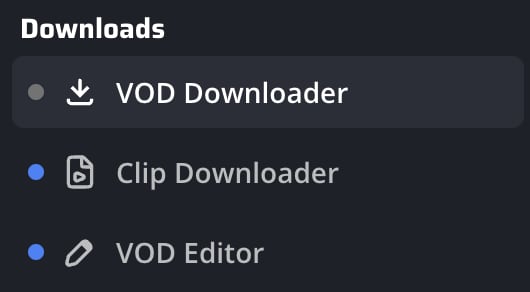
Step 1: Open the VOD Downloader inside KickBot
Go to your KickBot dashboard and look at the menu on the left-hand side. Scroll until you find the “Downloads” section and click on “VOD Downloader.” This will take you to the page where you can fetch any Kick VOD.
Step 2: Paste the Kick VOD link into the downloader
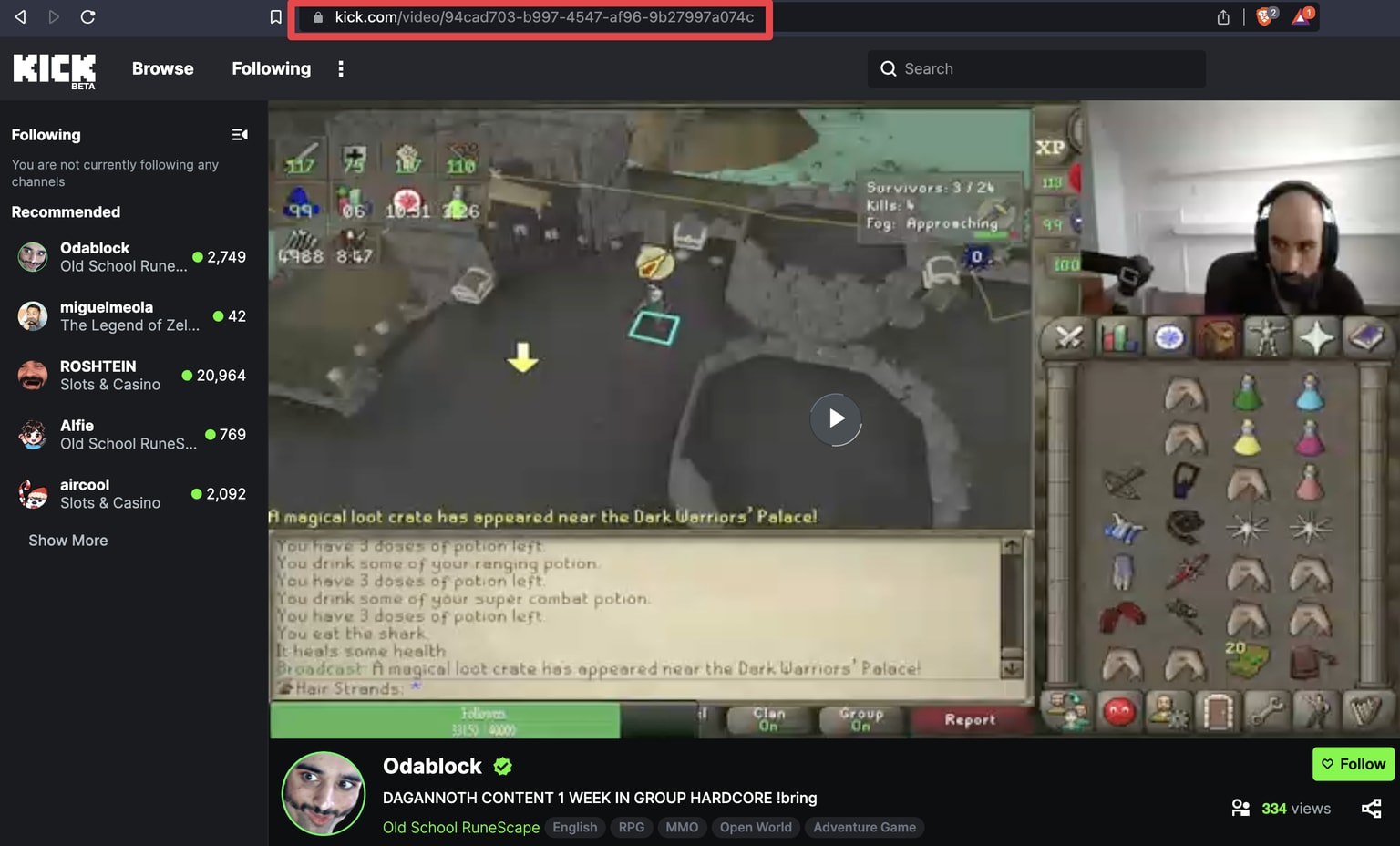
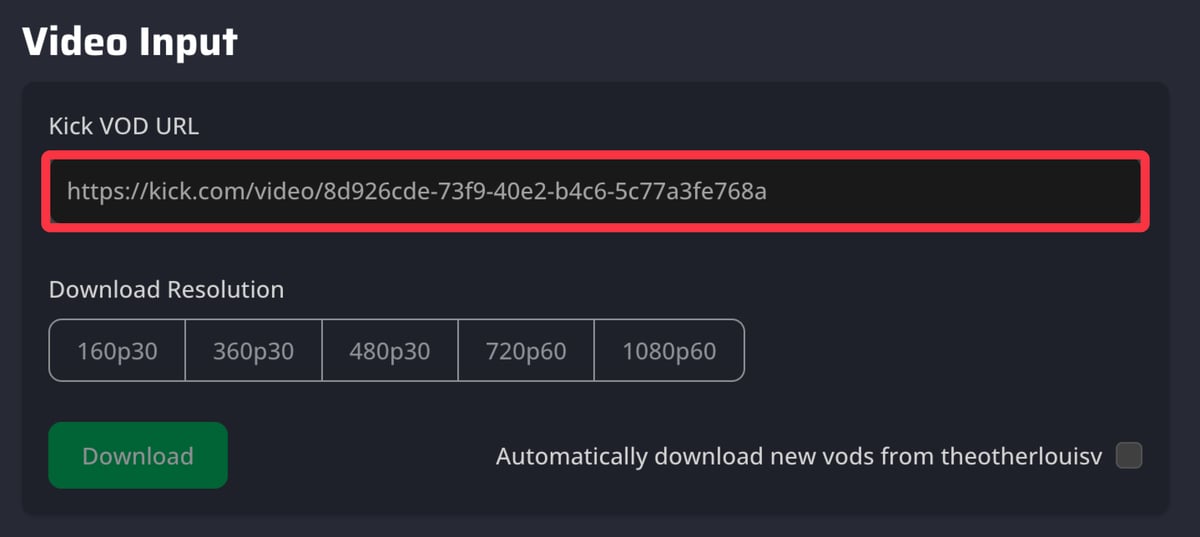
Copy the URL of the Kick VOD you want to save from your browser. Then paste it into the “Kick VOD URL” field on the KickBot VOD Downloader page. The tool will automatically prepare the video for processing.
Step 3: Choose your resolution and start the download
Select the video resolution that fits your needs—lower resolutions download quickly with smaller file sizes, while higher resolutions give better quality but require more space. Once your preferences are set, click “Download” to begin saving the VOD to your device.

Easy to Use Kick VOD Screen Recorder
Part 3: Method 2: Using Dedicated Desktop Kick VOD Downloader Software
If you want faster speeds, higher stability, and the ability to download long Kick VODs without failures, a desktop downloader is your best option. Tools like 4Stream Downloader offer a more powerful and reliable experience compared to online websites. With desktop software, you can queue multiple VODs, download full streams in HD, and avoid browser limitations or server throttling. These programs are especially useful for creators, archivists, and users who frequently save long Kick streams. They’re also far more secure since everything runs locally—no need to upload links to unknown third-party sites. If you download VODs often or need consistent performance, a desktop solution is the ideal choice. Many desktop tools also come with advanced settings that let you customize output quality, file names, and storage folders. Plus, they ensure smoother performance even when handling several large VODs at the same time.
Key Features
- Supports full-length Kick VOD downloads
- Faster and more stable than online downloader websites
- Allows batch downloading of multiple VODs
- Choose from multiple resolutions including HD and Full HD
- Built-in download accelerator for maximum speed
- Auto-retry function for unstable network connections
- Saves videos directly to custom folders
- Works on both Windows and macOS
How to Download Kick VODs Using 4Stream Downloader (With Screenshot Guidance)
Step 1: Open 4Stream Downloader and navigate to the Kick VOD section
Launch the software after installation and look at the left-hand sidebar. Click on the “Kick VOD Downloader” module to open the download interface.
Step 2: Paste the Kick VOD URL and allow the tool to analyze it
Copy the link of the Kick VOD you want to save and paste it into the URL field inside the downloader. Hit the “Analyze” button so the software can fetch available resolutions and formats.
Step 3: Select your resolution and start the download
Choose your desired video quality—whether smaller file size or HD clarity—then click “Download” to begin the process. The progress bar will show you the status as the VOD is saved to your selected folder.
Part 4: Method 3: Using Kick VOD Downloader Chrome Extension
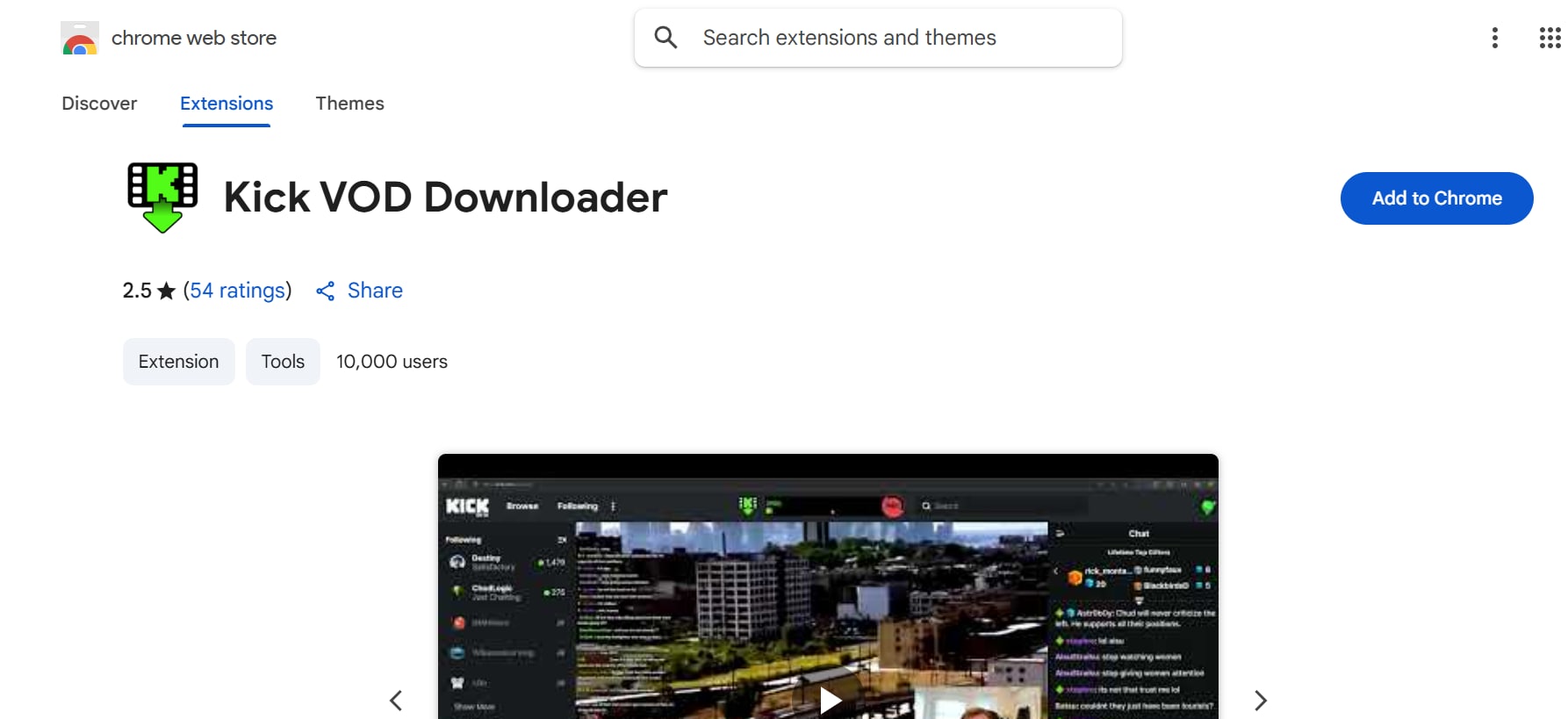
If you prefer downloading Kick VODs directly from your browser without switching tools or copying links repeatedly, a Chrome extension is the most convenient option. Extensions like KickSaver – Kick VOD Downloader integrate directly into your Kick video page, letting you download VODs with a single click. They automatically detect the video on the screen, fetch available resolutions, and provide instant download buttons right below the player. This method is extremely beginner-friendly and perfect for users who want fast access without installing heavy software. However, as with any browser extension, occasional compatibility issues may occur after browser updates. Still, for quick and direct downloads, a Chrome extension is a powerful and time-saving solution.
Key Features
- One-click download button directly on Kick video pages
- Auto-detects VODs without pasting links
- Supports multiple resolutions including HD
- Lightweight and easy to install
- Works on all Chromium browsers (Chrome, Edge, Brave, Opera)
- Fast processing thanks to in-browser detection
- No ads or redirects within the extension
- Saves videos directly to your Downloads folder
How to Download Kick VODs Using KickSaver Chrome Extension
Step 1: Install the KickSaver Chrome Extension
Open the Chrome Web Store and search for KickSaver – Kick VOD Downloader, then click Add to Chrome. Once installed, the extension activates automatically.
Step 2: Open the Kick VOD you want to download
Go to Kick.com and open any VOD or stream replay. The extension will auto-detect the video and display a Download button below or beside the player.
Step 3: Choose your resolution and download
Click the Download button and select your preferred resolution—lower for smaller file size or HD for better clarity. Your VOD will begin downloading instantly to your default folder.
Easy to Use Kick VOD Screen Recorder
Part 5: Method 4: Using Kick VOD Downloader App for Android or iPhone
If you want to download Kick VODs directly on your mobile device, a dedicated app like Angolix – Kick VOD Downloader provides one of the simplest solutions. Angolix lets you paste a Kick VOD link and instantly download it in multiple resolutions without needing a computer. It’s designed for both Android and iPhone users who prefer fast, on-the-go saving and offline playback. This approach is perfect for anyone who wants portable access to Kick videos anytime, anywhere. It also supports batch downloads, so you can save multiple VODs at once without repeated steps. The interface is clean and beginner-friendly, making it ideal even for first-time users. Plus, Angolix works smoothly even on slower networks, ensuring stable downloads without frequent interruptions.
Key Features
- Supports Kick VOD downloads on Android & iPhone
- Clean paste-and-download interface
- Multiple resolution options including HD
- Built-in offline video player
- Background downloads while multitasking
- Auto-link detection from clipboard
- Secure local storage for all saved videos
- Saves files directly to Gallery or Files app
How to Download Kick VODs Using Angolix
Step 1: Install the Angolix App
Open the Google Play Store or Apple App Store, search for Angolix – Kick VOD Downloader, and tap Install.
Step 2: Paste your Kick VOD link into the app
Copy the URL of the Kick VOD you want to download. Open Angolix and paste the link into the URL box, where it will automatically detect the video.
Step 3: Select resolution and download
Choose your preferred video quality—lower resolutions for quick downloads or HD for better clarity—and tap Download. The VOD will save directly to your phone’s gallery or Files app.
Part 6: How to record Kick VODs without lag
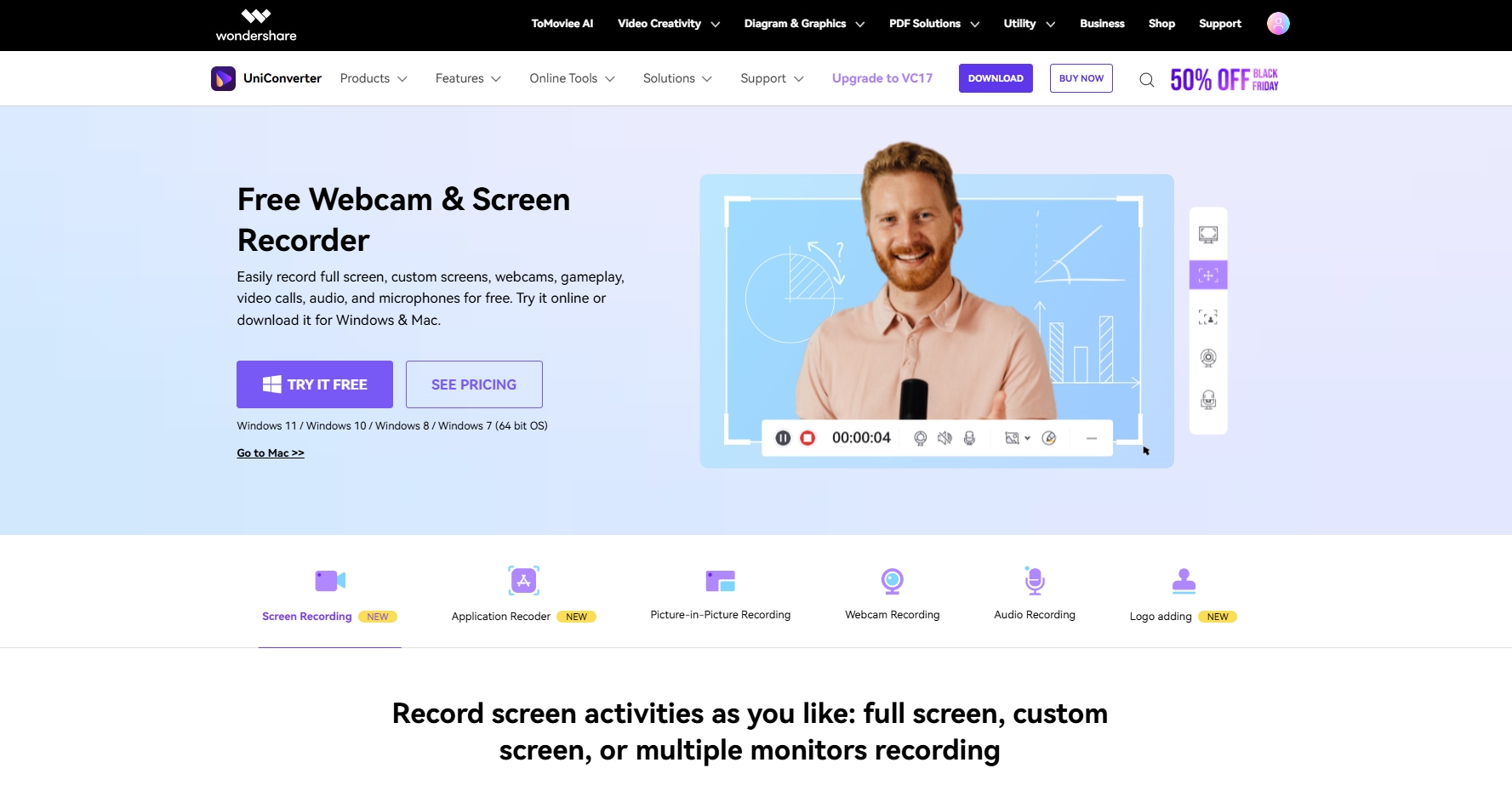
When looking for a reliable way to save your favorite Kick streams, a dedicated screen recorder like Wondershare UniConverter is a secure and feature-packed choice. Unlike risky online downloaders, UniConverter has a reputable, desktop-based screen recorder that avoids shady websites and potential malware. It acts as a powerful Kick VOD screen recorder, allowing you to capture high-quality video and audio directly from your browser in real-time, ensuring a safe and controlled recording process.
Key Features for Recording Kick VODs
- Full-Screen & Custom-Area Recording – Capture any part of your screen or record full gameplay in HD or 4K without lag.
- Application Recorder Mode – Record only the Kick window while using other apps, ideal for multitasking or background capture.
- System Audio & Mic Recording – Record clear in-game sound and commentary simultaneously.
- Webcam Overlay (Picture-in-Picture) – Add your facecam for reaction content or streaming highlights.
- Built-In Noise Reduction – Filter out background noise to ensure professional-grade VOD clarity.
How to Download Kick VODs Using Angolix
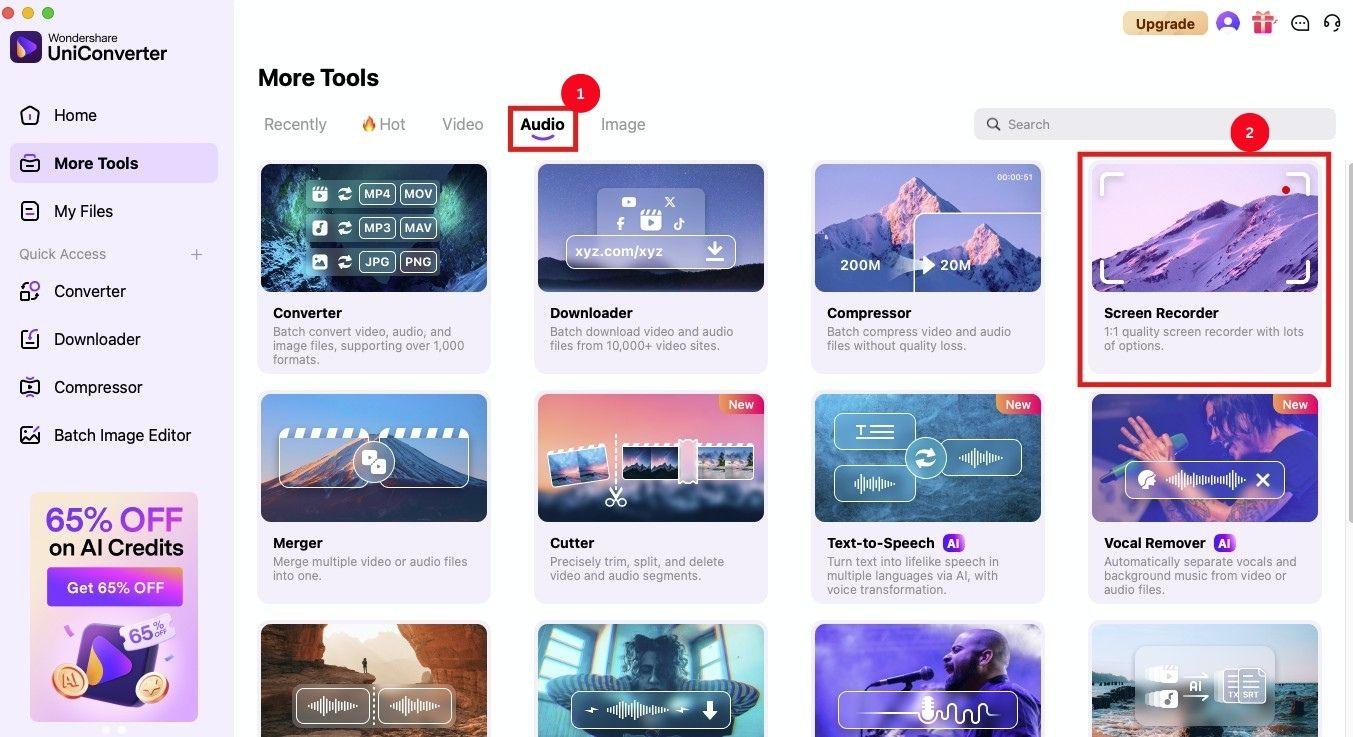
Step 1. Open UniConverter and head to the "Audio" tab, then click "Screen Recorder."
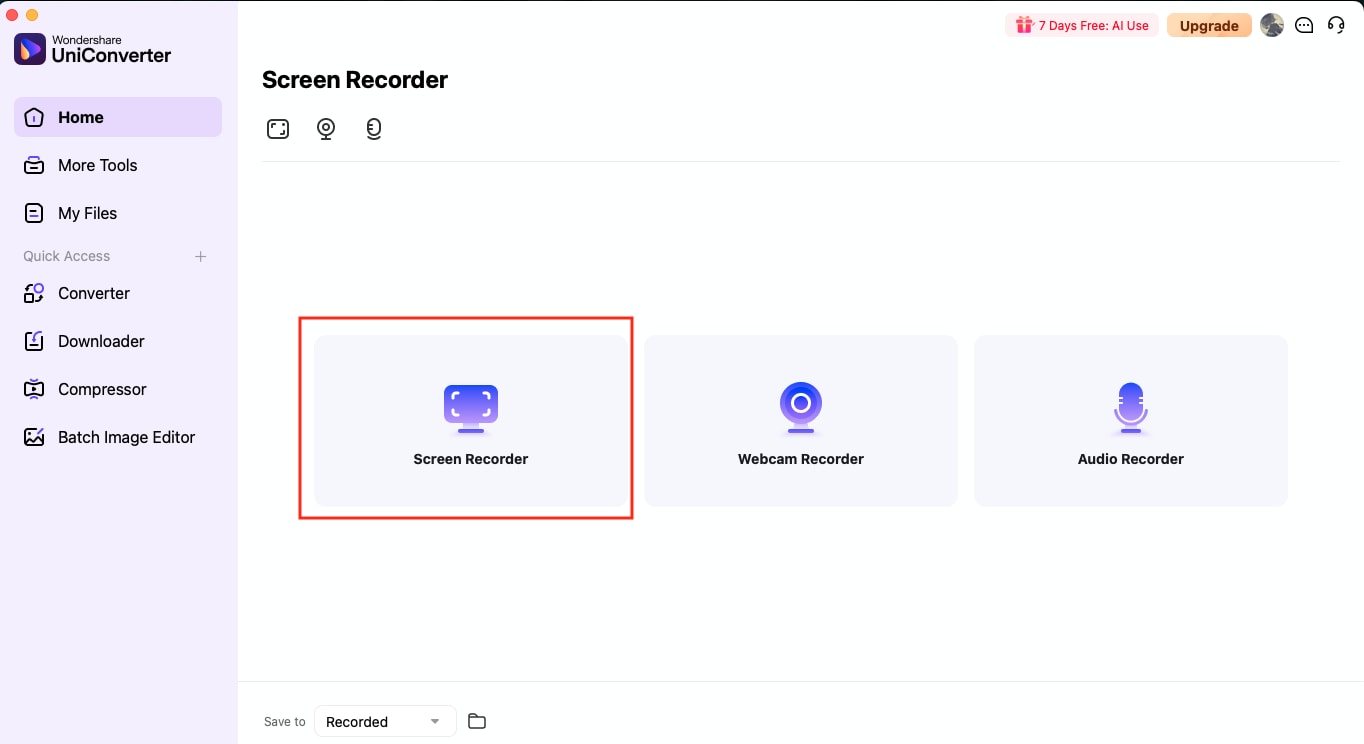
Step 2. Switch to the "Screen Recorder" mode to focus on sound capture.
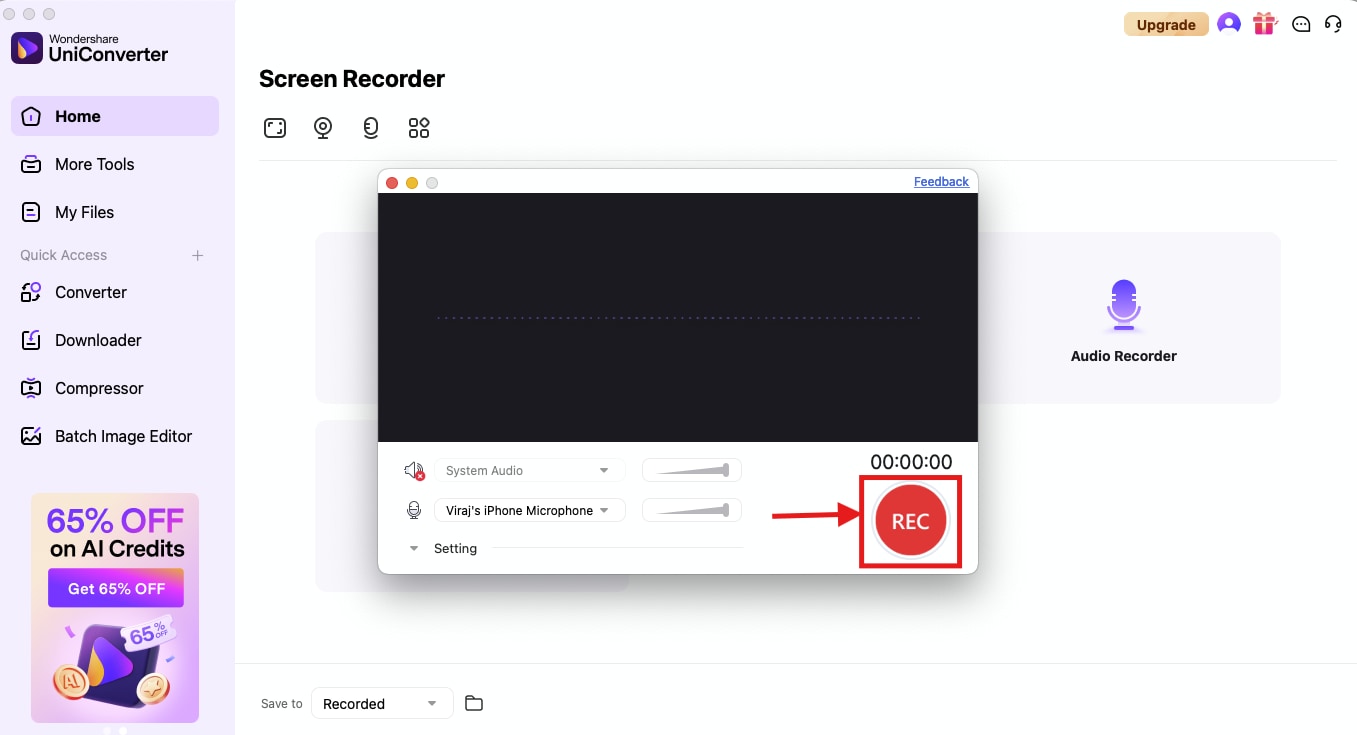
Step 3. After choosing audio souce and device, lisk 'Rec' button to start recording.
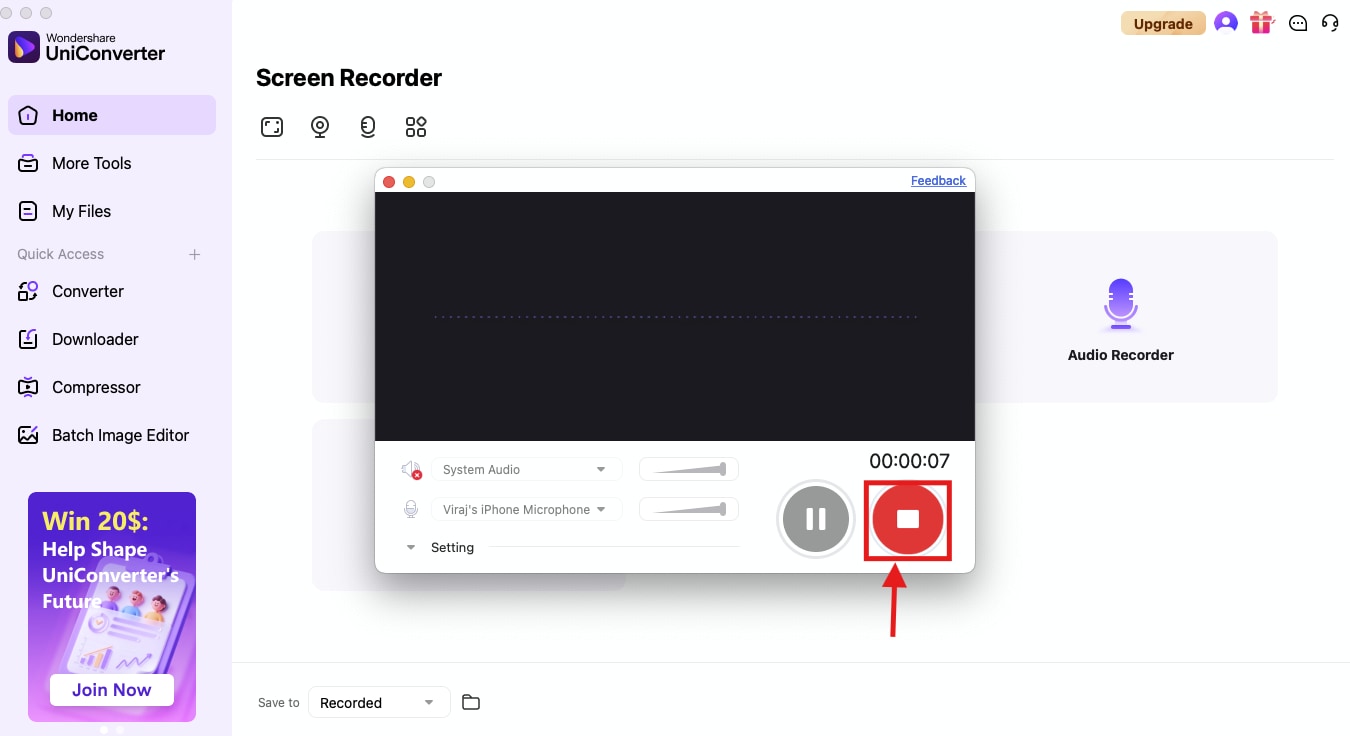
Step 4. Press "Stop" to finalize and save your recording.
Conclusion
Downloading Kick VODs doesn’t have to be complicated — you simply need the right tool for the way you prefer to watch and save content. Whether you want a full-featured desktop solution like 4Stream Downloader, a convenient browser-based method, or a mobile-first option like Angolix, each method offers a reliable way to keep your favorite Kick streams available offline. These tools help you avoid missing live broadcasts, unstable internet, disappearing VODs, or platform limitations.
If you frequently download videos from other platforms as well, Wondershare UniConverter can also be a powerful addition to your toolkit thanks to its broad video support, conversion features, and editing capabilities.
In the end, the best method depends on your needs: desktop users may prefer powerful, high-quality downloads, while mobile users might appreciate fast, tap-and-save convenience.
FAQ
-
1. Why do some Kick VODs show "Unavailable" even when the stream just ended?
Kick creators can choose to disable VOD archiving or set streams to private immediately after ending the broadcast. In some cases, VOD processing may also take time, causing temporary unavailability. If a VOD isn't showing yet, it may appear once Kick finishes processing it. -
2. Can I download Kick VODs in 60FPS or higher frame rates?
Yes, but only if the streamer broadcasted in 60FPS and your chosen downloader supports high-frame-rate extraction. Some tools automatically match the original stream settings, while others downgrade to standard 30FPS. Always check the resolution options provided before downloading. -
3. Do Kick VOD downloaders work for subscriber-only streams?
No. Subscriber-only or paywalled streams cannot be downloaded unless you have access to them within your own account. Even then, most third-party tools cannot bypass access restrictions. This protects creator content and respects platform policies. -
4. Will downloading Kick VODs affect the streamer's analytics or watch time?
Downloading a VOD does not count as a view, watch time, or engagement metric for the creator because it happens outside Kick's platform. If you want to support a streamer, watch part of the VOD on Kick before downloading or engage with their live streams directly. -
5. Can I download only a specific part of a long Kick VOD?
Yes, some advanced tools allow trimming or selecting a timestamp range before downloading. If your downloader doesn't offer this, you can download the full VOD and then use a video editor or converter like Wondershare UniConverter to cut out the exact segments you want without losing quality.

