


If you're hooked on anime, dramas, or documentaries on Bilibili and wish you could watch them offline, you're not alone. Whether you're dealing with slow internet, frequent ads, or want to save your favorite shows for future viewing, the solution is simple: download Bilibili movies directly to your device. In this guide, you'll discover the best tools and methods to make Bilibili movie downloads fast, easy, and of high quality.
We'll cover both desktop and mobile options—each tested and reliable—and show you how to choose the best Bilibili movie downloader tailored to your specific needs.
Table of Contents:
Key Takeaways
[Offline Viewing Needs] Bilibili videos require downloading for smooth playback without ads, buffering, or internet limitations.
[Quick Online Options] Tools like Locoloader, DownLoadBunny, and KeepVid offer easy, no-install downloads, but may include ads or limited features.
[Mobile Convenience] Apps like Snaptube, VidMate, and Documents support on-the-go downloads, though reliability and functionality can vary.
[Professional Workflow] Wondershare UniConverter and 4K Video Downloader provide high-quality batch downloads with subtitle support and format control, ideal for efficient offline viewing.
Part 1. How can you download Bilibili movies on desktop for offline watching?
Looking to download Bilibili movie content straight to your desktop? Whether it's anime, drama, or documentaries, downloading lets you enjoy your favorites offline without buffering or pop-up distractions. Here are three top desktop tools for seamless Bilibili movie download in MP4 format. These tools support downloading movies from Bilibili in high quality, with added features such as subtitle extraction and batch saving.
1. UniConverter
Key Features:
- Supports Bilibili download movie in HD and 4K
- Built-in video editor for trimming or adding subtitles
- Supports 1,000+ video/audio formats
- Batch download and conversion
- Compatible with Windows & macOS
Step-by-Step Guide for Downloading Bilibili Video Using UniConverter
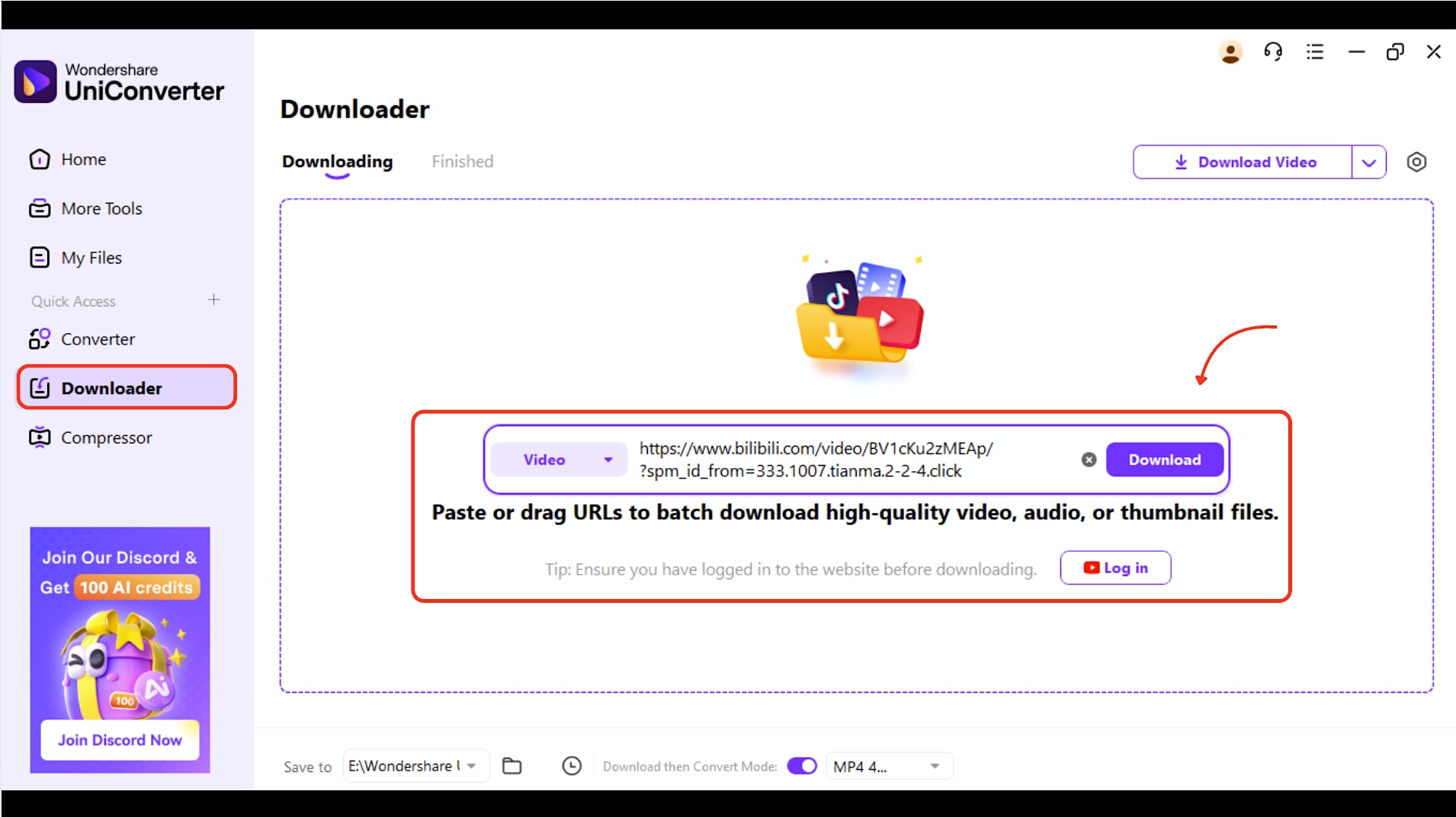
Step 1: Navigate to the Downloader tab
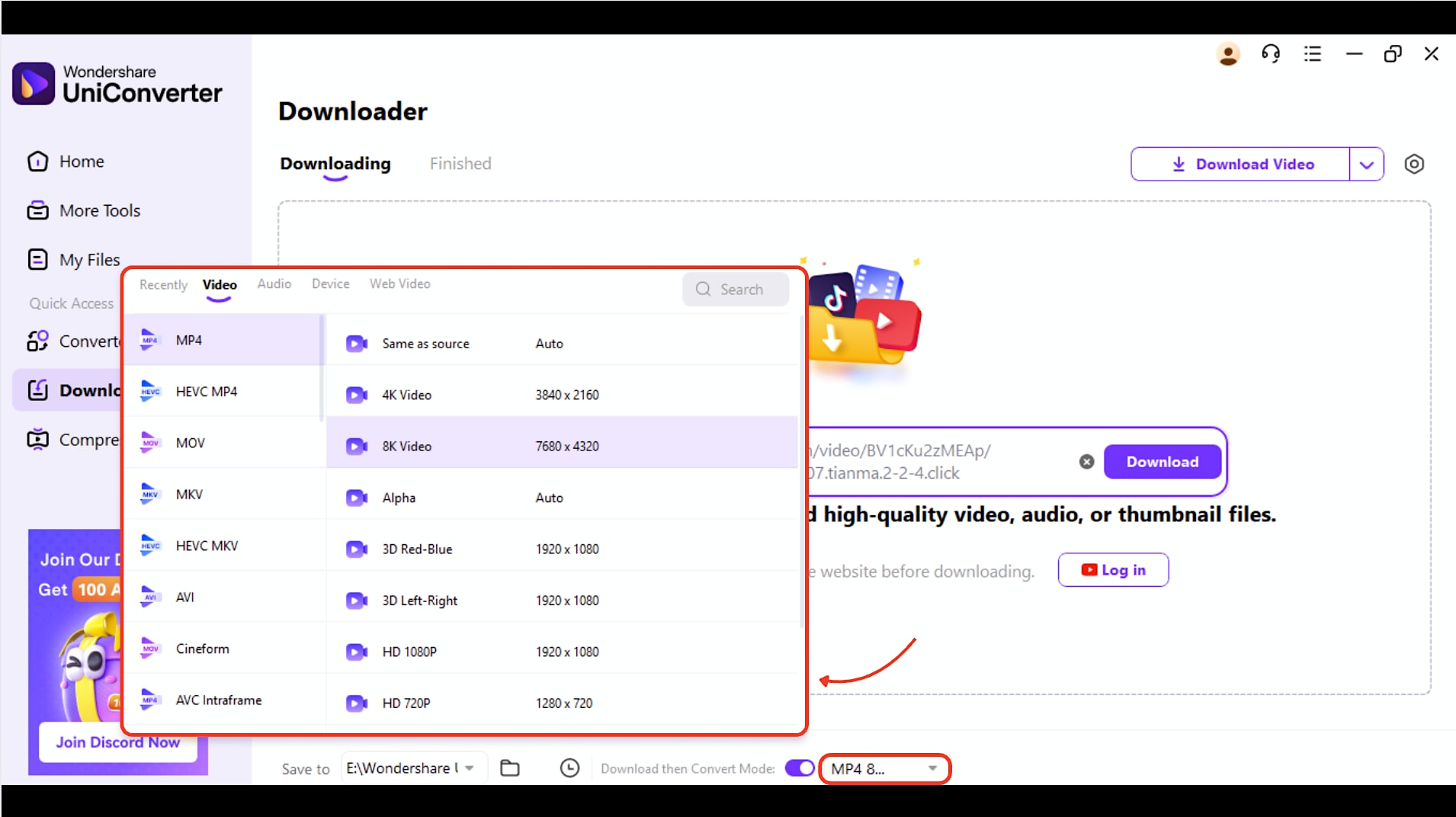
Step 2: Choose the Mode
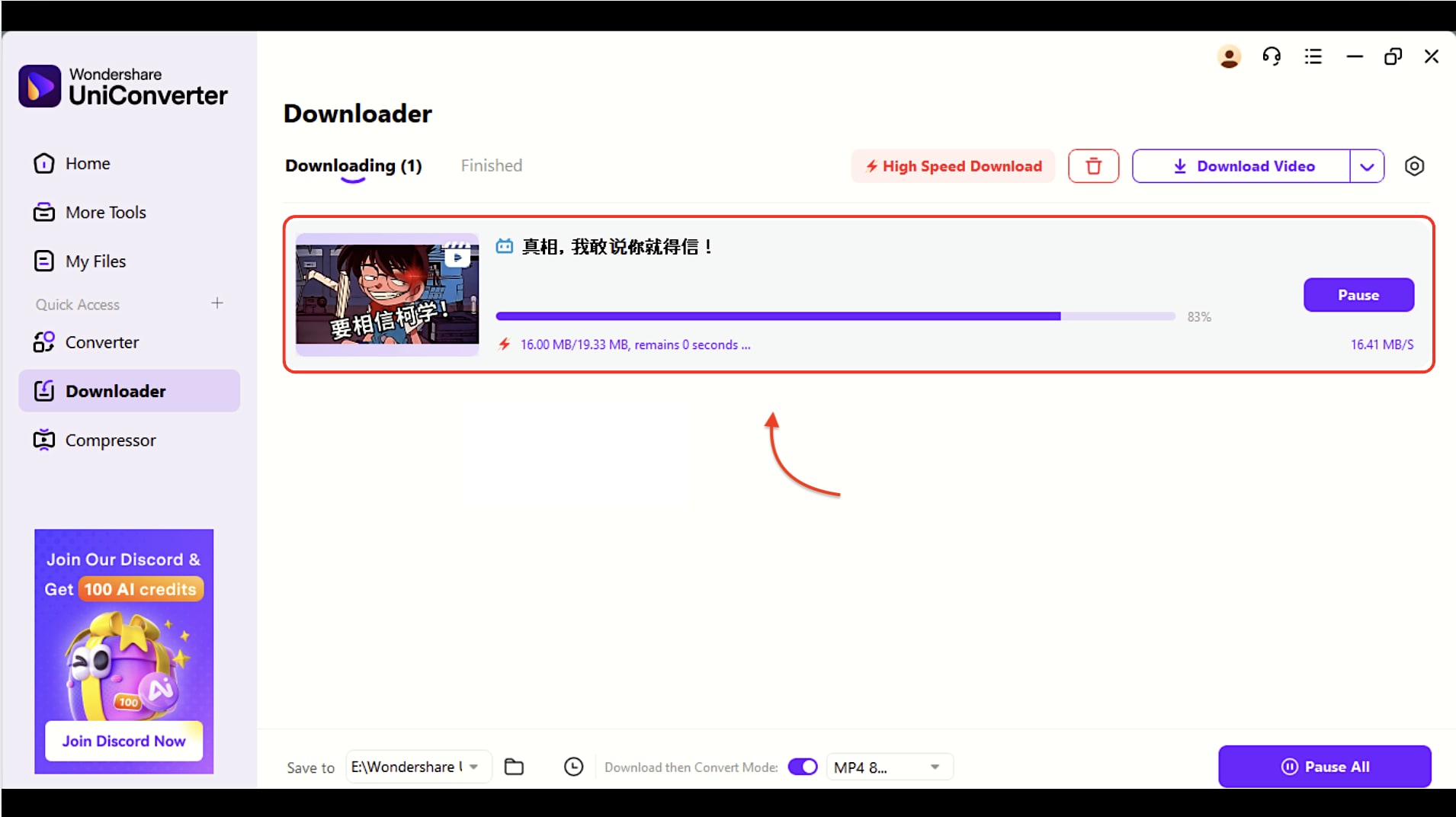
Step 3: Analyze and Download
After you click Download, UniConverter automatically begins fetching and saving your Bilibili video. You can track progress using the download bar and speed displayed on the screen. If needed, use the Pause button to stop the download temporarily.
Pro Tip: You can easily download a Bilibili movie in MP4 format by following the same steps as we outlined above. To download multiple videos simultaneously, utilize UniConverter’s batch downloading feature.
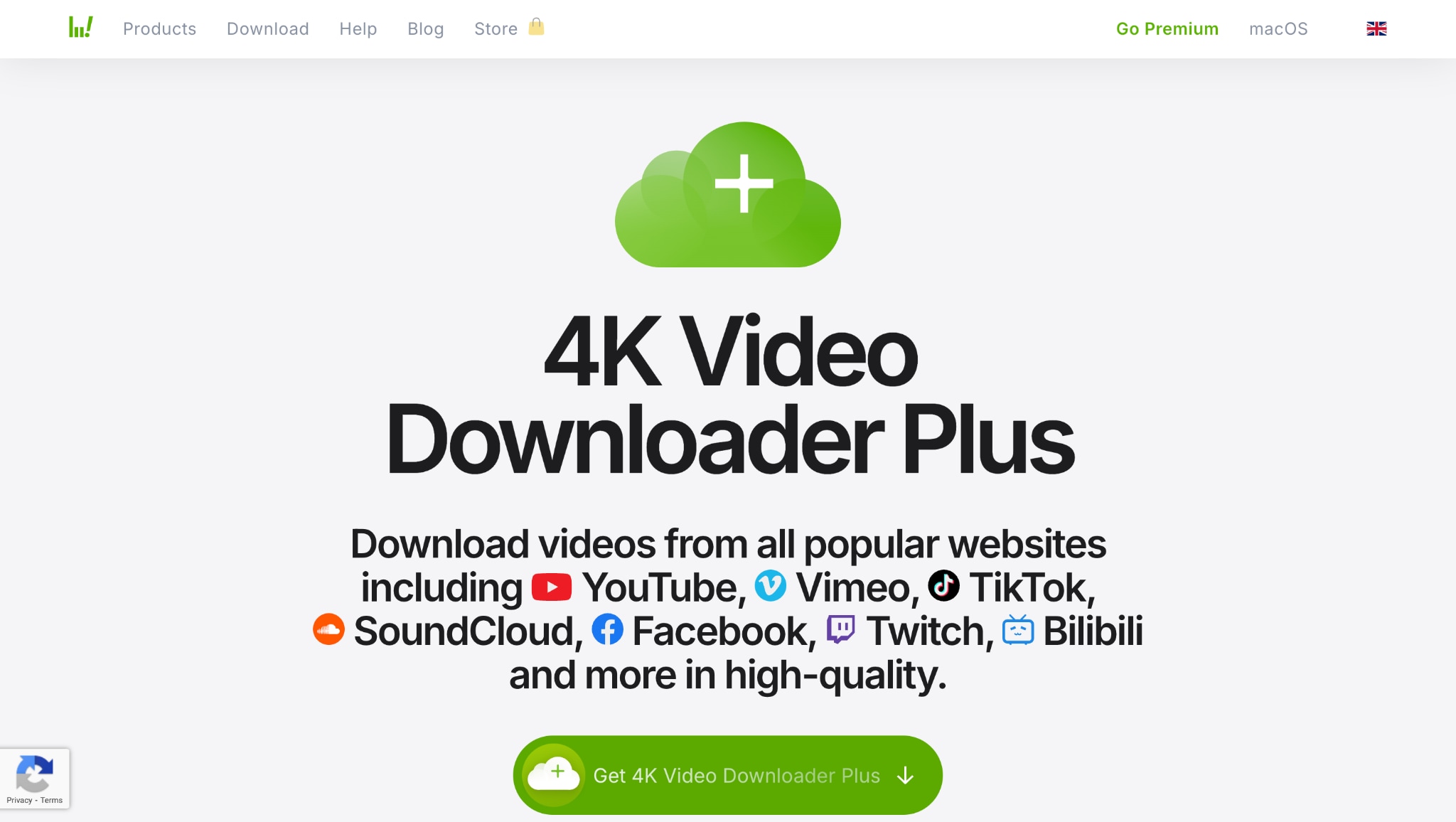
2. 4KDownloader
Key Features:
- Download Bilibili TV movies and playlists
- Supports 720p, 1080p, 4K, and even 8K
- Intelligent Mode for one-click settings
- Download subtitles along with the video
- Available on Windows, macOS, and Linux
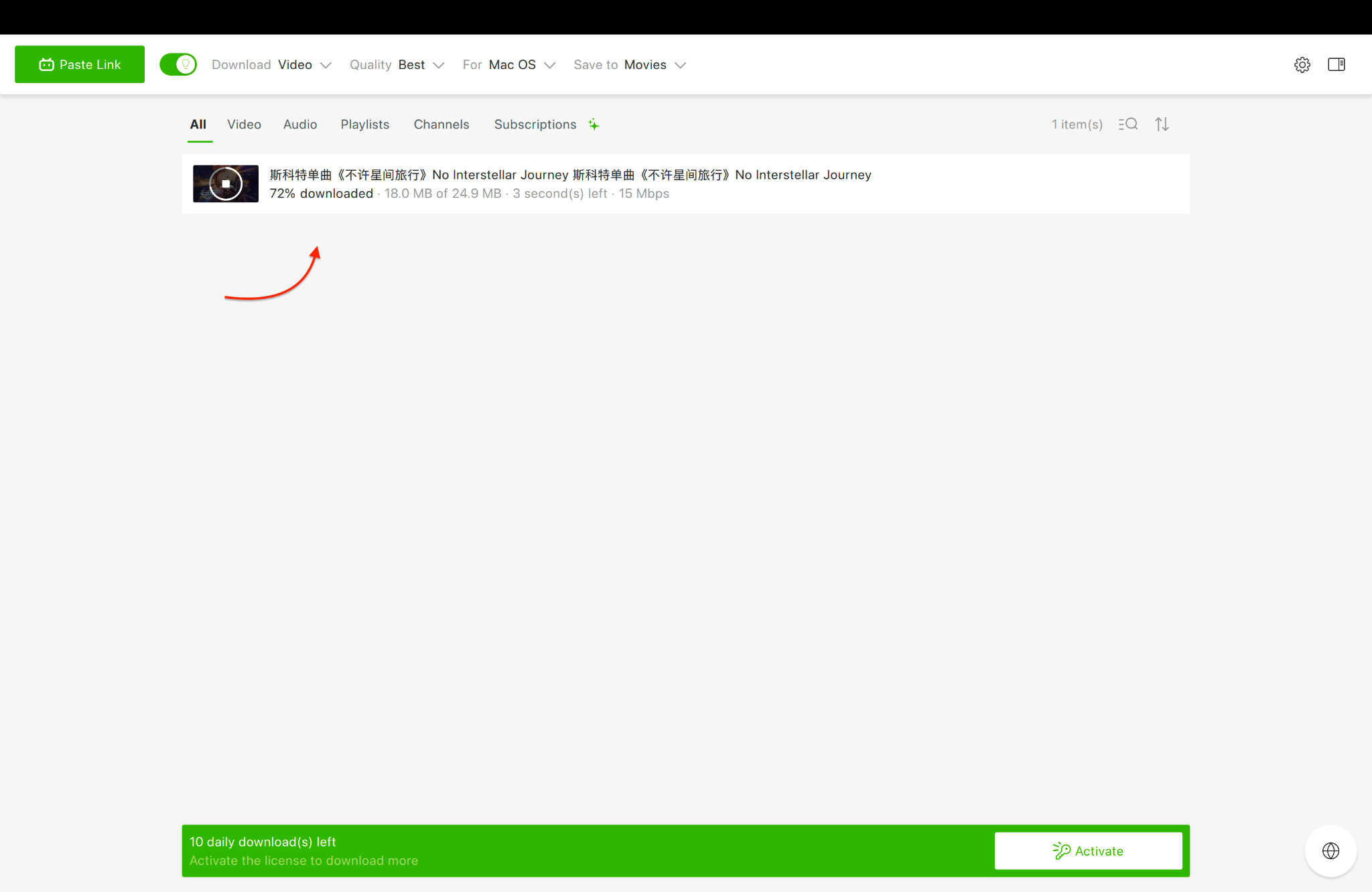
Steps for Downloading Bilibili Video using 4K Video Downloader
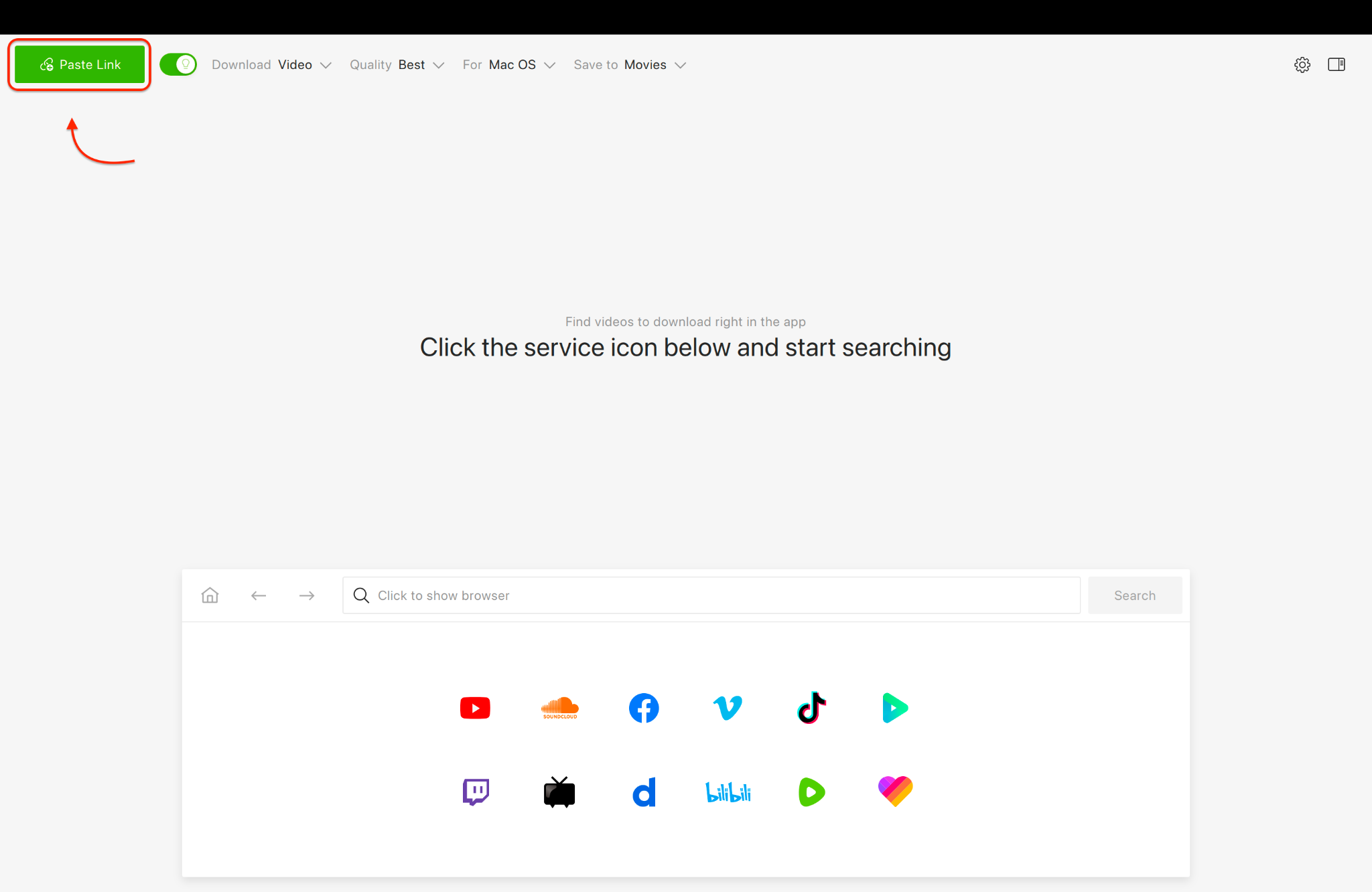
Step 2: Click the Download buttonSelect your preferred quality (up to 4K) and format, then click "Download." The video will be saved to your computer for offline viewing.
3. VideoHunter
Key Features:
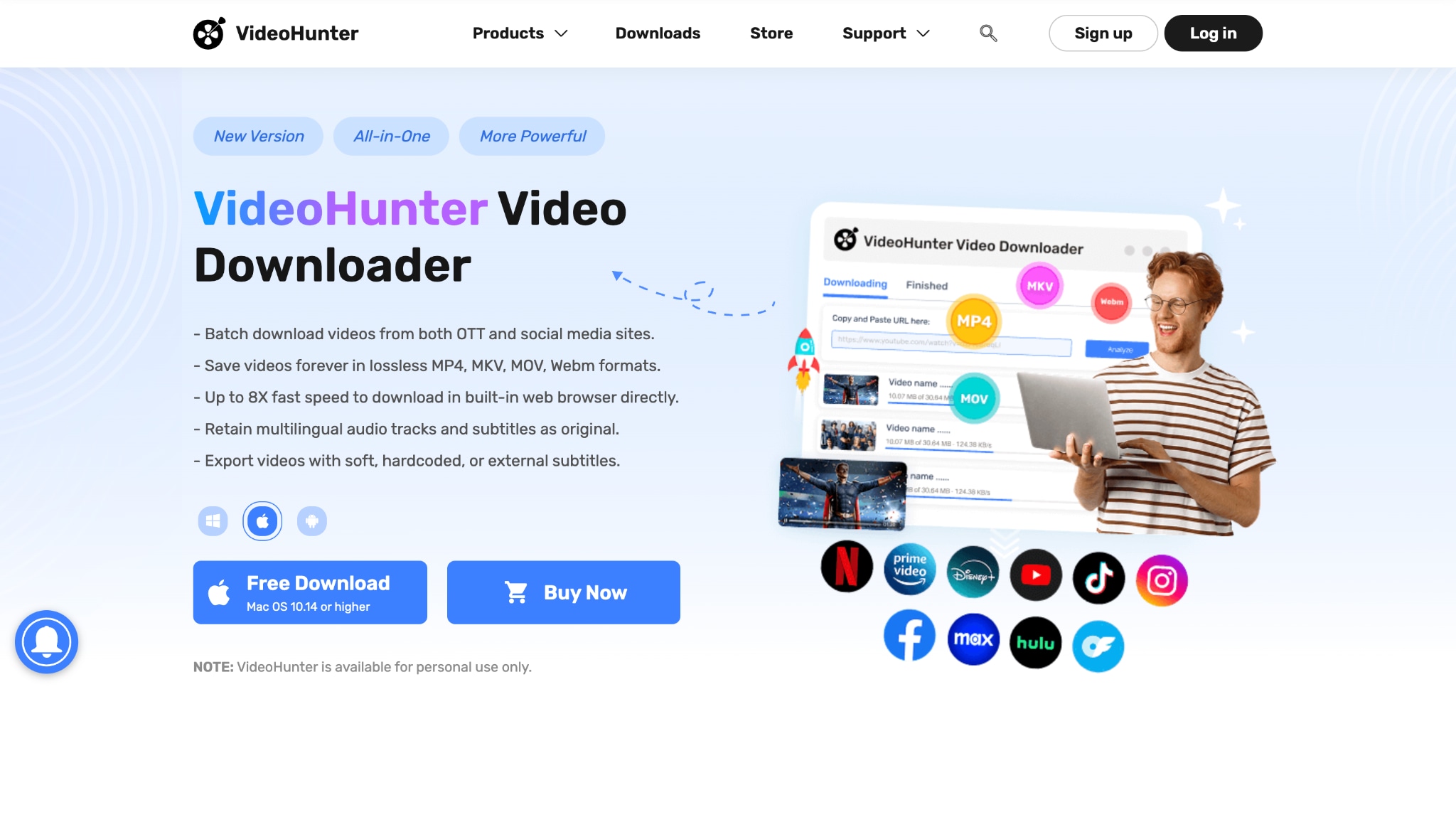
- High-speed downloads with GPU acceleration
- Supports download Bilibili movie in MP4, MOV, or AVI
- Built-in browser for direct video detection
- Subtitle download included
- Clean and intuitive interface
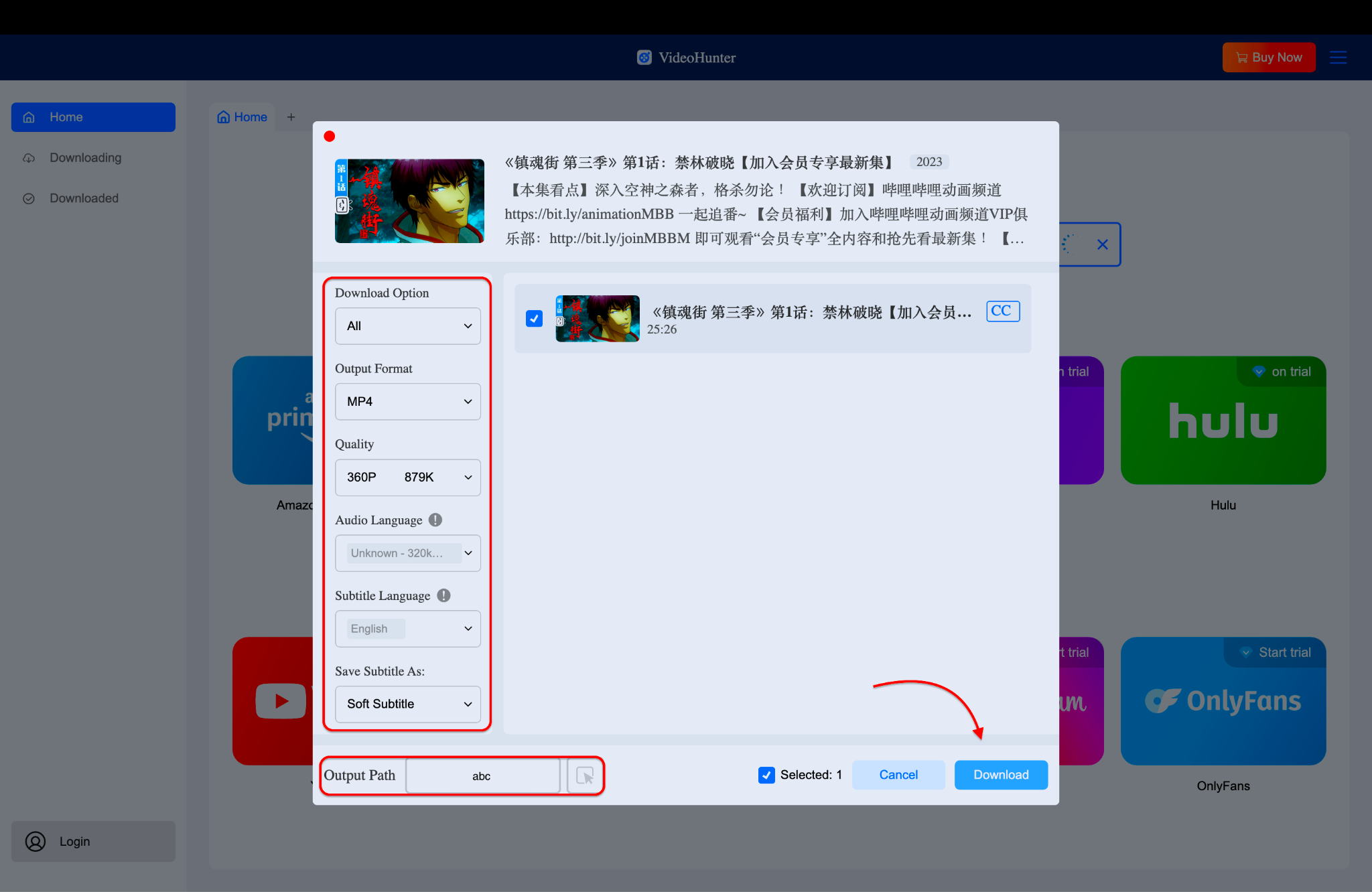
How to Download Bilibili Movie using VideoHunter
Open VideoHunter, paste the Bilibili video link into the input bar, and it will analyze to begin the download in your chosen format. Then, select the format, quality, and then hit the "Download" button.

Easy to Use Batch Bilibili Video Downloader
Part 2. How can you download Bilibili movies online without installing software?
Prefer not to install software? These web-based Bilibili movie downloader platforms allow you to convert Bilibili videos directly from your browser. They're handy for quick Bilibili movie download access across Windows, Mac, and even Chromebooks. Each one simplifies the process of downloading Bilibili TV download movies without an advanced setup.
1. Locoloader
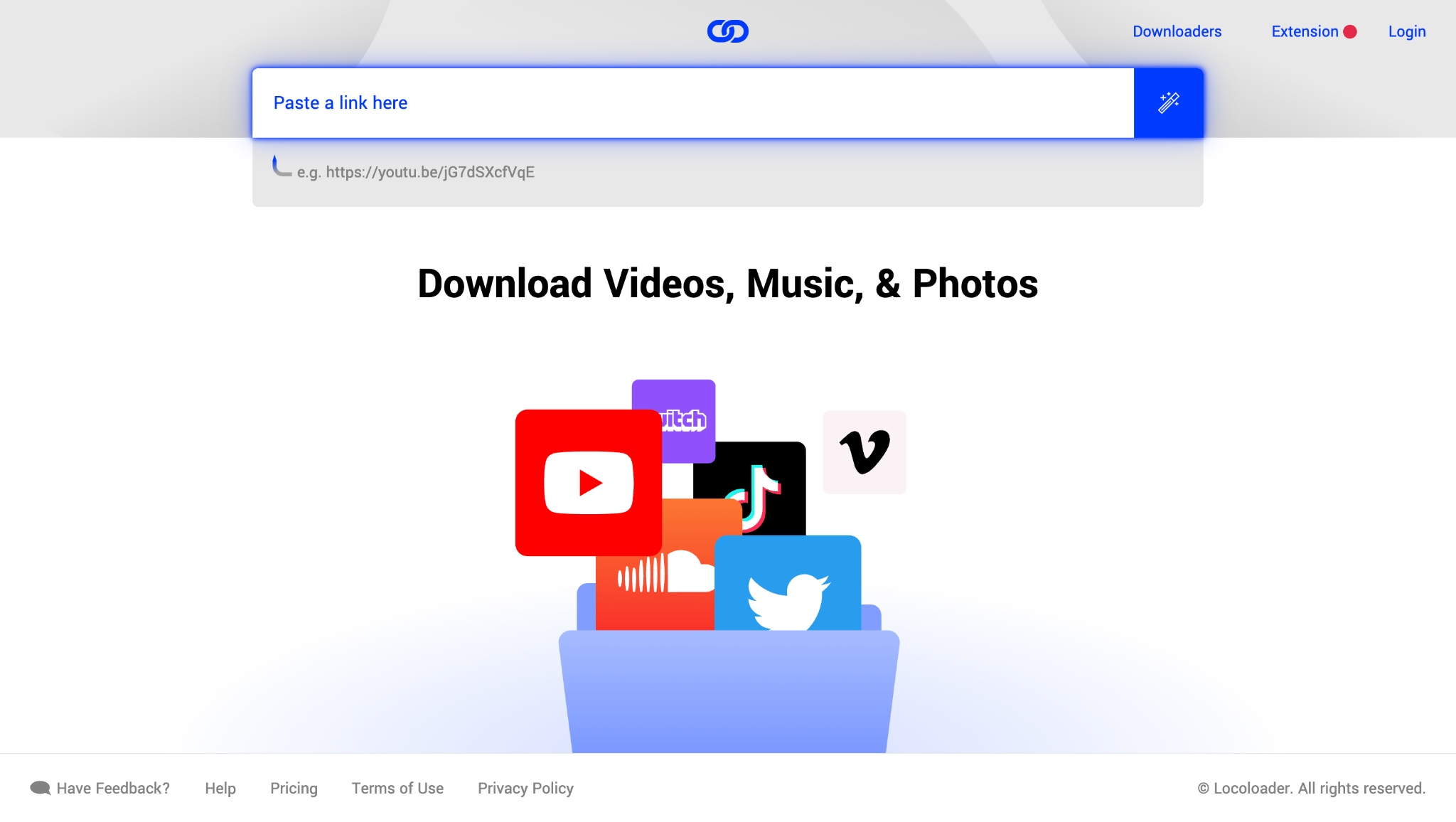
Key Features:
- Downloads Bilibili videos and playlists
- Supports MP4 format in multiple resolutions
- No software installation needed
- Works on Android, iOS, and desktop
- Option to download via URL or search
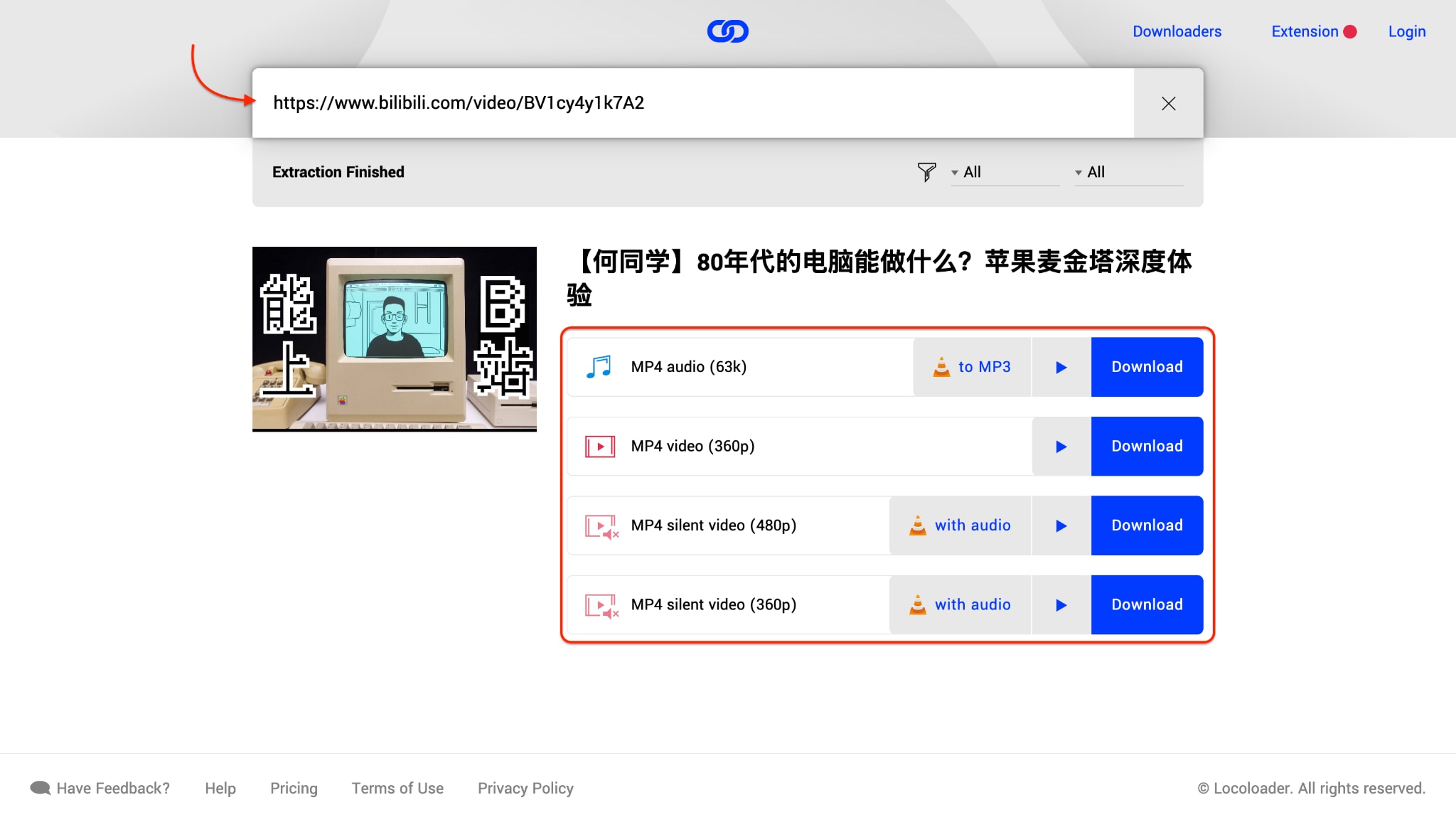
Steps for Downloading Bilibili Video using Locoloader
Visit Locoloader and Paste the Link Go to Locoloader, paste the Bilibili video link into the input box, and press Enter or click the arrow button.
2. DownLoadBunny
Key Features:
- Instant URL-to-download conversion
- Supports Bilibili MP4 and MP3 formats
- Mobile and desktop compatible
- Auto-detects the best video resolution
- Works for anime, shows, and movie clips
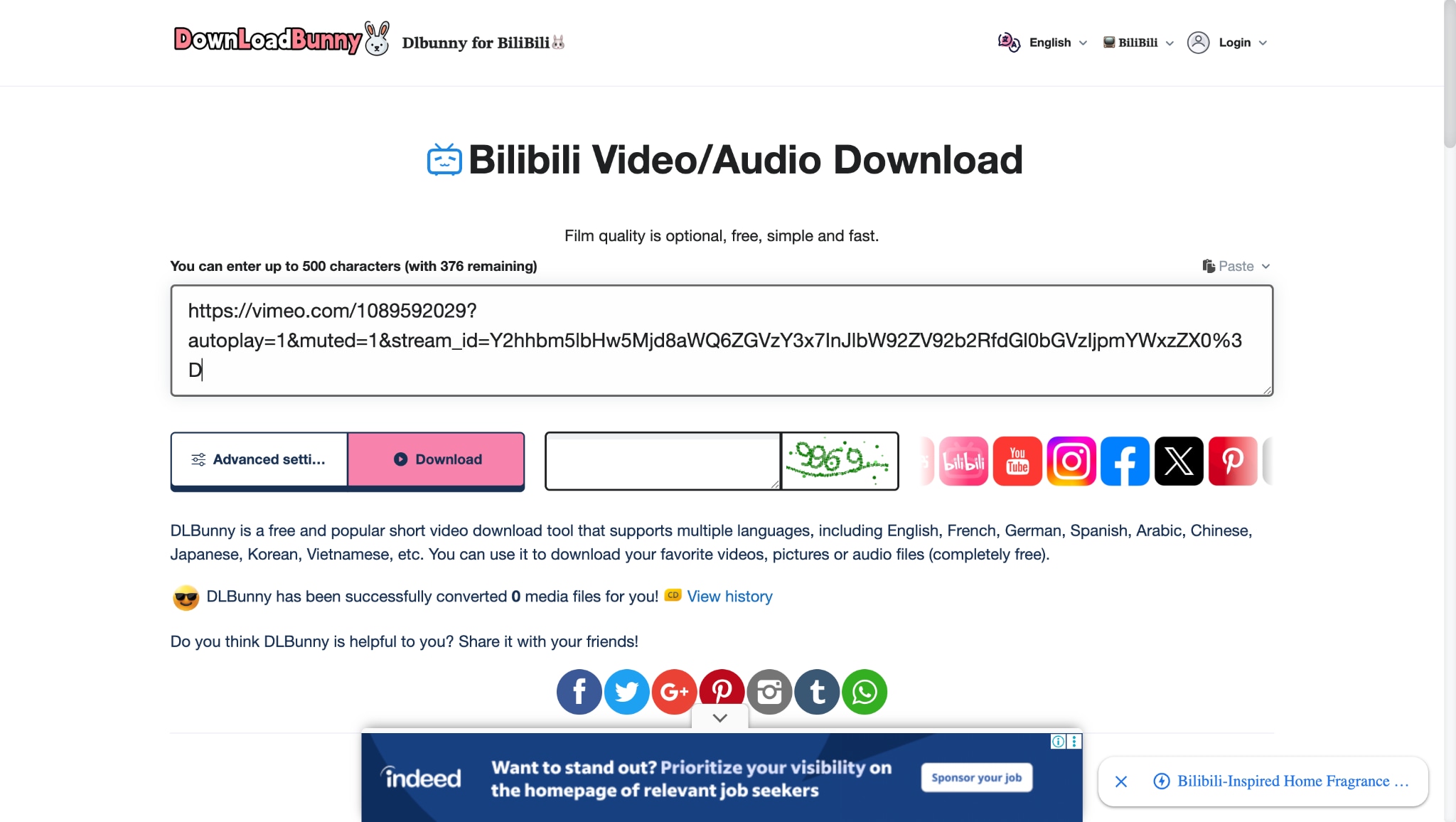
Steps for Downloading Bilibili Video using dlbunny
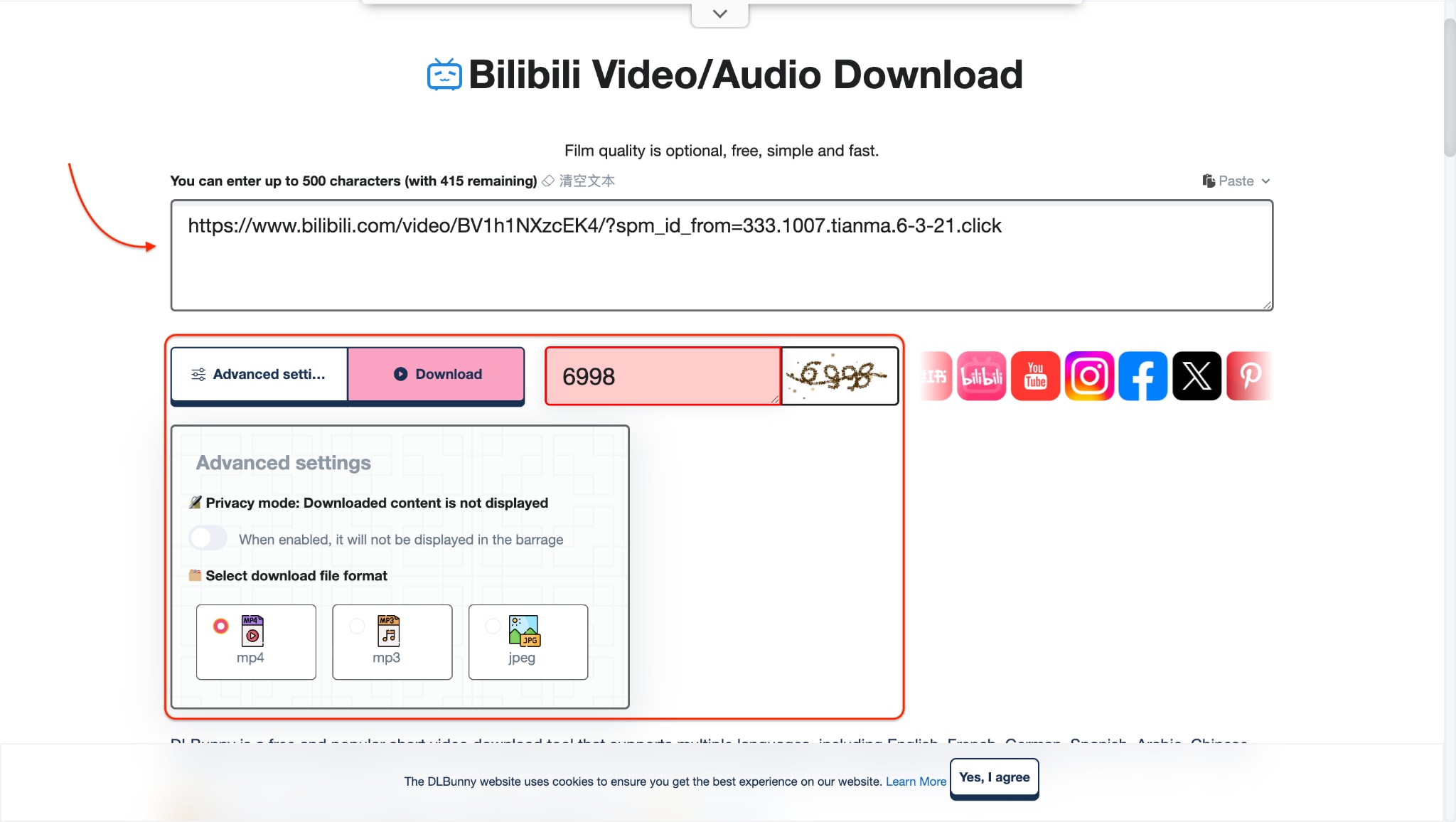
Step 1: Paste the Link and Fill the CAPTCHA Code Go to dlbunny.com, paste your Bilibili video link into the box, enter the CAPTCHA code shown, and click the "Download" button.
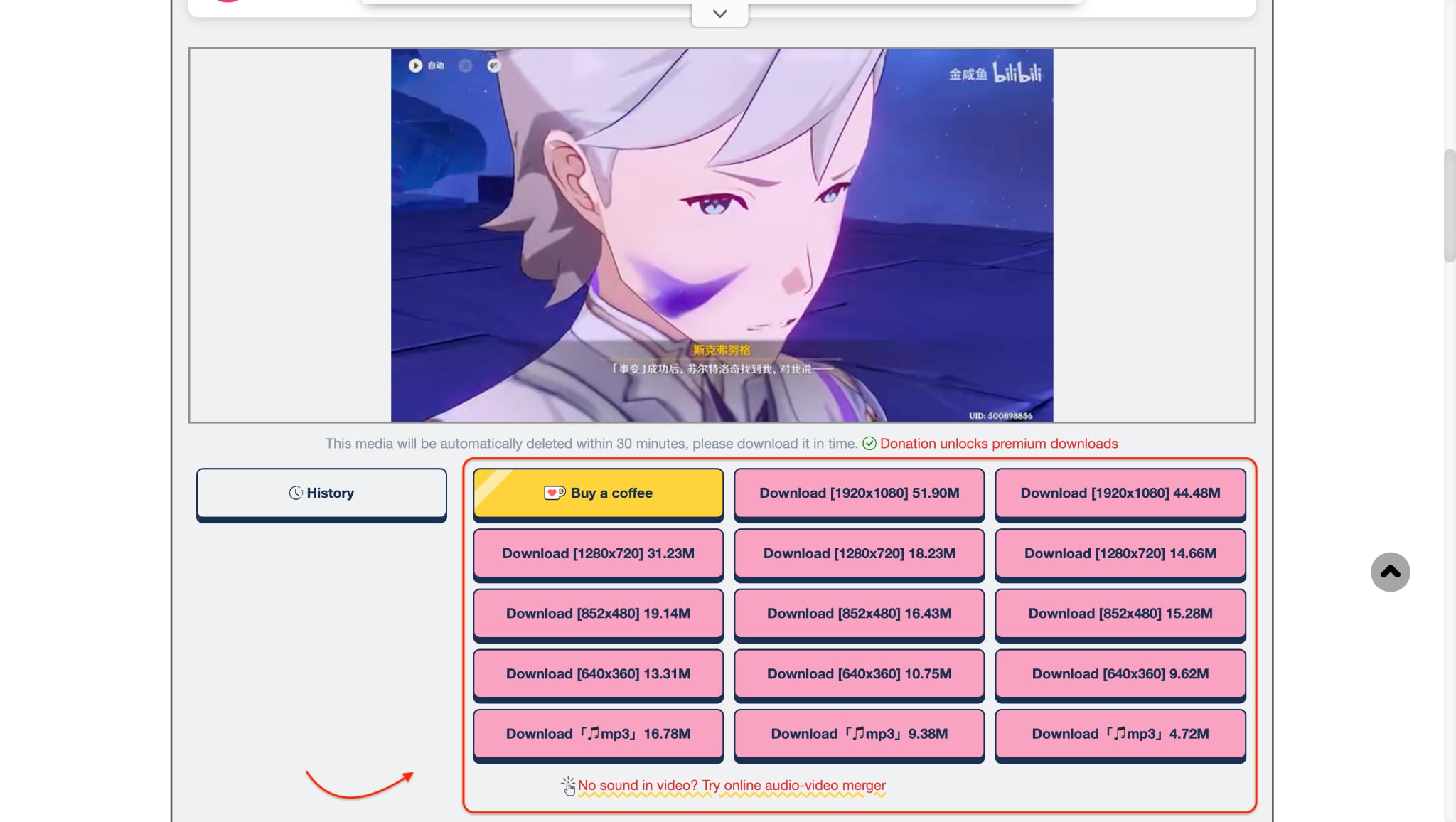
Step 2: Choose Format for Downloading Choose your preferred format (like MP4 or MP3), then click "Download" again to save the video to your device.
3. Keepvid
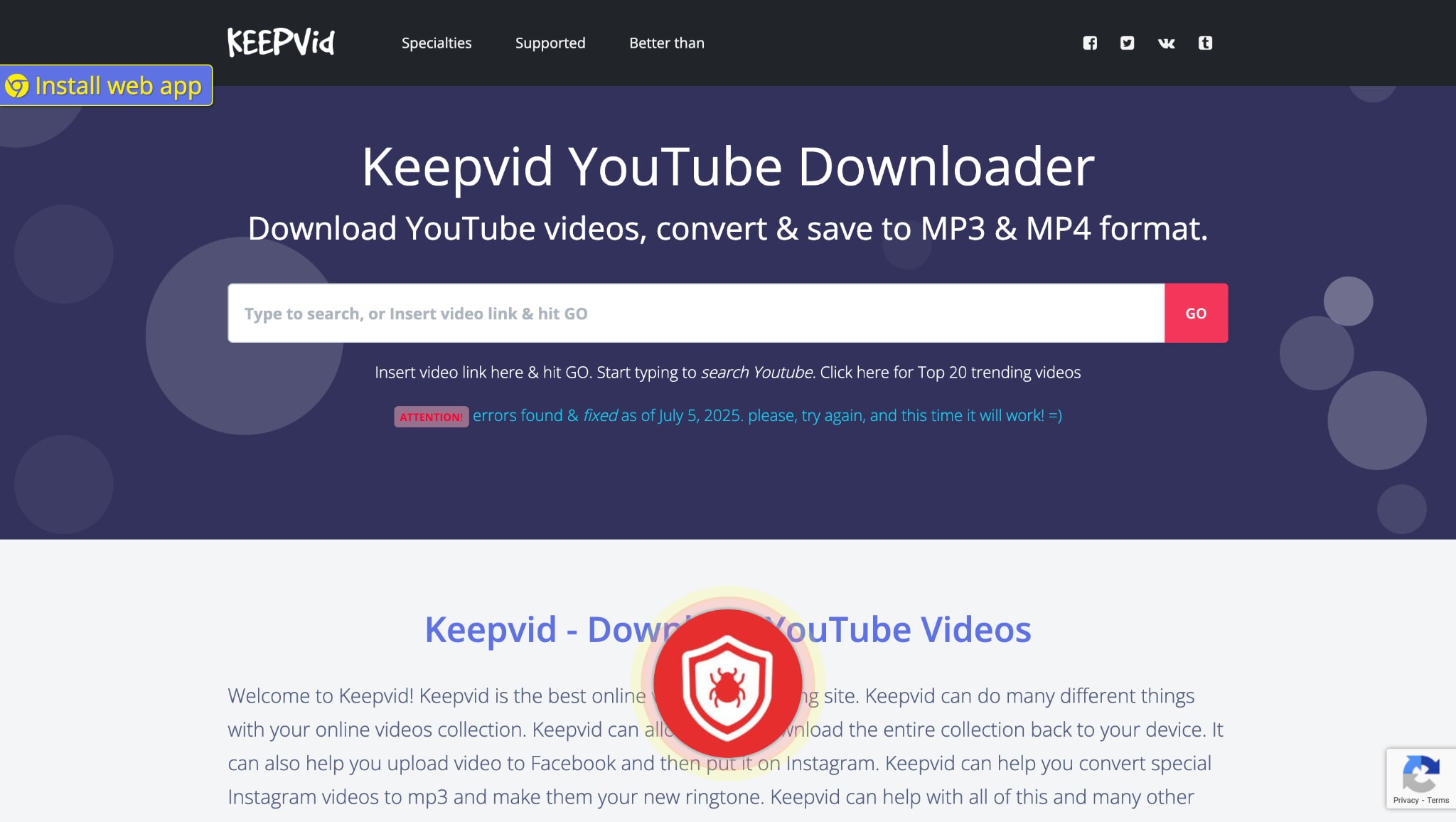
Key Features:
- Instant MP4 conversion
- Download in MP3 as well
- Works on embedded links
- No sign-up required
- Preview videos before downloading
How to Download Bilibili Movie using KeepVid
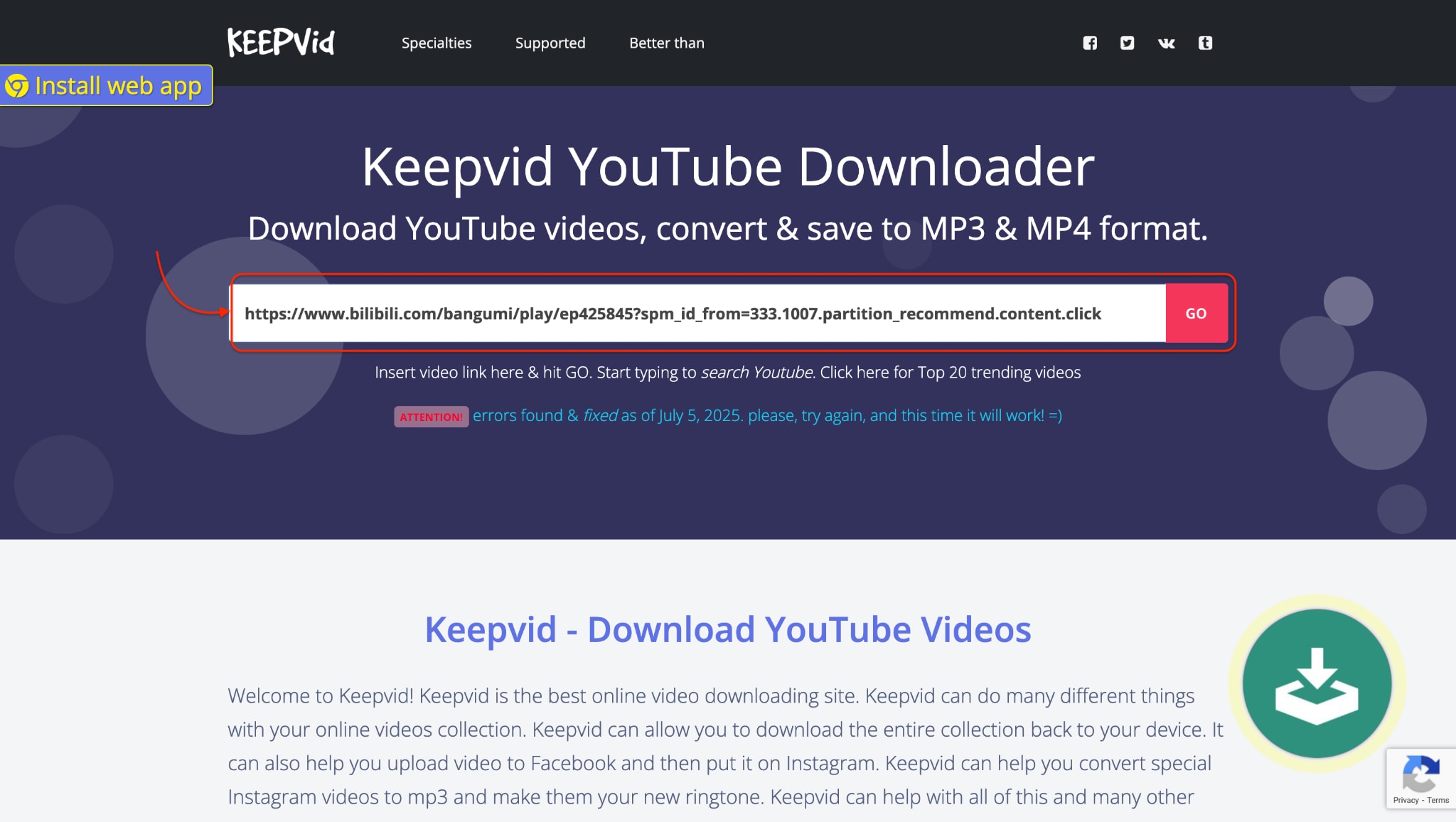
Step 1: Paste your Link in the Input boxGo to KeepVid and paste your Bilibili video link into the input box.
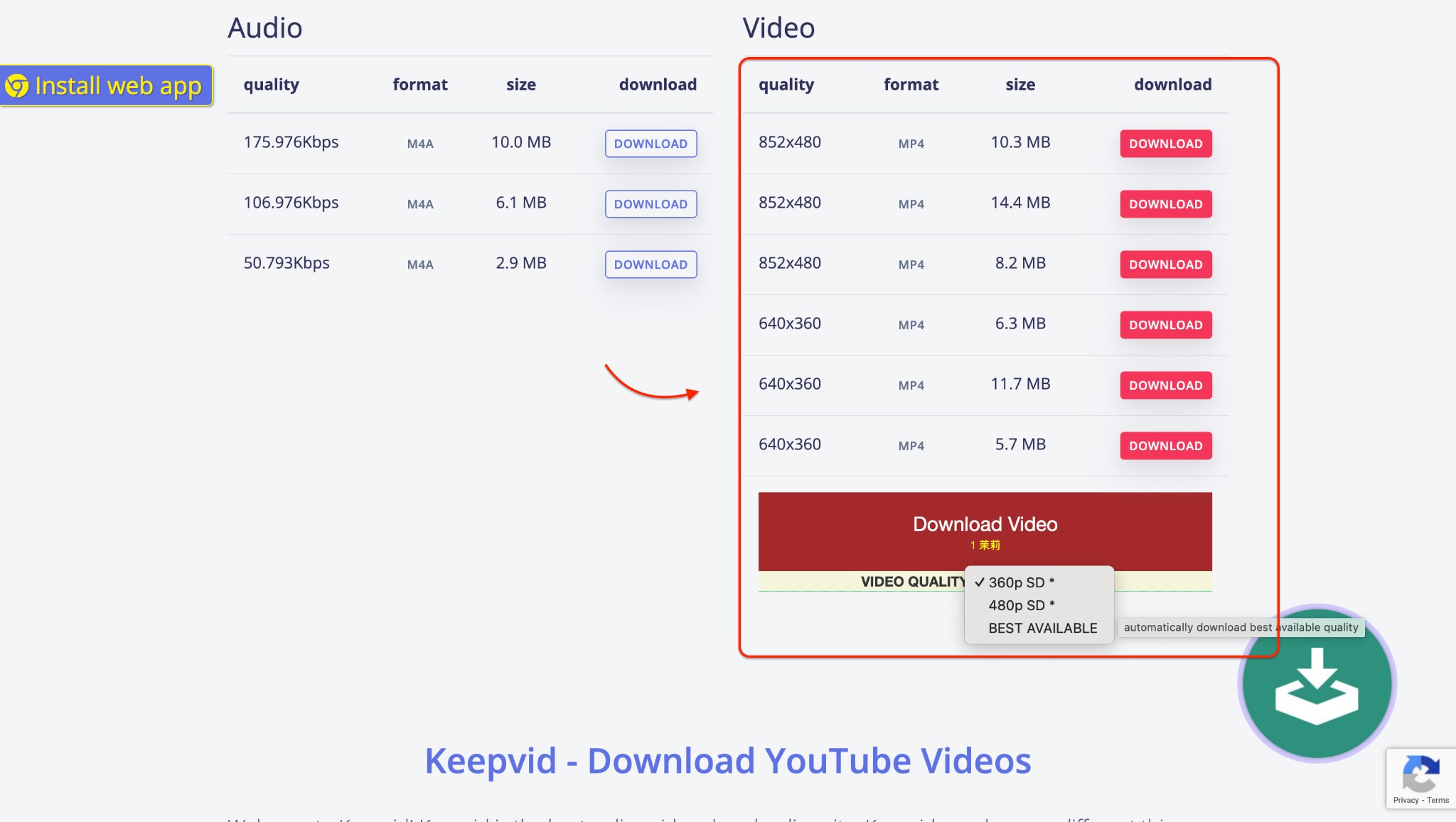
Step 2: Hit the Download buttonChoose your preferred quality and format to Download the video. It will automatically download in the best available quality, by default.
Part 3. How can you save Bilibili movies on your phone for offline viewing?
Want to watch your favorite Bilibili TV download movies on the go? These mobile apps enable you to download Bilibili movie content directly to your smartphone. Whether you're using Android or iOS, they offer high compatibility, good speeds, and simple MP4 export options. Ideal for offline binge-watching and content safekeeping.
1. Snaptube
Key Features:
- Built-in browser and player for seamless use
- Watch and search Bilibili content in-app
- Quick access to YouTube for indirect Bilibili downloads
- Download MP4 videos and audio files
- Supports Vimeo, Instagram, and more
Steps for Downloading Bilibili Movies using Snaptube
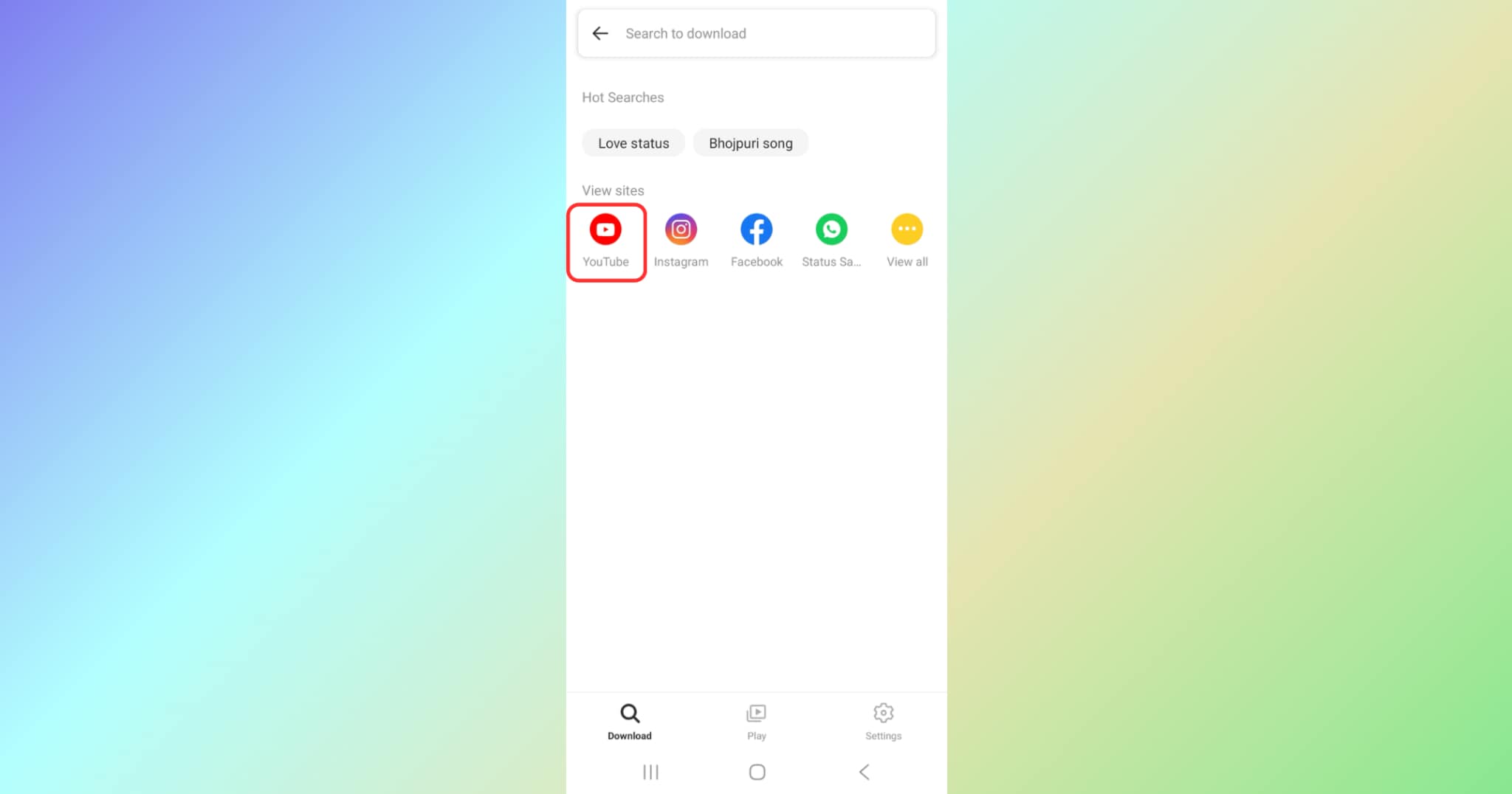
Step 1: Visit the App and go to YouTube
Install Snaptube on your Android device and open it. Use the built-in browser to search YouTube for the Bilibili movies you want to download.
Step 2: Search, Play and Download your Video
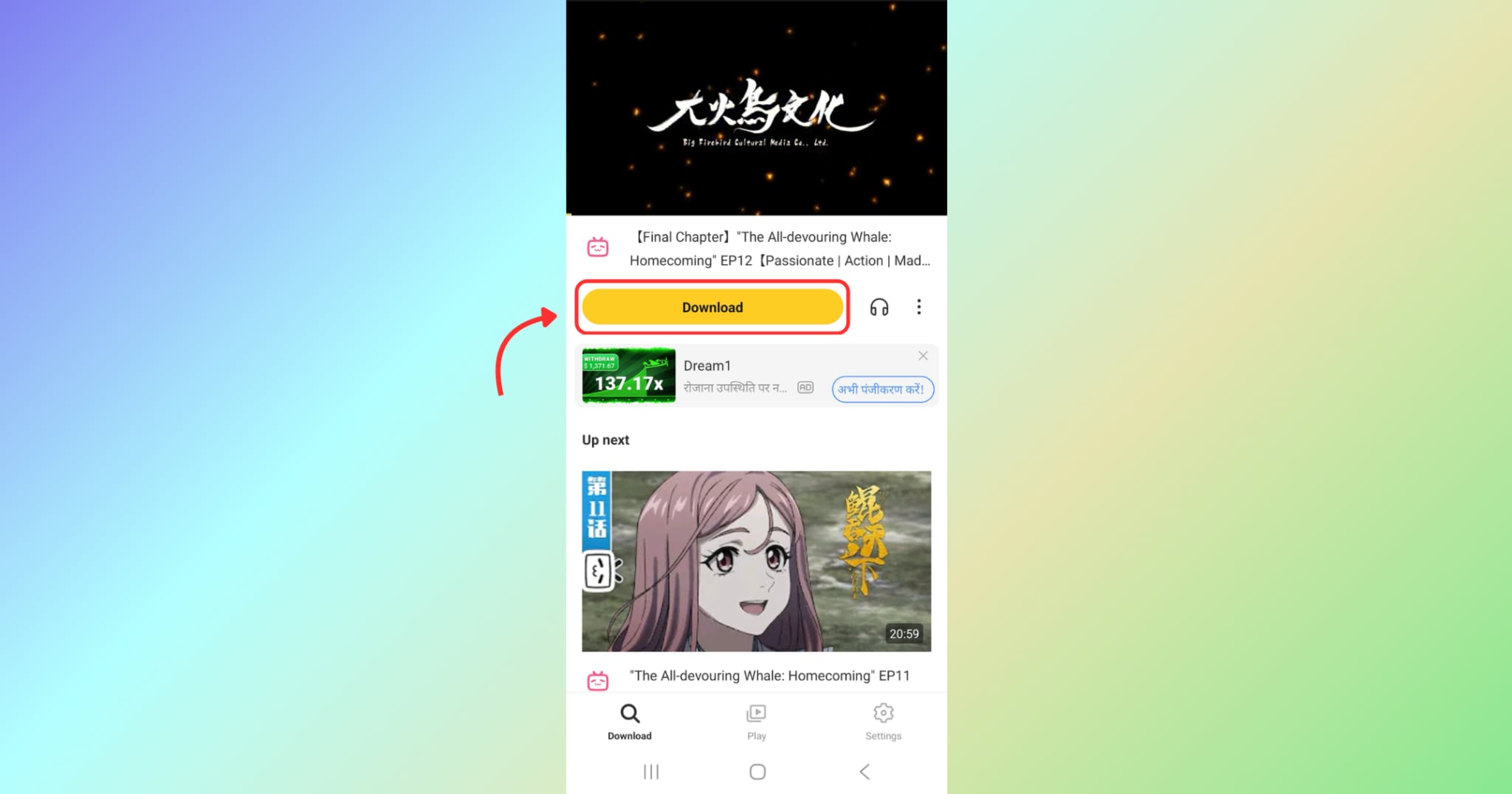
Search for and play the video you want to download. Just below the video player, tap the Download button — it will open the download settings, allowing you to choose the quality and format.
Step 3: Choose Quality & Format and Download
After choosing your preferred quality and format, tap the Download button to start downloading the Bilibili video.
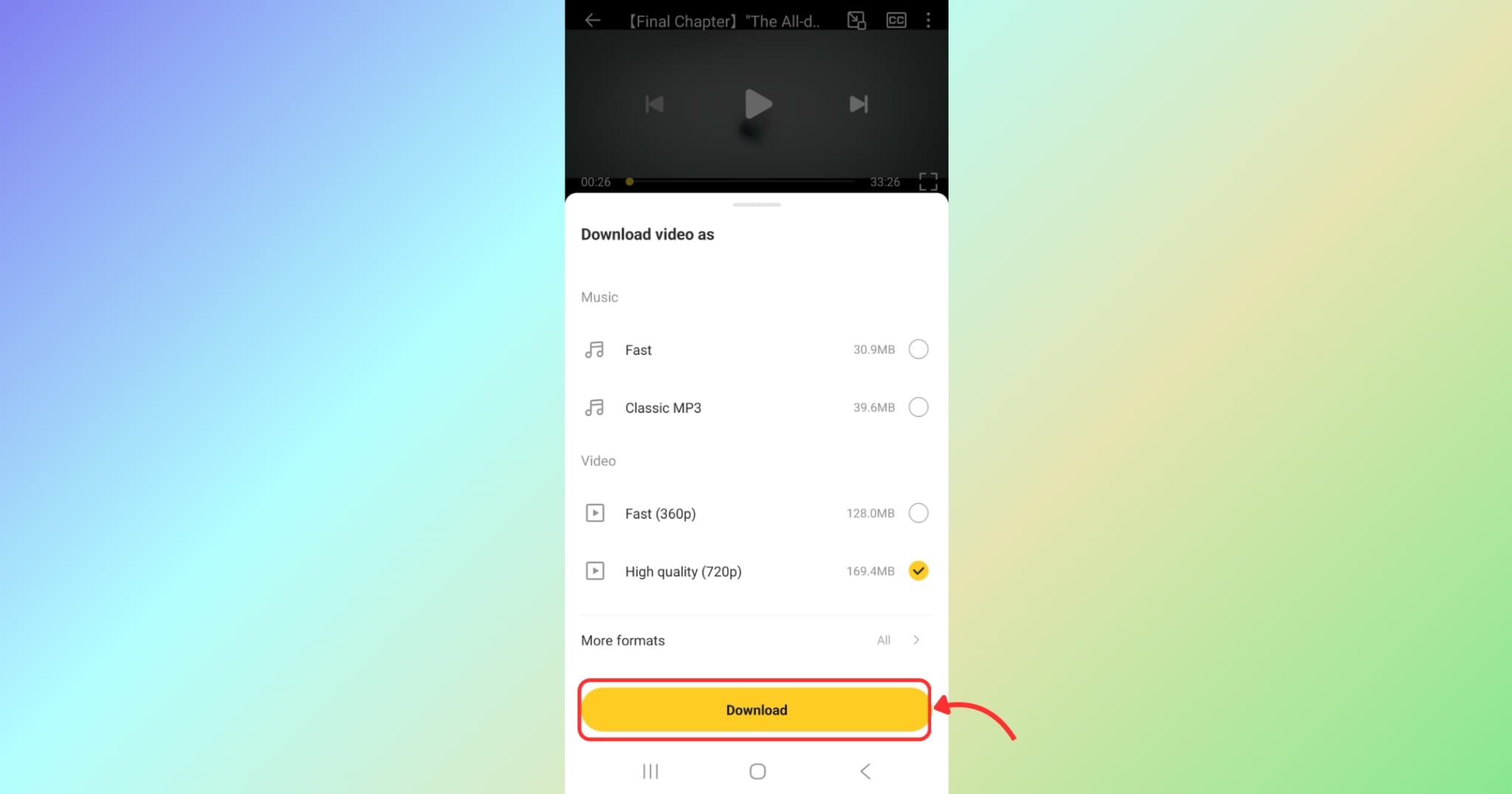
2. VidMate
Key Features:
- Supports MP4/MP3 and HD formats
- Built-in browser with smooth playback
- Smart file manager for organizing downloads
- Resume, pause, and fast conversion options
- Regular updates for better performance and stability
Steps for Downloading Bilibili Movie using VidMate
Step 1: Open Youtube and Play Video inside the App
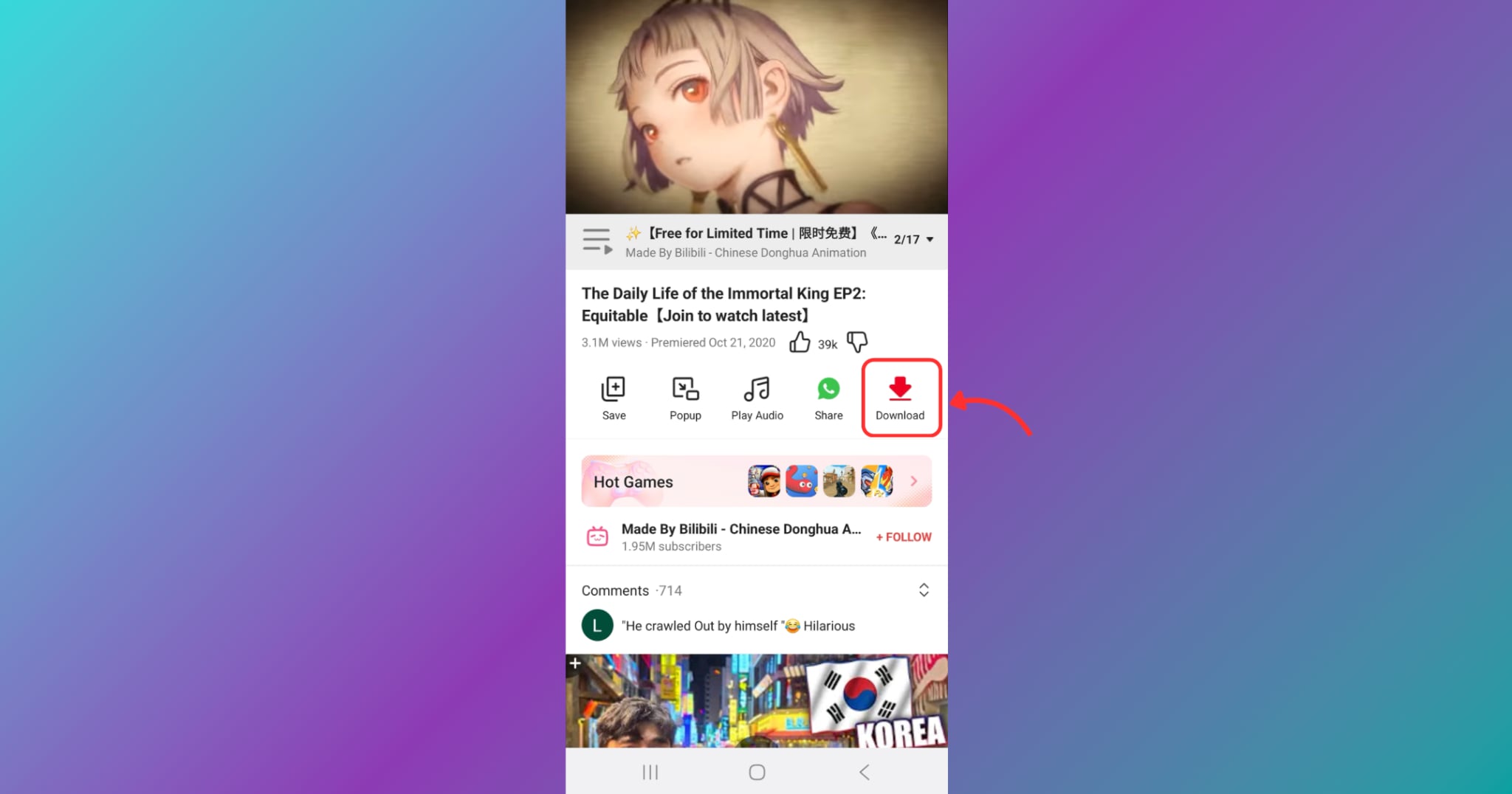
Step 2: Choose the Resolution and Format
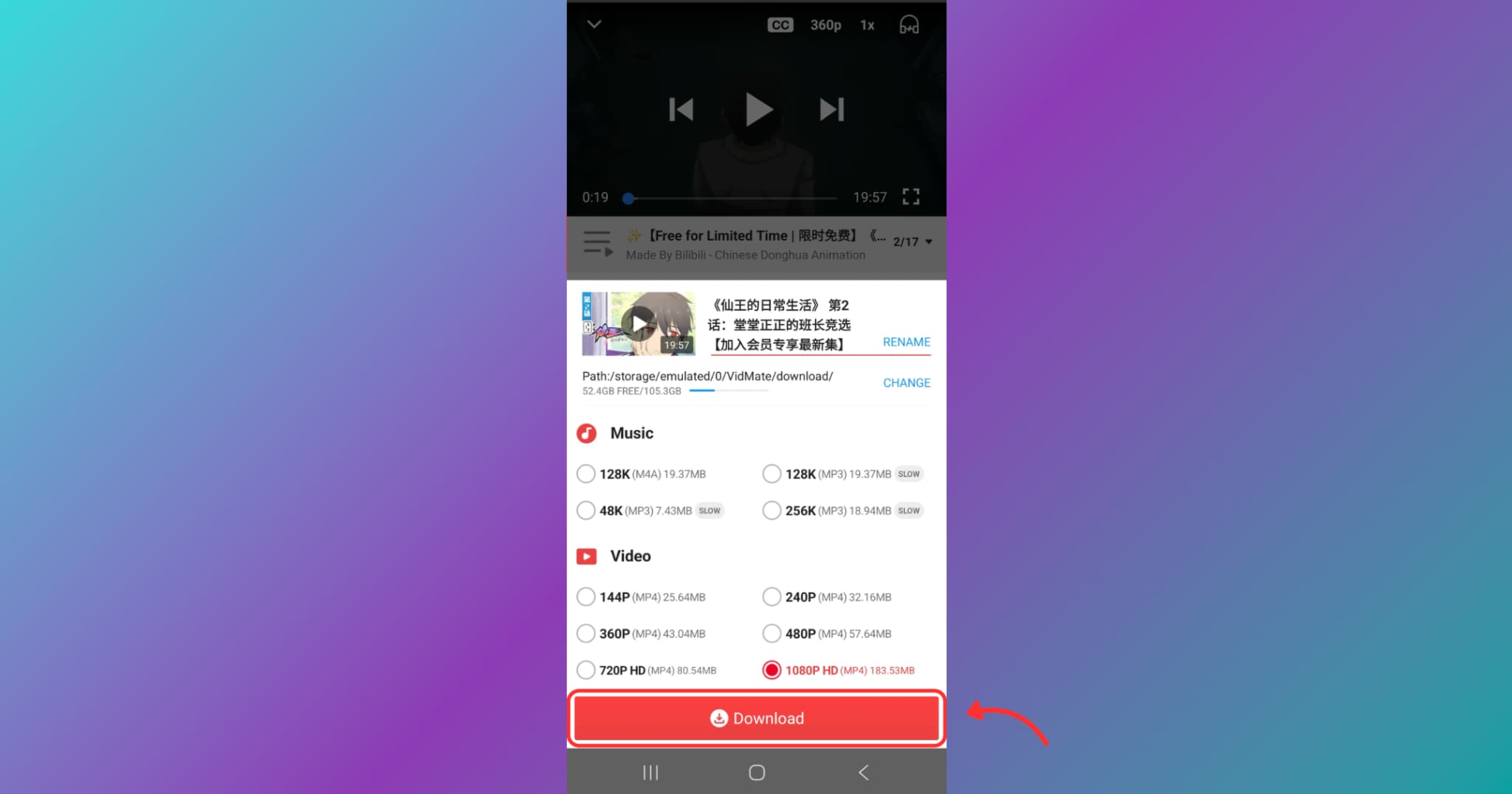
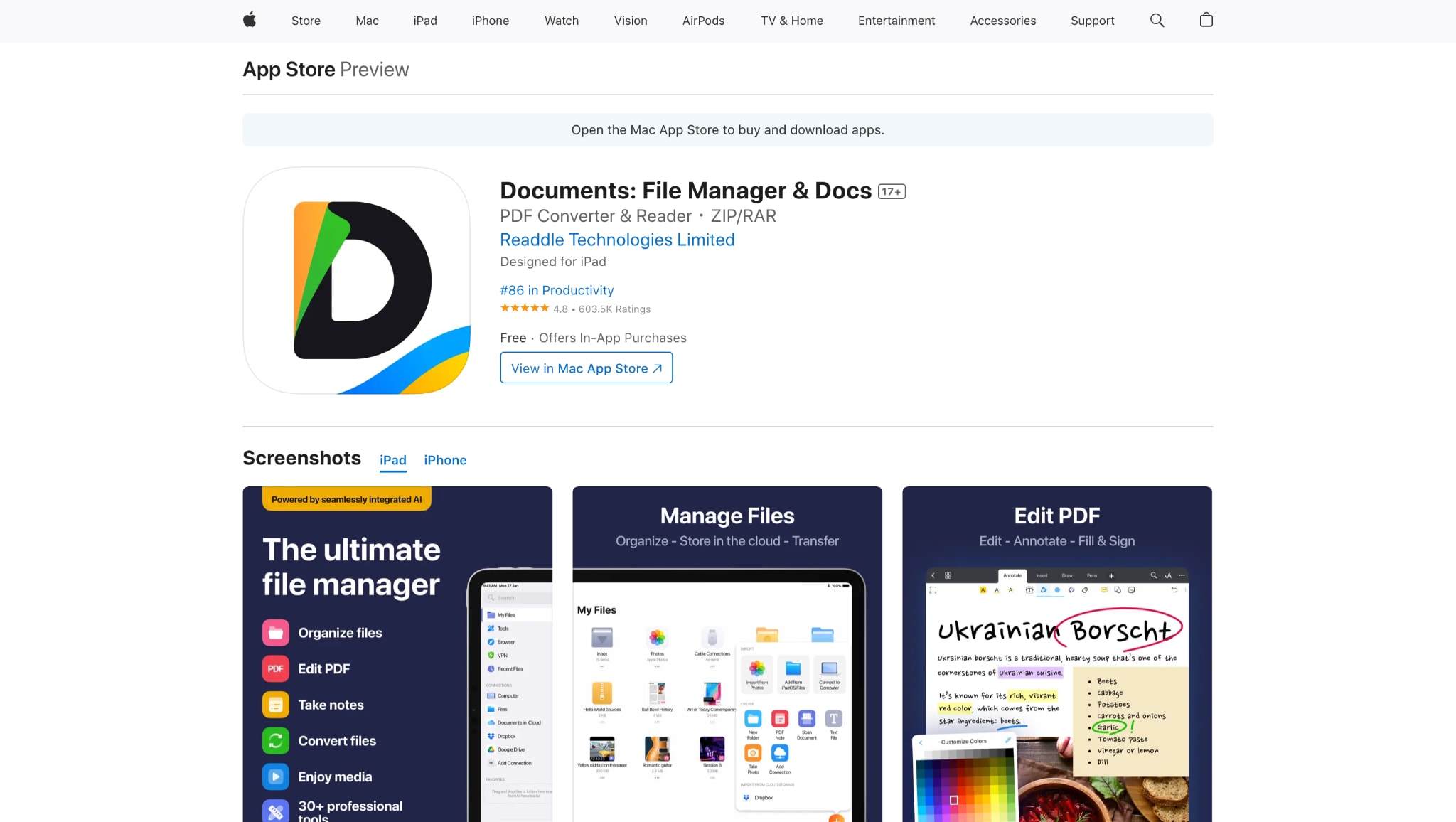
3. Documetn: File Manager &Docs
Key Features:
- Built-in web browser for URL capture
- Secure file and folder management
- Supports third-party video converters
- Works with cloud storage services
- Available for iPhones and iPads
How to Download Bilibili Movie using Documents
Paste the Bilibili movie link, download the video file, and it will be saved inside the app's storage. You can then move it to your Photos or Files for easy access.
Part 4. Quick Comparison of Bilibili Movie Downloaders
With so many tools available for Bilibili movie download, choosing the right one can be tricky. Whether you prioritize batch downloads, ad-free experience, or affordable pricing, the comparison table below makes it easier. From premium desktop tools to mobile and web-based solutions, each option has its strengths. Use this at-a-glance guide to determine which Bilibili movie downloader best aligns with your budget, needs, and platform.
How We Tested Bilibili Video Downloaders
To build this guide, we reviewed desktop tools, mobile apps, and online downloaders based on download success, video quality, subtitle support, speed, batch handling, and offline viewing convenience for Bilibili users.
Download reliability
We checked whether each tool can consistently process Bilibili links and complete downloads without frequent failures.
Video quality
We compared output resolution support, playback clarity, and whether saved videos remain suitable for real offline viewing.
Subtitle support
We reviewed whether subtitles can be downloaded, extracted, or preserved more easily alongside Bilibili videos.
Speed & batch workflow
We looked at download speed, playlist or multi-file support, and whether the tool fits repeated downloading workflows.
Platform flexibility
We compared desktop software, browser tools, and mobile options to reflect different devices and user habits.
Ease of use & value
We balanced setup simplicity, free limitations, and extra features to highlight the most practical options for users.
This section gives readers a clearer view of our evaluation criteria before they explore the downloader comparison and rankings below.
| Tool / Platform | Pricing | Batch Download Support | Ads Density |
| UniConverter (desktop) | $49.99/year (varies with promo); $79.99 lifetime | Yes | None |
| 4K Video Downloader (desktop) | Free (basic, with limits); Premium $15/yr or $45 lifetime | Yes | None |
| VideoHunter (desktop) | Free trial; $19.95/month, $29.95/year, $49.95 lifetime | Yes | None |
| Locoloader (web) | Free | No | Minimal |
| dlbunny (web) | Free | No | Moderate |
| KeepVid (web) | Free | No | Minimal |
| Snaptube (Android app) | Free, optional VIP ($1–$5/month, varies region) | Yes | Moderate in free |
| VidMate (Android app) | Free | Yes | Moderate |
| Documents by Readdle (iOS) | Free (with in-app purchases for unrelated pro features) | No | None |
Conclusion
Whether you're a dedicated anime enthusiast, a documentary lover, or someone who wants to watch Bilibili content offline without buffering or distractions, having the right BiliBili movies downloaders makes all the difference. Each option suits different needs—some prioritize speed, others support full Bilibili TV download movies with subtitles, or batch processing. Whether you're using Windows, macOS, Android, or iOS, a Bilibili movie downloader is available to suit your needs.
If you’re looking for a powerful, ad-free experience with complete control, desktop apps like UniConverter and 4K Video Downloader are your best bet. Come and try UniConverter video downloader now!
Easy to Use Batch Bilibili Video Downloader
FAQs
-
1. Can I download Bilibili movies with subtitles?
Yes, several tools let you download Bilibili movies along with subtitles. UniConverter, for example, supports subtitle extraction and enables you to burn them directly into the video or save them separately as SRT files. -
2. What is the best way to batch download movies from Bilibili?
For bulk or batch downloading, UniConverter is the most reliable option. It supports downloading multiple Bilibili videos simultaneously in various formats, including MP4, MOV, and AVI, without compromising quality. -
3. Are there any free tools to download movies from Bilibili?
Yes, tools like Locoloader, KeepVid, and dlbunny offer free browser-based downloads of Bilibili movies. However, they typically lack features such as subtitle support, video editing, and batch processing, which are found in premium tools. -
4. Is it possible to download movies from Bilibili TV in 4K?
Absolutely. Tools like 4K Video Downloader and UniConverter enable you to download Bilibili TV movies in resolutions up to 4K or even 8K, provided the source video supports these high resolutions. -
5. Can I use UniConverter on Mac to download Bilibili content?
Yes, UniConverter is fully compatible with both Windows and macOS. You can use it to download, convert, and edit Bilibili movie files effortlessly on your Mac with full format and subtitle support.

