


The world of music creation is evolving, and by 2025, AI music generation has become essential for artists, content creators, and businesses. Unlike older AI tools that were limited to basic compositions, ElevenLabs Music stands out by offering advanced vocal synthesis and highly customizable styles, enabling creators to produce high-quality tracks with ease.
In this guide, we’ll explain why ElevenLabs Music is quickly becoming the go-to platform for AI music generation. With its ability to generate real-time vocals, adjust mood, tempo, and instrumentation, and cater to diverse use cases, ElevenLabs is unlocking the future of music creation. Ready to take your sound to the next level? Let’s dive in!
In this article
- Why ElevenLabs Music is the Next AI Music Generator
- Where Can ElevenLabs AI Music Generator Be Used?
- Why ElevenLabs Music is the Next AI Music Generator - Pros, Cons, and Considerations
- Strengths and Limitations of ElevenLabs Music – Quick Comparison Table
- Beginner’s Steps Guide for Music Generation with Prompt Tips
- How to Strengthen Vocal to Grow More Audience
- Conclusion
- FAQs
Part 1. Why ElevenLabs Music is the Next AI Music Generator
ElevenLabs, known for its advanced AI voice generation technology, has expanded into the music space with ElevenLabs Music, leveraging its deep learning models to create highly customized and expressive music compositions. ElevenLabs Music is quickly becoming one of the best AI music generators available in 2025. Why? Because it combines cutting-edge technology with an easy-to-use interface and a range of features that make music creation accessible to everyone. From vocal synthesis to full-track composition, ElevenLabs is designed to cater to both seasoned musicians and casual users alike.
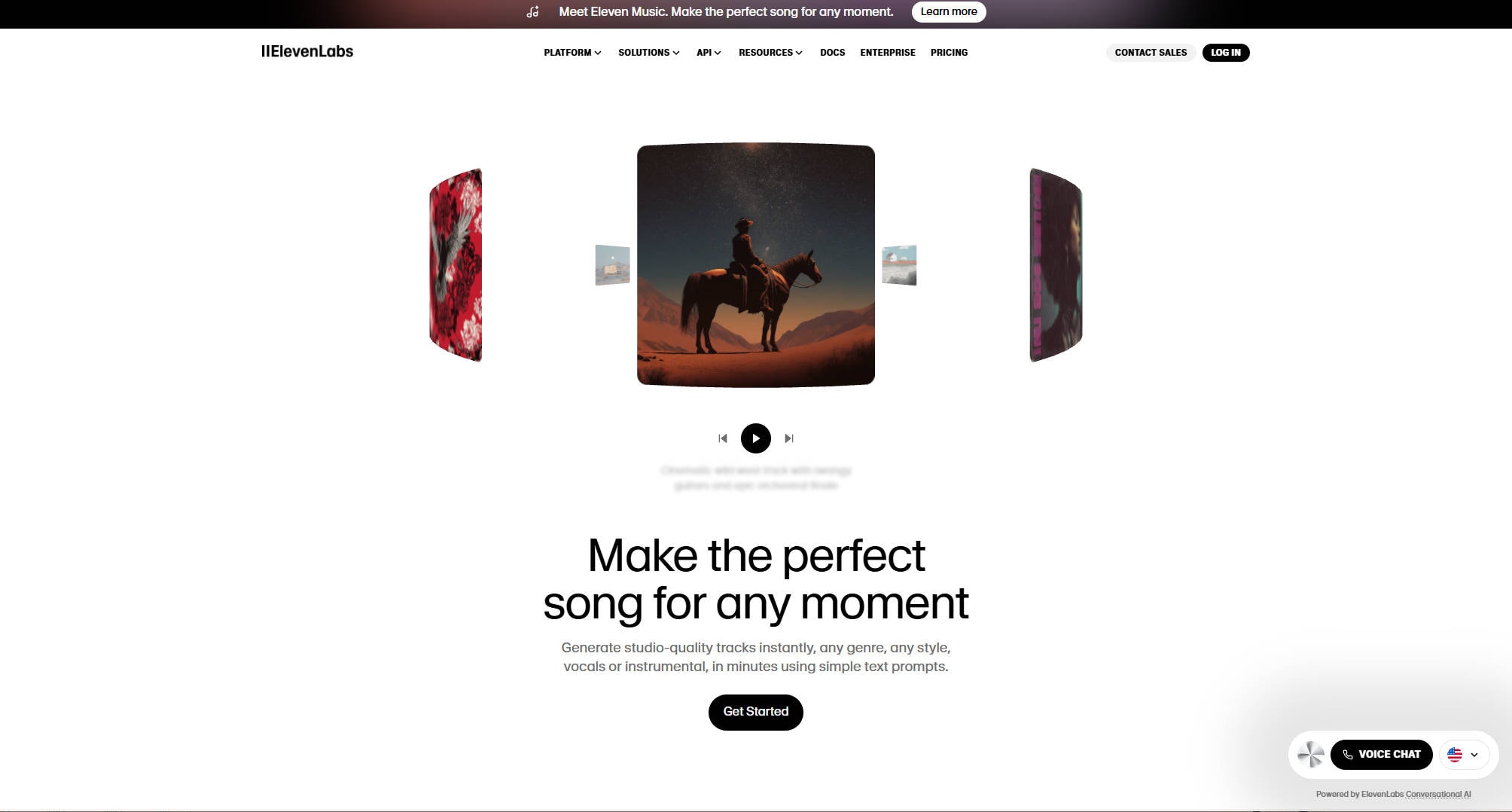
Key Features of ElevenLabs Music:
- AI-Powered Composition: One of the standout features of ElevenLabs is its AI-driven composition. You can input specific text prompts and the system will generate a complete piece of music. This might include instruments, vocals, and even a structured arrangement. Whether you're writing a song, background music for videos, or a film score, ElevenLabs can help you create it quickly.
- Vocal Synthesis: What sets ElevenLabs apart from other tools is its ability to synthesize vocals. Many AI music generators focus solely on instrumental music, but ElevenLabs allows you to add realistic vocals to your tracks. You can specify the vocal style (male or female, tone, pitch), making the tool especially valuable for artists, filmmakers, and content creators.
- Text-to-Music: Another innovative feature is text-to-music generation. You can input descriptive prompts like "happy, upbeat acoustic guitar song" or "calm orchestral piece with piano" and ElevenLabs will convert those words into music. The AI understands the nuances of mood, genre, and style, creating a truly personalized composition.
- Customizable Styles: ElevenLabs offers a wide variety of genres to choose from, such as rock, electronic, jazz, classical, pop, and more. Once you select your preferred style, you can tweak the tempo, instrumentation, and mood. This level of customization ensures that your music matches your exact needs.
- High-Quality Sound: The AI engine behind ElevenLabs Music produces studio-quality music that rivals what you’d expect from professional music production tools. Whether you're using the music for videos, podcasts, games, or even as a demo, it sounds polished and professional.
With its robust set of features, ElevenLabs AI music generator is paving the way for a new era in music creation.
Part 2. Where Can ElevenLabs AI Music Generator Be Used?
The versatility of ElevenLabs makes it an ideal tool for a wide range of use cases. Whether you're a content creator, an artist, or a business, the AI music generator can serve many different needs. Here are some of the most common ways you can use ElevenLabs AI music generator:
1. Music for Videos and Podcasts:
As a content creator, you know the importance of having high-quality music for your projects. Whether you're producing YouTube videos, podcasts, or social media content, ElevenLabs allows you to generate background music that perfectly complements your content. You can choose from various moods and styles, ensuring the music matches the vibe of your video.
2. Music for Film and Game Soundtracks:
Film and game creators can use ElevenLabs to generate original soundtracks. The tool's ability to create cinematic music with orchestral, electronic, or hybrid elements makes it ideal for crafting scores for short films, advertisements, or video games. Plus, with its AI-generated vocals, you can add lyrics or vocalized themes to enrich the auditory experience.
3. Music for Commercial Use (Ads & Jingles):
If you're running a business, ElevenLabs can be used to generate custom advertising jingles or background music for commercials. AI music generation for commercial purposes has never been easier—simply input the mood and style you need, and ElevenLabs will create music tailored to your needs.
4. Music for Apps, Websites, and Software:
Music in apps or websites enhances the user experience. Developers can use ElevenLabs to create unique background music that doesn’t just blend in but stands out. Whether it’s for mobile apps, games, or even websites, ElevenLabs offers a quick and efficient way to add engaging music to digital products.
5. Music Creation for Independent Artists:
For independent musicians, creating original music can be a challenge, especially if you don’t have access to a studio or an ensemble. ElevenLabs lets artists generate entire tracks, add vocals, and adjust elements like tempo and instrumentation. This allows musicians to quickly experiment with different compositions, accelerating their creative process.
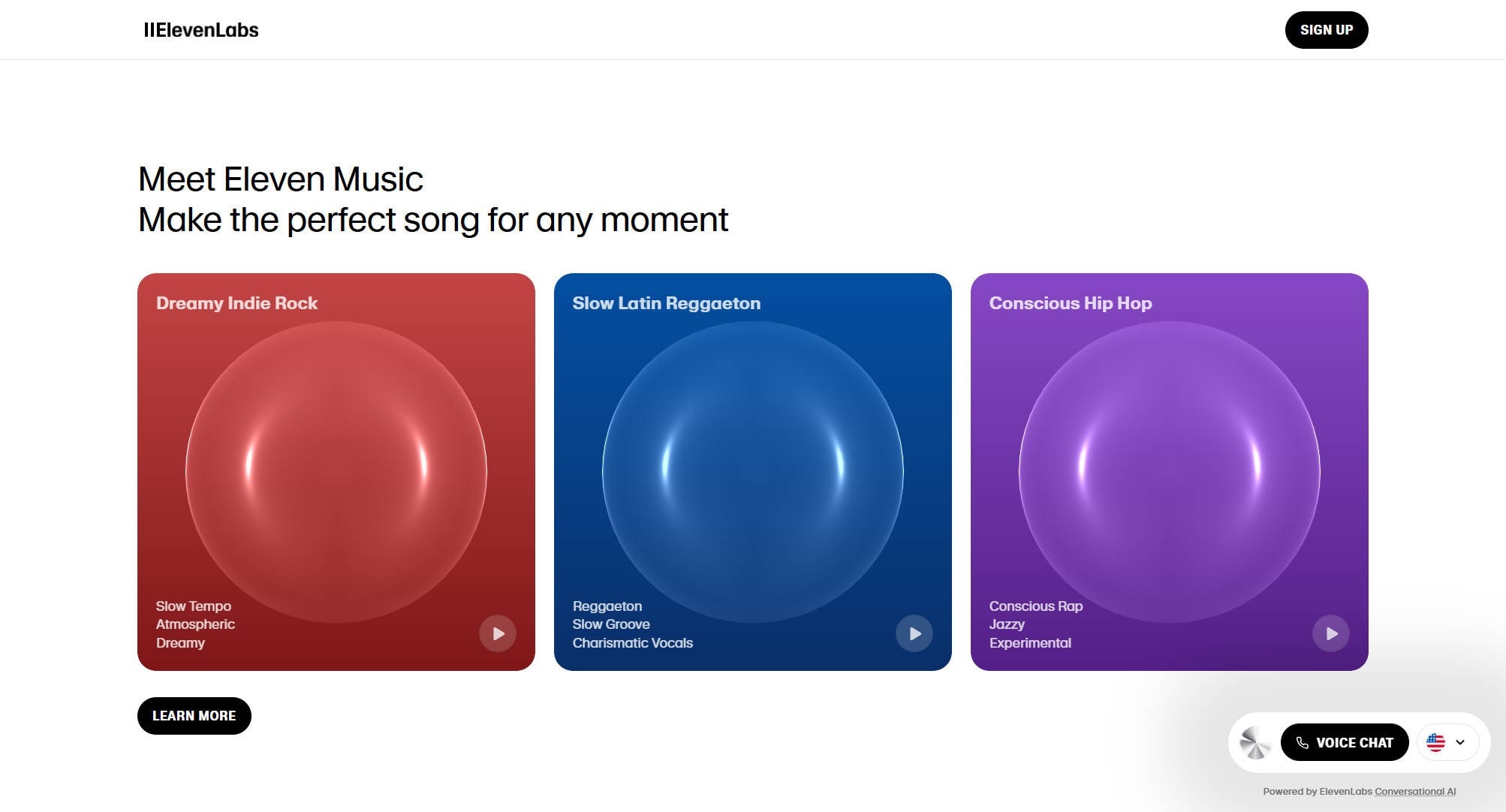
Part 3. Why ElevenLabs Music is the Next AI Music Generator - Pros, Cons, and Considerations
No tool is without its strengths and limitations. Let’s break down the pros, cons, and important considerations when using ElevenLabs AI Music Generator.
Ethical Considerations:
- Learning Curve for Advanced Features: While basic music generation is simple, mastering some of the advanced features, such as vocal synthesis or complex customizations, may take a bit of time and experimentation.
- Licensing and Copyright: ElevenLabs offers a commercial license for users who want to use their AI-generated music in ads, games, or films. However, it's essential to read the terms of service to ensure you fully understand the rights and ownership of your generated music.
- Originality vs. Derivation: Ensuring the generated music is truly original and does not inadvertently infringe on existing copyrighted works will be an ongoing challenge for AI models.
- Community Acceptance: The reception by the broader music and creative community will influence its long-term viability and integration into mainstream production.

Easy to Use Audio Converter and Editor
Part 4. Strengths and Limitations of ElevenLabs Music – Quick Comparison Table
Let’s quickly compare ElevenLabs with some other popular AI music generators available in 2025 to see how it stacks up:
|
Feature |
ElevenLabs |
Amper Music |
Aiva |
Soundraw |
|
Vocal Synthesis |
Yes |
No |
Yes |
No |
|
Text-to-Music |
Yes |
Yes |
Yes |
Yes |
|
Customizable Styles |
Extensive |
Limited |
Moderate |
Extensive |
|
Studio-Quality Output |
Yes |
Yes |
Yes |
Moderate |
|
Genre Options |
Wide Variety |
Limited |
Limited |
Wide Variety |
|
Ease of Use |
High |
High |
Moderate |
Moderate |
Part 5. Beginner’s Steps Guide for Music Generation with Prompt Tips
If you’re new to ElevenLabs, here’s a simple guide to get you started. Don’t worry—creating music with ElevenLabs is straightforward.
Step-by-Step Guide to Music Generation:
Step 1. Head for the dash board and register an accout for free trial.
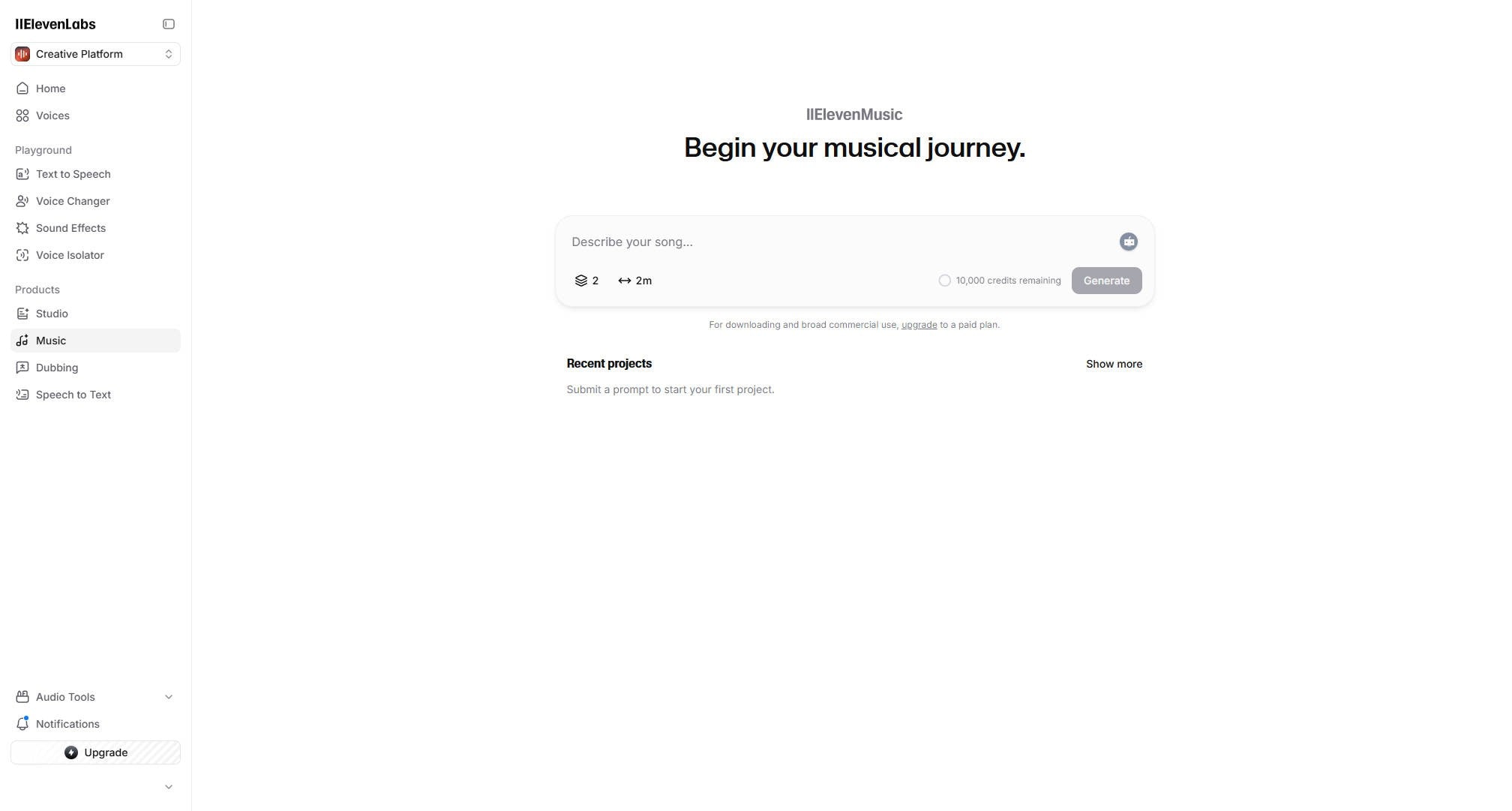
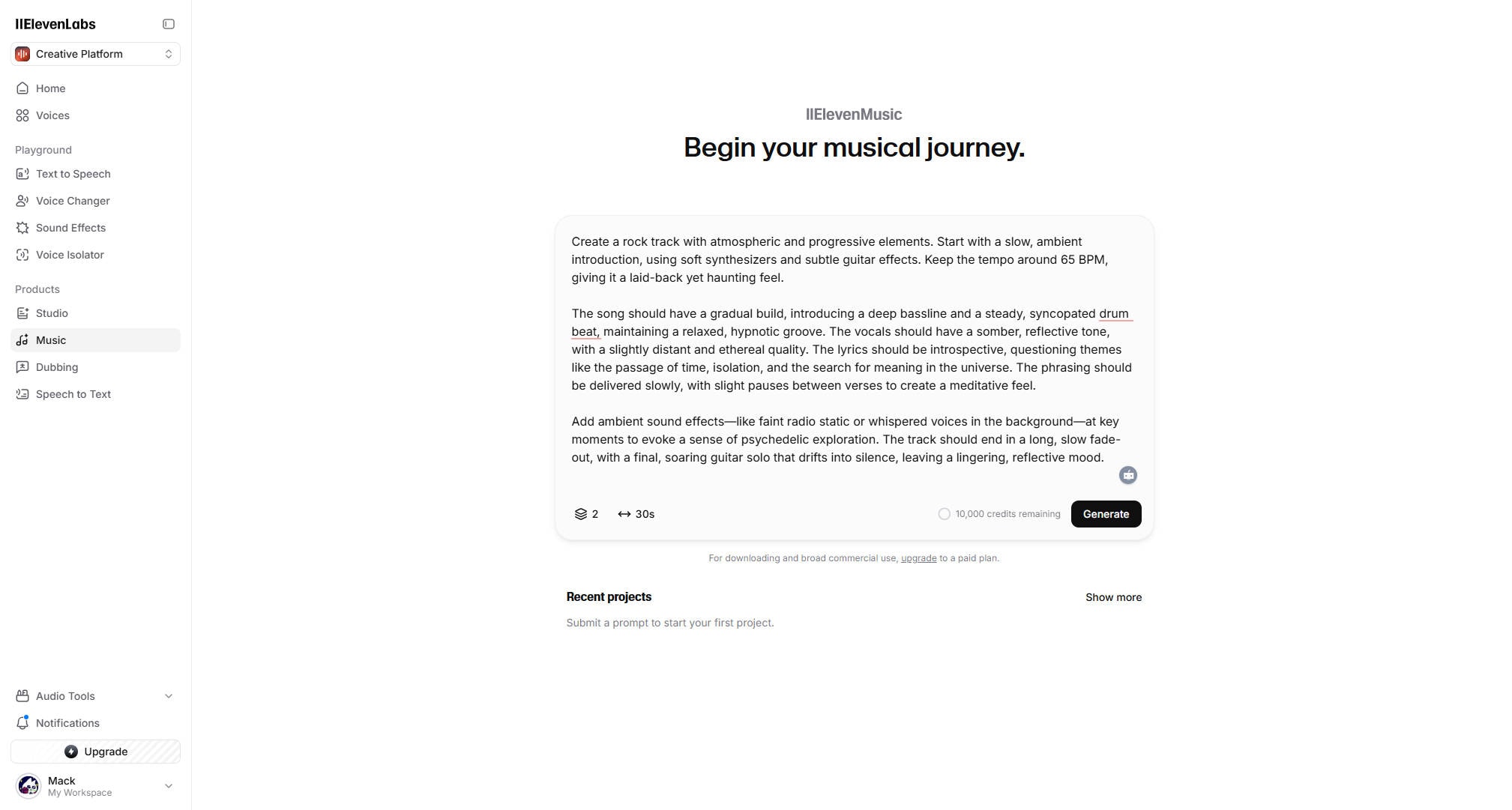
Step 2. Input a detailed description of the music you want to create. Give detailed mood, music style, vocal direaction, duration, etc to make better control of the effect you want. If you are running out of inspiration, you can also turn to ChatGPT for help.
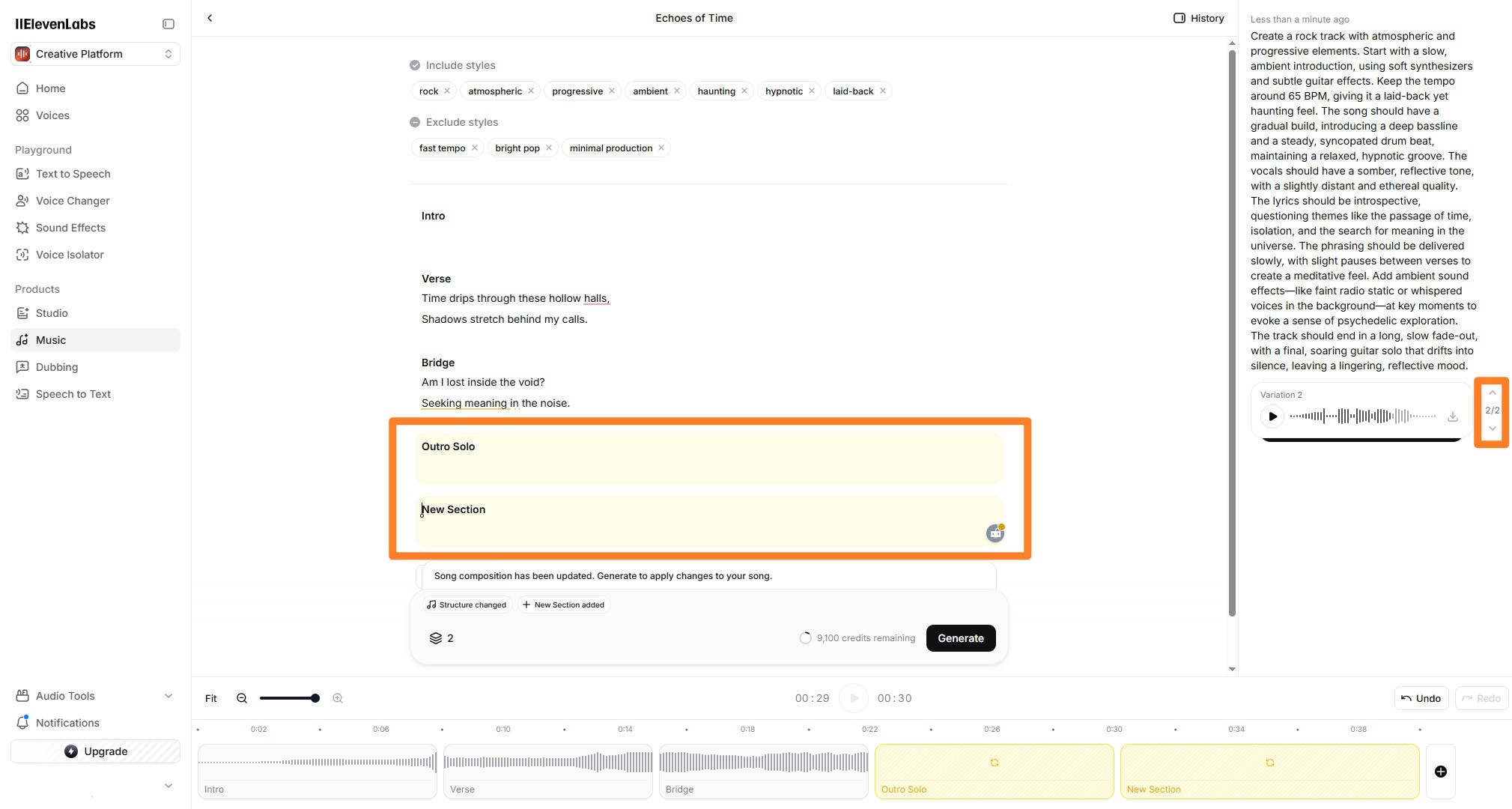
Step 3. Adjust the tempo, mood, and tags related,and you can also choose varitations to edit in this part. You can add more sections based on the previous result.
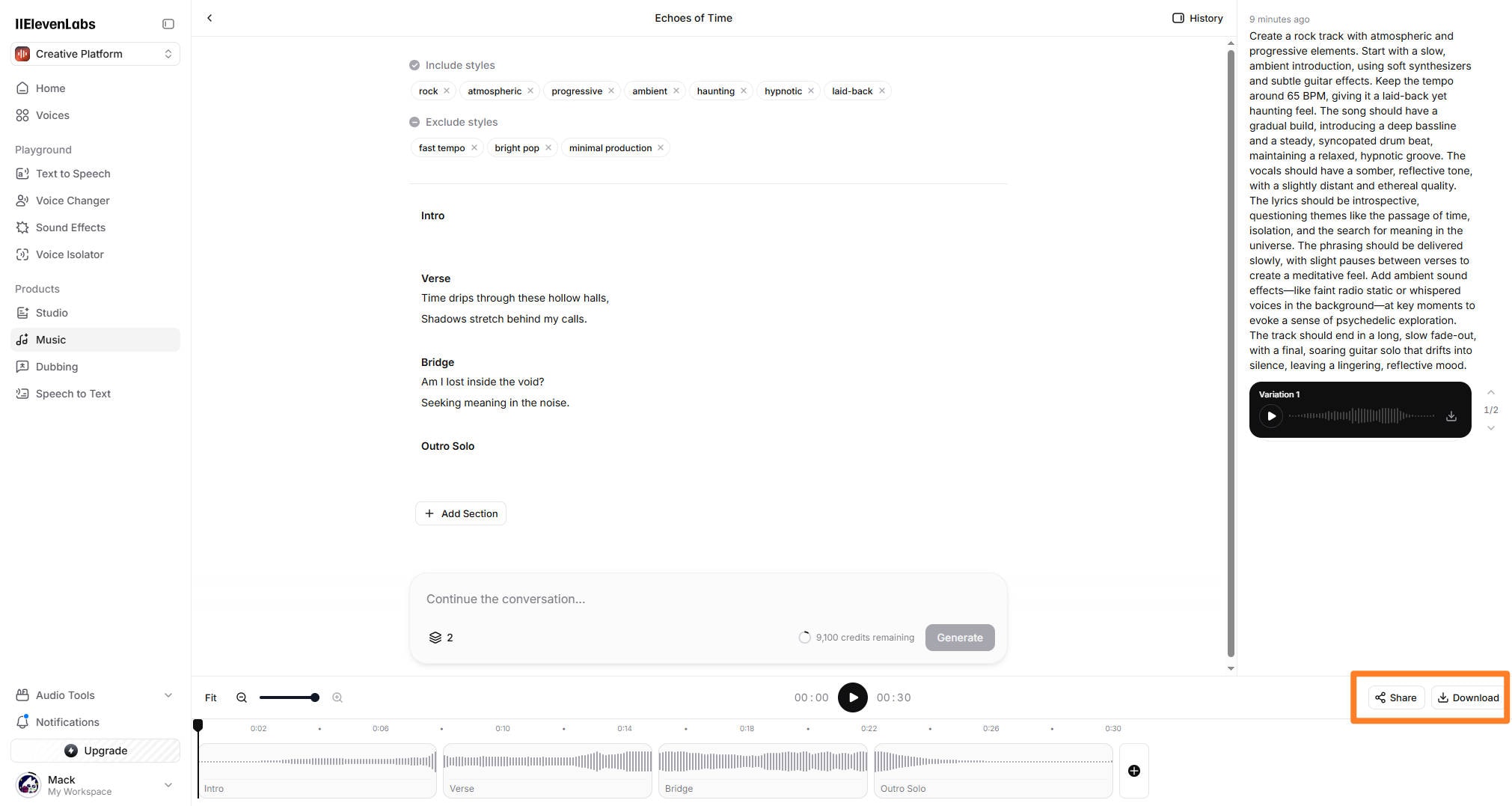
Step 4. Once the music is generated, listen to it and make sure it fits your needs. If you're satisfied, simply download the track and use it in your project.
Prompt Tips:
To make the most of ElevenLabs, crafting the right text prompts is key. Here are some tips to help you generate better music:
- Avoid Specific Name of Band, Singer or Songs: To avoid copyright related issues, any prompts direactly mentioning names of any bands, singers or songs will be warned to be revised.
- Be Descriptive: The more details you provide in your prompt, the more accurate the generated music will be. Instead of just saying "jazz music," try something like "smooth jazz with a saxophone lead and a soft piano background."
- Use Emotion Keywords: Words like "sad," "happy," "dramatic," "relaxing," or "intense" can help shape the mood of your track. For example: "Relaxing ambient music with soft, atmospheric synth pads" will guide the AI to create a calm and atmospheric track.
- Specify the Instrumentation: If you're looking for specific instruments, include them in your prompt. For example: "Upbeat rock track with electric guitar, drums, and bass."
- Think About the Genre: Be specific about the genre and style you’re aiming for. Whether it’s hip-hop, classical, or electronic, the more specific you are, the better the AI can match your request.
Part 6. How to Strengthen Vocal to Grow More Audience
Strong, compelling vocals can make all the difference in how your audience connects with your music. Whether you're an independent artist looking to make a hit or a content creator aiming to captivate your viewers, vocals can help make your tracks stand out. One of the most powerful tool to easily process and strengthen vocal is UniConverter.
Steps to Strengthen Vocals Using UniConverter:
Step 1. Launch UniConverter and click 'Converter' to upload your misic file.
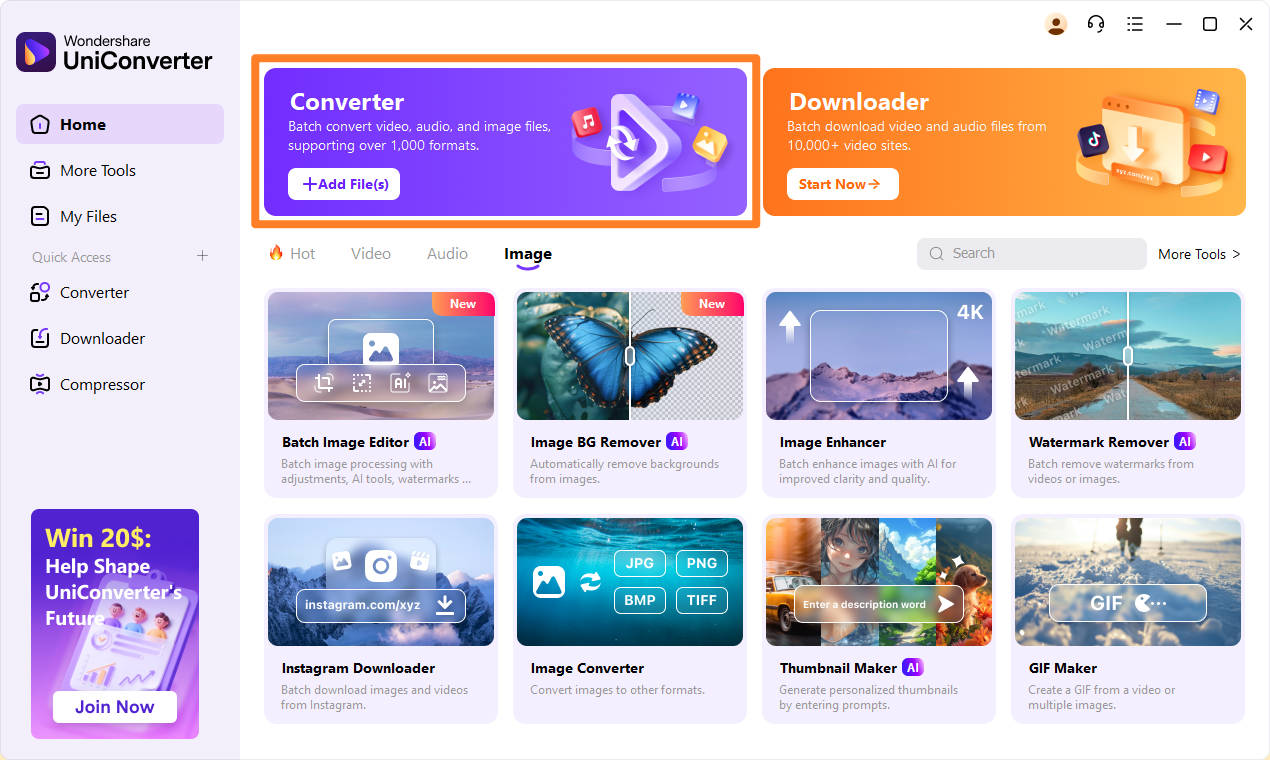
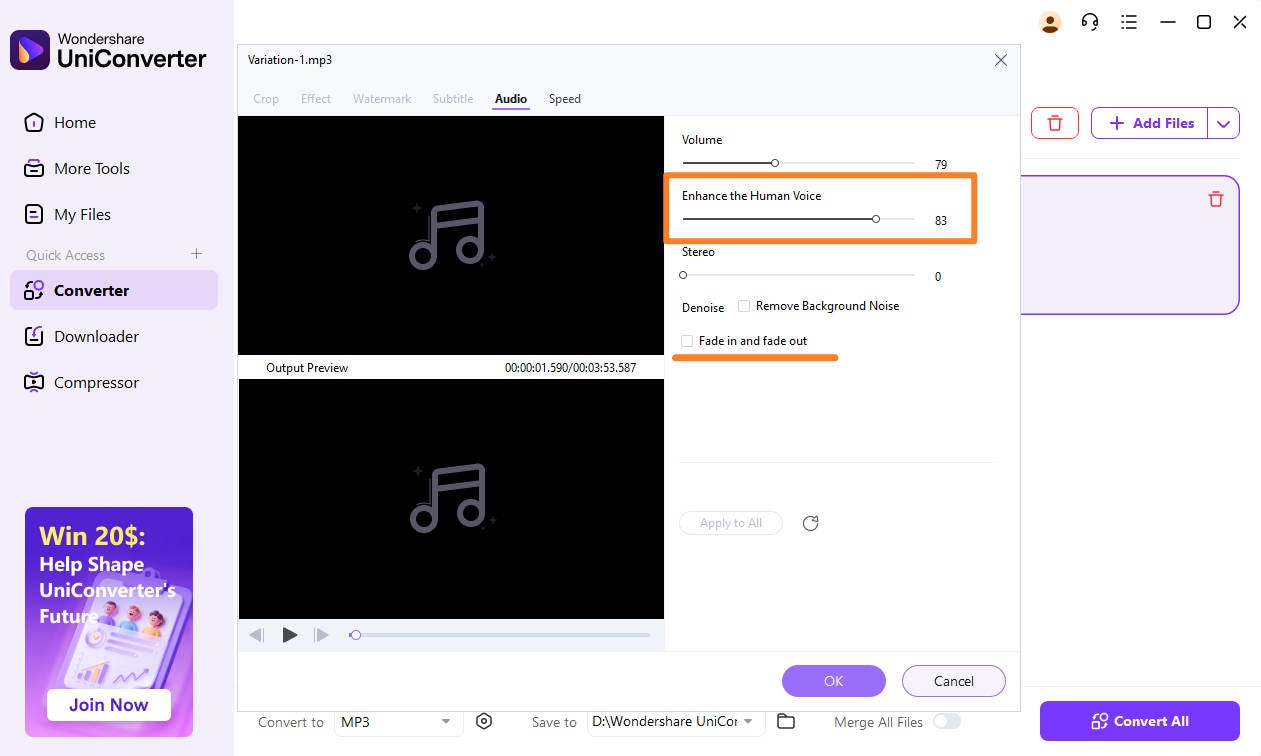
Step 2. Click on the Crop button to jump to the further editing session, which allows you to customize options like overall volume, human voice enhancement and stereo effect.
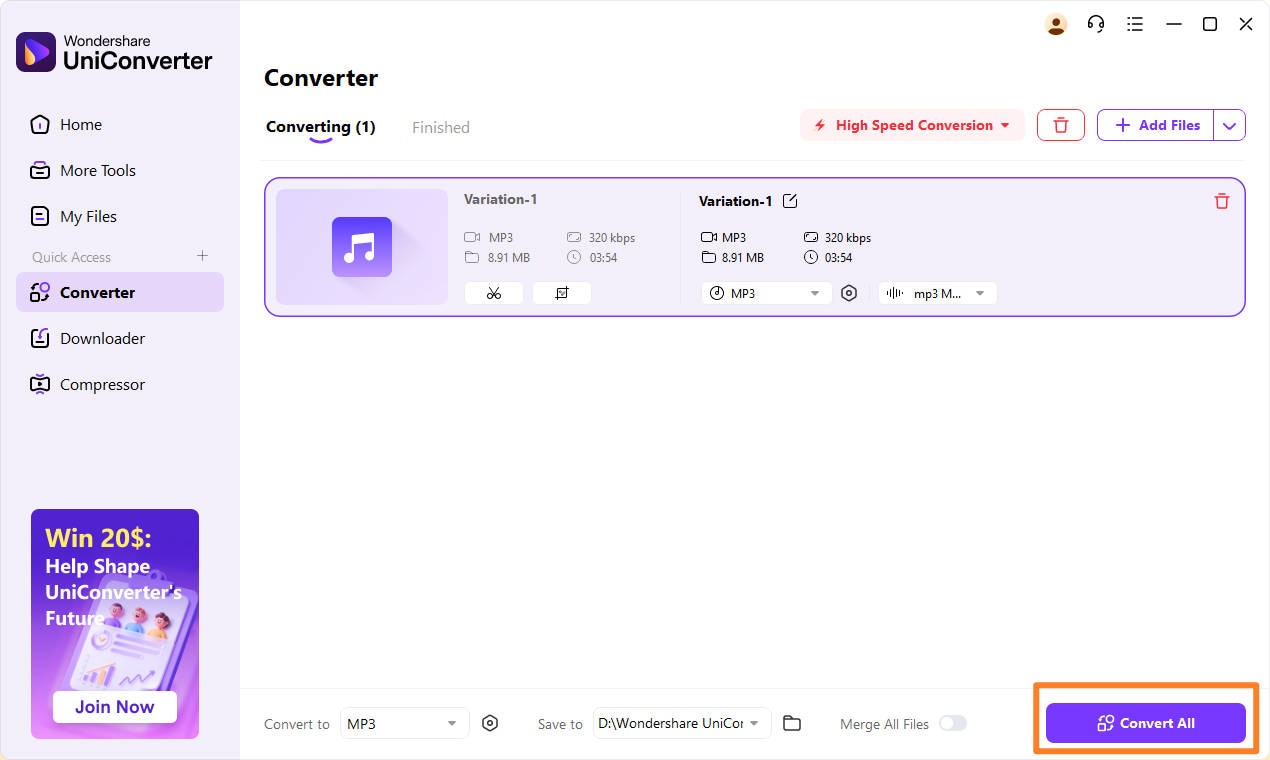
Step 3. Once finishing the customization, you can click convert to export your output.
Conclusion
In 2025, AI music generation is no longer a futuristic concept; it’s here, and ElevenLabs is leading the charge. With its ability to generate vocals, offer customizable music styles, and produce studio-quality output, ElevenLabs is a versatile tool that fits a variety of creative needs. It’s not just for musicians or producers—anyone with a creative project can benefit from this AI-powered tool. If you’re looking to produce high-quality, unique music without a steep learning curve, ElevenLabs is the solution.
As AI technology continues to improve, we can expect even more capabilities and features to emerge, making ElevenLabs a go-to tool for music creators in the coming years.
Easy to Use Audio Converter and Editor
FAQs
-
1. Is ElevenLabs AI Music Generator free to use?
ElevenLabs offers both free and premium plans. The free plan provides limited access to features, whereas the premium plan unlocks the full range of tools, including higher-quality music generation, faster processing, and more customization options. -
2. Can I use the music I create commercially?
Yes! ElevenLabs provides a commercial license for the music you generate. This means you can use the tracks in ads, games, videos, and other commercial projects. However, it’s essential to check their terms of service for any specific restrictions related to commercial use. -
3. Can I integrate ElevenLabs into my software or website?
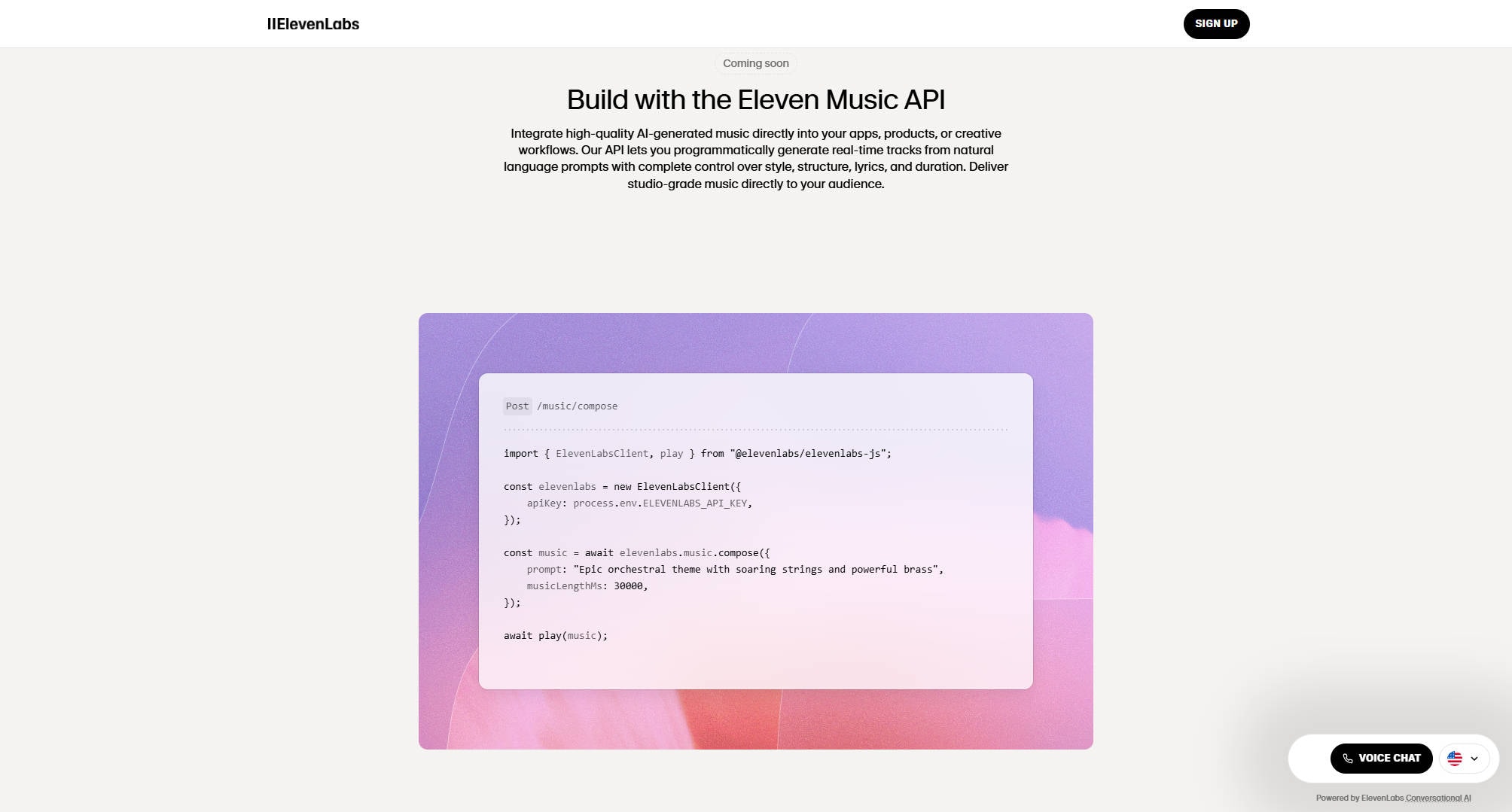
Yes! ElevenLabs offers an API integration, allowing developers to integrate the AI music generator directly into their applications, websites, or software. This makes it an ideal tool for businesses looking to offer AI-generated music as a service. -
4. Is AI-generated music copyrightable?
While AI-generated music can be copyrighted, it's essential to understand the licensing terms provided by ElevenLabs. The company offers a commercial license for music you create, but you should always ensure that the terms of service allow for your intended use, especially in high-stakes commercial applications. -
5. How can I improve my prompts for better results?
Crafting good prompts takes practice. Here are some tips:Be specific about genre, mood, and instruments;Include details like tempo, energy level, and emotional tone;Experiment with variations to see how the AI responds to different prompts.

