


(Disclaimer: Our tool is intended for personal use only. Users are solely responsible for using this tool to download videos, including compliance with video platform's terms of service and copyright laws and regulations. We are not liable for any consequences resulting from users' violation of any laws or infringement of others' rights.)
Downloading Vimeo videos isn’t just about saving content—it’s about unlocking offline access, editing freedom, and cross-platform viewing. Whether you're a content creator, student, or marketer, having the right downloader ensures you never lose access to your favorite or essential videos.
Among the top solutions available, Wondershare UniConverter stands out with its all-in-one functionality—offering fast downloads, format conversion, compression, and device optimization. In this guide, we’ll explore 9 powerful tools that make saving Vimeo videos as MP4 simple and reliable across all devices. Let’s dive into the best options for 2025.
In this article
Part 1: 3 Easy Ways to Download Vimeo MP4 on Desktop
1. Wondershare UniConverter
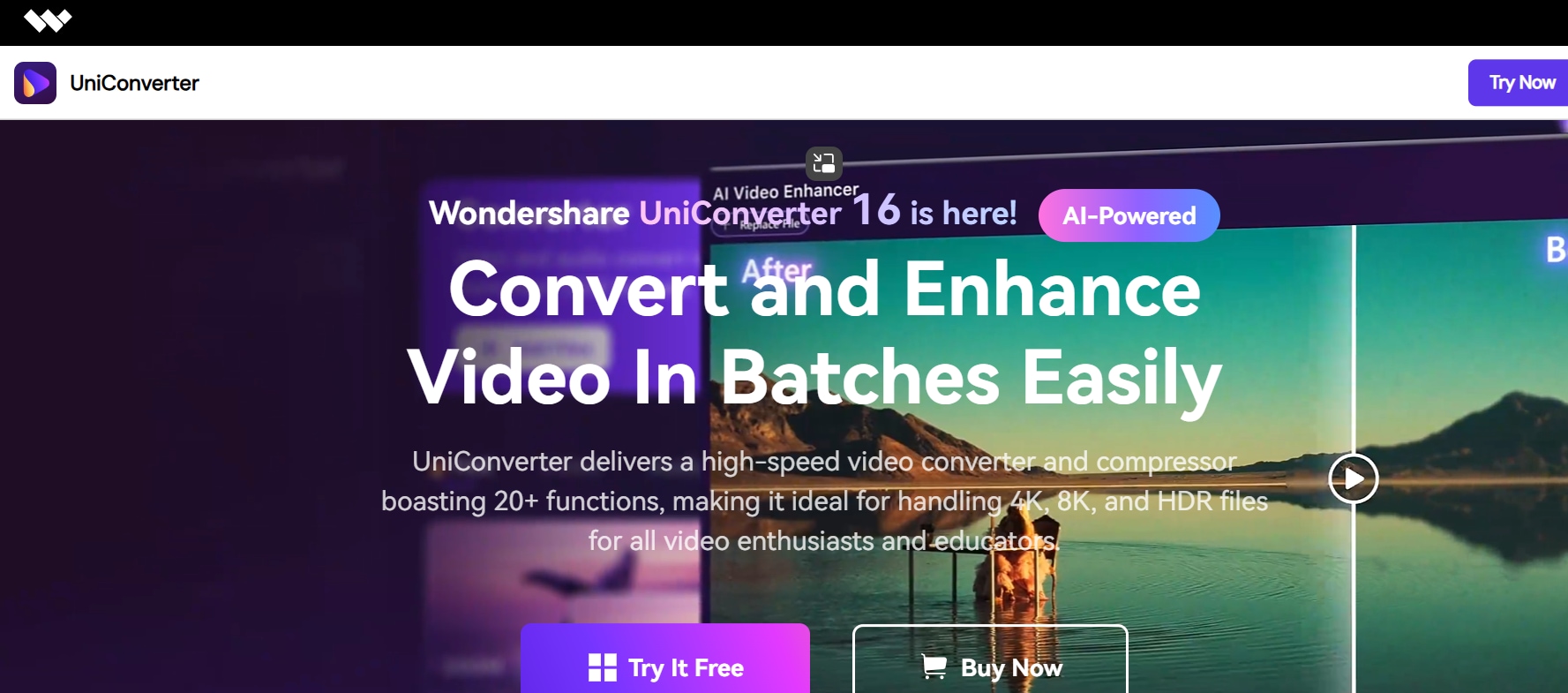
Wondershare UniConverter remains one of the most complete multimedia solutions in 2025. It’s not just a video downloader—it’s an all-in-one toolkit that includes video conversion, editing, compression, and screen recording. When it comes to downloading Vimeo videos, UniConverter stands out for its stability, batch processing support, and ultra-fast download engine. Its interface is beginner-friendly, yet packed with professional-grade options.
Key Features:
- Supports 1000+ video/audio formats
- Batch video downloads and auto conversion
- Built-in video editor and screen recorder
- GPU-accelerated turbo download
- Works on Windows and macOS
Steps to download Vimeo Video to MP4 with Uniconverter
Follow the 3 steps below:
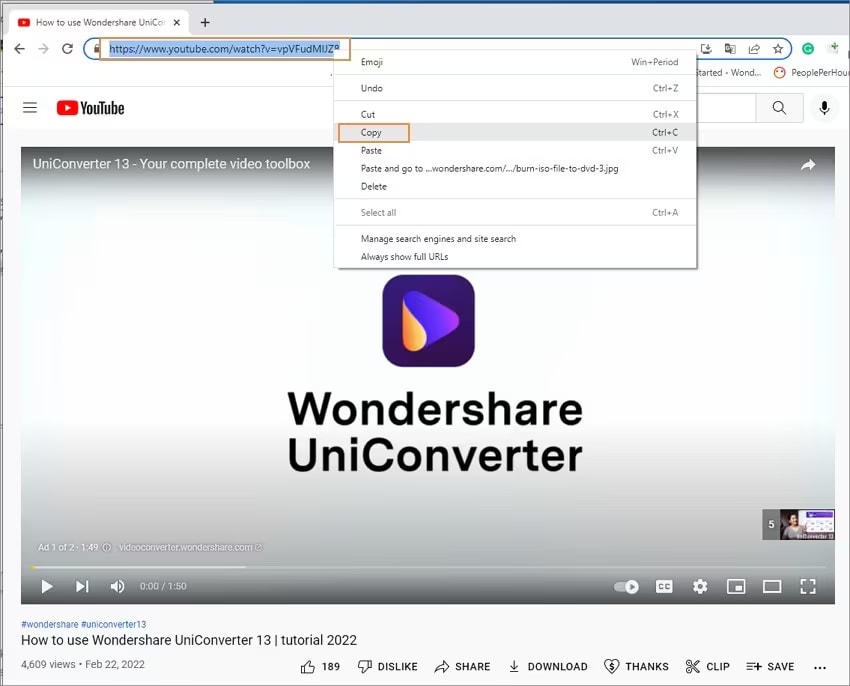
Step 1: Copy Vimeo Video URL
Open Vimeo in your browser and find the video you’d like to download. Copy its URL directly from the address bar at the top of the browser window.
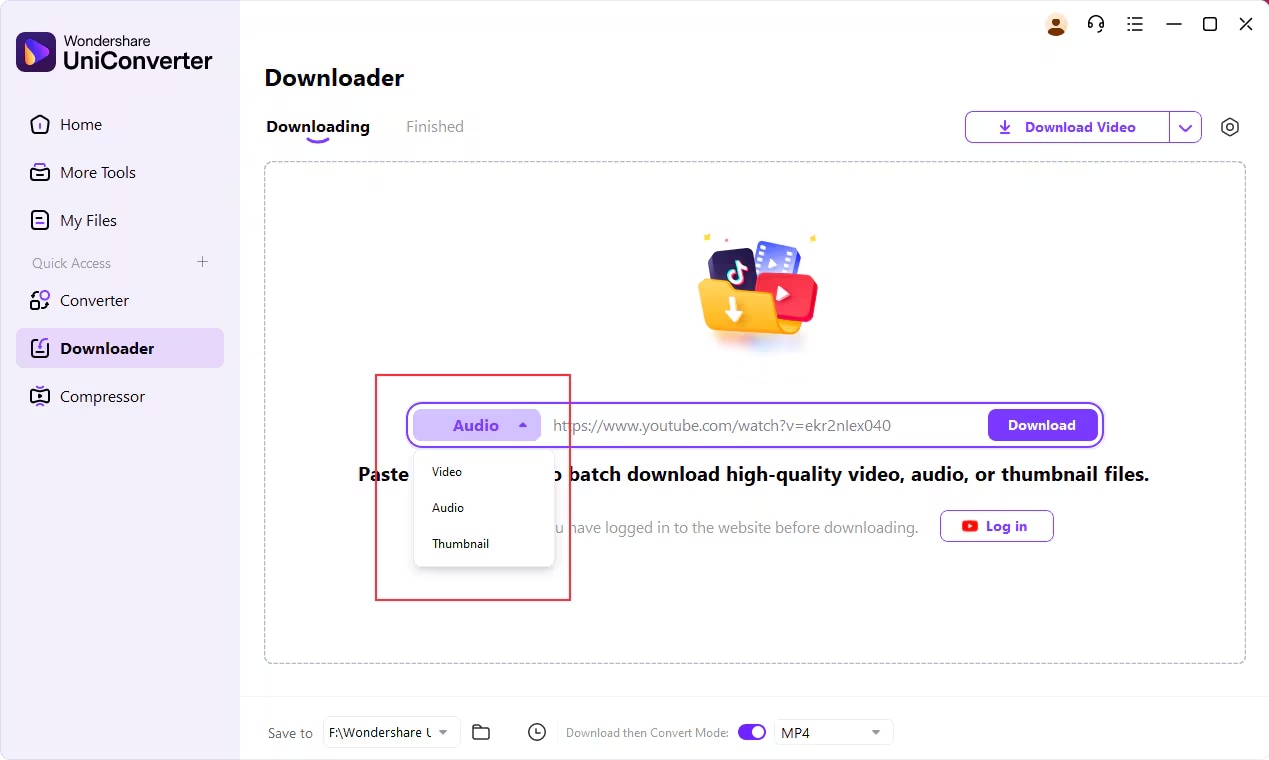
Step 2: Paste URL into UniConverter
Launch Wondershare UniConverter and navigate to the Downloader tab. Click on the “+ Paste URL” button. The program will auto-detect the video and analyze it for download options.
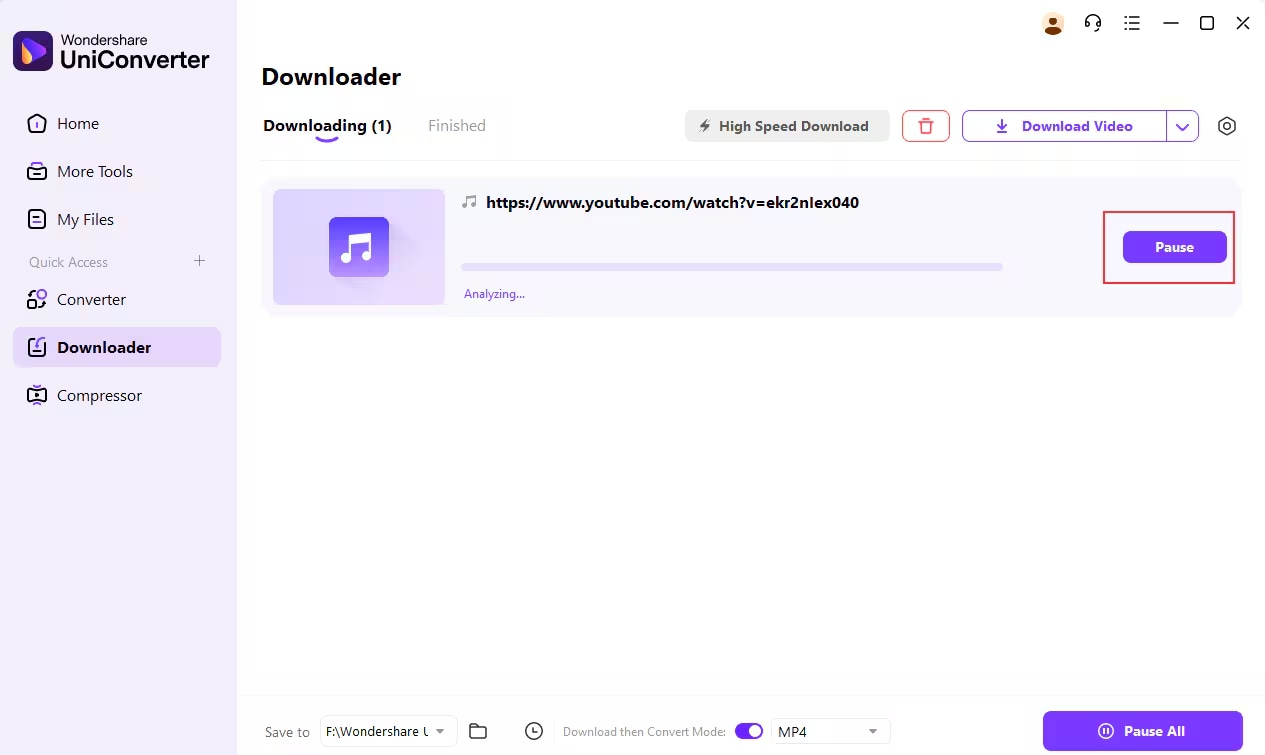
Step 3: Choose MP4 and Start Download
After detection, select MP4 as the output format. You can also pick a resolution (from 480p to 4K). Hit Download, and your video will be saved locally in your preferred format.
2. Allavsoft
Allavsoft is a well-regarded tool known for its simplicity and performance. It offers consistent support for downloading videos from Vimeo, YouTube, Facebook, and over 1000+ platforms. With Allavsoft, users can download and convert Vimeo videos to MP4 and other formats in just one click. The software’s standout feature is its ability to perform batch downloads—allowing users to paste multiple video URLs at once. Additionally, it auto-converts files after download, saving time in post-processing.
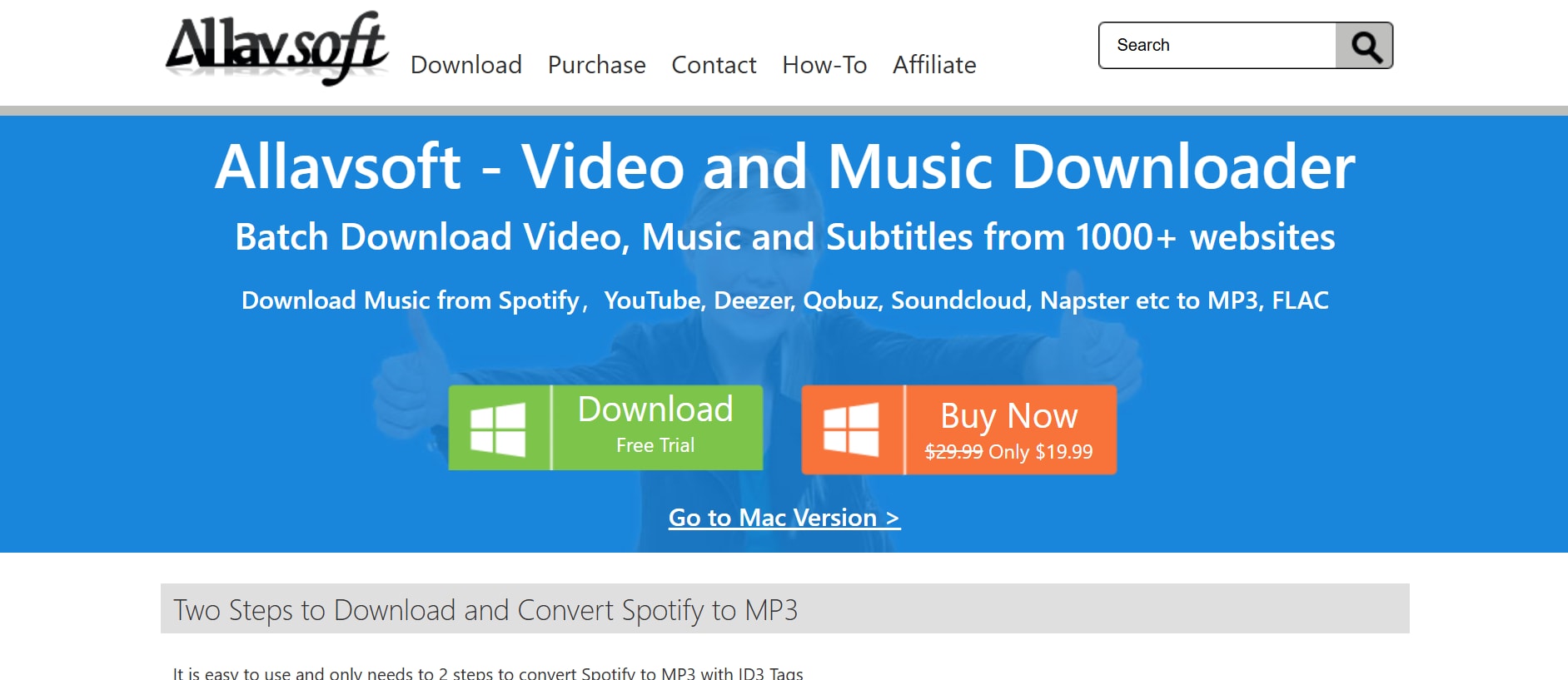
Key Features:
- Supports MP4, AVI, MOV, WMV, and FLV
- Downloads subtitles and audio alongside video
- One-click batch download and auto-convert
- Works on both Windows and macOS
- Option to pause/resume downloads anytime
Steps to download Vimeo Video to MP4 with Allavsoft
Follow the 3 steps below:
Step 1: Get the Vimeo Video Link
Start by opening Vimeo in your browser. Find the video you want to download and copy the URL from your address bar.
Step 2: Open Allavsoft and Paste the Link
Launch Allavsoft and paste the copied Vimeo URL into the input field. The software will detect the video instantly and prepare it for download.
Step 3: Select Output Format and Download
Choose MP4 as your desired format from the format drop-down menu. Then click the Download button. Allavsoft will download and convert the video automatically—no additional steps needed.
3. VideoHunter
VideoHunter is a newer but increasingly popular video downloader with powerful functionality and a sleek interface. It enables users to download Vimeo content in MP4 format with just a few clicks—while maintaining excellent video and audio quality. One of its core strengths is high-resolution support, offering downloads in 720p, 1080p, 4K, and even 8K formats. It also includes batch mode, allowing users to extract multiple Vimeo videos in one go. For creators needing fast, clean, and professional-level downloads, VideoHunter is a trusted choice.
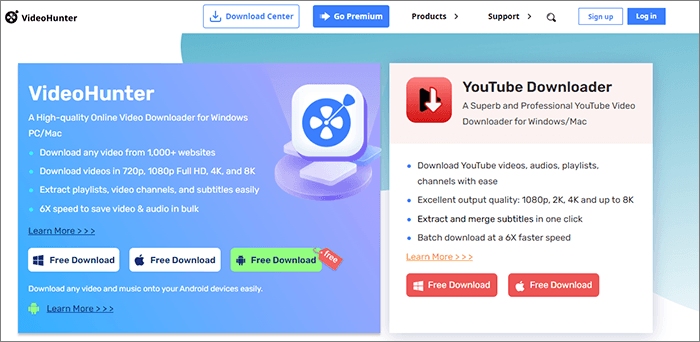
Key Features:
- MP4 support in 1080p, 2K, 4K, and 8K
- Multiple format conversion: MP4, M4A, MOV
- Auto-detects video URLs from clipboard
- Built-in media previewer
- Windows and macOS compatible
Steps to download Vimeo Video to MP4 with VideoHunter
Follow the 3 steps below:
Step 1: Copy Vimeo Video Link
Go to Vimeo and find the video you want to download. Copy the video link from your browser’s address bar.
Step 2: Launch VideoHunter and Insert Link
Open VideoHunter on your desktop. Paste the Vimeo link into the input field, and the software will immediately begin fetching download options.
Step 3: Choose MP4 and Preferred Resolution
From the available options, select MP4 as the format and choose your preferred resolution. Click the Download button, and your video will be stored on your local drive in high quality.

Easy to Use Batch Vimeo to MP3 Downloader
Part 2: 3 Recommended Webs to Convert Vimeo to MP4 Online
Want to convert Vimeo videos to MP4 without installing software? These online converters are perfect for quick, hassle-free downloads—right from your browser. Let’s explore three reliable web tools that make Vimeo to MP4 conversion seamless and efficient:
1. SaveTheVideo
A reliable web-based converter that supports Vimeo, TikTok, Facebook, and more. SaveTheVideo.com offers a fast and secure solution to download videos directly from Vimeo in MP4 format. No installations, no hidden charges—just a smooth and clean interface that works across all modern browsers.
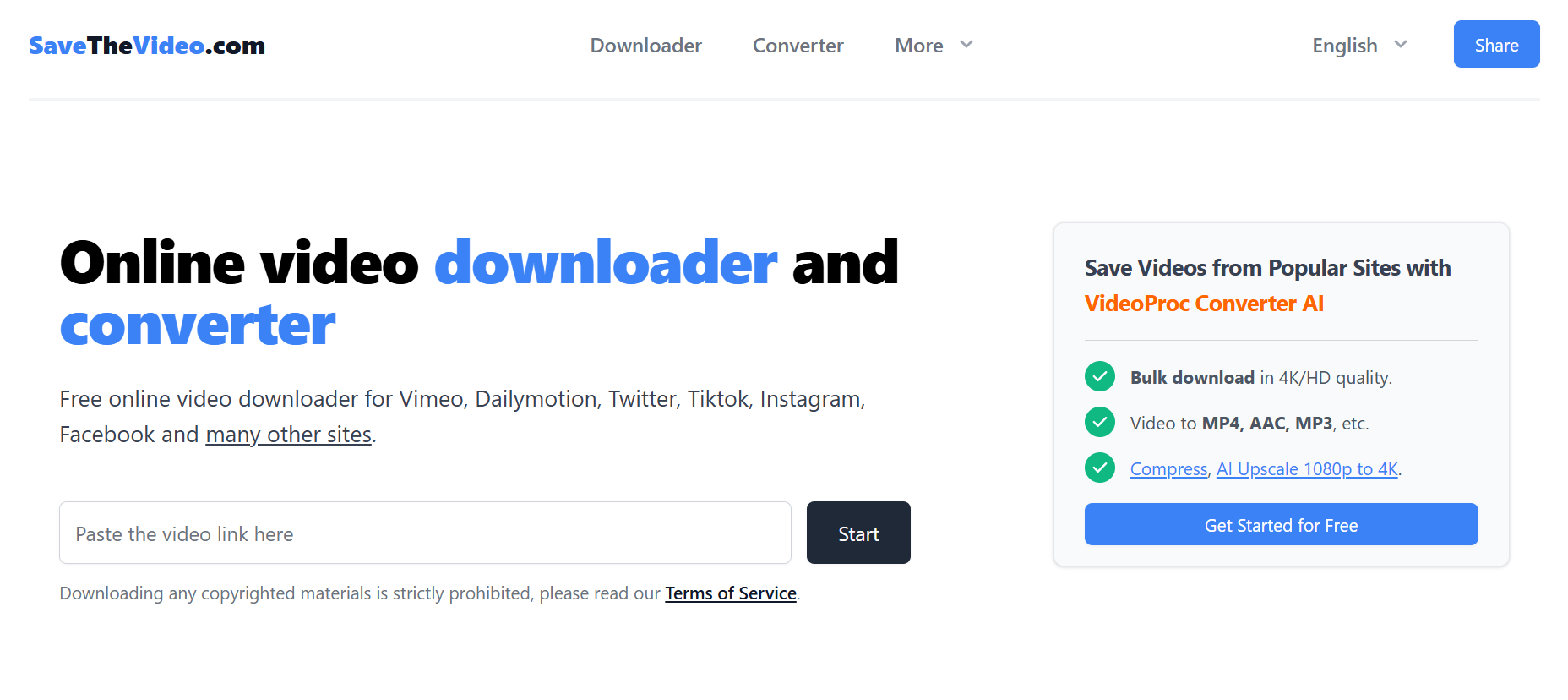
Key Features:
- Supports Vimeo and 50+ video platforms
- Output formats include MP4, WebM, MP3
- Download subtitles and thumbnails
- Basic trimming before download
- 100% web-based — no software required
Steps to Convert Vimeo to MP4 with SaveTheVideo
Follow the 3 steps below:
Step 1: Copy Vimeo Video URL
Open Vimeo in any browser (Chrome, Firefox, Safari). Locate the video you wish to download. Right-click on the address bar and select Copy, or press Ctrl+C (Windows) / Cmd+C (Mac).
Step 2: Open SaveTheVideo.com
Go to SaveTheVideo.com. You’ll see a large input bar on the homepage. Paste the Vimeo URL into it by right-clicking and selecting Paste, or pressing Ctrl+V/Cmd+V.
Step 3: Choose MP4 Format and Download
Click the Download button. After a few seconds of analyzing, it will display available formats. Select MP4, choose your preferred resolution (e.g., 720p or 1080p), and click Download File. Your video will start saving to your device automatically.
2. Y2Mate
A fast, mobile-optimized Vimeo downloader for one-click video conversions. Y2Mate offers a clutter-free and mobile-responsive interface. It specializes in converting Vimeo videos directly to MP4 format with just a few simple clicks, making it ideal for quick downloads on both desktops and smartphones.
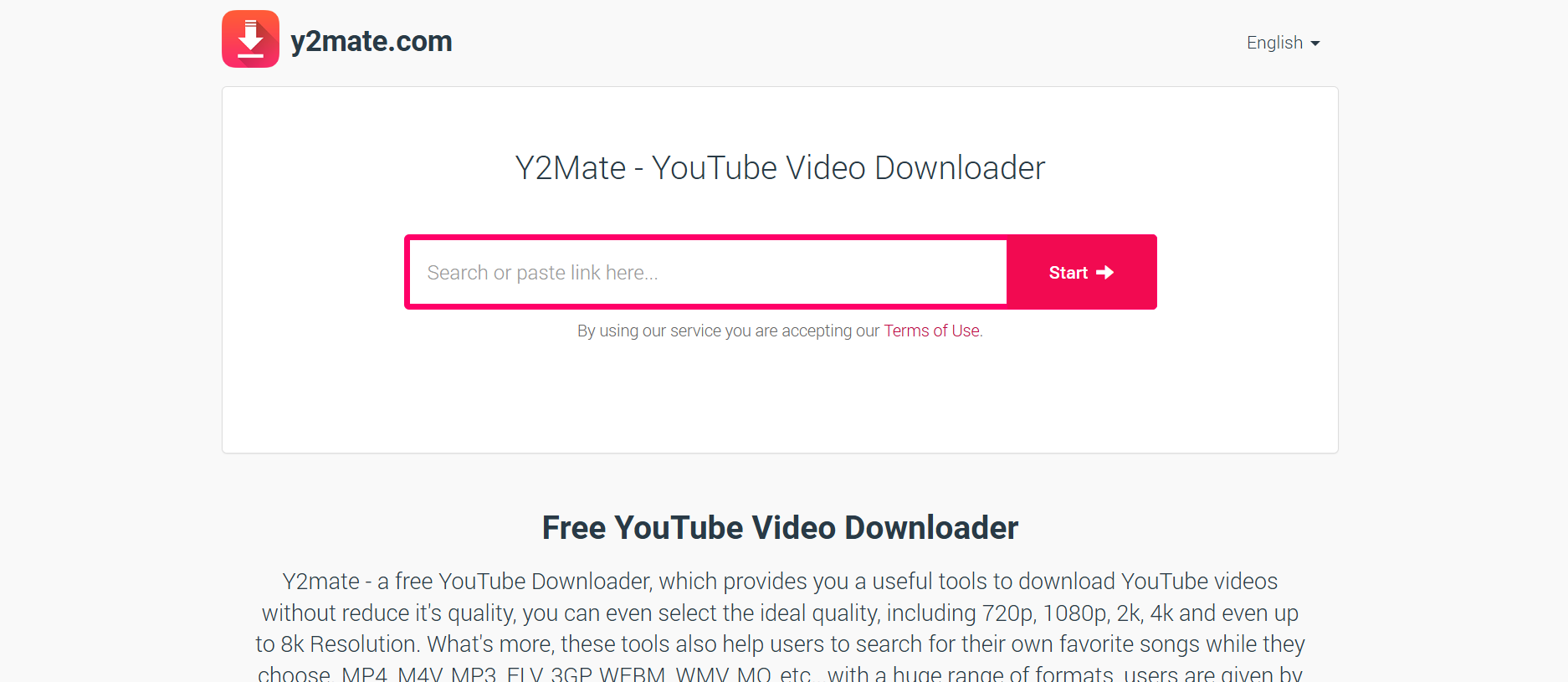
Key Features:
- Converts Vimeo videos to MP4 or MP3
- Mobile-friendly layout with no app installation
- Works across Windows, macOS, Android, iOS
- Multiple quality options: 360p, 480p, 720p, 1080p
- Instant download with no login
Steps to Convert Vimeo to MP4 with Y2Mate
Follow the 3 steps below:
Step 1: Copy the Vimeo Video Link
Open Vimeo in your device’s browser. Select the video, then long-press on the URL (mobile) or use Ctrl+C/Cmd+C (desktop) to copy the video link.
Step 2: Open Y2Mate Vimeo Downloader
Head to Y2Mate Vimeo Downloader. You’ll see a download bar at the top of the page. Paste your copied Vimeo URL into this field.
Step 3: Select MP4 Format and Download
Click Start to analyze the video. Once results are generated, select MP4 and pick your preferred resolution. Hit the Download button next to your selection. The file will download instantly to your device storage.
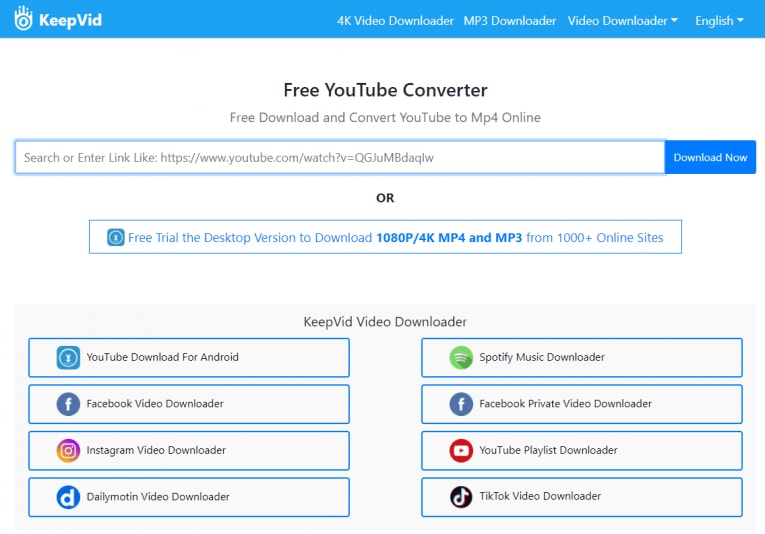
3. KeepVid.pro
An efficient, no-fuss Vimeo downloader with wide platform support. KeepVid.pro is designed for users who want quick video downloads without installing any tools. With support for Vimeo and 1000+ other sites, it offers consistent performance, fast download speeds, and MP4 conversion—all in a secure browser interface.
Key Features:
- Supports Vimeo, Dailymotion, TikTok, Facebook, and more
- Downloads MP4 up to 1080p
- Converts to audio-only (MP3) if needed
- Built-in video preview option
- 100% browser-based, no extensions required
Steps to Convert Vimeo to MP4 with KeepVid.pro
Follow the 3 steps below:
Step 1: Copy the Vimeo Video URL
Open the Vimeo video you want to download in a browser. Highlight the URL in the address bar, right-click and choose Copy, or use the shortcut Ctrl+C/Cmd+C.
Step 2: Navigate to KeepVid.pro
Visit KeepVid.pro Vimeo Downloader. Once the site loads, paste the video link into the search bar prominently displayed on the homepage.
Step 3: Analyze, Pick MP4 Format, and Download
Click Download Now to let the system process your video. After it fetches the data, you’ll see format and resolution options. Select MP4 and your preferred quality (like 720p or 1080p). Hit Download, and the video will begin saving to your local folder.
Easy to Use Batch Vimeo to MP3 Downloader
Part 3:3 Most Recommended Apps to Save Vimeo Video as MP4 on Mobile
Need a quick way to download Vimeo videos straight to your phone? These mobile apps are built for on-the-go users who want reliable MP4 conversions without switching to a PC.Let’s explore three trusted mobile tools that help you save Vimeo content effortlessly on Android and iOS.
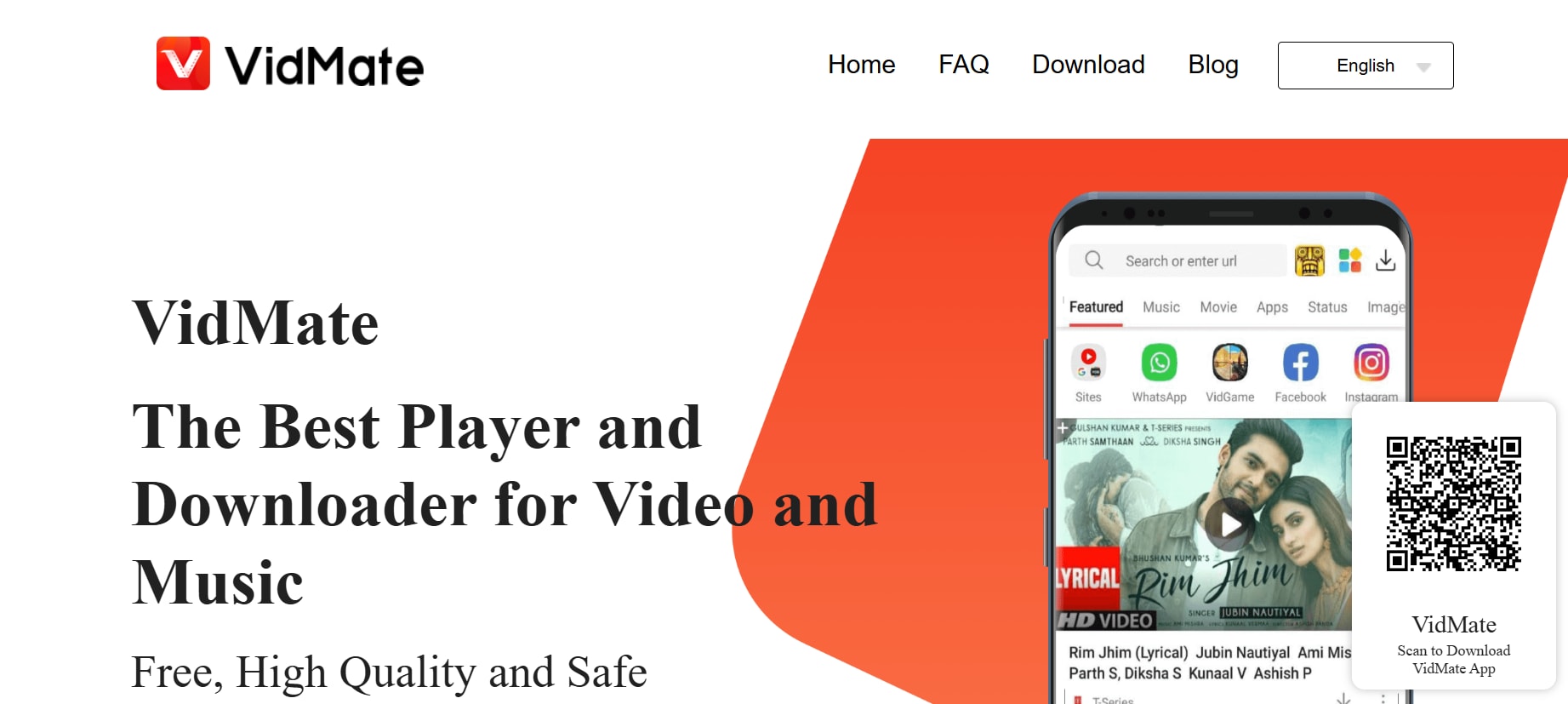
1. VidMate
A feature-rich Android app for downloading videos from Vimeo, YouTube, and more.VidMate is one of the most versatile video downloader apps available for Android users. It supports a vast range of platforms including Vimeo, and offers multiple resolutions and formats, including MP4. It also doubles as a media player and file manager.
Key Features:
- Supports Vimeo, YouTube, Dailymotion, Facebook, and 100+ sites
- MP4 download in resolutions from 144p to 1080p
- Built-in video player and download manager
- Option to extract audio (MP3)
- Supports simultaneous downloads
Steps to Download Vimeo Video as MP4 with VidMate
Follow the 3 simple steps:
Step 1: Copy Vimeo Video URL
Open the Vimeo app or website, find your video, and tap Share > Copy Link.
Step 2: Launch VidMate
Open VidMate and paste the URL into the built-in browser’s address bar.
Step 3: Choose MP4 & Download
Once the video loads, tap the Download button, select MP4, and pick your desired resolution. Tap Download again to begin saving.
2. Readdle
A trusted iOS workaround using the Readdle app and SaveFrom’s downloader. While Apple restricts direct video downloading, pairing the "Documents by Readdle" app with SaveFrom.net provides a legal and practical method to download Vimeo videos as MP4 on iPhones and iPads.
Key Features:
- Secure file manager with browser
- Compatible with SaveFrom and other video download sites
- Saves videos directly to Files or Photos app
- Supports MP4 and audio formats
- Works on iPhone and iPad
Steps to Download Vimeo Video as MP4 Readdle
Follow the 3 steps below:
Step 1: Copy Vimeo URL
Open Vimeo in Safari, tap Share, and select Copy Link.
Step 2: Open Documents App
Open Documents by Readdle and go to its built-in browser tab. Navigate to https://en.savefrom.net
Step 3: Paste Link and Download MP4
Paste the copied Vimeo URL into SaveFrom. Once processed, select MP4, choose the resolution, and tap Download. The file will be saved within the app’s Downloads folder.
3. Snaptube
An all-in-one Android downloader with MP4 and audio extraction for Vimeo. Snaptube combines video search, playback, and download in one slick Android app. With support for platforms like Vimeo, Instagram, and Facebook, it allows users to download high-quality MP4 files and even convert to audio—all directly within the app.
Key Features:
- Supports Vimeo, TikTok, Instagram, YouTube, and 50+ sites
- MP4, MP3, and HD format options
- Floating video player and multi-tasking support
- Built-in search and browser
- Option to download playlists
Steps to Download Vimeo Video as MP4 with SnapTube
Follow the 3 simple steps:
Step 1: Copy Vimeo Video URL
Use the Vimeo app or website, find the video, and copy the URL via Share > Copy Link.
Step 2: Launch Snaptube
Open Snaptube and paste the Vimeo URL into the search bar, or use the in-app browser to open Vimeo directly.
Step 3: Download MP4 Format
Once the video is detected, tap the Download icon. Choose MP4 and select the resolution. Tap again to save the file to your Downloads folder.
Part 4:Quick Comparison of Vimeo Videos to MP4 Downloaders
| Tool / App | Platform | Pricing |
Batch Download Support |
Ad Density | Notes |
| Wondershare UniConverter | (Win/macOS) | Paid (Free trial) | Yes | None | Complete toolkit with editing, compression & GPU download |
| Allavsoft | Desktop (Win/macOS) | Paid (Free trial) | Yes | None | Strong for video/audio batch downloads from 1000+ sites |
| 4K Video Downloader+ | Desktop (Win/macOS/Linux | Freemium (Paid for Pro) | Yes | None | Excellent for high-res downloads (up to 8K), playlists, subtitles |
| SaveTheVideo.com | Web (All Browsers) | Free | No | Low | Clean, minimal UI and safe for mobile and desktop |
| Y2Mate Vimeo Downloader | Web (All Browsers) | Free | No | Medium | Easy UI, fast parsing, but has some popup ads |
| KeepVid.pro | Web (All Browsers) | Free | No | Medium | Offers resolution selection before download |
| VidMate | Mobile (Android APK) | Free | Yes | Medium | APK only, supports Vimeo, YouTube, Facebook, etc. |
| Documents + SaveFrom | Mobile (iOS) | Free | No | None | Trusted App Store option for iOS + web downloader integration |
| Snaptube | Mobile (Android APK) | Free | Yes | High | Powerful, but ads-heavy and APK-based installation |
Part 5: Conclusion
Whether you're downloading for offline viewing, content repurposing, or building a personal archive, saving Vimeo videos as MP4 is now seamless and efficient. With the right tool, you can skip quality loss, long wait times, and conversion hassles—no matter your device or platform.
For an all-in-one solution that combines speed, batch processing, and professional-grade output, Wondershare UniConverter is the clear standout. Unlock fast, high-quality MP4 conversions with Wondershare UniConverter.
Easy to Use Batch Vimeo to MP3 Downloader
FAQs
-
1. Is it legal to download Vimeo videos as MP4?
Downloading videos from Vimeo is legal only if the content is available for download by the creator or for personal, non-commercial use. Always respect copyright and Vimeo’s terms of service when using any downloader. -
2. What’s the best tool to convert Vimeo videos to MP4 on desktop?
is a top-tier choice for desktop users. It supports batch downloads, MP4 conversion, video editing, and GPU acceleration—all in a user-friendly interface for both beginners and professionals. -
3. Can I download Vimeo videos directly on my phone?
Yes, with mobile apps like VidMate (Android) or Documents by Readdle (iOS), you can download Vimeo videos to your phone as MP4. These apps typically require copying the video URL and using built-in browsers or converters. -
4. Why does batch downloading matter for Vimeo to MP4 conversion?
Batch downloading allows you to save multiple Vimeo videos at once, which is useful for courses, playlists, or bulk content. Tools like and Allavsoft support this, saving time and ensuring consistent quality. -
5. What’s the difference between online tools and desktop apps for Vimeo to MP4 conversion?
Online tools are convenient for quick downloads without installation, but they often have limitations like slower speeds, fewer formats, and ad interruptions. Desktop apps like offer more robust features—batch processing, higher resolutions, editing tools, and faster performance with GPU acceleration.
Note: All resources and content mentioned in this article, are sourced from publicly available internet resources. This article aims to provide users with information and references and does not imply endorsement or promotion of any specific website or download method. We are not responsible for the legality, accuracy, completeness, or reliability of any third-party websites or resources.Before downloading or using any resources, please ensure compliance with applicable local laws and regulations. Unauthorized downloading or distribution of copyrighted content without the explicit permission of the copyright owner is prohibited. We are not liable for any legal issues or losses arising from the use of the resources mentioned in this article.If you are the copyright owner of any resources mentioned in this article and believe that your copyright has been infringed, please contact us for prompt resolution.

