


The Valentine’s Day meme creators can use a video or photo and convert it into a GIF, in which you can add text and share with your loved one. This guide walks you through the best funny meme generators that you can try out and the steps involved. Most of these creators are simple to use, so use them now and make your partner feel special.
Part 1. Popular Types of Funny Valentine’s Day Memes
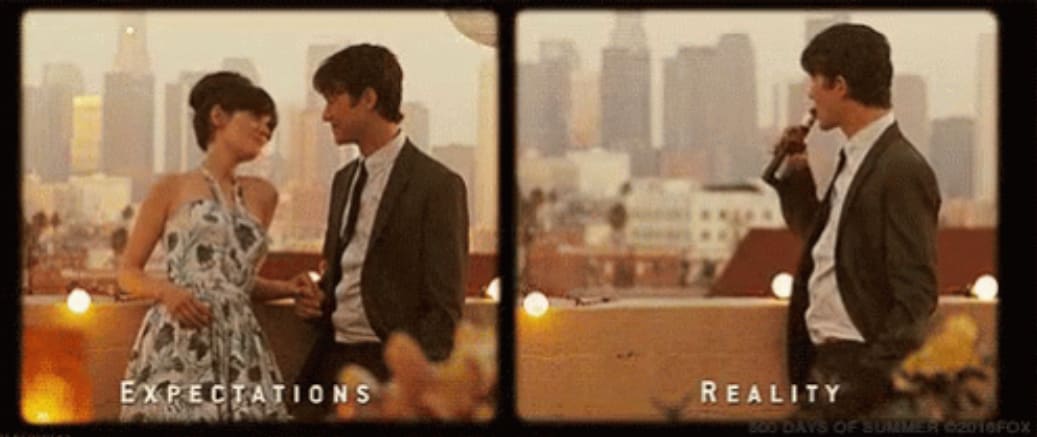
Couple Memes: In couple memes, the humor is based on “expectation vs reality” in relationships. These memes typically feature forgotten events (birthdays or anniversaries), gifts the person expected, or awkward dates you have been on together.
For instance, this meme illustrates a boy who expects to spend quality time with his partner, but she forgets, so he’s enjoying himself alone.
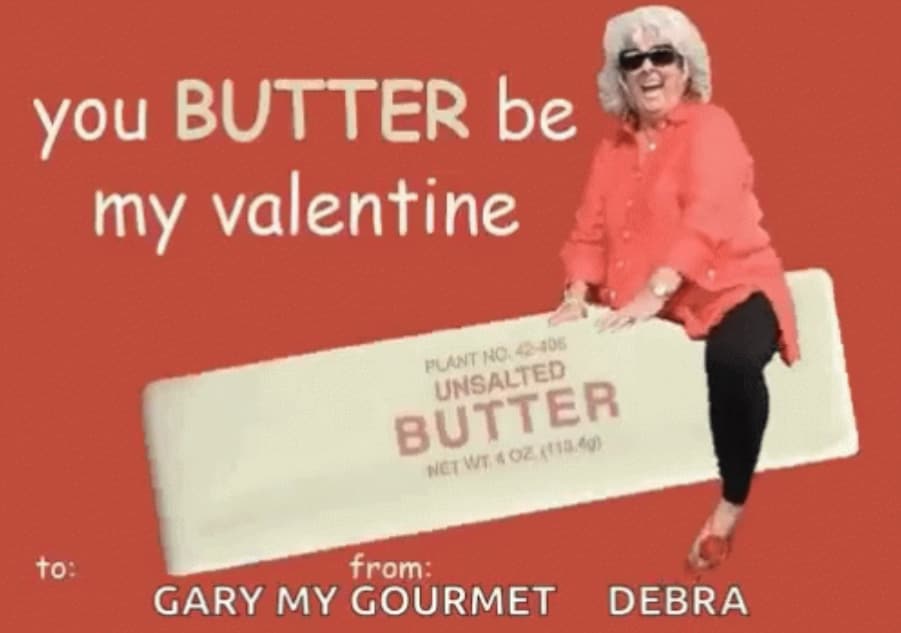
Pun-Intended Memes: These memes typically include food-related or object-based jokes, such as “You’re a cream cheese to my bagel” or “You butter be my valentine,” as you see in the example.
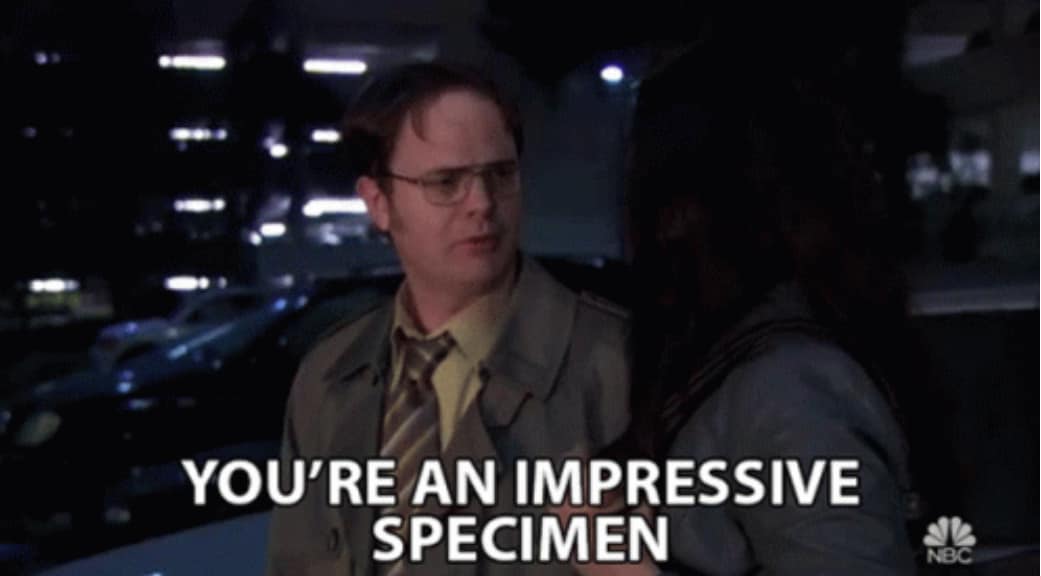
Pop-Culture/Character Memes: You can use popular movie, show, or viral internet moments adapted to Valentine’s Day themes. One can use iconic, romantic lines from The Office or Bob’s Burgers, or classic music-related memes.
Here’s an office meme of Dwight Schrute (an iconic The Office TV show character) offering a compliment in a witty manner.
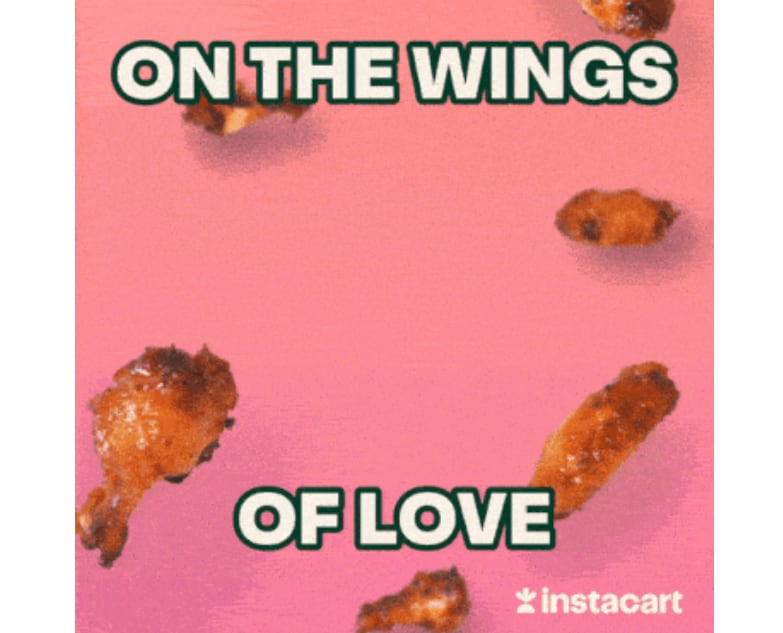
Food/Chocolate Memes: These funny Valentine's Day memes often highlight people's obsession with food or chocolate over romance and feature themes like “Obsessive Chocolate Disorder (OCD),” “tempting chicken wings,” and hoarding heart-shaped boxes. Here’s one food meme that you can share with your loved ones.
Part 2. Choose the Best Tool to Create Valentine’s Day Memes in 30 Seconds
Here’s a quick rundown of the best tools you can use to create Valentine’s Day memes:
Best for Beginners: Canva and Imgflip pair a simple interface with plenty of templates and elements to assist in quick meme creation.
Best for GIFs: UniConverter makes it easy to convert your images and videos into GIFs. Its video upscaler can upscale the video quality within seconds.
Best for Creating Video Memes: Kapwing’s text-to-video and image-to-video feature helps create high-quality video memes in seconds.
Best for Mobile: PhotoDirector offers a number of templates and effects to quickly create a Valentine’s Day meme even on the go.
Part 3. Comparison Chart: Different Ways to Make Funny Valentine's Day Memes
Before you understand what each meme creation tool offers, here’s a brief comparison table to get an idea:
| Tool Name | Platform | Speed | Format support | Price | Best For |
| Wondershare UniConverter | Desktop | Fast | GIF, MP4, JPG, PNG, M4A, and more. | Paid | Creating high-quality and personalized memes |
| CapCut | Desktop | Average | MP4, MOV, WMV, GIF, and more | Paid | Quick meme editing with video effects, templates, and transitions |
| Canva | Online | Average | JPG, PNG, GIF, MP4, and more | Free and Paid | Beginners and social media meme templates |
| Kapwing | Online | Average | JPG, AVI, GIF, MP4, and more | Paid | Online meme and video editing |
| PhotoDirector | Mobile | Average | JPEG, TIFF, PNG, BMP, GIF, and HEIF | Free and Paid | Meme and image enhancement on mobile |
| Imgflip | Mobile | Sometimes slow | PNG, JPG, GIF, MP4, and more. | Free | Simple, fast meme generation with classic meme templates |
Part 4. Different Ways to Make a Funny Valentine's Day Meme for Your Partner
Valentine's Day memes are now a common way for couples to express love, feelings, and spice up conversations. Although many ready-made memes are available online, personalized memes work best. This is where meme creators come in; the following section outlines the best options for desktop, online, and mobile.
Desktop Tools to Make Funny Valentine's Day Memes in 2026
Desktop tools are often preferred for creating happy Valentine's Day memes due to their stable performance, advanced editing capabilities, and full creative control, without requiring an internet connection. The following are the best desktop tools that you can try out:
1.Wondershare UniConverter
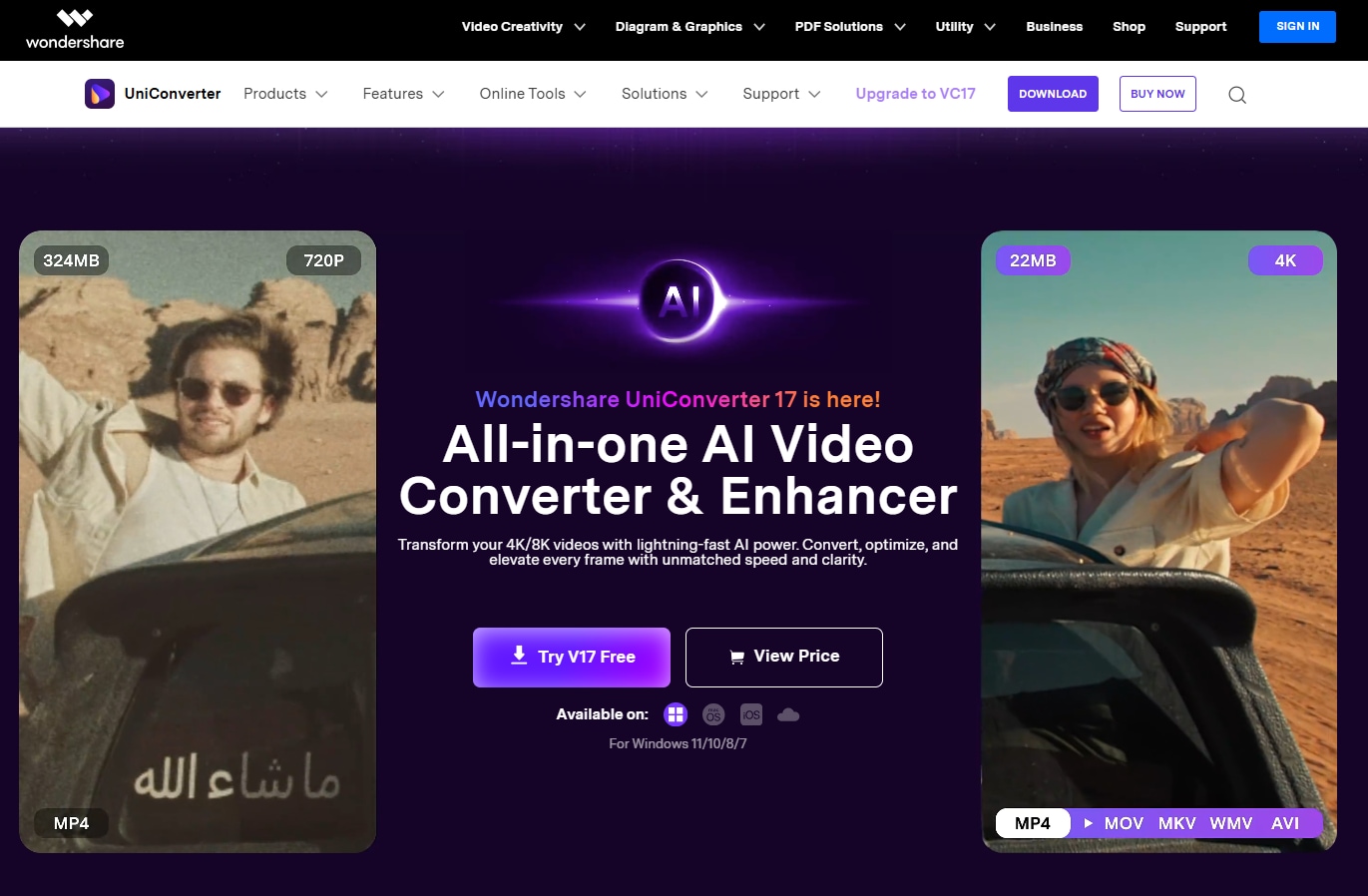
UniConverter is an all-in-one video editing toolkit with meme creation capabilities. Its GIF maker feature lets you convert your videos or photos into GIFs, which you can share with your partner and have a laugh. UniConverter’s simple interface and its high-speed conversion engine can have your GIF ready within seconds. You can then use UniConverter’s “Add Watermark” feature to add text anywhere on the GIF file.
If you don’t have footage or an image to make a meme out of, you can use UniConverter’s downloader feature to download memes from the internet. UniConverter can download and upscale videos and memes within a few seconds.
Key Features of Wondershare UniConverter
UniConverter’s GIF maker converts videos and photos into GIFs in seconds.
The Add watermark feature lets you place text anywhere on the video.
UniConverter supports downloading in multiple formats, including GIF, JPG, PNG, and MP4.
The AI video enhancer feature can enhance the quality of your Valentine’s Day meme.
Best For: Creating high-quality Valentine’s Day memes from existing videos and images.

All-in-One Multimedia Processing Tool
2.CapCut
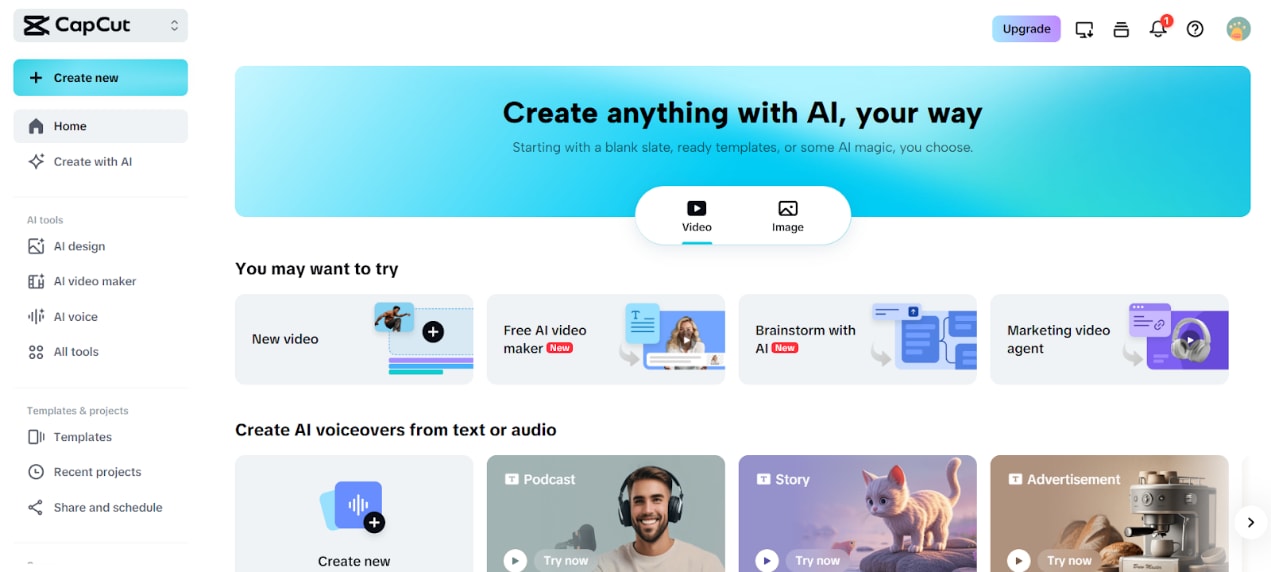
Capcut is another desktop app that makes creating funny Valentine's Day memes hassle-free with its drag-and-drop interface. Simply import your media, add text, apply effects, and export the meme to share with your partner. CapCut has an extensive library of music, sound effects, and AI voices to add humor to your ideas and bring a smile to your partner’s face.
Overall, CapCut is a decent desktop platform for creating memes, but most of its advanced features are available only in its Pro version.
Key Features of CapCut Meme Maker
CapCut lets you place text anywhere on the image and select from fonts, sizes, and colors.
Supports exporting to popular image and video formats, including JPG, PNG, GIF, and MP4.
CapCut has an extensive library of stickers, funny sound effects, and meme templates.
Best For: Creating quick, watermark-free memes with customized text, stickers, and effects.
Online Tools to Make Funny Valentine's Day Memes in 2026
Desktop apps, while stable, require installation and can strain your devices, especially when using tools like CapCut. Meanwhile, online creators offer a quick, simple way to create a happy Valentine’s Day meme and share it with loved ones. The following are the best tools that you can try:
3.Canva
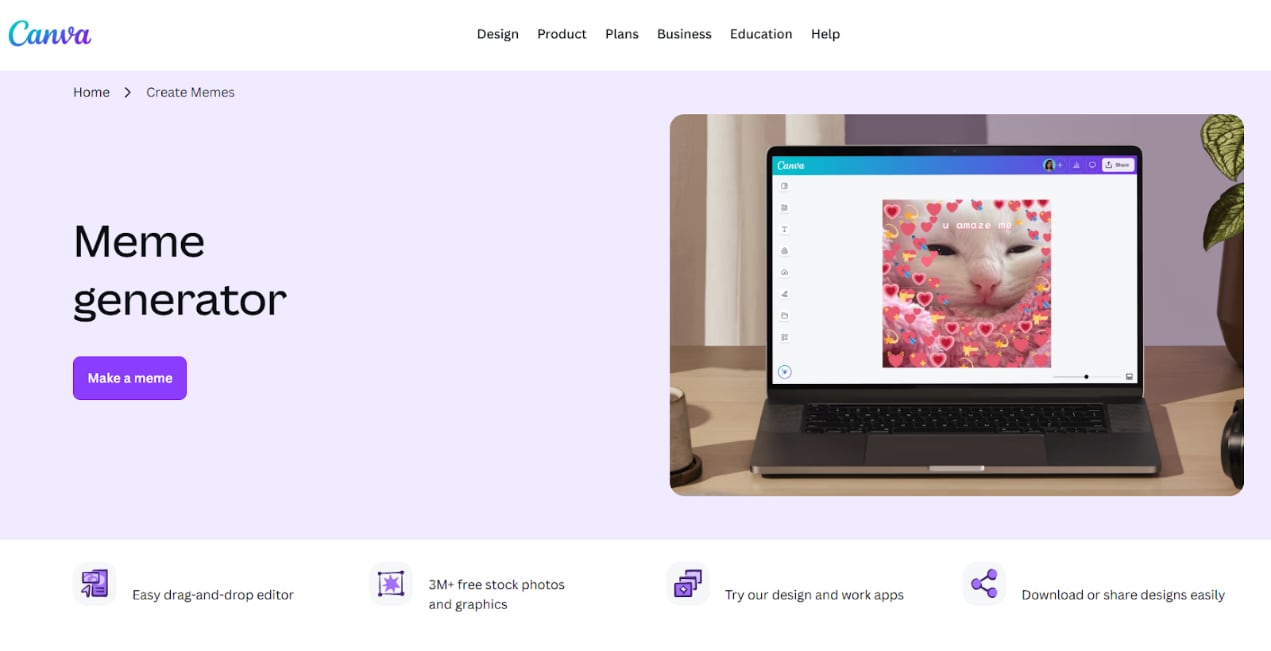
Canva is a professional-grade online meme creator for funny Valentine's Day memes that lets you turn your favorite pictures into memes instantly. There’s no conversion feature as such, but you can use Canva’s huge stock library with millions of icons, stickers, and other graphics to create customized Valentine’s Day memes from scratch. You’ll also find a huge stock of Valentine memes that you can customize and download as GIF, PNG, or JPG.
Key Features of Canva
Access to plenty of meme templates to use and customize.
Canva can create unique images or graphics from text prompts.
Add, edit, and format text to fit classic meme styles.
Best For: Users who want to create a personalized, funny Valentine's Day meme without advanced graphic design skills.
4.Kapwing
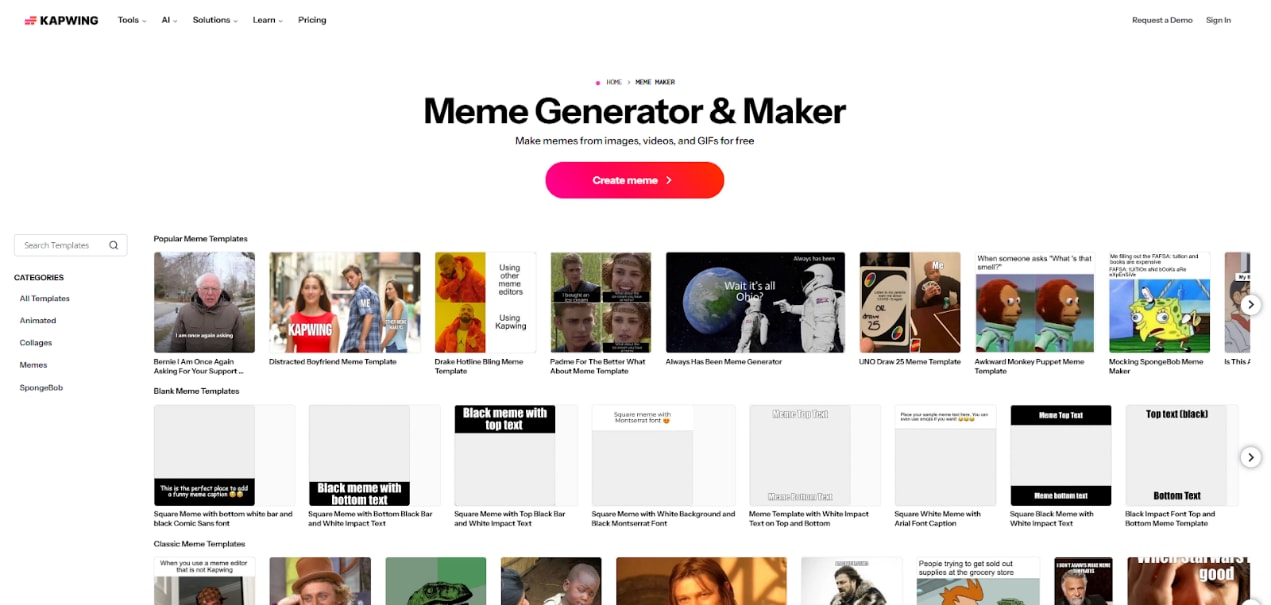
Kapwing is another popular web-based video editor that doubles up as a meme creator and editor. The interface is straightforward, and you can create funny Valentine memes with a single prompt. Kapwing’s plan mode helps ensure you always share a high-quality meme.
Not only that, but Kapwing also has a large library of blank meme templates you can customize, download, and share with your loved ones. Like Canva, you can customize the template, add stickers, change background color, and fully customize it in a way your partner will love.
Key Features of Kapwing
Kapwing has a prompt-based image and video generation feature.
Instantly resize memes for different social media platforms.
Includes features like auto-subtitling, background removal, and AI voiceovers.
Best For: Web-based platform to instantly create, customize, and edit memes and GIFs using a variety of templates.
Mobile Apps to Make Funny Valentine’s Day Memes in 2026
Mobile apps provide a simple way to generate happy Valentine's Day memes, with unmatched portability and convenience. The following are the best options you can try out:
5.PhotoDirector
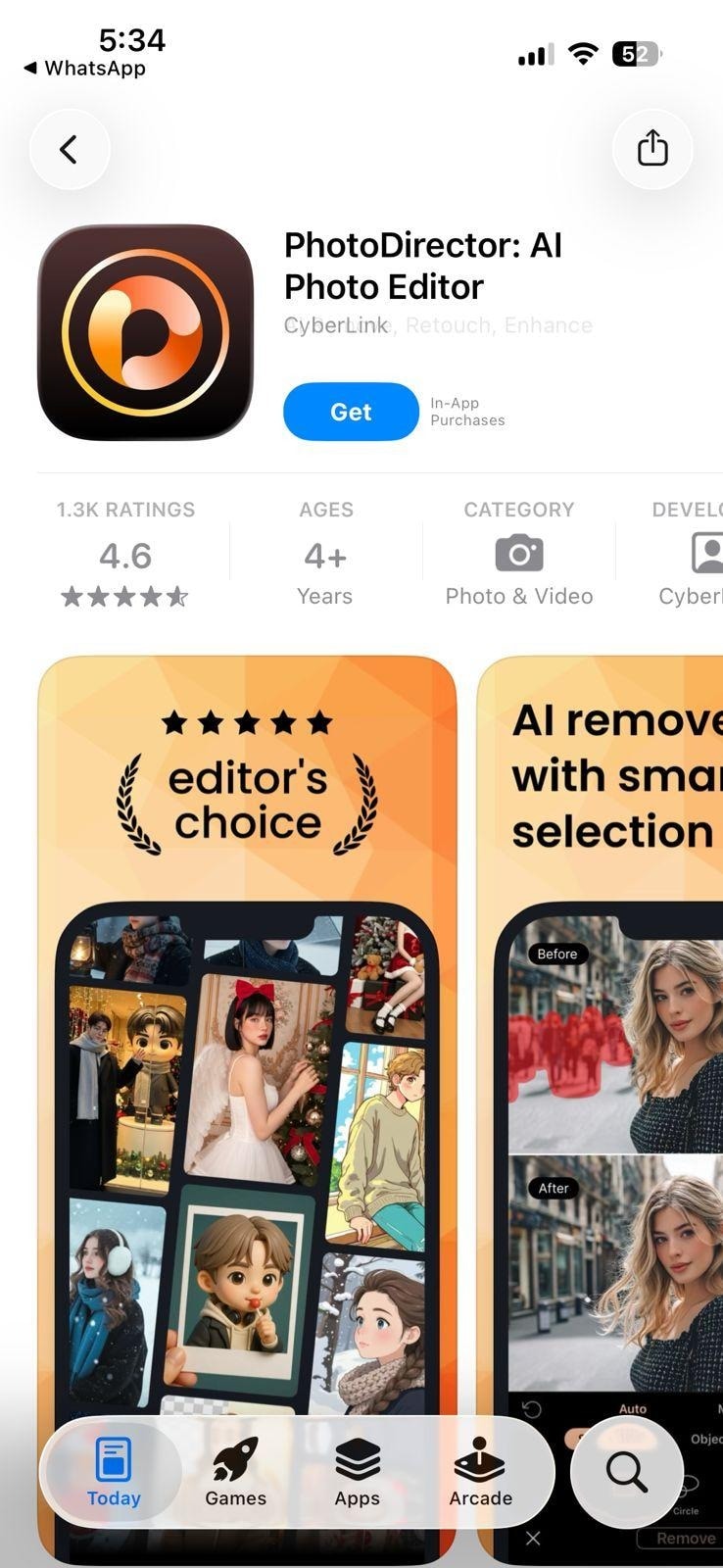
PhotoDirector is a leading choice for creating high-quality memes on Android and iOS. The combination of a simple interface, quick output, and powerful features makes PhotoDirector a suitable meme-creation app for beginners and professionals. Moreover, PhotoDirector offers a wide range of frames, stickers, and filters to personalize memes with minimal effort.
Key Features of PhotoDirector
PhotoDirector lets you remove objects, add text to photos, or replace backgrounds.
You can animate your photos with a range of AI-powered effects.
There are advanced photo-editing tools, including layer editing, style effects, and color correction.
Best For: Users who need a meme maker on Android and iPhone with photo and video editing features.
6.Imgflip
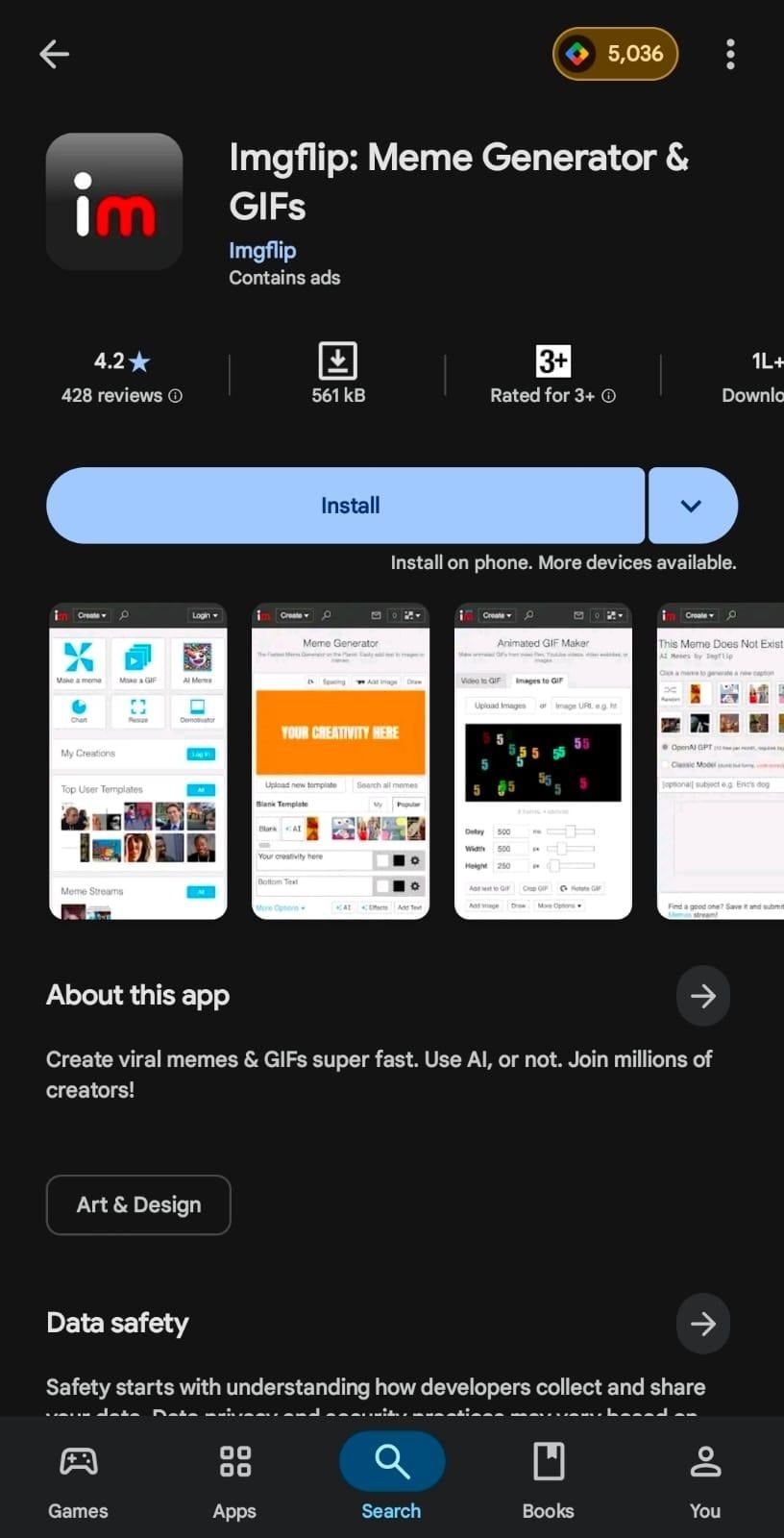
Imgflip is a free video meme maker app with a large library of meme and GIF templates, with new ones added periodically. You can practically change every part of the meme, such as fonts, colors, stickers, drawing, and even text spacing. This way, you have a personalized meme that truly captures your emotions and feelings towards your partners. Thanks to its fast rendering, your output is ready to share in just a few taps.
Key Features of Imgflip
Imgflip provides access to several video filters.
Create animated GIFs from the video files.
Lets you add sound to GIFs from video sources.
Best For: Fast, user-friendly, and comprehensive online tool to create customized Valentine's Day memes.
Part 5. How to Make a Funny Valentine's Day Meme with UniConverter
Desktop apps are considered the best meme generators for their features, fast output, and stable performance. Amongst the available options, Wondershare UniConverter stands out, and this section walks you through the steps to use the meme creator.
How to Use the GIF Maker Feature of UniConverter
The GIF maker feature of UniConverter allows users to convert video and audio files into GIFs, and here are the steps to follow:
Step 1: Launch UniConverter and head over to the “Image” tab, followed by the “GIF Maker.”
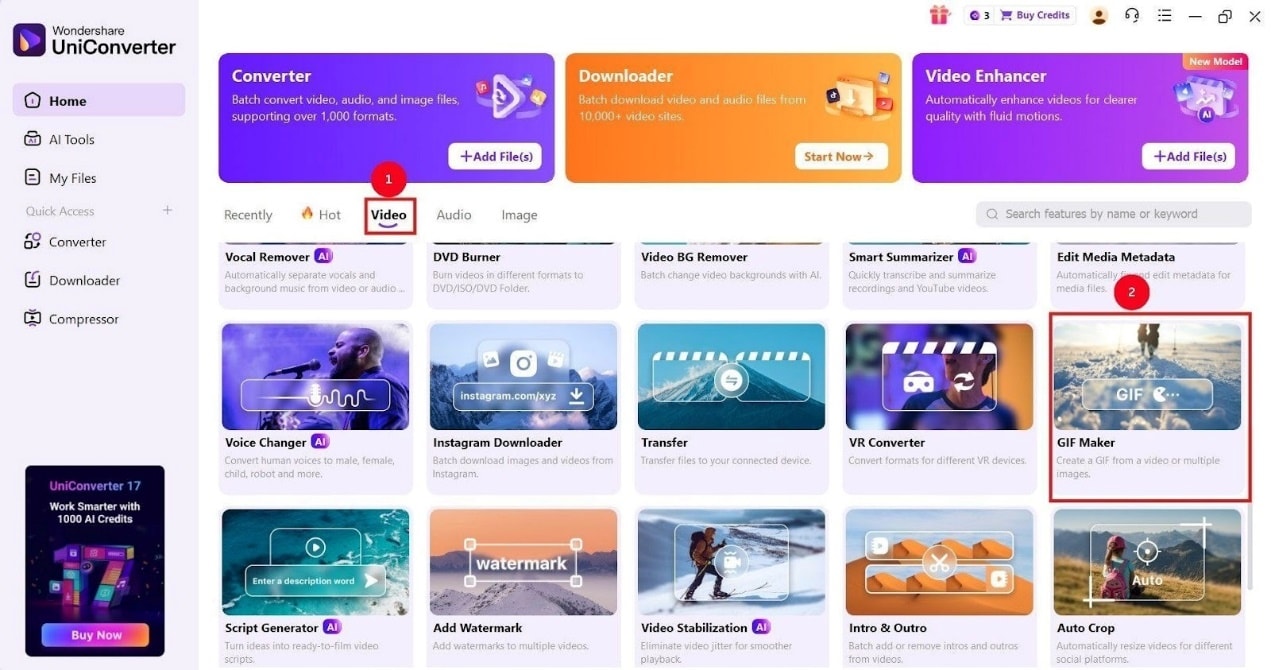
Step 2: Now, click the “Video to GIF” or “Photos to GIF” and “+” icon to upload the video or image you want to convert.
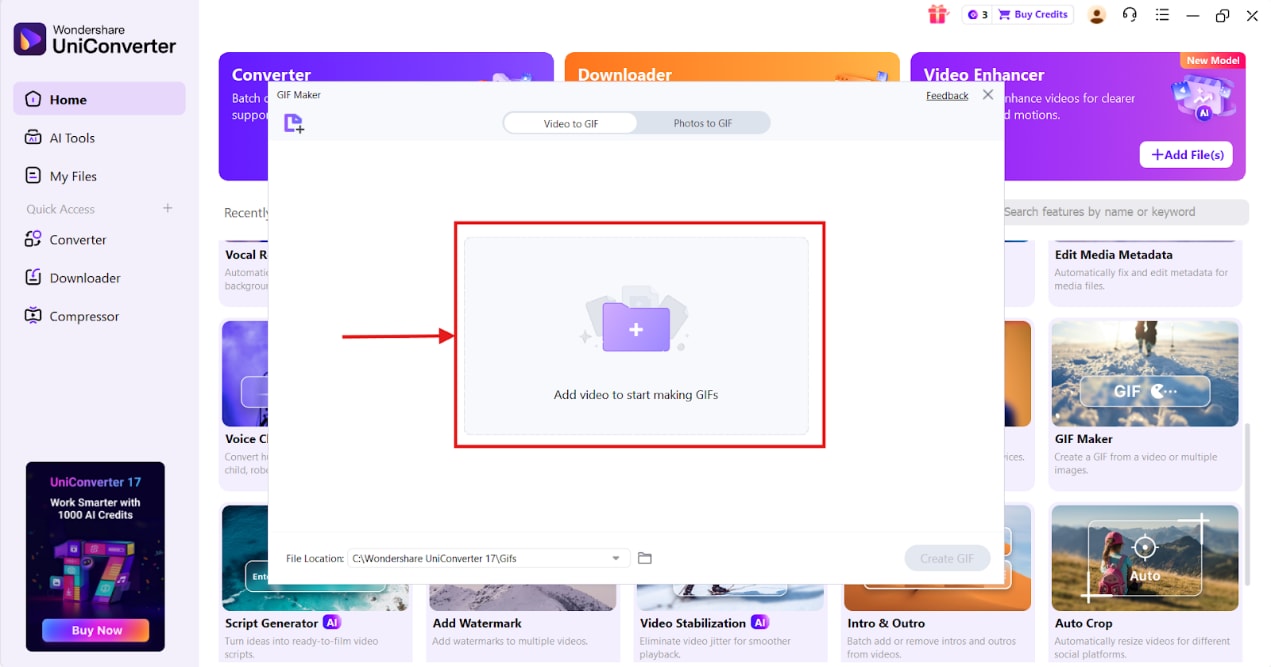
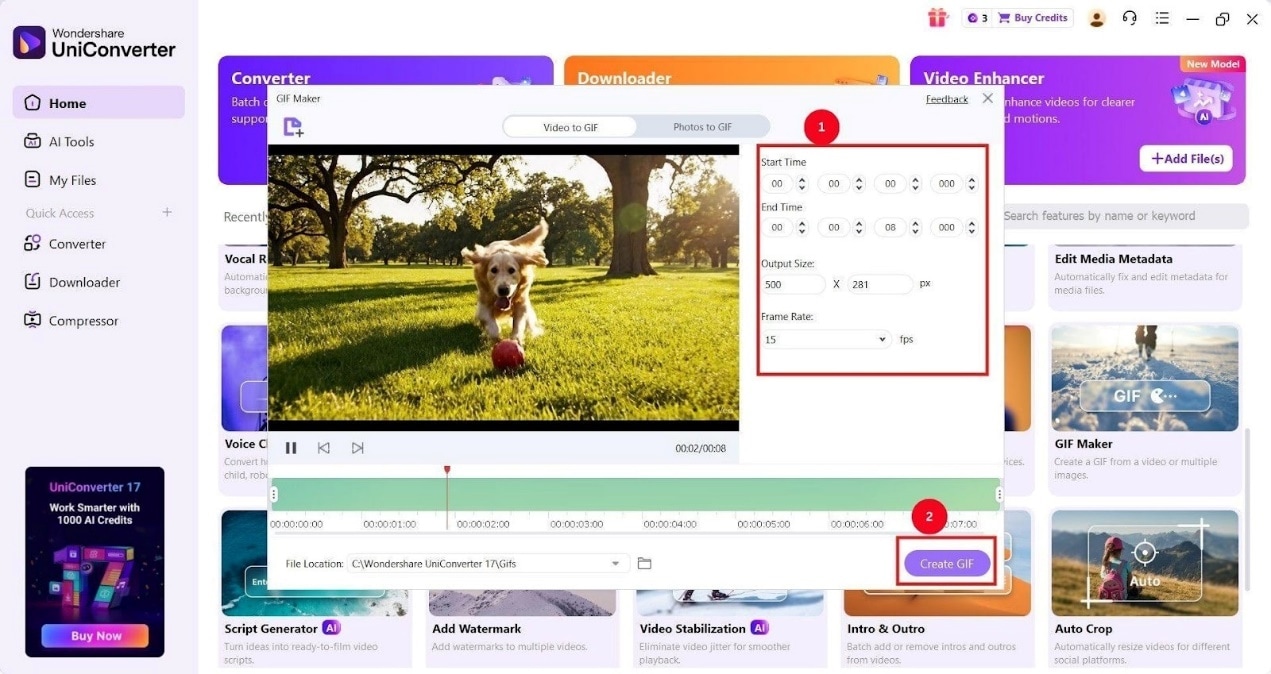
Step 3: Once the video upload is complete, set the “Start Time” and “End Time” to trim the video clip. Then select the “Output Size” and “Frame Rate,” and click “Create GIF” for UniConverter to create and export the GIF file.
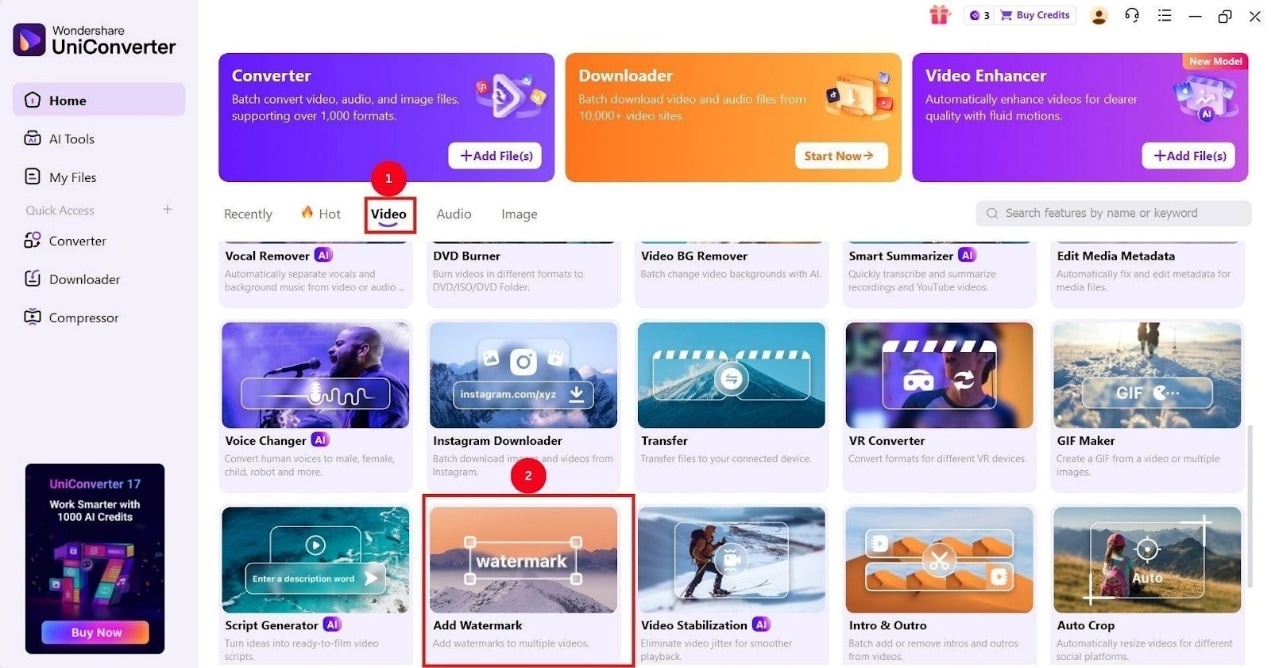
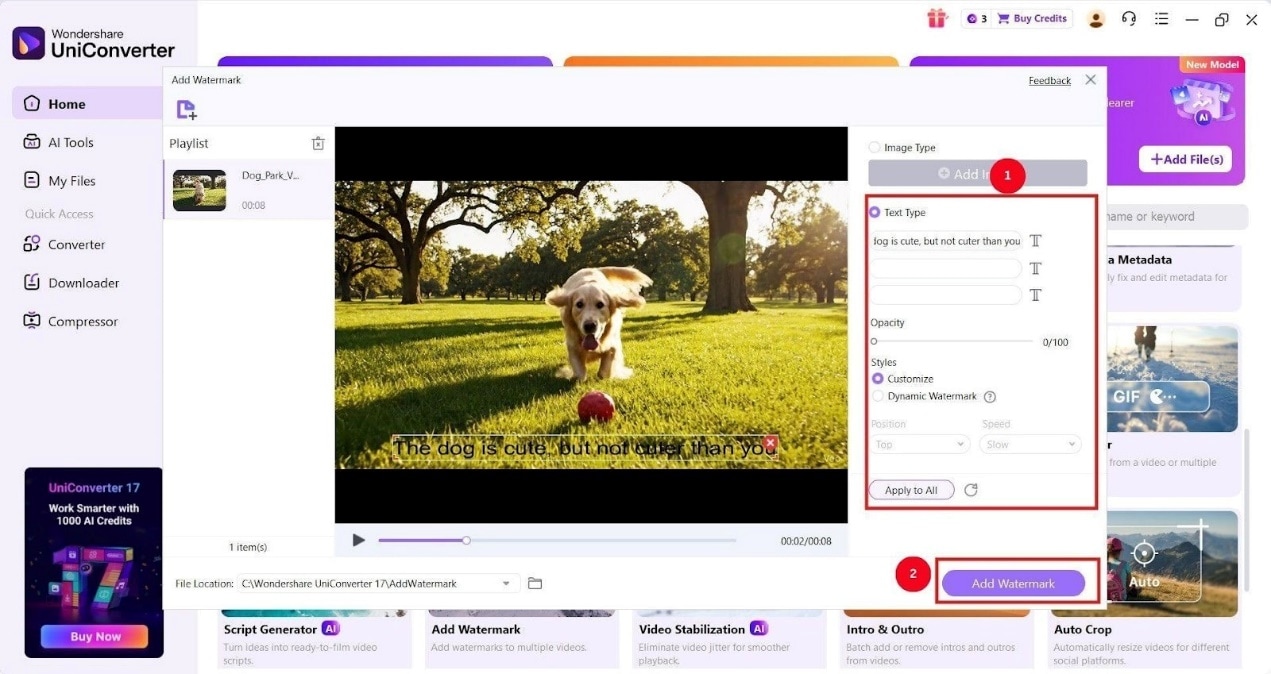
Step 4: Now, if you want to add text to your GIF, go back to the “Video” tab on the dashboard and click “Add Watermark.”
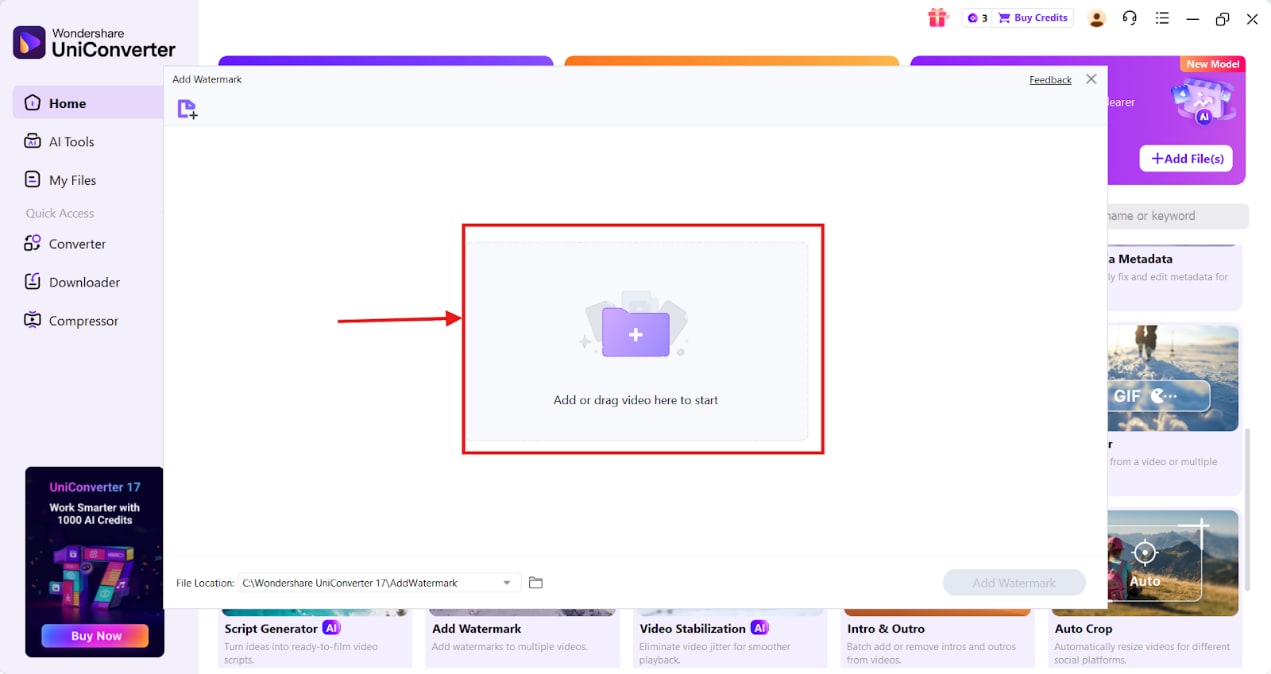
Step 5: Click the “+” icon to upload your created GIF file. The upload process takes only a few seconds.
Step 6: On the right panel, select the “Text type” option to write the text and click on “Add Watermark.”
How to Upscale GIFs Using UniConverter
If you download memes from meme-sharing websites, you’ll see that the quality of GIFs isn’t great. In such instances, UniConverter has a video upscaler feature that can help you obtain a high-quality GIF, and here are the steps:
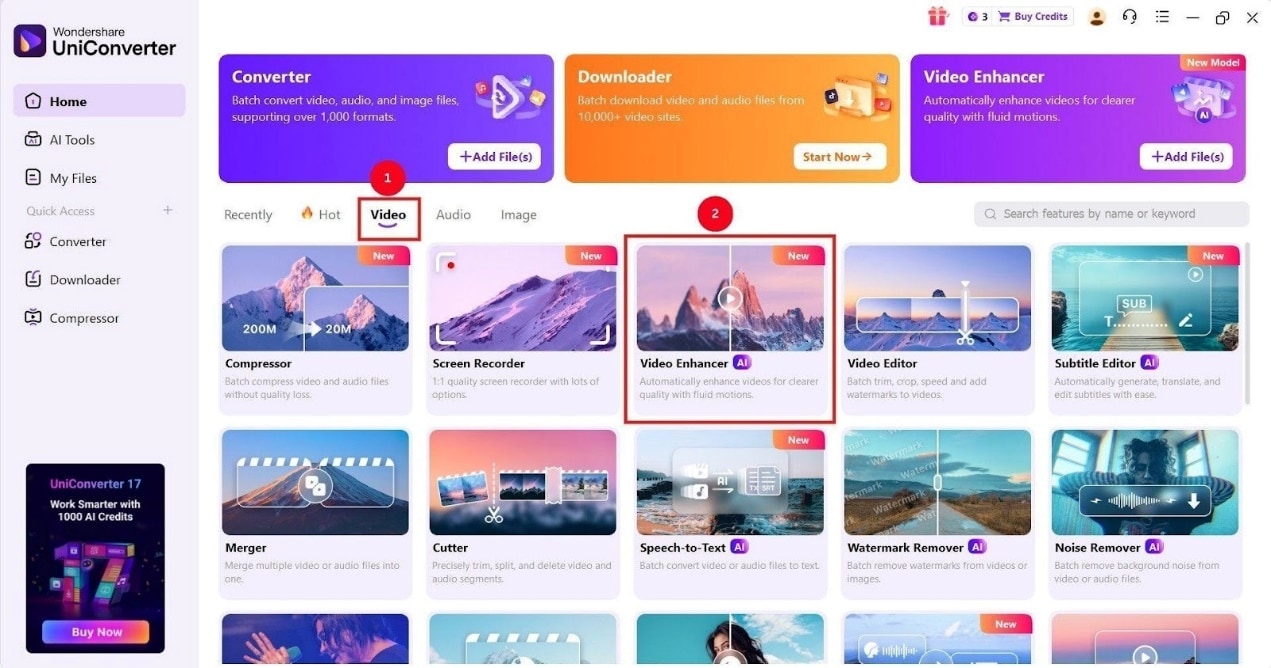
Step 1: On the UniConverter dashboard, go to the “Video” tab and click the “Video Enhancer” feature.
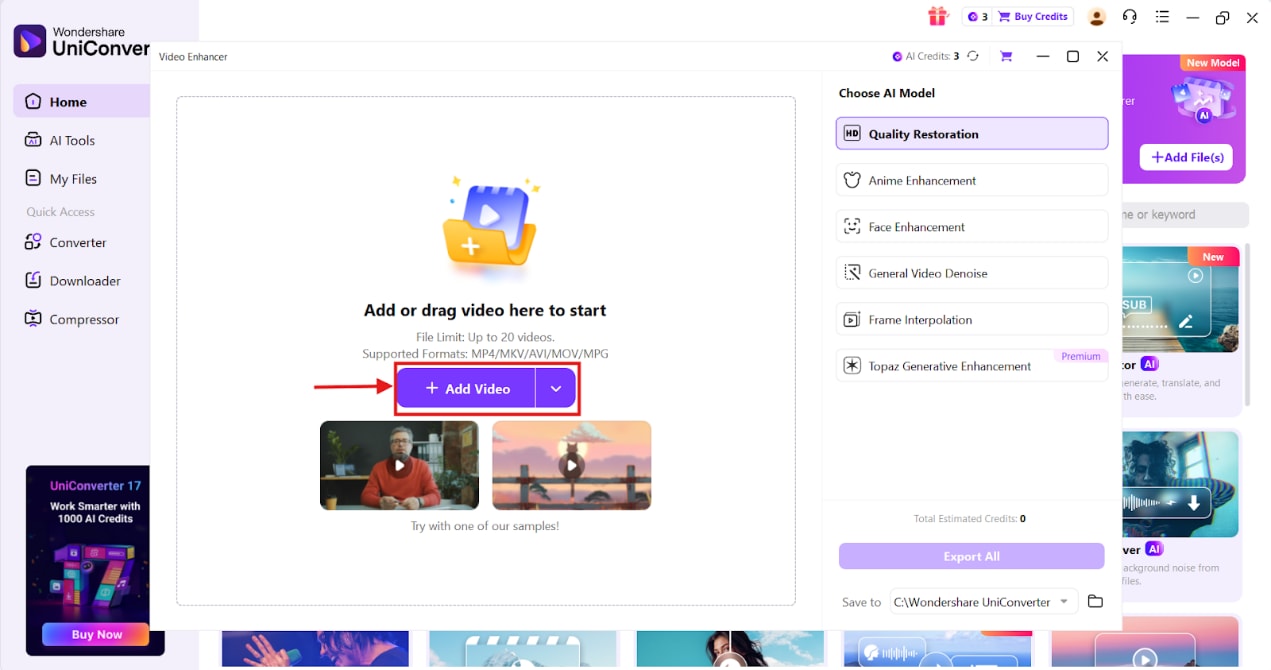
Step 2: Click “Add Video” to upload the GIF file you want to upscale.
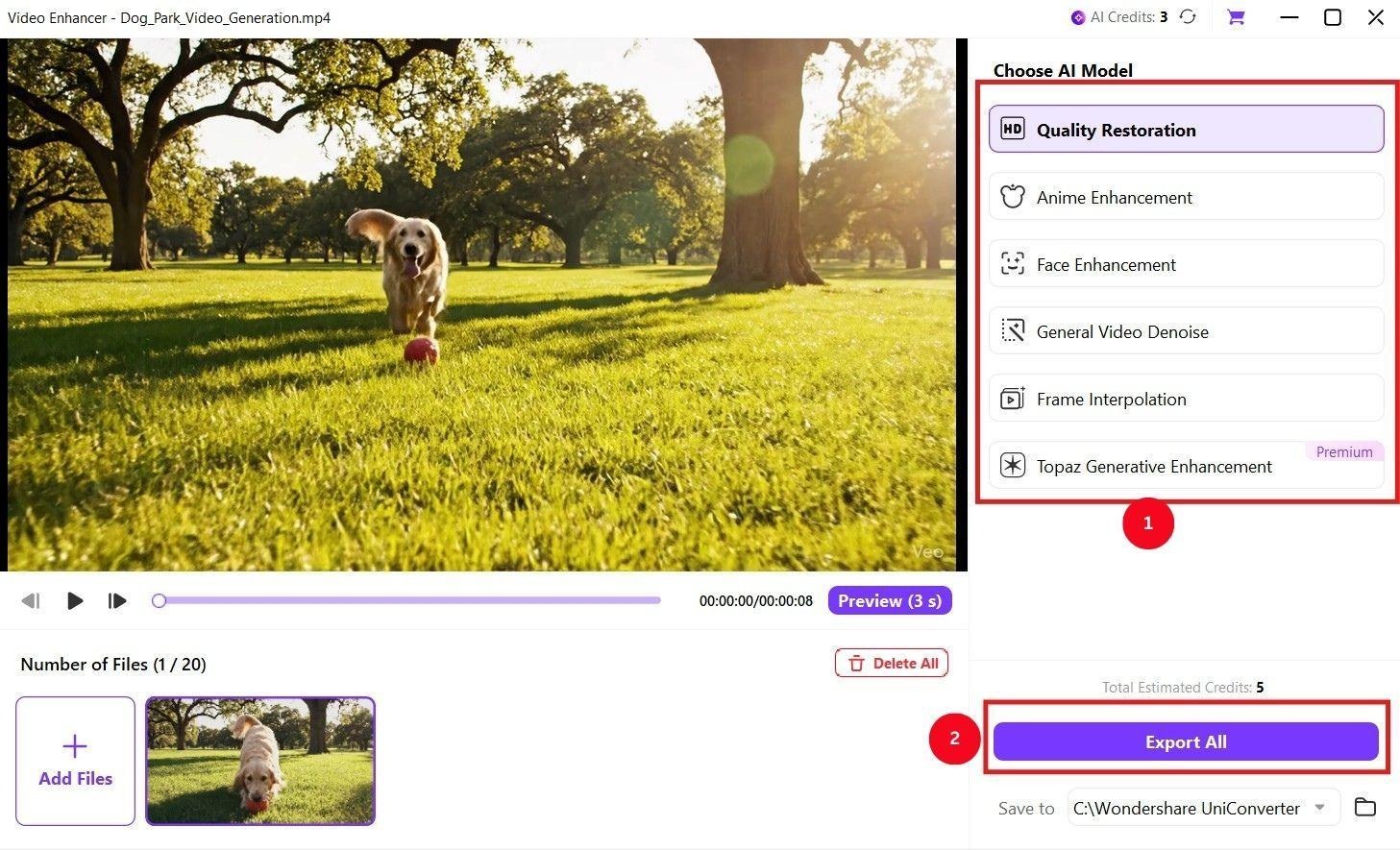
Step 3: Once the video is uploaded, select an AI model, such as “Quality Restoration” or “Face Enhancement,” and click “Export All.” Your high-quality GIF is now ready to share.
Conclusion
A reliable meme generator can turn your videos and images into funny Valentine’s Day memes, which you can share with your partners. There are multiple options (online, desktop, and mobile), but desktop-based meme generators are great if you want a simple, straightforward way to create Valentine’s Day memes. Use UniConverter and turn your videos or photos into cool yet romantic memes today!

