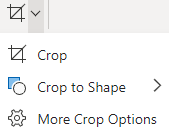
Select the Pictures and Apply a Shared Shape
On the slide, select the pictures that need the same treatment. Use Ctrl-click on Windows or the corresponding multi-selection method on Mac. Open Picture Format, expand Crop, and choose Crop to Shape. Available multi-selection behavior depends on the command and PowerPoint edition; group objects and slide backgrounds are not ordinary picture selections.
- Use the same shape for a matching set of portraits or product photos.
- If the ribbon command is unavailable, check the selected object types and handle the pictures individually.
- Do not assume a selection on one slide also includes matching pictures on other slides.