UniConverter
UniConverter Online Free
Converter video, audio & image free
Free Try
Vimeo Video Saving and Conversion

How to Save Multiple Vimeo Videos and Convert the Files

Quick Answer
  • Vimeo currently has no native bulk-download option for videos in your library. Use its per-video download controls for your own videos or videos with owner-enabled downloads.
  • For a batch Vimeo video downloader workflow, UniConverter Downloader accepts multiple supported video URLs, one per line. Source availability still determines whether each URL can be processed.
  • Choose the best available source first. Convert the saved files afterward when a different container or codec is needed; conversion does not create a higher-quality original.

To save several Vimeo videos, distinguish your own library from videos with owner-enabled downloads. Vimeo provides per-video saving but currently has no bulk library-download option. Use a desktop queue for supported individual URLs, then convert saved local files only when the delivery format needs to change.

UniConverter desktop:

UniConverter for Windows

UniConverter for Mac

UniConverter Downloader input field for a supported URL list
ChooseMatch the method
PrepareReview source files
PreviewCheck the result
SaveKeep useful copies

Official Vimeo Download or a Desktop URL Queue?

The right method depends on access to the source and whether the job is saving files or changing files you already have.

Your requirement
Direct source savingVimeo download controls
Organized multi-file workUniConverter Desktop
Your own library
✓Open a video and download an available version.
Use Converter after saving the originals if delivery formats need to change.
Owner-enabled video
✓Use the Download control on the video page.
Try a supported individual URL when you are authorized to save it.
Several video links
✓The official library workflow is per video.
Paste supported URLs one per line and review each queued result.
Original quality
✓Select the source version Vimeo makes available to you.
A downloaded stream or converted copy is not necessarily the uploaded original.
Simple decision:
Use Vimeo’s download controls when available. Use UniConverter to organize supported URL tasks or convert authorized local files, while keeping original masters separately.
Follow the UniConverter Steps

How to Download Multiple Vimeo Videos Without Confusing the Methods

To save several Vimeo videos, distinguish your own library from videos with owner-enabled downloads. Vimeo provides per-video saving but currently has no bulk library-download option. Use a desktop queue for supported individual URLs, then convert saved local files only when the delivery format needs to change.

Method 1: Save Your Own Videos from the Vimeo Library

Open the required video from your Vimeo library and use the download controls for the available version. Repeat for the files you need. Keep a checklist rather than assuming that selecting several library entries enables a bulk download.

  • Choose the original version when it is available and that is the archive you need.
  • Record which videos have been saved so a long library is not mistaken for a complete backup.
  • Vimeo’s current help article explicitly states that multiple library videos cannot be downloaded in bulk.
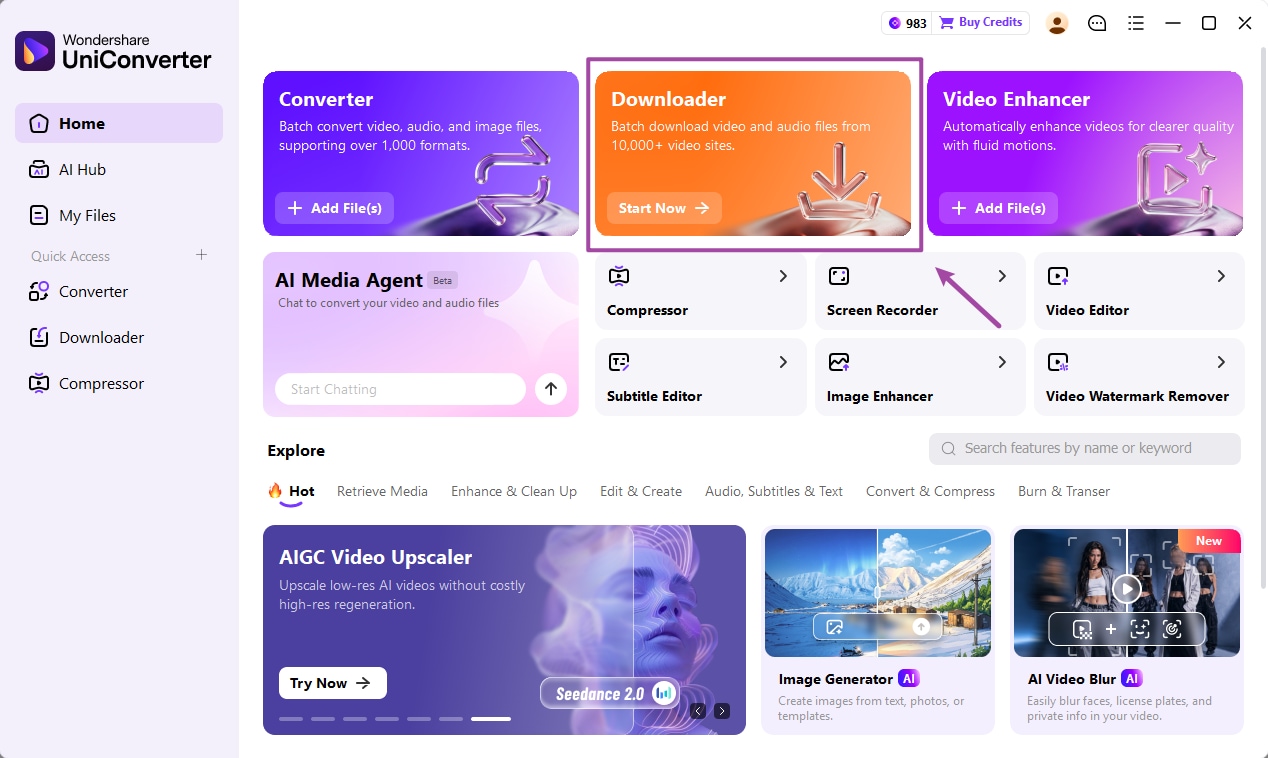
UniConverter Home with Downloader highlighted

Method 2: Use Download on an Eligible Video Page

For another creator’s video, use the official Download button or link when the owner has enabled it. Choose from the offered versions and check the saved file. A playable Vimeo page does not necessarily include a download option.

  • Open the individual video page rather than relying on an embedded player.
  • Select an available version that fits the intended playback or editing task.
  • If downloads are unavailable, request the file or an enabled download from the owner.
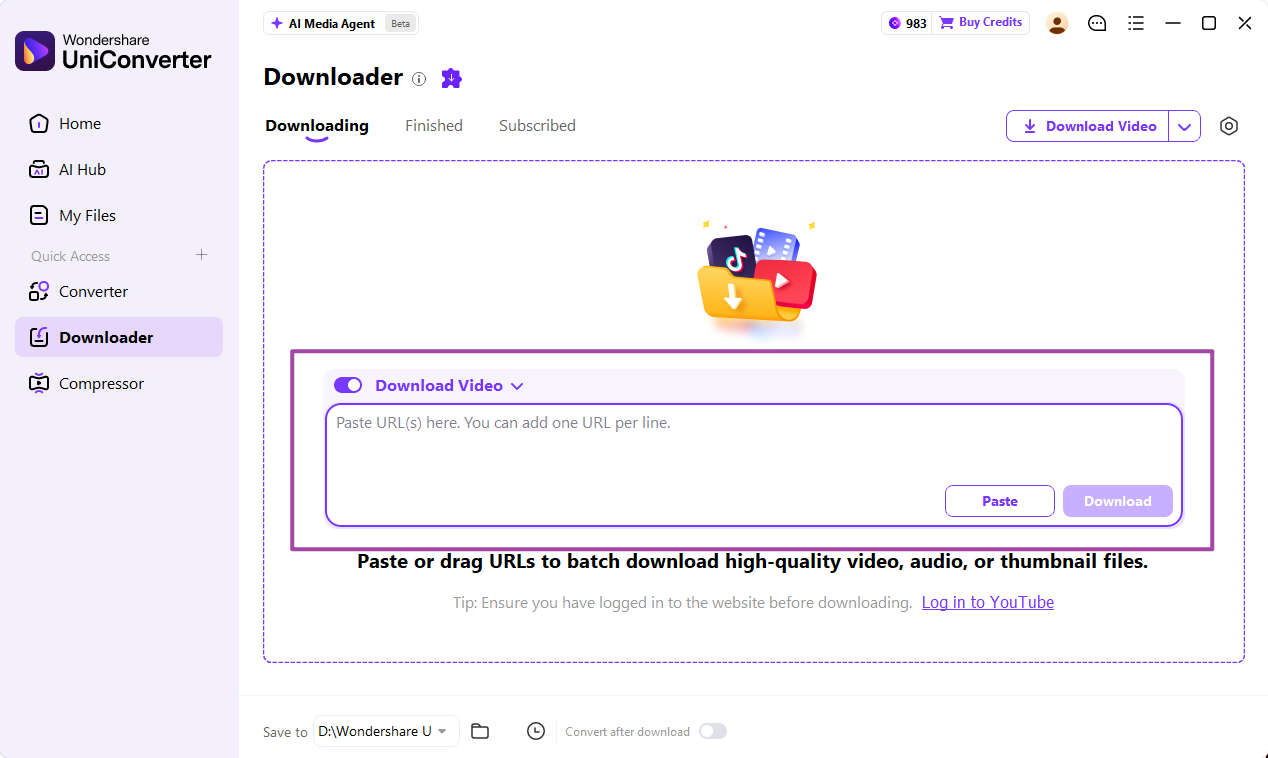
Downloader URL input workspace

Method 3: Organize Supported Video URLs in UniConverter

Open UniConverter Downloader and paste individual supported video URLs, one per line. Keep Download Video selected, choose the available download settings, and start the tasks. Monitor the queue instead of assuming a channel, folder, or showcase URL expands into every video.

  • Use a short representative group before adding a large list.
  • Review failed and completed tasks separately in Downloading and Finished.
  • Do not treat a URL queue as access to private, restricted, or download-disabled content.

A supported URL can still fail when source availability changes. Use the official download or request the file when the source does not permit the intended save.

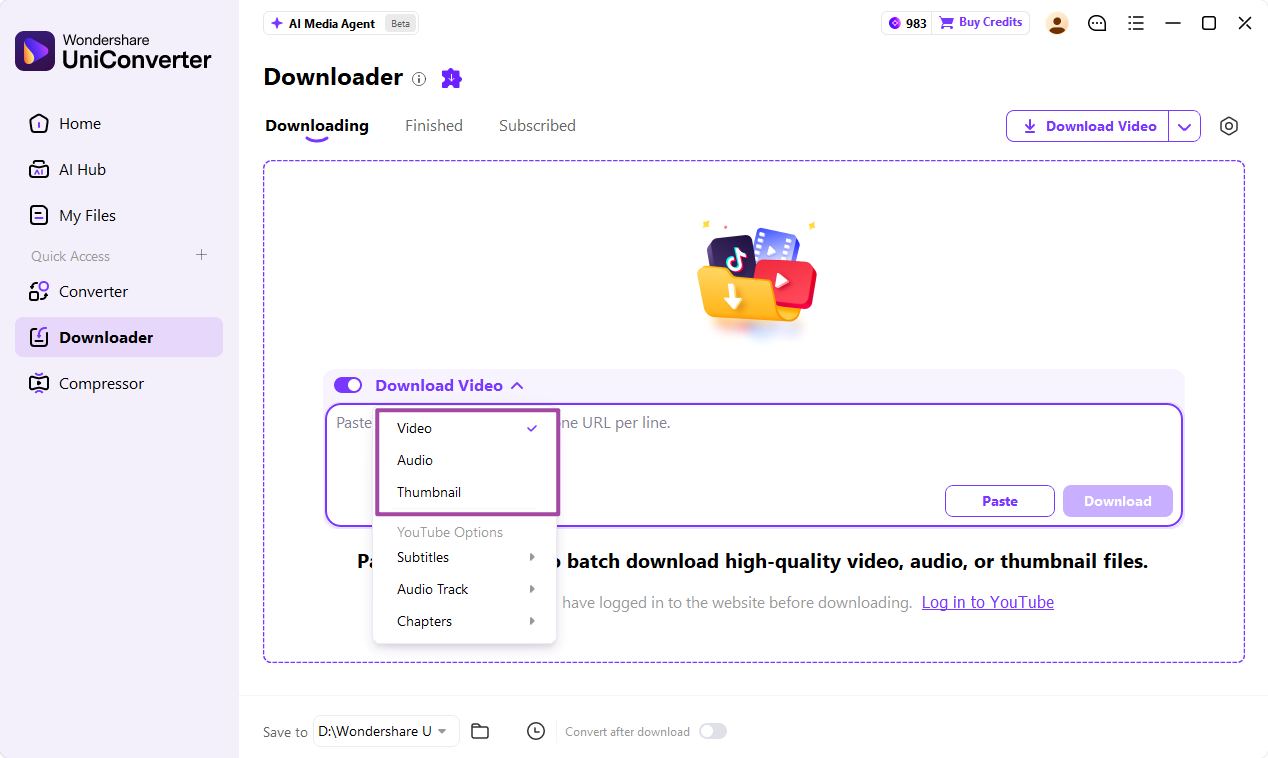
Downloader menu for video, audio, or thumbnail options

Convert Saved Vimeo Videos When Delivery Requires It

If the saved files do not suit your player or editor, add them to UniConverter Converter, choose an appropriate output such as MP4 with a supported codec, set the destination, and use Convert All. Keep the source files for later revisions.

  • Convert only when the format or encoding needs to change.
  • Check picture quality, audio, duration, and synchronization on a sample.
  • A new filename extension alone does not change the container or codec.
  • Store downloaded masters and converted delivery copies in separate folders.

A transcoded playback copy may differ from the uploaded original. Keep the original export when exact archival quality matters.

UniConverter Converter video output-format selection

Choose the Vimeo Version and Output You Actually Need

Use the table to choose the correct action, then check the delivered files against the final column.

Saving, quality, and conversion decisions

Choose the action from the source problem, then use the final column to review the result.

Saving, quality, and conversion decisions
Your goalRecommended actionFinal check
Archive an uploaded masterUse the original version offered by Vimeo when available.The file is the intended original, not only a streaming rendition.
Offline playbackSave a suitable available version.Video and audio play correctly on the target device.
Several supported linksQueue individual URLs in UniConverter Downloader.Each expected task appears in Finished or has a recorded failure.
A different delivery formatConvert local files with an explicit output configuration.Container, codec, audio, and duration suit the receiving app.

Technical references: Vimeo library download help and Vimeo video download help.

Official savingURL queueQualityConversion
LibraryLibrary checkDownload the required videos individually.
Video pageVideo page checkUse an owner-enabled Download control.

Preview a representative sample, check exceptions, and keep the original files for revisions. Interface labels can vary between platforms and versions.

Common Vimeo Saving Jobs

Choose the example that matches the source files and the intended delivery.

A portfolio backup

Save your available originals and keep a list of completed files. A folder containing some videos is not proof that the whole library was archived.

Approved client references

Use owner-enabled downloads or supplied originals. Keep permission and source information with the project assets.

Offline review copies

Choose a practical available rendition and test playback on the device used for review.

Editor compatibility

Use Converter on saved files when the editor cannot use their existing format. Preserve the downloaded source alongside the conversion.

Fix Vimeo Batch Saving Problems

Compare the affected output with its source and review the selected file’s settings. Test the correction on a representative sample before repeating the job.

01

There is no Download button

The owner may not have enabled downloads, or the embedded player may not expose the page controls. Open the video’s own page; if the option remains unavailable, request the source file.
Check 1Source availability
02

A collection URL produces no video list

Use individual supported video URLs. This workflow does not promise automatic discovery of every item in a library, channel, folder, or showcase.
Check 2URL scope
03

The file is not the original upload

Check which rendition was saved. Use Vimeo’s available original download for archival needs rather than assuming that the highest stream resolution is the master.
Check 3Original vs. rendition

Consult the official guides for the relevant controls and keep separate tools’ instructions separate.

Vimeo Video Saving and Conversion FAQs

01

Does Vimeo let me download my entire library in bulk?

Vimeo’s current library-download help says there is no bulk-download option. Download the required videos individually and maintain a completion checklist.
A multi-URL tool places supported individual video links in a processing queue. In UniConverter Downloader, paste one URL per line and review each result. Queue support does not imply that every Vimeo collection or restricted source is supported.
Playback and download availability are separate. The owner controls whether an official download is enabled. Use an available download option or request a copy from the owner.
Yes, when the local input and selected output are supported by the converter. Add the saved files to UniConverter Converter, choose the output configuration, set the destination, and Convert All.
Ordinary conversion changes encoding or format. It does not recover an original master or create authentic detail missing from a lower-resolution source.
Match the results to the source list, open sample videos, and check picture, audio, duration, and synchronization. Review failed tasks separately and keep original files before conversion.
Wondershare UniConverter

Organize Supported Vimeo Saves and Local Conversions

Use UniConverter Downloader for supported individual video URLs, then use Converter when the saved files need a different delivery format. Keep original masters and review the completed queue.

UniConverter Downloader download-type options