UniConverter
UniConverter Online Free
Converter video, audio & image free
Free Try

SnapTik Alternative for TikTok Downloads on PC and Mac

Quick Answer
  • For TikTok downloads on PC or Mac, UniConverter Downloader is a practical SnapTik alternative with supported URL input, a download queue, and local file saving.
  • UniConverter supports watermark-free downloading for eligible TikTok videos. Available output and quality depend on the source and current support.
  • For occasional phone downloads without desktop installation, SSSTik and SaveTT are browser alternatives; TikTok’s Save video is the native option when enabled.
  • Test one eligible video, check the saved picture and sound, then add more links. No downloader guarantees success for every TikTok post.
Need a SnapTik alternative for downloading TikTok videos? UniConverter Downloader saves supported TikTok videos on Windows and Mac, with watermark-free output where available, multiple-link input, and a chosen local save folder.

Choose UniConverter for the workflow around your media:

  • Download supported TikTok video URLs on a Windows or Mac computer.
  • Save eligible TikTok videos without a watermark when that output is available.
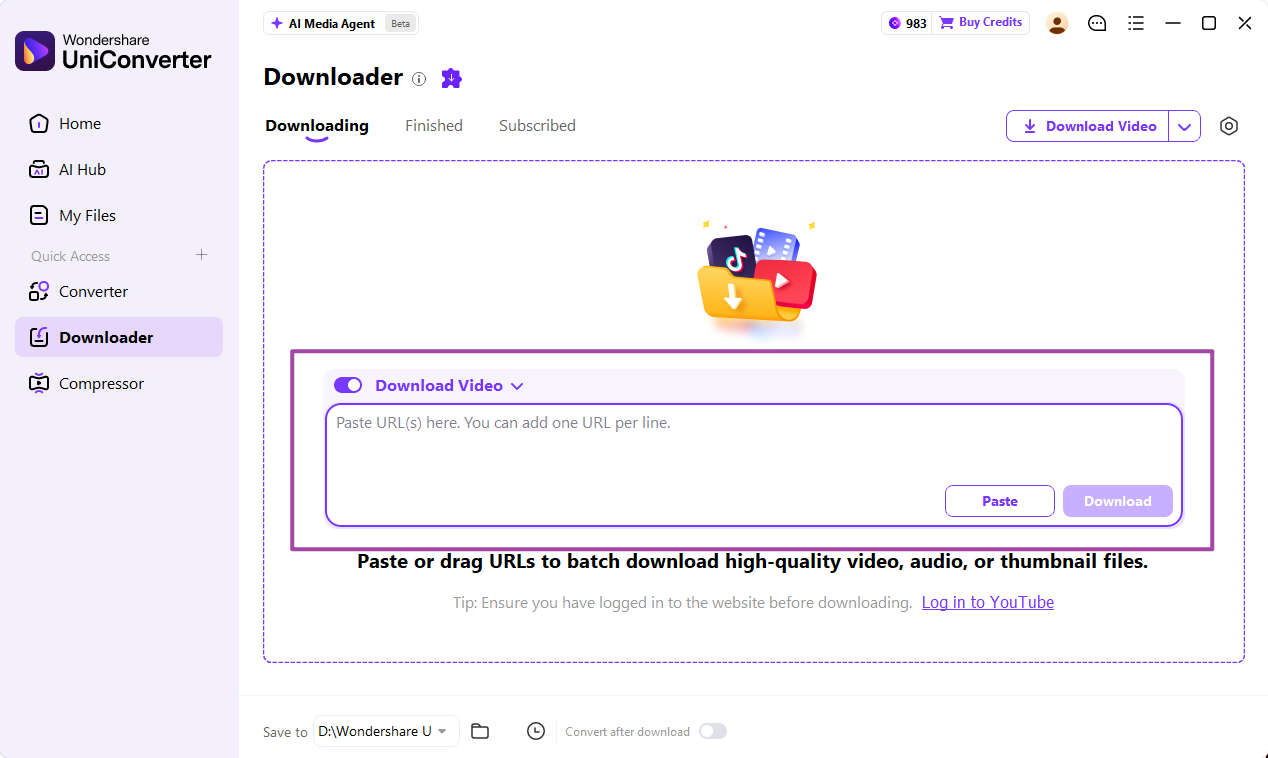
  • Paste multiple supported URLs into one download queue.
  • Choose a save folder and find completed videos in Finished.
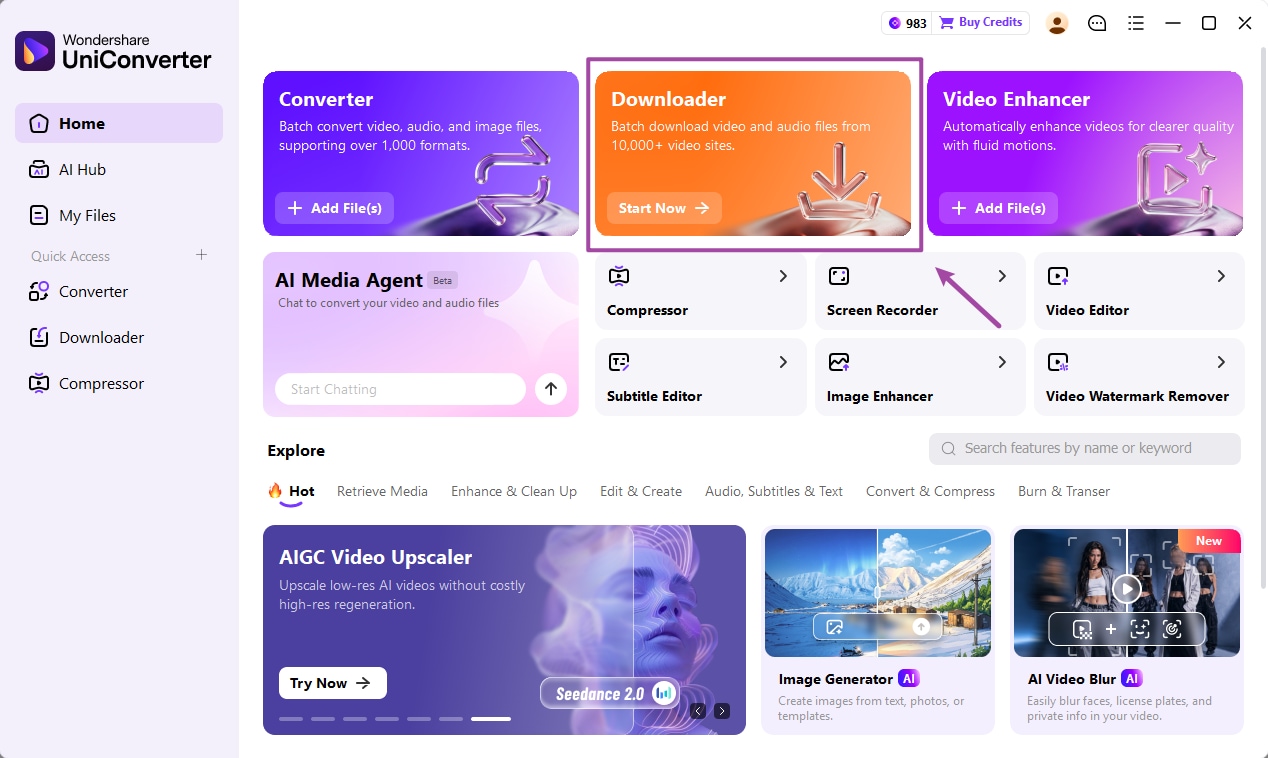
UniConverter TikTok downloading and media workflow illustration
Official UniConverter product illustration.
Compare by task
Browser saving or desktop media processing
Start small
Test one eligible URL first
Review the file
Check sound, duration, and output

Why Look for a SnapTik Alternative for TikTok Downloads?

SnapTik is primarily a TikTok downloader. Its official website advertises browser-based, watermark-free MP4 downloads and slideshow-to-video saving. If you are looking for an alternative, the first question is whether another tool can save the TikTok video you need—not whether it offers a broad media-conversion toolkit.

UniConverter’s relevant replacement is Downloader. It provides a desktop workflow for supported TikTok links, available watermark-free output, a selected save folder, and multiple-link input. This suits people who regularly save eligible clips on a computer and want to monitor the tasks together. Conversion and compression are optional later steps, rather than the reason to choose a SnapTik replacement.

Disclosure: this comparison is published by Wondershare UniConverter. SnapTik is a separate service; this page is not the official SnapTik download site.

Which SnapTik Alternative Fits Your TikTok Downloads?

Compare desktop downloading, browser convenience, and the output actually returned for your eligible video.

UniConverter Downloader: TikTok downloads on a computer

Choose UniConverter Downloader when you want to save supported TikTok videos on Windows or Mac. Its desktop queue keeps repeated download tasks and completed files in one workspace.

  • Supported TikTok URLs with watermark-free output where available.
  • Multiple-link input for eligible video downloads.
  • Save to and Finished controls for locating local files.
UniConverter illustration of supported TikTok downloading without a watermark
Official UniConverter interface or product illustration; not a screenshot of the third-party service.

SSSTik: a browser option for an occasional video

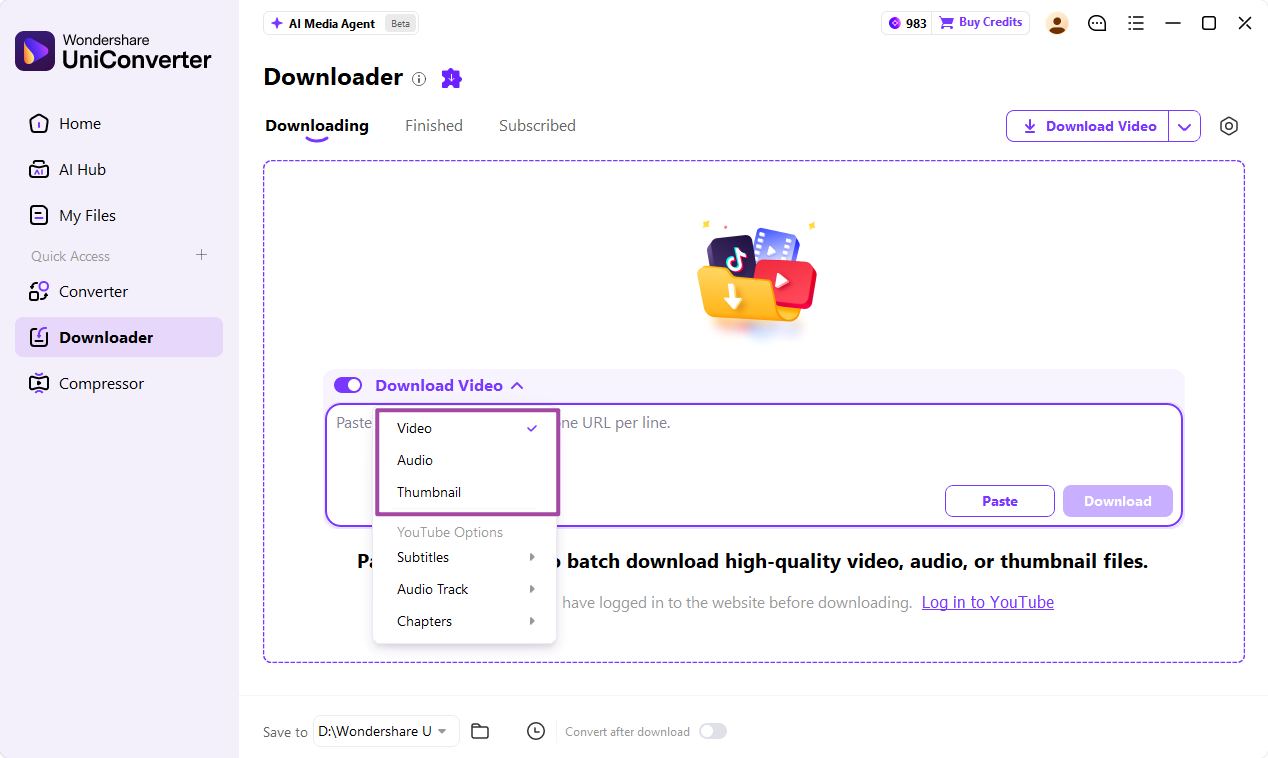
SSSTik advertises free browser-based TikTok MP4 and MP3 saving. It is worth comparing when you want another paste-link site and prefer not to install desktop software.

  • Use a browser on a phone or computer.
  • Paste an eligible link and inspect the returned options.
  • Available resolution depends on the source.
UniConverter desktop URL input as an alternative to a browser paste-link workflow
Official UniConverter interface or product illustration; not a screenshot of the third-party service.

SaveTT or TikTok: a simple single-video route

SaveTT advertises free TikTok downloads through its browser form. TikTok’s own Share → Save video control is another starting point when the creator enables downloads.

  • SaveTT uses a paste-link, Search, and Download flow.
  • TikTok’s native saving follows creator download settings.
  • Use the original export when saving your own content for reuse.
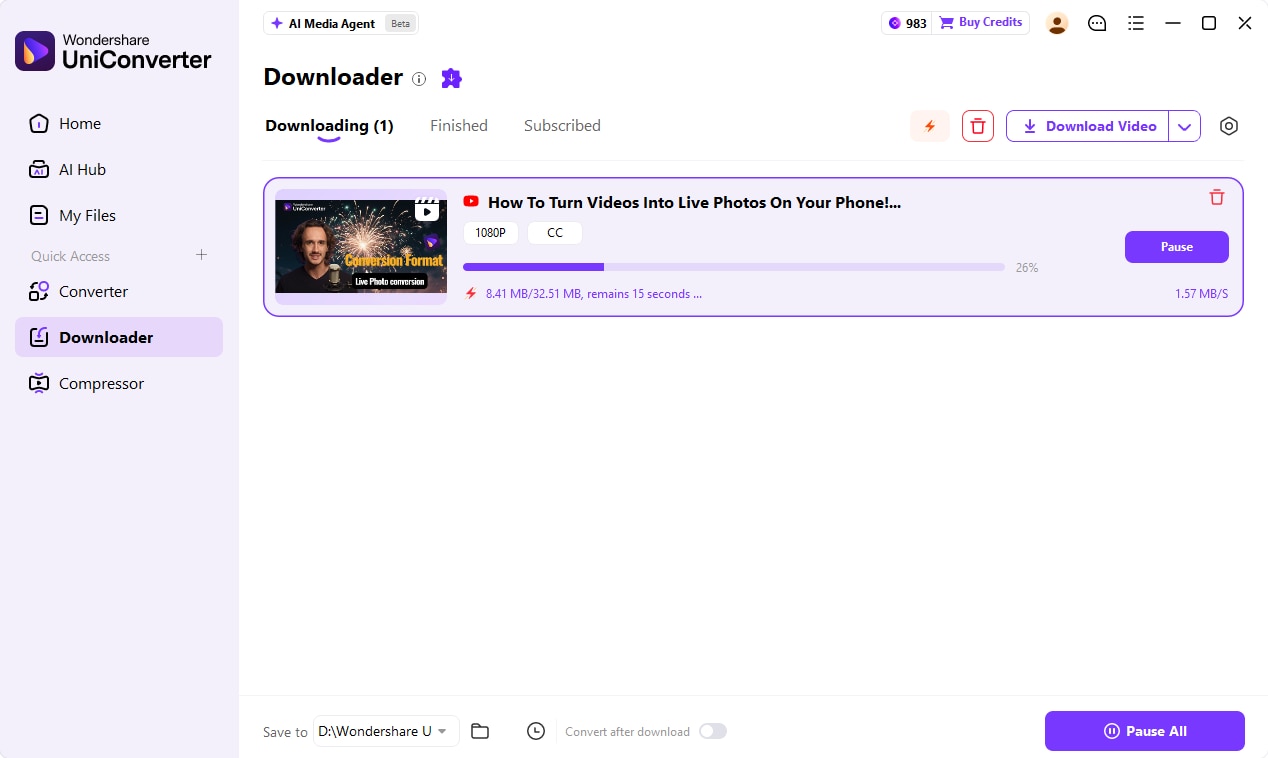
UniConverter desktop download progress for comparison with single-video browser saving
Official UniConverter interface or product illustration; not a screenshot of the third-party service.

SnapTik Strengths and Reasons to Switch

Strengths

  • A browser workflow can be enough for a single TikTok clip.
  • SnapTik advertises free use with no desktop installation required.
  • Its stated scope includes watermark-free MP4 and slideshow-to-video output.

Reasons to compare alternatives

  • Repeated browser tasks may be less convenient than a desktop queue.
  • Advertising is part of SnapTik’s published service model.
  • A downloader’s HD label does not create extra source detail.
  • A failed link needs diagnosis; another service is not a guaranteed fix.

Compare SnapTik Alternatives by Download Task

AlternativeTikTok download workflowWhen to choose it
UniConverter DownloaderDesktop input for supported URLs; available watermark-free output; multiple-link queue; local destinationRecurring TikTok video saving on Windows or Mac. Trial and paid access conditions apply.
SSSTikBrowser link input; advertises MP4 and MP3 outputAn occasional eligible video when you prefer no desktop installation.
SaveTTBrowser Search and Download flow; advertises watermark-free outputAnother browser option for a single TikTok download.
TikTok Save videoNative saving when the creator enables downloadsA quick permitted download without a separate downloader service.

For a free SnapTik alternative, SSSTik and SaveTT advertise free browser use. For a desktop download queue, UniConverter is the more relevant option to compare. This distinction is about how you save videos, rather than a measured claim that one tool downloads faster or succeeds more often.

TikTok’s download instructions explain that a missing Save video option means the creator does not allow downloading. Ask for the original file instead of treating a replacement downloader as a way around that setting.

SnapTik vs. UniConverter Downloader: What Changes?

Both address TikTok video saving. The main choice is a browser download page or a desktop Downloader workspace.

Compare by workflow
Media processing workflowUniConverter
Brand-specific workflowSnapTik
TikTok video saving
Saves eligible TikTok videos through supported media URLs
Browser-based TikTok link-input service
Watermark-free output
Available for eligible supported TikTok videos; not guaranteed for every post
Official website advertises watermark-free MP4 output
Where it runs
Windows or Mac desktop application
Desktop or mobile browser
Multiple links
Multiple supported URLs, one per line, in a download queue
Paste-link browser workflow
Save location
Choose the destination with Save to
Browser download destination
Checking completed downloads
Monitor Downloading, then open Finished and the local output
Browser download list and the device’s saved files
Free use and restrictions
Free download/trial; paid access may apply; source availability still matters
Official website advertises free use supported by ads; availability can vary

Why Choose UniConverter Downloader as a SnapTik Alternative?

Choose it for TikTok downloading on a computer: supported links, available output, task progress, and easier access to saved files.

Save supported TikTok videos without a watermark

UniConverter supports watermark-free downloading for eligible TikTok videos. Check the actual output for your link, including visible branding, picture quality, and sound. This is a download capability, not a requirement to erase a watermark afterward.

Handle several eligible links in one queue

Downloader accepts multiple URLs, one per line. Test one TikTok post first, then add the remaining eligible links. Monitor download progress together instead of repeating separate browser-page tasks. Support still depends on each individual post.

Find the video you downloaded

Set the local destination with Save to and review completed tasks in Finished. This is useful when videos need to be collected in a specific folder. Conversion and compression remain optional after-download tools if a later delivery task requires them.

If SnapTik Is Not Working, Diagnose the Link First

The tool cannot parse the URL

Copy the individual post link again and confirm the video still opens publicly. Test a single eligible URL before adding more.

The file has no sound or is the wrong clip

Play the output, compare its duration with the source, and confirm that video rather than audio-only output was selected.

The video looks soft

Compare downloaded dimensions with the source. Converting to MP4 or selecting an HD label does not reconstruct missing detail.

The file is missing on a phone

Check the browser download list and Files/Downloads. UniConverter Desktop saves to the computer’s chosen destination, not automatically to a phone’s Photos library.

Final Verdict: Choose Your TikTok Download Workflow

UniConverter is relevant as a SnapTik alternative because of Downloader. Choose between a desktop queue and a browser service according to how you save TikTok videos.

Choose a browser option when

You need one occasional download

  • You prefer a phone-only or browser workflow.
  • You want to avoid installing a desktop application.
  • One returned video file meets your needs.
Choose UniConverter Downloader when

You save TikTok videos on a computer

  • You want supported TikTok downloads with available watermark-free output.
  • You regularly process several eligible video links.
  • You want a chosen save folder and a download workspace.

For TikTok downloads on Windows or Mac, UniConverter Downloader is the feature to compare with SnapTik: paste supported links, monitor the queue, and locate the saved videos. Choose it when that desktop workflow fits your needs; use a browser option for a simpler occasional save.

FAQs About SnapTik Alternatives

UniConverter Downloader is a practical choice for supported TikTok downloads on Windows or Mac, with available watermark-free output, multiple-link input, and a chosen local save folder. SSSTik and SaveTT are browser alternatives for occasional downloads. Choose according to your device and download workflow.
SSSTik and SaveTT advertise free browser-based TikTok downloading. TikTok also provides Save video when the creator enables downloads. UniConverter Desktop is a separate application with trial and paid access conditions.
SnapTik, SSSTik, and SaveTT advertise watermark-free output. UniConverter supports watermark-free downloading for eligible supported TikTok videos, but availability varies. For your own content, an original export is preferable to processing an already branded copy.
A failed URL may reflect an unavailable post, a malformed link, a network problem, or a service-specific parsing failure. Copy the individual post link again and test one eligible public video. A replacement tool does not make restricted or download-disabled content eligible.
UniConverter’s Downloader workflow described here runs on a Windows or Mac computer. For a phone-only task, use TikTok’s permitted native download or a browser-based option. Files saved by the desktop app remain on the computer until transferred.
Downloader accepts multiple supported URLs, one per line. Test one eligible TikTok video first, then add the remaining links. Availability depends on the individual posts and current product support; multiple-link input does not guarantee every task succeeds.
Available download quality depends on the source and what the service can retrieve. An HD label does not prove that one tool returns a better file. Check the saved dimensions, picture, duration, and sound; downloading does not recreate detail missing from the source.
TikTok provides Save photo for eligible photo posts and lets you select individual images or all photos. SnapTik advertises slideshow-to-MP4 conversion, which produces a video. Choose the image-saving route when you need separate photos rather than a compiled clip.

Try UniConverter Downloader as Your SnapTik Alternative

Download eligible TikTok videos on Windows or Mac. Start with one supported link, inspect the available output, and save the result to your chosen folder.
SnapTik alternative media workflow in UniConverter