
UniConverter · Threads Video Downloader
Threads Video Downloader for Windows and Mac
Save a Threads video for offline viewing or keep several videos organized on your computer. Copy the post link, paste it into UniConverter Downloader, and check the available options.
Download for WindowsDownload for Mac
Desktop app for Windows and Mac.
ONE PUBLIC POST · NO APP
How to Download Threads Videos Online
For an individual public post, TapDL offers a browser-based Threads video downloader. Its page accepts a post link and presents a Download button.
- Open the Threads post containing the video. Select the Share icon, then Copy link.
- Open TapDL in Safari, Chrome, or your desktop browser and paste the copied link into the input field.
- Select Download. If a video result appears, choose the available option and save it to your device.

For more methods and tool options, compare our Threads video downloader guide. To manage several supported links together, use UniConverter Downloader on Windows or Mac.
SAVE ON YOUR PHONE
How to Download Threads Videos on iPhone and Android
1. In Threads, tap Share → Copy link.
2. Open a compatible online downloader in Safari, paste the link and save the video.
3. Check Files → Downloads. Open the video and choose Share → Save Video if available.
1. Copy the individual Threads post link.
2. Paste it into a compatible online downloader in Chrome and save the available video.
3. Check Chrome Downloads or your device’s Files app; the video may also appear in Gallery.
Looking for a mobile app or iOS Shortcut? Review the tool’s current permissions, device support, and pricing before installing. For other options, see our Threads downloader comparison.
DOWNLOAD WHILE YOU BROWSE
Can You Use a Threads Video Downloader Chrome Extension?
Yes. A Chrome extension is an option if you regularly browse Threads on a computer. For example, the Threadster extension listing says it adds a download entry below supported posts and opens a separate download page.
- Open the listing and review its requested permissions and recent updates.
- If you choose to install it, open Threads and refresh the page.
- Use the extension’s entry on a supported video post and follow the download page.
For multiple links in a desktop queue, try UniConverter Downloader.

FROM LINK TO DESKTOP
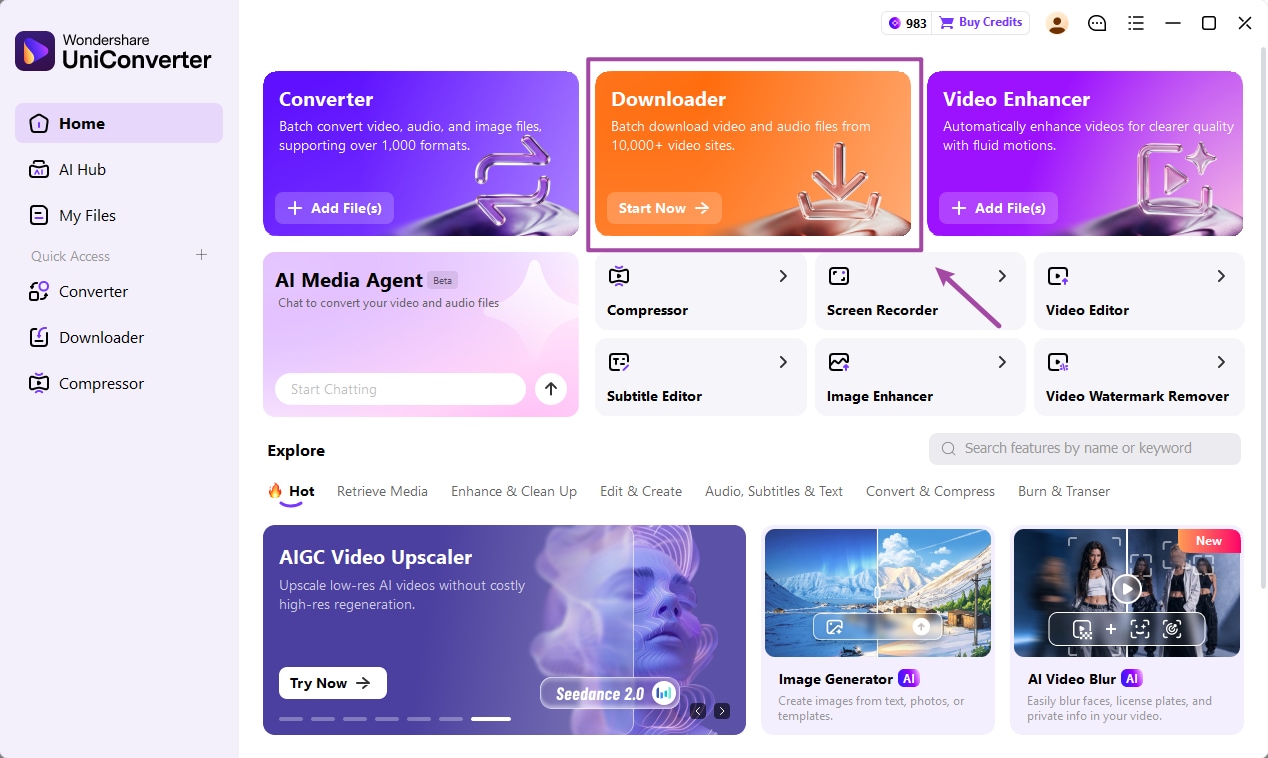
How to Download a Threads Video with UniConverter
Use UniConverter Downloader on Windows or Mac to save a supported video link and manage its download task.
1. Copy the Threads post link
Open the individual post containing the video. Select Share → Copy link; copy the post URL rather than the creator’s profile.
2. Paste into Downloader
Open UniConverter, select Downloader, paste the link and choose your save location.
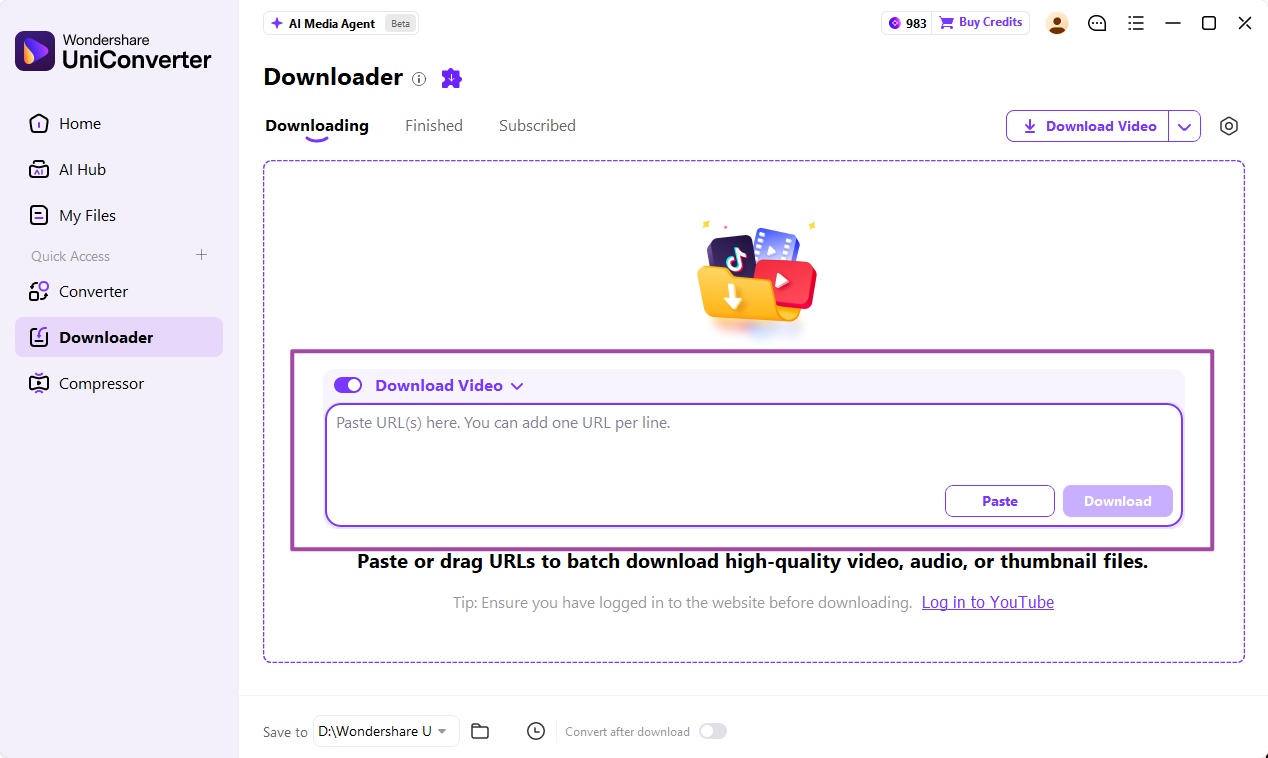
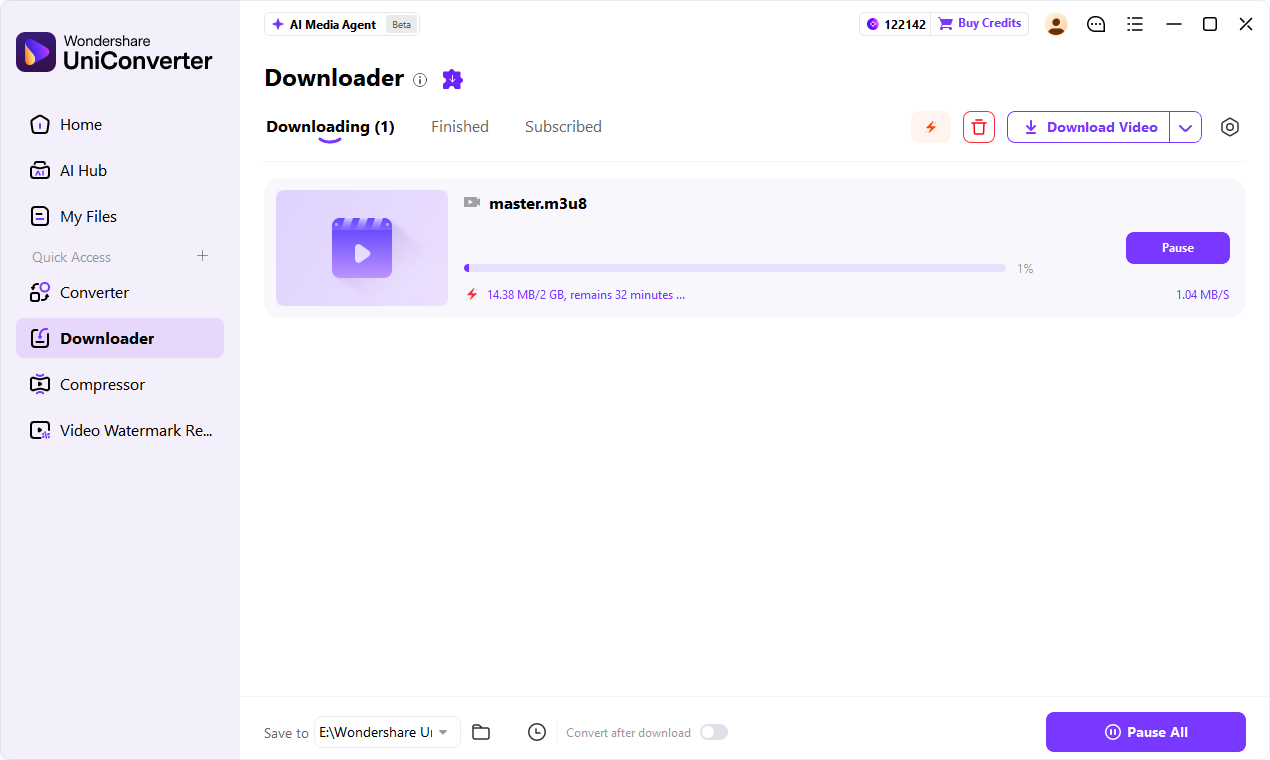
3. Start the download
Check the options available for the link, select Download, and follow the task in Downloading.
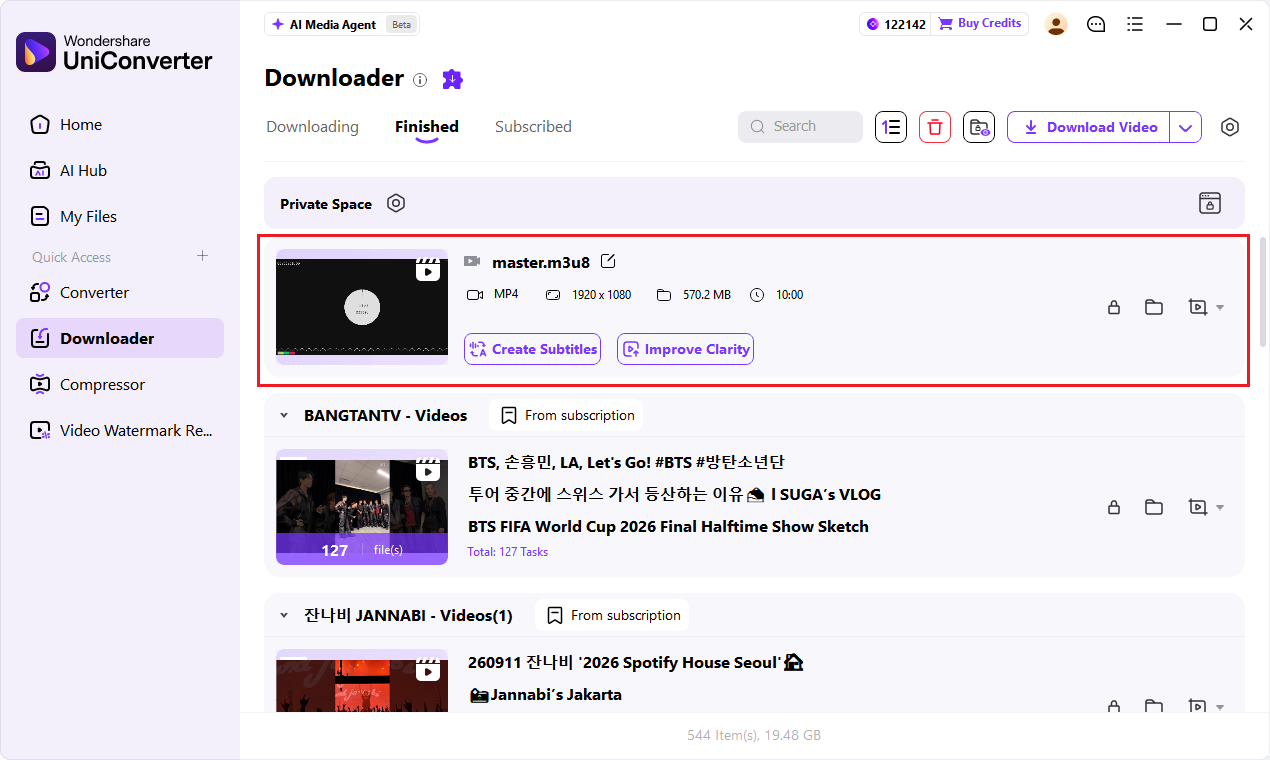
4. Find your video
Open Finished and play the saved file. Check the video, audio, and duration against the post.
ONE VIDEO OR SEVERAL
Download Threads Videos Individually or in Batch
Paste the individual Threads video URL and start the task.
Enter supported individual video URLs one per line to manage them together.
Check active tasks in Downloading and open completed files in Finished.
For multiple eligible posts, copy each individual URL, add the links to Downloader, and choose where to save them. Availability may differ by link. Learn more in the batch video downloader guide.
Which Threads Link Should You Use?
The post containing the video is the right starting point. Check these common link types before downloading.
| What you copied | What to do |
|---|---|
| Individual Threads video post | Use Share → Copy link on that post and paste the complete link into your chosen downloader. |
| Profile or search page | Open the specific video post first; the profile URL identifies the account, not the video. |
| A reply or repost | Open the post that actually contains the video and copy that post’s link. |
| A post with several items | Review the available results and choose the video item. Carousel support varies by tool. |
| A post linking outside Threads | Check the video’s original platform and use its available download options. |
| A private or deleted post | Request an accessible copy from the creator. A shared URL does not change access permissions. |
Why Is My Threads Video Downloader Not Working?
Match what happened to a specific fix.
| Problem | Likely cause | What to try |
|---|---|---|
| Invalid link | Profile or incomplete address | Open the individual post and copy a fresh Share link. |
| No media found | Wrong reply, text-only post, or unsupported item | Open the post containing the video; if it links elsewhere, check the source. |
| Download finishes but nothing appears in Photos | Browser saved the file in Downloads | On iPhone, check Files → Downloads, then use Share → Save Video if available. |
| No sound | Source is silent or file incomplete | Check sound in the original post, then replay the local file. |
| Some batch URLs fail | Availability or compatibility differs by post | Open each failed post, check accessibility, and retry its individual URL. |
For other sources, see how to download a video from a link.
FAQs About Threads Video Downloaders
How do I download Threads videos on iPhone?
Copy the individual post link in Threads and paste it into a compatible online downloader in Safari. Save the available video, then check Files → Downloads. Open the file and choose Share → Save Video if available.
Why is my downloaded Threads video not in Photos?
The browser may have saved the file in its Downloads folder instead. Check Files → Downloads, open the video, and use Share → Save Video if your device offers it.
How do I download Threads videos on Android?
Copy the video post link, paste it into a compatible online downloader in Chrome, and save the available result. Find the file in Chrome Downloads or the Files app; it may also appear in Gallery.
Is there a Threads video downloader Chrome extension?
Yes. The Chrome Web Store lists third-party extensions such as Threadster. Review the listing, permissions, and recent updates before installing; its developer says it links supported posts to a download page.
Why is my Threads downloader extension not working?
Check that the extension is enabled and its permissions allow it to work on the page. Refresh Threads, open the individual video post, and check whether the extension supports the current page and media type.
How can I download multiple Threads videos on a computer?
In UniConverter Downloader for Windows or Mac, add supported individual post links one per line and start a batch task. Check each completed result in the desktop queue.
Can I download a video from a Threads reply or carousel?
Copy the link of the specific reply or post containing the video. For a carousel, review the tool’s available items; support for multiple items varies by downloader.
Why does a Threads video link say “no media found”?
The link may point to a profile, a text-only post, or a different reply. Open the post containing the video, check its availability, and copy the individual link again.
Can I download Threads videos as MP4 without a watermark?
Choose MP4 if the tool offers it for the post. A tool may avoid adding its own branding, but a watermark already embedded in the source remains part of the video.
Keep Your Threads Video Downloads Organized
Copy a post link or collect multiple eligible links, then manage supported downloads in UniConverter.