UniConverter
UniConverter Online Free
Converter video, audio & image free
Free Try
Batch TikTok Video Downloader & Converter | UniConverter
TikTok Video Downloading and Conversion for Multiple Links

Batch TikTok Video Downloader

Process multiple supported TikTok video links in one UniConverter desktop workflow. Manage the batch, save the media locally, convert videos to MP4 or audio to MP3, and continue with editing or compression when needed.

  • Process multiple TikTok links in one batch
  • Convert downloaded media to MP4 or MP3
  • Continue with editing or compression
Available on:

For Windows 11/10/8/7

For macOS 10.13 or later, including macOS 26 Tahoe

4.7Rated on Trustpilot
Batch TikTok video downloader for multiple links and conversion
120+Countries
7M+Satisfied Users
1.4M+Subscribers
21M+Downloads

Single-Link or Batch TikTok Video Workflow?

A single-link workflow can be enough for one video. A batch workflow is more efficient when multiple supported TikTok links need to be processed, converted, and managed with consistent settings.

Compare the workflow
Recommended for multiple linksUniConverter Batch Workflow
Best for one quick taskSingle-Link Workflow
Number of Links
Add multiple supported TikTok links to one managed batch instead of handling every video as a separate task.
Process one supported TikTok link at a time when only a single video needs to be handled.
Repeated Setup
Keep multiple links together with shared workflow settings and reduce repeated setup across the batch.
Repeat the same setup for each additional link.
Conversion Workflow
Continue from the batch into MP4, MP3, or other supported conversion workflows in UniConverter.
Handle the single file first, then start a separate conversion step if another format is needed.
Best Fit
Choose the batch workflow when multiple links and follow-up conversion are part of the same job.
Choose a single-link workflow when only one video needs to be processed.
Simple decision:
Use a single-link workflow for one video. Use UniConverter Batch Workflow when multiple supported TikTok links, shared settings, or follow-up conversion need to be managed together.
Download UniConverter for Desktop

Batch Download and Convert Multiple TikTok Videos in One Workflow

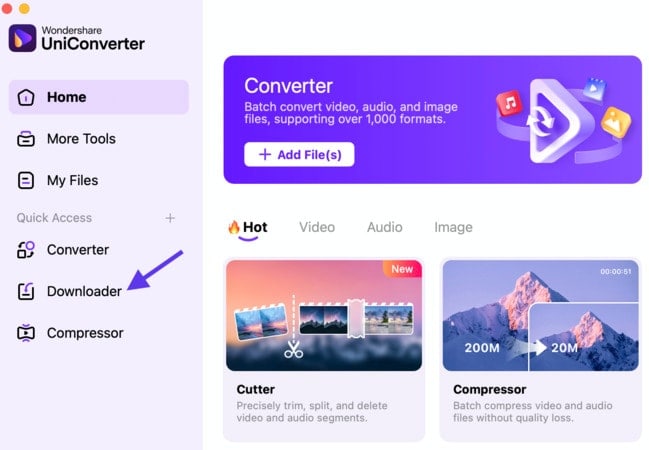
Wondershare UniConverter combines batch TikTok video processing with format conversion in one desktop workflow. Add multiple supported TikTok links, manage the batch, convert saved video to MP4 or audio to MP3, and continue with editing, compression, or enhancement without switching between separate tools.

Batch Process Multiple TikTok Links

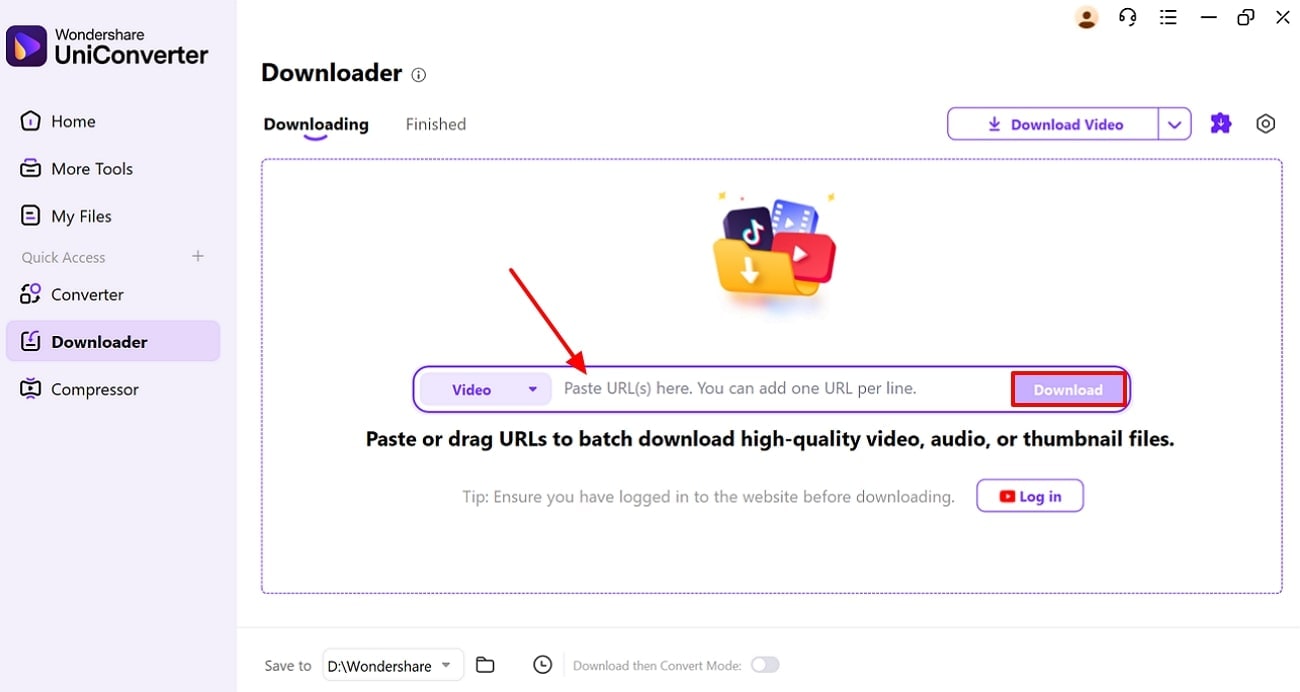
Add several supported TikTok video links to the same desktop workflow when you need to process more than one video.

  • Add multiple supported TikTok URLs
  • Manage several tasks in one batch
  • Reduce repeated setup across multiple links
Batch Process Multiple TikTok Links

Convert TikTok Videos to MP4

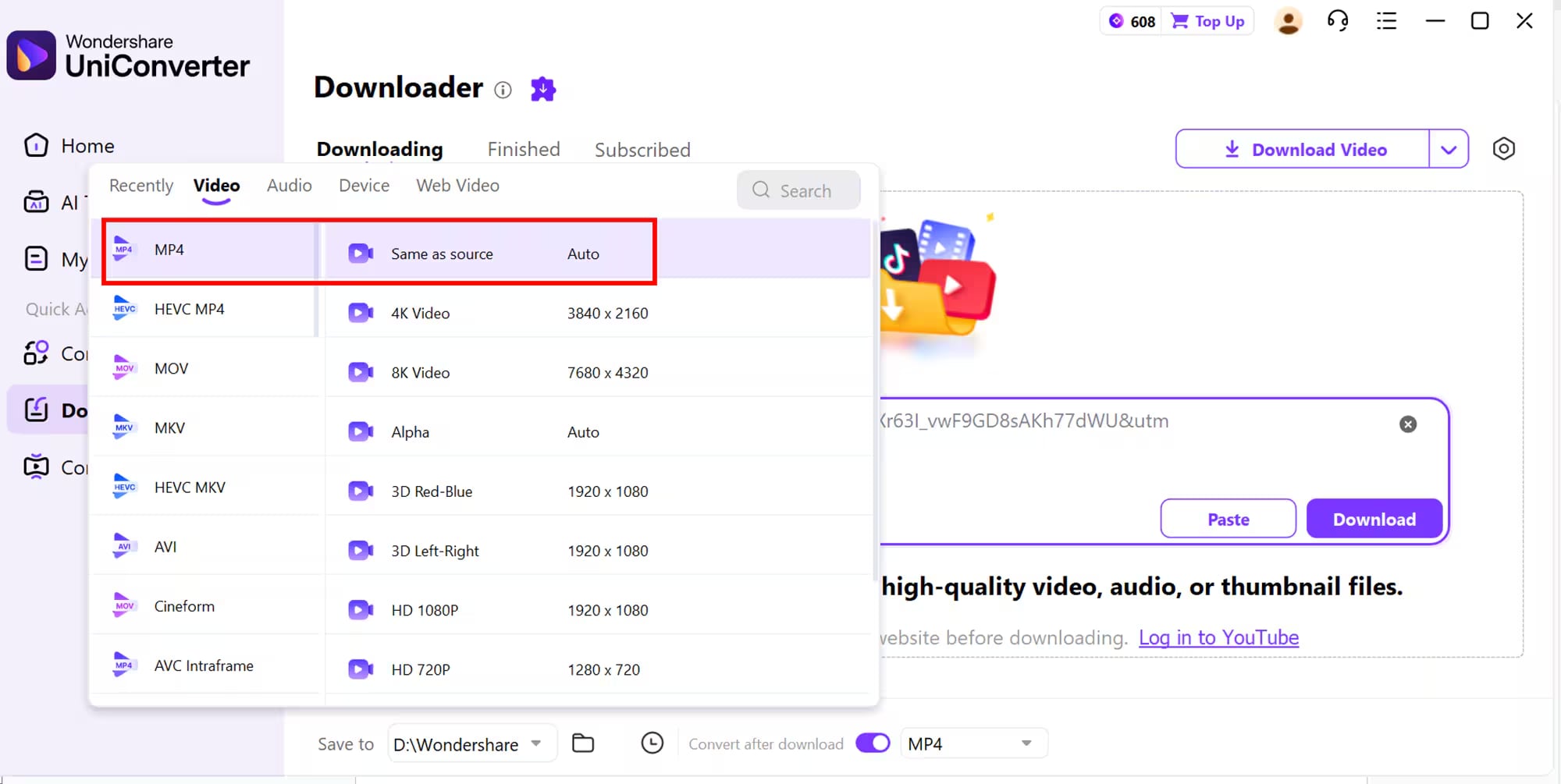
Convert saved TikTok video files to MP4 for broad playback and editing compatibility, or choose another supported video format when the next workflow requires it.

  • Convert TikTok video files to MP4
  • Choose a supported video profile or resolution
  • Batch-convert multiple files with consistent settings
Convert TikTok Videos to MP4

Extract TikTok Audio to MP3

When you only need the audio track, convert the saved video to MP3 or another supported audio format in UniConverter.

  • Convert video audio to MP3
  • Choose supported audio quality settings
  • Batch process multiple audio conversions

Available formats, quality settings, and tools can vary by operating system and UniConverter version.

Extract TikTok Audio to MP3

Edit, Compress, or Enhance After Conversion

Keep the processed media inside UniConverter when the next step is trimming, compression, format preparation, or visual enhancement.

  • Edit clips and adjust the media as needed
  • Compress files for smaller file size
  • Use enhancement tools when the source needs improvement
  • Keep the workflow in one desktop toolbox

Available formats, quality settings, and tools can vary by operating system and UniConverter version.

Edit, Compress, or Enhance After Conversion

What You Can Control in the Batch TikTok Video Downloader Queue

The UniConverter batch TikTok workflow lets you add multiple supported TikTok links, manage the download queue, choose available media settings and save locations, and continue completed files into conversion or other media workflows. Available controls depend on the source, operating system, and installed UniConverter version.

Batch TikTok Download Controls

Set up the batch once, keep multiple TikTok links together, and manage the resulting media from one desktop workflow instead of repeating the same process for every video.

Key controls available for batch TikTok video processing in Wondershare UniConverter
Batch Control What You Can Do Why It Helps
Multiple Links Add multiple supported TikTok video links to the same batch workflow. Process several videos without repeating the full setup link by link.
Queue Management Keep multiple processing tasks together and track their progress in UniConverter. Make larger jobs easier to manage from one desktop workspace.
Media Settings Choose from the video or audio options available for the supported source and workflow. Match the resulting media to the next playback, conversion, or editing task.
Save Location Choose where completed media files are stored on the computer. Keep batch results organized before conversion, editing, or compression.
MP4 Conversion Open completed video files in UniConverter and convert them to MP4 or another supported video format. Prepare multiple files for broader playback or editing compatibility.
MP3 Conversion Extract or convert audio from completed video files to MP3 or another supported audio format. Continue into an audio-only workflow without switching to a separate converter.

Product references: TikTok Downloader , TikTok to MP4 , TikTok to MP3 , UniConverter Tech Specs

Available source support, media settings, formats, queue behavior, and follow-up tools can vary by operating system and UniConverter version.

Batch TikTok Video Processing Workflows

Use UniConverter when multiple supported TikTok links need batch processing, format conversion, or follow-up media preparation in the same desktop workflow.

TikTok to MP4 Conversion

Convert saved TikTok video files to MP4 for playback, editing, or another downstream workflow.

TikTok to MP3 Audio Conversion

Extract the audio track and convert it to MP3 or another supported audio format.

Multi-Link Batch Processing

Process multiple supported TikTok links in one desktop workflow when more than one video is involved.

Editing and Compression Workflow

Continue with trimming, editing, compression, or enhancement after the media is saved or converted.

What UniConverter Users Are Saying

These reviews describe users’ experience with Wondershare UniConverter as a broader media conversion and editing product. Review sources are linked below where available.

★★★★★

“Very configurable for the exact result you need.”

Its flexible conversion controls make it easier to prepare files for different output and delivery requirements.
JohnsonJohnson
★★★★★

“The files can be used across IT platforms so easily!”

This kind of compatibility is useful when converted media needs to move between common systems and delivery workflows.
WilliamsWilliams
★★★★★

“Wondershare UniConverter is incredibly versatile.”

The broader conversion and editing toolkit supports users who need to complete more than one isolated media task.
OliviaOlivia

Explore UniConverter reviews and independent coverage across trusted software platforms.

Batch TikTok Video Downloader FAQs

01

Can I process multiple TikTok video links in one batch?

Yes. UniConverter supports processing multiple supported TikTok video links in one batch workflow, reducing repeated setup when several videos need to be handled together.
Add multiple supported TikTok links to UniConverter, choose the available media settings, run the batch, and then continue with conversion or other supported media tools when needed.
Yes. After the supported TikTok media is saved, open it in UniConverter Converter and choose MP4 or another supported video format for the next workflow.
Yes. UniConverter can extract or convert the audio track from saved TikTok video media to MP3 or another supported audio format.
Yes. Once the media files are available locally, UniConverter Batch Video Converter can apply shared output settings across multiple files in one conversion queue.
Yes. After the media is saved or converted, you can continue with UniConverter tools for editing, compression, enhancement, and other supported media processing tasks.
vc 16

Batch Process TikTok Links, Then Convert What You Need

Add multiple supported TikTok links, manage the batch, convert the resulting media to MP4 or MP3, and continue with editing or compression in UniConverter.

Batch TikTok video downloading and conversion workflow in UniConverter